# hexo-theme-bomla
**Repository Path**: leslie_wong/hexo-theme-bomla
## Basic Information
- **Project Name**: hexo-theme-bomla
- **Description**: No description available
- **Primary Language**: JavaScript
- **License**: Apache-2.0
- **Default Branch**: master
- **Homepage**: None
- **GVP Project**: No
## Statistics
- **Stars**: 0
- **Forks**: 0
- **Created**: 2020-03-03
- **Last Updated**: 2020-12-18
## Categories & Tags
**Categories**: Uncategorized
**Tags**: None
## README
# hexo-theme-bomla
蕴含中国传统文化韵味的 Hexo 主题
A traditional Chinese style theme for Hexo, inspired from hexo-theme-yilia.
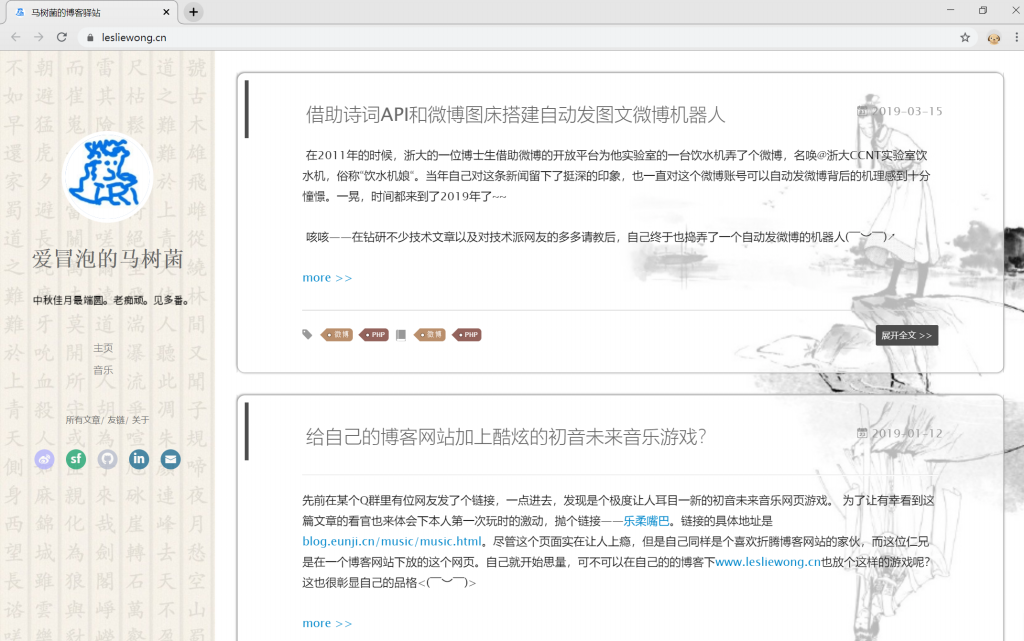
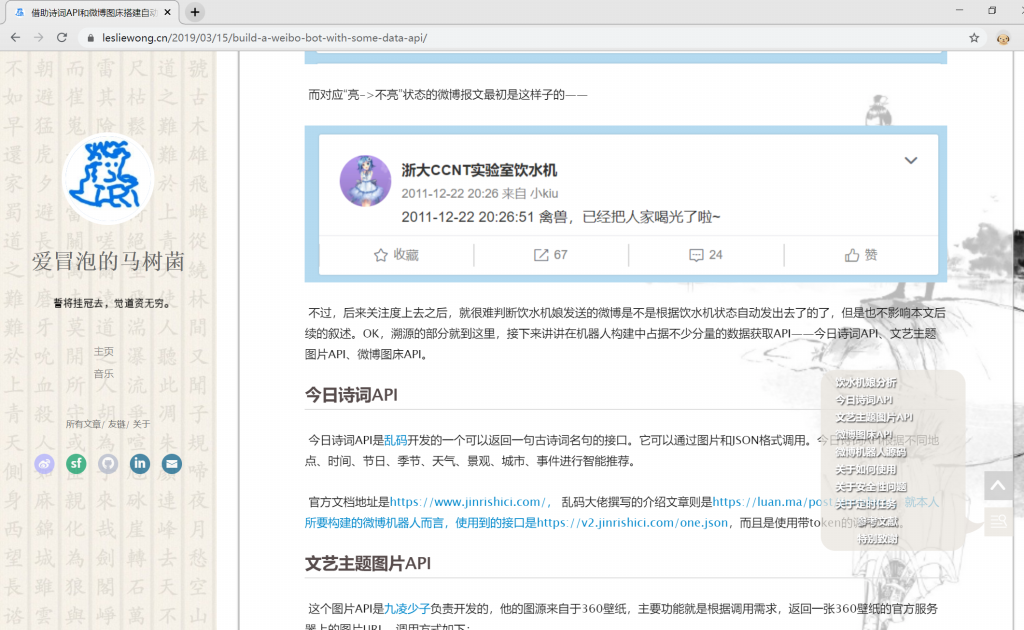
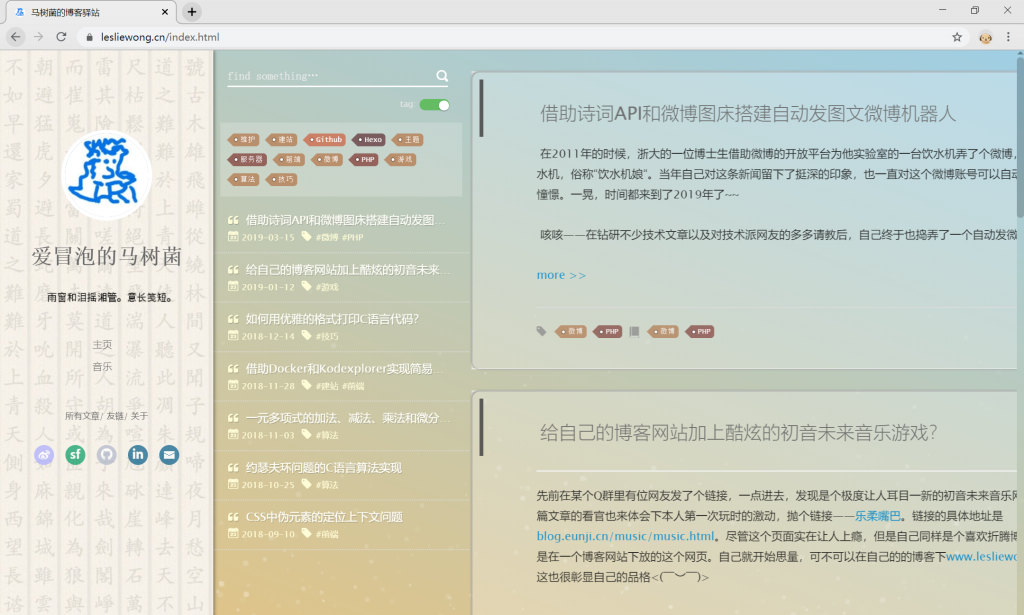
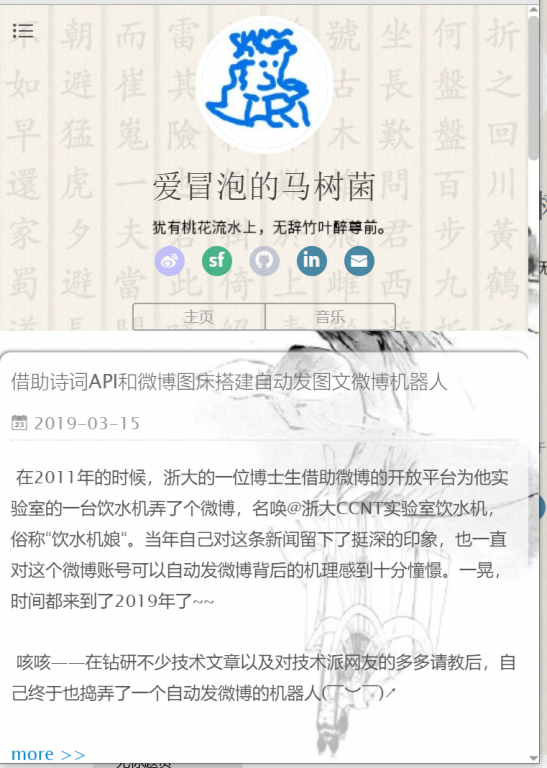
### 效果图 Rendering
Live Demo: https://www.lesliewong.cn
**桌面版 Desktop**
文章列表 Article List
文章详情 Article Detail
所有文章 Article Collection
**移动版 Mobile**
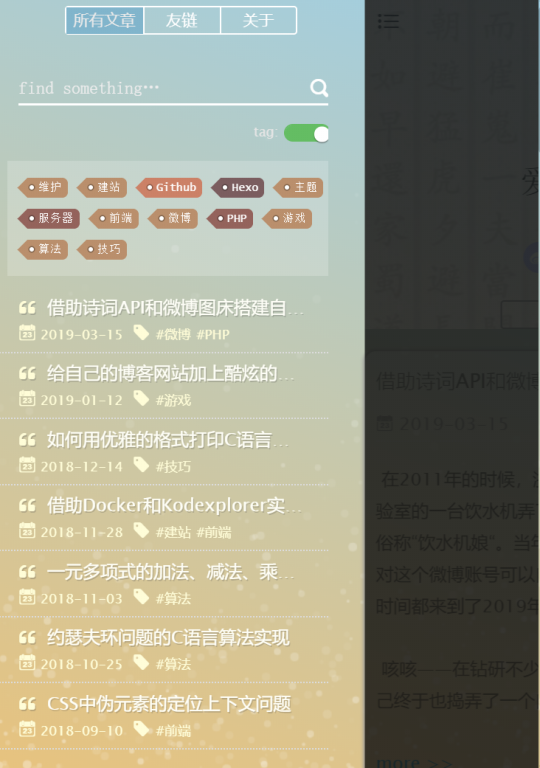
文章列表 Article List
所有文章 Article Collection
### 使用指导 Usage Guide
**Hexo 介绍 Introduction to Hexo**
> [Discover GitHub with Hexo](https://www.lesliewong.cn/github/DiscoverGitHubwithHexo.pdf)
**安装 Install**
> hexo 根目录下 git bash:
```
$ git clone https://github.com/Leslie-Wong-H/hexo-theme-bomla.git themes/bomla
```
**配置 Configure**
> hexo 根目录下修改\_config.yml:
```
theme: bomla
```
### 参数配置 hexo\themes\bomla\\\_config.yml
```yml
# Header
menu:
主页: /
# SubNav
subnav:
weibo: "#"
segmentfault: "#"
#rss: "/atom.xml"
#zhihu: "#"
#qq: "#"
#weixin: "#"
#jianshu: "#"
#douban: "#"
github: "#"
#bilibili: "#"
#acfun: "#"
#facebook: "#"
#google: "#"
#twitter: "#"
linkedin: "#"
mail: "#"
rss: /atom.xml
# 是否需要修改 root 路径
# 如果您的网站存放在子目录中,例如 http://yoursite.com/blog,
# 请将您的 url 设为 http://yoursite.com/blog 并把 root 设为 /blog/。
root: /
# Content
# 文章太长,截断按钮文字
excerpt_link: more
# 文章卡片右下角常驻链接,不需要请设置为false
show_all_link: "展开全文"
# 数学公式
mathjax: false
# 是否在新窗口打开链接
open_in_new: false
# 打赏
# 打赏type设定:0-关闭打赏; 1-文章对应的md文件里有reward:true属性,才有打赏; 2-所有文章均有打赏
reward_type: 0
# 打赏wording
reward_wording: "静水流深,沧笙踏歌"
# 支付宝二维码图片地址,跟你设置头像的方式一样。比如:/assets/img/alipay.jpg
alipay:
# 微信二维码图片地址
weixin:
# 目录
# 目录设定:0-不显示目录; 1-文章对应的md文件里有toc:true属性,才有目录; 2-所有文章均显示目录
toc: 2
# 根据自己的习惯来设置,如果你的目录标题习惯有标号,置为true即可隐藏hexo重复的序号;否则置为false
toc_hide_index: true
# 目录为空时的提示
toc_empty_wording: "没有目录"
# 是否有快速回到顶部的按钮
top: true
# Miscellaneous
baidu_analytics: ""
google_analytics: ""
# 修改浏览器标签栏上的网站图标
favicon: /img/favicon.ico
#你的头像url
avatar: https://i.loli.net/2019/05/09/5cd41a9c81275.jpg
#是否开启分享
share_jia: true
#评论:1、多说;2、网易云跟帖;3、畅言;4、Disqus;5、Gitment; 6.光速通行证
#不需要使用某项,直接设置值为false,或注释掉
#具体请参考wiki:https://github.com/litten/hexo-theme-yilia/wiki/
#1、多说
duoshuo: false
#2、网易云跟帖
wangyiyun: false
#3、畅言
changyan_appid: false
changyan_conf: false
#4、Disqus 在hexo根目录的config里也有disqus_shortname字段,优先使用yilia的
disqus: false
#5、Gitment
gitment_owner: false #你的 GitHub ID
gitment_repo: "" #存储评论的 repo
gitment_oauth:
client_id: "" #client ID
client_secret: "" #client secret
#6、光速通行证
guangsu_license: true
guangsu_sid: 23
# 样式定制
style:
# 头像上面的背景颜色(用的background属性) 本地:'#ffffff url(/img/head-backimg.jpg)'
header: "#ffffff url(https://i.loli.net/2019/05/09/5cd41b1bc4370.jpg)"
# 右滑板块背景
slider: "linear-gradient(200deg,#a0cfe4,#e8c37e)"
# 文章背景图 本地:'/img/bg.jpg'
right_bg: https://i.loli.net/2019/05/28/5ced114aa07ac64901.jpg
# slider的设置
slider:
# 是否默认展开tags板块
showTags: true
# 智能菜单
# 如不需要,将该对应项置为false
# 比如
#smart_menu:
# friends: false
smart_menu:
innerArchive: "所有文章"
friends: "友链"
aboutme: "关于"
# 声明备案信息,ICP-工信部,POLICE-公安
license:
ICP: ""
POLICE: ""
# 友链信息,可按"名称:URL"格式添加
friends:
马树菌的博客驿站: http://lesliewong.cn/
Litten的博客: http://litten.me/
# “关于”页面的个性签名信息,不需修改
将汉字替换即可
aboutme:
         诗的歌者

         代码玩家

         赏金猎人

      麦田里的守望者

       非典型中二病


```