# system_tray
**Repository Path**: liaoyp/system_tray
## Basic Information
- **Project Name**: system_tray
- **Description**: system_tray
- **Primary Language**: Unknown
- **License**: MIT
- **Default Branch**: main
- **Homepage**: None
- **GVP Project**: No
## Statistics
- **Stars**: 0
- **Forks**: 0
- **Created**: 2023-05-03
- **Last Updated**: 2023-05-03
## Categories & Tags
**Categories**: Uncategorized
**Tags**: None
## README
# system_tray
[](https://pub.dartlang.org/packages/system_tray)
A [Flutter package](https://github.com/antler119/system_tray.git) that enables support for system tray menu for desktop flutter apps. **on Windows, macOS, and Linux**.
## Install
In the pubspec.yaml of your flutter project, add the following dependency:
```yaml
dependencies:
...
system_tray: ^2.0.3
```
In your library add the following import:
```dart
import 'package:system_tray/system_tray.dart';
```
## Prerequisite
### Linux
```bash
sudo apt-get install appindicator3-0.1 libappindicator3-dev
```
or
```bash
// For Ubuntu 22.04 or greater
sudo apt-get install libayatana-appindicator3-dev
```
## Example App
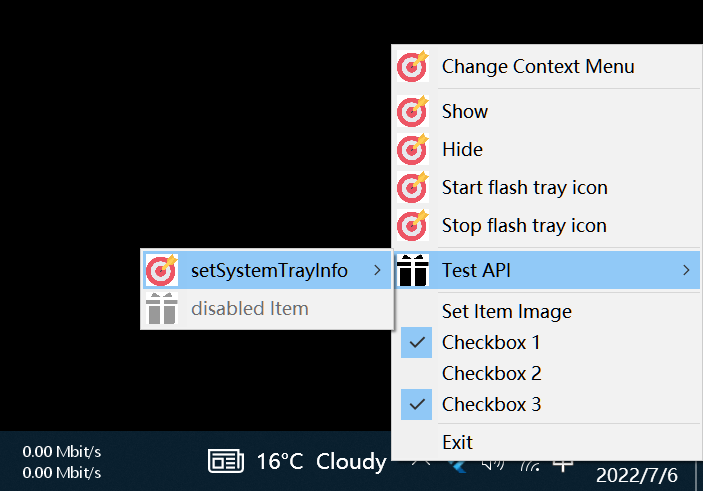
### Windows
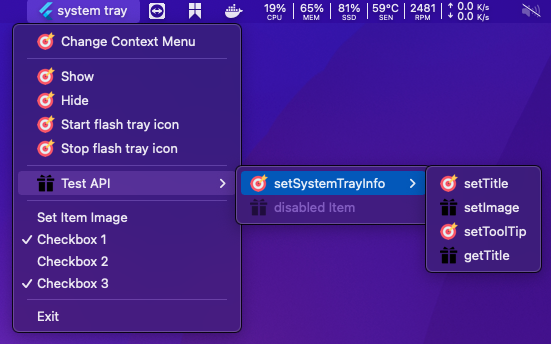
### macOS
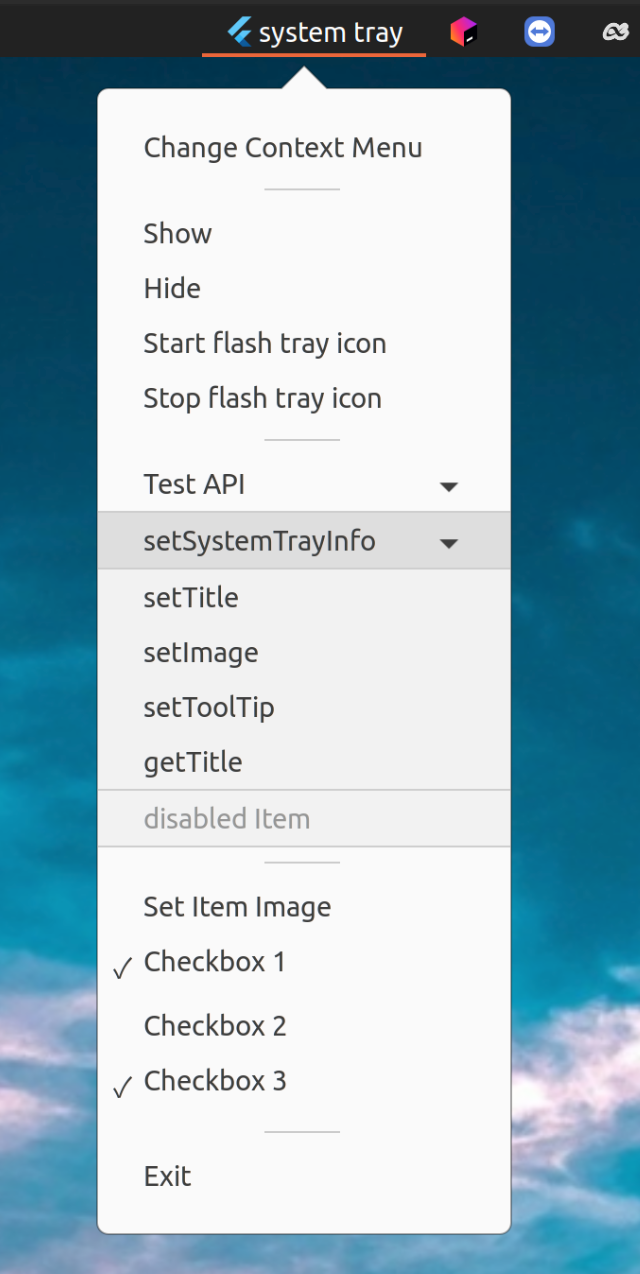
### Linux
## API
| Method |
Description |
Windows |
macOS |
Linux |
| initSystemTray |
Initialize system tray |
✔️ |
✔️ |
✔️ |
| setSystemTrayInfo |
Modify the tray info |
|
|
|
| setImage |
Modify the tray image |
✔️ |
✔️ |
✔️ |
| setTooltip |
Modify the tray tooltip |
✔️ |
✔️ |
➖ |
| setTitle / getTitle |
Set / Get the tray title |
➖ |
✔️ |
➖ |
| setContextMenu |
Set the tray context menu |
✔️ |
✔️ |
✔️ |
| popUpContextMenu |
Popup the tray context menu |
✔️ |
✔️ |
➖ |
| destroy |
Destroy the tray |
✔️ |
✔️ |
✔️ |
| registerSystemTrayEventHandler |
Register system tray event |
- click
- right-click
- double-click
|
|
➖ |
## Menu
| Type |
Description |
Windows |
macOS |
Linux |
| MenuItemLabel |
|
✔️ |
✔️ |
✔️ |
| MenuItemCheckbox |
|
✔️ |
✔️ |
✔️ |
| SubMenu |
|
✔️ |
✔️ |
✔️ |
| MenuSeparator |
|
✔️ |
✔️ |
✔️ |
## Usage
```dart
Future initSystemTray() async {
String path =
Platform.isWindows ? 'assets/app_icon.ico' : 'assets/app_icon.png';
final AppWindow appWindow = AppWindow();
final SystemTray systemTray = SystemTray();
// We first init the systray menu
await systemTray.initSystemTray(
title: "system tray",
iconPath: path,
);
// create context menu
final Menu menu = Menu();
await menu.buildFrom([
MenuItemLabel(label: 'Show', onClicked: (menuItem) => appWindow.show()),
MenuItemLabel(label: 'Hide', onClicked: (menuItem) => appWindow.hide()),
MenuItemLabel(label: 'Exit', onClicked: (menuItem) => appWindow.close()),
]);
// set context menu
await systemTray.setContextMenu(menu);
// handle system tray event
systemTray.registerSystemTrayEventHandler((eventName) {
debugPrint("eventName: $eventName");
if (eventName == kSystemTrayEventClick) {
Platform.isWindows ? appWindow.show() : systemTray.popUpContextMenu();
} else if (eventName == kSystemTrayEventRightClick) {
Platform.isWindows ? systemTray.popUpContextMenu() : appWindow.show();
}
});
}
```
## Additional Resources
Recommended library that supports window control:
- [bitsdojo_window](https://pub.dev/packages/bitsdojo_window)
- [window_size (Google)](https://github.com/google/flutter-desktop-embedding/tree/master/plugins/window_size)
## Q&A
1. Q: If you encounter the following compilation error
```C++
Undefined symbols for architecture x86_64:
"___gxx_personality_v0", referenced from:
...
```
A: add **libc++.tbd**
```bash
1. open example/macos/Runner.xcodeproj
2. add 'libc++.tbd' to TARGET runner 'Link Binary With Libraries'
```