# geomesa
**Repository Path**: ligeandldd/geomesa
## Basic Information
- **Project Name**: geomesa
- **Description**: No description available
- **Primary Language**: Unknown
- **License**: Apache-2.0
- **Default Branch**: master
- **Homepage**: None
- **GVP Project**: No
## Statistics
- **Stars**: 0
- **Forks**: 0
- **Created**: 2020-12-23
- **Last Updated**: 2026-02-10
## Categories & Tags
**Categories**: Uncategorized
**Tags**: None
## README

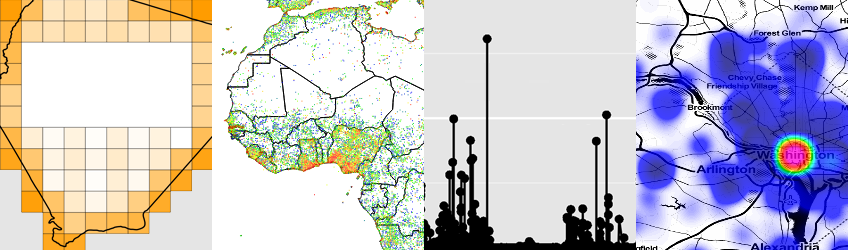
GeoMesa is an open source suite of tools that enables large-scale geospatial querying and analytics on distributed
computing systems. GeoMesa provides spatio-temporal indexing on top of the Accumulo, HBase, Google Bigtable and
Cassandra databases for massive storage of point, line, and polygon data. GeoMesa also provides near real time
stream processing of spatio-temporal data by layering spatial semantics on top of Apache Kafka. Through GeoServer,
GeoMesa facilitates integration with a wide range of existing mapping clients over standard OGC (Open Geospatial
Consortium) APIs and protocols such as WFS and WMS. GeoMesa supports Apache Spark for custom distributed
geospatial analytics.
####  GeoMesa is a member of the [LocationTech](https://projects.eclipse.org/projects/locationtech.geomesa) working group of the Eclipse Foundation.
## Join the Community
*  * GeoMesa [Users](https://accounts.eclipse.org/mailing-list/geomesa-users) and [Dev](https://accounts.eclipse.org/mailing-list/geomesa-dev) mailing lists
* GeoMesa [JIRA](https://geomesa.atlassian.net/issues/?jql=order+by+created+DESC) for issue tracking
## Documentation
* [Main documentation](http://www.geomesa.org/documentation/)
* [Upgrade Guide](http://www.geomesa.org/documentation/user/upgrade.html)
* Quick Starts:
[HBase](http://www.geomesa.org/documentation/tutorials/geomesa-quickstart-hbase.html) |
[Accumulo](http://www.geomesa.org/documentation/tutorials/geomesa-quickstart-accumulo.html) |
[Cassandra](http://www.geomesa.org/documentation/tutorials/geomesa-quickstart-cassandra.html) |
[Kafka](http://www.geomesa.org/documentation/tutorials/geomesa-quickstart-kafka.html) |
[Redis](http://www.geomesa.org/documentation/tutorials/geomesa-quickstart-redis.html) |
[FileSystem](http://www.geomesa.org/documentation/current/tutorials/geomesa-quickstart-fsds.html)
* [Tutorials](http://www.geomesa.org/tutorials/)
## Downloads
**Current release: [3.1.0](https://github.com/locationtech/geomesa/releases/tag/geomesa_2.11-3.1.0)**
[**HBase**](https://github.com/locationtech/geomesa/releases/download/geomesa_2.11-3.1.0/geomesa-hbase_2.11-3.1.0-bin.tar.gz) |
[**Accumulo**](https://github.com/locationtech/geomesa/releases/download/geomesa_2.11-3.1.0/geomesa-accumulo_2.11-3.1.0-bin.tar.gz) |
[**Cassandra**](https://github.com/locationtech/geomesa/releases/download/geomesa_2.11-3.1.0/geomesa-cassandra_2.11-3.1.0-bin.tar.gz) |
[**Kafka**](https://github.com/locationtech/geomesa/releases/download/geomesa_2.11-3.1.0/geomesa-kafka_2.11-3.1.0-bin.tar.gz) |
[**Redis**](https://github.com/locationtech/geomesa/releases/download/geomesa_2.11-3.1.0/geomesa-redis_2.11-3.1.0-bin.tar.gz) |
[**FileSystem**](https://github.com/locationtech/geomesa/releases/download/geomesa_2.11-3.1.0/geomesa-fs_2.11-3.1.0-bin.tar.gz) |
[**Bigtable**](https://github.com/locationtech/geomesa/releases/download/geomesa_2.11-3.1.0/geomesa-bigtable_2.11-3.1.0-bin.tar.gz)
### Verifying Downloads
Downloads hosted on GitHub include SHA-256 hashes and gpg signatures (.asc files). To verify a download using gpg,
import the appropriate key:
```bash
$ gpg2 --keyserver hkp://pool.sks-keyservers.net --recv-keys CD24F317
```
Then verify the file:
```bash
$ gpg2 --verify geomesa-accumulo_2.11-3.1.0-bin.tar.gz.asc geomesa-accumulo_2.11-3.1.0-bin.tar.gz
```
The keys currently used for signing are:
| Key ID | Name |
| ------ | ---- |
| `CD24F317` | Emilio Lahr-Vivaz <elahrvivaz(-at-)ccri.com> |
| `1E679A56` | James Hughes <jnh5y(-at-)ccri.com> |
## Maven Integration
[](https://search.maven.org/search?q=g:org.locationtech.geomesa)
GeoMesa is hosted on Maven Central. However, it still depends on several third-party libraries only available
in other repositories. To include GeoMesa in your project, add the following repositories to your pom:
```xml
osgeo
https://repo.osgeo.org/repository/release
confluent
https://packages.confluent.io/maven/
```
You may then include the desired `geomesa-*` dependencies, for example:
```xml
org.locationtech.geomesa
geomesa-utils_2.11
3.1.0
```
To download from the LocationTech Maven repository (required for older versions), add:
```xml
eclipse-releases
https://repo.eclipse.org/content/groups/releases
false
```
For nightly snapshot integration, add:
```xml
geomesa-snapshots
https://repo.eclipse.org/content/repositories/geomesa-snapshots
false
true
```
## `sbt` Integration
Similarly, integration with `sbt` is straightforward:
```scala
// Add necessary resolvers
resolvers ++= Seq(
"osgeo" at "https://repo.osgeo.org/repository/release",
"confluent" at "https://packages.confluent.io/maven"
)
// Select desired modules
libraryDependencies ++= Seq(
"org.locationtech.geomesa" %% "geomesa-utils" % "3.1.0"
)
```
## Building from Source
**Development version: 3.2.0**
[](https://github.com/locationtech/geomesa/actions?query=branch%3Amain+workflow%3ACI)
Requirements:
* [Git](http://git-scm.com/)
* [Java JDK 8](http://www.oracle.com/technetwork/java/javase/downloads/index.html)
* [Apache Maven](http://maven.apache.org/) 3.6.3 or later
Use Git to download the source code. Navigate to the destination directory, then run:
git clone git@github.com:locationtech/geomesa.git
cd geomesa
The project is built using Maven. To build, run:
mvn clean install
The full build takes quite a while. To speed it up, you may skip tests and use multiple threads. GeoMesa also
provides the script `build/mvn`, which is a wrapper around Maven that downloads and runs
[Zinc](https://github.com/typesafehub/zinc), a fast incremental compiler:
build/mvn clean install -T8 -DskipTests
If the Zinc build fails with an error finding "javac", try setting the JAVA_HOME
environment variable to point to the root of your JDK. Example from a Mac:
JAVA_HOME="/Library/Java/JavaVirtualMachines/jdk1.8.0_51.jdk/Contents/Home" build/mvn clean install
* GeoMesa [Users](https://accounts.eclipse.org/mailing-list/geomesa-users) and [Dev](https://accounts.eclipse.org/mailing-list/geomesa-dev) mailing lists
* GeoMesa [JIRA](https://geomesa.atlassian.net/issues/?jql=order+by+created+DESC) for issue tracking
## Documentation
* [Main documentation](http://www.geomesa.org/documentation/)
* [Upgrade Guide](http://www.geomesa.org/documentation/user/upgrade.html)
* Quick Starts:
[HBase](http://www.geomesa.org/documentation/tutorials/geomesa-quickstart-hbase.html) |
[Accumulo](http://www.geomesa.org/documentation/tutorials/geomesa-quickstart-accumulo.html) |
[Cassandra](http://www.geomesa.org/documentation/tutorials/geomesa-quickstart-cassandra.html) |
[Kafka](http://www.geomesa.org/documentation/tutorials/geomesa-quickstart-kafka.html) |
[Redis](http://www.geomesa.org/documentation/tutorials/geomesa-quickstart-redis.html) |
[FileSystem](http://www.geomesa.org/documentation/current/tutorials/geomesa-quickstart-fsds.html)
* [Tutorials](http://www.geomesa.org/tutorials/)
## Downloads
**Current release: [3.1.0](https://github.com/locationtech/geomesa/releases/tag/geomesa_2.11-3.1.0)**
[**HBase**](https://github.com/locationtech/geomesa/releases/download/geomesa_2.11-3.1.0/geomesa-hbase_2.11-3.1.0-bin.tar.gz) |
[**Accumulo**](https://github.com/locationtech/geomesa/releases/download/geomesa_2.11-3.1.0/geomesa-accumulo_2.11-3.1.0-bin.tar.gz) |
[**Cassandra**](https://github.com/locationtech/geomesa/releases/download/geomesa_2.11-3.1.0/geomesa-cassandra_2.11-3.1.0-bin.tar.gz) |
[**Kafka**](https://github.com/locationtech/geomesa/releases/download/geomesa_2.11-3.1.0/geomesa-kafka_2.11-3.1.0-bin.tar.gz) |
[**Redis**](https://github.com/locationtech/geomesa/releases/download/geomesa_2.11-3.1.0/geomesa-redis_2.11-3.1.0-bin.tar.gz) |
[**FileSystem**](https://github.com/locationtech/geomesa/releases/download/geomesa_2.11-3.1.0/geomesa-fs_2.11-3.1.0-bin.tar.gz) |
[**Bigtable**](https://github.com/locationtech/geomesa/releases/download/geomesa_2.11-3.1.0/geomesa-bigtable_2.11-3.1.0-bin.tar.gz)
### Verifying Downloads
Downloads hosted on GitHub include SHA-256 hashes and gpg signatures (.asc files). To verify a download using gpg,
import the appropriate key:
```bash
$ gpg2 --keyserver hkp://pool.sks-keyservers.net --recv-keys CD24F317
```
Then verify the file:
```bash
$ gpg2 --verify geomesa-accumulo_2.11-3.1.0-bin.tar.gz.asc geomesa-accumulo_2.11-3.1.0-bin.tar.gz
```
The keys currently used for signing are:
| Key ID | Name |
| ------ | ---- |
| `CD24F317` | Emilio Lahr-Vivaz <elahrvivaz(-at-)ccri.com> |
| `1E679A56` | James Hughes <jnh5y(-at-)ccri.com> |
## Maven Integration
[](https://search.maven.org/search?q=g:org.locationtech.geomesa)
GeoMesa is hosted on Maven Central. However, it still depends on several third-party libraries only available
in other repositories. To include GeoMesa in your project, add the following repositories to your pom:
```xml
osgeo
https://repo.osgeo.org/repository/release
confluent
https://packages.confluent.io/maven/
```
You may then include the desired `geomesa-*` dependencies, for example:
```xml
org.locationtech.geomesa
geomesa-utils_2.11
3.1.0
```
To download from the LocationTech Maven repository (required for older versions), add:
```xml
eclipse-releases
https://repo.eclipse.org/content/groups/releases
false
```
For nightly snapshot integration, add:
```xml
geomesa-snapshots
https://repo.eclipse.org/content/repositories/geomesa-snapshots
false
true
```
## `sbt` Integration
Similarly, integration with `sbt` is straightforward:
```scala
// Add necessary resolvers
resolvers ++= Seq(
"osgeo" at "https://repo.osgeo.org/repository/release",
"confluent" at "https://packages.confluent.io/maven"
)
// Select desired modules
libraryDependencies ++= Seq(
"org.locationtech.geomesa" %% "geomesa-utils" % "3.1.0"
)
```
## Building from Source
**Development version: 3.2.0**
[](https://github.com/locationtech/geomesa/actions?query=branch%3Amain+workflow%3ACI)
Requirements:
* [Git](http://git-scm.com/)
* [Java JDK 8](http://www.oracle.com/technetwork/java/javase/downloads/index.html)
* [Apache Maven](http://maven.apache.org/) 3.6.3 or later
Use Git to download the source code. Navigate to the destination directory, then run:
git clone git@github.com:locationtech/geomesa.git
cd geomesa
The project is built using Maven. To build, run:
mvn clean install
The full build takes quite a while. To speed it up, you may skip tests and use multiple threads. GeoMesa also
provides the script `build/mvn`, which is a wrapper around Maven that downloads and runs
[Zinc](https://github.com/typesafehub/zinc), a fast incremental compiler:
build/mvn clean install -T8 -DskipTests
If the Zinc build fails with an error finding "javac", try setting the JAVA_HOME
environment variable to point to the root of your JDK. Example from a Mac:
JAVA_HOME="/Library/Java/JavaVirtualMachines/jdk1.8.0_51.jdk/Contents/Home" build/mvn clean install