# Claudable
**Repository Path**: lintheSirus/Claudable
## Basic Information
- **Project Name**: Claudable
- **Description**: No description available
- **Primary Language**: Python
- **License**: MIT
- **Default Branch**: main
- **Homepage**: None
- **GVP Project**: No
## Statistics
- **Stars**: 0
- **Forks**: 0
- **Created**: 2025-12-02
- **Last Updated**: 2025-12-02
## Categories & Tags
**Categories**: Uncategorized
**Tags**: None
## README
# Claudable

Connect CLI Agent • Build what you want • Deploy instantly
Available as a web service at clink.new







## What is Claudable?
Claudable is a powerful Next.js-based web app builder that combines **C**laude Code's (Cursor CLI also supported!) advanced AI agent capabilities with **Lovable**'s simple and intuitive app building experience. Just describe your app idea - "I want a task management app with dark mode" - and watch as Claudable instantly generates the code and shows you a live preview of your working app. You can deploy your app to Vercel and integrate database with Supabase for free.
This open-source project empowers you to build and deploy professional web applications easily for **free**.
How to start? Simply login to Claude Code (or Cursor CLI), start Claudable, and describe what you want to build. That's it. There is no additional subscription cost for app builder.
## Try Clink - Web Service
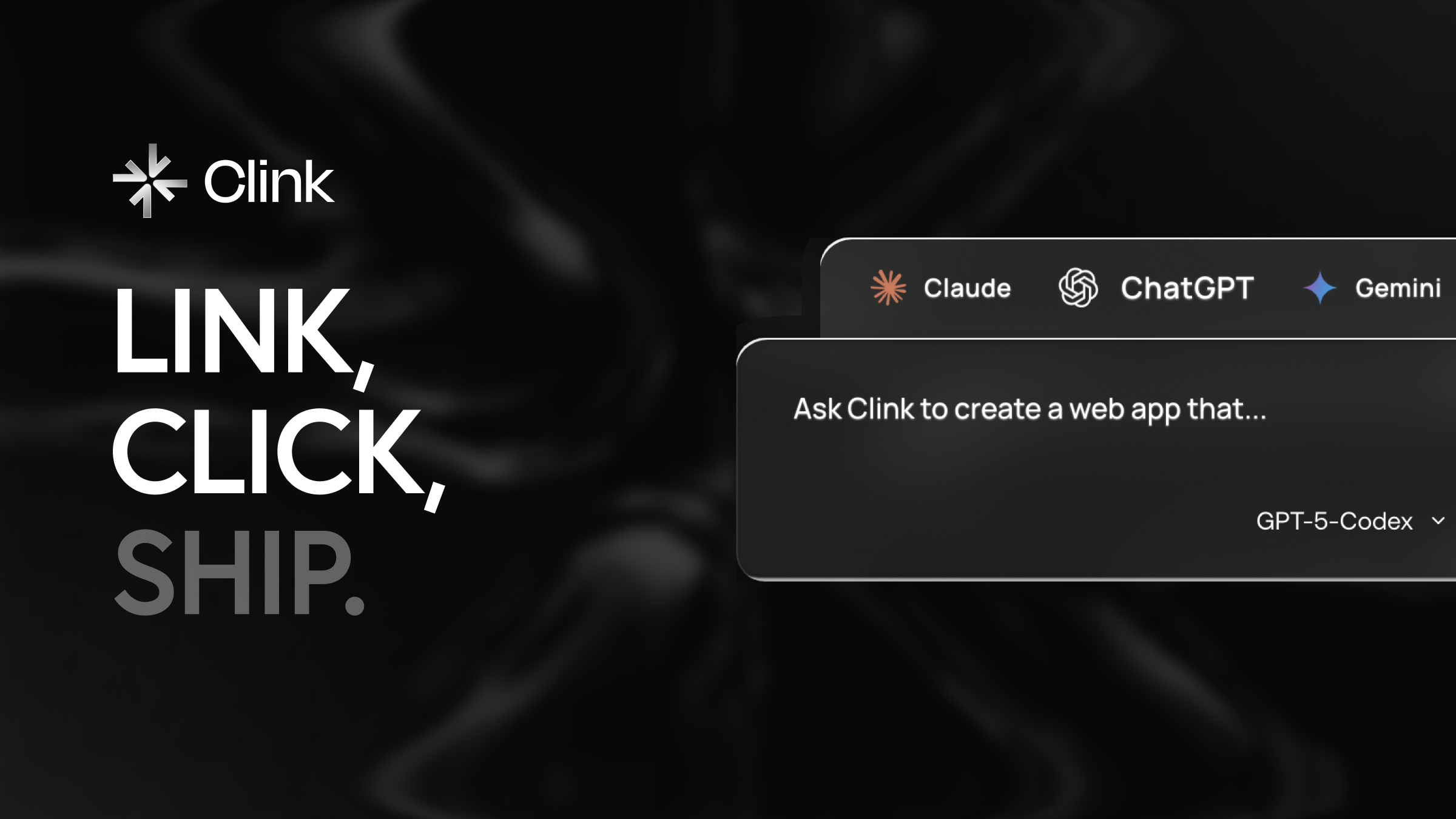
Don't want to set up locally? Try Clink - the web-based version with instant access!
## Features
- **Powerful Agent Performance**: Leverage the full power of Claude Code and Cursor CLI Agent capabilities
- **Natural Language to Code**: Simply describe what you want to build, and Claudable generates production-ready Next.js code
- **Instant Preview**: See your changes immediately with hot-reload as AI builds your app
- **Zero Setup, Instant Launch**: No complex sandboxes, no API key, no database headaches - just start building immediately
- **Beautiful UI**: Generate beautiful UI with Tailwind CSS and shadcn/ui
- **Deploy to Vercel**: Push your app live with a single click, no configuration needed
- **GitHub Integration**: Automatic version control and continuous deployment setup
- **Supabase Database**: Connect production PostgreSQL with authentication ready to use
- **Desktop App**: Available as Electron desktop application for Mac, Windows, and Linux
## Supported AI Coding Agents
Claudable supports multiple AI coding agents, giving you the flexibility to choose the best tool for your needs:
- **Claude Code** - Anthropic's advanced AI coding agent
- **Codex CLI** - OpenAI's powerful coding agent
- **Cursor CLI** - Powerful multi-model AI agent
- **Qwen Code** - Alibaba's open-source coding CLI
- **Z.AI GLM-4.6** - Zhipu AI's coding agent
### Claude Code (Recommended)
**[Claude Code](https://docs.anthropic.com/en/docs/claude-code/setup)** - Anthropic's advanced AI coding agent with Claude Opus 4.1
- **Features**: Deep codebase awareness, Unix philosophy, direct terminal integration
- **Context**: Native 200k tokens
- **Pricing**: Requires Anthropic API key or Claude subscription
- **Installation**:
```bash
npm install -g @anthropic-ai/claude-code
claude # then > /login
```
### Codex CLI
**[Codex CLI](https://github.com/openai/codex)** - OpenAI's powerful coding agent with GPT-5 support
- **Features**: High reasoning capabilities, local execution, multiple operating modes (interactive, auto-edit, full-auto)
- **Context**: Varies by model
- **Pricing**: Included with ChatGPT Plus/Pro/Business/Edu/Enterprise plans
- **Installation**:
```bash
npm install -g @openai/codex
codex # login with ChatGPT account
```
### Cursor CLI
**[Cursor CLI](https://cursor.com/en/cli)** - Powerful AI agent with access to cutting-edge models
- **Features**: Multi-model support (Anthropic, OpenAI), AGENTS.md support
- **Context**: Model dependent
- **Pricing**: Starting from $20/month Pro plan
- **Installation**:
```bash
curl https://cursor.com/install -fsS | bash
cursor-agent login
```
### Qwen Code
**[Qwen Code](https://github.com/QwenLM/qwen-code)** - Alibaba's open-source CLI for Qwen3-Coder models
- **Features**: 256K-1M token context, multiple model sizes (0.5B to 480B), Apache 2.0 license
- **Context**: 256K native, 1M with extrapolation
- **Pricing**: Completely free and open-source
- **Installation**:
```bash
npm install -g @qwen-code/qwen-code@latest
qwen --version
```
### Z.AI GLM-4.6
**[Z.AI GLM-4.6](https://z.ai/subscribe)** - Zhipu AI's coding agent powered by GLM-4.6
- **Features**: Strong reasoning capabilities and cost-efficient, code generation and understanding
- **Context**: 200K tokens
- **Pricing**: Starting from $3/month (GLM Coding Lite) to $30/month (GLM Coding Max), with 50% off first month
- **Installation**: See [Quick Start Guide](https://docs.z.ai/devpack/quick-start)
## Technology Stack
**Database & Deployment:**
- **[Supabase](https://supabase.com/)**: Connect production-ready PostgreSQL database directly to your project.
- **[Vercel](https://vercel.com/)**: Publish your work immediately with one-click deployment
**There is no additional subscription cost and built just for YOU.**
## Prerequisites
Before you begin, ensure you have the following installed:
- Node.js 18+
- Claude Code or Cursor CLI (already logged in)
- Git
## Quick Start
Get Claudable running on your local machine in minutes:
```bash
# Clone the repository
git clone https://github.com/opactorai/Claudable.git
cd Claudable
# Install all dependencies
npm install
# Start development server
npm run dev
```
Your application will be available at http://localhost:3000
**Note**: Ports are automatically detected. If the default port is in use, the next available port will be assigned.
## Troubleshooting
- **Database migration conflicts**: If you upgraded from a previous Claudable version and run into database errors, reset the Prisma database so it matches the latest schema:
```bash
npm run prisma:reset
```
The command drops and recreates the local database, so back up any data you need before running it.
## Setup
The `npm install` command automatically handles the complete setup:
1. **Port Configuration**: Detects available ports and creates `.env` files
2. **Dependencies**: Installs all required Node.js packages
3. **Database Setup**: SQLite database auto-creates at `data/cc.db` on first run
### Desktop App (Electron)
Build and run Claudable as a desktop application:
```bash
# Development mode
npm run dev:desktop
# Build desktop app
npm run build:desktop
# Package for specific platforms
npm run package:mac # macOS
npm run package:win # Windows
npm run package:linux # Linux
```
### Additional Commands
```bash
npm run db:backup # Create a backup of your SQLite database
# Use when: Before major changes or deployments
# Creates: data/backups/cc_backup_[timestamp].db
npm run db:reset # Reset database to initial state
# Use when: Need fresh start or corrupted data
# Warning: This will delete all your data!
npm run clean # Remove all dependencies
# Use when: Dependencies conflict or need fresh install
# Removes: node_modules/, package-lock.json
# After running: npm install to reinstall everything
```
## Usage
### Getting Started with Development
1. **Connect Claude Code**: Link your Claude Code CLI to enable AI assistance
2. **Describe Your Project**: Use natural language to describe what you want to build
3. **AI Generation**: Watch as the AI generates your project structure and code
4. **Live Preview**: See changes instantly with hot reload functionality
5. **Deploy**: Push to production with Vercel integration
### Database Operations
Claudable uses SQLite for local development. The database automatically initializes on first run.
## Troubleshooting
### Port Already in Use
The application automatically finds available ports. Check the `.env` file to see which ports were assigned.
### Installation Failures
```bash
# Clean all dependencies and retry
npm run clean
npm install
```
### Claude Code Permission Issues (Windows/WSL)
If you encounter the error: `Error output dangerously skip permissions cannot be used which is root sudo privileges for security reasons`
**Solution:**
1. Do not run Claude Code with `sudo` or as root user
2. Ensure proper file ownership in WSL:
```bash
# Check current user
whoami
# Change ownership of project directory to current user
sudo chown -R $(whoami):$(whoami) ~/Claudable
```
3. If using WSL, make sure you're running Claude Code from your user account, not root
4. Verify Claude Code installation permissions:
```bash
# Reinstall Claude Code without sudo
npm install -g @anthropic-ai/claude-code --unsafe-perm=false
```
## Integration Guide
### GitHub
**Get Token:** [GitHub Personal Access Tokens](https://github.com/settings/tokens) → Generate new token (classic) → Select `repo` scope
**Connect:** Settings → Service Integrations → GitHub → Enter token → Create or connect repository
### Vercel
**Get Token:** [Vercel Account Settings](https://vercel.com/account/tokens) → Create Token
**Connect:** Settings → Service Integrations → Vercel → Enter token → Create new project for deployment
### Supabase
**Get Credentials:** [Supabase Dashboard](https://supabase.com/dashboard) → Your Project → Settings → API
- Project URL: `https://xxxxx.supabase.co`
- Anon Key: Public key for client-side
- Service Role Key: Secret key for server-side
## License
MIT License.
## Upcoming Features
These features are in development and will be opened soon.
- **Native MCP Support** - Model Context Protocol integration for enhanced agent capabilities
- **Checkpoints for Chat** - Save and restore conversation/codebase states
- **Enhanced Agent System** - Subagents, AGENTS.md integration
- **Website Cloning** - You can start a project from a reference URL.
- Various bug fixes and community PR merges
We're working hard to deliver the features you've been asking for. Stay tuned!
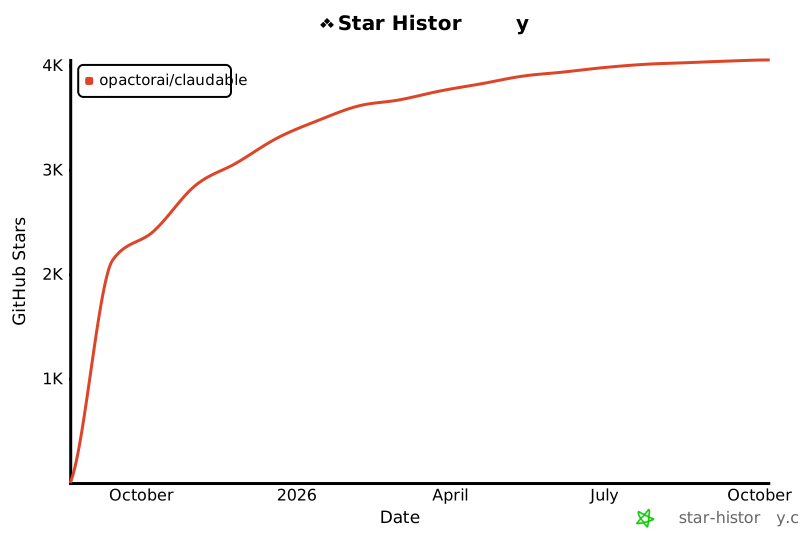
## Star History
[](https://www.star-history.com/#opactorai/Claudable&Date)