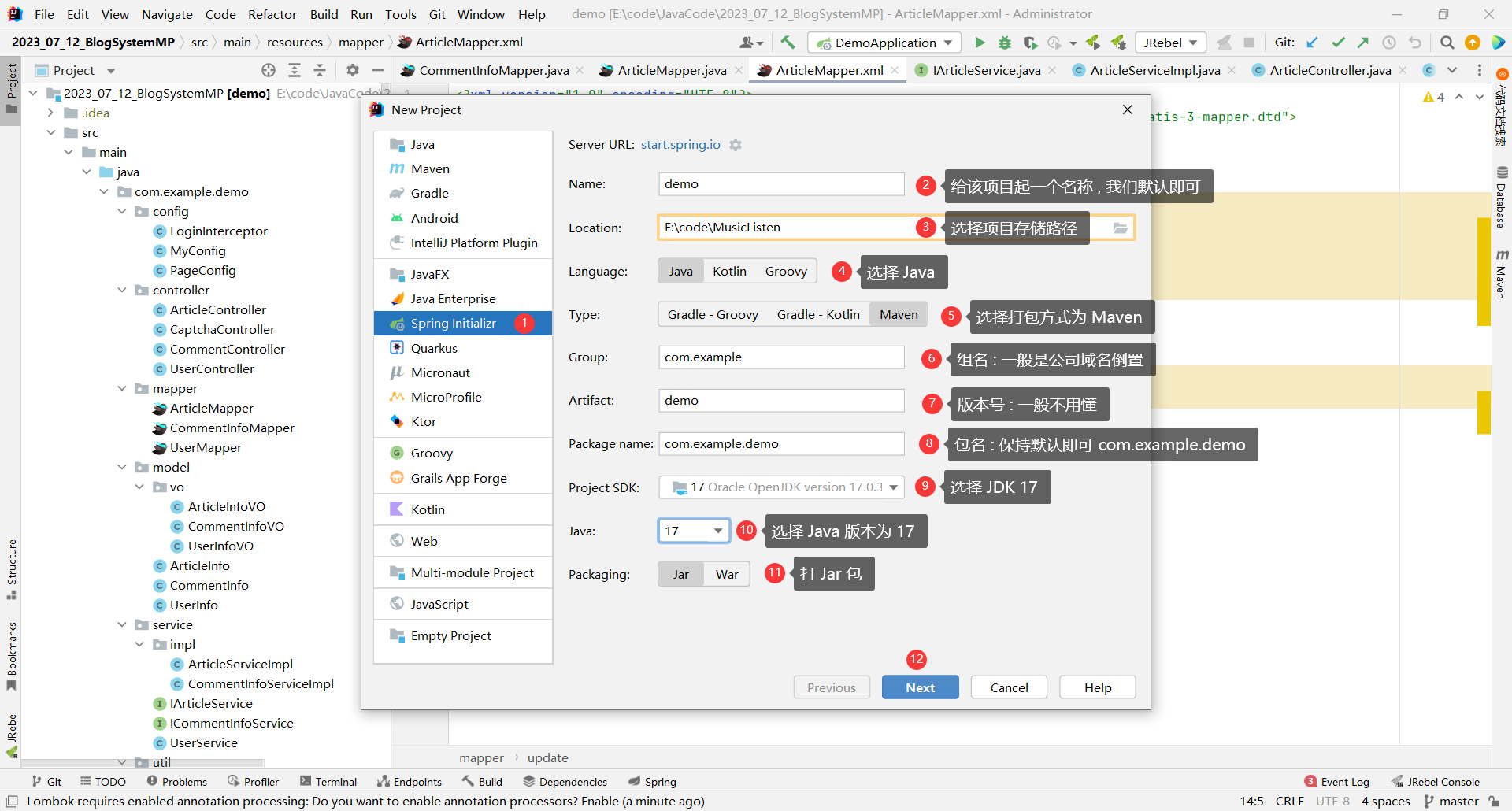
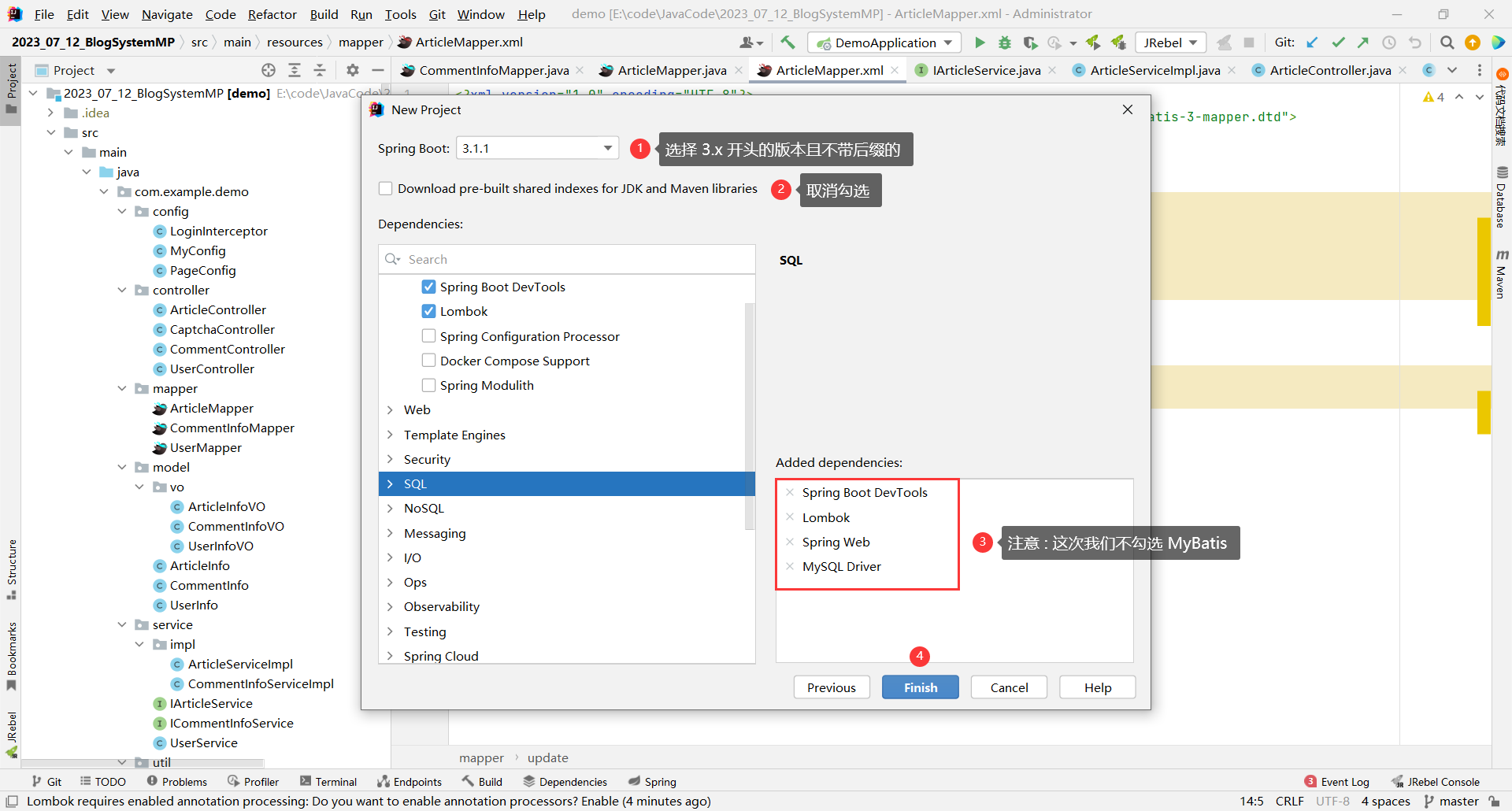
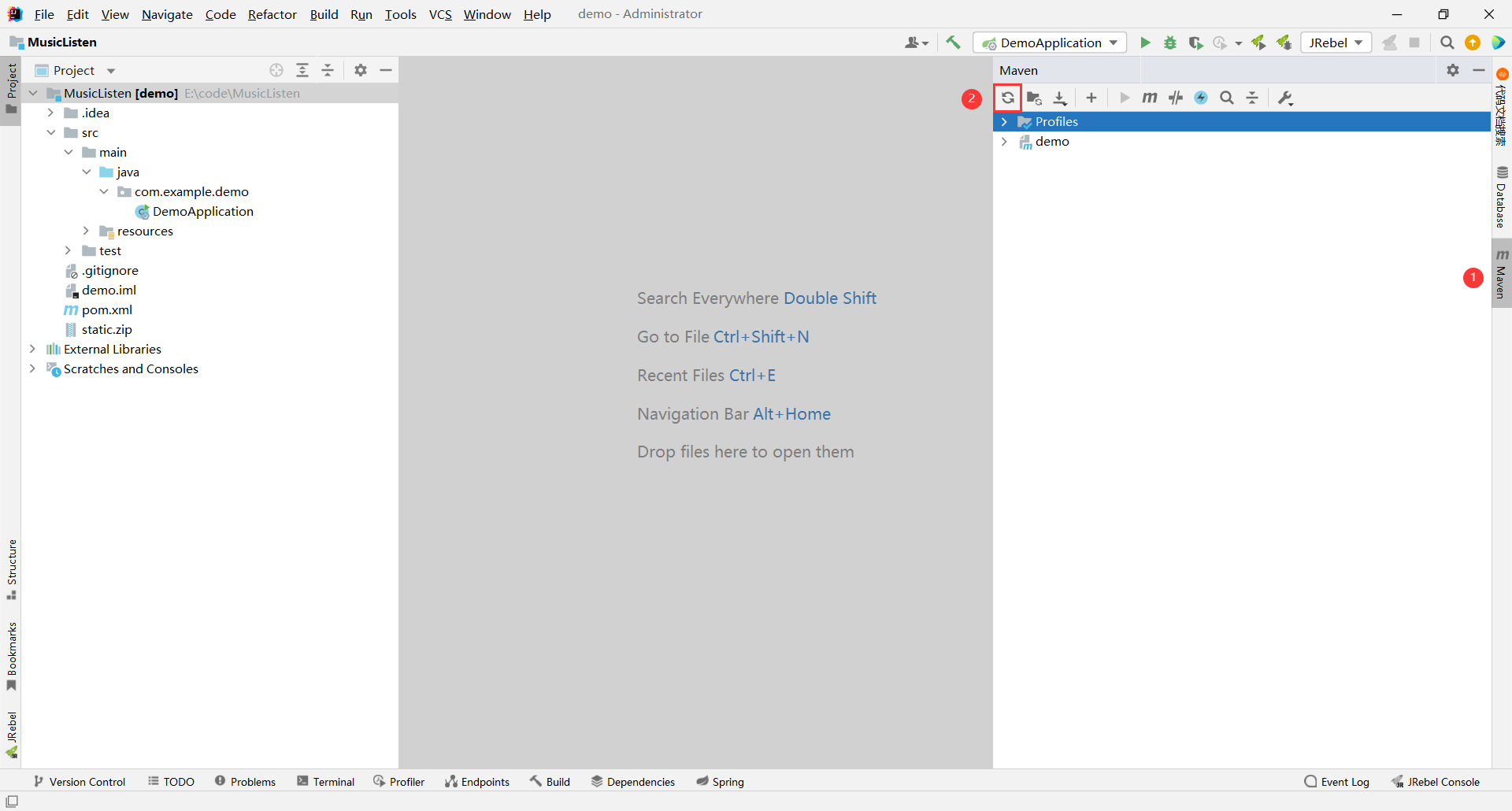
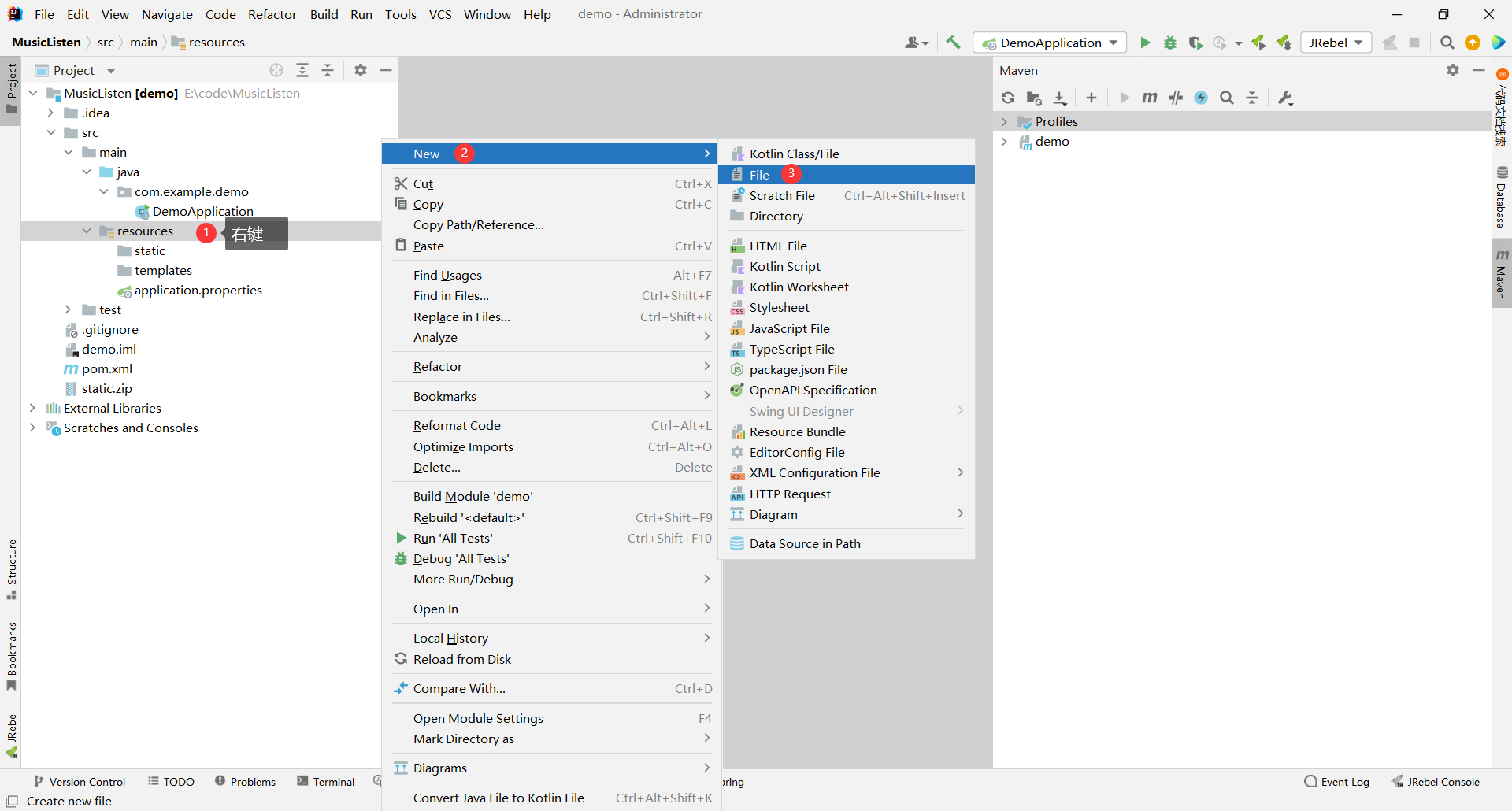
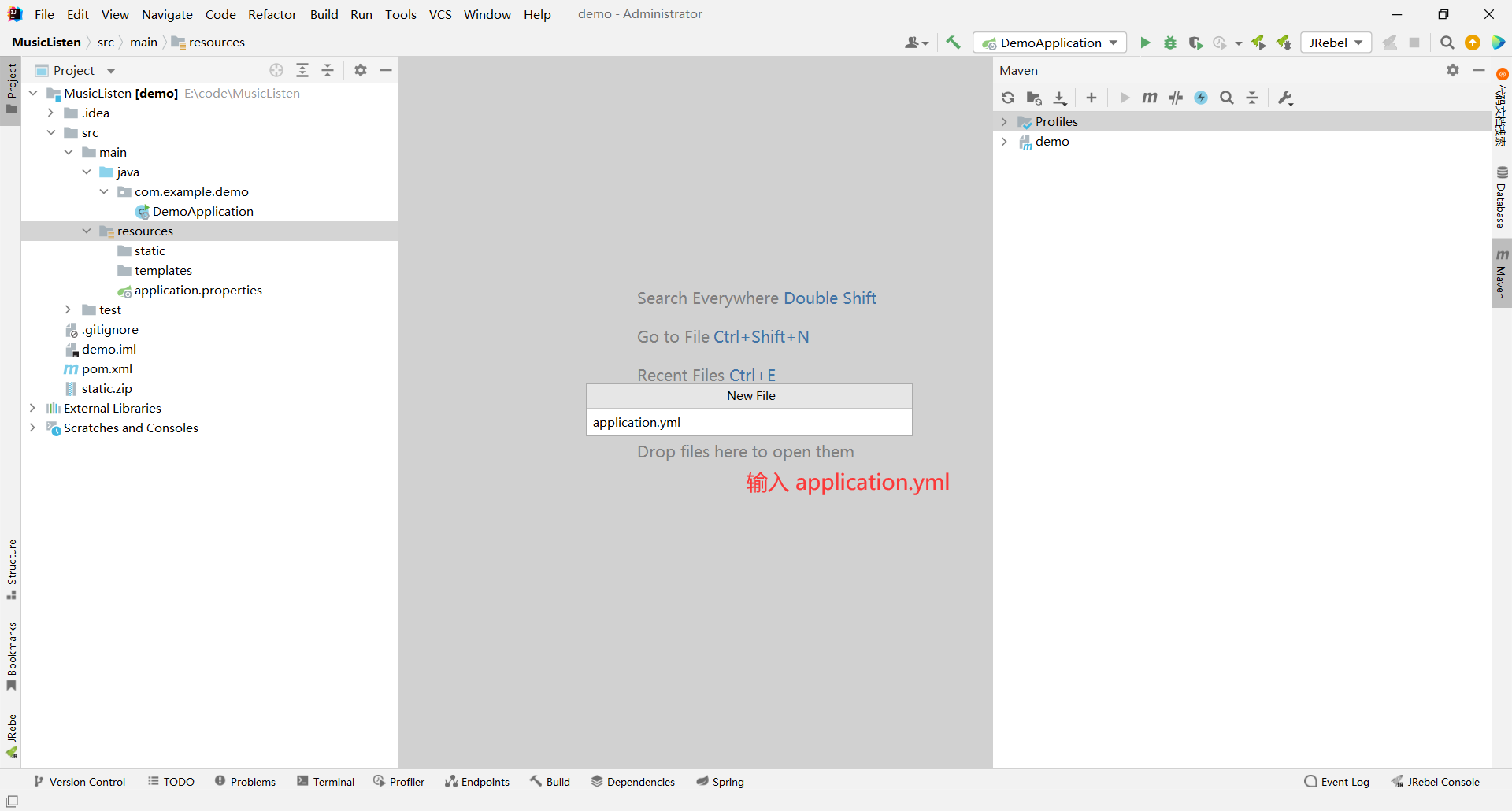
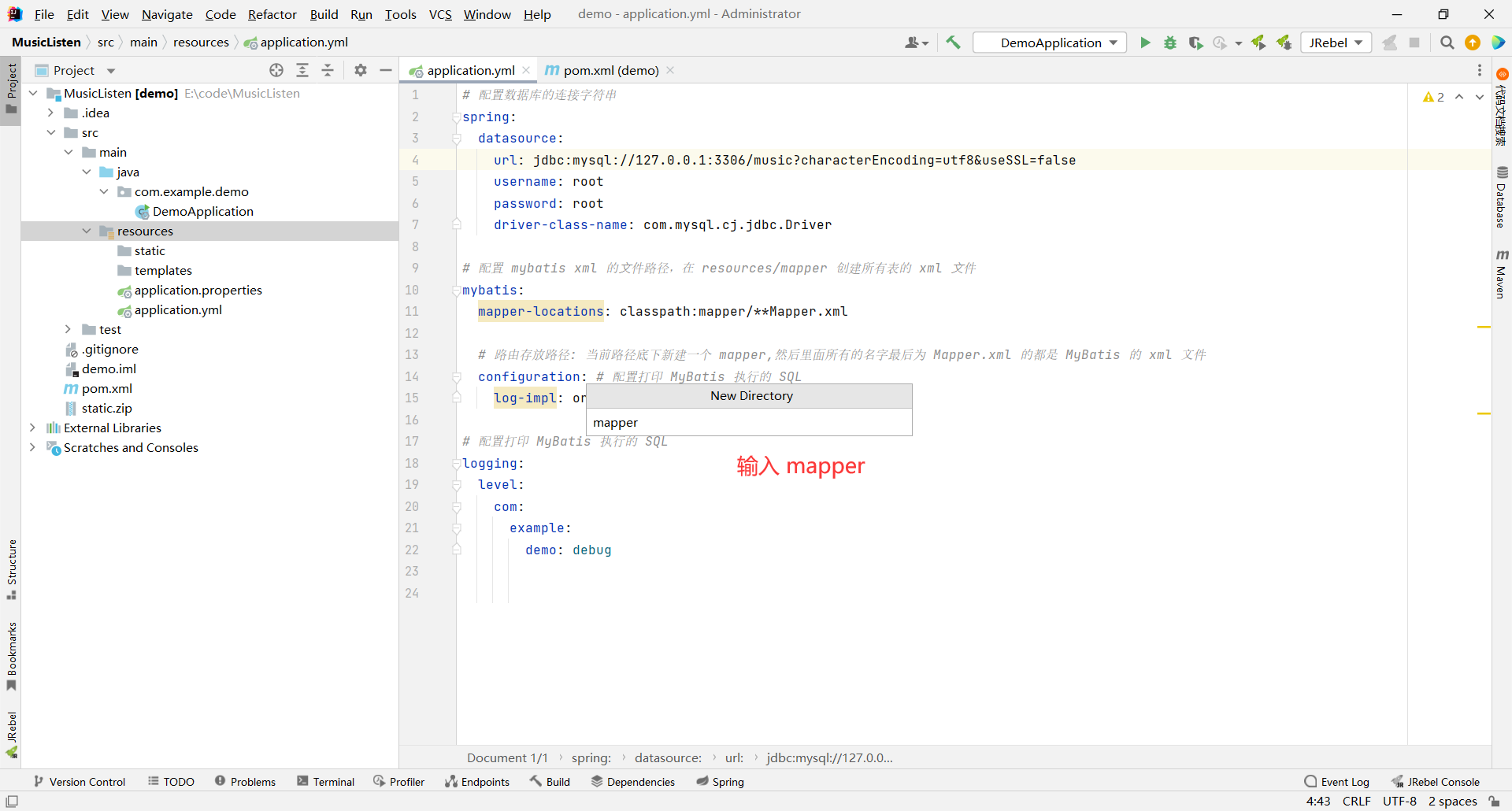
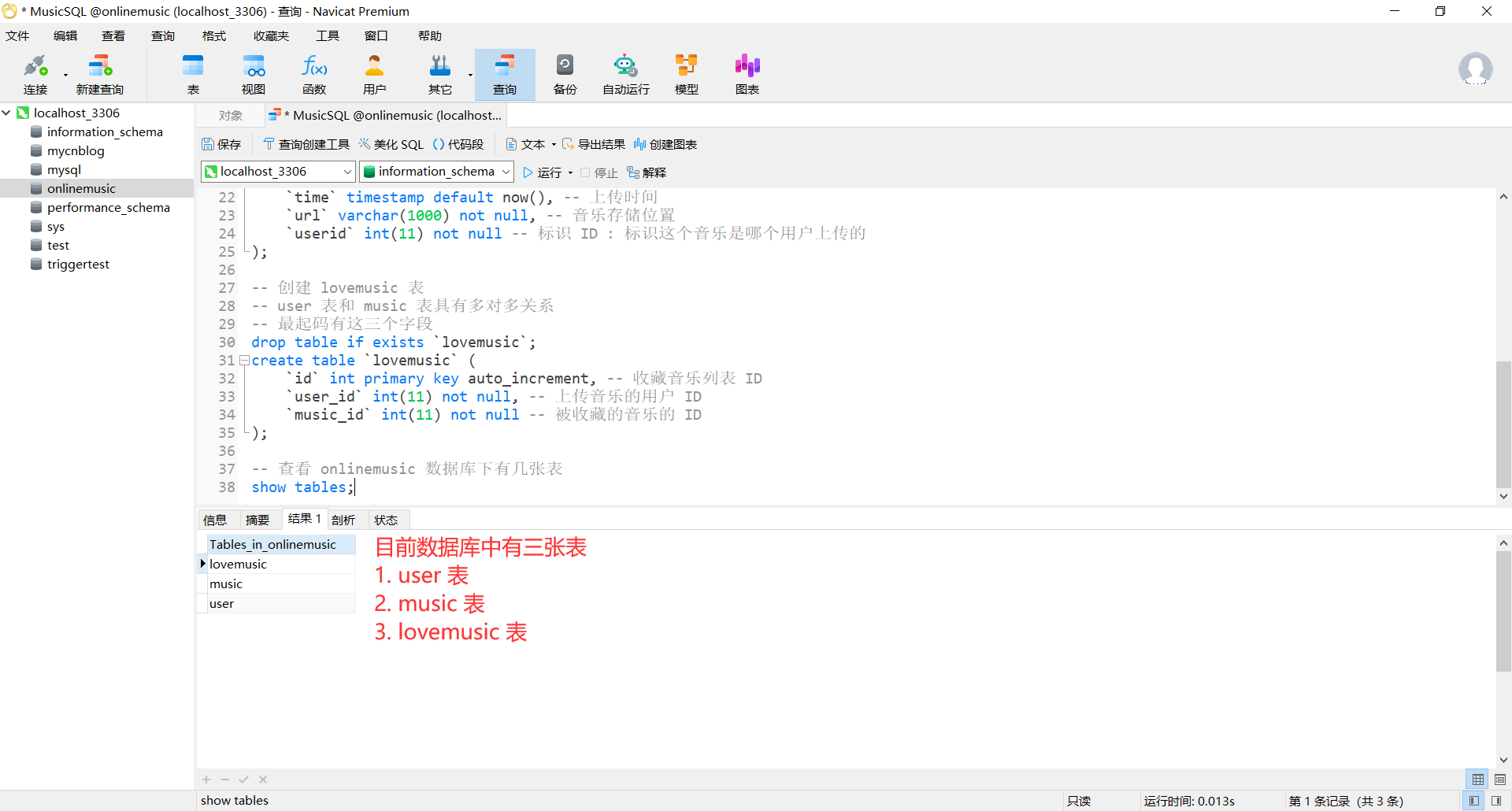
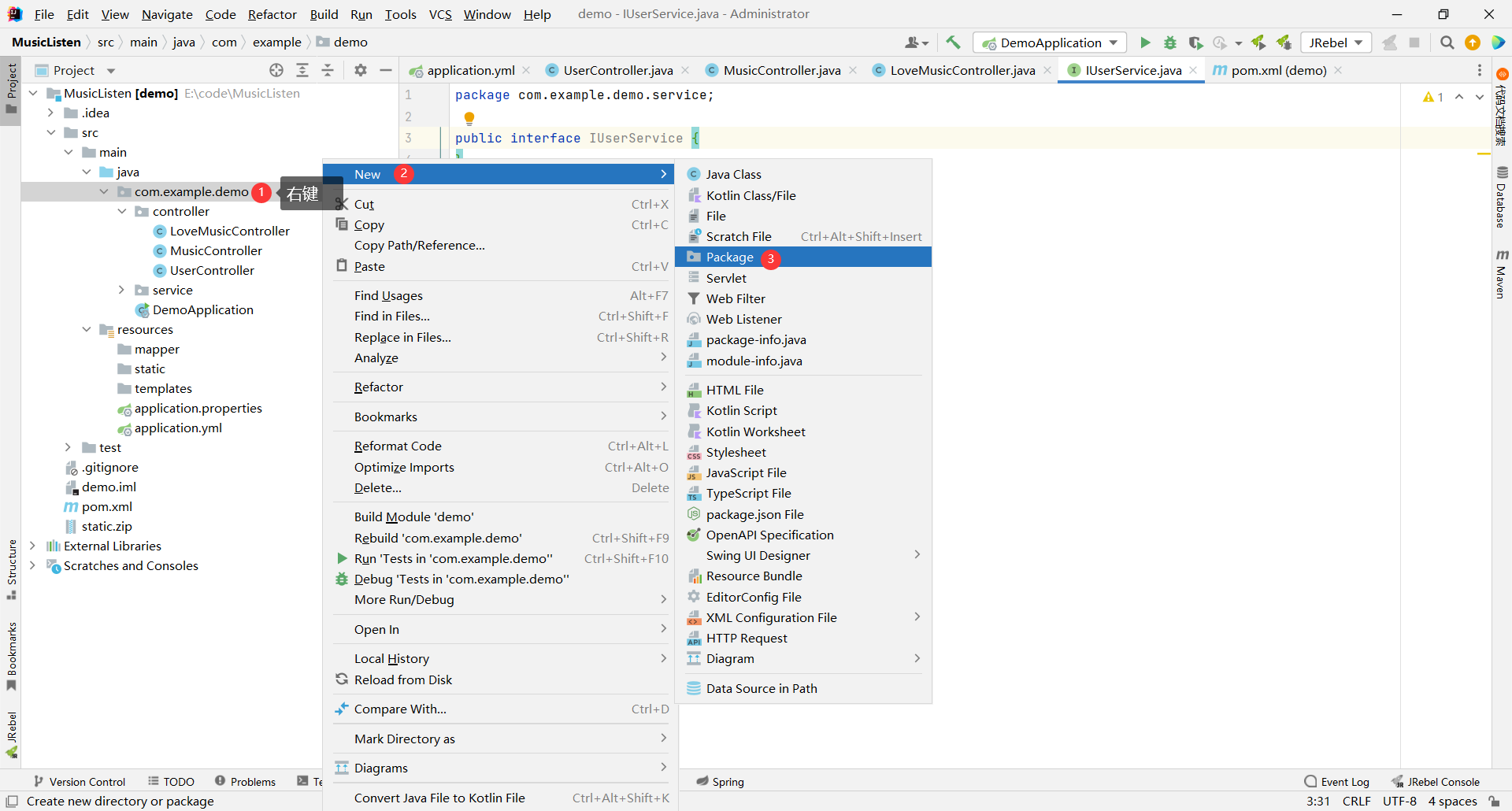
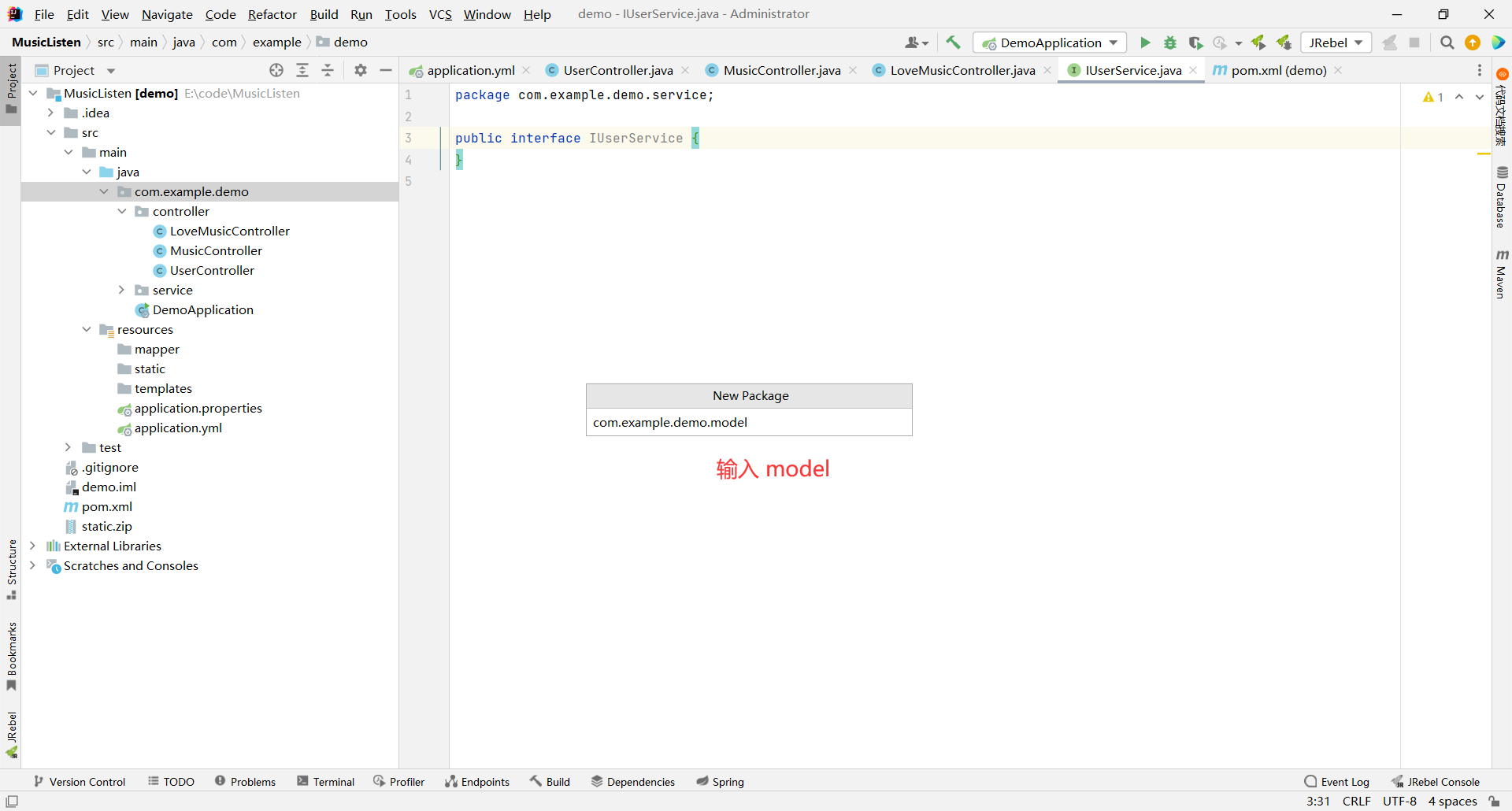
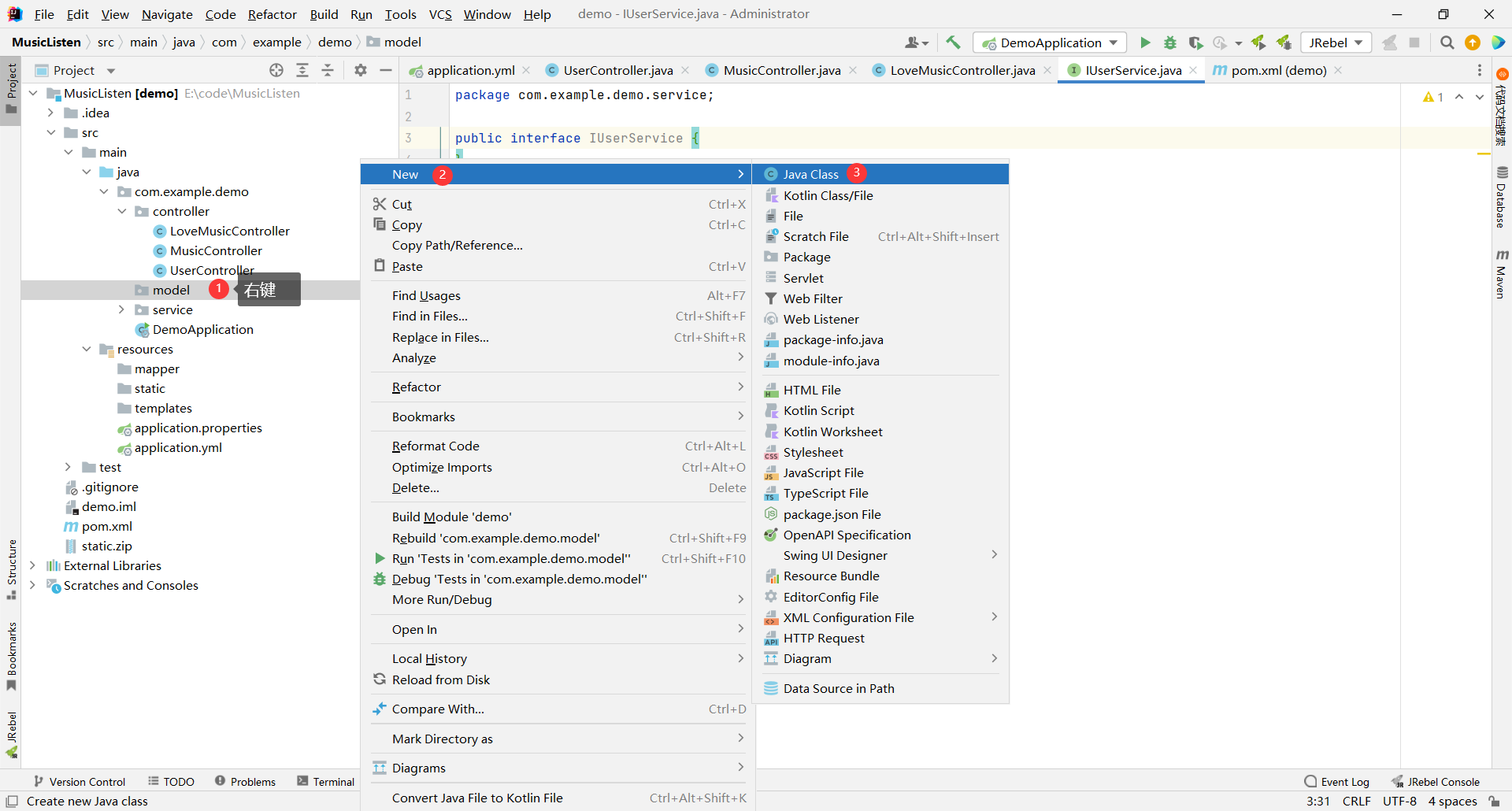
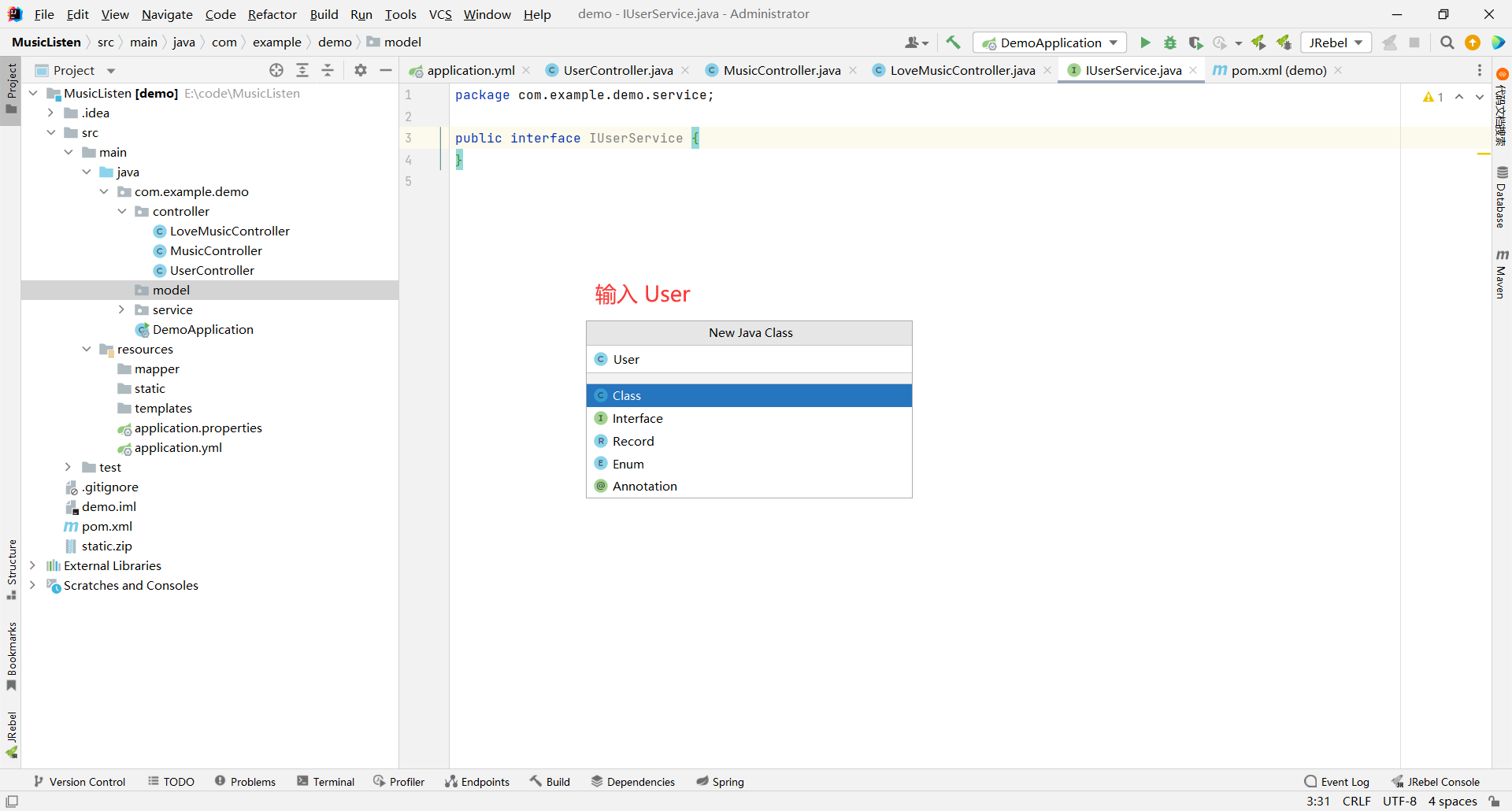
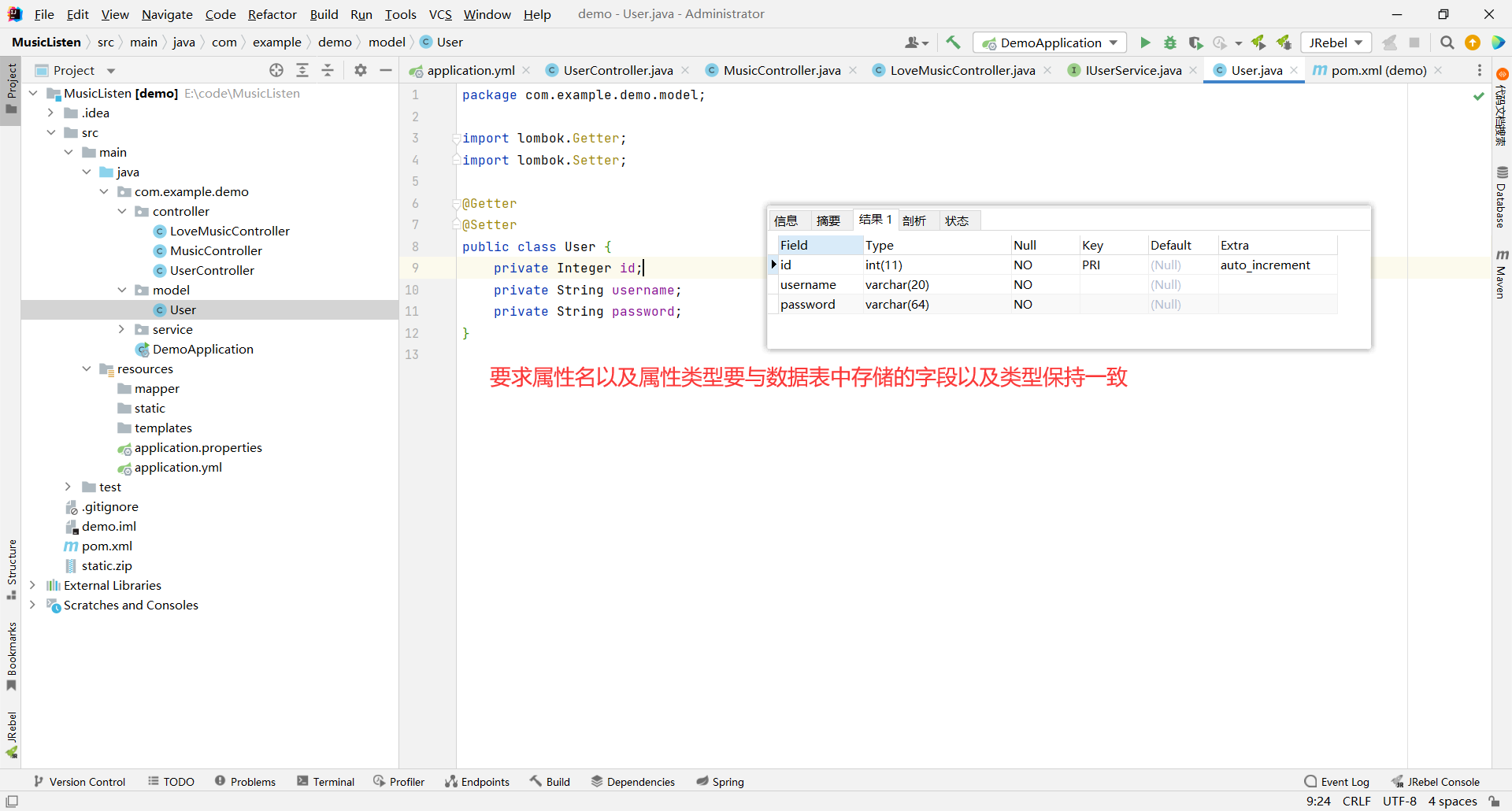
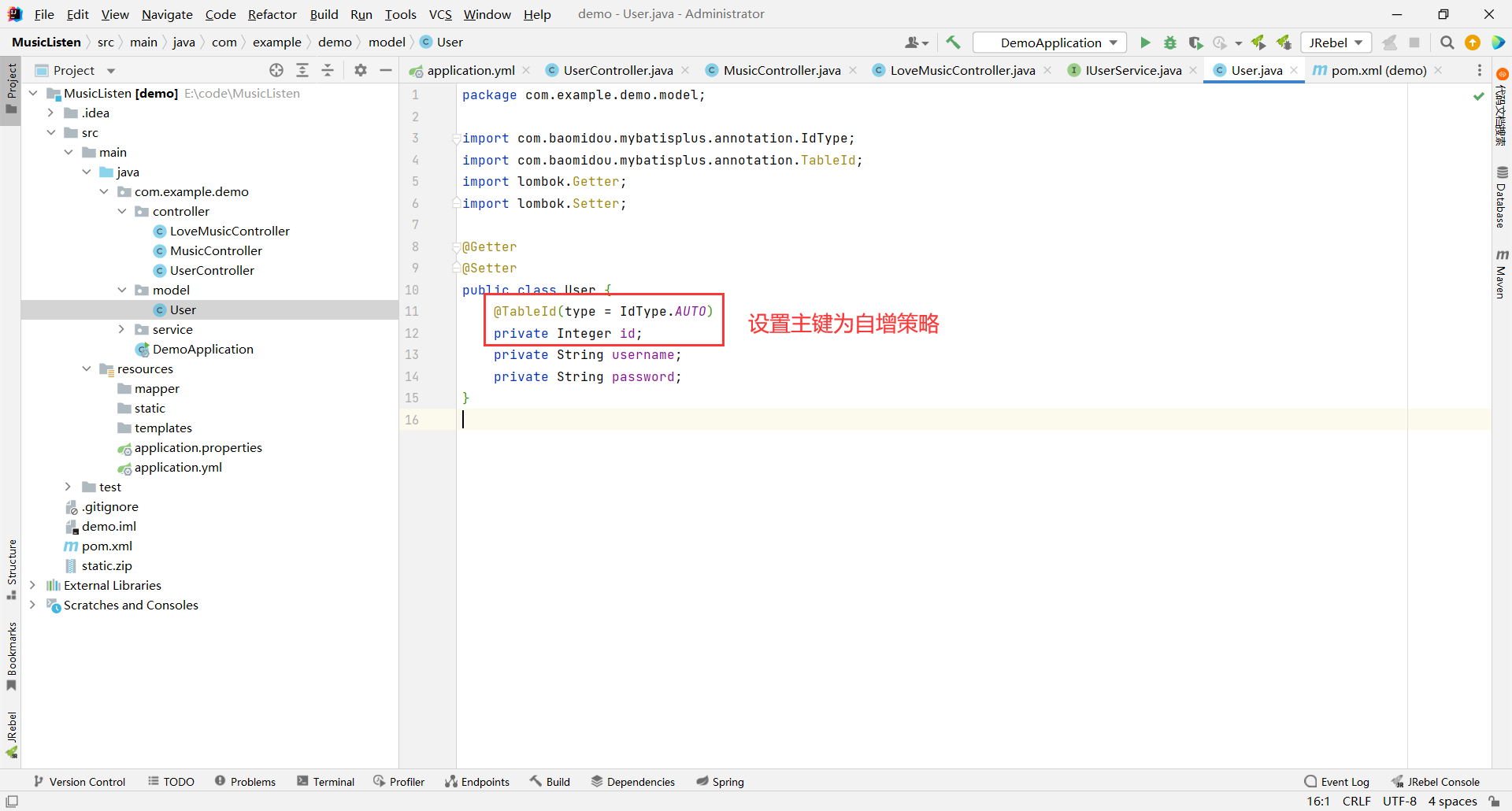
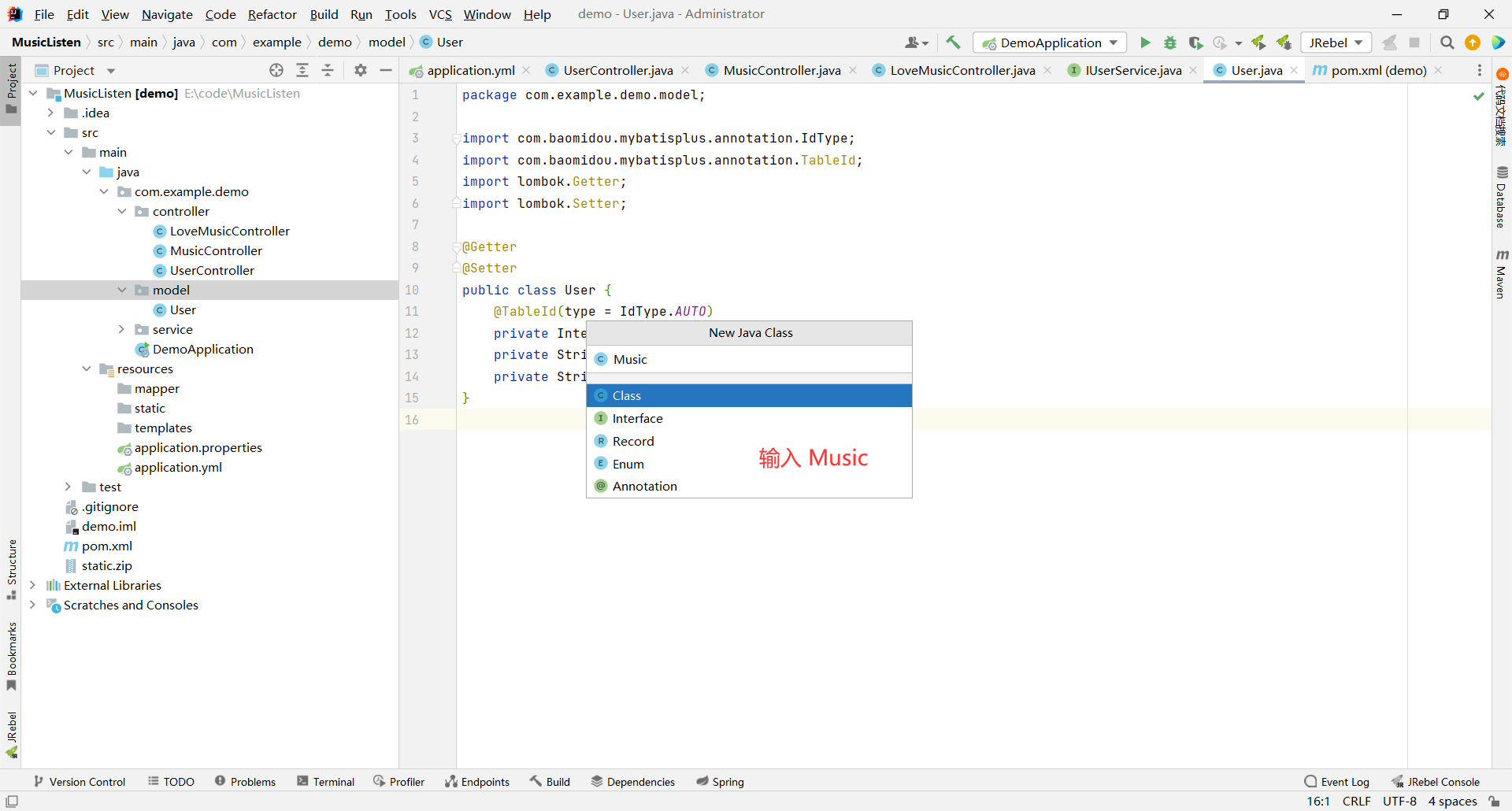
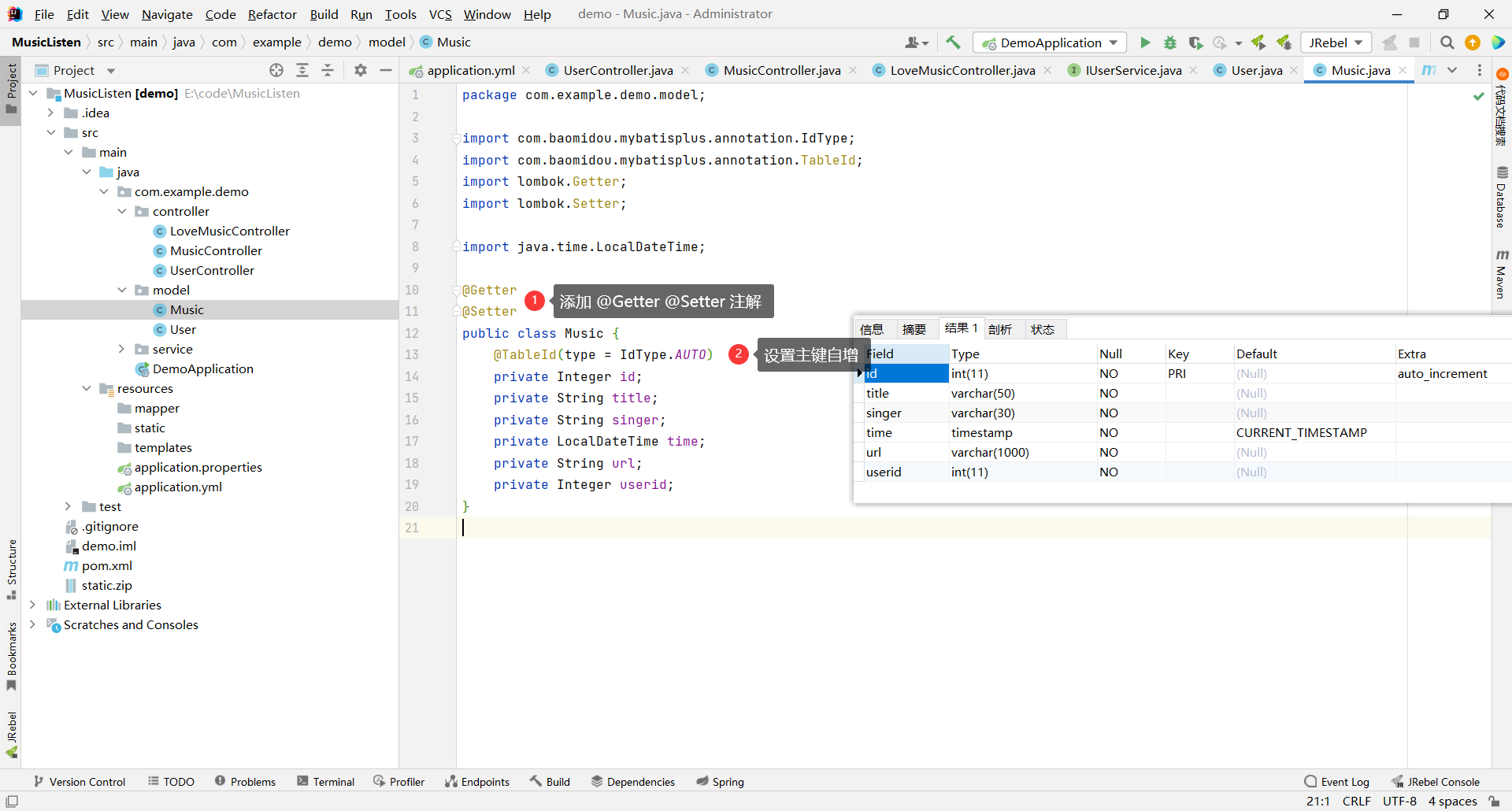
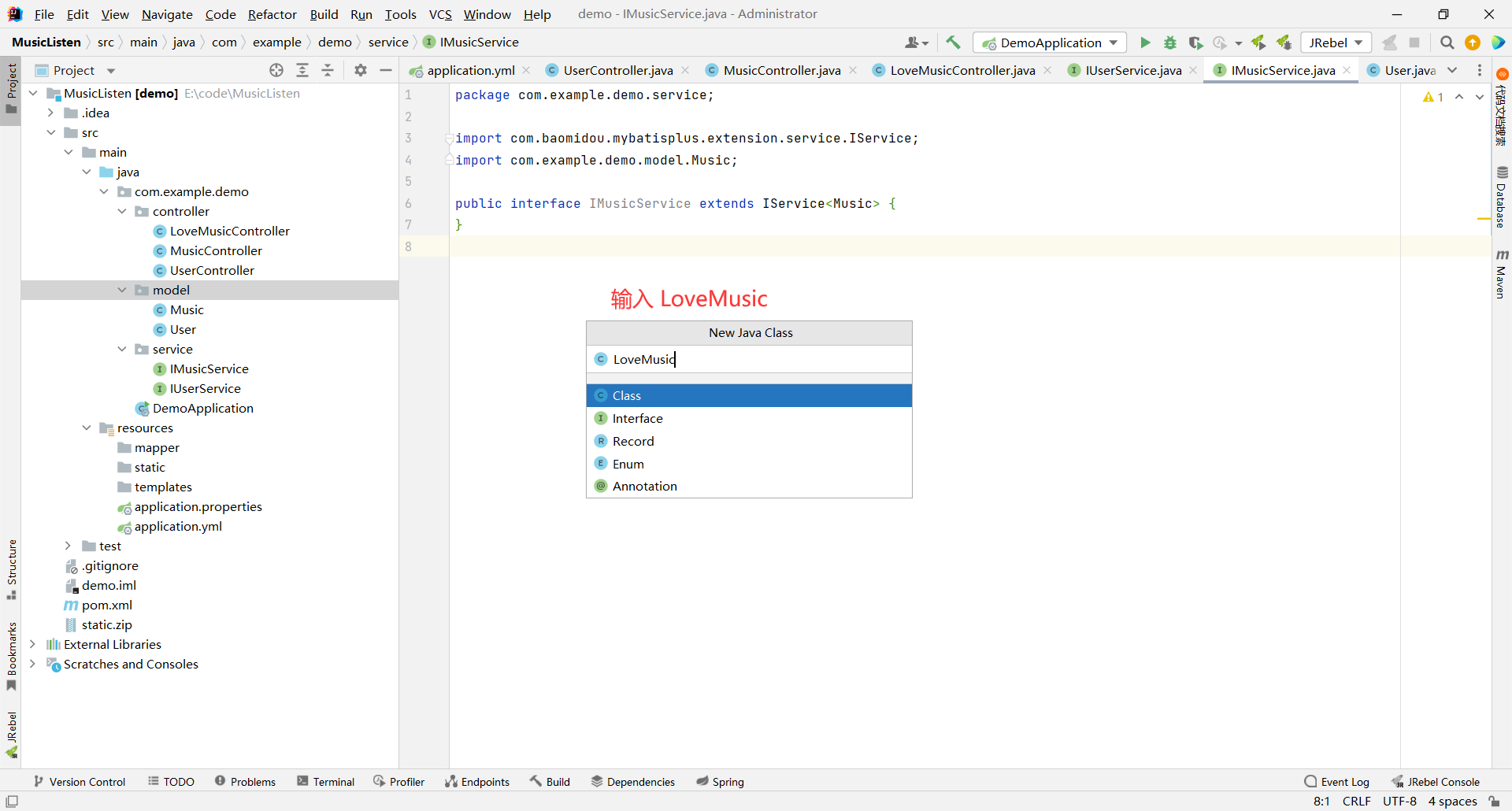
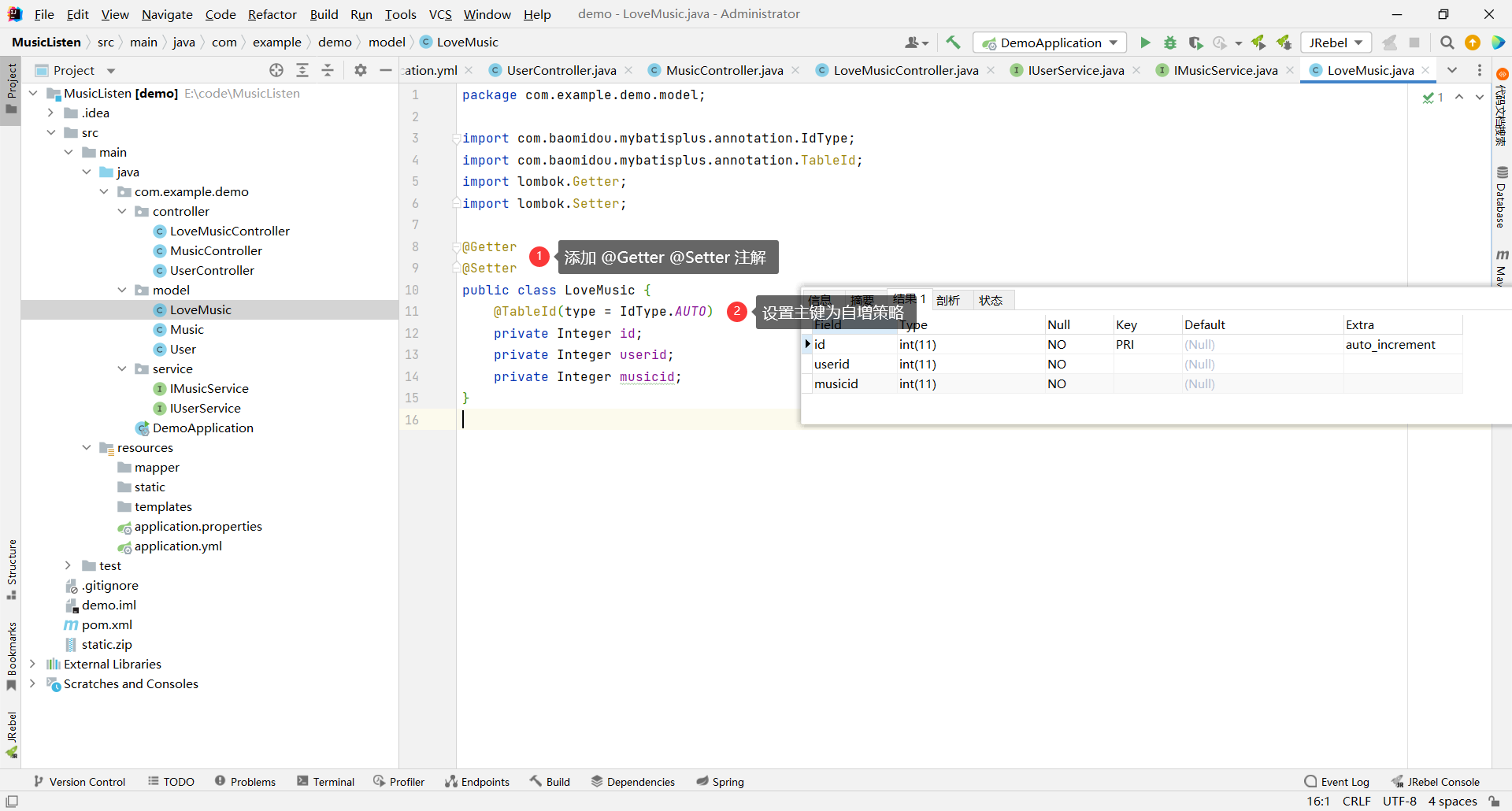
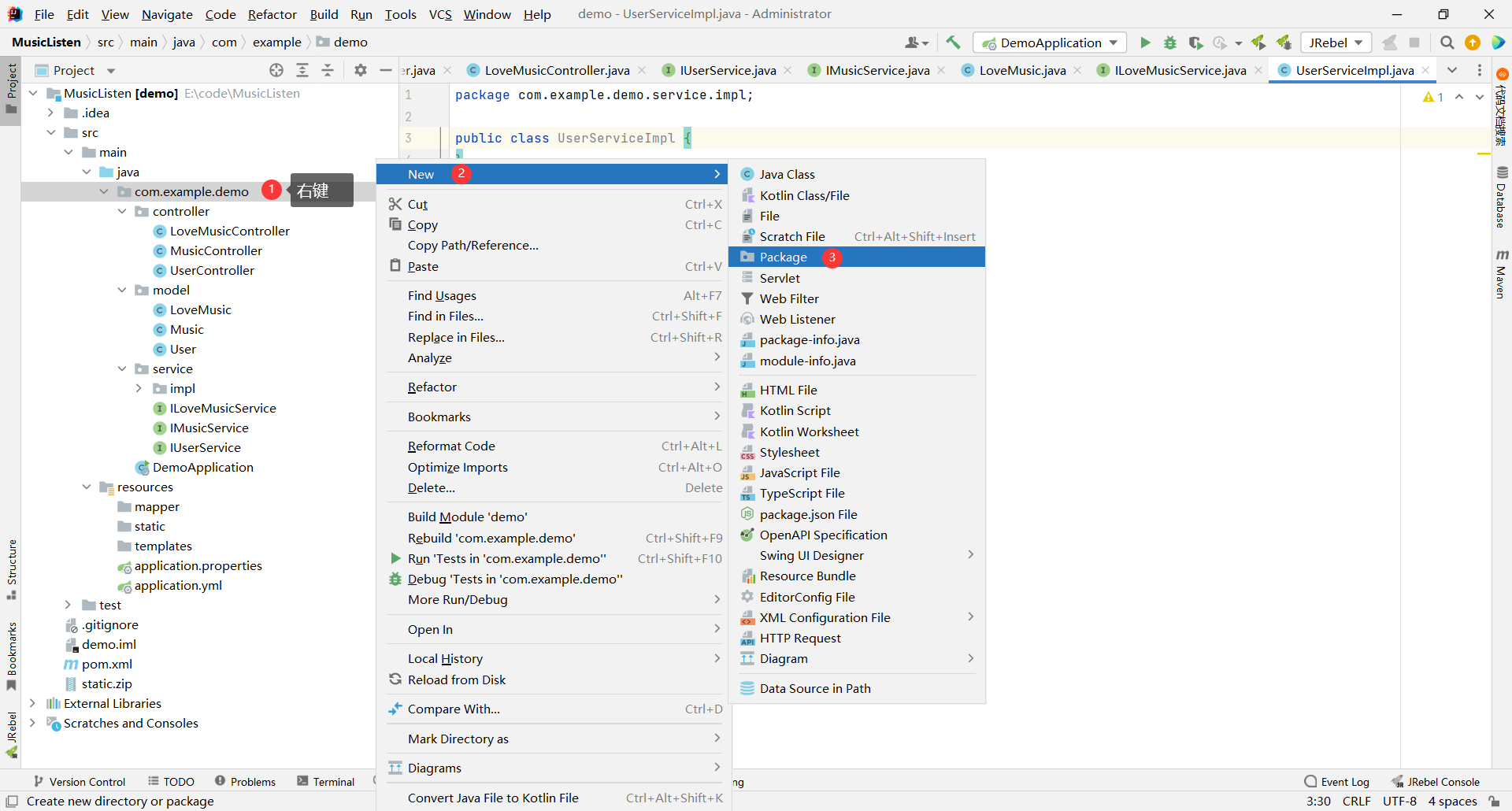
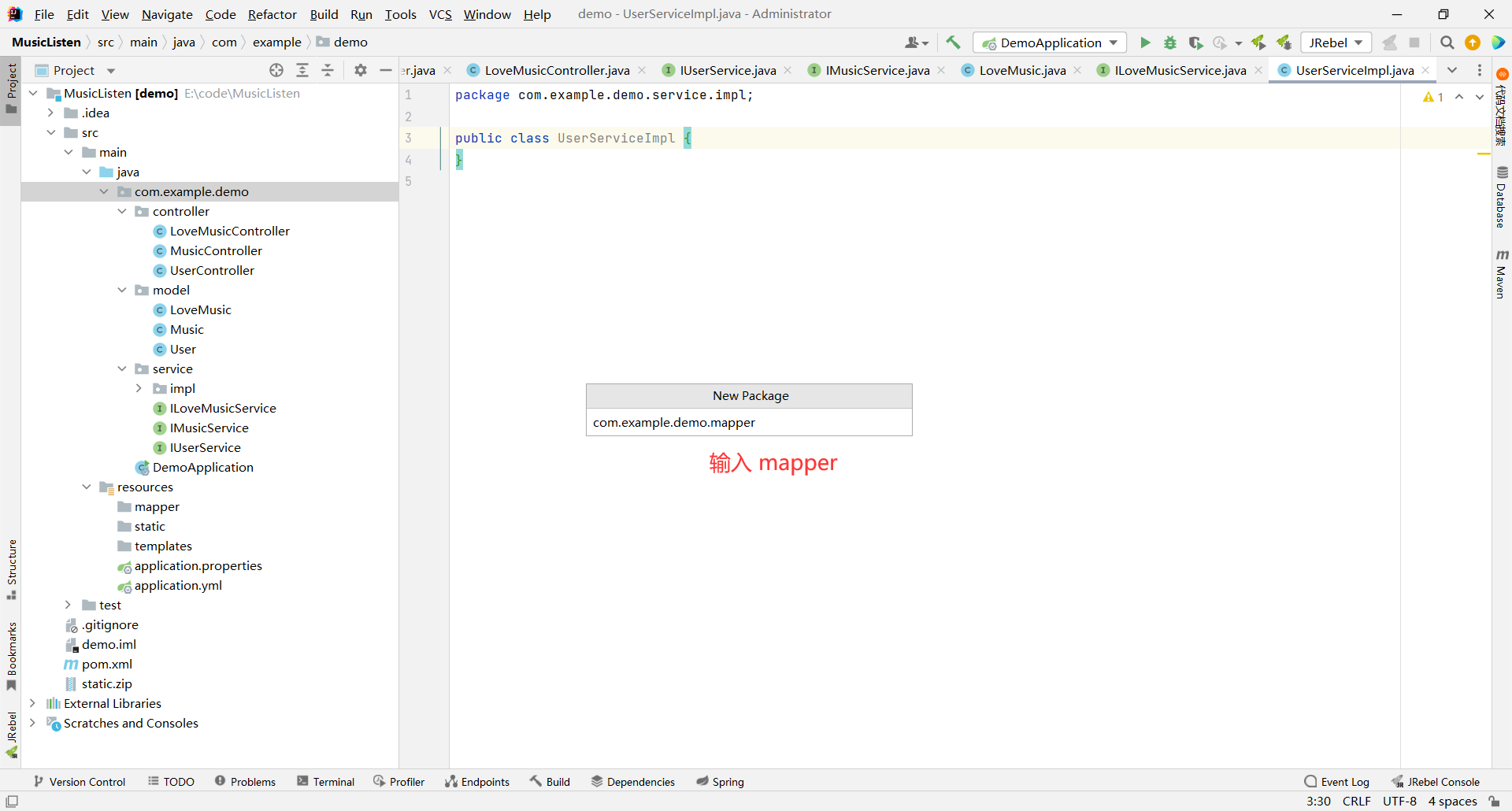
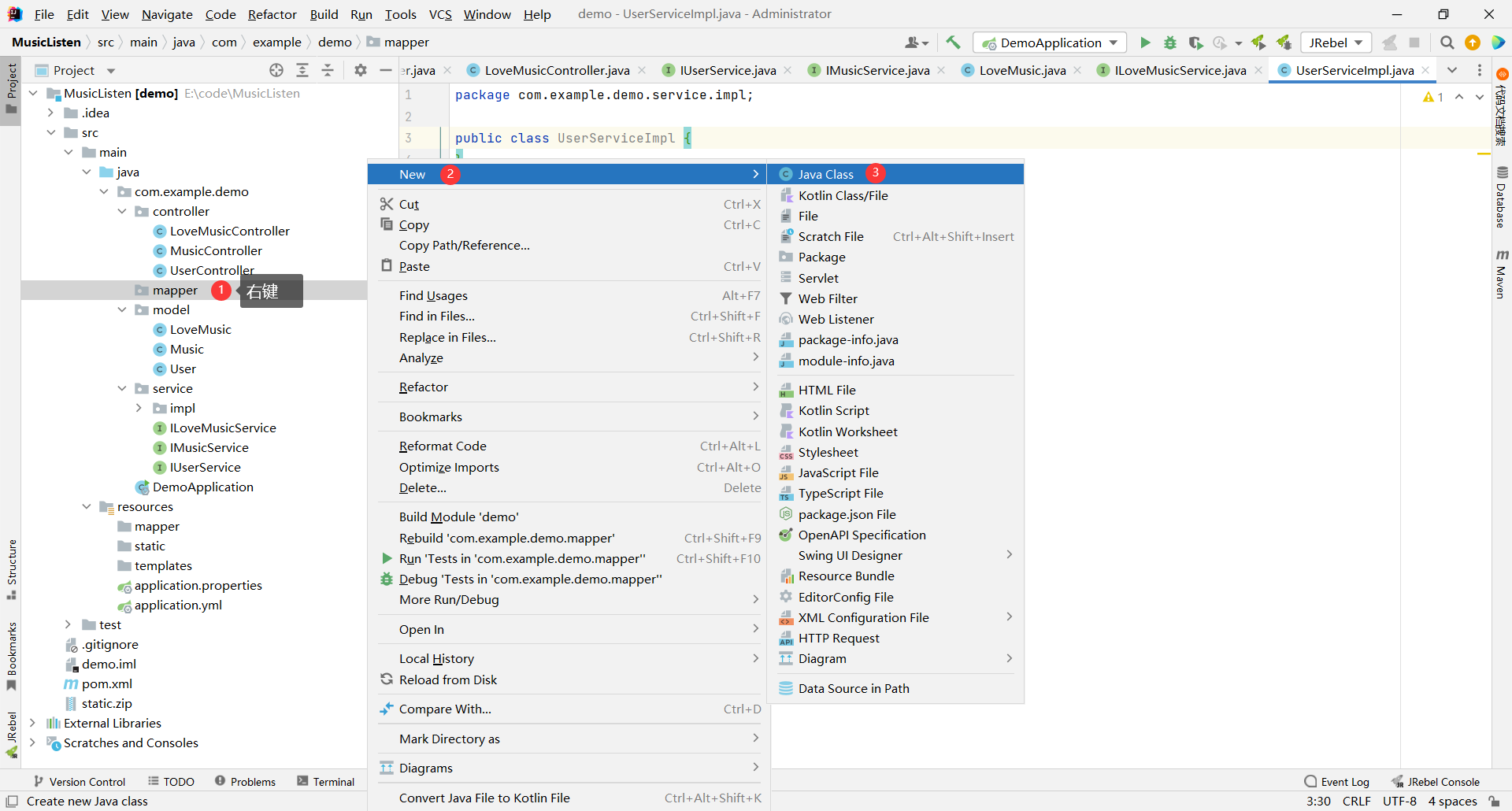
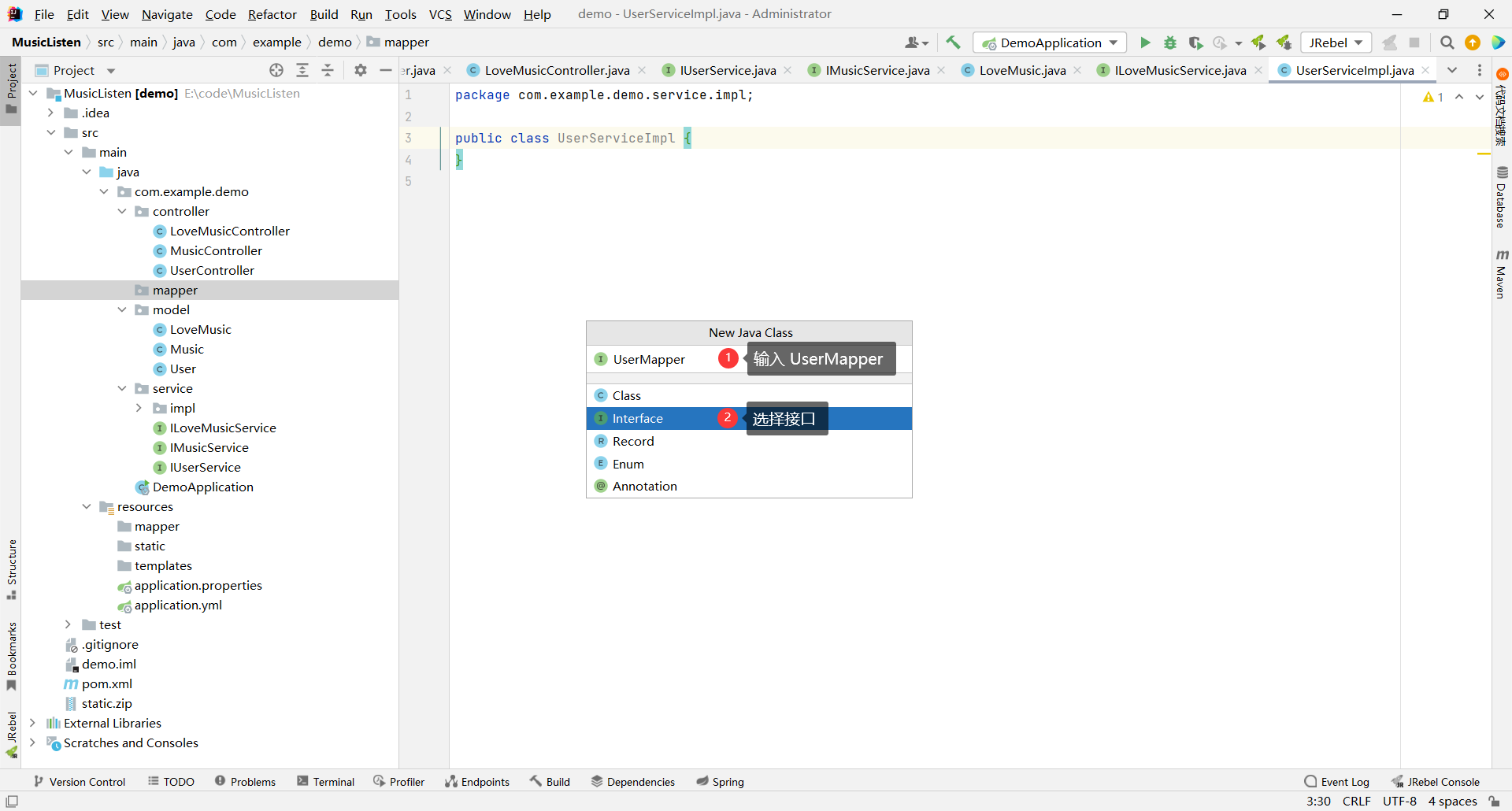
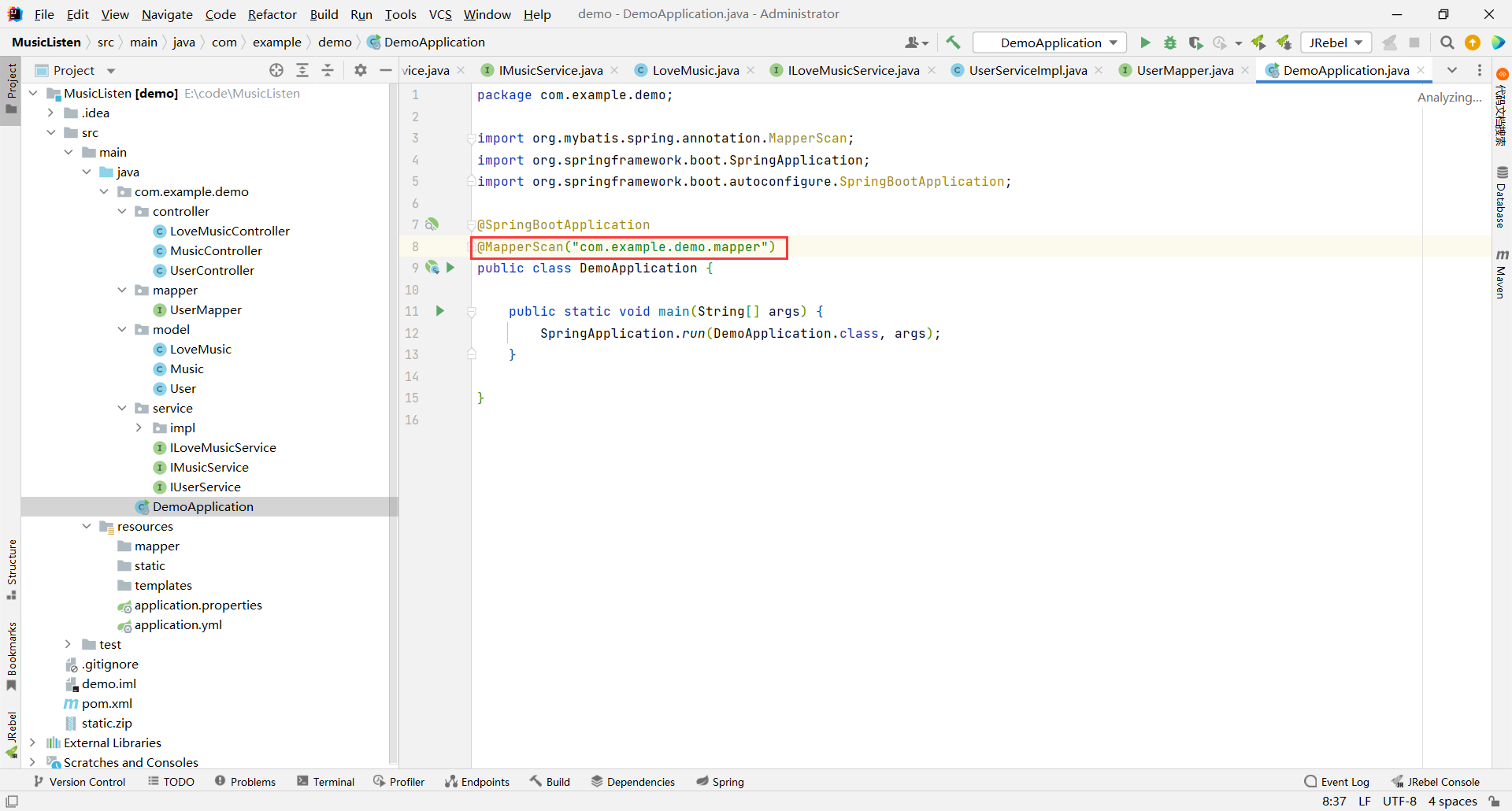
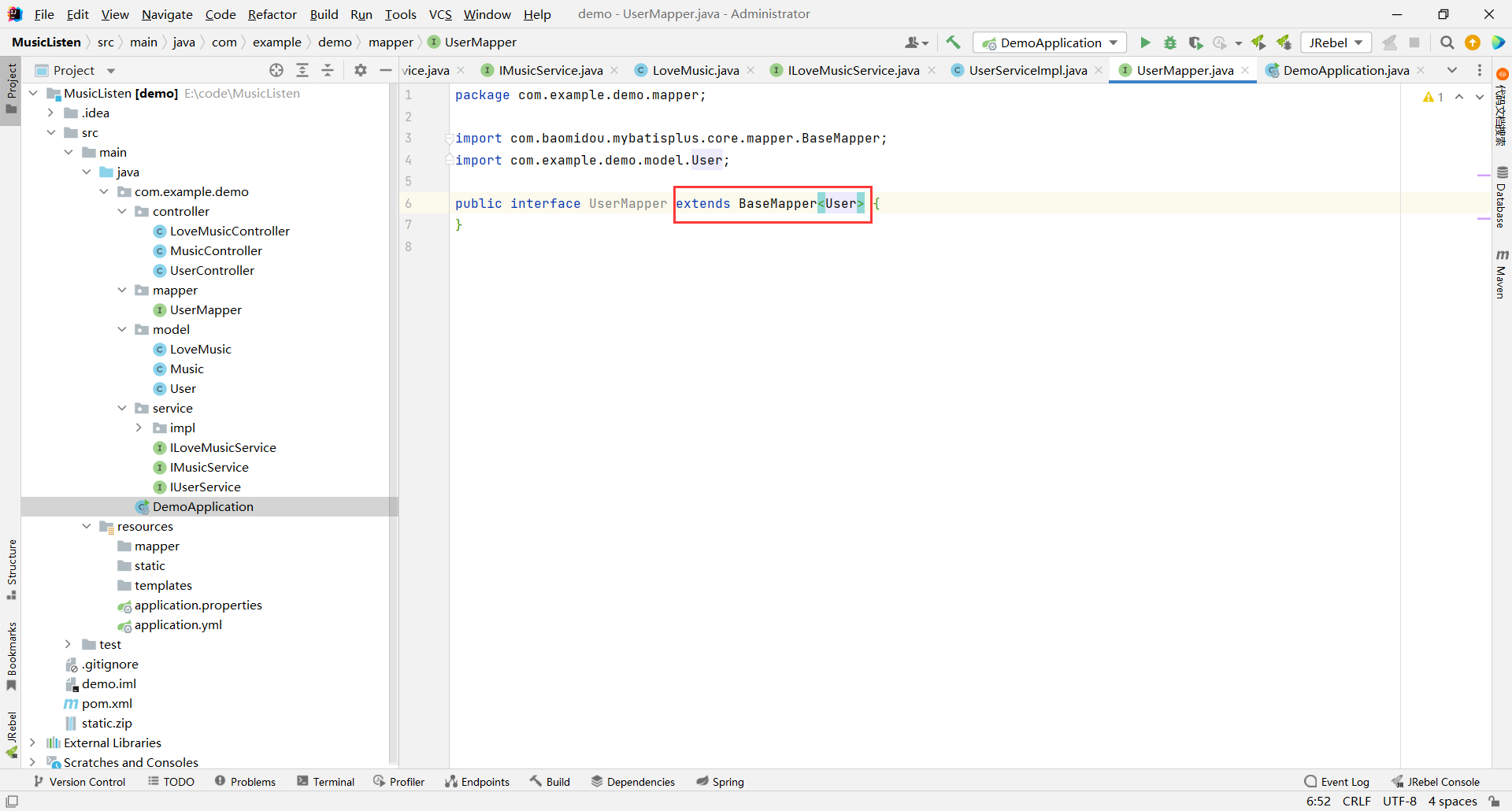
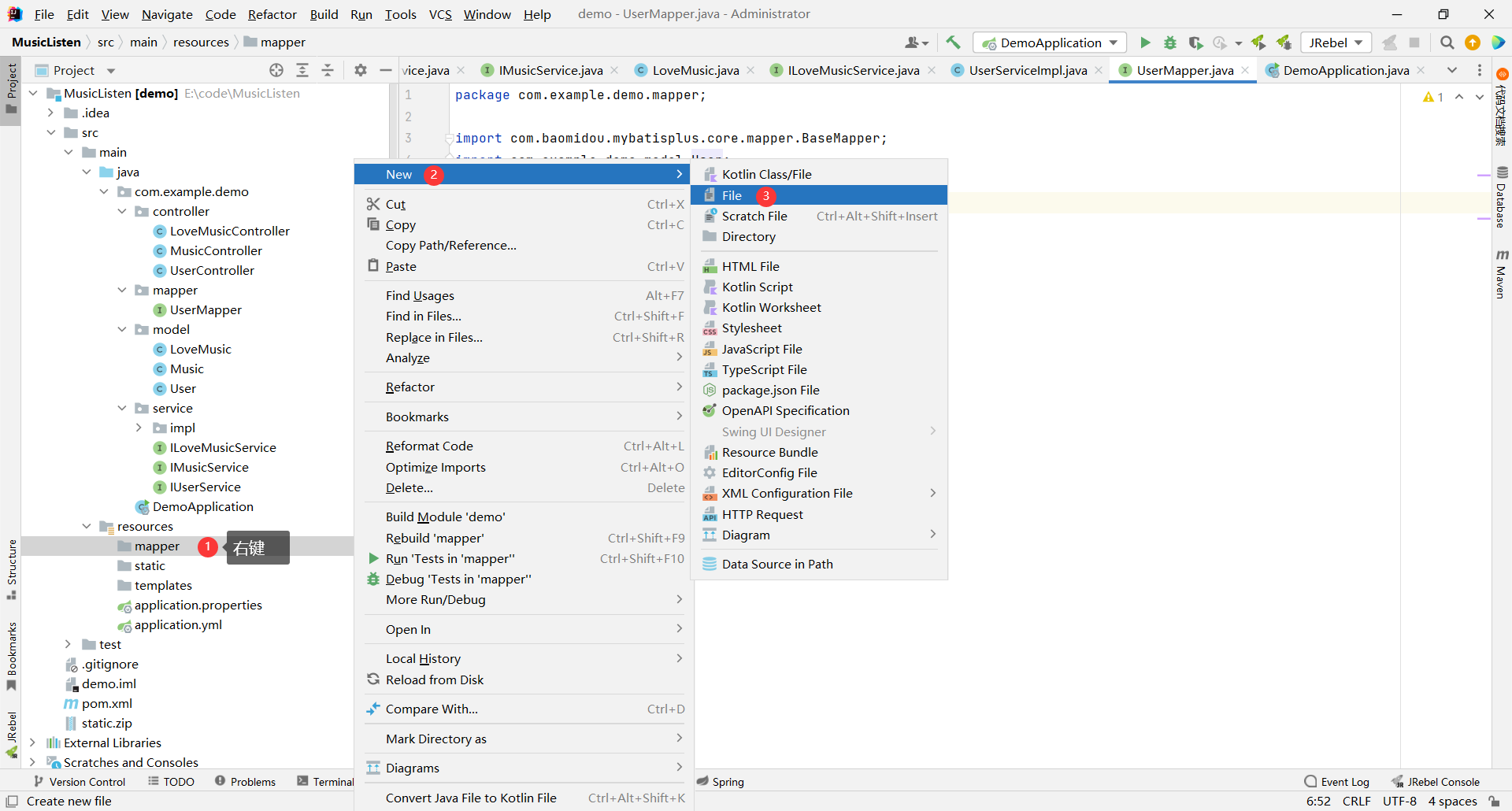
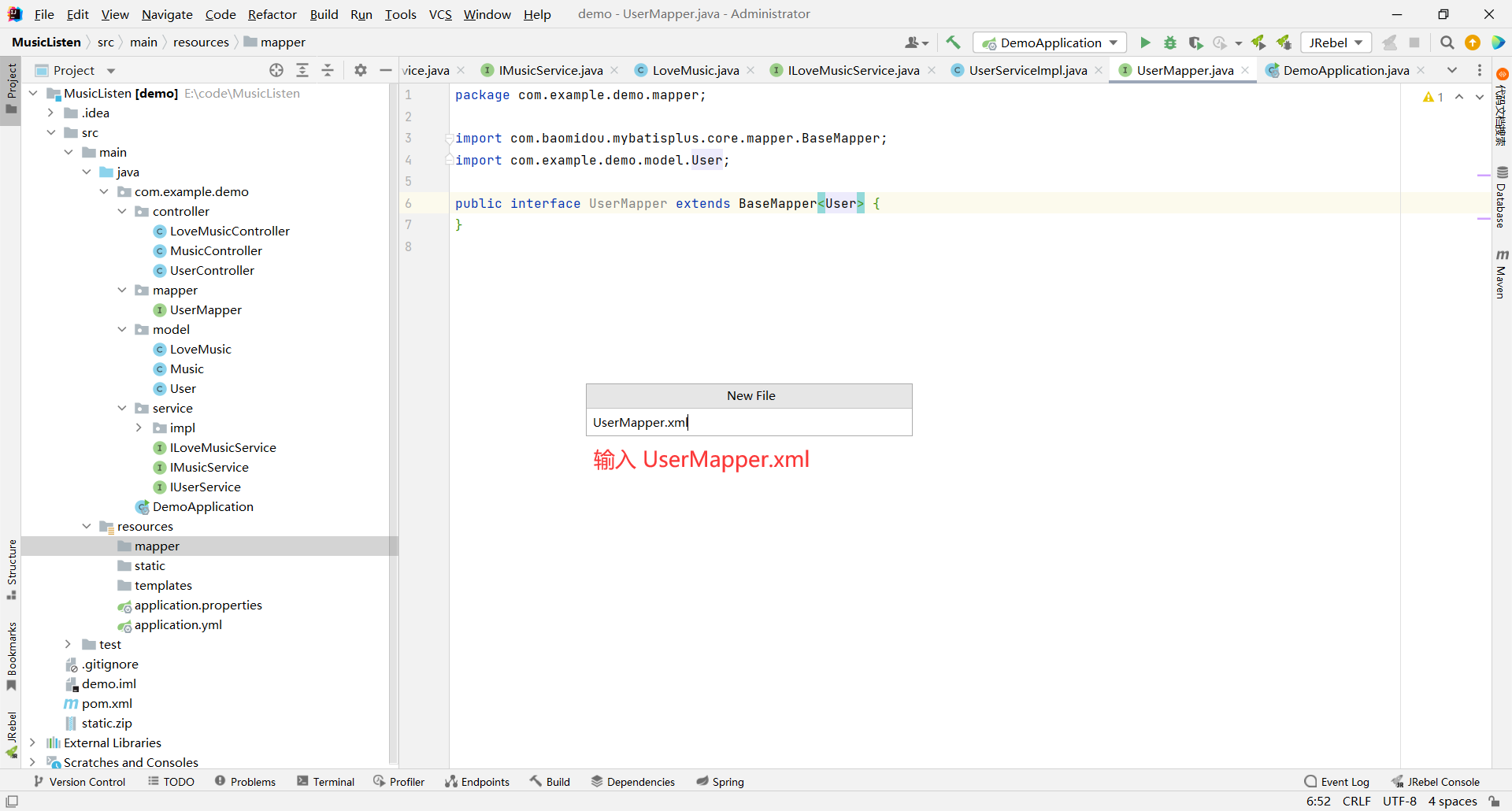
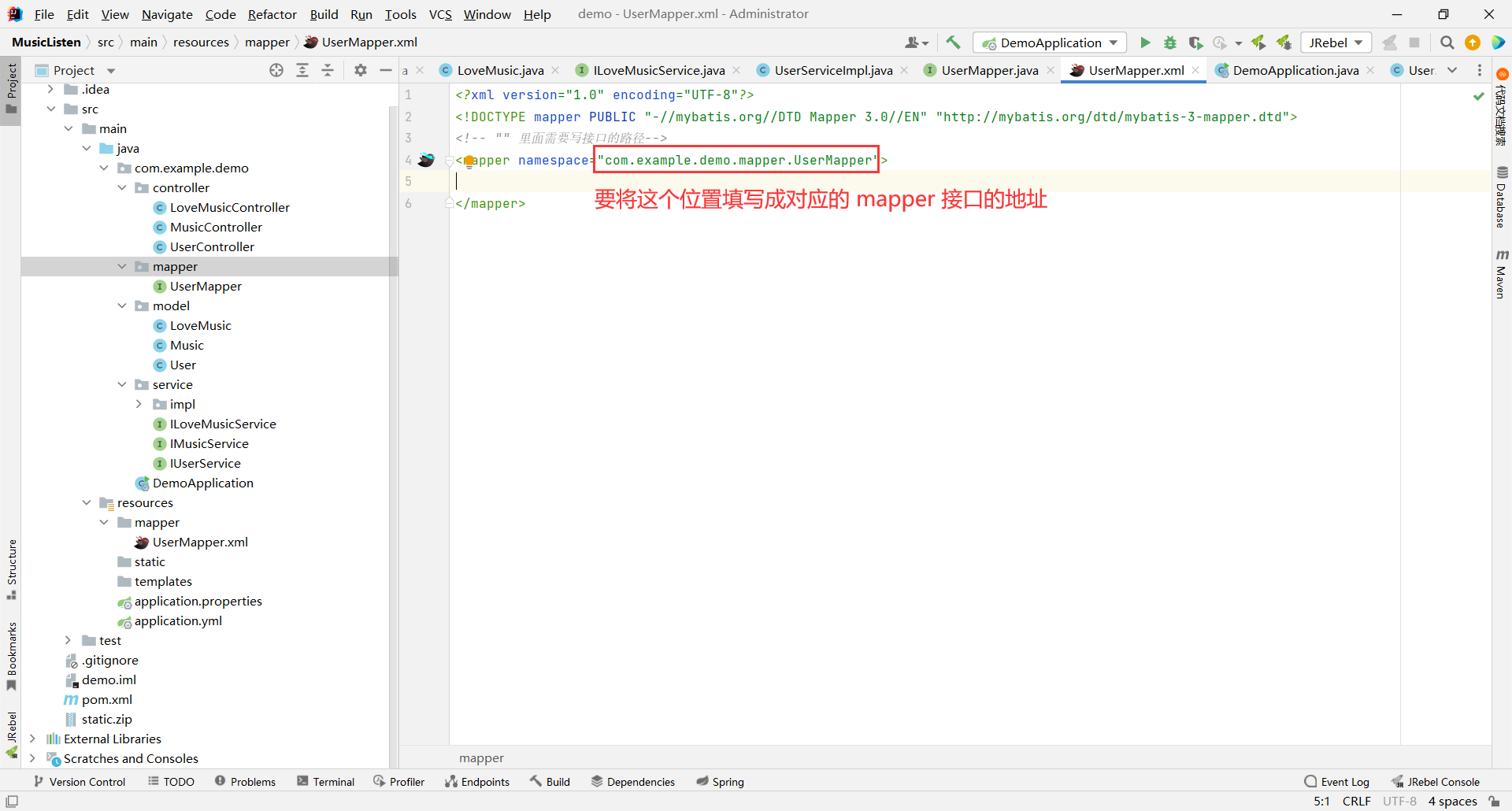
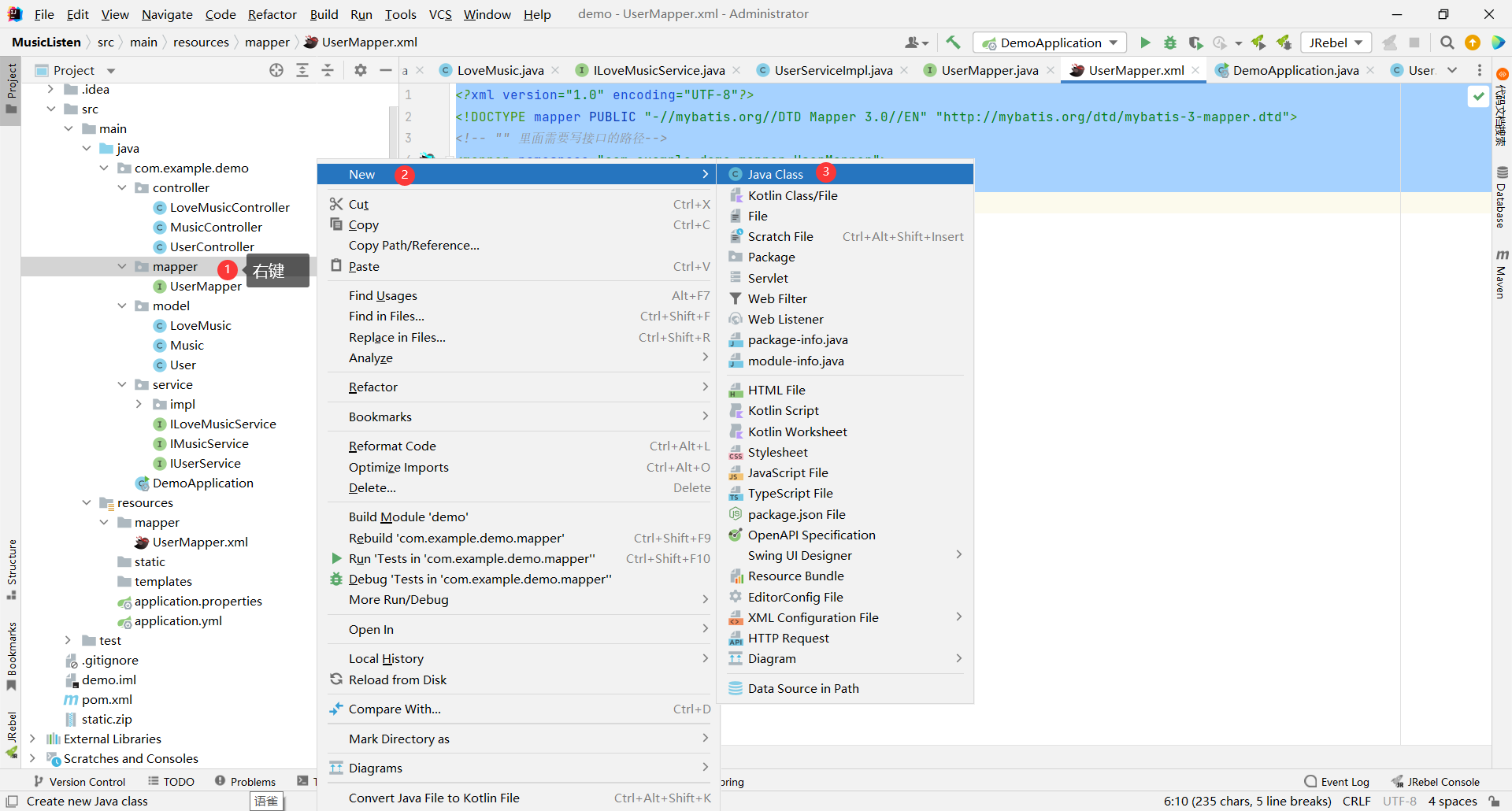
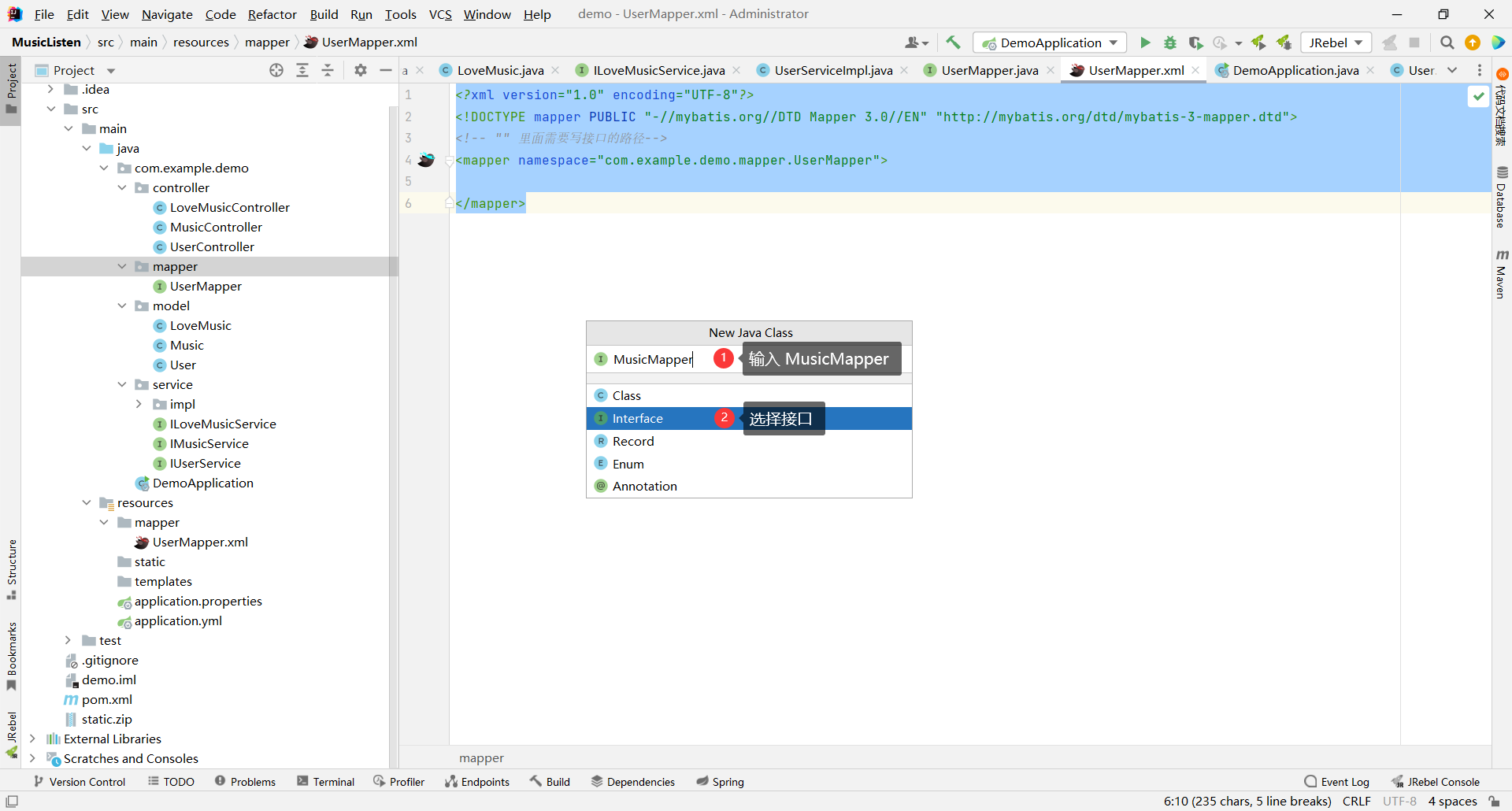
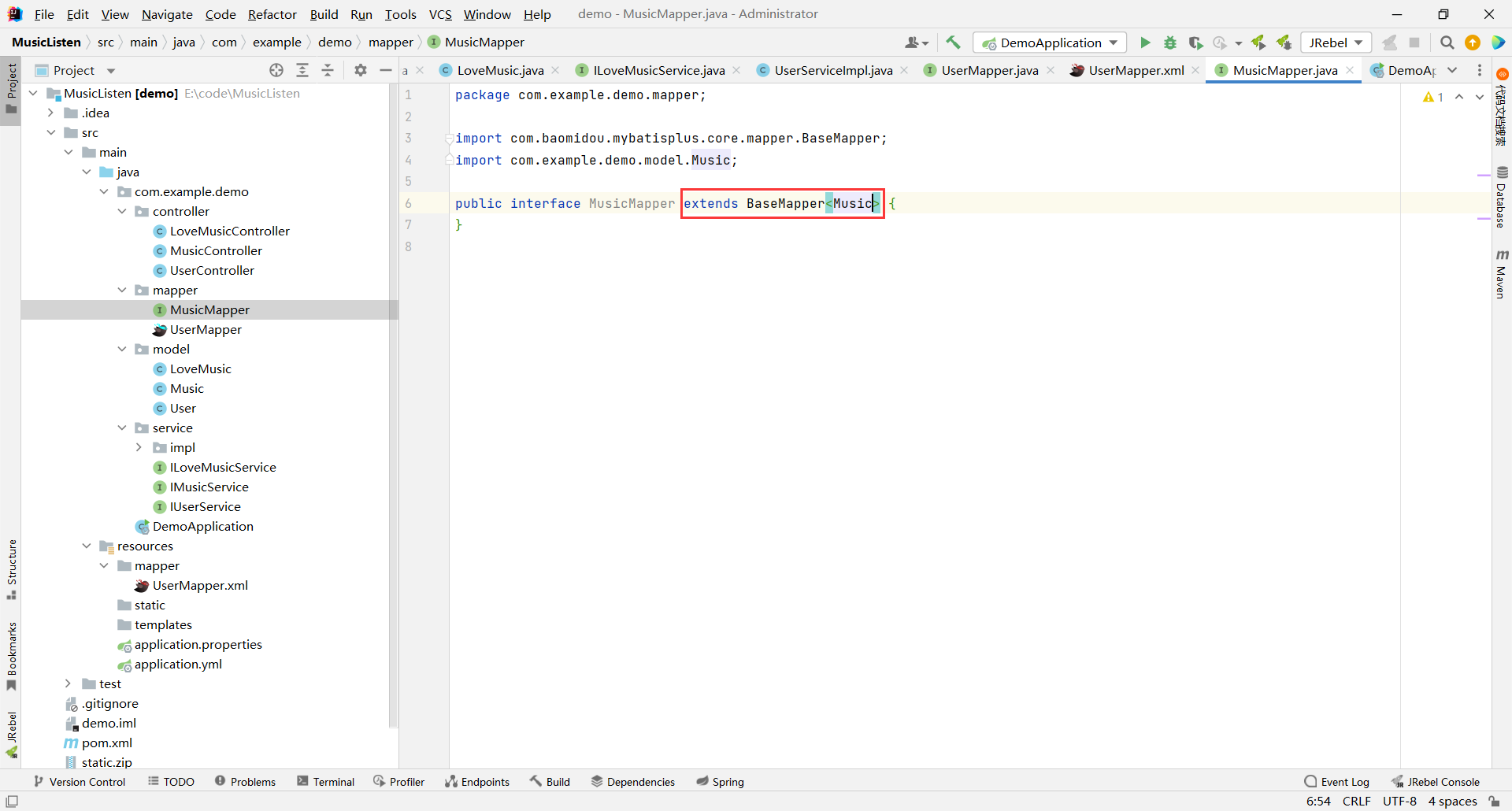
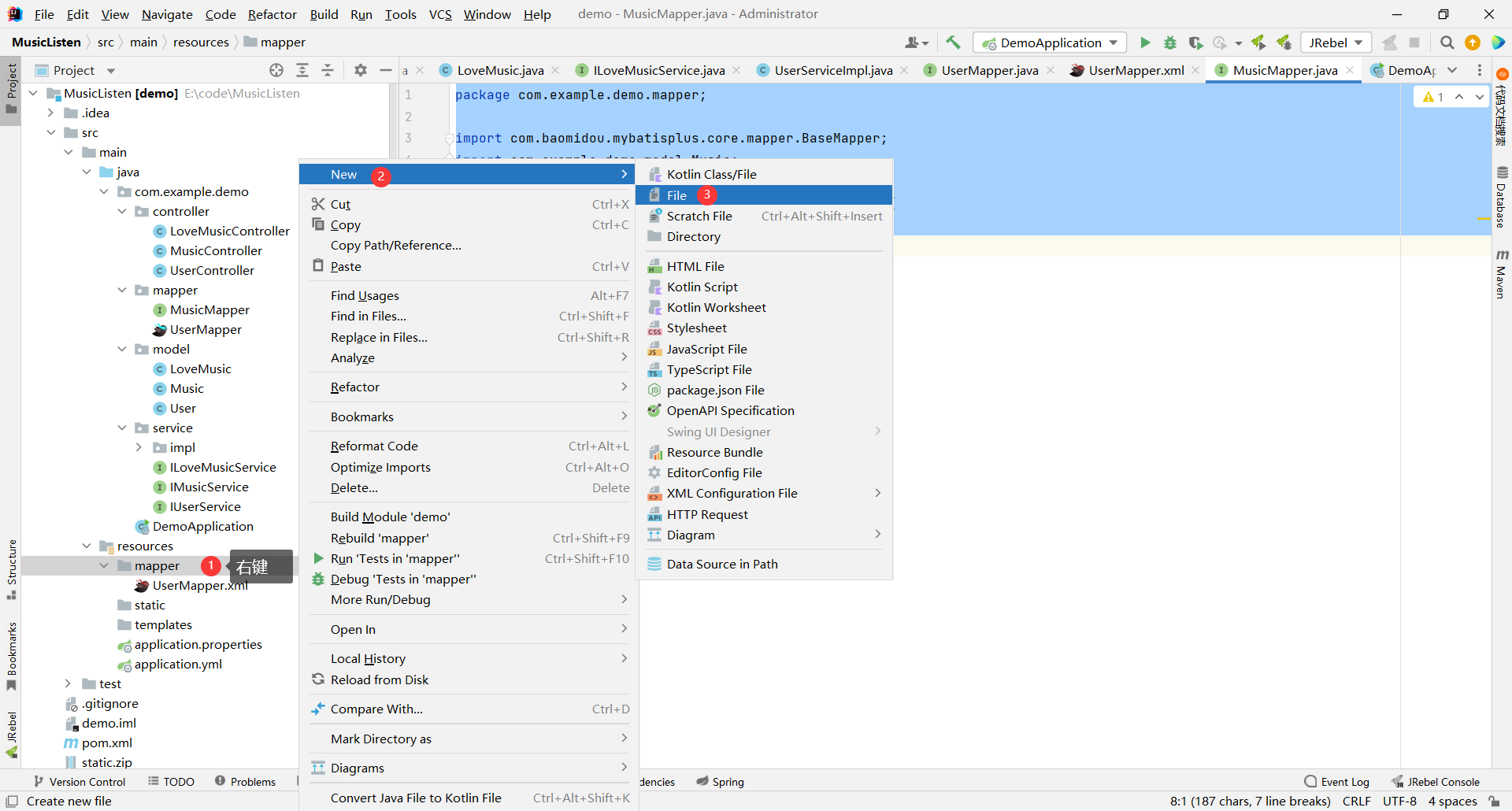
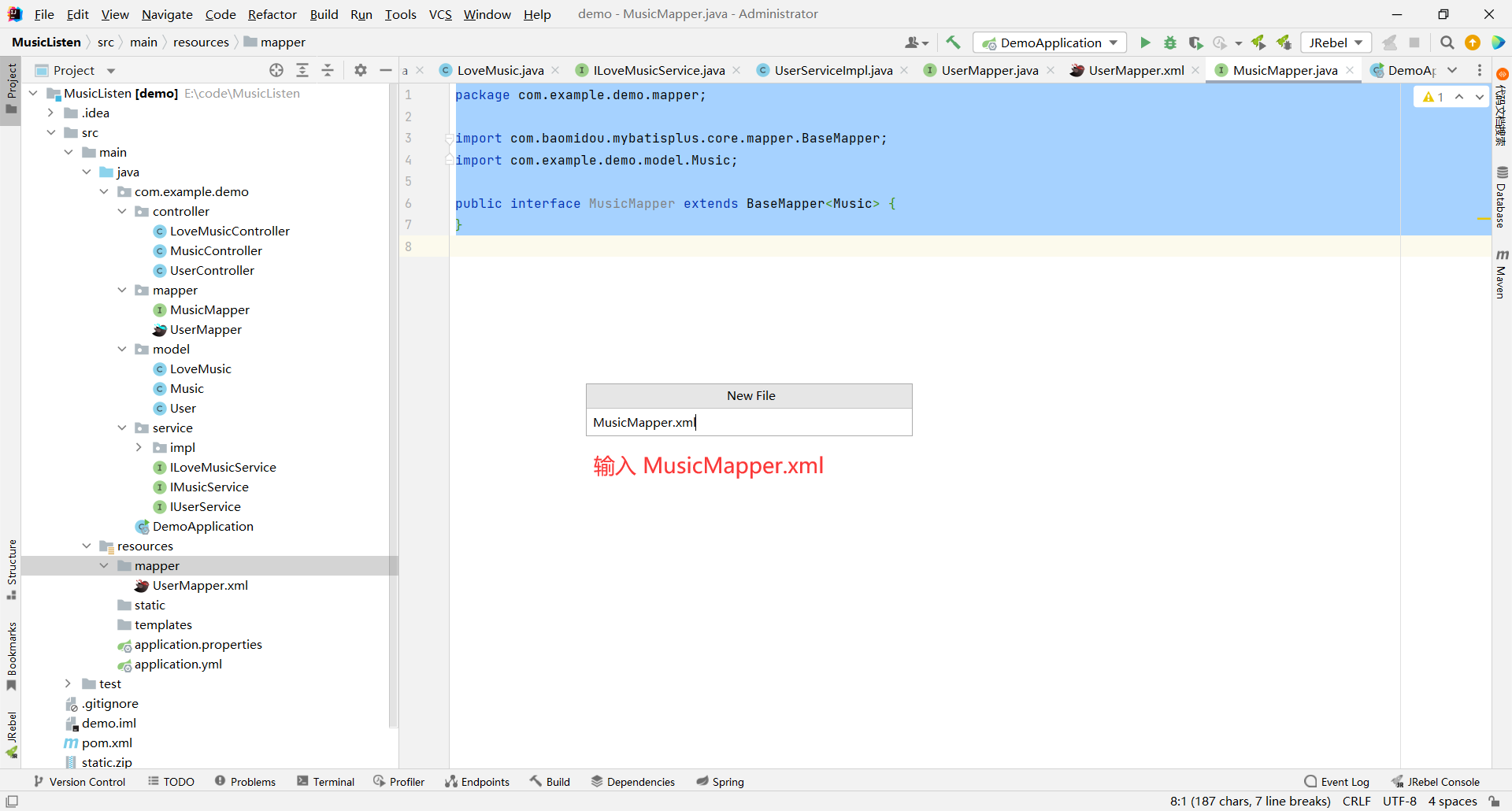
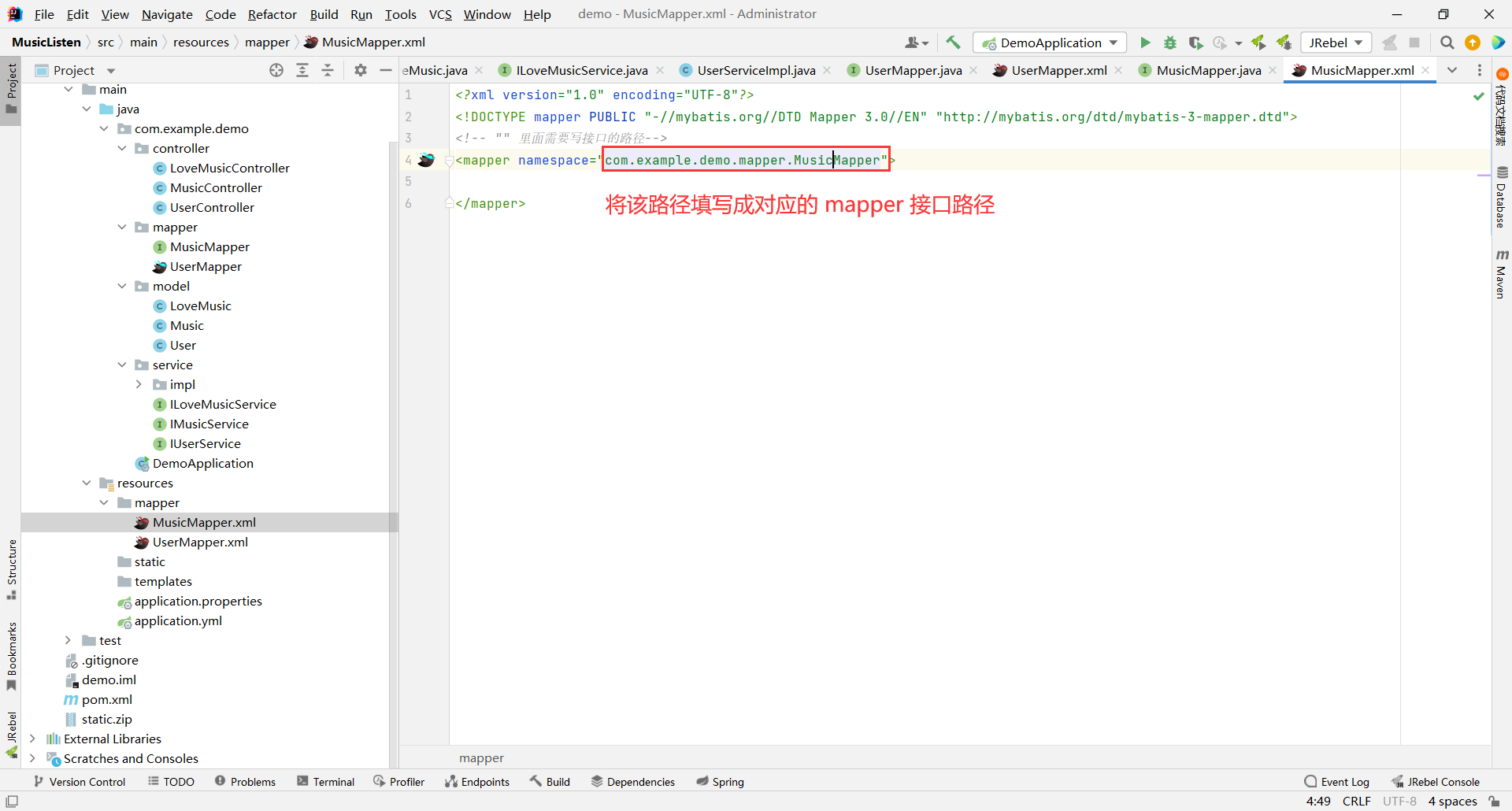
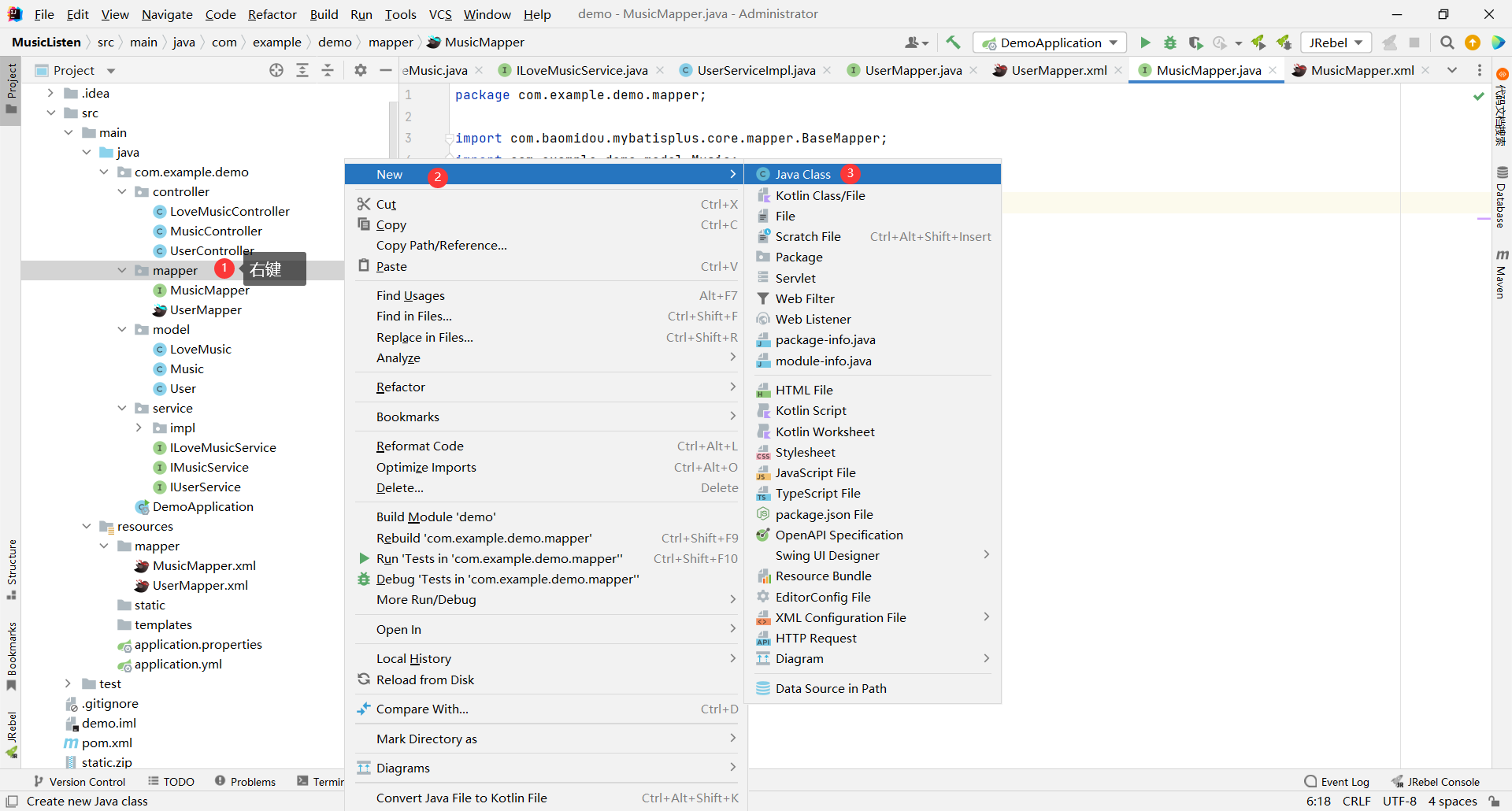
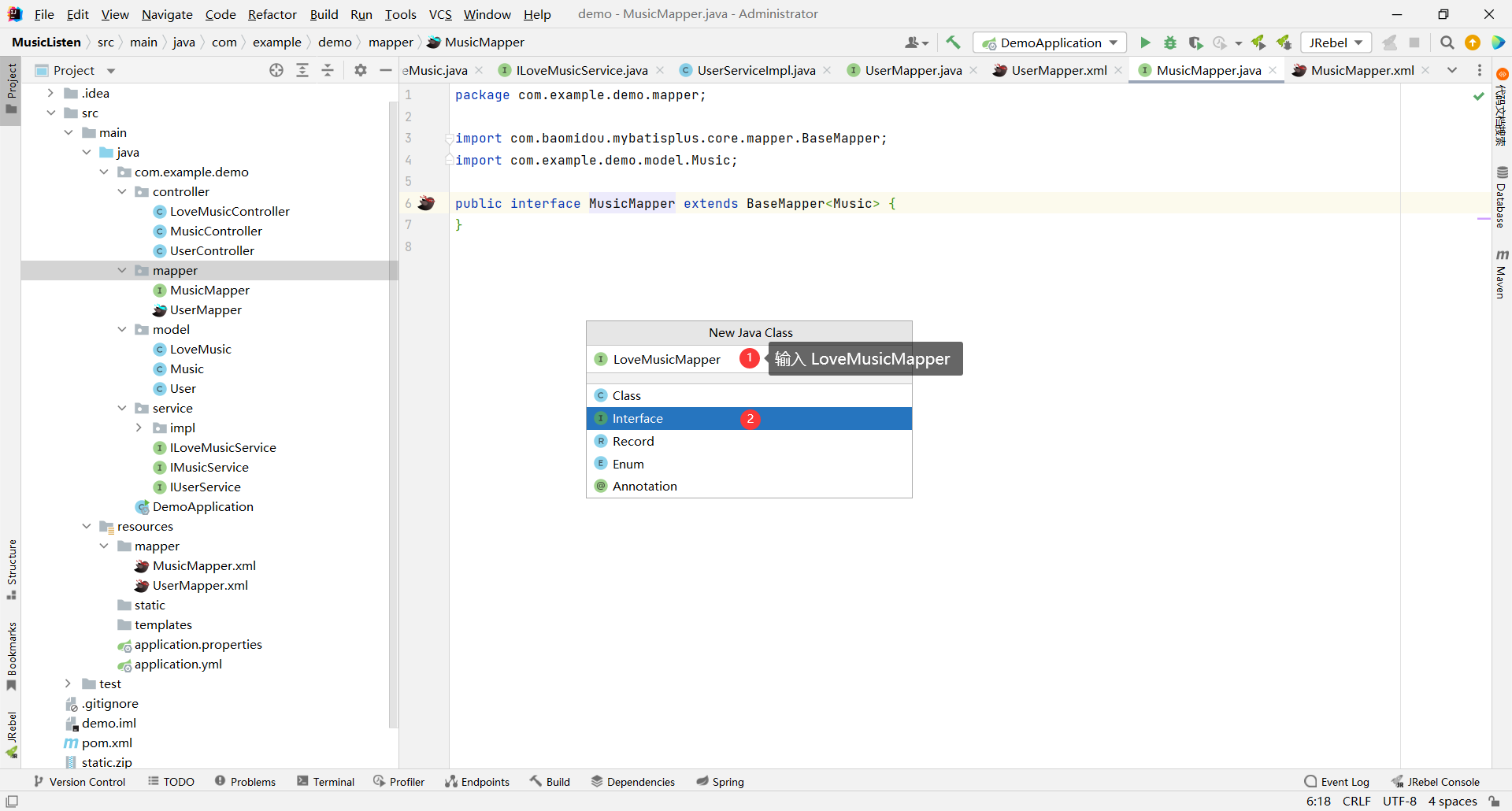
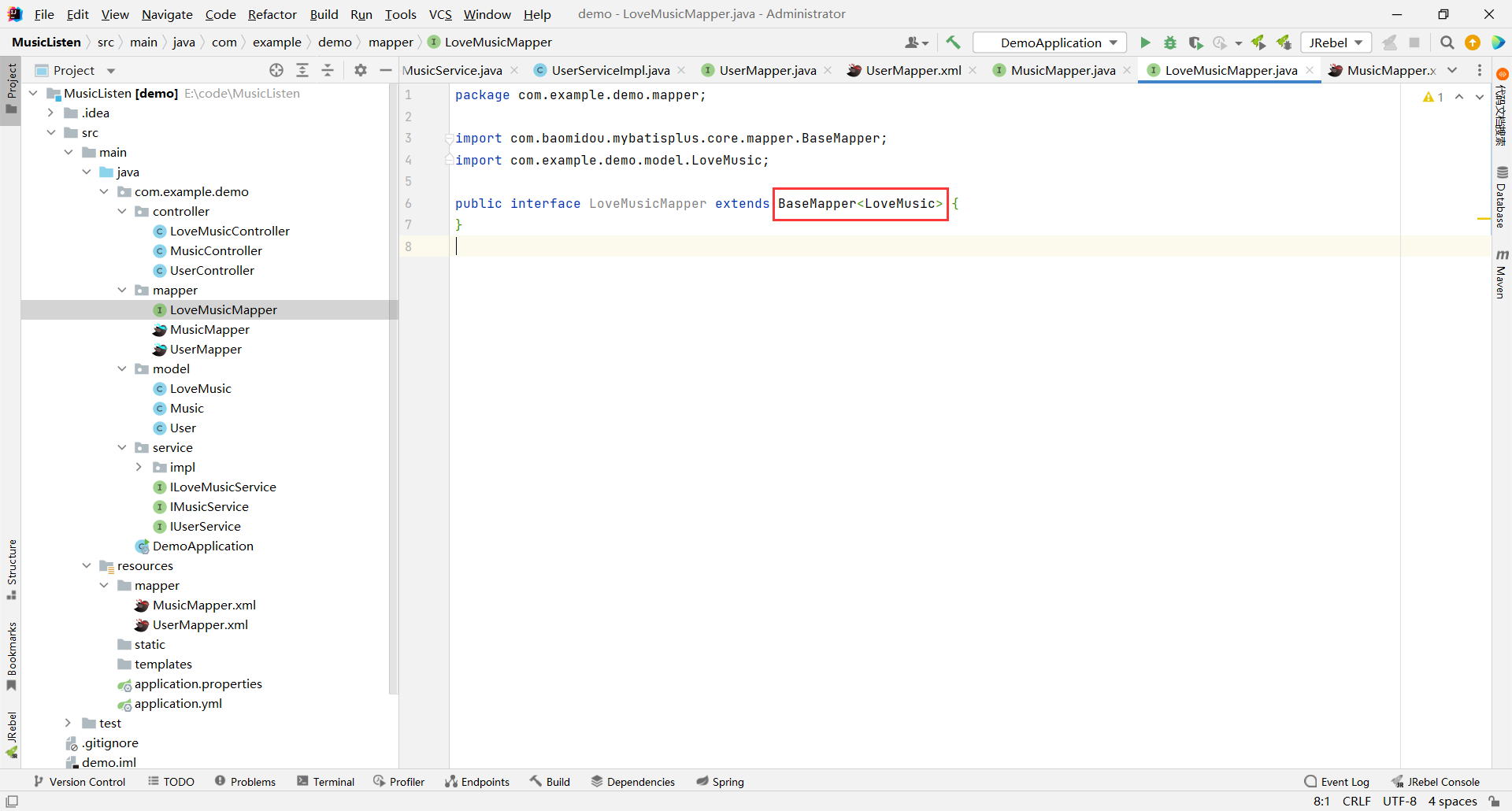
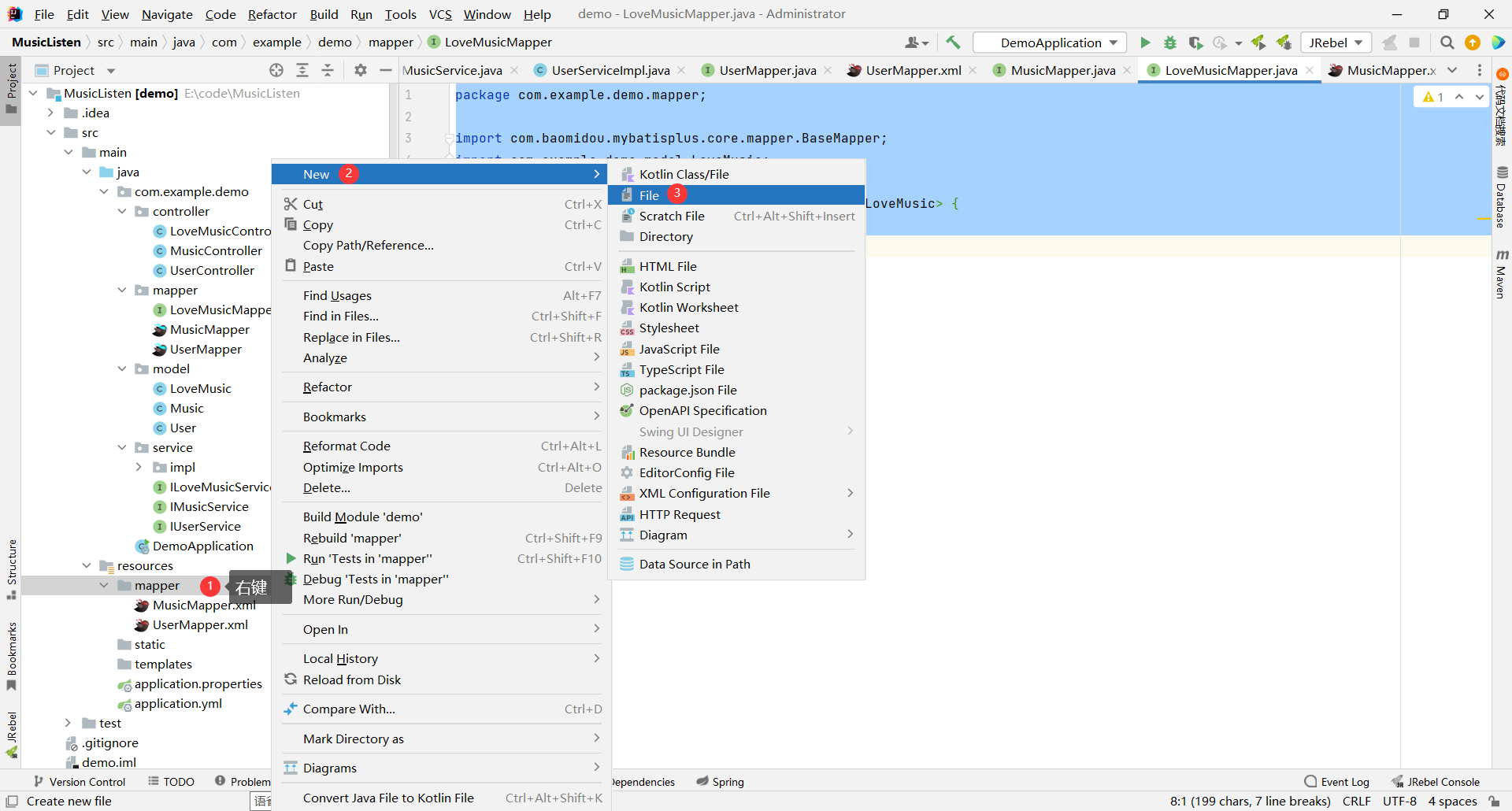
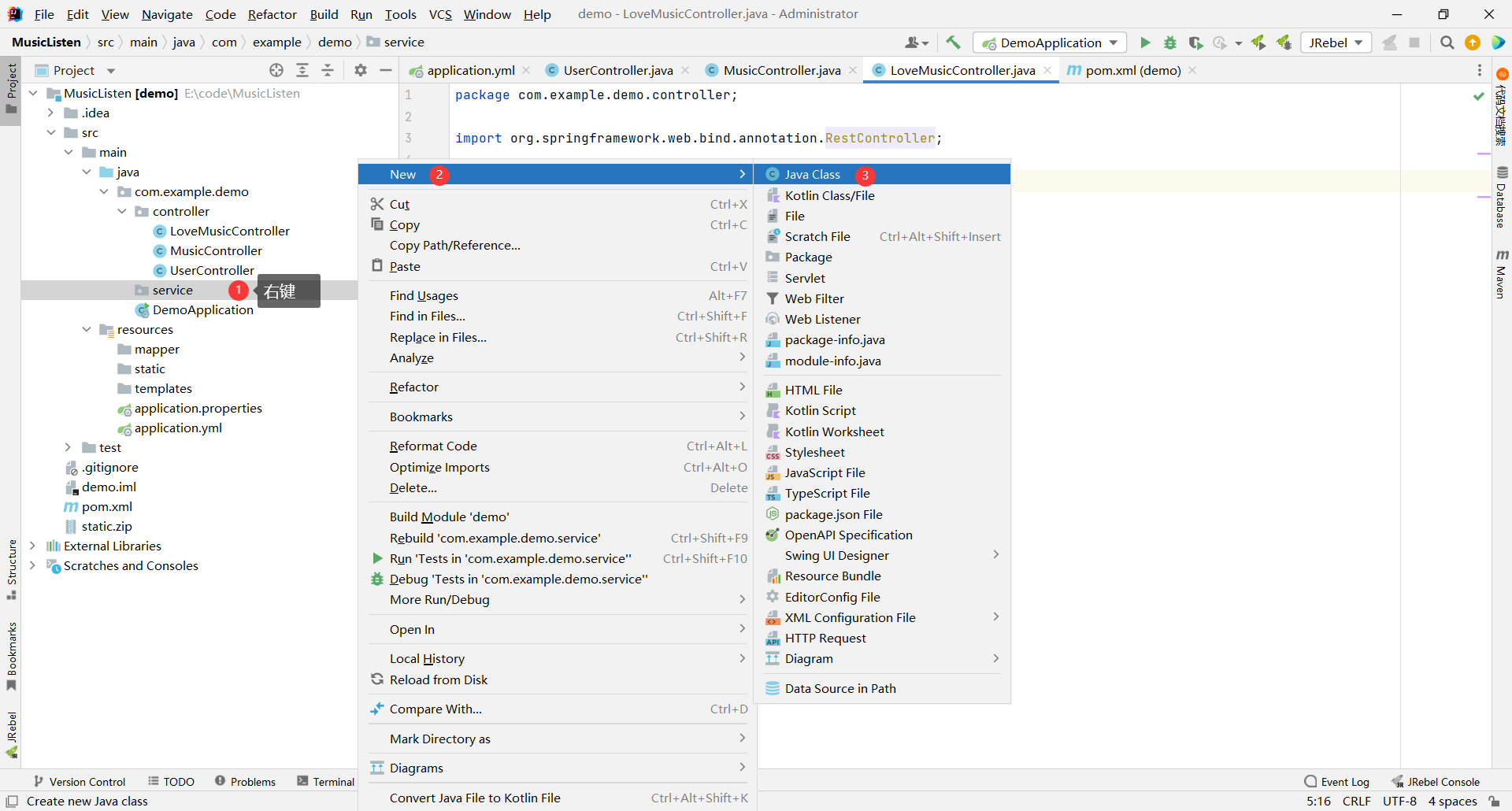
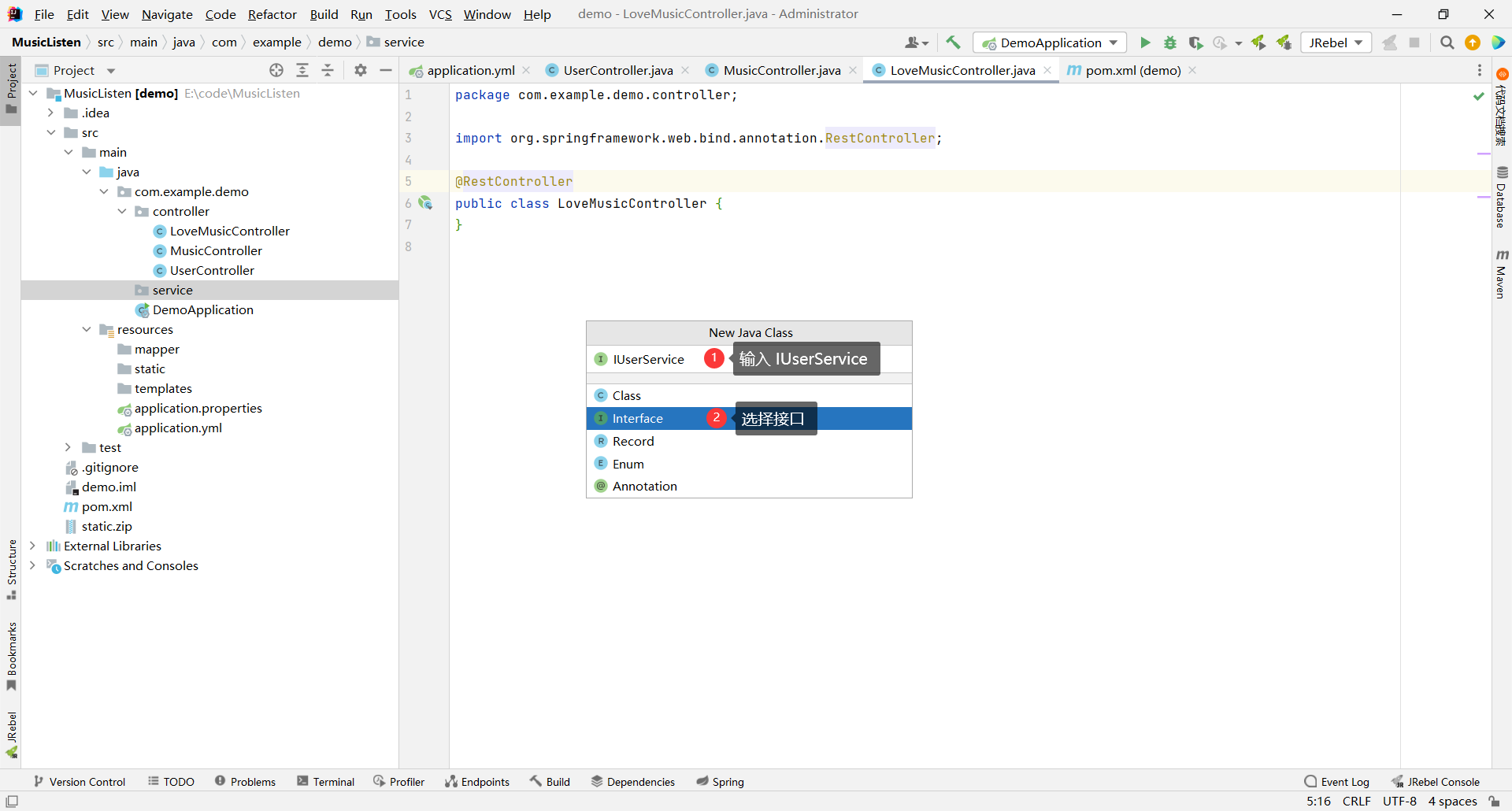
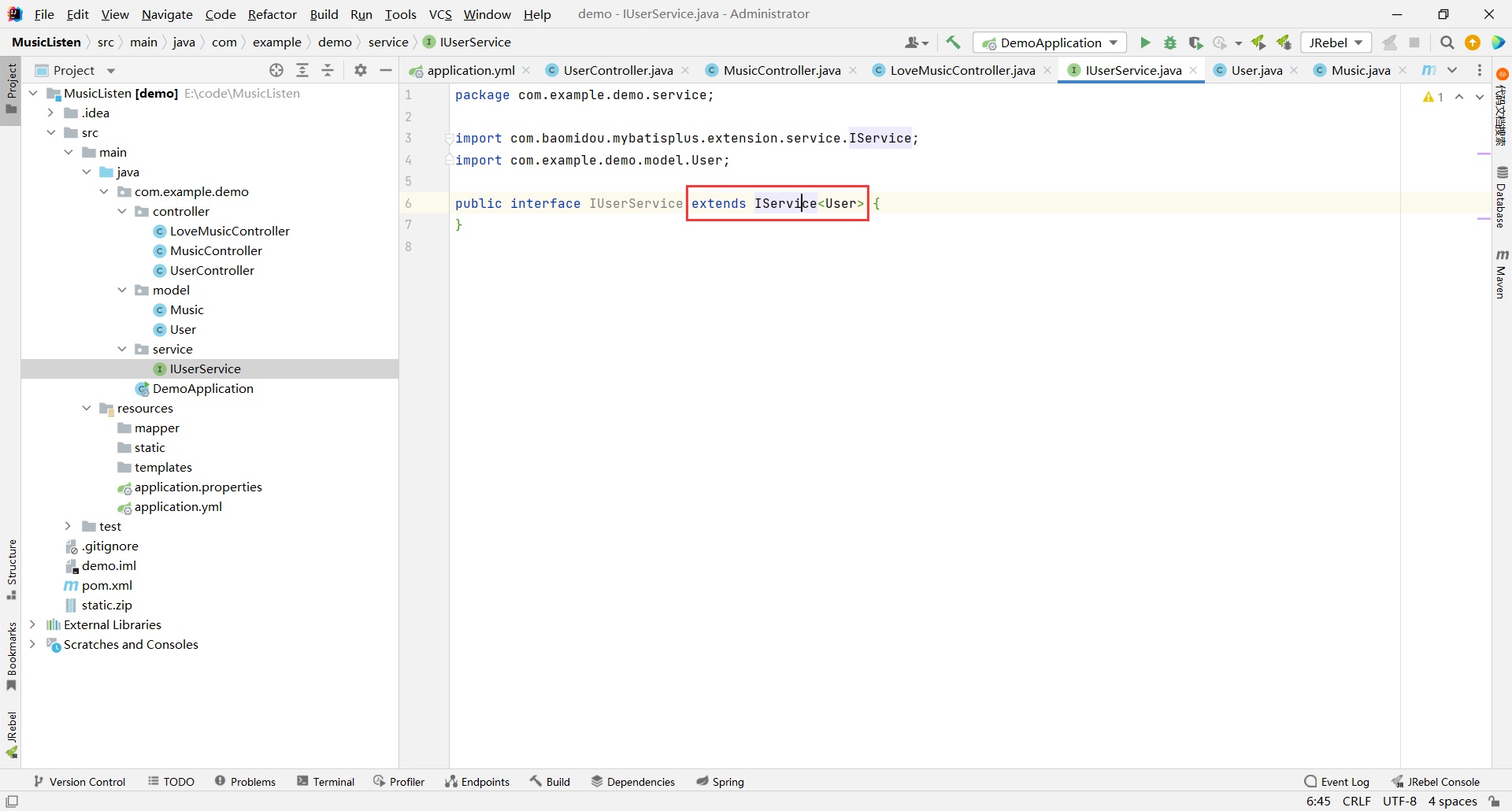
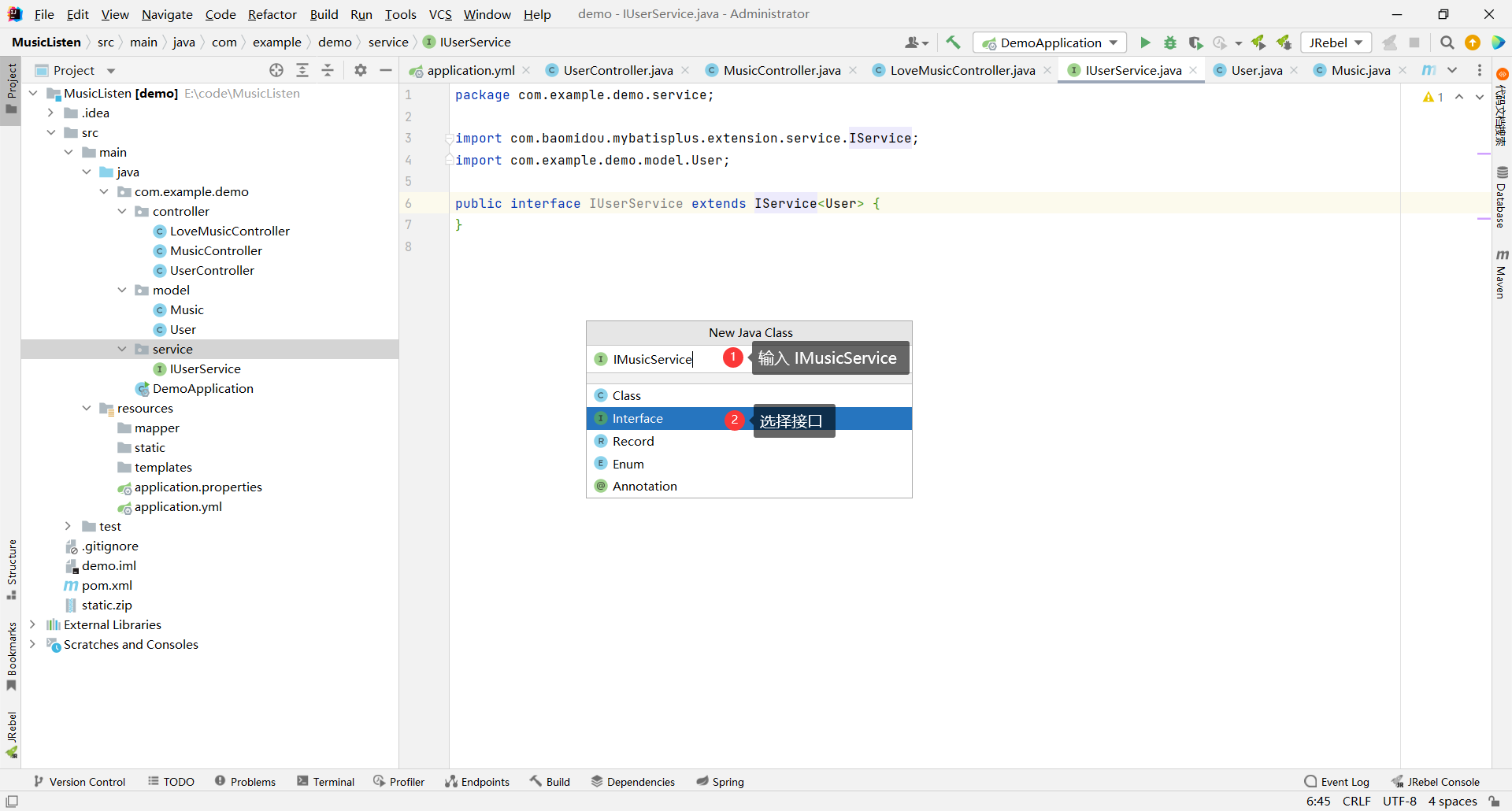
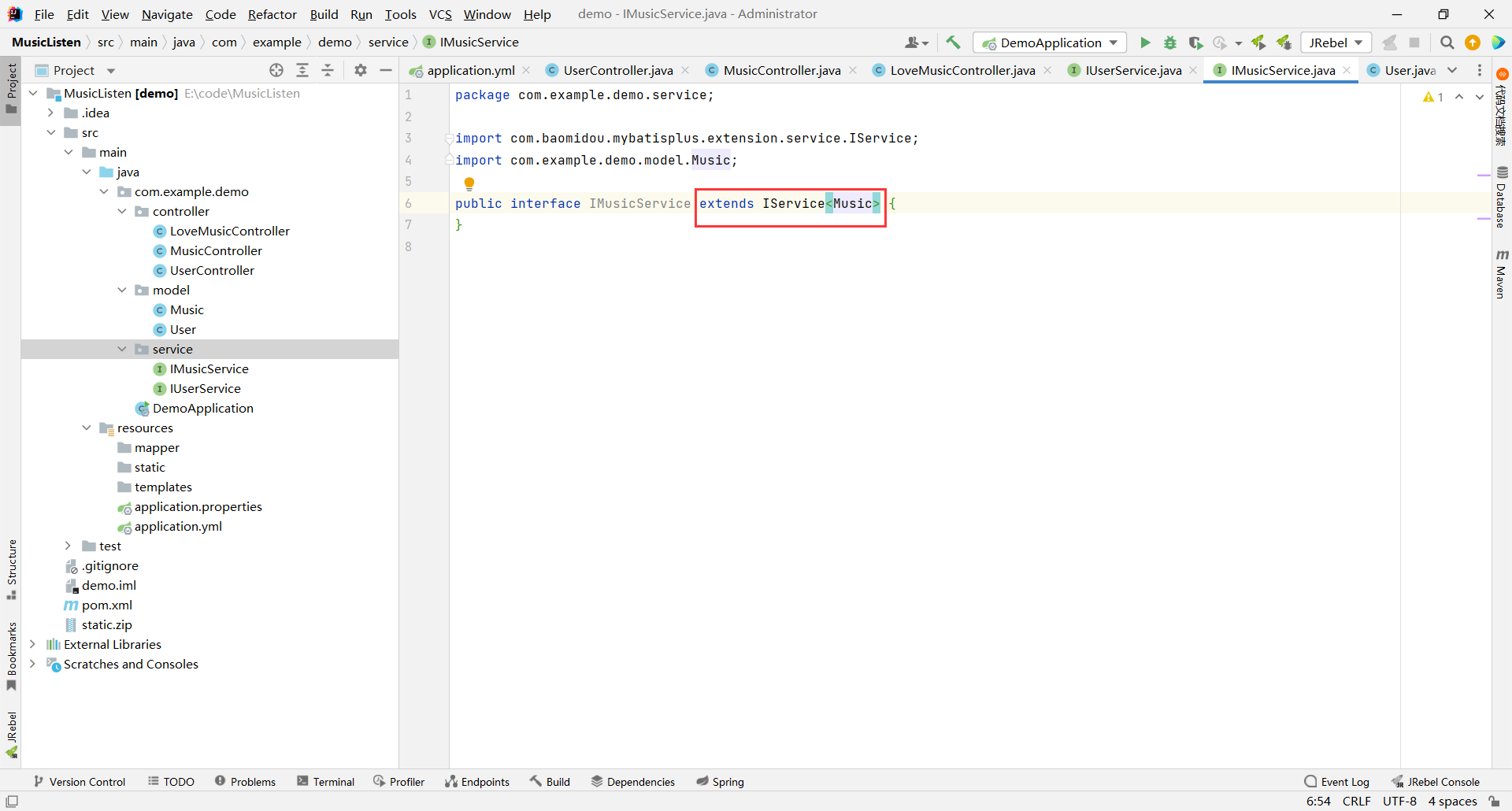
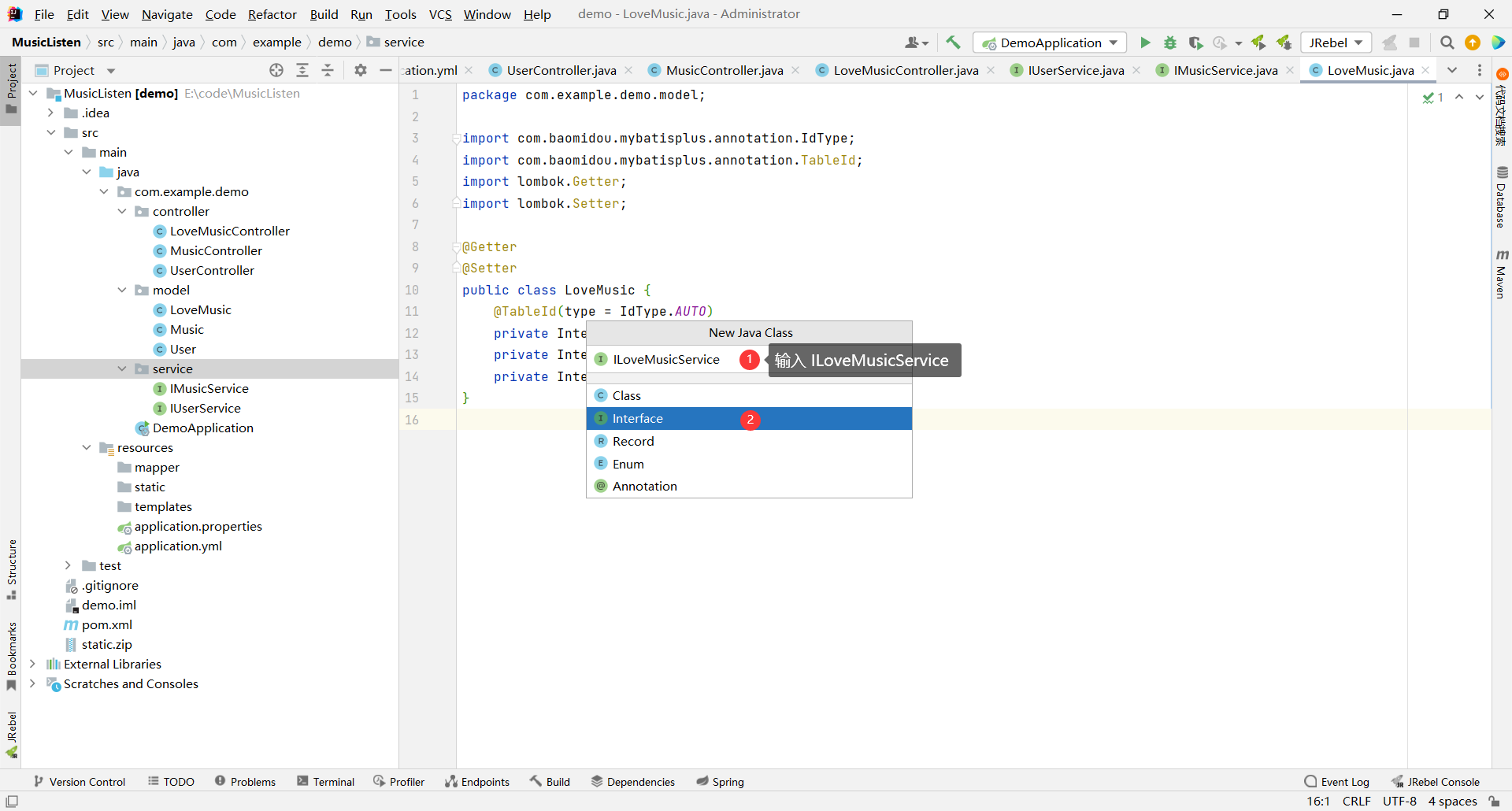
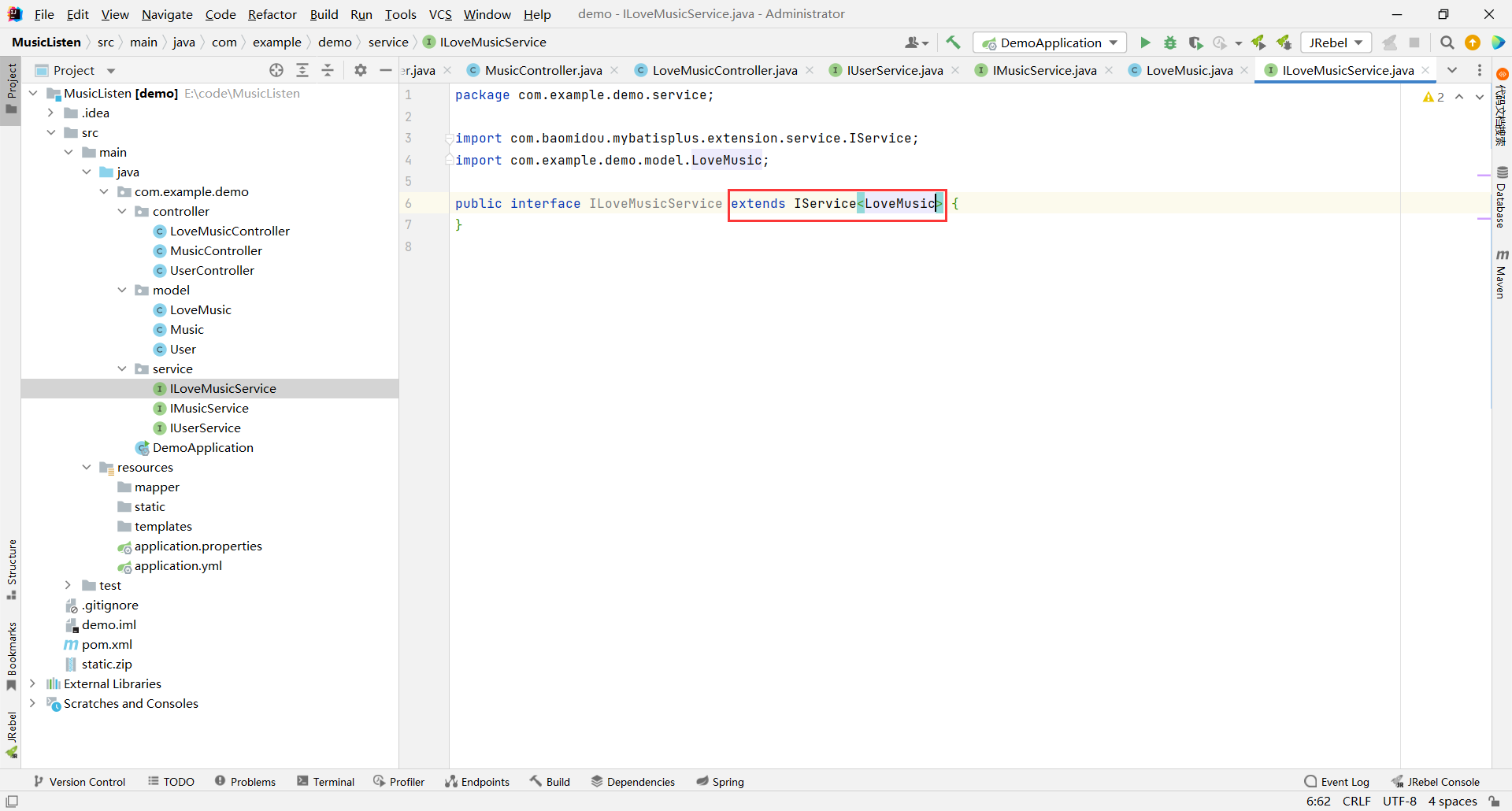
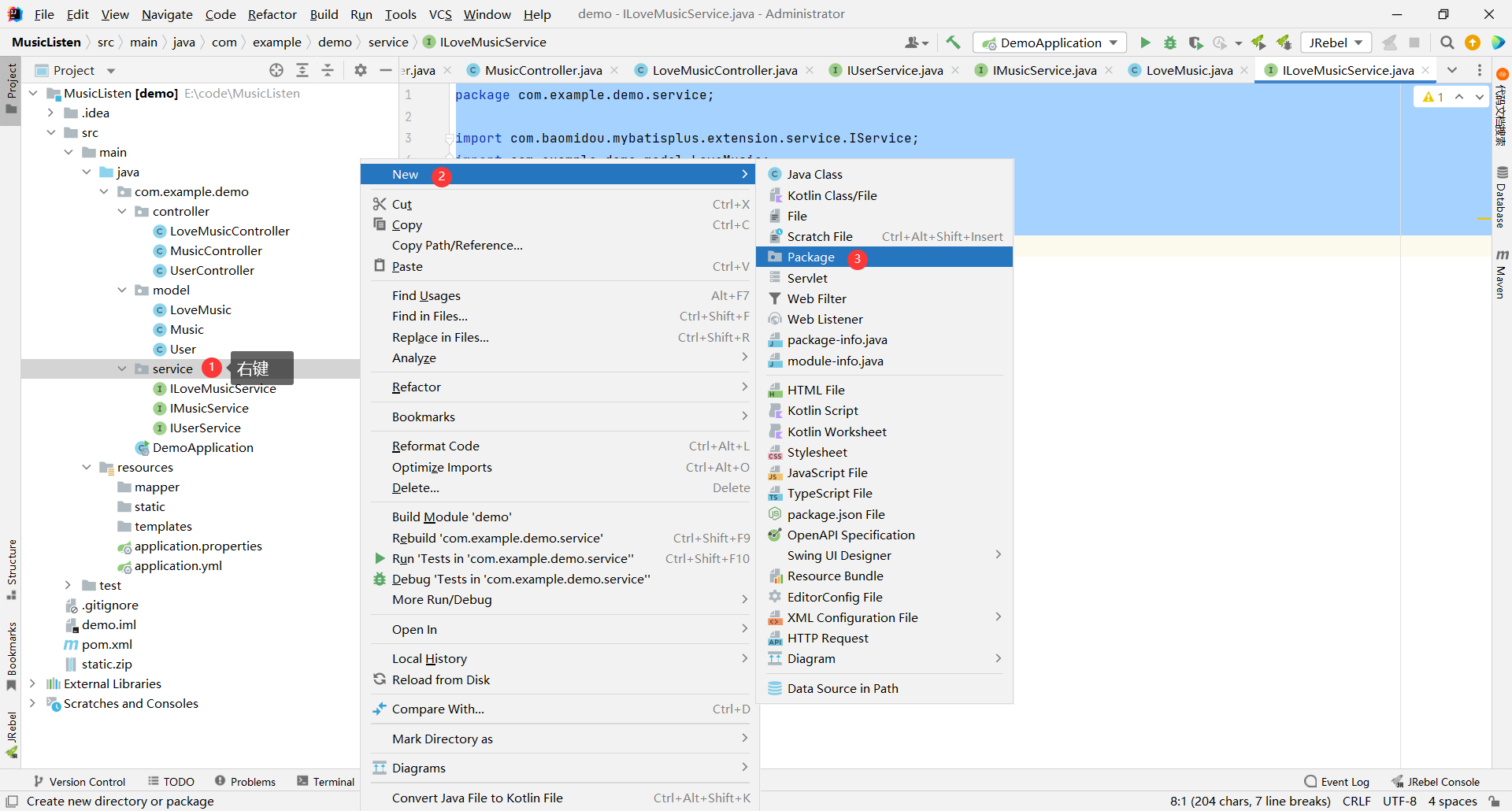
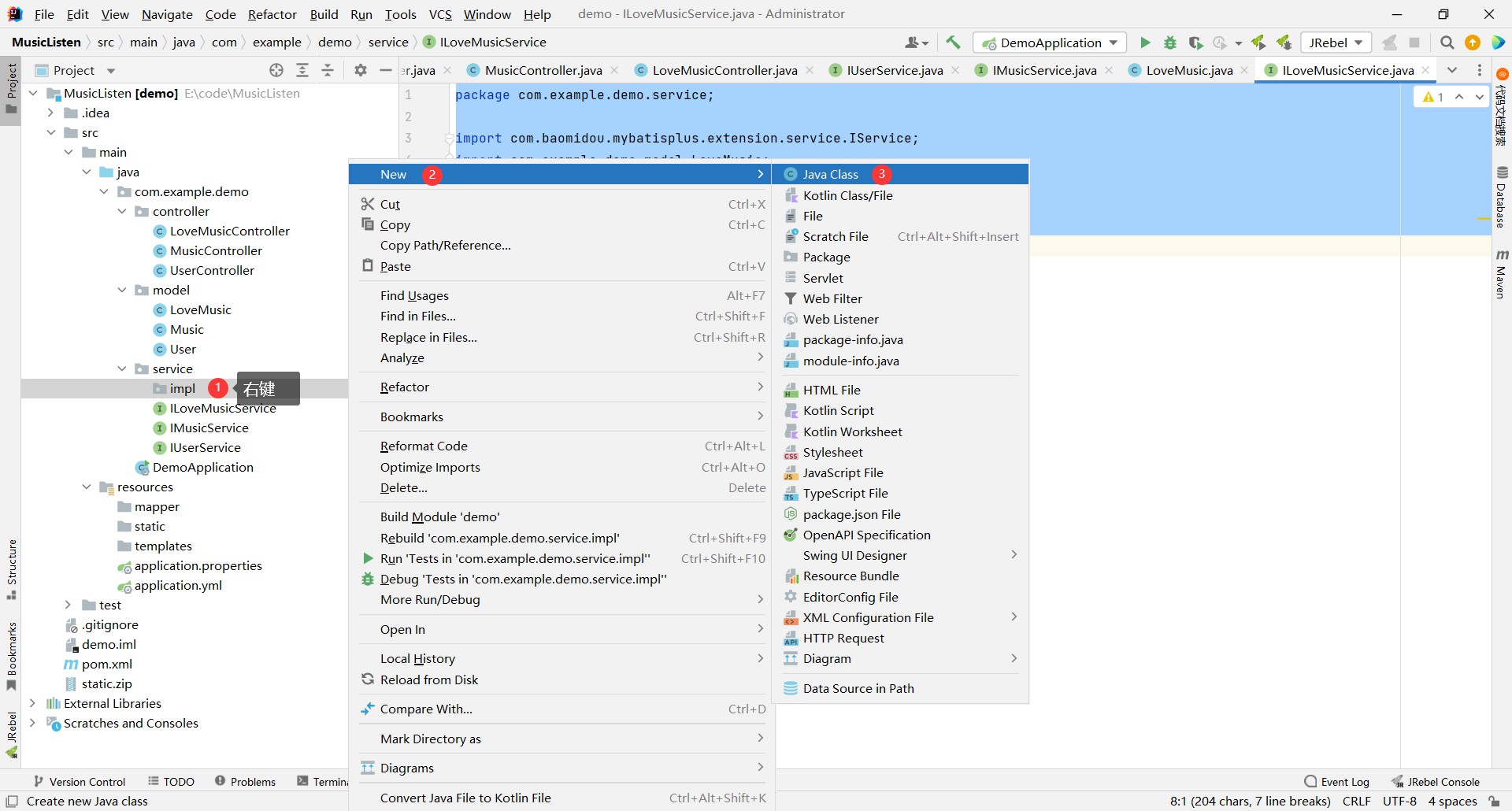
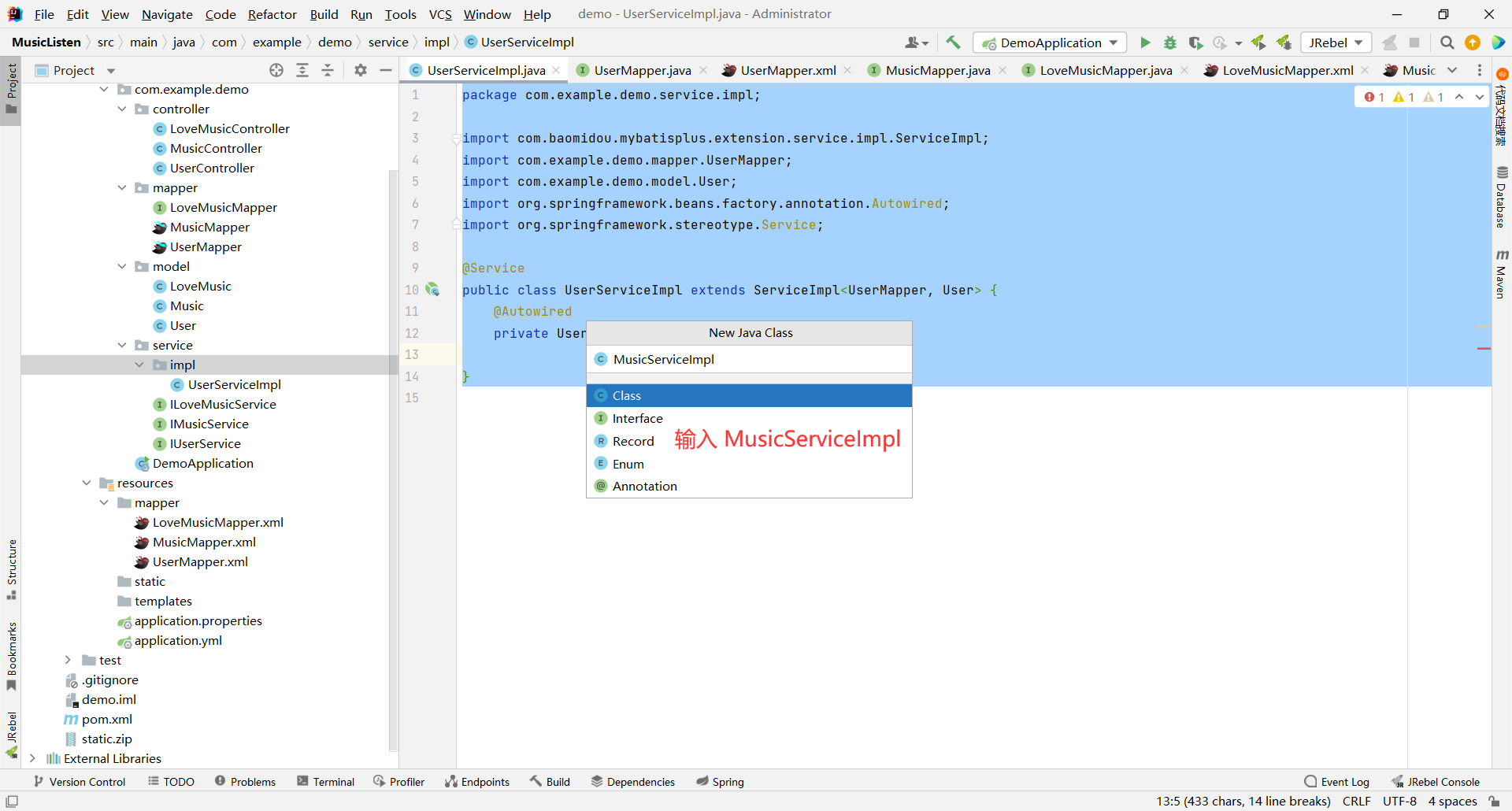
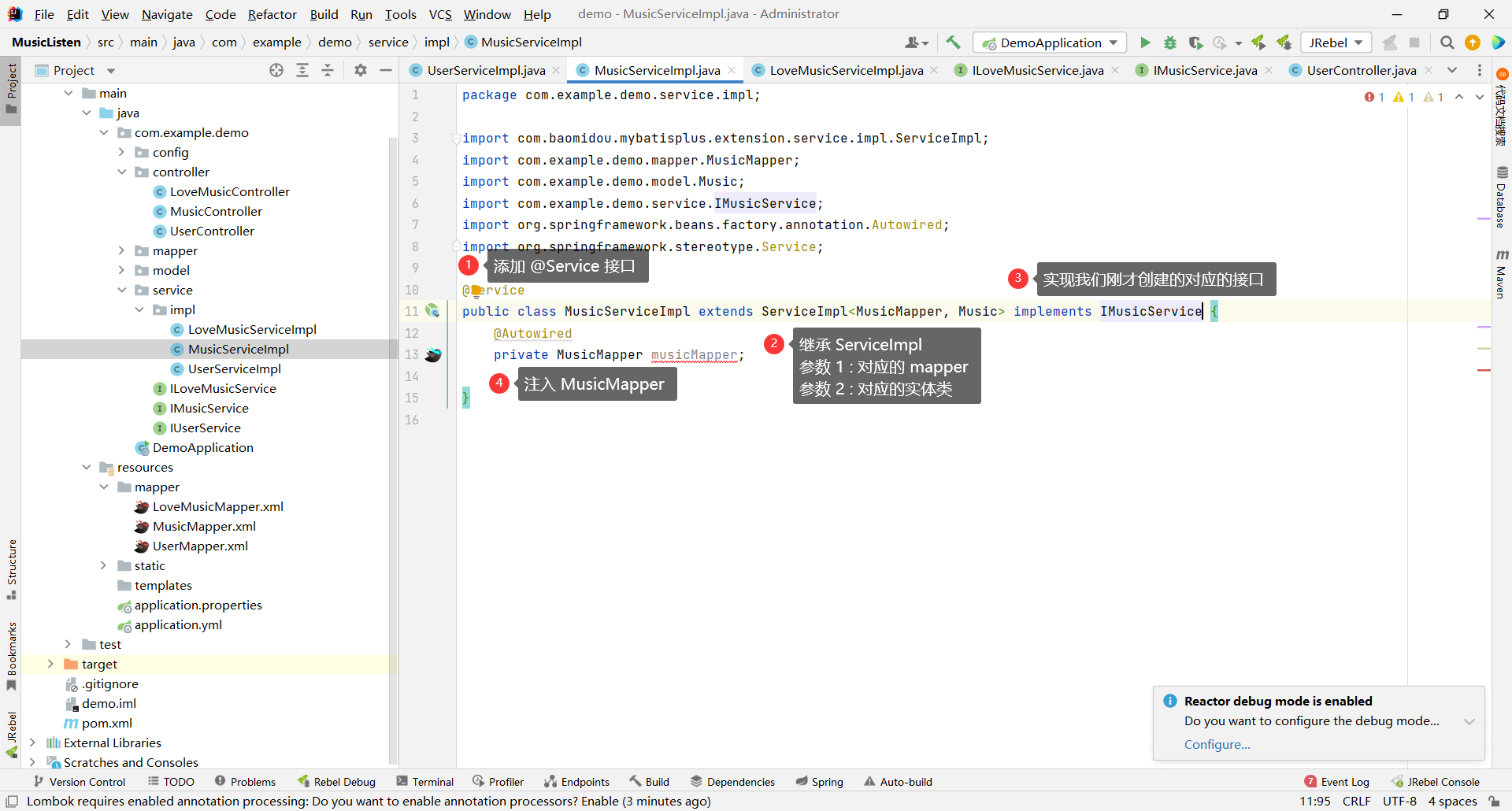
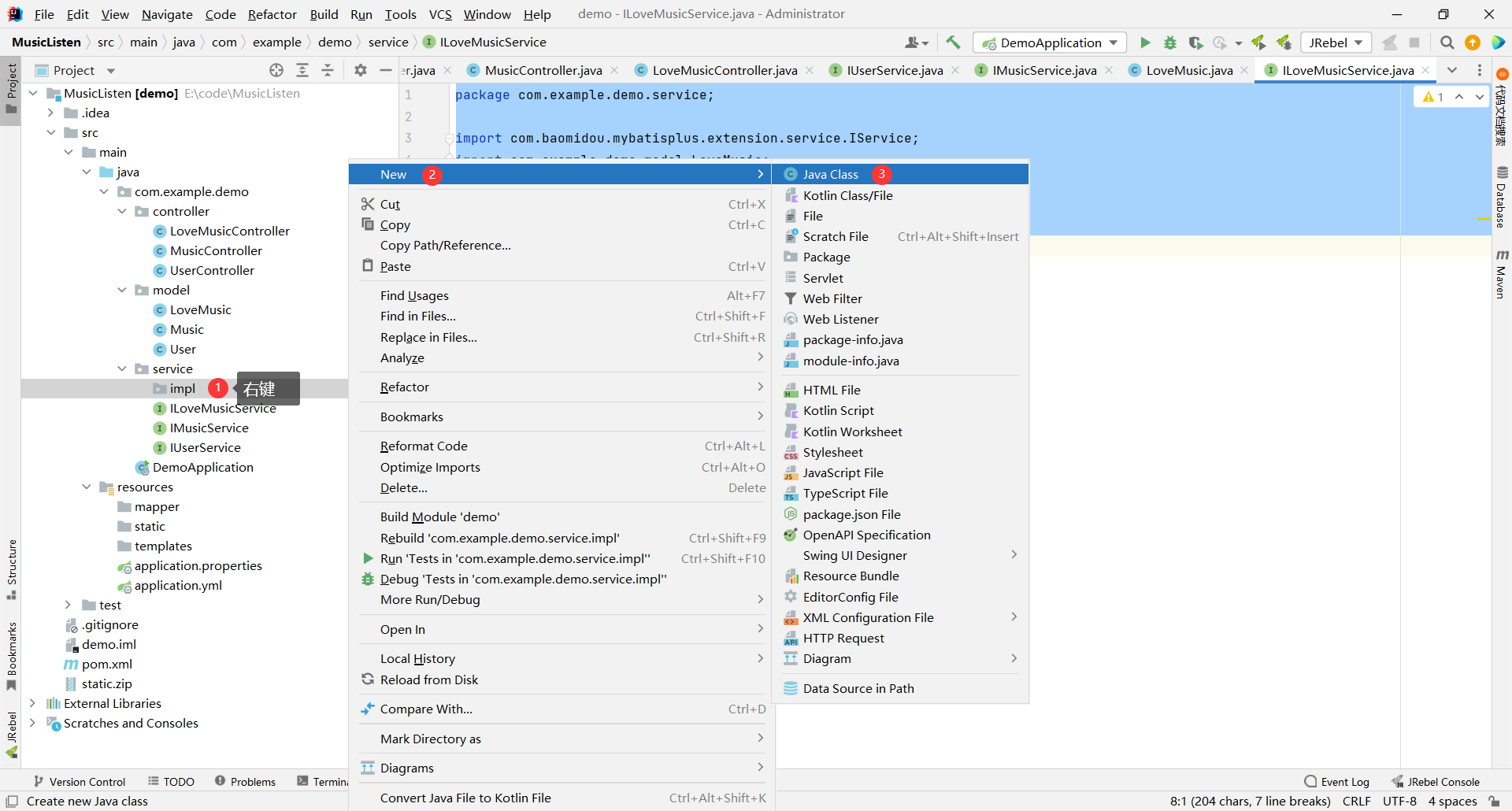
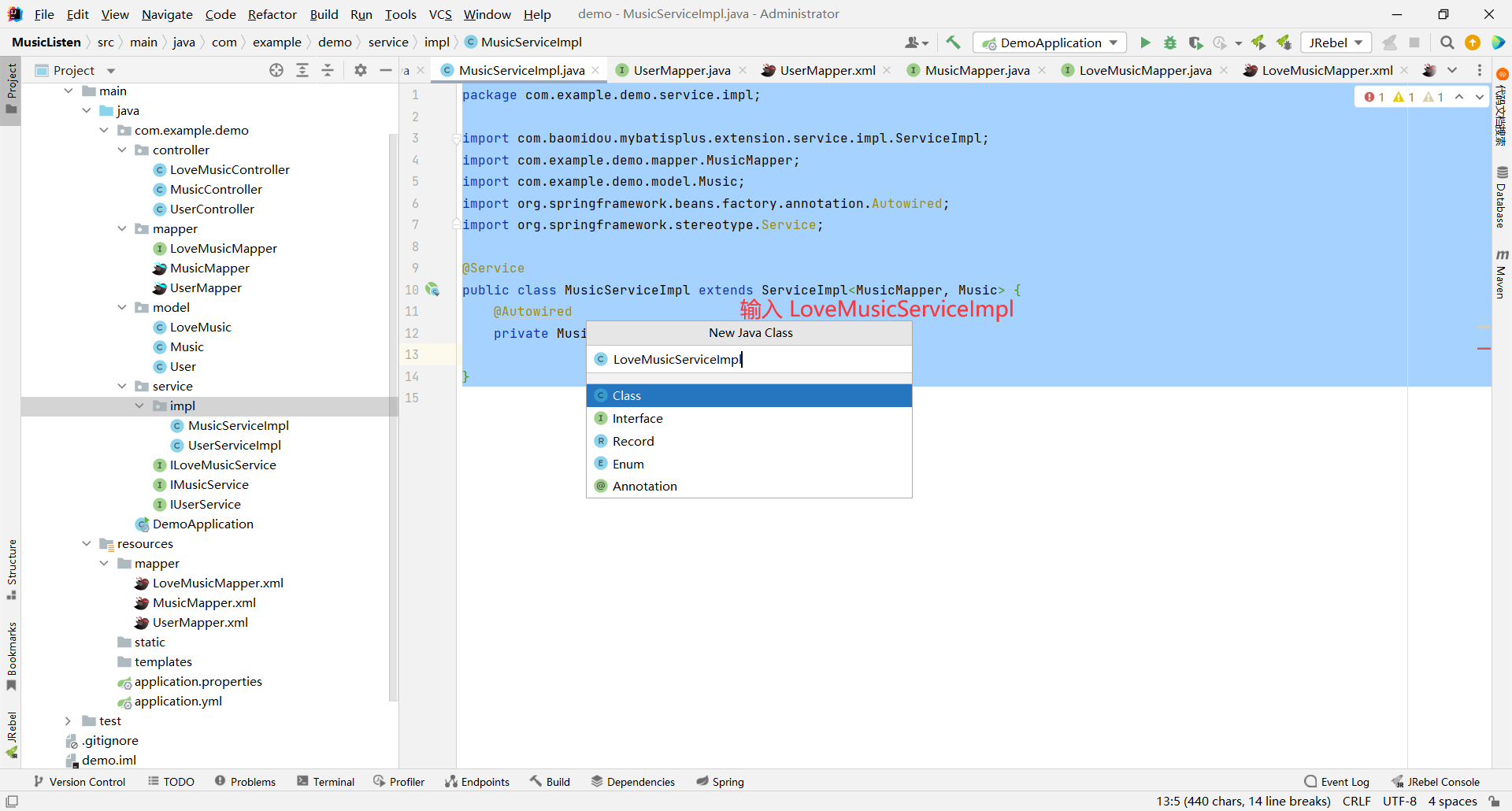
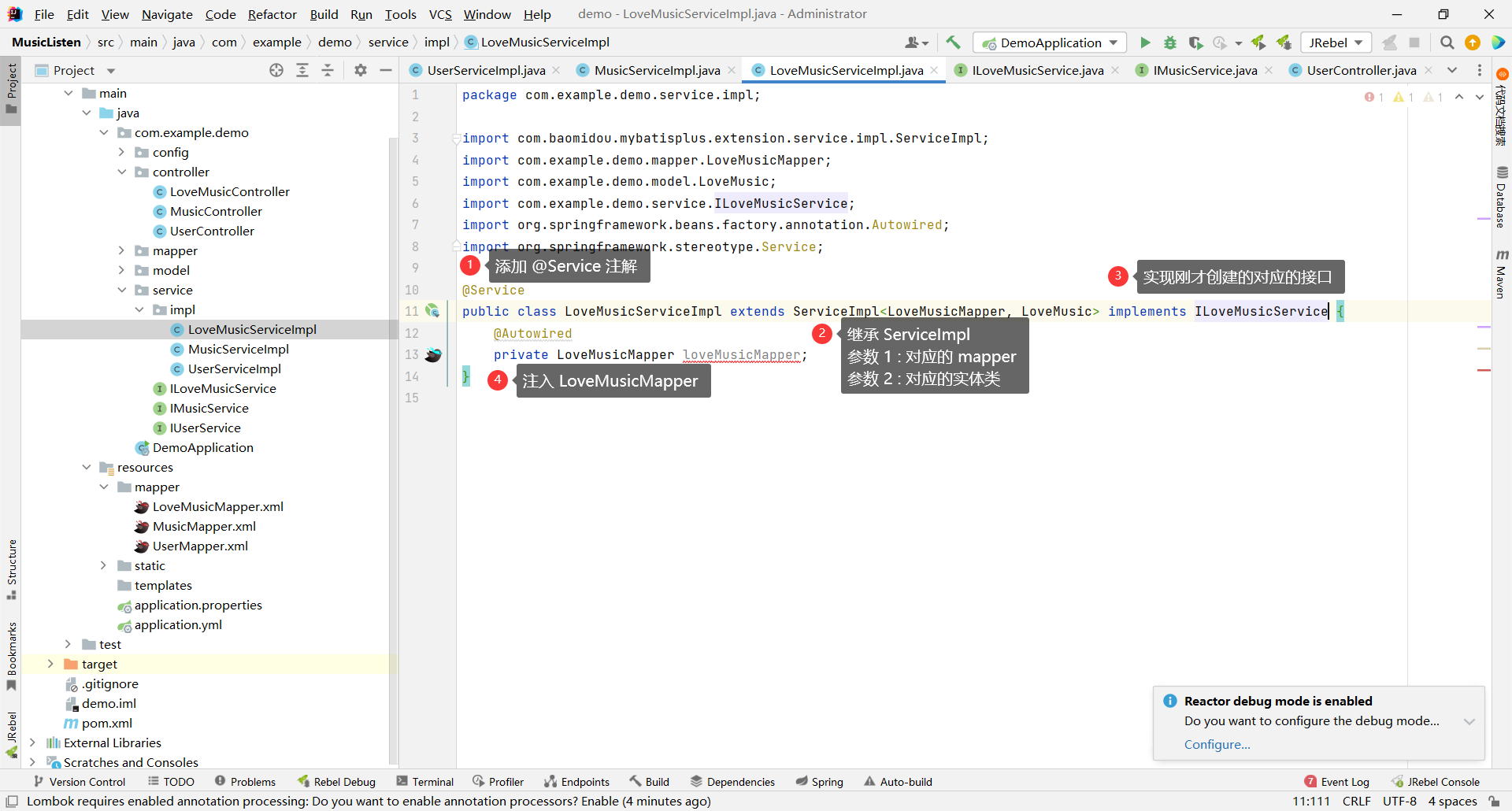
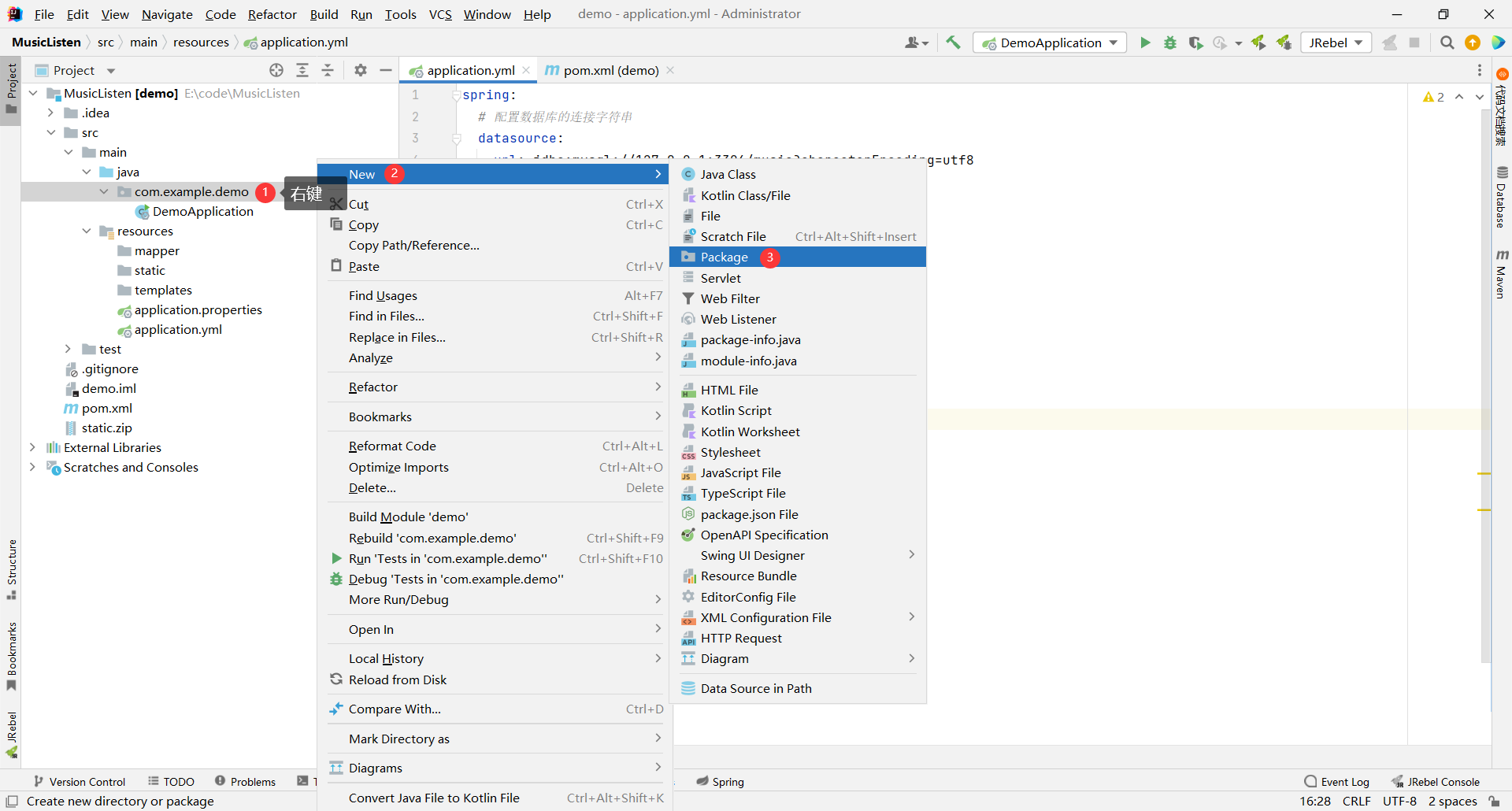
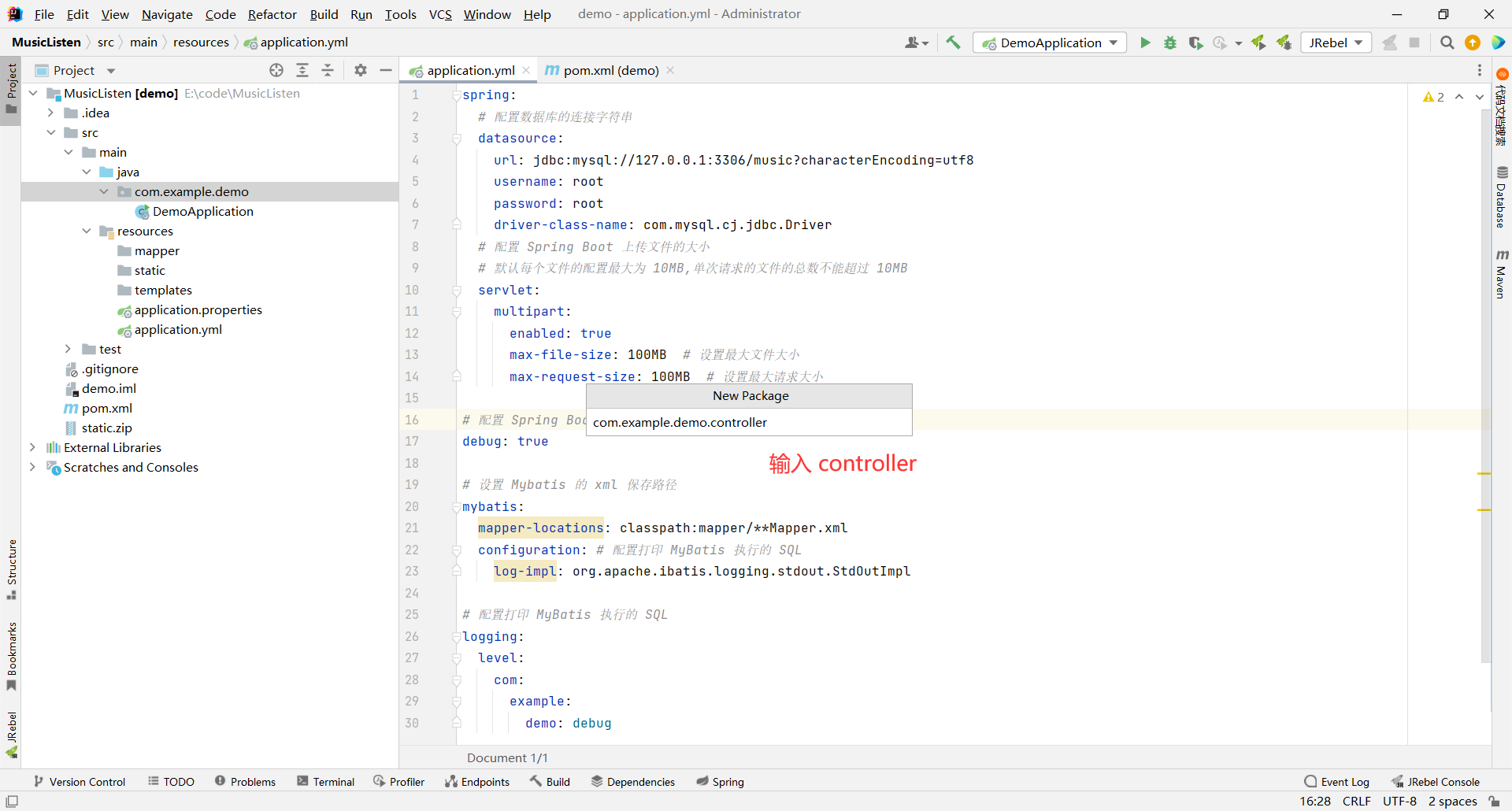
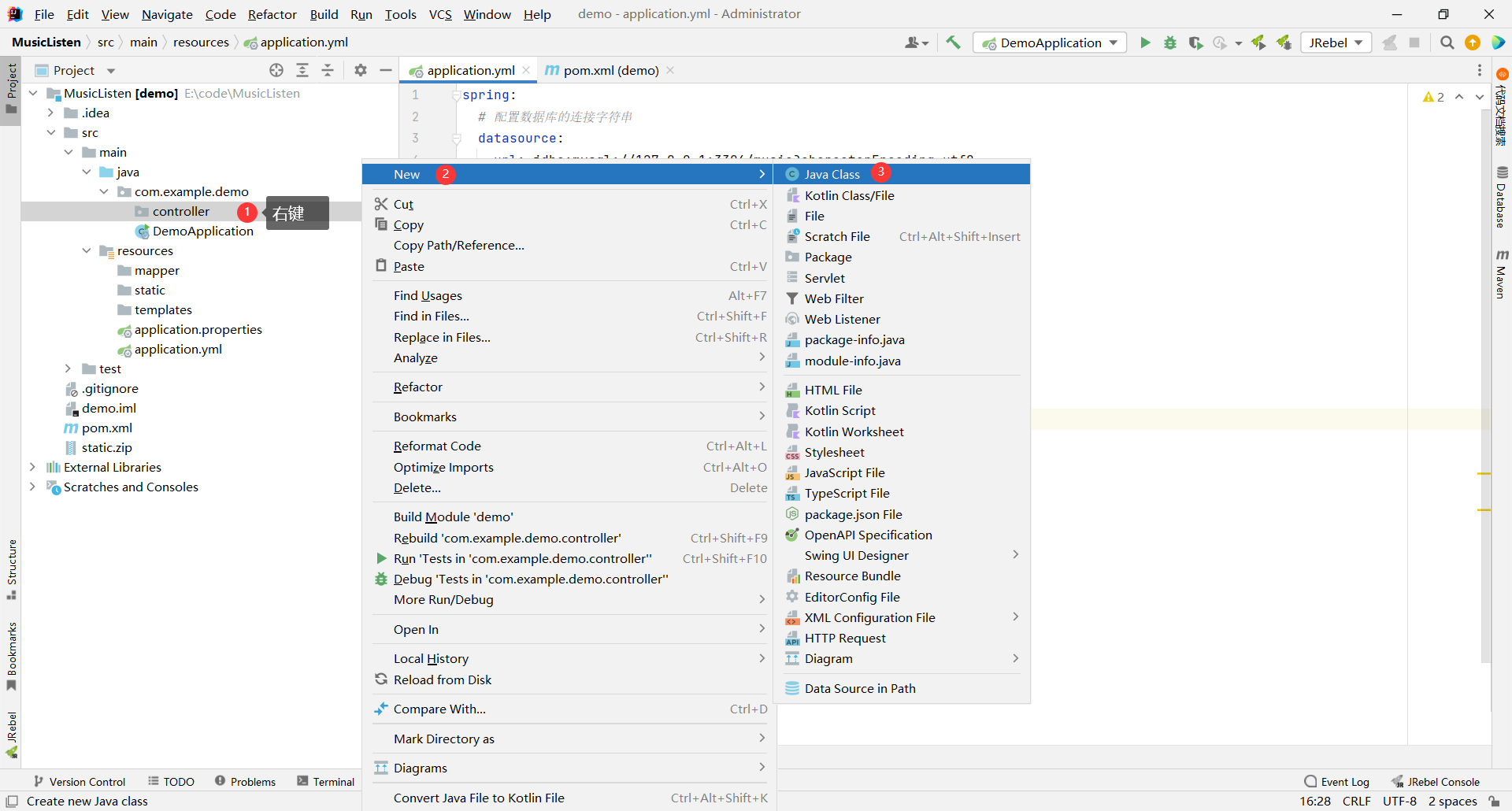
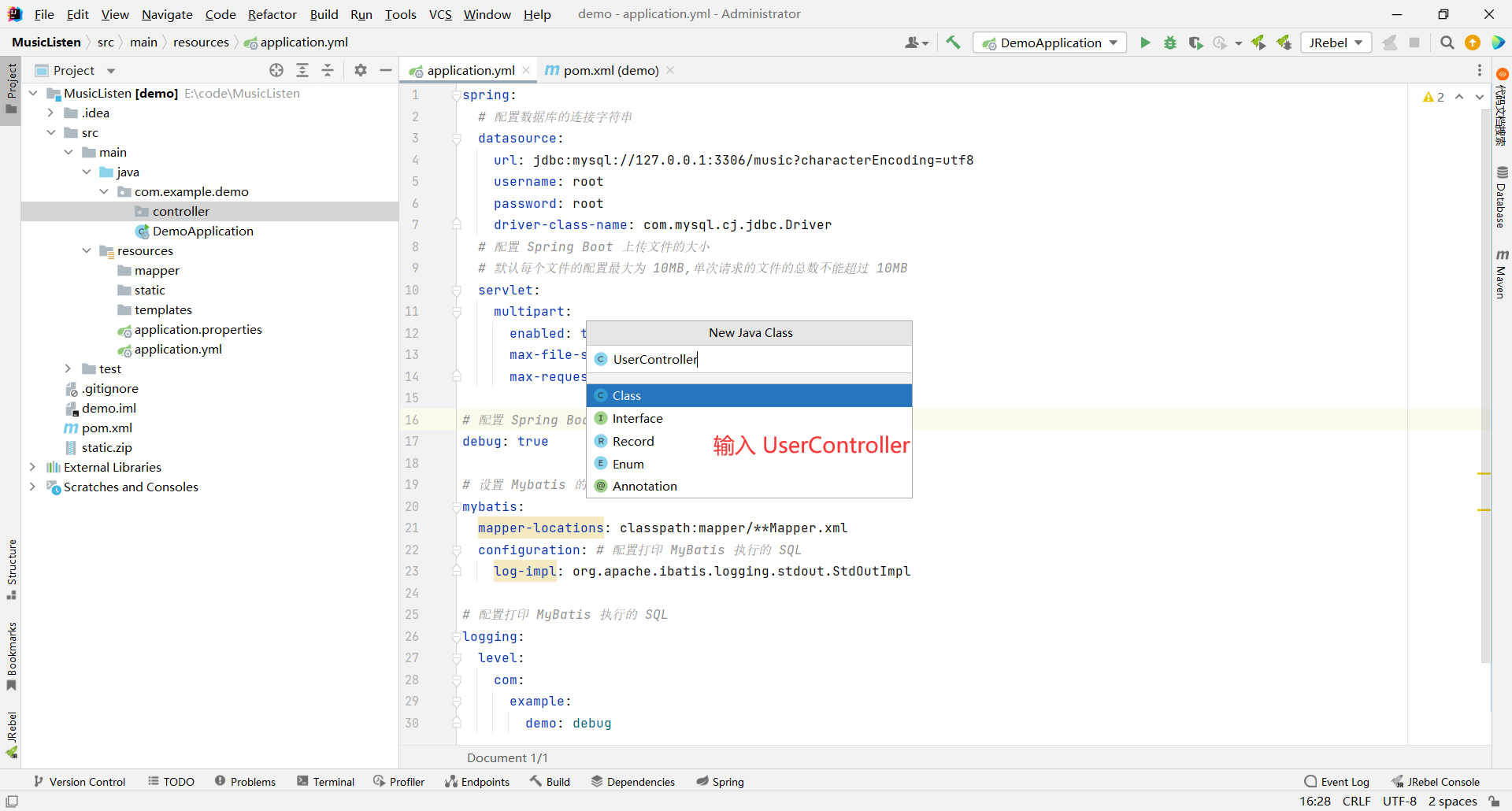
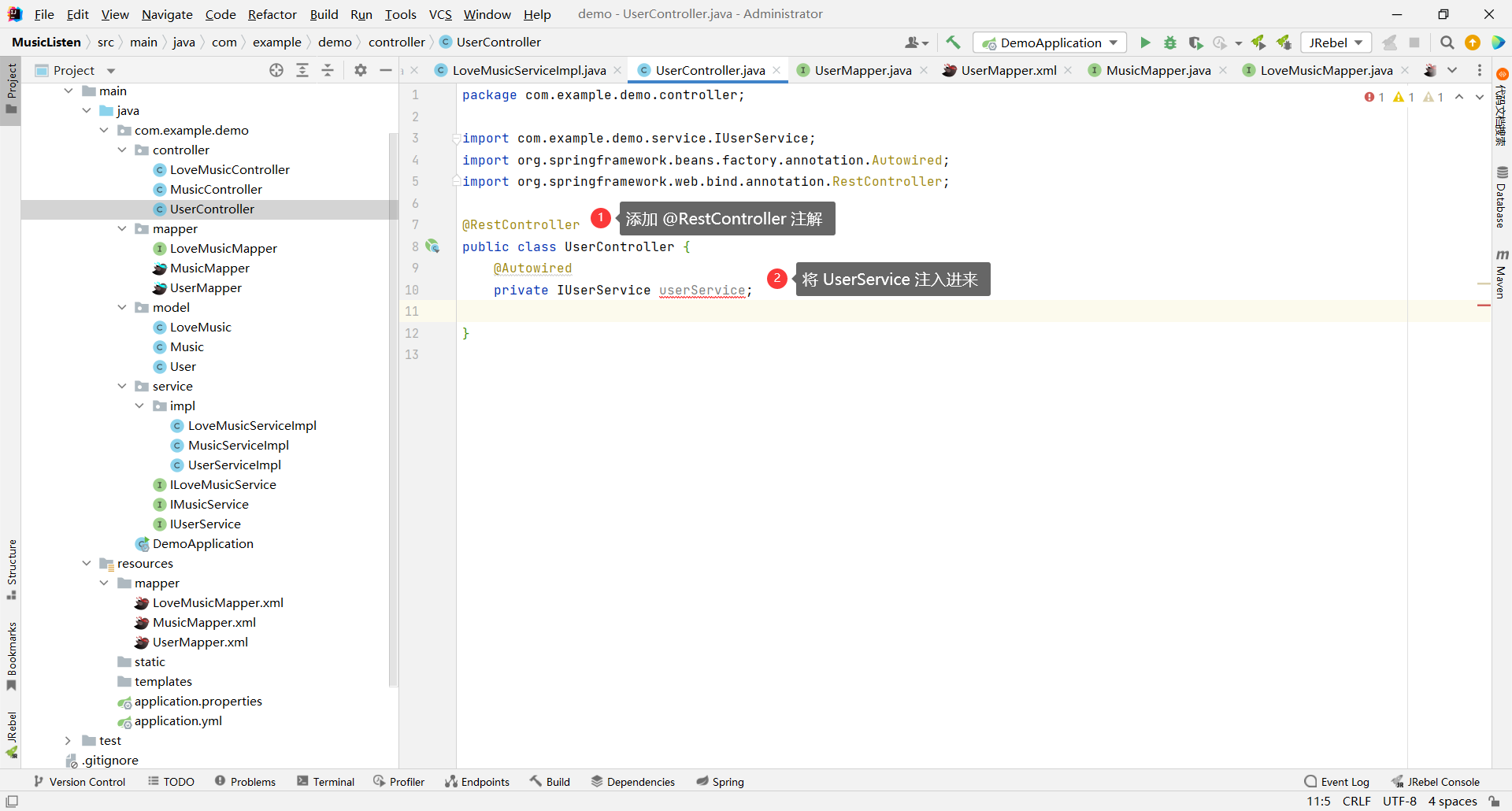
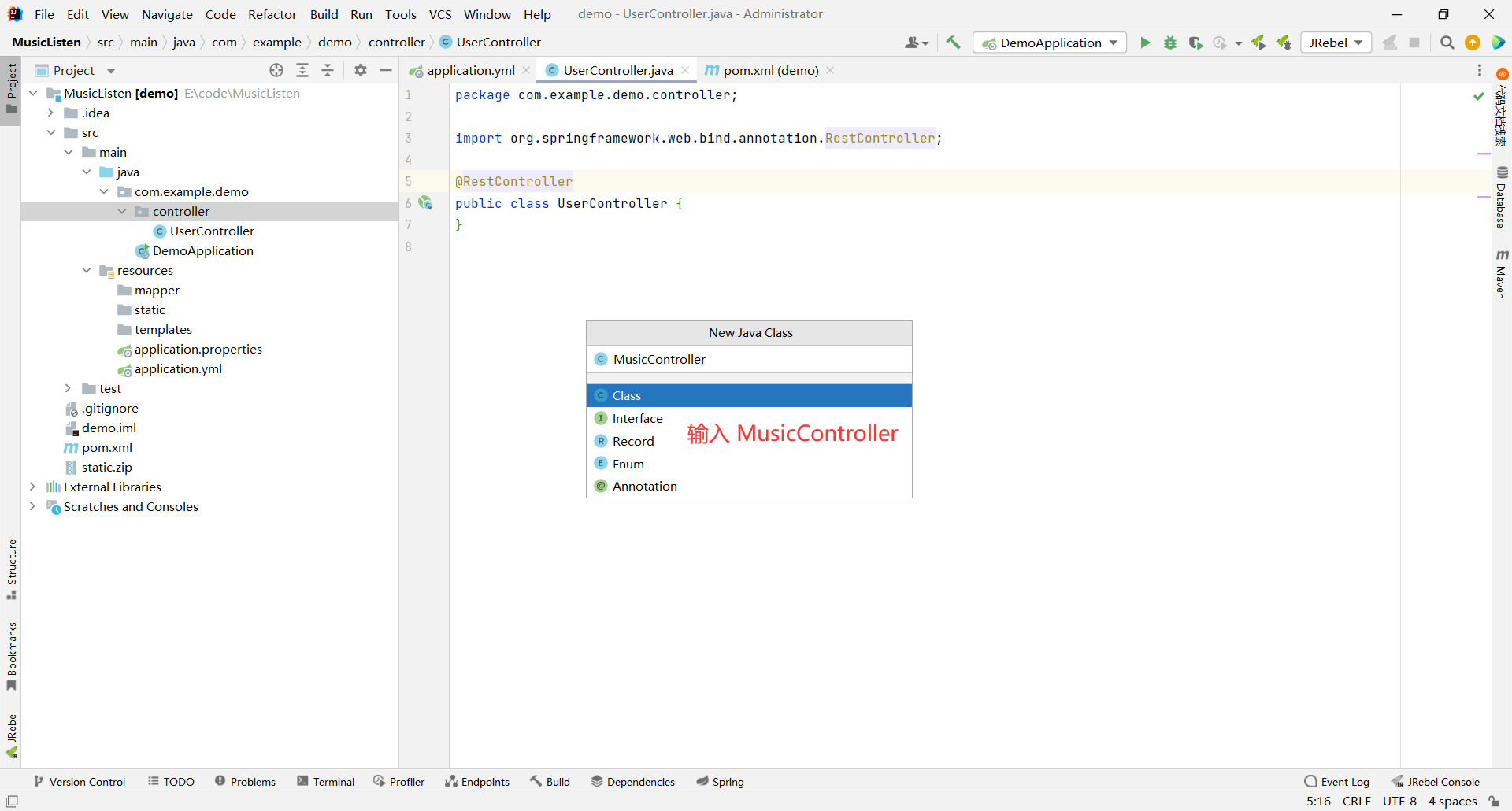
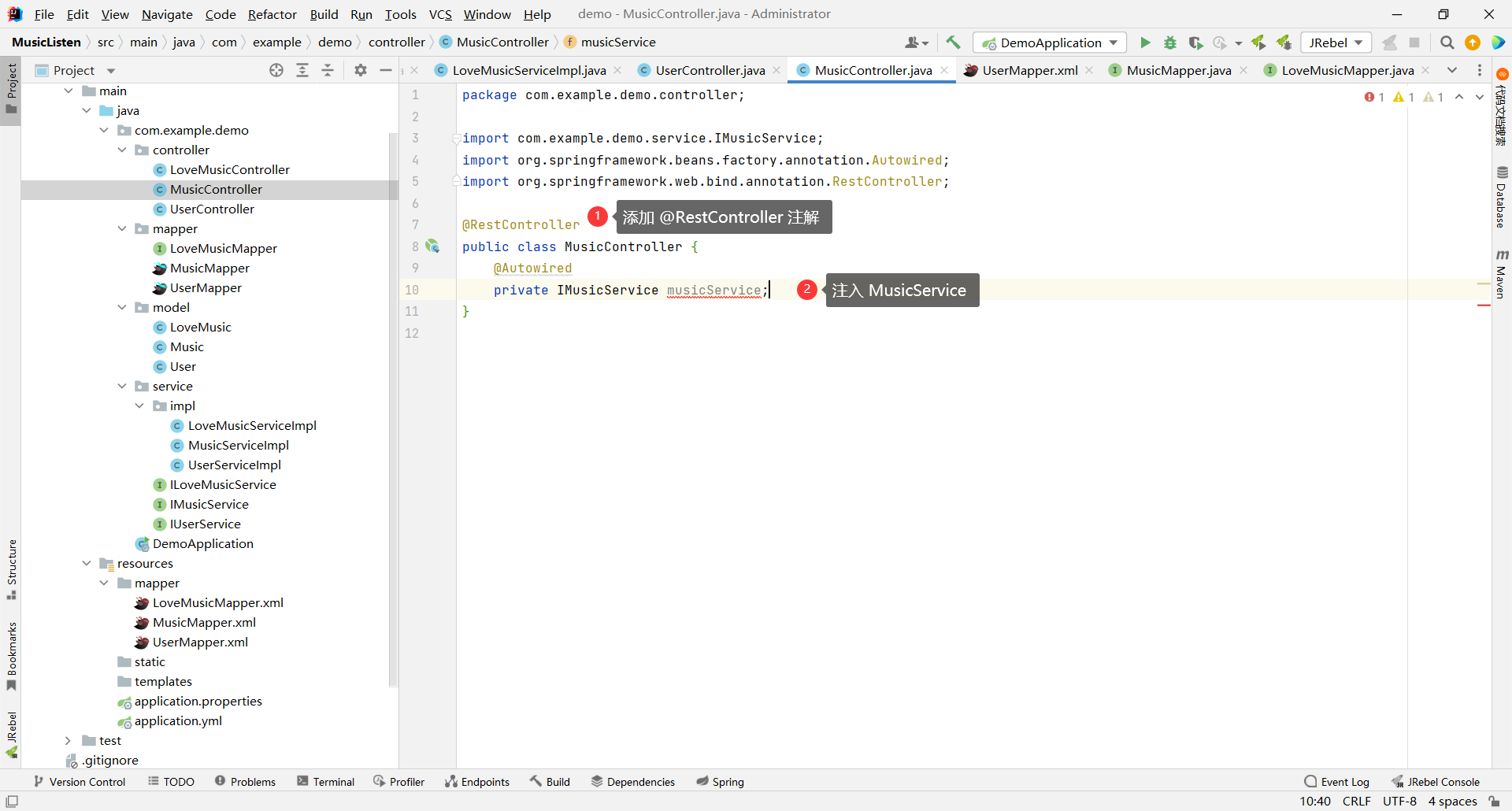
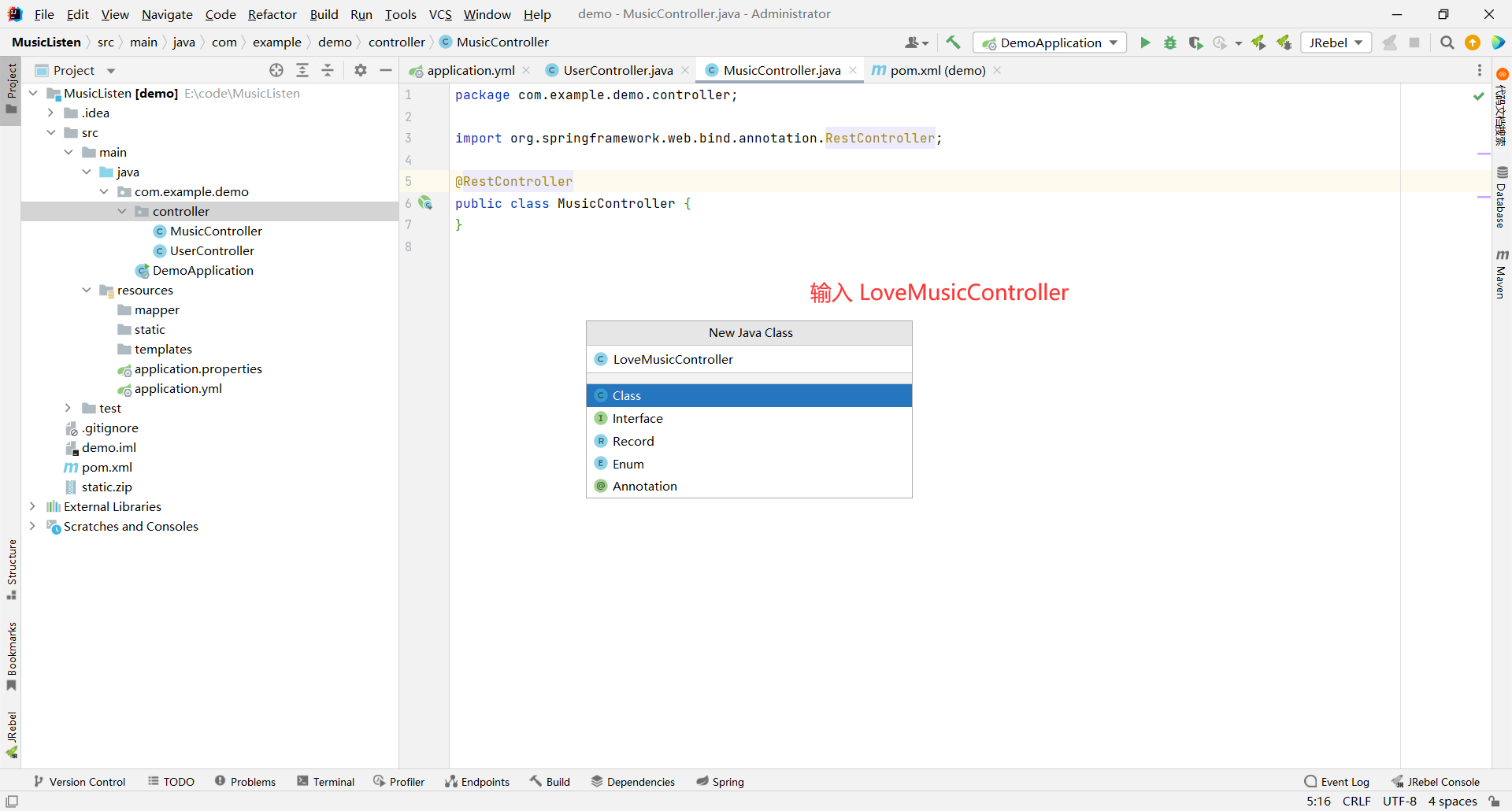
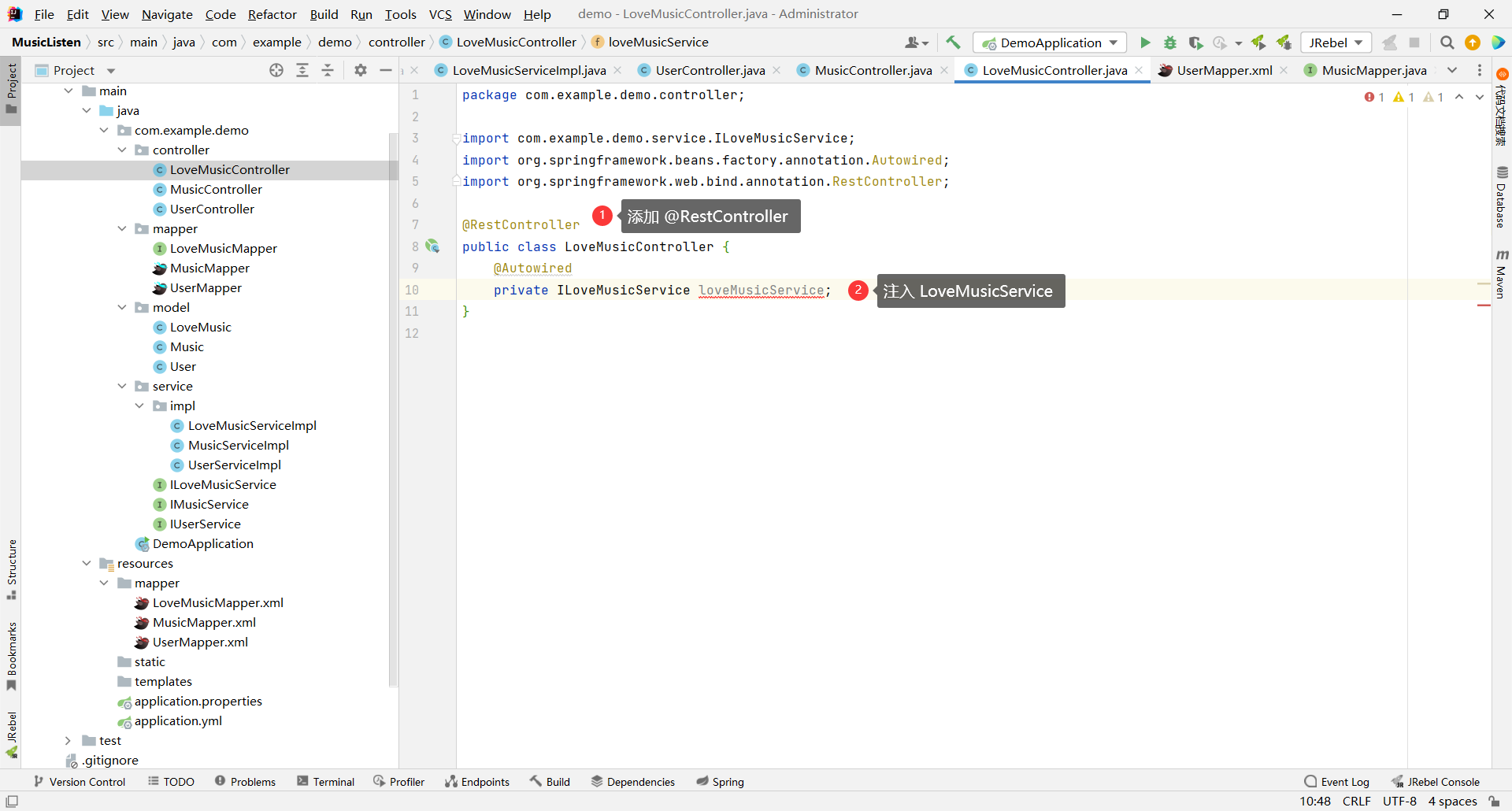
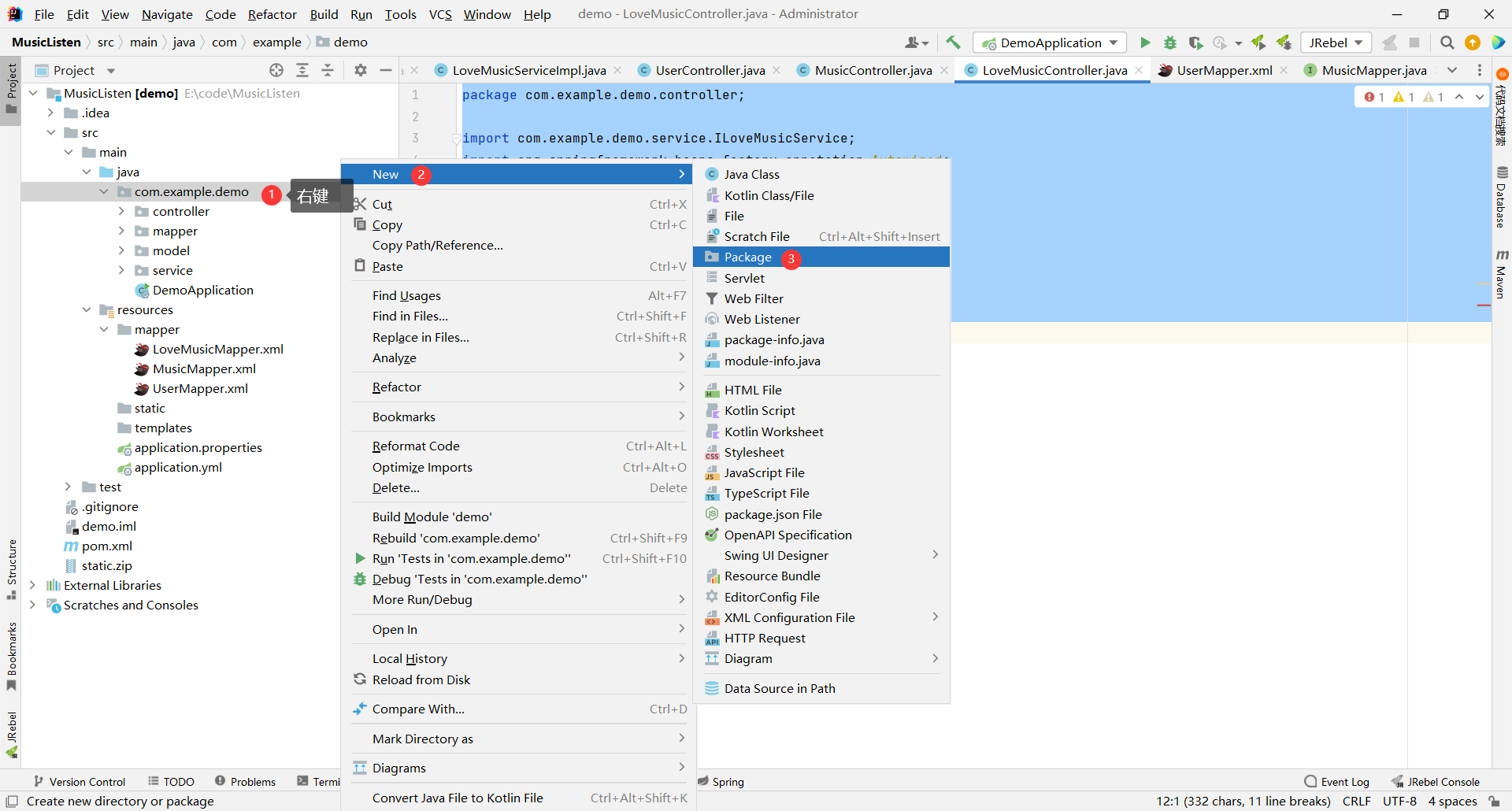
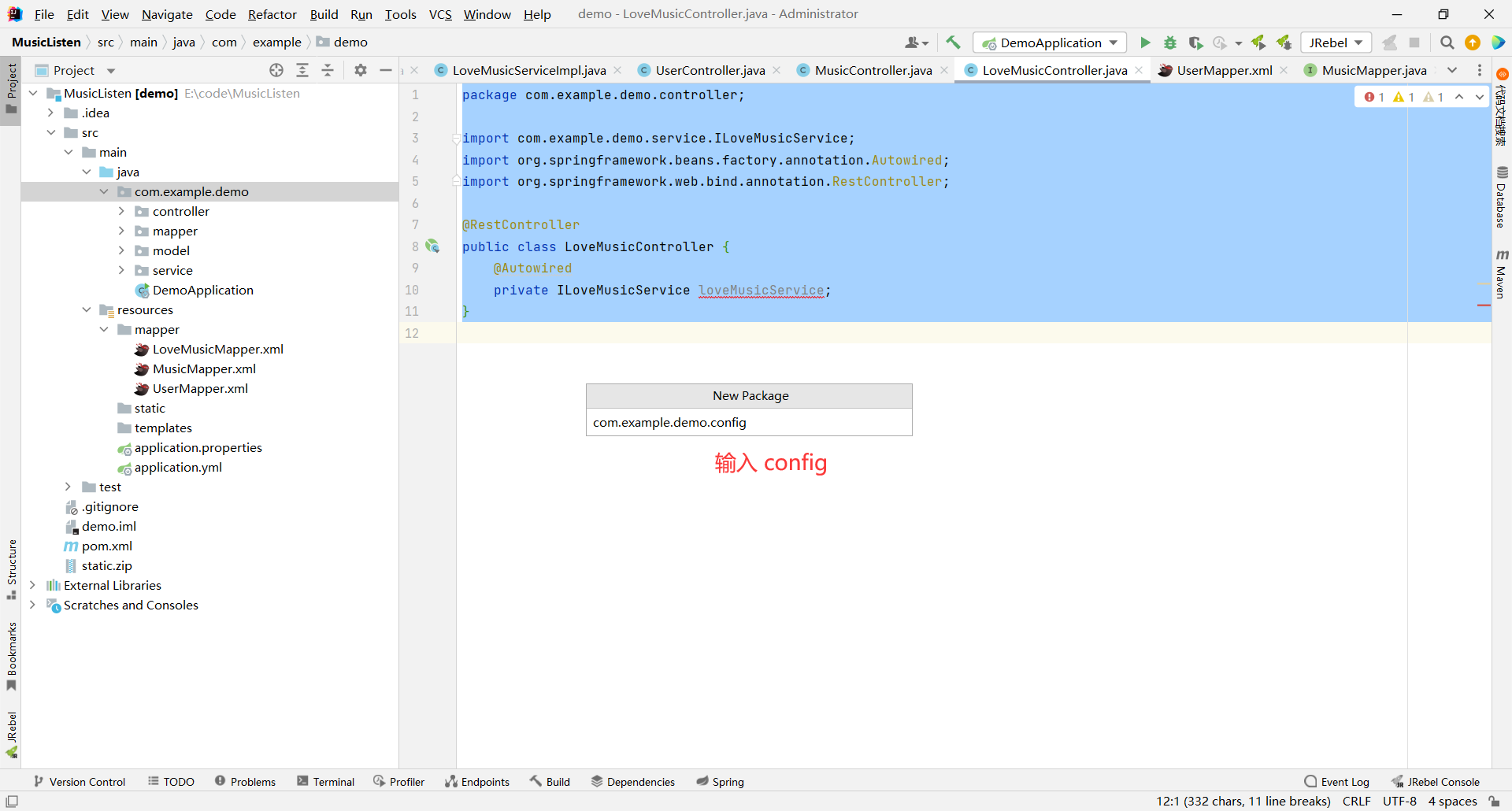
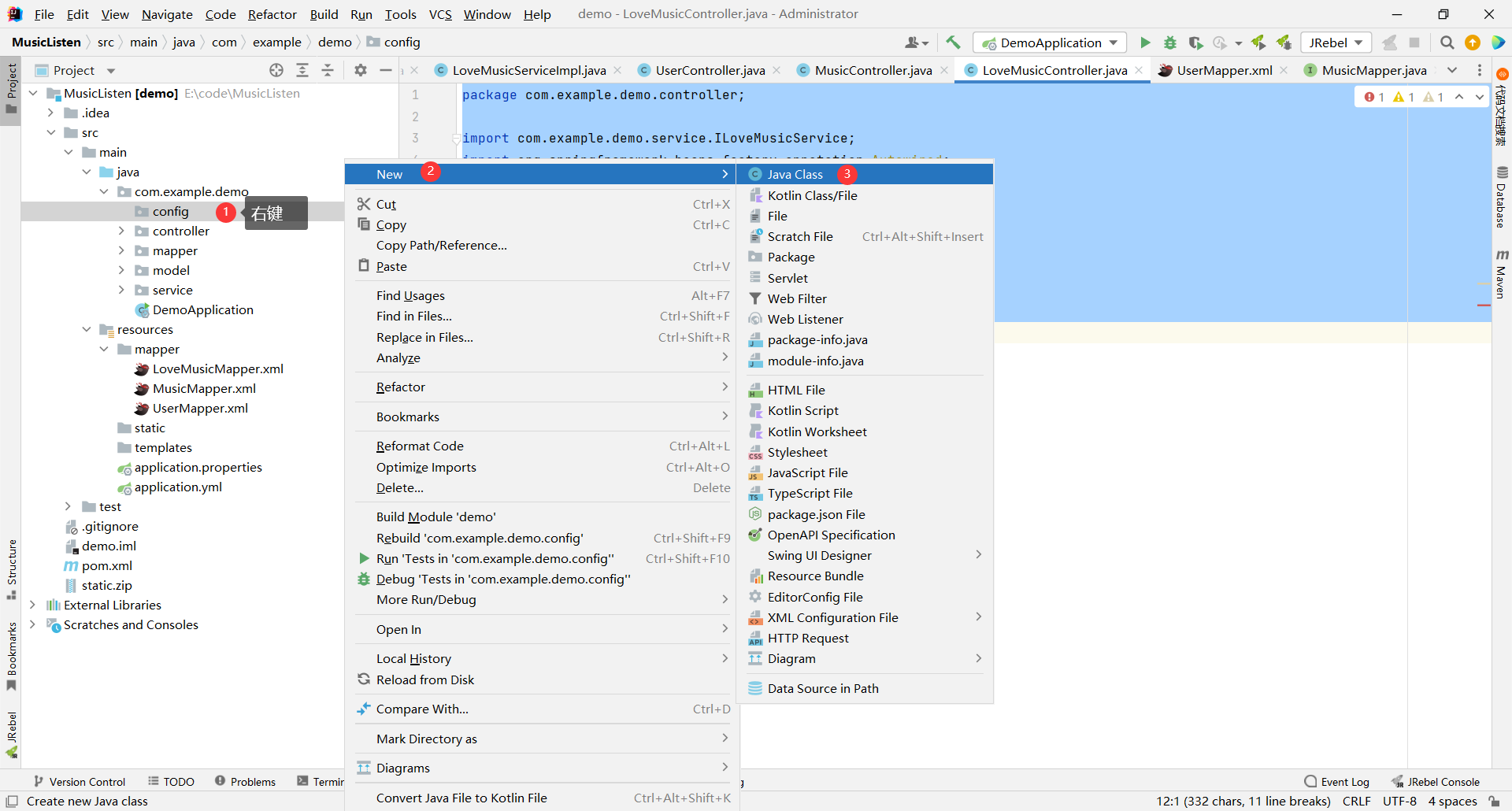
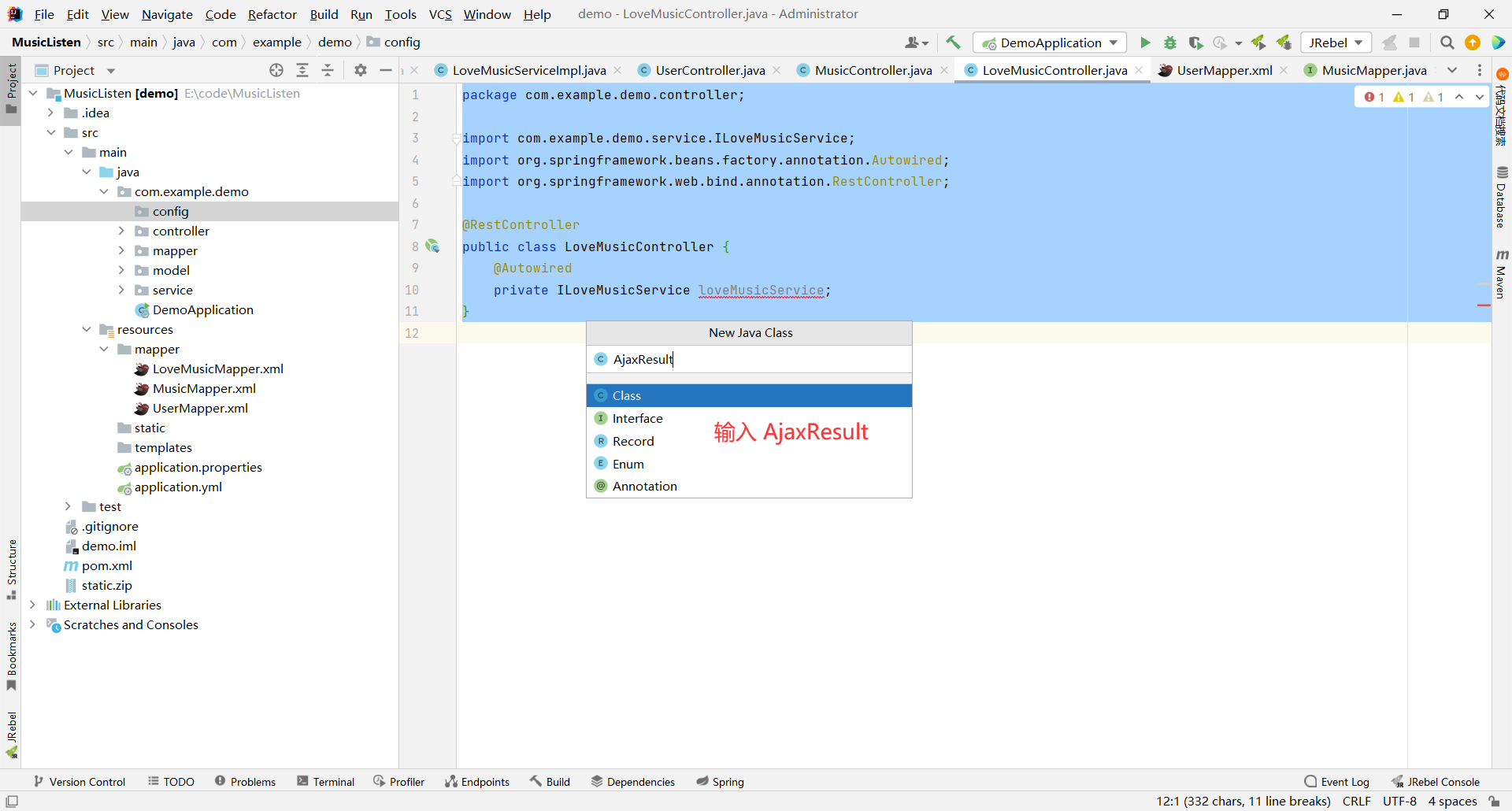
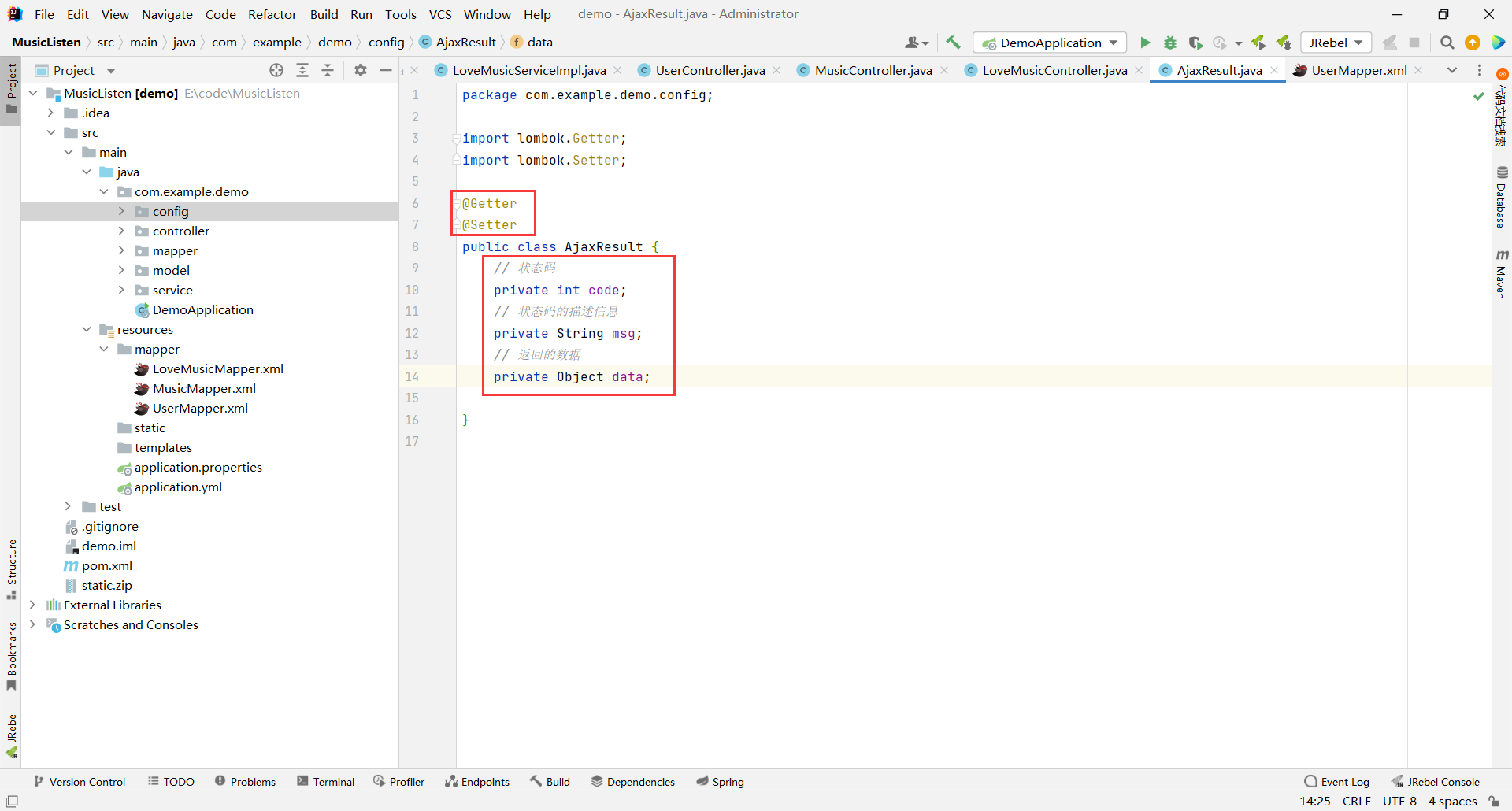
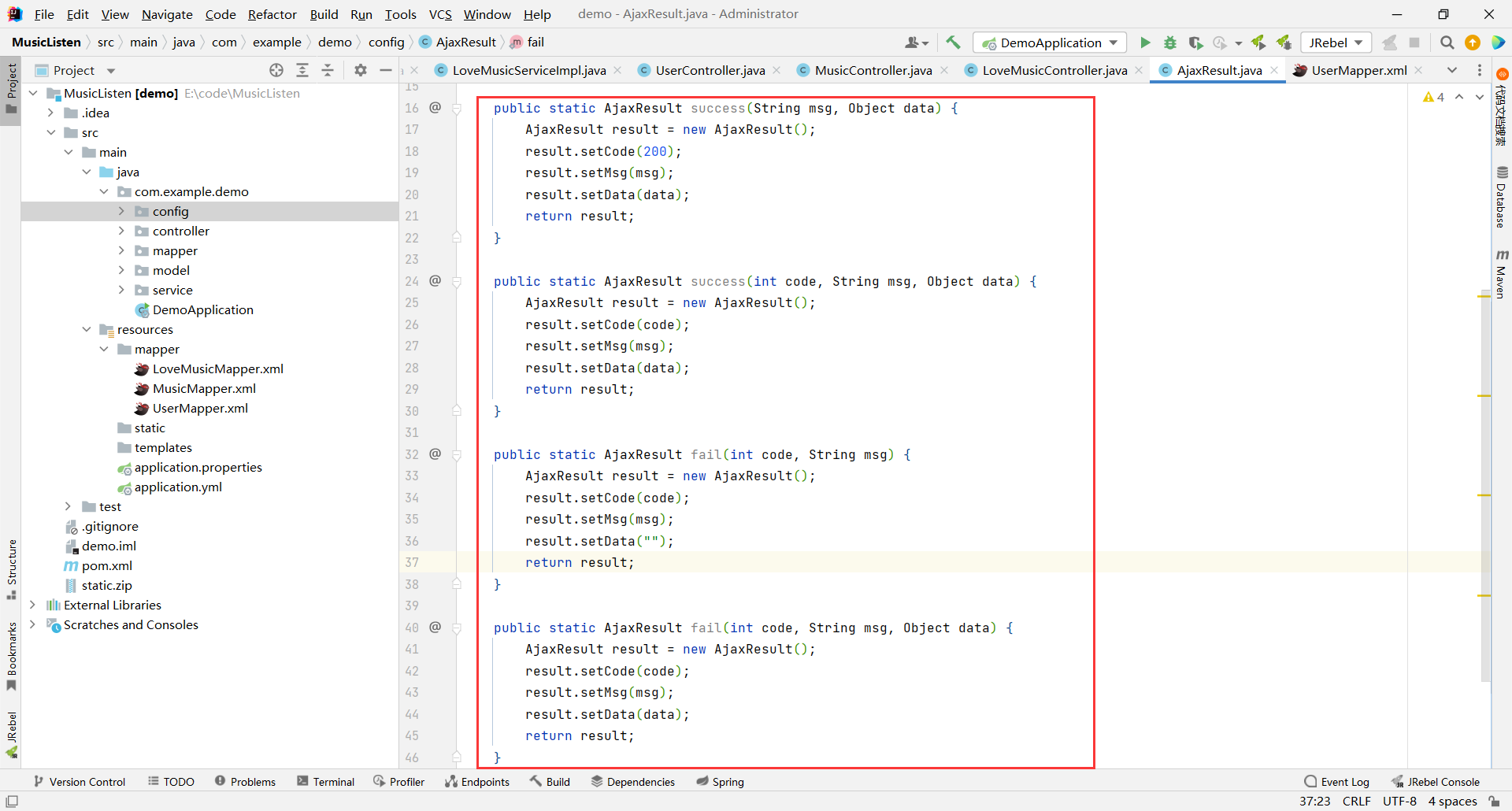
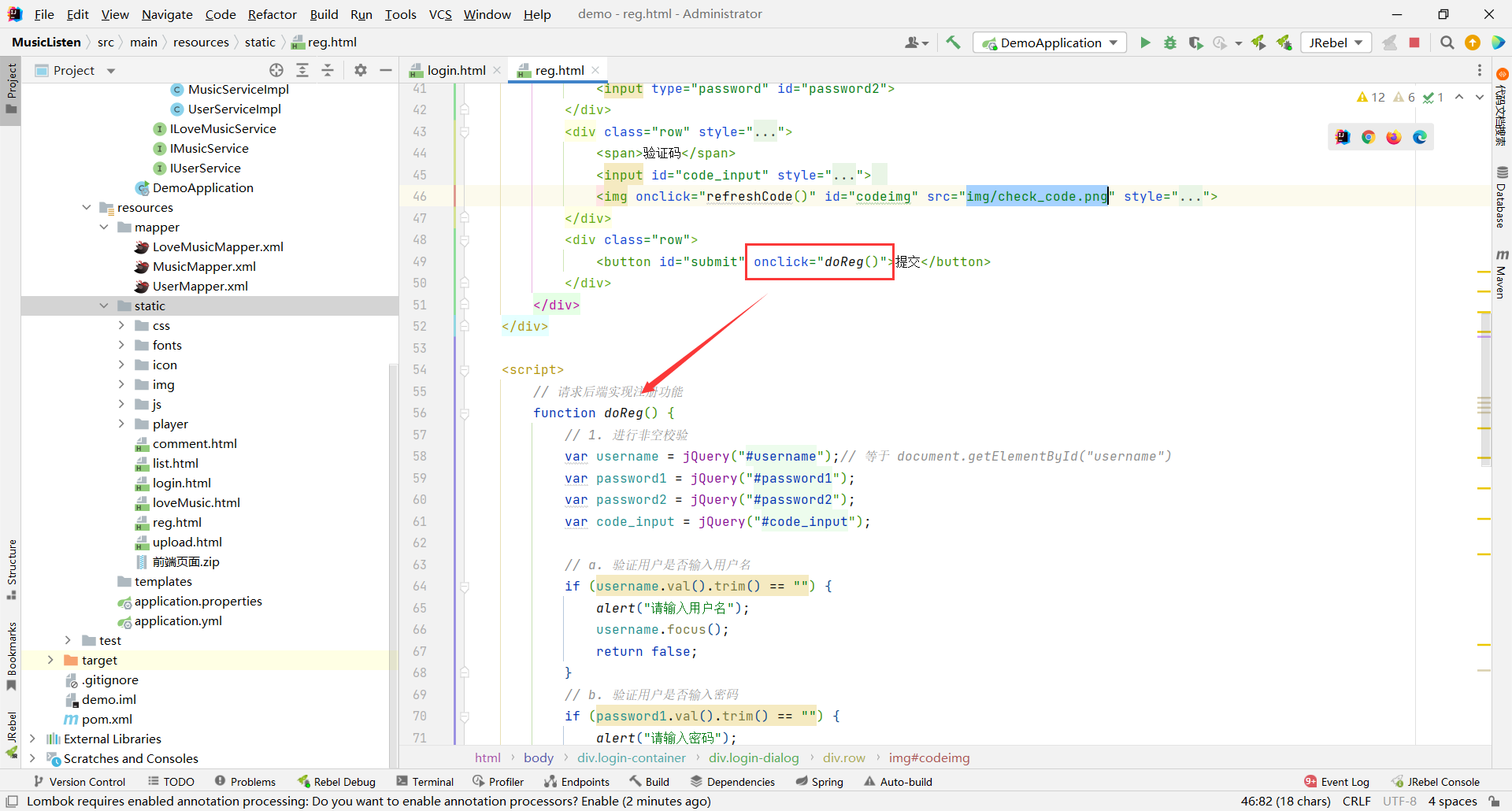
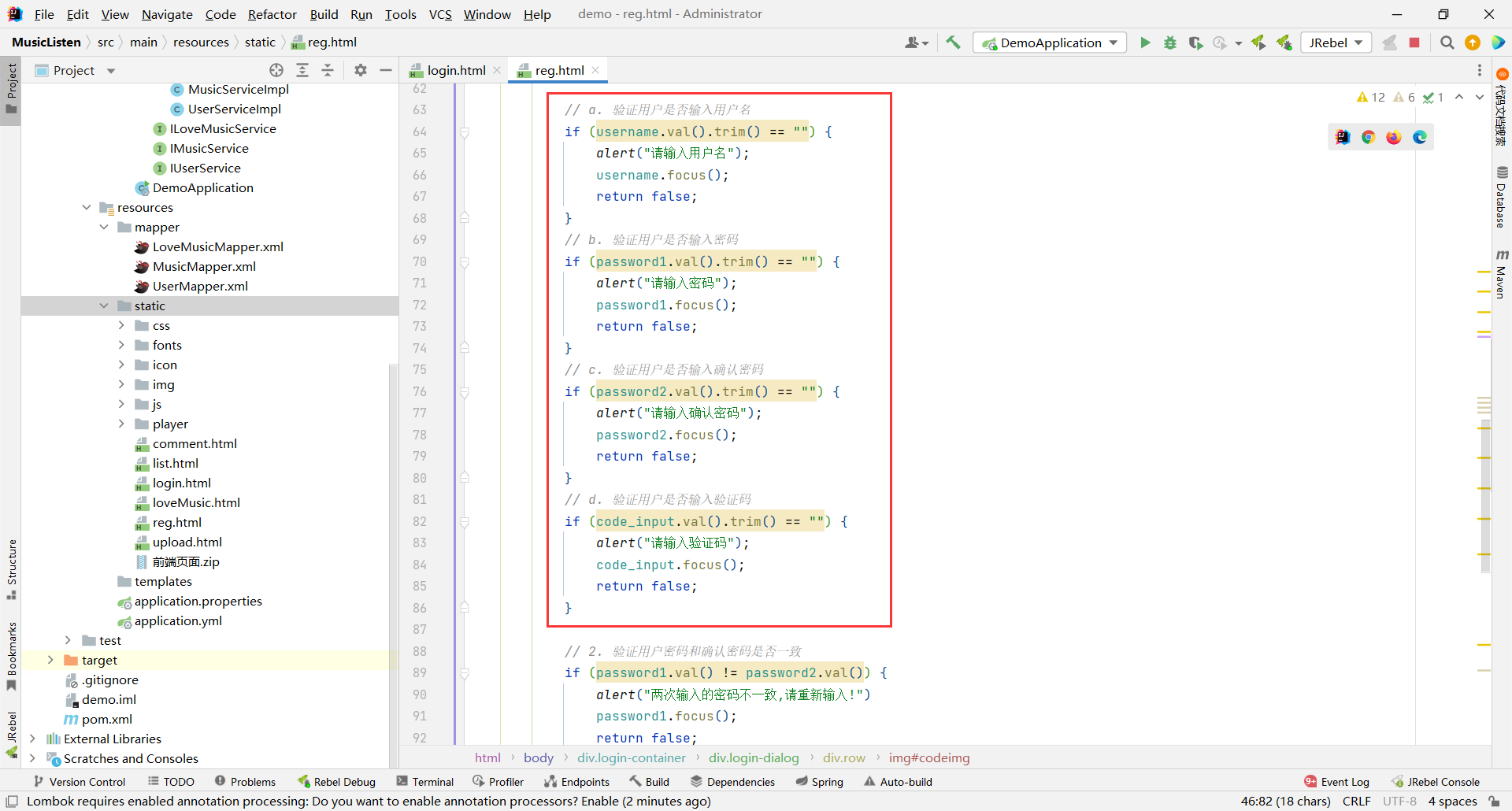
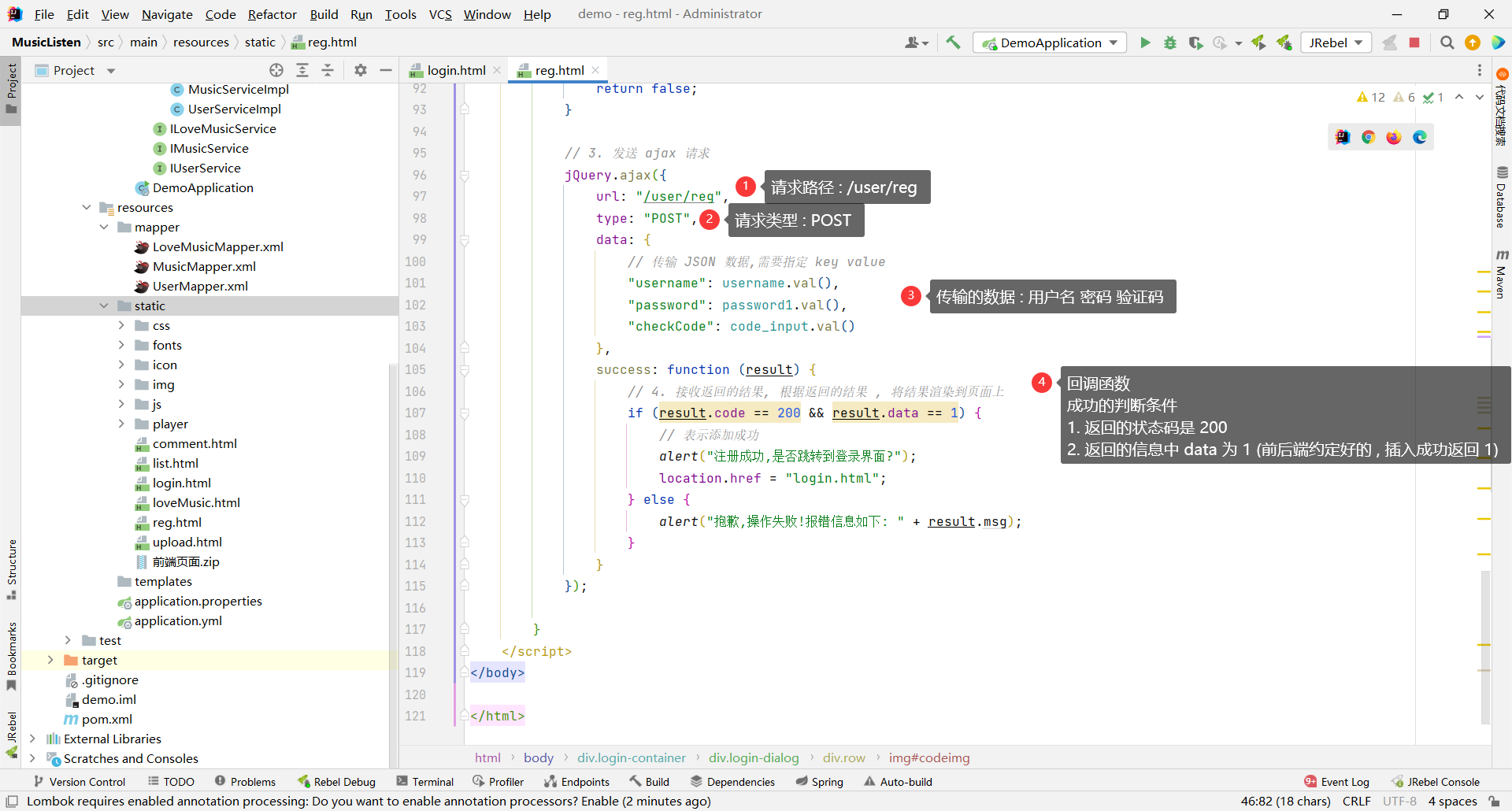
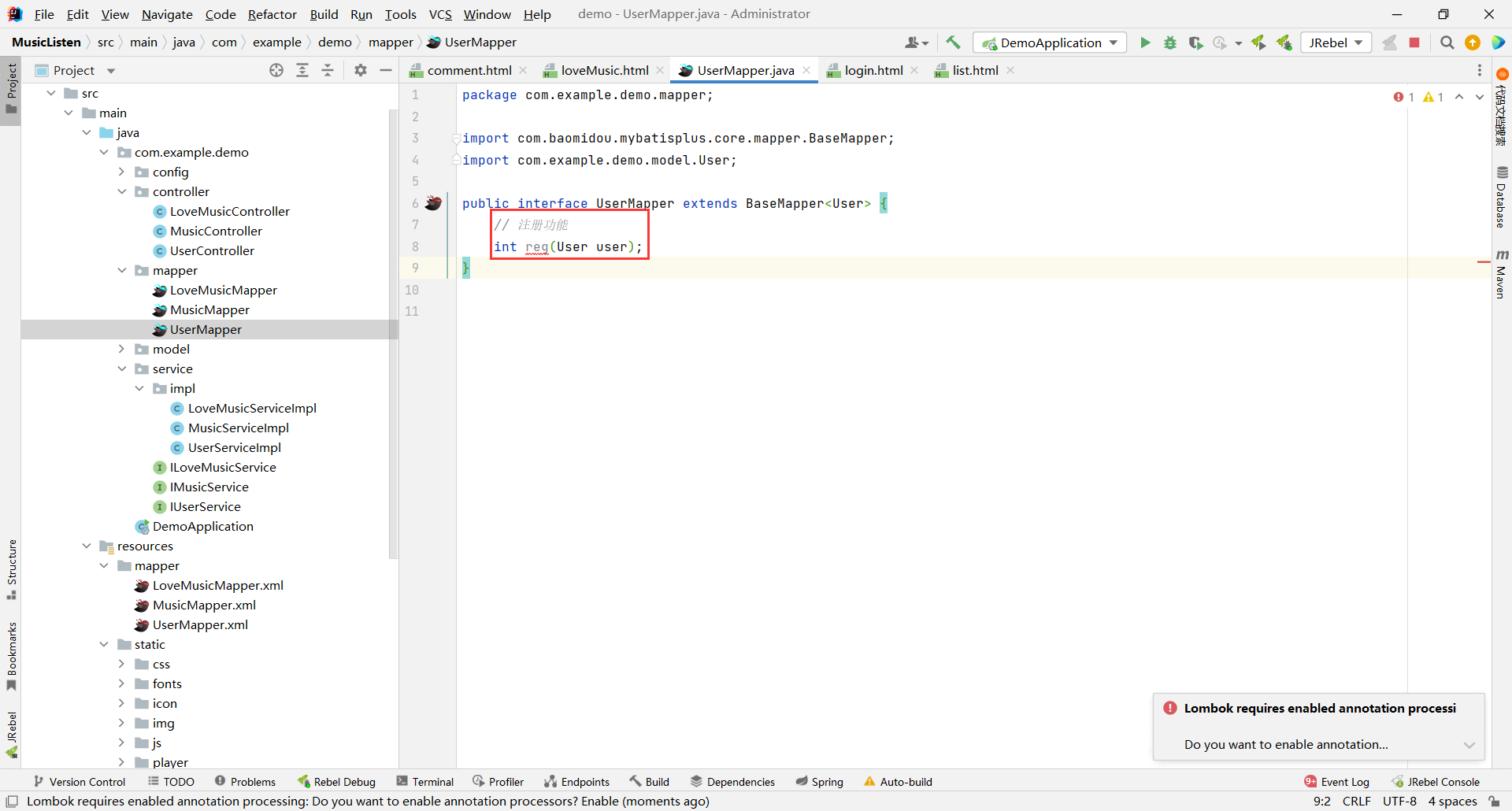
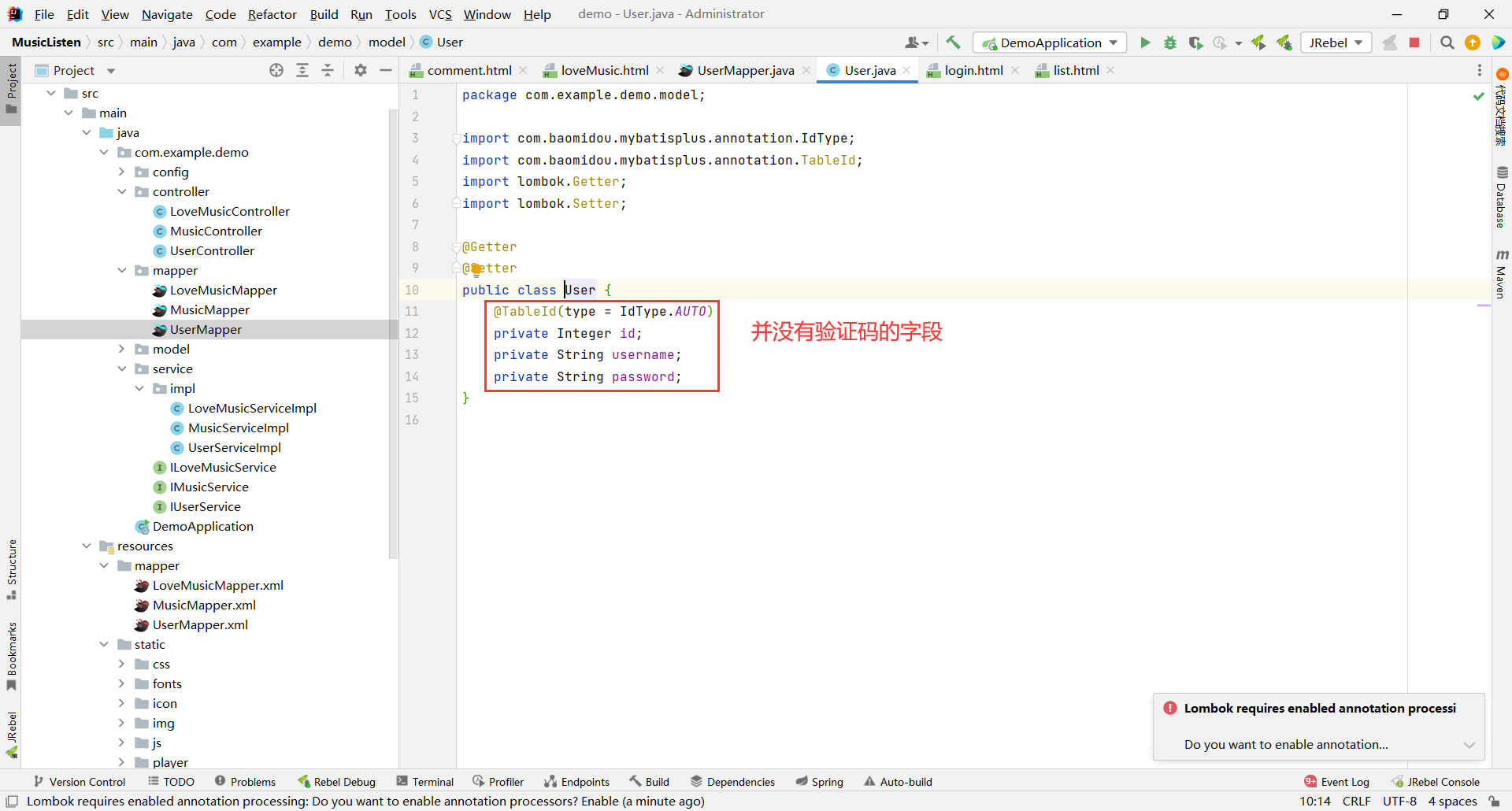
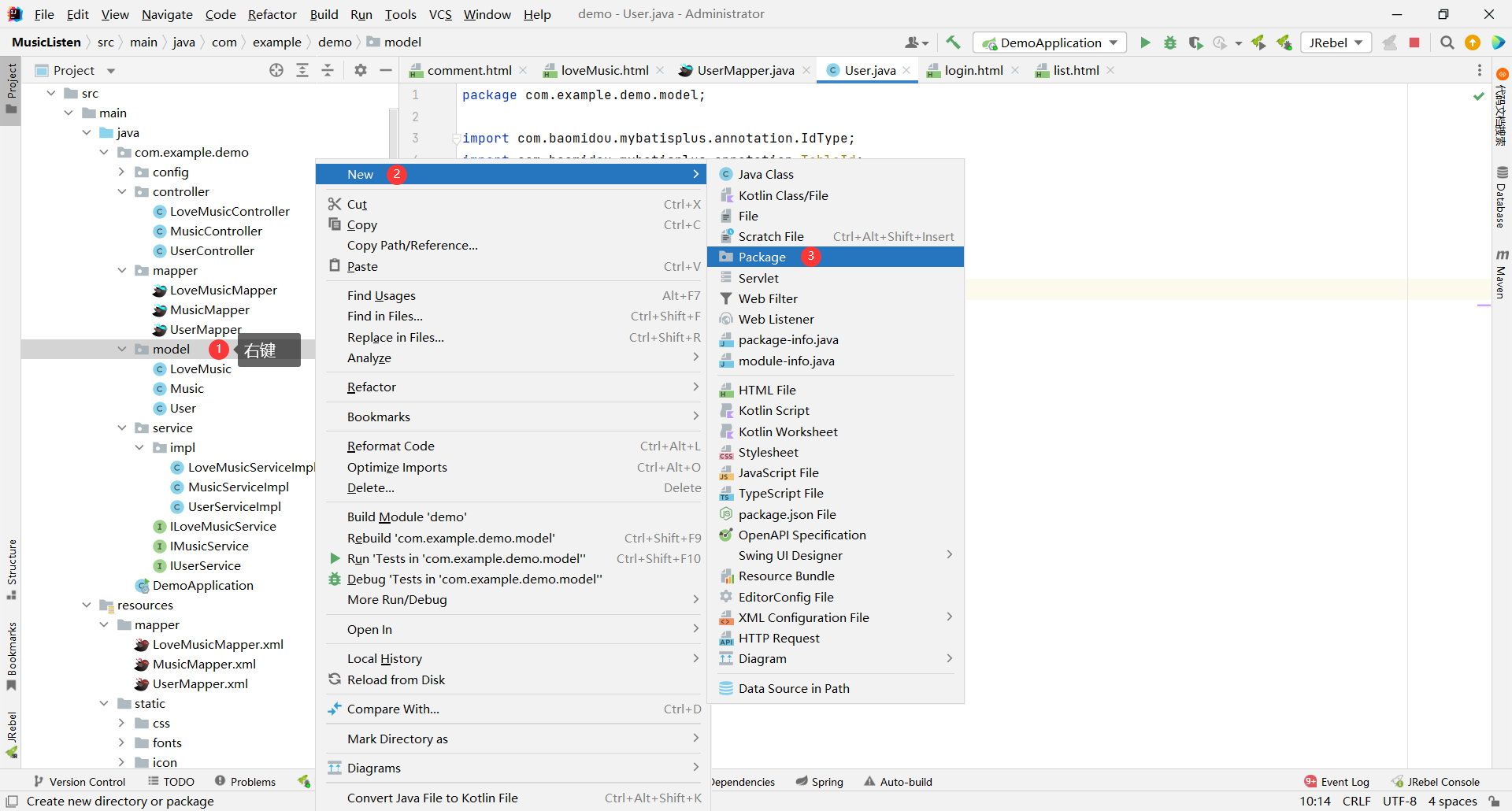
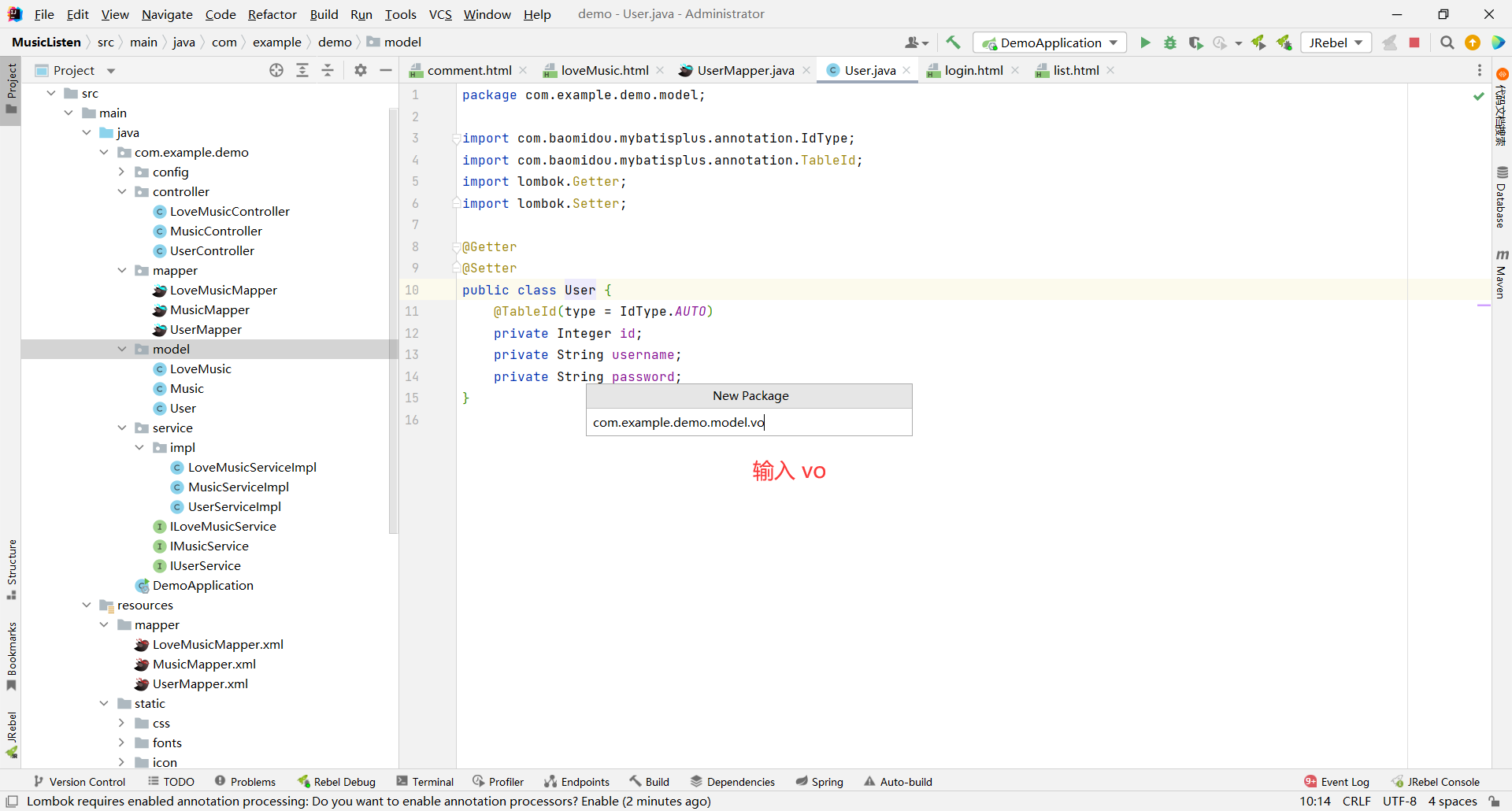
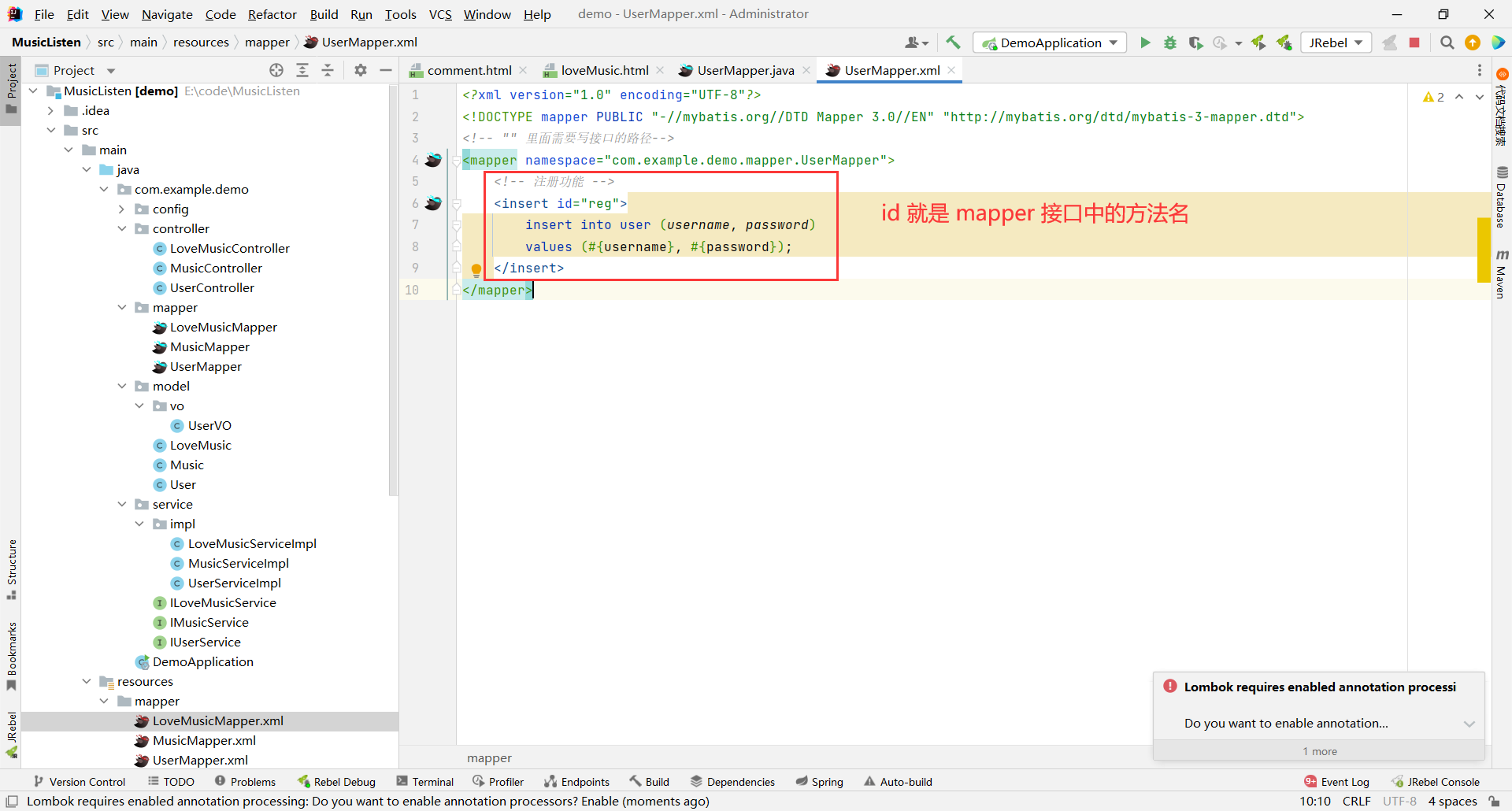
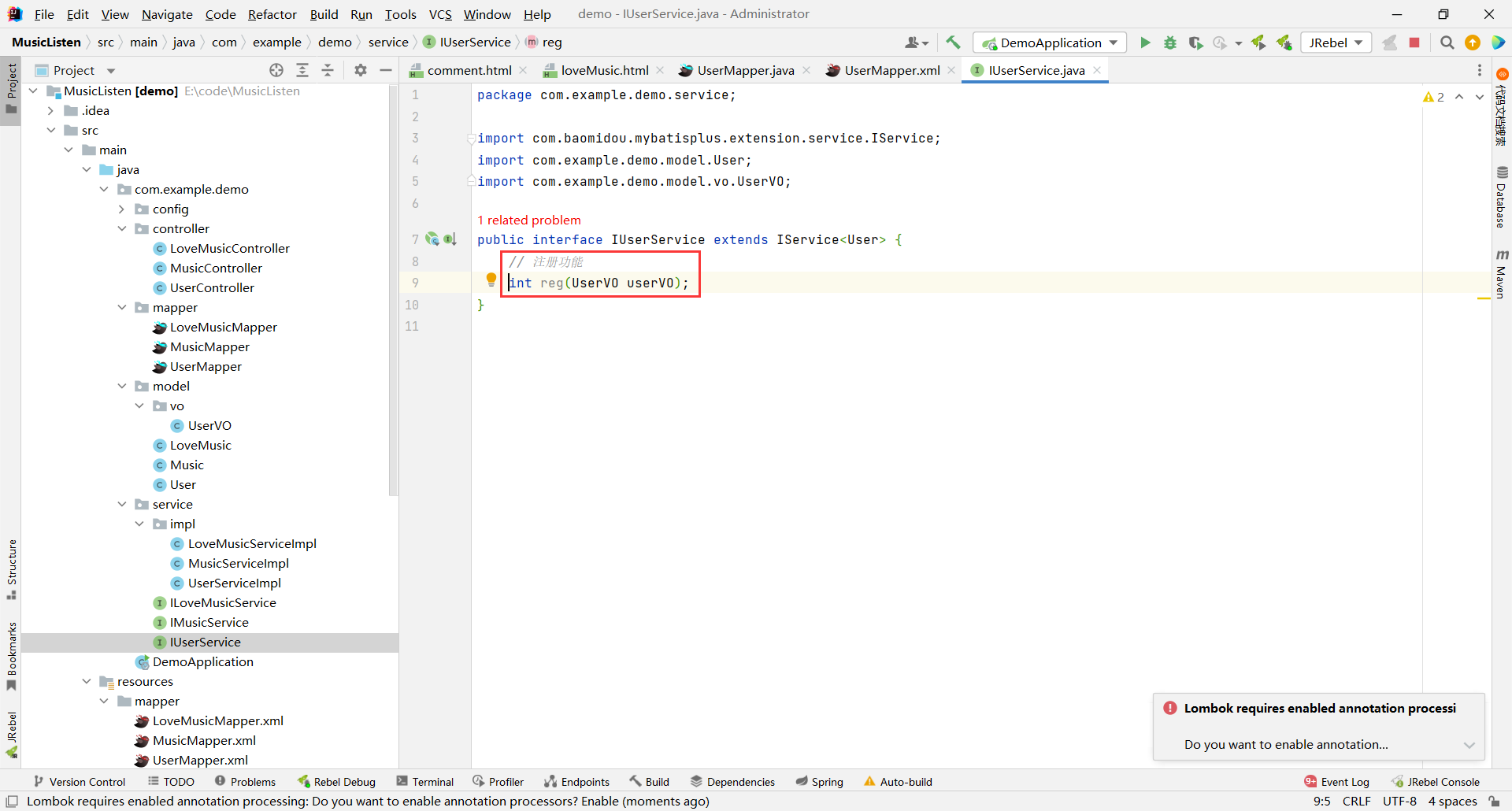
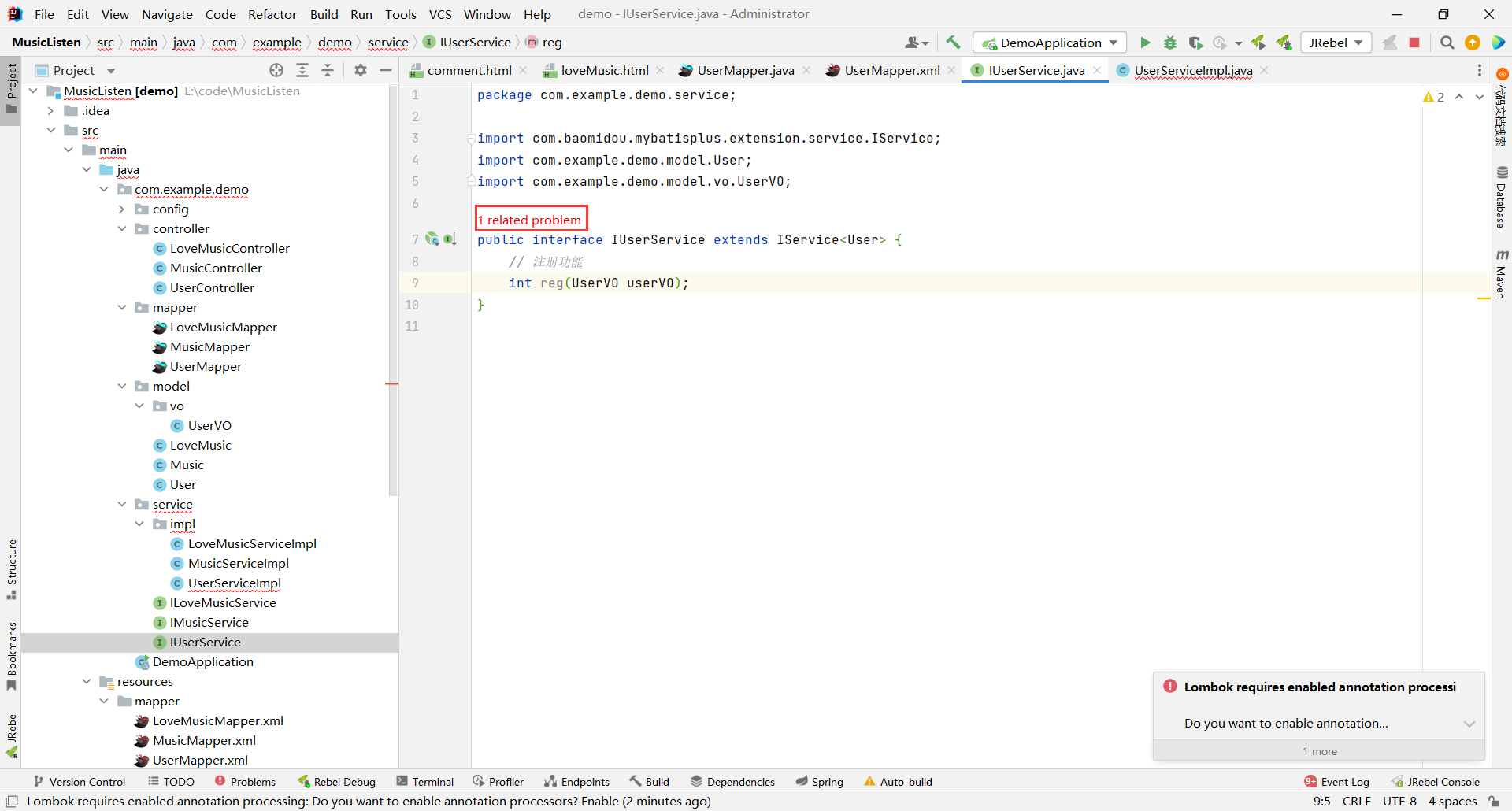
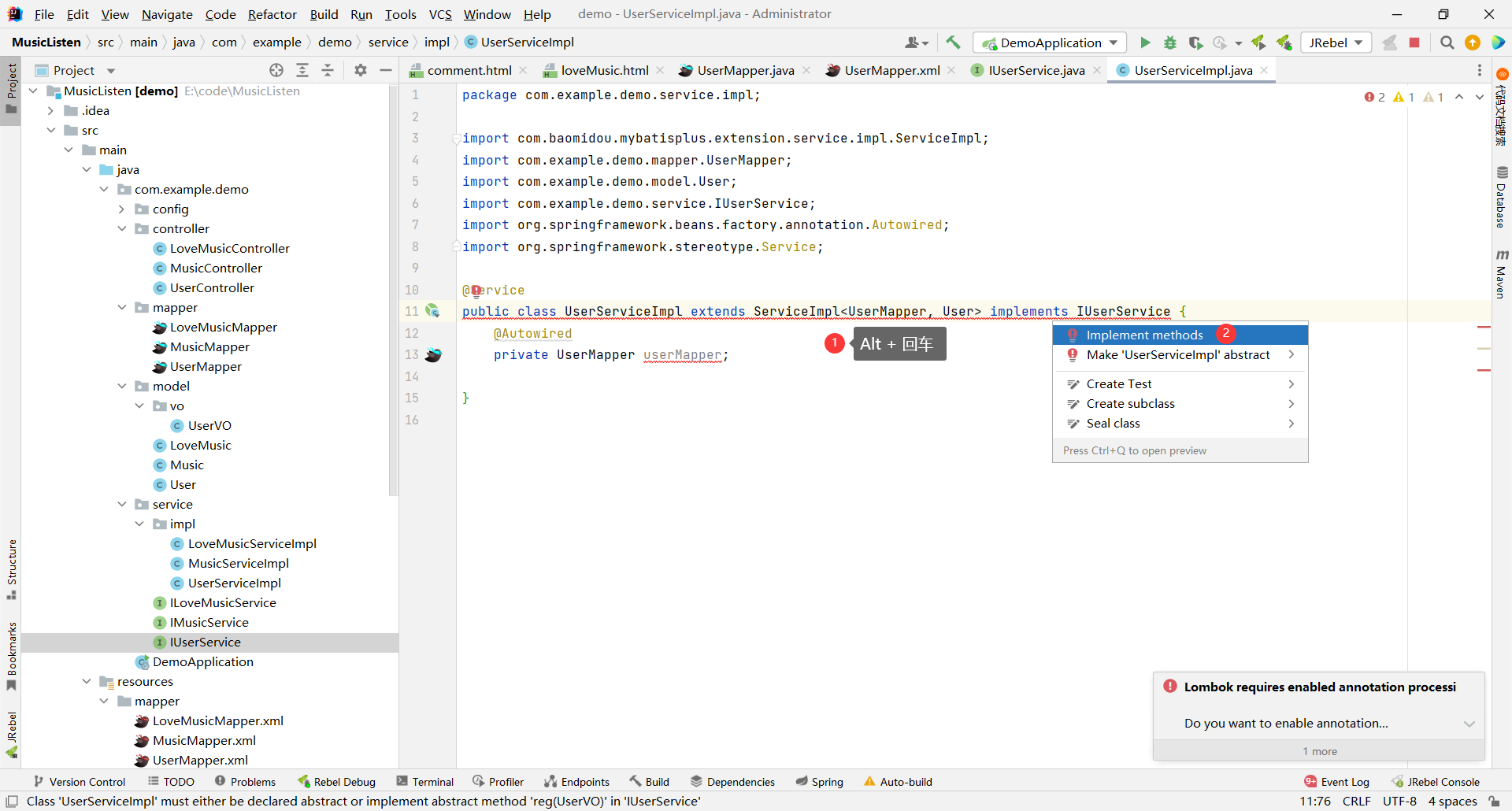
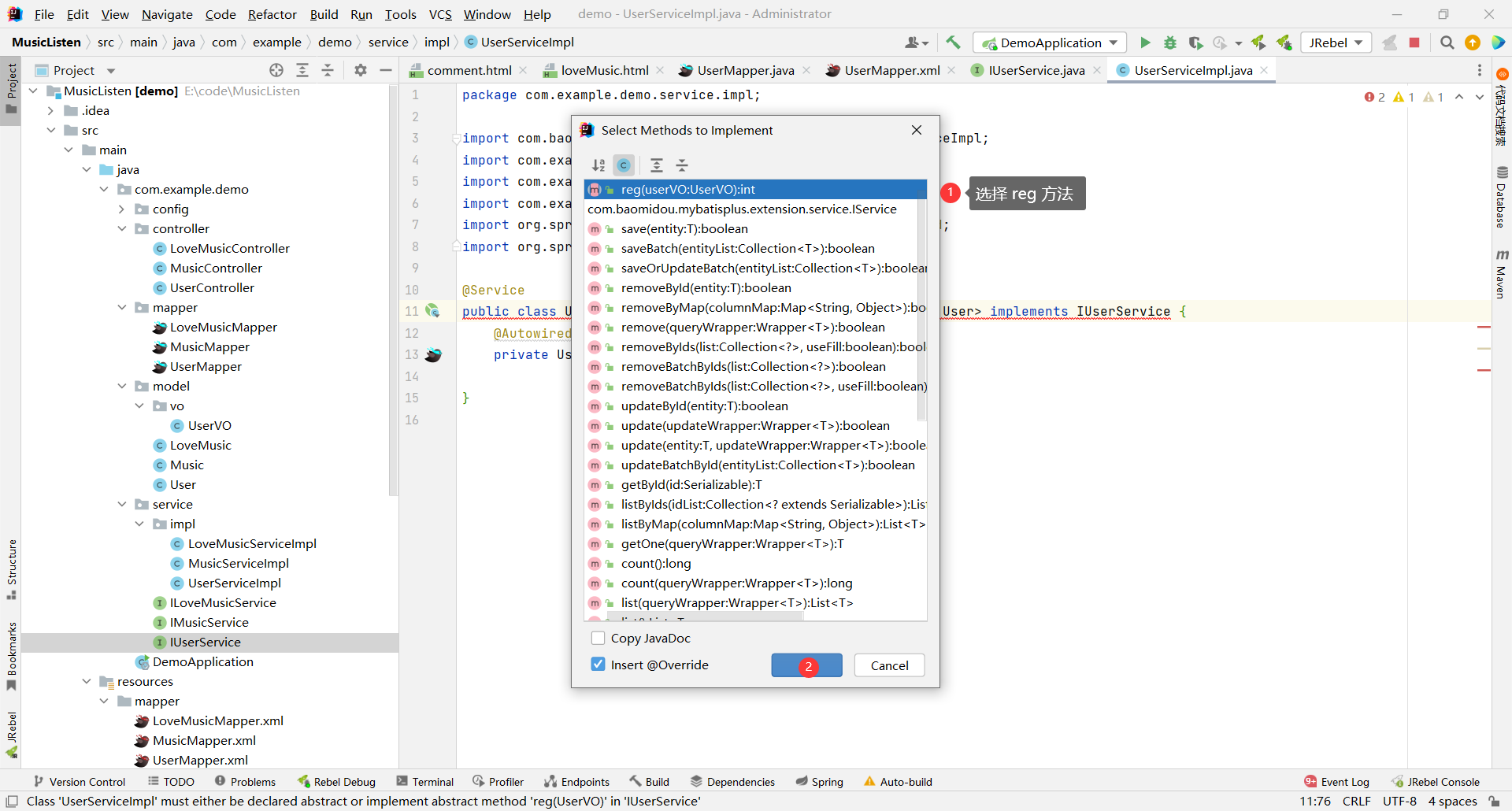
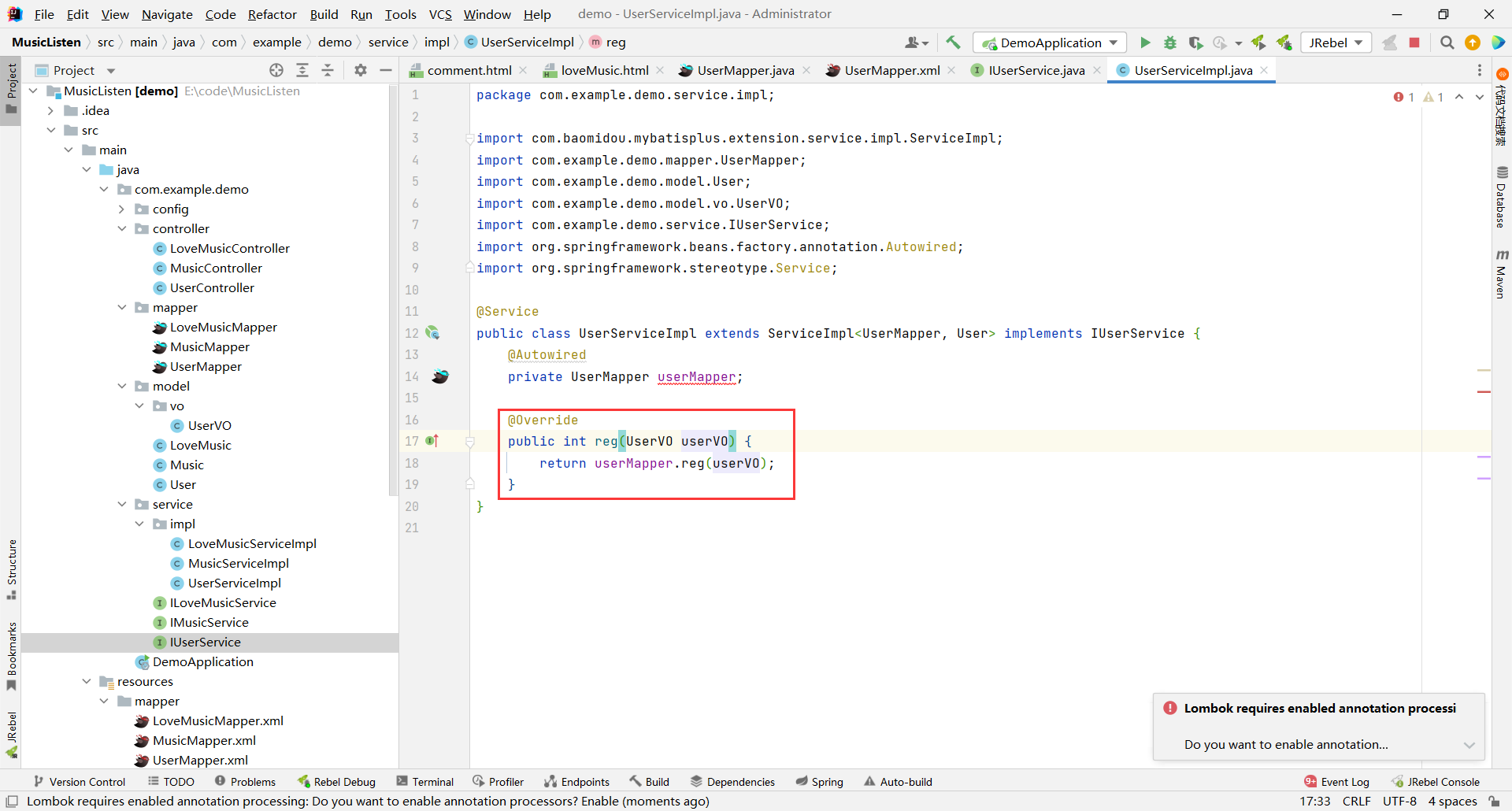
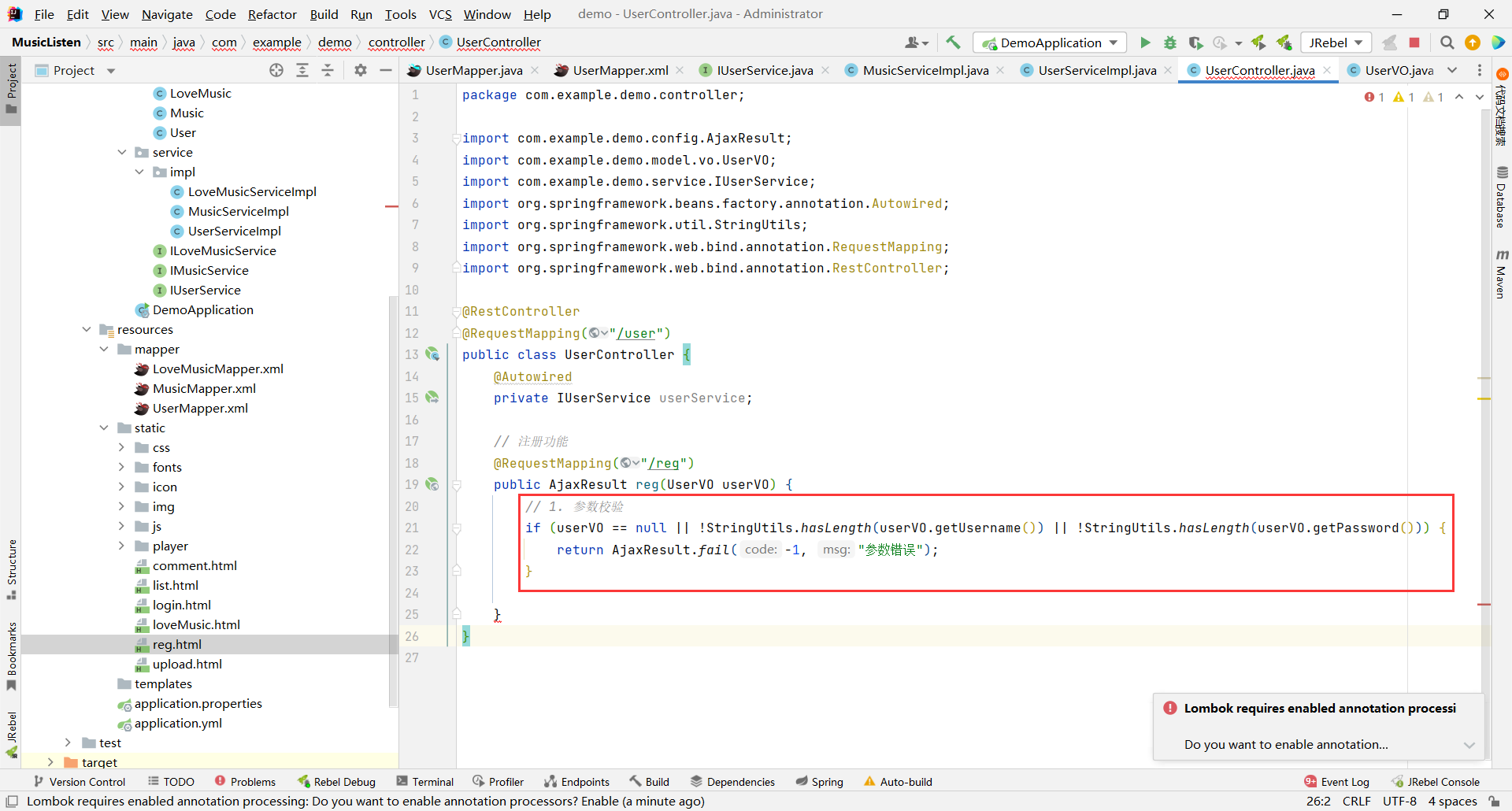
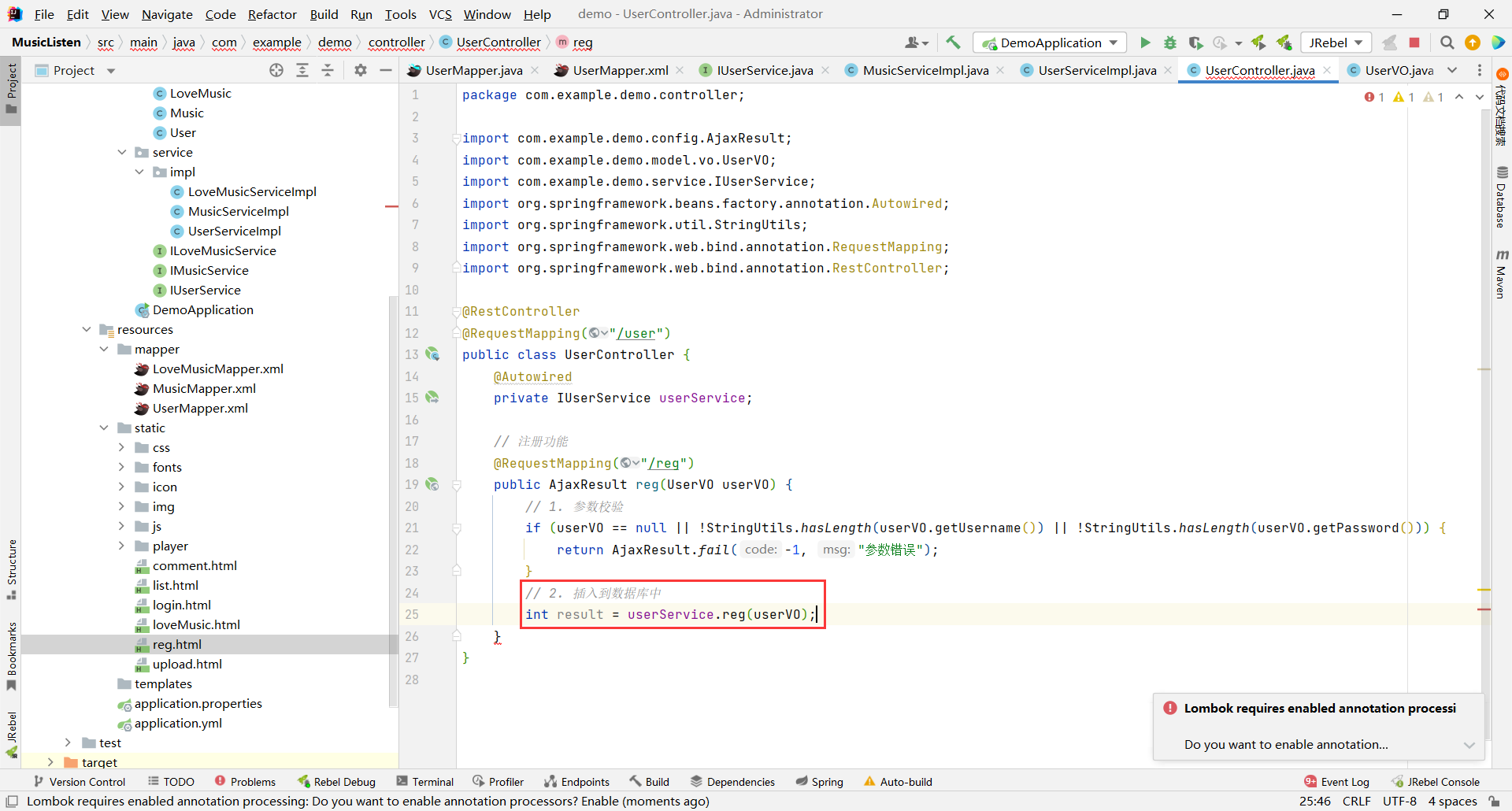
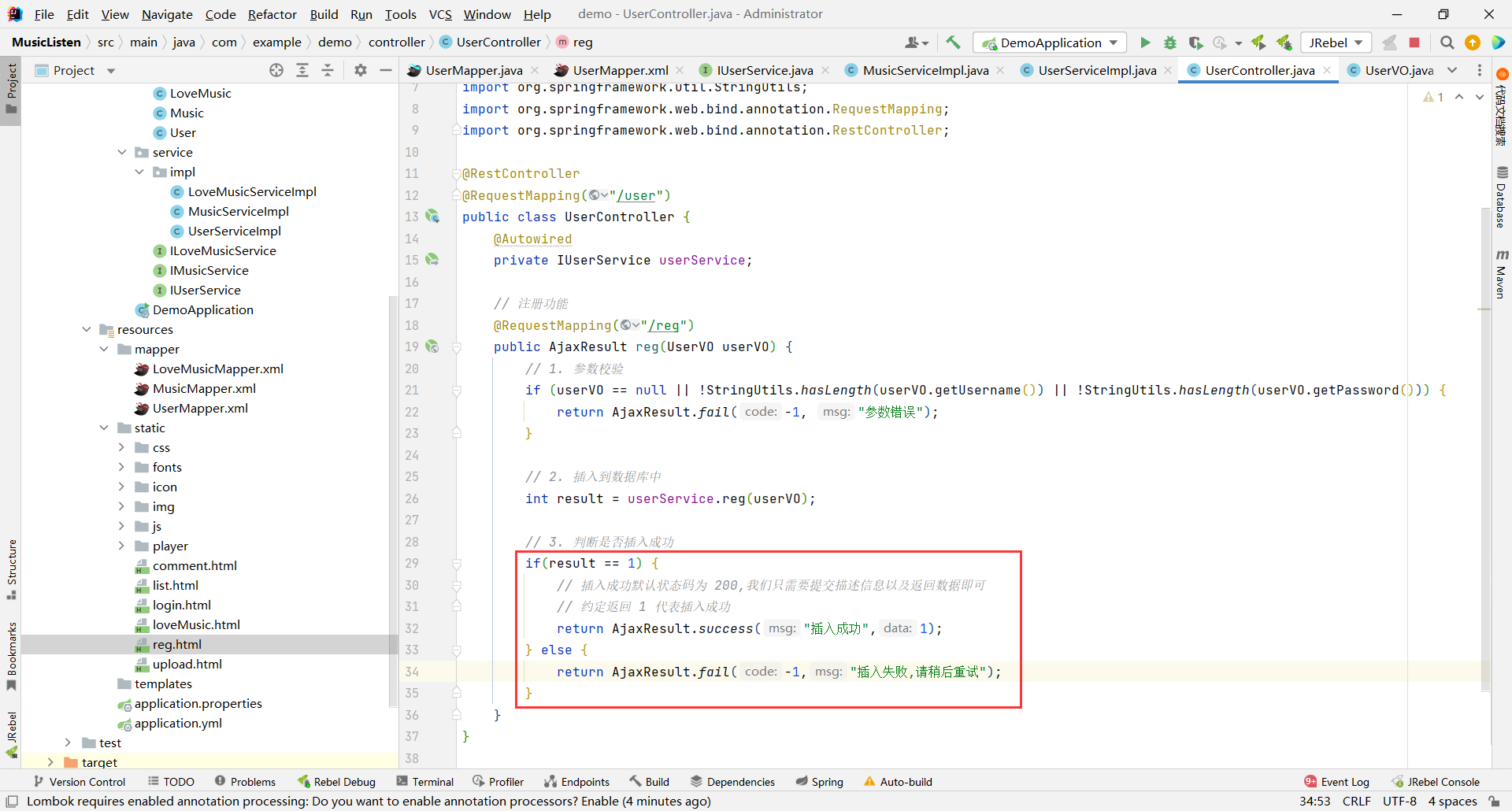
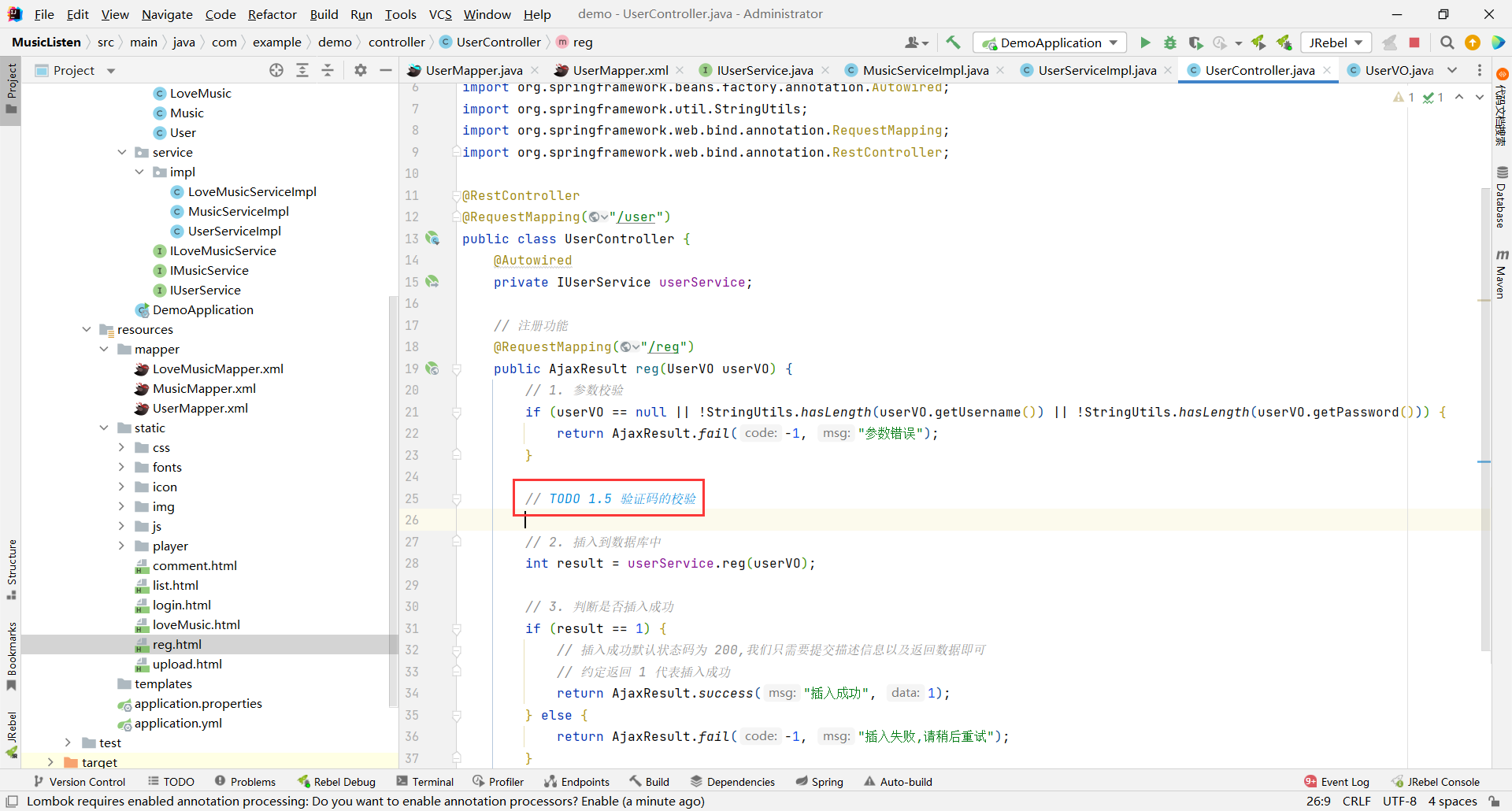
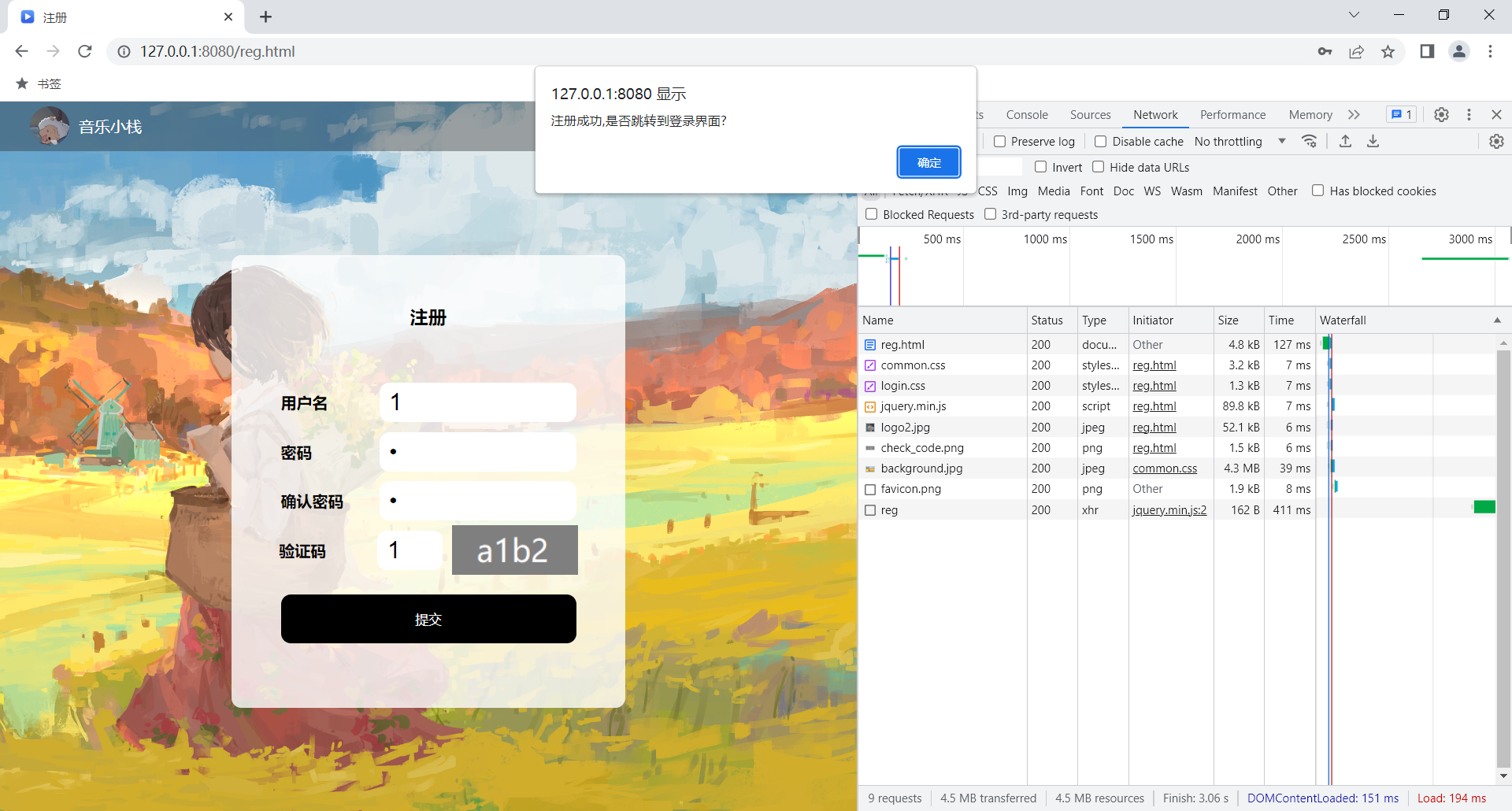
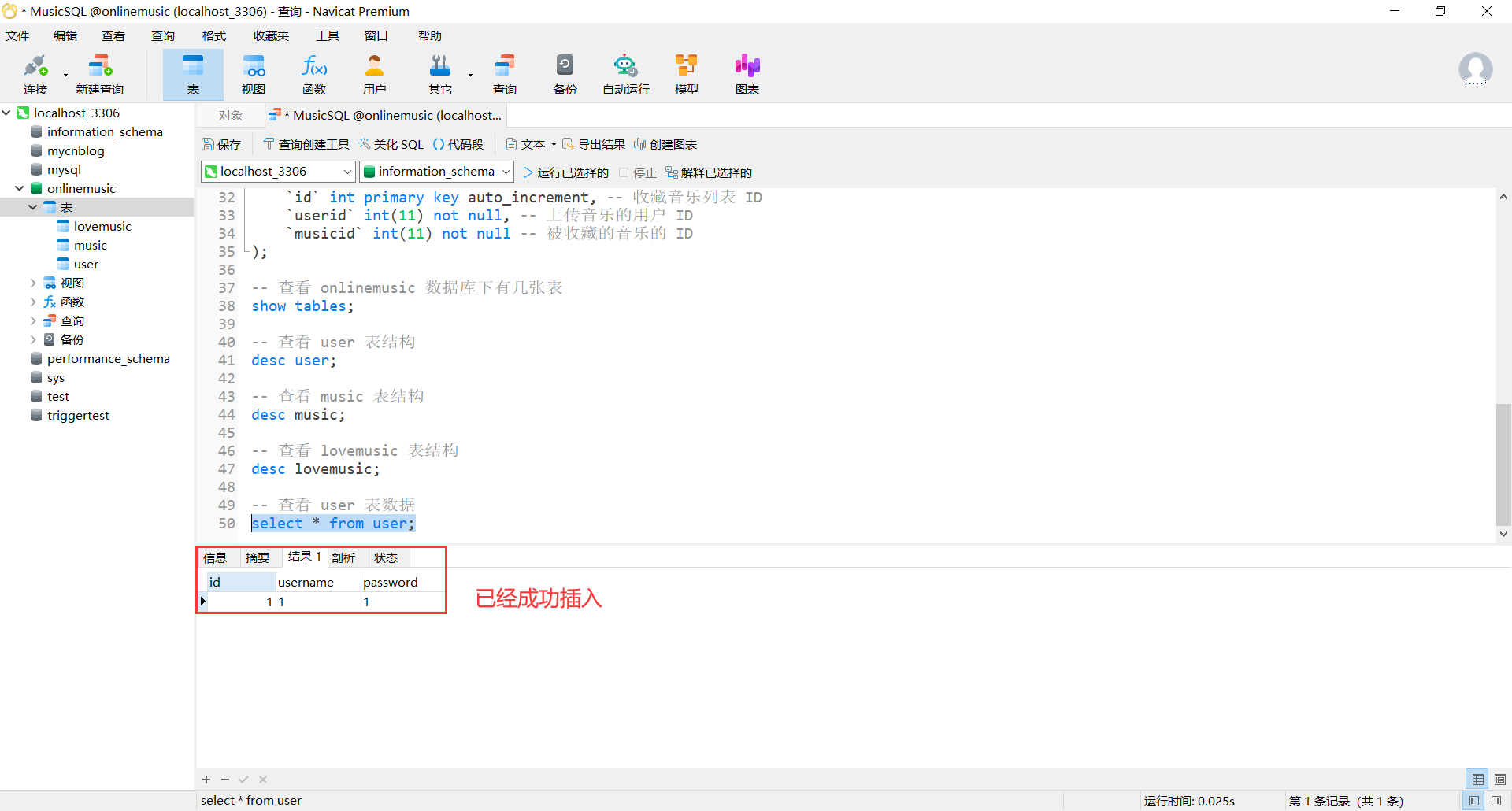
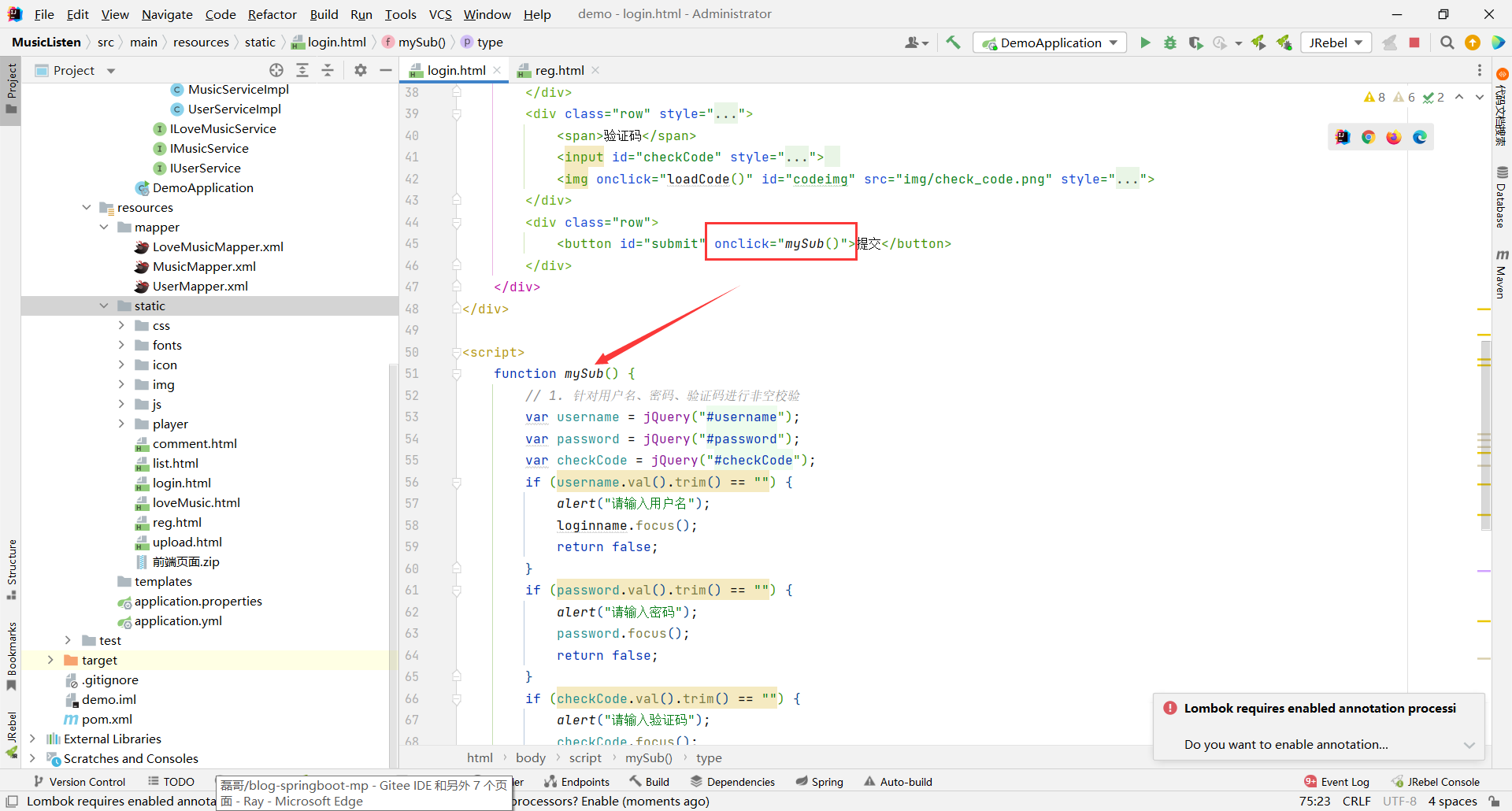
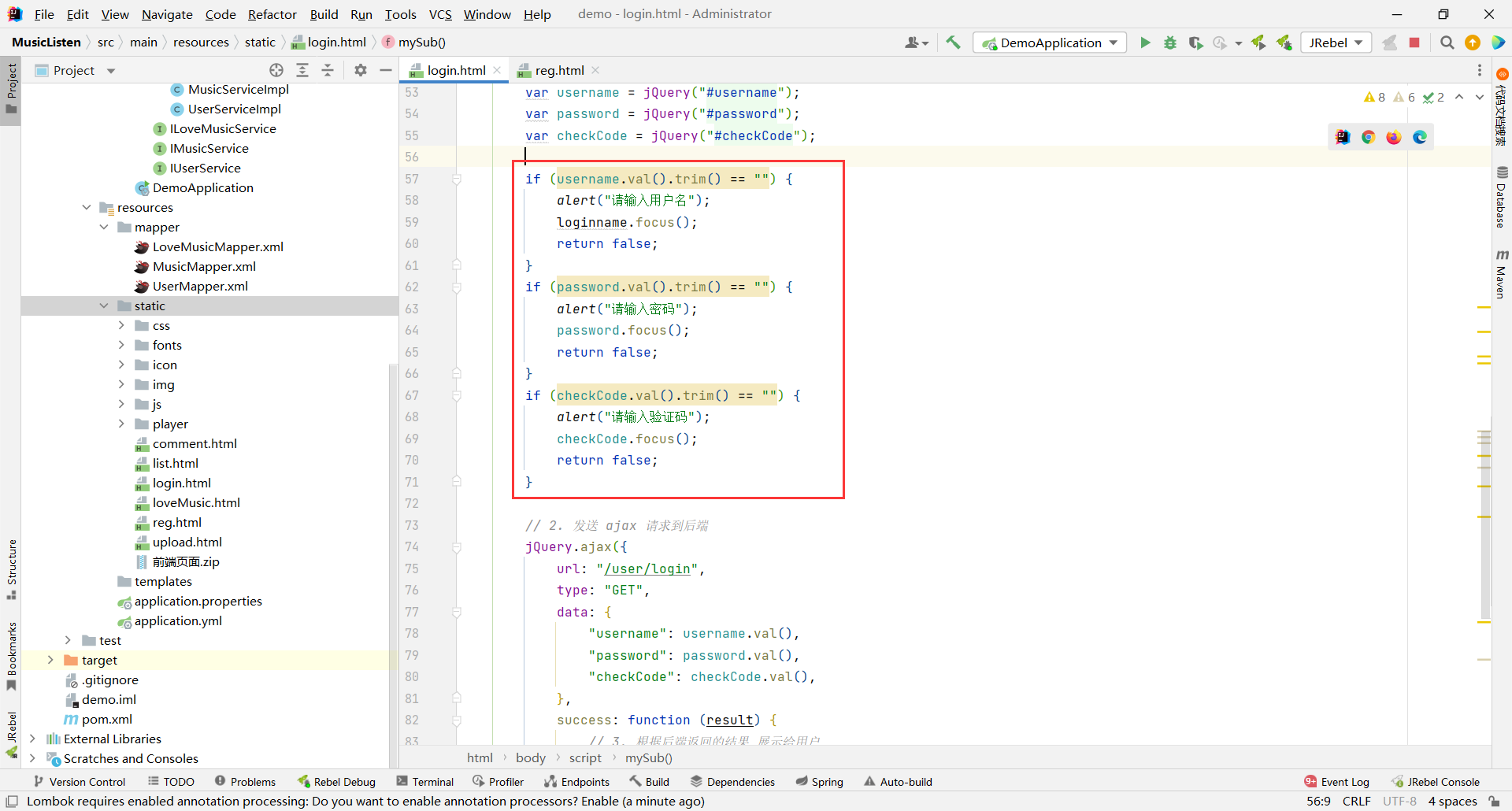
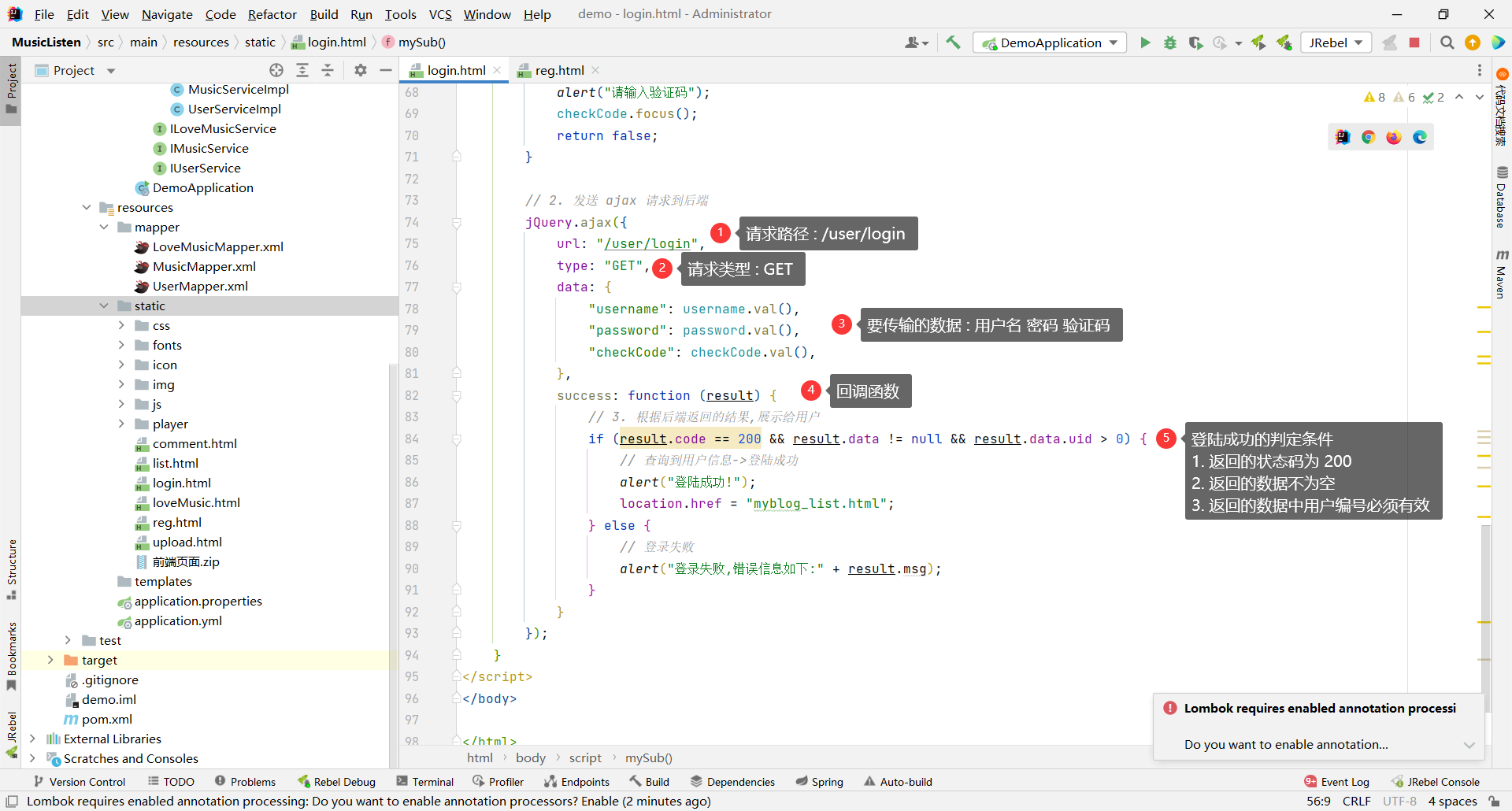
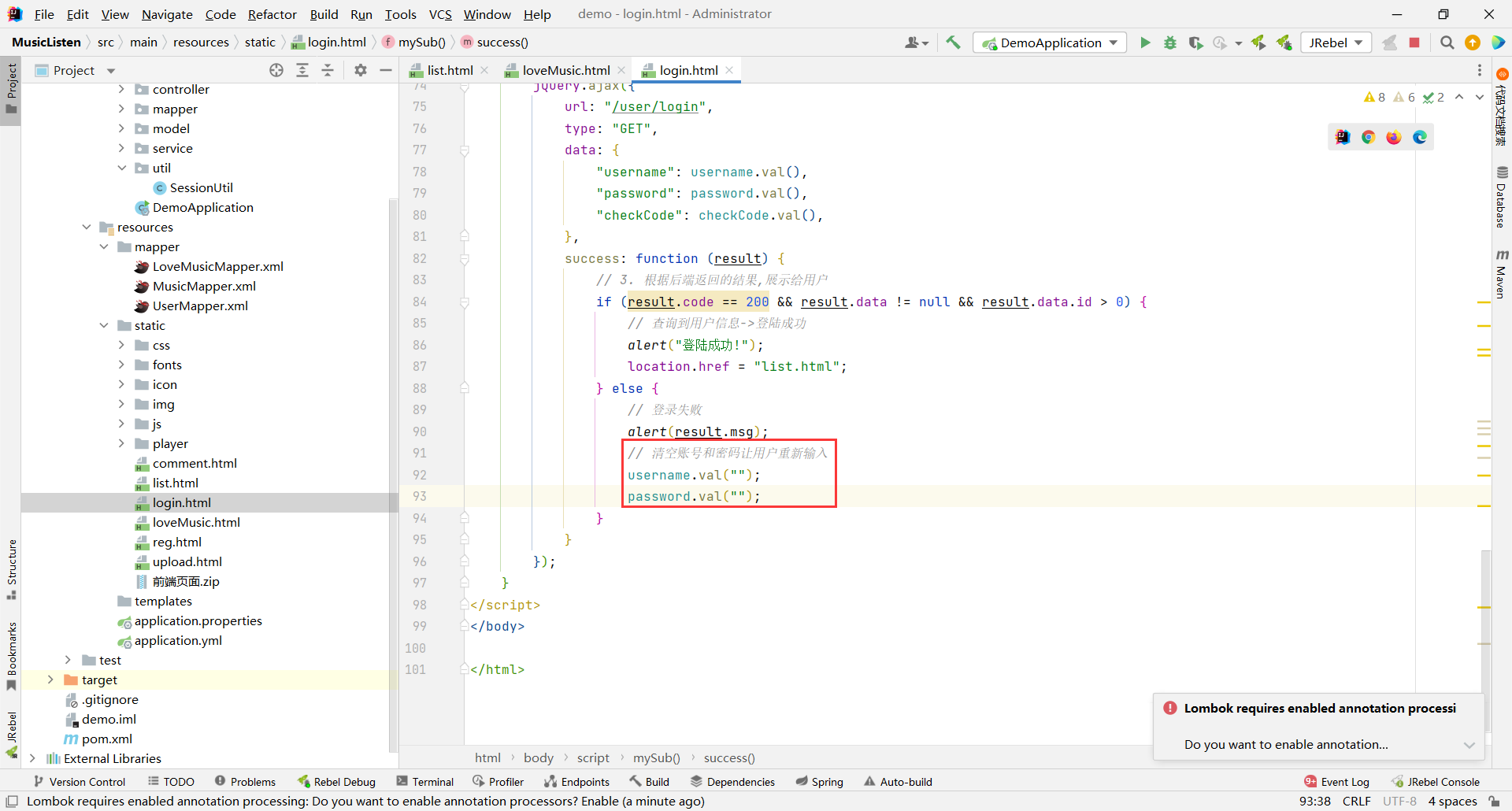
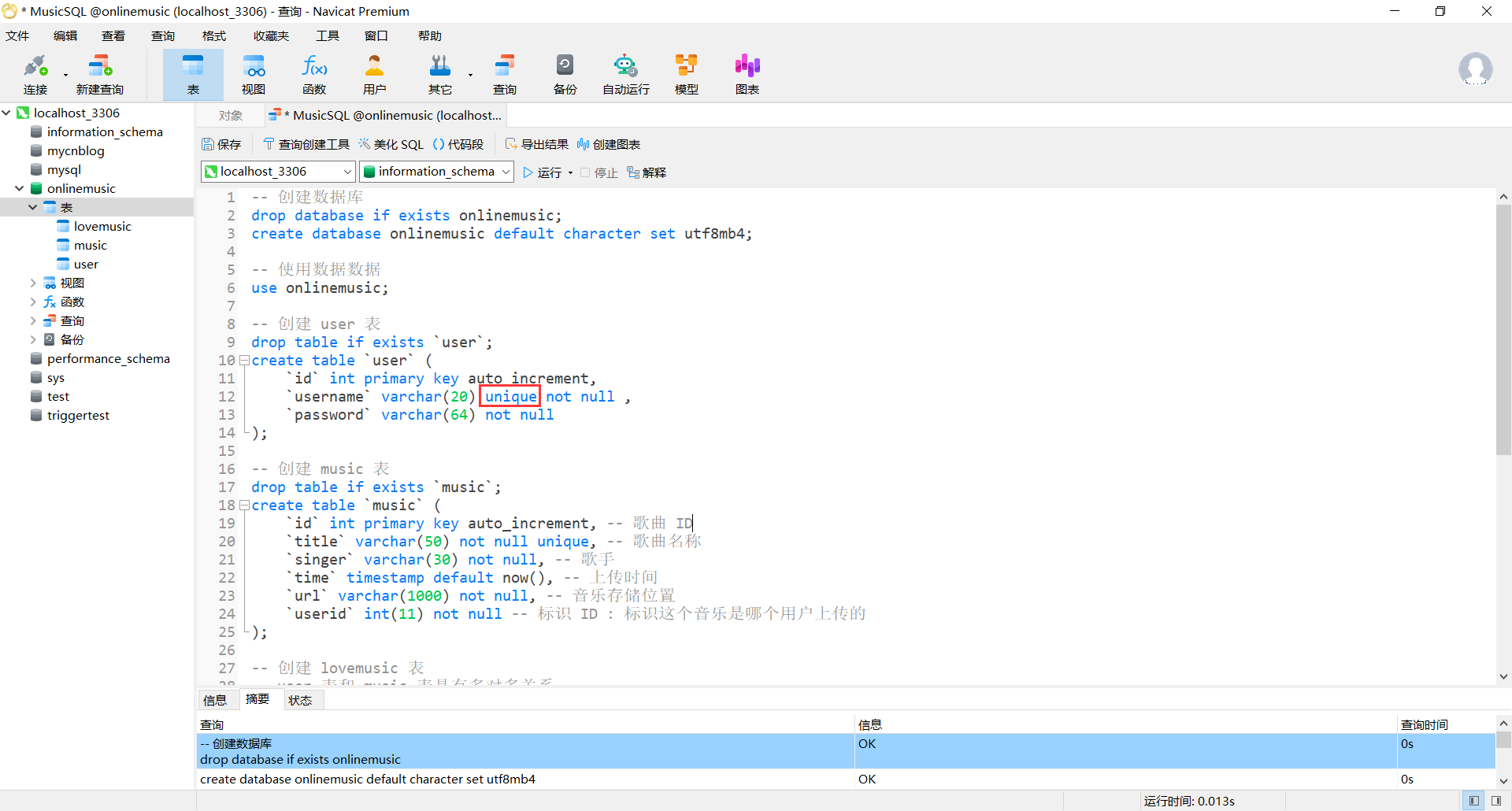
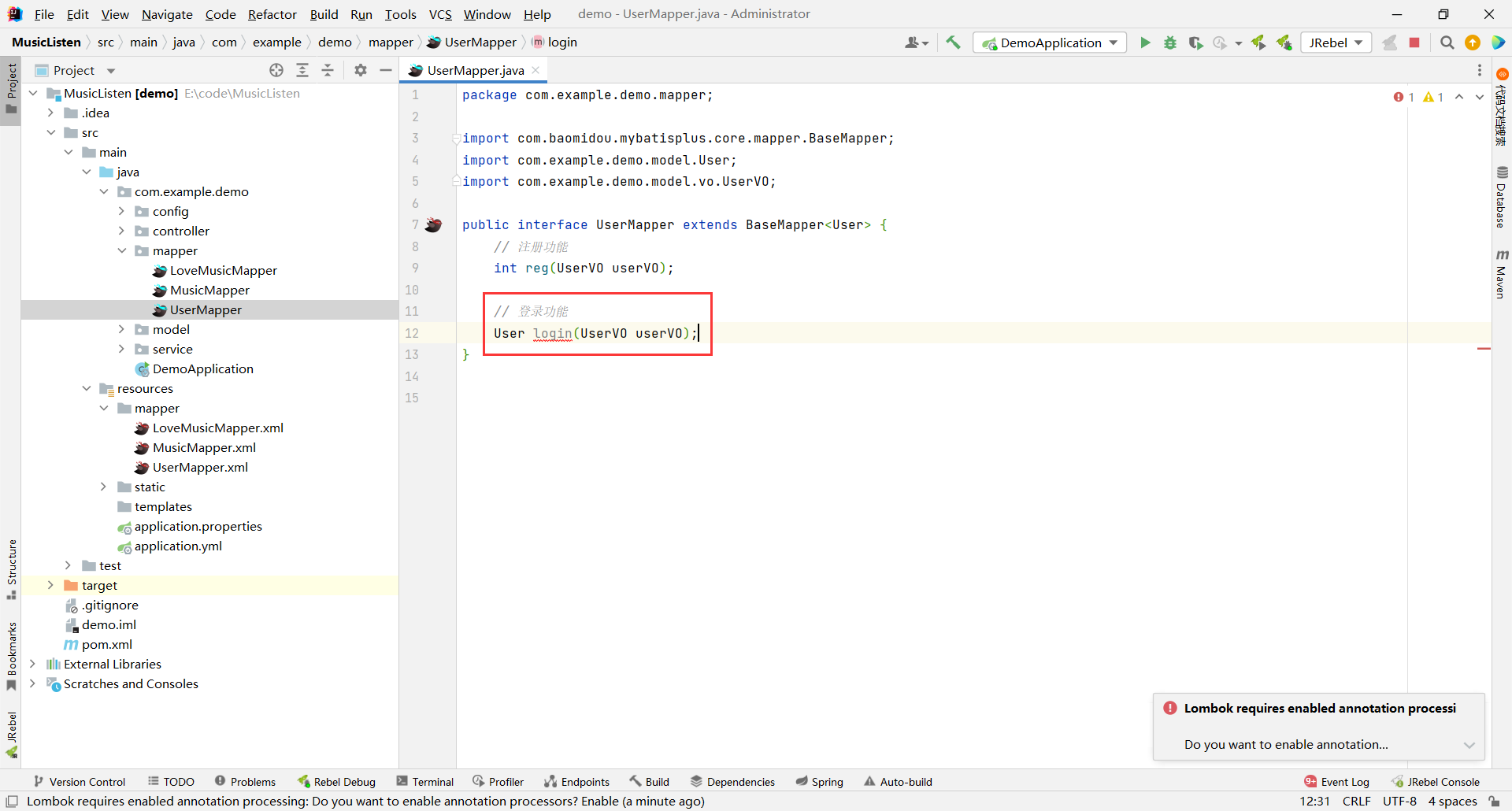
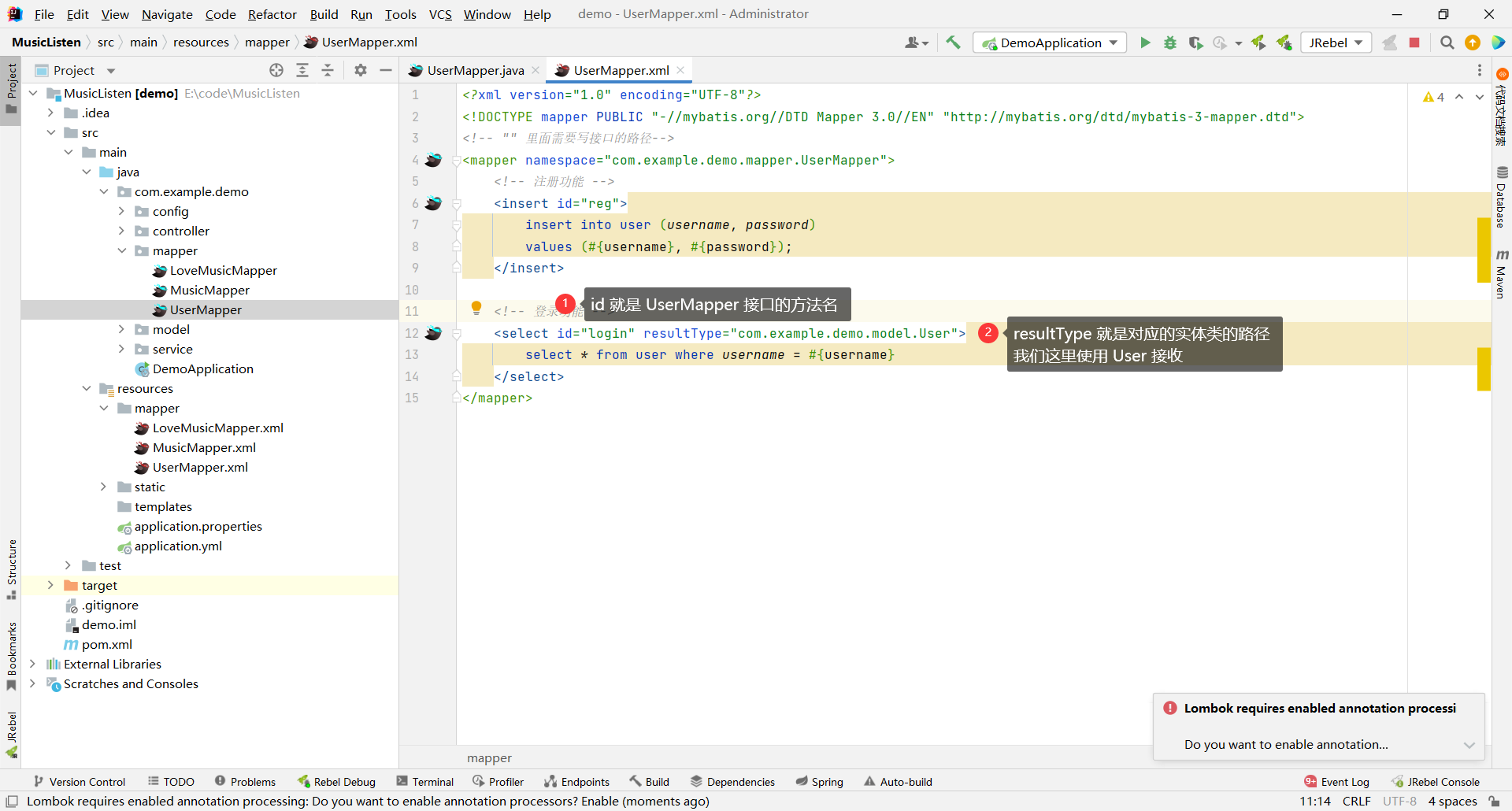
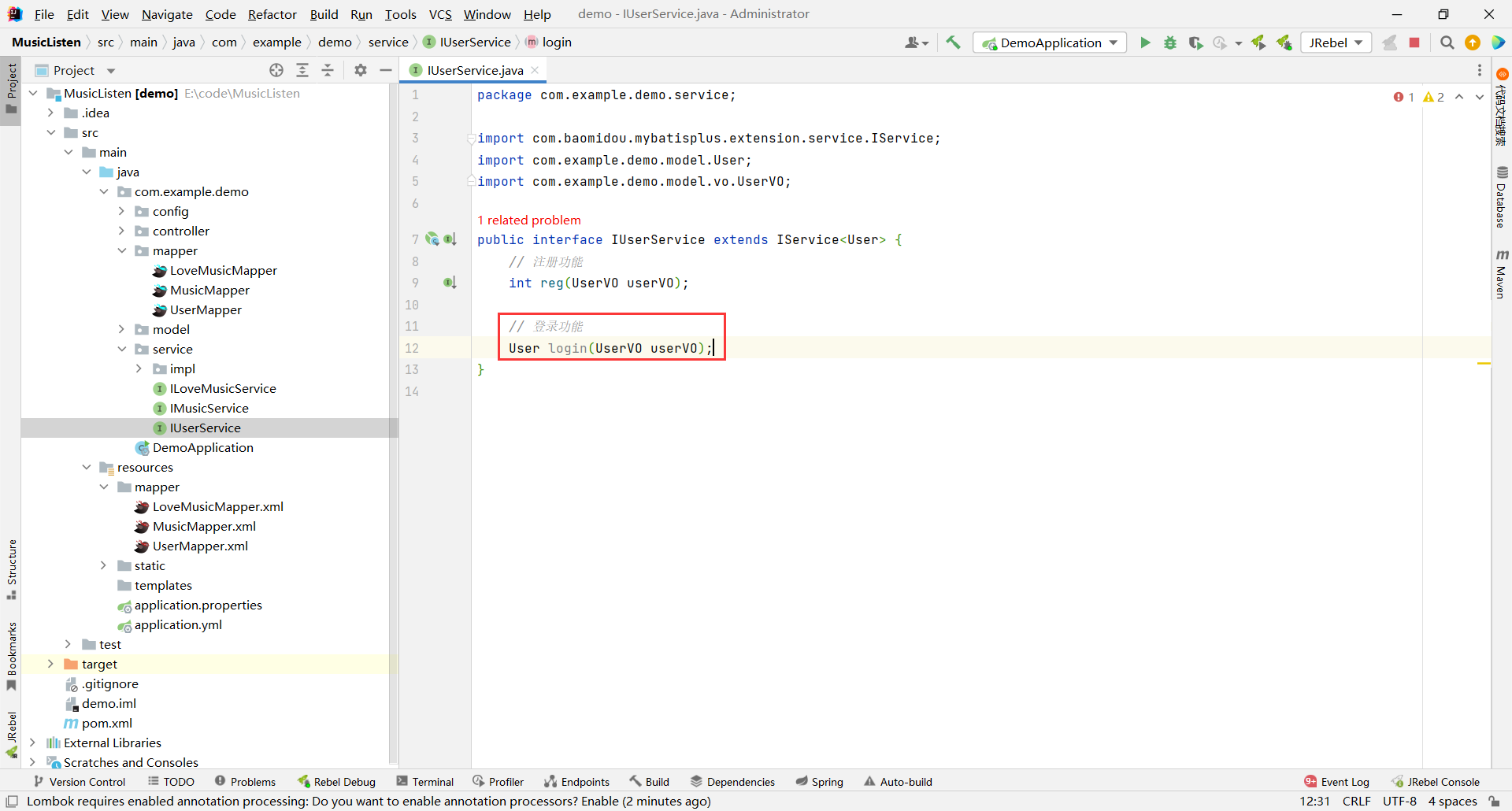
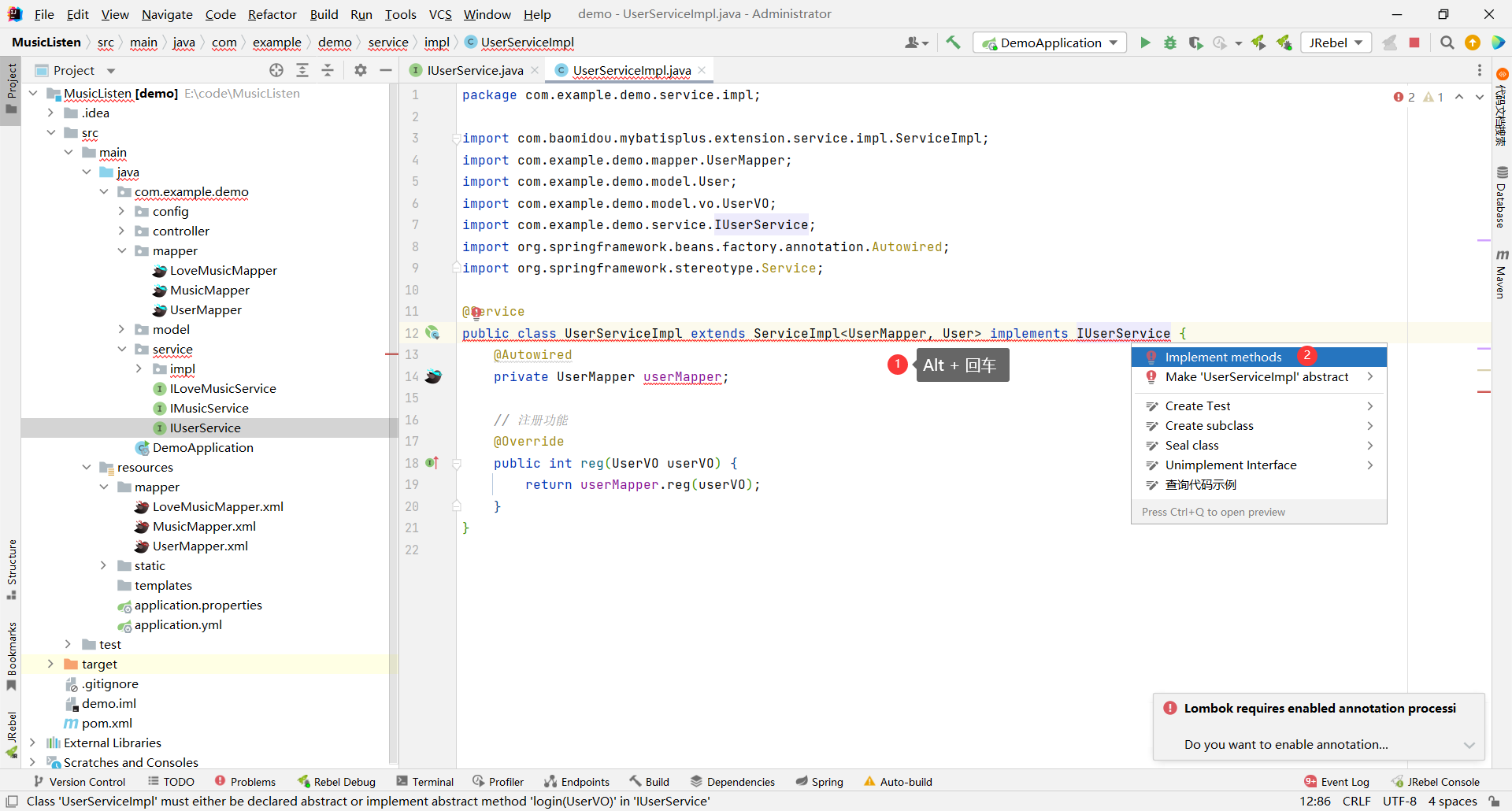
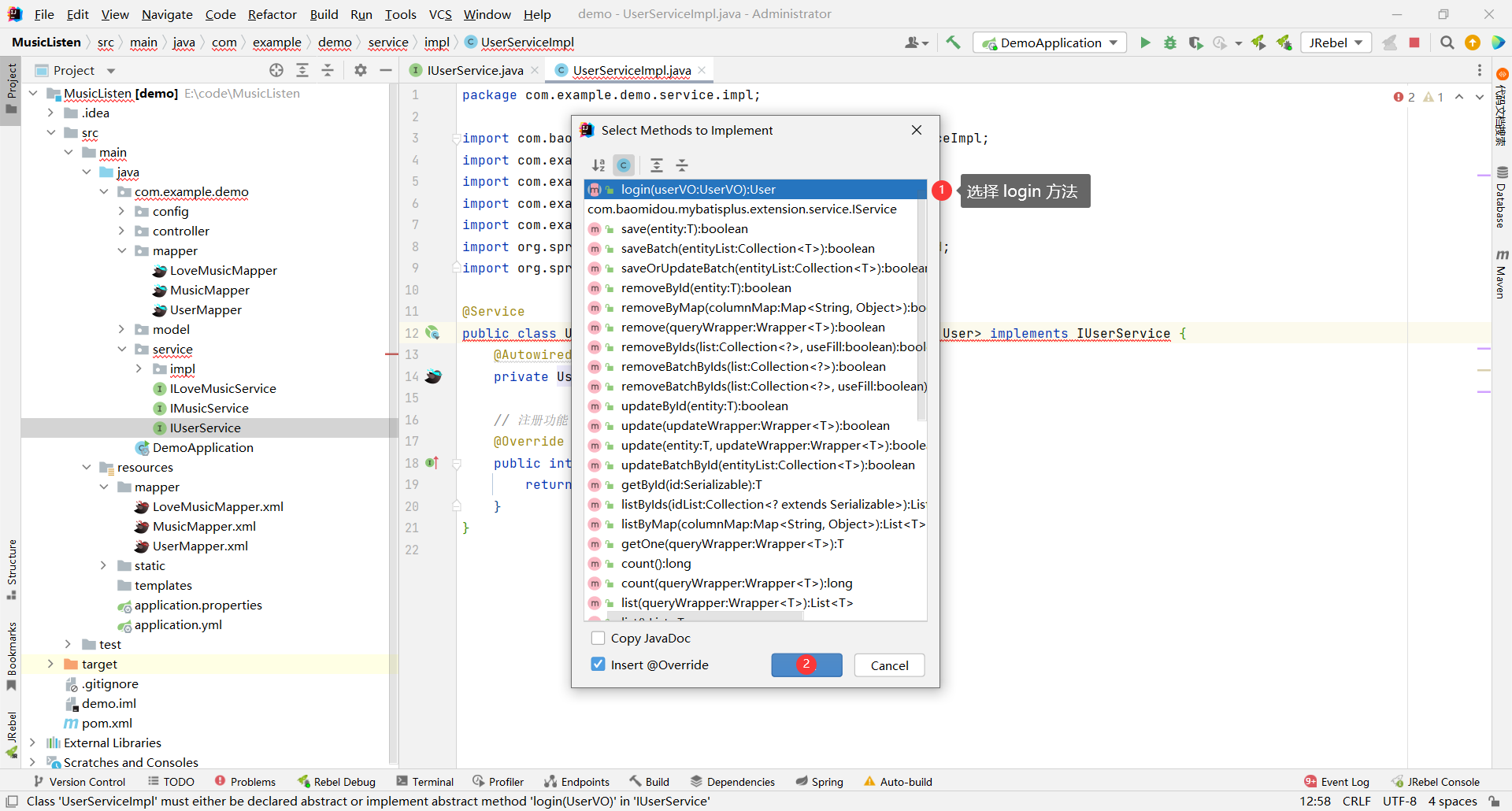
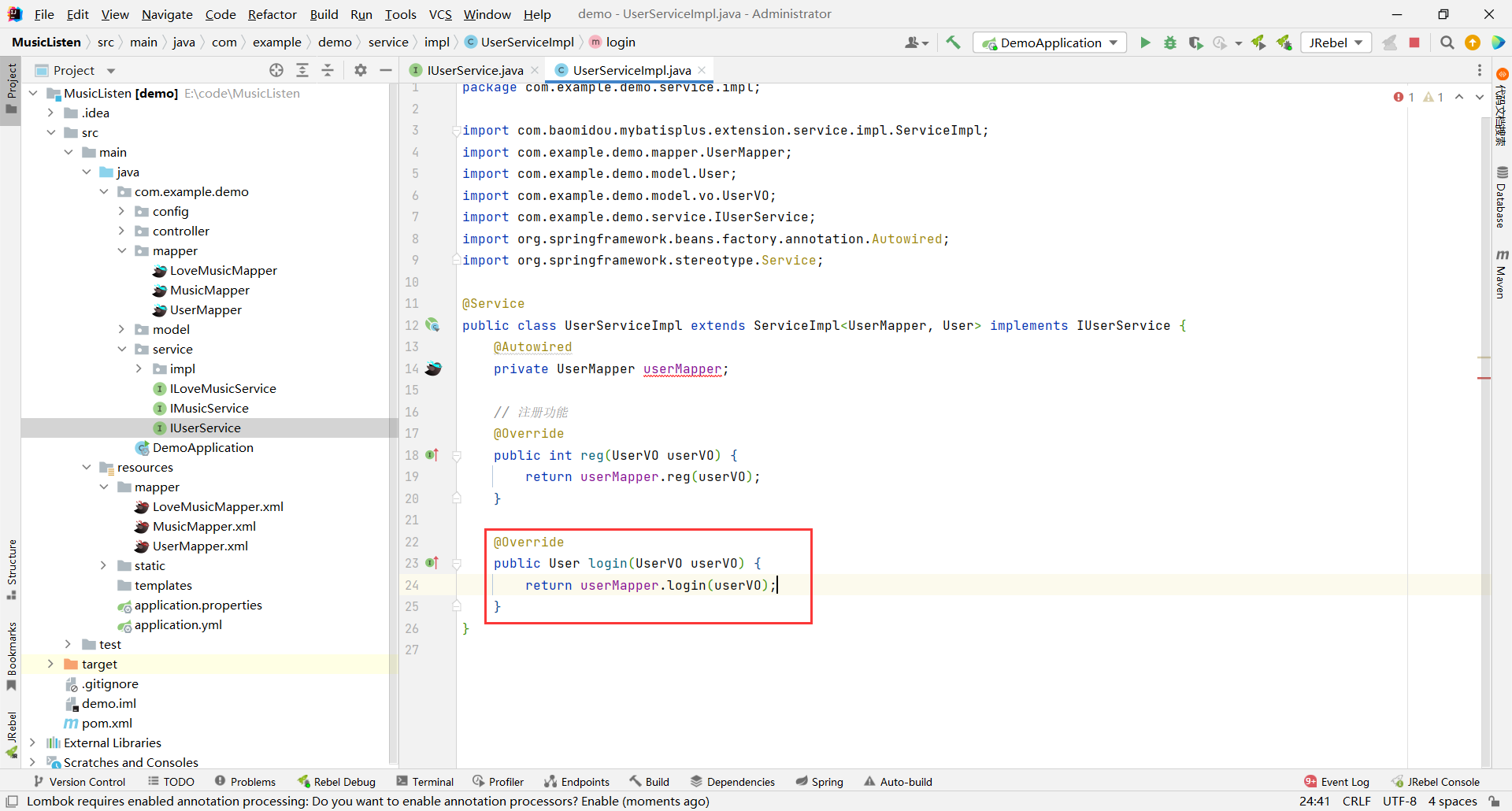
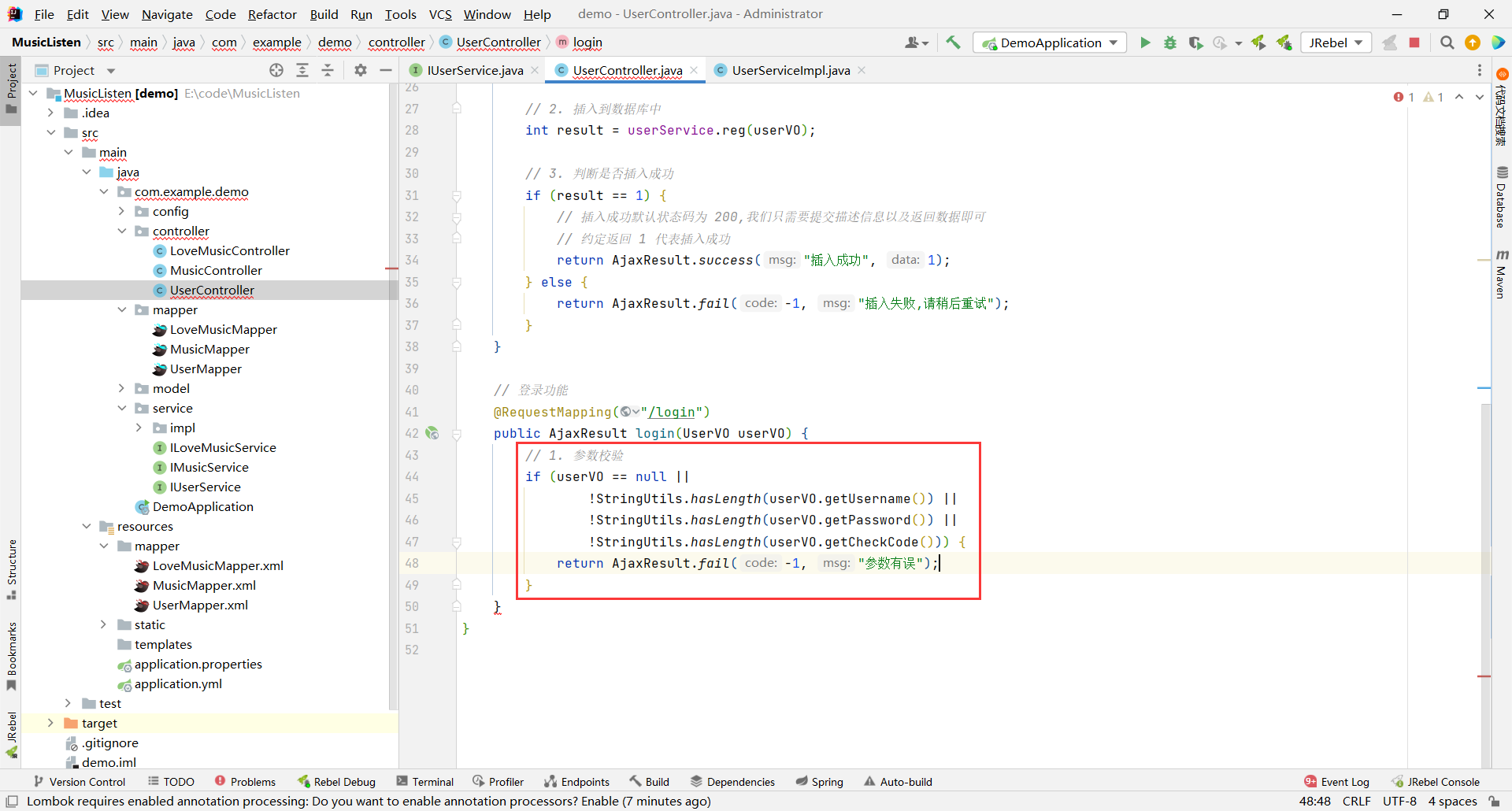
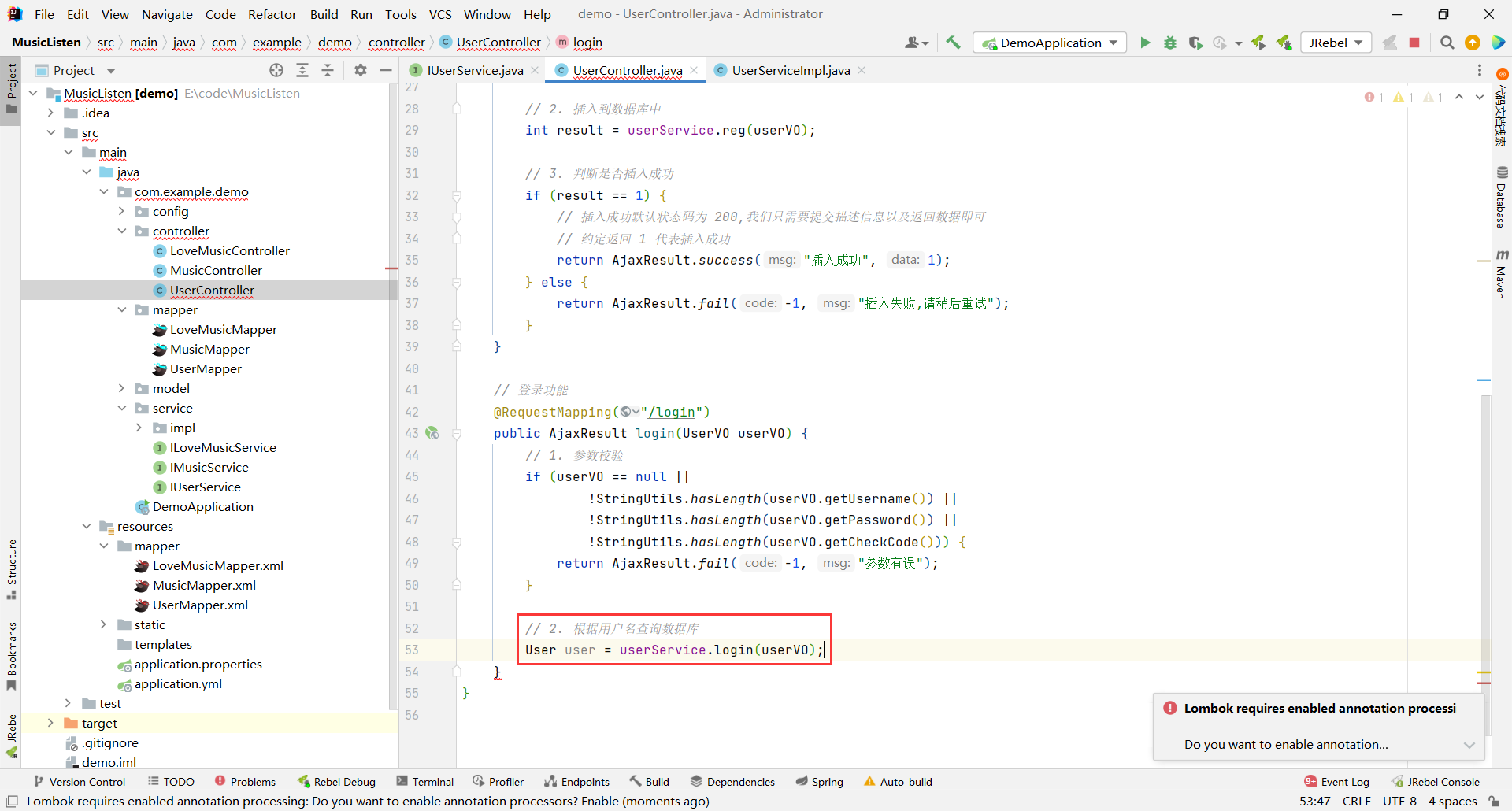
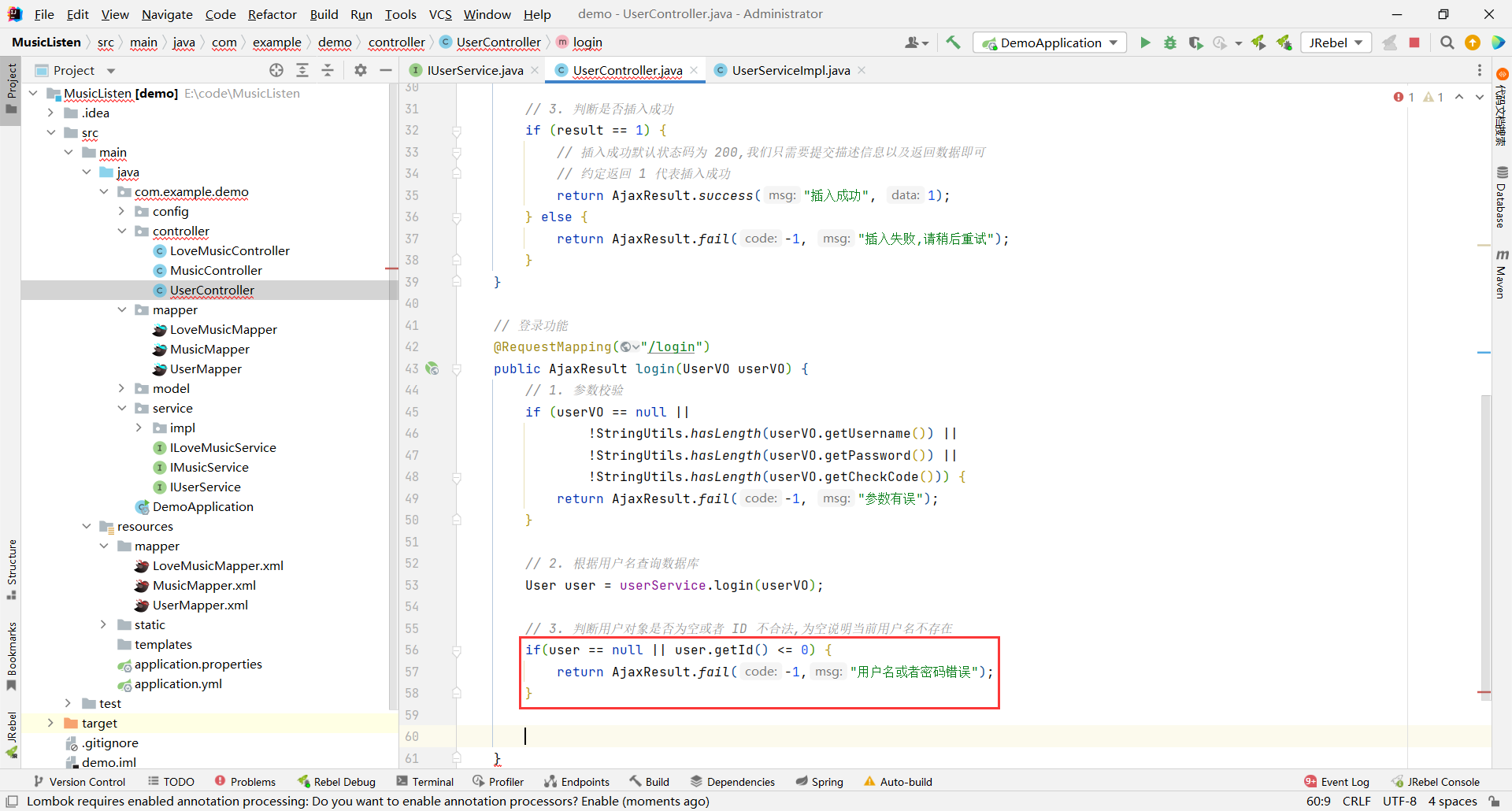
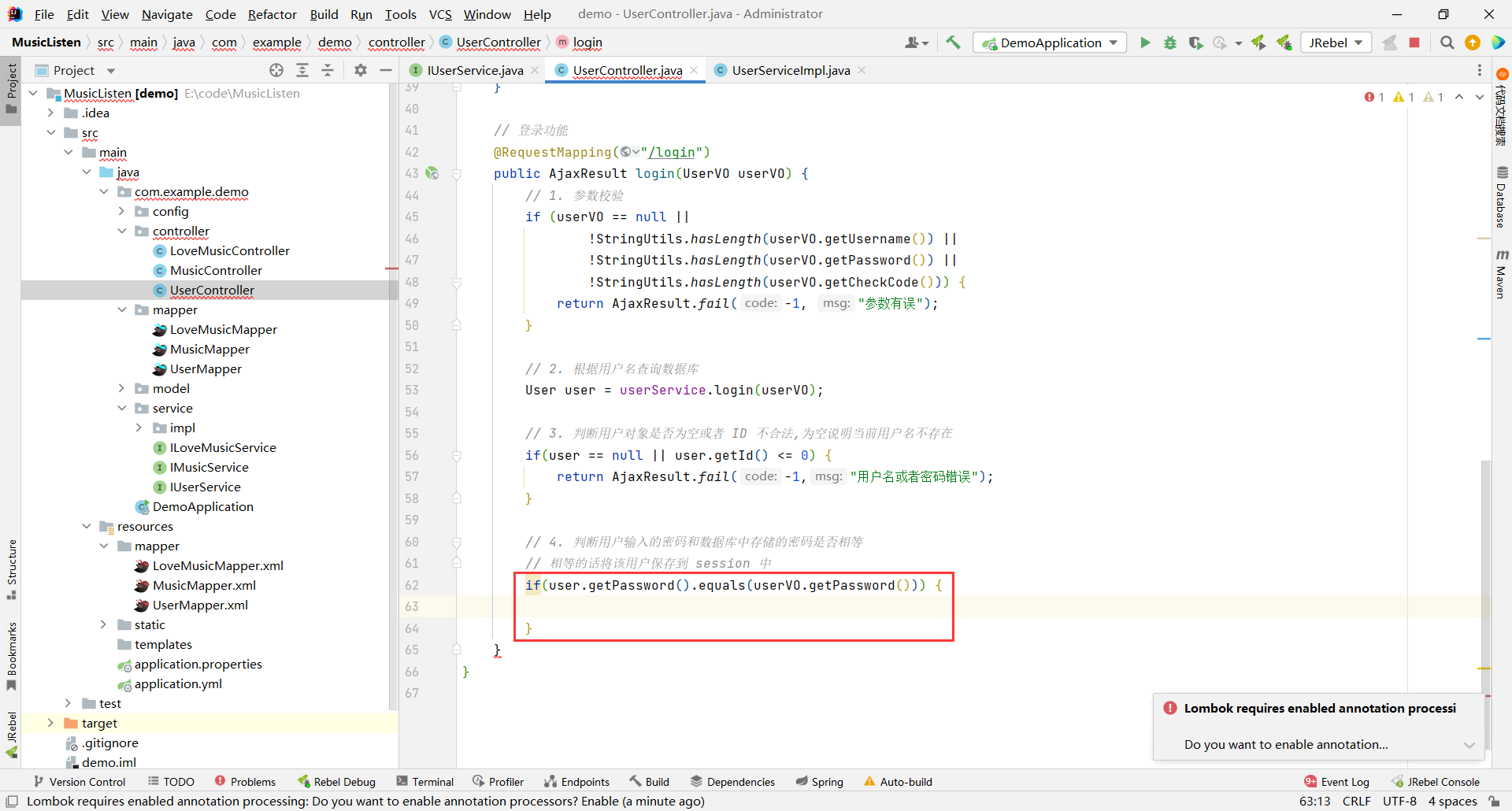
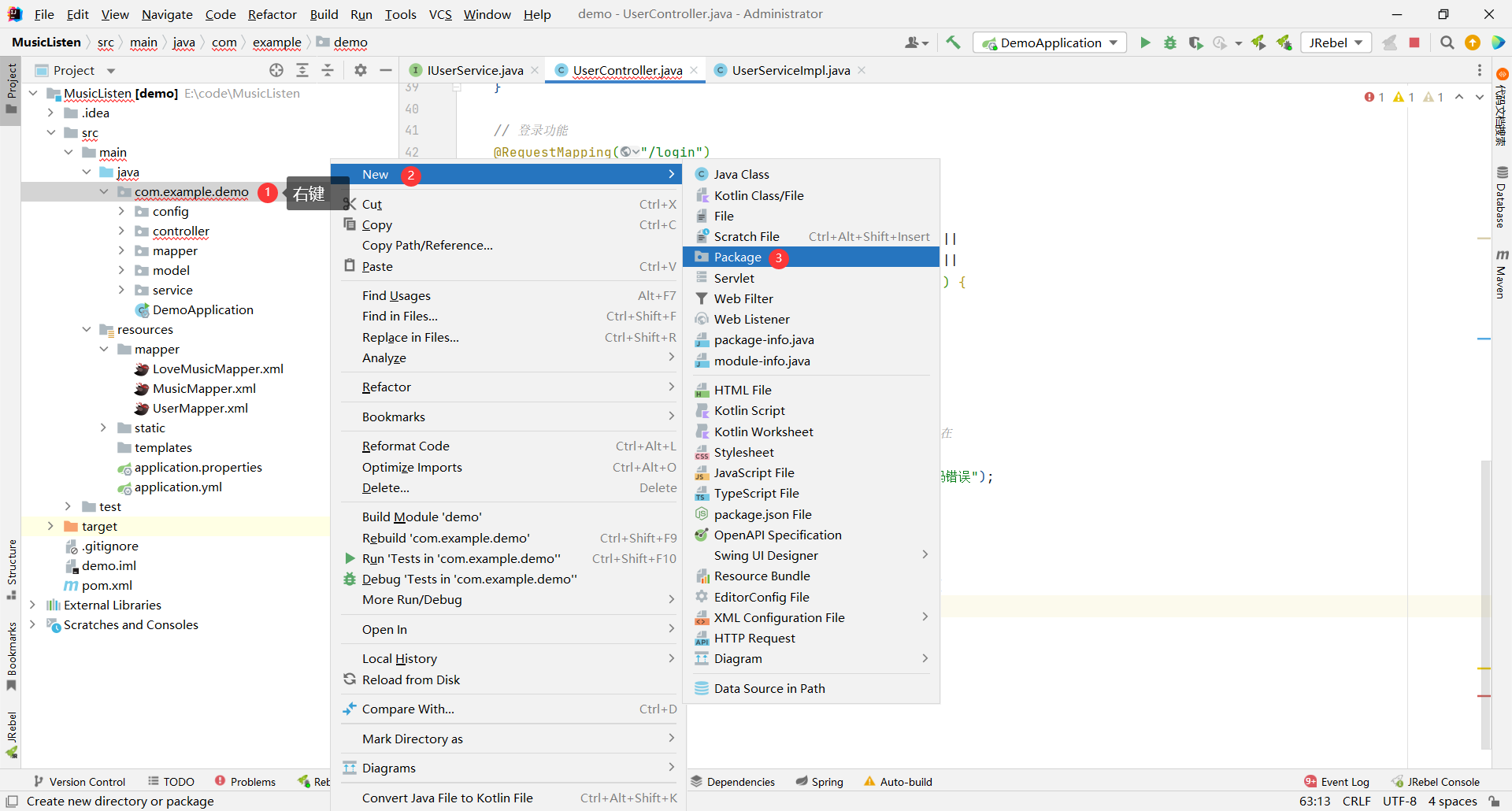
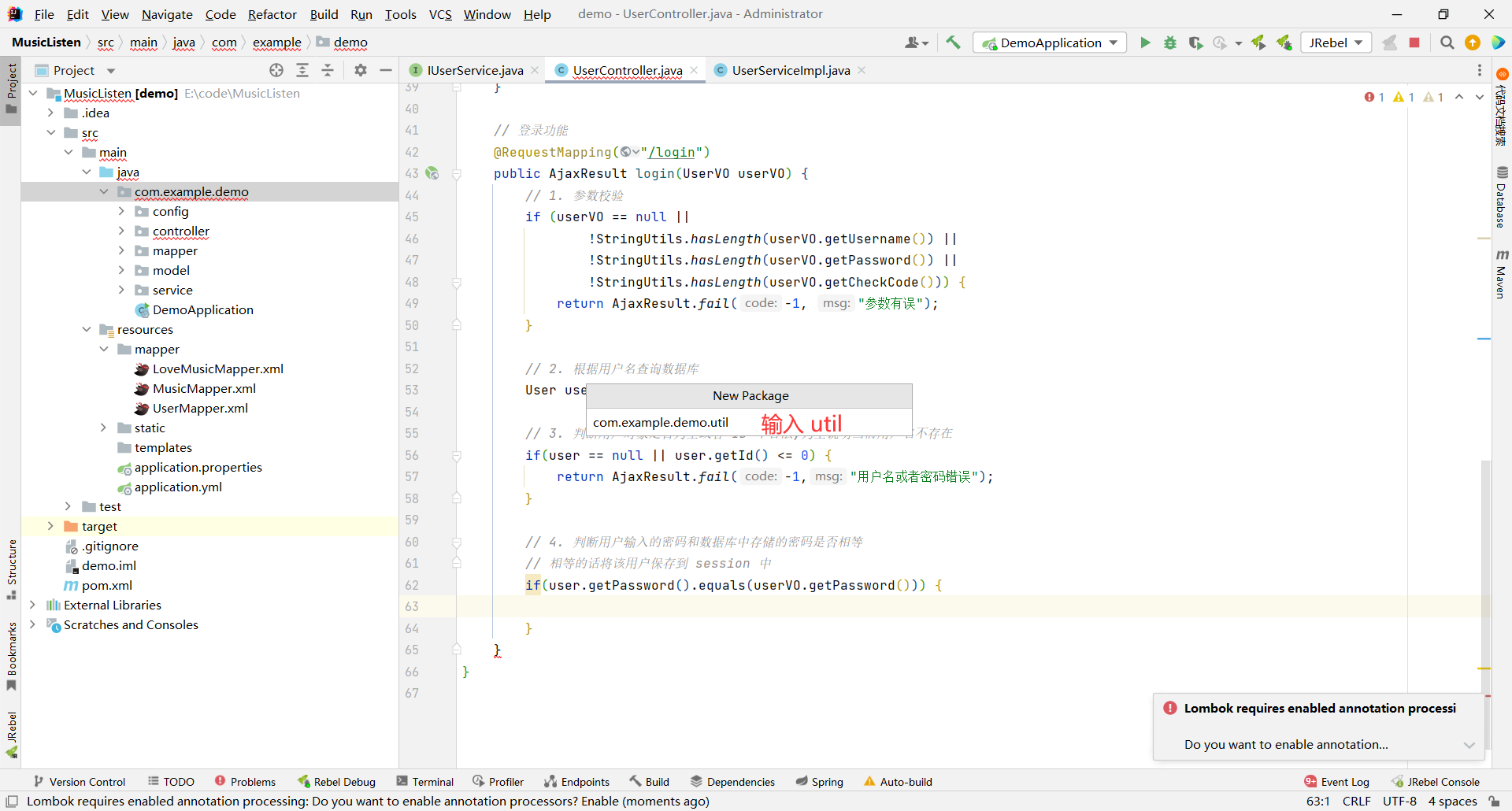
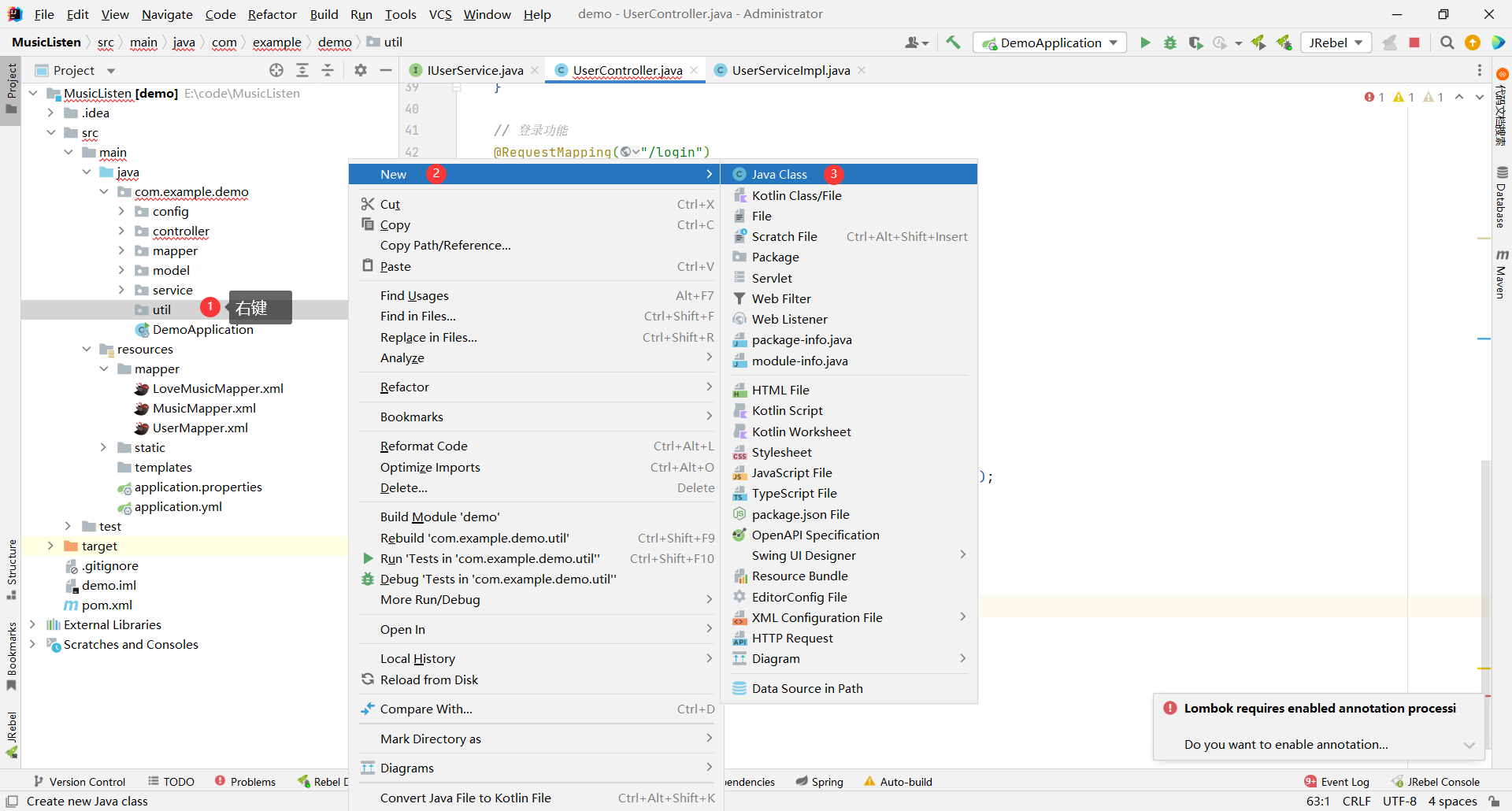
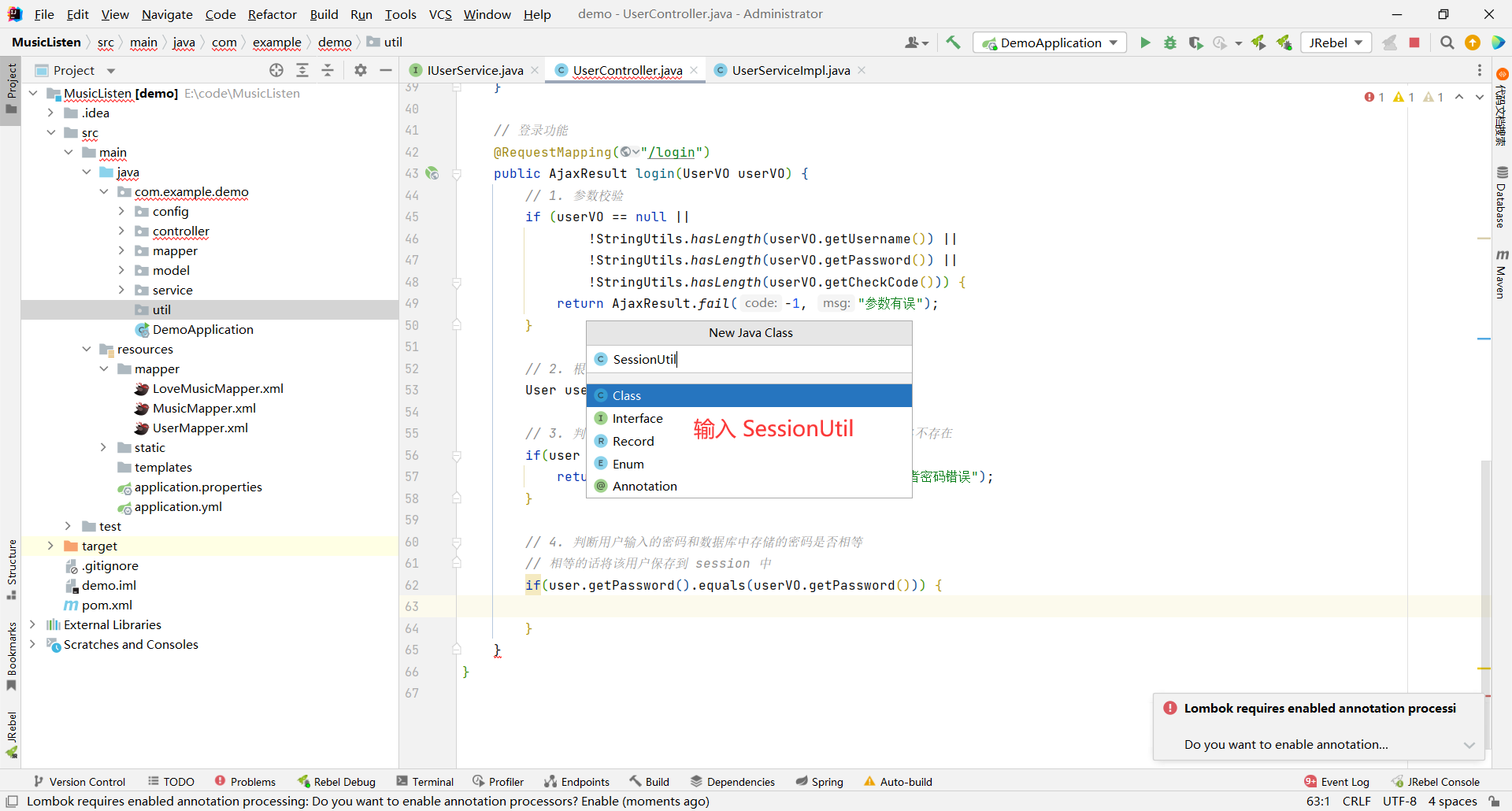
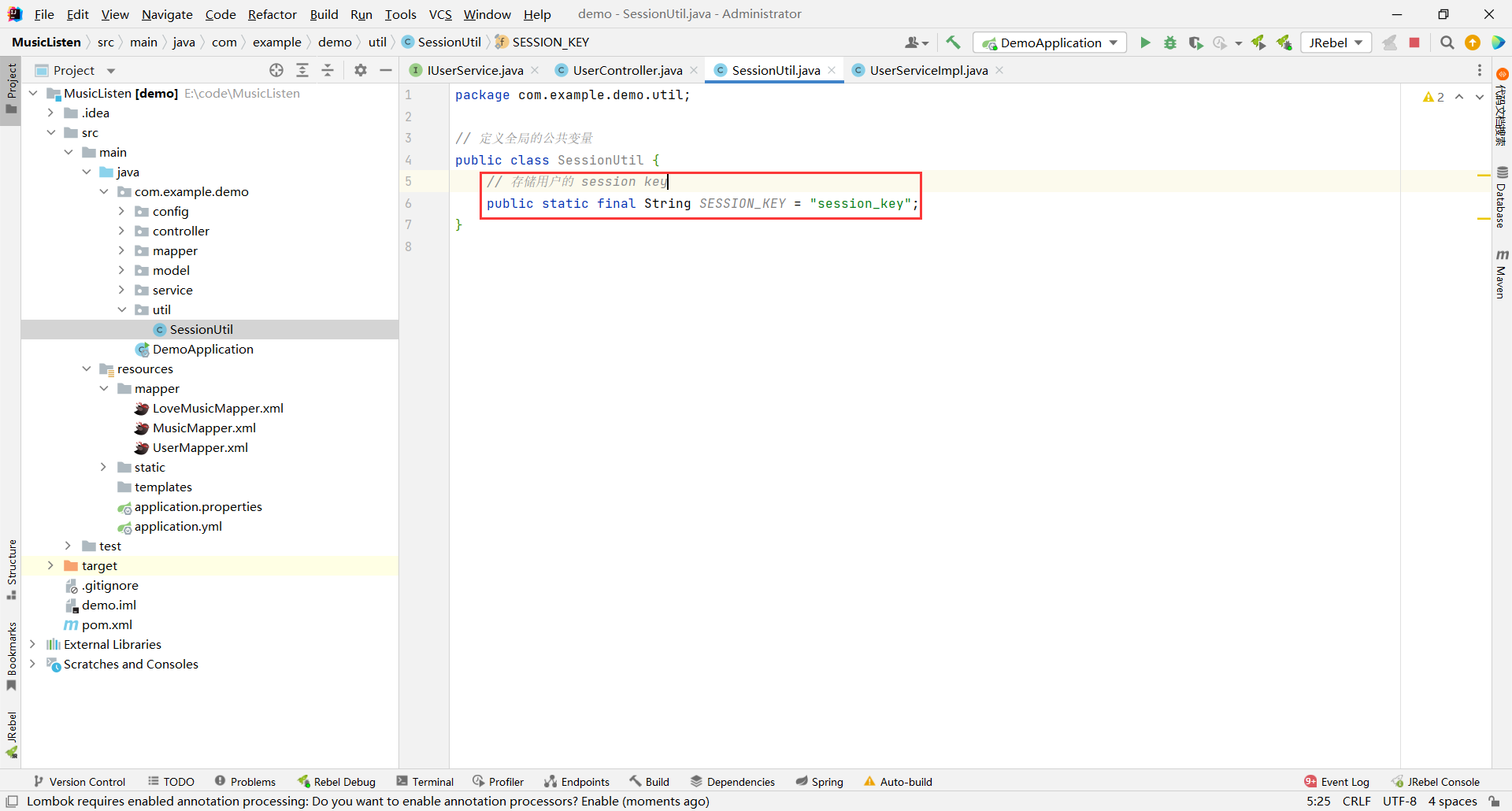
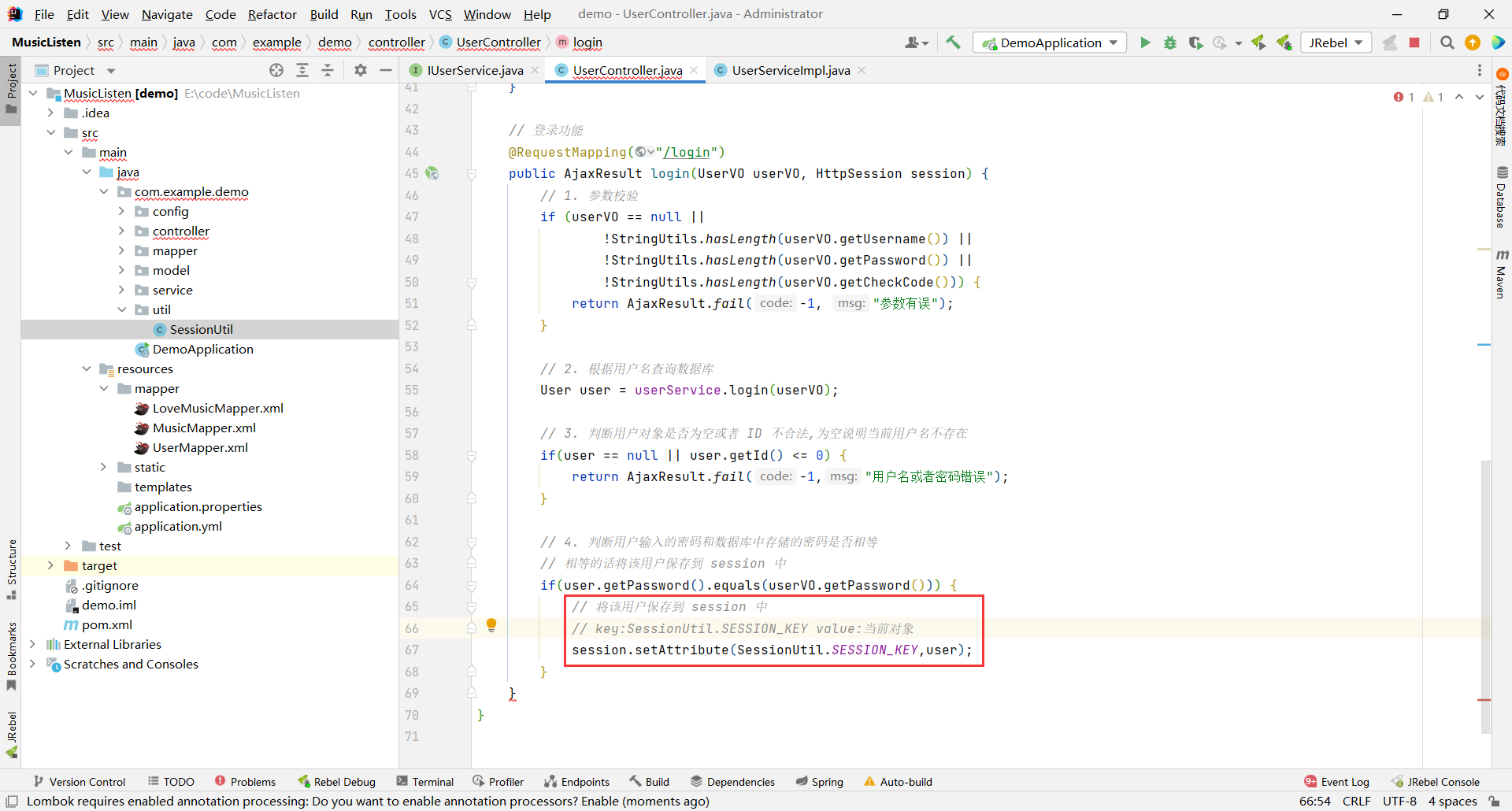
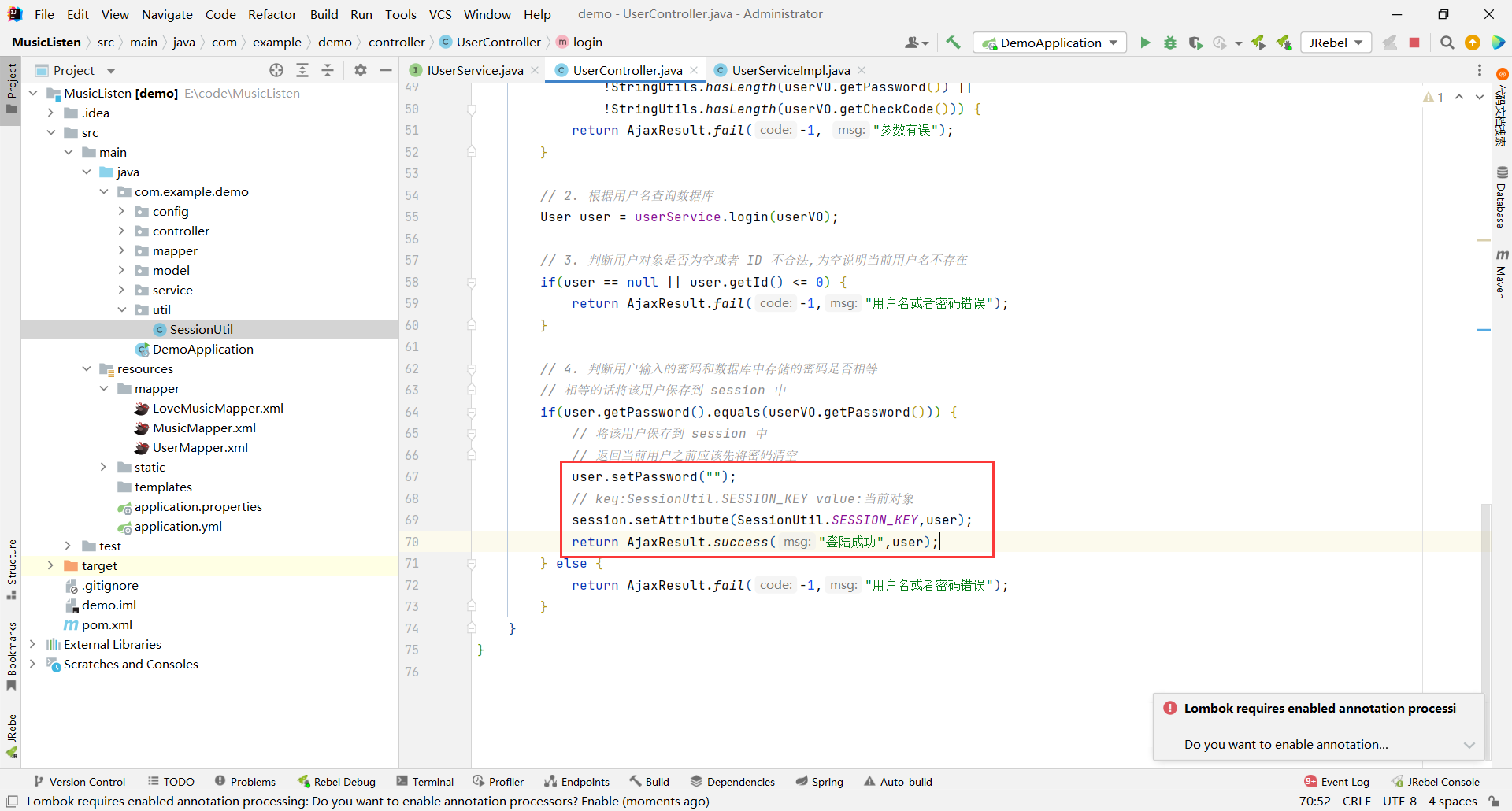
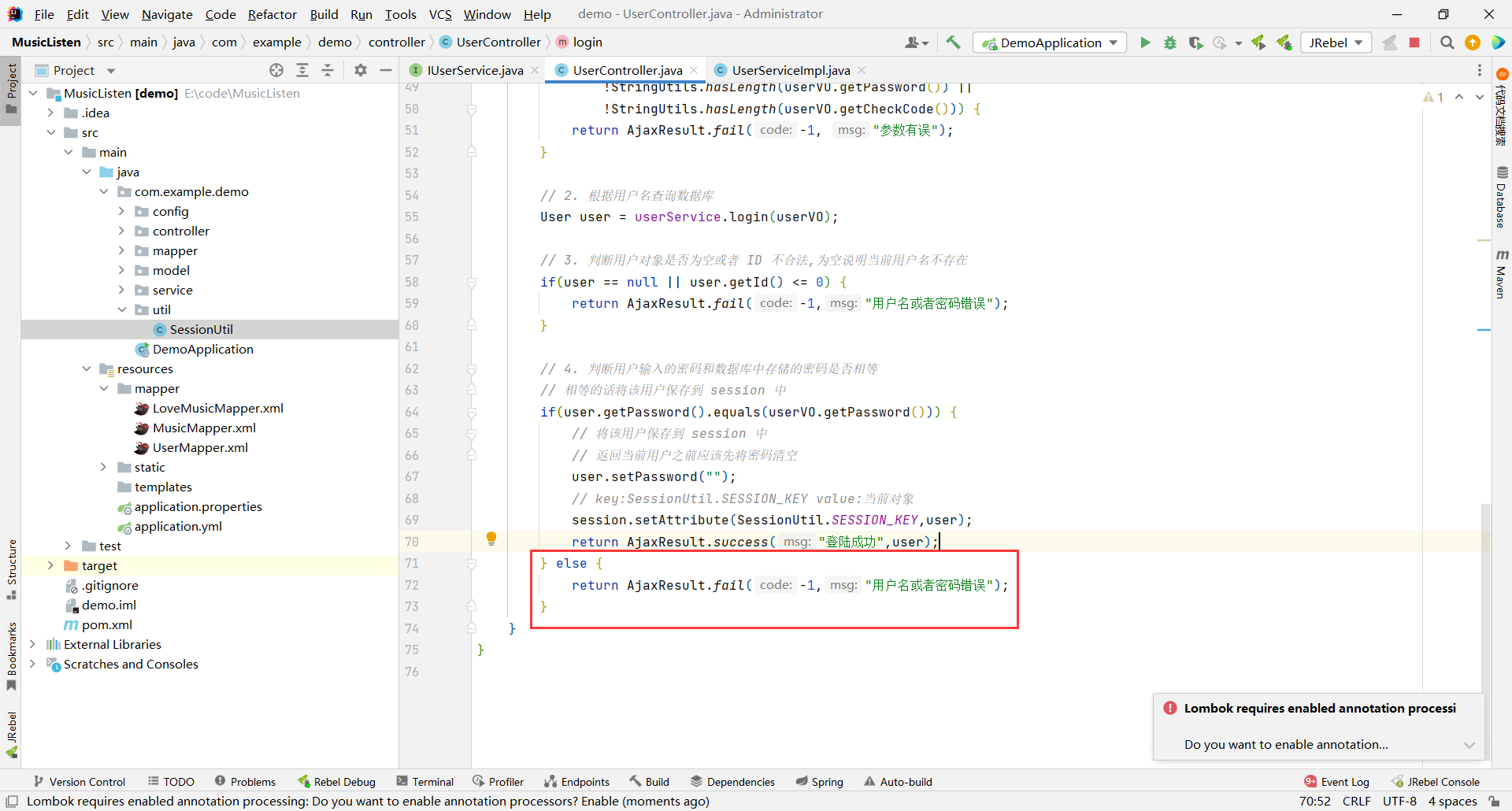
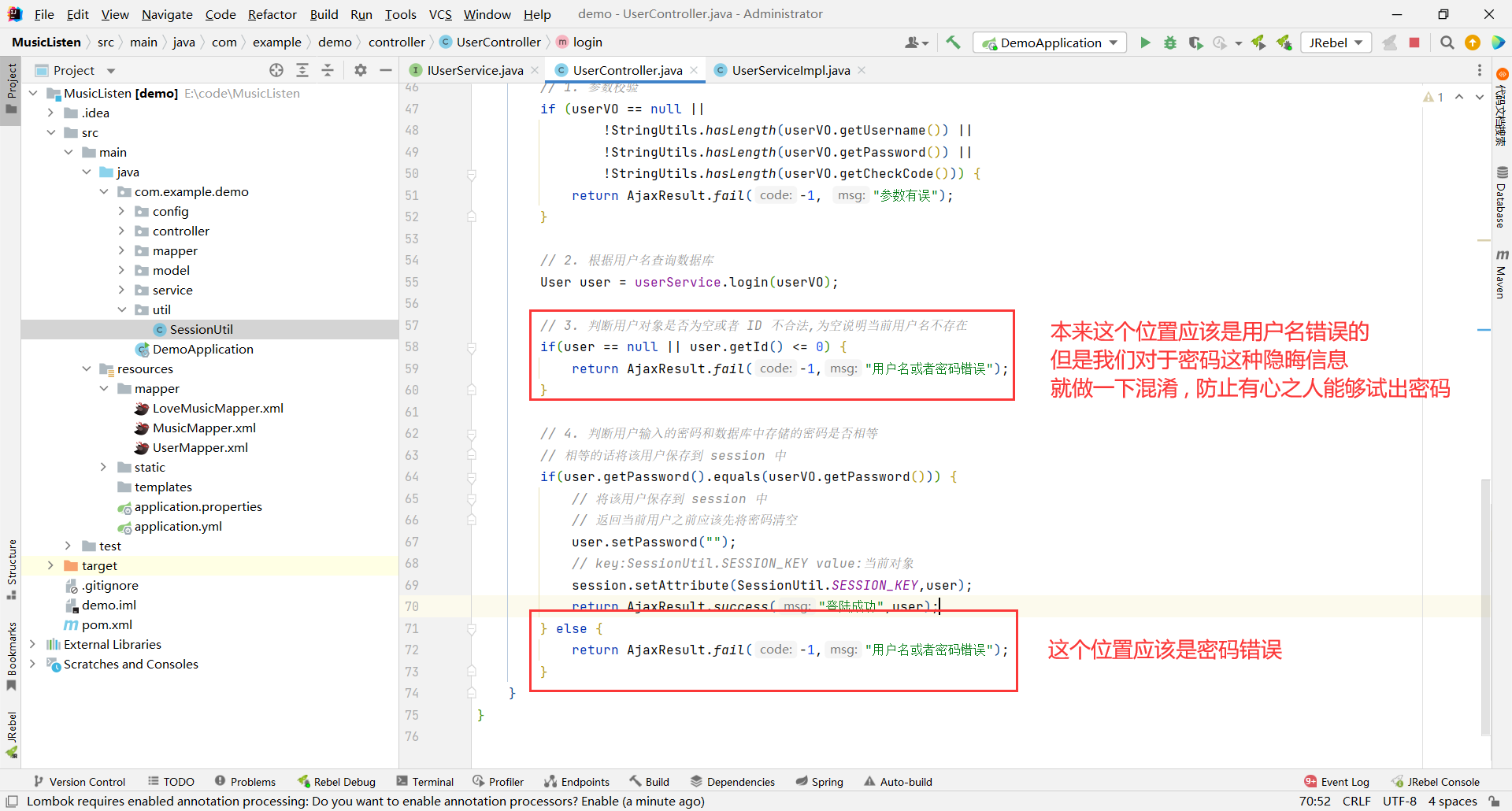
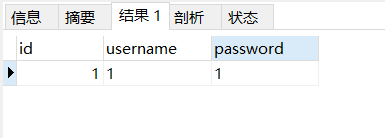
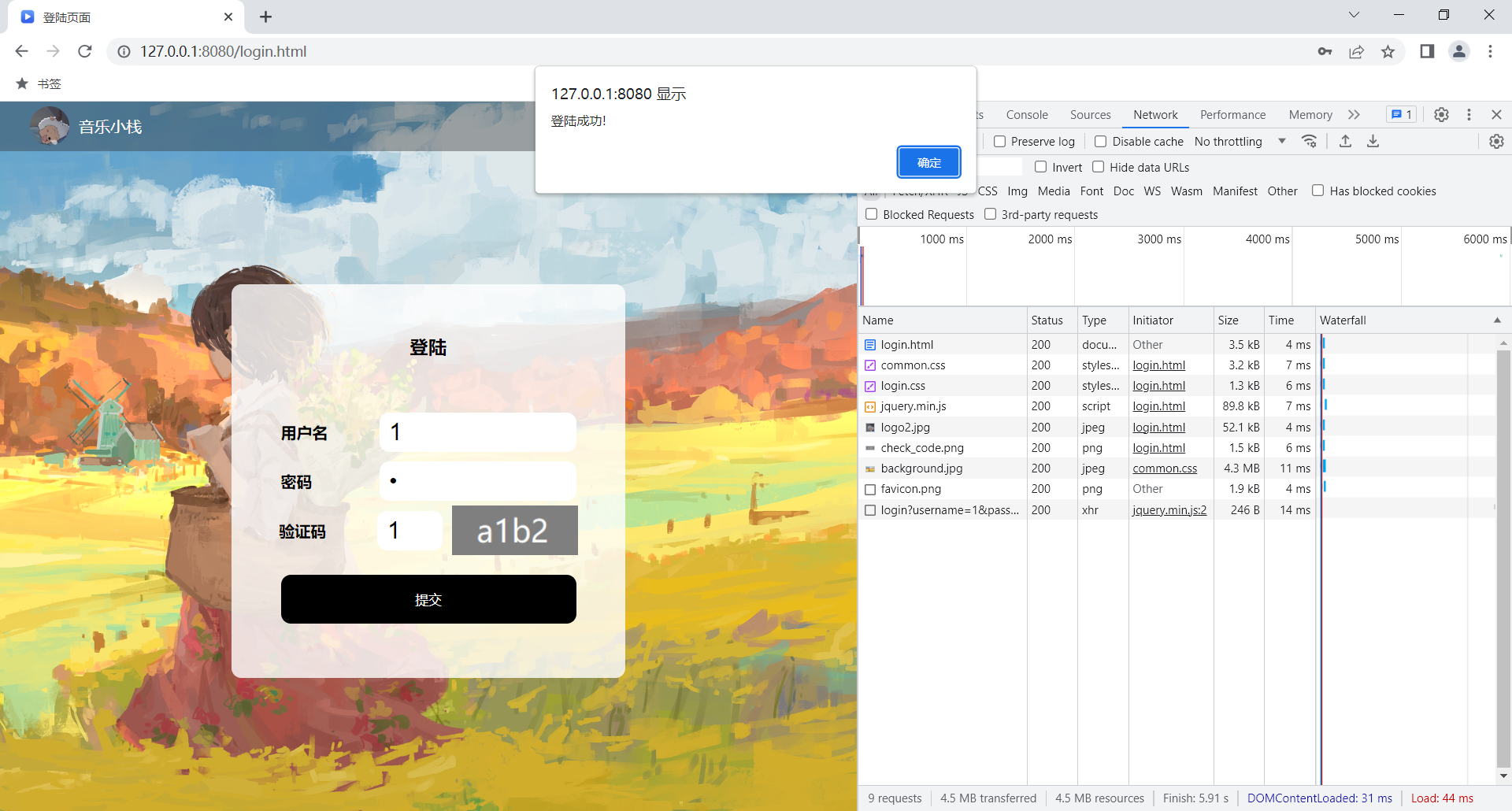
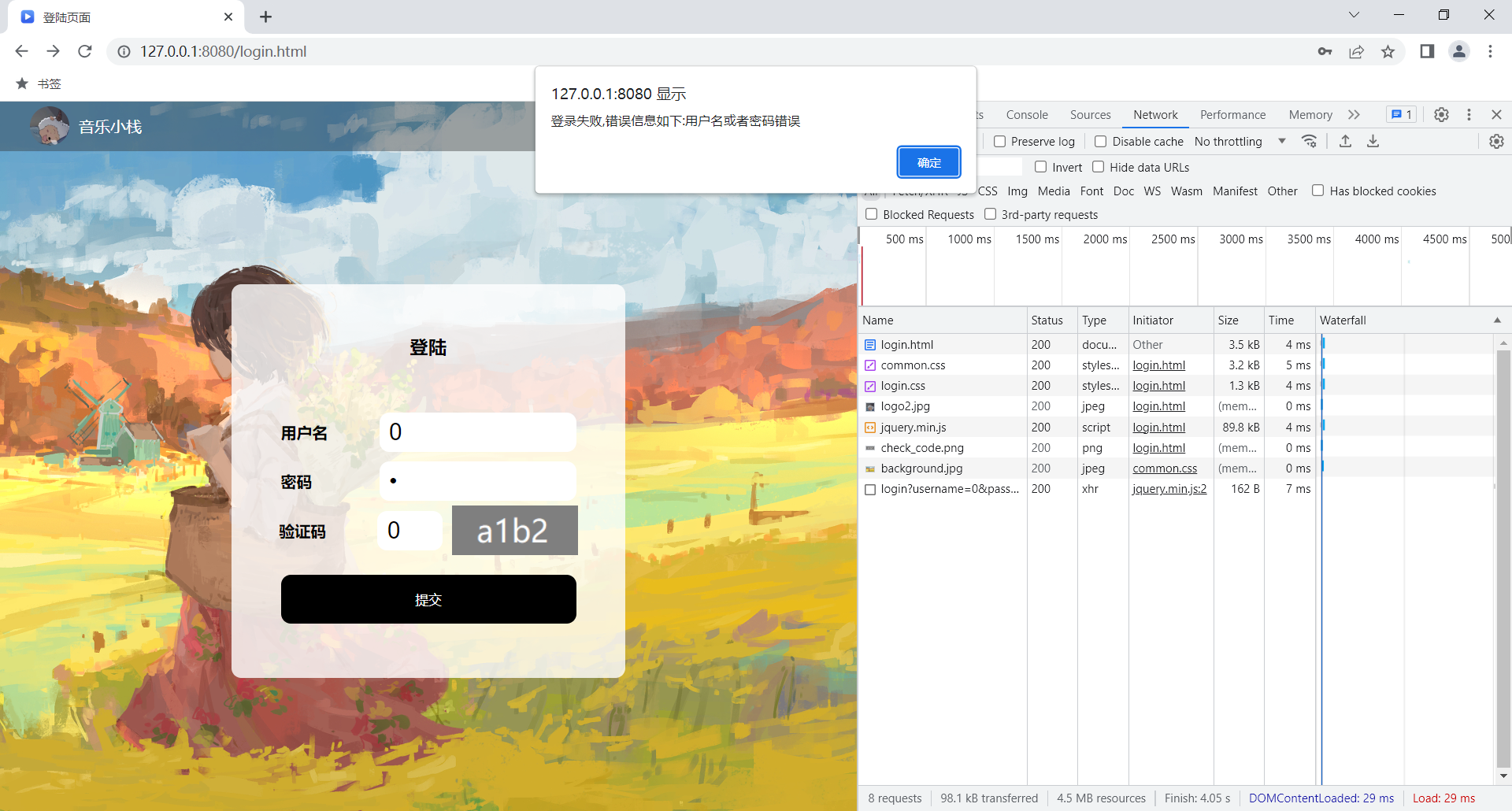
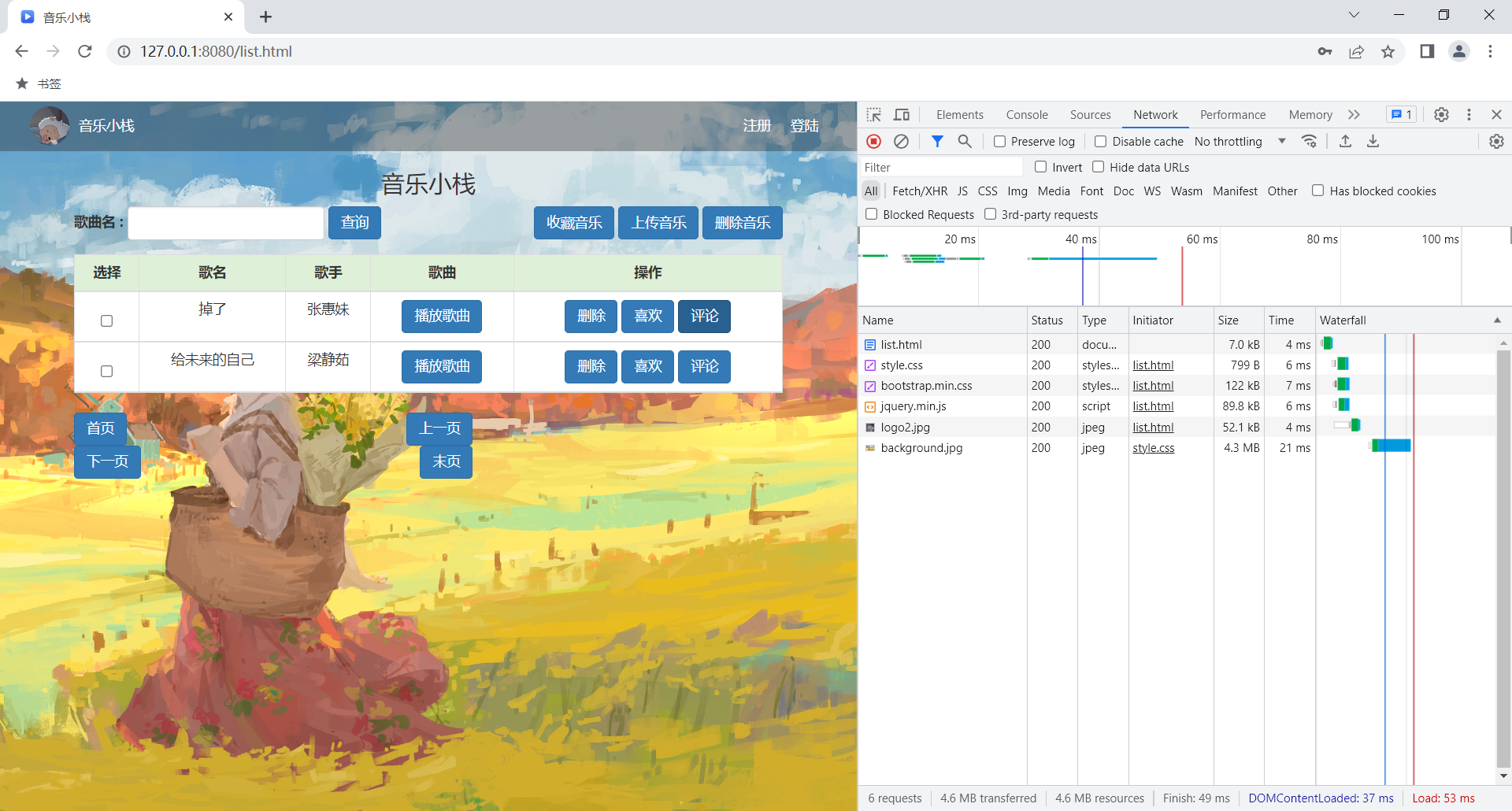
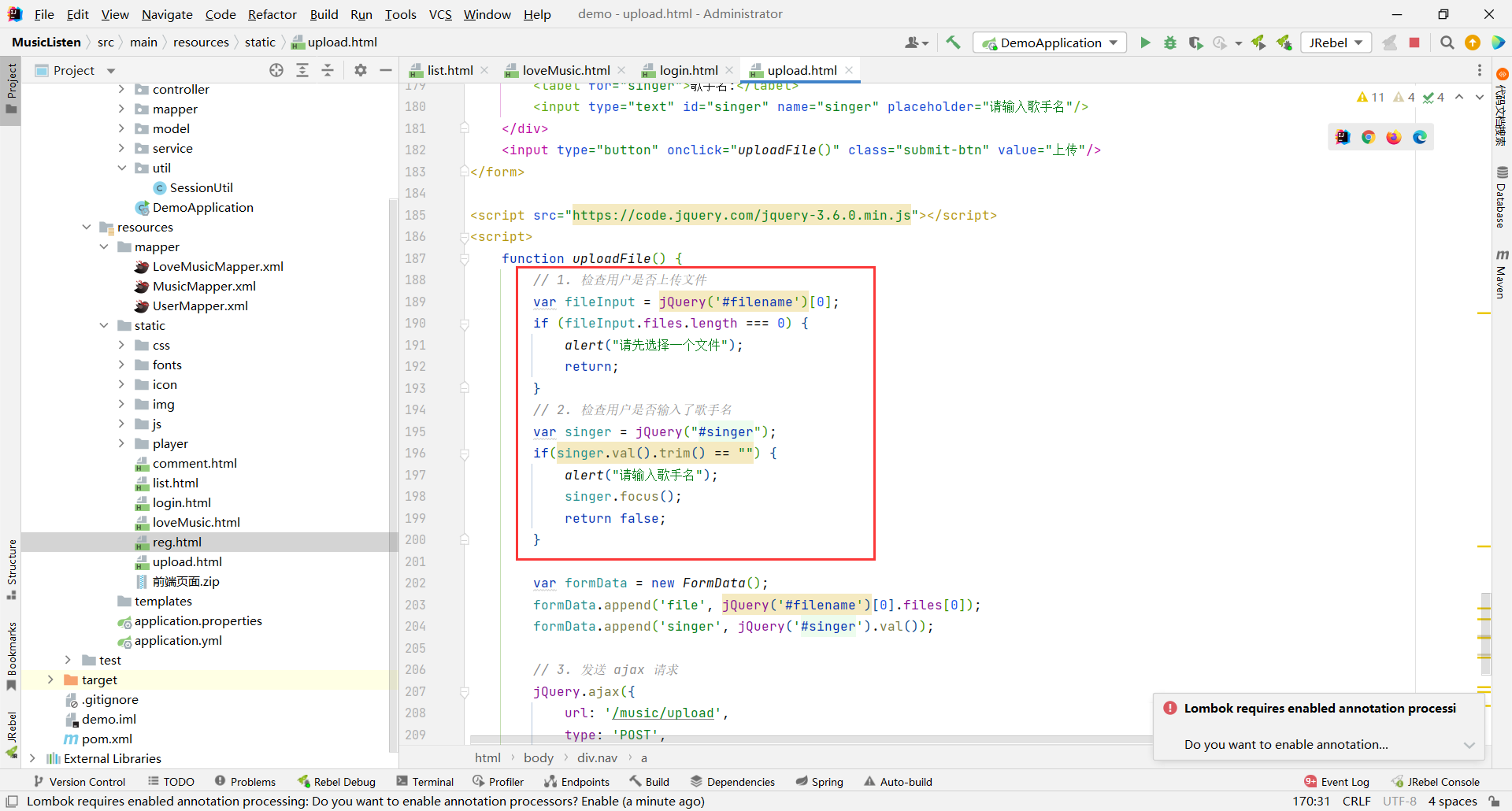
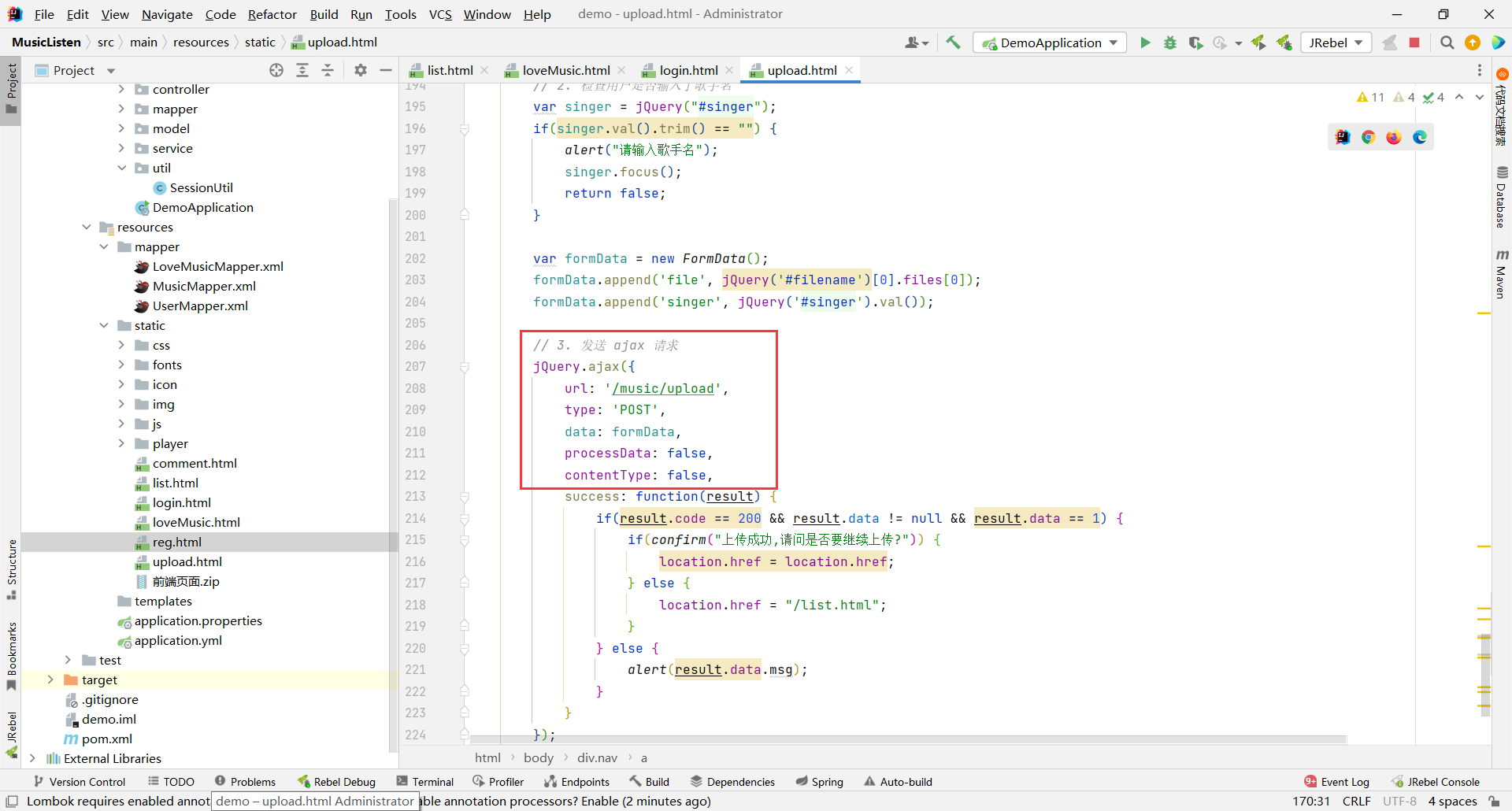
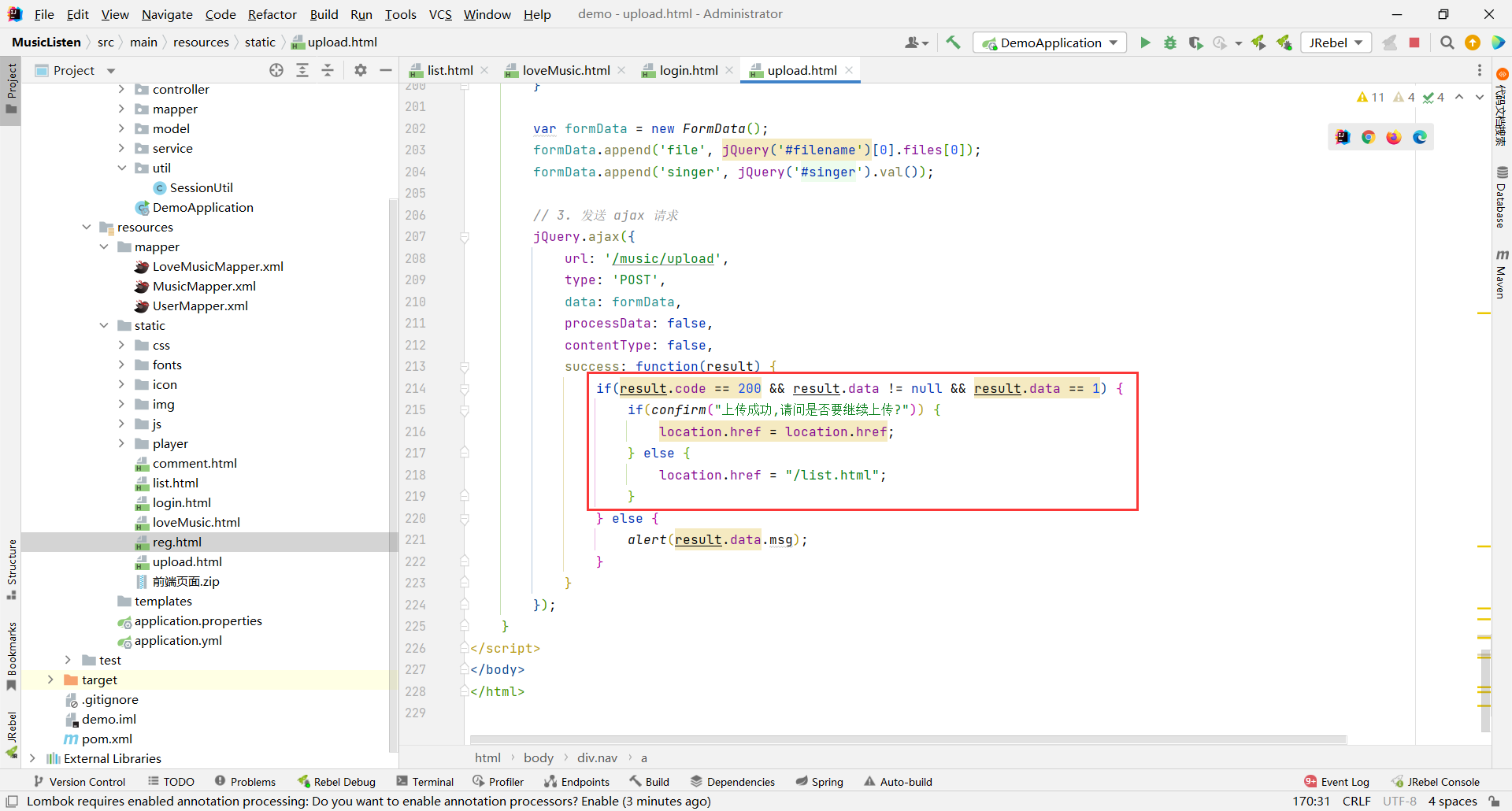
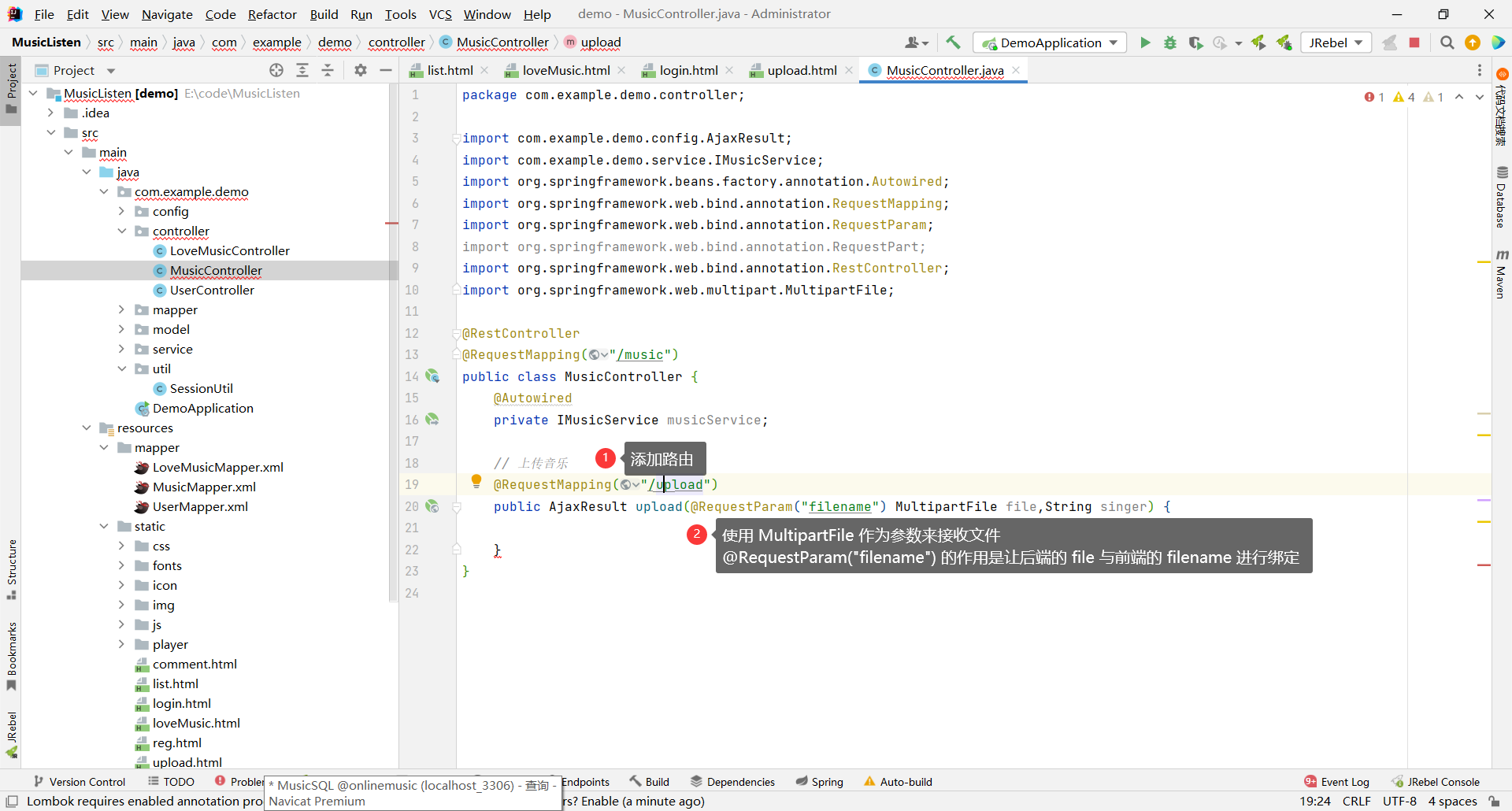
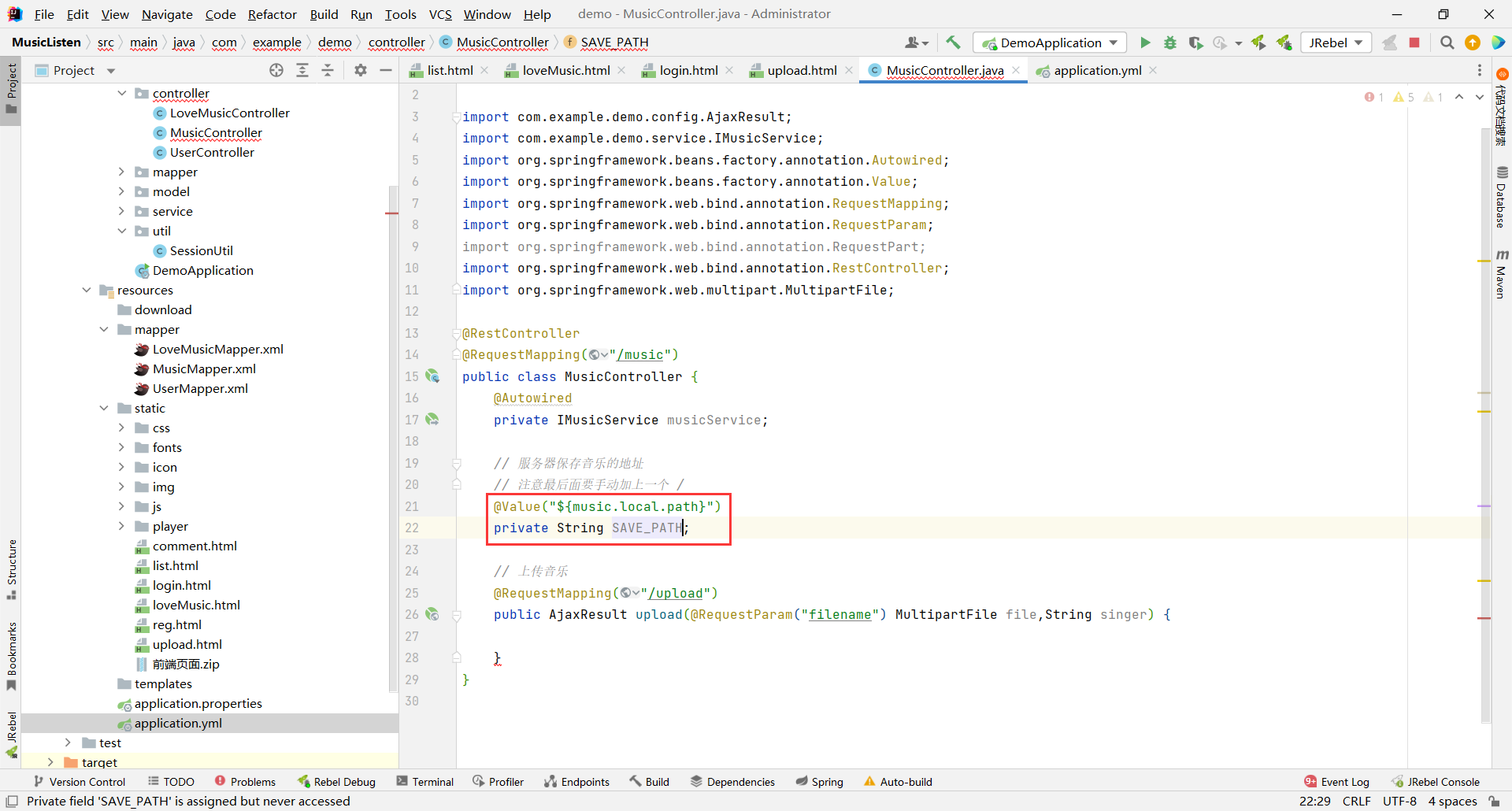
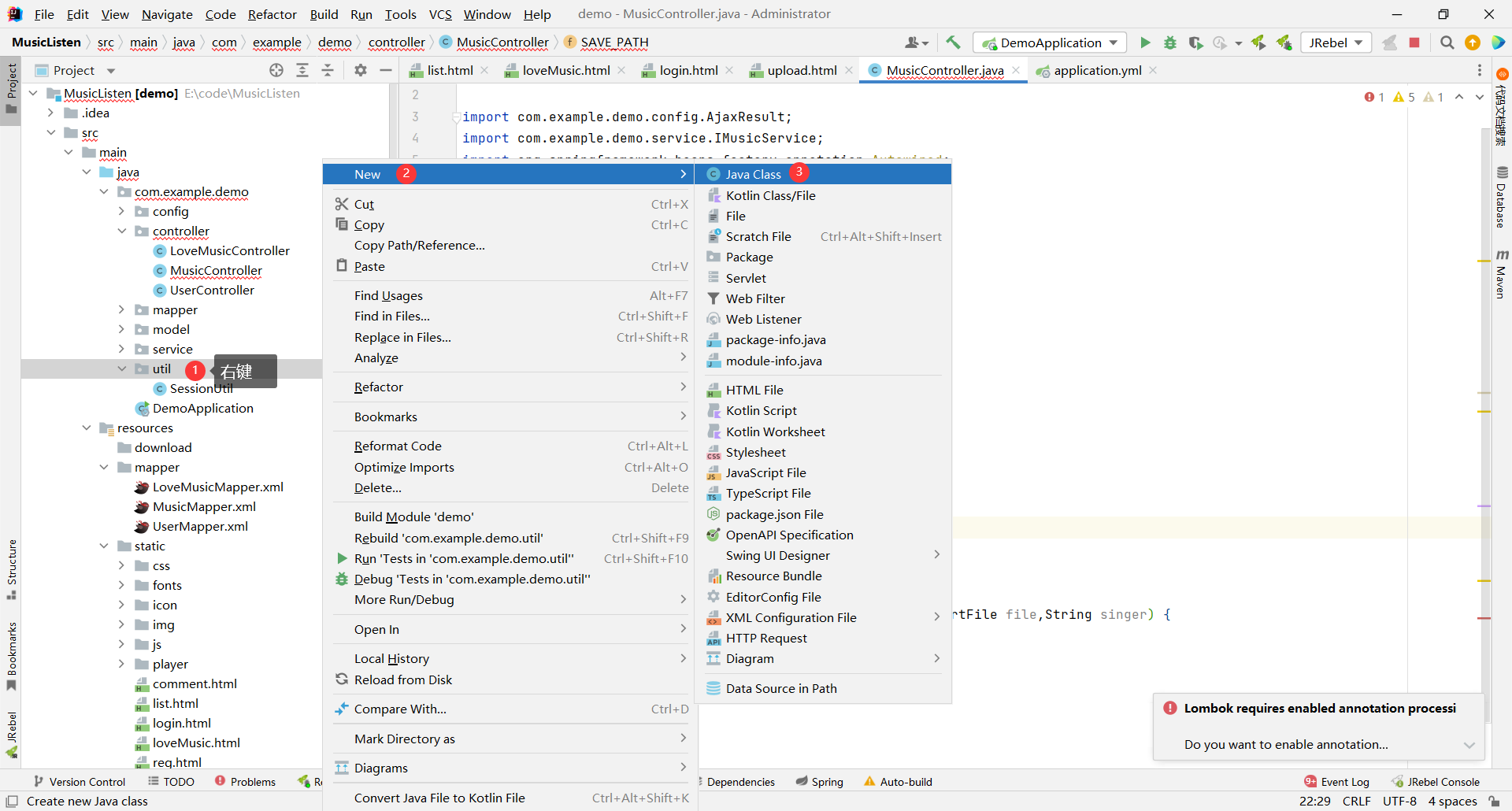
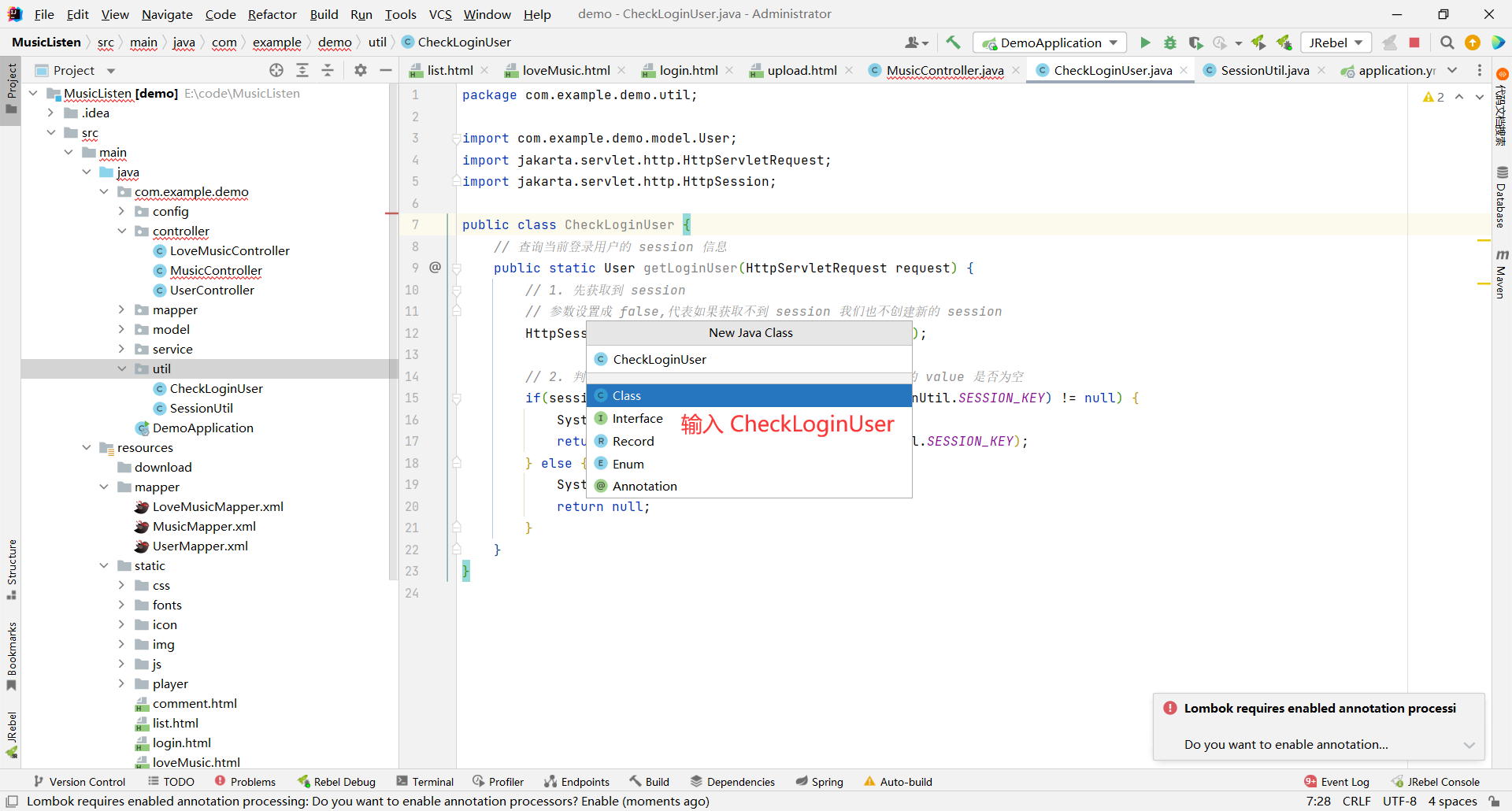
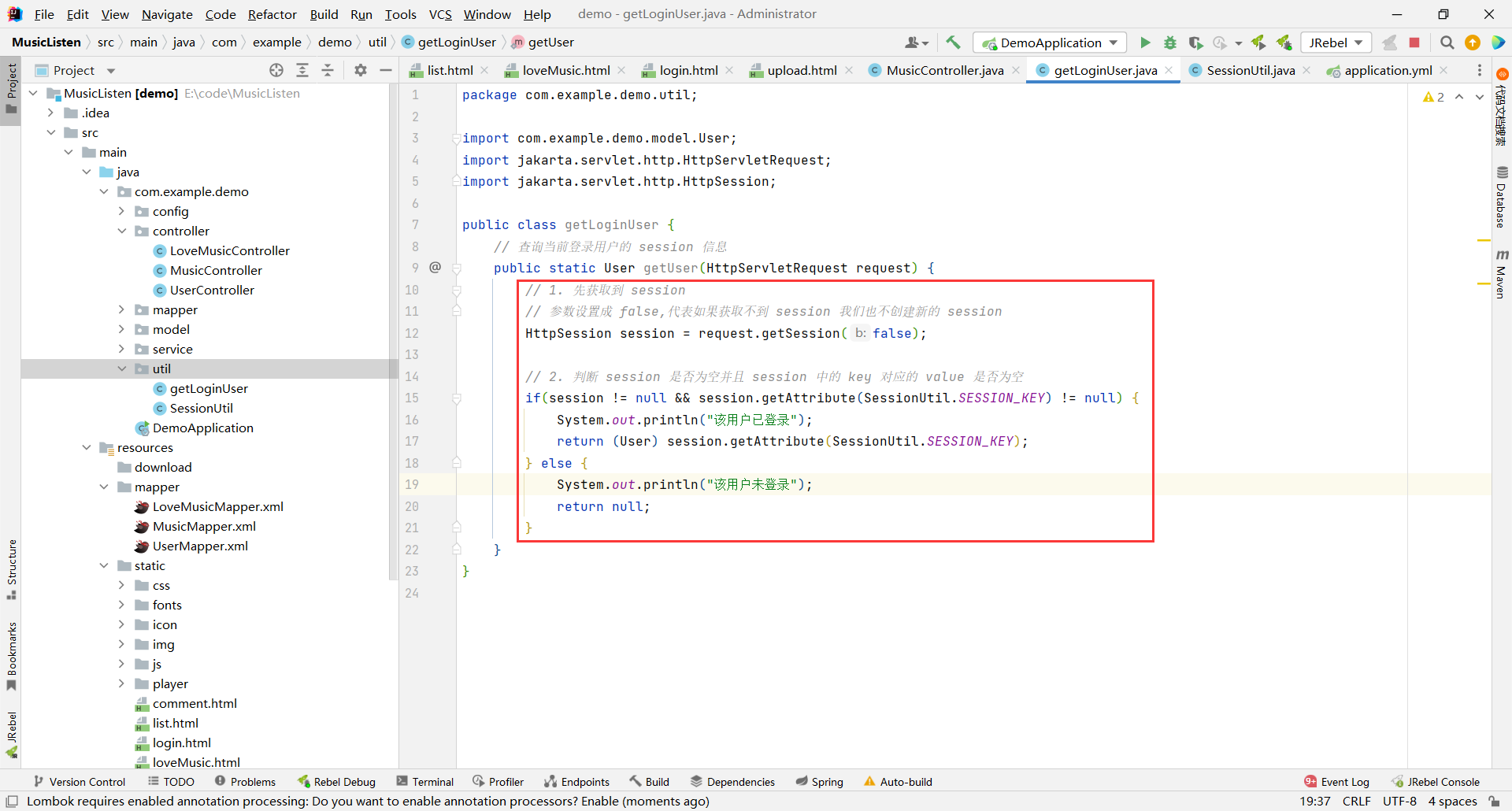
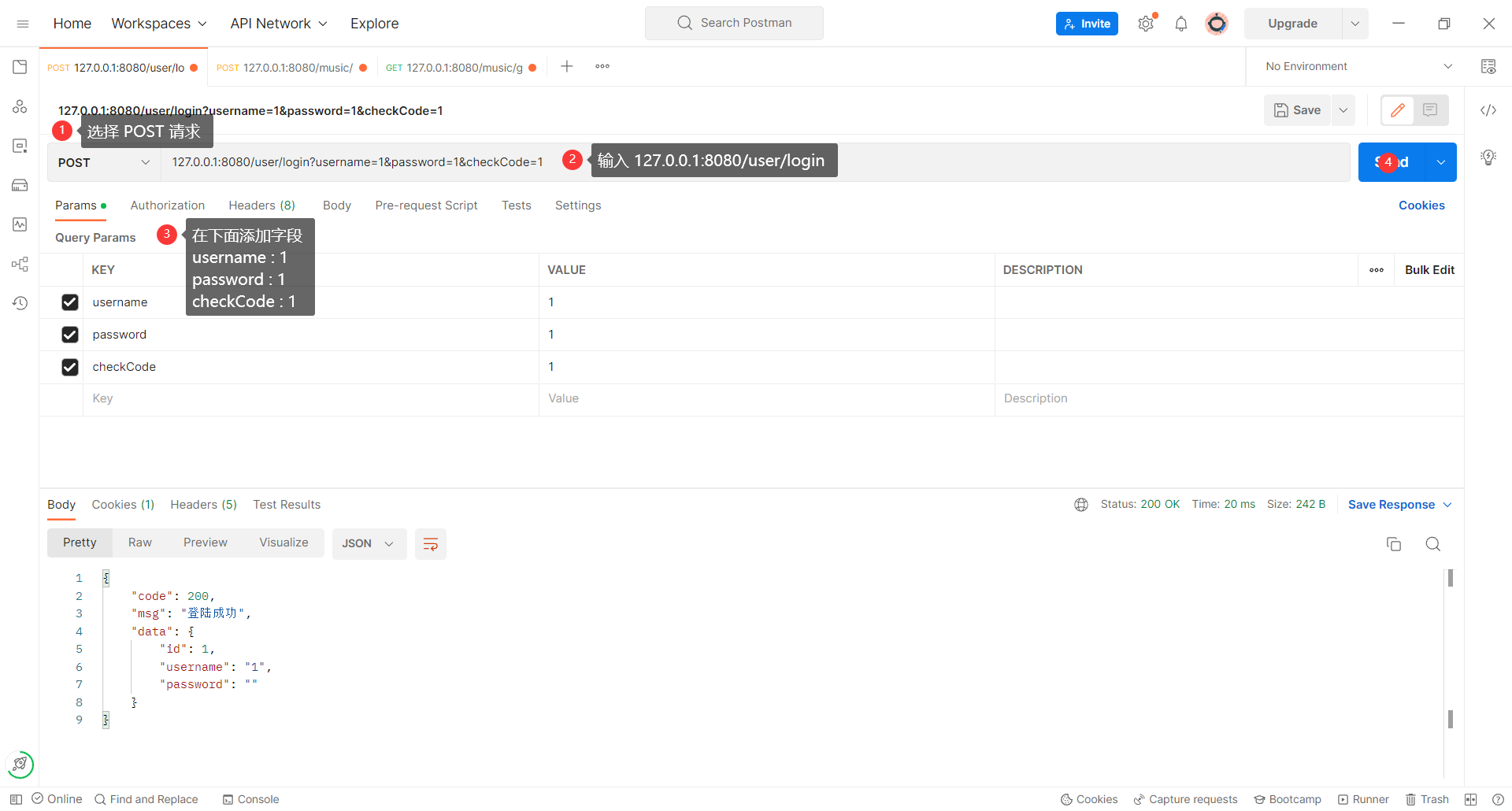
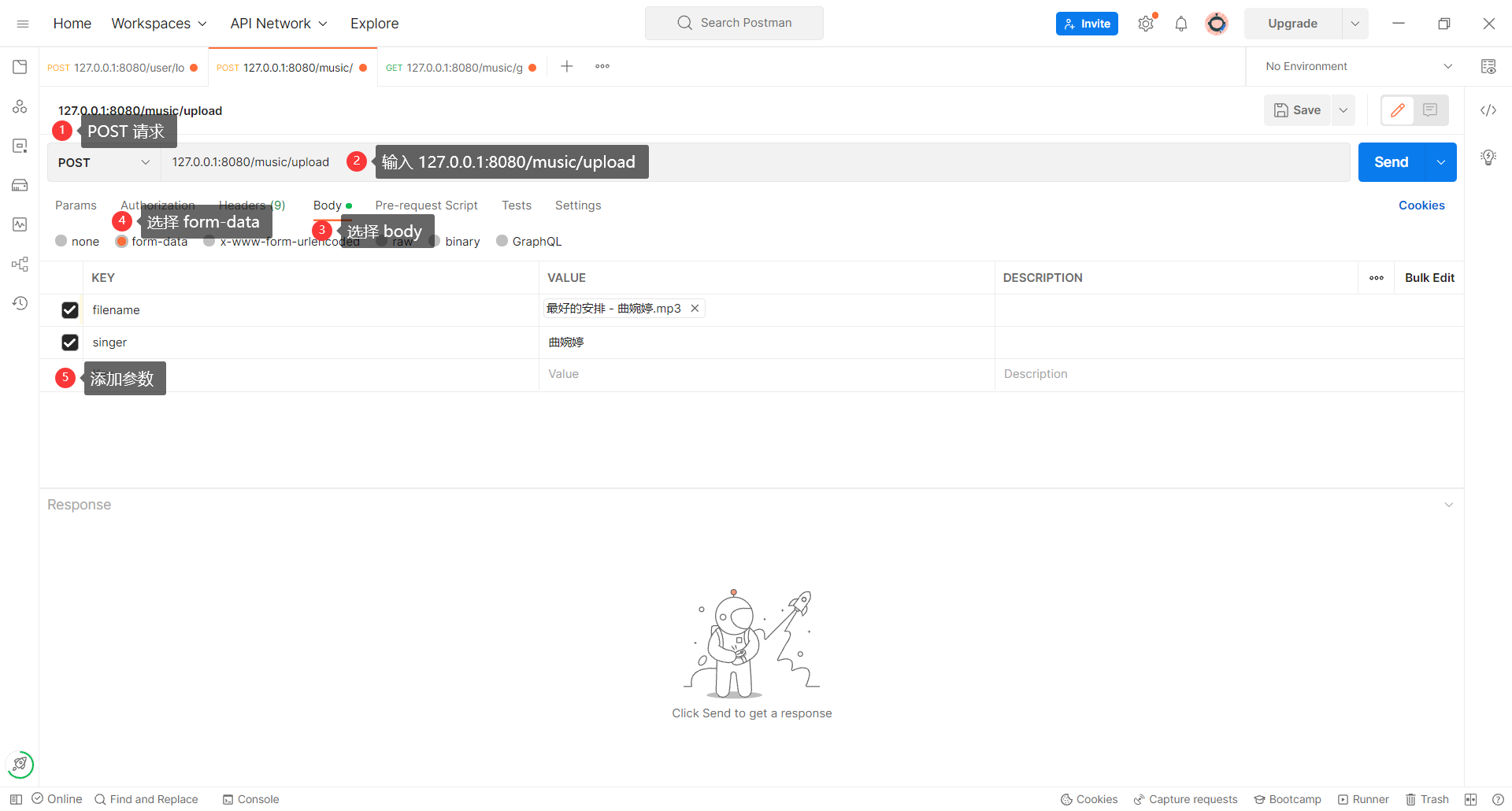
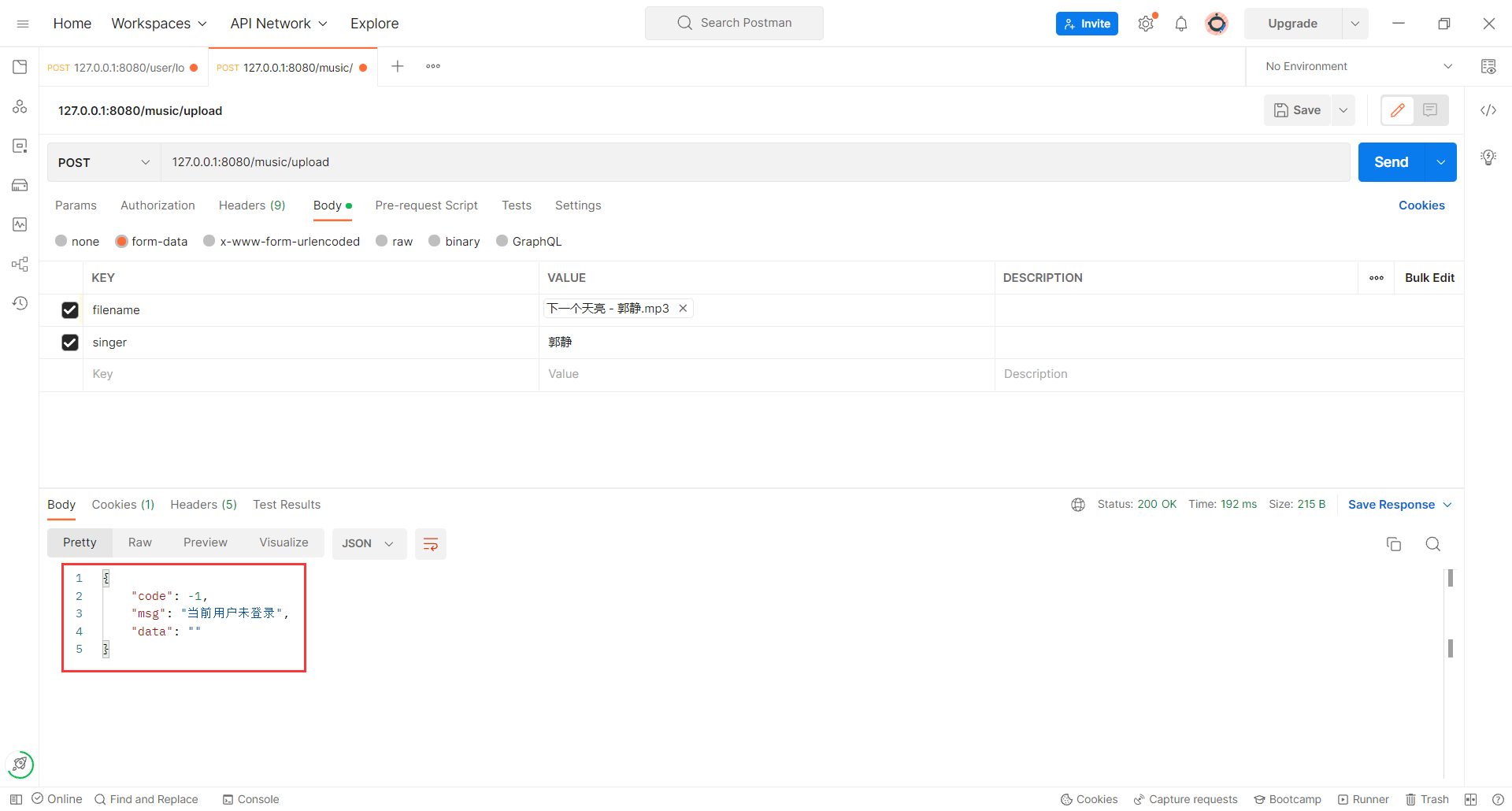
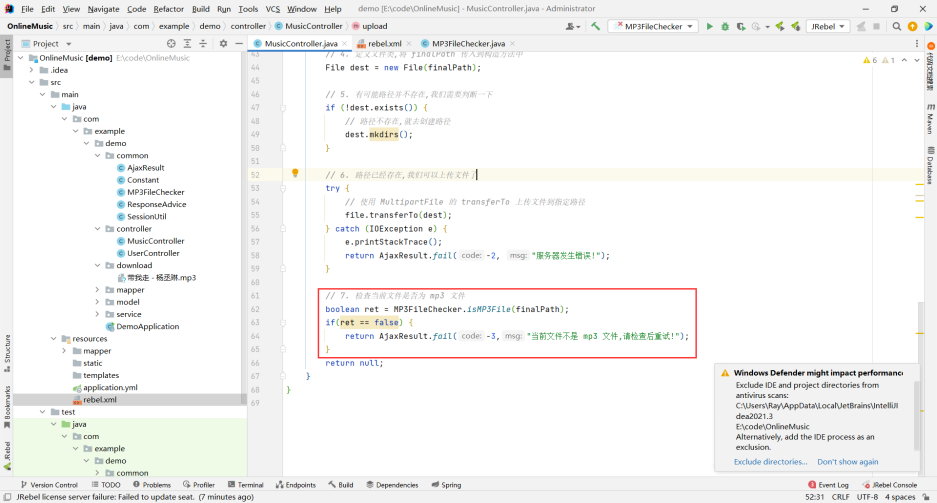
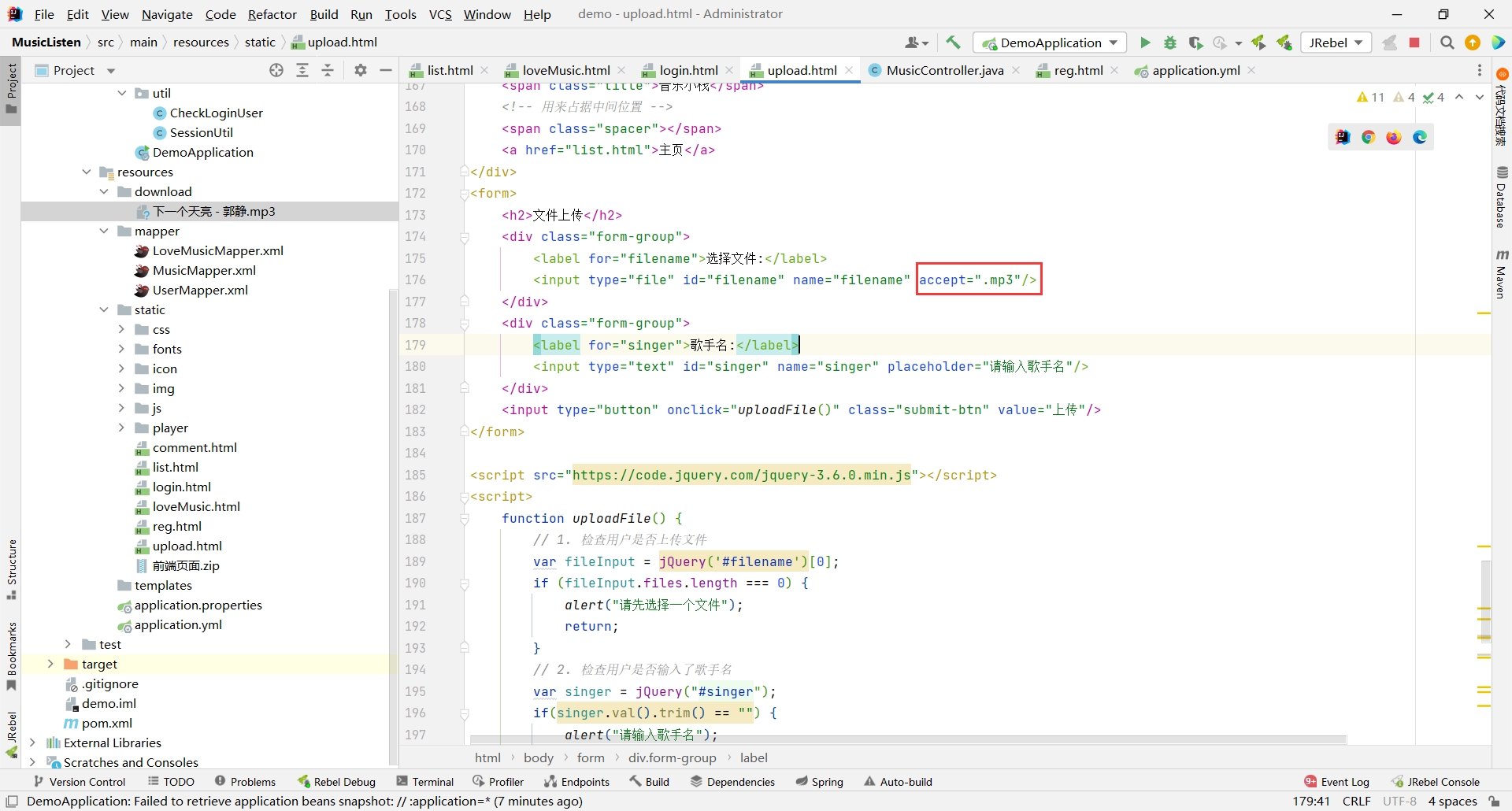
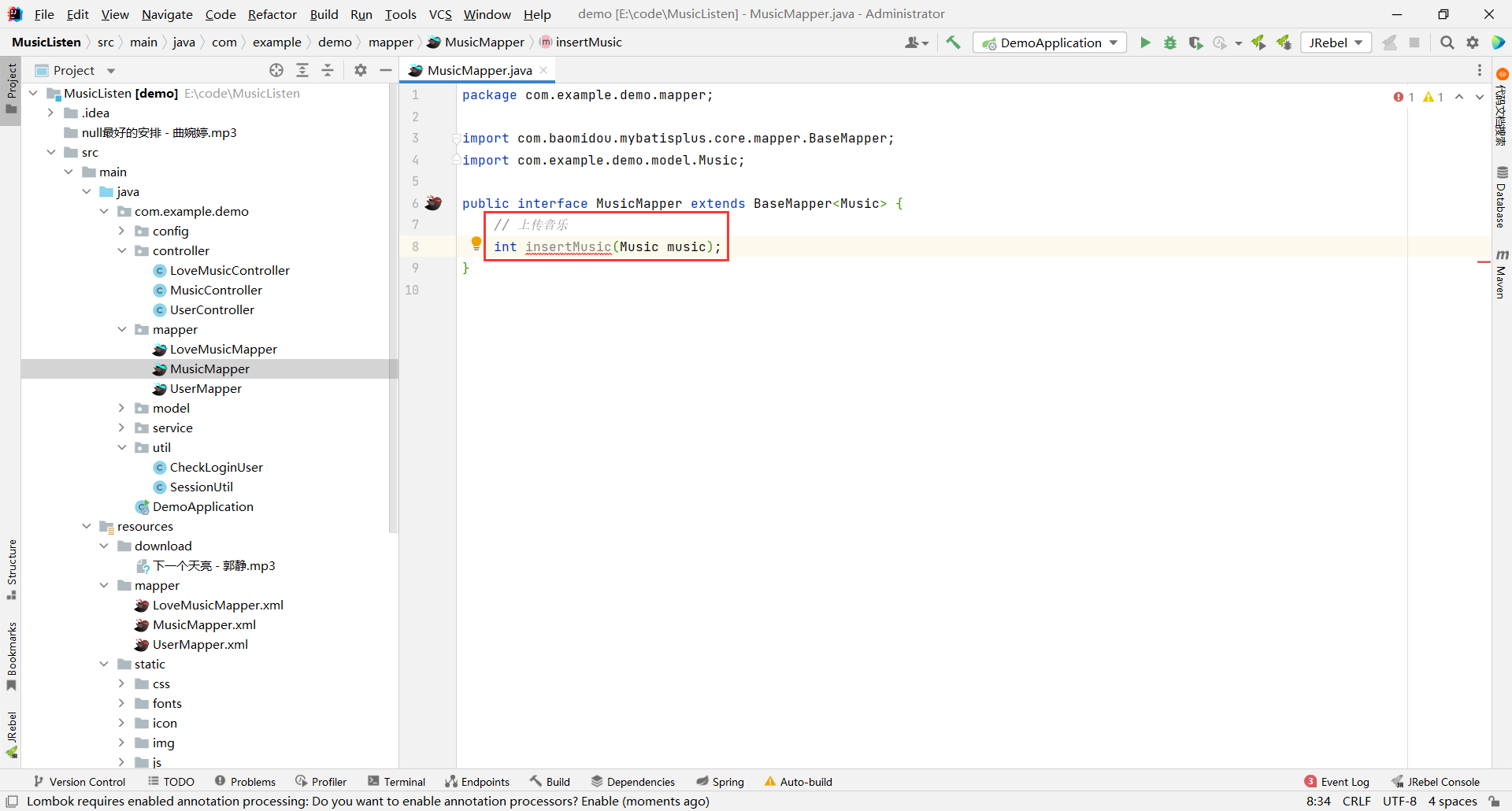
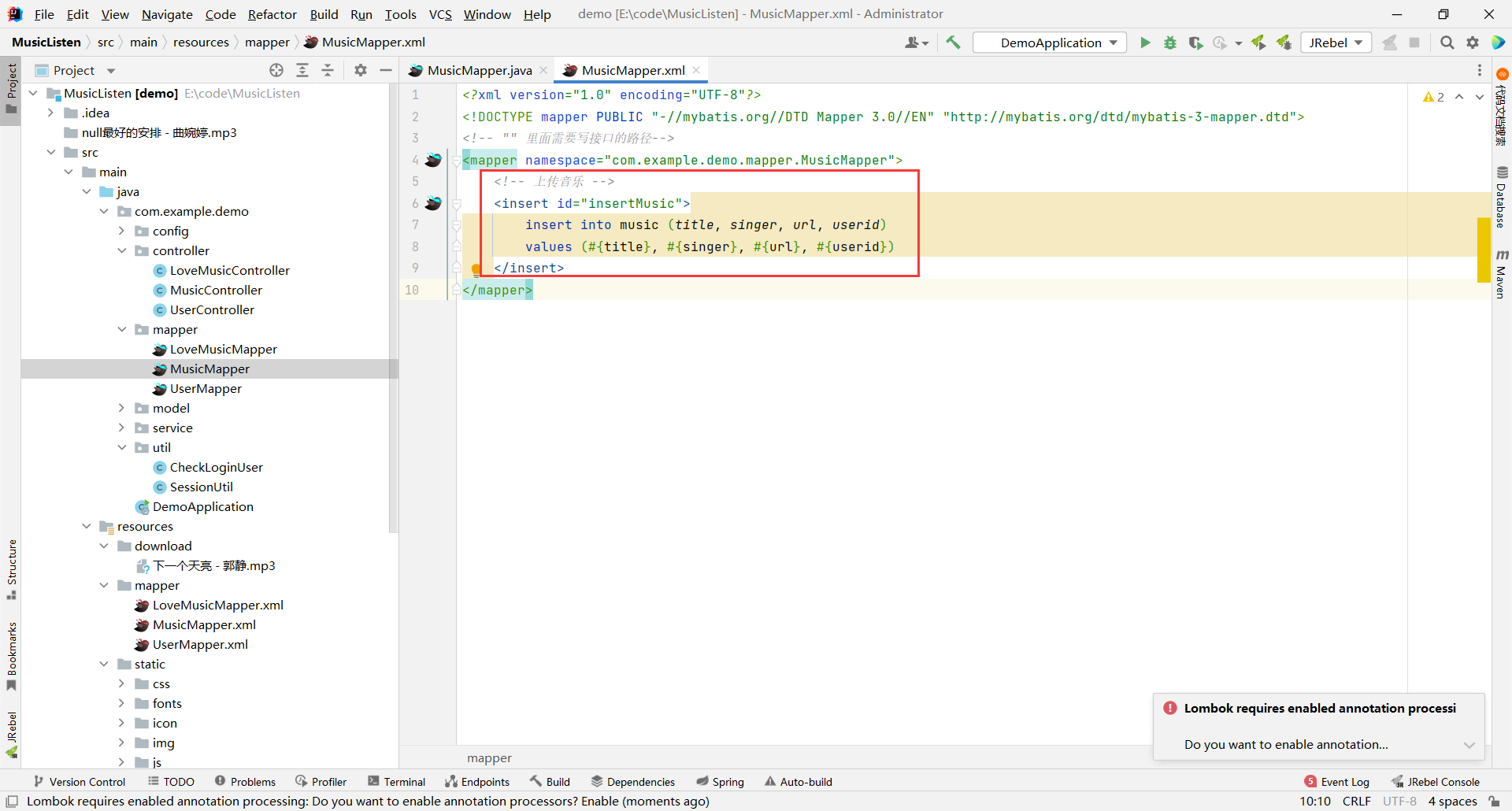
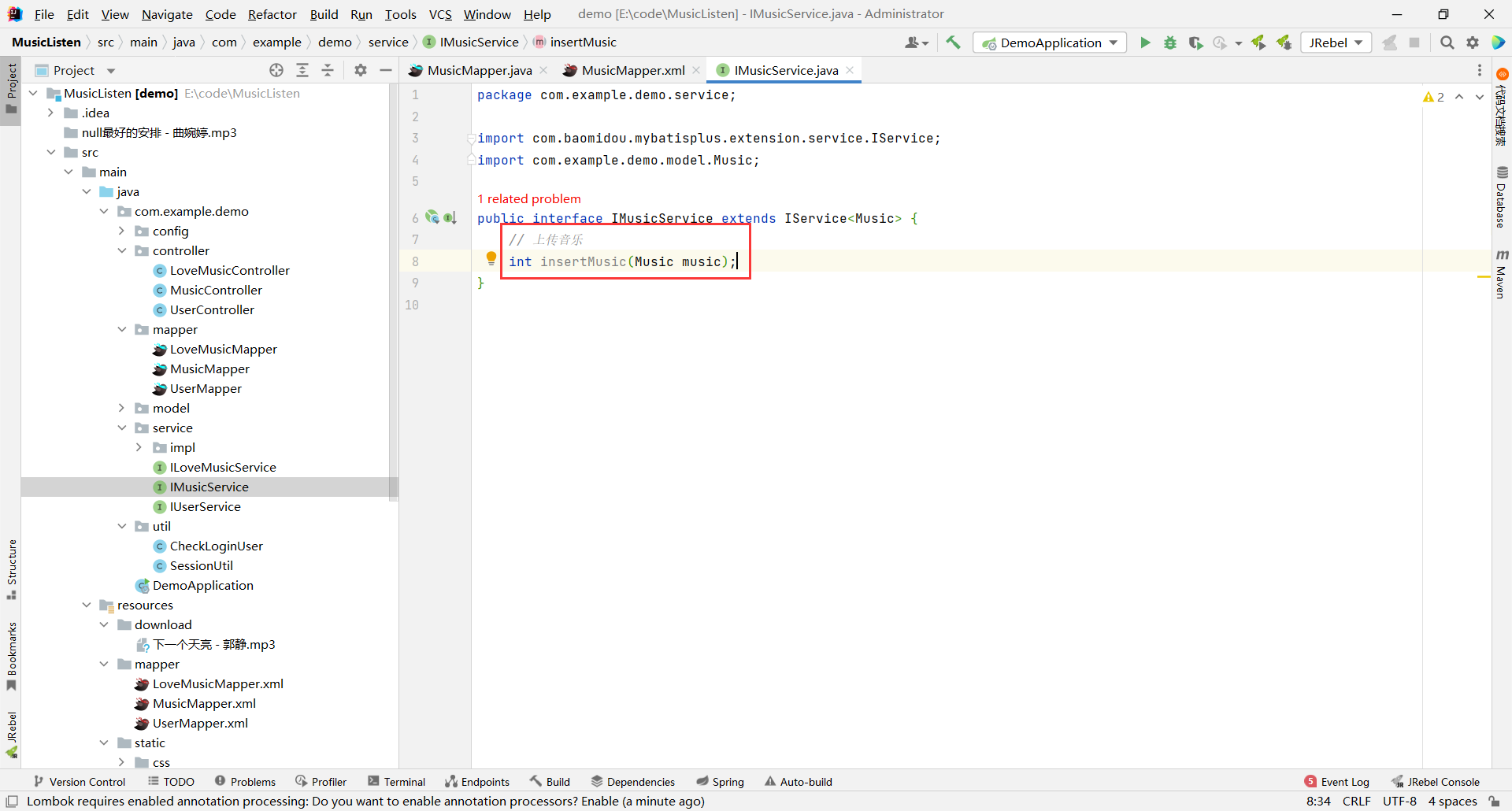
# 在线音乐播放器 **Repository Path**: linyuxb/OnlineMusic ## Basic Information - **Project Name**: 在线音乐播放器 - **Description**: SSM 版本的在线音乐播放器 本来实现的 JDK 17 版本的 , 但是忘记了云服务器上版本是 JDK 8 的 , 所以又实现了 JDK 1.8 版本的 - **Primary Language**: Unknown - **License**: Not specified - **Default Branch**: master - **Homepage**: None - **GVP Project**: No ## Statistics - **Stars**: 0 - **Forks**: 1 - **Created**: 2024-03-06 - **Last Updated**: 2024-03-06 ## Categories & Tags **Categories**: Uncategorized **Tags**: None ## README # 一 . 准备工作 ## 1.1 创建项目 ![image.png](https://cdn.nlark.com/yuque/0/2023/png/28016775/1689323291101-6e31f151-11cf-43fd-b869-cccd53574c03.png#averageHue=%23f6f4ef&clientId=u6515951d-d1a8-4&from=paste&height=824&id=u000a8182&originHeight=1030&originWidth=1920&originalType=binary&ratio=1.25&rotation=0&showTitle=false&size=206957&status=done&style=none&taskId=u287ddf7d-3fab-48d2-94ab-2bd46e3e507&title=&width=1536) ![image.png](https://cdn.nlark.com/yuque/0/2023/png/28016775/1689323488797-f1247352-d697-4677-8674-7994383011f3.png#averageHue=%23eeece9&clientId=u47d418b7-c7f5-4&from=paste&height=824&id=u39420279&originHeight=1030&originWidth=1920&originalType=binary&ratio=1.25&rotation=0&showTitle=false&size=221268&status=done&style=none&taskId=u9ade1078-c001-4e68-b9df-4d6f384bdce&title=&width=1536) ![image.png](https://cdn.nlark.com/yuque/0/2023/png/28016775/1689323583254-cf5ff71d-0cac-4e50-9c8c-0dce6945368b.png#averageHue=%23f3f1ef&clientId=u47d418b7-c7f5-4&from=paste&height=824&id=u62020694&originHeight=1030&originWidth=1920&originalType=binary&ratio=1.25&rotation=0&showTitle=false&size=180415&status=done&style=none&taskId=u29583315-9c77-4d98-a910-1b5981359c4&title=&width=1536) > 注意 : 我们不勾选 MyBatis 依赖 , 因为我们一会要引入 MP , MP 内置 MyBatis ![image.png](https://cdn.nlark.com/yuque/0/2023/png/28016775/1689323638794-3f606cae-fbd9-40d0-b22b-0e2cbf21a21b.png#averageHue=%23faf9f8&clientId=u47d418b7-c7f5-4&from=paste&height=824&id=u8b6a582a&originHeight=1030&originWidth=1920&originalType=binary&ratio=1.25&rotation=0&showTitle=false&size=235728&status=done&style=none&taskId=ud6f54664-a5bb-4da0-957f-7f5c6c3ad04&title=&width=1536) ![image.png](https://cdn.nlark.com/yuque/0/2023/png/28016775/1689323661333-08696611-2b25-4859-b805-b5e81da8064b.png#averageHue=%23ebeaea&clientId=u47d418b7-c7f5-4&from=paste&height=824&id=u72288d25&originHeight=1030&originWidth=1920&originalType=binary&ratio=1.25&rotation=0&showTitle=false&size=92404&status=done&style=none&taskId=u2469f9af-182c-48b0-a3f7-524e22a043f&title=&width=1536) 等到启动类图标变蓝 , 我们项目就创建结束了 ![image.png](https://cdn.nlark.com/yuque/0/2023/png/28016775/1689323719147-7ca1451a-ffac-4834-a7bc-de49f576ca91.png#averageHue=%23f2f1f0&clientId=u47d418b7-c7f5-4&from=paste&height=824&id=u54fde8e7&originHeight=1030&originWidth=1920&originalType=binary&ratio=1.25&rotation=0&showTitle=false&size=154187&status=done&style=none&taskId=u4c397608-8071-48fd-a3a9-30c1816c3c8&title=&width=1536) ![image.png](https://cdn.nlark.com/yuque/0/2023/png/28016775/1689323740805-ed23249e-2cc0-48df-a3b3-0a912e5f4c61.png#averageHue=%23ebeaea&clientId=u47d418b7-c7f5-4&from=paste&height=824&id=u682858b5&originHeight=1030&originWidth=1920&originalType=binary&ratio=1.25&rotation=0&showTitle=false&size=99126&status=done&style=none&taskId=u80b8de0f-3d3f-49fb-95a7-4d445928fa9&title=&width=1536) 粘贴进这段代码 ```yaml spring: # 配置数据库的连接字符串 datasource: url: jdbc:mysql://127.0.0.1:3306/onlinemusic?characterEncoding=utf8 username: root password: root driver-class-name: com.mysql.cj.jdbc.Driver # 配置 Spring Boot 上传文件的大小 # 默认每个文件的配置最大为 10MB,单次请求的文件的总数不能超过 10MB servlet: multipart: enabled: true max-file-size: 100MB # 设置最大文件大小 max-request-size: 100MB # 设置最大请求大小 # 配置 Spring Boot 日志调试模式是否开启 debug: true # 设置 Mybatis 的 xml 保存路径 mybatis: mapper-locations: classpath:mapper/**Mapper.xml configuration: # 配置打印 MyBatis 执行的 SQL log-impl: org.apache.ibatis.logging.stdout.StdOutImpl # 配置打印 MyBatis 执行的 SQL logging: level: com: example: demo: debug # 关闭 Spring Boot 的条件评估报告 logging.level.org.springframework.boot.autoconfigure: ERROR ``` 然后根据 application.yml 文件中 xxxMapper.xml 的存放规则 , 我们需要新建一个 mapper 文件夹 , 将 xxxMapper.xml 文件放到此文件夹中 ![image.png](https://cdn.nlark.com/yuque/0/2023/png/28016775/1689324111295-ea3a452c-f60c-4edb-ab58-0038a7da47cd.png#averageHue=%23f6f5f4&clientId=u47d418b7-c7f5-4&from=paste&height=824&id=u8c4b2444&originHeight=1030&originWidth=1920&originalType=binary&ratio=1.25&rotation=0&showTitle=false&size=177757&status=done&style=none&taskId=u47cb0f23-8a81-4163-b1ed-466537e63bb&title=&width=1536) ![image.png](https://cdn.nlark.com/yuque/0/2023/png/28016775/1689324127235-480aa0a4-4e9a-4325-9376-3e34fca5dd8d.png#averageHue=%23f9f9f8&clientId=u47d418b7-c7f5-4&from=paste&height=824&id=ubc18e92e&originHeight=1030&originWidth=1920&originalType=binary&ratio=1.25&rotation=0&showTitle=false&size=190735&status=done&style=none&taskId=uae3a5d9d-f3fb-4371-9022-3584358acfe&title=&width=1536) 然后在 pom.xml 中引入 MP > 引入 MP 可以帮助我们更简单的实现分页功能 ```xml com.baomidou mybatis-plus-boot-starter 3.5.3.1 ``` ![image.png](https://cdn.nlark.com/yuque/0/2023/png/28016775/1689342069580-ae2e9188-439e-430f-af2b-e81f19bc02dc.png#averageHue=%23f8f7f6&clientId=ud0355ed4-1822-4&from=paste&height=824&id=ufad7d833&originHeight=1030&originWidth=1920&originalType=binary&ratio=1.25&rotation=0&showTitle=false&size=225120&status=done&style=none&taskId=u94fd3404-5c05-487e-9be1-c3c51c3c416&title=&width=1536) 然后我们将前端界面引入进来 [前端页面.zip](https://www.yuque.com/attachments/yuque/0/2023/zip/28016775/1689342467166-6efebe3a-9276-42ab-891d-dda79ce090d3.zip?_lake_card=%7B%22src%22%3A%22https%3A%2F%2Fwww.yuque.com%2Fattachments%2Fyuque%2F0%2F2023%2Fzip%2F28016775%2F1689342467166-6efebe3a-9276-42ab-891d-dda79ce090d3.zip%22%2C%22name%22%3A%22%E5%89%8D%E7%AB%AF%E9%A1%B5%E9%9D%A2.zip%22%2C%22size%22%3A5706140%2C%22ext%22%3A%22zip%22%2C%22source%22%3A%22%22%2C%22status%22%3A%22done%22%2C%22download%22%3Atrue%2C%22taskId%22%3A%22u217ed4e4-49dd-4343-b979-600c40dfeb6%22%2C%22taskType%22%3A%22upload%22%2C%22type%22%3A%22application%2Fzip%22%2C%22__spacing%22%3A%22both%22%2C%22mode%22%3A%22title%22%2C%22id%22%3A%22ued6354a0%22%2C%22margin%22%3A%7B%22top%22%3Atrue%2C%22bottom%22%3Atrue%7D%2C%22card%22%3A%22file%22%7D) ![image.png](https://cdn.nlark.com/yuque/0/2023/png/28016775/1689332709067-15d39bfd-a87e-4fe1-8a01-f5148d44947c.png#averageHue=%23f8f6f4&clientId=u47d418b7-c7f5-4&from=paste&height=824&id=u43d2784c&originHeight=1030&originWidth=1920&originalType=binary&ratio=1.25&rotation=0&showTitle=false&size=174169&status=done&style=none&taskId=ub7538bfc-6e3d-4bec-bb4b-fb8402ce04b&title=&width=1536) ![image.png](https://cdn.nlark.com/yuque/0/2023/png/28016775/1689332739889-81dc94ea-51d5-48fc-9a77-3e27da6b4821.png#averageHue=%238fb589&clientId=u47d418b7-c7f5-4&from=paste&height=824&id=uee208c3e&originHeight=1030&originWidth=1920&originalType=binary&ratio=1.25&rotation=0&showTitle=false&size=233674&status=done&style=none&taskId=ub6a11289-044a-4ca7-b1a5-2c763f94998&title=&width=1536) ## 1.2 数据库的创建 我们音乐小栈系统 , 总共需要三张表 : 用户表、音乐表、收藏表 ```sql -- 创建数据库 drop database if exists onlinemusic; create database onlinemusic default character set utf8mb4; -- 使用数据数据 use onlinemusic; -- 创建 user 表 drop table if exists `user`; create table `user` ( `id` int primary key auto_increment, `username` varchar(20) unique not null , `password` varchar(64) not null ); -- 创建 music 表 drop table if exists `music`; create table `music` ( `id` int primary key auto_increment, -- 歌曲 ID `title` varchar(50) unique not null , -- 歌曲名称 `singer` varchar(30) not null, -- 歌手 `time` timestamp default now(), -- 上传时间 `url` varchar(1000) not null, -- 音乐存储位置 `userid` int(11) not null -- 标识 ID : 标识这个音乐是哪个用户上传的 ); -- 创建 lovemusic 表 -- user 表和 music 表具有多对多关系 -- 最起码有这三个字段 drop table if exists `lovemusic`; create table `lovemusic` ( `id` int primary key auto_increment, -- 收藏音乐列表 ID `userid` int(11) not null, -- 上传音乐的用户 ID `musicid` int(11) not null -- 被收藏的音乐的 ID ); ``` 将他在数据库中运行之后 , 我们就可以查看一下是否创建成功了 ![image.png](https://cdn.nlark.com/yuque/0/2023/png/28016775/1689324562253-5365912d-4776-436e-bd20-3908820799fc.png#averageHue=%23f9f8f8&clientId=u47d418b7-c7f5-4&from=paste&height=824&id=u22d3962a&originHeight=1030&originWidth=1920&originalType=binary&ratio=1.25&rotation=0&showTitle=false&size=148747&status=done&style=none&taskId=ucd72ef90-2343-4a34-b538-9536742826e&title=&width=1536) ## 1.3 公共模块的创建 我们一个项目 , 至少会有 controller 层、service 层、mapper 层 那我们还需要有存放实体类的 , 那就是 model 层 那还会有一些项目中的配置 , 比如 : 拦截器、统一数据格式的返回等等 , 我们把它叫做 config 那项目中还会有一些经常用到的组件 , 我们把它单独提取出来 , 需要放到 util 文件夹下 那么我们就分别来创建 ### 1.3.1 实体类 ![image.png](https://cdn.nlark.com/yuque/0/2023/png/28016775/1689325843354-7f58d698-478a-462e-8098-87c8a97b723d.png#averageHue=%23f6f5f4&clientId=u47d418b7-c7f5-4&from=paste&height=824&id=ud6c25106&originHeight=1030&originWidth=1920&originalType=binary&ratio=1.25&rotation=0&showTitle=false&size=183437&status=done&style=none&taskId=u152907ea-6295-460b-9f5b-9a21b5b543f&title=&width=1536) ![image.png](https://cdn.nlark.com/yuque/0/2023/png/28016775/1689325854878-50bd358d-0777-4f68-ba35-a813cddb4401.png#averageHue=%23faf9f9&clientId=u47d418b7-c7f5-4&from=paste&height=824&id=u4932e91a&originHeight=1030&originWidth=1920&originalType=binary&ratio=1.25&rotation=0&showTitle=false&size=112070&status=done&style=none&taskId=ufbc97866-6b34-4010-b22f-97652393ea1&title=&width=1536) 先创建 user 表对应的实体类 ![image.png](https://cdn.nlark.com/yuque/0/2023/png/28016775/1689325881879-ca4627e8-f2c4-4658-8d4a-17ab4429de45.png#averageHue=%23f5f4f3&clientId=u47d418b7-c7f5-4&from=paste&height=824&id=u66006c2f&originHeight=1030&originWidth=1920&originalType=binary&ratio=1.25&rotation=0&showTitle=false&size=182925&status=done&style=none&taskId=ubba1f49e-78ba-4392-9017-3682a134031&title=&width=1536) ![image.png](https://cdn.nlark.com/yuque/0/2023/png/28016775/1689325894496-4f498cf6-6e65-46a6-b127-2b73ca079780.png#averageHue=%23faf9f9&clientId=u47d418b7-c7f5-4&from=paste&height=824&id=u450b295a&originHeight=1030&originWidth=1920&originalType=binary&ratio=1.25&rotation=0&showTitle=false&size=117922&status=done&style=none&taskId=u558bf805-4816-40c2-969a-742bbe4b46f&title=&width=1536) 然后在最上面添加 @Getter @Setter 注解 然后我们按照字段类型来去编写字段 , 要求属性名以及属性的类型要与字段名和类型保持一致 ![image.png](https://cdn.nlark.com/yuque/0/2023/png/28016775/1689326050298-733a9fa5-92b6-4c61-8822-b849f4b57250.png#averageHue=%23f9f8f8&clientId=u47d418b7-c7f5-4&from=paste&height=824&id=u60b9ceb7&originHeight=1030&originWidth=1920&originalType=binary&ratio=1.25&rotation=0&showTitle=false&size=155548&status=done&style=none&taskId=u9d0e6438-d24d-4756-9d4f-f81fb8dbb56&title=&width=1536) 但是还存在一个问题 : 我们在使用 MP 的时候 , 要注意的一个点是 - 创建实体类的时候 , 要指定主键生成 ID 的策略 , 如果不设置的话 , 默认使用雪花算法 > 雪花算法就会生成一长串很长的 ID 那接下来我们就需要针对主键设置生成策略 , 使用注解 : @TableId(type = IdType.AUTO) ![image.png](https://cdn.nlark.com/yuque/0/2023/png/28016775/1689326152603-61b3842c-8c03-4e8b-ad9d-b60cd1c96f4b.png#averageHue=%23faf9f8&clientId=u47d418b7-c7f5-4&from=paste&height=824&id=u52c8c7f2&originHeight=1030&originWidth=1920&originalType=binary&ratio=1.25&rotation=0&showTitle=false&size=151160&status=done&style=none&taskId=u0ad1ab56-e210-4945-b948-847c68c2f0b&title=&width=1536) ```java package com.example.demo.model; import com.baomidou.mybatisplus.annotation.IdType; import com.baomidou.mybatisplus.annotation.TableId; import lombok.Getter; import lombok.Setter; @Getter @Setter public class User { @TableId(type = IdType.AUTO) private Integer id; private String username; private String password; } ``` 然后接下来我们创建另外两个实体类 ![image.png](https://cdn.nlark.com/yuque/0/2023/png/28016775/1689325881879-ca4627e8-f2c4-4658-8d4a-17ab4429de45.png#averageHue=%23f5f4f3&clientId=u47d418b7-c7f5-4&from=paste&height=824&id=e7MLq&originHeight=1030&originWidth=1920&originalType=binary&ratio=1.25&rotation=0&showTitle=false&size=182925&status=done&style=none&taskId=ubba1f49e-78ba-4392-9017-3682a134031&title=&width=1536) ![image.png](https://cdn.nlark.com/yuque/0/2023/png/28016775/1689326203691-2b58238c-137b-460a-bc1f-21eb59e2fe16.png#averageHue=%23faf9f8&clientId=u47d418b7-c7f5-4&from=paste&height=824&id=ud293025c&originHeight=1030&originWidth=1920&originalType=binary&ratio=1.25&rotation=0&showTitle=false&size=152975&status=done&style=none&taskId=u8386a315-72f0-4748-a6cf-b7fcd40b109&title=&width=1536) ![image.png](https://cdn.nlark.com/yuque/0/2023/png/28016775/1689326423245-1d9baf09-8ced-4830-9fa0-2619d32524e3.png#averageHue=%23f8f7f6&clientId=u47d418b7-c7f5-4&from=paste&height=824&id=uf2a88e6e&originHeight=1030&originWidth=1920&originalType=binary&ratio=1.25&rotation=0&showTitle=false&size=189391&status=done&style=none&taskId=u79f0e39a-0da7-49f9-899d-0a589e46724&title=&width=1536) ```java package com.example.demo.model; import com.baomidou.mybatisplus.annotation.IdType; import com.baomidou.mybatisplus.annotation.TableId; import lombok.Getter; import lombok.Setter; import java.time.LocalDateTime; @Getter @Setter public class Music { @TableId(type = IdType.AUTO) private Integer id; private String title; private String singer; private LocalDateTime time; private String url; private Integer userid; } ``` 最后编写 LoveMusic ![image.png](https://cdn.nlark.com/yuque/0/2023/png/28016775/1689325881879-ca4627e8-f2c4-4658-8d4a-17ab4429de45.png#averageHue=%23f5f4f3&clientId=u47d418b7-c7f5-4&from=paste&height=824&id=QK947&originHeight=1030&originWidth=1920&originalType=binary&ratio=1.25&rotation=0&showTitle=false&size=182925&status=done&style=none&taskId=ubba1f49e-78ba-4392-9017-3682a134031&title=&width=1536) ![image.png](https://cdn.nlark.com/yuque/0/2023/png/28016775/1689326708939-d144cfdd-632a-46b6-9974-a0b272d04bac.png#averageHue=%23faf9f8&clientId=u47d418b7-c7f5-4&from=paste&height=824&id=u4c78d51b&originHeight=1030&originWidth=1920&originalType=binary&ratio=1.25&rotation=0&showTitle=false&size=140261&status=done&style=none&taskId=ubd621074-f38a-47f4-bb32-35976a87779&title=&width=1536) ![image.png](https://cdn.nlark.com/yuque/0/2023/png/28016775/1689326904941-e58ceea4-1b56-4263-8809-828e50a41b6d.png#averageHue=%23f8f7f7&clientId=u47d418b7-c7f5-4&from=paste&height=824&id=ufad7d7b5&originHeight=1030&originWidth=1920&originalType=binary&ratio=1.25&rotation=0&showTitle=false&size=172941&status=done&style=none&taskId=ud7e13076-09bd-4e94-ac30-fa684943565&title=&width=1536) ### 1.3.2 mapper 层 我们先来创建 mapper 层 ![image.png](https://cdn.nlark.com/yuque/0/2023/png/28016775/1689330260308-d15e9389-6e14-4115-8f18-f9de444984d8.png#averageHue=%23f5f4f3&clientId=u47d418b7-c7f5-4&from=paste&height=824&id=DCwtn&originHeight=1030&originWidth=1920&originalType=binary&ratio=1.25&rotation=0&showTitle=false&size=191604&status=done&style=none&taskId=u4da51370-490b-4961-adc2-b723188138e&title=&width=1536) ![image.png](https://cdn.nlark.com/yuque/0/2023/png/28016775/1689330296004-cdeb0050-a47a-47ca-bbb7-b93cdea56dbe.png#averageHue=%23faf9f9&clientId=u47d418b7-c7f5-4&from=paste&height=824&id=ubf2daf99&originHeight=1030&originWidth=1920&originalType=binary&ratio=1.25&rotation=0&showTitle=false&size=121621&status=done&style=none&taskId=ueb9cb579-f499-4282-9b28-4d628bc8684&title=&width=1536) 那 mapper 层对应他的声明和实现 , 我们既要去实现 xxxMapper 接口 , 也要去实现 xxxMapper.xml #### UserMapper ##### 接口 UserMapper 接口 : ![image.png](https://cdn.nlark.com/yuque/0/2023/png/28016775/1689330360663-5cf0050e-141d-4916-a01d-469a853334de.png#averageHue=%23f5f4f3&clientId=u47d418b7-c7f5-4&from=paste&height=824&id=u86c57cf2&originHeight=1030&originWidth=1920&originalType=binary&ratio=1.25&rotation=0&showTitle=false&size=192079&status=done&style=none&taskId=u44706ae8-7964-4754-9b85-afee0035920&title=&width=1536) ![image.png](https://cdn.nlark.com/yuque/0/2023/png/28016775/1689330384236-e2d8f049-e5bc-4db8-8b2c-df24b7514332.png#averageHue=%23f9f8f8&clientId=u47d418b7-c7f5-4&from=paste&height=824&id=u5c8b5ed7&originHeight=1030&originWidth=1920&originalType=binary&ratio=1.25&rotation=0&showTitle=false&size=129984&status=done&style=none&taskId=u21602e6e-c317-4686-9538-34f4eb00ab0&title=&width=1536) 然后在最上面添加 @Mapper 注解 , 但是 MP 给我们提供了一种方式 , 不用每个 mapper 上面都加 @Mapper 注解 我们只需要在启动类上添加 @MapperScan("mapper 层路径") ![image.png](https://cdn.nlark.com/yuque/0/2023/png/28016775/1689330500854-cab0b906-b0bc-4992-920d-7328532877bb.png#averageHue=%23f9f9f8&clientId=u47d418b7-c7f5-4&from=paste&height=824&id=uf2b08194&originHeight=1030&originWidth=1920&originalType=binary&ratio=1.25&rotation=0&showTitle=false&size=165782&status=done&style=none&taskId=u42039738-215d-4f8e-be31-e95a760d456&title=&width=1536) 添加此注解的作用就是当项目启动的时候 , 会扫描 com.example.demo.mapper 路径 , 将该路径下面的接口自动帮我们加上 @Mapper 那接口创建好之后 , 我们还要去继承 BaseMap , 也就是 extends BaseMap<要操作的实体类> ![image.png](https://cdn.nlark.com/yuque/0/2023/png/28016775/1689330660290-92e2668e-b7da-42c2-a030-dca7146f6b08.png#averageHue=%23faf9f9&clientId=u47d418b7-c7f5-4&from=paste&height=824&id=u9afd9ea4&originHeight=1030&originWidth=1920&originalType=binary&ratio=1.25&rotation=0&showTitle=false&size=132933&status=done&style=none&taskId=uf88dead9-1333-4fc6-baac-46794512e2e&title=&width=1536) ```java package com.example.demo.mapper; import com.baomidou.mybatisplus.core.mapper.BaseMapper; import com.example.demo.model.User; public interface UserMapper extends BaseMapper { } ``` ##### 对应的 xml UserMapper.xml : ![image.png](https://cdn.nlark.com/yuque/0/2023/png/28016775/1689330698118-8df2d986-060b-445c-8278-22e234a53815.png#averageHue=%23f6f5f4&clientId=u47d418b7-c7f5-4&from=paste&height=824&id=ua257c647&originHeight=1030&originWidth=1920&originalType=binary&ratio=1.25&rotation=0&showTitle=false&size=187872&status=done&style=none&taskId=u9c740fe5-d5c9-4ce5-b3b9-431576b0a4b&title=&width=1536) ![image.png](https://cdn.nlark.com/yuque/0/2023/png/28016775/1689330718394-389c6d55-591c-4530-a61e-b1f0a9a4f38c.png#averageHue=%23faf9f8&clientId=u47d418b7-c7f5-4&from=paste&height=824&id=ud6b889e1&originHeight=1030&originWidth=1920&originalType=binary&ratio=1.25&rotation=0&showTitle=false&size=138406&status=done&style=none&taskId=u33f02244-1fd6-4e43-b443-220821571a9&title=&width=1536) 粘贴进这段代码 ```xml ``` ![image.png](https://cdn.nlark.com/yuque/0/2023/png/28016775/1689330796636-41e5d5b0-3994-4f3a-bff2-0f65b2dc054c.png#averageHue=%23faf8f8&clientId=u47d418b7-c7f5-4&from=paste&height=824&id=uec2f0dc9&originHeight=1030&originWidth=1920&originalType=binary&ratio=1.25&rotation=0&showTitle=false&size=149970&status=done&style=none&taskId=u13ffaa15-ad8b-4d18-9f9b-1d7ccc2ec55&title=&width=1536) #### MusicMapper ##### 接口 ![image.png](https://cdn.nlark.com/yuque/0/2023/png/28016775/1689330875019-3f5cba73-62b9-4bcc-adb7-0c1be2abc2e7.png#averageHue=%23f4f3f2&clientId=u47d418b7-c7f5-4&from=paste&height=824&id=u0ea743cb&originHeight=1030&originWidth=1920&originalType=binary&ratio=1.25&rotation=0&showTitle=false&size=208677&status=done&style=none&taskId=ufa87666e-d45d-4c38-944d-de83c51ee1b&title=&width=1536) ![image.png](https://cdn.nlark.com/yuque/0/2023/png/28016775/1689330902562-70fc85d1-669f-4955-995c-40706109de3f.png#averageHue=%23f8f7f6&clientId=u47d418b7-c7f5-4&from=paste&height=824&id=u2b266ec7&originHeight=1030&originWidth=1920&originalType=binary&ratio=1.25&rotation=0&showTitle=false&size=154754&status=done&style=none&taskId=u9baa9bed-320c-4de1-83b1-bf4edd24c72&title=&width=1536) ![image.png](https://cdn.nlark.com/yuque/0/2023/png/28016775/1689330939940-18cd3867-166c-4902-a307-5a027f171ab4.png#averageHue=%23faf9f9&clientId=u47d418b7-c7f5-4&from=paste&height=824&id=u92b5144b&originHeight=1030&originWidth=1920&originalType=binary&ratio=1.25&rotation=0&showTitle=false&size=135330&status=done&style=none&taskId=u51ec6676-90c5-43e9-881b-e7ee368b78d&title=&width=1536) ```java package com.example.demo.mapper; import com.baomidou.mybatisplus.core.mapper.BaseMapper; import com.example.demo.model.Music; public interface MusicMapper extends BaseMapper { } ``` ##### 对应的 xml ![image.png](https://cdn.nlark.com/yuque/0/2023/png/28016775/1689330992733-2e3be476-e368-4e97-a8e4-60c70e29b7e6.png#averageHue=%23f5f4f3&clientId=u47d418b7-c7f5-4&from=paste&height=824&id=uc4c8cf5c&originHeight=1030&originWidth=1920&originalType=binary&ratio=1.25&rotation=0&showTitle=false&size=190993&status=done&style=none&taskId=ue0b61c11-36b6-4c78-a773-09cf0be3470&title=&width=1536) ![image.png](https://cdn.nlark.com/yuque/0/2023/png/28016775/1689331012694-ae7bb2d7-e601-4f69-bca1-dad0f81e16b6.png#averageHue=%23f9f8f7&clientId=u47d418b7-c7f5-4&from=paste&height=824&id=uf16c26f6&originHeight=1030&originWidth=1920&originalType=binary&ratio=1.25&rotation=0&showTitle=false&size=141272&status=done&style=none&taskId=u3d388521-f3f3-4ffa-95f1-f59f7793a85&title=&width=1536) 粘贴进这段代码 ```xml ``` ![image.png](https://cdn.nlark.com/yuque/0/2023/png/28016775/1689331056269-e2b87ff9-d89d-4449-9194-2889c87ad32d.png#averageHue=%23f9f8f8&clientId=u47d418b7-c7f5-4&from=paste&height=824&id=u89d6b77b&originHeight=1030&originWidth=1920&originalType=binary&ratio=1.25&rotation=0&showTitle=false&size=151936&status=done&style=none&taskId=u1fdb2759-fb4d-4d54-89d5-03e13e0fb3a&title=&width=1536) #### LoveMusicMapper ##### 接口 ![image.png](https://cdn.nlark.com/yuque/0/2023/png/28016775/1689331106382-be489dce-611e-47f5-9aca-4f7a4d690f1e.png#averageHue=%23f5f4f3&clientId=u47d418b7-c7f5-4&from=paste&height=824&id=ue760569a&originHeight=1030&originWidth=1920&originalType=binary&ratio=1.25&rotation=0&showTitle=false&size=196082&status=done&style=none&taskId=ubfbb675b-53ff-4dc9-a7b1-0d537e7d364&title=&width=1536) ![image.png](https://cdn.nlark.com/yuque/0/2023/png/28016775/1689331131934-b2f852ec-6df1-4dd5-99f0-6b8163cf5bf3.png#averageHue=%23f9f8f7&clientId=u47d418b7-c7f5-4&from=paste&height=824&id=ub75c8f00&originHeight=1030&originWidth=1920&originalType=binary&ratio=1.25&rotation=0&showTitle=false&size=146549&status=done&style=none&taskId=u137dac87-6516-4433-862f-cad3112c36d&title=&width=1536) ![image.png](https://cdn.nlark.com/yuque/0/2023/png/28016775/1689331159232-023d5a3d-aa87-4b6b-b903-bfe4caf08879.png#averageHue=%23faf9f8&clientId=u47d418b7-c7f5-4&from=paste&height=824&id=ub7c4c68c&originHeight=1030&originWidth=1920&originalType=binary&ratio=1.25&rotation=0&showTitle=false&size=135954&status=done&style=none&taskId=ua9a3f49b-d0fe-4627-9b6e-7b383159b51&title=&width=1536) ```java package com.example.demo.mapper; import com.baomidou.mybatisplus.core.mapper.BaseMapper; import com.example.demo.model.LoveMusic; public interface LoveMusicMapper extends BaseMapper { } ``` ##### 对应的 xml ![image.png](https://cdn.nlark.com/yuque/0/2023/png/28016775/1689331192156-168d4da3-3041-4693-a35e-bdf51c2bdf8d.png#averageHue=%23f5f4f2&clientId=u47d418b7-c7f5-4&from=paste&height=824&id=u042f0ead&originHeight=1030&originWidth=1920&originalType=binary&ratio=1.25&rotation=0&showTitle=false&size=195283&status=done&style=none&taskId=u5d7ee58b-2a99-40c8-bc69-6fa7ee5c361&title=&width=1536) ![image.png](https://cdn.nlark.com/yuque/0/2023/png/28016775/1689331220208-3ab87c6c-8c55-40b1-9fb2-588bdc80376a.png#averageHue=%23f9f8f7&clientId=u47d418b7-c7f5-4&from=paste&height=824&id=u4cddd04c&originHeight=1030&originWidth=1920&originalType=binary&ratio=1.25&rotation=0&showTitle=false&size=145299&status=done&style=none&taskId=u11e6bad0-31f9-4052-821c-e2ecf74c592&title=&width=1536) 粘贴进这段代码 ```xml ``` ![image.png](https://cdn.nlark.com/yuque/0/2023/png/28016775/1689331266350-466c96be-eac8-4a88-94fa-a12df00af509.png#averageHue=%23f9f8f8&clientId=u47d418b7-c7f5-4&from=paste&height=824&id=u5c964075&originHeight=1030&originWidth=1920&originalType=binary&ratio=1.25&rotation=0&showTitle=false&size=155115&status=done&style=none&taskId=u9aae5043-ac3e-42b4-bd16-b1ca4cb0886&title=&width=1536) ### 1.3.3 service 层 先创建出 service 目录 ![image.png](https://cdn.nlark.com/yuque/0/2023/png/28016775/1689325566672-76ce0c47-8bc3-42f9-95ce-4bf9c1beaf15.png#averageHue=%23f6f5f4&clientId=u47d418b7-c7f5-4&from=paste&height=824&id=u6a1024d8&originHeight=1030&originWidth=1920&originalType=binary&ratio=1.25&rotation=0&showTitle=false&size=182787&status=done&style=none&taskId=ub629c273-3ede-40f9-b46d-e8775d211d7&title=&width=1536) ![image.png](https://cdn.nlark.com/yuque/0/2023/png/28016775/1689325581152-9c87b904-2f93-4789-803d-12b05c04f240.png#averageHue=%23faf9f9&clientId=u47d418b7-c7f5-4&from=paste&height=824&id=uf5393d57&originHeight=1030&originWidth=1920&originalType=binary&ratio=1.25&rotation=0&showTitle=false&size=121677&status=done&style=none&taskId=uf568f62e-ff27-4685-824c-79b4638a9c3&title=&width=1536) 我们是通过 MP 来实现 SQL 查询的 那么 MP 要求 service 层包括两部分 : 接口 + 实现类 那我们就先创建接口 #### 接口 先创建 UserService ![image.png](https://cdn.nlark.com/yuque/0/2023/png/28016775/1689325661418-f8d80b42-4ea1-43c5-95f4-6016d7619f5f.png#averageHue=%23f5f4f3&clientId=u47d418b7-c7f5-4&from=paste&height=824&id=u1171c7ab&originHeight=1030&originWidth=1920&originalType=binary&ratio=1.25&rotation=0&showTitle=false&size=184286&status=done&style=none&taskId=u1a98fa65-bb21-41c6-87c4-cac273f284d&title=&width=1536) 先创建 IUserService ![image.png](https://cdn.nlark.com/yuque/0/2023/png/28016775/1689325775317-6742aa72-b938-4981-a067-fdfb10e4b35a.png#averageHue=%23f9f8f8&clientId=u47d418b7-c7f5-4&from=paste&height=824&id=u256558b9&originHeight=1030&originWidth=1920&originalType=binary&ratio=1.25&rotation=0&showTitle=false&size=130344&status=done&style=none&taskId=u39165389-da01-4c3a-8312-7637f79683f&title=&width=1536) 按照 MP 要求 , 我们需要去继承 IService<要操作的数据> 接口 ![image.png](https://cdn.nlark.com/yuque/0/2023/png/28016775/1689326514951-86fcf668-6a93-411d-b4bc-130b1125794a.png#averageHue=%23faf9f9&clientId=u47d418b7-c7f5-4&from=paste&height=824&id=u5471aab4&originHeight=1030&originWidth=1920&originalType=binary&ratio=1.25&rotation=0&showTitle=false&size=127151&status=done&style=none&taskId=ub78e09da-533d-4780-80c6-8d7a111ae0a&title=&width=1536) ```java package com.example.demo.service; import com.baomidou.mybatisplus.extension.service.IService; import com.example.demo.model.User; public interface IUserService extends IService { } ``` 然后接下来去实现 IMusicService ![image.png](https://cdn.nlark.com/yuque/0/2023/png/28016775/1689325661418-f8d80b42-4ea1-43c5-95f4-6016d7619f5f.png#averageHue=%23f5f4f3&clientId=u47d418b7-c7f5-4&from=paste&height=824&id=K4Fjg&originHeight=1030&originWidth=1920&originalType=binary&ratio=1.25&rotation=0&showTitle=false&size=184286&status=done&style=none&taskId=u1a98fa65-bb21-41c6-87c4-cac273f284d&title=&width=1536) ![image.png](https://cdn.nlark.com/yuque/0/2023/png/28016775/1689326562050-41e86571-af28-4566-8987-d3fd36c08979.png#averageHue=%23f9f8f8&clientId=u47d418b7-c7f5-4&from=paste&height=824&id=u0c9183c6&originHeight=1030&originWidth=1920&originalType=binary&ratio=1.25&rotation=0&showTitle=false&size=140832&status=done&style=none&taskId=uf5b7b9f8-5f3b-4912-8425-da2209e2113&title=&width=1536) ![image.png](https://cdn.nlark.com/yuque/0/2023/png/28016775/1689326611306-a8727f69-320e-4d35-a4ce-d5c237fa5ba7.png#averageHue=%23faf9f9&clientId=u47d418b7-c7f5-4&from=paste&height=824&id=u978e8a5d&originHeight=1030&originWidth=1920&originalType=binary&ratio=1.25&rotation=0&showTitle=false&size=129332&status=done&style=none&taskId=u58f75bda-a9d8-4219-bc61-37ffd915264&title=&width=1536) ```java package com.example.demo.service; import com.baomidou.mybatisplus.extension.service.IService; import com.example.demo.model.Music; public interface IMusicService extends IService { } ``` 最后创建 ILoveMusicService ![image.png](https://cdn.nlark.com/yuque/0/2023/png/28016775/1689326955673-414729aa-1cdc-4e30-814d-b3a7be17eae9.png#averageHue=%23f9f8f7&clientId=u47d418b7-c7f5-4&from=paste&height=824&id=u817ae79a&originHeight=1030&originWidth=1920&originalType=binary&ratio=1.25&rotation=0&showTitle=false&size=160280&status=done&style=none&taskId=u8aab5dc0-59d0-48a1-9043-806f407453a&title=&width=1536) ![image.png](https://cdn.nlark.com/yuque/0/2023/png/28016775/1689326978762-6669a871-bb89-4502-b95f-a93dd74bf2d9.png#averageHue=%23faf9f9&clientId=u47d418b7-c7f5-4&from=paste&height=824&id=ud1e80007&originHeight=1030&originWidth=1920&originalType=binary&ratio=1.25&rotation=0&showTitle=false&size=133364&status=done&style=none&taskId=u126bf81a-3467-45f8-ae1c-3ae5132a9b3&title=&width=1536) ```java package com.example.demo.service; import com.baomidou.mybatisplus.extension.service.IService; import com.example.demo.model.LoveMusic; public interface ILoveMusicService extends IService { } ``` #### 实现类 我们先在 service 层下面新创建一个包 , 叫做 impl ![image.png](https://cdn.nlark.com/yuque/0/2023/png/28016775/1689327029296-cd8cb76e-06ac-4ddf-a2e0-c2749e53065b.png#averageHue=%23f4f3f2&clientId=u47d418b7-c7f5-4&from=paste&height=824&id=u4bb77da8&originHeight=1030&originWidth=1920&originalType=binary&ratio=1.25&rotation=0&showTitle=false&size=196600&status=done&style=none&taskId=u541ec768-5e91-48c8-8288-1d872e81dbb&title=&width=1536) ![image.png](https://cdn.nlark.com/yuque/0/2023/png/28016775/1689327040511-f4c11866-be85-496a-a801-b8089ad391dd.png#averageHue=%23f9f8f7&clientId=u47d418b7-c7f5-4&from=paste&height=824&id=u90ad33f1&originHeight=1030&originWidth=1920&originalType=binary&ratio=1.25&rotation=0&showTitle=false&size=138001&status=done&style=none&taskId=ufb958be9-adfe-43e5-98eb-4e42eb6f4a7&title=&width=1536) 然后在 impl 包下面创建各自的实体类 1. UserServiceImpl ![image.png](https://cdn.nlark.com/yuque/0/2023/png/28016775/1689327105792-1d95b643-f71a-47ee-a5a5-68b8b06ab817.png#averageHue=%23f4f3f1&clientId=u47d418b7-c7f5-4&from=paste&height=824&id=ubf45e8a6&originHeight=1030&originWidth=1920&originalType=binary&ratio=1.25&rotation=0&showTitle=false&size=196342&status=done&style=none&taskId=u5a3156e2-b1e6-4f6b-8863-ead43216743&title=&width=1536) ![image.png](https://cdn.nlark.com/yuque/0/2023/png/28016775/1689327147255-b4a0c0fd-24c9-488a-82c7-6f553cf102f8.png#averageHue=%23f9f8f7&clientId=u47d418b7-c7f5-4&from=paste&height=824&id=u4190ebf3&originHeight=1030&originWidth=1920&originalType=binary&ratio=1.25&rotation=0&showTitle=false&size=145800&status=done&style=none&taskId=u0dc554b8-ff35-4c66-830d-f4f0cfc7735&title=&width=1536) 我们需要做三件事 (1) 添加 @Service 注解 (2) 继承 ServiceImpl 类 , 也就是 extends ServiceImpl , 第一个参数填写对应的 mapper 层 , 第二个参数填写对应的实体类 (3) 实现我们刚才创建的对应的接口 然后我们可以将 UserMapper 注入进来 ![image.png](https://cdn.nlark.com/yuque/0/2023/png/28016775/1689333113195-7cdd8008-c24d-4e0f-af51-21214ae71878.png#averageHue=%23f5f4f3&clientId=u47d418b7-c7f5-4&from=paste&height=824&id=uadfd5b2f&originHeight=1030&originWidth=1920&originalType=binary&ratio=1.25&rotation=0&showTitle=false&size=203847&status=done&style=none&taskId=u04935493-3915-407d-9283-9b480faf7f1&title=&width=1536) ```java package com.example.demo.service.impl; import com.baomidou.mybatisplus.extension.service.impl.ServiceImpl; import com.example.demo.mapper.UserMapper; import com.example.demo.model.User; import com.example.demo.service.IUserService; import org.springframework.beans.factory.annotation.Autowired; import org.springframework.stereotype.Service; @Service public class UserServiceImpl extends ServiceImpl implements IUserService { @Autowired private UserMapper userMapper; } ``` 2. MusicServiceImpl ![image.png](https://cdn.nlark.com/yuque/0/2023/png/28016775/1689327107842-526f7cff-f688-403b-aed9-d69b08943b99.png#averageHue=%23f4f3f1&clientId=u47d418b7-c7f5-4&from=paste&height=824&id=ufcfcc661&originHeight=1030&originWidth=1920&originalType=binary&ratio=1.25&rotation=0&showTitle=false&size=196342&status=done&style=none&taskId=u2eec71c5-c805-42cf-b884-3e23f85f343&title=&width=1536) ![image.png](https://cdn.nlark.com/yuque/0/2023/png/28016775/1689331482170-7fb0b451-25fb-4659-8467-c8850f114a24.png#averageHue=%23c29d5e&clientId=u47d418b7-c7f5-4&from=paste&height=824&id=ub856a073&originHeight=1030&originWidth=1920&originalType=binary&ratio=1.25&rotation=0&showTitle=false&size=178469&status=done&style=none&taskId=u1c893f31-1991-4d48-b325-2363c858837&title=&width=1536) ![image.png](https://cdn.nlark.com/yuque/0/2023/png/28016775/1689333306276-5cb4a88f-21ec-48ed-b889-f7fe2f8868c9.png#averageHue=%23f5f4f3&clientId=u47d418b7-c7f5-4&from=paste&height=824&id=u654199f5&originHeight=1030&originWidth=1920&originalType=binary&ratio=1.25&rotation=0&showTitle=false&size=207505&status=done&style=none&taskId=u45803329-248f-4f75-8627-a031f104de5&title=&width=1536) ```java package com.example.demo.service.impl; import com.baomidou.mybatisplus.extension.service.impl.ServiceImpl; import com.example.demo.mapper.MusicMapper; import com.example.demo.model.Music; import com.example.demo.service.IMusicService; import org.springframework.beans.factory.annotation.Autowired; import org.springframework.stereotype.Service; @Service public class MusicServiceImpl extends ServiceImpl implements IMusicService { @Autowired private MusicMapper musicMapper; } ``` 3. LoveMusicServiceImpl ![image.png](https://cdn.nlark.com/yuque/0/2023/png/28016775/1689327109541-b9558b1f-36fc-40e1-9005-ba6497657122.png#averageHue=%23f4f3f1&clientId=u47d418b7-c7f5-4&from=paste&height=824&id=u04c49459&originHeight=1030&originWidth=1920&originalType=binary&ratio=1.25&rotation=0&showTitle=false&size=196342&status=done&style=none&taskId=ud8ed53ed-7e1b-49d3-b352-814a851850b&title=&width=1536) ![image.png](https://cdn.nlark.com/yuque/0/2023/png/28016775/1689331606985-0b0b03b1-2fca-4779-8eaf-9a868338c656.png#averageHue=%23c29d5e&clientId=u47d418b7-c7f5-4&from=paste&height=824&id=uf3e068cb&originHeight=1030&originWidth=1920&originalType=binary&ratio=1.25&rotation=0&showTitle=false&size=180086&status=done&style=none&taskId=u94899804-4b15-4e6a-bc67-571e8b77dac&title=&width=1536) ![image.png](https://cdn.nlark.com/yuque/0/2023/png/28016775/1689333386449-f7f79507-b5a8-422a-8f46-7e7c28628728.png#averageHue=%23f5f4f3&clientId=u47d418b7-c7f5-4&from=paste&height=824&id=u8db9adc9&originHeight=1030&originWidth=1920&originalType=binary&ratio=1.25&rotation=0&showTitle=false&size=209931&status=done&style=none&taskId=uf4825ed0-db31-4042-aa85-8786df2819d&title=&width=1536) ```java package com.example.demo.service.impl; import com.baomidou.mybatisplus.extension.service.impl.ServiceImpl; import com.example.demo.mapper.LoveMusicMapper; import com.example.demo.model.LoveMusic; import com.example.demo.service.ILoveMusicService; import org.springframework.beans.factory.annotation.Autowired; import org.springframework.stereotype.Service; @Service public class LoveMusicServiceImpl extends ServiceImpl implements ILoveMusicService { @Autowired private LoveMusicMapper loveMusicMapper; } ``` ### 1.3.4 controller 层 ![image.png](https://cdn.nlark.com/yuque/0/2023/png/28016775/1689324914490-8bb068bf-00ce-4cf0-b9d1-2bc67836e975.png#averageHue=%23f5f5f4&clientId=u47d418b7-c7f5-4&from=paste&height=824&id=xFhoq&originHeight=1030&originWidth=1920&originalType=binary&ratio=1.25&rotation=0&showTitle=false&size=177118&status=done&style=none&taskId=ue1d1786f-a1d6-463a-b25f-21587ba541f&title=&width=1536) ![image.png](https://cdn.nlark.com/yuque/0/2023/png/28016775/1689324929760-ef1fbcd5-e6ab-436e-afff-0215cd41b7ed.png#averageHue=%23f9f9f8&clientId=u47d418b7-c7f5-4&from=paste&height=824&id=gWX5G&originHeight=1030&originWidth=1920&originalType=binary&ratio=1.25&rotation=0&showTitle=false&size=219916&status=done&style=none&taskId=u3bbbe97d-106c-433a-b959-4d3ef9d061d&title=&width=1536) 那么 controller 层是与前端打交道的第一阵营 , 我们前端传输过来数据第一步要先在 controller 层中进行校验 所以我们来创建 controller 层 ![image.png](https://cdn.nlark.com/yuque/0/2023/png/28016775/1689325311008-c3c02b39-a2dd-4fb2-8394-0e4ecbfcdc19.png#averageHue=%23f5f4f3&clientId=u47d418b7-c7f5-4&from=paste&height=824&id=itZH5&originHeight=1030&originWidth=1920&originalType=binary&ratio=1.25&rotation=0&showTitle=false&size=176335&status=done&style=none&taskId=u54177579-3ef8-407d-9443-c2bdd26a9b0&title=&width=1536) ![image.png](https://cdn.nlark.com/yuque/0/2023/png/28016775/1689325335098-dee4973d-2e80-4fe0-ae91-06cd54fd5c9f.png#averageHue=%23f9f8f8&clientId=u47d418b7-c7f5-4&from=paste&height=824&id=GaeOd&originHeight=1030&originWidth=1920&originalType=binary&ratio=1.25&rotation=0&showTitle=false&size=214079&status=done&style=none&taskId=u53352b13-40f4-4782-90a0-d954f97e56e&title=&width=1536) 在最上面加上 @RestController 注解 , 然后将 UserService 注入进来 ![image.png](https://cdn.nlark.com/yuque/0/2023/png/28016775/1689331786816-51bbb2c4-7d89-4ab2-a871-93e374ed7f43.png#averageHue=%23f8f7f6&clientId=u47d418b7-c7f5-4&from=paste&height=824&id=uc41443d6&originHeight=1030&originWidth=1920&originalType=binary&ratio=1.25&rotation=0&showTitle=false&size=164082&status=done&style=none&taskId=u6879fa97-ff10-4c5d-a86b-04edcb48b86&title=&width=1536) ```java package com.example.demo.controller; import com.example.demo.service.IUserService; import org.springframework.beans.factory.annotation.Autowired; import org.springframework.web.bind.annotation.RestController; @RestController public class UserController { @Autowired private IUserService userService; } ``` 然后创建 MusicController ![image.png](https://cdn.nlark.com/yuque/0/2023/png/28016775/1689325311008-c3c02b39-a2dd-4fb2-8394-0e4ecbfcdc19.png#averageHue=%23f5f4f3&clientId=u47d418b7-c7f5-4&from=paste&height=824&id=dc74f&originHeight=1030&originWidth=1920&originalType=binary&ratio=1.25&rotation=0&showTitle=false&size=176335&status=done&style=none&taskId=u54177579-3ef8-407d-9443-c2bdd26a9b0&title=&width=1536) ![image.png](https://cdn.nlark.com/yuque/0/2023/png/28016775/1689325406990-9566b1c8-b804-4aff-a812-6f259e5abd03.png#averageHue=%23faf9f9&clientId=u47d418b7-c7f5-4&from=paste&height=824&id=gThmj&originHeight=1030&originWidth=1920&originalType=binary&ratio=1.25&rotation=0&showTitle=false&size=122846&status=done&style=none&taskId=uc5c93141-a5a8-4f6e-8e6b-aa0b5bd36ef&title=&width=1536) ![image.png](https://cdn.nlark.com/yuque/0/2023/png/28016775/1689331841994-589847dd-c2b2-4b76-8992-a22f579fc526.png#averageHue=%23f8f8f7&clientId=u47d418b7-c7f5-4&from=paste&height=824&id=u396b0fdf&originHeight=1030&originWidth=1920&originalType=binary&ratio=1.25&rotation=0&showTitle=false&size=165438&status=done&style=none&taskId=u2558aea9-6f51-4f11-88c2-5ae6aa06dc9&title=&width=1536) ```java package com.example.demo.controller; import com.example.demo.service.IMusicService; import org.springframework.beans.factory.annotation.Autowired; import org.springframework.web.bind.annotation.RestController; @RestController public class MusicController { @Autowired private IMusicService musicService; } ``` 创建 LoveMusicController ![image.png](https://cdn.nlark.com/yuque/0/2023/png/28016775/1689325311008-c3c02b39-a2dd-4fb2-8394-0e4ecbfcdc19.png#averageHue=%23f5f4f3&clientId=u47d418b7-c7f5-4&from=paste&height=824&id=M1l0n&originHeight=1030&originWidth=1920&originalType=binary&ratio=1.25&rotation=0&showTitle=false&size=176335&status=done&style=none&taskId=u54177579-3ef8-407d-9443-c2bdd26a9b0&title=&width=1536) ![image.png](https://cdn.nlark.com/yuque/0/2023/png/28016775/1689325458680-e6293be2-197d-4001-901b-3c0dac72ff83.png#averageHue=%23faf9f9&clientId=u47d418b7-c7f5-4&from=paste&height=824&id=C0Eqz&originHeight=1030&originWidth=1920&originalType=binary&ratio=1.25&rotation=0&showTitle=false&size=127465&status=done&style=none&taskId=ubcd47b47-8fae-4f32-a6e6-802eaeb461f&title=&width=1536) ![image.png](https://cdn.nlark.com/yuque/0/2023/png/28016775/1689331884385-e9c88a67-2302-4128-8656-7d3247d18d4c.png#averageHue=%23f8f8f7&clientId=u47d418b7-c7f5-4&from=paste&height=824&id=u7a5cf0a4&originHeight=1030&originWidth=1920&originalType=binary&ratio=1.25&rotation=0&showTitle=false&size=166820&status=done&style=none&taskId=u995235aa-f0f1-4f19-acc4-d6da201a311&title=&width=1536) ```java package com.example.demo.controller; import com.example.demo.service.ILoveMusicService; import org.springframework.beans.factory.annotation.Autowired; import org.springframework.web.bind.annotation.RestController; @RestController public class LoveMusicController { @Autowired private ILoveMusicService loveMusicService; } ``` ### 1.3.5 统一返回对象 我们来实现一下统一返回对象 ![image.png](https://cdn.nlark.com/yuque/0/2023/png/28016775/1689331992425-2ad1ecbf-a5e5-4c48-840f-147b808e478a.png#averageHue=%23f4f3f2&clientId=u47d418b7-c7f5-4&from=paste&height=824&id=u0f61fc3d&originHeight=1030&originWidth=1920&originalType=binary&ratio=1.25&rotation=0&showTitle=false&size=191309&status=done&style=none&taskId=u211b1510-2629-45d0-b8fb-4d2a0e89e1d&title=&width=1536) ![image.png](https://cdn.nlark.com/yuque/0/2023/png/28016775/1689332012448-ede43a03-8251-43de-b8ab-089dde595b53.png#averageHue=%23f8f7f6&clientId=u47d418b7-c7f5-4&from=paste&height=824&id=u14137314&originHeight=1030&originWidth=1920&originalType=binary&ratio=1.25&rotation=0&showTitle=false&size=151468&status=done&style=none&taskId=u7bfa542d-f7b2-4778-a0d5-51c613a8b4e&title=&width=1536) ![image.png](https://cdn.nlark.com/yuque/0/2023/png/28016775/1689332028718-e17dd1b9-4549-45af-8069-6bfc314e1f5d.png#averageHue=%23f4f2f1&clientId=u47d418b7-c7f5-4&from=paste&height=824&id=uc8457d6f&originHeight=1030&originWidth=1920&originalType=binary&ratio=1.25&rotation=0&showTitle=false&size=192131&status=done&style=none&taskId=u18b75b55-b4cd-44b9-b731-516d02d5440&title=&width=1536) ![image.png](https://cdn.nlark.com/yuque/0/2023/png/28016775/1689332049395-31cf1822-3453-49ea-9f62-33539c592d84.png#averageHue=%23e2d1ac&clientId=u47d418b7-c7f5-4&from=paste&height=824&id=uc10f3180&originHeight=1030&originWidth=1920&originalType=binary&ratio=1.25&rotation=0&showTitle=false&size=159327&status=done&style=none&taskId=u58040895-6574-4597-a7af-8fb34a81b7c&title=&width=1536) 我们创建三个字段 : code、msg、data , 分别是状态码、状态码的描述信息、返回的数据 并且提供他们的 Getter Setter 方法 > 使用 @Getter @Setter 注解即可 ![image.png](https://cdn.nlark.com/yuque/0/2023/png/28016775/1689332252025-ddc7895a-21c6-4135-b20a-7ddfb130e73b.png#averageHue=%23faf9f9&clientId=u47d418b7-c7f5-4&from=paste&height=824&id=u683b565f&originHeight=1030&originWidth=1920&originalType=binary&ratio=1.25&rotation=0&showTitle=false&size=145835&status=done&style=none&taskId=u6c038682-f0d7-4d11-bcea-f9db6304fcc&title=&width=1536) 光有状态码还不够 , 我们还要提供几个方法 , 用户调用这几个方法就实现了统一数据格式的返回对象 ![image.png](https://cdn.nlark.com/yuque/0/2023/png/28016775/1689332506362-0096fe6b-d620-4d31-802e-80647e84e3e0.png#averageHue=%23f9f7f7&clientId=u47d418b7-c7f5-4&from=paste&height=824&id=u0bfdc99a&originHeight=1030&originWidth=1920&originalType=binary&ratio=1.25&rotation=0&showTitle=false&size=229772&status=done&style=none&taskId=u3bc45c34-60db-4a79-8011-e421620d2a8&title=&width=1536) 当用户成功的时候 , 调用 success 方法 , 用户可以选择是否自己指定状态码 , 默认是 200 当用户失败的时候 , 调用 fail 方法 , 用户可以不传 data , 也可以传 data 那这几个方法构成了重载 > 1. 与返回值无关 > 2. 函数名相同 > 3. 参数列表不同 ```java package com.example.demo.config; import lombok.Getter; import lombok.Setter; @Getter @Setter public class AjaxResult { // 状态码 private int code; // 状态码的描述信息 private String msg; // 返回的数据 private Object data; public static AjaxResult success(String msg, Object data) { AjaxResult result = new AjaxResult(); result.setCode(200); result.setMsg(msg); result.setData(data); return result; } public static AjaxResult success(int code, String msg, Object data) { AjaxResult result = new AjaxResult(); result.setCode(code); result.setMsg(msg); result.setData(data); return result; } public static AjaxResult fail(int code, String msg) { AjaxResult result = new AjaxResult(); result.setCode(code); result.setMsg(msg); result.setData(""); return result; } public static AjaxResult fail(int code, String msg, Object data) { AjaxResult result = new AjaxResult(); result.setCode(code); result.setMsg(msg); result.setData(data); return result; } } ``` # 二 . 基本功能实现 ## 2.1 注册 约定前后端交互接口 ```json 请求: [ url: "/user/reg", type: "POST", data: { 用户名, 密码 } ] 响应 : [ code: 200, msg: "注册成功", data: { 1, // 返回 1 代表成功 -1 // 返回 -1 代表失败 } ] ``` ### 2.1.1 前端 首先 , 我们需要对注册按钮编写事件 ![image.png](https://cdn.nlark.com/yuque/0/2023/png/28016775/1689337866743-7de272f8-ded0-41da-a2cb-343992ab165d.png#averageHue=%23f9f8f7&clientId=u47d418b7-c7f5-4&from=paste&height=824&id=u6b508d52&originHeight=1030&originWidth=1920&originalType=binary&ratio=1.25&rotation=0&showTitle=false&size=257983&status=done&style=none&taskId=uc60380be-13a7-4fa0-b775-88177c98a41&title=&width=1536) 然后需要去获取到三个输入框的值 , 然后去判断用户是否输入 , 如果没输入的话那就要提醒用户输入 ![image.png](https://cdn.nlark.com/yuque/0/2023/png/28016775/1689337877206-4148e6ed-1e0f-4de1-a47a-40133a4806fa.png#averageHue=%23f9f7f6&clientId=u47d418b7-c7f5-4&from=paste&height=824&id=u9cc80e0c&originHeight=1030&originWidth=1920&originalType=binary&ratio=1.25&rotation=0&showTitle=false&size=232762&status=done&style=none&taskId=ubceee7a9-7e74-46d3-978f-b5908116bb7&title=&width=1536) 如果用户 用户名、密码、验证码都输入的了话 , 那我们就可以向后端发送 ajax 请求了 ![image.png](https://cdn.nlark.com/yuque/0/2023/png/28016775/1689337971760-5733e5a2-a11e-4f43-a1fc-5c8d587c07bd.png#averageHue=%23f2f1f0&clientId=u47d418b7-c7f5-4&from=paste&height=824&id=u0a92db5f&originHeight=1030&originWidth=1920&originalType=binary&ratio=1.25&rotation=0&showTitle=false&size=239650&status=done&style=none&taskId=uc4a3ea27-6f89-4562-9c6d-af8a69ffcbc&title=&width=1536) ```html 注册 ``` ### 2.1.2 后端 注册功能的核心本质就是往数据库中添加数据 那我们就先来编写 mapper 层 #### mapper 层 ##### 接口 我们需要接收用户名、密码、验证码三个字段 , 那我们就选择使用对象来接收 ![image.png](https://cdn.nlark.com/yuque/0/2023/png/28016775/1689334554286-028565b7-120a-4257-a69e-f371b6431b55.png#averageHue=%23f9f8f8&clientId=u47d418b7-c7f5-4&from=paste&height=824&id=u582dbeef&originHeight=1030&originWidth=1920&originalType=binary&ratio=1.25&rotation=0&showTitle=false&size=148095&status=done&style=none&taskId=u4ee49f7e-b7cd-4c69-b630-96d222a1b8e&title=&width=1536) 我们选择让 User 对象作为参数 , 但是 User 对象里面并没有验证码的字段 ![image.png](https://cdn.nlark.com/yuque/0/2023/png/28016775/1689334655861-078d2309-4ecb-4666-8d62-ffd4792f55e2.png#averageHue=%23f9f8f7&clientId=u47d418b7-c7f5-4&from=paste&height=824&id=u84e7f140&originHeight=1030&originWidth=1920&originalType=binary&ratio=1.25&rotation=0&showTitle=false&size=170911&status=done&style=none&taskId=u677ae7e4-fcf5-4647-bc9d-f102c859217&title=&width=1536) 所以我们可以在 User 的基础上 , 创建出一个子类 , 让子类带有验证码信息 ![image.png](https://cdn.nlark.com/yuque/0/2023/png/28016775/1689334696056-abda6b8a-e7b6-421c-a3c7-0cd892837298.png#averageHue=%23f5f4f3&clientId=u47d418b7-c7f5-4&from=paste&height=824&id=uec9739c1&originHeight=1030&originWidth=1920&originalType=binary&ratio=1.25&rotation=0&showTitle=false&size=198618&status=done&style=none&taskId=ued156ba1-d1ea-48ed-a5f3-6033246955e&title=&width=1536) ![image.png](https://cdn.nlark.com/yuque/0/2023/png/28016775/1689334719782-7f5089fd-19a3-45b0-8fdd-6ebcaf5aa5f7.png#averageHue=%23f9f9f8&clientId=u47d418b7-c7f5-4&from=paste&height=824&id=u85ffdd45&originHeight=1030&originWidth=1920&originalType=binary&ratio=1.25&rotation=0&showTitle=false&size=166328&status=done&style=none&taskId=u8a6ac418-d59f-4b5f-92de-a6f7a2fa08a&title=&width=1536) ![image.png](https://cdn.nlark.com/yuque/0/2023/png/28016775/1689334738861-a187ca72-69cd-44c4-81f3-9fce8d3e92fe.png#averageHue=%23f5f4f3&clientId=u47d418b7-c7f5-4&from=paste&height=824&id=uf36c21b6&originHeight=1030&originWidth=1920&originalType=binary&ratio=1.25&rotation=0&showTitle=false&size=201077&status=done&style=none&taskId=u6d598bd2-ca2e-4793-b439-c3704dbe2bd&title=&width=1536) ![image.png](https://cdn.nlark.com/yuque/0/2023/png/28016775/1689334757354-130b8494-f947-4032-b370-202872f75a21.png#averageHue=%23f9f8f7&clientId=u47d418b7-c7f5-4&from=paste&height=824&id=uc0befed7&originHeight=1030&originWidth=1920&originalType=binary&ratio=1.25&rotation=0&showTitle=false&size=175576&status=done&style=none&taskId=u648c30d7-42cd-4e94-addf-fc12fe85c3b&title=&width=1536) 然后让 UserVO 对象去继承 User 对象 , 然后在 UserVO 中添加验证码字段 ![image.png](https://cdn.nlark.com/yuque/0/2023/png/28016775/1689335495193-4ebf2da2-7f21-479b-9d9d-3173a34121bc.png#averageHue=%23f8f7f7&clientId=u47d418b7-c7f5-4&from=paste&height=824&id=ua21a70f2&originHeight=1030&originWidth=1920&originalType=binary&ratio=1.25&rotation=0&showTitle=false&size=161465&status=done&style=none&taskId=u6624b44b-06ce-40a3-822d-5b9188498ee&title=&width=1536) ```java package com.example.demo.model.vo; import com.example.demo.model.User; import lombok.Getter; import lombok.Setter; @Getter @Setter public class UserVO extends User { // 验证码 private String checkCode; } ``` 那 UserVO 对象㠇包括了用户名、密码、验证码这三个字段了 , 我们让他作为参数 ![image.png](https://cdn.nlark.com/yuque/0/2023/png/28016775/1689334973729-79ae4d58-0193-42f4-af39-54814c030c83.png#averageHue=%23f9f8f8&clientId=u47d418b7-c7f5-4&from=paste&height=824&id=u6e1dbc22&originHeight=1030&originWidth=1920&originalType=binary&ratio=1.25&rotation=0&showTitle=false&size=157125&status=done&style=none&taskId=u55679eca-839e-4b46-8a06-cafd53bdd5e&title=&width=1536) ```java package com.example.demo.mapper; import com.baomidou.mybatisplus.core.mapper.BaseMapper; import com.example.demo.model.User; import com.example.demo.model.vo.UserVO; public interface UserMapper extends BaseMapper { // 注册功能 int reg(UserVO userVO); } ``` 返回值为 int 代表受影响的行数 , 即 : 插入成功的行数 然后接下来实现我们的 UserMapper.xml ##### UserMapper.xml ![image.png](https://cdn.nlark.com/yuque/0/2023/png/28016775/1689335122363-ea65a671-07dd-43b4-a748-f363df74d40f.png#averageHue=%23f8f6f3&clientId=u47d418b7-c7f5-4&from=paste&height=824&id=u837e8066&originHeight=1030&originWidth=1920&originalType=binary&ratio=1.25&rotation=0&showTitle=false&size=182946&status=done&style=none&taskId=ud6149cb0-4299-447f-aee1-305a4aed36a&title=&width=1536) ```java insert into user (username, password) values (#{username}, #{password}); ``` 那 mapper 层我们已经编写完了 , 接下来编写 service 层 #### service 层 ##### 接口 service 的接口层也是用来声明的 ![image.png](https://cdn.nlark.com/yuque/0/2023/png/28016775/1689335217433-fe9f174e-2021-43e4-b4f0-20a571e68446.png#averageHue=%23f9f8f7&clientId=u47d418b7-c7f5-4&from=paste&height=824&id=uf648215f&originHeight=1030&originWidth=1920&originalType=binary&ratio=1.25&rotation=0&showTitle=false&size=161407&status=done&style=none&taskId=u5d30dde9-3665-4f0b-907e-9c3fdd86c2b&title=&width=1536) 具体的实现在 service 层的实现 我们直接点击上面的 1 related problem 跳转到 service 层的实现 ![image.png](https://cdn.nlark.com/yuque/0/2023/png/28016775/1689335338013-28a1aa50-9d07-4c2d-a789-66b1359dcc43.png#averageHue=%23f9f8f7&clientId=u47d418b7-c7f5-4&from=paste&height=824&id=u31fcda82&originHeight=1030&originWidth=1920&originalType=binary&ratio=1.25&rotation=0&showTitle=false&size=164877&status=done&style=none&taskId=ub01e75b8-4f9b-4bd6-96bc-cc810fc1682&title=&width=1536) ```java package com.example.demo.service; import com.baomidou.mybatisplus.extension.service.IService; import com.example.demo.model.User; import com.example.demo.model.vo.UserVO; public interface IUserService extends IService { // 注册功能 int reg(UserVO userVO); } ``` ##### 实现 ![image.png](https://cdn.nlark.com/yuque/0/2023/png/28016775/1689335358289-a1d7096a-a7b6-4918-a132-d71126c20482.png#averageHue=%23f8f7f6&clientId=u47d418b7-c7f5-4&from=paste&height=824&id=ude8245e4&originHeight=1030&originWidth=1920&originalType=binary&ratio=1.25&rotation=0&showTitle=false&size=198011&status=done&style=none&taskId=u2017e891-bd36-4835-939e-ac15e254e16&title=&width=1536) ![image.png](https://cdn.nlark.com/yuque/0/2023/png/28016775/1689335376318-5fb17846-1cac-45ff-87a9-ef7b9b73d6ba.png#averageHue=%23f6f5f4&clientId=u47d418b7-c7f5-4&from=paste&height=824&id=ue94857e0&originHeight=1030&originWidth=1920&originalType=binary&ratio=1.25&rotation=0&showTitle=false&size=227909&status=done&style=none&taskId=u248bcc9c-d296-41e2-b91f-26094f6fc41&title=&width=1536) 然后直接在方法里面调用 UserMapper 的 reg 方法即可 ![image.png](https://cdn.nlark.com/yuque/0/2023/png/28016775/1689335427114-a20a077a-b7dd-4f6e-ba1b-1cf4be8440bb.png#averageHue=%23f8f7f7&clientId=u47d418b7-c7f5-4&from=paste&height=824&id=u3354d436&originHeight=1030&originWidth=1920&originalType=binary&ratio=1.25&rotation=0&showTitle=false&size=204830&status=done&style=none&taskId=ubd421dcf-0240-4843-9f21-6afbef77aa3&title=&width=1536) ```java package com.example.demo.service.impl; import com.baomidou.mybatisplus.extension.service.impl.ServiceImpl; import com.example.demo.mapper.UserMapper; import com.example.demo.model.User; import com.example.demo.model.vo.UserVO; import com.example.demo.service.IUserService; import org.springframework.beans.factory.annotation.Autowired; import org.springframework.stereotype.Service; @Service public class UserServiceImpl extends ServiceImpl implements IUserService { @Autowired private UserMapper userMapper; // 注册功能 @Override public int reg(UserVO userVO) { return userMapper.reg(userVO); } } ``` #### controller 层 controller 层我们就主要编写业务的核心代码了 我们先罗列一下基本的步骤 1. 参数校验 2. 插入到数据库中 3. 返回插入成功的数据 那我们就按照这个步骤来实现 第一步 : 参数校验 , 我们判断传输过来的对象是否为空 , 然后检查传输过来的对象中账号密码是否存在 如果不存在 , 返回给服务器状态码为 -1 , 状态码描述信息为 "参数错误" ![image.png](https://cdn.nlark.com/yuque/0/2023/png/28016775/1689335841105-281a62bf-6a9a-4dc2-b8f9-eb02b8bd942a.png#averageHue=%23f8f7f5&clientId=u47d418b7-c7f5-4&from=paste&height=824&id=ubed1b597&originHeight=1030&originWidth=1920&originalType=binary&ratio=1.25&rotation=0&showTitle=false&size=233596&status=done&style=none&taskId=u490f65ae-c074-46aa-a480-f1710f7907d&title=&width=1536) 第二步 : 插入到数据库中 , 我们直接调用 userService 的 reg 方法即可 , 返回值代表受影响的行数 , 用 result 接收 ![image.png](https://cdn.nlark.com/yuque/0/2023/png/28016775/1689335942588-248c5b46-3806-4bd6-9f8e-cc13967e9fcf.png#averageHue=%23f8f7f6&clientId=u47d418b7-c7f5-4&from=paste&height=824&id=u594918d8&originHeight=1030&originWidth=1920&originalType=binary&ratio=1.25&rotation=0&showTitle=false&size=245110&status=done&style=none&taskId=u12c0b15c-ddfb-40ea-8f07-fa5a70e39e7&title=&width=1536) 第三步 : 判断是否插入成功 , 然后返回给前端 ![image.png](https://cdn.nlark.com/yuque/0/2023/png/28016775/1689336173758-c82dcdfd-c1f8-44c3-8516-0a1b9e104d68.png#averageHue=%23f9f8f6&clientId=u47d418b7-c7f5-4&from=paste&height=824&id=uc643bb6f&originHeight=1030&originWidth=1920&originalType=binary&ratio=1.25&rotation=0&showTitle=false&size=260615&status=done&style=none&taskId=uec52ef29-be85-4dde-b65b-72466a54f9c&title=&width=1536) ```java package com.example.demo.controller; import com.example.demo.config.AjaxResult; import com.example.demo.model.vo.UserVO; import com.example.demo.service.IUserService; import org.springframework.beans.factory.annotation.Autowired; import org.springframework.util.StringUtils; import org.springframework.web.bind.annotation.RequestMapping; import org.springframework.web.bind.annotation.RestController; @RestController @RequestMapping("/user") public class UserController { @Autowired private IUserService userService; // 注册功能 @RequestMapping("/reg") public AjaxResult reg(UserVO userVO) { // 1. 参数校验 if (userVO == null || !StringUtils.hasLength(userVO.getUsername()) || !StringUtils.hasLength(userVO.getPassword())) { return AjaxResult.fail(-1, "参数错误"); } // 2. 插入到数据库中 int result = userService.reg(userVO); // 3. 判断是否插入成功 if (result == 1) { // 插入成功默认状态码为 200,我们只需要提交描述信息以及返回数据即可 // 约定返回 1 代表插入成功 return AjaxResult.success("插入成功", 1); } else { return AjaxResult.fail(-1, "插入失败,请稍后重试"); } } } ``` 那这中间 , 还有验证码我们需要校验 , 我们之后再去实现 ![image.png](https://cdn.nlark.com/yuque/0/2023/png/28016775/1689336255162-54fb5b7e-00ab-47e6-9e79-c5292d7bc309.png#averageHue=%23f9f8f7&clientId=u47d418b7-c7f5-4&from=paste&height=824&id=u295e6b14&originHeight=1030&originWidth=1920&originalType=binary&ratio=1.25&rotation=0&showTitle=false&size=271440&status=done&style=none&taskId=u00015f4f-2915-4150-83b1-c64acb82fe2&title=&width=1536) 那我们整体测试一下 访问 : [http://127.0.0.1:8080/reg.html](http://127.0.0.1:8080/reg.html) ![image.png](https://cdn.nlark.com/yuque/0/2023/png/28016775/1689336976255-134becff-6d0c-4653-873d-59321cb3002f.png#averageHue=%23d8c36b&clientId=u47d418b7-c7f5-4&from=paste&height=824&id=u4a16ae79&originHeight=1030&originWidth=1920&originalType=binary&ratio=1.25&rotation=0&showTitle=false&size=1203654&status=done&style=none&taskId=u134d002a-e639-4ae0-8dea-c8bf48226da&title=&width=1536) 那我们来查看一下数据库 , 到底是不是真的被插入进去了 ![image.png](https://cdn.nlark.com/yuque/0/2023/png/28016775/1689337041294-349b8ff3-6e4b-41a0-99f1-e43497cb9d3c.png#averageHue=%23f9f9f8&clientId=u47d418b7-c7f5-4&from=paste&height=824&id=u544dd66b&originHeight=1030&originWidth=1920&originalType=binary&ratio=1.25&rotation=0&showTitle=false&size=134568&status=done&style=none&taskId=ub8030de6-7af6-4a2e-adbc-aa6a30da484&title=&width=1536) ## 2.2 登录 约定前后端交互接口 ```json 请求 : [ url: "/user/login", type: "POST", data: { 用户名, 密码 } ] 响应 : [ code: 200, msg: "登陆成功", data: 用户的信息 ] ``` ### 2.2.1 前端 前端页面也基本是现成的 , 不用怎么改动 还是先针对登录按钮编写事件 ![image.png](https://cdn.nlark.com/yuque/0/2023/png/28016775/1689338031246-23c3a32a-6282-4aa0-9e1f-ce2a69c49352.png#averageHue=%23f9f8f7&clientId=u47d418b7-c7f5-4&from=paste&height=824&id=u8a9430c4&originHeight=1030&originWidth=1920&originalType=binary&ratio=1.25&rotation=0&showTitle=false&size=246039&status=done&style=none&taskId=ubc6768d0-864d-4caf-928c-e2537e14176&title=&width=1536) 然后我们去检验用户是否输入了用户名 密码 验证码这三样信息 ![image.png](https://cdn.nlark.com/yuque/0/2023/png/28016775/1689338065361-d4cbf534-cb4e-412a-98ec-04610fd9b8ce.png#averageHue=%23f9f8f6&clientId=u47d418b7-c7f5-4&from=paste&height=824&id=u61e3667b&originHeight=1030&originWidth=1920&originalType=binary&ratio=1.25&rotation=0&showTitle=false&size=228397&status=done&style=none&taskId=u14d067e3-7190-4704-8595-2e48d283442&title=&width=1536) 如果用户都填写了 , 那么我们就向后端发送请求 ![image.png](https://cdn.nlark.com/yuque/0/2023/png/28016775/1689338230830-54e0e386-9583-42e4-a9c6-621c11d0a297.png#averageHue=%23f3f2f2&clientId=u47d418b7-c7f5-4&from=paste&height=824&id=u6652f186&originHeight=1030&originWidth=1920&originalType=binary&ratio=1.25&rotation=0&showTitle=false&size=251025&status=done&style=none&taskId=uac7698ac-0618-44fc-9c84-633303c71b8&title=&width=1536) 如果用户输入账号或者密码错误了 , 那我们就把输入框清空让用户重新输入 ![image.png](https://cdn.nlark.com/yuque/0/2023/png/28016775/1689342865706-76656050-c40d-492e-a303-1327bd8d205e.png#averageHue=%23f9f8f7&clientId=ud0355ed4-1822-4&from=paste&height=824&id=ue290928c&originHeight=1030&originWidth=1920&originalType=binary&ratio=1.25&rotation=0&showTitle=false&size=218124&status=done&style=none&taskId=ua8e4b34e-d32b-4339-bbaa-aaa487699c3&title=&width=1536) 那前端就编写完了 ```html 上传音乐
文件上传

``` ### 2.2.2 后端 #### mapper 层 ##### 接口 我们登录功能实际上就是去数据库中查询当前用户是否存在于数据库 那我们前端传过来的是用户名、密码、验证码 验证码相关内容我们先不管 , 那我们能通过密码去查询吗 , 肯定不能 那我们就考虑使用用户名去数据库中查询用户是否存在 , 那如果用户有重名的 , 就不太好弄了 , 所以我们要限制用户名唯一 ![image.png](https://cdn.nlark.com/yuque/0/2023/png/28016775/1689338586616-8c156262-58af-44bf-b797-5209f8a29ffc.png#averageHue=%23f9f8f8&clientId=u47d418b7-c7f5-4&from=paste&height=824&id=u00af0ae7&originHeight=1030&originWidth=1920&originalType=binary&ratio=1.25&rotation=0&showTitle=false&size=163645&status=done&style=none&taskId=uefc148d7-6670-434d-a30f-8e220926970&title=&width=1536) 然后我们就可以根据用户名进行查询了 那返回值我们只需要用 User 接收即可 , User 中包含用户名、密码两个字段 , 足够能保存用户的信息了 > 不使用 UserVO 是因为 UserVO 中还包含验证码信息 , 我们用不上 ![image.png](https://cdn.nlark.com/yuque/0/2023/png/28016775/1689339570841-c537b5b9-15d1-46bb-8594-5c020f25a59c.png#averageHue=%23f9f8f8&clientId=ud0355ed4-1822-4&from=paste&height=824&id=u077afa0d&originHeight=1030&originWidth=1920&originalType=binary&ratio=1.25&rotation=0&showTitle=false&size=156168&status=done&style=none&taskId=uc98ff6bd-3a7e-4aae-8e38-0e94ce0d25e&title=&width=1536) ```java package com.example.demo.mapper; import com.baomidou.mybatisplus.core.mapper.BaseMapper; import com.example.demo.model.User; import com.example.demo.model.vo.UserVO; public interface UserMapper extends BaseMapper { // 登录功能 User login(UserVO userVO); } ``` ##### UserMapper.xml ![image.png](https://cdn.nlark.com/yuque/0/2023/png/28016775/1689339768991-da25fe6c-2c26-44e9-aef4-b3e405f4fa90.png#averageHue=%23f5f4f0&clientId=ud0355ed4-1822-4&from=paste&height=824&id=u1b046a51&originHeight=1030&originWidth=1920&originalType=binary&ratio=1.25&rotation=0&showTitle=false&size=199747&status=done&style=none&taskId=uacf5af08-c4de-48e6-84fa-2164224cf13&title=&width=1536) ```xml ``` #### service 层 ##### 接口 返回值为 User 表示查询到的对象 参数填 UserVO , 包含了用户名、密码、验证码三个信息 , 我们只需要使用用户名这个信息即可 ![image.png](https://cdn.nlark.com/yuque/0/2023/png/28016775/1689339821311-e73f4d20-ddf9-4f3f-a761-2cdef6c9afd4.png#averageHue=%23f9f8f8&clientId=ud0355ed4-1822-4&from=paste&height=824&id=ud448e878&originHeight=1030&originWidth=1920&originalType=binary&ratio=1.25&rotation=0&showTitle=false&size=158441&status=done&style=none&taskId=u6d67de64-a6c2-4156-8f67-9179cec6c80&title=&width=1536) ```java package com.example.demo.service; import com.baomidou.mybatisplus.extension.service.IService; import com.example.demo.model.User; import com.example.demo.model.vo.UserVO; public interface IUserService extends IService { // 登录功能 User login(UserVO userVO); } ``` ##### 实现 ![image.png](https://cdn.nlark.com/yuque/0/2023/png/28016775/1689339899052-a4f031c9-fc1d-402d-bb63-59b35f6bed82.png#averageHue=%23f8f7f6&clientId=ud0355ed4-1822-4&from=paste&height=824&id=u4a0133af&originHeight=1030&originWidth=1920&originalType=binary&ratio=1.25&rotation=0&showTitle=false&size=222262&status=done&style=none&taskId=u637fbd53-9f64-4291-9d6f-46116fd5509&title=&width=1536) ![image.png](https://cdn.nlark.com/yuque/0/2023/png/28016775/1689339916868-2a3334cd-3cdc-49e7-b24d-1f71f7ecd84e.png#averageHue=%23f6f5f4&clientId=ud0355ed4-1822-4&from=paste&height=824&id=u226a59da&originHeight=1030&originWidth=1920&originalType=binary&ratio=1.25&rotation=0&showTitle=false&size=237852&status=done&style=none&taskId=uc8626991-e668-44b8-96d4-0b9c7906a82&title=&width=1536) ![image.png](https://cdn.nlark.com/yuque/0/2023/png/28016775/1689339953517-4da483cd-e021-4191-8e17-e437a675ac60.png#averageHue=%23f9f8f7&clientId=ud0355ed4-1822-4&from=paste&height=824&id=u88230c9c&originHeight=1030&originWidth=1920&originalType=binary&ratio=1.25&rotation=0&showTitle=false&size=212531&status=done&style=none&taskId=u2369a513-9a81-4f9a-8699-58be77f0a42&title=&width=1536) ```java package com.example.demo.service.impl; import com.baomidou.mybatisplus.extension.service.impl.ServiceImpl; import com.example.demo.mapper.UserMapper; import com.example.demo.model.User; import com.example.demo.model.vo.UserVO; import com.example.demo.service.IUserService; import org.springframework.beans.factory.annotation.Autowired; import org.springframework.stereotype.Service; @Service public class UserServiceImpl extends ServiceImpl implements IUserService { @Autowired private UserMapper userMapper; // 登录功能 @Override public User login(UserVO userVO) { return userMapper.login(userVO); } } ``` #### controller 层 我们先来罗列一下步骤 1. 参数校验 2. 根据用户名查找当前对象 3. 判断该对象是否存在 4. 比较当前用户输入的密码和数据库中存储的密码是否相同 5. 如果用户传过来的密码与数据库中的密码相同 , 将该用户保存到 session 中 , 并且返回给前端用户信息 6. 如果用户传过来的密码与数据库中的密码不同 , 返回给前端错误信息 那我们一步一步来实现 第一步 : 参数校验 , 我们需要判断前端传过来的 UserVO 对象是否为空 , 然后判断账号密码验证码是否为空 ![image.png](https://cdn.nlark.com/yuque/0/2023/png/28016775/1689340378689-f0e6f104-92d8-40df-b7f2-78f366e776f4.png#averageHue=%23f9f8f7&clientId=ud0355ed4-1822-4&from=paste&height=824&id=u6fa4e5cc&originHeight=1030&originWidth=1920&originalType=binary&ratio=1.25&rotation=0&showTitle=false&size=240451&status=done&style=none&taskId=ueb01d722-9f2d-4200-a73b-bec823bb64b&title=&width=1536) 第二步 : 根据用户名查询数据库中对应的对象 , 返回给 controller ![image.png](https://cdn.nlark.com/yuque/0/2023/png/28016775/1689340451698-ed5239d6-c570-4d2e-953a-6d7c904ecf2b.png#averageHue=%23f9f7f6&clientId=ud0355ed4-1822-4&from=paste&height=824&id=u20120c00&originHeight=1030&originWidth=1920&originalType=binary&ratio=1.25&rotation=0&showTitle=false&size=258904&status=done&style=none&taskId=uc34105a5-2010-487b-a1e8-3b7c981d16f&title=&width=1536) 第三步 : 判断用户对象是否为空和用户的 ID 否合法 , 为空或者 ID 不合法说明当前用户名不存在 ![image.png](https://cdn.nlark.com/yuque/0/2023/png/28016775/1689340585023-28a54c60-fc0c-4a90-9b8b-2aaf7c3da001.png#averageHue=%23f9f8f7&clientId=ud0355ed4-1822-4&from=paste&height=824&id=u7ed1a0e0&originHeight=1030&originWidth=1920&originalType=binary&ratio=1.25&rotation=0&showTitle=false&size=267779&status=done&style=none&taskId=u8f78ba65-aa57-462a-a681-6116285979a&title=&width=1536) 第四步 : 判断当前用户输入的密码和数据库中存储的密码是否相同 ![image.png](https://cdn.nlark.com/yuque/0/2023/png/28016775/1689340833346-9f9d7e28-adb2-49a9-acd6-97b824a83e3f.png#averageHue=%23f9f7f6&clientId=ud0355ed4-1822-4&from=paste&height=824&id=u830bea1a&originHeight=1030&originWidth=1920&originalType=binary&ratio=1.25&rotation=0&showTitle=false&size=252119&status=done&style=none&taskId=uf18414ea-708f-452c-b2ad-0dbb8fc5531&title=&width=1536) 第五步 : 如果用户传过来的密码与数据库中的密码相同 , 将该用户保存到 session 中 , 并且返回给前端用户信息 但是这里有一个要注意的地方 : 我们接下来需要去存用户登录的信息 , 那就会去存储 session . 之后验证用户是否登录的时候 , 又会去取 . 那又存又取 , 而且虽然存在这里存 , 但是取就一定在这里取吗 ? 所以我们需要把 session.setAttribute("xxx") 里面的 key 值单独保存到一个公共类中 ![image.png](https://cdn.nlark.com/yuque/0/2023/png/28016775/1689340994941-a4173eb3-2033-457b-962a-bb94e678a434.png#averageHue=%23f5f4f3&clientId=ud0355ed4-1822-4&from=paste&height=824&id=u8e95a1c5&originHeight=1030&originWidth=1920&originalType=binary&ratio=1.25&rotation=0&showTitle=false&size=192806&status=done&style=none&taskId=u9c8b34a2-f992-498e-81e2-45bb4ef4732&title=&width=1536) ![image.png](https://cdn.nlark.com/yuque/0/2023/png/28016775/1689341010809-f724ab59-49f7-4c74-9c25-ab84666c2300.png#averageHue=%23f9f8f7&clientId=ud0355ed4-1822-4&from=paste&height=824&id=uebd6a4e0&originHeight=1030&originWidth=1920&originalType=binary&ratio=1.25&rotation=0&showTitle=false&size=231693&status=done&style=none&taskId=u9fcd712a-185c-44f8-8ca7-8971650f815&title=&width=1536) ![image.png](https://cdn.nlark.com/yuque/0/2023/png/28016775/1689341040568-24b4858f-5cab-4e8f-be62-bdd05e3948e2.png#averageHue=%23f5f4f3&clientId=ud0355ed4-1822-4&from=paste&height=824&id=u40b63a3d&originHeight=1030&originWidth=1920&originalType=binary&ratio=1.25&rotation=0&showTitle=false&size=195094&status=done&style=none&taskId=ua3c65c7c-1c66-43e5-b43b-24cd367c1f0&title=&width=1536) ![image.png](https://cdn.nlark.com/yuque/0/2023/png/28016775/1689341068305-719f350c-94cf-4128-9af1-529582bd4727.png#averageHue=%23f9f8f7&clientId=ud0355ed4-1822-4&from=paste&height=824&id=uf6bfcf61&originHeight=1030&originWidth=1920&originalType=binary&ratio=1.25&rotation=0&showTitle=false&size=225115&status=done&style=none&taskId=udb635ce9-39f5-4930-b1cc-8ac4f685dd5&title=&width=1536) ![image.png](https://cdn.nlark.com/yuque/0/2023/png/28016775/1689341144843-c6f65a1c-5bab-46f9-a770-8780952f4caa.png#averageHue=%23faf9f8&clientId=ud0355ed4-1822-4&from=paste&height=824&id=ud481f45f&originHeight=1030&originWidth=1920&originalType=binary&ratio=1.25&rotation=0&showTitle=false&size=134147&status=done&style=none&taskId=ude296cbf-de11-46fb-94f5-dbc9346ea69&title=&width=1536) ```java package com.example.demo.util; // 定义全局的公共变量 public class SessionUtil { // 存储用户的 session key public static final String SESSION_KEY = "session_key"; } ``` 那我们的 session 的 key 就通过 SessionUtil.SESSION_KEY 获取 那回到我们的登录功能 , 我们现在需要获取到 session 对象 , 然后将该用户保存到会话中 我们可以直接在参数传 HttpSession session , 这样方法内就能获取到 session 对象了 然后通过 session 的 setAttribute 方法设置会话 键 : 我们刚才设置的全局变量 SESSSION_KEY 值 : 当前用户 ![image.png](https://cdn.nlark.com/yuque/0/2023/png/28016775/1689341335113-0aaea83a-a5bc-4070-bdeb-4425c3f08ce0.png#averageHue=%23f9f8f7&clientId=ud0355ed4-1822-4&from=paste&height=824&id=uf9a4d222&originHeight=1030&originWidth=1920&originalType=binary&ratio=1.25&rotation=0&showTitle=false&size=260692&status=done&style=none&taskId=u5bbdb98e-c7bc-4eed-ad28-edec8c1de0d&title=&width=1536) 那这里还有一个比较隐晦的问题 , 我们后台返回数据 , 能直接把用户的密码返回回去吗 ? 肯定是不可以的 , 一被抓包账号密码就全被抓包了 所以我们在返回用户对象之前可以先将密码清空 , 然后再返回给前端 ![image.png](https://cdn.nlark.com/yuque/0/2023/png/28016775/1689341626459-adb609e2-5f5b-4f5c-9fad-4bf93adebcbd.png#averageHue=%23f9f7f7&clientId=ud0355ed4-1822-4&from=paste&height=824&id=u83b2d01f&originHeight=1030&originWidth=1920&originalType=binary&ratio=1.25&rotation=0&showTitle=false&size=256284&status=done&style=none&taskId=u68c7c987-5651-4d2b-8824-ecf384e4543&title=&width=1536) 第六步 : 如果用户传过来的密码与数据库中的密码不同 , 返回给前端错误信息 ![image.png](https://cdn.nlark.com/yuque/0/2023/png/28016775/1689341636681-a7b16431-6bfc-4bda-aed5-bdc7545424d3.png#averageHue=%23f9f7f7&clientId=ud0355ed4-1822-4&from=paste&height=824&id=u3440712a&originHeight=1030&originWidth=1920&originalType=binary&ratio=1.25&rotation=0&showTitle=false&size=256860&status=done&style=none&taskId=uf71d81ca-0fd3-4e70-8d25-83b65ae2afb&title=&width=1536) > 那他跟上面的第三步不是重了吗 ? > ![image.png](https://cdn.nlark.com/yuque/0/2023/png/28016775/1689341733266-945f4466-1d29-4a10-b413-c41b8466fea3.png#averageHue=%23f9f6f5&clientId=ud0355ed4-1822-4&from=paste&height=824&id=u8afb925d&originHeight=1030&originWidth=1920&originalType=binary&ratio=1.25&rotation=0&showTitle=false&size=295118&status=done&style=none&taskId=u6aca5bdc-1a95-4429-93af-0fcc129aecb&title=&width=1536) ```java package com.example.demo.controller; import com.example.demo.config.AjaxResult; import com.example.demo.model.User; import com.example.demo.model.vo.UserVO; import com.example.demo.service.IUserService; import com.example.demo.util.SessionUtil; import jakarta.servlet.http.HttpSession; import org.springframework.beans.factory.annotation.Autowired; import org.springframework.util.StringUtils; import org.springframework.web.bind.annotation.RequestMapping; import org.springframework.web.bind.annotation.RestController; @RestController @RequestMapping("/user") public class UserController { @Autowired private IUserService userService; // 登录功能 @RequestMapping("/login") public AjaxResult login(UserVO userVO, HttpSession session) { // 1. 参数校验 if (userVO == null || !StringUtils.hasLength(userVO.getUsername()) || !StringUtils.hasLength(userVO.getPassword()) || !StringUtils.hasLength(userVO.getCheckCode())) { return AjaxResult.fail(-1, "参数有误"); } // 2. 根据用户名查询数据库 User user = userService.login(userVO); // 3. 判断用户对象是否为空或者 ID 不合法,为空说明当前用户名不存在 if (user == null || user.getId() <= 0) { return AjaxResult.fail(-1, "用户名或者密码错误"); } // 4. 判断用户输入的密码和数据库中存储的密码是否相等 // 相等的话将该用户保存到 session 中 if (user.getPassword().equals(userVO.getPassword())) { // 将该用户保存到 session 中 // 返回当前用户之前应该先将密码清空 user.setPassword(""); // key:SessionUtil.SESSION_KEY value:当前对象 session.setAttribute(SessionUtil.SESSION_KEY, user); return AjaxResult.success("登陆成功", user); } else { return AjaxResult.fail(-1, "用户名或者密码错误"); } } } ``` 我们测试一下 当前数据库中已经有 1 这个用户了 , 那我们就测试 1 这个账号能否登陆 ![image.png](https://cdn.nlark.com/yuque/0/2023/png/28016775/1689341788481-f2a3a142-d984-46c5-ad5b-9172b06caf5c.png#averageHue=%23f9f8f7&clientId=ud0355ed4-1822-4&from=paste&height=110&id=u2990db9d&originHeight=138&originWidth=385&originalType=binary&ratio=1.25&rotation=0&showTitle=false&size=4952&status=done&style=none&taskId=uc78121d9-31dd-44af-984c-a49ef138f59&title=&width=308) ![image.png](https://cdn.nlark.com/yuque/0/2023/png/28016775/1689342131090-a498dee4-e2f4-4f17-abb6-897efc20b3ee.png#averageHue=%23d6bf6a&clientId=ud0355ed4-1822-4&from=paste&height=824&id=u06de2436&originHeight=1030&originWidth=1920&originalType=binary&ratio=1.25&rotation=0&showTitle=false&size=1234255&status=done&style=none&taskId=u92b14999-9f1a-4dff-885d-7f8b5202575&title=&width=1536) 我们再试一下错误的账号密码是否能够登陆成功 ![image.png](https://cdn.nlark.com/yuque/0/2023/png/28016775/1689342158826-f12011bd-61af-4122-8ba6-e5267abdcbdf.png#averageHue=%23d7c269&clientId=ud0355ed4-1822-4&from=paste&height=824&id=u8738a5dc&originHeight=1030&originWidth=1920&originalType=binary&ratio=1.25&rotation=0&showTitle=false&size=1236550&status=done&style=none&taskId=u16122d38-dd65-4b10-a005-5fc19f04c70&title=&width=1536) 那接下来就来到了我们的主页 ![image.png](https://cdn.nlark.com/yuque/0/2023/png/28016775/1689342507721-999c038d-6b5d-4c7f-876c-6b3b5f7565e3.png#averageHue=%23d4c15d&clientId=ud0355ed4-1822-4&from=paste&height=824&id=ua76ba776&originHeight=1030&originWidth=1920&originalType=binary&ratio=1.25&rotation=0&showTitle=false&size=1193429&status=done&style=none&taskId=udefac3fb-8b5c-42dc-b026-ab29009d5f4&title=&width=1536) ## 2.3 上传音乐 我们先来约定一下前后端交互接口 ```json 请求 : { "url": "/music/upload", "method": "POST", "data": { 音乐文件, 歌手 } } 响应 : { "status": 200, "message": "上传成功!", "data": 1 // 为 1 表示成功 } ``` ### 2.3.1 前端 上面的 form 表单我们不用去管 , 我们采用 ajax 的方式来取代他 > 实际上就是 ajax 要利用这个 form 表单 , 实现更好的功能 我们首先 , 要判断用户是否上传了文件和歌手名称 ![image.png](https://cdn.nlark.com/yuque/0/2023/png/28016775/1689345505937-f6e5f59e-4d75-426b-b29d-79802dbedbc6.png#averageHue=%23f8f7f6&clientId=ud0355ed4-1822-4&from=paste&height=824&id=uf59bba1c&originHeight=1030&originWidth=1920&originalType=binary&ratio=1.25&rotation=0&showTitle=false&size=253039&status=done&style=none&taskId=u9f5560f7-1cf6-47be-b114-9d2b7c82f70&title=&width=1536) 如果用户文件也上传了 , 歌手名也输入了 , 那么我们就往后端发送 ajax 请求 路径 : /music/upload 请求类型 : POST 传输的数据 : 歌曲、歌手信息 ![image.png](https://cdn.nlark.com/yuque/0/2023/png/28016775/1689345591550-3b237533-bf17-4125-8ac7-171cbcfbccbd.png#averageHue=%23f9f8f7&clientId=ud0355ed4-1822-4&from=paste&height=824&id=ubd2ce0e3&originHeight=1030&originWidth=1920&originalType=binary&ratio=1.25&rotation=0&showTitle=false&size=231939&status=done&style=none&taskId=u982683b9-e952-479b-a590-fd45df60495&title=&width=1536) 接下来执行回调函数 , 如果返回的数据没问题的话 , 我们就请求用户是否继续插入 ![image.png](https://cdn.nlark.com/yuque/0/2023/png/28016775/1689345630595-716478c8-4783-43af-8f91-0d1fde1a3893.png#averageHue=%23f9f8f7&clientId=ud0355ed4-1822-4&from=paste&height=824&id=u53a2fc16&originHeight=1030&originWidth=1920&originalType=binary&ratio=1.25&rotation=0&showTitle=false&size=213111&status=done&style=none&taskId=ud2c1dfee-2a3a-4a57-8f09-8dfc9263a12&title=&width=1536) ```html 上传音乐

文件上传

``` ### 2.3.2 后端 根据我们之前约定好的前后端交互接口 ```json 请求 : { "url": "/music/upload", "method": "POST", "data": { 音乐文件, 歌手 } } ``` 我们能够得到两个信息 1. 接口路径为 : /music/upload 2. 方法参数 : MultipartFile file、String singer 那么我们先把框架搭出来 #### controller 层 ![image.png](https://cdn.nlark.com/yuque/0/2023/png/28016775/1689346202861-c6f78b70-6b0f-4099-80a8-0fd57af20729.png#averageHue=%23f5f4f3&clientId=ud0355ed4-1822-4&from=paste&height=824&id=udc9af1ba&originHeight=1030&originWidth=1920&originalType=binary&ratio=1.25&rotation=0&showTitle=false&size=232614&status=done&style=none&taskId=u29b8dd66-06de-4d16-9f8e-61636d562a0&title=&width=1536) 那我们上传音乐 , 能把音乐上传到数据库吗 ? 万万不可以 , 一首歌曲转换成二进制是非常长的 , 数据库会承受非常大的压力 我们一般的做法就是将该文件上传到服务器的一个路径下 , 然后将该路径保存到数据库中 那我们先把这个文件保存的路径指定出来 ![image.png](https://cdn.nlark.com/yuque/0/2023/png/28016775/1689346334372-1d9e4c42-5e7e-4a49-8a0b-92426e22718d.png#averageHue=%23f5f4f3&clientId=ud0355ed4-1822-4&from=paste&height=824&id=u3160d099&originHeight=1030&originWidth=1920&originalType=binary&ratio=1.25&rotation=0&showTitle=false&size=194004&status=done&style=none&taskId=u2c98d743-b3b3-467e-b084-8d0e53f565a&title=&width=1536) ![image.png](https://cdn.nlark.com/yuque/0/2023/png/28016775/1689346362600-c3355906-7acf-43c9-b971-194d92eb5cbd.png#averageHue=%23f9f8f7&clientId=ud0355ed4-1822-4&from=paste&height=824&id=u8756cfb5&originHeight=1030&originWidth=1920&originalType=binary&ratio=1.25&rotation=0&showTitle=false&size=222217&status=done&style=none&taskId=u1bf8da7e-d70a-4db9-9551-e54ac35b938&title=&width=1536) 我们就将用户上传的音乐保存到此文件夹下 , 然后在上面指定他的位置 ![image.png](https://cdn.nlark.com/yuque/0/2023/png/28016775/1689346448546-8bab26d9-fe0c-4ad5-b9a4-2fba32f90636.png#averageHue=%23f9f7f6&clientId=ud0355ed4-1822-4&from=paste&height=824&id=uaf86ab7f&originHeight=1030&originWidth=1920&originalType=binary&ratio=1.25&rotation=0&showTitle=false&size=237106&status=done&style=none&taskId=u7d8c990e-0a82-42b2-990f-f7c29f78920&title=&width=1536) 我们也可以把这个路径保存到配置文件中 ![image.png](https://cdn.nlark.com/yuque/0/2023/png/28016775/1689380423539-ab2e56d6-4e06-4de2-b065-eccd8645acb8.png#averageHue=%23f9f8f7&clientId=ud328d5c6-fab3-4&from=paste&height=824&id=ud112b9cc&originHeight=1030&originWidth=1920&originalType=binary&ratio=1.25&rotation=0&showTitle=false&size=213755&status=done&style=none&taskId=u411ed240-be61-480e-8b4c-a4c565df09c&title=&width=1536) ```yaml spring: # 配置数据库的连接字符串 datasource: url: jdbc:mysql://127.0.0.1:3306/onlinemusic?characterEncoding=utf8 username: root password: root driver-class-name: com.mysql.cj.jdbc.Driver # 配置 Spring Boot 上传文件的大小 # 默认每个文件的配置最大为 10MB,单次请求的文件的总数不能超过 10MB servlet: multipart: enabled: true max-file-size: 100MB # 设置最大文件大小 max-request-size: 100MB # 设置最大请求大小 # 配置 Spring Boot 日志调试模式是否开启 debug: true # 设置 Mybatis 的 xml 保存路径 mybatis: mapper-locations: classpath:mapper/**Mapper.xml configuration: # 配置打印 MyBatis 执行的 SQL log-impl: org.apache.ibatis.logging.stdout.StdOutImpl # 配置打印 MyBatis 执行的 SQL logging: level: com: example: demo: debug # 设置服务器存储文件的地址 music: local: path: E:/code/MusicListen/src/main/resources/download/ ``` 然后读取配置文件 ![image.png](https://cdn.nlark.com/yuque/0/2023/png/28016775/1689346626784-b64efd44-d6d3-4c37-832e-c64c08c4610f.png#averageHue=%23f9f8f6&clientId=ud0355ed4-1822-4&from=paste&height=824&id=u29ab526c&originHeight=1030&originWidth=1920&originalType=binary&ratio=1.25&rotation=0&showTitle=false&size=243717&status=done&style=none&taskId=u7eab9415-3b3d-4618-92ae-d7f4c2b34b7&title=&width=1536) 这样的话 , SAVE_PATH 中就保存了我们服务器存储文件的地址 然后接下来就列举一下我们 controller 层的逻辑 **前置操作** 1. 检查当前用户是否登录 2. 检查传过来的参数是否正确 **将数据保存到服务器上** 2. 获取该文件名 3. 将路径和文件名拼接,形成绝对路径 4. 定义文件类,将绝对路径传进去 5. 判断路径是否存在,不存在就去创建 6. 路径存在的话,就需要上传文件到服务器指定路径上 **将数据保存到服务器上** 7. 获取歌曲名称 8. 模拟 URL 路径 8. 上传到数据库(歌曲名 歌手名 路径) ##### 前置操作 首先 , 我们需要验证用户是否登录 , 如果用户没登录的话 , 是不能够上传音乐的 我们将来肯定还会在很多地方需要获取到用户的登录状态 , 那我们直接把他实现成一个公共的方法 ![image.png](https://cdn.nlark.com/yuque/0/2023/png/28016775/1689347200073-3f4ced7d-0ee7-430e-bd71-ae272aff1687.png#averageHue=%23f5f3f2&clientId=ud0355ed4-1822-4&from=paste&height=824&id=u2f39c6e5&originHeight=1030&originWidth=1920&originalType=binary&ratio=1.25&rotation=0&showTitle=false&size=209478&status=done&style=none&taskId=uf9d8da51-c0f4-4ce6-b7e3-38a523cd32e&title=&width=1536) ![image.png](https://cdn.nlark.com/yuque/0/2023/png/28016775/1689347751357-59592a26-5a0b-4ee2-8a12-3b0b2e576efa.png#averageHue=%23f9f7f7&clientId=ud0355ed4-1822-4&from=paste&height=824&id=ue0d3f496&originHeight=1030&originWidth=1920&originalType=binary&ratio=1.25&rotation=0&showTitle=false&size=218754&status=done&style=none&taskId=u1fdd3efc-6029-4baa-bec8-ad81c93aeb0&title=&width=1536) 我们的思路就是先获取 session , 如果 session 存在并且它里面的 value 也存在 , 那整个 session 就是存在的 > HttpSession session = request.getSession(true); 表示找到 session 的时候使用该 session ; 找不到 session 的时候新创建一个 session , 我们的目的就是为了判断当前是否有 session , 所以不能让他重新创建 > HttpSession session = request.getSession(false); 表示找到 session 的时候使用该 session ; 找不到 session 的时候什么也不干 ![image.png](https://cdn.nlark.com/yuque/0/2023/png/28016775/1689347478095-c943a656-0f5e-4552-b31e-5f9a8f0d8c97.png#averageHue=%23f9f8f7&clientId=ud0355ed4-1822-4&from=paste&height=824&id=u83eab74e&originHeight=1030&originWidth=1920&originalType=binary&ratio=1.25&rotation=0&showTitle=false&size=220142&status=done&style=none&taskId=u1cdaeeab-59d9-4ae6-a21b-e8c4938928e&title=&width=1536) ```java package com.example.demo.util; import com.example.demo.model.User; import jakarta.servlet.http.HttpServletRequest; import jakarta.servlet.http.HttpSession; public class CheckLoginUser { // 查询当前登录用户的 session 信息 public static User getLoginUser(HttpServletRequest request) { // 1. 先获取到 session // 参数设置成 false,代表如果获取不到 session 我们也不创建新的 session HttpSession session = request.getSession(false); // 2. 判断 session 是否为空并且 session 中的 key 对应的 value 是否为空 if(session != null && session.getAttribute(SessionUtil.SESSION_KEY) != null) { System.out.println("该用户已登录"); return (User) session.getAttribute(SessionUtil.SESSION_KEY); } else { System.out.println("该用户未登录"); return null; } } } ``` 那接下来 , 我们的代码中就来调用这个方法来去判断用户是否登录 ![image.png](https://cdn.nlark.com/yuque/0/2023/png/28016775/1689347900936-2b6d13d3-a385-4d74-998c-bcfa10a1b78e.png#averageHue=%23f9f7f6&clientId=ud0355ed4-1822-4&from=paste&height=824&id=u605d232e&originHeight=1030&originWidth=1920&originalType=binary&ratio=1.25&rotation=0&showTitle=false&size=272909&status=done&style=none&taskId=ub599d72d-31f2-49ad-b04e-b3bd2d5716f&title=&width=1536) 然后我们去检查用户传过来的文件和歌手名是否有误 ![image.png](https://cdn.nlark.com/yuque/0/2023/png/28016775/1689347928858-388b82c8-aaa0-4ad1-86fe-9f159af1af85.png#averageHue=%23f9f7f6&clientId=ud0355ed4-1822-4&from=paste&height=824&id=ub2a7cc6b&originHeight=1030&originWidth=1920&originalType=binary&ratio=1.25&rotation=0&showTitle=false&size=255592&status=done&style=none&taskId=u8f4211f4-e40b-4cb0-bb3b-e1bf8a63c86&title=&width=1536) 那接下来我们就要实现将数据保存到服务器上的操作 ##### 将数据保存到服务器上 首先我们获取一下文件名 ![image.png](https://cdn.nlark.com/yuque/0/2023/png/28016775/1689348622281-ec4de37f-b2f2-453e-83c8-1fd7cc5f4e10.png#averageHue=%23f9f8f7&clientId=u3556f503-8349-4&from=paste&height=824&id=u6f04fb0a&originHeight=1030&originWidth=1920&originalType=binary&ratio=1.25&rotation=0&showTitle=false&size=253113&status=done&style=none&taskId=uc1b92d32-da20-49ee-9b9f-3955b5052f3&title=&width=1536) 然后我们再定义一个变量 , 让这个变量存储路径和文件名拼接的结果 类似 : E:/code/test.txt ![image.png](https://cdn.nlark.com/yuque/0/2023/png/28016775/1689348804397-28074426-b132-4c1e-888d-b47e37ded9c4.png#averageHue=%23f9f8f7&clientId=u3556f503-8349-4&from=paste&height=824&id=uf91bf076&originHeight=1030&originWidth=1920&originalType=binary&ratio=1.25&rotation=0&showTitle=false&size=275275&status=done&style=none&taskId=ub28919c4-7c45-4b60-a6e3-0d3b693bfe5&title=&width=1536) 然后我们将这个路径转换成 File 对象便于操作 ![image.png](https://cdn.nlark.com/yuque/0/2023/png/28016775/1689348877485-eb20deb9-b319-4d58-ae3c-ac758321c4f2.png#averageHue=%23f9f7f7&clientId=u3556f503-8349-4&from=paste&height=824&id=u54ee1402&originHeight=1030&originWidth=1920&originalType=binary&ratio=1.25&rotation=0&showTitle=false&size=247500&status=done&style=none&taskId=u354fa37e-aef2-4316-8e5b-457349c17fc&title=&width=1536) 接下来我需要去判断一下构造出来的路径是否存在 , 不存在我们还得去创建一下 ![image.png](https://cdn.nlark.com/yuque/0/2023/png/28016775/1689348963240-e05b7a65-47ae-4d43-be6a-fa81f4f556ed.png#averageHue=%23f9f7f6&clientId=u3556f503-8349-4&from=paste&height=824&id=u2628c84e&originHeight=1030&originWidth=1920&originalType=binary&ratio=1.25&rotation=0&showTitle=false&size=267696&status=done&style=none&taskId=ua6033790-c584-42f1-88cb-d49d3ad4690&title=&width=1536) 路径也没问题的话 , 我们就可以保存数据到服务器中了 ![image.png](https://cdn.nlark.com/yuque/0/2023/png/28016775/1689381690604-b44cf07e-266c-439e-afc7-d803a624c2e2.png#averageHue=%23f9f8f6&clientId=ud328d5c6-fab3-4&from=paste&height=824&id=ua9fb17d6&originHeight=1030&originWidth=1920&originalType=binary&ratio=1.25&rotation=0&showTitle=false&size=269499&status=done&style=none&taskId=u90fa0dab-70c8-4298-9994-b4451ee30d7&title=&width=1536) 那如果保存文件这个部分抛出异常了 , 我们可以在抛出异常的部分给前端返回错误信息 ![image.png](https://cdn.nlark.com/yuque/0/2023/png/28016775/1689381766389-0aa8b9ed-93e0-43f5-81c1-1e34fa9a6b34.png#averageHue=%23f9f8f7&clientId=ud328d5c6-fab3-4&from=paste&height=824&id=ub69a3442&originHeight=1030&originWidth=1920&originalType=binary&ratio=1.25&rotation=0&showTitle=false&size=265664&status=done&style=none&taskId=uc6091241-c37a-49b7-8511-510fd6e0c4c&title=&width=1536) ```java package com.example.demo.controller; import com.example.demo.config.AjaxResult; import com.example.demo.model.User; import com.example.demo.service.IMusicService; import com.example.demo.util.CheckLoginUser; import jakarta.servlet.http.HttpServletRequest; import org.springframework.beans.factory.annotation.Autowired; import org.springframework.beans.factory.annotation.Value; import org.springframework.util.StringUtils; import org.springframework.web.bind.annotation.RequestMapping; import org.springframework.web.bind.annotation.RequestParam; import org.springframework.web.bind.annotation.RequestPart; import org.springframework.web.bind.annotation.RestController; import org.springframework.web.multipart.MultipartFile; import java.io.File; import java.io.IOException; @RestController @RequestMapping("/music") public class MusicController { @Autowired private IMusicService musicService; // 服务器保存音乐的地址 // 注意最后面要手动加上一个 / @Value("${music.local.path}") private String SAVE_PATH; // 上传音乐 @RequestMapping("/upload") public AjaxResult upload(@RequestParam("filename") MultipartFile file, String singer, HttpServletRequest request) throws IOException { // NOTE: 前置操作 // 1. 检查用户是否登录 User user = CheckLoginUser.getLoginUser(request); // 如果查询到的用户为空或者用户 ID 不合法,就返回给后端错误信息 if(user == null || user.getId() <= 0) { return AjaxResult.fail(-1,"当前用户未登录"); } // 2. 检查传过来的文件是否正确 if(file == null || !StringUtils.hasLength(singer)) { return AjaxResult.fail(-1,"参数错误"); } // NOTE: 将数据保存到服务器 // 1. 获取一下文件名 String fileName = file.getOriginalFilename(); System.out.println("该歌曲文件名为: " + fileName); // 2. 获取该文件的绝对路径 // 绝对路径 = 路径 + 文件名; String finalName = SAVE_PATH + fileName; System.out.println("该文件要被存储在: " + finalName); // 3. 创建 File 对象,将绝对路径作为参数传过来 File dest = new File(finalName); // 4. 判断一下 dest 对应的文件夹是否存在,不存在就去创建 if(!dest.exists()) { dest.mkdirs(); } // 5. 路径已经存在的话,我们就可以保存到服务器中了 try { file.transferTo(dest); } catch (IOException e) { e.printStackTrace(); return AjaxResult.fail(-1,"上传至服务器失败"); } return null; } } ``` 我们先来验证一下存储到服务器的逻辑是否正确 打开 Postman 先模拟登录的场景 , 因为只有登陆成功才能上传音乐 ![image.png](https://cdn.nlark.com/yuque/0/2023/png/28016775/1689349216147-7c804703-9e6c-4abf-a53d-0ba29c50d22e.png#averageHue=%23faf9f9&clientId=u3556f503-8349-4&from=paste&height=824&id=u6d0f66b6&originHeight=1030&originWidth=1920&originalType=binary&ratio=1.25&rotation=0&showTitle=false&size=137964&status=done&style=none&taskId=u9de96f13-77b2-442a-95fb-daa85b06ea4&title=&width=1536) 登陆之后 , 我们就模拟上传音乐的场景 ![image.png](https://cdn.nlark.com/yuque/0/2023/png/28016775/1689349323613-613331b2-27c7-4676-9ce0-5ff4fd9ba766.png#averageHue=%23fafafa&clientId=u3556f503-8349-4&from=paste&height=824&id=u42f42172&originHeight=1030&originWidth=1920&originalType=binary&ratio=1.25&rotation=0&showTitle=false&size=126390&status=done&style=none&taskId=u1ad041ad-c868-4317-bf04-43b7d3d782c&title=&width=1536) 点击 Send [![2023-07-14 23-44-28.mkv (3.54MB)](https://gw.alipayobjects.com/mdn/prod_resou/afts/img/A*NNs6TKOR3isAAAAAAAAAAABkARQnAQ)]()那我试一下没登录的情况下能否提交音乐 ![image.png](https://cdn.nlark.com/yuque/0/2023/png/28016775/1689349683597-cea195ee-9587-42a6-a0c0-7b5eee3457d9.png#averageHue=%23fdfcfc&clientId=u3556f503-8349-4&from=paste&height=824&id=ufc7fe700&originHeight=1030&originWidth=1920&originalType=binary&ratio=1.25&rotation=0&showTitle=false&size=115270&status=done&style=none&taskId=u4d5b9773-2596-42f7-a388-d16170840a7&title=&width=1536) ##### 扩展 : 检查一个文件是不是 mp3 文件 我们目前并未限制上传文件的类型 , 这就有可能会造成用户上传一些莫名其妙的文件 所以我们需要检查一下当前用户上传的文件是不是 mp3 文件 或者用户把一个 jpg 文件重命名为 mp3 , 然后上传到我们的系统 , 但是也播放不了啊 所以我们需要去检测当前上传文件的格式 , 判断这个文件的格式是不是 mp3 格式 > 不能光去判断后缀是不是 mp3 要判断一个文件是否是 MP3 文件,可以检查文件的扩展名和文件的头部信息。 1. 检查文件扩展名: MP3 文件的常见扩展名是 ".mp3"。可以通过检查文件的扩展名是否以 ".mp3" 结尾来判断文件是否是 MP3 文件。请注意,这种方式并不是绝对可靠的,因为文件的扩展名可以被修改或伪装。 2. 检查文件头部信息: MP3 文件的头部信息包含了特定的标识码。可以读取文件的前几个字节,并比较这些字节与 MP3 文件头的标识码进行匹配。MP3 文件的头部标识码通常是 "ID3" 或 "TAG"。 如果以上两种方式都符合,那么你可以相对可靠地认定该文件是 MP3 文件。 那我们去实现一个工具类 , 专门来完成这个功能 我们的思路就是将 ID3 和 TAG 转成字节数组 , 然后将我们的文件前三个字节的数据与 ID3/TAG 进行比较 主要是符合一个 , 那这个文件就是 mp3 文件 ```java package com.example.demo.common; import java.io.FileInputStream; import java.io.IOException; public class MP3FileChecker { // 获取 ID3/TAG 的字节码 private static final byte[] MP3_ID3 = "ID3".getBytes(); // MP3 文件头标识码 "ID3" private static final byte[] MP3_TAG = "TAG".getBytes(); // MP3 文件头标识码 "TAG" /** * 判断给定的文件是否为MP3文件 * * @param filePath 文件路径 * @return 如果是MP3文件,返回true;否则返回false */ public static boolean isMP3File(String filePath) { try (FileInputStream stream = new FileInputStream(filePath)) { // 打开文件输入流 byte[] bytes = new byte[3]; int bytesRead = stream.read(bytes); // 读取文件的前 3 个字节 if (bytesRead == 3) { if (compareBytes(bytes, MP3_ID3) || compareBytes(bytes, MP3_TAG)) { return true; // 文件头部与 MP3 文件标识码匹配,判断为 MP3 文件 } } } catch (IOException e) { e.printStackTrace(); } return false; // 文件不是 MP3 文件或读取过程中出错,判断为非 MP3 文件 } /** * 比较两个字节数组的内容是否完全一致 * * @param bytes1 字节数组1 * @param bytes2 字节数组2 * @return 如果两个字节数组内容一致,返回 true;否则返回 false */ private static boolean compareBytes(byte[] bytes1, byte[] bytes2) { for (int i = 0; i < bytes1.length; i++) { if (bytes1[i] != bytes2[i]) { return false; // 字节数组内容不一致 } } return true; // 字节数组内容完全一致 } } ``` 我们的代码中就可以进行调用了 那根据接收到的返回值 , 如果为 false 的话 , 就返回状态码 -1 代表当前文件不是 mp3 文件 ![](https://cdn.nlark.com/yuque/0/2023/png/28016775/1688815527986-e0c6834c-504c-440d-a8fd-44514f13ac3d.png?x-oss-process=image%2Fresize%2Cw_937%2Climit_0#averageHue=%23f8f7f6&from=url&id=YtaqI&originHeight=503&originWidth=937&originalType=binary&ratio=1.25&rotation=0&showTitle=false&status=done&style=none&title=) 但是这种方法 , 还是有漏洞 , 会导致某一小部分 mp3 文件仍然无法上传 所以我们采用前端校验的方式 ![image.png](https://cdn.nlark.com/yuque/0/2023/png/28016775/1689350112304-e6594917-1b01-4ab0-aa90-dadbfcc2b326.png#averageHue=%23f9f8f6&clientId=u3556f503-8349-4&from=paste&height=824&id=u5edb4be5&originHeight=1030&originWidth=1920&originalType=binary&ratio=1.25&rotation=0&showTitle=false&size=251429&status=done&style=none&taskId=uae386300-2ae3-4613-8011-0bc99d83583&title=&width=1536) ##### 将数据上传到数据库上 我们刚才也已经进行了分析 , 我们不能在数据库中存储二进制文件 , 但是我们可以把这个二进制文件对应的路径存储到数据库中 , 用户就可以通过路径请求到该音乐 比如 : 127.0.0.1:8080/music/get?path=最好的安排 - 曲婉婷.mp3 那我们先来编写 mapper 层 #### mapper 层 我们先来查看一下 music 表的结构 ```sql +--------+---------------+------+-----+-------------------+----------------+ | Field | Type | Null | Key | Default | Extra | +--------+---------------+------+-----+-------------------+----------------+ | id | int(11) | NO | PRI | NULL | auto_increment | | title | varchar(50) | NO | UNI | NULL | | | singer | varchar(30) | NO | | NULL | | | time | timestamp | NO | | CURRENT_TIMESTAMP | | | url | varchar(1000) | NO | | NULL | | | userid | int(11) | NO | | NULL | | +--------+---------------+------+-----+-------------------+----------------+ ``` id 字段是默认自增的 , 我们不用去处理 title 是歌曲名称 , 我们需要将它存储到数据库中 singer 是歌手名称 , 我们也需要将他存储到数据库当中 time 字段默认就是当前时间 , 我们也不用理会 url 需要我们构造好类似于 /music/get?path= 这样的路径 userid 我们也去要存储进去 那我们需要操作的字段有 : title、singer、url、userid 那我们就在 ArticleMapper 接口中先进行声明 ##### 接口 ![image.png](https://cdn.nlark.com/yuque/0/2023/png/28016775/1689379965044-beae1195-8cea-496d-9ef6-eecfc0d33286.png#averageHue=%23f9f9f8&clientId=ud328d5c6-fab3-4&from=paste&height=824&id=ueb817995&originHeight=1030&originWidth=1920&originalType=binary&ratio=1.25&rotation=0&showTitle=false&size=143302&status=done&style=none&taskId=ub2513ba8-6d5a-4533-aa6e-94109744f31&title=&width=1536) ```java package com.example.demo.mapper; import com.baomidou.mybatisplus.core.mapper.BaseMapper; import com.example.demo.model.Music; public interface MusicMapper extends BaseMapper { // 上传音乐 int insertMusic(Music music); } ``` 参数我们用 Music 对象来接收 , 他正好包含了 title、singer、url、userid 这几个字段 接下来我们去具体实现 ##### MusicMapper.xml ![image.png](https://cdn.nlark.com/yuque/0/2023/png/28016775/1689380148951-4efea2d2-605e-448e-b163-4c0e26b58aec.png#averageHue=%23f8f7f4&clientId=ud328d5c6-fab3-4&from=paste&height=824&id=u2ef0e39b&originHeight=1030&originWidth=1920&originalType=binary&ratio=1.25&rotation=0&showTitle=false&size=171948&status=done&style=none&taskId=ufb110cc7-263f-4200-8efd-3b9bf4bf7c0&title=&width=1536) ```xml insert into music (title, singer, url, userid) values (#{title}, #{singer}, #{url}, #{userid}) ``` #### service 层 ##### 接口 ![image.png](https://cdn.nlark.com/yuque/0/2023/png/28016775/1689380223190-4d274c1a-aa5e-48a4-a9dc-838aa67e6d2d.png#averageHue=%23f9f8f8&clientId=ud328d5c6-fab3-4&from=paste&height=824&id=uda0d216f&originHeight=1030&originWidth=1920&originalType=binary&ratio=1.25&rotation=0&showTitle=false&size=150098&status=done&style=none&taskId=u43065e13-8949-49b1-ad4c-a881a2b3db3&title=&width=1536) ```java package com.example.demo.service; import com.baomidou.mybatisplus.extension.service.IService; import com.example.demo.model.Music; public interface IMusicService extends IService { // 上传音乐 int insertMusic(Music music); } ``` ##### 实现 ![image.png](https://cdn.nlark.com/yuque/0/2023/png/28016775/1689380250482-4ed75580-ae07-49d6-bdee-dbc05c099b12.png#averageHue=%23f8f7f6&clientId=ud328d5c6-fab3-4&from=paste&height=824&id=u432bb121&originHeight=1030&originWidth=1920&originalType=binary&ratio=1.25&rotation=0&showTitle=false&size=203871&status=done&style=none&taskId=u30f73039-f458-4f9a-8860-4daa2232970&title=&width=1536) ![image.png](https://cdn.nlark.com/yuque/0/2023/png/28016775/1689380267926-dd7010c2-4a62-4a86-80f0-e8504b7af801.png#averageHue=%23f6f5f4&clientId=ud328d5c6-fab3-4&from=paste&height=824&id=uafb46029&originHeight=1030&originWidth=1920&originalType=binary&ratio=1.25&rotation=0&showTitle=false&size=230303&status=done&style=none&taskId=u9f0825a8-64b8-420d-b9ca-da84c979b34&title=&width=1536) ![image.png](https://cdn.nlark.com/yuque/0/2023/png/28016775/1689380298270-f4aa918f-f84a-498d-b57f-c68927938158.png#averageHue=%23f9f7f7&clientId=ud328d5c6-fab3-4&from=paste&height=824&id=ucf3d3161&originHeight=1030&originWidth=1920&originalType=binary&ratio=1.25&rotation=0&showTitle=false&size=202836&status=done&style=none&taskId=u5759b3ed-ae95-4a75-924b-9cbc183f1ca&title=&width=1536) ```java package com.example.demo.service.impl; import com.baomidou.mybatisplus.extension.service.impl.ServiceImpl; import com.example.demo.mapper.MusicMapper; import com.example.demo.model.Music; import com.example.demo.service.IMusicService; import org.springframework.beans.factory.annotation.Autowired; import org.springframework.stereotype.Service; @Service public class MusicServiceImpl extends ServiceImpl implements IMusicService { @Autowired private MusicMapper musicMapper; // 上传音乐 @Override public int insertMusic(Music music) { return musicMapper.insertMusic(music); } } ``` #### 继续实现 controller 层 那么我们已经完成了 service 层以及 mapper 层 , 那接下来我们就直接来实现插入到数据库剩余的步骤 **将数据保存到服务器上** 7. 获取歌曲名称 8. 模拟 URL 路径 8. 上传到数据库(歌曲名 歌手名 路径) 那我们先获取歌曲的名称 我们直接截取掉后面的 .mp3 即可 ![image.png](https://cdn.nlark.com/yuque/0/2023/png/28016775/1689380976709-be9f6e22-4239-426f-816c-961143e3b174.png#averageHue=%23f9f8f7&clientId=ud328d5c6-fab3-4&from=paste&height=824&id=u23928d4f&originHeight=1030&originWidth=1920&originalType=binary&ratio=1.25&rotation=0&showTitle=false&size=229857&status=done&style=none&taskId=u36fd6347-38bf-455d-b4b5-5b9bc63c05b&title=&width=1536) 然后模拟一下 URL 的路径 我们想要模拟出类似于 127.0.0.1:8080/music/get?path=下一个天亮 - 郭静.mp3 这样的形式 那 127.0.0.1:8080 是访问这个系统就会有的 URL , 我们只需要构造 /music/get?path= 这样的路径即可 那我们把这一部分当做前缀 ![image.png](https://cdn.nlark.com/yuque/0/2023/png/28016775/1689381248343-1296668d-99b1-49ba-96d2-e507174ee3b8.png#averageHue=%23f9f8f7&clientId=ud328d5c6-fab3-4&from=paste&height=824&id=u14d80130&originHeight=1030&originWidth=1920&originalType=binary&ratio=1.25&rotation=0&showTitle=false&size=248175&status=done&style=none&taskId=u504709fb-0976-473b-a4f2-e289cd83302&title=&width=1536) 那目前 , 我们的 title 已经获取到了 , 就是 musicName singer 也通过参数传递过来了 url 也已经构造完成 用户对象我们在最开始判断用户是否登录的时候就已经获取到用户对象了 , 我们直接 user.getId() 即可 那我们就构造出一个 Music 对象将这些属性都传入到 Music 对象中 , 然后我们调用 musicService , 参数传 Music 对象 ![image.png](https://cdn.nlark.com/yuque/0/2023/png/28016775/1689381876503-683d8a25-91c7-4d68-92c5-71a54ff31098.png#averageHue=%23f9f7f7&clientId=ud328d5c6-fab3-4&from=paste&height=824&id=u3fd89783&originHeight=1030&originWidth=1920&originalType=binary&ratio=1.25&rotation=0&showTitle=false&size=242473&status=done&style=none&taskId=uf6362870-ceae-44bb-9537-753c683ba45&title=&width=1536) 最后要根据返回值来判断是否插入成功 , 如果插入成功 , 我们给前端返回成功提示 如果数据库插入失败 , 那么我们服务器上的文件也需要删除掉 , 数据库中的文件必须要和服务器中的文件保持统一 ![image.png](https://cdn.nlark.com/yuque/0/2023/png/28016775/1689381957451-4e397bac-35a6-4e86-b8b3-10d372f8707a.png#averageHue=%23f9f8f7&clientId=ud328d5c6-fab3-4&from=paste&height=824&id=u95cdf25e&originHeight=1030&originWidth=1920&originalType=binary&ratio=1.25&rotation=0&showTitle=false&size=242810&status=done&style=none&taskId=ud180633a-3ba9-495c-9b36-b362b227948&title=&width=1536) ```java package com.example.demo.controller; import com.example.demo.config.AjaxResult; import com.example.demo.model.Music; import com.example.demo.model.User; import com.example.demo.service.IMusicService; import com.example.demo.util.CheckLoginUser; import jakarta.servlet.http.HttpServletRequest; import org.springframework.beans.factory.annotation.Autowired; import org.springframework.beans.factory.annotation.Value; import org.springframework.util.StringUtils; import org.springframework.web.bind.annotation.RequestMapping; import org.springframework.web.bind.annotation.RequestParam; import org.springframework.web.bind.annotation.RequestPart; import org.springframework.web.bind.annotation.RestController; import org.springframework.web.multipart.MultipartFile; import java.io.File; import java.io.IOException; @RestController @RequestMapping("/music") public class MusicController { @Autowired private IMusicService musicService; // 服务器保存音乐的地址 // 注意最后面要手动加上一个 / @Value("${music.local.path}") private String SAVE_PATH; // 上传音乐 @RequestMapping("/upload") public AjaxResult upload(@RequestParam("filename") MultipartFile file, String singer, HttpServletRequest request) { // NOTE: 前置操作 // 1. 检查用户是否登录 User user = CheckLoginUser.getLoginUser(request); // 如果查询到的用户为空或者用户 ID 不合法,就返回给后端错误信息 if (user == null || user.getId() <= 0) { return AjaxResult.fail(-1, "当前用户未登录"); } // 2. 检查传过来的文件是否正确 if (file == null || !StringUtils.hasLength(singer)) { return AjaxResult.fail(-1, "参数错误"); } // NOTE: 将数据保存到服务器 // 1. 获取一下文件名 String fileName = file.getOriginalFilename(); System.out.println("该歌曲文件名为: " + fileName); // 2. 获取该文件的绝对路径 // 绝对路径 = 路径 + 文件名; String finalName = SAVE_PATH + fileName; System.out.println("该文件要被存储在: " + finalName); // 3. 创建 File 对象,将绝对路径作为参数传过来 File dest = new File(finalName); // 4. 判断一下 dest 对应的文件夹是否存在,不存在就去创建 if (!dest.exists()) { dest.mkdirs(); } // 5. 路径已经存在的话,我们就可以保存到服务器中了 try { file.transferTo(dest); } catch (IOException e) { e.printStackTrace(); return AjaxResult.fail(-1, "上传至服务器失败"); } // NOTE: 将数据保存在数据库中 // 1. 获取歌曲名称 String musicName = fileName.substring(0, fileName.lastIndexOf(".")); System.out.println("该歌曲名为: " + musicName); // 2. 模拟 URL 路径 // 前缀: /music/get?path= String url = "/music/get?path=" + fileName; System.out.println("该歌曲的网络路径为: " + fileName); // 3. 插入到数据库当中 Music music = new Music(); music.setTitle(musicName); music.setSinger(singer); music.setUrl(url); music.setUserid(user.getId()); int result = musicService.insertMusic(music); if (result == 1) { return AjaxResult.success("音乐已经上传至数据库", 1); } else { // 数据库插入失败,服务器上的数据也要清除 dest.delete(); return AjaxResult.fail(-1, "音乐上传至数据库失败,请重试"); } } } ``` 我们来测试一下 > 首先要保证登录状态 ![image.png](https://cdn.nlark.com/yuque/0/2023/png/28016775/1689383063997-d03498b5-8b9f-4dc8-8bf2-474ab57bd146.png#averageHue=%23f7f7f7&clientId=ud328d5c6-fab3-4&from=paste&height=824&id=ucd231a51&originHeight=1030&originWidth=1920&originalType=binary&ratio=1.25&rotation=0&showTitle=false&size=116289&status=done&style=none&taskId=uac228d66-52be-4b20-a402-b74756e6501&title=&width=1536) ![image.png](https://cdn.nlark.com/yuque/0/2023/png/28016775/1689383271877-f20fdc2d-0a11-4995-8250-a2be8ad14325.png#averageHue=%23f9f8f8&clientId=ud328d5c6-fab3-4&from=paste&height=824&id=ud65754c7&originHeight=1030&originWidth=1920&originalType=binary&ratio=1.25&rotation=0&showTitle=false&size=128646&status=done&style=none&taskId=u057ef6f4-d995-4173-969e-804f8f041c9&title=&width=1536) 不同用户去上传音乐 , userid 也能够对应上 ![image.png](https://cdn.nlark.com/yuque/0/2023/png/28016775/1689383411234-742dad53-d3fa-4a66-b06a-34f7d80acb2c.png#averageHue=%23f9f8f7&clientId=ud328d5c6-fab3-4&from=paste&height=824&id=u125180e0&originHeight=1030&originWidth=1920&originalType=binary&ratio=1.25&rotation=0&showTitle=false&size=132574&status=done&style=none&taskId=u04594893-b807-46de-bbe5-9898218878e&title=&width=1536) ## 2.4 获取所有歌曲 约定前后端交互接口 在这里比较特殊的是 , 我们前端获取所有歌曲以及获取指定歌曲使用的是同一个 ajax 函数 如果用户没输入搜索词 , 那么 input 就为空 如果用户输入了关键词 , 那么 input 就是用户输入的搜索词 后端就会根据搜索词是否为空来进行不同的操作 1. 搜索词为空 - 检索全部歌曲 2. 搜索词不为空 - 按照搜索词匹配歌曲 ```json 请求 : [ url: "/music/findmusic", type: "GET", data: { input - 用户输入的关键字 } ] 响应 : [ code: 200, msg: "查询音乐成功", data: 音乐信息 ] ``` ### 2.4.1 前端 在我们页面刚开始加载的时候 , 就需要向后端发送 ajax 请求获取数据库中存在的歌曲 ![image.png](https://cdn.nlark.com/yuque/0/2023/png/28016775/1689384068604-b1fff8eb-f23d-4b04-b18e-689b91b5b569.png#averageHue=%23f9f8f7&clientId=ud328d5c6-fab3-4&from=paste&height=824&id=u5b191bdc&originHeight=1030&originWidth=1920&originalType=binary&ratio=1.25&rotation=0&showTitle=false&size=199314&status=done&style=none&taskId=u05c4fe73-894e-4e8a-9ec9-95dd78e436b&title=&width=1536) 我们在这个

音乐小栈

选择 歌名 歌手 歌曲 操作
                                                                                                                                                                                                                       
``` ### 2.4.2 后端 根据前端页面的编写 , 我们知道 , 前端会传过来一个参数 : input , 代表用户输入的值 当页面首次渲染或者用户没有在搜索框输入的时候 , input 就为空 , 我们就搜索所有歌曲信息 当用户输入关键词的时候 , input 就不为空 , 我们就进行模糊匹配 , 查找歌曲名中带 input 的歌曲信息 那所以我们需要写两个 SQL #### mapper 层 ##### 查询所有音乐信息 ###### 接口 ![image.png](https://cdn.nlark.com/yuque/0/2023/png/28016775/1689386645677-e719e40b-3c65-4fb3-81db-82ff76e8eee2.png#averageHue=%23faf9f8&clientId=ud328d5c6-fab3-4&from=paste&height=824&id=u0e1e8f5a&originHeight=1030&originWidth=1920&originalType=binary&ratio=1.25&rotation=0&showTitle=false&size=155266&status=done&style=none&taskId=u9ee8fbb9-fb1f-492c-9e84-c679828e9a5&title=&width=1536) 查询所有音乐信息 , 返回值应该是一系列音乐信息 , 所以使用 List 那我们直接获取所有音乐信息 , 就不用传递参数 ```java package com.example.demo.mapper; import com.baomidou.mybatisplus.core.mapper.BaseMapper; import com.example.demo.model.Music; import java.util.List; public interface MusicMapper extends BaseMapper { // 查询所有音乐信息 List findAllMusic(); } ``` ###### MusicMapper.xml ![image.png](https://cdn.nlark.com/yuque/0/2023/png/28016775/1689386770559-afb7adfb-28d2-4152-9b1e-93de032c01cf.png#averageHue=%23f8f6f2&clientId=ud328d5c6-fab3-4&from=paste&height=824&id=udefcd4d5&originHeight=1030&originWidth=1920&originalType=binary&ratio=1.25&rotation=0&showTitle=false&size=183947&status=done&style=none&taskId=u55c29dad-fbb5-4216-a878-b81f3d5785c&title=&width=1536) ```xml ``` ##### 查询指定音乐信息 ###### 接口 查询指定音乐信息 , 我们就需要传递参数了 , 参数为用户输入的音乐名称 返回值仍然是一系列音乐 , 所以使用 List ![image.png](https://cdn.nlark.com/yuque/0/2023/png/28016775/1689386889492-f7a79a21-7575-4632-ad90-9a695cc43177.png#averageHue=%23f9f8f7&clientId=ud328d5c6-fab3-4&from=paste&height=824&id=u2ea45fed&originHeight=1030&originWidth=1920&originalType=binary&ratio=1.25&rotation=0&showTitle=false&size=177875&status=done&style=none&taskId=u4e245bc8-1e26-4fbe-849b-9803bcb5845&title=&width=1536) ```java package com.example.demo.mapper; import com.baomidou.mybatisplus.core.mapper.BaseMapper; import com.example.demo.model.Music; import java.util.List; public interface MusicMapper extends BaseMapper { // 查询指定音乐信息 List findMusicByName(String inputName); } ``` ###### MusicMapper.xml 我们的目的是查询与 inputName 相关联的名字 , 所以要使用模糊查询 ![image.png](https://cdn.nlark.com/yuque/0/2023/png/28016775/1689387054817-76c87c97-fda2-4b70-81e5-2d05c0cb6f73.png#averageHue=%23f8f5f0&clientId=ud328d5c6-fab3-4&from=paste&height=824&id=ubde4592b&originHeight=1030&originWidth=1920&originalType=binary&ratio=1.25&rotation=0&showTitle=false&size=214764&status=done&style=none&taskId=u44df2023-0bcc-4107-b6a0-321bc4f0873&title=&width=1536) ```xml ``` #### service 层 ##### 接口 ![image.png](https://cdn.nlark.com/yuque/0/2023/png/28016775/1689387190602-36a732ba-406c-444b-9588-c12a6646450b.png#averageHue=%23f9f8f8&clientId=ud328d5c6-fab3-4&from=paste&height=824&id=u9ada1678&originHeight=1030&originWidth=1920&originalType=binary&ratio=1.25&rotation=0&showTitle=false&size=171123&status=done&style=none&taskId=ub263c33b-5320-42ae-8f0a-b499c805161&title=&width=1536) ```java package com.example.demo.service; import com.baomidou.mybatisplus.extension.service.IService; import com.example.demo.model.Music; import java.util.List; public interface IMusicService extends IService { // 查询所有音乐 List findAllMusic(); // 查询指定音乐 List findMusicByName(String inputName); } ``` ##### 实现 ![image.png](https://cdn.nlark.com/yuque/0/2023/png/28016775/1689387218405-045bdf75-8e84-42a8-92ed-a83f77b814d8.png#averageHue=%23f8f7f6&clientId=ud328d5c6-fab3-4&from=paste&height=824&id=u43689846&originHeight=1030&originWidth=1920&originalType=binary&ratio=1.25&rotation=0&showTitle=false&size=217984&status=done&style=none&taskId=u0b48fe12-d015-407f-bd96-080d2c12e2d&title=&width=1536) ![image.png](https://cdn.nlark.com/yuque/0/2023/png/28016775/1689387237112-1ffeb82f-b379-4247-9c9b-abe9d35f6894.png#averageHue=%23f7f5f4&clientId=ud328d5c6-fab3-4&from=paste&height=824&id=u63aecd39&originHeight=1030&originWidth=1920&originalType=binary&ratio=1.25&rotation=0&showTitle=false&size=238510&status=done&style=none&taskId=u571a926c-8ee1-4d79-8bf3-05172ddc9b5&title=&width=1536) ![image.png](https://cdn.nlark.com/yuque/0/2023/png/28016775/1689387285875-8821d129-86ed-40b9-ae0b-ea0da74cc68f.png#averageHue=%23f9f8f7&clientId=ud328d5c6-fab3-4&from=paste&height=824&id=u9a53469c&originHeight=1030&originWidth=1920&originalType=binary&ratio=1.25&rotation=0&showTitle=false&size=208332&status=done&style=none&taskId=ub2973d47-2366-4dee-a28b-d182af76158&title=&width=1536) ```java package com.example.demo.service.impl; import com.baomidou.mybatisplus.extension.service.impl.ServiceImpl; import com.example.demo.mapper.MusicMapper; import com.example.demo.model.Music; import com.example.demo.service.IMusicService; import org.springframework.beans.factory.annotation.Autowired; import org.springframework.stereotype.Service; import java.util.List; @Service public class MusicServiceImpl extends ServiceImpl implements IMusicService { @Autowired private MusicMapper musicMapper; // 查找所有音乐 @Override public List findAllMusic() { return musicMapper.findAllMusic(); } // 查找指定音乐 @Override public List findMusicByName(String inputName) { return musicMapper.findMusicByName(inputName); } } ``` #### controller 层 我们前端传递过来的参数是 inputName , 那这个值有可能为空 , 有可能不为空 我们就根据 inputName 是否为空 , 来去执行一些不同的操作 1. inputName 为空 : 查找所有音乐 2. inputName 不为空 : 查找指定音乐 ![image.png](https://cdn.nlark.com/yuque/0/2023/png/28016775/1689388401685-522f4395-cb7d-43a3-b75c-4e1d714c3d4f.png#averageHue=%23f9f7f6&clientId=ud328d5c6-fab3-4&from=paste&height=824&id=uf0b5d13b&originHeight=1030&originWidth=1920&originalType=binary&ratio=1.25&rotation=0&showTitle=false&size=272774&status=done&style=none&taskId=u01ac821c-e3c6-4fed-94ab-d7d1af7b1f3&title=&width=1536) ```java package com.example.demo.controller; import com.example.demo.config.AjaxResult; import com.example.demo.model.Music; import com.example.demo.model.User; import com.example.demo.service.IMusicService; import com.example.demo.util.CheckLoginUser; import jakarta.servlet.http.HttpServletRequest; import org.springframework.beans.factory.annotation.Autowired; import org.springframework.beans.factory.annotation.Value; import org.springframework.util.StringUtils; import org.springframework.web.bind.annotation.RequestMapping; import org.springframework.web.bind.annotation.RequestParam; import org.springframework.web.bind.annotation.RequestPart; import org.springframework.web.bind.annotation.RestController; import org.springframework.web.multipart.MultipartFile; import java.io.File; import java.io.IOException; import java.util.List; @RestController @RequestMapping("/music") public class MusicController { @Autowired private IMusicService musicService; // 服务器保存音乐的地址 // 注意最后面要手动加上一个 / @Value("${music.local.path}") private String SAVE_PATH; // 上传音乐 @RequestMapping("/upload") public AjaxResult upload(@RequestParam("filename") MultipartFile file, String singer, HttpServletRequest request) { // NOTE: 前置操作 // 1. 检查用户是否登录 User user = CheckLoginUser.getLoginUser(request); // 如果查询到的用户为空或者用户 ID 不合法,就返回给后端错误信息 if (user == null || user.getId() <= 0) { return AjaxResult.fail(-1, "当前用户未登录"); } // 2. 检查传过来的文件是否正确 if (file == null || !StringUtils.hasLength(singer)) { return AjaxResult.fail(-1, "参数错误"); } // NOTE: 将数据保存到服务器 // 1. 获取一下文件名 String fileName = file.getOriginalFilename(); System.out.println("该歌曲文件名为: " + fileName); // 2. 获取该文件的绝对路径 // 绝对路径 = 路径 + 文件名; String finalName = SAVE_PATH + fileName; System.out.println("该文件要被存储在: " + finalName); // 3. 创建 File 对象,将绝对路径作为参数传过来 File dest = new File(finalName); // 4. 判断一下 dest 对应的文件夹是否存在,不存在就去创建 if (!dest.exists()) { dest.mkdirs(); } // 5. 路径已经存在的话,我们就可以保存到服务器中了 try { file.transferTo(dest); } catch (IOException e) { e.printStackTrace(); return AjaxResult.fail(-1, "上传至服务器失败"); } // NOTE: 将数据保存在数据库中 // 1. 获取歌曲名称 String musicName = fileName.substring(0, fileName.lastIndexOf(".")); System.out.println("该歌曲名为: " + musicName); // 2. 模拟 URL 路径 // 前缀: /music/get?path= String url = "/music/get?path=" + fileName; System.out.println("该歌曲的网络路径为: " + fileName); // 3. 插入到数据库当中 Music music = new Music(); music.setTitle(musicName); music.setSinger(singer); music.setUrl(url); music.setUserid(user.getId()); int result = musicService.insertMusic(music); if (result == 1) { return AjaxResult.success("音乐已经上传至数据库", 1); } else { // 数据库插入失败,服务器上的数据也要清除 dest.delete(); return AjaxResult.fail(-1, "音乐上传至数据库失败,请重试"); } } // 查询音乐 // 根据用户是否输入了 inputName,来决定查询所有音乐还是部分音乐 @RequestMapping("/findmusic") public AjaxResult findMusic(String inputName) { // NOTE: 根据 inputName 是否为空,划分出两个阵营 if (!StringUtils.hasLength(inputName)) { // 1. inputName 为空,查询所有音乐 List allMusic = musicService.findAllMusic(); return AjaxResult.success("查询所有音乐成功", allMusic); } else { // 2. inputName 不为空,查询部分音乐 List someMusic = musicService.findMusicByName(inputName); return AjaxResult.success("查询部分音乐成功", someMusic); } } } ``` 那我们测试一下 : 不传任何参数的情况下 ![image.png](https://cdn.nlark.com/yuque/0/2023/png/28016775/1689388601636-f4bf52ca-c0de-4124-81fb-2865cf0b005e.png#averageHue=%23d4c15d&clientId=ud328d5c6-fab3-4&from=paste&height=824&id=u2a5a67ee&originHeight=1030&originWidth=1920&originalType=binary&ratio=1.25&rotation=0&showTitle=false&size=1204949&status=done&style=none&taskId=u140c72ae-6b86-465c-a990-3e1467fc415&title=&width=1536) 再用 Postman 帮我们测试一下传参数的情况 ![image.png](https://cdn.nlark.com/yuque/0/2023/png/28016775/1689388717193-4ef4583f-b9e9-485a-888e-b158e444e2db.png#averageHue=%23fafaf9&clientId=ud328d5c6-fab3-4&from=paste&height=824&id=uc8e7f720&originHeight=1030&originWidth=1920&originalType=binary&ratio=1.25&rotation=0&showTitle=false&size=133260&status=done&style=none&taskId=u0141904a-f158-4856-a6d0-840479c2044&title=&width=1536) ## 2.5 获取部分歌曲(按名称模糊查询) 他的前后端交互接口与获取所有歌曲是一样的 ```json 请求 : [ url: "/music/findmusic", type: "GET", data: { input - 用户输入的关键字 } ] 响应 : [ code: 200, msg: "查询音乐成功", data: 音乐信息 ] ``` 我们首先给查询按钮添加一个事件 ![image.png](https://cdn.nlark.com/yuque/0/2023/png/28016775/1689401425550-781e8c10-ceb2-459e-b3d6-78e2fc7c0bda.png#averageHue=%23f8f7f7&clientId=u93a7d7f4-d3a6-4&from=paste&height=824&id=u3b094157&originHeight=1030&originWidth=1920&originalType=binary&ratio=1.25&rotation=0&showTitle=false&size=257969&status=done&style=none&taskId=u7f29d2f5-0981-406d-acb6-92f17f0a388&title=&width=1536) 然后我们要获取到输入框内的值 ![image.png](https://cdn.nlark.com/yuque/0/2023/png/28016775/1689401470030-8938255b-5c88-43da-8368-8d0ad634934e.png#averageHue=%23f9f8f7&clientId=u93a7d7f4-d3a6-4&from=paste&height=824&id=ub1319f08&originHeight=1030&originWidth=1920&originalType=binary&ratio=1.25&rotation=0&showTitle=false&size=256529&status=done&style=none&taskId=ueab0d2df-45cf-42ee-b772-440f85335b9&title=&width=1536) 之后我们判断用户是否输入了值 , 如果没输入内容那么我们就需要提示用户请输入内容 ![image.png](https://cdn.nlark.com/yuque/0/2023/png/28016775/1689402019564-501b694d-0d89-41ff-95fa-4d3369da1486.png#averageHue=%23f8f7f6&clientId=u93a7d7f4-d3a6-4&from=paste&height=824&id=u6003c2d2&originHeight=1030&originWidth=1920&originalType=binary&ratio=1.25&rotation=0&showTitle=false&size=251852&status=done&style=none&taskId=ud3892080-b9be-430d-9418-13fc106d11b&title=&width=1536) 如果用户输入了内容 , 我们就直接将输入框的内容发送给后端 , 然后渲染到页面上 , 调用我们刚才的 load() 即可 , 将 name 传输过去 ![image.png](https://cdn.nlark.com/yuque/0/2023/png/28016775/1689402029601-296d91d0-a0ec-4d7b-ab75-6becf54664f6.png#averageHue=%23f9f8f7&clientId=u93a7d7f4-d3a6-4&from=paste&height=824&id=u0c4d1eca&originHeight=1030&originWidth=1920&originalType=binary&ratio=1.25&rotation=0&showTitle=false&size=218143&status=done&style=none&taskId=ua3e90a53-f9f3-4e75-8391-eff347cfec2&title=&width=1536) ```java 音乐小栈

音乐小栈

选择 歌名 歌手 歌曲 操作
                                                                                                                                                                                                                       
``` 那后端的模糊查询我们刚才也已经实现了 , 接下来查看一下效果 ![image.png](https://cdn.nlark.com/yuque/0/2023/png/28016775/1689402088142-9df48524-3bad-49f2-8387-51af2e0e58c7.png#averageHue=%23dac962&clientId=u93a7d7f4-d3a6-4&from=paste&height=824&id=u0438285c&originHeight=1030&originWidth=1920&originalType=binary&ratio=1.25&rotation=0&showTitle=false&size=1832228&status=done&style=none&taskId=u5c4d680d-a9cd-4ec1-8773-c59a745f5ed&title=&width=1536) ## 2.6 播放音乐 播放音乐这里我们不实现前后端接口 , 我们要做的操作就是能通过一个链接就访问到本地路径的文件 这样的话就不用前后端交互了 , 前端直接通过链接就访问到本地路径的文件 这次我们先实现后端 ### 2.6.1 后端 我们后端的目的就是通过一个网络 URL 能够访问到本地路径的文件 这样的话我们前端播放按钮直接访问该网络路径即可 ![image.png](https://cdn.nlark.com/yuque/0/2023/png/28016775/1689430376310-732d5f3a-f049-4ad4-affa-02b498cb6504.png#averageHue=%23f5f4f3&clientId=u9fa26cd2-3df1-4&from=paste&height=824&id=u6631b83e&originHeight=1030&originWidth=1920&originalType=binary&ratio=1.25&rotation=0&showTitle=false&size=189598&status=done&style=none&taskId=uafd4a41a-b74f-4d85-b5de-bcd196a41f6&title=&width=1536) ![image.png](https://cdn.nlark.com/yuque/0/2023/png/28016775/1689430396644-ca3ca4af-4ce1-4487-ae09-0b222f7757e2.png#averageHue=%23f9f8f7&clientId=u9fa26cd2-3df1-4&from=paste&height=824&id=u48750270&originHeight=1030&originWidth=1920&originalType=binary&ratio=1.25&rotation=0&showTitle=false&size=201020&status=done&style=none&taskId=u9a0e4c77-79e1-4bed-9211-bfd5ad1016d&title=&width=1536) 我们需要对这个类做如下几步操作 : 1. 添加 @Configuration 注解 2. 引入服务器中的音乐路径 (此路径需要保存在 static 目录下才可以) 3. 重写 addResourceHandlers 方法 4. 绑定虚拟路径和本地路径 ![image.png](https://cdn.nlark.com/yuque/0/2023/png/28016775/1689430779098-2fb3f824-fada-47aa-91b6-25e69a5d0e62.png#averageHue=%23f9f8f7&clientId=u9fa26cd2-3df1-4&from=paste&height=824&id=ud9ebee8f&originHeight=1030&originWidth=1920&originalType=binary&ratio=1.25&rotation=0&showTitle=false&size=198622&status=done&style=none&taskId=u695399b6-7d26-4a0d-9afe-2d06829bfbb&title=&width=1536) ```java package com.example.demo.config; import org.springframework.beans.factory.annotation.Value; import org.springframework.context.annotation.Configuration; import org.springframework.web.servlet.config.annotation.ResourceHandlerRegistry; import org.springframework.web.servlet.config.annotation.WebMvcConfigurer; @Configuration public class MyConfig implements WebMvcConfigurer { // 服务器保存音乐的地址 // 注意最后面要手动加上一个 / @Value("${music.local.path}") private String SAVE_PATH; /** * 映射歌曲路径 * * @param registry */ @Override public void addResourceHandlers(ResourceHandlerRegistry registry) { registry.addResourceHandler("/static/download/**").addResourceLocations("file:" + SAVE_PATH); } } ``` 那这样的话 , 我们就可以通过网络地址访问本地文件了 , 比如 : [http://127.0.0.1:8080/download/%E5%B8%A6%E6%88%91%E8%B5%B0%20-%20%E6%9D%A8%E4%B8%9E%E7%90%B3.mp3](http://127.0.0.1:8080/download/%E5%B8%A6%E6%88%91%E8%B5%B0%20-%20%E6%9D%A8%E4%B8%9E%E7%90%B3.mp3) > 中间的一堆 % 是 urlencode , 在 URL 中传输中文比较消耗带宽 , 我们就把中文进行了转义 ![image.png](https://cdn.nlark.com/yuque/0/2023/png/28016775/1689430874915-55457bf5-a6ba-4f37-ad76-5ab8c6fbab50.png#averageHue=%23151515&clientId=u9fa26cd2-3df1-4&from=paste&height=654&id=u4a17c19b&originHeight=817&originWidth=1920&originalType=binary&ratio=1.25&rotation=0&showTitle=false&size=32698&status=done&style=none&taskId=uf8755794-b970-4753-b9a1-faf51dd85be&title=&width=1536) ### 2.6.2 前端 我们在后端实现一个功能 , 能够通过网络路径访问到我们的音乐 那我们前端就可以根据这个路径来访问到对应的音乐资源了 首先 , 我们直接将 audio 标签添加到表格中 ![image.png](https://cdn.nlark.com/yuque/0/2023/png/28016775/1689465928027-55cac560-defc-47ba-b832-70b23e49566f.png#averageHue=%23f9f7f6&clientId=ubb7b0f3e-dc7f-4&from=paste&height=824&id=u0cdddbf3&originHeight=1030&originWidth=1920&originalType=binary&ratio=1.25&rotation=0&showTitle=false&size=292959&status=done&style=none&taskId=ucc10a5c8-cbe0-4994-884d-fcb879f1f26&title=&width=1536) 我们要注意到的是 : audio 是有 src 标签的 , src 是歌曲的来源 那我们 ajax 方法传回的一系列歌曲中也是有 url 的 ![image.png](https://cdn.nlark.com/yuque/0/2023/png/28016775/1689466040739-f6d0a8d0-7f3f-4cae-b66b-17b85f0c23a8.png#averageHue=%23d2be58&clientId=ubb7b0f3e-dc7f-4&from=paste&height=824&id=u5d735610&originHeight=1030&originWidth=1920&originalType=binary&ratio=1.25&rotation=0&showTitle=false&size=1137930&status=done&style=none&taskId=uf26fa901-2a99-4750-9a67-78d70dbf63a&title=&width=1536) 那么我们是不是可以通过这个 url 来作为我们歌曲的路径呢 ? 不能 , 因为我们的音乐都存储到了 download 文件夹下 , 通过 /download/文件 才能访问 那我们先来看看传过来的 URL 长什么样 ![image.png](https://cdn.nlark.com/yuque/0/2023/png/28016775/1689431254298-358a5436-980c-4726-be43-47c5b7b033ff.png#averageHue=%23fdfbf6&clientId=u9fa26cd2-3df1-4&from=paste&height=22&id=u25bd6750&originHeight=27&originWidth=314&originalType=binary&ratio=1.25&rotation=0&showTitle=false&size=1954&status=done&style=none&taskId=u0134a32b-3b1a-4864-a396-03d17aa1444&title=&width=251.2) 我们的路径应该是 /download/带我走 - 杨丞琳.mp3 所以我们需要把传过来的 URL 中的文件名截取出来 我们只需要从后往前找 , 找到最后一个 = 的位置 ,他的下一位往后就是文件名 , 把这部分截取出来即可 ![image.png](https://cdn.nlark.com/yuque/0/2023/png/28016775/1689466088124-a386ef30-297a-465f-98ba-f52542fb9030.png#averageHue=%23f9f7f6&clientId=ubb7b0f3e-dc7f-4&from=paste&height=824&id=u244d2c07&originHeight=1030&originWidth=1920&originalType=binary&ratio=1.25&rotation=0&showTitle=false&size=293209&status=done&style=none&taskId=u6626222a-fcbf-4681-9062-6c0d479f6b0&title=&width=1536) 然后将 audio 标签的 src 属性替换成该文件名 ![image.png](https://cdn.nlark.com/yuque/0/2023/png/28016775/1689466105436-3c866e65-9d5f-4b04-8dca-2c2ec4a7ba61.png#averageHue=%23f9f7f6&clientId=ubb7b0f3e-dc7f-4&from=paste&height=824&id=u05ee0911&originHeight=1030&originWidth=1920&originalType=binary&ratio=1.25&rotation=0&showTitle=false&size=293476&status=done&style=none&taskId=u366a3210-8f2a-4557-95bf-e4376d27d54&title=&width=1536) 有可能在刷新页面的时候 , 所有歌曲全部播放 , 吵死了 我们可以设置不自动播放 ![image.png](https://cdn.nlark.com/yuque/0/2023/png/28016775/1689478521496-5c09c8e5-df99-4e80-9a9b-ca2926707d21.png#averageHue=%23f8f7f5&clientId=u34e8126b-2c12-4&from=paste&height=824&id=u6fec0035&originHeight=1030&originWidth=1920&originalType=binary&ratio=1.25&rotation=0&showTitle=false&size=288373&status=done&style=none&taskId=u246a23ca-2e3d-4f59-b5e4-97c64b0d2c9&title=&width=1536) 这样的话 , 播放音乐的功能我们就实现了 ```html 音乐小栈

音乐小栈

收藏音乐 上传音乐
选择 歌名 歌手 歌曲 操作
``` ## 2.6.5 前置 : 根据音乐 ID 查询数据库 这个方法我们也不去实现前后端交互 , 它的作用是专门为删除音乐准备的 ### mapper 层 #### 接口 ![image.png](https://cdn.nlark.com/yuque/0/2023/png/28016775/1689473747205-9b585216-006b-4afc-8883-619e848ccb41.png#averageHue=%23f9f8f7&clientId=u34e8126b-2c12-4&from=paste&height=824&id=u25e95dd7&originHeight=1030&originWidth=1920&originalType=binary&ratio=1.25&rotation=0&showTitle=false&size=206889&status=done&style=none&taskId=u55b78405-0bc4-41ce-b815-a36a7b570f3&title=&width=1536) ```java package com.example.demo.mapper; import com.baomidou.mybatisplus.core.mapper.BaseMapper; import com.example.demo.model.Music; import java.util.List; public interface MusicMapper extends BaseMapper { // 根据 ID 查询音乐 Music findMusicById(Integer id); } ``` #### MusicMapper.xml ![image.png](https://cdn.nlark.com/yuque/0/2023/png/28016775/1689473775281-e3e47072-b412-4537-9f7b-37f15b14f639.png#averageHue=%23f7f4eb&clientId=u34e8126b-2c12-4&from=paste&height=824&id=u9f507856&originHeight=1030&originWidth=1920&originalType=binary&ratio=1.25&rotation=0&showTitle=false&size=236413&status=done&style=none&taskId=u7f397d73-6774-4648-a90a-69a10cb9cec&title=&width=1536) ```xml ``` ### service 层 #### 接口 ![image.png](https://cdn.nlark.com/yuque/0/2023/png/28016775/1689470629046-a08eaa0c-2420-45c8-b501-8769c63a0309.png#averageHue=%23f9f8f7&clientId=ubb7b0f3e-dc7f-4&from=paste&height=824&id=u677514b8&originHeight=1030&originWidth=1920&originalType=binary&ratio=1.25&rotation=0&showTitle=false&size=198431&status=done&style=none&taskId=ufd7e6d50-242c-4c56-8fce-8fbaaeff350&title=&width=1536) ```java package com.example.demo.service; import com.baomidou.mybatisplus.extension.service.IService; import com.example.demo.model.Music; import java.util.List; public interface IMusicService extends IService { // 根据歌曲 ID 查询音乐 Music findMusicById(Integer id); } ``` #### 实现 ![image.png](https://cdn.nlark.com/yuque/0/2023/png/28016775/1689470660383-636facf5-7e1c-4f07-b139-8e1c12336e89.png#averageHue=%23f8f6f5&clientId=ubb7b0f3e-dc7f-4&from=paste&height=824&id=u92213d44&originHeight=1030&originWidth=1920&originalType=binary&ratio=1.25&rotation=0&showTitle=false&size=261827&status=done&style=none&taskId=ufd8006bc-b671-489b-862e-eba504befd2&title=&width=1536) ![image.png](https://cdn.nlark.com/yuque/0/2023/png/28016775/1689470721209-525fc155-ea5d-4851-b088-99b69ab4d998.png#averageHue=%23f6f4f3&clientId=ubb7b0f3e-dc7f-4&from=paste&height=824&id=u0fdd4a21&originHeight=1030&originWidth=1920&originalType=binary&ratio=1.25&rotation=0&showTitle=false&size=274170&status=done&style=none&taskId=u002442e7-ad9d-40bb-b83c-c1458edf6b8&title=&width=1536) ![image.png](https://cdn.nlark.com/yuque/0/2023/png/28016775/1689473824840-deb2de11-f181-4803-b367-6294a34db21b.png#averageHue=%23f9f8f7&clientId=u34e8126b-2c12-4&from=paste&height=824&id=uc21cc590&originHeight=1030&originWidth=1920&originalType=binary&ratio=1.25&rotation=0&showTitle=false&size=215731&status=done&style=none&taskId=u91c8309e-9a62-4f74-a80b-00e16e49ee9&title=&width=1536) ```java package com.example.demo.service.impl; import com.baomidou.mybatisplus.extension.service.impl.ServiceImpl; import com.example.demo.mapper.MusicMapper; import com.example.demo.model.Music; import com.example.demo.service.IMusicService; import org.springframework.beans.factory.annotation.Autowired; import org.springframework.stereotype.Service; import java.util.List; @Service public class MusicServiceImpl extends ServiceImpl implements IMusicService { @Autowired private MusicMapper musicMapper; // 根据歌曲 ID 查询音乐 @Override public Music findMusicById(Integer id) { return musicMapper.findMusicById(id); } } ``` ## 2.7 删除单个音乐 我们要解决的就是这个按钮 ![image.png](https://cdn.nlark.com/yuque/0/2023/png/28016775/1689467241679-3df97bfa-6e0d-49a5-8af7-f226650164e0.png#averageHue=%23e1d372&clientId=ubb7b0f3e-dc7f-4&from=paste&height=824&id=ua069f9b0&originHeight=1030&originWidth=1920&originalType=binary&ratio=1.25&rotation=0&showTitle=false&size=978611&status=done&style=none&taskId=uc19081c6-8cb0-4f17-b5e2-a0405aca555&title=&width=1536) 那来约定一下前后端交互接口 ```json 请求 : { "url": "/music/delete", "method": "POST", "data": { 音乐 ID } } 响应 : { "status": 200, "message": "删除成功!", "data": 1 // 为 1 表示成功 } ``` ### 2.7.1 前端 我们点击删除按钮 , 前端就应该给我们的后端发送 ajax 请求 , 那参数传什么呢 ? 我们可以把音乐 ID 传递过去 , 后端就可以根据音乐 ID 来删除音乐 那我们就来编写 deleteInfo 函数 ![image.png](https://cdn.nlark.com/yuque/0/2023/png/28016775/1689467886086-2e16c249-1b4d-47c0-8ca1-b59f87b4fd76.png#averageHue=%23f8f7f6&clientId=ubb7b0f3e-dc7f-4&from=paste&height=824&id=u63999b16&originHeight=1030&originWidth=1920&originalType=binary&ratio=1.25&rotation=0&showTitle=false&size=277684&status=done&style=none&taskId=u78eebb08-5df7-441e-9123-b66decc5590&title=&width=1536) 首先 , 我们需要询问用户真的要删除吗 ? 如果用户决定要删除 , 我们才能发送 ajax 请求 如果用户不删除 , 那么我们什么都不干 , 单纯刷新一下页面即可 ![image.png](https://cdn.nlark.com/yuque/0/2023/png/28016775/1689468397883-5134b1a7-e032-486e-b592-5d0523bee982.png#averageHue=%23f8f7f6&clientId=ubb7b0f3e-dc7f-4&from=paste&height=824&id=u21f57c71&originHeight=1030&originWidth=1920&originalType=binary&ratio=1.25&rotation=0&showTitle=false&size=212684&status=done&style=none&taskId=uf503d8eb-596c-41b7-ad19-3e964e4cf32&title=&width=1536) 如果用户删除的话 , 那就发送 ajax 请求 请求路径 : /music/delete 请求方法 : POST 传过去的内容 : 歌曲 id ![image.png](https://cdn.nlark.com/yuque/0/2023/png/28016775/1689468550773-1bbeb490-d1a3-443d-9a1c-c6ffb1f11db2.png#averageHue=%23f9f8f7&clientId=ubb7b0f3e-dc7f-4&from=paste&height=824&id=u18ca87c8&originHeight=1030&originWidth=1920&originalType=binary&ratio=1.25&rotation=0&showTitle=false&size=207495&status=done&style=none&taskId=u6d0a70ff-f67b-456f-a3e0-9e9a57af2e6&title=&width=1536) 那当执行回调函数的时候 , 我们就判断是否删除成功 , 如果删除成功 , 就提示给用户删除成功 , 并且刷新页面重新加载数据 .如果后台删除失败 , 我们给用户弹窗提醒一下即可 ![image.png](https://cdn.nlark.com/yuque/0/2023/png/28016775/1689468640599-659bdaf4-b498-4b14-948d-eb3938818544.png#averageHue=%23f9f7f6&clientId=ubb7b0f3e-dc7f-4&from=paste&height=824&id=u20d14937&originHeight=1030&originWidth=1920&originalType=binary&ratio=1.25&rotation=0&showTitle=false&size=206666&status=done&style=none&taskId=u0e02bd2a-eafb-4fbd-9963-e34a61d1374&title=&width=1536) ```html 音乐小栈

音乐小栈

选择 歌名 歌手 歌曲 操作

                                                                                                                                                                                                                       
``` ### 2.7.2 后端 我们后端这面要处理的逻辑不光是删除数据库 , 也要删除服务器中的音乐 删除数据库是在 mapper 层实现的 , 删除服务器中的音乐只需要在 controller 层中进行即可 #### mapper 层 ##### 接口 ![image.png](https://cdn.nlark.com/yuque/0/2023/png/28016775/1689468788138-875e7f8d-0838-4563-8dd6-07f7b3549506.png#averageHue=%23f9f8f8&clientId=ubb7b0f3e-dc7f-4&from=paste&height=824&id=u61addfe1&originHeight=1030&originWidth=1920&originalType=binary&ratio=1.25&rotation=0&showTitle=false&size=179873&status=done&style=none&taskId=ubb3ca0ac-d935-4f0c-b650-e54a08b899f&title=&width=1536) ```java package com.example.demo.mapper; import com.baomidou.mybatisplus.core.mapper.BaseMapper; import com.example.demo.model.Music; import java.util.List; public interface MusicMapper extends BaseMapper { // 删除单个音乐 int delete(Integer id); } ``` ##### MusicMapper.xml ![image.png](https://cdn.nlark.com/yuque/0/2023/png/28016775/1689469286416-9ed7c679-497d-49a5-8425-7a861e413d83.png#averageHue=%23f8f5ee&clientId=ubb7b0f3e-dc7f-4&from=paste&height=824&id=uc2651af0&originHeight=1030&originWidth=1920&originalType=binary&ratio=1.25&rotation=0&showTitle=false&size=227190&status=done&style=none&taskId=u85669f94-9796-46d0-ad93-5e18e0d5558&title=&width=1536) ```xml delete from music where id = #{id} ``` #### service 层 ##### 接口 ![image.png](https://cdn.nlark.com/yuque/0/2023/png/28016775/1689469358511-9f07205e-1704-4499-b3bc-6bc3e9e19bbe.png#averageHue=%23f9f8f8&clientId=ubb7b0f3e-dc7f-4&from=paste&height=824&id=u11d5a0bf&originHeight=1030&originWidth=1920&originalType=binary&ratio=1.25&rotation=0&showTitle=false&size=178776&status=done&style=none&taskId=u47adffde-2064-468b-98c9-9570406d7f9&title=&width=1536) ```java package com.example.demo.service; import com.baomidou.mybatisplus.extension.service.IService; import com.example.demo.model.Music; import java.util.List; public interface IMusicService extends IService { // 删除单个音乐 int delete(Integer id); } ``` ##### 实现 ![image.png](https://cdn.nlark.com/yuque/0/2023/png/28016775/1689469396754-ed5e0820-e144-425b-8fd7-c9a04cb37594.png#averageHue=%23f8f7f6&clientId=ubb7b0f3e-dc7f-4&from=paste&height=824&id=u97036a77&originHeight=1030&originWidth=1920&originalType=binary&ratio=1.25&rotation=0&showTitle=false&size=225778&status=done&style=none&taskId=u674f5530-7e4a-4f7b-9402-1b1416eb0cb&title=&width=1536) ![image.png](https://cdn.nlark.com/yuque/0/2023/png/28016775/1689469414874-3b88c295-baec-48bc-9252-a45053dc3d8c.png#averageHue=%23f6f5f4&clientId=ubb7b0f3e-dc7f-4&from=paste&height=824&id=u77c71d61&originHeight=1030&originWidth=1920&originalType=binary&ratio=1.25&rotation=0&showTitle=false&size=240193&status=done&style=none&taskId=u156a718b-cd29-481f-8dba-ecdf246072f&title=&width=1536) ![image.png](https://cdn.nlark.com/yuque/0/2023/png/28016775/1689469459058-dd82b23c-6165-4709-bf49-e56e4393570a.png#averageHue=%23f9f8f7&clientId=ubb7b0f3e-dc7f-4&from=paste&height=824&id=uc69e6290&originHeight=1030&originWidth=1920&originalType=binary&ratio=1.25&rotation=0&showTitle=false&size=216428&status=done&style=none&taskId=u3b7966e0-e7bd-4697-9419-2233e4f1053&title=&width=1536) ```java package com.example.demo.service.impl; import com.baomidou.mybatisplus.extension.service.impl.ServiceImpl; import com.example.demo.mapper.MusicMapper; import com.example.demo.model.Music; import com.example.demo.service.IMusicService; import org.springframework.beans.factory.annotation.Autowired; import org.springframework.stereotype.Service; import java.util.List; @Service public class MusicServiceImpl extends ServiceImpl implements IMusicService { @Autowired private MusicMapper musicMapper; // 删除单个音乐 @Override public int delete(Integer id) { return musicMapper.delete(id); } } ``` #### controller 层 在 controller 层 , 我们不光要调用删除数据库的语句 , 我们还需要删除服务器上存储的音乐 我们先思考一下步骤 1. 参数校验 2. 检查该音乐在数据库中是否存在 3. 如果该音乐在数据库中不存在 , 返回给前端删除失败信息 4. 如果该音乐在数据库中存在 , 那么调用删除的功能进行删除 , 并且删除服务器上对应的文件 那我们就一条一条来写 第一步 : 参数校验 ![image.png](https://cdn.nlark.com/yuque/0/2023/png/28016775/1689469885665-39d2628c-0923-4969-be5f-b519428b2807.png#averageHue=%23f9f7f6&clientId=ubb7b0f3e-dc7f-4&from=paste&height=824&id=u49ea693f&originHeight=1030&originWidth=1920&originalType=binary&ratio=1.25&rotation=0&showTitle=false&size=241099&status=done&style=none&taskId=u84a85ed4-843c-4b3a-a59e-7b615ac1306&title=&width=1536) 第二步 : 检查该音乐是否存在 我们刚才的 2.6.5 特意实现的根据歌曲 ID 来去查询 , 我们这里直接调用即可 ![image.png](https://cdn.nlark.com/yuque/0/2023/png/28016775/1689470973729-79cbec20-4df6-4022-bdd6-b7312dd95b2d.png#averageHue=%23f9f8f7&clientId=ubb7b0f3e-dc7f-4&from=paste&height=824&id=uc344df25&originHeight=1030&originWidth=1920&originalType=binary&ratio=1.25&rotation=0&showTitle=false&size=257406&status=done&style=none&taskId=u3b10ce6b-904a-4979-9a68-ea276ec41bc&title=&width=1536) 第三步 : 判断该音乐在数据库中存在 , 不存在的话我们就需要给前端返回错误信息 ![image.png](https://cdn.nlark.com/yuque/0/2023/png/28016775/1689471289601-9f3af554-6685-43c5-a2cd-9e7e8a313742.png#averageHue=%23f9f7f7&clientId=ubb7b0f3e-dc7f-4&from=paste&height=824&id=u1b74c94b&originHeight=1030&originWidth=1920&originalType=binary&ratio=1.25&rotation=0&showTitle=false&size=260151&status=done&style=none&taskId=uaeabd050-6c3d-4bef-9873-82d738db1c2&title=&width=1536) 如果存在的话 , 那么就先删除数据库中的记录 , 如果删除失败也要提醒给前端 ![image.png](https://cdn.nlark.com/yuque/0/2023/png/28016775/1689471362725-2c708cdc-8c22-4e28-84f9-bd1e37b396bc.png#averageHue=%23f9f7f7&clientId=ubb7b0f3e-dc7f-4&from=paste&height=824&id=u39f2431e&originHeight=1030&originWidth=1920&originalType=binary&ratio=1.25&rotation=0&showTitle=false&size=260166&status=done&style=none&taskId=u7799226c-4895-42e1-8671-c409320bec8&title=&width=1536) 如果删除成功 , 我们就再来删除服务器中本地存储的文件 以 舞娘 这首歌来说 , 它存储的路径是 E:\code\MusicListen\src\main\resources\static\download\舞娘 - 蔡依林.mp3 E:\code\MusicListen\src\main\resources\static\download\ 这段路径我们是保存在 SAVE_PATH 中的 , SAVE_PATH 也在配置文件中存储了 那我们只需要拿到文件名 , 然后与 SAVE_PATH 一拼接 , 就形成了我们要删除的歌曲的绝对路径 ![image.png](https://cdn.nlark.com/yuque/0/2023/png/28016775/1689471586556-e8a2a3fc-e73e-4de6-8da6-8abb3636c1f3.png#averageHue=%23f3f0ed&clientId=ubb7b0f3e-dc7f-4&from=paste&height=206&id=uf9e5c30f&originHeight=257&originWidth=1083&originalType=binary&ratio=1.25&rotation=0&showTitle=false&size=32036&status=done&style=none&taskId=u6a589f56-204e-4fbe-a072-8f2cc433b3a&title=&width=866.4) 我们发现 , 只要将 title 里面的元素取出 , 然后在后面加上一个 .mp3 后缀 , 就形成了文件名 那再与 SAVE_PATH 进行拼接 , 就形成了这首歌曲的绝对路径 ![image.png](https://cdn.nlark.com/yuque/0/2023/png/28016775/1689471732312-50ff2376-823d-49ba-9b41-d84d571a53b7.png#averageHue=%23f9f8f7&clientId=ubb7b0f3e-dc7f-4&from=paste&height=824&id=u32253ee8&originHeight=1030&originWidth=1920&originalType=binary&ratio=1.25&rotation=0&showTitle=false&size=271724&status=done&style=none&taskId=u77ca5e0d-1822-4ffd-a665-128cc75aa38&title=&width=1536) 直到绝对路径之后 , 我们就可以构建 File 类 , 来去实现删除文件的功能 ![image.png](https://cdn.nlark.com/yuque/0/2023/png/28016775/1689471884172-83deaf42-412a-4979-91ef-8dcc449ab297.png#averageHue=%23f8f7f6&clientId=ubb7b0f3e-dc7f-4&from=paste&height=824&id=ud0d5ad99&originHeight=1030&originWidth=1920&originalType=binary&ratio=1.25&rotation=0&showTitle=false&size=282425&status=done&style=none&taskId=u152d313b-7174-4778-b8f1-f56dcf17265&title=&width=1536) ```java package com.example.demo.controller; import com.example.demo.config.AjaxResult; import com.example.demo.model.Music; import com.example.demo.model.User; import com.example.demo.service.IMusicService; import com.example.demo.util.CheckLoginUser; import jakarta.servlet.http.HttpServletRequest; import org.springframework.beans.factory.annotation.Autowired; import org.springframework.beans.factory.annotation.Value; import org.springframework.util.StringUtils; import org.springframework.web.bind.annotation.RequestMapping; import org.springframework.web.bind.annotation.RequestParam; import org.springframework.web.bind.annotation.RequestPart; import org.springframework.web.bind.annotation.RestController; import org.springframework.web.multipart.MultipartFile; import java.io.File; import java.io.IOException; import java.nio.file.Files; import java.util.List; @RestController @RequestMapping("/music") public class MusicController { @Autowired private IMusicService musicService; // 服务器保存音乐的地址 // 注意最后面要手动加上一个 / @Value("${music.local.path}") private String SAVE_PATH; // 删除单个音乐 @RequestMapping("/delete") public AjaxResult delete(Integer id) { // 1. 参数校验 if (id == null || id <= 0) { return AjaxResult.fail(-1, "参数错误"); } // 2. 检查该音乐是否存在 Music music = musicService.findMusicById(id); if (music == null) { return AjaxResult.fail(-1, "没有此音乐"); } else { // 3. 如果该音乐在数据库中存在,那么就需要删除数据库中的记录以及服务器中的数据 int result = musicService.delete(id); if(result != 1) { // 数据库记录删除失败 return AjaxResult.fail(-1,"数据库中的记录删除失败"); } else { // 数据库记录删除成功,继续删除服务器中的数据 // 获取该音乐的绝对路径 String path = SAVE_PATH + music.getTitle() + ".mp3"; System.out.println(path); // 构建 File 对象 File file = new File(path); // 删除歌曲文件 if(file.delete()) { return AjaxResult.success("删除成功",1); } else { return AjaxResult.fail(-1,"服务器上的音乐删除失败"); } } } } } ``` 我们来测试一下 ![image.png](https://cdn.nlark.com/yuque/0/2023/png/28016775/1689473869834-55604e95-4eaf-4e27-8868-76040d7df6c2.png#averageHue=%23dbd17b&clientId=u34e8126b-2c12-4&from=paste&height=824&id=ub149a0a0&originHeight=1030&originWidth=1920&originalType=binary&ratio=1.25&rotation=0&showTitle=false&size=755210&status=done&style=none&taskId=u45d52b7f-0238-4b43-9913-22a38f97c8d&title=&width=1536) ![image.png](https://cdn.nlark.com/yuque/0/2023/png/28016775/1689474302055-5cf4a995-3be9-4f98-b38b-53075659b282.png#averageHue=%23f8f7f6&clientId=u34e8126b-2c12-4&from=paste&height=824&id=u182b4acc&originHeight=1030&originWidth=1920&originalType=binary&ratio=1.25&rotation=0&showTitle=false&size=170451&status=done&style=none&taskId=u3ae75a4d-e3b0-41d7-9557-6fa6f90799e&title=&width=1536) ![image.png](https://cdn.nlark.com/yuque/0/2023/png/28016775/1689474259266-4348cb4b-1d88-44fc-bf9b-dcc884cd22e3.png#averageHue=%23f9f7f6&clientId=u34e8126b-2c12-4&from=paste&height=824&id=u18e973d4&originHeight=1030&originWidth=1920&originalType=binary&ratio=1.25&rotation=0&showTitle=false&size=193325&status=done&style=none&taskId=u6b3ecee7-23dc-464d-b9b0-b49b064f2e9&title=&width=1536) ## 2.8 删除多个音乐 前后端交互接口 : ```json 请求 : { "url": "/music/deleteGroup", "method": "POST", "data": { 一组音乐 ID } } 响应 : { "status": 200, "message": "删除成功!", "data": 1 // 为 1 表示成功 } ``` ### 2.8.1 前端 我们要针对删除多个音乐按钮进行实现 ![image.png](https://cdn.nlark.com/yuque/0/2023/png/28016775/1689476784219-0ee222c7-6089-420b-9dad-872c7a9d40ab.png#averageHue=%23f9f7f7&clientId=u34e8126b-2c12-4&from=paste&height=824&id=u5f55c3d5&originHeight=1030&originWidth=1920&originalType=binary&ratio=1.25&rotation=0&showTitle=false&size=245135&status=done&style=none&taskId=u5e80362d-d63f-4fa8-8e61-1e2f8a61762&title=&width=1536) 那我们要先获取到用户选取了哪几首歌曲 , 我们用数组来存储 ![image.png](https://cdn.nlark.com/yuque/0/2023/png/28016775/1689476859794-613a0d6d-c062-4ba2-9047-5037488b5ed6.png#averageHue=%23f8f7f6&clientId=u34e8126b-2c12-4&from=paste&height=824&id=u67374301&originHeight=1030&originWidth=1920&originalType=binary&ratio=1.25&rotation=0&showTitle=false&size=221954&status=done&style=none&taskId=u5434f755-1174-425c-840c-942e8c8d607&title=&width=1536) 然后我们注意这里 ![image.png](https://cdn.nlark.com/yuque/0/2023/png/28016775/1689476966178-56688d1f-9e9c-4c4e-9c08-5d55c6a93102.png#averageHue=%23f8f7f6&clientId=u34e8126b-2c12-4&from=paste&height=824&id=uf291ad80&originHeight=1030&originWidth=1920&originalType=binary&ratio=1.25&rotation=0&showTitle=false&size=288414&status=done&style=none&taskId=ue1a17bdb-ed6d-4d61-b74f-83763cf8d9c&title=&width=1536) 选择框是一个 checkbox 类型 , 那么我们就可以获取 ckeckbox , 判断其中有谁被选中了 ![image.png](https://cdn.nlark.com/yuque/0/2023/png/28016775/1689477385200-06a43147-2f77-4a6a-93e0-2803473f19a5.png#averageHue=%23f8f7f6&clientId=u34e8126b-2c12-4&from=paste&height=824&id=ud91e9e93&originHeight=1030&originWidth=1920&originalType=binary&ratio=1.25&rotation=0&showTitle=false&size=232498&status=done&style=none&taskId=u30ac0b4b-e3d9-4ea6-b942-5464b5fe5ef&title=&width=1536) 那我们来看一下 , 如果选中了 , 会不会获取到对应的歌曲 ID 选的是这两首歌曲 , 控制台打印出 ['1', '3'] ![image.png](https://cdn.nlark.com/yuque/0/2023/png/28016775/1689477421808-ce54ef75-b941-4064-9bd3-bf03b0ee30dc.png#averageHue=%23ded186&clientId=u34e8126b-2c12-4&from=paste&height=824&id=uf0c1045d&originHeight=1030&originWidth=1920&originalType=binary&ratio=1.25&rotation=0&showTitle=false&size=716199&status=done&style=none&taskId=u52502203-21a6-4973-92bd-1da956a3e8b&title=&width=1536) 这就代表我们选中的是 1 号歌曲跟 3 号歌曲 , 我们跟数据库比对一下 , 看看是不是对应的 ![image.png](https://cdn.nlark.com/yuque/0/2023/png/28016775/1689477512079-59626b2c-7f20-49af-b001-1f4ad37163fa.png#averageHue=%23dfd286&clientId=u34e8126b-2c12-4&from=paste&height=824&id=u62728221&originHeight=1030&originWidth=1920&originalType=binary&ratio=1.25&rotation=0&showTitle=false&size=752233&status=done&style=none&taskId=u36b85109-7603-44ce-a9f3-8d2276cae06&title=&width=1536) 那我们就获取到了要删除的歌曲 , 接下来我们就可以发送 ajax 请求了 请求路径 : /music/deleteGroup 请求方法 : POST 携带资源 : id 数组 ![image.png](https://cdn.nlark.com/yuque/0/2023/png/28016775/1689477712989-0f3a2b84-b294-4694-a84b-28b956495231.png#averageHue=%23f8f7f6&clientId=u34e8126b-2c12-4&from=paste&height=824&id=u3af896bc&originHeight=1030&originWidth=1920&originalType=binary&ratio=1.25&rotation=0&showTitle=false&size=236990&status=done&style=none&taskId=u3d77d9de-eeb8-4898-9791-d2056845261&title=&width=1536) 那回调函数如果成功的话 , 我们就可以提示用户删除成功 , 然后刷新页面 ![image.png](https://cdn.nlark.com/yuque/0/2023/png/28016775/1689478546321-2c08206f-ccc5-41a4-a70a-32f8ccd17b9d.png#averageHue=%23f9f8f7&clientId=u34e8126b-2c12-4&from=paste&height=824&id=u5f12c4ec&originHeight=1030&originWidth=1920&originalType=binary&ratio=1.25&rotation=0&showTitle=false&size=203937&status=done&style=none&taskId=ub242c676-bc51-459f-8fc6-d107328d97b&title=&width=1536) 但是我们忽略了一个问题 , 我们应该询问用户是否真的删除 ![image.png](https://cdn.nlark.com/yuque/0/2023/png/28016775/1689478614631-63849bc8-76eb-4041-ba57-4dfcdec8e6e0.png#averageHue=%23f9f8f7&clientId=u34e8126b-2c12-4&from=paste&height=824&id=ub60f4b21&originHeight=1030&originWidth=1920&originalType=binary&ratio=1.25&rotation=0&showTitle=false&size=252453&status=done&style=none&taskId=u9d0984be-5422-4eeb-84a3-a7ed4fbc41f&title=&width=1536) 那这就是前端的代码 ```html 音乐小栈

音乐小栈

我的喜欢 上传音乐
选择 歌名 歌手 歌曲 操作
``` ### 2.8.2 后端 我们之前实现过删除单个音乐 那我们用 for 循环 , 把这次传过来的多条音乐通过循环的方式调用删除单个音乐 , 这不也实现删除多个音乐的效果了吗 那我们完全就可以将删除单个音乐的代码拷贝过来删除一部分内容 但是要注意的是 , 我们不能删除一条音乐就发送一次响应 , 一定是所有音乐都删除成功了 , 我们再去返回成功响应 所以我们可以定义一个变量 count , 代表已经删除的个数 当 count == 传过来的 id 数组的长度的时候 , 就代表传过来的歌曲已经全部删除完毕 ![image.png](https://cdn.nlark.com/yuque/0/2023/png/28016775/1689478906363-e0aca915-6726-476f-a452-a97b404940e8.png#averageHue=%23f9f8f7&clientId=u34e8126b-2c12-4&from=paste&height=824&id=u5ec3d4c9&originHeight=1030&originWidth=1920&originalType=binary&ratio=1.25&rotation=0&showTitle=false&size=222948&status=done&style=none&taskId=u17cbf39e-7298-4256-9a68-1f28e0a6763&title=&width=1536) 接下来就是 for 循环 , 遍历 id 数组 , 获取到每一个音乐 ![image.png](https://cdn.nlark.com/yuque/0/2023/png/28016775/1689478945285-922f95d0-3c7e-4984-a348-1055814ab36e.png#averageHue=%23f9f8f7&clientId=u34e8126b-2c12-4&from=paste&height=824&id=u614c97aa&originHeight=1030&originWidth=1920&originalType=binary&ratio=1.25&rotation=0&showTitle=false&size=237648&status=done&style=none&taskId=u3a8bd90a-7d01-4fba-8d08-874b6f7dbdf&title=&width=1536) 我们先获取该音乐的 ID , 然后去数据库中判断是否存在这条音乐 , 如果不存在则提示给前端 ![image.png](https://cdn.nlark.com/yuque/0/2023/png/28016775/1689479114750-29f3cea0-1579-4e5b-a72b-304ddd90b01f.png#averageHue=%23f9f7f6&clientId=u34e8126b-2c12-4&from=paste&height=824&id=udf29ccde&originHeight=1030&originWidth=1920&originalType=binary&ratio=1.25&rotation=0&showTitle=false&size=263281&status=done&style=none&taskId=u00f91e41-c910-4e0b-953b-835cc3c10ef&title=&width=1536) 那接下来 , 歌曲肯定是存在的了 , 我们就需要删除数据库中的记录以及服务器中的数据 先删除数据库中的记录 ![image.png](https://cdn.nlark.com/yuque/0/2023/png/28016775/1689479209276-1cc43131-fab8-47a5-9116-c33ccaa41e14.png#averageHue=%23f9f7f6&clientId=u34e8126b-2c12-4&from=paste&height=824&id=uf0f3b09b&originHeight=1030&originWidth=1920&originalType=binary&ratio=1.25&rotation=0&showTitle=false&size=312214&status=done&style=none&taskId=u576a3cb7-f100-4b96-973a-06a679b410b&title=&width=1536) 数据库的记录删除成功之后 , 我们再继续删除服务器中的数据 ![image.png](https://cdn.nlark.com/yuque/0/2023/png/28016775/1689479549047-92a82ba9-7a73-443e-a9b6-cbe773d2a1ae.png#averageHue=%23f9f7f6&clientId=u34e8126b-2c12-4&from=paste&height=824&id=ucb5c03ae&originHeight=1030&originWidth=1920&originalType=binary&ratio=1.25&rotation=0&showTitle=false&size=283691&status=done&style=none&taskId=uaa0aa15c-8f22-46a4-83f9-10ac3e416dc&title=&width=1536) 当服务器中的音乐删除成功的时候 , 我们不再直接返回给前端成功信息 , 而是让 count + 1 等到最后我们再来判断 count 是否等于传过来的 id 数组的长度 , 如果一样的话 , 那就代表所有音乐都删除成功了 ![image.png](https://cdn.nlark.com/yuque/0/2023/png/28016775/1689479661834-d18437a7-f53f-4d08-abe1-4361de9056fd.png#averageHue=%23f9f8f7&clientId=u34e8126b-2c12-4&from=paste&height=824&id=ud9cfdabd&originHeight=1030&originWidth=1920&originalType=binary&ratio=1.25&rotation=0&showTitle=false&size=260912&status=done&style=none&taskId=u41cbdee0-a18f-414a-a9cc-c1f91dc8ff0&title=&width=1536) 最后要将方法参数与前端传过来的 id 数组进行绑定 ![image.png](https://cdn.nlark.com/yuque/0/2023/png/28016775/1689480309878-e2aa33f9-3f05-4f0c-95e2-d6785ec49c7f.png#averageHue=%23f9f8f7&clientId=u34e8126b-2c12-4&from=paste&height=824&id=u5f020da1&originHeight=1030&originWidth=1920&originalType=binary&ratio=1.25&rotation=0&showTitle=false&size=306484&status=done&style=none&taskId=ubb4a7e88-84b9-4cf8-b539-b2c0cab823e&title=&width=1536) 不然会报错 > java.lang.IllegalStateException: No primary or single unique constructor found for interface java.util.List > ![image.png](https://cdn.nlark.com/yuque/0/2023/png/28016775/1689480419182-3e34cb83-031c-4950-8318-bb703fa544b1.png#averageHue=%23f7f5f3&clientId=u34e8126b-2c12-4&from=paste&height=824&id=ueb287dcd&originHeight=1030&originWidth=1920&originalType=binary&ratio=1.25&rotation=0&showTitle=false&size=336105&status=done&style=none&taskId=u938de0f2-4399-440f-b62f-fbef23244f6&title=&width=1536) ```java package com.example.demo.controller; import com.example.demo.config.AjaxResult; import com.example.demo.model.Music; import com.example.demo.model.User; import com.example.demo.service.IMusicService; import com.example.demo.util.CheckLoginUser; import jakarta.servlet.http.HttpServletRequest; import org.springframework.beans.factory.annotation.Autowired; import org.springframework.beans.factory.annotation.Value; import org.springframework.util.StringUtils; import org.springframework.web.bind.annotation.RequestMapping; import org.springframework.web.bind.annotation.RequestParam; import org.springframework.web.bind.annotation.RequestPart; import org.springframework.web.bind.annotation.RestController; import org.springframework.web.multipart.MultipartFile; import java.io.File; import java.io.IOException; import java.nio.file.Files; import java.util.List; @RestController @RequestMapping("/music") public class MusicController { @Autowired private IMusicService musicService; // 服务器保存音乐的地址 // 注意最后面要手动加上一个 / @Value("${music.local.path}") private String SAVE_PATH; // 删除多个音乐 @RequestMapping("/deleteGroup") public AjaxResult deleteGroup(@RequestParam("id[]") List id) { // 1. 参数校验 if (id == null) { return AjaxResult.fail(-1, "参数错误"); } // 2. 创建 count 变量表示已经删除歌曲的数量 int count = 0; // 3. 遍历 id 数组获取到每一个音乐 for (int i = 0; i < id.size(); i++) { // 4. 先获取到该歌曲的 ID int musicId = id.get(i); // 5. 查询数据库中是否存在该音乐 Music music = musicService.findMusicById(musicId); // 6. 如果音乐不存在,返回给前端错误信息 if (music == null) { return AjaxResult.fail(-1, "该音乐不存在"); } else { // 7. 如果该音乐在数据库中存在,那么就需要删除数据库中的记录以及服务器中的数据 int result = musicService.delete(musicId); if (result != 1) { // 数据库记录删除失败 return AjaxResult.fail(-1, "数据库中的记录删除失败"); } else { // 8. 数据库记录删除成功,继续删除服务器中的数据 // 获取该音乐的绝对路径 String path = SAVE_PATH + music.getTitle() + ".mp3"; System.out.println(path); // 构建 File 对象 File file = new File(path); // 删除歌曲文件 if (file.delete()) { count += result; } else { return AjaxResult.fail(-1, "服务器上的音乐删除失败"); } } } } if (count == id.size()) { return AjaxResult.success("所有音乐删除成功", 1); } else { return AjaxResult.fail(-1, "部分音乐删除失败"); } } } ``` 那这次我们测试一下 ![image.png](https://cdn.nlark.com/yuque/0/2023/png/28016775/1689480494057-3f8a502d-ce0c-49d8-8349-f2a3f0a12dce.png#averageHue=%23ddd37d&clientId=u34e8126b-2c12-4&from=paste&height=824&id=uff807e56&originHeight=1030&originWidth=1920&originalType=binary&ratio=1.25&rotation=0&showTitle=false&size=675122&status=done&style=none&taskId=ub8d6dba7-504b-47e9-aa64-51877c9f2e7&title=&width=1536) ![image.png](https://cdn.nlark.com/yuque/0/2023/png/28016775/1689480527528-5d7e97e4-92dc-4d6a-afcb-ae7f6d9cad8a.png#averageHue=%23cfbf5d&clientId=u34e8126b-2c12-4&from=paste&height=824&id=u25cb9bf4&originHeight=1030&originWidth=1920&originalType=binary&ratio=1.25&rotation=0&showTitle=false&size=999046&status=done&style=none&taskId=u358af363-2589-4ef0-bb5c-a4b4df141a6&title=&width=1536) 我们再来看数据库 ![image.png](https://cdn.nlark.com/yuque/0/2023/png/28016775/1689480564768-e7fe60f1-5332-4a53-aecd-1b92b70269c1.png#averageHue=%23f9f8f7&clientId=u34e8126b-2c12-4&from=paste&height=824&id=u87abe038&originHeight=1030&originWidth=1920&originalType=binary&ratio=1.25&rotation=0&showTitle=false&size=136383&status=done&style=none&taskId=u9e49006f-a755-4660-a125-ba322fe7236&title=&width=1536) ![image.png](https://cdn.nlark.com/yuque/0/2023/png/28016775/1689480596305-ed629051-03f0-443a-879e-267b91bf9aa6.png#averageHue=%23f7f5f3&clientId=u34e8126b-2c12-4&from=paste&height=824&id=ud9268e0f&originHeight=1030&originWidth=1920&originalType=binary&ratio=1.25&rotation=0&showTitle=false&size=359658&status=done&style=none&taskId=u4149c34a-1b92-4e02-8ff2-eb3f2d513c2&title=&width=1536) ## 2.9 收藏音乐 前后端交互接口 : ```json 请求 : { "url": "/lovemusic/likeMusic", "method": "GET", "data": { 歌曲 ID } } 响应 : { "status": 200, "message": "添加成功!", "data": 1 // 为 1 表示成功 } ``` ### 2.9.1 前端 ![image.png](https://cdn.nlark.com/yuque/0/2023/png/28016775/1689492923244-dfdf6db1-ea6d-4a95-9095-eb0c8c23c74f.png#averageHue=%23f8f7f6&clientId=u34e8126b-2c12-4&from=paste&height=824&id=u96180844&originHeight=1030&originWidth=1920&originalType=binary&ratio=1.25&rotation=0&showTitle=false&size=292992&status=done&style=none&taskId=u81a9b388-f0e8-4900-a9f4-385076f6941&title=&width=1536) 我们应该处理的是 loveInfo 这个函数 在这个函数中我们应该发送 ajax 请求 请求路径 : /lovemusic/likeMusic 请求方法 : GET 携带资源 : 音乐 ID ![image.png](https://cdn.nlark.com/yuque/0/2023/png/28016775/1689493165825-7e619325-60b9-4048-80fa-94022d8c0420.png#averageHue=%23f9f8f7&clientId=u34e8126b-2c12-4&from=paste&height=824&id=u5be382e2&originHeight=1030&originWidth=1920&originalType=binary&ratio=1.25&rotation=0&showTitle=false&size=195315&status=done&style=none&taskId=u83b9de39-d8fe-41d1-b854-b067ee28dad&title=&width=1536) 那接下来就处理我们的回调函数 , 收藏成功就给用户提示 "收藏成功" , 否则提示 "收藏失败" ![image.png](https://cdn.nlark.com/yuque/0/2023/png/28016775/1689493265870-9c673229-c09c-4d61-9c08-12c67f5d3f3f.png#averageHue=%23f9f8f7&clientId=u34e8126b-2c12-4&from=paste&height=824&id=u5da614b6&originHeight=1030&originWidth=1920&originalType=binary&ratio=1.25&rotation=0&showTitle=false&size=208078&status=done&style=none&taskId=u59e01cf0-bdd3-4402-b81a-47d175124a3&title=&width=1536) ### 2.9.2 后端 我们收藏音乐 , 就需要添加到 lovemusic 表中 , 那 lovemusic 表中有这些字段 ![image.png](https://cdn.nlark.com/yuque/0/2023/png/28016775/1689493335092-d6186512-6ab3-4e0d-80b4-bfd87b0aac44.png#averageHue=%23f9f8f8&clientId=u34e8126b-2c12-4&from=paste&height=121&id=ud6fdcc62&originHeight=151&originWidth=855&originalType=binary&ratio=1.25&rotation=0&showTitle=false&size=10792&status=done&style=none&taskId=uf57763fb-5927-48d3-bd1a-13003fa7e6c&title=&width=684) 那 id 是自增主键 userid 我们可以通过当前会话获取到 musicId 是前端传过来的 那就开始编写 SQL 语句 但是我们这里需要编写两个 SQL 语句 1. 检查当前歌曲是否被收藏过 -> select 语句 2. 将歌曲收藏 -> insert 语句 #### mapper 层 ##### 接口 先来写第一个 SQL : 检查当前歌曲是否被收藏过 我们需要直到当前用户 ID 以及当前歌曲 ID 所以我们传两个参数 , 那我们直接传 LoveMusic 对象也可以 ![image.png](https://cdn.nlark.com/yuque/0/2023/png/28016775/1689494108691-db8de805-2917-42fa-9fe3-58f1b94ea35f.png#averageHue=%23f9f8f7&clientId=u34e8126b-2c12-4&from=paste&height=824&id=u3d1685a3&originHeight=1030&originWidth=1920&originalType=binary&ratio=1.25&rotation=0&showTitle=false&size=180067&status=done&style=none&taskId=ueef0dbcd-a79e-4a44-8b14-12ee75769e9&title=&width=1536) 那接下来编写第二个 SQL 语句 : 将歌曲收藏 同样还是传入两个参数 : 将哪首歌收藏到哪个用户中 ![image.png](https://cdn.nlark.com/yuque/0/2023/png/28016775/1689494166150-1671373e-cd2d-42de-b839-a6c21bb37950.png#averageHue=%23f9f7f7&clientId=u34e8126b-2c12-4&from=paste&height=824&id=uf02352a5&originHeight=1030&originWidth=1920&originalType=binary&ratio=1.25&rotation=0&showTitle=false&size=179956&status=done&style=none&taskId=u892f162c-8702-4835-a885-d414494f5e4&title=&width=1536) ```java package com.example.demo.mapper; import com.baomidou.mybatisplus.core.mapper.BaseMapper; import com.example.demo.model.LoveMusic; public interface LoveMusicMapper extends BaseMapper { // 检查当前歌曲是否被收藏过了 LoveMusic collection(LoveMusic loveMusic); // 收藏歌曲 int insertLoveMusic(LoveMusic loveMusic); } ``` ##### LoveMusicMapper.xml ![image.png](https://cdn.nlark.com/yuque/0/2023/png/28016775/1689496760429-18c25713-d83b-4df4-9478-2cf69ae60b9e.png#averageHue=%23f8f6f3&clientId=u34e8126b-2c12-4&from=paste&height=824&id=u63310e02&originHeight=1030&originWidth=1920&originalType=binary&ratio=1.25&rotation=0&showTitle=false&size=205326&status=done&style=none&taskId=u0b0b280d-13d9-4102-b26d-61b9124d904&title=&width=1536) ```xml insert into lovemusic (userid, musicid) values (#{userid}, #{musicid}) ``` #### service 层 ##### 接口 ![image.png](https://cdn.nlark.com/yuque/0/2023/png/28016775/1689494543338-3e7c9ab1-284e-4e86-97e1-e097ed26b7bc.png#averageHue=%23f9f7f7&clientId=u34e8126b-2c12-4&from=paste&height=824&id=udba7d2c3&originHeight=1030&originWidth=1920&originalType=binary&ratio=1.25&rotation=0&showTitle=false&size=183189&status=done&style=none&taskId=u9a2ade26-47de-427c-b094-8ac955b9294&title=&width=1536) ```java package com.example.demo.service; import com.baomidou.mybatisplus.extension.service.IService; import com.example.demo.model.LoveMusic; import com.example.demo.model.Music; public interface ILoveMusicService extends IService { // 验证歌曲是否被收藏 LoveMusic collection(LoveMusic loveMusic); // 收藏歌曲 int insertLoveMusic(LoveMusic loveMusic); } ``` ##### 实现 ![image.png](https://cdn.nlark.com/yuque/0/2023/png/28016775/1689494234497-bde047f8-42f3-435b-a195-38604ba6b4c9.png#averageHue=%23f8f7f6&clientId=u34e8126b-2c12-4&from=paste&height=824&id=u790fba5f&originHeight=1030&originWidth=1920&originalType=binary&ratio=1.25&rotation=0&showTitle=false&size=211679&status=done&style=none&taskId=uaac4f87b-29aa-4525-9fdc-a78fa53bfaf&title=&width=1536) ![image.png](https://cdn.nlark.com/yuque/0/2023/png/28016775/1689494256815-6ed16402-7d20-43d1-ae99-d8e03cbda4d2.png#averageHue=%23f7f5f4&clientId=u34e8126b-2c12-4&from=paste&height=824&id=udaaa163b&originHeight=1030&originWidth=1920&originalType=binary&ratio=1.25&rotation=0&showTitle=false&size=243901&status=done&style=none&taskId=u62fff1cc-a0a7-4974-a32b-ddc1f1c34f5&title=&width=1536) 那我们就分别调用这两个 SQL 语句即可 ![image.png](https://cdn.nlark.com/yuque/0/2023/png/28016775/1689494579702-63673172-b50a-4d97-938f-83061f8e653d.png#averageHue=%23f9f7f6&clientId=u34e8126b-2c12-4&from=paste&height=824&id=ubaad8828&originHeight=1030&originWidth=1920&originalType=binary&ratio=1.25&rotation=0&showTitle=false&size=239129&status=done&style=none&taskId=u2fc143a7-9755-48de-a88f-5a8dce948d9&title=&width=1536) ```java package com.example.demo.service.impl; import com.baomidou.mybatisplus.extension.service.impl.ServiceImpl; import com.example.demo.mapper.LoveMusicMapper; import com.example.demo.model.LoveMusic; import com.example.demo.model.Music; import com.example.demo.service.ILoveMusicService; import org.springframework.beans.factory.annotation.Autowired; import org.springframework.stereotype.Service; @Service public class LoveMusicServiceImpl extends ServiceImpl implements ILoveMusicService { @Autowired private LoveMusicMapper loveMusicMapper; // 验证当前歌曲是否被收藏过 @Override public LoveMusic collection(LoveMusic loveMusic) { return loveMusicMapper.collection(loveMusic); } // 收藏音乐 @Override public int insertLoveMusic(LoveMusic loveMusic) { return loveMusicMapper.insertLoveMusic(loveMusic); } } ``` #### controller 层 我们先来罗列一下步骤 : 1. 参数校验 2. 获取当前用户信息 3. 检查该歌曲是否被收藏过 4. 将该歌曲添加到收藏音乐表中 接下来我们就一步一步实现 : 第一步 : 参数校验 ![image.png](https://cdn.nlark.com/yuque/0/2023/png/28016775/1689495307190-39ba5b97-f11a-4564-8d5f-8449100eab90.png#averageHue=%23f9f7f6&clientId=u34e8126b-2c12-4&from=paste&height=824&id=uf033a918&originHeight=1030&originWidth=1920&originalType=binary&ratio=1.25&rotation=0&showTitle=false&size=242052&status=done&style=none&taskId=ua50421b3-bab1-485f-b4ed-26944407b28&title=&width=1536) 第二步 : 获取当前用户信息 ![image.png](https://cdn.nlark.com/yuque/0/2023/png/28016775/1689495491487-1cc08078-77e0-47bc-9263-1cb1902a38e2.png#averageHue=%23f7f6f4&clientId=u34e8126b-2c12-4&from=paste&height=824&id=uf0d27ad8&originHeight=1030&originWidth=1920&originalType=binary&ratio=1.25&rotation=0&showTitle=false&size=278525&status=done&style=none&taskId=u224fb908-4840-477e-be2c-cdb75db9f2a&title=&width=1536) 第三步 : 查询当前音乐是否被收藏过 ![image.png](https://cdn.nlark.com/yuque/0/2023/png/28016775/1689496560596-2f7b0e9c-fe84-4f06-ac0f-cd59ad45335b.png#averageHue=%23f8f7f6&clientId=u34e8126b-2c12-4&from=paste&height=824&id=u12b4614d&originHeight=1030&originWidth=1920&originalType=binary&ratio=1.25&rotation=0&showTitle=false&size=276697&status=done&style=none&taskId=u1a0c78f1-4616-47b7-856e-782a8dde222&title=&width=1536) 第四步 : 走到这里就代表该音乐没被收藏过 , 那我们就收藏一下该音乐 , 也就是添加记录到 lovemusic 表中 ![image.png](https://cdn.nlark.com/yuque/0/2023/png/28016775/1689495764173-e6e8bd5f-0a9a-4d85-9ff9-7a60df7223ae.png#averageHue=%23f9f7f6&clientId=u34e8126b-2c12-4&from=paste&height=824&id=u333edd20&originHeight=1030&originWidth=1920&originalType=binary&ratio=1.25&rotation=0&showTitle=false&size=279281&status=done&style=none&taskId=u6224d033-735e-4161-9009-98afdf6d7e7&title=&width=1536) 那我们测试一下 ![image.png](https://cdn.nlark.com/yuque/0/2023/png/28016775/1689496913397-8ae0c4ec-8513-40cd-890b-6c621e03f3e4.png#averageHue=%23d3c778&clientId=u34e8126b-2c12-4&from=paste&height=824&id=u39649f74&originHeight=1030&originWidth=1920&originalType=binary&ratio=1.25&rotation=0&showTitle=false&size=568323&status=done&style=none&taskId=u70d30e99-af17-4bc0-b43e-9618396160b&title=&width=1536) > 要保证登录的情况下 , 再去喜欢音乐 ## 2.10 查询收藏的音乐 查询收藏的音乐 , 我们这里就换页面了 我们直接将 list.html 拷贝一份作为我们的 lovemusic.html 页面即可 ```html 音乐小栈

音乐小栈

回到首页 上传音乐
歌名 歌手 歌曲 操作
``` 那我们要修改里面的一些内容 > 但是我帮大家该改的都改完了 然后约定一下前后端交互接口 ```json 请求 : { "url": "/lovemusic/findlovemusic", "method": "GET", "data": { 用户输入的内容 } } 响应 : { "status": 200, "message": "查询成功!", "data": 一系列的歌曲名称 } ``` ### 2.10.1 前端 首先 , 我们要修改请求路径 ![image.png](https://cdn.nlark.com/yuque/0/2023/png/28016775/1689503611608-31d8ed42-4bcf-4d60-b040-38b1214e8adb.png#averageHue=%23f9f8f7&clientId=u34e8126b-2c12-4&from=paste&height=824&id=u6d3b58bb&originHeight=1030&originWidth=1920&originalType=binary&ratio=1.25&rotation=0&showTitle=false&size=264277&status=done&style=none&taskId=u8a106a45-8d20-4417-86ba-ea0d440cd0c&title=&width=1536) 只需要修改这一个位置即可 那么传输的数据 data 与之前类似 , 搜索框和加载页面使用的都是一个 ajax 请求 , input 还是可有可无 当 input 存在的时候 , 表示根据用户输入的词汇进行模糊匹配 当 input 不存在的时候 , 表示直接搜索出用户所有的收藏歌曲 ### 2.10.2 后端 我们要返回用户收藏的所有音乐 , 所以要操作 lovemusic 表 但是我们页面需要歌名、歌手相关信息 , 那 lovemusic 表中都不存在 所以我们需要搭配 music 表进行多表联合查询 #### mapper 层 ##### 接口 我们只需要将用户 ID 作为参数传进去 , 通过用户 ID 查询当前喜欢哪些歌曲 , 再进行笛卡尔积就可以获取到对应歌曲的详细信息了 但是更好的做法是将 LoveMusicVO 对象作为参数 , 这样方便程序的扩展性 > LoveMusicVO 在后面创建的 然后返回值设定成 List , 返回一系列的歌曲信息 ![image.png](https://cdn.nlark.com/yuque/0/2023/png/28016775/1689513937509-5424698b-05e1-40e8-bf09-1a28def74daf.png#averageHue=%23f7f5f4&clientId=u9a9ed4c3-7658-4&from=paste&height=824&id=u3b1f5e36&originHeight=1030&originWidth=1920&originalType=binary&ratio=1.25&rotation=0&showTitle=false&size=334897&status=done&style=none&taskId=u06b36479-8e82-4c7c-ad5a-bc06f9df47c&title=&width=1536) ```java package com.example.demo.mapper; import com.baomidou.mybatisplus.core.mapper.BaseMapper; import com.example.demo.model.LoveMusic; import com.example.demo.model.Music; import com.example.demo.model.vo.LoveMusicVO; import java.util.List; public interface LoveMusicMapper extends BaseMapper { // 查询当前用户喜欢的全部歌曲 List findLoveMusic(LoveMusicVO loveMusicVO); } ``` ##### LoveMusicMapper.xml ![image.png](https://cdn.nlark.com/yuque/0/2023/png/28016775/1689513980724-502fc0b9-488e-42b0-9ed1-2900d239a5e0.png#averageHue=%23f6f3ee&clientId=u9a9ed4c3-7658-4&from=paste&height=824&id=u41de45f8&originHeight=1030&originWidth=1920&originalType=binary&ratio=1.25&rotation=0&showTitle=false&size=333341&status=done&style=none&taskId=u7954a335-3492-4a41-9d52-5304bd59d07&title=&width=1536) ```xml ``` #### service 层 ##### 接口 ![image.png](https://cdn.nlark.com/yuque/0/2023/png/28016775/1689514031993-c92d1b17-0cc9-4a4c-8402-50072736c948.png#averageHue=%23f7f5f3&clientId=u9a9ed4c3-7658-4&from=paste&height=824&id=ud92f950f&originHeight=1030&originWidth=1920&originalType=binary&ratio=1.25&rotation=0&showTitle=false&size=333008&status=done&style=none&taskId=ua1f8f332-5396-4a1d-bf46-c4a0d24bee6&title=&width=1536) ```java package com.example.demo.service; import com.baomidou.mybatisplus.extension.service.IService; import com.example.demo.model.LoveMusic; import com.example.demo.model.Music; import java.util.List; public interface ILoveMusicService extends IService { // 查询已经收藏的歌曲 List findLoveMusic(LoveMusicVO loveMusicVO); } ``` ##### 实现 ![image.png](https://cdn.nlark.com/yuque/0/2023/png/28016775/1689505156218-63fb6e58-d647-4c3c-b823-b3558c6d0ba6.png#averageHue=%23f8f7f6&clientId=ud182c83d-6fe6-4&from=paste&height=824&id=ubc4ee6db&originHeight=1030&originWidth=1920&originalType=binary&ratio=1.25&rotation=0&showTitle=false&size=250640&status=done&style=none&taskId=u52374df3-eebf-4bb8-a259-97cda4cf920&title=&width=1536) ![image.png](https://cdn.nlark.com/yuque/0/2023/png/28016775/1689505188886-b26d0588-1e8a-4256-9d7a-ee5c2b9bcfb3.png#averageHue=%23f6f5f4&clientId=ud182c83d-6fe6-4&from=paste&height=824&id=uada0c98f&originHeight=1030&originWidth=1920&originalType=binary&ratio=1.25&rotation=0&showTitle=false&size=254327&status=done&style=none&taskId=u633d88ea-85e1-4744-b967-a74b5a76fed&title=&width=1536) ![image.png](https://cdn.nlark.com/yuque/0/2023/png/28016775/1689514053375-a70ce6c7-1649-4b2c-8540-ac22d8c54917.png#averageHue=%23f7f5f3&clientId=u9a9ed4c3-7658-4&from=paste&height=824&id=u3c10dc57&originHeight=1030&originWidth=1920&originalType=binary&ratio=1.25&rotation=0&showTitle=false&size=341503&status=done&style=none&taskId=u6969031a-1a85-48fa-bc5c-357c74b3048&title=&width=1536) ```java package com.example.demo.service.impl; import com.baomidou.mybatisplus.extension.service.impl.ServiceImpl; import com.example.demo.mapper.LoveMusicMapper; import com.example.demo.model.LoveMusic; import com.example.demo.model.Music; import com.example.demo.service.ILoveMusicService; import org.springframework.beans.factory.annotation.Autowired; import org.springframework.stereotype.Service; import java.util.List; @Service public class LoveMusicServiceImpl extends ServiceImpl implements ILoveMusicService { @Autowired private LoveMusicMapper loveMusicMapper; // 查询当前用户已经收藏的音乐 @Override public List findLoveMusic(LoveMusic loveMusic) { return loveMusicMapper.findLoveMusic(loveMusic); } } ``` #### controller 层 controller 层我们等会再实现 我们前端加载页面和搜索用户输入的歌曲使用的是同一个 ajax , 根据 input , 也就是用户输入的内容是否存在来进行不同的动作 当用户没输入内容的时候 , 后端直接调用 findLoveMusic , 也就是查询所有被收藏的歌曲 当用户输入内容的时候 , 后端就去查询与用户输入关键字有关的歌曲 ## 2.11 查询指定名称的音乐 ### 2.11.1 前端 ![image.png](https://cdn.nlark.com/yuque/0/2023/png/28016775/1689506472124-943b5e67-836f-4390-a162-f0d23d28a8d1.png#averageHue=%23f9f8f7&clientId=ud182c83d-6fe6-4&from=paste&height=824&id=ued563dd2&originHeight=1030&originWidth=1920&originalType=binary&ratio=1.25&rotation=0&showTitle=false&size=240918&status=done&style=none&taskId=ufda5ad53-9a30-4dab-af31-4aae3ebea83&title=&width=1536) > 前端这个部分是现成的 , 我们不用再去动了 ### 2.11.2 后端 这次我们需要实现的是根据查询词查询数据库中的相关歌曲 那前端传过来的是查询词 , 我们后端就需要获取到当前用户 , 然后去当前用户的收藏列表中去查询哪些歌曲与查询词匹配 #### mapper 层 ##### 接口 我们参数需要传用户 ID 和查询词 那还是推荐大家以对象的方式来接收 , 这样方便维护 但是也没有哪个对象是包含查询词字段的 , 所以我们需要在 LoveMusic 实体类的基础上扩充查询词字段 ![image.png](https://cdn.nlark.com/yuque/0/2023/png/28016775/1689507088532-43a87ffa-246f-41a1-b6a8-339645b51b26.png#averageHue=%23f4f3f2&clientId=ud182c83d-6fe6-4&from=paste&height=824&id=u212071d0&originHeight=1030&originWidth=1920&originalType=binary&ratio=1.25&rotation=0&showTitle=false&size=209811&status=done&style=none&taskId=u44c9001e-e1f8-4d1b-aefb-933b5418d9a&title=&width=1536) ![image.png](https://cdn.nlark.com/yuque/0/2023/png/28016775/1689507119604-3450bcfb-07eb-42e4-9cc5-cbd3d5459d8a.png#averageHue=%23f8f8f7&clientId=ud182c83d-6fe6-4&from=paste&height=824&id=u96bead35&originHeight=1030&originWidth=1920&originalType=binary&ratio=1.25&rotation=0&showTitle=false&size=223352&status=done&style=none&taskId=u29f6df32-2c8d-42b6-ae92-d5959f2d909&title=&width=1536) 让他去继承 LoveMusic 实体类 , 然后提供他的 @Getter @Setter 注解 ![image.png](https://cdn.nlark.com/yuque/0/2023/png/28016775/1689507244380-aca7eba9-33eb-4070-9dac-9012ef7aa5a7.png#averageHue=%23f7f7f6&clientId=ud182c83d-6fe6-4&from=paste&height=824&id=u3477beee&originHeight=1030&originWidth=1920&originalType=binary&ratio=1.25&rotation=0&showTitle=false&size=168692&status=done&style=none&taskId=u8c096f85-1bc8-48f8-ad10-125942d638f&title=&width=1536) 那么我们就可以用 LoveMusicVO 作为参数来去接收用户 ID 和输入词了 返回值依然是 List , 代表一系列音乐 ![image.png](https://cdn.nlark.com/yuque/0/2023/png/28016775/1689509257603-37c3739d-edd4-49a9-bc2f-28b54b92e5ed.png#averageHue=%23f9f8f7&clientId=u9a9ed4c3-7658-4&from=paste&height=824&id=u73da7632&originHeight=1030&originWidth=1920&originalType=binary&ratio=1.25&rotation=0&showTitle=false&size=217313&status=done&style=none&taskId=ucb39e70a-825e-40b1-8bd6-2a146181785&title=&width=1536) ```java package com.example.demo.mapper; import com.baomidou.mybatisplus.core.mapper.BaseMapper; import com.example.demo.model.LoveMusic; import com.example.demo.model.Music; import com.example.demo.model.vo.LoveMusicVO; import java.util.List; public interface LoveMusicMapper extends BaseMapper { // 查询指定的收藏歌曲 List findLoveMusicByName(LoveMusicVO loveMusicVO); } ``` ##### LoveMusicMapper.xml ![image.png](https://cdn.nlark.com/yuque/0/2023/png/28016775/1689509614558-d0309b37-0971-4059-94e9-89f2587cecd8.png#averageHue=%23f8f5ee&clientId=u9a9ed4c3-7658-4&from=paste&height=824&id=u73b43298&originHeight=1030&originWidth=1920&originalType=binary&ratio=1.25&rotation=0&showTitle=false&size=259368&status=done&style=none&taskId=u00162058-1e11-434a-b073-743c32e8b51&title=&width=1536) > 这个 SQL 语句有些复杂 , 大家仔细理解 > ![image.png](https://cdn.nlark.com/yuque/0/2023/png/28016775/1689509813326-3b3f0469-4c8d-483c-8d41-6685031def8f.png#averageHue=%23fcfaf9&clientId=u9a9ed4c3-7658-4&from=paste&height=364&id=u600ce17c&originHeight=455&originWidth=1541&originalType=binary&ratio=1.25&rotation=0&showTitle=false&size=57868&status=done&style=none&taskId=uf7c33761-d9b9-4237-b0c5-7bcc66ebf13&title=&width=1232.8) ```xml ``` #### service 层 ##### 接口 ![image.png](https://cdn.nlark.com/yuque/0/2023/png/28016775/1689509879466-c86e70e1-3b18-48cc-8096-e23eeb9617b9.png#averageHue=%23f9f8f7&clientId=u9a9ed4c3-7658-4&from=paste&height=824&id=u39dd9748&originHeight=1030&originWidth=1920&originalType=binary&ratio=1.25&rotation=0&showTitle=false&size=215744&status=done&style=none&taskId=u984bbcdf-1e6e-46e0-b7c5-3a45e88c6e6&title=&width=1536) 参数传 LoveMusicVO 对象 , 里面既包含了 userid 字段 , 也包括了 queryword 字段 ```java package com.example.demo.service; import com.baomidou.mybatisplus.extension.service.IService; import com.example.demo.model.LoveMusic; import com.example.demo.model.Music; import com.example.demo.model.vo.LoveMusicVO; import java.util.List; public interface ILoveMusicService extends IService { // 验证歌曲是否被收藏 LoveMusic collection(LoveMusic loveMusic); // 收藏歌曲 int insertLoveMusic(LoveMusic loveMusic); // 查询已经收藏的歌曲 List findLoveMusic(LoveMusic loveMusic); // 查询与查询词相关的已经收藏的歌曲 List findLoveMusicByName(LoveMusicVO loveMusicVO); } ``` ##### 实现 ![image.png](https://cdn.nlark.com/yuque/0/2023/png/28016775/1689510209508-82bc1e47-e15d-428b-b632-9acc69a6c3f7.png#averageHue=%23f8f6f5&clientId=u9a9ed4c3-7658-4&from=paste&height=824&id=u2c75a504&originHeight=1030&originWidth=1920&originalType=binary&ratio=1.25&rotation=0&showTitle=false&size=285680&status=done&style=none&taskId=ud1c8569b-f15e-427b-b30e-8231ef08217&title=&width=1536) ![image.png](https://cdn.nlark.com/yuque/0/2023/png/28016775/1689510226593-c50e31b2-0a13-4f26-9511-340e5150c801.png#averageHue=%23f6f4f3&clientId=u9a9ed4c3-7658-4&from=paste&height=824&id=ueda6b501&originHeight=1030&originWidth=1920&originalType=binary&ratio=1.25&rotation=0&showTitle=false&size=287734&status=done&style=none&taskId=ud154eaed-2109-478b-9316-730ec3a24f4&title=&width=1536) ![image.png](https://cdn.nlark.com/yuque/0/2023/png/28016775/1689510390694-c6821ab5-47c1-4450-a19d-a1d0ce590a0d.png#averageHue=%23f9f7f6&clientId=u9a9ed4c3-7658-4&from=paste&height=824&id=ud36cdbd5&originHeight=1030&originWidth=1920&originalType=binary&ratio=1.25&rotation=0&showTitle=false&size=242533&status=done&style=none&taskId=u06734818-f70e-4703-9928-83c98ea3b70&title=&width=1536) ```java package com.example.demo.service.impl; import com.baomidou.mybatisplus.extension.service.impl.ServiceImpl; import com.example.demo.mapper.LoveMusicMapper; import com.example.demo.model.LoveMusic; import com.example.demo.model.Music; import com.example.demo.model.vo.LoveMusicVO; import com.example.demo.service.ILoveMusicService; import org.springframework.beans.factory.annotation.Autowired; import org.springframework.stereotype.Service; import java.util.List; @Service public class LoveMusicServiceImpl extends ServiceImpl implements ILoveMusicService { @Autowired private LoveMusicMapper loveMusicMapper; // 查询与查询词相关的已经收藏的歌曲 @Override public List findLoveMusicByName(LoveMusicVO loveMusicVO) { return loveMusicMapper.findLoveMusicByName(loveMusicVO); } } ``` #### controller 层 controller 层与之前实现主页的搜索一样 , 都是根据用户输入的查询词来做判断 1. 如果用户传来的查询词为空 , 那就调用 findLoveMusic 2. 如果用户传来的查询词不为空 , 那就调用 findLoveMusicByName 那我们就来实现一下代码 1. 参数校验 ![image.png](https://cdn.nlark.com/yuque/0/2023/png/28016775/1689514285363-eff8418f-ec96-4164-872e-3e13db42693d.png#averageHue=%23f9f8f7&clientId=u9a9ed4c3-7658-4&from=paste&height=824&id=uf306d176&originHeight=1030&originWidth=1920&originalType=binary&ratio=1.25&rotation=0&showTitle=false&size=261692&status=done&style=none&taskId=ua9fd810f-27d8-4452-845e-73838f103fe&title=&width=1536) 2. 获取当前用户的信息 ![image.png](https://cdn.nlark.com/yuque/0/2023/png/28016775/1689514296034-045e683b-8019-40ce-94fe-93e0d7995fa9.png#averageHue=%23f9f8f7&clientId=u9a9ed4c3-7658-4&from=paste&height=824&id=u254bc943&originHeight=1030&originWidth=1920&originalType=binary&ratio=1.25&rotation=0&showTitle=false&size=260378&status=done&style=none&taskId=u93cfc4c2-b9ce-4a49-93e0-4cdba0bac15&title=&width=1536) 3. 判断传过来的查询词是否为空 4. 为空的话查询所有已被收藏的音乐 5. 不为空的话查询与查询词相关的音乐 ![image.png](https://cdn.nlark.com/yuque/0/2023/png/28016775/1689514377435-05061735-55e9-466f-9582-daaefd0a8045.png#averageHue=%23f9f8f7&clientId=u9a9ed4c3-7658-4&from=paste&height=824&id=u7136ec54&originHeight=1030&originWidth=1920&originalType=binary&ratio=1.25&rotation=0&showTitle=false&size=259580&status=done&style=none&taskId=u5c8468ac-4cd2-433a-bcdc-d18036e90c8&title=&width=1536) 那我们来测试一下 目前已经收藏的音乐有三首 ![image.png](https://cdn.nlark.com/yuque/0/2023/png/28016775/1689514588938-e0d1c4ce-b1a7-4d73-82c1-12bfc1717a82.png#averageHue=%23d2c059&clientId=u9a9ed4c3-7658-4&from=paste&height=824&id=u37700a4b&originHeight=1030&originWidth=1920&originalType=binary&ratio=1.25&rotation=0&showTitle=false&size=1162562&status=done&style=none&taskId=ub677e328-c74c-4845-8c6f-acc64475963&title=&width=1536) ![image.png](https://cdn.nlark.com/yuque/0/2023/png/28016775/1689514695118-42062eb7-36a1-45ed-8c7b-e3ed72a506a9.png#averageHue=%23f9f8f7&clientId=u9a9ed4c3-7658-4&from=paste&height=824&id=u4eeb3a04&originHeight=1030&originWidth=1920&originalType=binary&ratio=1.25&rotation=0&showTitle=false&size=131497&status=done&style=none&taskId=u70ddda2f-008c-46f4-ab8e-62d453cf027&title=&width=1536) 我们来输入 "带" , 按照正常情况只能筛选出带我走这首歌 ![image.png](https://cdn.nlark.com/yuque/0/2023/png/28016775/1689514722052-120fa27a-a0bc-47e6-a936-218348ce1838.png#averageHue=%23d4c25c&clientId=u9a9ed4c3-7658-4&from=paste&height=824&id=u81011bd2&originHeight=1030&originWidth=1920&originalType=binary&ratio=1.25&rotation=0&showTitle=false&size=1425211&status=done&style=none&taskId=u57f3ef28-46aa-4cf4-b5fe-fda5e0cce14&title=&width=1536) ## 2.12 取消收藏单个音乐 ### 2.12.1 前端 前端这里也是基本现成的 ![image.png](https://cdn.nlark.com/yuque/0/2023/png/28016775/1689515936895-4f5d0a64-7116-443a-b718-d24bafcdb30e.png#averageHue=%23f8f7f6&clientId=u9a9ed4c3-7658-4&from=paste&height=824&id=u89ed2de5&originHeight=1030&originWidth=1920&originalType=binary&ratio=1.25&rotation=0&showTitle=false&size=266741&status=done&style=none&taskId=u003b7f1b-7e30-4bd3-b830-eb5b3bccb3d&title=&width=1536) ![image.png](https://cdn.nlark.com/yuque/0/2023/png/28016775/1689520779215-fac5f9ce-a84c-4c23-a757-83dfc1f839ba.png#averageHue=%23f8f7f6&clientId=u9a9ed4c3-7658-4&from=paste&height=824&id=u0b3bd49d&originHeight=1030&originWidth=1920&originalType=binary&ratio=1.25&rotation=0&showTitle=false&size=240367&status=done&style=none&taskId=u59ee8fc9-a7e7-485f-bee3-bcb1f65685c&title=&width=1536) ```html 音乐小栈

音乐小栈

回到首页 上传音乐
选择 歌名 歌手 歌曲 操作
``` ### 2.12.2 后端 #### mapper 层 我们取消收藏 , 实际上就是删除 lovemusic 表中的字段 ##### 接口 前端会传过来一个歌曲 ID , 我们直接在 lovemusic 表中删除该 ID 即可 我们用 LoveMusic 对象接收即可 , 这样方便后续维护 还要记录当前用户的信息 , 所以还要记录 userid ![image.png](https://cdn.nlark.com/yuque/0/2023/png/28016775/1689517149111-97390aa0-7878-4fd3-83d0-01437135b2d5.png#averageHue=%23f9f8f7&clientId=u9a9ed4c3-7658-4&from=paste&height=824&id=u42fe3a68&originHeight=1030&originWidth=1920&originalType=binary&ratio=1.25&rotation=0&showTitle=false&size=226917&status=done&style=none&taskId=u4268ff5b-f5fd-4c9f-8866-1cc3bb75373&title=&width=1536) ##### LoveMusicMapper.xml 取消收藏我们只是从数据库中删除记录 , 并不删除服务器下的文件 我们根据用户 ID 和 歌曲 ID 来删除数据库中的记录 > 删除哪位用户的哪首歌曲 ![image.png](https://cdn.nlark.com/yuque/0/2023/png/28016775/1689520820606-68ff3279-13d3-4392-a918-f4bf0fb306d5.png#averageHue=%23f7f4ec&clientId=u9a9ed4c3-7658-4&from=paste&height=824&id=ub95c3565&originHeight=1030&originWidth=1920&originalType=binary&ratio=1.25&rotation=0&showTitle=false&size=250860&status=done&style=none&taskId=u04ec0f81-a76c-46a0-813b-c73e8909811&title=&width=1536) ```xml delete from lovemusic where userid = #{userid} and id = #{id} ``` #### service 层 ##### 接口 ![image.png](https://cdn.nlark.com/yuque/0/2023/png/28016775/1689519319297-8b9fc7df-10cf-4b34-9f1a-e1778e745737.png#averageHue=%23f8f7f6&clientId=u9a9ed4c3-7658-4&from=paste&height=824&id=u7bb4063c&originHeight=1030&originWidth=1920&originalType=binary&ratio=1.25&rotation=0&showTitle=false&size=235371&status=done&style=none&taskId=u382cef0a-919b-4cbc-806e-384d9763065&title=&width=1536) ```java package com.example.demo.service; import com.baomidou.mybatisplus.extension.service.IService; import com.example.demo.model.LoveMusic; import com.example.demo.model.Music; import com.example.demo.model.vo.LoveMusicVO; import java.util.List; public interface ILoveMusicService extends IService { // 取消收藏 int deleteLoveMusic(LoveMusic loveMusic); } ``` ##### 实现 ![image.png](https://cdn.nlark.com/yuque/0/2023/png/28016775/1689519391688-0bb27fd9-0102-4fb7-850a-279c67ca9f3c.png#averageHue=%23f8f6f5&clientId=u9a9ed4c3-7658-4&from=paste&height=824&id=ue1f056cb&originHeight=1030&originWidth=1920&originalType=binary&ratio=1.25&rotation=0&showTitle=false&size=279503&status=done&style=none&taskId=uac081a25-23eb-4a5e-891e-e80da32abcc&title=&width=1536) ![image.png](https://cdn.nlark.com/yuque/0/2023/png/28016775/1689519423981-c1a01dee-8f0b-46ba-9f80-8988f21323d8.png#averageHue=%23f6f5f3&clientId=u9a9ed4c3-7658-4&from=paste&height=824&id=u825976e6&originHeight=1030&originWidth=1920&originalType=binary&ratio=1.25&rotation=0&showTitle=false&size=286185&status=done&style=none&taskId=ue6c3a9bc-130b-48f9-8076-1e79f23394f&title=&width=1536) ![image.png](https://cdn.nlark.com/yuque/0/2023/png/28016775/1689519443558-2de89874-c589-4d81-b78e-ffccc33802fe.png#averageHue=%23f9f8f7&clientId=u9a9ed4c3-7658-4&from=paste&height=824&id=u6121c33e&originHeight=1030&originWidth=1920&originalType=binary&ratio=1.25&rotation=0&showTitle=false&size=231166&status=done&style=none&taskId=u061093bb-2f2e-49bf-8cfe-d72d1d62744&title=&width=1536) ```java package com.example.demo.service.impl; import com.baomidou.mybatisplus.extension.service.impl.ServiceImpl; import com.example.demo.mapper.LoveMusicMapper; import com.example.demo.model.LoveMusic; import com.example.demo.model.Music; import com.example.demo.model.vo.LoveMusicVO; import com.example.demo.service.ILoveMusicService; import org.springframework.beans.factory.annotation.Autowired; import org.springframework.stereotype.Service; import java.util.List; @Service public class LoveMusicServiceImpl extends ServiceImpl implements ILoveMusicService { @Autowired private LoveMusicMapper loveMusicMapper; // 取消收藏 @Override public int deleteLoveMusic(LoveMusic loveMusic) { return loveMusicMapper.deleteLoveMusic(loveMusic); } } ``` #### controller 层 我们先梳理一下需要做的工作 1. 参数校验 ![image.png](https://cdn.nlark.com/yuque/0/2023/png/28016775/1689519703870-91204bef-1609-4f01-b00d-1d7eba0a366c.png#averageHue=%23f9f7f6&clientId=u9a9ed4c3-7658-4&from=paste&height=824&id=u18f07c7c&originHeight=1030&originWidth=1920&originalType=binary&ratio=1.25&rotation=0&showTitle=false&size=253274&status=done&style=none&taskId=u757b1b82-6eca-440f-a131-344ecef5f76&title=&width=1536) 2. 获取用户的信息 3. 如果会话不存在 , 代表用户未登录 ![image.png](https://cdn.nlark.com/yuque/0/2023/png/28016775/1689519808978-8c2571a6-a770-4570-a0b7-dd11c8caae28.png#averageHue=%23f9f7f6&clientId=u9a9ed4c3-7658-4&from=paste&height=824&id=u4b2de938&originHeight=1030&originWidth=1920&originalType=binary&ratio=1.25&rotation=0&showTitle=false&size=247227&status=done&style=none&taskId=ue0abf3f1-e0d0-4962-b1e2-e387719e225&title=&width=1536) 4. 从 lovemusic 表中删除指定 ID ![image.png](https://cdn.nlark.com/yuque/0/2023/png/28016775/1689519854318-3a385968-45cc-4be3-9b3d-a31362ab4b61.png#averageHue=%23f9f7f6&clientId=u9a9ed4c3-7658-4&from=paste&height=824&id=u3f766e69&originHeight=1030&originWidth=1920&originalType=binary&ratio=1.25&rotation=0&showTitle=false&size=263050&status=done&style=none&taskId=u4932d3dd-0600-4b65-99e2-b0d878ca40a&title=&width=1536) 5. 返回给前端相关信息 ![image.png](https://cdn.nlark.com/yuque/0/2023/png/28016775/1689519933542-c0c33c41-6697-4c22-99af-2c86f9a91423.png#averageHue=%23f9f7f6&clientId=u9a9ed4c3-7658-4&from=paste&height=824&id=u7eadd97b&originHeight=1030&originWidth=1920&originalType=binary&ratio=1.25&rotation=0&showTitle=false&size=259765&status=done&style=none&taskId=udabc8a68-0e2c-4da3-a946-9bb9ca4ef5b&title=&width=1536) ```java package com.example.demo.controller; import com.example.demo.config.AjaxResult; import com.example.demo.model.LoveMusic; import com.example.demo.model.Music; import com.example.demo.model.User; import com.example.demo.model.vo.LoveMusicVO; import com.example.demo.service.ILoveMusicService; import com.example.demo.util.CheckLoginUser; import jakarta.servlet.http.HttpServletRequest; import org.springframework.beans.factory.annotation.Autowired; import org.springframework.util.StringUtils; import org.springframework.web.bind.annotation.RequestMapping; import org.springframework.web.bind.annotation.RequestParam; import org.springframework.web.bind.annotation.RestController; import java.util.List; @RestController @RequestMapping("/lovemusic") public class LoveMusicController { @Autowired private ILoveMusicService loveMusicService; // 取消收藏 @RequestMapping("/deletelovemusic") public AjaxResult deletelovemusic(LoveMusic loveMusic,HttpServletRequest request) { // 1. 参数校验 if (loveMusic == null || loveMusic.getId() <= 0) { return AjaxResult.fail(-1, "参数错误"); } // 2. 获取用户会话状态 User user = CheckLoginUser.getLoginUser(request); if(user == null) { return AjaxResult.fail(-1, "用户未登录"); } // 3. 调用取消收藏的 SQL 语句 int result = loveMusicService.deleteLoveMusic(loveMusic); // 4. 根据 result 的值返回不同信息 if(result == 1) { return AjaxResult.success("取消收藏成功",1); } else { return AjaxResult.fail(-1, "取消收藏失败"); } } } ``` 测试一下 我们取消收藏你曾是少年这首歌 ![image.png](https://cdn.nlark.com/yuque/0/2023/png/28016775/1689520926740-596aab93-5ffd-4d66-bfd9-327a26bad5e4.png#averageHue=%23d1bd58&clientId=u9a9ed4c3-7658-4&from=paste&height=824&id=u51436b81&originHeight=1030&originWidth=1920&originalType=binary&ratio=1.25&rotation=0&showTitle=false&size=1108352&status=done&style=none&taskId=u0f45ca4c-e241-44cf-9407-4c59bc28316&title=&width=1536) 取消收藏之后 , 你曾是少年就消失了 ![image.png](https://cdn.nlark.com/yuque/0/2023/png/28016775/1689520959871-f0296e30-c74f-4127-8b4e-ca2dd316e5f0.png#averageHue=%23d4c25b&clientId=u9a9ed4c3-7658-4&from=paste&height=824&id=u3b19bc3f&originHeight=1030&originWidth=1920&originalType=binary&ratio=1.25&rotation=0&showTitle=false&size=1267724&status=done&style=none&taskId=u8f4a5d2b-04a4-4270-87ec-0a81d8dafa5&title=&width=1536) ## 2.13 取消收藏多个音乐 ### 2.13.1 前端 ![image.png](https://cdn.nlark.com/yuque/0/2023/png/28016775/1689521068932-f4ed7f50-452e-4fb1-8420-e3d666181989.png#averageHue=%23f8f7f6&clientId=u9a9ed4c3-7658-4&from=paste&height=824&id=uce3c9a73&originHeight=1030&originWidth=1920&originalType=binary&ratio=1.25&rotation=0&showTitle=false&size=253957&status=done&style=none&taskId=u95296f3c-75fa-43fe-a9b1-8c16c2979a2&title=&width=1536) ```html 音乐小栈

音乐小栈

回到首页 上传音乐
选择 歌名 歌手 歌曲 操作
``` ### 2.13.2 后端 我们只需要在 controller 层中 , 再写一个方法 , 然后用参数接收前端传过来的 musicid 数组 之后就可以通过循环来去不断地取消收藏 他的逻辑与删除音乐的逻辑是一致的 我们先来罗列一下大致的步骤 1. 参数判断 2. 获取到当前用户信息 3. 定义 sum 记录当前已经被取消收藏的歌曲数 4. 将用户的 ID 和歌曲的 ID 保存到 LoveMusic 对象中 5. 查询数据库中是否存在此音乐 6. 存在的话将他从数据库中删除 7. 统计被删除的个数 , 与传过来的 musicid 数组一致的话就代表选中的歌曲已经全被取消收藏成功了 那我们一步一步来实现 第一步 : 参数校验 ![image.png](https://cdn.nlark.com/yuque/0/2023/png/28016775/1689553875203-b1c5b7b8-8c64-40a5-af57-c4c587bd6126.png#averageHue=%23f9f8f7&clientId=u339fac8e-ecea-4&from=paste&height=824&id=u7b0e6c62&originHeight=1030&originWidth=1920&originalType=binary&ratio=1.25&rotation=0&showTitle=false&size=283828&status=done&style=none&taskId=u71eb6693-e18f-436a-921b-ca6d25a25a4&title=&width=1536) 第二步 : 获取到当前用户信息 ![image.png](https://cdn.nlark.com/yuque/0/2023/png/28016775/1689553899975-1d9449f1-286c-44a1-beb6-79f573e899ce.png#averageHue=%23f9f8f7&clientId=u339fac8e-ecea-4&from=paste&height=824&id=udc3d5df6&originHeight=1030&originWidth=1920&originalType=binary&ratio=1.25&rotation=0&showTitle=false&size=284287&status=done&style=none&taskId=u2ffdf86d-96da-40c2-8677-6ac76376f56&title=&width=1536) 第三步 : 定义 sum 记录当前已经被取消收藏的歌曲数 ![image.png](https://cdn.nlark.com/yuque/0/2023/png/28016775/1689553917634-f3f2c839-f845-44d8-a537-5257ebf3dc7b.png#averageHue=%23f9f8f7&clientId=u339fac8e-ecea-4&from=paste&height=824&id=u1ba90487&originHeight=1030&originWidth=1920&originalType=binary&ratio=1.25&rotation=0&showTitle=false&size=284281&status=done&style=none&taskId=u30935ecd-9d15-4afd-aedf-13308c70a50&title=&width=1536) 第四步 : 循环遍历 musicid 数组 , 然后将用户 ID 和歌曲 ID 存储到 LoveMusic 对象中 ![image.png](https://cdn.nlark.com/yuque/0/2023/png/28016775/1689554873287-fcc32255-f7a4-4d93-a66e-7e2b350cd6ea.png#averageHue=%23f9f8f7&clientId=u339fac8e-ecea-4&from=paste&height=824&id=u6c54c211&originHeight=1030&originWidth=1920&originalType=binary&ratio=1.25&rotation=0&showTitle=false&size=284452&status=done&style=none&taskId=u364a3894-c686-4b29-ba8c-70893ab0450&title=&width=1536) 第五步 : 查询 lovemusic 表中是否存在该音乐 , 如果存在的话再进行删除操作 那这个位置 , 我们又需要根据歌曲 ID 查询是否在收藏音乐表中存在 所以我们还需要创建新的 SQL 语句 LoveMusicMapper 接口 ![image.png](https://cdn.nlark.com/yuque/0/2023/png/28016775/1689555355173-48922fb3-03ac-498f-ab55-4eb6e0e771ca.png#averageHue=%23f9f8f7&clientId=u339fac8e-ecea-4&from=paste&height=824&id=u1fce6ea6&originHeight=1030&originWidth=1920&originalType=binary&ratio=1.25&rotation=0&showTitle=false&size=244239&status=done&style=none&taskId=u2c579b74-c941-4f66-9a10-931bc3a6e4a&title=&width=1536) ```java package com.example.demo.mapper; import com.baomidou.mybatisplus.core.mapper.BaseMapper; import com.example.demo.model.LoveMusic; import com.example.demo.model.Music; import com.example.demo.model.vo.LoveMusicVO; import java.util.List; public interface LoveMusicMapper extends BaseMapper { // 根据歌曲 ID 查询相关音乐是否存在于收藏中 Music findLoveMusicById(LoveMusic loveMusic); } ``` LoveMusicMapper.xml ![image.png](https://cdn.nlark.com/yuque/0/2023/png/28016775/1689555385584-d5096319-593f-4d45-925d-74f2c3223655.png#averageHue=%23f7f4ec&clientId=u339fac8e-ecea-4&from=paste&height=824&id=ua1117d67&originHeight=1030&originWidth=1920&originalType=binary&ratio=1.25&rotation=0&showTitle=false&size=254968&status=done&style=none&taskId=u38aab785-9523-4b9c-9cc2-a193edcb224&title=&width=1536) ILoveMusicService.java (service 层接口) ![image.png](https://cdn.nlark.com/yuque/0/2023/png/28016775/1689555423319-29b5b5d0-4db9-4748-9a73-9928cbaf4ef7.png#averageHue=%23f9f8f7&clientId=u339fac8e-ecea-4&from=paste&height=824&id=u0cab5dc8&originHeight=1030&originWidth=1920&originalType=binary&ratio=1.25&rotation=0&showTitle=false&size=237351&status=done&style=none&taskId=u000c5d9f-464d-4a6c-bd6f-65ea9b00f5e&title=&width=1536) ```java package com.example.demo.service; import com.baomidou.mybatisplus.extension.service.IService; import com.example.demo.model.LoveMusic; import com.example.demo.model.Music; import com.example.demo.model.vo.LoveMusicVO; import java.util.List; public interface ILoveMusicService extends IService { // 根据歌曲 ID 查询相关音乐是否存在于收藏中 Music findLoveMusicById(LoveMusic loveMusic); } ``` ILoveMusicServiceImpl (service 层实现) ![image.png](https://cdn.nlark.com/yuque/0/2023/png/28016775/1689555449303-9d6f2ca6-30f1-4bac-8ec0-07e381bc8ab5.png#averageHue=%23f9f8f7&clientId=u339fac8e-ecea-4&from=paste&height=824&id=uea6485a2&originHeight=1030&originWidth=1920&originalType=binary&ratio=1.25&rotation=0&showTitle=false&size=235201&status=done&style=none&taskId=u99cc94ab-b918-4204-86bb-8632ebcd45e&title=&width=1536) ```java package com.example.demo.service.impl; import com.baomidou.mybatisplus.extension.service.impl.ServiceImpl; import com.example.demo.mapper.LoveMusicMapper; import com.example.demo.model.LoveMusic; import com.example.demo.model.Music; import com.example.demo.model.vo.LoveMusicVO; import com.example.demo.service.ILoveMusicService; import org.springframework.beans.factory.annotation.Autowired; import org.springframework.stereotype.Service; import java.util.List; @Service public class LoveMusicServiceImpl extends ServiceImpl implements ILoveMusicService { @Autowired private LoveMusicMapper loveMusicMapper; // 根据歌曲 ID 查询相关音乐是否存在于收藏中 @Override public Music findLoveMusicById(LoveMusic loveMusic) { return loveMusicMapper.findLoveMusicById(loveMusic); } } ``` 那这样的话 , 根据音乐 ID 查询该音乐是否已经被收藏的 SQL 我们已经实现 , 接下来调用即可 ![image.png](https://cdn.nlark.com/yuque/0/2023/png/28016775/1689555264602-704b7a61-0c61-4308-acf8-75ee4eea45c7.png#averageHue=%23f9f8f7&clientId=u339fac8e-ecea-4&from=paste&height=824&id=aSsJh&originHeight=1030&originWidth=1920&originalType=binary&ratio=1.25&rotation=0&showTitle=false&size=269639&status=done&style=none&taskId=u8d92341a-de61-49a4-bacf-9bba97f0f23&title=&width=1536) 第六步 : 查询数据库中是否存在此音乐 ![image.png](https://cdn.nlark.com/yuque/0/2023/png/28016775/1689555613845-ea57857f-78f7-4960-a8f8-cd9981bbe580.png#averageHue=%23f9f8f7&clientId=u339fac8e-ecea-4&from=paste&height=824&id=uff9c02c8&originHeight=1030&originWidth=1920&originalType=binary&ratio=1.25&rotation=0&showTitle=false&size=269740&status=done&style=none&taskId=u5b270b4d-b5de-4bc6-bdfc-1bd5e5a6ab8&title=&width=1536) 第七步 : 如果存在的话 , 就删除音乐 , 并且让 sum 自增即可 ![image.png](https://cdn.nlark.com/yuque/0/2023/png/28016775/1689555658136-a00759a4-040e-451a-88d6-6fbc70fc06bb.png#averageHue=%23f9f8f7&clientId=u339fac8e-ecea-4&from=paste&height=824&id=u1cfe2e6c&originHeight=1030&originWidth=1920&originalType=binary&ratio=1.25&rotation=0&showTitle=false&size=280188&status=done&style=none&taskId=ub904c4c0-7d2e-4068-933a-c6d905139f9&title=&width=1536) 第八步 : 判断 sum 的值是否等于 musicid.size() , 也就是判断是否被选中的音乐全被删除 ![image.png](https://cdn.nlark.com/yuque/0/2023/png/28016775/1689555699758-7a003ab8-7ce9-43ee-bec4-08e5f35eb089.png#averageHue=%23f9f8f7&clientId=u339fac8e-ecea-4&from=paste&height=824&id=uc59407b6&originHeight=1030&originWidth=1920&originalType=binary&ratio=1.25&rotation=0&showTitle=false&size=239413&status=done&style=none&taskId=u0e056741-8e8c-446f-9779-57f4738adeb&title=&width=1536) ## 2.14 改错 : 删除音乐的时候也应该删除收藏音乐 我们思考一个问题 , 当我们的用户删除音乐之后 , 那收藏音乐还应该存在该音乐吗 ? 比如 : 用户收藏了带我走这首歌 , 然后用户在主页把这首歌删除掉了 , 当用户访问收藏音乐的时候 , 就不应该再出现带我走这首歌了 所以当我们删除音乐的时候 , 也应该删除收藏列表中的数据 所以当我们删除数据库中的音乐成功的时候 , 我们就要删除收藏表中的音乐 删除收藏表我们需要传 LoveMusic 对象 , 所以先创建出 LoveMusic 对象 ![image.png](https://cdn.nlark.com/yuque/0/2023/png/28016775/1689602966839-049f429f-d302-4b59-af64-bdba9766a8bf.png#averageHue=%23f9f8f7&clientId=u339fac8e-ecea-4&from=paste&height=824&id=u0a435681&originHeight=1030&originWidth=1920&originalType=binary&ratio=1.25&rotation=0&showTitle=false&size=303920&status=done&style=none&taskId=uf8962b5a-b651-4295-947e-749c497890a&title=&width=1536) 需要传进去 userid 和 musicid , 我们通过获取会话就可以获取到 userid , musicid 是参数中传过来的 ![image.png](https://cdn.nlark.com/yuque/0/2023/png/28016775/1689556479178-20427858-2577-40a2-afc4-8e77e8fce3f9.png#averageHue=%23f8f7f6&clientId=u339fac8e-ecea-4&from=paste&height=824&id=ud103598e&originHeight=1030&originWidth=1920&originalType=binary&ratio=1.25&rotation=0&showTitle=false&size=312254&status=done&style=none&taskId=u76e5c80d-7005-42ac-b88d-d628a51e81a&title=&width=1536) 然后就要删除收藏表中的记录了 ![image.png](https://cdn.nlark.com/yuque/0/2023/png/28016775/1689602910041-0ab06acd-b9a1-45de-9b19-d228472aa913.png#averageHue=%23f9f8f6&clientId=u339fac8e-ecea-4&from=paste&height=824&id=u23c52591&originHeight=1030&originWidth=1920&originalType=binary&ratio=1.25&rotation=0&showTitle=false&size=286640&status=done&style=none&taskId=uf7a2748a-fd48-47cb-a010-9ddb1b7c75d&title=&width=1536) 那我们来测试一下 [![2023-07-17 09-21-34.mkv (1.4MB)](https://gw.alipayobjects.com/mdn/prod_resou/afts/img/A*NNs6TKOR3isAAAAAAAAAAABkARQnAQ)]()那同样 , 我们在删除选中音乐的时候 , 也应该删除收藏表中的音乐 ![image.png](https://cdn.nlark.com/yuque/0/2023/png/28016775/1689602933037-33ce4ba0-c9f1-41f5-a1b8-0d2da82b75f9.png#averageHue=%23f9f7f6&clientId=u339fac8e-ecea-4&from=paste&height=824&id=ua3bf3692&originHeight=1030&originWidth=1920&originalType=binary&ratio=1.25&rotation=0&showTitle=false&size=285537&status=done&style=none&taskId=u830f8c01-cf4b-4ef1-bff5-9ffac77ea3f&title=&width=1536) [![2023-07-17 09-28-42.mkv (2.36MB)](https://gw.alipayobjects.com/mdn/prod_resou/afts/img/A*NNs6TKOR3isAAAAAAAAAAABkARQnAQ)]()```java package com.example.demo.controller; import com.example.demo.config.AjaxResult; import com.example.demo.model.LoveMusic; import com.example.demo.model.Music; import com.example.demo.model.User; import com.example.demo.service.ILoveMusicService; import com.example.demo.service.IMusicService; import com.example.demo.util.CheckLoginUser; import jakarta.servlet.http.HttpServletRequest; import org.springframework.beans.factory.annotation.Autowired; import org.springframework.beans.factory.annotation.Value; import org.springframework.util.StringUtils; import org.springframework.web.bind.annotation.RequestMapping; import org.springframework.web.bind.annotation.RequestParam; import org.springframework.web.bind.annotation.RequestPart; import org.springframework.web.bind.annotation.RestController; import org.springframework.web.multipart.MultipartFile; import java.io.File; import java.io.IOException; import java.nio.file.Files; import java.util.List; @RestController @RequestMapping("/music") public class MusicController { @Autowired private IMusicService musicService; @Autowired private ILoveMusicService loveMusicService; // 服务器保存音乐的地址 // 注意最后面要手动加上一个 / @Value("${music.local.path}") private String SAVE_PATH; // 删除单个音乐 @RequestMapping("/delete") public AjaxResult delete(Integer id, HttpServletRequest request) { // 1. 参数校验 if (id == null || id <= 0) { return AjaxResult.fail(-1, "参数错误"); } // 2. 检查该音乐是否存在 Music music = musicService.findMusicById(id); if (music == null) { return AjaxResult.fail(-1, "没有此音乐"); } else { // 3. 如果该音乐在数据库中存在,那么就需要删除数据库中的记录以及服务器中的数据 int result = musicService.delete(id); if (result != 1) { // 数据库记录删除失败 return AjaxResult.fail(-1, "数据库中的记录删除失败"); } else { // NOTE music 表删除成功,那么 lovemusic 对应的记录也应该要删除 LoveMusic loveMusic = new LoveMusic(); // 获取当前用户信息 User user = CheckLoginUser.getLoginUser(request); // 将用户 ID 和歌曲 ID 插入到 LoveMusic 对象中 loveMusic.setUserid(user.getId()); loveMusic.setMusicid(id); // 删除收藏表中对应的记录 int ret = loveMusicService.deleteLoveMusic(loveMusic); // 数据库记录删除成功,继续删除服务器中的数据 // 获取该音乐的绝对路径 String path = SAVE_PATH + music.getTitle() + ".mp3"; System.out.println(path); // 构建 File 对象 File file = new File(path); // 删除歌曲文件 if (file.delete()) { return AjaxResult.success("删除成功", 1); } else { return AjaxResult.fail(-1, "服务器上的音乐删除失败"); } } } } // 删除多个音乐 @RequestMapping("/deleteGroup") public AjaxResult deleteGroup(@RequestParam("id[]") List id, HttpServletRequest request) { // 1. 参数校验 if (id == null) { return AjaxResult.fail(-1, "参数错误"); } // 2. 创建 count 变量表示已经删除歌曲的数量 int count = 0; // 3. 遍历 id 数组获取到每一个音乐 for (int i = 0; i < id.size(); i++) { // 4. 先获取到该歌曲的 ID int musicId = id.get(i); // 5. 查询数据库中是否存在该音乐 Music music = musicService.findMusicById(musicId); // 6. 如果音乐不存在,返回给前端错误信息 if (music == null) { return AjaxResult.fail(-1, "该音乐不存在"); } else { // 7. 如果该音乐在数据库中存在,那么就需要删除数据库中的记录以及服务器中的数据 int result = musicService.delete(musicId); if (result != 1) { // 数据库记录删除失败 return AjaxResult.fail(-1, "数据库中的记录删除失败"); } else { // NOTE music 表删除成功,那么 lovemusic 对应的记录也应该要删除 LoveMusic loveMusic = new LoveMusic(); // 获取当前用户信息 User user = CheckLoginUser.getLoginUser(request); // 将用户 ID 和歌曲 ID 插入到 LoveMusic 对象中 loveMusic.setUserid(user.getId()); loveMusic.setMusicid(id.get(i)); // 删除收藏表中对应的记录 int ret = loveMusicService.deleteLoveMusic(loveMusic); // 8. 数据库记录删除成功,继续删除服务器中的数据 // 获取该音乐的绝对路径 String path = SAVE_PATH + music.getTitle() + ".mp3"; System.out.println(path); // 构建 File 对象 File file = new File(path); // 删除歌曲文件 if (file.delete()) { count += result; } else { return AjaxResult.fail(-1, "服务器上的音乐删除失败"); } } } } if (count == id.size()) { return AjaxResult.success("所有音乐删除成功", 1); } else { return AjaxResult.fail(-1, "部分音乐删除失败"); } } } ``` ## 2.15 注销功能 ### 2.15.1 前端 我们需要在状态栏部分添加注销标签 , 然后指定 logout 函数 ![image.png](https://cdn.nlark.com/yuque/0/2023/png/28016775/1689597809050-b83f4b8d-9b56-44df-a5c0-44570ec737a0.png#averageHue=%23f9f8f8&clientId=u339fac8e-ecea-4&from=paste&height=824&id=uc17acada&originHeight=1030&originWidth=1920&originalType=binary&ratio=1.25&rotation=0&showTitle=false&size=224938&status=done&style=none&taskId=u2b55af00-5b4e-4ae9-aaba-ac2586cf07c&title=&width=1536) 然后我们编写 logout 函数 ![image.png](https://cdn.nlark.com/yuque/0/2023/png/28016775/1689597837120-02598fd3-5c34-4f27-933f-56b55c259207.png#averageHue=%23f9f8f7&clientId=u339fac8e-ecea-4&from=paste&height=824&id=uaf7c364b&originHeight=1030&originWidth=1920&originalType=binary&ratio=1.25&rotation=0&showTitle=false&size=237668&status=done&style=none&taskId=u1df77427-0478-49d5-8fcb-2ba0e0bcd2c&title=&width=1536) 操作与之前的类似 请求路径 : /user/logout 请求方法 : POST 请求 请求资源 : 无 然后回调函数去判断是否退出成功 , 提出成功的话直接跳转到登录界面 ### 2.15.2 后端 后端的请求路由是 logout , 所以我们添加注解 @RequestMapping("/logout") ![image.png](https://cdn.nlark.com/yuque/0/2023/png/28016775/1689598357543-64cf6b1c-4b4e-4495-8ccb-0cde9470c300.png#averageHue=%23f9f8f8&clientId=u339fac8e-ecea-4&from=paste&height=824&id=ueaa30772&originHeight=1030&originWidth=1920&originalType=binary&ratio=1.25&rotation=0&showTitle=false&size=237168&status=done&style=none&taskId=u7a801e4b-d72f-4086-b293-a0f0ab46df3&title=&width=1536) 然后直接获取到 session , 我们可以通过参数中传入 HttpSession 来获取到 session ![image.png](https://cdn.nlark.com/yuque/0/2023/png/28016775/1689598391671-b0450a65-9edd-4214-98f9-7ff9f79e5142.png#averageHue=%23f9f9f8&clientId=u339fac8e-ecea-4&from=paste&height=824&id=u229b1fc5&originHeight=1030&originWidth=1920&originalType=binary&ratio=1.25&rotation=0&showTitle=false&size=237445&status=done&style=none&taskId=u89fdea36-4ed3-414e-8d32-3721c8b2ce2&title=&width=1536) 然后直接移除 session 即可 , 使用 removeAttribute 即可 ![image.png](https://cdn.nlark.com/yuque/0/2023/png/28016775/1689598366372-9540ecfd-3256-4c12-9181-154880dd3f27.png#averageHue=%23f9f8f8&clientId=u339fac8e-ecea-4&from=paste&height=824&id=naGKb&originHeight=1030&originWidth=1920&originalType=binary&ratio=1.25&rotation=0&showTitle=false&size=237318&status=done&style=none&taskId=uad58c0c8-47db-4d75-bd0a-0da1b443691&title=&width=1536) 这样的话登录的功能也就完成了 [![2023-07-17 20-53-43.mkv (741.13KB)](https://gw.alipayobjects.com/mdn/prod_resou/afts/img/A*NNs6TKOR3isAAAAAAAAAAABkARQnAQ)]()## 2.16 判断歌曲是否已经被上传过 我们在上传数据库的时候 , 需要上传音乐到数据库和服务器 那我们就需要在上传到数据库和服务器之前检查一下数据库中是否存在该音乐 那我们该怎样查询呢 ? 我们可以通过上传音乐的文件名来去查询音乐是否存在 所以我们需要再去实现一个 SQL 函数 , 它的作用是根据歌曲名来去查询数据库中是否存在此音乐 MusicMapper 接口 ![image.png](https://cdn.nlark.com/yuque/0/2023/png/28016775/1689600697029-92f40048-6284-47f1-a365-087a36ede4fe.png#averageHue=%23f9f8f7&clientId=u339fac8e-ecea-4&from=paste&height=824&id=ue4838dc5&originHeight=1030&originWidth=1920&originalType=binary&ratio=1.25&rotation=0&showTitle=false&size=211067&status=done&style=none&taskId=u790d2c66-cde9-4063-b44c-cd6dfae5d61&title=&width=1536) ```java package com.example.demo.mapper; import com.baomidou.mybatisplus.core.mapper.BaseMapper; import com.example.demo.model.Music; import java.util.List; public interface MusicMapper extends BaseMapper { // 查询某个歌曲是否在数据库中存在 Music checkMusic(String musicName); } ``` MusicMapper.xml ![image.png](https://cdn.nlark.com/yuque/0/2023/png/28016775/1689601196521-1c66584b-5b3b-45fa-bf9a-1d47c4467a8c.png#averageHue=%23f7f4ec&clientId=u339fac8e-ecea-4&from=paste&height=824&id=uf7f5b44a&originHeight=1030&originWidth=1920&originalType=binary&ratio=1.25&rotation=0&showTitle=false&size=244118&status=done&style=none&taskId=u5ddc97ea-67a6-4065-a13d-02388dc3588&title=&width=1536) ```xml ``` IMusicService.java (service 层接口) ![image.png](https://cdn.nlark.com/yuque/0/2023/png/28016775/1689601251559-779190c0-c749-44b1-8d3e-8d0135e85780.png#averageHue=%23f9f8f7&clientId=u339fac8e-ecea-4&from=paste&height=824&id=u5862858d&originHeight=1030&originWidth=1920&originalType=binary&ratio=1.25&rotation=0&showTitle=false&size=211169&status=done&style=none&taskId=ubf10fa41-ac52-436c-9418-d9871415ef8&title=&width=1536) ```java package com.example.demo.service; import com.baomidou.mybatisplus.extension.service.IService; import com.example.demo.model.Music; import java.util.List; public interface IMusicService extends IService { // 查询某个歌曲是否在数据库中存在 Music checkMusic(String musicName); } ``` MusicServiceImpl.java (service 层实现) ![image.png](https://cdn.nlark.com/yuque/0/2023/png/28016775/1689601320762-621f73cb-53a1-4219-bce6-7ef8f33f2dce.png#averageHue=%23f9f8f7&clientId=u339fac8e-ecea-4&from=paste&height=824&id=u82dd4463&originHeight=1030&originWidth=1920&originalType=binary&ratio=1.25&rotation=0&showTitle=false&size=212940&status=done&style=none&taskId=u585ab9ec-11f8-4492-8ab6-1480848702e&title=&width=1536) ```java package com.example.demo.service.impl; import com.baomidou.mybatisplus.extension.service.impl.ServiceImpl; import com.example.demo.mapper.MusicMapper; import com.example.demo.model.Music; import com.example.demo.service.IMusicService; import org.springframework.beans.factory.annotation.Autowired; import org.springframework.stereotype.Service; import java.util.List; @Service public class MusicServiceImpl extends ServiceImpl implements IMusicService { @Autowired private MusicMapper musicMapper; // 查询某个歌曲是否在数据库中存在 @Override public Music checkMusic(String musicName) { return musicMapper.checkMusic(musicName); } } ``` MusicController 我们需要在插入歌曲到数据库和服务器之前来去插入数据 ```java package com.example.demo.controller; import com.example.demo.config.AjaxResult; import com.example.demo.model.LoveMusic; import com.example.demo.model.Music; import com.example.demo.model.User; import com.example.demo.service.ILoveMusicService; import com.example.demo.service.IMusicService; import com.example.demo.util.CheckLoginUser; import jakarta.servlet.http.HttpServletRequest; import org.springframework.beans.factory.annotation.Autowired; import org.springframework.beans.factory.annotation.Value; import org.springframework.util.StringUtils; import org.springframework.web.bind.annotation.RequestMapping; import org.springframework.web.bind.annotation.RequestParam; import org.springframework.web.bind.annotation.RequestPart; import org.springframework.web.bind.annotation.RestController; import org.springframework.web.multipart.MultipartFile; import java.io.File; import java.io.IOException; import java.nio.file.Files; import java.util.List; @RestController @RequestMapping("/music") public class MusicController { @Autowired private IMusicService musicService; @Autowired private ILoveMusicService loveMusicService; // 服务器保存音乐的地址 // 注意最后面要手动加上一个 / @Value("${music.local.path}") private String SAVE_PATH; // 上传音乐 @RequestMapping("/upload") public AjaxResult upload(@RequestParam("filename") MultipartFile file, String singer, HttpServletRequest request) { // NOTE: 前置操作 // 1. 检查用户是否登录 User user = CheckLoginUser.getLoginUser(request); // 如果查询到的用户为空或者用户 ID 不合法,就返回给后端错误信息 if (user == null || user.getId() <= 0) { return AjaxResult.fail(-1, "当前用户未登录"); } // 2. 检查传过来的文件是否正确 if (file == null || !StringUtils.hasLength(singer)) { return AjaxResult.fail(-1, "参数错误"); } // NOTE: 将数据保存到服务器 // 1. 获取一下文件名 String fileName = file.getOriginalFilename(); System.out.println("该歌曲文件名为: " + fileName); // NOTE 获取一下当前音乐是否存在于数据库中 Music checkMusic = musicService.checkMusic(fileName); if (checkMusic == null) { return AjaxResult.fail(-1, "已经添加过此歌曲"); } // 2. 获取该文件的绝对路径 // 绝对路径 = 路径 + 文件名; String finalName = SAVE_PATH + fileName; System.out.println("该文件要被存储在: " + finalName); // 3. 创建 File 对象,将绝对路径作为参数传过来 File dest = new File(finalName); // 4. 判断一下 dest 对应的文件夹是否存在,不存在就去创建 if (!dest.exists()) { dest.mkdirs(); } // 5. 路径已经存在的话,我们就可以保存到服务器中了 try { file.transferTo(dest); } catch (IOException e) { e.printStackTrace(); return AjaxResult.fail(-1, "上传至服务器失败"); } // NOTE: 将数据保存在数据库中 // 1. 获取歌曲名称 String musicName = fileName.substring(0, fileName.lastIndexOf(".")); System.out.println("该歌曲名为: " + musicName); // 2. 模拟 URL 路径 // 前缀: /music/get?path= String url = "/music/get?path=" + fileName; System.out.println("该歌曲的网络路径为: " + fileName); // 3. 插入到数据库当中 Music music = new Music(); music.setTitle(musicName); music.setSinger(singer); music.setUrl(url); music.setUserid(user.getId()); int result = musicService.insertMusic(music); if (result == 1) { return AjaxResult.success("音乐已经上传至数据库", 1); } else { // 数据库插入失败,服务器上的数据也要清除 dest.delete(); return AjaxResult.fail(-1, "音乐上传至数据库失败,请重试"); } } } ``` --- 至此 , 音乐小栈系统基础功能已经实现完毕 [![2023-07-17 22-27-00.mkv (23.88MB)](https://gw.alipayobjects.com/mdn/prod_resou/afts/img/A*NNs6TKOR3isAAAAAAAAAAABkARQnAQ)]()# 三 . 扩展功能 ## 3.1 分页功能 分页功能是存在于我们的主页和收藏列表页之后的 , 所以我们需要解决这两个页面 ### 3.1.1 前端 要想使用分页功能 , 我们首先需要引入 ajax ![image.png](https://cdn.nlark.com/yuque/0/2023/png/28016775/1689639955994-0ef50a8b-8d52-45e3-b60e-962f3b0b45a6.png#averageHue=%23f9f8f7&clientId=u8999c456-56a8-4&from=paste&height=824&id=uadd0299a&originHeight=1030&originWidth=1920&originalType=binary&ratio=1.25&rotation=0&showTitle=false&size=217954&status=done&style=none&taskId=uf6f1a9a9-c1fd-412e-9a58-d82d379491c&title=&width=1536) #### 获取 URL 那我们就应该从 URL 中获取到当前的页码数 , 然后根据当前页码提交数据到后端 , 后端查询数据返回给前端 , 最后展示对应的数据 我们还可以定义一个变量来保存每页显示的个数 ![image.png](https://cdn.nlark.com/yuque/0/2023/png/28016775/1689640363432-c99d03f8-3dcb-49fe-8bc1-b0d00b9abec4.png#averageHue=%23f8f7f6&clientId=u8999c456-56a8-4&from=paste&height=824&id=u42259a9e&originHeight=1030&originWidth=1920&originalType=binary&ratio=1.25&rotation=0&showTitle=false&size=251916&status=done&style=none&taskId=u991a2c89-4792-44ef-8c31-6d13fcc53e6&title=&width=1536) 我们需要通过 URL 当中的参数来获取到当前是第几页 , 也就是 pindex 为多少 所以我们可以定义一个前端通用的工具类 ![image.png](https://cdn.nlark.com/yuque/0/2023/png/28016775/1689640442289-f7db5488-87ad-471a-9e2e-7e7777f46477.png#averageHue=%23f5f4f3&clientId=u8999c456-56a8-4&from=paste&height=824&id=uca6a429d&originHeight=1030&originWidth=1920&originalType=binary&ratio=1.25&rotation=0&showTitle=false&size=238968&status=done&style=none&taskId=u45ecc7f2-b743-4348-be4c-692c9c208e7&title=&width=1536) ![image.png](https://cdn.nlark.com/yuque/0/2023/png/28016775/1689640471375-4bb9d72b-f00e-4885-acc9-dcd9111816e0.png#averageHue=%23f8f8f7&clientId=u8999c456-56a8-4&from=paste&height=824&id=u71803474&originHeight=1030&originWidth=1920&originalType=binary&ratio=1.25&rotation=0&showTitle=false&size=244442&status=done&style=none&taskId=u0b12884d-629e-41bf-bb1a-9f13c5df9cf&title=&width=1536) 那我们 tools.js 的作用就是提取出 URL 当中 pindex 的值 首先创建一个 JS 函数 , 参数传 URL 进来即可 ![image.png](https://cdn.nlark.com/yuque/0/2023/png/28016775/1689640780930-7f4e2a45-623e-418d-86f1-07d61237ec57.png#averageHue=%23f9f9f8&clientId=u8999c456-56a8-4&from=paste&height=824&id=ufa98c3c1&originHeight=1030&originWidth=1920&originalType=binary&ratio=1.25&rotation=0&showTitle=false&size=126783&status=done&style=none&taskId=u7bf7e85a-dc73-4521-acf2-551287ff3a2&title=&width=1536) 那我们就应该先获取到 URL 后面的部分 , 使用 location.search() 就可以获取到 ![image.png](https://cdn.nlark.com/yuque/0/2023/png/28016775/1689640624047-16b028ee-4edc-47ab-8025-68a4c0ecb856.png#averageHue=%23deefd7&clientId=u8999c456-56a8-4&from=paste&height=375&id=u947d77cb&originHeight=469&originWidth=1920&originalType=binary&ratio=1.25&rotation=0&showTitle=false&size=401429&status=done&style=none&taskId=u83d22f3a-5333-43fe-af0a-09be587d326&title=&width=1536) 那我们在代码中也这样实现 ![image.png](https://cdn.nlark.com/yuque/0/2023/png/28016775/1689643054793-58332cc7-47a1-4910-9db8-1011050a5fae.png#averageHue=%23f9f7f6&clientId=u896310b4-bc9b-4&from=paste&height=824&id=u284d7fd5&originHeight=1030&originWidth=1920&originalType=binary&ratio=1.25&rotation=0&showTitle=false&size=252917&status=done&style=none&taskId=u6f43b142-ab96-4567-b2d7-09d0c9b484f&title=&width=1536) > 注意 : search 不带 () 然后我们需要判断 URL 带不带 query string , 也就是存不存在 ?pindex = 2 & psize = 2 ![image.png](https://cdn.nlark.com/yuque/0/2023/png/28016775/1689641061002-221f210a-cdeb-4918-bb2a-d1b49464c28b.png#averageHue=%23f9f8f7&clientId=u8999c456-56a8-4&from=paste&height=824&id=ubfd5048e&originHeight=1030&originWidth=1920&originalType=binary&ratio=1.25&rotation=0&showTitle=false&size=162554&status=done&style=none&taskId=u0b6252cb-62c8-4005-8a99-85e3bf9bb94&title=&width=1536) 那如果存在 query string , 我们获取到的应该类似于这样的一串字符串 : ?pindex = 2 & psize = 2 所以我们需要把 ? 去掉 ![image.png](https://cdn.nlark.com/yuque/0/2023/png/28016775/1689641153622-53a34b39-d2f4-42c9-8e3c-1b9017f6cb6a.png#averageHue=%23f9f8f7&clientId=u8999c456-56a8-4&from=paste&height=824&id=u09aa0b5e&originHeight=1030&originWidth=1920&originalType=binary&ratio=1.25&rotation=0&showTitle=false&size=179095&status=done&style=none&taskId=u7a65610d-6e87-446a-bc3a-be44bdfcefe&title=&width=1536) 那我们看一下这一步切割出来的字符串长什么样 ![image.png](https://cdn.nlark.com/yuque/0/2023/png/28016775/1689641236152-7bf87251-f2c9-4341-8d5a-06f4064fc09d.png#averageHue=%23deefd7&clientId=u8999c456-56a8-4&from=paste&height=400&id=u1c6e4774&originHeight=500&originWidth=1920&originalType=binary&ratio=1.25&rotation=0&showTitle=false&size=414304&status=done&style=none&taskId=ue9b639c5-4882-416c-845f-4d5f9350573&title=&width=1536) 那现在就是一组一组键值对的形式了 , 也就是 pindex = 2 & psize = 2 这种格式了 那接下来我们就需要将这串字符串通过 & 分割成不同组 ![image.png](https://cdn.nlark.com/yuque/0/2023/png/28016775/1689642021359-f11fbc4a-cf92-466a-a2a5-2d2b2c6d7abc.png#averageHue=%23f9f8f7&clientId=u8999c456-56a8-4&from=paste&height=824&id=u6742e1a8&originHeight=1030&originWidth=1920&originalType=binary&ratio=1.25&rotation=0&showTitle=false&size=190761&status=done&style=none&taskId=u67180bed-d5be-46bb-92ce-884d57eeeaa&title=&width=1536) 那 paramArray[0] 就存储了 pindex = 2 , paramArray[1] 就存储了 psize = 2 我们要先获取到每个字符串 , 我们再根据 = 进行分割 ![image.png](https://cdn.nlark.com/yuque/0/2023/png/28016775/1689642136271-8266aefe-7c4f-4dc8-891c-3fe3508fe4de.png#averageHue=%23f9f7f7&clientId=u8999c456-56a8-4&from=paste&height=824&id=u8e460d85&originHeight=1030&originWidth=1920&originalType=binary&ratio=1.25&rotation=0&showTitle=false&size=204654&status=done&style=none&taskId=u4868230b-232d-4f3b-8a0b-14be2f28b20&title=&width=1536) 然后检查拆分出来的字符串是否满足 key=value 的格式 ![image.png](https://cdn.nlark.com/yuque/0/2023/png/28016775/1689642323806-6e4cc44d-cf4d-4fa4-9f01-b4971b240ee4.png#averageHue=%23f9f7f6&clientId=u8999c456-56a8-4&from=paste&height=824&id=ua9e36402&originHeight=1030&originWidth=1920&originalType=binary&ratio=1.25&rotation=0&showTitle=false&size=224893&status=done&style=none&taskId=u4d49bf21-2945-46c7-b818-8330d08497a&title=&width=1536) 针对每个字符串 , 再让 = 作为分隔符进行分割 ![image.png](https://cdn.nlark.com/yuque/0/2023/png/28016775/1689642431069-4266373b-6a04-4f20-8f8b-1c93a61245ca.png#averageHue=%23f9f8f7&clientId=u8999c456-56a8-4&from=paste&height=824&id=u3028a841&originHeight=1030&originWidth=1920&originalType=binary&ratio=1.25&rotation=0&showTitle=false&size=235409&status=done&style=none&taskId=u76a961cb-0a69-4576-ab33-ab56836ba8d&title=&width=1536) 那现在 kv[0] 存储的就是 pindex , kv[1] 存储的就是 2 所以我们最后判断一下传过来的 key 是否等于 kv[0] , 也就是假如我们传过来的是 pindex , 他就会与 kv[0] 进行比较 , 如果不一致他就会去比较下一个键值对 如果传过来的 key 和 kv[0] 是一致的话 , 那我们就可以返回 kv[1] , 也就是 key 对应的 value 值了 ![image.png](https://cdn.nlark.com/yuque/0/2023/png/28016775/1689642560556-e7dbaec4-a59c-440f-8993-eb9d4c875cab.png#averageHue=%23f8f7f6&clientId=u8999c456-56a8-4&from=paste&height=824&id=u2d92e687&originHeight=1030&originWidth=1920&originalType=binary&ratio=1.25&rotation=0&showTitle=false&size=254456&status=done&style=none&taskId=u65863db5-9c9c-48f9-b052-b44cafebfbd&title=&width=1536) ```java // 根据 URL 中的参数获取对应的值 function getUrlParam(key) { // 1. 获取到 URL 后面的值 var urlParam = location.search; // 2. 判断此 URL 是否存在查询字符串 // 查询字符串是否存在 && 查询字符串第一个字符是不是 ? if (urlParam != "" && urlParam.indexOf("?") >= 0) { // 3. 从 1 号下标开始截取,也就是跳过 ? urlParam = urlParam.substring(1); // 4. 分割不同的键值对 var paramArray = urlParam.split("&"); // 5. 拆分每个键值对 for (let i = 0; i < paramArray.length; i++) { // 6. 检查拆分出来的每个字符串是否都满足 key=value 的格式 if (paramArray[i].indexOf("=") > 0) { // 7. 根据 = 分割出 key 和 value var kv = paramArray[i].split("="); // 8. 判断 kv[0] 是否是我们需要查找的键值对 if (kv[0] == key) { return kv[1]; } } } } // 9. 找不到就返回 "" return ""; } ``` 接下来我们回到 index.html 我们先要把刚才实现的工具引入进来 ![image.png](https://cdn.nlark.com/yuque/0/2023/png/28016775/1689642752297-54779b0c-e4b6-4638-b3d7-880c95a3e16e.png#averageHue=%23f9f8f7&clientId=u8999c456-56a8-4&from=paste&height=824&id=u488460cc&originHeight=1030&originWidth=1920&originalType=binary&ratio=1.25&rotation=0&showTitle=false&size=223747&status=done&style=none&taskId=ufaf57727-0ca6-4fed-a15f-983d6593c73&title=&width=1536) 然后先来试一下分页功能是否实现 那我们的 pindex , 也就是当前页数就需要通过 URL 来去获取 那我们就通过 first() 方法试验一下 ![image.png](https://cdn.nlark.com/yuque/0/2023/png/28016775/1689643352329-8e60e0d4-ee18-4776-93f7-37f160041509.png#averageHue=%23f8f7f6&clientId=u896310b4-bc9b-4&from=paste&height=824&id=ue051a7f9&originHeight=1030&originWidth=1920&originalType=binary&ratio=1.25&rotation=0&showTitle=false&size=215409&status=done&style=none&taskId=u149342dd-019d-4c6d-851d-3e361e79825&title=&width=1536) 那就说明我们的获取 URL 的方法没有问题 ![image.png](https://cdn.nlark.com/yuque/0/2023/png/28016775/1689643340177-fa9f8c14-89d4-4830-9042-c04bc461db89.png#averageHue=%23deefd7&clientId=u896310b4-bc9b-4&from=paste&height=310&id=u5aad6223&originHeight=387&originWidth=1919&originalType=binary&ratio=1.25&rotation=0&showTitle=false&size=280372&status=done&style=none&taskId=uabd3345c-1d95-4831-ae6c-fa940b41a7f&title=&width=1535.2) #### 实现分页 我们先将 pindex 的值用 getUrlParam("pindex") 来获取 但是有可能参数中并没有传 pindex , 那我们就默认是第一页 ![image.png](https://cdn.nlark.com/yuque/0/2023/png/28016775/1689643535414-e0a912ee-5e5a-4bc6-bdce-3dac7d65949c.png#averageHue=%23f8f7f6&clientId=u896310b4-bc9b-4&from=paste&height=824&id=u68ee0b8f&originHeight=1030&originWidth=1920&originalType=binary&ratio=1.25&rotation=0&showTitle=false&size=232820&status=done&style=none&taskId=uf992d177-db22-4544-a383-668bb346f0b&title=&width=1536) 那然后我们就可以向后端访问数据了 , 在页面刚开始初始化的时候 , 我们就获取后端信息 就使用我们之前的 load 方法 传输给前端的数据要增加 pindex 和 psize 方法 ![image.png](https://cdn.nlark.com/yuque/0/2023/png/28016775/1689643745387-c0d75cb9-2f26-44d9-8f98-79c786aae543.png#averageHue=%23f8f8f7&clientId=u896310b4-bc9b-4&from=paste&height=824&id=u1a8b2fce&originHeight=1030&originWidth=1920&originalType=binary&ratio=1.25&rotation=0&showTitle=false&size=252214&status=done&style=none&taskId=uf2b14798-c3af-48a5-bfab-db1c0de5eda&title=&width=1536) ```html 音乐小栈

音乐小栈

我的喜欢 上传音乐
选择 歌名 歌手 歌曲 操作
``` ### 3.1.2 后端 前端会传过来三个数据 : inputName、pindex、psize 那我们是根据 inputName 是否为空来去判断调用查询所有音乐还是调用查询部分音乐 但是 pindex 和 psize 我们需要检验 ![image.png](https://cdn.nlark.com/yuque/0/2023/png/28016775/1689644621526-4c0d479a-af16-4c7f-bfad-5fec20c25a59.png#averageHue=%23f9f8f7&clientId=u896310b4-bc9b-4&from=paste&height=824&id=ufb84ca95&originHeight=1030&originWidth=1920&originalType=binary&ratio=1.25&rotation=0&showTitle=false&size=281403&status=done&style=none&taskId=ud58df02c-55e7-4800-8016-6dc4bc469b4&title=&width=1536) > 将 PSIZE 作为成员变量 , 方便调整 > ![image.png](https://cdn.nlark.com/yuque/0/2023/png/28016775/1689644657450-bd27d47a-db4e-455f-afcf-04612d146bcf.png#averageHue=%23f9f8f7&clientId=u896310b4-bc9b-4&from=paste&height=824&id=u4aceffe5&originHeight=1030&originWidth=1920&originalType=binary&ratio=1.25&rotation=0&showTitle=false&size=274076&status=done&style=none&taskId=u5052b80b-c375-4755-a000-6d2b2dd9f42&title=&width=1536) 然后我们分页查询 , 需要用到 SQL 里面的 limit N offset M N 指的就是每页展示的个数 M 指的就是从第 M+1 条数据开始 那我们来看一下分页是怎样处理的 分页的要素 : 1. 页码(PageIndex) : 要查询第几页的数据 2. 每页展示的最大长度数据(PageSize) : 每页显示多少条数据 假设数据库共有 5 条数据 , PageSize = 2 (每页显示两条数据) , PageIndex = 1 (第一页) , 拿到的文章列表 ID 数据为 ID=1 ID=2 PageIndex = 2 (第二页) , 拿到的文章列表 ID 数据为 ID=3 ID=4 PageIndex = 3 (第三页) , 拿到的文章列表 ID 数据为 ID=5 ![](https://cdn.nlark.com/yuque/0/2023/png/28016775/1685161698713-3088167f-f88f-4a36-95b4-ed23a5ca8658.png#averageHue=%23b9b8b8&from=url&id=vCZax&originHeight=954&originWidth=1850&originalType=binary&ratio=1.25&rotation=0&showTitle=false&status=done&style=none&title=) 所以最后得到我们的 offset = (pindex - 1) * psize ![image.png](https://cdn.nlark.com/yuque/0/2023/png/28016775/1689665815375-fd9e7469-8a34-4e2e-b579-72be47ef0f7d.png#averageHue=%23f8f7f6&clientId=u896310b4-bc9b-4&from=paste&height=824&id=ue06b47df&originHeight=1030&originWidth=1920&originalType=binary&ratio=1.25&rotation=0&showTitle=false&size=286292&status=done&style=none&taskId=u37507027-8ff8-474c-88c9-1b0b1a6b79d&title=&width=1536) 那这样的话 , 我们只需要修改之前的 SQL 语句 , 将 psize 和 offset 传入进去即可 > limit N offset M > N 指的就是每页要展示的个数 , 也就是 psize > M 指的就是 offset 那我们就来修改代码 MusicController ![image.png](https://cdn.nlark.com/yuque/0/2023/png/28016775/1689667122752-df9a841c-a26e-4235-90dc-4d2313f0bbec.png#averageHue=%23f9f8f7&clientId=u896310b4-bc9b-4&from=paste&height=824&id=u02284302&originHeight=1030&originWidth=1920&originalType=binary&ratio=1.25&rotation=0&showTitle=false&size=288488&status=done&style=none&taskId=u02022c6f-c85c-49f1-bdc3-4f1ccbab10d&title=&width=1536) ```java package com.example.demo.controller; import com.baomidou.mybatisplus.extension.plugins.pagination.Page; import com.example.demo.config.AjaxResult; import com.example.demo.model.LoveMusic; import com.example.demo.model.Music; import com.example.demo.model.User; import com.example.demo.service.ILoveMusicService; import com.example.demo.service.IMusicService; import com.example.demo.util.CheckLoginUser; import jakarta.servlet.http.HttpServletRequest; import org.springframework.beans.factory.annotation.Autowired; import org.springframework.beans.factory.annotation.Value; import org.springframework.util.StringUtils; import org.springframework.web.bind.annotation.RequestMapping; import org.springframework.web.bind.annotation.RequestParam; import org.springframework.web.bind.annotation.RequestPart; import org.springframework.web.bind.annotation.RestController; import org.springframework.web.multipart.MultipartFile; import java.io.File; import java.io.IOException; import java.nio.file.Files; import java.util.List; @RestController @RequestMapping("/music") public class MusicController { @Autowired private IMusicService musicService; @Autowired private ILoveMusicService loveMusicService; // 服务器保存音乐的地址 // 注意最后面要手动加上一个 / @Value("${music.local.path}") private String SAVE_PATH; // 分页每页元素个数 private static final int PSIZE = 3; // 查询音乐 // 根据用户是否输入了 inputName,来决定查询所有音乐还是部分音乐 @RequestMapping("/findmusic") public AjaxResult findMusic(String inputName, Integer pindex, Integer psize) { // 1. 检验 pindex 和 psize // pindex 不合法我们就默认是第一页 if (pindex == null || pindex <= 0) { pindex = 1; } // psize 不合法,我们就默认是 PSIZE if (psize == null || psize <= 0) { psize = PSIZE; } // 2. 进行分页功能 int offset = (pindex - 1) * psize; // NOTE: 根据 inputName 是否为空,划分出两个阵营 if (!StringUtils.hasLength(inputName)) { // 1. inputName 为空,查询所有音乐 List allMusic = musicService.findAllMusic(psize, offset); return AjaxResult.success("全部音乐查询成功", allMusic); } else { // 2. inputName 不为空,查询部分音乐 List someMusic = musicService.findMusicByName(inputName, psize, offset); return AjaxResult.success("部分音乐查询成功", someMusic); } } } ``` IMusicService ![image.png](https://cdn.nlark.com/yuque/0/2023/png/28016775/1689667143939-c04f0121-c32e-4102-9329-461e83a791cb.png#averageHue=%23f9f8f7&clientId=u896310b4-bc9b-4&from=paste&height=824&id=uf90ae9b1&originHeight=1030&originWidth=1920&originalType=binary&ratio=1.25&rotation=0&showTitle=false&size=217179&status=done&style=none&taskId=u4903decb-30d1-4aba-8b51-703ad3203b8&title=&width=1536) ```java package com.example.demo.service; import com.baomidou.mybatisplus.extension.service.IService; import com.example.demo.model.Music; import java.util.List; public interface IMusicService extends IService { // 查询所有音乐 List findAllMusic(Integer psize, Integer offset); // 查询指定音乐 List findMusicByName(String inputName, Integer psize, Integer offset); } ``` MusicServiceImpl ![image.png](https://cdn.nlark.com/yuque/0/2023/png/28016775/1689667378241-a25f3b2a-0f51-4f35-b7db-60f51e189d08.png#averageHue=%23f9f7f6&clientId=u896310b4-bc9b-4&from=paste&height=824&id=u77908547&originHeight=1030&originWidth=1920&originalType=binary&ratio=1.25&rotation=0&showTitle=false&size=242632&status=done&style=none&taskId=ud3b45fba-3b39-4caf-af5e-bc12a6323fb&title=&width=1536) ```java package com.example.demo.service.impl; import com.baomidou.mybatisplus.extension.service.impl.ServiceImpl; import com.example.demo.mapper.MusicMapper; import com.example.demo.model.Music; import com.example.demo.service.IMusicService; import org.springframework.beans.factory.annotation.Autowired; import org.springframework.stereotype.Service; import java.util.List; @Service public class MusicServiceImpl extends ServiceImpl implements IMusicService { @Autowired private MusicMapper musicMapper; // 查找所有音乐 @Override public List findAllMusic(Integer psize, Integer offset) { return musicMapper.findAllMusic(psize, offset); } // 查找指定音乐 @Override public List findMusicByName(String inputName, Integer psize, Integer offset) { return musicMapper.findMusicByName(inputName, psize, offset); } } ``` MusicMapper 接口 ![image.png](https://cdn.nlark.com/yuque/0/2023/png/28016775/1689667416541-886c36f4-4ce0-454c-bd4c-5e180873e664.png#averageHue=%23f9f8f7&clientId=u896310b4-bc9b-4&from=paste&height=824&id=u21a253d5&originHeight=1030&originWidth=1920&originalType=binary&ratio=1.25&rotation=0&showTitle=false&size=221638&status=done&style=none&taskId=u57a4d2cf-8b81-4f80-8df1-bf1ace556a5&title=&width=1536) ```java package com.example.demo.mapper; import com.baomidou.mybatisplus.core.mapper.BaseMapper; import com.example.demo.model.Music; import java.util.List; public interface MusicMapper extends BaseMapper { // 查询所有音乐信息 List findAllMusic(Integer psize, Integer offset); // 查询指定音乐信息 List findMusicByName(String inputName, Integer psize, Integer offset); } ``` MusicMapper.xml ![image.png](https://cdn.nlark.com/yuque/0/2023/png/28016775/1689667450241-07e260cd-b383-4b58-a199-665f9d5d451b.png#averageHue=%23f7f5ee&clientId=u896310b4-bc9b-4&from=paste&height=824&id=ufceb61f4&originHeight=1030&originWidth=1920&originalType=binary&ratio=1.25&rotation=0&showTitle=false&size=239564&status=done&style=none&taskId=u93204841-4a00-4bb3-8e4c-b925440f9eb&title=&width=1536) ```xml ``` ### 3.1.3 解决四个按钮 #### 首页 我们需要判断当前页数是不是 <= 1 , 如果当前页数小于等于 1 的话 , 那就代表当前已经是首页了 ![image.png](https://cdn.nlark.com/yuque/0/2023/png/28016775/1689668243628-2ab797ca-145f-46b2-9334-2b6a5f07e27a.png#averageHue=%23f8f7f6&clientId=u896310b4-bc9b-4&from=paste&height=824&id=u8487387d&originHeight=1030&originWidth=1920&originalType=binary&ratio=1.25&rotation=0&showTitle=false&size=211917&status=done&style=none&taskId=u7e02a71a-f7df-405f-913c-9361babefcd&title=&width=1536) #### 末页 跳转到末页有一些复杂 , 我们首先需要知道总共有多少页 那我们就发送一个 ajax 请求给后端 , 后端来去计算出当前有几页 ![image.png](https://cdn.nlark.com/yuque/0/2023/png/28016775/1689668530146-d6e4c53c-f817-4567-8f4e-c258ac85a181.png#averageHue=%23f9f7f6&clientId=u896310b4-bc9b-4&from=paste&height=824&id=u45a92c5b&originHeight=1030&originWidth=1920&originalType=binary&ratio=1.25&rotation=0&showTitle=false&size=222545&status=done&style=none&taskId=u15f0522a-03f1-4186-913d-909bc3e979d&title=&width=1536) ```html // 末页按钮 // 先计算总共会有多少页 var totalPage = 0; function getTotalPage() { jQuery.ajax({ url: "/music/totalPage", type: "GET", data: { "pindex" : pindex, "psize" : psize }, success: function (result) { if(result.code == 200 && result.data != null) { totalPage = result.data; } } }); } // 在页面刚加载的时候就需要去获取页数 getTotalPage(); ``` 然后就来处理点击末页函数的逻辑 ![image.png](https://cdn.nlark.com/yuque/0/2023/png/28016775/1689668747343-2140ede6-563f-478c-a2bd-0ef3fdff4afb.png#averageHue=%23f8f7f6&clientId=u896310b4-bc9b-4&from=paste&height=824&id=u2583d79c&originHeight=1030&originWidth=1920&originalType=binary&ratio=1.25&rotation=0&showTitle=false&size=227112&status=done&style=none&taskId=u2329e309-5b73-418a-a615-dd5f66a9142&title=&width=1536) 接下来就处理后端的逻辑 我们只需要找到数据页数返回即可 , 那数据页数怎样求呢 ? 比如 : 我们总共有 5 条数据 , 每页显示 2 个 , 那总页数就应该是 (5/2)+1 = 3 页 但是假如数据就有两条 , 就应该显示两页 , 然后你又加了一页 , 那肯定是不行的 所以我们这样处理 总页数 = Math.ceil(总数据个数 * 1.0 / 每页展示个数) Math.ceil 的作用就是向上提升 我们只用到了每页展示个数 , 那我们的 pindex 都不用传过来了 ![image.png](https://cdn.nlark.com/yuque/0/2023/png/28016775/1689668841952-d687a481-25eb-4b16-bae9-34a33b304830.png#averageHue=%23f9f8f7&clientId=u896310b4-bc9b-4&from=paste&height=824&id=u13582d6a&originHeight=1030&originWidth=1920&originalType=binary&ratio=1.25&rotation=0&showTitle=false&size=229612&status=done&style=none&taskId=ub7779785-2904-4946-bc9e-ef9aa71de5e&title=&width=1536) 然后就去编写 mapper 层 ##### 查询总页数 MusicMapper.java ![image.png](https://cdn.nlark.com/yuque/0/2023/png/28016775/1689677993495-95307dce-4b84-4cca-a97d-5df3371b8eea.png#averageHue=%23f9f8f7&clientId=u896310b4-bc9b-4&from=paste&height=824&id=u7cb8baf0&originHeight=1030&originWidth=1920&originalType=binary&ratio=1.25&rotation=0&showTitle=false&size=238256&status=done&style=none&taskId=u5b414472-e665-4046-a1a5-e4c07d2abaa&title=&width=1536) ```java package com.example.demo.mapper; import com.baomidou.mybatisplus.core.mapper.BaseMapper; import com.example.demo.model.Music; import java.util.List; public interface MusicMapper extends BaseMapper { // 查询歌曲总个数 int totalMusic(); } ``` MusicMapper.xml ![image.png](https://cdn.nlark.com/yuque/0/2023/png/28016775/1689678020913-53c804fe-a4f1-45d1-b64e-29efa8d8f81b.png#averageHue=%23f7f4ed&clientId=u896310b4-bc9b-4&from=paste&height=824&id=u70b87872&originHeight=1030&originWidth=1920&originalType=binary&ratio=1.25&rotation=0&showTitle=false&size=247165&status=done&style=none&taskId=uce461eaa-bd2e-4664-b94f-36c6a9a30dd&title=&width=1536) ```xml ``` IMusicService.java ![image.png](https://cdn.nlark.com/yuque/0/2023/png/28016775/1689678053969-3e91daf2-8ba0-42b4-b7fb-c33fc209d0c2.png#averageHue=%23f9f8f7&clientId=u896310b4-bc9b-4&from=paste&height=824&id=u10e89e3d&originHeight=1030&originWidth=1920&originalType=binary&ratio=1.25&rotation=0&showTitle=false&size=223627&status=done&style=none&taskId=u22feb668-b675-4c55-ab4d-26d1201d6f9&title=&width=1536) ```java package com.example.demo.service; import com.baomidou.mybatisplus.extension.service.IService; import com.example.demo.model.Music; import java.util.List; public interface IMusicService extends IService { // 查询歌曲总数 int totalMusic(); } ``` MusicServiceImpl.java ![image.png](https://cdn.nlark.com/yuque/0/2023/png/28016775/1689678115616-a9711a39-7025-47a8-9bb8-d83f234a0e5f.png#averageHue=%23f9f8f7&clientId=u896310b4-bc9b-4&from=paste&height=824&id=uc50e185e&originHeight=1030&originWidth=1920&originalType=binary&ratio=1.25&rotation=0&showTitle=false&size=236237&status=done&style=none&taskId=ua42adb72-f9bb-4ab3-a4e1-4553b2d3578&title=&width=1536) ```java package com.example.demo.service.impl; import com.baomidou.mybatisplus.extension.service.impl.ServiceImpl; import com.example.demo.mapper.MusicMapper; import com.example.demo.model.Music; import com.example.demo.service.IMusicService; import org.springframework.beans.factory.annotation.Autowired; import org.springframework.stereotype.Service; import java.util.List; @Service public class MusicServiceImpl extends ServiceImpl implements IMusicService { @Autowired private MusicMapper musicMapper; // 查询歌曲总数 @Override public int totalMusic() { return musicMapper.totalMusic(); } } ``` MusicController ![image.png](https://cdn.nlark.com/yuque/0/2023/png/28016775/1689678416292-fcec772f-dbcc-4246-a519-b86b668ea683.png#averageHue=%23f9f7f6&clientId=u896310b4-bc9b-4&from=paste&height=824&id=ub08374d7&originHeight=1030&originWidth=1920&originalType=binary&ratio=1.25&rotation=0&showTitle=false&size=233496&status=done&style=none&taskId=u0f640f67-8b19-4b7d-b906-93c9a7ee437&title=&width=1536) ```java package com.example.demo.controller; import com.baomidou.mybatisplus.extension.plugins.pagination.Page; import com.example.demo.config.AjaxResult; import com.example.demo.model.LoveMusic; import com.example.demo.model.Music; import com.example.demo.model.User; import com.example.demo.service.ILoveMusicService; import com.example.demo.service.IMusicService; import com.example.demo.util.CheckLoginUser; import jakarta.servlet.http.HttpServletRequest; import org.springframework.beans.factory.annotation.Autowired; import org.springframework.beans.factory.annotation.Value; import org.springframework.util.StringUtils; import org.springframework.web.bind.annotation.RequestMapping; import org.springframework.web.bind.annotation.RequestParam; import org.springframework.web.bind.annotation.RequestPart; import org.springframework.web.bind.annotation.RestController; import org.springframework.web.multipart.MultipartFile; import java.io.File; import java.io.IOException; import java.nio.file.Files; import java.util.List; @RestController @RequestMapping("/music") public class MusicController { @Autowired private IMusicService musicService; @Autowired private ILoveMusicService loveMusicService; // 服务器保存音乐的地址 // 注意最后面要手动加上一个 / @Value("${music.local.path}") private String SAVE_PATH; // 分页每页元素个数 private static final int PSIZE = 3; // 计算页面页数 @RequestMapping("/totalPage") public AjaxResult getTotalPage(Integer psize) { // 1. 参数校验 if (psize == null) { // 2. 获取文章总数 int totalCount = musicService.totalMusic(); // 3. 获取总页数 int totalPage = (int) (Math.ceil(totalCount * 1.0 / psize)); // 4. 返回总页数 return AjaxResult.success("查询页数成功", totalPage); } return AjaxResult.fail(-1, "查询页数失败"); } } ``` 那这样的话 , 查询总页数就成功了 那这样的话 , 我们末页的逻辑也实现了 #### 上一页 ![image.png](https://cdn.nlark.com/yuque/0/2023/png/28016775/1689680590020-0c73b880-8554-4bf3-a336-849f6ed67ad1.png#averageHue=%23f9f8f7&clientId=u896310b4-bc9b-4&from=paste&height=824&id=u9150cf28&originHeight=1030&originWidth=1920&originalType=binary&ratio=1.25&rotation=0&showTitle=false&size=221870&status=done&style=none&taskId=u2d136964-10df-45ac-9670-b4369f75102&title=&width=1536) ```html // 上一页按钮 function last() { if (pindex <= 1) { alert("已经是第一页了"); return false; } // 页数减 1 pindex = parseInt(pindex) - 1; // 跳转到上一页 location.href = "index.html?pindex=" + pindex; } ``` #### 下一页 ![image.png](https://cdn.nlark.com/yuque/0/2023/png/28016775/1689680602252-1967685d-b24b-4316-9ea3-3ea2df7543b7.png#averageHue=%23f9f8f8&clientId=u896310b4-bc9b-4&from=paste&height=824&id=u76e075b4&originHeight=1030&originWidth=1920&originalType=binary&ratio=1.25&rotation=0&showTitle=false&size=204862&status=done&style=none&taskId=ub4f8b850-7818-4d30-80d6-ba4d712c942&title=&width=1536) ```html // 下一页按钮 function next() { if (pindex >= totalPage) { alert("已经是最后一页了"); return false; } // 页数加 1 pindex = parseInt(pindex) + 1; // 跳转到下一页 location.href = "index.html?pindex=" + pindex; } ``` --- 那这是目前 index.html 所有的代码 ```html 音乐小栈

音乐小栈

我的喜欢 上传音乐
选择 歌名 歌手 歌曲 操作
``` 我们来测试一下 [![2023-07-18 19-47-31.mkv (2.81MB)](https://gw.alipayobjects.com/mdn/prod_resou/afts/img/A*NNs6TKOR3isAAAAAAAAAAABkARQnAQ)]()## 3.2 密码加密 我们新建一个工具类 , 然后在里面实现加盐的逻辑 ![image.png](https://cdn.nlark.com/yuque/0/2023/png/28016775/1689680965880-655bcba5-d6f2-43b6-b3a3-9ed967373554.png#averageHue=%23f4f3f2&clientId=u896310b4-bc9b-4&from=paste&height=824&id=uc4f487cc&originHeight=1030&originWidth=1920&originalType=binary&ratio=1.25&rotation=0&showTitle=false&size=212796&status=done&style=none&taskId=u029ec28d-13c2-4202-8509-593cd48874c&title=&width=1536) ![image.png](https://cdn.nlark.com/yuque/0/2023/png/28016775/1689680989154-6ce59780-c13b-48d7-8134-f662d0c79439.png#averageHue=%23f9f8f7&clientId=u896310b4-bc9b-4&from=paste&height=824&id=ud997762e&originHeight=1030&originWidth=1920&originalType=binary&ratio=1.25&rotation=0&showTitle=false&size=192496&status=done&style=none&taskId=u17462aaa-b691-41ea-901e-49a326abce6&title=&width=1536) ### 3.2.1 加密 那我们加盐算法的逻辑就是 首先 , 我们需要生成一个随机的 32 位字符串 , 作为盐值 然后 , 将我们用户输入的密码和随机生成的该盐值拼接起来进行 MD5 加密 , MD5 加密长度也是 32 > 那为什么不把盐值和加密后的密码拼接起来 , 为啥要把盐值和密码拼接之后再进行加密呢 > 这是因为 , 如果我们加密完密码 , 再与盐值拼接 , 那我们后半部分不还是通过 MD5 加密过的密码 , 还是可以通过彩虹表破解的 > 所以我们需要让密码与随机盐值拼接起来 , 这样每次生成的密码都是随机的 , 黑客知道了我们的策略也是没有办法的 最后 , 我们将盐值和加密后的密码拼接起来 , 返回给调用者 那我们来实现一下 第一步 : 生成一串长度为 32 的随机字符串 , 我们使用 UUID 提供我们的 random 函数 但是他默认生成的随机字符串中间是会有 - 分隔的 ![image.png](https://cdn.nlark.com/yuque/0/2023/png/28016775/1689681248873-9da09dec-bf94-4f76-bf4d-472e56a49a74.png#averageHue=%23f8f7f6&clientId=u896310b4-bc9b-4&from=paste&height=824&id=ud8eac744&originHeight=1030&originWidth=1920&originalType=binary&ratio=1.25&rotation=0&showTitle=false&size=192314&status=done&style=none&taskId=u140143a9-799f-48c9-9052-e276b566816&title=&width=1536) 那黑客一眼就看出来这是 UUID 实现的一串数字 , 所以我们需要把 - 去掉 ![image.png](https://cdn.nlark.com/yuque/0/2023/png/28016775/1689681301931-1151ebfb-d3cb-4527-9c6b-c873cc2f4659.png#averageHue=%23f9f7f6&clientId=u896310b4-bc9b-4&from=paste&height=824&id=ucf3c5f8b&originHeight=1030&originWidth=1920&originalType=binary&ratio=1.25&rotation=0&showTitle=false&size=203671&status=done&style=none&taskId=u4622fe41-4d20-41b0-b8b1-df17aec1e3a&title=&width=1536) 第二步 : 将盐值和密码拼接起来 , 实现 MD5 加密 > 使用 DigestUtils.md5DigestAsHex() 方法进行加密 但是该方法内部需要字节数组 ![image.png](https://cdn.nlark.com/yuque/0/2023/png/28016775/1689682089777-499bbd98-323a-474c-a1a8-16a7e87e4473.png#averageHue=%23f8f7f6&clientId=u896310b4-bc9b-4&from=paste&height=824&id=u6fc176cb&originHeight=1030&originWidth=1920&originalType=binary&ratio=1.25&rotation=0&showTitle=false&size=217724&status=done&style=none&taskId=u54054bdc-40c7-464b-b02c-c6635e67a76&title=&width=1536) 所以我们还需要将 salt + password 转成字节数组 ![image.png](https://cdn.nlark.com/yuque/0/2023/png/28016775/1689682232226-8f0ca1d8-5b57-4ee1-b2aa-75764d7aeae8.png#averageHue=%23f9f8f7&clientId=u896310b4-bc9b-4&from=paste&height=824&id=ub566da2e&originHeight=1030&originWidth=1920&originalType=binary&ratio=1.25&rotation=0&showTitle=false&size=208000&status=done&style=none&taskId=u05f4f434-5d37-48e7-8292-cebc97cb5f0&title=&width=1536) 第三步 : 将盐值和加密后的密码再次拼接 , 返回给调用者 ![image.png](https://cdn.nlark.com/yuque/0/2023/png/28016775/1689682286492-bf718130-42e1-4be6-af3a-6f44df18de9e.png#averageHue=%23f8f7f6&clientId=u896310b4-bc9b-4&from=paste&height=824&id=u62f0bb70&originHeight=1030&originWidth=1920&originalType=binary&ratio=1.25&rotation=0&showTitle=false&size=214183&status=done&style=none&taskId=u23b4cec7-0045-4da1-9f3a-196e52c7991&title=&width=1536) 那么加密的逻辑就实现完毕了 我们来检验一下每次生成的密码是否相同 ![image.png](https://cdn.nlark.com/yuque/0/2023/png/28016775/1689682455568-65af4ddc-6b3f-4646-9dfd-c37944c9facf.png#averageHue=%23f8f6f5&clientId=u896310b4-bc9b-4&from=paste&height=824&id=u0716d29b&originHeight=1030&originWidth=1920&originalType=binary&ratio=1.25&rotation=0&showTitle=false&size=249971&status=done&style=none&taskId=u332a4d15-3f3f-47d9-8160-75171a25ea1&title=&width=1536) 加密的逻辑我们就实现了 ```java package com.example.demo.util; import org.springframework.util.DigestUtils; import java.util.UUID; public class PasswordUtil { // 加密 public static String encrypt(String password) { // 1. 生成一串 32 位的随机字符串 String salt = UUID.randomUUID().toString().replaceAll("-", ""); // 2. 将盐值和用户输入的密码合并, 进行 MD5 加密 String finalPassword = DigestUtils.md5DigestAsHex((salt + password).getBytes()); // 3. 将盐值和加密后的密码合并, 然后返回 return salt + finalPassword; } public static void main(String[] args) { String password = "123456"; System.out.println("第一次加密: " + encrypt(password)); System.out.println("第二次加密: " + encrypt(password)); System.out.println("第三次加密: " + encrypt(password)); } } ``` ### 3.2.2 解密 解密的逻辑就是我们接收用户传过来的代码 , 以及数据库中存储的 64 位密码 那么这 64 位 , 前 32 位存储的就是盐值 我们可以让用户传过来的密码和盐值再次拼接 , 然后继续 MD5 加密 最后去判断我们数据库中存储的密码是否与新生成的代码相同 , 如果相同 , 那么就是相等的 那我们就实现以下逻辑 第一步 , 我们需要对用户输入的密码以及数据库中存储的密码进行校验 如果用户输入的密码或者数据库中的密码不存在 , 直接返回 false 或者数据库中的密码不满足 64 位 , 也直接返回 false ![image.png](https://cdn.nlark.com/yuque/0/2023/png/28016775/1689684081939-cf809cb1-2e84-4fc4-9dd1-2d4d5c39a598.png#averageHue=%23f8f7f6&clientId=u896310b4-bc9b-4&from=paste&height=824&id=u77c3cbd8&originHeight=1030&originWidth=1920&originalType=binary&ratio=1.25&rotation=0&showTitle=false&size=225229&status=done&style=none&taskId=u8ea71ee1-7e30-4984-8eb2-9aa1cf82098&title=&width=1536) 第二步 : 我们要从数据库中存储的密码中获取盐值 我们数据库存储密码的格式是 : 盐值 + 加密后的(盐值+原始密码) , 各自都是 32 位 所以我只需要截取前 32 位就可以获得盐值了 ![image.png](https://cdn.nlark.com/yuque/0/2023/png/28016775/1689684137193-77c19fdd-bfe6-4132-bbf0-39ab05e6a24a.png#averageHue=%23f8f7f5&clientId=u896310b4-bc9b-4&from=paste&height=824&id=ud555098b&originHeight=1030&originWidth=1920&originalType=binary&ratio=1.25&rotation=0&showTitle=false&size=236296&status=done&style=none&taskId=u11184d95-5d5e-4915-b753-f18f6b81c69&title=&width=1536) 第三步 : 将盐值和用户输入的密码进行拼接 , 进行 MD5 加密 ![image.png](https://cdn.nlark.com/yuque/0/2023/png/28016775/1689684484652-32bcfb41-c222-4af0-a8ed-42dd58e379d8.png#averageHue=%23f8f7f6&clientId=u896310b4-bc9b-4&from=paste&height=824&id=ud9573862&originHeight=1030&originWidth=1920&originalType=binary&ratio=1.25&rotation=0&showTitle=false&size=234940&status=done&style=none&taskId=u37e967e4-97c9-4c7b-b453-a80233418bd&title=&width=1536) 第四步 : 将盐值和已经加密的密码进行拼接 ![image.png](https://cdn.nlark.com/yuque/0/2023/png/28016775/1689684538282-2553779d-a5da-4d74-9de5-0a6b34b6f127.png#averageHue=%23f8f7f6&clientId=u896310b4-bc9b-4&from=paste&height=824&id=uec72b9d7&originHeight=1030&originWidth=1920&originalType=binary&ratio=1.25&rotation=0&showTitle=false&size=234785&status=done&style=none&taskId=u04cb7bb5-7093-471e-a3c0-3de04594171&title=&width=1536) 第五步 : 将拼接好的密码和数据库中的密码进行比对 ![image.png](https://cdn.nlark.com/yuque/0/2023/png/28016775/1689684560721-3f4a4e8a-ea0f-460d-9997-46da95c38f99.png#averageHue=%23f8f7f6&clientId=u896310b4-bc9b-4&from=paste&height=824&id=ud680ba1c&originHeight=1030&originWidth=1920&originalType=binary&ratio=1.25&rotation=0&showTitle=false&size=234135&status=done&style=none&taskId=u1d14d249-2208-4f2a-9e6e-83b9ec8b58a&title=&width=1536) 我们来测试一下 ![image.png](https://cdn.nlark.com/yuque/0/2023/png/28016775/1689684669612-5a3af187-f726-452d-b6c8-04258a608d12.png#averageHue=%23f8f7f6&clientId=u896310b4-bc9b-4&from=paste&height=824&id=ua8caaf0b&originHeight=1030&originWidth=1920&originalType=binary&ratio=1.25&rotation=0&showTitle=false&size=238499&status=done&style=none&taskId=u1943aac6-0f51-4c58-afd1-df68916ef65&title=&width=1536) ```java package com.example.demo.util; import org.springframework.util.DigestUtils; import org.springframework.util.StringUtils; import java.util.UUID; public class PasswordUtil { // 加密 public static String encrypt(String password) { // 1. 生成一串 32 位的随机字符串 String salt = UUID.randomUUID().toString().replaceAll("-", ""); // 2. 将盐值和用户输入的密码合并, 进行 MD5 加密 String finalPassword = DigestUtils.md5DigestAsHex((salt + password).getBytes()); // 3. 将盐值和加密后的密码合并, 然后返回 return salt + finalPassword; } // 解密 public static boolean decrypt(String inputPassword, String dbPassword) { // 1. 验证参数 // 用户输入的密码不存在 / 数据库中密码不存在 / 数据库中的密码不是 64 位 if (!StringUtils.hasLength(inputPassword) || !StringUtils.hasLength(dbPassword) || dbPassword.length() != 64) { return false; } // 2. 得到盐值 String salt = dbPassword.substring(0, 32);// subString 是左闭右开的 // 3. 待验证的加密密码 = 使用数据库的盐值 + 用户输入的密码进行加密 String checkPassword = DigestUtils.md5DigestAsHex((salt + inputPassword).getBytes()); // 4. 将盐值和用户输入的密码进行拼接 String finalPassword = salt + checkPassword; // 5. 与数据库中的密码进行比较 return dbPassword.equals(finalPassword); } public static void main(String[] args) { String dbPassword = encrypt("123456"); System.out.println(decrypt("123456", dbPassword)); System.out.println(decrypt("654321", dbPassword)); System.out.println(decrypt("666666", dbPassword)); } } ``` ### 3.2.3 引入项目 我们需要在注册和登录关于密码的位置添加密码加密 注册 ![image.png](https://cdn.nlark.com/yuque/0/2023/png/28016775/1689684817451-0820bfcf-145b-4f2e-9d4b-0f19c19e1df8.png#averageHue=%23f9f8f7&clientId=u896310b4-bc9b-4&from=paste&height=824&id=u95c90e3e&originHeight=1030&originWidth=1920&originalType=binary&ratio=1.25&rotation=0&showTitle=false&size=204462&status=done&style=none&taskId=ua3e4b8df-5a73-4f15-bf80-e9841f02704&title=&width=1536) 登录 ![image.png](https://cdn.nlark.com/yuque/0/2023/png/28016775/1689684927034-432242af-d468-4e7e-b5de-2843c841f737.png#averageHue=%23f8f7f7&clientId=u896310b4-bc9b-4&from=paste&height=824&id=u6851ae7d&originHeight=1030&originWidth=1920&originalType=binary&ratio=1.25&rotation=0&showTitle=false&size=234126&status=done&style=none&taskId=ua0761268-8f6d-480e-9eb5-d24ebb5a892&title=&width=1536) 我们就来测试一下 [![2023-07-18 20-55-43.mkv (2.87MB)](https://gw.alipayobjects.com/mdn/prod_resou/afts/img/A*NNs6TKOR3isAAAAAAAAAAABkARQnAQ)]()## 3.3 将会话保存到 Redis 中 我们目前用户的登录信息是放在 Session 中的 , Session 是放在内存中的 , 那这样最大的问题就是不支持分布式的部署 最刚开始 , 我们是单体结构 ![image.png](https://cdn.nlark.com/yuque/0/2023/png/28016775/1689172662868-90f2aaac-99e4-4fef-912b-df216867e49e.png#averageHue=%23fafafa&clientId=u30eff667-6e9f-4&from=paste&height=141&id=u601d716f&originHeight=176&originWidth=488&originalType=binary&ratio=1.25&rotation=0&showTitle=false&size=6077&status=done&style=none&taskId=ub739c949-fb29-4dd4-a90d-f2b58366f34&title=&width=390.4) 很多的用户访问同一个服务器 , 人数比较少的情况下还好 如果某一天你的访问量突然变得比较大 , 那么你的服务器就有可能支撑不住了 这个时候就需要将同一个程序 , 部署到多台服务器上 ![image.png](https://cdn.nlark.com/yuque/0/2023/png/28016775/1689173049561-d646abc0-dc90-4fb6-a229-d856d7d78042.png#averageHue=%23f9f8f8&clientId=u30eff667-6e9f-4&from=paste&height=286&id=u91a908cf&originHeight=358&originWidth=738&originalType=binary&ratio=1.25&rotation=0&showTitle=false&size=22452&status=done&style=none&taskId=ub534bc13-7e10-4118-b8a3-2071a95b60a&title=&width=590.4) 我们通过负载均衡器 , 将用户的请求分发到不同的服务器中 , 根据负载均衡策略 , 默认是轮训规则来访问每个服务器 那如果 Session 是保存到内存中的 , 那存在的问题就是 : 三梦奇缘最刚开始访问的是服务器 1 , 那在服务器 1 中登陆之后 , 服务器 1 的内存中就保存了三梦奇缘的登录信息 之后 , 三梦奇缘访问了其他页面 , 根据默认轮训规则 , 现在是服务器 2 来服务三梦奇缘 , 那服务器 2 内存中并未存储三梦奇缘的登录信息 , 所以还会要求三梦奇缘重新登陆 , 这是不合理的 所以 , 我们需要像 Redis 这种缓存中间件来帮助我们存储会话信息 ![image.png](https://cdn.nlark.com/yuque/0/2023/png/28016775/1689173376513-5d50e217-8551-45dd-aee4-d4156d37a1a2.png#averageHue=%23fbf8f8&clientId=u30eff667-6e9f-4&from=paste&height=473&id=uc6c9e37a&originHeight=591&originWidth=1176&originalType=binary&ratio=1.25&rotation=0&showTitle=false&size=43176&status=done&style=none&taskId=u20338a65-5d5e-447f-82e9-0d6d313b32a&title=&width=940.8) 我们可以把用户的登录会话信息保存到 Redis 中或者是 Redis 集群中 > Redis 集群会互相共享数据 那这次三梦奇缘还是正常登录 , 只不过后端就把登录会话保存到了 Redis 集群中 , 即使三梦奇缘再次访问系统 , 那么服务器也会先去 Redis 中查询会话信息 , 如果会话信息存在 , 就可以让三梦奇缘不用再次登录直接使用了 那我们接下来就来实现将用户的会话信息保存到 Redis 中 复制这段 xml 到 pom.xml 中 ```xml org.springframework.boot spring-boot-starter-data-redis org.springframework.session spring-session-data-redis ``` ![image.png](https://cdn.nlark.com/yuque/0/2023/png/28016775/1689725258360-bd2f1f35-ac39-49b7-aacb-502e5c84be05.png#averageHue=%23f8f7f5&clientId=uf13e500c-1905-4&from=paste&height=824&id=ufc55d2ed&originHeight=1030&originWidth=1920&originalType=binary&ratio=1.25&rotation=0&showTitle=false&size=237317&status=done&style=none&taskId=u1724cd09-baf2-47f6-bee3-5ff61da62e0&title=&width=1536) 然后我们去配置文件对 Redis 进行配置 , 配置完之后的配置文件如下 : ```yaml spring: # 配置数据库的连接字符串 datasource: url: jdbc:mysql://127.0.0.1:3306/onlinemusic?characterEncoding=utf8 username: root password: root driver-class-name: com.mysql.cj.jdbc.Driver # 配置 Spring Boot 上传文件的大小 # 默认每个文件的配置最大为 10MB,单次请求的文件的总数不能超过 10MB servlet: multipart: enabled: true max-file-size: 100MB # 设置最大文件大小 max-request-size: 100MB # 设置最大请求大小 # 设置 Redis 数据库 session: store-type: redis data: redis: host: 127.0.0.1 password: port: 6379 session.redis: flush-mode: on_save namespace: spring:session # 配置 Spring Boot 日志调试模式是否开启 debug: true # 设置 Mybatis 的 xml 保存路径 mybatis: mapper-locations: classpath:mapper/**Mapper.xml configuration: # 配置打印 MyBatis 执行的 SQL log-impl: org.apache.ibatis.logging.stdout.StdOutImpl # 配置打印 MyBatis 执行的 SQL logging: level: com: example: demo: debug # 设置服务器存储文件的地址 music: local: path: E:/code/MusicListen/src/main/resources/static/download/ # 关闭 Spring Boot 的条件评估报告 logging.level.org.springframework.boot.autoconfigure: ERROR # Spring Boot 的会话超时时间的配置 server: servlet: session: timeout: 1800 ``` Redis 自动接手了 Session 的储存 , 我们就正常添加会话信息 , 那会话信息就会保存到 Redis 中了 我们还可以设置会话信息存储到 Redis 的哪个库中 > Redis 有 20 个库 那我们设定存储到第六个库 ![image.png](https://cdn.nlark.com/yuque/0/2023/png/28016775/1689725831148-d010331a-6b30-4fb9-b925-7239d420b6e7.png#averageHue=%23f9f8f7&clientId=uf13e500c-1905-4&from=paste&height=824&id=u6ff2d408&originHeight=1030&originWidth=1920&originalType=binary&ratio=1.25&rotation=0&showTitle=false&size=227666&status=done&style=none&taskId=ub60f47cf-ed24-4e12-9ef9-855e2b938f9&title=&width=1536) ```yaml spring: # 配置数据库的连接字符串 datasource: url: jdbc:mysql://127.0.0.1:3306/onlinemusic?characterEncoding=utf8 username: root password: root driver-class-name: com.mysql.cj.jdbc.Driver # 配置 Spring Boot 上传文件的大小 # 默认每个文件的配置最大为 10MB,单次请求的文件的总数不能超过 10MB servlet: multipart: enabled: true max-file-size: 100MB # 设置最大文件大小 max-request-size: 100MB # 设置最大请求大小 # 设置 Redis 数据库 session: store-type: redis data: redis: host: 127.0.0.1 password: port: 6379 session.redis: flush-mode: on_save namespace: spring:session # 设置 Redis 存储到 6 号数据库 data: redis: database: 6 # 配置 Spring Boot 日志调试模式是否开启 debug: true # 设置 Mybatis 的 xml 保存路径 mybatis: mapper-locations: classpath:mapper/**Mapper.xml configuration: # 配置打印 MyBatis 执行的 SQL log-impl: org.apache.ibatis.logging.stdout.StdOutImpl # 配置打印 MyBatis 执行的 SQL logging: level: com: example: demo: debug # 设置服务器存储文件的地址 music: local: path: E:/code/MusicListen/src/main/resources/static/download/ # 关闭 Spring Boot 的条件评估报告 logging.level.org.springframework.boot.autoconfigure: ERROR # Spring Boot 的会话超时时间的配置 server: servlet: session: timeout: 1800 ``` 操作 Redis 数据库时,需要将对象序列化为字节流进行存储或传输,并在需要时将其反序列化回对象。 所以我们需要给每个实体类 ,让他们都去实现序列化 ![image.png](https://cdn.nlark.com/yuque/0/2023/png/28016775/1689726302073-fbc76063-7c4c-4ca9-9627-237c90dd462f.png#averageHue=%23f8f6f5&clientId=uf13e500c-1905-4&from=paste&height=824&id=u9b7a5a3e&originHeight=1030&originWidth=1920&originalType=binary&ratio=1.25&rotation=0&showTitle=false&size=243842&status=done&style=none&taskId=u5bb987df-305f-4835-9d3d-7ec2abc2c1f&title=&width=1536) 接下来我们运行程序 , 登录之后用户的会话信息就自动保存到 Redis 中了 ![image.png](https://cdn.nlark.com/yuque/0/2023/png/28016775/1689726357313-4814b240-4d26-4475-8d48-463cbcb4119c.png#averageHue=%23dbc666&clientId=uf13e500c-1905-4&from=paste&height=824&id=u4fbbdeca&originHeight=1030&originWidth=1920&originalType=binary&ratio=1.25&rotation=0&showTitle=false&size=2001968&status=done&style=none&taskId=ube8d6f90-a712-409f-ad49-fbef7b5c4e5&title=&width=1536) ![image.png](https://cdn.nlark.com/yuque/0/2023/png/28016775/1689726401411-6af014bc-26b2-435c-962b-b1eb9c74287c.png#averageHue=%23fefefd&clientId=uf13e500c-1905-4&from=paste&height=824&id=ude94cb19&originHeight=1030&originWidth=1920&originalType=binary&ratio=1.25&rotation=0&showTitle=false&size=94911&status=done&style=none&taskId=u85de386f-9faa-4ca4-87b0-4ea1b3deaf6&title=&width=1536) ## 3.4 验证码功能 我们使用 hutool 提供给我们的验证码工具 我们先要引入 hutool ```xml cn.hutool hutool-all 5.8.16 ``` ![image.png](https://cdn.nlark.com/yuque/0/2023/png/28016775/1689726548267-f0318eaf-f4d9-4823-ad49-406094e42a1b.png#averageHue=%23f8f7f6&clientId=uf13e500c-1905-4&from=paste&height=824&id=u59406b70&originHeight=1030&originWidth=1920&originalType=binary&ratio=1.25&rotation=0&showTitle=false&size=235745&status=done&style=none&taskId=ue071f56f-f633-43a6-94bb-4cd951dc2a9&title=&width=1536) 那接下来我们在 controller 层单独来去实现这个验证码功能 ![image.png](https://cdn.nlark.com/yuque/0/2023/png/28016775/1689726615928-dec7c818-370e-44f4-8366-938cf9d4d7d9.png#averageHue=%23f4f3f2&clientId=uf13e500c-1905-4&from=paste&height=824&id=uaafef126&originHeight=1030&originWidth=1920&originalType=binary&ratio=1.25&rotation=0&showTitle=false&size=208956&status=done&style=none&taskId=u5746b53b-3919-4848-8f82-0d600cc617f&title=&width=1536) ![image.png](https://cdn.nlark.com/yuque/0/2023/png/28016775/1689726661498-fb648509-e8f0-419b-90dd-42df155ecbe6.png#averageHue=%23f9f8f7&clientId=uf13e500c-1905-4&from=paste&height=824&id=ub9f3cfce&originHeight=1030&originWidth=1920&originalType=binary&ratio=1.25&rotation=0&showTitle=false&size=224016&status=done&style=none&taskId=uf94807c5-291e-4bee-b668-03a59c86de5&title=&width=1536) 首先要在最上面添加 @RestController ![image.png](https://cdn.nlark.com/yuque/0/2023/png/28016775/1689726698876-3315a637-54d3-4364-9367-ac4f4331419f.png#averageHue=%23f9f9f8&clientId=uf13e500c-1905-4&from=paste&height=824&id=uf7754dd0&originHeight=1030&originWidth=1920&originalType=binary&ratio=1.25&rotation=0&showTitle=false&size=141235&status=done&style=none&taskId=ub8d1bad4-28de-4493-9e89-6b9d25818bb&title=&width=1536) 那接下来我们先来梳理一下验证码实现的步骤 1. 生成验证码 (hutool) 2. 使用 SpringBoot 特性 , 将本地验证码图片发布成 URL 3. 后端将验证码的 URL 发送给前端 (接入 Redis) 4. 前端会将用户的验证码发给后端 (接入 Redis) 5. 后端验证验证码 我们也可以对照官方教程来实现 [https://doc.hutool.cn/pages/captcha/](https://doc.hutool.cn/pages/captcha/) ### 3.4.1 第一步 : 将验证码保存到本地 ![image.png](https://cdn.nlark.com/yuque/0/2023/png/28016775/1689726797183-af48a767-66d0-4bf9-bd10-0dde1ec48fac.png#averageHue=%23faf9f9&clientId=uf13e500c-1905-4&from=paste&height=824&id=u209cf1a8&originHeight=1030&originWidth=1920&originalType=binary&ratio=1.25&rotation=0&showTitle=false&size=374847&status=done&style=none&taskId=ufdbb865b-534a-4418-acf7-62ad13a54bd&title=&width=1536) 我们直接根据官方的 demo 来写我们的程序 demo 提示我们需要有一个位置专门存储验证码 ![image.png](https://cdn.nlark.com/yuque/0/2023/png/28016775/1689736200200-ff93af90-dd92-44a8-b9e7-fd820ba5de52.png#averageHue=%23f4f2f1&clientId=uf13e500c-1905-4&from=paste&height=824&id=uae129191&originHeight=1030&originWidth=1920&originalType=binary&ratio=1.25&rotation=0&showTitle=false&size=273910&status=done&style=none&taskId=u7b34a833-cadd-4b76-846c-8049dd745ff&title=&width=1536) ![image.png](https://cdn.nlark.com/yuque/0/2023/png/28016775/1689726982068-a39b89a7-1dba-42a5-8653-7b0770a10113.png#averageHue=%23f9f8f8&clientId=uf13e500c-1905-4&from=paste&height=824&id=u1ccdfb85&originHeight=1030&originWidth=1920&originalType=binary&ratio=1.25&rotation=0&showTitle=false&size=178599&status=done&style=none&taskId=u0030de82-787a-4d49-a33e-7ee2697fb73&title=&width=1536) 那我们验证码就保存到这个文件夹下 > 注意 : 想要映射的文件不能放在 static 文件夹下 , 静态界面需要回到 IDEA 重新去加载的 > 我们的音乐也不能保存在 static 下面 我们先在配置文件中声明一下 ![image.png](https://cdn.nlark.com/yuque/0/2023/png/28016775/1689736303935-6b9c03d9-d31e-4385-8b44-9516c6730adb.png#averageHue=%23f7f5f4&clientId=uf13e500c-1905-4&from=paste&height=824&id=u61ea3262&originHeight=1030&originWidth=1920&originalType=binary&ratio=1.25&rotation=0&showTitle=false&size=300690&status=done&style=none&taskId=u5e8fa8b1-0746-4bb6-be67-aae4ad56d12&title=&width=1536) ```yaml spring: # 配置数据库的连接字符串 datasource: url: jdbc:mysql://127.0.0.1:3306/onlinemusic?characterEncoding=utf8 username: root password: root driver-class-name: com.mysql.cj.jdbc.Driver # 配置 Spring Boot 上传文件的大小 # 默认每个文件的配置最大为 10MB,单次请求的文件的总数不能超过 10MB servlet: multipart: enabled: true max-file-size: 100MB # 设置最大文件大小 max-request-size: 100MB # 设置最大请求大小 # 设置 Redis 数据库 session: store-type: redis data: redis: host: 127.0.0.1 password: port: 6379 session.redis: flush-mode: on_save namespace: spring:session # 设置 Redis 存储到 6 号数据库 data: redis: database: 6 # 配置 Spring Boot 日志调试模式是否开启 debug: true # 设置 Mybatis 的 xml 保存路径 mybatis: mapper-locations: classpath:mapper/**Mapper.xml configuration: # 配置打印 MyBatis 执行的 SQL log-impl: org.apache.ibatis.logging.stdout.StdOutImpl # 配置打印 MyBatis 执行的 SQL logging: level: com: example: demo: debug # 设置服务器存储文件的地址 music: local: path: /src/main/resources/download/ # path: E:/code/MusicListen/src/main/resources/download/ # 设置验证码的存储路径 imagepath: /src/main/resources/checkCode/ # E:/code/MusicListen/src/main/resources/checkCode/ # 关闭 Spring Boot 的条件评估报告 logging.level.org.springframework.boot.autoconfigure: ERROR # Spring Boot 的会话超时时间的配置 server: servlet: session: timeout: 1800 ``` 然后回到我们的 CaptchaController , 将该路径引入进来 ![image.png](https://cdn.nlark.com/yuque/0/2023/png/28016775/1689727542679-b2282201-c59f-4e0b-a7d8-fdb152264729.png#averageHue=%23f8f7f6&clientId=uf13e500c-1905-4&from=paste&height=824&id=u4630e73a&originHeight=1030&originWidth=1920&originalType=binary&ratio=1.25&rotation=0&showTitle=false&size=245761&status=done&style=none&taskId=u2fb2aa44-5cca-435b-88ea-003ec3febb0&title=&width=1536) 那我们还需要设置一个独一无二的名称来作为验证码名称 , 我们可以使用当前时间来作为文件名 ![image.png](https://cdn.nlark.com/yuque/0/2023/png/28016775/1689728689446-48ad40a3-e69f-4198-9abf-d0614ed516d4.png#averageHue=%23f9f7f6&clientId=uf13e500c-1905-4&from=paste&height=824&id=ua9db27ad&originHeight=1030&originWidth=1920&originalType=binary&ratio=1.25&rotation=0&showTitle=false&size=259017&status=done&style=none&taskId=u64179cd6-796e-4008-a06c-14e8e0098ee&title=&width=1536) 然后将生成的格式化时间拼接在 imagepath 后面作为文件名 ![image.png](https://cdn.nlark.com/yuque/0/2023/png/28016775/1689728778182-cf8a1145-6c7b-449c-89cc-608fa8274915.png#averageHue=%23f9f7f6&clientId=uf13e500c-1905-4&from=paste&height=824&id=u138a2555&originHeight=1030&originWidth=1920&originalType=binary&ratio=1.25&rotation=0&showTitle=false&size=240155&status=done&style=none&taskId=ud207a49b-3906-4545-9ad9-a42121996a2&title=&width=1536) 不要忘记 , 我们要设置一下验证码的长和宽的大小 ![image.png](https://cdn.nlark.com/yuque/0/2023/png/28016775/1689728903173-cb72aee0-72c3-4d94-8258-9a8ff30cf728.png#averageHue=%23f9f8f7&clientId=uf13e500c-1905-4&from=paste&height=824&id=u9e02f765&originHeight=1030&originWidth=1920&originalType=binary&ratio=1.25&rotation=0&showTitle=false&size=250189&status=done&style=none&taskId=ub1dec2a9-d347-41ed-a30b-3f29eabfdee&title=&width=1536) 验证码是 128*50 的 , 那我们也要生成这样大的验证码 ![image.png](https://cdn.nlark.com/yuque/0/2023/png/28016775/1689728937273-4d9e2e93-3a57-47d5-b8d2-8c5941bc0569.png#averageHue=%23f9f8f7&clientId=uf13e500c-1905-4&from=paste&height=824&id=u5c514e9c&originHeight=1030&originWidth=1920&originalType=binary&ratio=1.25&rotation=0&showTitle=false&size=245841&status=done&style=none&taskId=u33020813-c553-4a45-a390-110c604143a&title=&width=1536) > 后面还可以增加两个参数 > 1. 验证码位数 > 2. 验证码每一位之间的长度 > ![image.png](https://cdn.nlark.com/yuque/0/2023/png/28016775/1689824350479-ef73cea2-d8c5-4bfa-94da-ac67d98cd61f.png#averageHue=%23f7f5f3&clientId=u06a764a9-e1cd-4&from=paste&height=824&id=ud5b2b79c&originHeight=1030&originWidth=1920&originalType=binary&ratio=1.25&rotation=0&showTitle=false&size=300037&status=done&style=none&taskId=ua936c297-6b93-4c3c-9d64-9590cdb129a&title=&width=1536) > hutool 生成验证码的具体使用可以参考这篇文章 > [https://blog.csdn.net/Woo_home/article/details/108512215](https://blog.csdn.net/Woo_home/article/details/108512215) 那我们先将图片名称返回回去 , 我们来看看具体的名称 ![image.png](https://cdn.nlark.com/yuque/0/2023/png/28016775/1689728857554-88d39f7d-3749-4a08-8ed2-15443b714410.png#averageHue=%23f9f7f7&clientId=uf13e500c-1905-4&from=paste&height=824&id=u2fa13135&originHeight=1030&originWidth=1920&originalType=binary&ratio=1.25&rotation=0&showTitle=false&size=248652&status=done&style=none&taskId=uadd4cf93-e7d2-4ce7-bc48-0b606aef368&title=&width=1536) 在浏览器访问 [http://127.0.0.1:8080/getcaptcha](http://127.0.0.1:8080/getcaptcha) ![image.png](https://cdn.nlark.com/yuque/0/2023/png/28016775/1689729049412-0ebdf63d-d988-4c6b-b3b8-112b87d19825.png#averageHue=%23fdfcfc&clientId=uf13e500c-1905-4&from=paste&height=302&id=u6c5b092c&originHeight=377&originWidth=1920&originalType=binary&ratio=1.25&rotation=0&showTitle=false&size=22081&status=done&style=none&taskId=u242eb0b4-48f2-411f-859f-0f6fa6ef59e&title=&width=1536) 我们再来看一下验证码是否存在 ![image.png](https://cdn.nlark.com/yuque/0/2023/png/28016775/1689729091377-ba476c34-9d4b-40b3-a1a4-847703da027f.png#averageHue=%23f3f2f0&clientId=uf13e500c-1905-4&from=paste&height=824&id=u1a6b36a7&originHeight=1030&originWidth=1920&originalType=binary&ratio=1.25&rotation=0&showTitle=false&size=279004&status=done&style=none&taskId=u1cc01308-abfb-4291-961e-6fce362c9cb&title=&width=1536) 那接下来 , 我们的目标就是将验证码通过 URL 也能获取到 ### 3.4.2 第二步 : 使用 SpringBoot 特性 , 将本地验证码图片发布成 URL 我们可以在项目中去做一个配置 , 当我们通过某种格式访问一个资源的时候 , 帮助我去将这个资源 URL 映射成本地的某一个文件 那这样的话 , 我们的本地文件就可以通过 127.0.0.1:8080/getcaptcha+时间+.png 访问到了 也就是说 , 本地地址就变成了网络地址了 我们之前已经映射过歌曲路径 ,那接下来再去映射图片路径 ![image.png](https://cdn.nlark.com/yuque/0/2023/png/28016775/1689729421718-af53e722-dc81-4dec-8a10-54b956410f17.png#averageHue=%23f9f7f6&clientId=uf13e500c-1905-4&from=paste&height=824&id=ufc7442be&originHeight=1030&originWidth=1920&originalType=binary&ratio=1.25&rotation=0&showTitle=false&size=235492&status=done&style=none&taskId=u56cf3b7f-4f7d-4af6-93dc-113ce0b8302&title=&width=1536) ```java package com.example.demo.config; import org.springframework.beans.factory.annotation.Value; import org.springframework.context.annotation.Configuration; import org.springframework.web.servlet.config.annotation.ResourceHandlerRegistry; import org.springframework.web.servlet.config.annotation.WebMvcConfigurer; @Configuration public class MyConfig implements WebMvcConfigurer { // 服务器保存音乐的地址 // 注意最后面要手动加上一个 / @Value("${music.local.path}") private String SAVE_PATH; // 验证码保存地址 @Value("${imagepath}") private String imagepath; /** * 映射歌曲以及图片路径 * * @param registry */ @Override public void addResourceHandlers(ResourceHandlerRegistry registry) { // 映射歌曲路径 registry.addResourceHandler("/static/download/**").addResourceLocations("file:" + SAVE_PATH); // 映射图片路径 registry.addResourceHandler("/static/checkCode/**").addResourceLocations("file:" + imagepath); } } ``` 接下来我们测试一下 [http://127.0.0.1:8080/checkCode/2023-10-19%2009_10_27.png](http://127.0.0.1:8080/checkCode/2023-10-19%2009_10_27.png) 这就代表我们可以通过网络路径来访问本地资源了 ![image.png](https://cdn.nlark.com/yuque/0/2023/png/28016775/1689729542274-e2ba5a2a-e297-4f63-80c2-f5785228c1c9.png#averageHue=%23262625&clientId=uf13e500c-1905-4&from=paste&height=620&id=u61c3a429&originHeight=775&originWidth=1918&originalType=binary&ratio=1.25&rotation=0&showTitle=false&size=64682&status=done&style=none&taskId=u97210655-c6fb-4a62-a8cd-b88690e2d97&title=&width=1534.4) ### 3.4.3 后端将验证码 URL 给前端 (Redis) 前端要想访问到验证码就可以通过 URL 了 , 所以我们后端需要拼接好 URL 传给后端 ![image.png](https://cdn.nlark.com/yuque/0/2023/png/28016775/1689731089128-55d006d6-2d83-4f6a-a3fc-8b37547e81d2.png#averageHue=%23f9f8f6&clientId=uf13e500c-1905-4&from=paste&height=824&id=u8beeb26c&originHeight=1030&originWidth=1920&originalType=binary&ratio=1.25&rotation=0&showTitle=false&size=290520&status=done&style=none&taskId=u47e35588-bc09-4b84-8525-b92dab50ad0&title=&width=1536) > checkCode 左右都是有 / 的 我们还需要将这个验证码的 key 返回给前端 ,也就是当前时间 因为验证码传输给前端之后 , 前端就会带着验证码的 key 以及用户输入的验证码传回后端 ,后端就可以根据验证码的 key 来去查询该用户的验证码 , 判断用户输入的是否正确 那我们可以把验证码的 key (标识 ,也就是当前时间) 和 value (验证码对应的值) 存储到 Redis 中 那我们就要引入 Redis ![image.png](https://cdn.nlark.com/yuque/0/2023/png/28016775/1689730053969-eaffb79b-caf5-42c3-bb6a-8653d1a0b1db.png#averageHue=%23f8f7f6&clientId=uf13e500c-1905-4&from=paste&height=824&id=ub09cf999&originHeight=1030&originWidth=1920&originalType=binary&ratio=1.25&rotation=0&showTitle=false&size=268005&status=done&style=none&taskId=u90ddbca1-1d67-48b0-84f2-e840c4b61a9&title=&width=1536) 他提供了一个 opsForValue 方法可以设置键值对 ![image.png](https://cdn.nlark.com/yuque/0/2023/png/28016775/1689730439895-cdc8c729-cfb9-4e49-8636-cacca5db018a.png#averageHue=%23f9f7f6&clientId=uf13e500c-1905-4&from=paste&height=824&id=u18458e4e&originHeight=1030&originWidth=1920&originalType=binary&ratio=1.25&rotation=0&showTitle=false&size=294611&status=done&style=none&taskId=u2c356fef-cec7-4c61-bffc-52ec0113241&title=&width=1536) 设置完成之后 , 我们就需要返回给前端验证码的 key 以及验证码的 URL ![image.png](https://cdn.nlark.com/yuque/0/2023/png/28016775/1689730504563-e2032752-0aa0-49d8-97b2-958ff650647e.png#averageHue=%23f9f7f6&clientId=uf13e500c-1905-4&from=paste&height=824&id=u64bc085e&originHeight=1030&originWidth=1920&originalType=binary&ratio=1.25&rotation=0&showTitle=false&size=290068&status=done&style=none&taskId=u77598c9c-1ebe-4d96-bc27-d16b5b29f6e&title=&width=1536) ### 3.4.4 前端会将用户的验证码发给后端 (接入 Redis) 首先 , 我们需要把这个位置的默认验证码清除掉 , 接下来就是动态生成验证码了 ![image.png](https://cdn.nlark.com/yuque/0/2023/png/28016775/1689730623458-078564d5-27d1-4092-8c03-28bdc33cdd61.png#averageHue=%23f9f8f7&clientId=uf13e500c-1905-4&from=paste&height=824&id=u27e095be&originHeight=1030&originWidth=1920&originalType=binary&ratio=1.25&rotation=0&showTitle=false&size=255719&status=done&style=none&taskId=u4bd45683-8044-42f6-8f9d-cf40c4ee1fc&title=&width=1536) 在页面初始化的时候 , 我们就需要向后端发送 ajax 请求 , 获取验证码 ![image.png](https://cdn.nlark.com/yuque/0/2023/png/28016775/1689732339632-634d9b67-88be-4899-bdb0-6aa6e8da9bd5.png#averageHue=%23f9f6f5&clientId=uf13e500c-1905-4&from=paste&height=824&id=ud04fb1c3&originHeight=1030&originWidth=1920&originalType=binary&ratio=1.25&rotation=0&showTitle=false&size=251010&status=done&style=none&taskId=uacaebb1d-e30e-459f-a178-ea9dc8a3b84&title=&width=1536) 我们点击验证码也可以刷新验证码 ![image.png](https://cdn.nlark.com/yuque/0/2023/png/28016775/1689730992372-288583a1-9c16-41ea-bed4-1a46caf4ae04.png#averageHue=%23f9f8f7&clientId=uf13e500c-1905-4&from=paste&height=824&id=u5e107a64&originHeight=1030&originWidth=1920&originalType=binary&ratio=1.25&rotation=0&showTitle=false&size=253835&status=done&style=none&taskId=ufa4d2487-4598-4327-89d8-168588a2a30&title=&width=1536) 接下来看看前端是否能正常显示验证码 能够正常访问 ![image.png](https://cdn.nlark.com/yuque/0/2023/png/28016775/1689736433017-99603fc3-e5f2-402d-9d22-49d183390161.png#averageHue=%23d6bd68&clientId=uf13e500c-1905-4&from=paste&height=824&id=ucf8afe7b&originHeight=1030&originWidth=1920&originalType=binary&ratio=1.25&rotation=0&showTitle=false&size=1427161&status=done&style=none&taskId=u90cadbdb-db8a-42c0-a01d-1f3fe919caf&title=&width=1536) ### 3.4.5 后端验证验证码 那么我们在获取验证码之后 , 我们就要获取到用户输入的验证码并且返回这个验证码的 key 值 ![image.png](https://cdn.nlark.com/yuque/0/2023/png/28016775/1689736693998-be0f7f87-69fe-47b6-b661-66abe35d95c8.png#averageHue=%23f7f6f5&clientId=uf13e500c-1905-4&from=paste&height=824&id=u805a2ee0&originHeight=1030&originWidth=1920&originalType=binary&ratio=1.25&rotation=0&showTitle=false&size=277067&status=done&style=none&taskId=u36d376c3-68df-452f-95c6-780a40c9a1a&title=&width=1536) 那前端传回来之后 , 我们就使用 UserVO 对象来接收 , 然后再去添加一个验证码 key 的字段 ![image.png](https://cdn.nlark.com/yuque/0/2023/png/28016775/1689736854858-a78be1ac-bf43-4442-bdfa-676ebbccf2f8.png#averageHue=%23f7f6f4&clientId=uf13e500c-1905-4&from=paste&height=824&id=u9ef066eb&originHeight=1030&originWidth=1920&originalType=binary&ratio=1.25&rotation=0&showTitle=false&size=273027&status=done&style=none&taskId=ud4ae5597-f9ef-4d7d-bb4a-e634b991b3a&title=&width=1536) ```java package com.example.demo.model.vo; import com.example.demo.model.User; import lombok.Getter; import lombok.Setter; import java.io.Serializable; @Getter @Setter public class UserVO extends User implements Serializable { // 用户输入的验证码 private String checkCode; // 验证码的保存 key private String codeKey; } ``` ![image.png](https://cdn.nlark.com/yuque/0/2023/png/28016775/1689736899460-4adddb54-58fa-4ce7-941d-627fb738d83f.png#averageHue=%23f9f8f7&clientId=uf13e500c-1905-4&from=paste&height=824&id=ua25390b6&originHeight=1030&originWidth=1920&originalType=binary&ratio=1.25&rotation=0&showTitle=false&size=287580&status=done&style=none&taskId=uc4977456-8b7f-4c52-ae29-787753fe761&title=&width=1536) 然后对于传过来的用户输入的验证码以及验证码的 key 值 ,我们都需要进行非空校验 ![image.png](https://cdn.nlark.com/yuque/0/2023/png/28016775/1689736998981-1baa0ce3-aca1-458f-8265-d1887f4f69b3.png#averageHue=%23f9f8f7&clientId=uf13e500c-1905-4&from=paste&height=824&id=u5ae48dcf&originHeight=1030&originWidth=1920&originalType=binary&ratio=1.25&rotation=0&showTitle=false&size=289392&status=done&style=none&taskId=ue495cd71-aeaf-4c8c-9924-5cc9cb0d053&title=&width=1536) 然后去通过 key 获取验证码 ,我们还是要引入 Redis 对象 ![image.png](https://cdn.nlark.com/yuque/0/2023/png/28016775/1689737066066-6701a3b6-9b80-470c-a70d-926d7b881451.png#averageHue=%23f9f8f6&clientId=uf13e500c-1905-4&from=paste&height=824&id=u35a56324&originHeight=1030&originWidth=1920&originalType=binary&ratio=1.25&rotation=0&showTitle=false&size=253528&status=done&style=none&taskId=u9e1af223-215a-492d-99a8-3498dcaf936&title=&width=1536) 接下来就需要去获取到真正的密码 ![image.png](https://cdn.nlark.com/yuque/0/2023/png/28016775/1689737158044-5e20533e-5101-48f9-9d90-71b1084d24d9.png#averageHue=%23f8f7f6&clientId=uf13e500c-1905-4&from=paste&height=824&id=u7e1be8f3&originHeight=1030&originWidth=1920&originalType=binary&ratio=1.25&rotation=0&showTitle=false&size=289737&status=done&style=none&taskId=ubab1d519-95b3-45d4-af20-1172de83bde&title=&width=1536) 之后去跟用户输入的验证码进行比较 ![image.png](https://cdn.nlark.com/yuque/0/2023/png/28016775/1689737278574-a366f069-f02b-41d2-bbf4-7a0e05ad1bbc.png#averageHue=%23f9f8f6&clientId=uf13e500c-1905-4&from=paste&height=824&id=ua61ee1dc&originHeight=1030&originWidth=1920&originalType=binary&ratio=1.25&rotation=0&showTitle=false&size=283656&status=done&style=none&taskId=uc0bf0db8-2f73-48ef-a612-f161daf5420&title=&width=1536) 那我们登录界面的验证码也已经实现成功 , 测试一下效果 ![image.png](https://cdn.nlark.com/yuque/0/2023/png/28016775/1689737346885-0d96f7a2-9738-4458-87f6-1892f67c30ab.png#averageHue=%23d7bd6e&clientId=uf13e500c-1905-4&from=paste&height=824&id=ub85039fd&originHeight=1030&originWidth=1920&originalType=binary&ratio=1.25&rotation=0&showTitle=false&size=1389040&status=done&style=none&taskId=ud74404ce-3cf0-4c52-8b84-bb74919dc1d&title=&width=1536) ![image.png](https://cdn.nlark.com/yuque/0/2023/png/28016775/1689737377029-397af027-3ee0-4dd6-a593-668e2d71bacc.png#averageHue=%23d7bd6e&clientId=uf13e500c-1905-4&from=paste&height=824&id=u6352fea8&originHeight=1030&originWidth=1920&originalType=binary&ratio=1.25&rotation=0&showTitle=false&size=1378666&status=done&style=none&taskId=uf89025f6-a2bf-450d-ac63-e90d480819c&title=&width=1536) 那目前还有最后一个问题 , 用户登录成功之后我们应该让这个验证码失效 , 要清除 Redis 中的当前验证码信息 ![image.png](https://cdn.nlark.com/yuque/0/2023/png/28016775/1689737831803-d2d66a90-fafb-475b-ad8c-03a91fe170b6.png#averageHue=%23f9f7f6&clientId=uf13e500c-1905-4&from=paste&height=824&id=u362a96c4&originHeight=1030&originWidth=1920&originalType=binary&ratio=1.25&rotation=0&showTitle=false&size=293518&status=done&style=none&taskId=ub0a71c92-a275-41b6-bc1f-d5128278b32&title=&width=1536) 注册功能的代码 : 后端 : CaptchaController.java ```java package com.example.demo.controller; import cn.hutool.captcha.CaptchaUtil; import cn.hutool.captcha.LineCaptcha; import com.example.demo.config.AjaxResult; import org.springframework.beans.factory.annotation.Autowired; import org.springframework.beans.factory.annotation.Value; import org.springframework.data.redis.core.RedisTemplate; import org.springframework.web.bind.annotation.RequestMapping; import org.springframework.web.bind.annotation.RestController; import java.text.SimpleDateFormat; import java.util.Date; import java.util.HashMap; @RestController public class CaptchaController { // 引入验证码的保存路径 @Value("${imagepath}") private String imagepath; // 引入 Redis @Autowired private RedisTemplate redisTemplate; // 获取验证码 @RequestMapping("/getcaptcha") public AjaxResult getCaptcha() { // 1. 定义图形验证码的长和宽 LineCaptcha lineCaptcha = CaptchaUtil.createLineCaptcha(128, 50); // 2. 获取当前时间 Date date = new Date(); // 获取格式化时间 SimpleDateFormat simpleDateFormat = new SimpleDateFormat("yyyy-MM-dd hh_mm_ss"); // 获取当前时间要保存到一个字符串中,然后使用这个字符串,因为时间是一直变化的 String currentTime = simpleDateFormat.format(date); System.out.println(currentTime); // 3. 将图片保存到此文件夹下 lineCaptcha.write(imagepath + currentTime + ".png"); // 4. 拼接 URL 地址 // 通过 127.0.0.1:8080/checkCode/时间.png 就可以访问到验证码了 String url = "/checkCode/" + currentTime + ".png"; // 5. 向 Redis 中设置键值对 // 键:验证码的标识(当前时间) 值:验证码的值 redisTemplate.opsForValue().set(currentTime, lineCaptcha.getCode()); // 6. 将 key 以及 url 传给前端 HashMap result = new HashMap<>(); result.put("codeurl", url); result.put("codekey", currentTime); return AjaxResult.success("验证码生成成功", result); } } ``` UserController.java ```java package com.example.demo.controller; import com.example.demo.config.AjaxResult; import com.example.demo.model.User; import com.example.demo.model.vo.UserVO; import com.example.demo.service.IUserService; import com.example.demo.util.PasswordUtil; import com.example.demo.util.SessionUtil; import jakarta.servlet.http.HttpSession; import org.springframework.beans.factory.annotation.Autowired; import org.springframework.data.redis.core.RedisTemplate; import org.springframework.util.StringUtils; import org.springframework.web.bind.annotation.RequestMapping; import org.springframework.web.bind.annotation.RestController; @RestController @RequestMapping("/user") public class UserController { @Autowired private IUserService userService; // 注入 Redis @Autowired private RedisTemplate redisTemplate; // 登录功能 @RequestMapping("/login") public AjaxResult login(UserVO userVO, HttpSession session) { // 1. 参数校验 if (userVO == null || !StringUtils.hasLength(userVO.getUsername()) || !StringUtils.hasLength(userVO.getPassword()) || !StringUtils.hasLength(userVO.getCheckCode()) || !StringUtils.hasLength(userVO.getCodeKey())) { return AjaxResult.fail(-1, "参数有误"); } // 1.5 验证码校验 String redisCodeValue = (String) redisTemplate.opsForValue().get(userVO.getCodeKey()); // 比较 Redis 中存储的验证码和用户输入的验证码是否相同 if (!redisCodeValue.equals(userVO.getCheckCode())) { return AjaxResult.fail(-1, "验证码错误"); } // 将使用过的验证码清空 redisTemplate.opsForValue().set(userVO.getCodeKey(), ""); // 2. 根据用户名查询数据库 User user = userService.login(userVO); // 3. 判断用户对象是否为空或者 ID 不合法,为空说明当前用户名不存在 if (user == null || user.getId() <= 0) { return AjaxResult.fail(-1, "用户名或者密码错误"); } // 4. 判断用户输入的密码和数据库中存储的密码是否相等 // 相等的话将该用户保存到 session 中 if (PasswordUtil.decrypt(userVO.getPassword(), user.getPassword())) { // 将该用户保存到 session 中 // 返回当前用户之前应该先将密码清空 user.setPassword(""); // key:SessionUtil.SESSION_KEY value:当前对象 session.setAttribute(SessionUtil.SESSION_KEY, user); return AjaxResult.success("登陆成功", user); } else { return AjaxResult.fail(-1, "用户名或者密码错误"); } } } ``` 前端 : login.html ```html 登陆页面 ``` --- 那我们就按照这个逻辑来修改一下注册界面的验证码 将这段代码直接拷贝过来 ![image.png](https://cdn.nlark.com/yuque/0/2023/png/28016775/1689737582287-0d8459e2-5864-4f84-a6cb-9aee1b6869ad.png#averageHue=%23f9f7f6&clientId=uf13e500c-1905-4&from=paste&height=824&id=u3ab341e2&originHeight=1030&originWidth=1920&originalType=binary&ratio=1.25&rotation=0&showTitle=false&size=226630&status=done&style=none&taskId=u38b2287b-f2f7-4b15-bc81-2291715c89a&title=&width=1536) 然后修改上面的点击事件为 getCheckCode ![image.png](https://cdn.nlark.com/yuque/0/2023/png/28016775/1689737605554-da54dbd0-c4f4-4b1d-94ad-d24ecac0f277.png#averageHue=%23f9f8f8&clientId=uf13e500c-1905-4&from=paste&height=824&id=u6aa55585&originHeight=1030&originWidth=1920&originalType=binary&ratio=1.25&rotation=0&showTitle=false&size=245738&status=done&style=none&taskId=u3b382d24-d027-4d08-a9b8-c411337ef1f&title=&width=1536) 然后修改注册按钮的事件 , 需要提交用户输入的验证码以及验证码的 key ![image.png](https://cdn.nlark.com/yuque/0/2023/png/28016775/1689737672830-fee6c658-0a45-4f8c-a3d8-ef4f93216b64.png#averageHue=%23f9f8f7&clientId=uf13e500c-1905-4&from=paste&height=824&id=u359fc588&originHeight=1030&originWidth=1920&originalType=binary&ratio=1.25&rotation=0&showTitle=false&size=234138&status=done&style=none&taskId=uc8232c62-0646-4a7f-b942-40643998e48&title=&width=1536) 之后修改后端 ,直接将这段验证码复制过来 ![image.png](https://cdn.nlark.com/yuque/0/2023/png/28016775/1689737850389-04774c7b-1c66-4cd3-a4fc-8ada4ccd0417.png#averageHue=%23f8f7f5&clientId=uf13e500c-1905-4&from=paste&height=824&id=u0d684139&originHeight=1030&originWidth=1920&originalType=binary&ratio=1.25&rotation=0&showTitle=false&size=302185&status=done&style=none&taskId=ue6e0cd6b-d269-46e4-bda4-eb2c3bfae72&title=&width=1536) 我们再来检验一下注册界面的验证码功能 ![image.png](https://cdn.nlark.com/yuque/0/2023/png/28016775/1689737893873-e0b79b55-94a6-47ce-a649-af667d673676.png#averageHue=%23d8be6f&clientId=uf13e500c-1905-4&from=paste&height=824&id=u916a221f&originHeight=1030&originWidth=1920&originalType=binary&ratio=1.25&rotation=0&showTitle=false&size=1349336&status=done&style=none&taskId=u3ec2e13f-4f6f-48c8-8dc5-a222b493d37&title=&width=1536) ![image.png](https://cdn.nlark.com/yuque/0/2023/png/28016775/1689737929723-bd05daed-807e-4739-ab2e-3d99963da0ce.png#averageHue=%23d8be6f&clientId=uf13e500c-1905-4&from=paste&height=824&id=u8baefaaa&originHeight=1030&originWidth=1920&originalType=binary&ratio=1.25&rotation=0&showTitle=false&size=1354205&status=done&style=none&taskId=u5b52b393-50ed-4acd-a702-bce9655852f&title=&width=1536) 那注册功能的代码就在这里了 后端 UserController.java ```java package com.example.demo.controller; import com.example.demo.config.AjaxResult; import com.example.demo.model.User; import com.example.demo.model.vo.UserVO; import com.example.demo.service.IUserService; import com.example.demo.util.PasswordUtil; import com.example.demo.util.SessionUtil; import jakarta.servlet.http.HttpSession; import org.springframework.beans.factory.annotation.Autowired; import org.springframework.data.redis.core.RedisTemplate; import org.springframework.util.StringUtils; import org.springframework.web.bind.annotation.RequestMapping; import org.springframework.web.bind.annotation.RestController; @RestController @RequestMapping("/user") public class UserController { @Autowired private IUserService userService; // 注入 Redis @Autowired private RedisTemplate redisTemplate; // 注册功能 @RequestMapping("/reg") public AjaxResult reg(UserVO userVO) { // 1. 参数校验 if (userVO == null || !StringUtils.hasLength(userVO.getUsername()) || !StringUtils.hasLength(userVO.getPassword())) { return AjaxResult.fail(-1, "参数错误"); } // TODO 1.5 验证码的校验 String redisCodeValue = (String) redisTemplate.opsForValue().get(userVO.getCodeKey()); // 比较 Redis 中存储的验证码和用户输入的验证码是否相同 if (!redisCodeValue.equals(userVO.getCheckCode())) { return AjaxResult.fail(-1, "验证码错误"); } // 将使用过的验证码清空 redisTemplate.opsForValue().set(userVO.getCodeKey(), ""); // 2. 插入到数据库中 // 先对密码进行加密 userVO.setPassword(PasswordUtil.encrypt(userVO.getPassword())); // 再将 user 对象插入到数据库中 int result = userService.reg(userVO); // 3. 判断是否插入成功 if (result == 1) { // 插入成功默认状态码为 200,我们只需要提交描述信息以及返回数据即可 // 约定返回 1 代表插入成功 return AjaxResult.success("插入成功", 1); } else { return AjaxResult.fail(-1, "插入失败,请稍后重试"); } } } ``` 前端 : reg.html ```html 注册 ``` ## 3.5 评论功能 要想实现评论表 ,我们就需要新增加一个评论表 那我们想 , 一条评论应该会有什么信息 ? 1. id : 标识哪条评论 2. userid : 表示是哪个用户评论的 3. username : 记录用户名 , 渲染到页面上 4. musicid : 表示是哪首歌 5. content : 评论内容 6. createtime : 评论时间 , 页面按照评论时间降序排序 ```sql drop table if exists `commentinfo`; create table `commentinfo` ( `id` int primary key auto_increment, -- 评论 ID `userid` int(11) not null, -- 当前用户 ID `username` varchar(20), -- 评论用户的名称 `musicid` int(11) not null, -- 当前音乐 ID `content` varchar(500) not null comment '评论正文', `createtime` timestamp default current_timestamp comment '评论时间' ); ``` ### 3.5.1 添加评论 #### 前端 我们来针对评论按钮编写事件 ![image.png](https://cdn.nlark.com/yuque/0/2023/png/28016775/1689770102245-673c47e3-35aa-43b2-af16-20b210913c7c.png#averageHue=%23f8f7f6&clientId=ufb34cfd2-e0f6-4&from=paste&height=824&id=u887dfd92&originHeight=1030&originWidth=1920&originalType=binary&ratio=1.25&rotation=0&showTitle=false&size=269890&status=done&style=none&taskId=u085af5cc-7ede-48ea-89f9-c8fe2fca67e&title=&width=1536) 我们跳转到 comment.html 页面 , 参数传 musicid ![image.png](https://cdn.nlark.com/yuque/0/2023/png/28016775/1689770195932-4b7c8727-3619-47ba-863f-dea2dce81407.png#averageHue=%23f9f8f7&clientId=ufb34cfd2-e0f6-4&from=paste&height=824&id=ucb914d28&originHeight=1030&originWidth=1920&originalType=binary&ratio=1.25&rotation=0&showTitle=false&size=213929&status=done&style=none&taskId=u7a50293a-e737-4b45-b614-9e7112019eb&title=&width=1536) 然后来到 comment.html 我们先来获取 URL 中的 musicid ![image.png](https://cdn.nlark.com/yuque/0/2023/png/28016775/1689770547779-d974f5c1-b09c-415c-9c3f-96a48c1dbc15.png#averageHue=%23f9f8f7&clientId=ufb34cfd2-e0f6-4&from=paste&height=824&id=u05e0821c&originHeight=1030&originWidth=1920&originalType=binary&ratio=1.25&rotation=0&showTitle=false&size=226662&status=done&style=none&taskId=u4310b015-6c10-4be8-bf1c-be8b1e70193&title=&width=1536) 然后我们编写评论按钮 首先 , 需要判断用户是否输入了评论的内容 ![image.png](https://cdn.nlark.com/yuque/0/2023/png/28016775/1689771654072-fcd691b5-b87a-493c-9b45-5bb4a96e4bcb.png#averageHue=%23f9f8f7&clientId=ufb34cfd2-e0f6-4&from=paste&height=824&id=ub81ba60a&originHeight=1030&originWidth=1920&originalType=binary&ratio=1.25&rotation=0&showTitle=false&size=215977&status=done&style=none&taskId=u7ca697b5-892f-49f8-aacb-e316e02cb51&title=&width=1536) 如果用户输入了评论 , 那我们就向后端发送 ajax 请求 请求路径 : /comment/submit 请求方法 : POST 请求携带资源 : musicid 以及 content 当我们执行到回调函数的时候 , 我们就可以刷新页面 , 这样就会加载评论了 ![image.png](https://cdn.nlark.com/yuque/0/2023/png/28016775/1689771777619-9ee92c8d-a583-469a-91c5-cd9512222649.png#averageHue=%23f9f8f6&clientId=ufb34cfd2-e0f6-4&from=paste&height=824&id=ub98f1720&originHeight=1030&originWidth=1920&originalType=binary&ratio=1.25&rotation=0&showTitle=false&size=219577&status=done&style=none&taskId=u852c50a9-01b4-434f-b5bd-9f72686cd83&title=&width=1536) #### 后端 ##### 实体类 我们只需要按照数据库中的 comment 编写 Comment 字段即可 ```java package com.example.demo.model; import com.baomidou.mybatisplus.annotation.IdType; import com.baomidou.mybatisplus.annotation.TableId; import lombok.Getter; import lombok.Setter; import java.io.Serializable; import java.time.LocalDateTime; @Getter @Setter public class Comment implements Serializable { @TableId(type = IdType.AUTO) private Integer id; private Integer userid; private String username; private Integer musicid; private String content; private LocalDateTime createtime; } ``` ##### mapper 层 ###### 接口 ![image.png](https://cdn.nlark.com/yuque/0/2023/png/28016775/1689771843525-bf7a0761-4497-4683-8f63-1f64fa9a0ff9.png#averageHue=%23f9f8f8&clientId=ufb34cfd2-e0f6-4&from=paste&height=824&id=uc2ab23e0&originHeight=1030&originWidth=1920&originalType=binary&ratio=1.25&rotation=0&showTitle=false&size=161852&status=done&style=none&taskId=u0856b135-d926-4199-8d13-a7e8975b9c7&title=&width=1536) ```java package com.example.demo.mapper; import com.baomidou.mybatisplus.core.mapper.BaseMapper; import com.example.demo.model.Comment; import java.util.List; public interface CommentMapper extends BaseMapper { // 添加评论 int insertComment(Comment comment); } ``` 返回值代表受影响的行数 , 也就是评论成功的行数 ###### CommentMapper.xml 我们需要添加用户姓名、用户 ID、歌曲 ID、评论的内容到数据库中 ![image.png](https://cdn.nlark.com/yuque/0/2023/png/28016775/1689772260745-0db418b8-1309-4d9b-9d2a-fa4b2e7ff714.png#averageHue=%23f8f6f2&clientId=ufb34cfd2-e0f6-4&from=paste&height=824&id=u7a4e0d2a&originHeight=1030&originWidth=1920&originalType=binary&ratio=1.25&rotation=0&showTitle=false&size=197777&status=done&style=none&taskId=u18d8c3df-7fa2-467b-a0f0-6a5f1fa4469&title=&width=1536) ```xml insert into commentinfo (userid,username,musicid,content) values (#{userid},#{username},#{musicid},#{content}); ``` ##### service层 ###### 接口 ![image.png](https://cdn.nlark.com/yuque/0/2023/png/28016775/1689772613427-cad574a6-18de-47e9-ba6f-fc4fd6aa7d05.png#averageHue=%23f9f8f8&clientId=ufb34cfd2-e0f6-4&from=paste&height=824&id=u85814f9f&originHeight=1030&originWidth=1920&originalType=binary&ratio=1.25&rotation=0&showTitle=false&size=165751&status=done&style=none&taskId=u33577a32-a0de-422d-9a14-7ffed2aab35&title=&width=1536) ```java package com.example.demo.service; import com.baomidou.mybatisplus.extension.service.IService; import com.example.demo.model.Comment; import java.util.List; public interface ICommentService extends IService { // 插入评论 int insertComment(Comment comment); } ``` ###### 实现 ![image.png](https://cdn.nlark.com/yuque/0/2023/png/28016775/1689772589161-c0228823-8b9e-4bb0-abba-5289d4e99bd9.png#averageHue=%23f9f7f6&clientId=ufb34cfd2-e0f6-4&from=paste&height=824&id=ua30a0f83&originHeight=1030&originWidth=1920&originalType=binary&ratio=1.25&rotation=0&showTitle=false&size=225763&status=done&style=none&taskId=u803e2d63-2a0d-44f7-aff0-197f5e44890&title=&width=1536) ```java package com.example.demo.service.impl; import com.baomidou.mybatisplus.extension.service.impl.ServiceImpl; import com.example.demo.mapper.CommentMapper; import com.example.demo.model.Comment; import com.example.demo.service.ICommentService; import org.springframework.beans.factory.annotation.Autowired; import org.springframework.stereotype.Service; import java.util.List; @Service public class CommentServiceImpl extends ServiceImpl implements ICommentService { @Autowired private CommentMapper commentMapper; // 插入评论 @Override public int insertComment(Comment comment) { return commentMapper.insertComment(comment); } } ``` ##### controller 层 1. 参数校验 ![image.png](https://cdn.nlark.com/yuque/0/2023/png/28016775/1689772686942-8505a48f-16a2-4697-8ce8-52dc6dd62560.png#averageHue=%23f9f7f7&clientId=ufb34cfd2-e0f6-4&from=paste&height=824&id=ua8706066&originHeight=1030&originWidth=1920&originalType=binary&ratio=1.25&rotation=0&showTitle=false&size=239351&status=done&style=none&taskId=uf1a52768-e0e1-4809-bbf2-dfbc7be65a6&title=&width=1536) 目前传过来的参数只有 musicid 以及 content (评论) , 所以我们还需要获取到 userid 以及 username 2. 获取到会话 ,然后进一步将 userid 以及 username 添加到 comment 对象上 ![image.png](https://cdn.nlark.com/yuque/0/2023/png/28016775/1689772788016-d183eece-6a74-454f-aa2f-ea8fead911f0.png#averageHue=%23f9f8f7&clientId=ufb34cfd2-e0f6-4&from=paste&height=824&id=u03e24839&originHeight=1030&originWidth=1920&originalType=binary&ratio=1.25&rotation=0&showTitle=false&size=239476&status=done&style=none&taskId=u13db7e3e-46e0-49ff-bef4-3571bca7c98&title=&width=1536) 3. 调用 commentService 的 insertComment 方法 , 将 Comment 对象插入进去 ![image.png](https://cdn.nlark.com/yuque/0/2023/png/28016775/1689772829293-e4ed6f36-9c43-4f74-96c1-3534ebd4a95b.png#averageHue=%23f9f8f7&clientId=ufb34cfd2-e0f6-4&from=paste&height=824&id=ubbead19d&originHeight=1030&originWidth=1920&originalType=binary&ratio=1.25&rotation=0&showTitle=false&size=239300&status=done&style=none&taskId=ue28ed2e3-8a81-4361-a73a-0566968fd5b&title=&width=1536) 4. 根据返回的结果来去判断插入是否成功 ![image.png](https://cdn.nlark.com/yuque/0/2023/png/28016775/1689772854885-a3bcd452-1aff-4fb9-a71b-706828508d0c.png#averageHue=%23f9f8f7&clientId=ufb34cfd2-e0f6-4&from=paste&height=824&id=u332c2df1&originHeight=1030&originWidth=1920&originalType=binary&ratio=1.25&rotation=0&showTitle=false&size=239547&status=done&style=none&taskId=u46c53407-fa2d-4034-9329-e0e71d87a5b&title=&width=1536) 我们一会搭配获取评论一起检验 ### 3.5.2 获取评论 #### 前端 在页面刚开始加载的时候 , 我们就应该获取评论 , 所以在最刚开始就应该发送 ajax 请求 请求路径 : /comment/getcomments 请求方法 : POST 携带资源 : musicid > 需要知道获取的是哪首歌曲的评论 当执行回调函数的时候 , 我们就动态的将后端传回来的数据渲染到页面上 ![image.png](https://cdn.nlark.com/yuque/0/2023/png/28016775/1689773197405-64625e6f-ae0b-4505-9700-f9fa483849e0.png#averageHue=%23f9f8f7&clientId=ufb34cfd2-e0f6-4&from=paste&height=824&id=ucfef5b01&originHeight=1030&originWidth=1920&originalType=binary&ratio=1.25&rotation=0&showTitle=false&size=218607&status=done&style=none&taskId=u311402f9-2e04-4962-8979-dbf14de46bf&title=&width=1536) ```html 评论页面

评论页面

``` #### 后端 ##### mapper 层 ###### 接口 ![image.png](https://cdn.nlark.com/yuque/0/2023/png/28016775/1689773237144-f362536d-503f-49b8-b15c-ad126215eba7.png#averageHue=%23f9f8f8&clientId=ufb34cfd2-e0f6-4&from=paste&height=824&id=ub4a16aba&originHeight=1030&originWidth=1920&originalType=binary&ratio=1.25&rotation=0&showTitle=false&size=161691&status=done&style=none&taskId=ucfae7fc2-d09e-4258-889b-8b7a69cb48d&title=&width=1536) 参数只需要传歌曲 ID 即可 ,返回该歌曲的评论信息 返回值使用 List 代表一系列评论 ```java package com.example.demo.mapper; import com.baomidou.mybatisplus.core.mapper.BaseMapper; import com.example.demo.model.Comment; import java.util.List; public interface CommentMapper extends BaseMapper { // 获取所有评论 List getComments(Integer musicId); } ``` ###### CommentMapper.xml ![image.png](https://cdn.nlark.com/yuque/0/2023/png/28016775/1689773383004-b704a4ef-5b9c-4a3a-b99b-05e3876703ee.png#averageHue=%23f8f6f2&clientId=ufb34cfd2-e0f6-4&from=paste&height=824&id=u90761b1b&originHeight=1030&originWidth=1920&originalType=binary&ratio=1.25&rotation=0&showTitle=false&size=197974&status=done&style=none&taskId=ud067a833-af44-4aa6-affd-ea59cef1332&title=&width=1536) ```xml ``` ##### service 层 ###### 接口 ![image.png](https://cdn.nlark.com/yuque/0/2023/png/28016775/1689773451759-fa1a2627-c465-4b30-9598-32d25f65295b.png#averageHue=%23f9f8f8&clientId=ufb34cfd2-e0f6-4&from=paste&height=824&id=u6d0c6c1b&originHeight=1030&originWidth=1920&originalType=binary&ratio=1.25&rotation=0&showTitle=false&size=157541&status=done&style=none&taskId=u2fa897db-b643-4736-8780-e24ecd4306b&title=&width=1536) ```java package com.example.demo.service; import com.baomidou.mybatisplus.extension.service.IService; import com.example.demo.model.Comment; import java.util.List; public interface ICommentService extends IService { // 获取所有评论 List getComments(Integer musicid); } ``` ###### 实现 ![image.png](https://cdn.nlark.com/yuque/0/2023/png/28016775/1689773479949-90906e96-41d0-4806-ac34-b40a1364faeb.png#averageHue=%23f9f8f7&clientId=ufb34cfd2-e0f6-4&from=paste&height=824&id=u6df66669&originHeight=1030&originWidth=1920&originalType=binary&ratio=1.25&rotation=0&showTitle=false&size=214670&status=done&style=none&taskId=u06fefe09-2cbe-4e37-adf6-2629178ee25&title=&width=1536) ```java package com.example.demo.service.impl; import com.baomidou.mybatisplus.extension.service.impl.ServiceImpl; import com.example.demo.mapper.CommentMapper; import com.example.demo.model.Comment; import com.example.demo.service.ICommentService; import org.springframework.beans.factory.annotation.Autowired; import org.springframework.stereotype.Service; import java.util.List; @Service public class CommentServiceImpl extends ServiceImpl implements ICommentService { @Autowired private CommentMapper commentMapper; // 查询所有评论 @Override public List getComments(Integer musicid) { return commentMapper.getComments(musicid); } } ``` ##### controller 层 第一步 : 参数校验 ![image.png](https://cdn.nlark.com/yuque/0/2023/png/28016775/1689773582856-a92d76d5-5a64-4194-9043-979b58ab0be3.png#averageHue=%23f9f8f7&clientId=ufb34cfd2-e0f6-4&from=paste&height=824&id=u5e7c3cdd&originHeight=1030&originWidth=1920&originalType=binary&ratio=1.25&rotation=0&showTitle=false&size=252865&status=done&style=none&taskId=uc7547ad4-0a17-4fbc-94f8-17ef70cdf62&title=&width=1536) 第二步 : 从数据库中查询评论信息 ![image.png](https://cdn.nlark.com/yuque/0/2023/png/28016775/1689773611104-d49981cc-670f-4b61-89c7-6b284a289b0f.png#averageHue=%23f9f8f7&clientId=ufb34cfd2-e0f6-4&from=paste&height=824&id=ufc3c97a8&originHeight=1030&originWidth=1920&originalType=binary&ratio=1.25&rotation=0&showTitle=false&size=252828&status=done&style=none&taskId=ufa40079a-c0b0-4a42-838d-9823f6c35c8&title=&width=1536) 第三步 : 返回给前端相应信息 ![image.png](https://cdn.nlark.com/yuque/0/2023/png/28016775/1689773633759-8b31392d-5596-4010-9e49-6c4ab57ce090.png#averageHue=%23f9f8f7&clientId=ufb34cfd2-e0f6-4&from=paste&height=824&id=u2bdee15e&originHeight=1030&originWidth=1920&originalType=binary&ratio=1.25&rotation=0&showTitle=false&size=252921&status=done&style=none&taskId=u4418f156-d00a-4df8-a50f-215977892e8&title=&width=1536) ```java package com.example.demo.controller; import com.example.demo.config.AjaxResult; import com.example.demo.model.Comment; import com.example.demo.model.User; import com.example.demo.service.ICommentService; import com.example.demo.util.CheckLoginUser; import jakarta.servlet.http.HttpServletRequest; import org.springframework.beans.factory.annotation.Autowired; import org.springframework.util.StringUtils; import org.springframework.web.bind.annotation.RequestMapping; import org.springframework.web.bind.annotation.RestController; import java.util.List; @RestController @RequestMapping("/comment") public class CommentController { @Autowired private ICommentService commentService; // 查询当前歌曲所有评论 @RequestMapping("/getcomments") public AjaxResult getcomments(Integer musicid) { // 1. 参数校验 if (musicid == null || musicid <= 0) { return AjaxResult.fail(-1, "参数错误"); } // 2. 查询当前歌曲评论信息 List comments = commentService.getComments(musicid); // 3. 返回给前端评论信息 if (comments != null) { return AjaxResult.success("查询评论成功", comments); } else { return AjaxResult.fail(-1, "查询评论失败"); } } } ``` 我们来测试一下 [![2023-07-19 21-41-14.mp4 (6.45MB)](https://gw.alipayobjects.com/mdn/prod_resou/afts/img/A*NNs6TKOR3isAAAAAAAAAAABkARQnAQ)]()## 3.6 个人中心 首先 , 我们的页面长这样 ![image.png](https://cdn.nlark.com/yuque/0/2023/png/28016775/1689817142540-48f52e56-580f-4000-b9ac-3aeeb545a7d5.png#averageHue=%23dcc965&clientId=u06a764a9-e1cd-4&from=paste&height=824&id=u3c6d1164&originHeight=1030&originWidth=1920&originalType=binary&ratio=1.25&rotation=0&showTitle=false&size=2059955&status=done&style=none&taskId=ue09602c9-e84b-4027-b2af-921f3919d59&title=&width=1536) ```html 登陆页面 ``` 我们可以选择只修改文件名 ,也可以选择修改密码 我们为了更人性化一点 , 先实现将用户名填写到输入框的功能 ### 3.6.1 渲染用户名 #### 前端 我们首先需要向后端发送 ajax 请求 ,获取当前用户的登录名称 ![image.png](https://cdn.nlark.com/yuque/0/2023/png/28016775/1689817316935-c0530758-e751-4276-a6e5-2f7526274aa0.png#averageHue=%23f3f3f2&clientId=u06a764a9-e1cd-4&from=paste&height=824&id=ua7cca04a&originHeight=1030&originWidth=1920&originalType=binary&ratio=1.25&rotation=0&showTitle=false&size=162306&status=done&style=none&taskId=u76d4db79-bf11-42dc-b143-300b43a1421&title=&width=1536) 请求地址 : /url/getsess 请求类型 : GET 不携带任何资源 , 因为我们可以直接从会话中获取到当前对象 当我们后端返回数据执行 ajax 请求的时候 , 我们就可以将用户名渲染到页面上 ![image.png](https://cdn.nlark.com/yuque/0/2023/png/28016775/1689817469669-a15956c6-3899-4a7f-a1d7-671e7a70a20c.png#averageHue=%23f3f2f2&clientId=u06a764a9-e1cd-4&from=paste&height=824&id=u7a286d7e&originHeight=1030&originWidth=1920&originalType=binary&ratio=1.25&rotation=0&showTitle=false&size=159253&status=done&style=none&taskId=u804e1526-0140-47a6-ac0a-c8950923546&title=&width=1536) ```html 登陆页面 ``` #### 后端 我们只需要从会话中获取到当前用户 , 然后返回即可 ![image.png](https://cdn.nlark.com/yuque/0/2023/png/28016775/1689817668579-b5a29320-307d-41ed-b2c3-af00893608f3.png#averageHue=%23f9f7f7&clientId=u06a764a9-e1cd-4&from=paste&height=824&id=u13a132cb&originHeight=1030&originWidth=1920&originalType=binary&ratio=1.25&rotation=0&showTitle=false&size=243261&status=done&style=none&taskId=uf0f698a3-c13c-4144-9525-e1670514498&title=&width=1536) ```java package com.example.demo.controller; import com.example.demo.config.AjaxResult; import com.example.demo.model.User; import com.example.demo.model.vo.UserVO; import com.example.demo.service.IUserService; import com.example.demo.util.CheckLoginUser; import com.example.demo.util.PasswordUtil; import com.example.demo.util.SessionUtil; import jakarta.servlet.http.HttpServletRequest; import jakarta.servlet.http.HttpSession; import org.springframework.beans.factory.annotation.Autowired; import org.springframework.data.redis.core.RedisTemplate; import org.springframework.util.StringUtils; import org.springframework.web.bind.annotation.RequestMapping; import org.springframework.web.bind.annotation.RestController; @RestController @RequestMapping("/user") public class UserController { @Autowired private IUserService userService; // 注入 Redis @Autowired private RedisTemplate redisTemplate; // 获取当前用户相关信息 @RequestMapping("/getsess") public AjaxResult getsess(HttpServletRequest request) { // 1. 获取当前用户 User user = CheckLoginUser.getLoginUser(request); // 2. 判断该用户是否登录 if (user == null || user.getId() <= 0) { return AjaxResult.fail(-2, "当前用户未登录!"); } // 3. 返回该用户信息 return AjaxResult.success("查找成功", user); } } ``` 那这样的话 , 我们的用户名就会在页面刚开始的时候就被渲染到页面上了 ![image.png](https://cdn.nlark.com/yuque/0/2023/png/28016775/1689818607362-44c0d200-4b78-4bf6-b464-b9769a93e10b.png#averageHue=%23d7bd6f&clientId=u06a764a9-e1cd-4&from=paste&height=824&id=uc41ed67a&originHeight=1030&originWidth=1920&originalType=binary&ratio=1.25&rotation=0&showTitle=false&size=1286125&status=done&style=none&taskId=u4592d63e-444a-4813-abae-c78e0e2991b&title=&width=1536) ### 3.6.2 修改密码 #### 前端 我们先拿到对应的几个组件 ![image.png](https://cdn.nlark.com/yuque/0/2023/png/28016775/1689818837439-bc2e8ed7-5971-4792-b833-aba4dee4eb44.png#averageHue=%23f4f3f2&clientId=u06a764a9-e1cd-4&from=paste&height=824&id=u04bbef7f&originHeight=1030&originWidth=1920&originalType=binary&ratio=1.25&rotation=0&showTitle=false&size=160771&status=done&style=none&taskId=u892071d6-77c6-4dee-9815-778ba56b0bd&title=&width=1536) 之后我们判断用户名是否为空 > 我们要求要么修改用户名 , 要么修改密码 , 要么同时修改 ![image.png](https://cdn.nlark.com/yuque/0/2023/png/28016775/1689818954466-a0a45bd1-ce9a-4881-a163-b482de036de5.png#averageHue=%23f3f3f2&clientId=u06a764a9-e1cd-4&from=paste&height=824&id=uf87eb46c&originHeight=1030&originWidth=1920&originalType=binary&ratio=1.25&rotation=0&showTitle=false&size=177637&status=done&style=none&taskId=u6832bb29-f7d5-44fd-8776-ce24d61dc07&title=&width=1536) 然后就去判断用户是否输入了密码 , 输入了密码就代表我们也要修改密码 ![image.png](https://cdn.nlark.com/yuque/0/2023/png/28016775/1689819060269-781e0ce4-f368-4fe0-9701-50f53a722285.png#averageHue=%23f3f2f2&clientId=u06a764a9-e1cd-4&from=paste&height=824&id=uef5a2fd1&originHeight=1030&originWidth=1920&originalType=binary&ratio=1.25&rotation=0&showTitle=false&size=170673&status=done&style=none&taskId=u7c1f8749-6e9c-460b-a468-a86882d688e&title=&width=1536) 那进入这个 if 语句 , 就代表我们也需要修改密码 所以我们可以创建一个变量表示是否要修改密码 ![image.png](https://cdn.nlark.com/yuque/0/2023/png/28016775/1689819181202-bac4706c-b603-418a-9105-45f2e967f778.png#averageHue=%23f3f2f2&clientId=u06a764a9-e1cd-4&from=paste&height=824&id=udeca9368&originHeight=1030&originWidth=1920&originalType=binary&ratio=1.25&rotation=0&showTitle=false&size=184557&status=done&style=none&taskId=u35570804-00d7-4818-8bc9-afabb397920&title=&width=1536) 如果用户修改密码 , 那就要保证用户原密码 新密码 确认密码都要输入 ![image.png](https://cdn.nlark.com/yuque/0/2023/png/28016775/1689819316671-0dd44915-2efa-42af-b44f-044c7d2aa0e0.png#averageHue=%23f3f2f2&clientId=u06a764a9-e1cd-4&from=paste&height=824&id=u006f0679&originHeight=1030&originWidth=1920&originalType=binary&ratio=1.25&rotation=0&showTitle=false&size=198547&status=done&style=none&taskId=ueab02c73-6265-432b-92f4-d1e93ded791&title=&width=1536) 当用户输入了用户名 原密码 新密码 确认密码之后 , 我们就可以发送 ajax 请求了 请求路径 : /user/update 请求方法 : POST 携带资源 : 用户名 旧密码 新密码 是否要修改这个变量 ![image.png](https://cdn.nlark.com/yuque/0/2023/png/28016775/1689819676254-fba46a80-6ddf-4916-8f2f-53eb691c3524.png#averageHue=%23f3f3f2&clientId=u06a764a9-e1cd-4&from=paste&height=824&id=ue2e2ef23&originHeight=1030&originWidth=1920&originalType=binary&ratio=1.25&rotation=0&showTitle=false&size=177681&status=done&style=none&taskId=ufb62642f-cd2a-4a9e-94cf-eb9e0279239&title=&width=1536) 当执行回调函数的时候 , 如果修改成功 , 我们来判断一下用户是只修改了用户名 , 还是修改了密码 我们可以使用 isUpdatePassword 变量 ![image.png](https://cdn.nlark.com/yuque/0/2023/png/28016775/1689819833276-bcfb2ff3-1223-4939-85b9-abb0b2846d15.png#averageHue=%23f3f2f2&clientId=u06a764a9-e1cd-4&from=paste&height=824&id=u29b35ce8&originHeight=1030&originWidth=1920&originalType=binary&ratio=1.25&rotation=0&showTitle=false&size=184538&status=done&style=none&taskId=u6611db71-056d-4b3d-b122-722707c3c0c&title=&width=1536) ```html 登陆页面 ``` #### 后端 首先 ,我们需要判断用户传过来的是否合法 我们需要先判断用户名是否为空 , 如果用户名为空直接提示前端错误 然后再去判断用户是否需要修改密码 , 如果需要修改密码再去判断密码是否为空 ![image.png](https://cdn.nlark.com/yuque/0/2023/png/28016775/1689820275251-b0fa83a2-3017-4b57-8712-7fed44fc43ed.png#averageHue=%23f9f7f6&clientId=u06a764a9-e1cd-4&from=paste&height=824&id=u90e25526&originHeight=1030&originWidth=1920&originalType=binary&ratio=1.25&rotation=0&showTitle=false&size=274010&status=done&style=none&taskId=u0eb0cde1-2bfb-4b47-a4f1-0cfd1677ba0&title=&width=1536) 接下来 , 我们需要组装数据到 User 对象中 , 然后将该 User对象作为参数传入 SQL 中 所以我们需要先获取到当前用户的信息 ![image.png](https://cdn.nlark.com/yuque/0/2023/png/28016775/1689820465870-8d25de46-219f-4908-8b99-53d4a6fc5eaa.png#averageHue=%23f8f7f6&clientId=u06a764a9-e1cd-4&from=paste&height=824&id=ueda062f1&originHeight=1030&originWidth=1920&originalType=binary&ratio=1.25&rotation=0&showTitle=false&size=268091&status=done&style=none&taskId=ub98a2eb2-5a3d-448c-9bdb-bcd975e15c3&title=&width=1536) 然后先将用户名添加到 user 对象中 ![image.png](https://cdn.nlark.com/yuque/0/2023/png/28016775/1689820497558-1ed4a9f0-5d2b-43d7-80fd-9a43274ead7f.png#averageHue=%23f9f7f6&clientId=u06a764a9-e1cd-4&from=paste&height=824&id=u4fae5e16&originHeight=1030&originWidth=1920&originalType=binary&ratio=1.25&rotation=0&showTitle=false&size=250931&status=done&style=none&taskId=u3b4be8dd-b3f0-4844-afba-f29cebed871&title=&width=1536) 然后再去判断用户是否需要修改密码 ![image.png](https://cdn.nlark.com/yuque/0/2023/png/28016775/1689820607277-07b19965-1513-4e41-a1a3-6eec2622eabe.png#averageHue=%23f9f8f7&clientId=u06a764a9-e1cd-4&from=paste&height=824&id=u17d8ca59&originHeight=1030&originWidth=1920&originalType=binary&ratio=1.25&rotation=0&showTitle=false&size=207225&status=done&style=none&taskId=u384a26ff-e0da-4541-a17b-aa1ac3e8448&title=&width=1536) 用户如果需要修改密码 , 么我们就需要获取到该用户旧的密码 ##### 查询密码 UserMapper.java ![image.png](https://cdn.nlark.com/yuque/0/2023/png/28016775/1689820737478-02abb35f-f6c5-46b4-ad80-ba80489d81be.png#averageHue=%23f9f8f7&clientId=u06a764a9-e1cd-4&from=paste&height=824&id=u511e47ea&originHeight=1030&originWidth=1920&originalType=binary&ratio=1.25&rotation=0&showTitle=false&size=174415&status=done&style=none&taskId=ud441365b-67e8-4612-a531-16f235175df&title=&width=1536) ```java package com.example.demo.mapper; import com.baomidou.mybatisplus.core.mapper.BaseMapper; import com.example.demo.model.User; import com.example.demo.model.vo.UserVO; public interface UserMapper extends BaseMapper { // 获取旧的密码 String getPassword(Integer id); } ``` UserMapper.xml ![image.png](https://cdn.nlark.com/yuque/0/2023/png/28016775/1689820840776-19bb5af0-23e5-4558-9516-6b9693f7c452.png#averageHue=%23f8f5f0&clientId=u06a764a9-e1cd-4&from=paste&height=824&id=uc7d60242&originHeight=1030&originWidth=1920&originalType=binary&ratio=1.25&rotation=0&showTitle=false&size=212153&status=done&style=none&taskId=ud1d224f2-54b5-4fba-8841-e7ec0b57a8b&title=&width=1536) ```xml ``` IUserService.java ![image.png](https://cdn.nlark.com/yuque/0/2023/png/28016775/1689820890948-0b3ddc30-0017-49fc-bd15-803a02db3eb8.png#averageHue=%23f9f8f8&clientId=u06a764a9-e1cd-4&from=paste&height=824&id=u20df28fb&originHeight=1030&originWidth=1920&originalType=binary&ratio=1.25&rotation=0&showTitle=false&size=172787&status=done&style=none&taskId=u56762681-1054-4f18-99fe-e08dc24b601&title=&width=1536) ```java package com.example.demo.service; import com.baomidou.mybatisplus.extension.service.IService; import com.example.demo.model.User; import com.example.demo.model.vo.UserVO; public interface IUserService extends IService { // 获取用户密码 String getPassword(Integer id); } ``` UserServiceImpl.java ![image.png](https://cdn.nlark.com/yuque/0/2023/png/28016775/1689820929120-3a4dccd2-389b-4d4b-857d-73999f8fa62d.png#averageHue=%23f9f8f7&clientId=u06a764a9-e1cd-4&from=paste&height=824&id=u81455374&originHeight=1030&originWidth=1920&originalType=binary&ratio=1.25&rotation=0&showTitle=false&size=228201&status=done&style=none&taskId=ucaf0d46d-4aa6-4ef4-b798-4a274d48f43&title=&width=1536) ```java package com.example.demo.service.impl; import com.baomidou.mybatisplus.extension.service.impl.ServiceImpl; import com.example.demo.mapper.UserMapper; import com.example.demo.model.User; import com.example.demo.model.vo.UserVO; import com.example.demo.service.IUserService; import org.springframework.beans.factory.annotation.Autowired; import org.springframework.stereotype.Service; @Service public class UserServiceImpl extends ServiceImpl implements IUserService { @Autowired private UserMapper userMapper; // 获取用户密码 @Override public String getPassword(Integer id) { return userMapper.getPassword(id); } } ``` 接下来回到我们的 UserController , 继续编写更改个人信息的逻辑 我们目前获取密码的逻辑已经实现 ,接下来我们就需要判断用户传过来的密码和数据库中存储的密码是否一致 ,一致的话才能够修改密码 ![image.png](https://cdn.nlark.com/yuque/0/2023/png/28016775/1689822388551-1a9df422-76f5-4405-8fca-7d4cadced6bb.png#averageHue=%23f9f7f6&clientId=u06a764a9-e1cd-4&from=paste&height=824&id=uc242a67f&originHeight=1030&originWidth=1920&originalType=binary&ratio=1.25&rotation=0&showTitle=false&size=261379&status=done&style=none&taskId=u217a86a1-0c63-4f58-940e-183d9f5c5dc&title=&width=1536) 那接下来 , 就可以实现修改密码的逻辑了 我们首先需要对用户输入的新密码进行加密 ![image.png](https://cdn.nlark.com/yuque/0/2023/png/28016775/1689822477950-261378e0-c78b-48c5-9ce5-ed1275fe1034.png#averageHue=%23f8f7f6&clientId=u06a764a9-e1cd-4&from=paste&height=824&id=u053630c8&originHeight=1030&originWidth=1920&originalType=binary&ratio=1.25&rotation=0&showTitle=false&size=270257&status=done&style=none&taskId=ub1d7f562-d92a-4b4a-87eb-e769430c15f&title=&width=1536) 然后进行修改密码的操作 , 所以我们还需要写 SQL 语句 ##### 修改密码 UserMapper.java ![image.png](https://cdn.nlark.com/yuque/0/2023/png/28016775/1689822604711-754f41d9-17f5-4b82-9f3c-399ca9069dc7.png#averageHue=%23f9f8f8&clientId=u06a764a9-e1cd-4&from=paste&height=824&id=ub2237c60&originHeight=1030&originWidth=1920&originalType=binary&ratio=1.25&rotation=0&showTitle=false&size=186051&status=done&style=none&taskId=u711b8204-e70d-4bfc-a7de-952dda6a4d3&title=&width=1536) ```java package com.example.demo.mapper; import com.baomidou.mybatisplus.core.mapper.BaseMapper; import com.example.demo.model.User; import com.example.demo.model.vo.UserVO; public interface UserMapper extends BaseMapper { // 修改密码 int updatePassword(String password, Integer id); } ``` UserMapper.xml ![image.png](https://cdn.nlark.com/yuque/0/2023/png/28016775/1689822626739-e49e4138-1977-48a9-a2c7-58abd665ab0e.png#averageHue=%23f8f5ee&clientId=u06a764a9-e1cd-4&from=paste&height=824&id=ub371ffff&originHeight=1030&originWidth=1920&originalType=binary&ratio=1.25&rotation=0&showTitle=false&size=232816&status=done&style=none&taskId=u3e60238f-7263-46dd-989f-1314b465e20&title=&width=1536) ```xml update user set password = #{password} where id = #{id} ``` IUserService.java ![image.png](https://cdn.nlark.com/yuque/0/2023/png/28016775/1689822688330-5cecb9eb-b7b6-46a3-a744-0c505d3fdb08.png#averageHue=%23f9f8f8&clientId=u06a764a9-e1cd-4&from=paste&height=824&id=ua00f4799&originHeight=1030&originWidth=1920&originalType=binary&ratio=1.25&rotation=0&showTitle=false&size=183431&status=done&style=none&taskId=u7b29cc6d-7af5-49eb-aa0b-fb1731811fb&title=&width=1536) ```java package com.example.demo.service; import com.baomidou.mybatisplus.extension.service.IService; import com.example.demo.model.User; import com.example.demo.model.vo.UserVO; public interface IUserService extends IService { // 修改密码 int updatePassword(String password, Integer id); } ``` UserServiceImpl.java ![image.png](https://cdn.nlark.com/yuque/0/2023/png/28016775/1689822733946-9262c49c-8112-4e41-b930-62561a683b21.png#averageHue=%23f9f8f7&clientId=u06a764a9-e1cd-4&from=paste&height=824&id=uae5d766b&originHeight=1030&originWidth=1920&originalType=binary&ratio=1.25&rotation=0&showTitle=false&size=215175&status=done&style=none&taskId=ud477fb7a-e2f0-4dcb-b16f-4c291c183d7&title=&width=1536) ```java package com.example.demo.service.impl; import com.baomidou.mybatisplus.extension.service.impl.ServiceImpl; import com.example.demo.mapper.UserMapper; import com.example.demo.model.User; import com.example.demo.model.vo.UserVO; import com.example.demo.service.IUserService; import org.springframework.beans.factory.annotation.Autowired; import org.springframework.stereotype.Service; @Service public class UserServiceImpl extends ServiceImpl implements IUserService { @Autowired private UserMapper userMapper; // 修改用户密码 @Override public int updatePassword(String password, Integer id) { return userMapper.updatePassword(password, id); } } ``` 然后继续回到 UserController , 实现修改密码的逻辑 ![image.png](https://cdn.nlark.com/yuque/0/2023/png/28016775/1689822820683-8f7afc70-e8dc-40f8-8b29-8d2c86e1e72e.png#averageHue=%23f9f8f7&clientId=u06a764a9-e1cd-4&from=paste&height=824&id=ufbd1f5f7&originHeight=1030&originWidth=1920&originalType=binary&ratio=1.25&rotation=0&showTitle=false&size=245739&status=done&style=none&taskId=uf9d8423d-53a1-450f-9c45-cc86e7556f2&title=&width=1536) 接下来就实现修改用户名的逻辑 ##### 修改用户名 UserMapper.java ![image.png](https://cdn.nlark.com/yuque/0/2023/png/28016775/1689822925021-87ab63f2-64ac-4007-812c-513d5cfea7d5.png#averageHue=%23f9f8f7&clientId=u06a764a9-e1cd-4&from=paste&height=824&id=ubb8c1307&originHeight=1030&originWidth=1920&originalType=binary&ratio=1.25&rotation=0&showTitle=false&size=201711&status=done&style=none&taskId=u1b1c9528-e46d-4c33-b2e4-150fa3fea68&title=&width=1536) ```java package com.example.demo.mapper; import com.baomidou.mybatisplus.core.mapper.BaseMapper; import com.example.demo.model.User; import com.example.demo.model.vo.UserVO; public interface UserMapper extends BaseMapper { // 修改用户名 int updateUserName(String newUserName, Integer id); } ``` UserMapper.xml ![image.png](https://cdn.nlark.com/yuque/0/2023/png/28016775/1689823040356-9f7e43d2-57d2-4154-8deb-554701dd6ae7.png#averageHue=%23f7f4eb&clientId=u06a764a9-e1cd-4&from=paste&height=824&id=ua139f548&originHeight=1030&originWidth=1920&originalType=binary&ratio=1.25&rotation=0&showTitle=false&size=255283&status=done&style=none&taskId=ube886130-2b41-402b-bed3-29575fac7a1&title=&width=1536) ```xml update user set username = #{newUserName} where id = #{id} ``` IUserService.java ![image.png](https://cdn.nlark.com/yuque/0/2023/png/28016775/1689823130128-8b188200-e973-48ae-b3c0-da944c77e240.png#averageHue=%23f9f8f7&clientId=u06a764a9-e1cd-4&from=paste&height=824&id=u17ea0fb3&originHeight=1030&originWidth=1920&originalType=binary&ratio=1.25&rotation=0&showTitle=false&size=196206&status=done&style=none&taskId=u0af68b1c-9e8d-4468-b5d1-16685bb6220&title=&width=1536) UserServiceImpl.java ![image.png](https://cdn.nlark.com/yuque/0/2023/png/28016775/1689823187592-a86eb8b4-446b-4a12-b27f-dbb893d5ca4c.png#averageHue=%23f9f8f7&clientId=u06a764a9-e1cd-4&from=paste&height=824&id=u9a7b4ac2&originHeight=1030&originWidth=1920&originalType=binary&ratio=1.25&rotation=0&showTitle=false&size=216906&status=done&style=none&taskId=u36427560-8297-4734-95f2-173945a3742&title=&width=1536) ```java package com.example.demo.service.impl; import com.baomidou.mybatisplus.extension.service.impl.ServiceImpl; import com.example.demo.mapper.UserMapper; import com.example.demo.model.User; import com.example.demo.model.vo.UserVO; import com.example.demo.service.IUserService; import org.springframework.beans.factory.annotation.Autowired; import org.springframework.stereotype.Service; @Service public class UserServiceImpl extends ServiceImpl implements IUserService { @Autowired private UserMapper userMapper; // 修改用户名 @Override public int updateUserName(String newUserName, Integer id) { return userMapper.updateUserName(newUserName, id); } } ``` 然后继续回到 UserController , 接下来就需要实现修改用户名的逻辑了 ![image.png](https://cdn.nlark.com/yuque/0/2023/png/28016775/1689823401333-1c0740e5-0dce-4448-b54c-2a0cf52e5f7a.png#averageHue=%23f9f7f7&clientId=u06a764a9-e1cd-4&from=paste&height=824&id=u610055d0&originHeight=1030&originWidth=1920&originalType=binary&ratio=1.25&rotation=0&showTitle=false&size=246186&status=done&style=none&taskId=u48f54499-980a-4367-a3b0-fb2a3b2b12c&title=&width=1536) 最后我们来检验一下 [![2023-07-20 11-40-49.mp4 (6.96MB)](https://gw.alipayobjects.com/mdn/prod_resou/afts/img/A*NNs6TKOR3isAAAAAAAAAAABkARQnAQ)]()## 3.7 实现拦截器 ![image.png](https://cdn.nlark.com/yuque/0/2023/png/28016775/1689905935623-0eb45d6d-06c3-4d9f-bed4-018aeb22b6c8.png#averageHue=%23f5f4f3&clientId=u2de93d64-c825-4&from=paste&height=824&id=uac8a6d7e&originHeight=1030&originWidth=1920&originalType=binary&ratio=1.25&rotation=0&showTitle=false&size=217109&status=done&style=none&taskId=ud5554961-cae3-4a84-81fb-6888888d77c&title=&width=1536) ![image.png](https://cdn.nlark.com/yuque/0/2023/png/28016775/1689905956731-61b97b42-09e1-41c2-b459-6fb881bae596.png#averageHue=%23f9f8f7&clientId=u2de93d64-c825-4&from=paste&height=824&id=u9532ced7&originHeight=1030&originWidth=1920&originalType=binary&ratio=1.25&rotation=0&showTitle=false&size=222884&status=done&style=none&taskId=ud18ea7a3-4e2c-4d62-8a3e-853d7968184&title=&width=1536) ![image.png](https://cdn.nlark.com/yuque/0/2023/png/28016775/1689906066387-c3da9474-f997-4144-86cb-c6f6f9c376dc.png#averageHue=%23f5f4f3&clientId=u2de93d64-c825-4&from=paste&height=824&id=u6b2ee29b&originHeight=1030&originWidth=1920&originalType=binary&ratio=1.25&rotation=0&showTitle=false&size=248066&status=done&style=none&taskId=u0df0a58d-9f43-458f-8ec7-5ee91c0b53c&title=&width=1536) ```java package com.example.demo.config; import com.example.demo.util.SessionUtil; import jakarta.servlet.http.HttpServletRequest; import jakarta.servlet.http.HttpServletResponse; import jakarta.servlet.http.HttpSession; import org.springframework.stereotype.Component; import org.springframework.web.servlet.HandlerInterceptor; @Component public class LoginInterceptor implements HandlerInterceptor { @Override public boolean preHandle(HttpServletRequest request, HttpServletResponse response, Object handler) throws Exception { // 1. 获取 session HttpSession session = request.getSession(false); // 2. 判断用户是否登录 if (session != null && session.getAttribute(SessionUtil.SESSION_KEY) != null) { // 已经登录 return true; } // 3. 代码执行到此处,代表用户未登录 // 直接跳转到登录页面 response.sendRedirect("/login.html"); return false; } } ``` 然后接下来去制定我们的拦截规则 来到 MyConfig ![image.png](https://cdn.nlark.com/yuque/0/2023/png/28016775/1689906158061-03881b0b-2cac-4714-9267-28fb371fa029.png#averageHue=%23f6f5f3&clientId=u2de93d64-c825-4&from=paste&height=824&id=u34f4714e&originHeight=1030&originWidth=1920&originalType=binary&ratio=1.25&rotation=0&showTitle=false&size=317364&status=done&style=none&taskId=u80474320-2c93-45d0-b0d6-0ceb6e57f24&title=&width=1536) ```java package com.example.demo.config; import org.springframework.beans.factory.annotation.Autowired; import org.springframework.beans.factory.annotation.Value; import org.springframework.context.annotation.Configuration; import org.springframework.web.servlet.config.annotation.InterceptorRegistry; import org.springframework.web.servlet.config.annotation.ResourceHandlerRegistry; import org.springframework.web.servlet.config.annotation.WebMvcConfigurer; @Configuration public class MyConfig implements WebMvcConfigurer { // 服务器保存音乐的地址 // 注意最后面要手动加上一个 / @Value("${musicpath}") private String SAVE_PATH; // 验证码保存地址 @Value("${imagepath}") private String imagepath; @Autowired private LoginInterceptor loginInterceptor; @Override public void addInterceptors(InterceptorRegistry registry) { registry.addInterceptor(loginInterceptor) .addPathPatterns("/**") // 拦截所有请求 .excludePathPatterns("/reg.html") // 排除注册界面 .excludePathPatterns("/login.html") // 排除登录界面 .excludePathPatterns("/css/**") // 排除 css 目录下的效果 .excludePathPatterns("/fonts/**") // 排除 fonts 目录下的字体 .excludePathPatterns("/icon/**") // 排除 icon 目录下的图标 .excludePathPatterns("/img/**") // 排除 img 目录下的图片 .excludePathPatterns("/js/**") // 排除 js 目录下的文件 .excludePathPatterns("/user/reg") // 排除注册接口 .excludePathPatterns("/user/login") // 排除登录接口 .excludePathPatterns("/getcaptcha") // 排除验证码接口 .excludePathPatterns("/checkCode/**") // 排除验证码目录下的验证码 .excludePathPatterns("/download/**") // 排除音乐目录下面的所有音乐 ; } /** * 映射歌曲以及图片路径 * * @param registry */ @Override public void addResourceHandlers(ResourceHandlerRegistry registry) { // 映射歌曲路径 registry.addResourceHandler("/download/**").addResourceLocations("file:" + SAVE_PATH); // 映射图片路径 registry.addResourceHandler("/checkCode/**").addResourceLocations("file:" + imagepath); } } ``` 至此 , 我们的项目实现完毕 ## 3.8 找回密码 引入依赖 : ```xml org.springframework.boot spring-boot-starter-mail 3.1.1 ``` ![image.png](https://cdn.nlark.com/yuque/0/2023/png/28016775/1689953101100-a5da38bd-8656-466a-bf66-b0dc034263ba.png#averageHue=%23f8f7f6&clientId=u801b6cfc-0d00-4&from=paste&height=824&id=u9bee2a28&originHeight=1030&originWidth=1920&originalType=binary&ratio=1.25&rotation=0&showTitle=false&size=238639&status=done&style=none&taskId=u62fdacce-e8bc-460e-8703-3be7ddbefa0&title=&width=1536) 修改配置 : ```yaml spring: # 配置数据库的连接字符串 datasource: url: jdbc:mysql://127.0.0.1:3306/onlinemusic?characterEncoding=utf8 username: root password: root driver-class-name: com.mysql.cj.jdbc.Driver # 配置 Spring Boot 上传文件的大小 # 默认每个文件的配置最大为 10MB,单次请求的文件的总数不能超过 10MB servlet: multipart: enabled: true max-file-size: 100MB # 设置最大文件大小 max-request-size: 100MB # 设置最大请求大小 # 设置 Redis 数据库 session: store-type: redis data: redis: host: 127.0.0.1 password: port: 6379 session.redis: flush-mode: on_save namespace: spring:session # 设置邮箱信息 mail: host: smtp.qq.com username: 162196770@qq.com password: jpxbyuchgtclbihg # 设置 Redis 存储到 6 号数据库 data: redis: database: 6 # 配置 Spring Boot 日志调试模式是否开启 debug: true # 设置 Mybatis 的 xml 保存路径 mybatis: mapper-locations: classpath:mapper/**Mapper.xml configuration: # 配置打印 MyBatis 执行的 SQL log-impl: org.apache.ibatis.logging.stdout.StdOutImpl # 配置打印 MyBatis 执行的 SQL logging: level: com: example: demo: debug # 设置服务器存储文件的地址 musicpath: E:/code/MusicListen/src/main/resources/download/ # ./src/main/resources/download/ # 设置验证码的存储路径 imagepath: E:/code/MusicListen/src/main/resources/checkCode/ # ./src/main/resources/checkCode/ # 关闭 Spring Boot 的条件评估报告 logging.level.org.springframework.boot.autoconfigure: ERROR # Spring Boot 的会话超时时间的配置 server: servlet: session: timeout: 1800 ``` ![image.png](https://cdn.nlark.com/yuque/0/2023/png/28016775/1689953157842-d3a62ce5-e37a-4427-9f31-59ffabbb8a3f.png#averageHue=%23f9f8f6&clientId=u801b6cfc-0d00-4&from=paste&height=824&id=u954678ae&originHeight=1030&originWidth=1920&originalType=binary&ratio=1.25&rotation=0&showTitle=false&size=229857&status=done&style=none&taskId=u9f533980-2be1-4854-83aa-f92e1a08647&title=&width=1536) 前端代码 : ```html 登录页面 ``` 后端代码 : ```java package com.example.demo.controller; import com.example.demo.config.AjaxResult; import com.example.demo.model.User; import com.example.demo.model.vo.UserVO; import com.example.demo.service.IUserService; import com.example.demo.util.CheckLoginUser; import com.example.demo.util.PasswordUtil; import com.example.demo.util.SessionUtil; import jakarta.servlet.http.HttpServletRequest; import jakarta.servlet.http.HttpSession; import org.springframework.beans.factory.annotation.Autowired; import org.springframework.data.redis.core.RedisTemplate; import org.springframework.mail.SimpleMailMessage; import org.springframework.mail.javamail.JavaMailSender; import org.springframework.util.StringUtils; import org.springframework.web.bind.annotation.RequestMapping; import org.springframework.web.bind.annotation.RestController; @RestController @RequestMapping("/user") public class UserController { @Autowired private IUserService userService; // 注入 Redis @Autowired private RedisTemplate redisTemplate; @Autowired private JavaMailSender mailSender; // 验证码使用全局变量保存 private String emailCode; // 发送验证码 @RequestMapping("/getCode") public AjaxResult getCode(String email) { // 1. 参数检验 if (!StringUtils.hasLength(email)) { return AjaxResult.fail(-1, "邮箱错误"); } // 2. 生成验证码 // 走到这里就代表邮箱存在,就可以发送验证码 // 规定验证码是 [100000,999999] 的整数 int n = (int) (Math.random() * 900000 + 100000); // 将随机整数转换成 String 类型 emailCode = String.valueOf(n); // 3. 创建邮箱对象 SimpleMailMessage message = new SimpleMailMessage(); // 发件人 message.setFrom("162196770@qq.com"); // 标题 message.setSubject("这是一封来自音乐小栈的神秘邮件"); // 正文 message.setText("欢迎你使用音乐小栈~ 您的验证码为: " + emailCode); // 收件人 message.setTo(email); // 发送邮件 mailSender.send(message); // 发送成功,返回响应 return AjaxResult.success("发送成功", 1); } // 校验验证码 @RequestMapping("/checkCode") public AjaxResult checkCode(String checkcode, String password, String username, HttpServletRequest request) { // 1. 参数检验 if (!StringUtils.hasLength(checkcode) || !StringUtils.hasLength(password) || !StringUtils.hasLength(username)) { return AjaxResult.fail(-1, "参数错误"); } // 2. 检验验证码是否正确 boolean ret = emailCode.equals(checkcode); if (ret == false) { return AjaxResult.fail(-1, "验证码错误"); } // 3. 获取到用户名称 int id = userService.getUserId(username); // 4. 修改密码 // 修改密码之前先对密码要进行加密 password = PasswordUtil.encrypt(password); int result = userService.updatePassword(password, id); // 5. 根据返回值确定返回的结果 if (result == 1) { return AjaxResult.success("修改成功", 1); } else { return AjaxResult.fail(-1, "修改失败"); } } } ``` UserMapper.java ```java package com.example.demo.mapper; import com.baomidou.mybatisplus.core.mapper.BaseMapper; import com.example.demo.model.User; import com.example.demo.model.vo.UserVO; public interface UserMapper extends BaseMapper { // 根据用户名查找 id int getUserId(String username); } ``` UserMapper.xml ```xml ``` IUserService.java ```java package com.example.demo.service; import com.baomidou.mybatisplus.extension.service.IService; import com.example.demo.model.User; import com.example.demo.model.vo.UserVO; public interface IUserService extends IService { // 根据用户名查找 ID int getUserId(String username); } ``` UserServiceImpl.java ```java package com.example.demo.service.impl; import com.baomidou.mybatisplus.extension.service.impl.ServiceImpl; import com.example.demo.mapper.UserMapper; import com.example.demo.model.User; import com.example.demo.model.vo.UserVO; import com.example.demo.service.IUserService; import org.springframework.beans.factory.annotation.Autowired; import org.springframework.stereotype.Service; @Service public class UserServiceImpl extends ServiceImpl implements IUserService { @Autowired private UserMapper userMapper; // 根据用户名查找 ID @Override public int getUserId(String username) { return userMapper.getUserId(username); } } ``` 设置拦截器 ![image.png](https://cdn.nlark.com/yuque/0/2023/png/28016775/1689955081428-8d79c4fc-445d-4ed2-9b4e-ef01eae0acfd.png#averageHue=%23f8f6f5&clientId=u801b6cfc-0d00-4&from=paste&height=824&id=u62fb85e2&originHeight=1030&originWidth=1920&originalType=binary&ratio=1.25&rotation=0&showTitle=false&size=332611&status=done&style=none&taskId=u9b4b5f3d-effb-465e-9f68-7449354b3c9&title=&width=1536) ```java package com.example.demo.config; import org.springframework.beans.factory.annotation.Autowired; import org.springframework.beans.factory.annotation.Value; import org.springframework.context.annotation.Configuration; import org.springframework.web.servlet.config.annotation.InterceptorRegistry; import org.springframework.web.servlet.config.annotation.ResourceHandlerRegistry; import org.springframework.web.servlet.config.annotation.WebMvcConfigurer; @Configuration public class MyConfig implements WebMvcConfigurer { // 服务器保存音乐的地址 // 注意最后面要手动加上一个 / @Value("${musicpath}") private String SAVE_PATH; // 验证码保存地址 @Value("${imagepath}") private String imagepath; @Autowired private LoginInterceptor loginInterceptor; @Override public void addInterceptors(InterceptorRegistry registry) { registry.addInterceptor(loginInterceptor) .addPathPatterns("/**") // 拦截所有请求 .excludePathPatterns("/reg.html") // 排除注册界面 .excludePathPatterns("/login.html") // 排除登录界面 .excludePathPatterns("/findpassword.html") // 排除找回密码界面 .excludePathPatterns("/css/**") // 排除 css 目录下的效果 .excludePathPatterns("/fonts/**") // 排除 fonts 目录下的字体 .excludePathPatterns("/icon/**") // 排除 icon 目录下的图标 .excludePathPatterns("/img/**") // 排除 img 目录下的图片 .excludePathPatterns("/js/**") // 排除 js 目录下的文件 .excludePathPatterns("/user/reg") // 排除注册接口 .excludePathPatterns("/user/login") // 排除登录接口 .excludePathPatterns("/getcaptcha") // 排除验证码接口 .excludePathPatterns("/user/getCode") // 排除获取验证码接口 .excludePathPatterns("/user/checkCode") // 排除比对验证码接口 .excludePathPatterns("/checkCode/**") // 排除验证码目录下的验证码 .excludePathPatterns("/download/**") // 排除音乐目录下面的所有音乐 ; } /** * 映射歌曲以及图片路径 * * @param registry */ @Override public void addResourceHandlers(ResourceHandlerRegistry registry) { // 映射歌曲路径 registry.addResourceHandler("/download/**").addResourceLocations("file:" + SAVE_PATH); // 映射图片路径 registry.addResourceHandler("/checkCode/**").addResourceLocations("file:" + imagepath); } } ``` > 如果报错 : E:\code\MusicListen\src\main\java\com\example\demo\controller\UserController.java:222:19 java: 无法访问jakarta.mail.internet.MimeMessage 找不到jakarta.mail.internet.MimeMessage的类文件 > 那就设置一样东西 > ![image.png](https://cdn.nlark.com/yuque/0/2023/png/28016775/1689952853879-4670dec2-ec42-4aec-b340-95faa24746ce.png#averageHue=%23d2ba7f&clientId=u801b6cfc-0d00-4&from=paste&height=824&id=u6ce678fa&originHeight=1030&originWidth=1920&originalType=binary&ratio=1.25&rotation=0&showTitle=false&size=215165&status=done&style=none&taskId=ufcd84ddd-b130-4e53-a381-051c6eac963&title=&width=1536) > ![image.png](https://cdn.nlark.com/yuque/0/2023/png/28016775/1689952879289-007099da-6ace-4aa8-92b7-677c27bed130.png#averageHue=%23f3f1f0&clientId=u801b6cfc-0d00-4&from=paste&height=824&id=u2aeec14f&originHeight=1030&originWidth=1920&originalType=binary&ratio=1.25&rotation=0&showTitle=false&size=175489&status=done&style=none&taskId=u15e7dfbd-2504-4d6b-9833-6f286a1d215&title=&width=1536) # 四 . 项目代码 JDK 17 版本 [MusicListen.zip](https://www.yuque.com/attachments/yuque/0/2023/zip/28016775/1689907993851-4cdec792-7a19-4a25-b57d-1102bd0fe446.zip?_lake_card=%7B%22src%22%3A%22https%3A%2F%2Fwww.yuque.com%2Fattachments%2Fyuque%2F0%2F2023%2Fzip%2F28016775%2F1689907993851-4cdec792-7a19-4a25-b57d-1102bd0fe446.zip%22%2C%22name%22%3A%22MusicListen.zip%22%2C%22size%22%3A29600270%2C%22ext%22%3A%22zip%22%2C%22source%22%3A%22%22%2C%22status%22%3A%22done%22%2C%22download%22%3Atrue%2C%22taskId%22%3A%22ue519b84a-43a6-42d7-874e-1d302abaf84%22%2C%22taskType%22%3A%22upload%22%2C%22type%22%3A%22application%2Fzip%22%2C%22__spacing%22%3A%22both%22%2C%22mode%22%3A%22title%22%2C%22id%22%3A%22u13954b81%22%2C%22margin%22%3A%7B%22top%22%3Atrue%2C%22bottom%22%3Atrue%7D%2C%22card%22%3A%22file%22%7D) JDK 8 版本 --- 未实现验证码功能的 上传到云服务器 , 能用的 [OnlineMusic.zip](https://www.yuque.com/attachments/yuque/0/2023/zip/28016775/1689929138515-6e87b262-9882-452c-8113-dfeaf59fab7c.zip?_lake_card=%7B%22src%22%3A%22https%3A%2F%2Fwww.yuque.com%2Fattachments%2Fyuque%2F0%2F2023%2Fzip%2F28016775%2F1689929138515-6e87b262-9882-452c-8113-dfeaf59fab7c.zip%22%2C%22name%22%3A%22OnlineMusic.zip%22%2C%22size%22%3A36695018%2C%22ext%22%3A%22zip%22%2C%22source%22%3A%22%22%2C%22status%22%3A%22done%22%2C%22download%22%3Atrue%2C%22taskId%22%3A%22u1b7cf7bf-af44-4c71-833f-9f9c4a33915%22%2C%22taskType%22%3A%22upload%22%2C%22type%22%3A%22application%2Fzip%22%2C%22__spacing%22%3A%22both%22%2C%22mode%22%3A%22title%22%2C%22id%22%3A%22u04f43652%22%2C%22margin%22%3A%7B%22top%22%3Atrue%2C%22bottom%22%3Atrue%7D%2C%22card%22%3A%22file%22%7D) 对应的 jar 包 [demo-0.0.1-SNAPSHOT.jar](https://www.yuque.com/attachments/yuque/0/2023/jar/28016775/1689956770074-d2a695fc-5b4c-4406-bb4b-9fe9d5229871.jar?_lake_card=%7B%22src%22%3A%22https%3A%2F%2Fwww.yuque.com%2Fattachments%2Fyuque%2F0%2F2023%2Fjar%2F28016775%2F1689956770074-d2a695fc-5b4c-4406-bb4b-9fe9d5229871.jar%22%2C%22name%22%3A%22demo-0.0.1-SNAPSHOT.jar%22%2C%22size%22%3A37782836%2C%22ext%22%3A%22jar%22%2C%22source%22%3A%22%22%2C%22status%22%3A%22done%22%2C%22download%22%3Atrue%2C%22taskId%22%3A%22u460bb633-6f09-4905-91f5-4bc56d8d01b%22%2C%22taskType%22%3A%22upload%22%2C%22type%22%3A%22%22%2C%22__spacing%22%3A%22both%22%2C%22id%22%3A%22ub40cc77c%22%2C%22margin%22%3A%7B%22top%22%3Atrue%2C%22bottom%22%3Atrue%7D%2C%22card%22%3A%22file%22%7D) --- 实现了验证码功能的 [OnlineMusic (2).zip](https://www.yuque.com/attachments/yuque/0/2023/zip/28016775/1689958014163-72885723-459c-421d-9c08-c67e45d407af.zip?_lake_card=%7B%22src%22%3A%22https%3A%2F%2Fwww.yuque.com%2Fattachments%2Fyuque%2F0%2F2023%2Fzip%2F28016775%2F1689958014163-72885723-459c-421d-9c08-c67e45d407af.zip%22%2C%22name%22%3A%22OnlineMusic%20(2).zip%22%2C%22size%22%3A37367443%2C%22ext%22%3A%22zip%22%2C%22source%22%3A%22%22%2C%22status%22%3A%22done%22%2C%22download%22%3Atrue%2C%22taskId%22%3A%22u47a6738e-152b-4d29-9e69-66647536519%22%2C%22taskType%22%3A%22upload%22%2C%22type%22%3A%22application%2Fzip%22%2C%22__spacing%22%3A%22both%22%2C%22id%22%3A%22ud059a80e%22%2C%22margin%22%3A%7B%22top%22%3Atrue%2C%22bottom%22%3Atrue%7D%2C%22card%22%3A%22file%22%7D) [demo-0.0.1-SNAPSHOT.jar](https://www.yuque.com/attachments/yuque/0/2023/jar/28016775/1689958152338-d6526d06-1463-481b-87e0-0a2e0765fd23.jar?_lake_card=%7B%22src%22%3A%22https%3A%2F%2Fwww.yuque.com%2Fattachments%2Fyuque%2F0%2F2023%2Fjar%2F28016775%2F1689958152338-d6526d06-1463-481b-87e0-0a2e0765fd23.jar%22%2C%22name%22%3A%22demo-0.0.1-SNAPSHOT.jar%22%2C%22size%22%3A38530899%2C%22ext%22%3A%22jar%22%2C%22source%22%3A%22%22%2C%22status%22%3A%22done%22%2C%22download%22%3Atrue%2C%22taskId%22%3A%22u1347ddcd-5672-4f21-bb12-0fbf05530ef%22%2C%22taskType%22%3A%22upload%22%2C%22type%22%3A%22%22%2C%22__spacing%22%3A%22both%22%2C%22id%22%3A%22u810f2f16%22%2C%22margin%22%3A%7B%22top%22%3Atrue%2C%22bottom%22%3Atrue%7D%2C%22card%22%3A%22file%22%7D) ## 4.1 前端 ### reg.html ```html 注册 ``` ### login.html ```html 登录页面 ``` ### index.html ```html 音乐小栈
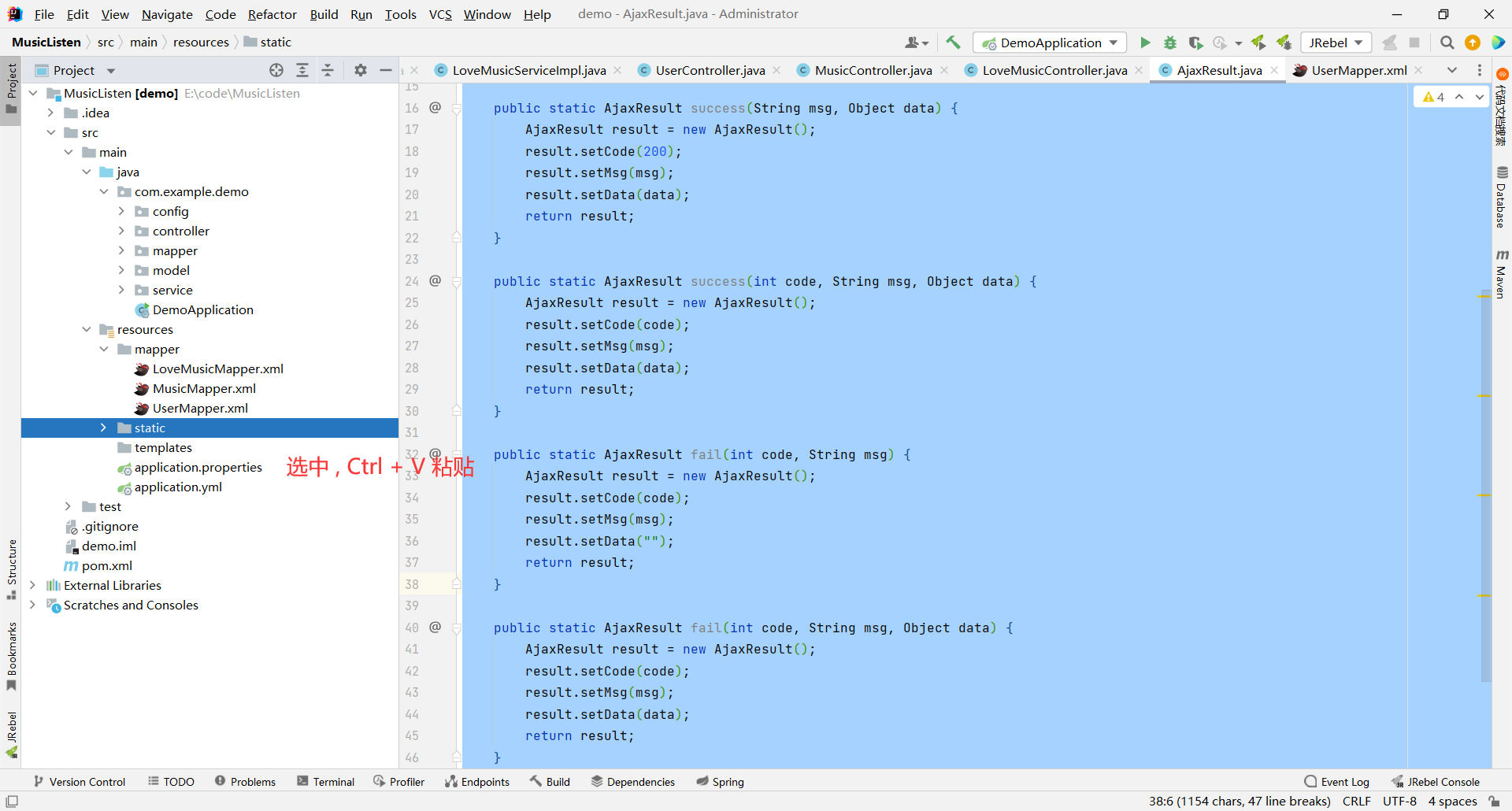
音乐小栈

我的喜欢 上传音乐
选择 封面 歌名 歌手 歌曲 操作
``` ### upload.html ```html 上传音乐

歌曲上传

``` ### lovemusic.html ```html 音乐小栈

音乐小栈

回到首页 上传音乐
选择 封面 歌名 歌手 歌曲 操作
``` ### comment.html ```html 评论页面

评论页面

``` ### myinfo.html ```html 个人中心 ``` ### findpassword.html ```html 找回密码

找回密码

``` ## 4.2 后端 ### controller 层 #### UserController ```java package com.example.demo.controller; import com.example.demo.config.AjaxResult; import com.example.demo.model.User; import com.example.demo.model.vo.UserVO; import com.example.demo.service.IUserService; import com.example.demo.util.CheckLoginUser; import com.example.demo.util.PasswordUtil; import com.example.demo.util.SessionUtil; import org.springframework.beans.factory.annotation.Autowired; import org.springframework.data.redis.core.RedisTemplate; import org.springframework.mail.SimpleMailMessage; import org.springframework.mail.javamail.JavaMailSender; import org.springframework.util.StringUtils; import org.springframework.web.bind.annotation.RequestMapping; import org.springframework.web.bind.annotation.RestController; import javax.servlet.http.HttpServletRequest; import javax.servlet.http.HttpSession; @RestController @RequestMapping("/user") public class UserController { @Autowired private IUserService userService; // 注入 Redis @Autowired private RedisTemplate redisTemplate; @Autowired private JavaMailSender mailSender; // 验证码使用全局变量保存 private String emailCode; // 注册功能 @RequestMapping("/reg") public AjaxResult reg(UserVO userVO) { // 1. 参数校验 if (userVO == null || !StringUtils.hasLength(userVO.getUsername()) || !StringUtils.hasLength(userVO.getPassword())) { return AjaxResult.fail(-1, "参数错误"); } // TODO 1.5 验证码的校验 String redisCodeValue = (String) redisTemplate.opsForValue().get(userVO.getCodeKey()); // 比较 Redis 中存储的验证码和用户输入的验证码是否相同 if (!redisCodeValue.equals(userVO.getCheckCode())) { return AjaxResult.fail(-1, "验证码错误"); } // 将使用过的验证码清空 redisTemplate.opsForValue().set(userVO.getCodeKey(), ""); // 2. 插入到数据库中 // 先对密码进行加密 userVO.setPassword(PasswordUtil.encrypt(userVO.getPassword())); // 再将 user 对象插入到数据库中 int result = 0; try { result = userService.reg(userVO); } catch (Exception e) { e.printStackTrace(); return AjaxResult.fail(-1, "该用户已经注册过"); } // 3. 判断是否插入成功 if (result == 1) { // 插入成功默认状态码为 200,我们只需要提交描述信息以及返回数据即可 // 约定返回 1 代表插入成功 return AjaxResult.success("插入成功", 1); } else { return AjaxResult.fail(-1, "插入失败,请稍后重试"); } } // 登录功能 @RequestMapping("/login") public AjaxResult login(UserVO userVO, HttpSession session) { // 1. 参数校验 if (userVO == null || !StringUtils.hasLength(userVO.getUsername()) || !StringUtils.hasLength(userVO.getPassword()) || !StringUtils.hasLength(userVO.getCheckCode()) || !StringUtils.hasLength(userVO.getCodeKey())) { return AjaxResult.fail(-1, "参数有误"); } // 1.5 验证码校验 String redisCodeValue = (String) redisTemplate.opsForValue().get(userVO.getCodeKey()); // 比较 Redis 中存储的验证码和用户输入的验证码是否相同 if (!redisCodeValue.equals(userVO.getCheckCode())) { return AjaxResult.fail(-1, "验证码错误"); } // 将使用过的验证码清空 redisTemplate.opsForValue().set(userVO.getCodeKey(), ""); // 2. 根据用户名查询数据库 User user = userService.login(userVO); // 3. 判断用户对象是否为空或者 ID 不合法,为空说明当前用户名不存在 if (user == null || user.getId() <= 0) { return AjaxResult.fail(-1, "用户名或者密码错误"); } // 4. 判断用户输入的密码和数据库中存储的密码是否相等 // 相等的话将该用户保存到 session 中 if (PasswordUtil.decrypt(userVO.getPassword(), user.getPassword())) { // 将该用户保存到 session 中 // 返回当前用户之前应该先将密码清空 user.setPassword(""); // key:SessionUtil.SESSION_KEY value:当前对象 session.setAttribute(SessionUtil.SESSION_KEY, user); return AjaxResult.success("登陆成功", user); } else { return AjaxResult.fail(-1, "用户名或者密码错误"); } } // 注销功能 @RequestMapping("/logout") public AjaxResult logout(HttpSession session) { try { // 1. 移除 session 信息 session.removeAttribute(SessionUtil.SESSION_KEY); } catch (Exception e) { return AjaxResult.fail(-1, "退出登录失败"); } // 2. 返回成功信息 return AjaxResult.success("退出登录成功", 1); } // 获取当前用户相关信息 @RequestMapping("/getsess") public AjaxResult getsess(HttpServletRequest request) { // 1. 获取当前用户 User user = CheckLoginUser.getLoginUser(request); // 2. 判断该用户是否登录 if (user == null || user.getId() <= 0) { return AjaxResult.fail(-2, "当前用户未登录!"); } // 3. 获取该用户用户名 String username = userService.getUserName(user.getId()); if (username != "") { user.setUsername(username); } // 4. 返回该用户信息 return AjaxResult.success("查找成功", user); } // 修改用户信息 @RequestMapping("/update") public AjaxResult updateUser(String username, String oldpassword, String password, Boolean isUpdatePassword, HttpServletRequest request, HttpSession session) { // 1. 参数校验 // 先判断用户是否输入了用户名 if (!StringUtils.hasLength(username)) { return AjaxResult.fail(-1, "未输入用户名"); } // 再判断用户是否需要修改密码 if (isUpdatePassword == true) { // 用户如果修改密码,那就需要对密码进行参数校验 if (!StringUtils.hasLength(oldpassword) || !StringUtils.hasLength(password)) { return AjaxResult.fail(-1, "未输入密码相关信息"); } } // 2. 获取当前用户信息 User user = CheckLoginUser.getLoginUser(request); if (user == null) { return AjaxResult.fail(-1, "该用户未登录"); } // 3. 组装信息 user.setUsername(username); // 4. 判断用户是否需要修改密码 if (isUpdatePassword) { // 获取数据库中的密码 String dbPassword = userService.getPassword(user.getId()); // 将用户输入的密码与数据库中存放的密码进行比对 boolean ret = PasswordUtil.decrypt(oldpassword, dbPassword); if (ret != true) { return AjaxResult.fail(-2, "原密码错误"); } // 5. 将用户输入的新密码进行加密 password = PasswordUtil.encrypt(password); // 6. 修改密码 userService.updatePassword(password, user.getId()); } // 7. 修改用户名 int result = userService.updateUserName(username, user.getId()); if (result == 1) { session.removeAttribute(SessionUtil.SESSION_KEY); return AjaxResult.success("修改成功", 1); } else { return AjaxResult.fail(-1, "修改失败"); } } // 发送验证码 @RequestMapping("/getCode") public AjaxResult getCode(String email) { // 1. 参数检验 if (!StringUtils.hasLength(email)) { return AjaxResult.fail(-1, "邮箱错误"); } // 2. 生成验证码 // 走到这里就代表邮箱存在,就可以发送验证码 // 规定验证码是 [100000,999999] 的整数 int n = (int) (Math.random() * 900000 + 100000); // 将随机整数转换成 String 类型 emailCode = String.valueOf(n); // 3. 创建邮箱对象 SimpleMailMessage message = new SimpleMailMessage(); // 发件人 message.setFrom("162196770@qq.com"); // 标题 message.setSubject("这是一封来自音乐小栈的神秘邮件"); // 正文 message.setText("欢迎你使用音乐小栈~ 您的验证码为: " + emailCode); // 收件人 message.setTo(email); // 发送邮件 mailSender.send(message); // 发送成功,返回响应 return AjaxResult.success("发送成功", 1); } // 校验验证码 @RequestMapping("/checkCode") public AjaxResult checkCode(String checkcode, String password, String username, HttpServletRequest request) { // 1. 参数检验 if (!StringUtils.hasLength(checkcode) || !StringUtils.hasLength(password) || !StringUtils.hasLength(username)) { return AjaxResult.fail(-1, "参数错误"); } // 2. 检验验证码是否正确 boolean ret = emailCode.equals(checkcode); if (ret == false) { return AjaxResult.fail(-1, "验证码错误"); } // 3. 获取到用户名称 int id = userService.getUserId(username); // 4. 修改密码 // 修改密码之前先对密码要进行加密 password = PasswordUtil.encrypt(password); int result = userService.updatePassword(password, id); // 5. 根据返回值确定返回的结果 if (result == 1) { return AjaxResult.success("修改成功", 1); } else { return AjaxResult.fail(-1, "修改失败"); } } } ``` #### MusicController ```java package com.example.demo.controller; import com.example.demo.config.AjaxResult; import com.example.demo.model.LoveMusic; import com.example.demo.model.Music; import com.example.demo.model.User; import com.example.demo.service.ILoveMusicService; import com.example.demo.service.IMusicService; import com.example.demo.util.CheckLoginUser; import com.example.demo.util.MP3FileChecker; import org.springframework.beans.factory.annotation.Autowired; import org.springframework.beans.factory.annotation.Value; import org.springframework.util.StringUtils; import org.springframework.web.bind.annotation.RequestMapping; import org.springframework.web.bind.annotation.RequestParam; import org.springframework.web.bind.annotation.RequestPart; import org.springframework.web.bind.annotation.RestController; import org.springframework.web.multipart.MultipartFile; import javax.servlet.http.HttpServletRequest; import java.io.File; import java.io.IOException; import java.nio.file.Files; import java.util.List; import java.util.UUID; @RestController @RequestMapping("/music") public class MusicController { @Autowired private IMusicService musicService; @Autowired private ILoveMusicService loveMusicService; // 服务器保存音乐的地址 // 注意最后面要手动加上一个 / @Value("${musicpath}") private String SAVE_PATH; // 封面保存的位置 @Value("${imagepath}") private String IMAGE_PATH; // 分页每页元素个数 private static final int PSIZE = 3; // 上传音乐 // 上传歌曲、封面、歌手信息 @RequestMapping("/upload") public AjaxResult upload(@RequestPart("filename") MultipartFile music, @RequestPart("filename2") MultipartFile image, @RequestParam("singer") String singer, HttpServletRequest request) { // NOTE: 前置操作 // 1. 检查用户是否登录 User user = CheckLoginUser.getLoginUser(request); // 如果查询到的用户为空或者用户 ID 不合法,就返回给后端错误信息 if (user == null || user.getId() <= 0) { return AjaxResult.fail(-1, "当前用户未登录"); } // 2. 检查传过来的文件是否正确 if (music == null || image == null || !StringUtils.hasLength(singer)) { return AjaxResult.fail(-1, "参数错误"); } // NOTE: 将歌曲和封面保存到服务器 // 1. 获取一下歌曲的原始文件名 String originalMusicName = music.getOriginalFilename(); // 为封面生成一个随机不重复的文件名 String originalImgName = UUID.randomUUID().toString().replace("-", "") // 获取后缀名 + image.getOriginalFilename().substring(image.getOriginalFilename().lastIndexOf(".")); System.out.println("歌曲的原始文件名: " + originalMusicName); System.out.println("封面的文件名: " + originalImgName); // NOTE 获取一下当前音乐是否存在于数据库中 Music checkMusic = musicService.checkMusic(originalMusicName.substring(0, originalMusicName.lastIndexOf("."))); if (checkMusic != null) { return AjaxResult.fail(-1, "已经添加过此歌曲"); } // 2. 获取该文件的存储位置 // 即路径 + 文件名; String musicNamePath = SAVE_PATH + originalMusicName; String imgNamePath = IMAGE_PATH + originalImgName; System.out.println("该文件要被存储在: " + musicNamePath); System.out.println("该文件要被存储在: " + imgNamePath); // 3. 创建 File 对象,将绝对路径作为参数传过来 File musicDest = new File(musicNamePath); File imgDest = new File(imgNamePath); // 4. 判断一下 dest 对应的文件夹是否存在,不存在就去创建 if (!musicDest.exists()) { musicDest.mkdirs(); } if (!imgDest.exists()) { imgDest.mkdirs(); } // 检验该文件是否是 mp3 文件 // boolean isMP3 = MP3FileChecker.isMP3File(originalMusicName); // if(isMP3 == false) { // return AjaxResult.fail(-1,"该文件不是 mp3 文件"); // } // 5. 路径已经存在的话,我们就可以保存到服务器中了 try { music.transferTo(musicDest); image.transferTo(imgDest); } catch (IOException e) { e.printStackTrace(); return AjaxResult.fail(-1, "上传至服务器失败"); } // NOTE: 将数据保存在数据库中 // 1. 获取歌曲名称 String musicName = originalMusicName.substring(0, originalMusicName.lastIndexOf(".")); System.out.println("该歌曲名为: " + musicName); // 2. 模拟 URL 路径 String musicUrl = "/download/" + originalMusicName; String imgUrl = "/checkCode/" + originalImgName; System.out.println("该歌曲的网络路径为: " + musicUrl); System.out.println("该封面的网络路径为: " + imgUrl); // 3. 插入到数据库当中 Music musicFile = new Music(); musicFile.setTitle(musicName); musicFile.setSinger(singer); musicFile.setUrl(musicUrl); musicFile.setUserid(user.getId()); musicFile.setPhoto(imgUrl); int result = musicService.insertMusic(musicFile); if (result == 1) { return AjaxResult.success("音乐已经上传至数据库", 1); } else { // 数据库插入失败,服务器上的数据也要清除 musicDest.delete(); imgDest.delete(); return AjaxResult.fail(-1, "音乐上传至数据库失败,请重试"); } } // 查询音乐 // 根据用户是否输入了 inputName,来决定查询所有音乐还是部分音乐 @RequestMapping("/findmusic") public AjaxResult findMusic(String inputName, Integer pindex, Integer psize) { // 1. 检验 pindex 和 psize // pindex 不合法我们就默认是第一页 if (pindex == null || pindex <= 0) { pindex = 1; } // psize 不合法,我们就默认是 PSIZE if (psize == null || psize <= 0) { psize = PSIZE; } // 2. 进行分页功能 int offset = (pindex - 1) * psize; // NOTE: 根据 inputName 是否为空,划分出两个阵营 if (!StringUtils.hasLength(inputName)) { // 1. inputName 为空,查询所有音乐 List allMusic = musicService.findAllMusic(psize, offset); return AjaxResult.success("全部音乐查询成功", allMusic); } else { // 2. inputName 不为空,查询部分音乐 List someMusic = musicService.findMusicByName(inputName, psize, offset); return AjaxResult.success("部分音乐查询成功", someMusic); } } // 播放音乐 @RequestMapping("/get") public AjaxResult get(String path) { // 1. 将该路径转化为 File 类 File file = new File(SAVE_PATH + path); // 2. 将该文件转化成二进制文件 byte[] bytes = null; try { bytes = Files.readAllBytes(file.toPath()); if (bytes == null) { return AjaxResult.fail(-1, "转换失败"); } } catch (IOException e) { e.printStackTrace(); } return AjaxResult.success("转换成功", bytes); } // 删除单个音乐 @RequestMapping("/delete") public AjaxResult delete(Integer id, HttpServletRequest request) { // 1. 参数校验 if (id == null || id <= 0) { return AjaxResult.fail(-1, "参数错误"); } // 2. 检查该音乐是否存在 Music music = musicService.findMusicById(id); if (music == null) { return AjaxResult.fail(-1, "没有此音乐"); } else { // 3. 如果该音乐在数据库中存在,那么就需要删除数据库中的记录以及服务器中的数据 int result = musicService.delete(id); if (result != 1) { // 数据库记录删除失败 return AjaxResult.fail(-1, "数据库中的记录删除失败"); } else { // NOTE music 表删除成功,那么 lovemusic 对应的记录也应该要删除 LoveMusic loveMusic = new LoveMusic(); // 获取当前用户信息 User user = CheckLoginUser.getLoginUser(request); // 将用户 ID 和歌曲 ID 插入到 LoveMusic 对象中 loveMusic.setUserid(user.getId()); loveMusic.setMusicid(id); // 删除收藏表中对应的记录 int ret = loveMusicService.deleteLoveMusic(loveMusic); // 数据库记录删除成功,继续删除服务器中的数据 // 获取该音乐的绝对路径 String path = SAVE_PATH + music.getTitle() + ".mp3"; System.out.println(path); // 构建 File 对象 File file = new File(path); // 删除歌曲文件 if (file.delete()) { return AjaxResult.success("删除成功", 1); } else { return AjaxResult.fail(-1, "服务器上的音乐删除失败"); } } } } // 删除多个音乐 @RequestMapping("/deleteGroup") public AjaxResult deleteGroup(@RequestParam("id[]") List id, HttpServletRequest request) { // 1. 参数校验 if (id == null) { return AjaxResult.fail(-1, "参数错误"); } // 2. 创建 count 变量表示已经删除歌曲的数量 int count = 0; // 3. 遍历 id 数组获取到每一个音乐 for (int i = 0; i < id.size(); i++) { // 4. 先获取到该歌曲的 ID int musicId = id.get(i); // 5. 查询数据库中是否存在该音乐 Music music = musicService.findMusicById(musicId); // 6. 如果音乐不存在,返回给前端错误信息 if (music == null) { return AjaxResult.fail(-1, "该音乐不存在"); } else { // 7. 如果该音乐在数据库中存在,那么就需要删除数据库中的记录以及服务器中的数据 int result = musicService.delete(musicId); if (result != 1) { // 数据库记录删除失败 return AjaxResult.fail(-1, "数据库中的记录删除失败"); } else { // NOTE music 表删除成功,那么 lovemusic 对应的记录也应该要删除 LoveMusic loveMusic = new LoveMusic(); // 获取当前用户信息 User user = CheckLoginUser.getLoginUser(request); // 将用户 ID 和歌曲 ID 插入到 LoveMusic 对象中 loveMusic.setUserid(user.getId()); loveMusic.setMusicid(id.get(i)); // 删除收藏表中对应的记录 int ret = loveMusicService.deleteLoveMusic(loveMusic); // 8. 数据库记录删除成功,继续删除服务器中的数据 // 获取该音乐的绝对路径 String path = SAVE_PATH + music.getTitle() + ".mp3"; System.out.println(path); // 构建 File 对象 File file = new File(path); // 删除歌曲文件 if (file.delete()) { count += result; } else { return AjaxResult.fail(-1, "服务器上的音乐删除失败"); } } } } if (count == id.size()) { return AjaxResult.success("所有音乐删除成功", 1); } else { return AjaxResult.fail(-1, "部分音乐删除失败"); } } // 计算页面页数 @RequestMapping("/totalPage") public AjaxResult getTotalPage(Integer psize) { // 1. 参数校验 if (psize != null) { // 2. 获取文章总数 int totalCount = musicService.totalMusic(); // 3. 获取总页数 int totalPage = (int) (Math.ceil(totalCount * 1.0 / psize)); // 4. 返回总页数 return AjaxResult.success("查询页数成功", totalPage); } return AjaxResult.fail(-1, "查询页数失败"); } } ``` #### LoveMusicController ```java package com.example.demo.controller; import com.example.demo.config.AjaxResult; import com.example.demo.model.LoveMusic; import com.example.demo.model.Music; import com.example.demo.model.User; import com.example.demo.model.vo.LoveMusicVO; import com.example.demo.service.ILoveMusicService; import com.example.demo.util.CheckLoginUser; import jakarta.servlet.http.HttpServletRequest; import org.springframework.beans.factory.annotation.Autowired; import org.springframework.util.StringUtils; import org.springframework.web.bind.annotation.RequestMapping; import org.springframework.web.bind.annotation.RequestParam; import org.springframework.web.bind.annotation.RestController; import java.util.List; @RestController @RequestMapping("/lovemusic") public class LoveMusicController { @Autowired private ILoveMusicService loveMusicService; // 收藏音乐 @RequestMapping("/likeMusic") public AjaxResult likeMusic(LoveMusic loveMusic, HttpServletRequest request) { // 1. 参数校验 if (loveMusic == null || loveMusic.getMusicid() <= 0) { return AjaxResult.fail(-1, "参数错误"); } // 2. 获取当前用户信息 User user = CheckLoginUser.getLoginUser(request); if (user == null) { return AjaxResult.fail(-1, "该用户未登录"); } // 3. 查询当前歌曲是否被收藏过 // 先将用户 ID 添加到 loveMusic 中 loveMusic.setUserid(user.getId()); LoveMusic music = loveMusicService.collection(loveMusic); // 如果 music 不为空,就代表我们已经收藏过该音乐 if (music != null) { return AjaxResult.fail(-1, "该音乐已经被收藏"); } // 4. 收藏音乐 int result = loveMusicService.insertLoveMusic(loveMusic); if (result == 1) { return AjaxResult.success("收藏成功", 1); } else { return AjaxResult.fail(-1, "收藏失败"); } } // 查询收藏音乐 @RequestMapping("/findlovemusic") public AjaxResult findLoveMusic(LoveMusicVO loveMusicVO, HttpServletRequest request) { // 1. 参数查询 if (loveMusicVO == null) { return AjaxResult.fail(-1, "参数错误"); } // 2. 获取当前登录用户的信息 User user = CheckLoginUser.getLoginUser(request); if (user == null) { return AjaxResult.fail(-1, "该用户未登录"); } loveMusicVO.setUserid(user.getId()); // 3. 根据查询词是否为空进行不同动作 List list = null; // 查询词为空 -> 查询所有已被收藏的音乐 if (!StringUtils.hasLength(loveMusicVO.getInputName())) { list = loveMusicService.findLoveMusic(loveMusicVO); } else { list = loveMusicService.findLoveMusicByName(loveMusicVO); } return AjaxResult.success("查询成功", list); } // 取消收藏 @RequestMapping("/deletelovemusic") public AjaxResult deletelovemusic(LoveMusic loveMusic, HttpServletRequest request) { // 1. 参数校验 if (loveMusic == null || loveMusic.getMusicid() <= 0) { return AjaxResult.fail(-1, "参数错误"); } // 2. 获取用户会话状态 User user = CheckLoginUser.getLoginUser(request); if (user == null) { return AjaxResult.fail(-1, "用户未登录"); } loveMusic.setUserid(user.getId()); // 3. 调用取消收藏的 SQL 语句 int result = loveMusicService.deleteLoveMusic(loveMusic); // 4. 根据 result 的值返回不同信息 if (result == 1) { return AjaxResult.success("取消收藏成功", 1); } else { return AjaxResult.fail(-1, "取消收藏失败"); } } // 取消收藏多首音乐 @RequestMapping("/deleteGroup") public AjaxResult deleteLoveMusicGroup(@RequestParam("musicid[]") List musicid, HttpServletRequest request) { // 1. 参数校验 if (musicid == null) { return AjaxResult.fail(-1, "参数错误"); } // 2. 获取到当前用户 User user = CheckLoginUser.getLoginUser(request); if (user == null) { return AjaxResult.fail(-1, "用户未登录"); } // 3. 定义 sum 变量表示已经被收藏的歌曲 int sum = 0; for (int i = 0; i < musicid.size(); i++) { // 4. 将用户信息保存到 lovemusic 中 LoveMusic loveMusic = new LoveMusic(); loveMusic.setUserid(user.getId()); loveMusic.setMusicid(musicid.get(i)); // 5. 查询数据库中是否存在此音乐 Music music = loveMusicService.findLoveMusicById(loveMusic); if (music == null) { return AjaxResult.fail(-1, "歌曲不存在"); } else { // 6. 调用删除收藏的 SQL int result = loveMusicService.deleteLoveMusic(loveMusic); // 7. 当返回值为 1 的时候代表删除该歌曲成功,统计数量 if (result == 1) { sum++; } else { return AjaxResult.fail(-1, "数据库删除失败"); } } } // 6. 判断 sum 是否等于 musicid.size() // 也就是判断是不是所有歌曲都取消收藏成功 if (sum == musicid.size()) { return AjaxResult.success("取消收藏选中音乐成功", 1); } else { return AjaxResult.fail(-1, "部分音乐取消收藏失败"); } } } ``` #### CommmentController ```java package com.example.demo.controller; import com.example.demo.config.AjaxResult; import com.example.demo.model.Comment; import com.example.demo.model.User; import com.example.demo.service.ICommentService; import com.example.demo.util.CheckLoginUser; import jakarta.servlet.http.HttpServletRequest; import org.springframework.beans.factory.annotation.Autowired; import org.springframework.util.StringUtils; import org.springframework.web.bind.annotation.RequestMapping; import org.springframework.web.bind.annotation.RestController; import java.util.List; @RestController @RequestMapping("/comment") public class CommentController { @Autowired private ICommentService commentService; // 查询当前歌曲所有评论 @RequestMapping("/getcomments") public AjaxResult getcomments(Integer musicid) { // 1. 参数校验 if (musicid == null || musicid <= 0) { return AjaxResult.fail(-1, "参数错误"); } // 2. 查询当前歌曲评论信息 List comments = commentService.getComments(musicid); // 3. 返回给前端评论信息 if (comments != null) { return AjaxResult.success("查询评论成功", comments); } else { return AjaxResult.fail(-1, "查询评论失败"); } } // 插入评论 @RequestMapping("/submit") public AjaxResult insertComment(Comment comment, HttpServletRequest request) { // 1. 参数校验 if (comment == null || comment.getMusicid() <= 0 || !StringUtils.hasLength(comment.getContent())) { return AjaxResult.fail(-1, "参数错误"); } // 2. 获取用户信息 User user = CheckLoginUser.getLoginUser(request); if (user == null) { return AjaxResult.fail(-1, "用户未登录"); } // 3. 将用户 ID 和用户姓名传入到 comment 中 comment.setUserid(user.getId()); comment.setUsername(user.getUsername()); // 4. 添加评论 int result = commentService.insertComment(comment); if (result == 1) { return AjaxResult.success("评论成功", 1); } else { return AjaxResult.fail(-1, "评论失败"); } } } ``` #### CaptchaController ```java package com.example.demo.controller; import cn.hutool.captcha.CaptchaUtil; import cn.hutool.captcha.LineCaptcha; import com.example.demo.config.AjaxResult; import org.springframework.beans.factory.annotation.Autowired; import org.springframework.beans.factory.annotation.Value; import org.springframework.data.redis.core.RedisTemplate; import org.springframework.web.bind.annotation.RequestMapping; import org.springframework.web.bind.annotation.RestController; import java.text.SimpleDateFormat; import java.util.Date; import java.util.HashMap; @RestController public class CaptchaController { // 引入验证码的保存路径 @Value("${imagepath}") private String imagepath; // 引入 Redis @Autowired private RedisTemplate redisTemplate; // 获取验证码 @RequestMapping("/getcaptcha") public AjaxResult getCaptcha() { // 1. 定义图形验证码的长和宽 LineCaptcha lineCaptcha = CaptchaUtil.createLineCaptcha(128, 50, 4, 20); // 2. 获取当前时间 Date date = new Date(); // 获取格式化时间 SimpleDateFormat simpleDateFormat = new SimpleDateFormat("yyyy-MM-dd hh_mm_ss"); // 获取当前时间要保存到一个字符串中,然后使用这个字符串,因为时间是一直变化的 String currentTime = simpleDateFormat.format(date); System.out.println(currentTime); // 3. 将图片保存到此文件夹下 lineCaptcha.write(imagepath + currentTime + ".png"); // 4. 拼接 URL 地址 // 通过 127.0.0.1:8080/checkCode/时间.png 就可以访问到验证码了 String url = "/checkCode/" + currentTime + ".png"; // 5. 向 Redis 中设置键值对 // 键:验证码的标识(当前时间) 值:验证码的值 redisTemplate.opsForValue().set(currentTime, lineCaptcha.getCode()); // 6. 将 key 以及 url 传给前端 HashMap result = new HashMap<>(); result.put("codeurl", url); result.put("codekey", currentTime); return AjaxResult.success("验证码生成成功", result); } } ``` ### service 层 #### 接口 ##### IUserService ```java package com.example.demo.service; import com.baomidou.mybatisplus.extension.service.IService; import com.example.demo.model.User; import com.example.demo.model.vo.UserVO; public interface IUserService extends IService { // 注册功能 int reg(UserVO userVO); // 登录功能 User login(UserVO userVO); // 获取用户密码 String getPassword(Integer id); // 修改密码 int updatePassword(String password, Integer id); // 获取用户名 String getUserName(Integer id); // 修改用户名 int updateUserName(String newUserName, Integer id); // 根据用户名查找 ID int getUserId(String username); } ``` ##### IMusicService ```java package com.example.demo.service; import com.baomidou.mybatisplus.extension.service.IService; import com.example.demo.model.Music; import java.util.List; public interface IMusicService extends IService { // 上传音乐 int insertMusic(Music music); // 查询所有音乐 List findAllMusic(Integer psize, Integer offset); // 查询指定音乐 List findMusicByName(String inputName, Integer psize, Integer offset); // 根据歌曲 ID 查询音乐 Music findMusicById(Integer id); // 删除单个音乐 int delete(Integer id); // 查询某个歌曲是否在数据库中存在 Music checkMusic(String musicName); // 查询歌曲总数 int totalMusic(); } ``` ##### ILoveMusicService ```java package com.example.demo.service; import com.baomidou.mybatisplus.extension.service.IService; import com.example.demo.model.LoveMusic; import com.example.demo.model.Music; import com.example.demo.model.vo.LoveMusicVO; import java.util.List; public interface ILoveMusicService extends IService { // 验证歌曲是否被收藏 LoveMusic collection(LoveMusic loveMusic); // 收藏歌曲 int insertLoveMusic(LoveMusic loveMusic); // 查询已经收藏的歌曲 List findLoveMusic(LoveMusicVO loveMusicVO); // 查询与查询词相关的已经收藏的歌曲 List findLoveMusicByName(LoveMusicVO loveMusicVO); // 根据歌曲 ID 查询相关音乐是否存在于收藏中 Music findLoveMusicById(LoveMusic loveMusic); // 取消收藏 int deleteLoveMusic(LoveMusic loveMusic); } ``` ##### ICommentService ```java package com.example.demo.service; import com.baomidou.mybatisplus.extension.service.IService; import com.example.demo.model.Comment; import java.util.List; public interface ICommentService extends IService { // 获取所有评论 List getComments(Integer musicid); // 插入评论 int insertComment(Comment comment); } ``` #### 实现 ##### UserServiceImpl ```java package com.example.demo.service.impl; import com.baomidou.mybatisplus.extension.service.impl.ServiceImpl; import com.example.demo.mapper.UserMapper; import com.example.demo.model.User; import com.example.demo.model.vo.UserVO; import com.example.demo.service.IUserService; import org.springframework.beans.factory.annotation.Autowired; import org.springframework.stereotype.Service; @Service public class UserServiceImpl extends ServiceImpl implements IUserService { @Autowired private UserMapper userMapper; // 注册功能 @Override public int reg(UserVO userVO) { return userMapper.reg(userVO); } // 登录功能 @Override public User login(UserVO userVO) { return userMapper.login(userVO); } // 获取用户密码 @Override public String getPassword(Integer id) { return userMapper.getPassword(id); } // 修改用户密码 @Override public int updatePassword(String password, Integer id) { return userMapper.updatePassword(password, id); } // 获取用户名 @Override public String getUserName(Integer id) { return userMapper.getUserName(id); } // 修改用户名 @Override public int updateUserName(String newUserName, Integer id) { return userMapper.updateUserName(newUserName, id); } // 根据用户名查找 ID @Override public int getUserId(String username) { return userMapper.getUserId(username); } } ``` ##### MusicServiceImpl ```java package com.example.demo.service.impl; import com.baomidou.mybatisplus.extension.service.impl.ServiceImpl; import com.example.demo.mapper.MusicMapper; import com.example.demo.model.Music; import com.example.demo.service.IMusicService; import org.springframework.beans.factory.annotation.Autowired; import org.springframework.stereotype.Service; import java.util.List; @Service public class MusicServiceImpl extends ServiceImpl implements IMusicService { @Autowired private MusicMapper musicMapper; // 上传音乐 @Override public int insertMusic(Music music) { return musicMapper.insertMusic(music); } // 查找所有音乐 @Override public List findAllMusic(Integer psize, Integer offset) { return musicMapper.findAllMusic(psize, offset); } // 查找指定音乐 @Override public List findMusicByName(String inputName, Integer psize, Integer offset) { return musicMapper.findMusicByName(inputName, psize, offset); } // 根据歌曲 ID 查询音乐 @Override public Music findMusicById(Integer id) { return musicMapper.findMusicById(id); } // 删除单个音乐 @Override public int delete(Integer id) { return musicMapper.delete(id); } // 查询某个歌曲是否在数据库中存在 @Override public Music checkMusic(String musicName) { return musicMapper.checkMusic(musicName); } // 查询歌曲总数 @Override public int totalMusic() { return musicMapper.totalMusic(); } } ``` ##### LoveMusicServiceImpl ```java package com.example.demo.service.impl; import com.baomidou.mybatisplus.extension.service.impl.ServiceImpl; import com.example.demo.mapper.LoveMusicMapper; import com.example.demo.model.LoveMusic; import com.example.demo.model.Music; import com.example.demo.model.vo.LoveMusicVO; import com.example.demo.service.ILoveMusicService; import org.springframework.beans.factory.annotation.Autowired; import org.springframework.stereotype.Service; import java.util.List; @Service public class LoveMusicServiceImpl extends ServiceImpl implements ILoveMusicService { @Autowired private LoveMusicMapper loveMusicMapper; // 验证当前歌曲是否被收藏过 @Override public LoveMusic collection(LoveMusic loveMusic) { return loveMusicMapper.collection(loveMusic); } // 收藏音乐 @Override public int insertLoveMusic(LoveMusic loveMusic) { return loveMusicMapper.insertLoveMusic(loveMusic); } // 查询当前用户已经收藏的音乐 @Override public List findLoveMusic(LoveMusicVO loveMusicVO) { return loveMusicMapper.findLoveMusic(loveMusicVO); } // 查询与查询词相关的已经收藏的歌曲 @Override public List findLoveMusicByName(LoveMusicVO loveMusicVO) { return loveMusicMapper.findLoveMusicByName(loveMusicVO); } // 根据歌曲 ID 查询相关音乐是否存在于收藏中 @Override public Music findLoveMusicById(LoveMusic loveMusic) { return loveMusicMapper.findLoveMusicById(loveMusic); } // 取消收藏 @Override public int deleteLoveMusic(LoveMusic loveMusic) { return loveMusicMapper.deleteLoveMusic(loveMusic); } } ``` ##### CommentServiceImpl ```java package com.example.demo.service.impl; import com.baomidou.mybatisplus.extension.service.impl.ServiceImpl; import com.example.demo.mapper.CommentMapper; import com.example.demo.model.Comment; import com.example.demo.service.ICommentService; import org.springframework.beans.factory.annotation.Autowired; import org.springframework.stereotype.Service; import java.util.List; @Service public class CommentServiceImpl extends ServiceImpl implements ICommentService { @Autowired private CommentMapper commentMapper; // 查询所有评论 @Override public List getComments(Integer musicid) { return commentMapper.getComments(musicid); } // 插入评论 @Override public int insertComment(Comment comment) { return commentMapper.insertComment(comment); } } ``` ### mapper 层 #### 接口 ##### UserMapper 接口 ```java package com.example.demo.mapper; import com.baomidou.mybatisplus.core.mapper.BaseMapper; import com.example.demo.model.User; import com.example.demo.model.vo.UserVO; public interface UserMapper extends BaseMapper { // 注册功能 int reg(UserVO userVO); // 登录功能 User login(UserVO userVO); // 获取旧的密码 String getPassword(Integer id); // 修改密码 int updatePassword(String password, Integer id); // 获取用户名 String getUserName(Integer id); // 修改用户名 int updateUserName(String newUserName, Integer id); // 根据用户名查找 id int getUserId(String username); } ``` ##### MusicMapper 接口 ```java package com.example.demo.mapper; import com.baomidou.mybatisplus.core.mapper.BaseMapper; import com.example.demo.model.Music; import java.util.List; public interface MusicMapper extends BaseMapper { // 上传音乐 int insertMusic(Music music); // 查询所有音乐信息 List findAllMusic(Integer psize, Integer offset); // 查询指定音乐信息 List findMusicByName(String inputName, Integer psize, Integer offset); // 根据 ID 查询音乐 Music findMusicById(Integer id); // 删除单个音乐 int delete(Integer id); // 查询某个歌曲是否在数据库中存在 Music checkMusic(String musicName); // 查询歌曲总个数 int totalMusic(); } ``` ##### LoveMusicMapper 接口 ```java package com.example.demo.mapper; import com.baomidou.mybatisplus.core.mapper.BaseMapper; import com.example.demo.model.LoveMusic; import com.example.demo.model.Music; import com.example.demo.model.vo.LoveMusicVO; import java.util.List; public interface LoveMusicMapper extends BaseMapper { // 检查当前歌曲是否被收藏过了 LoveMusic collection(LoveMusic loveMusic); // 收藏歌曲 int insertLoveMusic(LoveMusic loveMusic); // 查询当前用户喜欢的全部歌曲 List findLoveMusic(LoveMusicVO loveMusicVO); // 查询与查询词相关的已经收藏的歌曲 List findLoveMusicByName(LoveMusicVO loveMusicVO); // 根据歌曲 ID 查询相关音乐是否存在于收藏中 Music findLoveMusicById(LoveMusic loveMusic); // 取消收藏 int deleteLoveMusic(LoveMusic loveMusic); } ``` ##### CommentMapper 接口 ```java package com.example.demo.mapper; import com.baomidou.mybatisplus.core.mapper.BaseMapper; import com.example.demo.model.Comment; import java.util.List; public interface CommentMapper extends BaseMapper { // 获取所有评论 List getComments(Integer musicId); // 添加评论 int insertComment(Comment comment); } ``` #### 实现 ##### UserMapper.xml ```xml insert into user (username, password) values (#{username}, #{password}); update user set password = #{password} where id = #{id} update user set username = #{newUserName} where id = #{id} ``` ##### Musicapper.xml ```xml insert into music (title, singer, url, userid, photo) values (#{title}, #{singer}, #{url}, #{userid}, #{photo}) delete from music where id = #{id} ``` ##### LoveMusicMapper.xml ```xml insert into lovemusic (userid, musicid) values (#{userid}, #{musicid}) delete from lovemusic where userid = #{userid} and musicid = #{musicid} ``` ##### CommentMapper.xml ```xml insert into commentinfo (userid,username,musicid,content) values (#{userid},#{username},#{musicid},#{content}); ``` ### model 层 #### User ```java package com.example.demo.model; import com.baomidou.mybatisplus.annotation.IdType; import com.baomidou.mybatisplus.annotation.TableId; import lombok.Getter; import lombok.Setter; import java.io.Serializable; @Getter @Setter public class User implements Serializable { @TableId(type = IdType.AUTO) private Integer id; private String username; private String password; } ``` #### Music ```java package com.example.demo.model; import com.baomidou.mybatisplus.annotation.IdType; import com.baomidou.mybatisplus.annotation.TableId; import lombok.Getter; import lombok.Setter; import java.io.Serializable; import java.time.LocalDateTime; @Getter @Setter public class Music implements Serializable { @TableId(type = IdType.AUTO) private Integer id; private String title; private String singer; private LocalDateTime time; private String url; private Integer userid; private String photo; } ``` #### LoveMusic ```java package com.example.demo.model; import com.baomidou.mybatisplus.annotation.IdType; import com.baomidou.mybatisplus.annotation.TableId; import lombok.Getter; import lombok.Setter; import java.io.Serializable; @Getter @Setter public class LoveMusic implements Serializable { @TableId(type = IdType.AUTO) private Integer id; private Integer userid; private Integer musicid; } ``` #### Comment ```java package com.example.demo.model; import com.baomidou.mybatisplus.annotation.IdType; import com.baomidou.mybatisplus.annotation.TableId; import lombok.Getter; import lombok.Setter; import java.io.Serializable; import java.time.LocalDateTime; @Getter @Setter public class Comment implements Serializable { @TableId(type = IdType.AUTO) private Integer id; private Integer userid; private String username; private Integer musicid; private String content; private LocalDateTime createtime; } ``` #### VO ##### UserVo ```java package com.example.demo.model.vo; import com.example.demo.model.User; import lombok.Getter; import lombok.Setter; import java.io.Serializable; @Getter @Setter public class UserVO extends User implements Serializable { // 用户输入的验证码 private String checkCode; // 验证码的保存 key private String codeKey; } ``` ##### LoveMusicVO ```java package com.example.demo.model.vo; import com.example.demo.model.Music; import lombok.Getter; import lombok.Setter; import java.io.Serializable; @Getter @Setter public class LoveMusicVO extends Music implements Serializable { private String inputName;// 查询词 private Integer pindex; private Integer psize; } ``` ### Util 工具层 #### SessionUtil ```java package com.example.demo.util; // 定义全局的公共变量 public class SessionUtil { // 存储用户的 session key public static final String SESSION_KEY = "session_key"; } ``` #### PasswordUtil ```java package com.example.demo.util; import org.springframework.util.DigestUtils; import org.springframework.util.StringUtils; import java.util.UUID; public class PasswordUtil { // 加密 public static String encrypt(String password) { // 1. 生成一串 32 位的随机字符串 String salt = UUID.randomUUID().toString().replaceAll("-", ""); // 2. 将盐值和用户输入的密码合并, 进行 MD5 加密 String finalPassword = DigestUtils.md5DigestAsHex((salt + password).getBytes()); // 3. 将盐值和加密后的密码合并, 然后返回 return salt + finalPassword; } // 解密 public static boolean decrypt(String inputPassword, String dbPassword) { // 1. 验证参数 // 用户输入的密码不存在 / 数据库中密码不存在 / 数据库中的密码不是 64 位 if (!StringUtils.hasLength(inputPassword) || !StringUtils.hasLength(dbPassword) || dbPassword.length() != 64) { return false; } // 2. 得到盐值 String salt = dbPassword.substring(0, 32);// subString 是左闭右开的 // 3. 待验证的加密密码 = 使用数据库的盐值 + 用户输入的密码进行加密 String checkPassword = DigestUtils.md5DigestAsHex((salt + inputPassword).getBytes()); // 4. 将盐值和用户输入的密码进行拼接 String finalPassword = salt + checkPassword; // 5. 与数据库中的密码进行比较 return dbPassword.equals(finalPassword); } public static void main(String[] args) { String password = "test"; System.out.println(encrypt(password)); // String dbPassword = encrypt("123456"); // System.out.println(decrypt("123456", dbPassword)); // System.out.println(decrypt("654321", dbPassword)); // System.out.println(decrypt("666666", dbPassword)); } } ``` #### CheckLoginUser ```java package com.example.demo.util; import com.example.demo.model.User; import jakarta.servlet.http.HttpServletRequest; import jakarta.servlet.http.HttpSession; public class CheckLoginUser { // 查询当前登录用户的 session 信息 public static User getLoginUser(HttpServletRequest request) { // 1. 先获取到 session // 参数设置成 false,代表如果获取不到 session 我们也不创建新的 session HttpSession session = request.getSession(false); // 2. 判断 session 是否为空并且 session 中的 key 对应的 value 是否为空 if(session != null && session.getAttribute(SessionUtil.SESSION_KEY) != null) { System.out.println("该用户已登录"); return (User) session.getAttribute(SessionUtil.SESSION_KEY); } else { System.out.println("该用户未登录"); return null; } } } ``` #### MP3FileChecker.java ```java package com.example.demo.util; import java.io.FileInputStream; import java.io.IOException; public class MP3FileChecker { // 获取 ID3/TAG 的字节码 private static final byte[] MP3_ID3 = "ID3".getBytes(); // MP3 文件头标识码 "ID3" private static final byte[] MP3_TAG = "TAG".getBytes(); // MP3 文件头标识码 "TAG" /** * 判断给定的文件是否为MP3文件 * * @param filePath 文件路径 * @return 如果是MP3文件,返回true;否则返回false */ public static boolean isMP3File(String filePath) { try (FileInputStream stream = new FileInputStream(filePath)) { // 打开文件输入流 byte[] bytes = new byte[3]; int bytesRead = stream.read(bytes); // 读取文件的前 3 个字节 if (bytesRead == 3) { if (compareBytes(bytes, MP3_ID3) || compareBytes(bytes, MP3_TAG)) { return true; // 文件头部与 MP3 文件标识码匹配,判断为 MP3 文件 } } } catch (IOException e) { e.printStackTrace(); } return false; // 文件不是 MP3 文件或读取过程中出错,判断为非 MP3 文件 } /** * 比较两个字节数组的内容是否完全一致 * * @param bytes1 字节数组1 * @param bytes2 字节数组2 * @return 如果两个字节数组内容一致,返回 true;否则返回 false */ private static boolean compareBytes(byte[] bytes1, byte[] bytes2) { for (int i = 0; i < bytes1.length; i++) { if (bytes1[i] != bytes2[i]) { return false; // 字节数组内容不一致 } } return true; // 字节数组内容完全一致 } } ``` ### Config 配置层 #### AjaxResult ```java package com.example.demo.config; import lombok.Getter; import lombok.Setter; import java.io.Serializable; @Getter @Setter public class AjaxResult { // 状态码 private int code; // 状态码的描述信息 private String msg; // 返回的数据 private Object data; public static AjaxResult success(String msg, Object data) { AjaxResult result = new AjaxResult(); result.setCode(200); result.setMsg(msg); result.setData(data); return result; } public static AjaxResult success(int code, String msg, Object data) { AjaxResult result = new AjaxResult(); result.setCode(code); result.setMsg(msg); result.setData(data); return result; } public static AjaxResult fail(int code, String msg) { AjaxResult result = new AjaxResult(); result.setCode(code); result.setMsg(msg); result.setData(""); return result; } public static AjaxResult fail(int code, String msg, Object data) { AjaxResult result = new AjaxResult(); result.setCode(code); result.setMsg(msg); result.setData(data); return result; } } ``` #### LoginInterceptor ```java package com.example.demo.config; import com.example.demo.util.SessionUtil; import jakarta.servlet.http.HttpServletRequest; import jakarta.servlet.http.HttpServletResponse; import jakarta.servlet.http.HttpSession; import org.springframework.stereotype.Component; import org.springframework.web.servlet.HandlerInterceptor; @Component public class LoginInterceptor implements HandlerInterceptor { @Override public boolean preHandle(HttpServletRequest request, HttpServletResponse response, Object handler) throws Exception { // 1. 获取 session HttpSession session = request.getSession(false); // 2. 判断用户是否登录 if (session != null && session.getAttribute(SessionUtil.SESSION_KEY) != null) { // 已经登录 return true; } // 3. 代码执行到此处,代表用户未登录 // 直接跳转到登录页面 response.sendRedirect("/login.html"); return false; } } ``` #### MyConfig ```java package com.example.demo.config; import org.springframework.beans.factory.annotation.Autowired; import org.springframework.beans.factory.annotation.Value; import org.springframework.context.annotation.Configuration; import org.springframework.web.servlet.config.annotation.InterceptorRegistry; import org.springframework.web.servlet.config.annotation.ResourceHandlerRegistry; import org.springframework.web.servlet.config.annotation.WebMvcConfigurer; @Configuration public class MyConfig implements WebMvcConfigurer { // 服务器保存音乐的地址 // 注意最后面要手动加上一个 / @Value("${musicpath}") private String SAVE_PATH; // 验证码保存地址 @Value("${imagepath}") private String imagepath; @Autowired private LoginInterceptor loginInterceptor; @Override public void addInterceptors(InterceptorRegistry registry) { registry.addInterceptor(loginInterceptor) .addPathPatterns("/**") // 拦截所有请求 .excludePathPatterns("/reg.html") // 排除注册界面 .excludePathPatterns("/login.html") // 排除登录界面 .excludePathPatterns("/findpassword.html") // 排除找回密码界面 .excludePathPatterns("/css/**") // 排除 css 目录下的效果 .excludePathPatterns("/fonts/**") // 排除 fonts 目录下的字体 .excludePathPatterns("/icon/**") // 排除 icon 目录下的图标 .excludePathPatterns("/img/**") // 排除 img 目录下的图片 .excludePathPatterns("/js/**") // 排除 js 目录下的文件 .excludePathPatterns("/user/reg") // 排除注册接口 .excludePathPatterns("/user/login") // 排除登录接口 .excludePathPatterns("/getcaptcha") // 排除验证码接口 .excludePathPatterns("/user/getCode") // 排除获取验证码接口 .excludePathPatterns("/user/checkCode") // 排除比对验证码接口 .excludePathPatterns("/checkCode/**") // 排除验证码目录下的验证码 .excludePathPatterns("/download/**") // 排除音乐目录下面的所有音乐 ; } /** * 映射歌曲以及图片路径 * * @param registry */ @Override public void addResourceHandlers(ResourceHandlerRegistry registry) { // 映射歌曲路径 registry.addResourceHandler("/download/**").addResourceLocations("file:" + SAVE_PATH); // 映射图片路径 registry.addResourceHandler("/checkCode/**").addResourceLocations("file:" + imagepath); } } ``` ### 启动类 ```java package com.example.demo; import org.mybatis.spring.annotation.MapperScan; import org.springframework.boot.SpringApplication; import org.springframework.boot.autoconfigure.SpringBootApplication; @SpringBootApplication @MapperScan("com.example.demo.mapper") public class DemoApplication { public static void main(String[] args) { SpringApplication.run(DemoApplication.class, args); } } ``` ## 4.3 配置文件 ### application.yml ```yaml spring: # 配置数据库的连接字符串 datasource: url: jdbc:mysql://127.0.0.1:3306/onlinemusic?characterEncoding=utf8 username: root password: driver-class-name: com.mysql.cj.jdbc.Driver # 配置 Spring Boot 上传文件的大小 # 默认每个文件的配置最大为 10MB,单次请求的文件的总数不能超过 10MB servlet: multipart: enabled: true max-file-size: 100MB # 设置最大文件大小 max-request-size: 100MB # 设置最大请求大小 # 设置 Redis 数据库 session: store-type: redis data: redis: host: 127.0.0.1 # host: 43.143.160.85 password: port: 6379 session.redis: flush-mode: on_save namespace: spring:session # 设置邮箱信息 mail: host: smtp.qq.com username: 162196770@qq.com password: jpxbyuchgtclbihg # 设置 Redis 存储到 6 号数据库 data: redis: database: 6 # 配置 Spring Boot 日志调试模式是否开启 debug: true # 设置 Mybatis 的 xml 保存路径 mybatis: mapper-locations: classpath:mapper/**Mapper.xml configuration: # 配置打印 MyBatis 执行的 SQL log-impl: org.apache.ibatis.logging.stdout.StdOutImpl # 配置打印 MyBatis 执行的 SQL logging: level: com: example: demo: debug # 设置服务器存储文件的地址 #musicpath: E:/code/MusicListen/src/main/resources/download/ musicpath: /root/onlinemusic/download/ # 设置验证码的存储路径 #imagepath: E:/code/MusicListen/src/main/resources/checkCode/ imagepath: /root/onlinemusic/checkCode/ # 关闭 Spring Boot 的条件评估报告 logging.level.org.springframework.boot.autoconfigure: ERROR # Spring Boot 的会话超时时间的配置 server: servlet: session: timeout: 1800 port: 8082 ``` ### 所需依赖 ```xml org.springframework.boot spring-boot-starter-web org.springframework.boot spring-boot-devtools runtime true com.mysql mysql-connector-j runtime org.projectlombok lombok true org.springframework.boot spring-boot-starter-test test com.baomidou mybatis-plus-boot-starter 3.5.3.1 org.springframework.boot spring-boot-starter-data-redis org.springframework.session spring-session-data-redis cn.hutool hutool-all 5.8.16 ``` ## 4.4 数据库脚本文件 ```sql -- 创建数据库 drop database if exists onlinemusic; create database onlinemusic default character set utf8mb4; -- 使用数据数据 use onlinemusic; -- 创建 user 表 drop table if exists `user`; create table `user` ( `id` int primary key auto_increment comment '用户 ID', `username` varchar(20) unique not null comment '用户名', `password` varchar(64) not null comment '用户密码' ); -- 创建 music 表 drop table if exists `music`; create table `music` ( `id` int primary key auto_increment comment '歌曲 ID', -- 歌曲 ID `title` varchar(50) unique not null comment '歌曲名称', -- 歌曲名称 `singer` varchar(30) not null comment '歌手', -- 歌手 `time` timestamp default now() comment '上传时间', -- 上传时间 `url` varchar(1000) not null comment '音乐 URL', -- 音乐存储位置 `userid` int(11) not null comment '用户 ID',-- 标识 ID : 标识这个音乐是哪个用户上传的 `photo` varchar(1000) not null comment '歌曲封面' ); -- 创建 lovemusic 表 -- user 表和 music 表具有多对多关系 -- 最起码有这三个字段 drop table if exists `lovemusic`; create table `lovemusic` ( `id` int primary key auto_increment comment '收藏音乐 ID', -- 收藏音乐列表 ID `userid` int(11) not null comment '用户 ID', -- 上传音乐的用户 ID `musicid` int(11) not null comment '音乐 ID'-- 被收藏的音乐的 ID ); -- 创建评论表 drop table if exists `commentinfo`; create table `commentinfo` ( `id` int primary key auto_increment comment '评论编号', `userid` int(11) not null comment '用户 ID', `username` varchar(20) comment '评论者', `musicid` int(11) not null comment '当前歌曲 ID', `content` varchar(500) not null comment '评论正文', `createtime` timestamp default current_timestamp comment '评论时间' ); -- 查看 onlinemusic 数据库下有几张表 show tables; -- 查看 user 表结构 desc user; -- 查看 music 表结构 desc music; -- 查看 lovemusic 表结构 desc lovemusic; -- 查看 comment 表结构' desc `commentinfo`; -- 查看 user 表数据 select * from user; -- 查看 music 表数据 select * from music; -- 查看 lovemusic 表数据 select * from lovemusic; -- 查看 comment 表数据 select * from commentinfo; ``` # 五 .将项目部署到云服务器上 ## 5.1 修改配置文件 由于我们云服务器上的数据库是没有密码的 ,所以配置文件中密码这个位置需要删除掉 ![image.png](https://cdn.nlark.com/yuque/0/2023/png/28016775/1689908131318-a6b991f8-c110-43de-900d-12607b17de28.png#averageHue=%23f9f8f7&clientId=u6735a38a-99c6-4&from=paste&height=824&id=uf23e31e3&originHeight=1030&originWidth=1920&originalType=binary&ratio=1.25&rotation=0&showTitle=false&size=232820&status=done&style=none&taskId=ubb88287e-38a5-4de4-b565-a68880d6496&title=&width=1536) 然后我们图片和歌曲的路径 ,我们也需要在云服务器上找一个指定位置保存下来 先创建 onlinemusic 目录 > mkdir onlinemusic > cd onlinemusic ![image.png](https://cdn.nlark.com/yuque/0/2023/png/28016775/1689908321925-32649370-2733-4063-b040-f2f60f98f4dc.png#averageHue=%23d6f0b8&clientId=u6735a38a-99c6-4&from=paste&height=831&id=ub6831d6a&originHeight=1039&originWidth=1912&originalType=binary&ratio=1.25&rotation=0&showTitle=false&size=1008898&status=done&style=none&taskId=uc59ecb4b-d7dc-4297-98ea-2b8533878ed&title=&width=1529.6) 然后创建一个目录作为音乐的保存地址 > mkdir download > cd download ![image.png](https://cdn.nlark.com/yuque/0/2023/png/28016775/1689908373788-ddf7be16-501e-4817-b9e5-f9eb9e0eca03.png#averageHue=%23d6f1b9&clientId=u6735a38a-99c6-4&from=paste&height=831&id=u5d263133&originHeight=1039&originWidth=1912&originalType=binary&ratio=1.25&rotation=0&showTitle=false&size=1010313&status=done&style=none&taskId=ud7cd24e5-ad64-456d-a18e-9e7c8e536f3&title=&width=1529.6) 使用 pwd 命令获取该目录的绝对路径 ,复制下来 ![image.png](https://cdn.nlark.com/yuque/0/2023/png/28016775/1689908413012-6fdc1c04-8f8a-4d82-a81a-a7c78af0f7a0.png#averageHue=%23d6f0b9&clientId=u6735a38a-99c6-4&from=paste&height=831&id=u6bf48cc6&originHeight=1039&originWidth=1912&originalType=binary&ratio=1.25&rotation=0&showTitle=false&size=1019410&status=done&style=none&taskId=u7d40f87c-ccd5-436c-b03d-069b8361f5c&title=&width=1529.6) 然后把复制下来的内容将配置文件中音乐的保存位置替换一下 ![image.png](https://cdn.nlark.com/yuque/0/2023/png/28016775/1689908462164-fabdc4a0-ecf3-49bd-af1c-3df04f1c479c.png#averageHue=%23f9f8f6&clientId=u6735a38a-99c6-4&from=paste&height=824&id=uee53ac1f&originHeight=1030&originWidth=1920&originalType=binary&ratio=1.25&rotation=0&showTitle=false&size=237253&status=done&style=none&taskId=u365750e9-8e5c-40b3-9622-08671f40f03&title=&width=1536) 验证码同理 先退出 download 目录 ,使用 `cd..`命令 ![image.png](https://cdn.nlark.com/yuque/0/2023/png/28016775/1689908557529-8531d556-93db-4828-b16c-a18a64fca194.png#averageHue=%23d5f3b9&clientId=u6735a38a-99c6-4&from=paste&height=831&id=u44e959d1&originHeight=1039&originWidth=1912&originalType=binary&ratio=1.25&rotation=0&showTitle=false&size=992627&status=done&style=none&taskId=ua6aca331-f205-4270-80f9-750f40bec44&title=&width=1529.6) 先给验证码创建一个目录 > mkdir checkCode > cd checkCode 然后我们获取一下该目录的绝对路径 , 使用 pwd 目录 ![image.png](https://cdn.nlark.com/yuque/0/2023/png/28016775/1689908703725-5af209cf-bbd8-4e08-a9e2-c722023e6309.png#averageHue=%23d8f4bb&clientId=u6735a38a-99c6-4&from=paste&height=831&id=u6c87642e&originHeight=1039&originWidth=1912&originalType=binary&ratio=1.25&rotation=0&showTitle=false&size=993394&status=done&style=none&taskId=ufe26c625-f69d-4660-9297-9100ffca638&title=&width=1529.6) 将该目录复制到我们的配置文件中 ![image.png](https://cdn.nlark.com/yuque/0/2023/png/28016775/1689908735429-e819a17f-476c-4689-8848-707b9e1a5b31.png#averageHue=%23f8f6f5&clientId=u6735a38a-99c6-4&from=paste&height=824&id=u88933fb7&originHeight=1030&originWidth=1920&originalType=binary&ratio=1.25&rotation=0&showTitle=false&size=278611&status=done&style=none&taskId=ub4968de0-f8c8-4d2d-9be8-ebc1259c68e&title=&width=1536) 之后我们来设置一下端口号 ![image.png](https://cdn.nlark.com/yuque/0/2023/png/28016775/1689921869694-fb3c8055-feac-4443-9fc3-67c20b6a2da1.png#averageHue=%23faf9f8&clientId=u8295fbfd-1999-4&from=paste&height=824&id=u8ccaf9c1&originHeight=1030&originWidth=1920&originalType=binary&ratio=1.25&rotation=0&showTitle=false&size=200815&status=done&style=none&taskId=ub0f1b70b-8247-4ed7-91b6-8ae21df423b&title=&width=1536) ## 5.2 创建数据库 在云服务器上启动 MySQL 命令 : mysql -u root -p ![image.png](https://cdn.nlark.com/yuque/0/2023/png/28016775/1689909791367-b2251f21-94d8-4549-b3f3-9229ca535591.png#averageHue=%23e1f3bb&clientId=u6735a38a-99c6-4&from=paste&height=831&id=u0edb4fad&originHeight=1039&originWidth=1912&originalType=binary&ratio=1.25&rotation=0&showTitle=false&size=981398&status=done&style=none&taskId=ue62b7bde-cb23-4ca3-a9e0-8813bf7ec6a&title=&width=1529.6) 然后复制这段 SQL 进入到云服务器中 ```sql -- 创建数据库 drop database if exists onlinemusic; create database onlinemusic default character set utf8mb4; -- 使用数据数据 use onlinemusic; -- 创建 user 表 drop table if exists `user`; create table `user` ( `id` int primary key auto_increment comment '用户 ID', `username` varchar(20) unique not null comment '用户名', `password` varchar(64) not null comment '用户密码' ); -- 创建 music 表 drop table if exists `music`; create table `music` ( `id` int primary key auto_increment comment '歌曲 ID', -- 歌曲 ID `title` varchar(50) unique not null comment '歌曲名称', -- 歌曲名称 `singer` varchar(30) not null comment '歌手', -- 歌手 `time` timestamp default now() comment '上传时间', -- 上传时间 `url` varchar(1000) not null comment '音乐 URL', -- 音乐存储位置 `userid` int(11) not null comment '用户 ID',-- 标识 ID : 标识这个音乐是哪个用户上传的 `photo` varchar(1000) not null comment '歌曲封面' ); -- 创建 lovemusic 表 -- user 表和 music 表具有多对多关系 -- 最起码有这三个字段 drop table if exists `lovemusic`; create table `lovemusic` ( `id` int primary key auto_increment comment '收藏音乐 ID', -- 收藏音乐列表 ID `userid` int(11) not null comment '用户 ID', -- 上传音乐的用户 ID `musicid` int(11) not null comment '音乐 ID'-- 被收藏的音乐的 ID ); -- 创建评论表 drop table if exists `commentinfo`; create table `commentinfo` ( `id` int primary key auto_increment comment '评论编号', -- 评论 ID `userid` int(11) not null comment '用户 ID', -- 当前用户 ID `username` varchar(20) comment '评论者', -- 评论用户的名称 `musicid` int(11) not null comment '当前歌曲 ID', -- 当前音乐 ID `content` varchar(500) not null comment '评论正文', `createtime` timestamp default current_timestamp comment '评论时间' ); ``` ## 5.3 开启云服务器端口 如果你使用的也是腾讯云 , 访问这个链接 : [https://console.cloud.tencent.com/lighthouse/instance/detail?rid=8&id=lhins-hoj5d6gw](https://console.cloud.tencent.com/lighthouse/instance/detail?rid=8&id=lhins-hoj5d6gw) 选择防火墙 ![image.png](https://cdn.nlark.com/yuque/0/2023/png/28016775/1689922387271-b465dc6e-31a3-4a4b-8493-7d5b958c213b.png#averageHue=%23ebeac8&clientId=udc00add7-dd4a-4&from=paste&height=824&id=uc64637aa&originHeight=1030&originWidth=1920&originalType=binary&ratio=1.25&rotation=0&showTitle=false&size=355006&status=done&style=none&taskId=u7593caeb-8d57-43de-8afa-ac71e393bf8&title=&width=1536) ![image.png](https://cdn.nlark.com/yuque/0/2023/png/28016775/1689922413563-7f862379-07e3-4de3-b33b-91779d099a0f.png#averageHue=%23ecf1d3&clientId=udc00add7-dd4a-4&from=paste&height=824&id=u4d38fde5&originHeight=1030&originWidth=1920&originalType=binary&ratio=1.25&rotation=0&showTitle=false&size=345281&status=done&style=none&taskId=u0d33bcb3-9137-4f0e-8250-88f55245c0d&title=&width=1536) ![image.png](https://cdn.nlark.com/yuque/0/2023/png/28016775/1689922526003-77044723-2e86-41b1-bb34-a4620262f9de.png#averageHue=%23d1ceb1&clientId=udc00add7-dd4a-4&from=paste&height=824&id=u40fd93a2&originHeight=1030&originWidth=1920&originalType=binary&ratio=1.25&rotation=0&showTitle=false&size=344808&status=done&style=none&taskId=u09dd0769-33c7-4487-945b-6f3479460cb&title=&width=1536) ## 5.4 打包项目 ![image.png](https://cdn.nlark.com/yuque/0/2023/png/28016775/1689921297880-98eef4f6-c5df-4b5a-bf7d-9d08809b105f.png#averageHue=%23f7f6f4&clientId=u8295fbfd-1999-4&from=paste&height=824&id=u9be4b78e&originHeight=1030&originWidth=1920&originalType=binary&ratio=1.25&rotation=0&showTitle=false&size=318946&status=done&style=none&taskId=u55f81c17-cd90-4172-8434-1a38f362f88&title=&width=1536) ![image.png](https://cdn.nlark.com/yuque/0/2023/png/28016775/1689921404473-81a28fbb-cbe9-4cea-9bff-f29751d0fab5.png#averageHue=%23f7f6f5&clientId=u8295fbfd-1999-4&from=paste&height=824&id=u8820b3d1&originHeight=1030&originWidth=1920&originalType=binary&ratio=1.25&rotation=0&showTitle=false&size=233616&status=done&style=none&taskId=ub71af32a-e2c0-409e-9bb3-bc993f5fb15&title=&width=1536) 我们将这个 jar 包拖入到云服务器中 ![image.png](https://cdn.nlark.com/yuque/0/2023/png/28016775/1689921580627-0e14f5dd-d4e3-4958-8438-3ae4097a4f6f.png#averageHue=%23ade4ae&clientId=u8295fbfd-1999-4&from=paste&height=824&id=u4972d7d9&originHeight=1030&originWidth=1920&originalType=binary&ratio=1.25&rotation=0&showTitle=false&size=1045468&status=done&style=none&taskId=ua633da86-ed11-42d6-a78e-7e7b3e5ce82&title=&width=1536) 然后输入 java -jar 文件名 即 java -jar demo-0.0.1-SNAPSHOT.jar 我们的项目就启动了 ## 5.5 设置项目为后台项目 使用命令 nohup java -jar 文件名 & > 前面加 nohup > 后面加 & 我们还可以将运行日志保存到一个指定文件中 比如 : nohup java -jar demo-0.0.1-SNAPSHOT.jar >> log.txt & ![image.png](https://cdn.nlark.com/yuque/0/2023/png/28016775/1689928693167-7d96e615-357d-4ac2-b2a9-c4e982d6e978.png#averageHue=%2396e399&clientId=u557600cd-6d9a-4&from=paste&height=824&id=u836c5451&originHeight=1030&originWidth=1920&originalType=binary&ratio=1.25&rotation=0&showTitle=false&size=1171302&status=done&style=none&taskId=u29300c4d-fc5b-49b1-972f-61344dc8ae9&title=&width=1536) ## 5.6 修改项目 我们需要将按正在运行的项目停掉 ,通过这个命令找出正在运行的项目 netstat -nlp | grep :8082 | awk '{print $7}' 得到 8082 端口对应的项目的 PID ,我们 kill PID 即可 ![image.png](https://cdn.nlark.com/yuque/0/2023/png/28016775/1689929713788-361caf81-8c54-4a69-98fc-4a749dacf97d.png#averageHue=%23b1efb2&clientId=u557600cd-6d9a-4&from=paste&height=824&id=u1201ed66&originHeight=1030&originWidth=1920&originalType=binary&ratio=1.25&rotation=0&showTitle=false&size=1055566&status=done&style=none&taskId=ub7a1c255-6846-4775-ab04-d1722fe0267&title=&width=1536) 那这个进程就被我们杀掉了 然后我们删除之前的 jar 包 , 重新上传 rm demo-0.0.1-SNAPSHOT.jar -f ![image.png](https://cdn.nlark.com/yuque/0/2023/png/28016775/1689929817693-3f21c033-ce56-4eb1-a57e-26e0ef064b51.png#averageHue=%23b7f2b6&clientId=u557600cd-6d9a-4&from=paste&height=824&id=u8ff2ccef&originHeight=1030&originWidth=1920&originalType=binary&ratio=1.25&rotation=0&showTitle=false&size=1055162&status=done&style=none&taskId=u23230092-12ca-4680-ad78-a62b85ce082&title=&width=1536) 执行 nohup java -jar demo-0.0.1-SNAPSHOT.jar >> log.txt & 命令 我们的项目就又运行了