# SFaceCompare
**Repository Path**: liuylong/SFaceCompare
## Basic Information
- **Project Name**: SFaceCompare
- **Description**: No description available
- **Primary Language**: Unknown
- **License**: MIT
- **Default Branch**: master
- **Homepage**: None
- **GVP Project**: No
## Statistics
- **Stars**: 1
- **Forks**: 0
- **Created**: 2020-11-11
- **Last Updated**: 2024-03-13
## Categories & Tags
**Categories**: Uncategorized
**Tags**: None
## README
 SFaceCompare: compare faces on your iOS device
======================================
[](https://travis-ci.org/BohdanNikoletti/SFaceCompare)


[](https://cocoapods.org/pods/SFaceCompare)
[](https://cocoapods.org/pods/SFaceCompare)
[](https://cocoapods.org/pods/SFaceCompare)
SFaceCompare is a simple library for iOS to find and compare faces.
SFaceCompare works on top of dlib and OpenCV libraries. With usage of trained model.
## Features
- [x] Face detecting / extracting
- [x] Face aligment
- [x] Face matching
## Used Libraries
- [dlib](https://github.com/davisking/dlib) - Image processing
- [openCV](https://github.com/opencv/opencv) - Detecting face landmarks and face alignment
- [SameFace](https://github.com/BohdanNikoletti/SameFace) - Core that connects dlib & openCV functionality under the hood
These libraries were used to create SameFace.framework which src on CVDlibUtils branch
## Example
To run the example project, clone the repo, and run `pod install` from the Example directory first.
## Installation
### Import Faces.mlmodel
Make import of Faces.mlmodel file into your actual project. To make this.
1) Open Example App provided with this repo
2) Find Faces.mlmodel
3) Drag/Copy-Paste into root of your project
### CocoaPods
[CocoaPods](http://cocoapods.org) is a dependency manager for Cocoa projects. You can install it with the following command:
```bash
$ gem install cocoapods
```
> CocoaPods 1.1+ is required to build SFaceCompare.
To install library, simply add the following line to your Podfile:
```ruby
source 'https://github.com/CocoaPods/Specs.git'
platform :ios, '12.0'
use_frameworks!
target '' do
pod 'SFaceCompare'
end
```
Then, run the following command:
```bash
$ pod install
```
## Usage Example
Faces are the same | Faces are different
:---------------------------:|:-------------------------:
SFaceCompare: compare faces on your iOS device
======================================
[](https://travis-ci.org/BohdanNikoletti/SFaceCompare)


[](https://cocoapods.org/pods/SFaceCompare)
[](https://cocoapods.org/pods/SFaceCompare)
[](https://cocoapods.org/pods/SFaceCompare)
SFaceCompare is a simple library for iOS to find and compare faces.
SFaceCompare works on top of dlib and OpenCV libraries. With usage of trained model.
## Features
- [x] Face detecting / extracting
- [x] Face aligment
- [x] Face matching
## Used Libraries
- [dlib](https://github.com/davisking/dlib) - Image processing
- [openCV](https://github.com/opencv/opencv) - Detecting face landmarks and face alignment
- [SameFace](https://github.com/BohdanNikoletti/SameFace) - Core that connects dlib & openCV functionality under the hood
These libraries were used to create SameFace.framework which src on CVDlibUtils branch
## Example
To run the example project, clone the repo, and run `pod install` from the Example directory first.
## Installation
### Import Faces.mlmodel
Make import of Faces.mlmodel file into your actual project. To make this.
1) Open Example App provided with this repo
2) Find Faces.mlmodel
3) Drag/Copy-Paste into root of your project
### CocoaPods
[CocoaPods](http://cocoapods.org) is a dependency manager for Cocoa projects. You can install it with the following command:
```bash
$ gem install cocoapods
```
> CocoaPods 1.1+ is required to build SFaceCompare.
To install library, simply add the following line to your Podfile:
```ruby
source 'https://github.com/CocoaPods/Specs.git'
platform :ios, '12.0'
use_frameworks!
target '' do
pod 'SFaceCompare'
end
```
Then, run the following command:
```bash
$ pod install
```
## Usage Example
Faces are the same | Faces are different
:---------------------------:|:-------------------------:
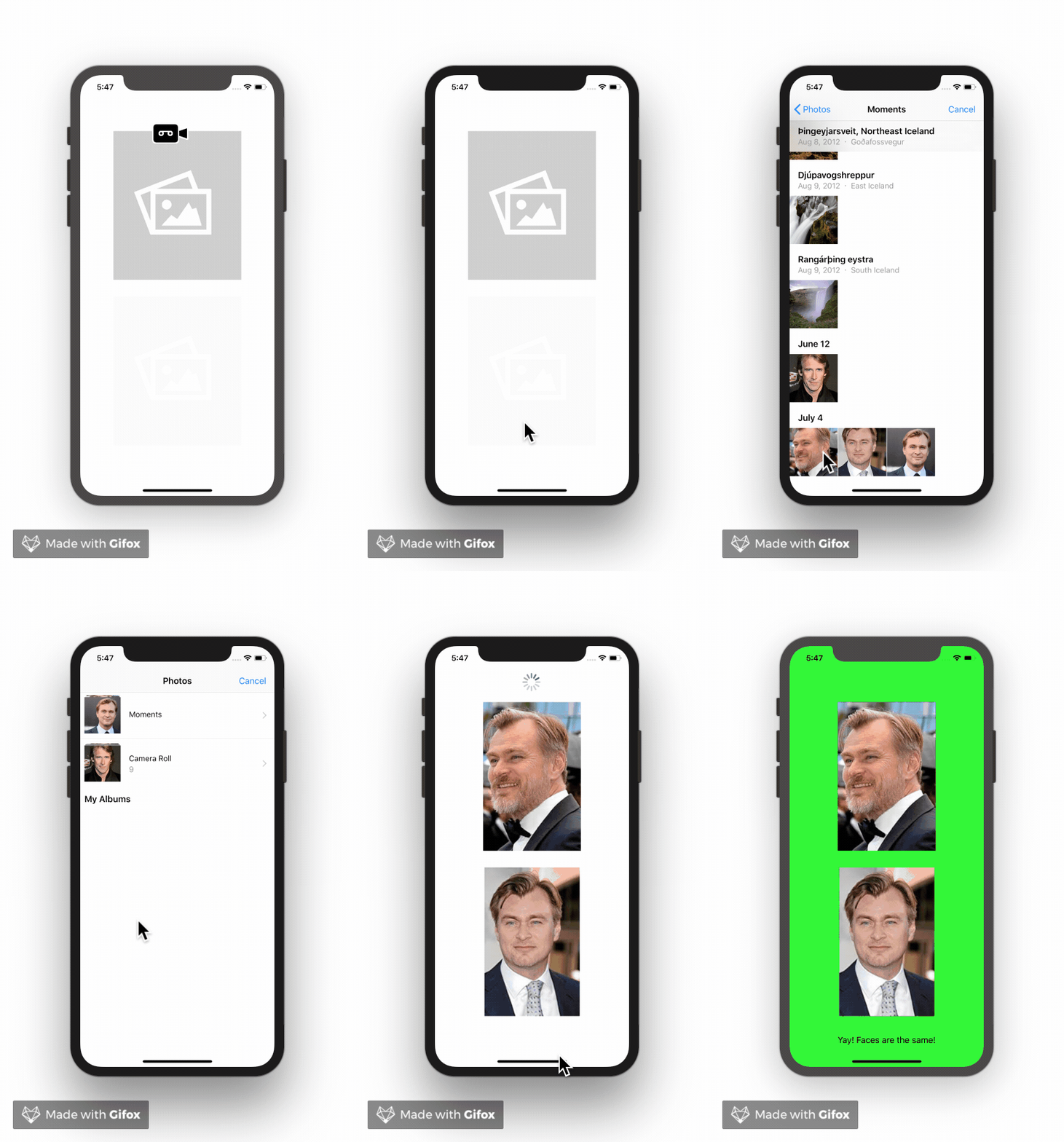 |
| 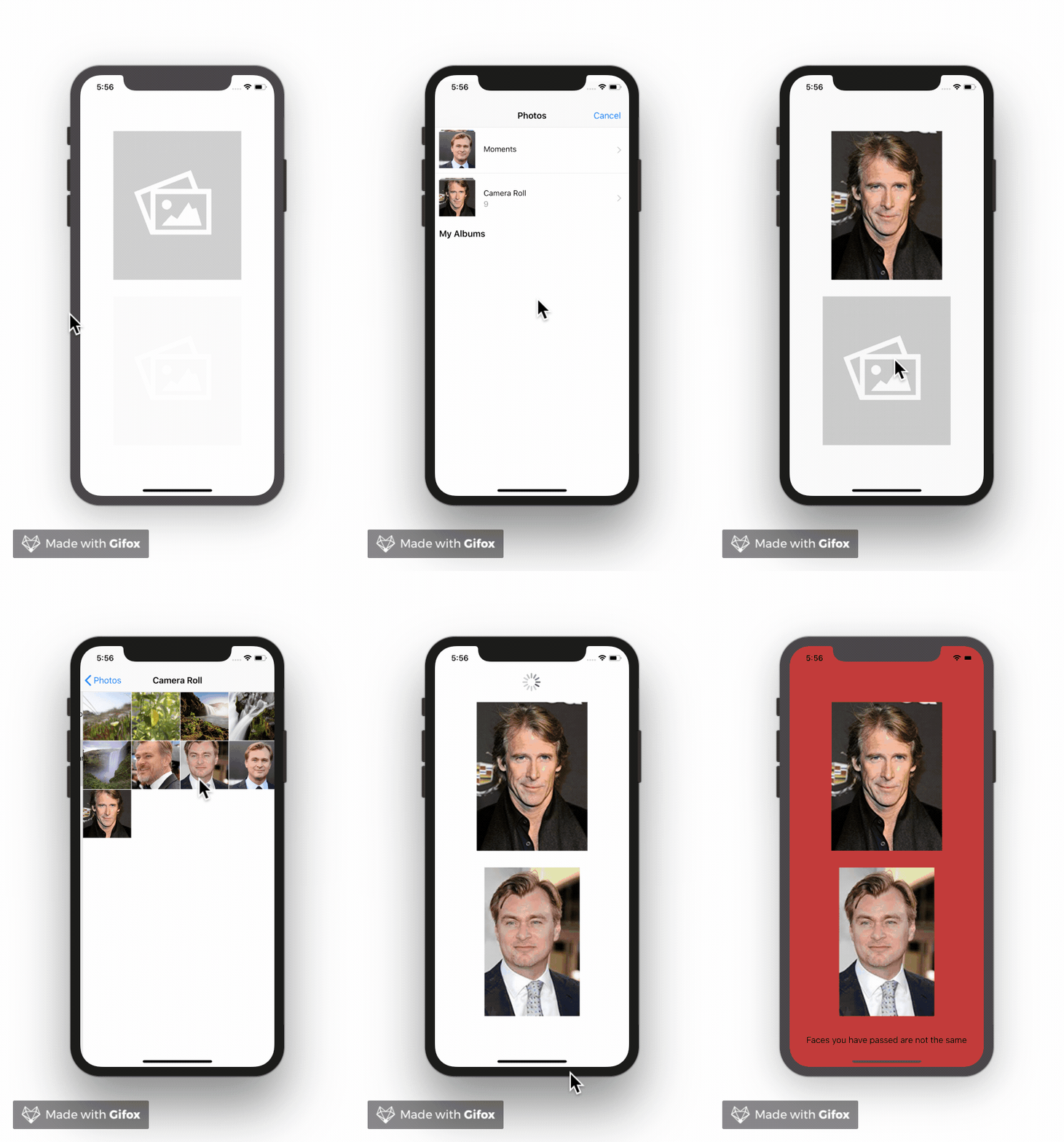 ##### AppDelegate.swift
In Your App delegate call SFaceCompare.opncvwrp.loadData() to load model related data. This Operation is long and async. So better put this before using methods from pod.
```swift
func application(_ application: UIApplication, didFinishLaunchingWithOptions launchOptions: [UIApplicationLaunchOptionsKey: Any]?) -> Bool {
SFaceCompare.prepareData()
return true
}
```
As simple as possible
```swift
// 1: Create compare object
let faceComparator = SFaceCompare(on: image1, and: image2)
// 2: Call compareFaces method with success and error handlers
faceComparator.compareFaces{ results in ... }
```
## Credits
SFaceCompare is owned and maintained by [Bohdan Mihiliev](https://github.com/BohdanNikoletti) & [Anton Khrolenko](https://github.com/Thromkir)
## License
SFaceCompare is available under the MIT license. See the [LICENSE](https://github.com/BohdanNikoletti/SFaceCompare/blob/master/LICENSE) file for more info.
##### AppDelegate.swift
In Your App delegate call SFaceCompare.opncvwrp.loadData() to load model related data. This Operation is long and async. So better put this before using methods from pod.
```swift
func application(_ application: UIApplication, didFinishLaunchingWithOptions launchOptions: [UIApplicationLaunchOptionsKey: Any]?) -> Bool {
SFaceCompare.prepareData()
return true
}
```
As simple as possible
```swift
// 1: Create compare object
let faceComparator = SFaceCompare(on: image1, and: image2)
// 2: Call compareFaces method with success and error handlers
faceComparator.compareFaces{ results in ... }
```
## Credits
SFaceCompare is owned and maintained by [Bohdan Mihiliev](https://github.com/BohdanNikoletti) & [Anton Khrolenko](https://github.com/Thromkir)
## License
SFaceCompare is available under the MIT license. See the [LICENSE](https://github.com/BohdanNikoletti/SFaceCompare/blob/master/LICENSE) file for more info.