# linorobot
**Repository Path**: longyifsy/linorobot
## Basic Information
- **Project Name**: linorobot
- **Description**: ROS Compatible ground robots (2WD, 4WD, Ackermann Steering, Mecanum Drive)
- **Primary Language**: Unknown
- **License**: BSD-2-Clause
- **Default Branch**: master
- **Homepage**: None
- **GVP Project**: No
## Statistics
- **Stars**: 0
- **Forks**: 0
- **Created**: 2021-03-22
- **Last Updated**: 2021-03-22
## Categories & Tags
**Categories**: Uncategorized
**Tags**: None
## README
 # linorobot [](https://travis-ci.org/linorobot/lino_install)
Linorobot is a suite of Open Source ROS compatible robots that aims to provide students, developers, and researchers a low-cost platform in creating new exciting applications on top of ROS.
## Tutorial
You can read the full tutorial how to build your robot [here](https://github.com/grassjelly/linorobot/wiki/1.-Getting-Started).
## Multiplatform
Supports multiple types of robot base:
- 2WD
- 4WD
- Ackermann Steering
- Mecanum drive

Works on:
- ROS Indigo (Ubuntu 14.04)
- ROS Kinetic (Ubuntu 16.04)
## Hardware
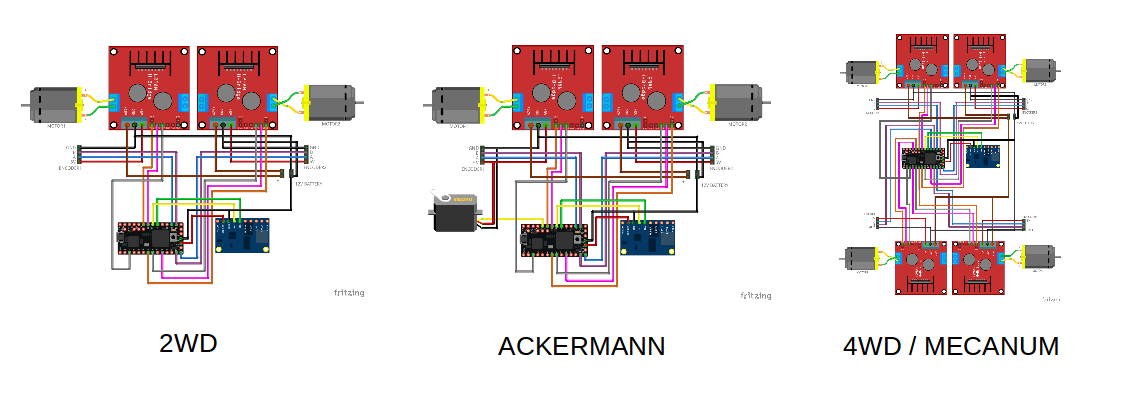
Fabricate your own Teensy 3.1/3.2 [shield,](https://github.com/linorobot/lino_docs/tree/master/schematics)
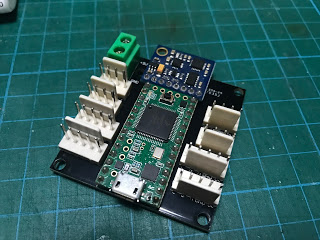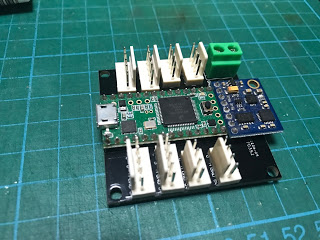
or wire it on your own. Wiring diagrams are also provided.
[](https://github.com/linorobot/linorobot/wiki/2.-Base-Controller)
#### Supported IMUs:
- GY-85
- MPU6050
- MPU9150
- MPU9250
The IMU drivers are based on [i2cdevlib](https://github.com/jrowberg/i2cdevlib).
#### Supported Motor Drivers:
- [L298](http://www.st.com/content/ccc/resource/technical/document/datasheet/82/cc/3f/39/0a/29/4d/f0/CD00000240.pdf/files/CD00000240.pdf/jcr:content/translations/en.CD00000240.pdf) (MAX: 35V, 2A)
- [BTS7960](https://www.mouser.com/ds/2/196/Infineon-BTN7960-DS-v01_01-en-785559.pdf) (MAX: 24V, 43A)
- Electronic Speed Controllers (ESC) w/ Reverse. [This](https://hobbyking.com/en_us/hobbykingtm-brushless-car-esc-2s-4s-60a-w-reverse.html) has been tested to control brushless motors used in RC cars and hoverboards.
#### Supported ROS Compatible Sensors:
- XV11 Lidar
- RPLidar
- YDLIDAR X4
- Hokuyo (SCIP 2.2 Compliant)
- Intel RealSense R200
- Kinect
#### Tested on Linux compatible ARM dev boards:
- Raspberry Pi 3/B+
- Jetson TK1
- Jetson TX1
- Odroid XU4
- Radxa Rock Pro
**Technically this should also work with any ARM dev board at least (1GB RAM) that runs Ubuntu Trusty or Xenial.
## Installation
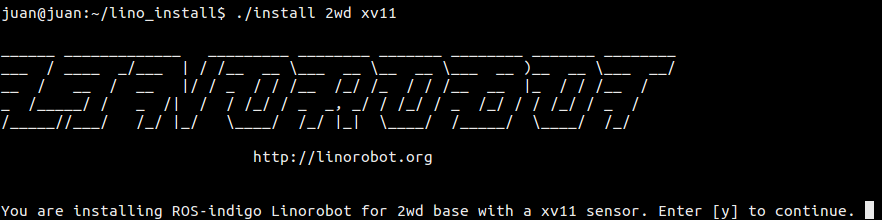
```
git clone https://github.com/linorobot/lino_install && cd lino_install
./install
```
## Firmware
Flexible and configurable components.
linorobot_ws/teensy/firmware/lib/config/lino_base_config.h
#### Robot base configuration:
```
//uncomment the base you're building
#define LINO_BASE DIFFERENTIAL_DRIVE
// #define LINO_BASE SKID_STEER
// #define LINO_BASE ACKERMANN
// #define LINO_BASE ACKERMANN1
// #define LINO_BASE MECANUM
```
#### IMU configuration:
```
//uncomment the IMU you're using
#define USE_GY85_IMU
// #define USE_MP6050_IMU
// #define USE_MPU9150_IMU
// #define USE_MPU9250_IMU
```
#### Motor driver configuration:
```
//uncomment the motor driver you're using
#define USE_L298_DRIVER
// #define USE_BTS7960_DRIVER
// #define USE_ESC
```
#### Motor configuration:
```
//define your robot' specs here
#define MAX_RPM 330 // motor's maximum RPM
#define COUNTS_PER_REV 1550 // wheel encoder's no of ticks per rev
#define WHEEL_DIAMETER 0.10 // wheel's diameter in meters
#define PWM_BITS 8 // PWM Resolution of the microcontroller
#define LR_WHEELS_DISTANCE 0.235 // distance between left and right wheels
#define FR_WHEELS_DISTANCE 0.30 // distance between front and rear wheels
#define MAX_STEERING_ANGLE 0.415 // max steering angle. This only applies to Ackermann steering
```
#### Uploading the codes:
```
cd ~/linorobot_ws/src/linorobot/teensy/firmware
platformio run --target upload
```
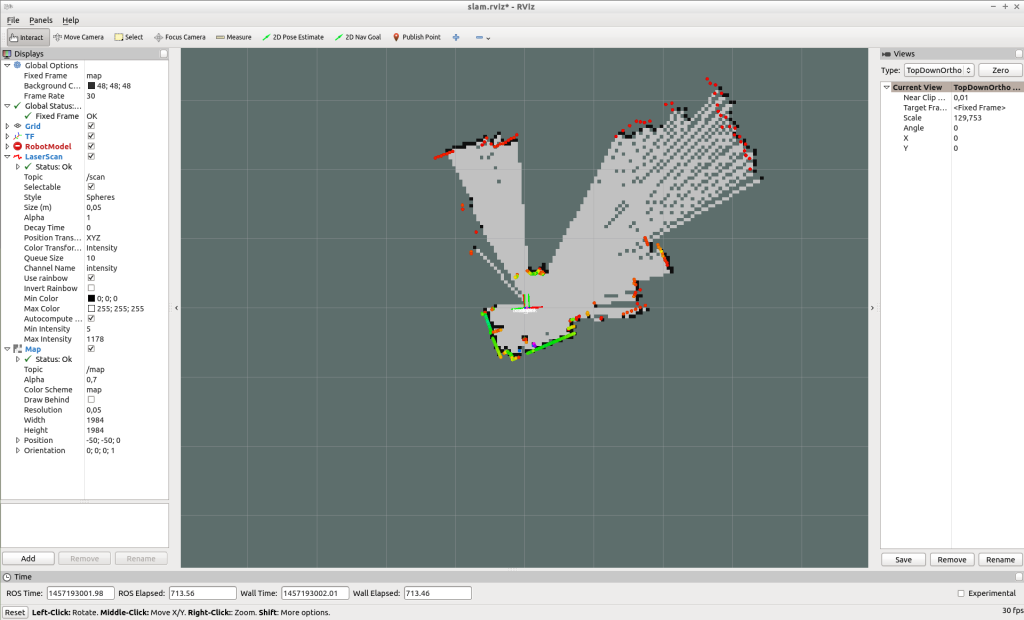
## Creating a Map
#### Launch base driver:
```
roslaunch linorobot bringup.launch
```
#### Launch mapping packages:
```
roslaunch linorobot slam.launch
```
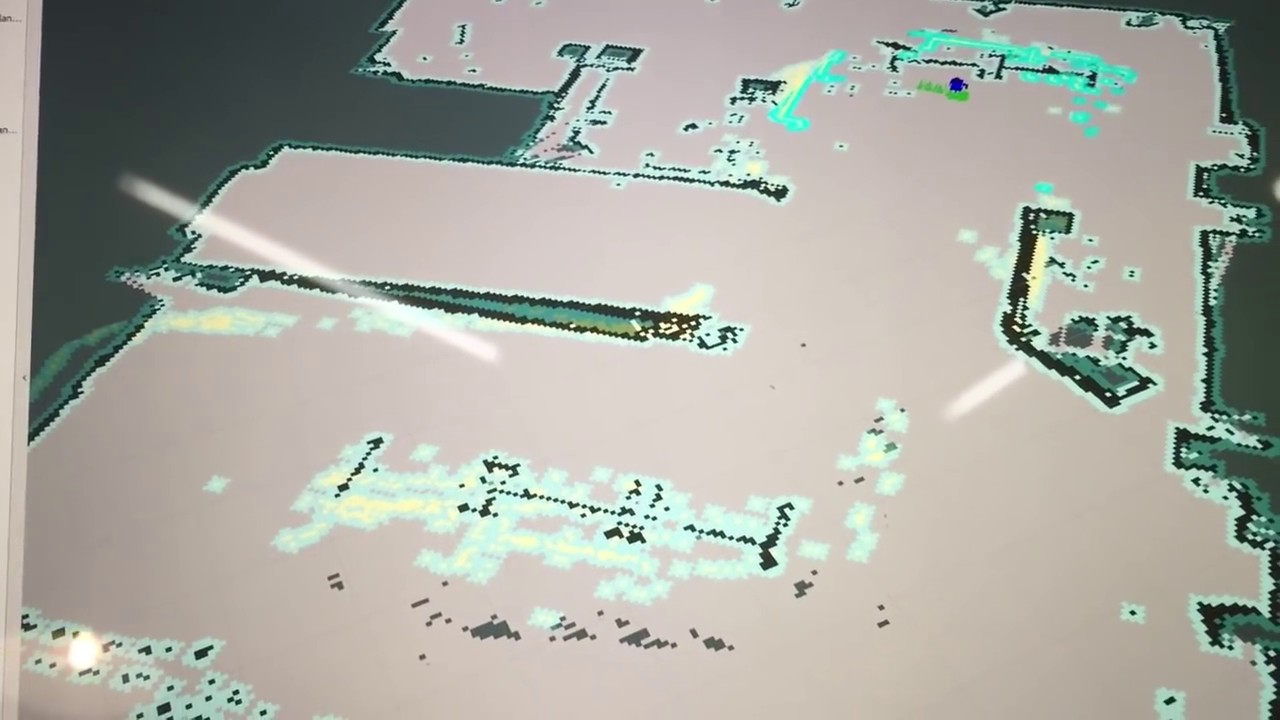
## Autonomous Navigation
[](https://www.youtube.com/embed/aqzMq-jMd-c "Linorobot Autonomous Navigation")
#### Launch base driver:
```
roslaunch linorobot bringup.launch
```
#### Launch navigation packages:
```
roslaunch linorobot navigate.launch
```
# linorobot [](https://travis-ci.org/linorobot/lino_install)
Linorobot is a suite of Open Source ROS compatible robots that aims to provide students, developers, and researchers a low-cost platform in creating new exciting applications on top of ROS.
## Tutorial
You can read the full tutorial how to build your robot [here](https://github.com/grassjelly/linorobot/wiki/1.-Getting-Started).
## Multiplatform
Supports multiple types of robot base:
- 2WD
- 4WD
- Ackermann Steering
- Mecanum drive

Works on:
- ROS Indigo (Ubuntu 14.04)
- ROS Kinetic (Ubuntu 16.04)
## Hardware
Fabricate your own Teensy 3.1/3.2 [shield,](https://github.com/linorobot/lino_docs/tree/master/schematics)

or wire it on your own. Wiring diagrams are also provided.
[](https://github.com/linorobot/linorobot/wiki/2.-Base-Controller)
#### Supported IMUs:
- GY-85
- MPU6050
- MPU9150
- MPU9250
The IMU drivers are based on [i2cdevlib](https://github.com/jrowberg/i2cdevlib).
#### Supported Motor Drivers:
- [L298](http://www.st.com/content/ccc/resource/technical/document/datasheet/82/cc/3f/39/0a/29/4d/f0/CD00000240.pdf/files/CD00000240.pdf/jcr:content/translations/en.CD00000240.pdf) (MAX: 35V, 2A)
- [BTS7960](https://www.mouser.com/ds/2/196/Infineon-BTN7960-DS-v01_01-en-785559.pdf) (MAX: 24V, 43A)
- Electronic Speed Controllers (ESC) w/ Reverse. [This](https://hobbyking.com/en_us/hobbykingtm-brushless-car-esc-2s-4s-60a-w-reverse.html) has been tested to control brushless motors used in RC cars and hoverboards.
#### Supported ROS Compatible Sensors:
- XV11 Lidar
- RPLidar
- YDLIDAR X4
- Hokuyo (SCIP 2.2 Compliant)
- Intel RealSense R200
- Kinect
#### Tested on Linux compatible ARM dev boards:
- Raspberry Pi 3/B+
- Jetson TK1
- Jetson TX1
- Odroid XU4
- Radxa Rock Pro
**Technically this should also work with any ARM dev board at least (1GB RAM) that runs Ubuntu Trusty or Xenial.
## Installation

```
git clone https://github.com/linorobot/lino_install && cd lino_install
./install
```
## Firmware
Flexible and configurable components.
linorobot_ws/teensy/firmware/lib/config/lino_base_config.h
#### Robot base configuration:
```
//uncomment the base you're building
#define LINO_BASE DIFFERENTIAL_DRIVE
// #define LINO_BASE SKID_STEER
// #define LINO_BASE ACKERMANN
// #define LINO_BASE ACKERMANN1
// #define LINO_BASE MECANUM
```
#### IMU configuration:
```
//uncomment the IMU you're using
#define USE_GY85_IMU
// #define USE_MP6050_IMU
// #define USE_MPU9150_IMU
// #define USE_MPU9250_IMU
```
#### Motor driver configuration:
```
//uncomment the motor driver you're using
#define USE_L298_DRIVER
// #define USE_BTS7960_DRIVER
// #define USE_ESC
```
#### Motor configuration:
```
//define your robot' specs here
#define MAX_RPM 330 // motor's maximum RPM
#define COUNTS_PER_REV 1550 // wheel encoder's no of ticks per rev
#define WHEEL_DIAMETER 0.10 // wheel's diameter in meters
#define PWM_BITS 8 // PWM Resolution of the microcontroller
#define LR_WHEELS_DISTANCE 0.235 // distance between left and right wheels
#define FR_WHEELS_DISTANCE 0.30 // distance between front and rear wheels
#define MAX_STEERING_ANGLE 0.415 // max steering angle. This only applies to Ackermann steering
```
#### Uploading the codes:
```
cd ~/linorobot_ws/src/linorobot/teensy/firmware
platformio run --target upload
```
## Creating a Map

#### Launch base driver:
```
roslaunch linorobot bringup.launch
```
#### Launch mapping packages:
```
roslaunch linorobot slam.launch
```
## Autonomous Navigation
[](https://www.youtube.com/embed/aqzMq-jMd-c "Linorobot Autonomous Navigation")
#### Launch base driver:
```
roslaunch linorobot bringup.launch
```
#### Launch navigation packages:
```
roslaunch linorobot navigate.launch
```