# plotly.py
**Repository Path**: looen/plotly.py
## Basic Information
- **Project Name**: plotly.py
- **Description**: https://github.com/plotly/plotly.py.git
- **Primary Language**: Python
- **License**: MIT
- **Default Branch**: master
- **Homepage**: None
- **GVP Project**: No
## Statistics
- **Stars**: 0
- **Forks**: 0
- **Created**: 2019-12-25
- **Last Updated**: 2020-12-18
## Categories & Tags
**Categories**: Uncategorized
**Tags**: None
## README
# plotly.py
| Latest Release |

|
| PyPI Downloads |

|
| License |

|
## Quickstart
`pip install plotly==4.4.1`
Inside [Jupyter notebook](https://jupyter.org/install) (installable with `pip install "notebook>=5.3" "ipywidgets>=7.2"`):
```python
import plotly.graph_objects as go
fig = go.Figure()
fig.add_trace(go.Scatter(y=[2, 1, 4, 3]))
fig.add_trace(go.Bar(y=[1, 4, 3, 2]))
fig.update_layout(title = 'Hello Figure')
fig.show()
```
See the [Python documentation](https://plot.ly/python/) for more examples.
Read about what's new in [plotly.py v4](https://medium.com/plotly/plotly-py-4-0-is-here-offline-only-express-first-displayable-anywhere-fc444e5659ee)
## Overview
[plotly.py](https://plot.ly/d3-js-for-python-and-pandas-charts/) is an interactive, open-source, and browser-based graphing library for Python :sparkles:
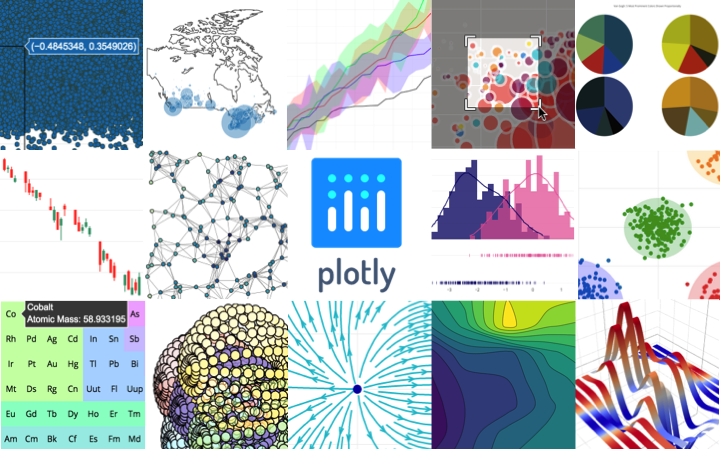
Built on top of [plotly.js](https://github.com/plotly/plotly.js), `plotly.py` is a high-level, declarative charting library. plotly.js ships with over 30 chart types, including scientific charts, 3D graphs, statistical charts, SVG maps, financial charts, and more.
`plotly.py` is [MIT Licensed](packages/python/chart-studio/LICENSE.txt). Plotly graphs can be viewed in Jupyter notebooks, standalone HTML files, or hosted online using [Chart Studio Cloud](https://chart-studio.plot.ly/feed/).
[Contact us](https://plot.ly/products/consulting-and-oem/) for consulting, dashboard development, application integration, and feature additions.
***
- [Online Documentation](https://plot.ly/python)
- [Contributing](contributing.md)
- [Changelog](CHANGELOG.md)
- [Code of Conduct](CODE_OF_CONDUCT.md)
- [Version 4 Migration Guide](https://plot.ly/python/next/v4-migration/)
- [New! Announcing Dash 1.0](https://medium.com/plotly/welcoming-dash-1-0-0-f3af4b84bae)
- [Community](https://community.plot.ly/c/api/python)
***
## Installation
plotly.py may be installed using pip...
```
pip install plotly==4.4.1
```
or conda.
```
conda install -c plotly plotly=4.4.1
```
### Jupyter Notebook Support
For use in the Jupyter Notebook, install the `notebook` and `ipywidgets`
packages using pip...
```
pip install "notebook>=5.3" "ipywidgets==7.5"
```
or conda.
```
conda install "notebook>=5.3" "ipywidgets=7.5"
```
### JupyterLab Support (Python 3.5+)
For use in JupyterLab, install the `jupyterlab` and `ipywidgets`
packages using pip...
```
pip install jupyterlab==1.2 "ipywidgets==7.5"
```
or conda.
```
conda install jupyterlab=1.2
conda install "ipywidgets=7.5"
```
Then run the following commands to install the required JupyterLab extensions (note that this will require [`node`](https://nodejs.org/) to be installed):
```
# Avoid "JavaScript heap out of memory" errors during extension installation
# (OS X/Linux)
export NODE_OPTIONS=--max-old-space-size=4096
# (Windows)
set NODE_OPTIONS=--max-old-space-size=4096
# Jupyter widgets extension
jupyter labextension install @jupyter-widgets/jupyterlab-manager@1.1 --no-build
# FigureWidget support
jupyter labextension install plotlywidget@1.4.0 --no-build
# and jupyterlab renderer support
jupyter labextension install jupyterlab-plotly@1.4.0 --no-build
# Build extensions (must be done to activate extensions since --no-build is used above)
jupyter lab build
# Unset NODE_OPTIONS environment variable
# (OS X/Linux)
unset NODE_OPTIONS
# (Windows)
set NODE_OPTIONS=
```
### Static Image Export
plotly.py supports static image export using the `to_image` and `write_image`
functions in the `plotly.io` package. This functionality requires the
installation of the plotly [orca](https://github.com/plotly/orca) command line utility and the
[`psutil`](https://github.com/giampaolo/psutil) Python package.
These dependencies can both be installed using conda:
```
conda install -c plotly plotly-orca psutil
```
Or, `psutil` can be installed using pip...
```
pip install psutil
```
and orca can be installed according to the instructions in the [orca README](https://github.com/plotly/orca).
#### Troubleshooting
##### Wrong Executable found
If you get an error message stating that the `orca` executable that was found is not valid, this may be because another executable with the same name was found on your system. Please specify the complete path to the Plotly-Orca binary that you downloaded (for instance in the Miniconda folder) with the following command:
`plotly.io.orca.config.executable = '/home/your_name/miniconda3/bin/orca'`
### Extended Geo Support
Some plotly.py features rely on fairly large geographic shape files. The county
choropleth figure factory is one such example. These shape files are distributed as a
separate `plotly-geo` package. This package can be installed using pip...
```
pip install plotly-geo==1.0.0
```
or conda
```
conda install -c plotly plotly-geo=1.0.0
```
### Chart Studio support
The `chart-studio` package can be used to upload plotly figures to Plotly's Chart
Studio Cloud or On-Prem service. This package can be installed using pip...
```
pip install chart-studio==1.0.0
```
or conda
```
conda install -c plotly chart-studio=1.0.0
```
## Migration
If you're migrating from plotly.py v3 to v4, please check out the [Version 4 migration guide](https://plot.ly/python/next/v4-migration/)
If you're migrating from plotly.py v2 to v3, please check out the [Version 3 migration guide](migration-guide.md)
## Copyright and Licenses
Code and documentation copyright 2019 Plotly, Inc.
Code released under the [MIT license](packages/python/chart-studio/LICENSE.txt).
Docs released under the [Creative Commons license](https://github.com/plotly/documentation/blob/source/LICENSE).