# raspberry_pyside_notes
**Repository Path**: makerinchina/raspberry_pyside_notes
## Basic Information
- **Project Name**: raspberry_pyside_notes
- **Description**: create gui at raspberry pi use pyside and qml
- **Primary Language**: QML
- **License**: Not specified
- **Default Branch**: master
- **Homepage**: None
- **GVP Project**: No
## Statistics
- **Stars**: 1
- **Forks**: 0
- **Created**: 2021-12-19
- **Last Updated**: 2023-12-21
## Categories & Tags
**Categories**: Uncategorized
**Tags**: None
## README
> Create Python GUI application at Raspberry Pi use Pyside/PyQt and QML
---
note and details: https://makerinchina.cn/categories/raspberrypi/
## :v: 1. Led control GUI:
- screenshot:
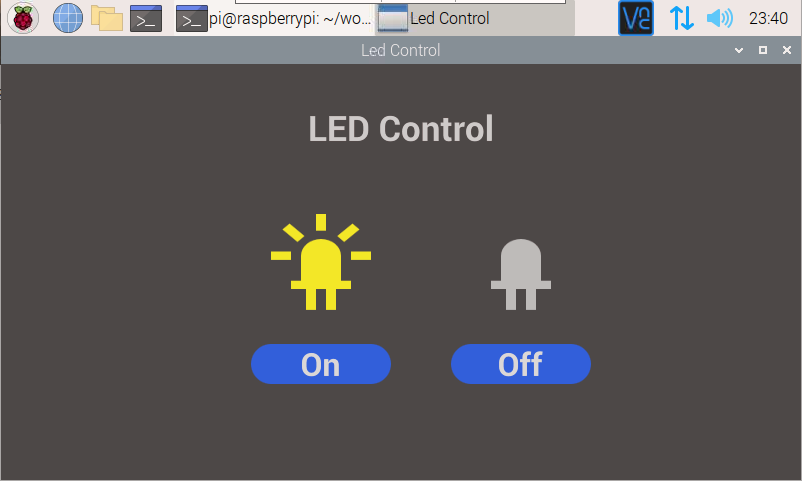 - note: [树莓派GUI控制LED-Pyside](https://makerinchina.cn/%e6%a0%91%e8%8e%93%e6%b4%begui%e6%8e%a7%e5%88%b6led-pyside/)
## :v: 2. LED PWM control GUI:
- screenshot:
- note: [树莓派GUI控制LED-Pyside](https://makerinchina.cn/%e6%a0%91%e8%8e%93%e6%b4%begui%e6%8e%a7%e5%88%b6led-pyside/)
## :v: 2. LED PWM control GUI:
- screenshot:
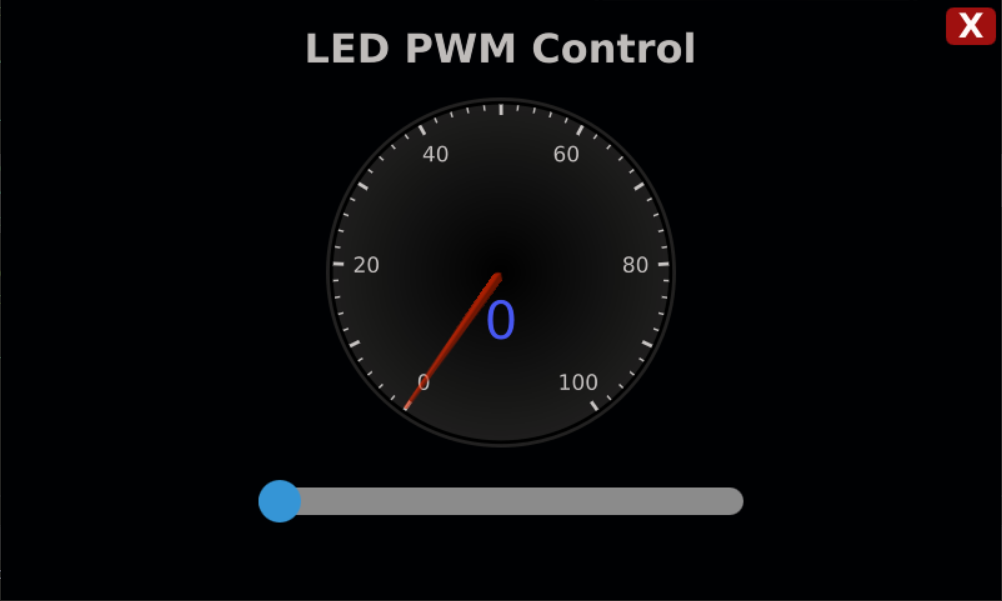 - note: [树莓派gui-pwm控制led-pyside](https://makerinchina.cn/%e6%a0%91%e8%8e%93%e6%b4%begui-pwm%e6%8e%a7%e5%88%b6led-pyside/)
## :v: 3. Buzzer control GUI:
- screenshot:
- note: [树莓派gui-pwm控制led-pyside](https://makerinchina.cn/%e6%a0%91%e8%8e%93%e6%b4%begui-pwm%e6%8e%a7%e5%88%b6led-pyside/)
## :v: 3. Buzzer control GUI:
- screenshot:
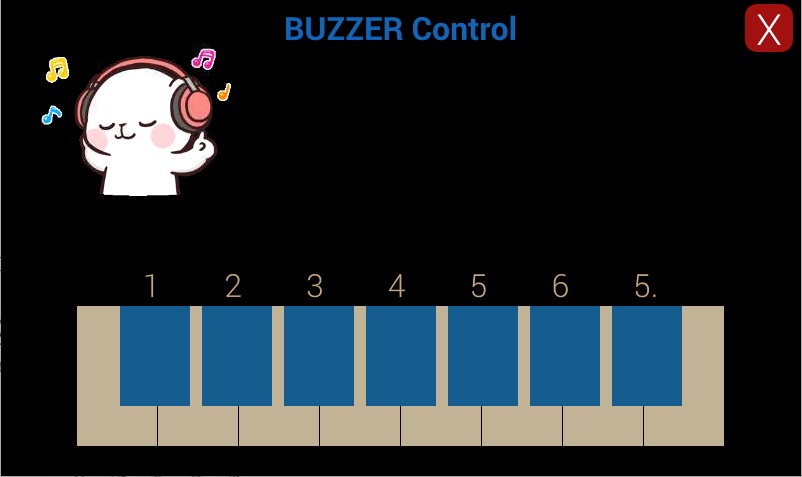 - note: [树莓派gui控制蜂鸣器-pyside](https://makerinchina.cn/%e6%a0%91%e8%8e%93%e6%b4%begui%e6%8e%a7%e5%88%b6%e8%9c%82%e9%b8%a3%e5%99%a8-pyside/)
## :v: 4. Temp monitor GUI:
- screenshot:
- note: [树莓派gui控制蜂鸣器-pyside](https://makerinchina.cn/%e6%a0%91%e8%8e%93%e6%b4%begui%e6%8e%a7%e5%88%b6%e8%9c%82%e9%b8%a3%e5%99%a8-pyside/)
## :v: 4. Temp monitor GUI:
- screenshot:
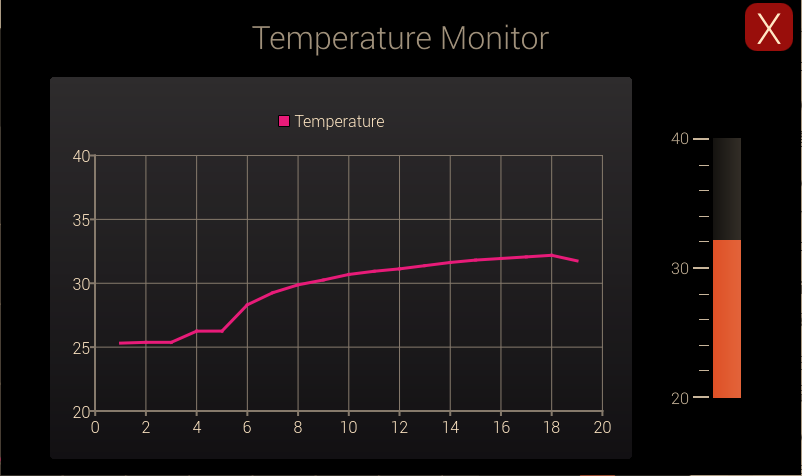 - note: [树莓派GUI显示温度监控-PySide/PyQT/QML](https://makerinchina.cn/%e6%a0%91%e8%8e%93%e6%b4%begui%e6%98%be%e7%a4%ba%e6%b8%a9%e5%ba%a6%e7%9b%91%e6%8e%a7-pyside-pyqt-qml/)
## :v: 5. ADC measure GUI:
- screenshot:
- note: [树莓派GUI显示温度监控-PySide/PyQT/QML](https://makerinchina.cn/%e6%a0%91%e8%8e%93%e6%b4%begui%e6%98%be%e7%a4%ba%e6%b8%a9%e5%ba%a6%e7%9b%91%e6%8e%a7-pyside-pyqt-qml/)
## :v: 5. ADC measure GUI:
- screenshot:
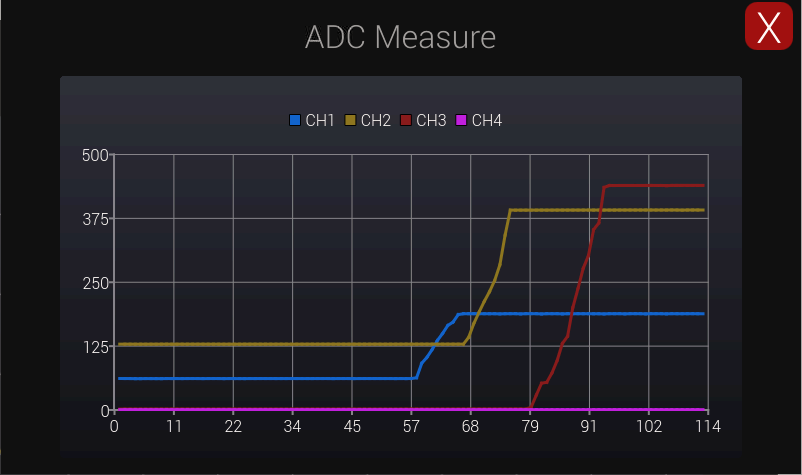 - note: [树莓派GUI-ADC测量-PySide/PyQT/QML/Python/Qt](https://makerinchina.cn/%e6%a0%91%e8%8e%93%e6%b4%begui-adc%e6%b5%8b%e9%87%8f-pyside-pyqt-qml-python-qt/)
## :v: 5. Serial Testing GUI:
- screenshot:
- note: [树莓派GUI-ADC测量-PySide/PyQT/QML/Python/Qt](https://makerinchina.cn/%e6%a0%91%e8%8e%93%e6%b4%begui-adc%e6%b5%8b%e9%87%8f-pyside-pyqt-qml-python-qt/)
## :v: 5. Serial Testing GUI:
- screenshot:
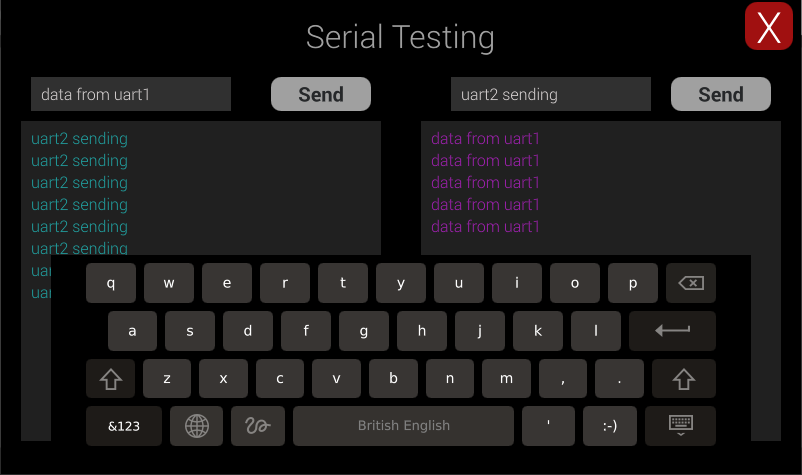 - note: [树莓派gui-串口使用-pyside-pyqt-qml-python-qt](https://makerinchina.cn/%e6%a0%91%e8%8e%93%e6%b4%begui-%e4%b8%b2%e5%8f%a3%e4%bd%bf%e7%94%a8-pyside-pyqt-qml-python-qt/)
## :v: 6. Camera Viewer GUI:
- screenshot:
- note: [树莓派gui-串口使用-pyside-pyqt-qml-python-qt](https://makerinchina.cn/%e6%a0%91%e8%8e%93%e6%b4%begui-%e4%b8%b2%e5%8f%a3%e4%bd%bf%e7%94%a8-pyside-pyqt-qml-python-qt/)
## :v: 6. Camera Viewer GUI:
- screenshot:
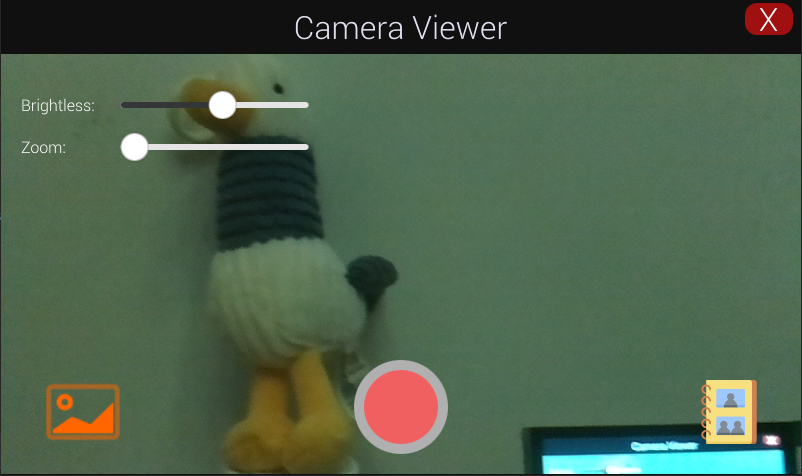 - note: [树莓派gui-摄像头使用-pyside-pyqt-qml-python-qt](https://makerinchina.cn/%e6%a0%91%e8%8e%93%e6%b4%begui-%e6%91%84%e5%83%8f%e5%a4%b4%e4%bd%bf%e7%94%a8-pyside-pyqt-qml-python-qt/)