
xmake










A cross-platform build utility based on Lua
A cross-platform build utility based on Lua
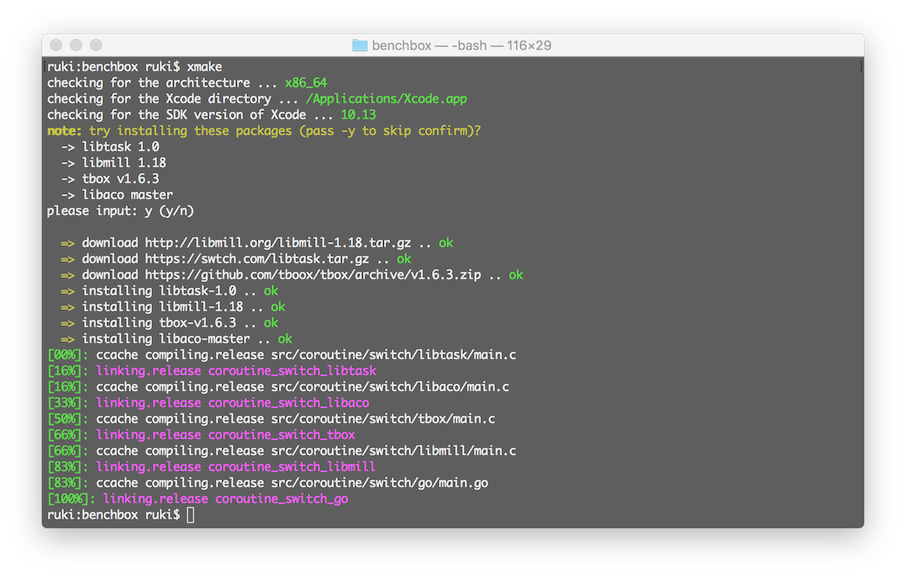 如果你想要了解更多,请参考:
* [在线文档](https://xmake.io/#/zh-cn/getting_started)
* [项目主页](https://xmake.io/#/zh-cn/)
* [Github](https://github.com/xmake-io/xmake)
* [Gitee](https://gitee.com/tboox/xmake)
## 安装
#### 使用curl
```bash
bash <(curl -fsSL https://cdn.jsdelivr.net/gh/xmake-io/xmake@master/scripts/get.sh)
```
#### 使用wget
```bash
bash <(wget https://cdn.jsdelivr.net/gh/xmake-io/xmake@master/scripts/get.sh -O -)
```
#### 使用powershell
```bash
Invoke-Expression (Invoke-Webrequest 'https://cdn.jsdelivr.net/gh/xmake-io/xmake@master/scripts/get.ps1' -UseBasicParsing).Content
```
## 简单的工程描述
如果你想要了解更多,请参考:
* [在线文档](https://xmake.io/#/zh-cn/getting_started)
* [项目主页](https://xmake.io/#/zh-cn/)
* [Github](https://github.com/xmake-io/xmake)
* [Gitee](https://gitee.com/tboox/xmake)
## 安装
#### 使用curl
```bash
bash <(curl -fsSL https://cdn.jsdelivr.net/gh/xmake-io/xmake@master/scripts/get.sh)
```
#### 使用wget
```bash
bash <(wget https://cdn.jsdelivr.net/gh/xmake-io/xmake@master/scripts/get.sh -O -)
```
#### 使用powershell
```bash
Invoke-Expression (Invoke-Webrequest 'https://cdn.jsdelivr.net/gh/xmake-io/xmake@master/scripts/get.ps1' -UseBasicParsing).Content
```
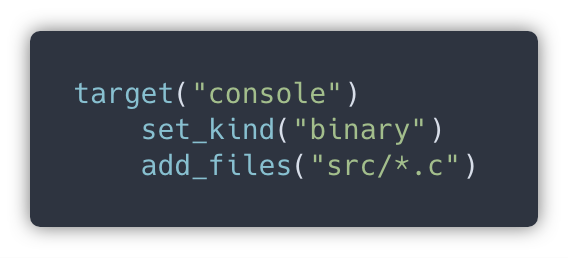
## 简单的工程描述
 ## 包依赖描述
 官方的xmake包管理仓库: [xmake-repo](https://github.com/xmake-io/xmake-repo)
## 构建工程
```bash
$ xmake
```
## 运行目标
```bash
$ xmake run console
```
## 调试程序
```bash
$ xmake run -d console
```
## 配置平台
```bash
$ xmake f -p [windows|linux|macosx|android|iphoneos ..] -a [x86|arm64 ..] -m [debug|release]
$ xmake
```
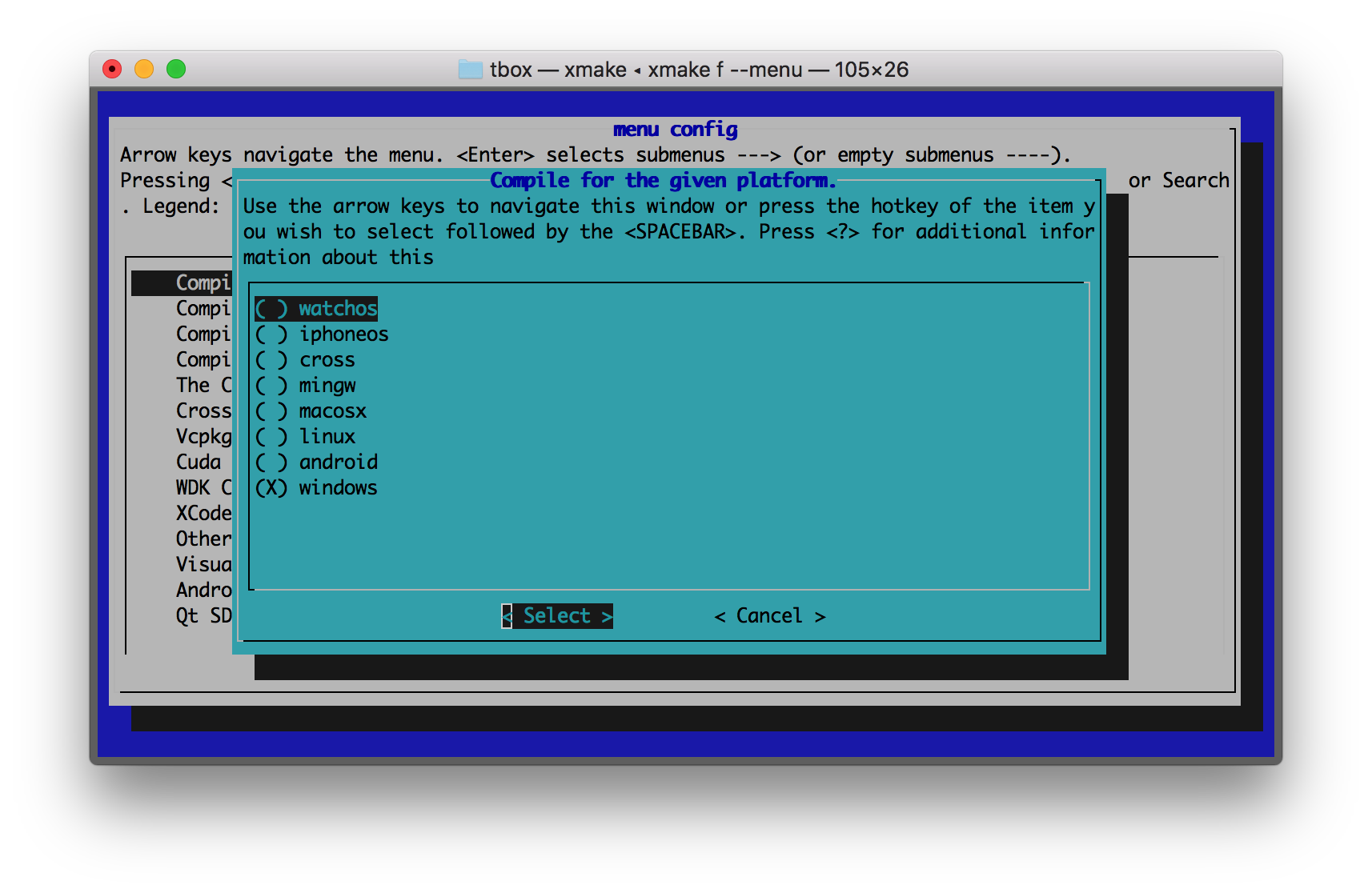
## 图形化菜单配置
```bash
$ xmake f --menu
```
官方的xmake包管理仓库: [xmake-repo](https://github.com/xmake-io/xmake-repo)
## 构建工程
```bash
$ xmake
```
## 运行目标
```bash
$ xmake run console
```
## 调试程序
```bash
$ xmake run -d console
```
## 配置平台
```bash
$ xmake f -p [windows|linux|macosx|android|iphoneos ..] -a [x86|arm64 ..] -m [debug|release]
$ xmake
```
## 图形化菜单配置
```bash
$ xmake f --menu
```
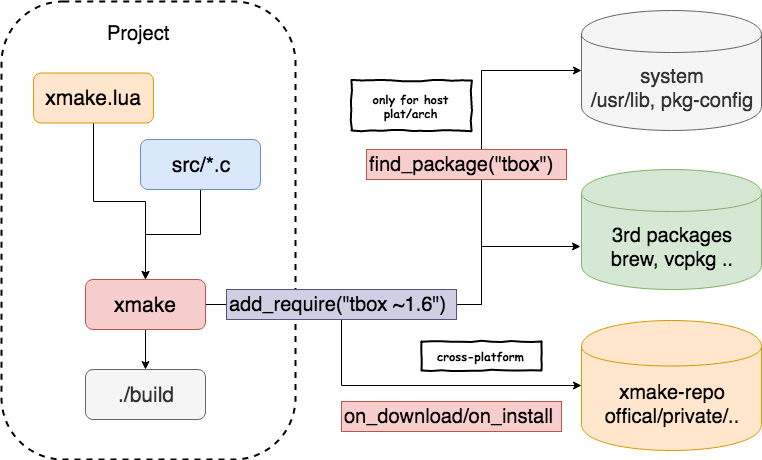
 ## 包依赖管理
### 下载和编译
### 架构和流程
## 包依赖管理
### 下载和编译
### 架构和流程
 ## 支持平台
* Windows (x86, x64)
* Macosx (i386, x86_64)
* Linux (i386, x86_64, cross-toolchains ...)
* Android (armv5te, armv6, armv7-a, armv8-a, arm64-v8a)
* iPhoneOS (armv7, armv7s, arm64, i386, x86_64)
* WatchOS (armv7k, i386)
* Mingw (i386, x86_64)
## 支持语言
* C/C++
* Objc/Objc++
* Swift
* Assembly
* Golang
* Rust
* Dlang
* Cuda
## 工程类型
* 静态库程序
* 动态库类型
* 控制台程序
* Cuda程序
* Qt应用程序
* WDK驱动程序
* WinSDK应用程序
* MFC应用程序
## 更多例子
Debug和Release模式:
```lua
add_rules("mode.debug", "mode.release")
target("console")
set_kind("binary")
add_files("src/*.c")
if is_mode("debug") then
add_defines("DEBUG")
end
```
自定义脚本:
```lua
target("test")
set_kind("binary")
add_files("src/*.c")
after_build(function (target)
print("hello: %s", target:name())
os.exec("echo %s", target:targetfile())
end)
```
下载和使用在[xmake-repo](https://github.com/xmake-io/xmake-repo)和第三方包仓库的依赖包:
```lua
add_requires("tbox >1.6.1", "libuv master", "vcpkg::ffmpeg", "brew::pcre2/libpcre2-8")
add_requires("conan::OpenSSL/1.0.2n@conan/stable", {alias = "openssl", optional = true, debug = true})
target("test")
set_kind("binary")
add_files("src/*.c")
add_packages("tbox", "libuv", "vcpkg::ffmpeg", "brew::pcre2/libpcre2-8", "openssl")
```
Qt QuickApp应用程序:
```lua
target("test")
add_rules("qt.quickapp")
add_files("src/*.cpp")
add_files("src/qml.qrc")
```
Cuda程序:
```lua
target("test")
set_kind("binary")
add_files("src/*.cu")
add_cugencodes("native")
add_cugencodes("compute_30")
```
WDK/UMDF驱动程序:
```lua
target("echo")
add_rules("wdk.driver", "wdk.env.umdf")
add_files("driver/*.c")
add_files("driver/*.inx")
add_includedirs("exe")
target("app")
add_rules("wdk.binary", "wdk.env.umdf")
add_files("exe/*.cpp")
```
更多WDK驱动程序例子(umdf/kmdf/wdm),见:[WDK工程例子](https://xmake.io/#/zh-cn/guide/project_examples?id=wdk%e9%a9%b1%e5%8a%a8%e7%a8%8b%e5%ba%8f)
## 插件
#### 生成IDE工程文件插件(makefile, vs2002 - vs2019, ...)
```bash
$ xmake project -k vsxmake -m "debug;release" # 新版vs工程生成插件(推荐)
$ xmake project -k vs -m "debug;release"
$ xmake project -k cmakelists
$ xmake project -k compile_commands
```
#### 加载自定义lua脚本插件
```bash
$ xmake l ./test.lua
$ xmake l -c "print('hello xmake!')"
$ xmake l lib.detect.find_tool gcc
$ xmake l
> print("hello xmake!")
> {1, 2, 3}
< {
1,
2,
3
}
```
更多内置插件见相关文档:[内置插件文档](https://xmake.io/#/zh-cn/plugin/builtin_plugins)
其他扩展插件,请到插件仓库进行下载安装: [xmake-plugins](https://github.com/xmake-io/xmake-plugins).
## IDE和编辑器插件
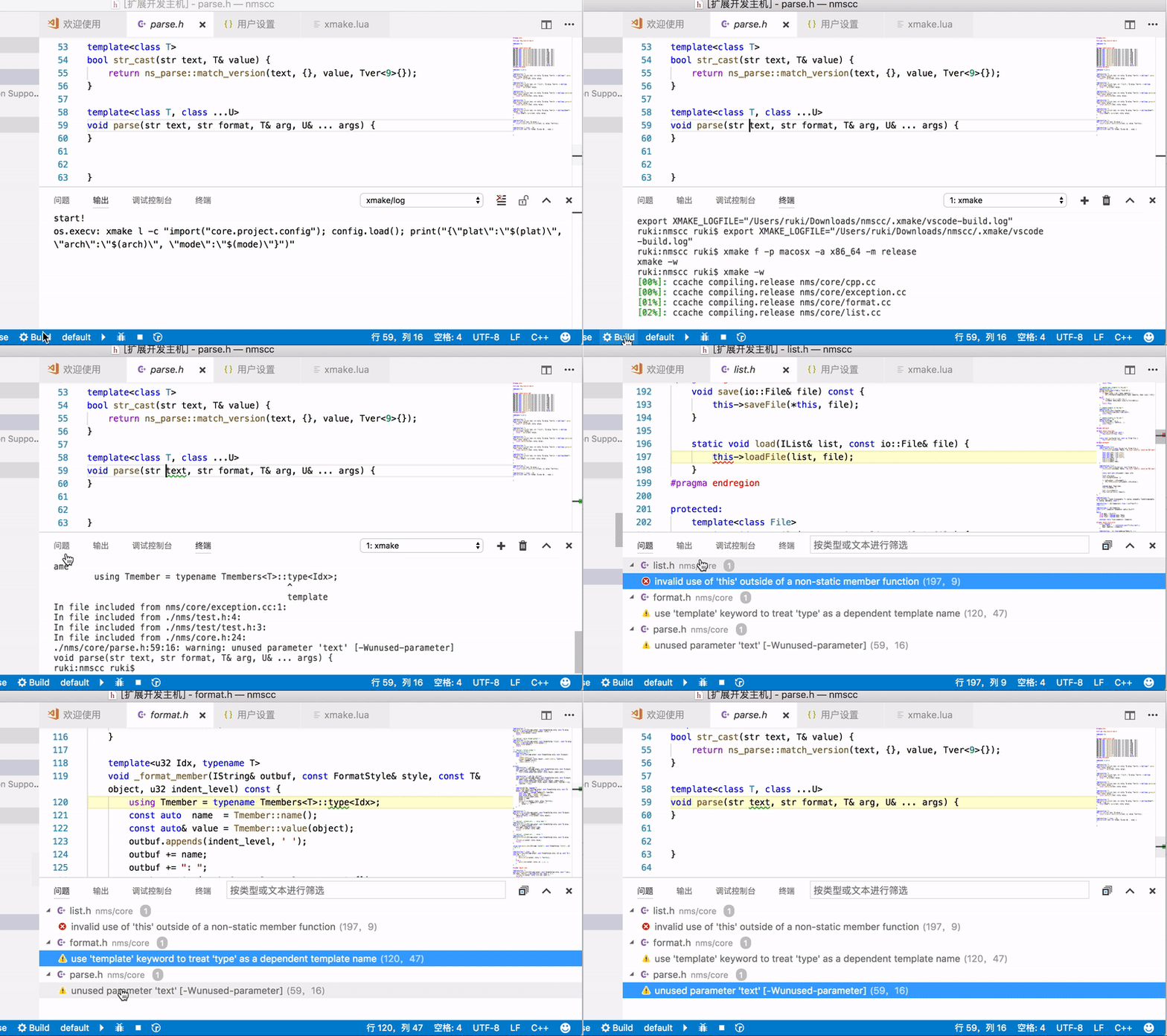
* [xmake-vscode](https://github.com/xmake-io/xmake-vscode)
## 支持平台
* Windows (x86, x64)
* Macosx (i386, x86_64)
* Linux (i386, x86_64, cross-toolchains ...)
* Android (armv5te, armv6, armv7-a, armv8-a, arm64-v8a)
* iPhoneOS (armv7, armv7s, arm64, i386, x86_64)
* WatchOS (armv7k, i386)
* Mingw (i386, x86_64)
## 支持语言
* C/C++
* Objc/Objc++
* Swift
* Assembly
* Golang
* Rust
* Dlang
* Cuda
## 工程类型
* 静态库程序
* 动态库类型
* 控制台程序
* Cuda程序
* Qt应用程序
* WDK驱动程序
* WinSDK应用程序
* MFC应用程序
## 更多例子
Debug和Release模式:
```lua
add_rules("mode.debug", "mode.release")
target("console")
set_kind("binary")
add_files("src/*.c")
if is_mode("debug") then
add_defines("DEBUG")
end
```
自定义脚本:
```lua
target("test")
set_kind("binary")
add_files("src/*.c")
after_build(function (target)
print("hello: %s", target:name())
os.exec("echo %s", target:targetfile())
end)
```
下载和使用在[xmake-repo](https://github.com/xmake-io/xmake-repo)和第三方包仓库的依赖包:
```lua
add_requires("tbox >1.6.1", "libuv master", "vcpkg::ffmpeg", "brew::pcre2/libpcre2-8")
add_requires("conan::OpenSSL/1.0.2n@conan/stable", {alias = "openssl", optional = true, debug = true})
target("test")
set_kind("binary")
add_files("src/*.c")
add_packages("tbox", "libuv", "vcpkg::ffmpeg", "brew::pcre2/libpcre2-8", "openssl")
```
Qt QuickApp应用程序:
```lua
target("test")
add_rules("qt.quickapp")
add_files("src/*.cpp")
add_files("src/qml.qrc")
```
Cuda程序:
```lua
target("test")
set_kind("binary")
add_files("src/*.cu")
add_cugencodes("native")
add_cugencodes("compute_30")
```
WDK/UMDF驱动程序:
```lua
target("echo")
add_rules("wdk.driver", "wdk.env.umdf")
add_files("driver/*.c")
add_files("driver/*.inx")
add_includedirs("exe")
target("app")
add_rules("wdk.binary", "wdk.env.umdf")
add_files("exe/*.cpp")
```
更多WDK驱动程序例子(umdf/kmdf/wdm),见:[WDK工程例子](https://xmake.io/#/zh-cn/guide/project_examples?id=wdk%e9%a9%b1%e5%8a%a8%e7%a8%8b%e5%ba%8f)
## 插件
#### 生成IDE工程文件插件(makefile, vs2002 - vs2019, ...)
```bash
$ xmake project -k vsxmake -m "debug;release" # 新版vs工程生成插件(推荐)
$ xmake project -k vs -m "debug;release"
$ xmake project -k cmakelists
$ xmake project -k compile_commands
```
#### 加载自定义lua脚本插件
```bash
$ xmake l ./test.lua
$ xmake l -c "print('hello xmake!')"
$ xmake l lib.detect.find_tool gcc
$ xmake l
> print("hello xmake!")
> {1, 2, 3}
< {
1,
2,
3
}
```
更多内置插件见相关文档:[内置插件文档](https://xmake.io/#/zh-cn/plugin/builtin_plugins)
其他扩展插件,请到插件仓库进行下载安装: [xmake-plugins](https://github.com/xmake-io/xmake-plugins).
## IDE和编辑器插件
* [xmake-vscode](https://github.com/xmake-io/xmake-vscode)
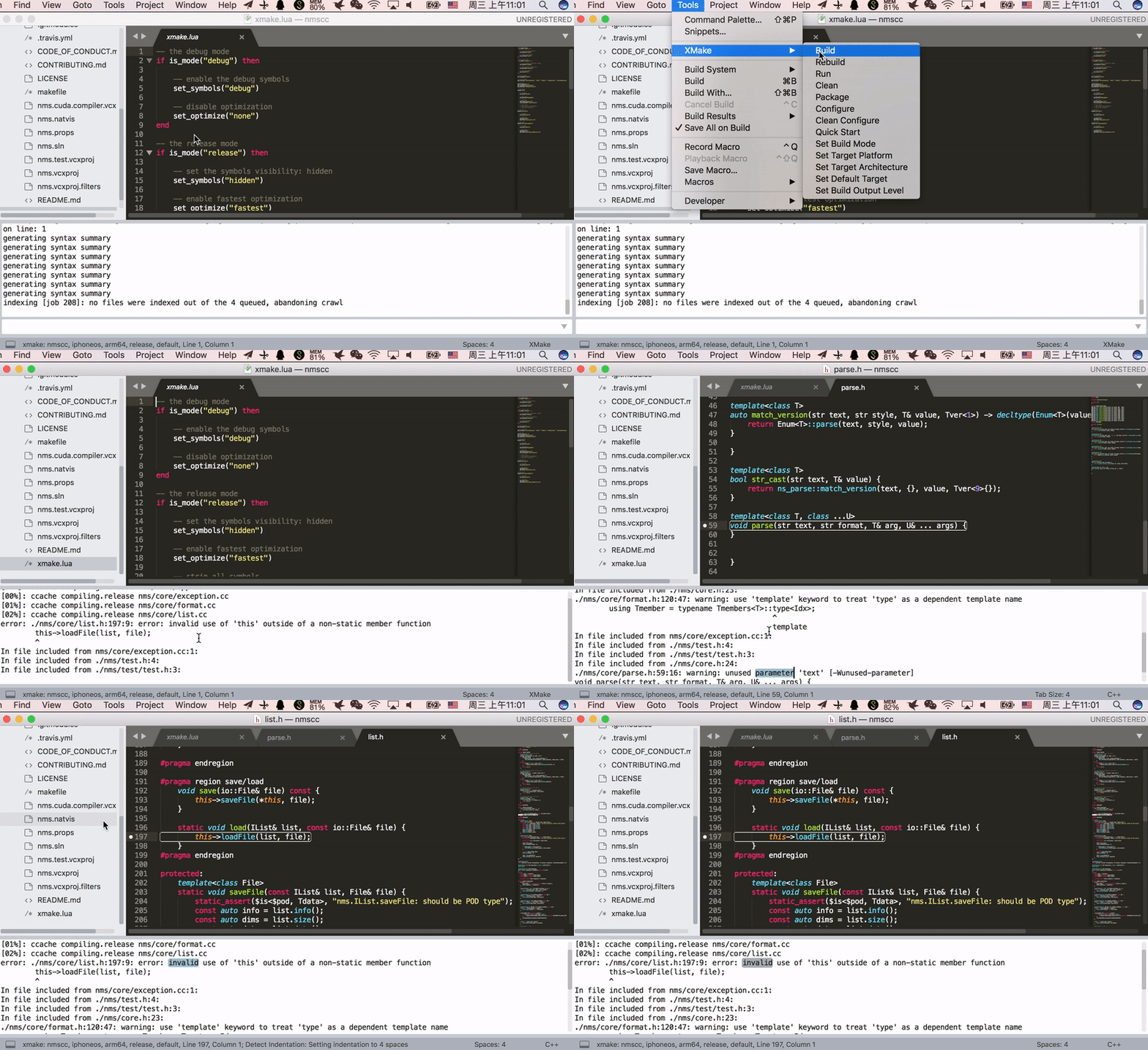
 * [xmake-sublime](https://github.com/xmake-io/xmake-sublime)
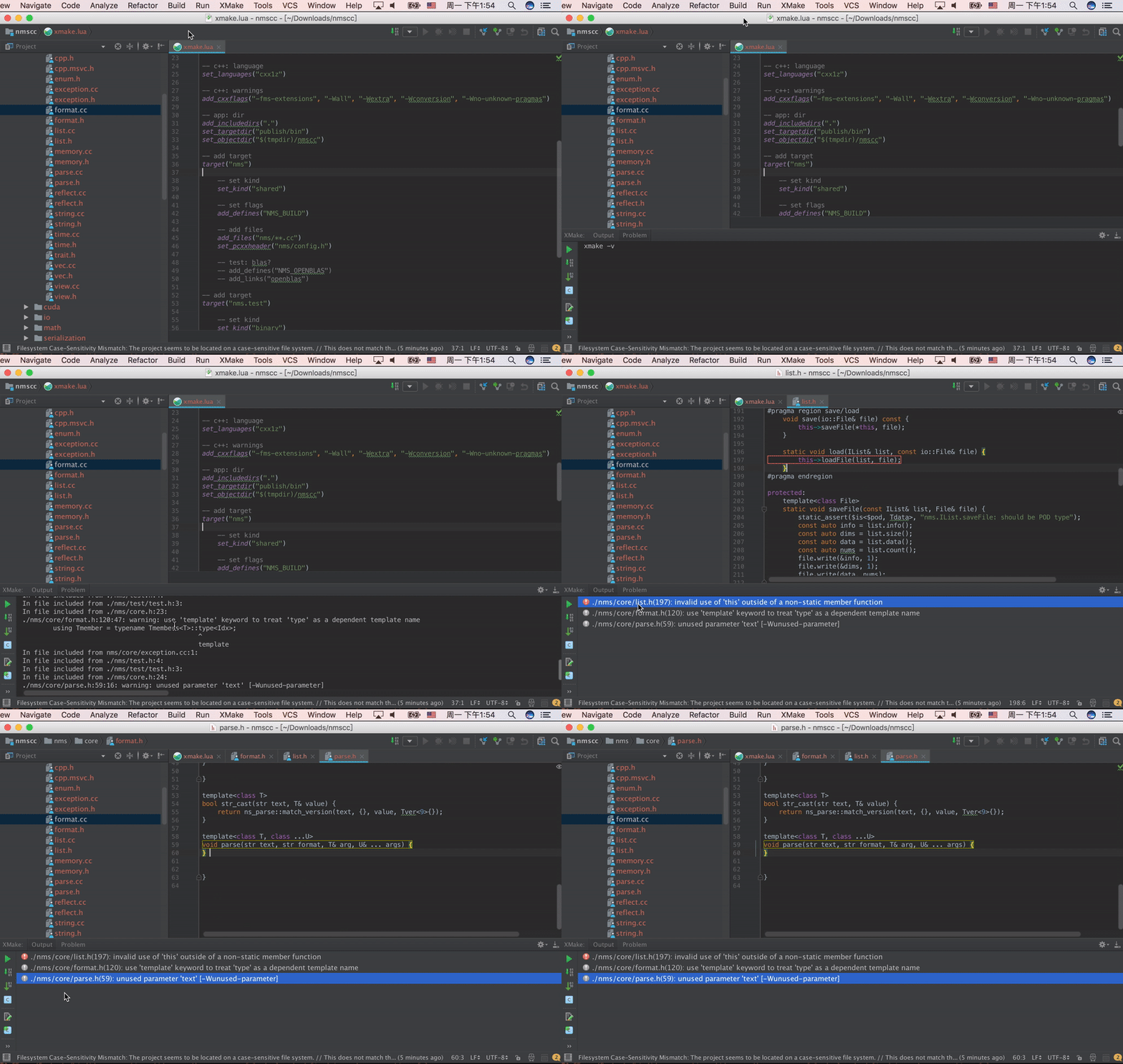
 * [xmake-idea](https://github.com/xmake-io/xmake-idea)
 * [xmake.vim](https://github.com/luzhlon/xmake.vim) (third-party, thanks [@luzhlon](https://github.com/luzhlon))
## 项目例子
一些使用xmake的项目:
* [tbox](https://github.com/tboox/tbox)
* [gbox](https://github.com/tboox/gbox)
* [vm86](https://github.com/tboox/vm86)
* [更多](https://github.com/xmake-io/awesome-xmake)
## 演示视频
* [xmake.vim](https://github.com/luzhlon/xmake.vim) (third-party, thanks [@luzhlon](https://github.com/luzhlon))
## 项目例子
一些使用xmake的项目:
* [tbox](https://github.com/tboox/tbox)
* [gbox](https://github.com/tboox/gbox)
* [vm86](https://github.com/tboox/vm86)
* [更多](https://github.com/xmake-io/awesome-xmake)
## 演示视频
 ## 联系方式
* 邮箱:[waruqi@gmail.com](mailto:waruqi@gmail.com)
* 主页:[tboox.org](https://tboox.org/cn)
* 社区:[Reddit论坛](https://www.reddit.com/r/tboox/)
* 聊天:[Telegram群组](https://t.me/tbooxorg), [Gitter聊天室](https://gitter.im/tboox/tboox?utm_source=badge&utm_medium=badge&utm_campaign=pr-badge&utm_content=badge)
* 源码:[Github](https://github.com/xmake-io/xmake), [Gitee](https://gitee.com/tboox/xmake)
* QQ群:343118190(满), 662147501
* 微信公众号:tboox-os
## 感谢
感谢所有对xmake有所[贡献](CONTRIBUTING.md)的人:
## 联系方式
* 邮箱:[waruqi@gmail.com](mailto:waruqi@gmail.com)
* 主页:[tboox.org](https://tboox.org/cn)
* 社区:[Reddit论坛](https://www.reddit.com/r/tboox/)
* 聊天:[Telegram群组](https://t.me/tbooxorg), [Gitter聊天室](https://gitter.im/tboox/tboox?utm_source=badge&utm_medium=badge&utm_campaign=pr-badge&utm_content=badge)
* 源码:[Github](https://github.com/xmake-io/xmake), [Gitee](https://gitee.com/tboox/xmake)
* QQ群:343118190(满), 662147501
* 微信公众号:tboox-os
## 感谢
感谢所有对xmake有所[贡献](CONTRIBUTING.md)的人:
 * [TitanSnow](https://github.com/TitanSnow): 提供xmake [logo](https://github.com/TitanSnow/ts-xmake-logo) 和安装脚本
* [uael](https://github.com/uael): 提供语义版本跨平台c库 [sv](https://github.com/uael/sv)
* [OpportunityLiu](https://github.com/OpportunityLiu): 改进cuda构建, tests框架和ci
## 支持项目
xmake项目属于个人开源项目,它的发展需要您的帮助,如果您愿意支持xmake项目的开发,欢迎为其捐赠,支持它的发展。 🙏 [[支持此项目](https://opencollective.com/xmake#backer)]
* [TitanSnow](https://github.com/TitanSnow): 提供xmake [logo](https://github.com/TitanSnow/ts-xmake-logo) 和安装脚本
* [uael](https://github.com/uael): 提供语义版本跨平台c库 [sv](https://github.com/uael/sv)
* [OpportunityLiu](https://github.com/OpportunityLiu): 改进cuda构建, tests框架和ci
## 支持项目
xmake项目属于个人开源项目,它的发展需要您的帮助,如果您愿意支持xmake项目的开发,欢迎为其捐赠,支持它的发展。 🙏 [[支持此项目](https://opencollective.com/xmake#backer)]
 ## 赞助项目
通过赞助支持此项目,您的logo和网站链接将显示在这里。[[赞助此项目](https://opencollective.com/xmake#sponsor)]
## 赞助项目
通过赞助支持此项目,您的logo和网站链接将显示在这里。[[赞助此项目](https://opencollective.com/xmake#sponsor)]