# InputBarAccessoryView
**Repository Path**: meouoo/InputBarAccessoryView
## Basic Information
- **Project Name**: InputBarAccessoryView
- **Description**: No description available
- **Primary Language**: Unknown
- **License**: MIT
- **Default Branch**: master
- **Homepage**: None
- **GVP Project**: No
## Statistics
- **Stars**: 0
- **Forks**: 0
- **Created**: 2025-09-03
- **Last Updated**: 2025-09-03
## Categories & Tags
**Categories**: Uncategorized
**Tags**: None
## README
[]()
# InputBarAccessoryView
### Features
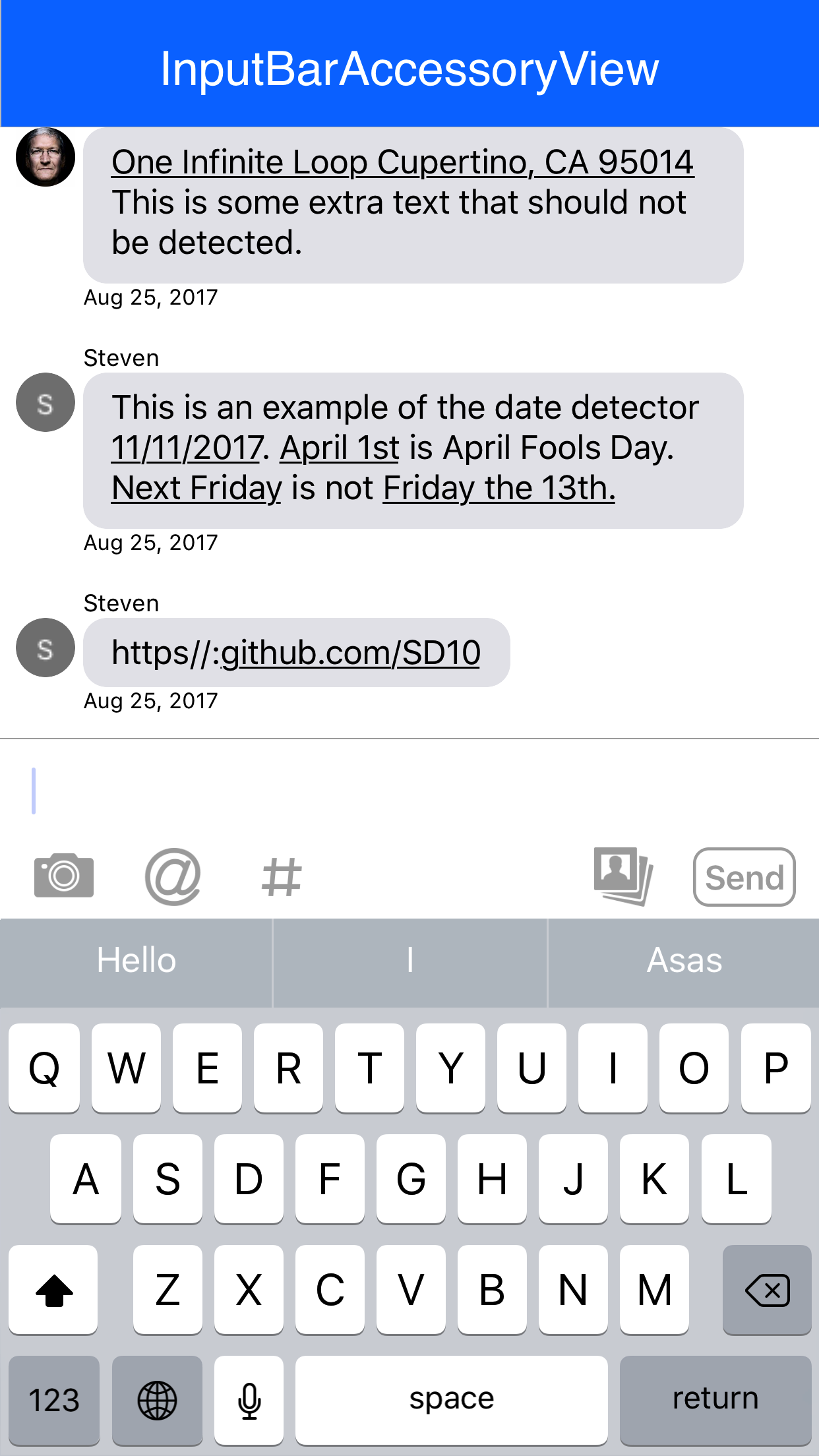
- [x] Autocomplete text with @mention, #hashtag or any other prefix
- [x] A self-sizing `UITextView` with an optional fixed height (can be replaced with any other view)
- [x] Image paste support
- [x] Autocomplete attributed text highlighting
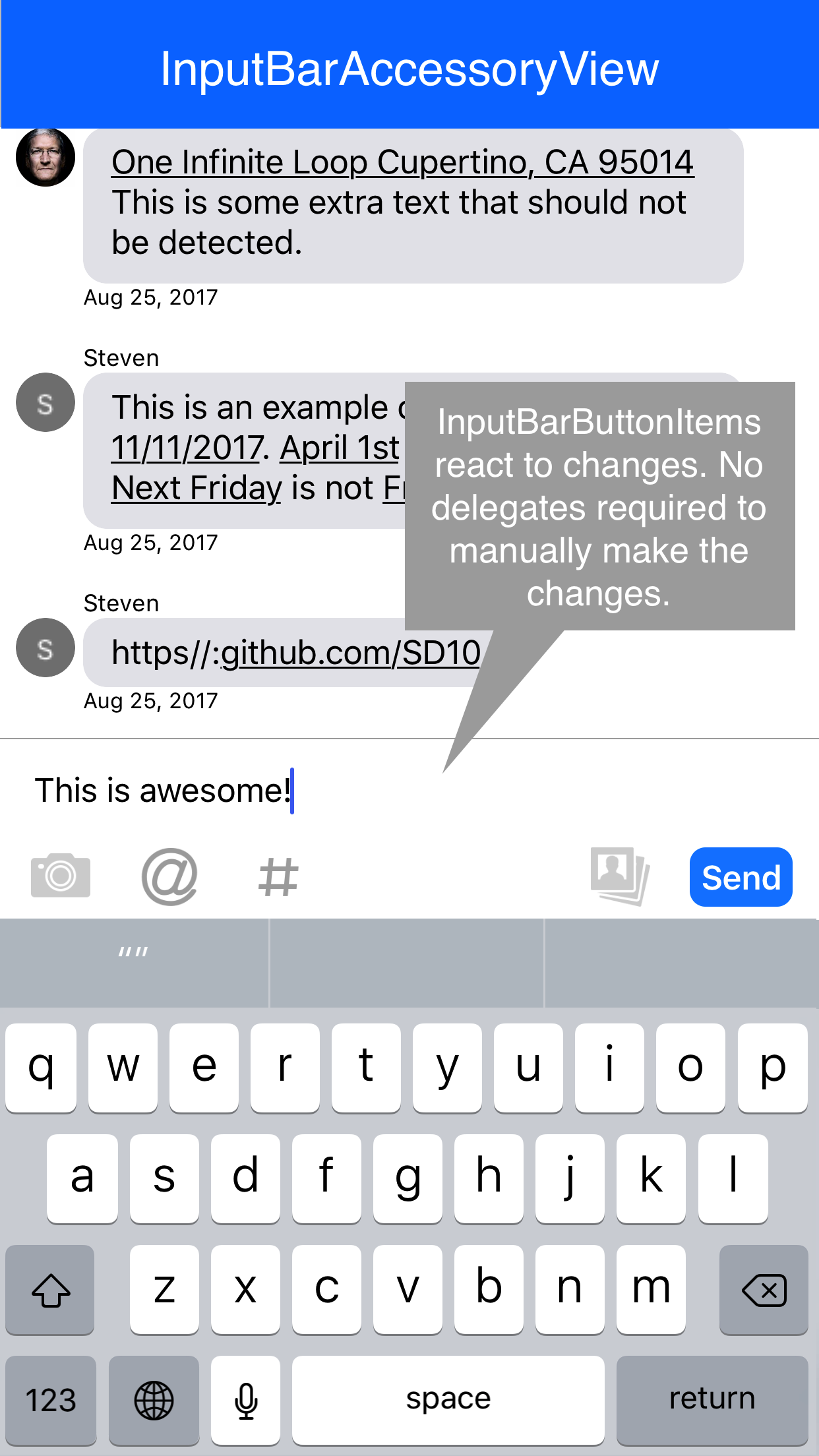
- [x] Reactive components that respond to given events
- [x] Top/Bottom/Left/Right `InputStackView`s that act as toolbars to place buttons
- [x] Drop in attachment view for file/photo management
- [x] Plugin support for your own `InputPlugin`s
- [x] Compatible with all iPhones and iPads
- [x] RTL Support
### Installation via Swift Package Manager (SPM)
The [Swift Package Manager](https://swift.org/package-manager/) is a tool for automating the distribution of Swift code and is integrated into the `swift` compiler.
Once you have your Swift package set up, adding InputBarAccessoryView as a dependency is as easy as adding it to the dependencies value of your Package.swift.
```
dependencies: [
.package(url: "https://github.com/nathantannar4/InputBarAccessoryView.git", .upToNextMajor(from: "6.0.0"))
]
```
You can also add it via Xcode SPM editor with URL:
```
https://github.com/nathantannar4/InputBarAccessoryView.git
```
### Requirements
iOS 14.0+
Swift 6
> The latest iOS 13 release is v6.5.1
> The latest iOS 12 release is v5.5.0
> CocoaPods and RxExtensions were removed in 6.0.0
> The latest iOS 11 release is v5.1.0
> The latest Swift 5.0 release is v5.1.0
> The latest Swift 4.2 release is v4.2.2
### Documentation
[Getting Started](./GETTING_STARTED.md)
> See the Example project to see how you can make the iMessage, Slack, Facebook and GitHawk input bars!
### Example Usage
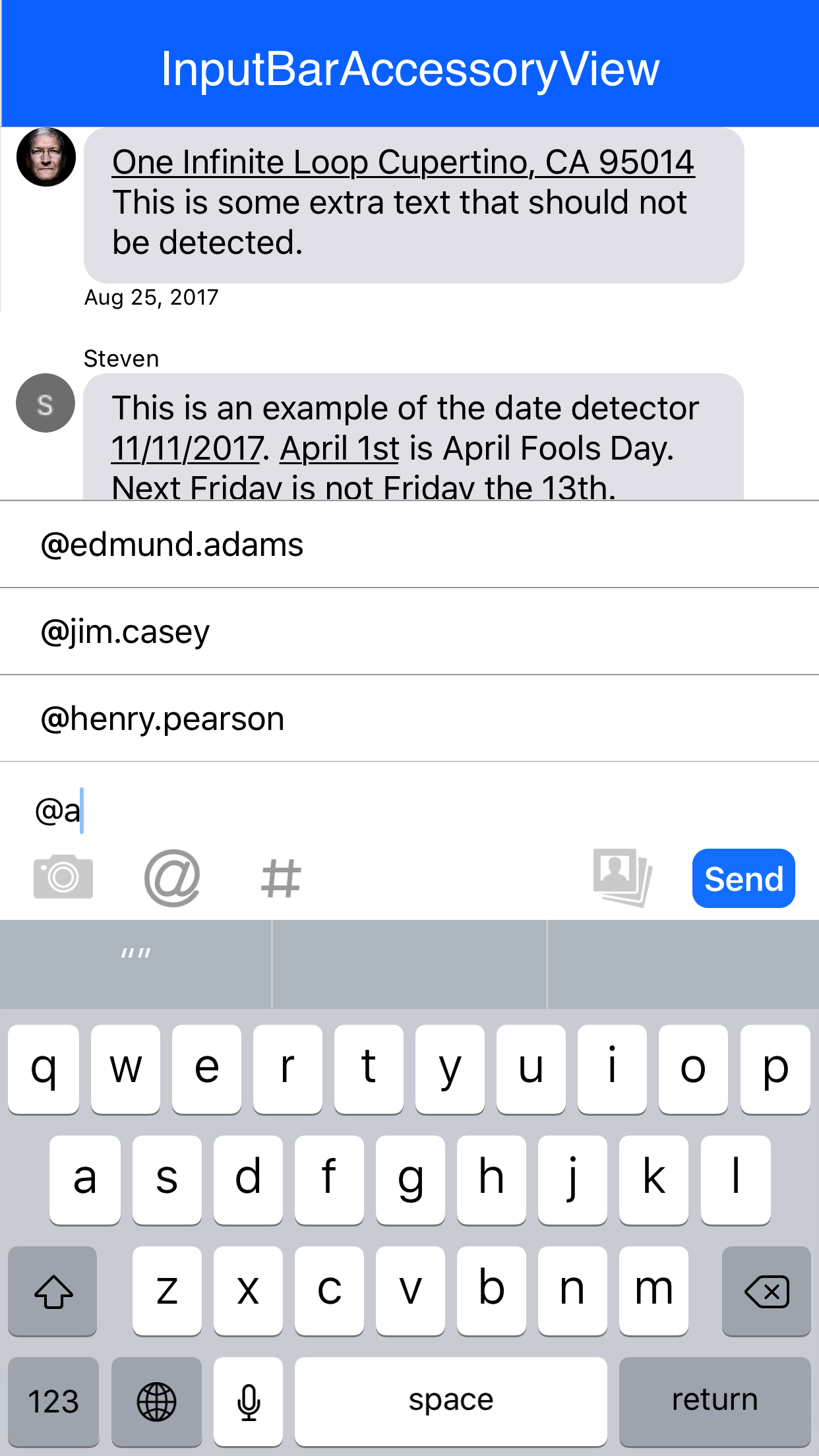
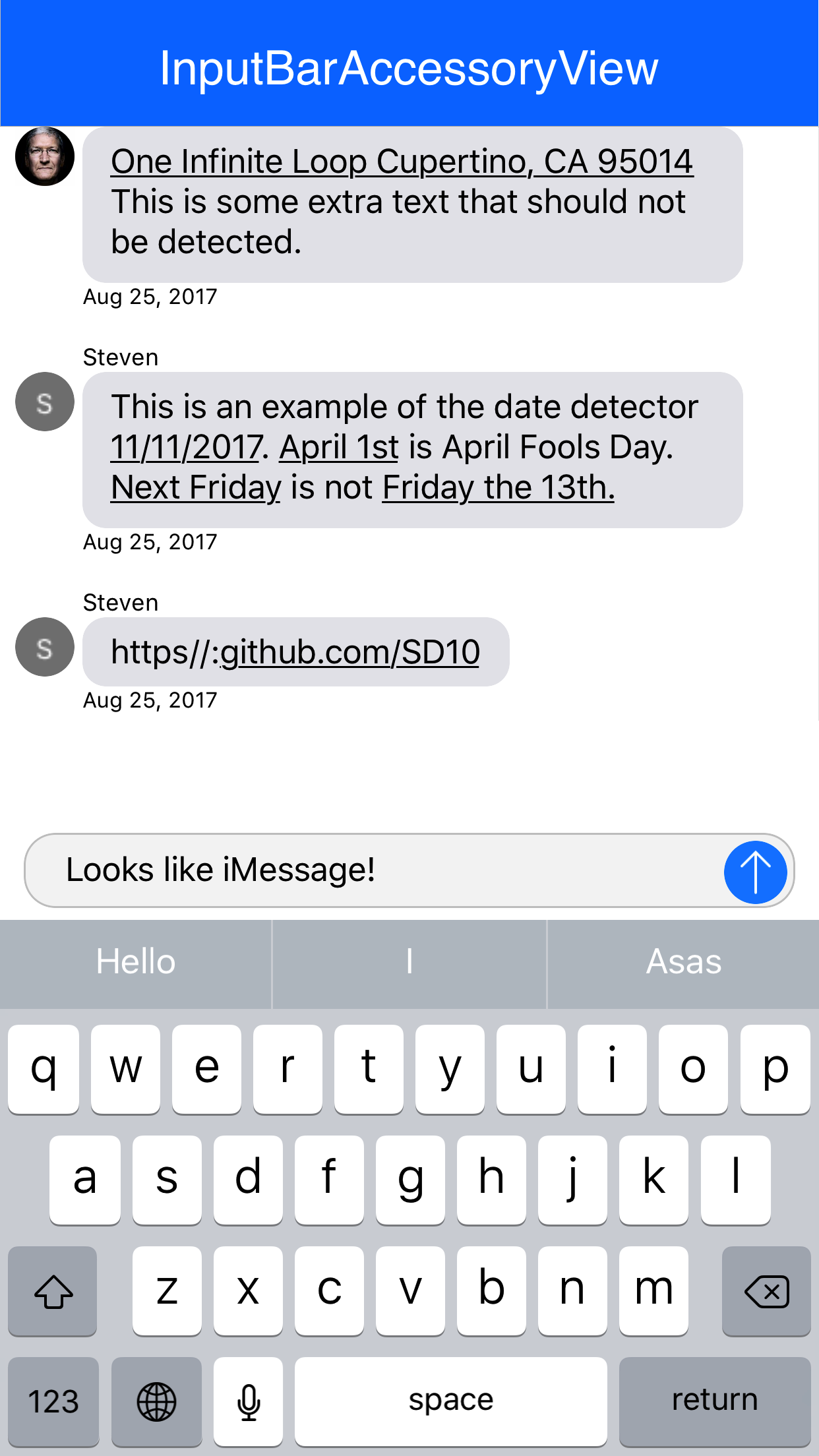 ### Featured In
Add your app to the list of apps using this library and make a pull request.
- [MessageKit](https://github.com/MessageKit/MessageKit) *(renamed to MessageInputBar)*
### Featured In
Add your app to the list of apps using this library and make a pull request.
- [MessageKit](https://github.com/MessageKit/MessageKit) *(renamed to MessageInputBar)*

- [MessageViewController](https://github.com/GitHawkApp/MessageViewController) *(Autocomplete Highlighting Algorithm)*

### See Also
iMessage style [TypingIndicator](https://github.com/nathantannar4/TypingIndicator) for chat apps
## Latest Releases
7.0.0
- **Breaking change**: Drop iOS 13 support
- **Breaking change**: Move to Swift 6, fully support Swift concurrency
6.5.0
- Bump Swift version to 5.10
- Perform layout changes on main thread
6.4.0
- Fixed bottom gap calculations for embedded controllers
6.3.0
- Fixed the gap between keyboard and input bar when used on pagesheet/formsheet on iPad
- Fixed crash after adding image attachment
6.2.0
- Remove `canBecomeFirstResponder` on `InputTextView` to fix `UITextViewDelegate` methods not being called
6.1.1
- Fixed warning for Xcode 14
6.1.0
- #230 Added additionalInputViewBottomConstraintConstant to KeyboardManager as a way for providing additional bottom constraint constant offset for inputAccessoryView. Example implementation can be found in AdditionalBottomSpaceExampleViewController
6.0.0
- **Breaking change**: Drop iOS 12 support
- **Breaking change**: Drop CocoaPods support & RxSwift extension (it was available only via CocoaPods)
- KeyboardManager will not update position of inputAccessoryView from interactive dismiss panGesture when the keyboard is floating
- Update docs
See [CHANGELOG](./CHANGELOG.md) for more details and older releases.
**Find a bug? Open an issue!**
## Layout
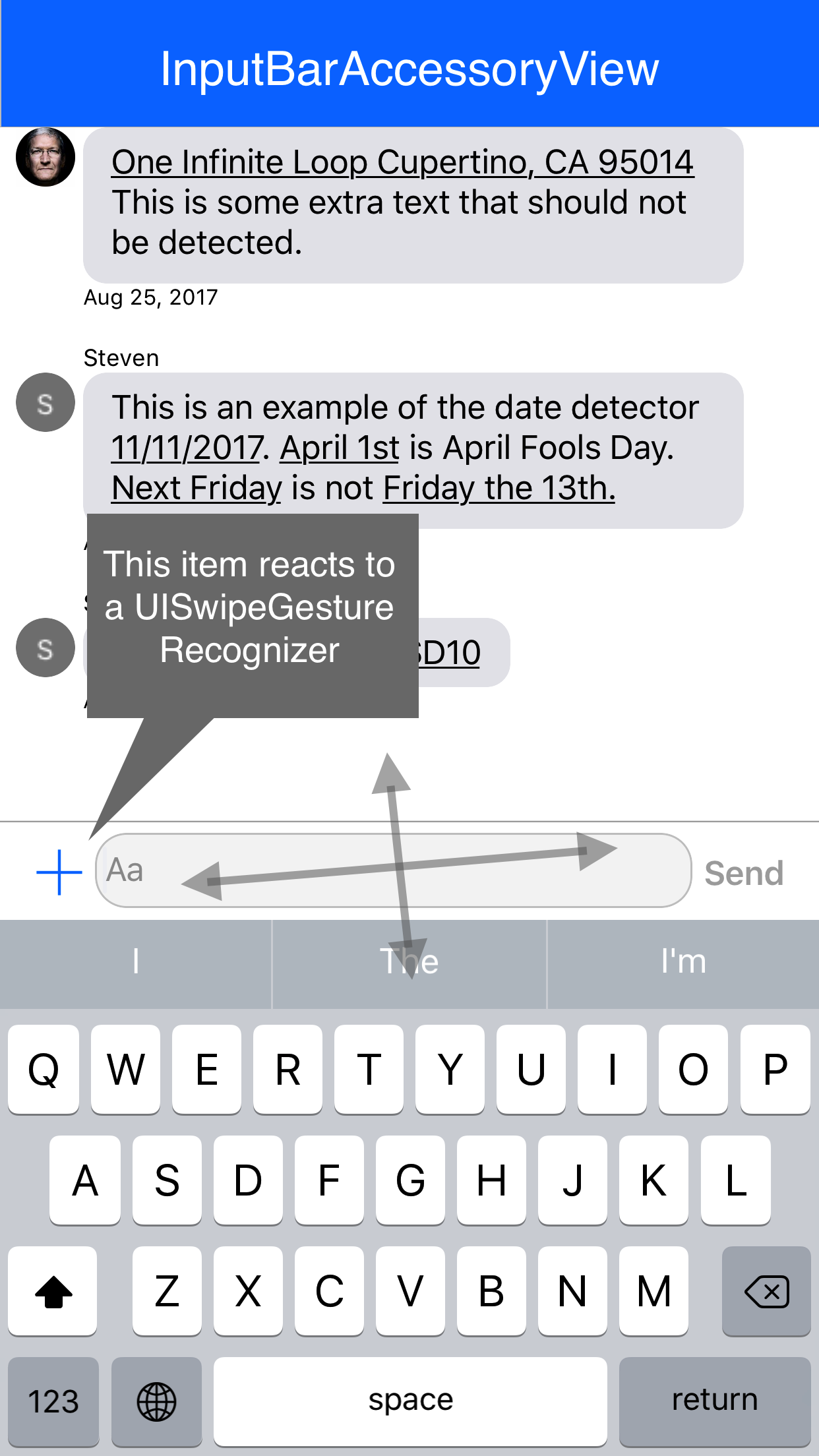
The layout of the `InputBarAccessoryView` is made of of 4 `InputStackView`'s and an `InputTextView`. The padding of the subviews can be easily adjusted by changing the `padding` and `textViewPadding` properties. The constraints will automatically be updated.
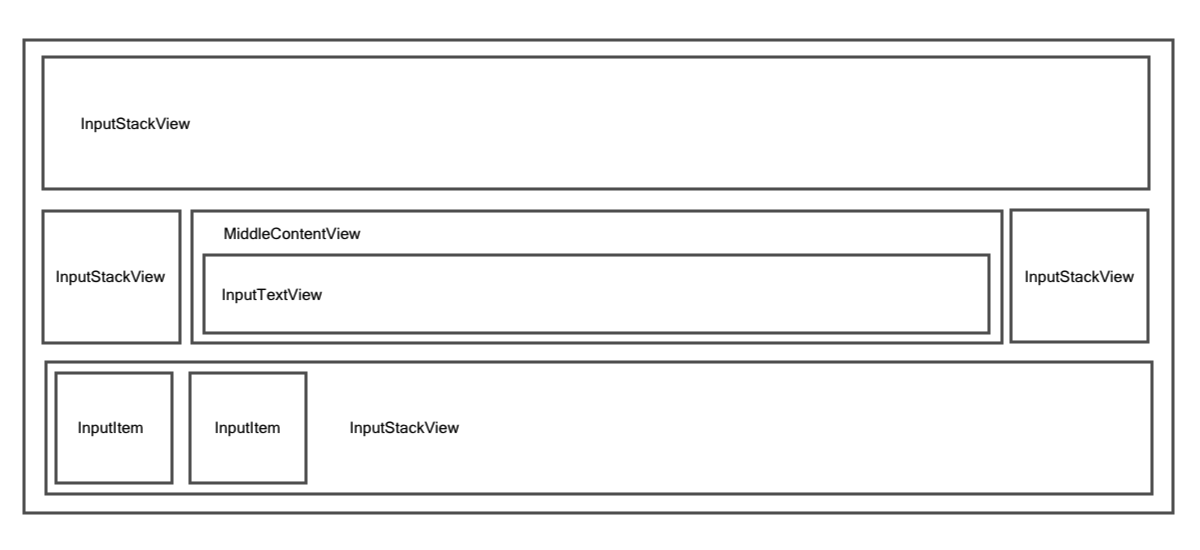 It is important to note that each of the `InputStackView `'s to the left and right of the `InputTextView` are anchored by a width constraint. This way the `InputTextView` will always fill the space inbetween in addition to providing methods that can easily be called to hide all buttons to the right or left of the `InputTextView` by setting the width constraint constant to 0. The bottom and top stack views are not height constraint and rely on their `intrinsicContentSize`
```swift
func setLeftStackViewWidthConstant(to newValue: CGFloat, animated: Bool)
func setRightStackViewWidthConstant(to newValue: CGFloat, animated: Bool)
```
### Reactive Hooks
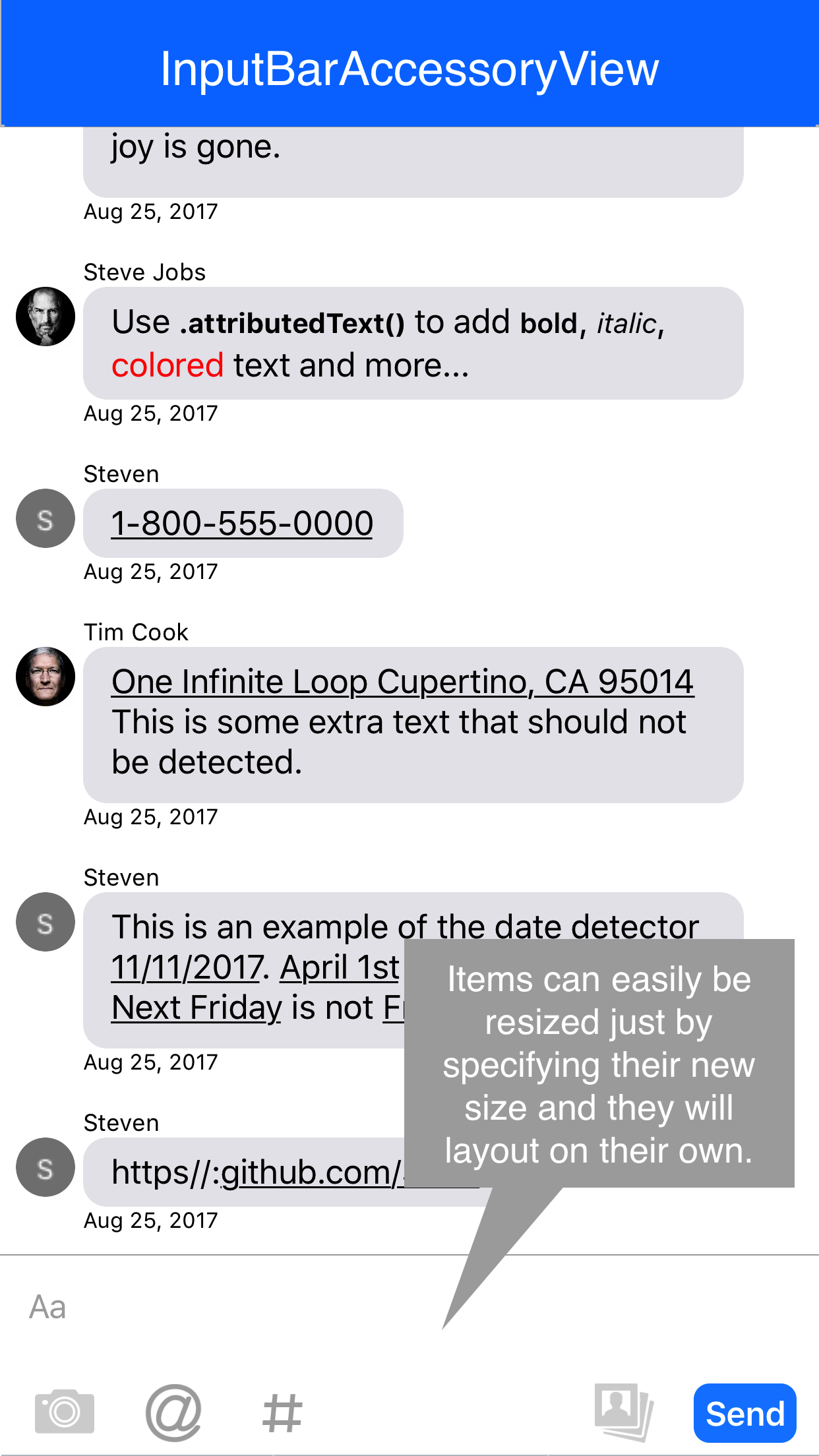
Each `InputBarButtonItem` has properties that can hold actions that will be executed during various hooks such as the button being touched, the `UITextView `text changing and more! Thanks to these easy hooks with a few lines of code the items can be easily resized and animated similar to that of the Facebook messenger app.
```swift
// MARK: - Hooks
public typealias InputBarButtonItemAction = ((InputBarButtonItem) -> Void)
private var onTouchUpInsideAction: InputBarButtonItemAction?
private var onKeyboardEditingBeginsAction: InputBarButtonItemAction?
private var onKeyboardEditingEndsAction: InputBarButtonItemAction?
private var onKeyboardSwipeGestureAction: ((InputBarButtonItem, UISwipeGestureRecognizer) -> Void)?
private var onTextViewDidChangeAction: ((InputBarButtonItem, InputTextView) -> Void)?
private var onSelectedAction: InputBarButtonItemAction?
private var onDeselectedAction: InputBarButtonItemAction?
private var onEnabledAction: InputBarButtonItemAction?
private var onDisabledAction: InputBarButtonItemAction?
```
## Author
It is important to note that each of the `InputStackView `'s to the left and right of the `InputTextView` are anchored by a width constraint. This way the `InputTextView` will always fill the space inbetween in addition to providing methods that can easily be called to hide all buttons to the right or left of the `InputTextView` by setting the width constraint constant to 0. The bottom and top stack views are not height constraint and rely on their `intrinsicContentSize`
```swift
func setLeftStackViewWidthConstant(to newValue: CGFloat, animated: Bool)
func setRightStackViewWidthConstant(to newValue: CGFloat, animated: Bool)
```
### Reactive Hooks
Each `InputBarButtonItem` has properties that can hold actions that will be executed during various hooks such as the button being touched, the `UITextView `text changing and more! Thanks to these easy hooks with a few lines of code the items can be easily resized and animated similar to that of the Facebook messenger app.
```swift
// MARK: - Hooks
public typealias InputBarButtonItemAction = ((InputBarButtonItem) -> Void)
private var onTouchUpInsideAction: InputBarButtonItemAction?
private var onKeyboardEditingBeginsAction: InputBarButtonItemAction?
private var onKeyboardEditingEndsAction: InputBarButtonItemAction?
private var onKeyboardSwipeGestureAction: ((InputBarButtonItem, UISwipeGestureRecognizer) -> Void)?
private var onTextViewDidChangeAction: ((InputBarButtonItem, InputTextView) -> Void)?
private var onSelectedAction: InputBarButtonItemAction?
private var onDeselectedAction: InputBarButtonItemAction?
private var onEnabledAction: InputBarButtonItemAction?
private var onDisabledAction: InputBarButtonItemAction?
```
## Author

**Nathan Tannar** - [https://nathantannar.me](https://nathantannar.me)
**Jakub Kaspar** - [https://jakubkaspar.dev](https://jakubkaspar.dev)
## License
Distributed under the MIT license. See ``LICENSE`` for more information.