# veinmind
**Repository Path**: mirrors/veinmind
## Basic Information
- **Project Name**: veinmind
- **Description**: veinmind-tools 是由长亭科技自研,基于 veinmind-sdk 打造的容器安全工具集
- **Primary Language**: Unknown
- **License**: MIT
- **Default Branch**: master
- **Homepage**: https://www.oschina.net/p/veinmind
- **GVP Project**: No
## Statistics
- **Stars**: 7
- **Forks**: 2
- **Created**: 2022-07-13
- **Last Updated**: 2026-01-31
## Categories & Tags
**Categories**: Uncategorized
**Tags**: None
## README

veinmind-tools
Documentation



veinmind-tools 是由长亭科技自研,牧云团队孵化,基于 veinmind-sdk 打造的容器安全工具集
veinmind, 中文名为问脉,寓意 容器安全见筋脉,望闻问切治病害。 旨在成为云原生领域的一剂良方
中文文档 | English
## 🔥 Demo

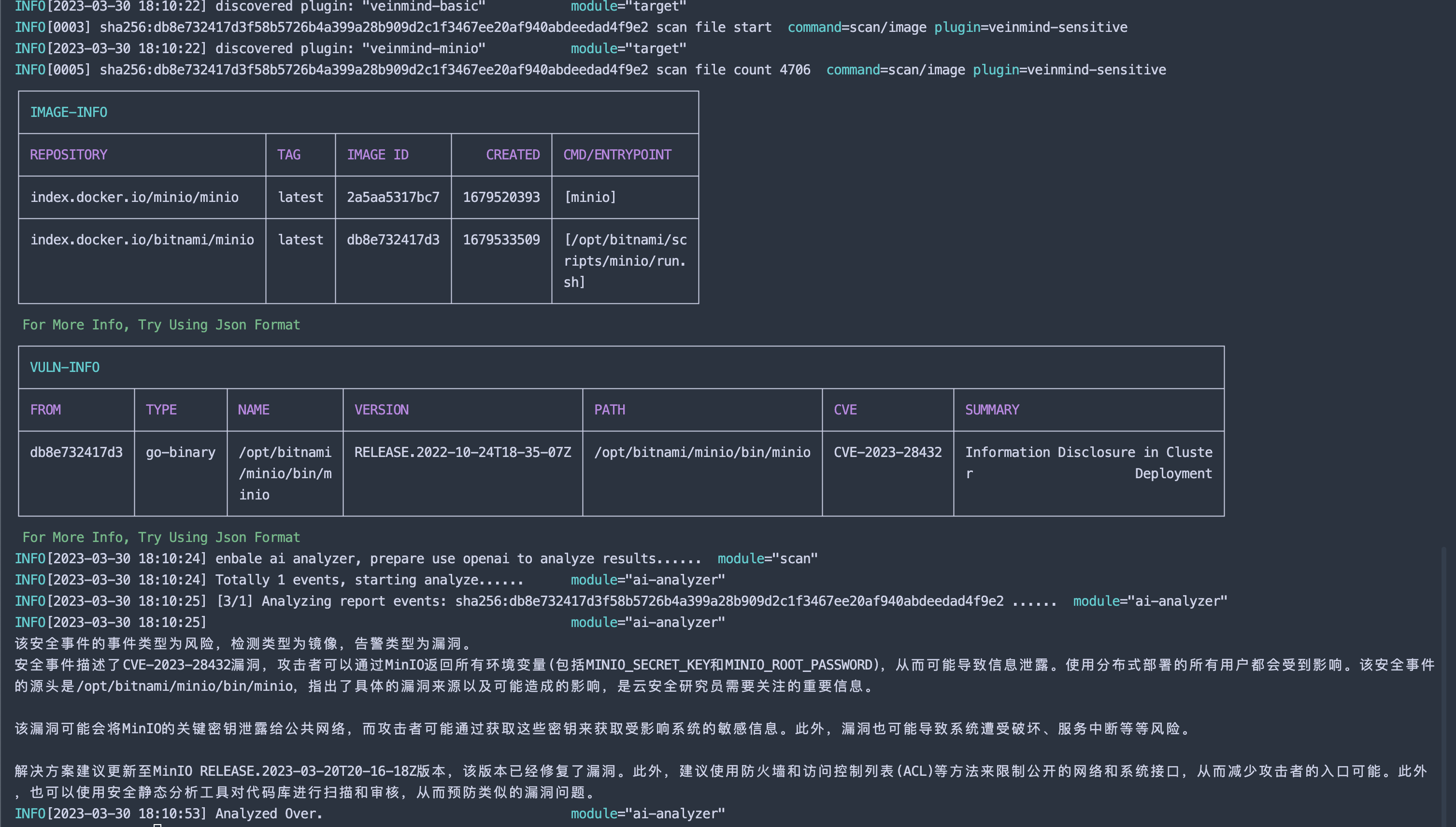
问脉已接入 openai, 可以使用 openai 对扫描的结果进行人性化分析,让您更加清晰的了解本次扫描发现了哪些风险。
## 🕹️ 快速开始
### 1. 确保机器上正确安装 docker
```
docker info
```
### 2. 安装 [veinmind-runner](https://github.com/chaitin/veinmind-tools/tree/master/veinmind-runner) 镜像
```
docker pull registry.veinmind.tech/veinmind/veinmind-runner:latest
```
### 3. 下载 [veinmind-runner](https://github.com/chaitin/veinmind-tools/tree/master/veinmind-runner) 平行容器启动脚本
```
wget -q https://download.veinmind.tech/scripts/veinmind-runner-parallel-container-run.sh -O run.sh && chmod +x run.sh
```
### 4. 快速扫描本地镜像/容器
```
./run.sh scan [image/container]
```
### 5. 使用 openAI 智能分析
```
./run.sh scan [image/container] --enable-analyze --openai-token
```
> 注: 使用 openAI 时,请确保当前网络能够访问openAI
> 平行容器启动时,需要手动通过 docker run -e http_proxy=xxxx -e https_proxy=xxxx 设置代理(非全局代理的场景下)
### 6. 生成 报告
```
./run.sh scan [image/container] --format=html,cli
```
> 报告将在当前目录下生成一个`report.html`或`report.json`
> 可以通过`,`来传入多个报告格式,如`--format=html,cli,json`将输出三份不同的报告。
## 🔨 工具列表
| 工具 | 功能 |
|---------------------------------------------------------------------------|-------------------|
| [veinmind-runner](veinmind-runner/README.md) | 扫描工具运行宿主 |
| [veinmind-malicious](plugins/go/veinmind-malicious) | 扫描容器/镜像中的恶意文件 |
| [veinmind-weakpass](plugins/go/veinmind-weakpass) | 扫描容器/镜像中的弱口令 |
| [veinmind-log4j2](plugins/go/veinmind-log4j2) | 扫描容器/镜像中的log4j2漏洞 |
| [veinmind-minio](plugins/go/veinmind-minio) | 扫描容器/镜像中的minio漏洞 |
| [veinmind-sensitive](plugins/go/veinmind-sensitive) | 扫描镜像中的敏感信息 |
| [veinmind-backdoor](plugins/go/veinmind-backdoor) | 扫描镜像中的后门 |
| [veinmind-history](plugins/python/veinmind-history) | 扫描镜像中的异常历史命令 |
| [veinmind-vuln](plugins/go/veinmind-vuln) | 扫描容器/镜像中的资产信息和漏洞 |
| [veinmind-webshell](plugins/go/veinmind-webshell) | 扫描镜像中的 Webshell |
| [veinmind-unsafe-mount](plugins/go/veinmind-unsafe-mount) | 扫描容器中的不安全挂载目录 |
| [veinmind-iac](plugins/go/veinmind-iac) | 扫描镜像/集群的IaC文件 |
| [veinmind-escape](plugins/go/veinmind-escape) | 扫描容器/镜像中的逃逸风险 |
| [veinmind-privilege-escalation](plugins/go/veinmind-privilege-escalation) | 扫描容器/镜像中的提权风险 |
| [veinmind-trace](plugins/go/veinmind-trace) | 扫描容器中的入侵痕迹 |
PS: 目前所有工具均已支持平行容器的方式运行
## 🧑💻 编写插件
可以通过 example 快速创建一个 veinmind-tools 插件, 具体查看 [veinmind-example](example/)
## ☁️ 云原生设施兼容性
| 名称 | 类别 | 是否兼容 |
|-------------------------------------------------------------|-------|------|
| [Jenkins](https://github.com/chaitin/veinmind-jenkins) | CI/CD | ✔️ |
| [Gitlab CI](https://veinmind.chaitin.com/docs/ci/gitlab/) | CI/CD | ✔️ |
| [Github Action](https://github.com/chaitin/veinmind-action) | CI/CD | ✔️ |
| DockerHub | 镜像仓库 | ✔️ |
| Docker Registry | 镜像仓库 | ✔️ |
| Harbor | 镜像仓库 | ✔️ |
| Docker | 容器运行时 | ✔️ |
| Containerd | 容器运行时 | ✔️ |
| Kubernetes | 集群 | ✔️ |
## 🛴 工作原理

## 🏘️ 联系我们
1. 您可以通过 GitHub Issue 直接进行 Bug 反馈和功能建议。
2. 扫描下方二维码可以通过添加问脉小助手,以加入问脉用户讨论群进行详细讨论

## ✨ CTStack
 veinmind-tools 现已加入 [CTStack](https://stack.chaitin.com/tool/detail?id=3) 社区
## ✨ 404星链计划
veinmind-tools 现已加入 [CTStack](https://stack.chaitin.com/tool/detail?id=3) 社区
## ✨ 404星链计划
 veinmind-tools 现已加入 [404星链计划](https://github.com/knownsec/404StarLink)
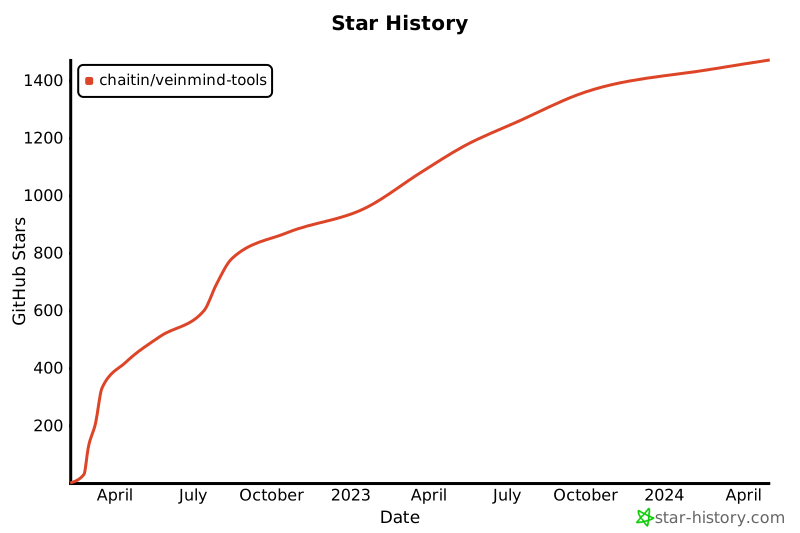
## ✨ Star History
veinmind-tools 现已加入 [404星链计划](https://github.com/knownsec/404StarLink)
## ✨ Star History