# virocore
**Repository Path**: mirrors/virocore
## Basic Information
- **Project Name**: virocore
- **Description**: ViroCore 是适用于 Android 的 SceneKit,这是一个 3D 框架,供开发人员使用 Java 构建沉浸式应用程序
- **Primary Language**: C/C++
- **License**: MIT
- **Default Branch**: master
- **Homepage**: https://www.oschina.net/p/virocore
- **GVP Project**: No
## Statistics
- **Stars**: 2
- **Forks**: 1
- **Created**: 2021-09-15
- **Last Updated**: 2025-12-27
## Categories & Tags
**Categories**: Uncategorized
**Tags**: None
## README
:information_source: | Active development for Viro is now occurring at the [Viro Community](https://github.com/ViroCommunity) fork. We encourage all Viro developers to follow and get the latest updates at [ViroCommunity/virocore](https://github.com/ViroCommunity/virocore)
:---: | :---
ViroCore
=====================
ViroCore is SceneKit for Android, a 3D framework for developers to build immersive applications using Java. ViroCore combines a high-performance rendering engine with a descriptive API for creating 3D, AR, and VR apps. While lower-level APIs like OpenGL require you to precisely implement complex rendering algorithms, ViroCore requires only high-level scene descriptions, and code for the interactivity and animations you want your application to perform.

Platforms supported:
Android, ARCore, Google Daydream, Samsung GearVR, Google Cardboard VR
The repository contains both the rendering source code, and as well as the ViroCore platform. Both are free to use with no limits on distribution.
To report bugs/issues with the Viro platform, please file new issues on this repository.
### Releases
ViroCore downloads are available on our [Releases](https://virocore.viromedia.com/docs/releases) page.
## Quick Start
### Running sample code instructions:
You can get up and running with the latest stable release of ViroCore! To do so, simply:
1. Follow the prerequisite directions on our [Quick start guide](https://virocore.viromedia.com/docs/getting-started) to setup dependencies for trying these sample projects with the Viro Media App.
2. Clone the repo into your workspace with git: `git clone https://github.com/viromedia/virocore.git`.
3. Go to the code-sample directory for a list of current samples.
4. Choose the code sample you wish to deploy, and open the root directory in Android studio.
5. Ensure that [Instant Run](https://developer.android.com/studio/run/index.html#instant-run) is disabled.
6. (Optional) Clean and gradle sync.
7. Build and deploy.
8. You should now be in the application! Enjoy!
### Using Prebuilt ViroCore from mainline:
You can also try the latest mainline build containing bleeding edge features and fixes. *Please keep in mind* that mainline builds may not be as stable as release builds. To do so, simply:
1. Go to the [ViroCore Actions Workflows](https://github.com/viromedia/virocore/actions) for this project.
2. You should see a list of "Viro Renderer CI Pipeline" workflows.
3. Click on the latest successfully built workflow pipeline (there should be a checkmark).
4. You should now see the uploaded artifcats assoicated with that flow. For example:
- viroreact.aar (for ViroReactAndroid)
- virocore.aar (for ViroCore)
- ios_dist.tgz (for iOS)
For ViroCore Android, HelloWorld samples should have the corresponding file at the location viro_core/virocore-release-*version*. As such, simply download the virocore.aar artifact from the workflow above, and then rename (make sure it matches your code sample's name) and replace the virocore-release-v_x_xx_x.aar file in your HelloWorld project
## Manual Building of the Renderer
If you would like to modify / make changes to the renderer directly. These are the instructions for building the renderer and ViroCore platform.
### Building the ViroCore platform:
1. Follow the same prerequisite directions above from our [Quick start guide](https://virocore.viromedia.com/docs/getting-started).
2. Clone the repo into your workspace with git: `git clone https://github.com/viromedia/virocore.git`.
3. Execute the following commands to build the ViroCore platform library
```
$ cd android
$ ./gradlew :virocore:assembleRelease
```
4. If the above gradle build succeeded, verify you see a `virocore-*.aar` file (* for the version number) at `android/virocore/build/outputs/aar/virocore-*.aar`
5. To run ViroCore tests, open the android project at `android/app` in Android Studio and run `releasetest` target on your android device.
6. To use this updated / newly built `virocore-*.aar` in your own project copy the aar file to `viro_core/` in your project and modify your `viro_core/build.gradle` to point to the new file.
### (Android) Building the renderer to be used in react-viro platform:
1. Follow the same prerequisite directions above from our [Quick start guide](https://virocore.viromedia.com/docs/getting-started).
2. Clone the repo into your workspace with git: `git clone https://github.com/viromedia/virocore.git`.
3. Clone the react-viro repo (named viro) in the same workspace (same parent directory as virocore) with git: `https://github.com/viromedia/viro.git`
4. Execute the following commands to build the ViroCore platform library
```
$ cd android
$ ./gradlew :viroreact:assembleRelease
```
5. If the above gradle build succeeded, verify you see a new `viroreact-release.aar` file at `/viroreact/build/outputs/aar/viroreact-release.aar`.
6. Additionally verify you see a new file built at `viro/android/viro_renderer/viro_renderer-release.aar` in the viro repo you cloned above in step #3. The build instructions outlined in [viro](https://github.com/viromedia/viro) repo will walk you through steps involved in building the react-viro bridge using this built renderer.
### (iOS) Building the renderer to be used in react-viro platform:
1. Make sure you followed through steps 1 - 3 mentioned in the android section.
2. Execute the following commands to install pods from `Podfile`.
```
cd ios
pod install
```
3. Open `ViroRenderer.xcworkspace` in Xcode. Build scheme `ViroKit` with Build Configuration set to `Release` and target set to `Generic iOS Device`.
**Note:**
```
3.a If you want the ability to run on Simulator,
change target to any of the `iOS Simulator` targets instead of `Generic iOS Device`.
3.b If in your own app project setup, you prefer to include react-viro as a static library
rather than relying on `use_frameworks!` - build scheme `ViroKit_static_lib`
instead of `ViroKit` as mentioned above in step #3.
```
4. If the above Xcode build succeeded, you should see a bunch of new files copied over in `viro/ios/dist/` folder in the viro repo you cloned earlier. The build instructions outlined in [viro](https://github.com/viromedia/viro) repo will walk you through steps involved in building the react-viro bridge using this built renderer.
## More Information
Viro Media Website: https://viromedia.com/
ViroCore Documentation: https://virocore.viromedia.com/
API Reference(Java Docs): https://developer.viromedia.com/
Join our Slack group [here](https://join.slack.com/t/virodevelopers/shared_invite/enQtMzI3MzgwNDM2NDM5LTdhMjg5OTJkZGEwYmI0Yzg0N2JkMzJhODVmNmY4YmUyOGY4YjMyZmFmMGFhMTMyMzZiYzU0MGUxMGIzZDFiNjY).
Check out our [blog](https://blog.viromedia.com/) for tutorials, news, and updates.
## Sample Code Examples
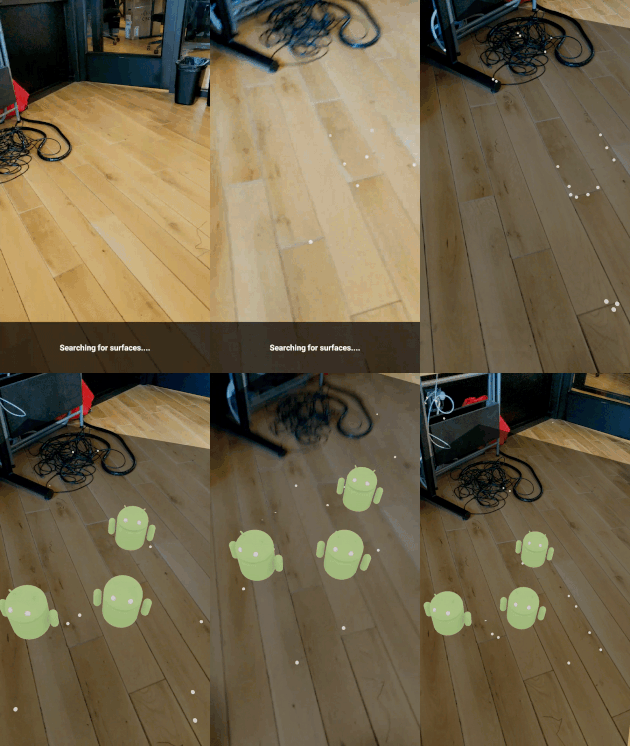
### [AR Hellow World Android](https://github.com/viromedia/virocore/blob/master/code-samples/ARHelloWorldAndroid/app/src/main/java/com/example/virosample/ViroActivity.java)
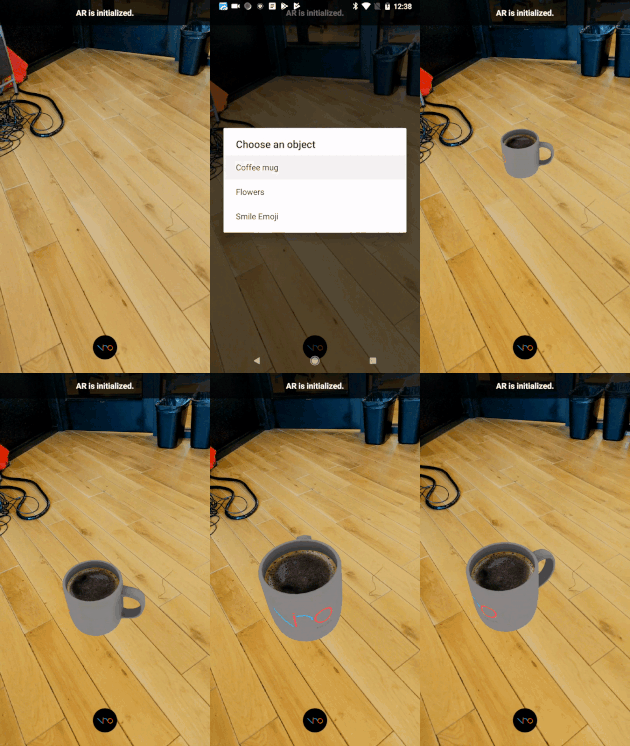
 ### [AR Placing Objects](https://github.com/viromedia/virocore/blob/master/code-samples/ARPlacingObjects/app/src/main/java/com/example/virosample/ViroActivity.java)
 ### [AR Retail](https://github.com/viromedia/virocore/tree/master/code-samples/ARRetail)
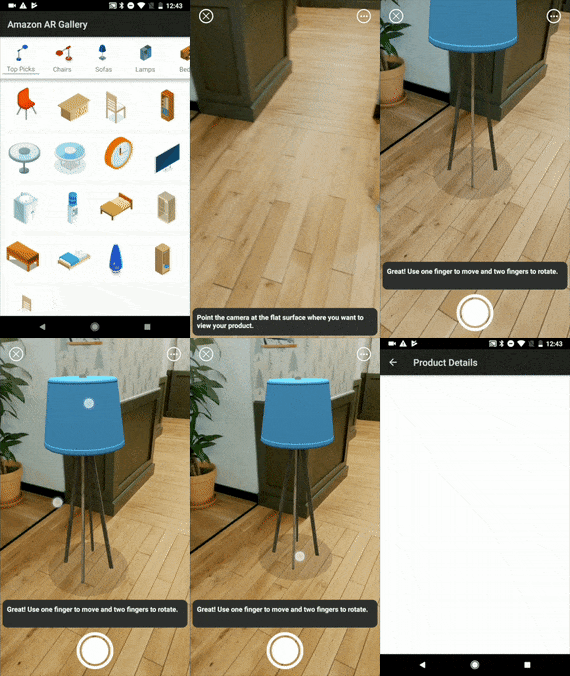 [Link to AR Retail tutorial](https://blog.viromedia.com/tutorial-how-to-build-amazons-ar-view-for-arcore-android-using-virocore-and-java-ba1cc3ff2d87)
### [AR Tesla](https://github.com/viromedia/virocore/tree/master/code-samples/ARTesla)
[Link to AR Retail tutorial](https://blog.viromedia.com/tutorial-how-to-build-amazons-ar-view-for-arcore-android-using-virocore-and-java-ba1cc3ff2d87)
### [AR Tesla](https://github.com/viromedia/virocore/tree/master/code-samples/ARTesla)
 ### [AR Black Panther](https://github.com/viromedia/virocore/tree/master/code-samples/ARBlackPanther)
