


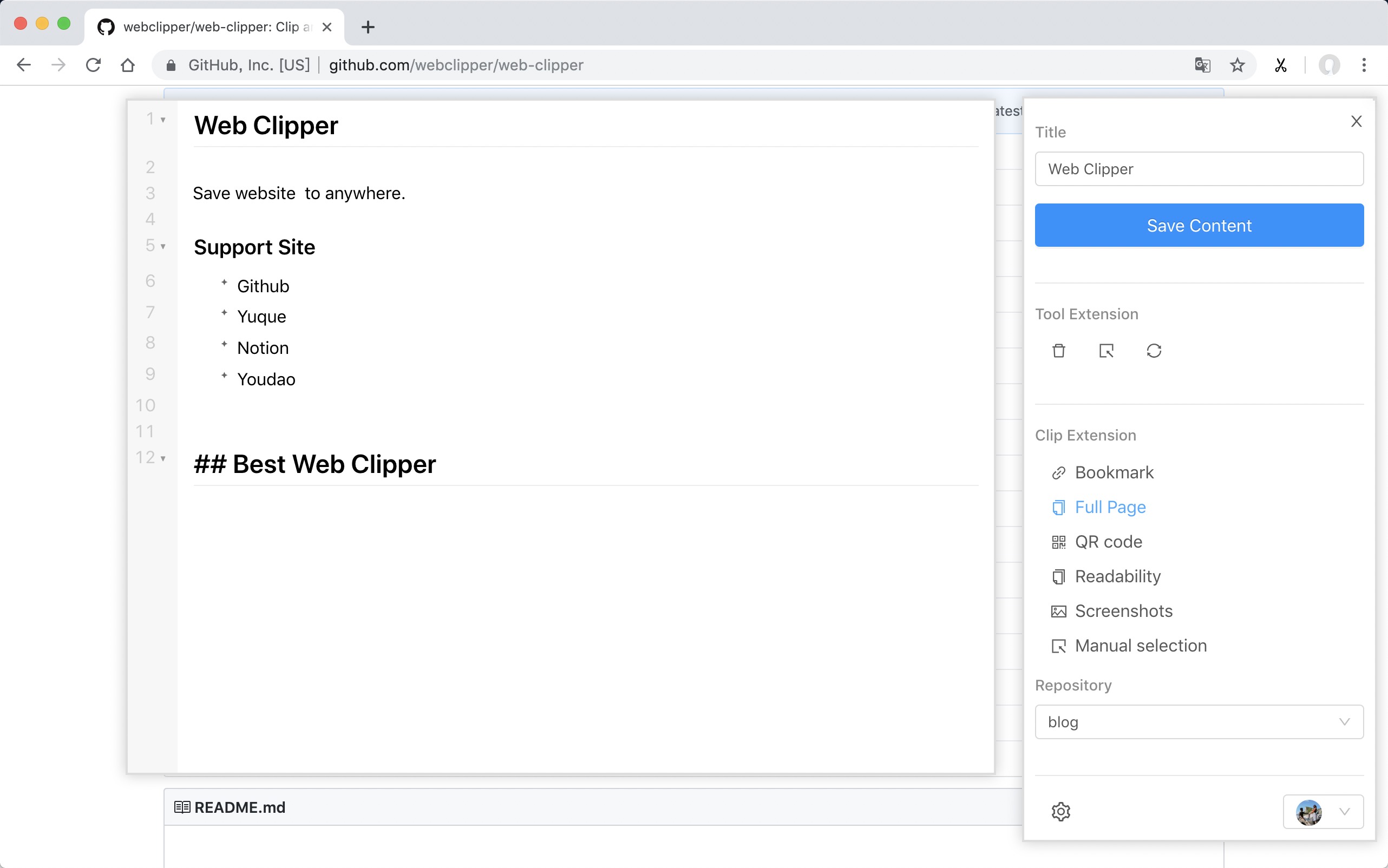
 ### Support Site
- [FlowUs](https://flowus.cn/)
- [Obsidian](https://obsidian.md/)
- [Github](https://github.com)
- [Yuque](https://www.yuque.com)
- [Buildin.AI](https://buildin.ai/product)
- [Notion](https://www.notion.so/)
- [Youdao](https://note.youdao.com/)
- [OneNote](https://www.onenote.com/)
- [Bear](https://bear.app)
- [Joplin](https://joplinapp.org/)
- [Server Chan](http://sc.ftqq.com/3.version)
- [dida365](https://dida365.com/)
- [baklib](https://www.baklib-free.com/)
- [wolai](https://www.wolai.com/)
- [Leanote](https://github.com/leanote/leanote)
- [Flomo](https://flomoapp.com/)
- [Siyuan](https://b3log.org/siyuan)
- [Ulysses](https://ulysses.app/)
- [Confluence](https://www.atlassian.com/software/confluence)
### Install
- [Chrome](https://chrome.google.com/webstore/detail/web-clipper/mhfbofiokmppgdliakminbgdgcmbhbac)
- [Edge](https://microsoftedge.microsoft.com/addons/detail/opejamnnohhbjflpbhnmdlknhjkfhfdp)
ps: Because the review takes a week, the version will fall behind.
#### From Github
1. Download the webclipper.zip from [release page](https://github.com/webclipper/web-clipper/releases)
2. Go to **chrome://extensions/** and check the box for **Developer mode** in the top right.
3. Locate the ZIP file on your computer and unzip it.
4. Go back to the chrome://extensions/ page and click the **Load unpacked extension** button and select the unzipped folder for your extension to install it.
### Develop
```bash
$ git clone https://github.com/webclipper/web-clipper.git
$ cd web-clipper
$ npm i
$ npm run dev
```
- You should load the 'dist/chrome' folder in Chrome.
- You should load the 'dist/manifest.json' folder in Firefox.
### Test
```bash
$ npm run test
```
### Feedback
| Type | Link |
| -------- | ---------------------------------------------------- |
| Telegram | [Link](https://t.me/joinchat/HoVttRRUIA6aXASixzoqAw) |
### Support Site
- [FlowUs](https://flowus.cn/)
- [Obsidian](https://obsidian.md/)
- [Github](https://github.com)
- [Yuque](https://www.yuque.com)
- [Buildin.AI](https://buildin.ai/product)
- [Notion](https://www.notion.so/)
- [Youdao](https://note.youdao.com/)
- [OneNote](https://www.onenote.com/)
- [Bear](https://bear.app)
- [Joplin](https://joplinapp.org/)
- [Server Chan](http://sc.ftqq.com/3.version)
- [dida365](https://dida365.com/)
- [baklib](https://www.baklib-free.com/)
- [wolai](https://www.wolai.com/)
- [Leanote](https://github.com/leanote/leanote)
- [Flomo](https://flomoapp.com/)
- [Siyuan](https://b3log.org/siyuan)
- [Ulysses](https://ulysses.app/)
- [Confluence](https://www.atlassian.com/software/confluence)
### Install
- [Chrome](https://chrome.google.com/webstore/detail/web-clipper/mhfbofiokmppgdliakminbgdgcmbhbac)
- [Edge](https://microsoftedge.microsoft.com/addons/detail/opejamnnohhbjflpbhnmdlknhjkfhfdp)
ps: Because the review takes a week, the version will fall behind.
#### From Github
1. Download the webclipper.zip from [release page](https://github.com/webclipper/web-clipper/releases)
2. Go to **chrome://extensions/** and check the box for **Developer mode** in the top right.
3. Locate the ZIP file on your computer and unzip it.
4. Go back to the chrome://extensions/ page and click the **Load unpacked extension** button and select the unzipped folder for your extension to install it.
### Develop
```bash
$ git clone https://github.com/webclipper/web-clipper.git
$ cd web-clipper
$ npm i
$ npm run dev
```
- You should load the 'dist/chrome' folder in Chrome.
- You should load the 'dist/manifest.json' folder in Firefox.
### Test
```bash
$ npm run test
```
### Feedback
| Type | Link |
| -------- | ---------------------------------------------------- |
| Telegram | [Link](https://t.me/joinchat/HoVttRRUIA6aXASixzoqAw) |