# janeway
**Repository Path**: mirrors_Asana/janeway
## Basic Information
- **Project Name**: janeway
- **Description**: 🌌 A Node.js console REPL with object inspection and many other features
- **Primary Language**: Unknown
- **License**: MIT
- **Default Branch**: master
- **Homepage**: None
- **GVP Project**: No
## Statistics
- **Stars**: 0
- **Forks**: 0
- **Created**: 2022-04-10
- **Last Updated**: 2025-12-27
## Categories & Tags
**Categories**: Uncategorized
**Tags**: None
## README
janeway
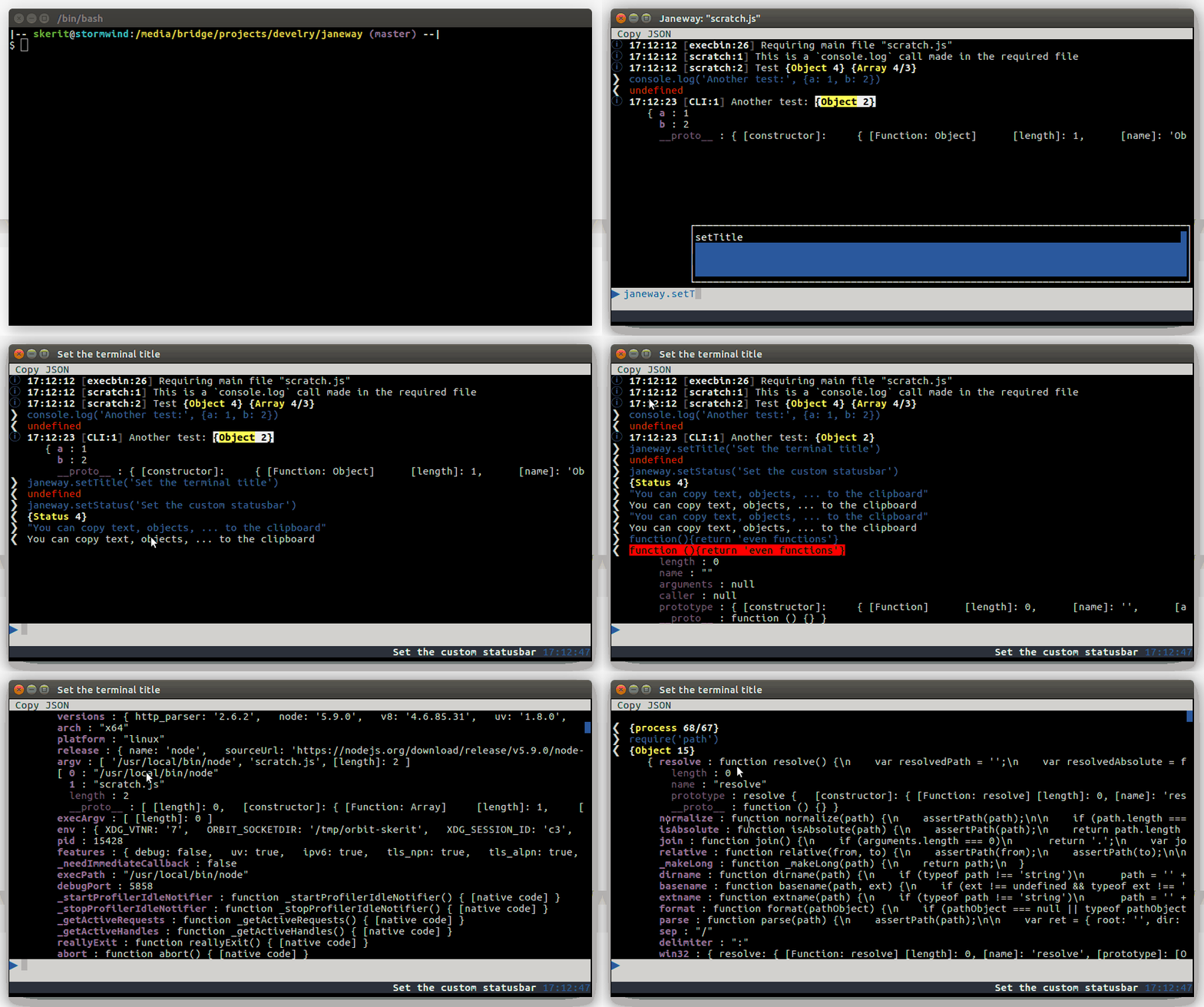
🌌 A Node.js console REPL with object inspection
## Hex viewer
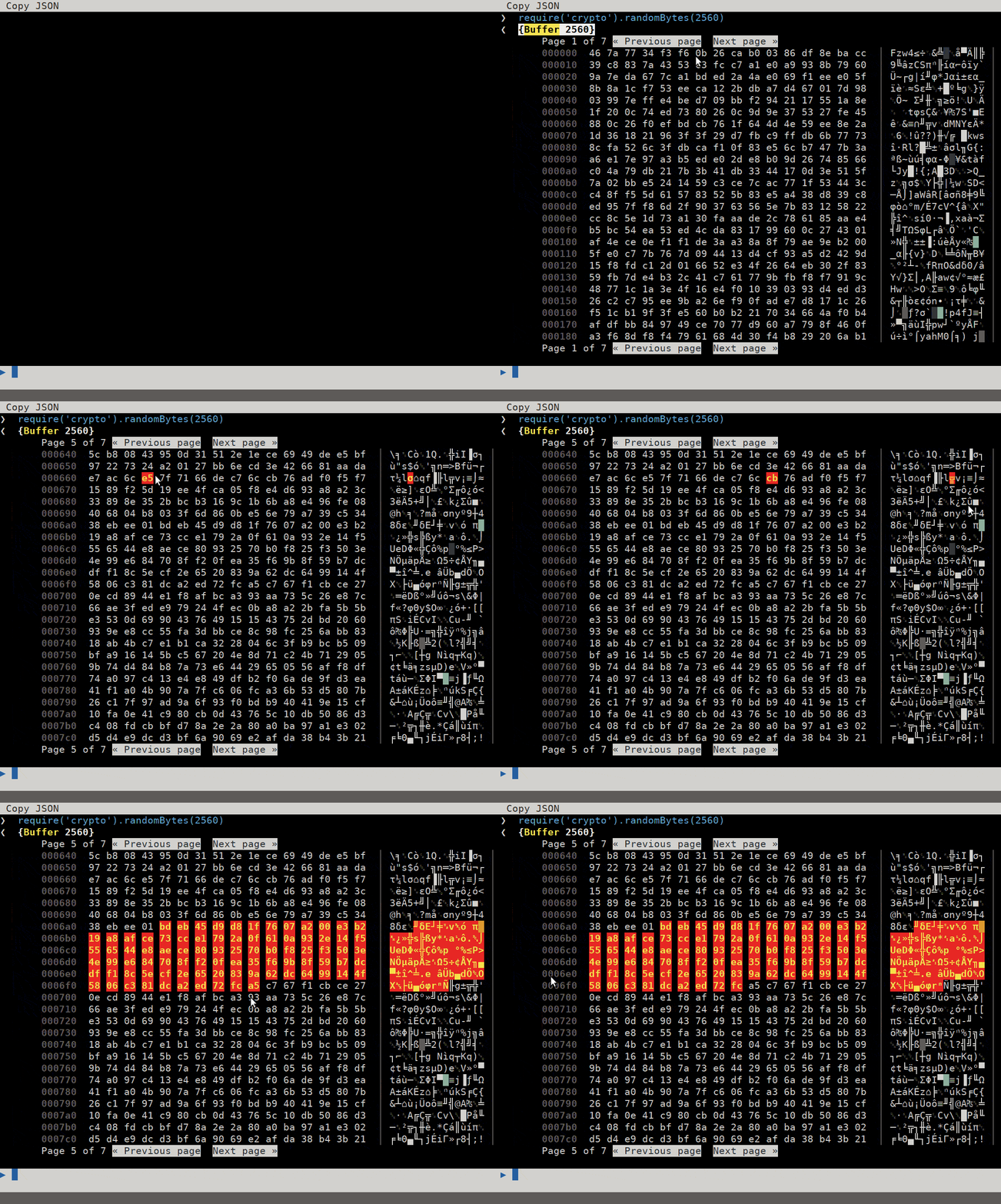
Version 0.3.0 facilitates Buffer inspecting with a built-in hex viewer:
## Install
Install it for use in your own application:
`npm install janeway`
Or use it globally:
`npm install -g janeway`
## Features
* Interactive command line, that always has focus
* Autocomplete
* Output is clickable. Variables can be inspected, just like in the browser
* Selected variables can be copied to clipboard
## Use it globally
Start your applications like so:
`janeway my_js_file.js`
## Use as standalone
If you just want to give it a go, try out the `start.js` file in Janeway's main folder:
`node start.js`
## Use in your application
You can load Janeway like this:
```javascript
var Janeway = require('janeway');
// Janeway will take over the screen only when you call start
Janeway.start(function started() {
});
```
The screen automatically scrolls down when a new line is pushed (unless you've scrolled the screen manually).
You can disable this like so:
```javascript
Janeway.scroll_down = false;
```
## uncaughtExceptions
By default Janeway will add an `uncaughtException` handler.
It simple re-throws the error to circumvent `blessed`'s one,
which would hide the error message and stacktrace.
As soon as you add another listener, Janeway will ignore uncaught
exceptions and let you handle them.
You can also let Janeway simply print out errors, instead of closing:
```javascript
Janeway.shutdown_on_exception = false;
```
This is not recomended, but can be useful during development.
# Set terminal title
You can set the terminal's title with this Janeway method:
```javascript
Janeway.setTitle('My beautiful title');
```
When the application exits the title will be restored. You can also manually unset the title with an explicit false as parameter:
```javascript
Janeway.setTitle(false);
```
# Set statusbar
Since version 0.2.0 Janeway also has a statusbar at the bottom of the screen. This can be used for shorter, text-only messages of medium importance.
```javascript
Janeway.setStatus('This is the statusbar!');
```
By default Janeway will add `{right}` blessed tags, which causes the text to be rendered on the right side of the screen. You can also use other blessed tags in your text.
Janeway will also return a `Status` object. In case you plan on creating some kind of spinner there, it is best to update it like this:
```javascript
var spinner;
// Some crappy code just to show how status setText works
var id = setInterval(function spinnerInterval() {
var spintext;
if (!spinner) {
spinner = Janeway.setStatus();
}
i += 10;
spintext = Janeway.Blast.Bound.String.multiply('*', Math.ceil(i/10));
spintext += Janeway.Blast.Bound.String.multiply(' ', Math.ceil((100-i)/10));
spinner.setText(spintext);
if (i == 100) {
clearInterval(id);
}
}, 500);
```
This is done because (in a later version) status messages are stored in an array so you can see a history of them.
# Indicators
Since version 0.2.1 an indicator area has been added to the topright corner, you can add one like this:
```javascript
var indicator = Janeway.addIndicator({icon: '{red-fg}◉{/red-fg}'});
// Change the icon
indicator.setIcon('○');
// Set a hover text
indicator.setHover('This is some hovertext');
// Remove the indicator again
indicator.remove();
```
Since version 0.3.4 indicators can also act like menus:
```javascript
var file_menu = Janeway.addIndicator('File');
// Add an item and a callback
file_menu.addItem('Quit', function onClick(e, config) {
process.exit();
});
```
# Copy to clipboard
At the top of the screen there is a menubar, currently it only contains 1 button: "Copy".
When you click this, the currently selected element will be copied into the clipboard. Objects will be JSON-ified using JSON-Dry.
Here are a few things you might need to configure first:
* Install xclip
* Enable X11 forwarding when using an SSH session
* You might need `xvfb` on headless SSH servers
* If you're multiplexing SSH connections, the first one will need to have X11 forwarding enabled!
# Stored configuration
You can store your configuration in `~/.janeway/janeway.js` or `~/.janeway/janeway.json`.
These are currently the default values:
```javascript
{
"autocomplete" : {
// Set to false to turn autocomplete off
"enabled" : true,
// The height of the autocomplete popup
"height" : 6
},
// When using janeway to start a script
"execbin": {
// Evaluate the files? (If false, then they are executed using `require`)
"evaluate_files": false
},
// Keyboard shortcuts
"shortcuts": {
// Exit on "Control+c"
"exit": ['C-c']
},
// Settings for the caller info (time & file info at the start of a line)
caller_info: {
// Maximum stack size to get
stack_size: 6,
// How long the filename can be before it's truncated
max_filename_length: 10,
// The minimum length of the info item, after which it is padded with spaces
min_length: 25
},
// output is the main output screen in the middle
"output" : {
// Main scrollbar style
"scrollbar": {
"bg" : "blue"
},
// General output style
"style" : {
"bg" : "transparent",
"fg" : "white"
}
},
// when inspecting properties
properties: {
// See if 2 objects are alike, in order to deduplicate log line
alike_objects : false,
// The format to use when showing a date
date_format : 'D Y-m-d H:i:s',
// Print out getter values by default? (Or show "...")
show_get_value : false,
// Sort the properties alphabetically by key
sort : true
},
// String placeholders
strings: {
ellipsis : '…',
// The gutters (icons used at the start of each line)
// Using newer emojis is not recommended: the terminal library
// used by janeway doesn't properly support them
gutters: {
// Fancy >
input : '\u276f ',
// Fancy <
output : '\u276e ',
// Skull
error : '\u2620 Error:',
// Warning sign
warning : '\u26a0 ',
// Circled small letter i
info : '\u24D8 '
}
},
// cli is the inputbox on the bottom
"cli" : {
"style" : {
"bg" : "white",
"fg" : "blue"
},
// Unselect open items on return
"unselect_on_return": true
},
// the statusbar on the bottom
status : {
enabled : true,
style : {
bg: "grey",
fg: "white"
},
time : {
enabled: true,
fg : 'yellow',
bg : null,
}
},
// The behaviour of the "Copy JSON" button
copy_json: {
enabled : true,
title : 'Copy JSON',
// Try to copy to clipboard?
try_clipboard: true,
// If true, will dump into your `.janeway/clipboard.json` file.
// If it's a string, will dump to that path
dump_to_file : true,
},
// popups, also used by autocomplete
"popup" : {
"scrollbar": {
"bg" : "green"
},
"border": {
"type" : "line"
},
"style": {
"bg": "blue",
"fg": "white"
},
"shadow": true,
},
// menubar
"menu" : {
// This style only applies to unused parts and indicators
"style": {
"bg": "white"
},
"button": {
"bg" : "white",
"fg" : 235,
"focus" : {
"bg" : "red",
"fg" : 249
},
"hover" : {
"bg": "red",
"fg": 249
}
}
},
// indicators
"indicator": {
"style": {
"bg": 240,
"fg": 231,
}
},
"cli_history": {
// Amount of lines to save
"save" : 100,
// Use title in filename?
"per_title" : true
}
}
```
## Author
Janeway is developed at [Eleven Ways](https://www.elevenways.be/), a team of [IAAP Certified Accessibility Specialists](https://www.accessibilityassociation.org/).
## License
MIT 
