# WebRTC-Flutter-SDK
**Repository Path**: mirrors_ant-media/WebRTC-Flutter-SDK
## Basic Information
- **Project Name**: WebRTC-Flutter-SDK
- **Description**: Ant Media Server WebRTC Flutter SDK
- **Primary Language**: Unknown
- **License**: GPL-3.0
- **Default Branch**: main
- **Homepage**: None
- **GVP Project**: No
## Statistics
- **Stars**: 0
- **Forks**: 0
- **Created**: 2021-10-22
- **Last Updated**: 2026-05-17
## Categories & Tags
**Categories**: Uncategorized
**Tags**: None
## README


---
This Flutter Package includes Ant Media Flutter SDK for WebRTC.
To be able to use it, you need to have an Ant Media Server instance first. To be able to get more information, you can check [Ant Media Server's website](https://antmedia.io/).
If you have Ant Media Server Community Edition, you can only use WebRTC publishing feature.
WebRTC play, Conference and Data Channel features are available in Ant Media Server Enterprise Edition.
---
## Usage
Lets take a look at how to use `AntMediaFlutter`
### AntMediaFlutter.connect
```dart
AntMediaFlutter.connect(
//host
'wss://://websocket',
//streamID
'stream1',
//roomID
'',
//token
'',
//type
AntMediaType.Publish,
//userScreen
true,
//onStateChange
(HelperState state) {
switch (state) {
case HelperState.CallStateNew:
setState(() {
_inCalling = true;
});
break;
case HelperState.CallStateBye:
setState(() {
_localRenderer.srcObject = null;
_remoteRenderer.srcObject = null;
_inCalling = false;
Navigator.pop(context);
});
break;
case HelperState.ConnectionOpen:
break;
case HelperState.ConnectionClosed:
break;
case HelperState.ConnectionError:
break;
}
},
//onLocalStream
((stream) {
setState(() {
_remoteRenderer.srcObject = stream;
});
}),
//onAddRemoteStream
((stream) {
setState(() {
_remoteRenderer.srcObject = stream;
});
}),
// onDataChannel
(datachannel) {
print(datachannel.id);
print(datachannel.state);
},
// onDataChannelMessage
(channel, message, isReceived) {
print("Message Received: ${message.received}");
},
// onupdateConferencePerson
(streams) {},
//onRemoveRemoteStream
((stream) {
setState(() {
_remoteRenderer.srcObject = null;
});
}),
//ice servers
[
{'url': 'stun:stun.l.google.com:19302'},
],
// callbacks
(command, mapData) {});
```
Connect is the main function that we can do pretty much everything with using its parameters. Let's look at its parts and how we can use it for different purposes like WebRTC Publishing, WebRTC Playing, etc.
## Sections of the connect function
### -> Host
**Host** is the websocket url of your Ant Media Server instance.
### -> Stream ID
**Stream ID** is used to identify each stream for publishing and playing purposes.
### -> Room ID
**Room ID** is used in the WebRTC Multi track Conference mode.
### -> Type
**Type** is used to determine different modes. Possible options:
- AntMediaType.Publish
- AntMediaType.Play
- AntMediaType.Peer
- AntMediaType.Conference
- AntMediaType.DataChannelOnly
### -> User Screen
**User Screen** is used to switch between screen and camera publishing mode during initialization part.
### -> On State Change
**On State Change** is the status of the websocket connection between Ant Media Server and the device which uses the SDK. Possible options:
- HelperState.CallStateNew
- HelperState.CallStateBye
- HelperState.ConnectionOpen
- HelperState.ConnectionClosed
- HelperState.ConnectionError
### -> On Local Stream
**On Local Stream** is triggered whenever we started sending stream to the Ant Media Server.
### -> On Add Remote Stream
**On Add Remote Stream** is triggered whenever we receive a new remote stream from the Ant Media Server.
### -> On Data Channel
**On Data Channel** is triggered when the data channel state changed.
### -> On Data Channel Message
**On Data Channel Message** is triggered whenever we receive a new data channel message.
### -> On Update Conference Person
**On Update Conference Person** is triggered whenever someone added/removed from the conference room on the fly.
### -> On Remove Remote Stream
**On Remove Remote Stream** is triggered whenever you stopped publishing yourself or the stream that you are playing stopped publishing.
### -> Ice Servers
**Ice Servers** is the list where you can define your own turn/stun server list.
### -> Callbacks
**Callbacks** you can listen all the callbacks which are sent from the Ant Media Server side.
---
## Gallery
---
## Examples
- [Conference Sample App](https://github.com/ant-media/WebRTC-Flutter-SDK/tree/main/example/Conference) - An example of how to create a WebRTC Multi track Conference application using Ant Media Server Flutter SDK
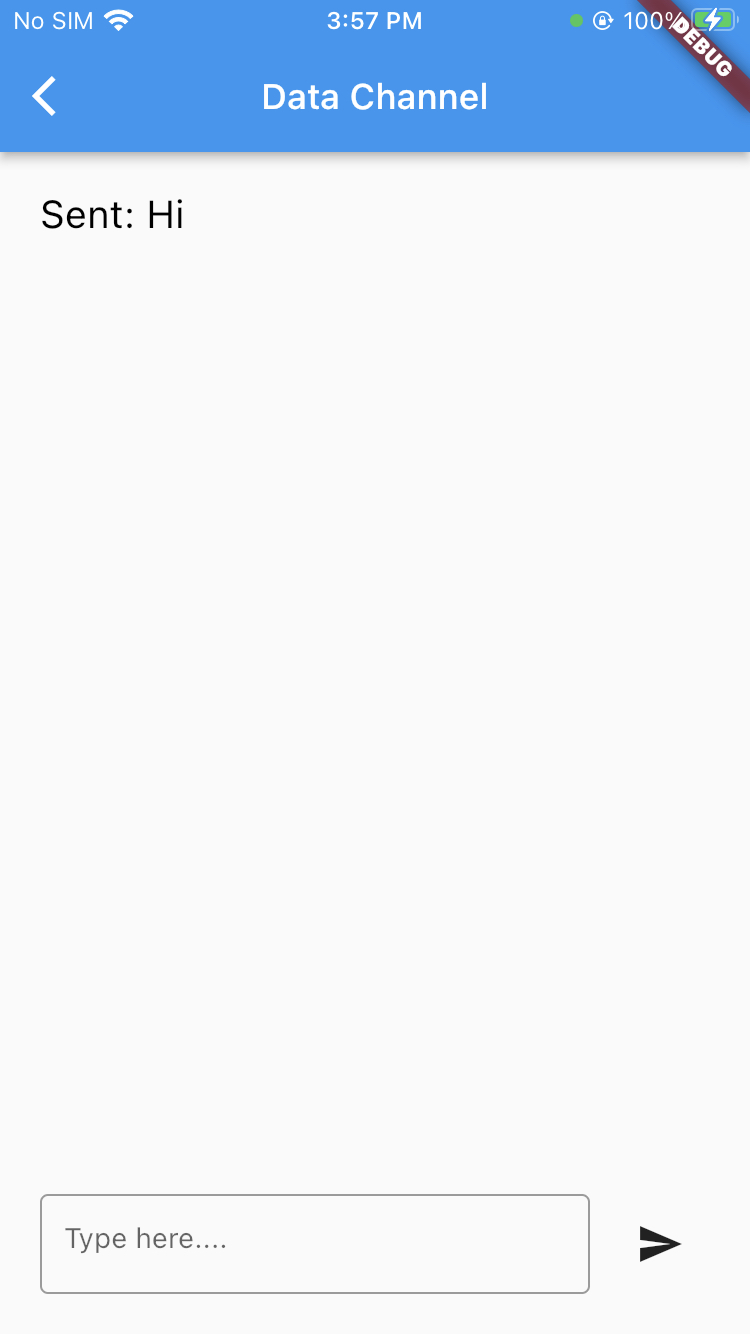
- [Data Channel Sample App](https://github.com/ant-media/WebRTC-Flutter-SDK/tree/main/example/DataChannel) - An example of how to create a Data Channel text based messaging application using Ant Media Server Flutter SDK
- [Peer Sample App](https://github.com/ant-media/WebRTC-Flutter-SDK/tree/main/example/Peer) - An example of how to create a Peer to Peer application using Ant Media Server Flutter SDK
- [Play Sample App](https://github.com/ant-media/WebRTC-Flutter-SDK/tree/main/example/Play) - An example of how to create a WebRTC Player using Ant Media Server Flutter SDK
- [Publish Sample App](https://github.com/ant-media/WebRTC-Flutter-SDK/tree/main/example/Publish) - An example of how to create a WebRTC Publish application using Ant Media Server Flutter SDK
- [Sample Project](https://github.com/ant-media/WebRTC-Flutter-SDK/tree/main/example/SampleProject) - It's a complete sample project which contains every sample above.
---
## Function List
```
AntMediaFlutter.anthelper?.switchCamera()
```
You can call **switchCamera()** to switch between front and back camera on mobile devices.
```
AntMediaFlutter.anthelper?.muteMic(bool mute)
```
You can call **muteMic(bool mute)** to mute/unmute microphone.
```
AntMediaFlutter.anthelper?.toggleCam(bool state)
```
You can call **toggleCam(bool state)** to open/close your camera.
```
AntMediaFlutter.anthelper?.disconnectPeer()
```
You can call **disconnectPeer()** to stop a peer connection.
```
AntMediaFlutter.anthelper?.getSender(streamId, type)
```
You can call **getSender(streamId, type)** to receive sender tracks.
```
AntMediaFlutter.anthelper?.setMaxBitrate(streamId, type, maxBitrateKbps)
```
You can call **setMaxBitrate(streamId, type, maxBitrateKbps)** to limit maximum bitrate for audio or video type.
```
AntMediaFlutter.anthelper?.createStream(media, userScreen)
```
You can call **registerPushNotificationToken(subscriberId, authToken, pushNotificationToken, tokenType)** to register user push notification token to Ant Media Server.
```
AntMediaFlutter.anthelper?.registerPushNotificationToken(subscriberId, authToken, pushNotificationToken, tokenType)
```
You can call **sendPushNotification(subscriberId, authToken, pushNotificationContent, subscriberIdsToNotify)** to send push notification to subscribers.
```
AntMediaFlutter.anthelper?.sendPushNotification(subscriberId, authToken, pushNotificationContent, subscriberIdsToNotify)
```
You can call **createStream(media, userScreen)** to create a local stream using camera or display.
```
AntMediaFlutter.anthelper?.setStream(MediaStream? media)
```
You can call **setStream(MediaStream? media)** to set local stream.
```
AntMediaFlutter.anthelper?.startStreamingAntMedia(streamId, token)
```
You can call **startStreamingAntMedia(streamId, token)** to start publishing.
```
AntMediaFlutter.anthelper?.forceStreamQuality(streamId, resolution)
```
You can call **forceStreamQuality(streamId, resolution)** to force stream into a specific quality.
```
AntMediaFlutter.anthelper?.join(streamId)
```
You can call **join(streamId)** to join into a conference room as player.
```
AntMediaFlutter.anthelper?.joinroom(streamId)
```
You can call **joinroom(streamId)** to join into a conference room as participant.
```
AntMediaFlutter.anthelper?.sendMessage(RTCDataChannelMessage message)
```
You can call **sendMessage(RTCDataChannelMessage message)** to send a text message using the WebRTC data channel.
```
AntMediaFlutter.anthelper?.getStreamInfo(streamId)
```
You can call **getStreamInfo(streamId)** to receive information about a specific stream.
```
AntMediaFlutter.anthelper?.closePeerConnection(streamId)
```
You can call **closePeerConnection(streamId)** to close peer connection.
```
AntMediaFlutter.anthelper?.bye()
```
You can call **bye()** to stop publishing.
```
AntMediaFlutter.anthelper?.close()
```
You can call **close()** to dispose local stream and close peer and websocket connections.
---
## Integration
In order to integrate Flutter SDK to your project, please follow [this link](https://antmedia.io/docs/guides/developer-sdk-and-api/sdk-integration/flutter-sdk/).
---
## Support
Have any questions about the Flutter SDK? Visit our [community platform](https://github.com/orgs/ant-media/discussions).
---
## Issues
Create issues on the [Ant-Media-Server](https://github.com/ant-media/Ant-Media-Server/issues)
---
## Dart Versions
- Dart 2: >= 2.12