# webappengine
**Repository Path**: mirrors_cheton/webappengine
## Basic Information
- **Project Name**: webappengine
- **Description**: A web application server that can host multiple web apps running with Node.js.
- **Primary Language**: Unknown
- **License**: MIT
- **Default Branch**: master
- **Homepage**: None
- **GVP Project**: No
## Statistics
- **Stars**: 0
- **Forks**: 0
- **Created**: 2020-08-08
- **Last Updated**: 2026-04-04
## Categories & Tags
**Categories**: Uncategorized
**Tags**: None
## README
# WebAppEngine [](https://travis-ci.org/cheton/webappengine) [](https://coveralls.io/github/cheton/webappengine?branch=master)
[](https://www.npmjs.com/package/webappengine)
A web application server that can host multiple web apps running with Node.js.
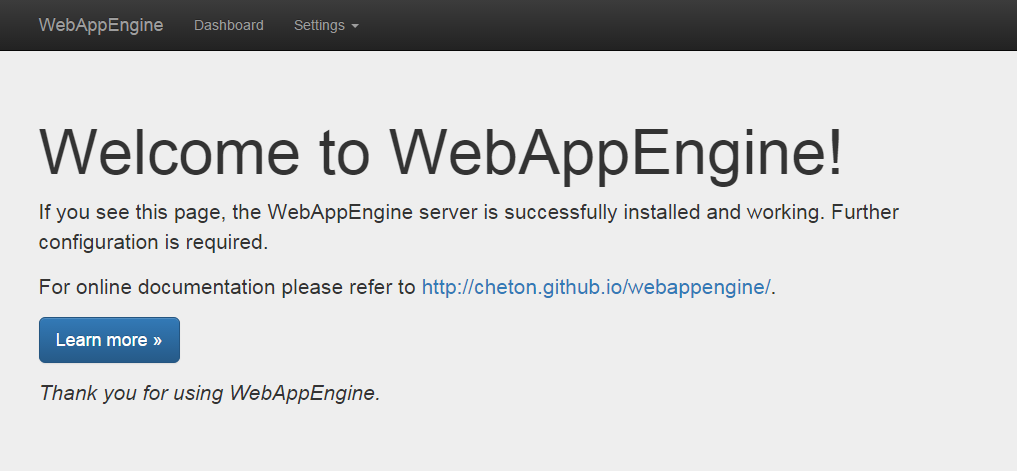
Note. The administration UI is currently under construction.
## Installation
For the API usage:
```bash
$ npm install --save webappengine
```
For the command line usage:
```bash
$ npm install -g webappengine
```
### Kickstart your project using [generator-webappengine](https://github.com/cheton/generator-webappengine)
A Yeoman generator for developing WebAppEngine app is available at [https://github.com/cheton/generator-webappengine](https://github.com/cheton/generator-webappengine). You can use the generator to kickstart your project. It includes Gulp, Browserify, Babelify, Stylus, Handlebars, i18next, and React.
Follow the steps to run the generator:
```bash
$ npm install -g yo
$ npm install -g generator-webappengine
$ yo webappengine
```
Once completed, you have to install NPM packages and Bower components, and run the `gulp` command to build your project.
```bash
$ npm install
$ bower install
$ gulp
```
Now you can run `node app/main.js` to launch your web app, or use webappengine to load [app.js](https://github.com/cheton/generator-webappengine/blob/master/generators/app/templates/app/app.js). For example:
```js
var path = require('path');
var webappengine = require('webappengine');
webappengine({
port: 80,
routes: [
{
type: 'server',
route: '/',
server: function(options) {
options = options || {};
var app = express();
var serveStatic = require('serve-static');
var assetPath = path.resolve(__dirname, 'web');
app.use(options.route, serveStatic(assetPath));
return app;
}
}
]
});
```
## Usage
### API usage
```js
var path = require('path');
var webappengine = require('webappengine');
var options = {
port: 80, // [optional] The listen port (default: 8000)
//host: '', // [optional] The listen address or hostname (default: 0.0.0.0)
//backlog: 511, // [optional] The listen backlog (default: 511)
routes: [
{
type: 'static', // [static|server]
route: '/',
directory: path.resolve(__dirname, 'web') // for the static type
}
]
};
webappengine(options)
.on('ready', function(server) {
var address = server.address();
console.log('Server is listening on %s:%d', address.address, address.port);
var io = require('socket.io')(server); // using socket.io
})
.on('error', function(err) {
console.error('Error:', err);
});
```
### Command line usage
Run `webappengine` to start the app, and visit `http://yourhostname:8000/` to check if it works:
```bash
$ webappengine
```
To check what port the app is running on, find the message `Server is listening on 0.0.0.0:8000` from console output.
By default the app listens on port 8000, you can run `webappengine` with `-p` (or `--port`) to determine which port your application should listen on. For example:
```bash
$ webappengine -p 80
```
Set the environment variable `NODE_ENV` to `production` if you are running in production mode:
```bash
$ NODE_ENV=production webappengine
```
Run `webappengine` with `-h` for detailed usage:
```
$ webappengine -h
Usage: webappengine [options]
Options:
-h, --help output usage information
-V, --version output the version number
-p, --port set listen port (default: 8000)
-H, --host set listen address or hostname (default: 0.0.0.0)
-b, --backlog set listen backlog (default: 511)
-c, --config set multihost configuration file
-v, --verbose increase the verbosity level
```
## Getting Started
### Working with static assets
The following configuration will serve static assets from the directory:
static-config.json:
```json
[
{
"type": "static",
"route": "/",
"directory": "/path/to/your/project/web/"
}
]
```
Run `webappengine` with `--config` to set multihost configuration file:
```bash
$ webappengine --config "/path/to/your/project/static-config.json"
```
or use the API:
```js
var webappengine = require('webappengine');
var routes = require('./static-config.json');
webappengine({
routes: routes
});
```
Visits `http://yourhostname:8000/` will serve `index.html` file as below:
```
WebAppEngine Test Page
```
(See also: [examples/static/index.html](examples/static/index.html))
### Configure multihost settings to run multiple web apps
First, checkout [examples/simple/app.js](examples/simple/app.js) and [examples/multihost.json](examples/multihost.json), and copy [examples](examples) to your project folder to kickstart a web application.
simple/app.js:
```js
var path = require('path'),
express = require('express');
module.exports = function(options) {
options = options || {};
var app = express();
var serveStatic = require('serve-static');
var assetPath = path.resolve(__dirname, 'web');
// Enable case sensitivity routing: "/Foo" is not equal to "/foo"
app.enable('case sensitive routing');
// Disable strict routing: "/foo" and "/foo/" are treated the same
app.disable('strict routing');
app.use(options.route, serveStatic(assetPath));
return app;
};
```
server-config.json:
```json
[
{
"type": "server",
"route": "/simple",
"server": "/path/to/your/project/simple/app"
}
]
```
Run `webappengine` with `--config` to set multihost configuration file:
```bash
$ webappengine --config "/path/to/your/project/server-config.json"
```
or use the API:
```js
var webappengine = require('webappengine');
var routes = require('./server-config.json');
webappengine({
routes: routes
});
```
Visits `http://yourhostname:8000/simple` will serve `index.html` file as below:
```
WebAppEngine Test Page
```
(See also: [examples/simple/web/index.html](examples/simple/web/index.html))
## Administration UI
The administration UI is currently under construction.
### Dashboard
TBD
### Change the display language
You can change the display language from the Settings menu, it will set the `lang` query string parameter: `?lang={locale}`
Here is a list of currently supported locales:
Locale | Language
------ | --------
de | Deutsch
en | English (US)
es | Español
fr | Français
it | Italiano
ja | 日本語
zh-cn | 中文 (简体)
zh-tw | 中文 (繁體)
## License
Copyright (c) 2015-2016 Cheton Wu
Licensed under the [MIT License](LICENSE).