# elixir-auth-facebook
**Repository Path**: mirrors_dwyl/elixir-auth-facebook
## Basic Information
- **Project Name**: elixir-auth-facebook
- **Description**: :busts_in_silhouette: Easy Facebook Authentication for Elixir Apps
- **Primary Language**: Unknown
- **License**: Not specified
- **Default Branch**: main
- **Homepage**: None
- **GVP Project**: No
## Statistics
- **Stars**: 0
- **Forks**: 0
- **Created**: 2022-10-24
- **Last Updated**: 2026-01-24
## Categories & Tags
**Categories**: Uncategorized
**Tags**: None
## README
# `elixir-auth-facebook` Comming Soon! See: [`#21`](https://github.com/dwyl/elixir-auth-facebook/issues/21)

_Easily_ add `Facebook` login to your `Elixir` / `Phoenix` Apps
with step-by-step **_detailed_ documentation**.

[](http://codecov.io/github/dwyl/auth?branch=master)
[](https://hex.pm/packages/auth)
[](https://libraries.io/hex/auth)
[](https://hexdocs.pm/auth/api-reference.html)
[](https://github.com/dwyl/auth/issues)
[](http://hits.dwyl.com/dwyl/elixir-auth-facebook)
## Why?
Facebook authentication is used **_everywhere_**!
We wanted to create a reusable `Elixir` package
with beginner-friednly instructions and readable code.
## What?
A simple and easy-to-use `Elixir` package
that gives you
**Facebook `OAuth` Authentication**
in a few steps.
> If you're new to `Elixir`,
> please see: [dwyl/**learn-elixir**](https://github.com/dwyl/learn-hapi)
## How?
# ⚠️ WARNING: This is out-of-date see: [`#21`](https://github.com/dwyl/elixir-auth-facebook/issues/21)
These instructions will guide you through setup in 6 simple steps
by the end you will have
**login with `Facebook`**
working in your App.
No prior experience/knowledge
is expected/required.
> **Note**: if you get stuck,
> please let us know by opening an issue!
### Step 1: Upgrade your personal Facebook account to a developer account
Go to developers.facebook.com/apps

...after logging in to your facebook account, you can 'Register Now' for a developer account.
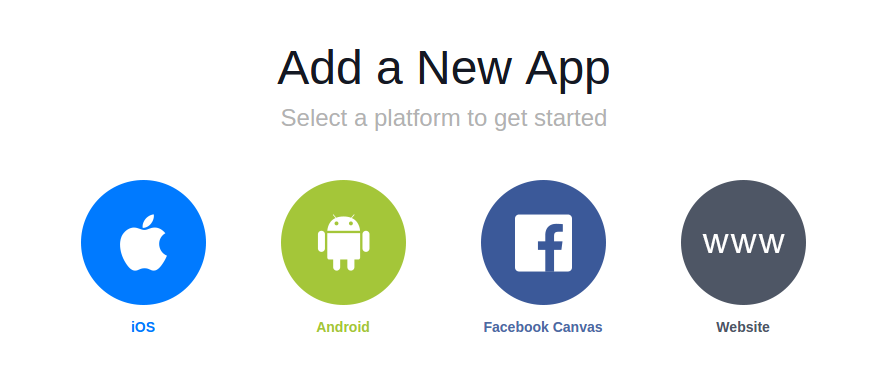
### Step 2: Select what platform your app is on
### Step 3: Skip to create an App
On this page, you can click the button in the top right to quickly access your app's id.

### Step 4: Create App
Here you can specify your app's name (doesn't **_have_** to be unique!)

**Note**: Copy the App ID and the Secret into your `.env` file.
### Step 5: Specify Redirect URI
Inside the facebook app's **advanced** settings, specify the redirect URI near the _bottom_ of the page:

**Note**: the redirect URI has to be an _absolute_ URI - make sure you include the `http://` prefix.
### Step 6: Make a request in your `Elixir` / `Phoenix` server
In your `Phoenix` server, make a request to the following url specifying your individual `app-id` and `redirect-uri`
