# dirigible
**Repository Path**: mirrors_eclipse/dirigible
## Basic Information
- **Project Name**: dirigible
- **Description**: Eclipse Dirigible™ Project
- **Primary Language**: Unknown
- **License**: EPL-2.0
- **Default Branch**: master
- **Homepage**: None
- **GVP Project**: No
## Statistics
- **Stars**: 0
- **Forks**: 0
- **Created**: 2020-08-22
- **Last Updated**: 2026-10-19
## Categories & Tags
**Categories**: Uncategorized
**Tags**: None
## README
# Eclipse Dirigible™
[](https://github.com/eclipse/dirigible/actions/workflows/build.yml)
[](https://github.com/eclipse/dirigible/blob/master/LICENSE)
[](http://download.dirigible.io/)
[](https://artifacthub.io/packages/search?org=dirigiblelabs)
[](https://central.sonatype.com/namespace/org.eclipse.dirigible)
[](https://github.com/eclipse/dirigible/graphs/contributors)
[](https://app.fossa.io/projects/git%2Bgithub.com%2Feclipse%2Fdirigible?ref=badge_shield)
[](https://bestpractices.coreinfrastructure.org/projects/1967)
[](https://api.reuse.software/info/github.com/eclipse/dirigible)
**Eclipse Dirigible** is a High-Productivity Application Platform as a Service (hpaPaaS). It provides an application
server consisting of pre-selected execution engines and built-in web development tools. It is suitable for rapid
development of business applications by also leveraging the Low Code / No Code techniques.

> Enjoy Programming Like Never Before
From the end user's perspective (developer), Dirigible runs directly in the browser, therefore does not require any
downloads or installations.
From the service provider's perspective (PaaS/SaaS), Dirigible packs all required components in a self-contained
software bundle that can be deployed on a VM or Docker capable environment such as Kubernetes.
Dirigible supports access to RDBMS via JDBC. Currently supported versions for RDBMS are PostgreSQL, HANA, Sybase ASE,
MySQL, H2, and Derby as well as NoSQL like MongoDB or pure OLAP like Snowflake.
Dirigible promotes the In-System Programming development model, where you make dynamic alteration of the live system. To
provide the self-contained bundle serving all the needed features for a business application, Dirigible packs various
engines such as ActiveMQ, Quartz, Lucene, Flowable, Mylyn, GraalJS and others.
The project started as an internal SAP initiative to address the extension and adoption use-cases related to SOA and
Enterprise Services.
- [Eclipse Dirigible™](#eclipse-dirigible)
- [Instant Trial](#instant-trial)
- [Contact Us](#contact-us)
- [Get Started](#get-started)
- [Download](#download)
- [Build](#build)
- [Prerequisites](#prerequisites)
- [Steps](#steps)
- [Maven Profiles](#maven-profiles)
- [Run](#run)
- [Standalone](#standalone)
- [Prerequisites](#prerequisites-1)
- [Steps](#steps-1)
- [Docker](#docker)
- [Prerequisites](#prerequisites-2)
- [Steps](#steps-2)
- [Native image](#native-image)
- [Prerequisites](#prerequisites-3)
- [Steps](#steps-3)
- [PostgreSQL](#postgresql)
- [Steps](#steps-4)
- [CMS with AWS S3](#cms-with-aws-s3)
- [Setup:](#setup)
- [Usage:](#usage)
- [Test environment with LocalStack](#test-environment-with-localstack)
- [Setup:](#setup-1)
- [Claude Code Commands](#claude-code-commands)
- [Available commands](#available-commands)
- [Examples](#examples)
- [Without Claude Code](#without-claude-code)
- [Additional Information](#additional-information)
- [License](#license)
- [Contributors](#contributors)
- [Attribution links](#attribution-links)
- [References](#references)
## Instant Trial
You can try the sandbox instance to have a quick look on the functionality you are
interested [https://trial.dirigible.io](https://trial.dirigible.io).
## Contact Us
Join the Eclipse Dirigible Slack Workspace to chat with the
community: [https://slack.dirigible.io](https://slack.dirigible.io)
## Get Started
### Download
The "fast-track" - you can download the precompiled binaries produced by the GitHub Actions
from [http://download.dirigible.io/](http://download.dirigible.io/) and skip the build section.
Nevertheless, we highly recommend building the binaries from source in order to have all experimental features that are
not available in the releases.
### Build
##### Prerequisites
- [Git](http://git-scm.com/)
- [Java JDK 21+](https://adoptopenjdk.net/)
- [Maven 3.8.x](http://maven.apache.org/docs/3.8.8/release-notes.html)
- [esbuild](https://esbuild.github.io/getting-started/#install-esbuild) - `npm i -g esbuild`
- [tsc](https://www.npmjs.com/package/typescript) - `npm i -g typescript`
- [ttyd](https://github.com/tsl0922/ttyd)
##### Steps
1. Clone the [project repository - master branch](https://github.com/eclipse/dirigible/tree/master)
or [download the latest sources](https://github.com/eclipse/dirigible/archive/refs/heads/master.zip).
In case there is an issue with 'Filename too long in Git for Windows' then add the fllowing git confoguration
```
git config --system core.longpaths true
```
3. Go to the root folder.
4. Build the project with:
mvn clean install
> If you are using Windows, make sure that you open the terminal as Administrator otherwise the tests will fail
- Quick build **with unit tests**:
mvn -T 1C clean install -D maven.javadoc.skip=true -D license.skip=true
- If you **don't want to trigger license updates**:
mvn clean install -D license.skip=true
- If you have a **multi-core system, enable threads**:
mvn -T 1C clean install
- If you **don't need to run tests**, you can add the following argument:
mvn clean install -D skipTests
- If you **don't need to compile and run tests**:
mvn clean install -D skipTests -D maven.test.skip=true
- If you want to do a fast build, with **no tests, javadocs and license updates**:
mvn -T 1C clean install -P quick-build
- If you want to **run all integration tests only**:
```shell
export HEADLESS='true'
mvn clean install -P integration-tests -D selenide.headless=$HEADLESS
```
- If you want to **run specific integration test(s)**:
```shell
export HEADLESS='true'
export TEST='CsvimIT,CreateNewProjectIT'
mvn clean install -P integration-tests -Dit.test="$TEST" -D selenide.headless=$HEADLESS
```
> The build should pass successfully.
The produced `dirigible-application-XXX-executable.jar` file is in `build/application/target/` and is ready to be
deployed. It is Spring Boot application, so it can be executed locally right away.
##### Maven Profiles
| Profile Name | Description |
| ----------------- | -------------------------------------------------------------------- |
| tests | Run unit and integration tests |
| unit-tests | Run unit tests |
| integration-tests | Run integration tests |
| quick-build | Build project skipping tests, javadoc, licensing and code formatting |
| format | Format the code |
To activate a profile, add it to the maven command.
Example:
```
mvn clean install -P quick-build
```
### Run
#### Standalone
##### Prerequisites
**macOS:**
```shell
brew install ttyd
```
**Linux:**
RHEL/CentOS/Fedora:
```shell
sudo dnf install ttyd
```
Debian/Ubuntu:
```shell
sudo apt install ttyd
```
You do not need to start/enable the standard ttyd service. Dirigible starts ttyd automatically on port 9000.
More info about **ttyd** can be found at: [ttyd](https://github.com/tsl0922/ttyd)
##### Steps
1. From the project root directory run command:
java -jar build/application/target/dirigible-application-*-executable.jar
> for Windows
java -jar build/application/target/$((Get-ChildItem dirigible-application-*-executable.jar -recurse -File | Sort-Object LastWriteTime | Select -Last 1).BaseName).jar
2. In case you want to debug the application run:
java -agentlib:jdwp=transport=dt_socket,server=y,suspend=n,address=8000 -jar build/application/target/dirigible-application-*-executable.jar
3. Open a web browser and go to: [http://localhost:8080](http://localhost:8080 "http://localhost:8080")
4. Login with user: `admin` and password `admin`
5. REST API description in an OpenAPI format can be found
at: [http://localhost:8080/swagger-ui/index.html](http://localhost:8080/swagger-ui/index.html "http://localhost:8080/swagger-ui/index.html")
#### Docker
##### Prerequisites
- [Install Docker](https://docs.docker.com/engine/installation/)
##### Steps
1. Get the container
- Pull the official image from Docker Hub:
docker pull dirigiblelabs/dirigible:latest
- Build it locally
cd build/application
docker build -t dirigiblelabs/dirigible:latest -f Dockerfile .
> prerequisite: build the project as described in step
> 4 [here](https://github.com/eclipse/dirigible/blob/master/README.md#steps)
- Build it locally **without cache**
cd build/application
docker build --no-cache -t dirigiblelabs/dirigible:latest -f Dockerfile .
> prerequisite: build the project as described in step
> 4 [here](https://github.com/eclipse/dirigible/blob/master/README.md#steps)
2. Start the container
```
docker run --name dirigible --rm -p 8080:8080 -p 8081:8081 dirigiblelabs/dirigible:latest
```
If you want to have persistent workspace and databases, mount a host folder
```
export WORKSPACE_DIR='/tmp/dirigible'
docker run --name dirigible --rm -p 8080:8080 -p 8081:8081 \
-v "$WORKSPACE_DIR:/target/dirigible" \
dirigiblelabs/dirigible:latest
```
**Note:** we have observed performance issues on Windows when mounting a folder. To improve the perfomance, use
dedicated volume instead:
```
docker volume create dirigible_volume
docker run --name dirigible --rm -p 8080:8080 `
-v "dirigible_volume:/target/dirigible" `
dirigiblelabs/dirigible:latest
```
3. Open a web browser and go to: [http://localhost:8080](http://localhost:8080 "http://localhost:8080")
4. Optionally you can enhance and customize the Dockerfile
from [here](https://github.com/eclipse/dirigible/blob/master/build/application/Dockerfile)
#### Native image
##### Prerequisites
- [Install SDKMAN](https://sdkman.io)
- Install GraalVM: `sdk install java 21.0.1-graal`
- Make sure that `JAVA_HOME` and `PATH` env variables point to your graalvm jdk from the previous step
##### Steps
- Execute the following on your github repo root folder
```
# build dirigible fat jar
mvn -T 1C clean install -D maven.test.skip=true -D skipTests -D maven.javadoc.skip=true -D license.skip=true
rm -rf dirigible
# build native image
native-image -jar 'build/application/target/dirigible-application-10.0.0-SNAPSHOT-executable.jar' -o dirigible
# start dirigible
./dirigible
```
#### PostgreSQL
##### Steps
1. Install PostgreSQL e.g. for MacOS:
brew install postgresql
Alternatively you can use docker image
docker run -itd -e POSTGRES_DB=postgres -e POSTGRES_USER=postgres -e POSTGRES_PASSWORD=postgres -p 5432:5432 --name postgresql postgres
2. The run it:
brew services start postgresql
3. Create a default user:
createuser -s postgres
4. And expose the following environment variables:
export DIRIGIBLE_DATASOURCE_DEFAULT_DRIVER=org.postgresql.Driver
export DIRIGIBLE_DATASOURCE_DEFAULT_URL=jdbc:postgresql://localhost:5432/postgres
export DIRIGIBLE_DATASOURCE_DEFAULT_USERNAME=postgres
export DIRIGIBLE_DATASOURCE_DEFAULT_PASSWORD=postgres
for Windows execute the following in the terminal with admin privileges
```
[System.Environment]::SetEnvironmentVariable('DIRIGIBLE_DATASOURCE_DEFAULT_DRIVER','org.postgresql.Driver', 'Machine')
[System.Environment]::SetEnvironmentVariable('DIRIGIBLE_DATASOURCE_DEFAULT_URL','jdbc:postgresql://localhost:5432/postgres', 'Machine')
[System.Environment]::SetEnvironmentVariable('DIRIGIBLE_DATASOURCE_DEFAULT_USERNAME','postgres', 'Machine')
[System.Environment]::SetEnvironmentVariable('DIRIGIBLE_DATASOURCE_DEFAULT_PASSWORD','postgres', 'Machine')
```
5. Then you can run Dirigible with PostgreSQL default database (DefaultDB).
> If you have started the Dirigible before, make sure to execute `mvn clean` before starting the Dirigible with the
> PostgreSQL
### CMS with AWS S3
Eclipse Dirigible's Document perspective can be used with [AWS S3](https://aws.amazon.com/s3/), providing you CMS with
S3's cloud storage.
#### Setup:
- AWS account with generated credentials (AWS Acces Key, AWS Secret Key)
- Set up the environment variables regarding CMS/CMS S3 exposed by Eclipse Dirigible. Full list can be
found [here](https://www.dirigible.io/help/setup/setup-environment-variables/#cms).
#### Usage:
- Navigate to the `Document` perspective in your Eclipse Dirigible instance
- Upload a file and you should see the file in the perspective as well as in the S3 bucket
#### Test environment with LocalStack
If you prefer working with a test environment you can use [LocalStack](https://www.localstack.cloud/).
#### Setup:
- Install LocalStack on your machine using the installation
guide [here](https://docs.localstack.cloud/getting-started/installation/) or the following commands:
- MacOS - `brew install localstack/tap/localstack-cli`
- Linux -
For `x86-64`:
```
curl -Lo localstack-cli-3.0.2-linux-amd64-onefile.tar.gz \
https://github.com/localstack/localstack-cli/releases/download/v3.0.2/localstack-cli-3.0.2-linux-amd64-onefile.tar.gz
```
For `ARM64`:
```
curl -Lo localstack-cli-3.0.2-linux-arm64-onefile.tar.gz \
https://github.com/localstack/localstack-cli/releases/download/v3.0.2/localstack-cli-3.0.2-linux-arm64-onefile.tar.gz
```
Then extract the LocalStack CLI from the terminal:
```
sudo tar xvzf localstack-cli-3.0.2-linux-*-onefile.tar.gz -C /usr/local/bin
```
- Start `LocalStack` using - `localstack start -d`
- Set up the environment variables, mainly `DIRIGIBLE_S3_PROVIDER=localstack`, exposed by Eclipse Dirigible
## Claude Code Commands
If you use [Claude Code](https://claude.com/claude-code), this repository ships a few slash commands
that drive the everyday loop for you — build and run Dirigible, watch its logs, debug, run the tests,
and prepare a pull request — so you don't have to remember the `mvn` and `java` incantations. Just
type the command in a Claude Code session opened in this repo.
### Available commands
| Command | What it does |
| ------------------ | -------------------------------------------------------------------------------------------- |
| `/dirigible-start` | Builds the project and starts Dirigible, then waits until it's ready and shows you the URL. |
| `/dirigible-logs` | Shows the running server's log (live). |
| `/dirigible-stop` | Stops the running instance. |
| `/dirigible-test` | Runs the tests — all by default, or just the unit or just the integration tests. |
| `/dirigible-pr` | Gets your branch ready for a pull request (formats the code and checks the docs build). |
| `/dirigible-take` | Takes a GitHub issue end to end: worktree off `origin/master`, implement, verify, commit, push, open the PR. Saying `take this: ` in plain words does the same. |
`/dirigible-start` accepts two optional keywords you can add in any combination:
- **`debug`** — start with the remote debugger enabled (attach your IDE to port `8000`).
- **`clean`** — wipe the build output first, resetting the local database and repository. Use this
when you want a completely fresh instance; omit it to keep your existing data between restarts.
### Examples
```text
/dirigible-start # build + start; open http://localhost:8080 (admin/admin)
/dirigible-start clean # start fresh — reset the local database and repository
/dirigible-start debug # start with the debugger on port 8000
/dirigible-start debug clean # both at once
/dirigible-logs # watch the server log live
/dirigible-logs snapshot # show the last minute of logs, once
/dirigible-logs snapshot 5 # show the last 5 minutes of logs, once
/dirigible-stop # stop the server
/dirigible-test # run all tests (unit + integration)
/dirigible-test unit # run only the unit tests
/dirigible-test integration # run only the integration tests
/dirigible-pr # format + validate before you open a PR
/dirigible-take https://github.com/eclipse-dirigible/dirigible/issues/1234
# take an issue end to end: worktree, fix, verify, commit, push, PR
```
> **Note:** the integration tests boot the whole application and drive a headless Chrome, so they
> take a while and need [`ttyd`](https://github.com/tsl0922/ttyd) installed. `/dirigible-test` runs
> them long-running in the background and reports pass/fail when finished.
> **Tip:** to watch the log continuously, keep `.claude/run/dirigible.log` open in your editor — it's
> rewritten fresh each time you start the server.
### Without Claude Code
The commands are backed by one small, dependency-free script that you can also run directly (it works
the same on macOS, Linux, and Windows; needs [Node.js 22+](https://nodejs.org/), already a build
prerequisite):
```shell
node .claude/scripts/dirigible.mjs start # add --debug and/or --clean
node .claude/scripts/dirigible.mjs logs # snapshot; add --follow to tail, or --since MIN for a time window
node .claude/scripts/dirigible.mjs stop
node .claude/scripts/dirigible.mjs test # all tests; or `test unit` / `test integration`
```
## Additional Information
### License
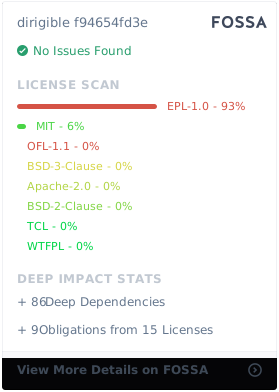
This project is copyrighted by Eclipse Dirigible contributors and is available under
the [Eclipse Public License v 2.0](https://www.eclipse.org/legal/epl-v20.html). See [LICENSE.txt](LICENSE.txt)
and [NOTICE.txt](NOTICE.txt) for further details.
[](https://app.fossa.io/projects/git%2Bgithub.com%2Feclipse%2Fdirigible?ref=badge_large)
### Contributors
If you like to contribute to Dirigible, please read the [Contributor's guide](CONTRIBUTING.md).
 ### Attribution links
Unicons by IconScout: [https://github.com/Iconscout/unicons](https://github.com/Iconscout/unicons)
jsTree by vakata: [https://github.com/vakata/jstree](https://github.com/vakata/jstree)
bpmn-visualization by Process Analytics: [https://github.com/process-analytics/bpmn-visualization-js](https://github.com/process-analytics/bpmn-visualization-js)
Monaco Editor by Microsoft: [https://github.com/microsoft/monaco-editor](https://github.com/microsoft/monaco-editor)
mxGraph: [https://github.com/jgraph/mxgraph](https://github.com/jgraph/mxgraph)
Xterm.js: [https://github.com/xtermjs/xterm.js](https://github.com/xtermjs/xterm.js)
Flowable: [https://github.com/flowable](https://github.com/flowable)
AG Grid: [https://github.com/ag-grid/ag-grid](https://github.com/ag-grid/ag-grid)
BlimpKit: [https://github.com/blimpkit/blimpkit.github.io](https://github.com/blimpkit/blimpkit.github.io)
### References
- Project Home: [https://www.dirigible.io](https://www.dirigible.io)
- Help Portal: [https://help.dirigible.io](https://www.dirigible.io/help)
- Samples: [https://samples.dirigible.io](https://samples.dirigible.io)
- Trial Instance: [https://trial.dirigible.io](https://trial.dirigible.io)
- Slack: [https://slack.dirigible.io](https://slack.dirigible.io)
- Mailing
List: [https://dev.eclipse.org/mailman/listinfo/dirigible-dev](https://dev.eclipse.org/mailman/listinfo/dirigible-dev)
- Issues: [https://github.com/eclipse/dirigible/issues](https://github.com/eclipse/dirigible/issues)
- Eclipse Foundation Help Desk: https://gitlab.eclipse.org/eclipsefdn/helpdesk
### Attribution links
Unicons by IconScout: [https://github.com/Iconscout/unicons](https://github.com/Iconscout/unicons)
jsTree by vakata: [https://github.com/vakata/jstree](https://github.com/vakata/jstree)
bpmn-visualization by Process Analytics: [https://github.com/process-analytics/bpmn-visualization-js](https://github.com/process-analytics/bpmn-visualization-js)
Monaco Editor by Microsoft: [https://github.com/microsoft/monaco-editor](https://github.com/microsoft/monaco-editor)
mxGraph: [https://github.com/jgraph/mxgraph](https://github.com/jgraph/mxgraph)
Xterm.js: [https://github.com/xtermjs/xterm.js](https://github.com/xtermjs/xterm.js)
Flowable: [https://github.com/flowable](https://github.com/flowable)
AG Grid: [https://github.com/ag-grid/ag-grid](https://github.com/ag-grid/ag-grid)
BlimpKit: [https://github.com/blimpkit/blimpkit.github.io](https://github.com/blimpkit/blimpkit.github.io)
### References
- Project Home: [https://www.dirigible.io](https://www.dirigible.io)
- Help Portal: [https://help.dirigible.io](https://www.dirigible.io/help)
- Samples: [https://samples.dirigible.io](https://samples.dirigible.io)
- Trial Instance: [https://trial.dirigible.io](https://trial.dirigible.io)
- Slack: [https://slack.dirigible.io](https://slack.dirigible.io)
- Mailing
List: [https://dev.eclipse.org/mailman/listinfo/dirigible-dev](https://dev.eclipse.org/mailman/listinfo/dirigible-dev)
- Issues: [https://github.com/eclipse/dirigible/issues](https://github.com/eclipse/dirigible/issues)
- Eclipse Foundation Help Desk: https://gitlab.eclipse.org/eclipsefdn/helpdesk