# tsdx
**Repository Path**: mirrors_gbozee/tsdx
## Basic Information
- **Project Name**: tsdx
- **Description**: Zero-config CLI for TypeScript package development
- **Primary Language**: Unknown
- **License**: MIT
- **Default Branch**: master
- **Homepage**: None
- **GVP Project**: No
## Statistics
- **Stars**: 0
- **Forks**: 0
- **Created**: 2020-09-24
- **Last Updated**: 2026-04-11
## Categories & Tags
**Categories**: Uncategorized
**Tags**: None
## README

[](https://npm.im/tsdx) [](https://npm.im/tsdx) [](https://npm.im/tsdx) [](https://circleci.com/gh/palmerhq/tsdx)
Despite all the recent hype, setting up a new TypeScript (x React) library can be tough. Between [Rollup](https://github.com/rollup/rollup), [Jest](https://github.com/facebook/jest), `tsconfig`, [Yarn resolutions](https://yarnpkg.com/en/docs/selective-version-resolutions), TSLint, and getting VSCode to play nicely....there is just a whole lot of stuff to do (and things to screw up). TSDX is a zero-config CLI that helps you develop, test, and publish modern TypeScript packages with ease--so you can focus on your awesome new library and not waste another afternoon on the configuration.
- [Features](#features)
- [Quick Start](#quick-start)
- [Inspiration](#inspiration)
- [API Reference](#api-reference)
- [`tsdx watch`](#tsdx-watch)
- [`tsdx build`](#tsdx-build)
- [`tsdx test`](#tsdx-test)
- [Author](#author)
## Features
TSDX comes with the "battery-pack included" and is part of a complete TypeScript breakfast:
- Bundles your code with [Rollup](https://github.com/rollup/rollup) and outputs multiple module formats (CJS, UMD & ESM) plus development and production builds
- Comes with treeshaking, ready-to-rock lodash optimizations, and minification/compression
- Live reload / watch-mode
- Works with React
- Human readable error messages (and in VSCode-friendly format)
- Bundle size snapshots
- Jest test runner setup with sensible defaults via `tsdx test`
- Zero-config, single dependency
## Quick Start
```
npx tsdx create mylib
cd mylib
yarn start
```
That's it. You don't need to worry about setting up Typescript or Rollup or Jest or other plumbing. Just start editing `src/index.ts` and go!
Below is a list of commands you will probably find useful.
### `npm start` or `yarn start`
Runs the project in development/watch mode. Your project will be rebuilt upon changes. TSDX has a special logger for your convenience. Error messages are pretty printed and formatted for compatibility VS Code's Problems tab.
 Your library will be rebuilt if you make edits.
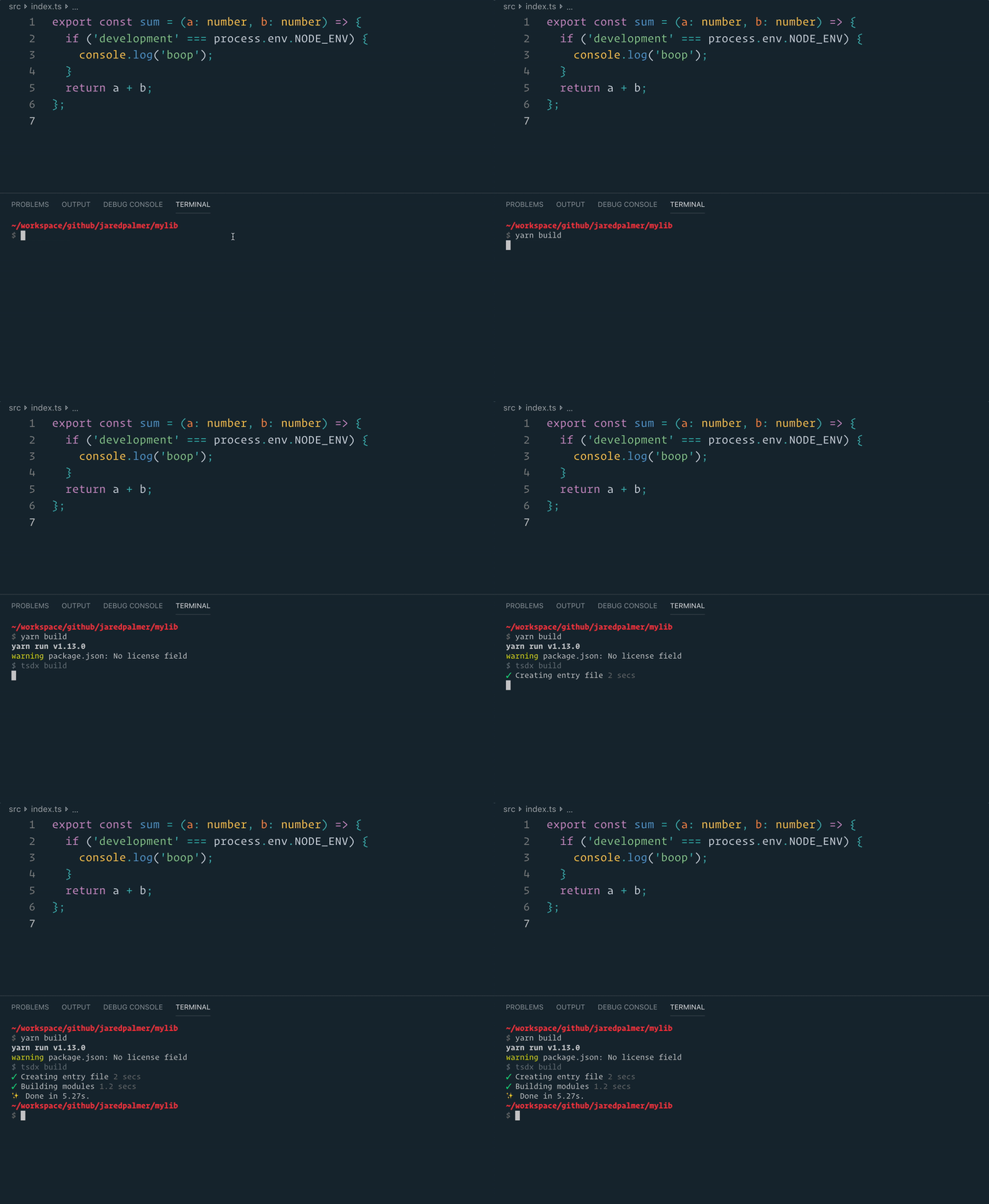
### `npm run build` or `yarn build`
Bundles the package to the `dist` folder.
The package is optimized and bundled with Rollup into multiple formats (CommonJS, UMD, and ES Module).
Your library will be rebuilt if you make edits.
### `npm run build` or `yarn build`
Bundles the package to the `dist` folder.
The package is optimized and bundled with Rollup into multiple formats (CommonJS, UMD, and ES Module).
 ### `npm test` or `yarn test`
Runs the test watcher (Jest) in an interactive mode.
By default, runs tests related to files changed since the last commit.
## Inspiration
TSDX is ripped out of [Formik's](https://github.com/jaredpalmer/formik) build tooling. TSDX is very similar to [@developit/microbundle](https://github.com/developit/microbundle), but that is because Formik's Rollup configuration and Microbundle's internals have converged around similar plugins over the last year or so.
### Comparison to Microbundle
- TSDX includes out-of-the-box test running via Jest
- TSDX includes a bootstrap command and default package template
- TSDX is 100% TypeScript focused. While yes, TSDX does use Babel to run a few optimizations (related to treeshaking and lodash), it does not support custom babel configurations.
- TSDX outputs distinct development and production builds (like React does) for CJS and UMD builds. This means you can include rich error messages and other dev-friendly goodies without sacrificing final bundle size.
## API Reference
### `tsdx watch`
```shell
Description
Rebuilds on any change
Usage
$ tsdx watch [options]
Options
-i, --entry Entry module(s)
--target Specify your target environment (default web)
--name Specify name exposed in UMD builds
--format Specify module format(s) (default cjs,es,umd)
-h, --help Displays this message
Examples
$ tsdx watch --entry src/foo.tsx
$ tsdx watch --target node
$ tsdx watch --name Foo
$ tsdx watch --format cjs,es
```
### `tsdx build`
```shell
Description
Build your project once and exit
Usage
$ tsdx build [options]
Options
-i, --entry Entry module(s)
--target Specify your target environment (default web)
--name Specify name exposed in UMD builds
--format Specify module format(s) (default cjs,es,umd)
-h, --help Displays this message
Examples
$ tsdx build --entry src/foo.tsx
$ tsdx build --target node
$ tsdx build --name Foo
$ tsdx build --format cjs,es
```
### `tsdx test`
This runs Jest v24.x in watch mode. See [https://jestjs.io](https://jestjs.io) for options. If you are using the React template, jest uses the flag `--env=jsdom` by default.
## Author
- [Jared Palmer](https://twitter.com/jaredpalmer)
## License
[MIT](https://oss.ninja/mit/jaredpalmer/)
### `npm test` or `yarn test`
Runs the test watcher (Jest) in an interactive mode.
By default, runs tests related to files changed since the last commit.
## Inspiration
TSDX is ripped out of [Formik's](https://github.com/jaredpalmer/formik) build tooling. TSDX is very similar to [@developit/microbundle](https://github.com/developit/microbundle), but that is because Formik's Rollup configuration and Microbundle's internals have converged around similar plugins over the last year or so.
### Comparison to Microbundle
- TSDX includes out-of-the-box test running via Jest
- TSDX includes a bootstrap command and default package template
- TSDX is 100% TypeScript focused. While yes, TSDX does use Babel to run a few optimizations (related to treeshaking and lodash), it does not support custom babel configurations.
- TSDX outputs distinct development and production builds (like React does) for CJS and UMD builds. This means you can include rich error messages and other dev-friendly goodies without sacrificing final bundle size.
## API Reference
### `tsdx watch`
```shell
Description
Rebuilds on any change
Usage
$ tsdx watch [options]
Options
-i, --entry Entry module(s)
--target Specify your target environment (default web)
--name Specify name exposed in UMD builds
--format Specify module format(s) (default cjs,es,umd)
-h, --help Displays this message
Examples
$ tsdx watch --entry src/foo.tsx
$ tsdx watch --target node
$ tsdx watch --name Foo
$ tsdx watch --format cjs,es
```
### `tsdx build`
```shell
Description
Build your project once and exit
Usage
$ tsdx build [options]
Options
-i, --entry Entry module(s)
--target Specify your target environment (default web)
--name Specify name exposed in UMD builds
--format Specify module format(s) (default cjs,es,umd)
-h, --help Displays this message
Examples
$ tsdx build --entry src/foo.tsx
$ tsdx build --target node
$ tsdx build --name Foo
$ tsdx build --format cjs,es
```
### `tsdx test`
This runs Jest v24.x in watch mode. See [https://jestjs.io](https://jestjs.io) for options. If you are using the React template, jest uses the flag `--env=jsdom` by default.
## Author
- [Jared Palmer](https://twitter.com/jaredpalmer)
## License
[MIT](https://oss.ninja/mit/jaredpalmer/)