# android-maps-ktx
**Repository Path**: mirrors_googlemaps/android-maps-ktx
## Basic Information
- **Project Name**: android-maps-ktx
- **Description**: Kotlin extensions (KTX) for the Maps SDK and Utility Library for Android
- **Primary Language**: Unknown
- **License**: Apache-2.0
- **Default Branch**: main
- **Homepage**: None
- **GVP Project**: No
## Statistics
- **Stars**: 1
- **Forks**: 0
- **Created**: 2020-08-08
- **Last Updated**: 2026-09-19
## Categories & Tags
**Categories**: Uncategorized
**Tags**: None
## README
[](https://maven-badges.herokuapp.com/maven-central/com.google.maps.android/maps-ktx)


[](https://github.com/googlemaps/android-maps-ktx/actions/workflows/test.yml)

[][license]
[](https://stackoverflow.com/questions/tagged/google-maps)
[][Discord server]
# Maps Android KTX
## Description
This repository contains Kotlin extensions (KTX) for:
1. The [Maps SDK for Android][maps-sdk]
1. The [Maps SDK for Android Utility Library][amu]
It enables you to write more concise, idiomatic Kotlin. Each set of extensions can be used independently or together.
## Requirements
- [Sign up with Google Maps Platform]
- A Google Maps Platform [project] with the **Maps SDK for Android** enabled
- An [API key] associated with the project above
- Android API level 23+
- Kotlin-enabled project
- Kotlin coroutines
## Installation
```groovy
dependencies {
// KTX for the Maps SDK for Android library
implementation 'com.google.maps.android:maps-ktx:6.4.1' // {x-release-please-version}
// KTX for the Maps SDK for Android Utility Library
implementation 'com.google.maps.android:maps-utils-ktx:6.4.1' // {x-release-please-version}
}
```
## Internal usage attribution ID
This library incorporates an internal usage attribution ID to help the Google Maps Platform team better understand library usage and guide future development. This ID is generated during the build process and is automatically registered using `androidx.startup`.
If you wish to opt-out of this attribution, you can do so by removing the `InitializationProvider` from your app's manifest:
```xml
```
## Usage
With this KTX library, you should be able to take advantage of several Kotlin language features such as extension functions, named parameters and default arguments, destructuring declarations, and coroutines.
### Sample App
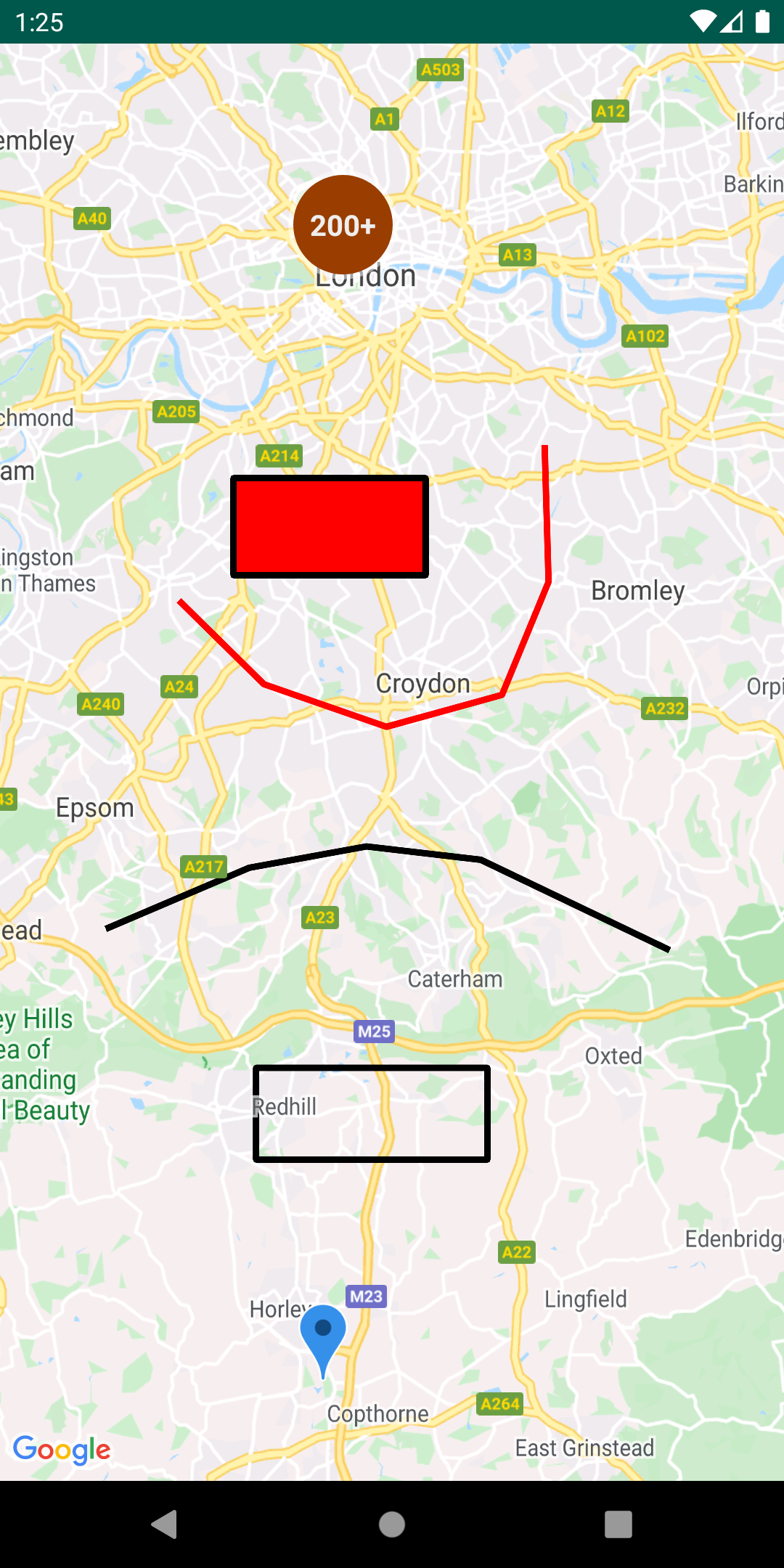 This repository includes a Material 3 [demo app](app) that illustrates the use of this KTX library.
For interactive examples, visual flows, and code region breakdowns, check out the immersive [KTX Flow Snippets Catalog](docs/CATALOG.md).
To run the demo app, you'll have to:
1. [Get a Maps API key](https://developers.google.com/maps/documentation/android-sdk/get-api-key)
1. Create a file in the root directory called `secrets.properties` (this file should *NOT* be under version control to protect your API key)
1. Add a single line to `secrets.properties` that looks like `MAPS_API_KEY=YOUR_API_KEY`, where `YOUR_API_KEY` is the API key you obtained in the first step
1. Build and run
### Maps SDK KTX
See [GoogleMap.kt](maps-ktx/src/main/java/com/google/maps/android/ktx/GoogleMap.kt) for all available extensions.
#### Extension functions
Adding a `Marker`:
_Before_
```java
GoogleMap googleMap = // ...
LatLng sydney = new LatLng(-33.852, 151.211);
MarkerOptions markerOptions = new MarkerOptions()
.position(sydney)
.title("Marker in Sydney");
Marker marker = googleMap.addMarker(markerOptions);
```
_After_
```kotlin
val googleMap = // ...
val sydney = LatLng(-33.852, 151.211)
val marker = googleMap.addMarker {
position(sydney)
title("Marker in Sydney")
}
```
#### Coroutines
See [SupportMapFragment.kt](maps-ktx/src/main/java/com/google/maps/android/ktx/SupportMapFragment.kt) for implementation and the [KTX Flow Snippets Catalog](docs/CATALOG.md) for usage examples.
Accessing a `GoogleMap` instance can be retrieved using coroutines vs. traditional the callback mechanism. The example here demonstrates how you can use this feature alongside with [Lifecycle-aware coroutine scopes][lifecycle] provided in Android’s Architecture Components. To use this, you'll need to add the following to your `build.gradle` dependencies:
`implementation 'androidx.lifecycle:lifecycle-runtime-ktx:'`
_Before_
```java
@Override
public void onCreate(Bundle savedInstanceState) {
super.onCreate(savedInstanceState);
SupportMapFragment mapFragment = ((SupportMapFragment) getSupportFragmentManager().findFragmentById(R.id.map));
mapFragment.getMapAsync(new OnMapReadyCallback() {
@Override
public void onMapReady(GoogleMap googleMap) {
// Access GoogleMap instance here
}
});
}
```
_After_
```kotlin
override fun onCreate(savedInstanceState: Bundle?) {
super.onCreate(savedInstanceState)
val mapFragment = supportFragmentManager.findFragmentById(R.id.map) as? SupportMapFragment
lifecycleScope.launch {
lifecycle.repeatOnLifecycle(Lifecycle.State.CREATED) {
val googleMap = mapFragment?.awaitMap()
}
}
}
```
#### Flow
See [GoogleMap.kt](maps-ktx/src/main/java/com/google/maps/android/ktx/GoogleMap.kt) for implementation and the [KTX Flow Snippets Catalog](docs/CATALOG.md) for usage examples.
Listing to camera events can be collected via [Kotlin Flow][kotlin-flow].
_Before_
```java
val googleMap = //...
googleMap.setOnCameraIdleListener(() -> { /* ... */ });
googleMap.setOnCameraMoveCanceledListener(() -> { /* ... */ });
googleMap.setOnCameraMoveListener(() -> { /* ... */ });
googleMap.setOnCameraMoveStartedListener(reason -> { /* ... */ });
```
_After_
```kotlin
// To be invoked within a coroutine scope
googleMap.cameraIdleEvents().collect { //... }
googleMap.cameraMoveCanceledEvents().collect { //... }
googleMap.cameraMoveEvents().collect { //... }
googleMap.cameraMoveStartedEvents().collect { //... }
```
### Maps SDK for Android Utilities KTX
#### Extension functions
See [Polygon.kt](maps-utils-ktx/src/main/java/com/google/maps/android/ktx/utils/Polygon.kt) for implementation.
Checking if a `LatLng` is contained within a `Polygon`:
_Before_
```java
Polygon polygon = // some polygon
LatLng latLng = new LatLng(-6.1751, 106.8650);
boolean contains = PolyUtil.containsLocation(latLng, polygon.getPoints(), true);
```
_After_
```kotlin
val polygon: Polygon = // some polygon
val latLng = LatLng(60.030994, 29.317658)
val contains = polygon.contains(latLng)
```
#### Named parameters and default arguments
See [GeoJson.kt](maps-utils-ktx/src/main/java/com/google/maps/android/ktx/utils/geojson/GeoJson.kt) for implementation and the [KTX Flow Snippets Catalog](docs/CATALOG.md) for usage examples.
Creating a `GeoJsonLayer` object:
_Before_
```java
GeoJsonLayer layer = new GeoJsonLayer(
map,
geoJsonFile,
null,
polygonManager,
null,
groundOverlayManager
);
```
_After_
```kotlin
val layer = geoJsonLayer(
map = map,
geoJsonFile = geoJsonFile,
polygonManager = polygonManager,
groundOverlayManager = groundOverlayManager
)
```
#### Destructuring Declarations
See [Point.kt](maps-utils-ktx/src/main/java/com/google/maps/android/ktx/utils/geometry/Point.kt) for implementation.
Destructuring properties of a `Point`:
_Before_
```java
Point point = new Point(1.0, 2.0);
double x = point.x;
double y = point.y;
```
_After_
```kotlin
val point = Point(1.0, 2.0)
val (x, y) = point
```
#### Flow
See [LocationManager.kt](maps-utils-ktx/src/main/java/com/google/maps/android/ktx/utils/location/LocationManager.kt) and [ClusterManager.kt](maps-utils-ktx/src/main/java/com/google/maps/android/ktx/utils/clustering/ClusterManager.kt) for implementations and the [KTX Flow Snippets Catalog](docs/CATALOG.md) for usage examples.
> [!WARNING]
> **Single-Subscriber Invariant (Cold Flows)**:
> The underlying Google Maps SDK only supports a single listener slot (e.g., one `setOnMarkerClickListener` at a time). Because these are cold flows, if you have multiple active collectors subscribing to the same KTX flow concurrently, the latest subscriber will hijack the listener slot. Furthermore, cancelling any one collector will trigger its `awaitClose` block and completely unregister the listener on the SDK, silently breaking all remaining active collectors!
>
> If you need multiple observers to collect from the same stream, **always** share the flow using `.shareIn()` to convert it into a hot `SharedFlow`:
> ```kotlin
> val sharedClicks = storeCollection.clickEvents()
> .shareIn(
> scope = lifecycleScope,
> started = SharingStarted.WhileSubscribed(5000),
> replay = 0
> )
> ```
##### Device Location Tracking
You can listen to both **coarse** and **fine** device location changes reactively as cold Flows that start and stop location updates automatically based on active subscribers:
* **Fine Location Flow** (streams from `GPS_PROVIDER`, requires `ACCESS_FINE_LOCATION` permission):
`locationManager.fineLocationEvents(minTimeMs = 1000L, minDistanceM = 1f)`
* **Coarse Location Flow** (streams from `NETWORK_PROVIDER` with passive fallback, requires `ACCESS_COARSE_LOCATION` permission):
`locationManager.coarseLocationEvents(minTimeMs = 5000L, minDistanceM = 5f)`
```kotlin
val locationManager = getSystemService(Context.LOCATION_SERVICE) as LocationManager
// Emits GPS location updates dynamically under ACCESS_FINE_LOCATION permission
lifecycleScope.launch {
lifecycle.repeatOnLifecycle(Lifecycle.State.STARTED) {
try {
locationManager.fineLocationEvents(minTimeMs = 2000L, minDistanceM = 1f)
.collect { location ->
// React to new device coordinate updates
}
} catch (e: CancellationException) {
// Triggers if GPS was disabled in Android settings mid-stream
}
}
}
```
##### Clustering Events
Instead of overriding camera idle listeners and setting single click listener callbacks manually:
```kotlin
val clusterManager = ClusterManager(context, map, markerManager)
lifecycleScope.launch {
lifecycle.repeatOnLifecycle(Lifecycle.State.STARTED) {
launch {
clusterManager.clusterClickEvents().collect { cluster ->
// React to clicked clusters
}
}
launch {
clusterManager.clusterItemClickEvents().collect { myItem ->
// React to clicked cluster items
}
}
}
}
```
##### Shape Collection Clicks
Set separate KTX flow-based click listeners per styled collection:
```kotlin
val storeCollection = markerManager.newCollection()
lifecycleScope.launch {
lifecycle.repeatOnLifecycle(Lifecycle.State.STARTED) {
storeCollection.clickEvents().collect { marker ->
// React to clicked store markers
}
}
}
```
## Gemini Code Assist Agentic Skill
This repository includes a local **Gemini Agentic Skill** configured under the standard `.gemini/` directory to assist developers (and autonomous coding agents) inside their IDE and workspaces when modifying, testing, or using this KTX library.
The skill provides progressive-disclosure reference guides, customized workspace config behaviors, and style enforcement rules protecting KTX reactive architecture.
### Skill Structure
* **.gemini/config.yaml** / **styleguide.md**: Rules enforcing modern coroutine/Flow idioms, and multi-subscriber `SharedFlow` safety.
* 📂 **.gemini/skills/android-maps-ktx/**: Core capability registration package.
* [SKILL.md](file:///.gemini/skills/android-maps-ktx/SKILL.md): Capability scopes and trigger scenarios.
* [references/gotchas.md](file:///.gemini/skills/android-maps-ktx/references/gotchas.md): Breakdown of the single-subscriber listener hijacking Gotcha, and clean Android 15+ tuner status bar configuration.
* [references/location-flows.md](file:///.gemini/skills/android-maps-ktx/references/location-flows.md): Coarse and fine location flows setup, permissions, and London/Paris adb trajectory injections.
* [references/clustering-flows.md](file:///.gemini/skills/android-maps-ktx/references/clustering-flows.md): Views-based KTX click flows, viewport zooms, and tap badge sweeps.
* [references/collection-flows.md](file:///.gemini/skills/android-maps-ktx/references/collection-flows.md): Overlay collections click handling (Azure Marker popups, Circle color-swapping UI confirmation).
### Usage
The skill is automatically discovered and utilized by Gemini Code Assist in supported IDEs (such as Android Studio, VS Code, or internal Google workflows). For manual reference or when pairing with autonomous coding assistants, you can consult the progressive-disclosure markdown guides inside `.gemini/skills/android-maps-ktx/references/` directly.
## Documentation
You can learn more about all the extensions provided by this library by reading the [documentation].
## Contributing
Contributions are welcome and encouraged! If you'd like to contribute, send us a [pull request] and refer to our [code of conduct] and [contributing guide].
## Internal usage attribution ID
This library calls the `addInternalUsageAttributionId` method, which helps Google understand which libraries and samples are helpful to developers and is optional. Instructions for opting out of the identifier are provided below.
If you wish to disable this, you can do so by removing the initializer in your `AndroidManifest.xml` using the `tools:node="remove"` attribute:
```xml
```
## Terms of Service
This library uses Google Maps Platform services. Use of Google Maps Platform services through this library is subject to the Google Maps Platform [Terms of Service].
If your billing address is in the European Economic Area, effective on 8 July 2025, the [Google Maps Platform EEA Terms of Service](https://cloud.google.com/terms/maps-platform/eea) will apply to your use of the Services. Functionality varies by region. [Learn more](https://developers.google.com/maps/comms/eea/faq).
This library is not a Google Maps Platform Core Service. Therefore, the Google Maps Platform Terms of Service (e.g. Technical Support Services, Service Level Agreements, and Deprecation Policy) do not apply to the code in this library.
## Support
This library is offered via an open source [license]. It is not governed by the Google Maps Platform Support [Technical Support Services Guidelines], the [SLA], or the [Deprecation Policy]. However, any Google Maps Platform services used by the library remain subject to the Google Maps Platform Terms of Service.
This library adheres to [semantic versioning] to indicate when backwards-incompatible changes are introduced. Accordingly, while the library is in version 0.x, backwards-incompatible changes may be introduced at any time.
If you find a bug, or have a feature request, please [file an issue] on GitHub. If you would like to get answers to technical questions from other Google Maps Platform developers, ask through one of our [developer community channels]. If you'd like to contribute, please check the [contributing guide].
You can also discuss this library on our [Discord server].
[lifecycle]: https://developer.android.com/topic/libraries/architecture/coroutines#lifecyclescope
[kotlin-flow]: https://kotlinlang.org/docs/reference/coroutines/flow.html
[API key]: https://developers.google.com/maps/documentation/android-sdk/get-api-key
[maps-sdk]: https://developers.google.com/maps/documentation/android-sdk
[documentation]: https://googlemaps.github.io/android-maps-ktx
[amu]: https://github.com/googlemaps/android-maps-utils
[code of conduct]: ?tab=coc-ov-file#readme
[contributing guide]: CONTRIBUTING.md
[Deprecation Policy]: https://cloud.google.com/maps-platform/terms
[developer community channels]: https://developers.google.com/maps/developer-community
[Discord server]: https://discord.gg/hYsWbmk
[file an issue]: https://github.com/googlemaps/android-maps-ktx/issues/new/choose
[license]: LICENSE
[project]: https://developers.google.com/maps/documentation/android-sdk/cloud-setup
[pull request]: https://github.com/googlemaps/android-maps-ktx/compare
[semantic versioning]: https://semver.org
[Sign up with Google Maps Platform]: https://console.cloud.google.com/google/maps-apis/start
[similar inquiry]: https://github.com/googlemaps/android-maps-ktx/issues
[SLA]: https://cloud.google.com/maps-platform/terms/sla
[Technical Support Services Guidelines]: https://cloud.google.com/maps-platform/terms/tssg
[Terms of Service]: https://cloud.google.com/maps-platform/terms
This repository includes a Material 3 [demo app](app) that illustrates the use of this KTX library.
For interactive examples, visual flows, and code region breakdowns, check out the immersive [KTX Flow Snippets Catalog](docs/CATALOG.md).
To run the demo app, you'll have to:
1. [Get a Maps API key](https://developers.google.com/maps/documentation/android-sdk/get-api-key)
1. Create a file in the root directory called `secrets.properties` (this file should *NOT* be under version control to protect your API key)
1. Add a single line to `secrets.properties` that looks like `MAPS_API_KEY=YOUR_API_KEY`, where `YOUR_API_KEY` is the API key you obtained in the first step
1. Build and run
### Maps SDK KTX
See [GoogleMap.kt](maps-ktx/src/main/java/com/google/maps/android/ktx/GoogleMap.kt) for all available extensions.
#### Extension functions
Adding a `Marker`:
_Before_
```java
GoogleMap googleMap = // ...
LatLng sydney = new LatLng(-33.852, 151.211);
MarkerOptions markerOptions = new MarkerOptions()
.position(sydney)
.title("Marker in Sydney");
Marker marker = googleMap.addMarker(markerOptions);
```
_After_
```kotlin
val googleMap = // ...
val sydney = LatLng(-33.852, 151.211)
val marker = googleMap.addMarker {
position(sydney)
title("Marker in Sydney")
}
```
#### Coroutines
See [SupportMapFragment.kt](maps-ktx/src/main/java/com/google/maps/android/ktx/SupportMapFragment.kt) for implementation and the [KTX Flow Snippets Catalog](docs/CATALOG.md) for usage examples.
Accessing a `GoogleMap` instance can be retrieved using coroutines vs. traditional the callback mechanism. The example here demonstrates how you can use this feature alongside with [Lifecycle-aware coroutine scopes][lifecycle] provided in Android’s Architecture Components. To use this, you'll need to add the following to your `build.gradle` dependencies:
`implementation 'androidx.lifecycle:lifecycle-runtime-ktx:'`
_Before_
```java
@Override
public void onCreate(Bundle savedInstanceState) {
super.onCreate(savedInstanceState);
SupportMapFragment mapFragment = ((SupportMapFragment) getSupportFragmentManager().findFragmentById(R.id.map));
mapFragment.getMapAsync(new OnMapReadyCallback() {
@Override
public void onMapReady(GoogleMap googleMap) {
// Access GoogleMap instance here
}
});
}
```
_After_
```kotlin
override fun onCreate(savedInstanceState: Bundle?) {
super.onCreate(savedInstanceState)
val mapFragment = supportFragmentManager.findFragmentById(R.id.map) as? SupportMapFragment
lifecycleScope.launch {
lifecycle.repeatOnLifecycle(Lifecycle.State.CREATED) {
val googleMap = mapFragment?.awaitMap()
}
}
}
```
#### Flow
See [GoogleMap.kt](maps-ktx/src/main/java/com/google/maps/android/ktx/GoogleMap.kt) for implementation and the [KTX Flow Snippets Catalog](docs/CATALOG.md) for usage examples.
Listing to camera events can be collected via [Kotlin Flow][kotlin-flow].
_Before_
```java
val googleMap = //...
googleMap.setOnCameraIdleListener(() -> { /* ... */ });
googleMap.setOnCameraMoveCanceledListener(() -> { /* ... */ });
googleMap.setOnCameraMoveListener(() -> { /* ... */ });
googleMap.setOnCameraMoveStartedListener(reason -> { /* ... */ });
```
_After_
```kotlin
// To be invoked within a coroutine scope
googleMap.cameraIdleEvents().collect { //... }
googleMap.cameraMoveCanceledEvents().collect { //... }
googleMap.cameraMoveEvents().collect { //... }
googleMap.cameraMoveStartedEvents().collect { //... }
```
### Maps SDK for Android Utilities KTX
#### Extension functions
See [Polygon.kt](maps-utils-ktx/src/main/java/com/google/maps/android/ktx/utils/Polygon.kt) for implementation.
Checking if a `LatLng` is contained within a `Polygon`:
_Before_
```java
Polygon polygon = // some polygon
LatLng latLng = new LatLng(-6.1751, 106.8650);
boolean contains = PolyUtil.containsLocation(latLng, polygon.getPoints(), true);
```
_After_
```kotlin
val polygon: Polygon = // some polygon
val latLng = LatLng(60.030994, 29.317658)
val contains = polygon.contains(latLng)
```
#### Named parameters and default arguments
See [GeoJson.kt](maps-utils-ktx/src/main/java/com/google/maps/android/ktx/utils/geojson/GeoJson.kt) for implementation and the [KTX Flow Snippets Catalog](docs/CATALOG.md) for usage examples.
Creating a `GeoJsonLayer` object:
_Before_
```java
GeoJsonLayer layer = new GeoJsonLayer(
map,
geoJsonFile,
null,
polygonManager,
null,
groundOverlayManager
);
```
_After_
```kotlin
val layer = geoJsonLayer(
map = map,
geoJsonFile = geoJsonFile,
polygonManager = polygonManager,
groundOverlayManager = groundOverlayManager
)
```
#### Destructuring Declarations
See [Point.kt](maps-utils-ktx/src/main/java/com/google/maps/android/ktx/utils/geometry/Point.kt) for implementation.
Destructuring properties of a `Point`:
_Before_
```java
Point point = new Point(1.0, 2.0);
double x = point.x;
double y = point.y;
```
_After_
```kotlin
val point = Point(1.0, 2.0)
val (x, y) = point
```
#### Flow
See [LocationManager.kt](maps-utils-ktx/src/main/java/com/google/maps/android/ktx/utils/location/LocationManager.kt) and [ClusterManager.kt](maps-utils-ktx/src/main/java/com/google/maps/android/ktx/utils/clustering/ClusterManager.kt) for implementations and the [KTX Flow Snippets Catalog](docs/CATALOG.md) for usage examples.
> [!WARNING]
> **Single-Subscriber Invariant (Cold Flows)**:
> The underlying Google Maps SDK only supports a single listener slot (e.g., one `setOnMarkerClickListener` at a time). Because these are cold flows, if you have multiple active collectors subscribing to the same KTX flow concurrently, the latest subscriber will hijack the listener slot. Furthermore, cancelling any one collector will trigger its `awaitClose` block and completely unregister the listener on the SDK, silently breaking all remaining active collectors!
>
> If you need multiple observers to collect from the same stream, **always** share the flow using `.shareIn()` to convert it into a hot `SharedFlow`:
> ```kotlin
> val sharedClicks = storeCollection.clickEvents()
> .shareIn(
> scope = lifecycleScope,
> started = SharingStarted.WhileSubscribed(5000),
> replay = 0
> )
> ```
##### Device Location Tracking
You can listen to both **coarse** and **fine** device location changes reactively as cold Flows that start and stop location updates automatically based on active subscribers:
* **Fine Location Flow** (streams from `GPS_PROVIDER`, requires `ACCESS_FINE_LOCATION` permission):
`locationManager.fineLocationEvents(minTimeMs = 1000L, minDistanceM = 1f)`
* **Coarse Location Flow** (streams from `NETWORK_PROVIDER` with passive fallback, requires `ACCESS_COARSE_LOCATION` permission):
`locationManager.coarseLocationEvents(minTimeMs = 5000L, minDistanceM = 5f)`
```kotlin
val locationManager = getSystemService(Context.LOCATION_SERVICE) as LocationManager
// Emits GPS location updates dynamically under ACCESS_FINE_LOCATION permission
lifecycleScope.launch {
lifecycle.repeatOnLifecycle(Lifecycle.State.STARTED) {
try {
locationManager.fineLocationEvents(minTimeMs = 2000L, minDistanceM = 1f)
.collect { location ->
// React to new device coordinate updates
}
} catch (e: CancellationException) {
// Triggers if GPS was disabled in Android settings mid-stream
}
}
}
```
##### Clustering Events
Instead of overriding camera idle listeners and setting single click listener callbacks manually:
```kotlin
val clusterManager = ClusterManager(context, map, markerManager)
lifecycleScope.launch {
lifecycle.repeatOnLifecycle(Lifecycle.State.STARTED) {
launch {
clusterManager.clusterClickEvents().collect { cluster ->
// React to clicked clusters
}
}
launch {
clusterManager.clusterItemClickEvents().collect { myItem ->
// React to clicked cluster items
}
}
}
}
```
##### Shape Collection Clicks
Set separate KTX flow-based click listeners per styled collection:
```kotlin
val storeCollection = markerManager.newCollection()
lifecycleScope.launch {
lifecycle.repeatOnLifecycle(Lifecycle.State.STARTED) {
storeCollection.clickEvents().collect { marker ->
// React to clicked store markers
}
}
}
```
## Gemini Code Assist Agentic Skill
This repository includes a local **Gemini Agentic Skill** configured under the standard `.gemini/` directory to assist developers (and autonomous coding agents) inside their IDE and workspaces when modifying, testing, or using this KTX library.
The skill provides progressive-disclosure reference guides, customized workspace config behaviors, and style enforcement rules protecting KTX reactive architecture.
### Skill Structure
* **.gemini/config.yaml** / **styleguide.md**: Rules enforcing modern coroutine/Flow idioms, and multi-subscriber `SharedFlow` safety.
* 📂 **.gemini/skills/android-maps-ktx/**: Core capability registration package.
* [SKILL.md](file:///.gemini/skills/android-maps-ktx/SKILL.md): Capability scopes and trigger scenarios.
* [references/gotchas.md](file:///.gemini/skills/android-maps-ktx/references/gotchas.md): Breakdown of the single-subscriber listener hijacking Gotcha, and clean Android 15+ tuner status bar configuration.
* [references/location-flows.md](file:///.gemini/skills/android-maps-ktx/references/location-flows.md): Coarse and fine location flows setup, permissions, and London/Paris adb trajectory injections.
* [references/clustering-flows.md](file:///.gemini/skills/android-maps-ktx/references/clustering-flows.md): Views-based KTX click flows, viewport zooms, and tap badge sweeps.
* [references/collection-flows.md](file:///.gemini/skills/android-maps-ktx/references/collection-flows.md): Overlay collections click handling (Azure Marker popups, Circle color-swapping UI confirmation).
### Usage
The skill is automatically discovered and utilized by Gemini Code Assist in supported IDEs (such as Android Studio, VS Code, or internal Google workflows). For manual reference or when pairing with autonomous coding assistants, you can consult the progressive-disclosure markdown guides inside `.gemini/skills/android-maps-ktx/references/` directly.
## Documentation
You can learn more about all the extensions provided by this library by reading the [documentation].
## Contributing
Contributions are welcome and encouraged! If you'd like to contribute, send us a [pull request] and refer to our [code of conduct] and [contributing guide].
## Internal usage attribution ID
This library calls the `addInternalUsageAttributionId` method, which helps Google understand which libraries and samples are helpful to developers and is optional. Instructions for opting out of the identifier are provided below.
If you wish to disable this, you can do so by removing the initializer in your `AndroidManifest.xml` using the `tools:node="remove"` attribute:
```xml
```
## Terms of Service
This library uses Google Maps Platform services. Use of Google Maps Platform services through this library is subject to the Google Maps Platform [Terms of Service].
If your billing address is in the European Economic Area, effective on 8 July 2025, the [Google Maps Platform EEA Terms of Service](https://cloud.google.com/terms/maps-platform/eea) will apply to your use of the Services. Functionality varies by region. [Learn more](https://developers.google.com/maps/comms/eea/faq).
This library is not a Google Maps Platform Core Service. Therefore, the Google Maps Platform Terms of Service (e.g. Technical Support Services, Service Level Agreements, and Deprecation Policy) do not apply to the code in this library.
## Support
This library is offered via an open source [license]. It is not governed by the Google Maps Platform Support [Technical Support Services Guidelines], the [SLA], or the [Deprecation Policy]. However, any Google Maps Platform services used by the library remain subject to the Google Maps Platform Terms of Service.
This library adheres to [semantic versioning] to indicate when backwards-incompatible changes are introduced. Accordingly, while the library is in version 0.x, backwards-incompatible changes may be introduced at any time.
If you find a bug, or have a feature request, please [file an issue] on GitHub. If you would like to get answers to technical questions from other Google Maps Platform developers, ask through one of our [developer community channels]. If you'd like to contribute, please check the [contributing guide].
You can also discuss this library on our [Discord server].
[lifecycle]: https://developer.android.com/topic/libraries/architecture/coroutines#lifecyclescope
[kotlin-flow]: https://kotlinlang.org/docs/reference/coroutines/flow.html
[API key]: https://developers.google.com/maps/documentation/android-sdk/get-api-key
[maps-sdk]: https://developers.google.com/maps/documentation/android-sdk
[documentation]: https://googlemaps.github.io/android-maps-ktx
[amu]: https://github.com/googlemaps/android-maps-utils
[code of conduct]: ?tab=coc-ov-file#readme
[contributing guide]: CONTRIBUTING.md
[Deprecation Policy]: https://cloud.google.com/maps-platform/terms
[developer community channels]: https://developers.google.com/maps/developer-community
[Discord server]: https://discord.gg/hYsWbmk
[file an issue]: https://github.com/googlemaps/android-maps-ktx/issues/new/choose
[license]: LICENSE
[project]: https://developers.google.com/maps/documentation/android-sdk/cloud-setup
[pull request]: https://github.com/googlemaps/android-maps-ktx/compare
[semantic versioning]: https://semver.org
[Sign up with Google Maps Platform]: https://console.cloud.google.com/google/maps-apis/start
[similar inquiry]: https://github.com/googlemaps/android-maps-ktx/issues
[SLA]: https://cloud.google.com/maps-platform/terms/sla
[Technical Support Services Guidelines]: https://cloud.google.com/maps-platform/terms/tssg
[Terms of Service]: https://cloud.google.com/maps-platform/terms