# bootstrap-avatars
**Repository Path**: mirrors_mdbootstrap/bootstrap-avatars
## Basic Information
- **Project Name**: bootstrap-avatars
- **Description**: Responsive Avatars built with Bootstrap 5. Various templates like a circle avatar, square, inside the navbar, carousel, as a testimonial, profile and many more.
- **Primary Language**: Unknown
- **License**: Not specified
- **Default Branch**: main
- **Homepage**: None
- **GVP Project**: No
## Statistics
- **Stars**: 0
- **Forks**: 0
- **Created**: 2022-01-22
- **Last Updated**: 2026-04-04
## Categories & Tags
**Categories**: Uncategorized
**Tags**: None
## README
Responsive Avatars built with Bootstrap 5. Various templates like a circle avatar, square, inside the navbar, carousel, as a testimonial, profile and many more.
Check out [Bootstrap Avatars Documentation](https://mdbootstrap.com/docs/standard/extended/avatar/) for detailed instructions & even more examples.
## Basic example

```html
 ```
## How to use?
1. Download MDB 5 - free UI KIT
2. Choose your favourite customized component and click on the image
3. Copy & paste the code into your MDB project
[▶️ Subscribe to YouTube channel for web development tutorials & resources](https://www.youtube.com/MDBootstrap?sub_confirmation=1)
## More examples
[Bootstrap Avatar image with shadow:
](https://mdbootstrap.com/docs/standard/extended/avatar/#section-with-shadows)
[Bootstrap Square Avatar:
](https://mdbootstrap.com/docs/standard/extended/avatar/#section-square)
[Bootstrap Avatar avatar with sample content:
](https://mdbootstrap.com/docs/standard/extended/avatar/#section-with-content)
[Bootstrap Avatar inside navbar:
](https://mdbootstrap.com/docs/standard/extended/avatar/#section-inside-the-navbar)
[Bootstrap Avatar inside testimonial cards:
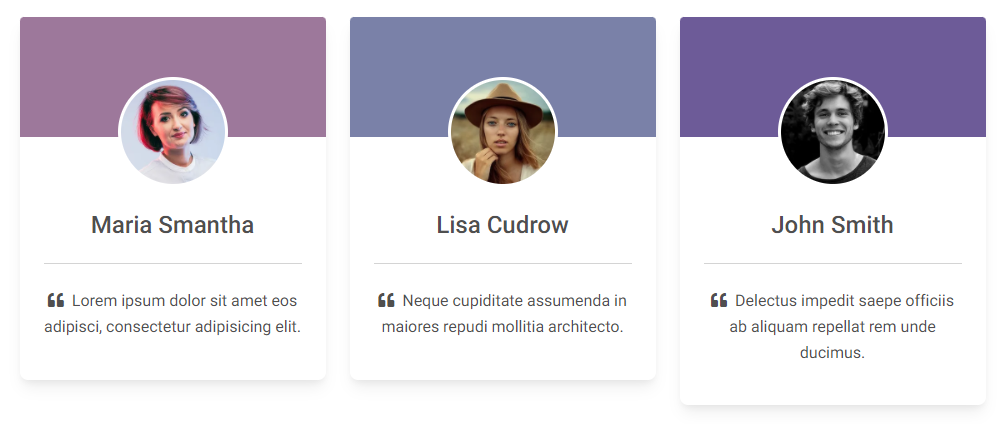](https://mdbootstrap.com/docs/standard/extended/avatar/#section-testimonials)
[Bootstrap Avatar inside a profile card:
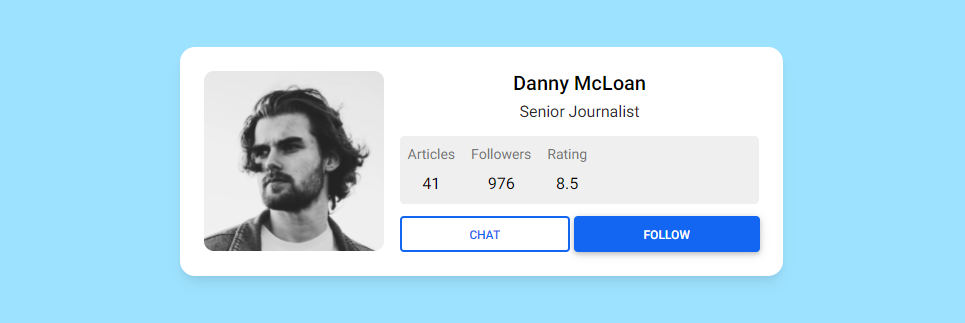](https://mdbootstrap.com/docs/standard/extended/avatar/#section-profile)
___
## More extended Bootstrap documentation
```
## How to use?
1. Download MDB 5 - free UI KIT
2. Choose your favourite customized component and click on the image
3. Copy & paste the code into your MDB project
[▶️ Subscribe to YouTube channel for web development tutorials & resources](https://www.youtube.com/MDBootstrap?sub_confirmation=1)
## More examples
[Bootstrap Avatar image with shadow:
](https://mdbootstrap.com/docs/standard/extended/avatar/#section-with-shadows)
[Bootstrap Square Avatar:
](https://mdbootstrap.com/docs/standard/extended/avatar/#section-square)
[Bootstrap Avatar avatar with sample content:
](https://mdbootstrap.com/docs/standard/extended/avatar/#section-with-content)
[Bootstrap Avatar inside navbar:
](https://mdbootstrap.com/docs/standard/extended/avatar/#section-inside-the-navbar)
[Bootstrap Avatar inside testimonial cards:
](https://mdbootstrap.com/docs/standard/extended/avatar/#section-testimonials)
[Bootstrap Avatar inside a profile card:
](https://mdbootstrap.com/docs/standard/extended/avatar/#section-profile)
___
## More extended Bootstrap documentation