# handsfree.js **Repository Path**: mirrors_opencollective/handsfree.js ## Basic Information - **Project Name**: handsfree.js - **Description**: A drop-in library for creating webcam driven handsfree tools, games, and experiences just...like...✨...that! - **Primary Language**: Unknown - **License**: Not specified - **Default Branch**: master - **Homepage**: None - **GVP Project**: No ## Statistics - **Stars**: 0 - **Forks**: 0 - **Created**: 2020-09-25 - **Last Updated**: 2026-05-24 ## Categories & Tags **Categories**: Uncategorized **Tags**: None ## README

With support from Glitch.com, the STUDIO at CMU, and you.

handsfree.js

Handsfree.js

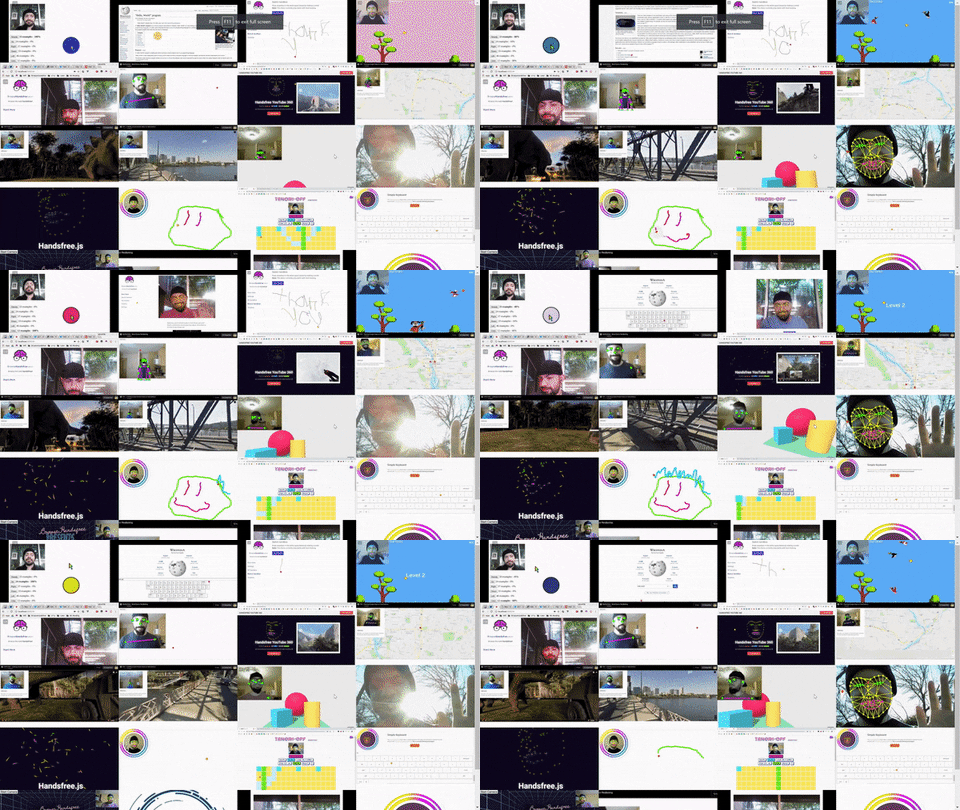
A platform for creating handsfree user interfaces, tools, games, and experiences for the web and IoT 🤯

Made possible by BRFv4

## License > Please read the EULA ([eula.txt](eula.txt)) carefully before using Handsfree.js, which depends on [BRFv4](https://www.beyond-reality-face.com/). Once you decide to use handsfree.js commercially, you will need a separate license agreement from them that you must agree to. You can try handsfree.js free of charge to evaluate if it fits your projects' needs. Once you decided to use BRFv4 in your project, contact Taskenkunst for a commercial license: [http://www.tastenkunst.com/#/contact](http://www.tastenkunst.com/#/contact) # `/handsfree.js/` `handsfree.js` is a drop-in library that uses computer vision to help you create head-tracked experiences. You can find the library in `/handsfree.js/`, with the entry point being `/handsfree.js/Handsfree.js`. This file adds a global `Handsfree` class to your project. `handsfree.js` works using plugins though, so you most likely don't need to edit these files. In fact, the fastest way to get started building with handsfree.js is via CDN! ## Quickstart Choose one of the following ` ``` You can also include it via NPM: ```javascript // From the terminal in the project root, type: npm i handsfree // Then inside your Node project: import Handsfree from 'handsfree' ``` Then **in both cases**, you'll then need to instantiate a Handsfree controller: ```js // Start settings for your app const config = {debug: false, settings: {}} // Instantiate Handsfree const handsfree = new Handsfree(config) // Turn on webcam and start tracking handsfree.start() ``` ## Config There are a number of ways to configure Handsfree.js, the easiest being during instantiation. Here are the available configs and their defaults as of [this release](https://github.com/labofoz/handsfree.js/releases): ```js const handsfree = new Handsfree({ // Whether to show (true) the "debugger" or not (false) // - For now the debugger is a simple canvas that shows a wireframe over tracked poses // - You can toggle the debugger later with handsfree.toggleDebugger(true|false) debug: false, // Available settings // - You can change any of these later with: handsfree.settings['settingName'] = newVal; settings: { // Maximum number of people to track // - Performance drops with each additional face // - 🚧 This is experimental and not working with the core plugins yet maxPoses: 1, sensitivity: { // A factor to adjust the cursors move speed by // - Think of this as your user's "base cursor speed" which you // can factor into your plugins to give your users a consistent experience regardless of their speed preference xy: 0.7, // How much wider (+) or narrower (-) a smile needs to be to click // - Good ranges are [-0.5, 0.5] // - Because this is based on mouth/eye ratio, this value should be adjustable by your user click: 0 }, // 🚧 Experimental // These settings help reduce cursor jitter caused by errors and smoothens it stabilizer: { // How much stabilization to use: 0 = none, 3 = heavy factor: 1, // Number of frames to stabilizer over buffer: 30 } } }) ``` ## API The following methods are available on your `handsfree` instance: ```js // Starts a webcam stream, shows the debugger if active, and starts tracking // - Also triggers the onStart event of enabled plugins handsfree.start() // Closes the webcam stream, hides the debugger, and stops tracking // - Also triggers the onStop event of enabled plugins handsfree.stop() // Toggles the debugger on (true), off (false), or flips the state (null) handsfree.toggleDebugger(true|false|null) ``` Changing settings is done with: ```js handsfree.settings['path']['to']['setting'] = newVal ``` ## Plugin Development Handsfree makes heavy use of plugins, allowing you to extend Handsfree.js without modifying the core library! To add a plugin, use the `handsfree.use({})` method with the following signature. Calling `use()` with the same `.name` overwrites that plugin (this lets you easily prototype in your browser's debug console). Finally, this method returns a reference to the plugin: ```js const myPlugin = handsfree.use({ // Must be unique (spaces and special characters are fine) // - Using the same name as an existing one overwrites it name: '', // The plugins execution priority // - Lower numbers run before higher numbers // - Numbers can be negative and fractional priority: 10, // Set to true to have this plugin disabled by default // - Disabled plugins do not run any of their hooks _isDisabled: false, // Called once when the plugin is first added to handsfree with handsfre.use({}) onUse: (handsfree) => {}, // Called once per frame, after all calculations // - {Array} poses Reference to the handsfree.pose // - {Return} To overwrite/modify the properties of handsfree.pose for use within other plugins, return an array with modifications onFrame: (poses, handsfree) => {}, // Called any time Handsfree.start() is called onStart: (handsfree) => {}, // Called any time Handsfree.stop() is called onStop: (handsfree) => {}, // Called when .disable() is explicitely called on this plugin onDisable: (handsfree) => {}, // Called when .enable() is explicitely called on this plugin onEnable: (handsfree) => {}, // Called the first frame a face clicks onMouseDown: (face, faceIndex) => {}, // Called every frame after a face clicks and is still in "click mode" onMouseDrag: (face, faceIndex) => {}, // Called after a face releases a click onMouseUp: (face, faceIndex) => {} }) ``` Additionally, every plugin has a `.disable()` and an `enable()` method, which sets the `._isDisabled` flag to either true or false. These methods also fire the plugins `onDisable()` and `onEnable` hooks if they were provided: ```js handsfree.plugin['my-plugin'].disable() // handsfree.plugin['my-plugin']._isDisabled === true handsfree.plugin['my-plugin'].enable() // handsfree.plugin['my-plugin']._isDisabled === false ``` ## `poses` array The `onFrame` hook recieves a `poses` array, which contains an object with the following API (note that there is always at least one pose): ```js poses[0] = { /** * A BRFv4 tracked face * @see https://tastenkunst.github.io/brfv4_docs/#hl_BRFFace */ face: { cursor: { // Where to position the cursor on the screen, based on the users head pose x: 0, y: 0, // The HTML element currently under the above {x, y} $target: 0, // Cursor states for this face // - These states are activated via the Click Gesture, // which is currently done by smiling wide state: { // True during the first frame of a click, false after (even if still held) mouseDown: false, // True after the first frame of a click and every frame until released mouseDrag: false, // True on the last frame of a click, immediately after the click is released mouseUp: false } }, // A list of all 64 landmarks // - points[27] refers to the point between the eyes points: [{x, y}, ...], // The head's pitch (facing up/down) rotationX: 0, // The head's yaw (facing left/right) rotationY: 0, // The head's roll (think of an airplane doing a barrel roll) rotationZ: 0, // The overall size of the head relative to the video frame // - smaller values == further away // - larger values == close up scale: 0, // Where the head is relative to the left edge of the video feed // - 0 == left // - window.innerWidth == right translationX: 0, // Where the head is relative to the top edge of the video feed // - 0 == top // - window.innerHeight == bottom translationY: 0 } } ``` There are 64 landmark points, reflected in the following image: ![image from BRFv4](src/assets/img/brfv4_landmarks.jpg) ## Events ### handsfree:trackPoses `since v4.0.0` An alternative to plugins is to listen in on the window's `handsfree:trackPoses` event: ```js /** * Bind to the handsfree:trackPoses event * @param {Handsfree} ev.detail.scope The handsfree instance * @param {Array} ev.detail.poses Collection of pose objects */ window.addEventListener('handsfree:trackPoses', (ev) => { // Do code with the handsfree instance: ev.detail.scope // or with the the pose: ev.detail.pose }) ``` ### handsfree:loading The BRFv4 model is around 9Mb, so this helper helps give your users feedback! This event is called for every downloaded chunk, with the progress expresses as %XXX.XX ```js /** * Called for every chunk while BRFv4 is loading * - Good for showing load progress */ window.addEventListener('handsfree:loading', (ev) => { const progress = ev.data.progress }) ``` ### handsfree:ready Called after handsfree has been instantiated. Listen to this event to do things like enable `[onclick="handsfree.start()"]` buttons, advance a loading screen, and more! ```js /** * Called after handsfree is instantiated and ready to be used * - Models are loaded and ready to be used * - Use this to enable a [onclick="handsfree.start()"] * - Also good for ending a loading screen */ window.addEventListener('handsfree:ready', () => { // do stuff when handsfree is ready }) ``` ### handsfree.mouseDown ```js /** * Called the first frame that a face clicks */ window.addEventListener('handsfree:mouseDown', (ev) => { const face = ev.detail.face const faceIndex = ev.detail.faceIndex // Do things with face and faceIndex here }) ``` ### handsfree.mouseDrag ```js /** * Called every frame after a face clicks and is still in "click mode" */ window.addEventListener('handsfree:mouseDrag', (ev) => { const face = ev.detail.face const faceIndex = ev.detail.faceIndex // Do things with face and faceIndex here }) ``` ### handsfree.mouseUp ```js /** * Called when a face releases a click */ window.addEventListener('handsfree:mouseUp', (ev) => { const face = ev.detail.face const faceIndex = ev.detail.faceIndex // Do things with face and faceIndex here }) ``` ## Dispatching Events You can use `handsfree.dispatch(eventName)` to trigger events. This helper is the equivalent of using `window.dispatchEvent()`. One thing to note is that eventNames are namespaced with `handsfree:`, for instance: ```js // This... handsfree.dispatch('SimpleKeyboard:change', 'abc') // ...and this are equivalent window.dispatchEvent(new CustomEvent('handsfree:SimpleKeyboard:change'), { detail: 'abc' }) ``` ## Classes The document body contains `.handsfree-stopped` when handsfree is stopped (this includes when it's been initialized but not started), and `.handsfree-started` when it's on. This lets you quickly hide, show, and style elements based on the state of handsfree. ## Visual Debugging The debugger is loaded into the first element in the DOM with the `.handsfree-debug-wrap`. If one doesn't exist, then it's added as the last root element of `body`. You should rarely need to debug visually, and it's preferred that you don't draw into this canvas at all as it's used by the BRFv4 model for inferring your head pose. # `/src/` This is where [handsfree.js.org](https://handsfree.js.org) lives and is a good place to prototype quickly. I'll leave more instructions for this workflow soon. ## Workflows ### Handsfree YouTube **Source:** `/src/components/youtube/` **Preview:** https://handsfree.js.org/#/youtube **Starter Kit:** https://glitch.com/~handsfree-youtube ![](https://media.giphy.com/media/4HgnusIh1i8MzRoaOm/giphy.gif) ## Building Prereqs - [NodeJS](https://nodejs.org/en/) ## Scripts Run the following from projects root directory: ``` bash # Install dependencies npm install # Start a server with hot-reload at localhost:3000 npm run serve # Test the library (not the documentation site) npm run test # Build for production npm run build # Build and deploy (see /deploy.js to configure for your own server) npm run deploy ``` For detailed explanation on how things work, check out the [Vuetify.js](https://vuetifyjs.com/) and [CLI Plugin](https://github.com/vuetifyjs/vue-cli-plugin-vuetify) documentation. ## Development Notes - The main Vue instance is available on `window.App` - The main vuex store then is available on `window.App.$store` ### Actions The following is a set of actions available: ```js /** * Calls the passed function either when window.handsfree is available, or immediately if it's ready * - Think of this as window.addEventListener('load') but for the handsfree instance * * - Use this inside the Mount component life cycle to disable plugins * -- @see https://vuejs.org/v2/guide/instance.html#Lifecycle-Diagram * * - Also use it on the beforeRouteLeave vue-router guard * -- @see https://router.vuejs.org/guide/advanced/navigation-guards.html#in-component-guards */ App.$store.dispatch('onReady', () => {}) ``` --- ## Deprecated/Renamed Methods ### handsfree.settings.maxPoses => .maxPoses Since we're now dealing with whole pose objects instead of face objects, it makes sense to rename this setting to reflect that. ## Deprecated Events The following events are still being used but will be deprecated after the (shown) release version: - `handsfree-trackfaces` (4.0.0) - `handsfree-injectDebugger` (4.0.0) --- # More coming soon - [@Labofoz](https://twitter.com/labofoz) - [handsfree.js.org](https://handsfree.js.org) ## Thanks for trying out Handsfree.js! **March 4th 2018**: https://twitter.com/LabOfOz/status/970556829125165056 ![](https://media.giphy.com/media/4HvjGXt2Jjwz5LG71Z/giphy.gif)