# vim-hyperstyle
**Repository Path**: mirrors_rstacruz/vim-hyperstyle
## Basic Information
- **Project Name**: vim-hyperstyle
- **Description**: Write CSS faster
- **Primary Language**: Unknown
- **License**: MIT
- **Default Branch**: master
- **Homepage**: None
- **GVP Project**: No
## Statistics
- **Stars**: 0
- **Forks**: 0
- **Created**: 2020-11-23
- **Last Updated**: 2025-12-14
## Categories & Tags
**Categories**: Uncategorized
**Tags**: None
## README
# vim-hyperstyle
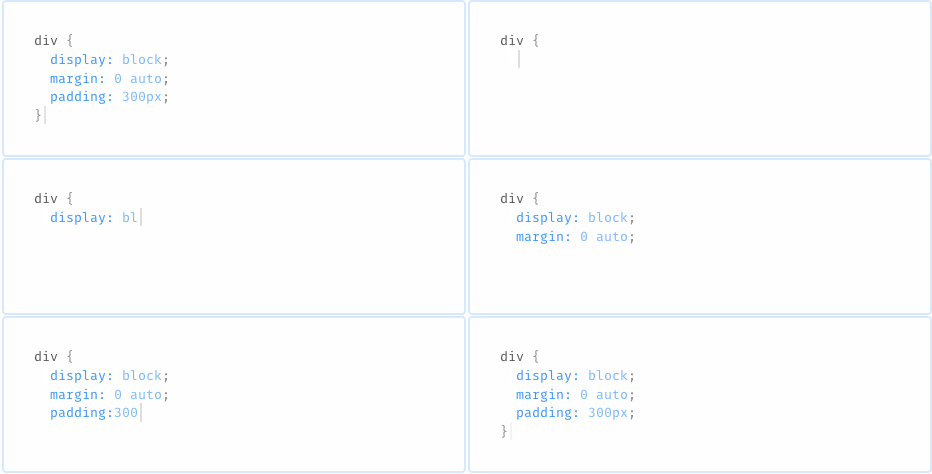
Type faster by shorthand that will auto-expand as you type. Supports less, sass, scss, stylus, and plain CSS.
[](https://travis-ci.org/rstacruz/vim-hyperstyle)
## Expansions
Expansions intelligently happen as you type. Unlike [emmet], there are no hotkeys required—expansion will happen as you type whenever they make sense.
* Properties will be auto-completed:
`m:` → `margin:`
* You can put numeric next to property shortcuts:
`z1⏎` → `z-index: 1;`
* Values will be auto-completed:
`float:l` → `float: left`
* Default units will be added:
`border-radius: 4⏎` → `border-radius: 4px;`
* Shortcuts for common statements are available:
`fl⏎` → `float: left;`
* Semicolons are inserted automatically so you can write CSS in one go:
`dib` `⏎` `m0a` `⏎`
* Semicolons are omitted for `.styl` and `.sass`
* ...and lots more goodies
## Examples
| Shortcut | Expansion |
| --- | --- |
| `dib` | display: inline-block; |
| `m0` | margin: 0; |
| `m0a` | margin: 0 auto; |
| `m-15` | margin: -15px; |
| `m:auto` | margin: auto; |
| `fle 1 auto` | flex: 1 auto; |
| `float left` | float: left; |
**[View full reference →](REFERENCE.md)**
## Installation
Using [vim-plug]:
```vim
Plug 'rstacruz/vim-hyperstyle'
```
Python support is required. For Neovim:
:help nvim-python
For OSX/Homebrew: ([info](http://ricostacruz.com/til/use-macvim-with-lua.html))
```
brew install macvim --with-cscope --with-lua --override-system-vim \
--with-luajit --with-python3 --with-python
```
## Options
* To generate statements with no colons in Stylus, set `let g:hyperstyle_use_colon=0`.
## Caveats
* Stylus is assumed to be in indented syntax (no braces).
## Thanks
**vim-hyperstyle** © 2015+, Rico Sta. Cruz. Released under the [MIT] License.
Authored and maintained by Rico Sta. Cruz with help from contributors ([list][contributors]).
> [ricostacruz.com](http://ricostacruz.com) ·
> GitHub [@rstacruz](https://github.com/rstacruz) ·
> Twitter [@rstacruz](https://twitter.com/rstacruz)
[MIT]: http://mit-license.org/
[contributors]: http://github.com/rstacruz/vim-hyperstyle/contributors
[vim-plug]: https://github.com/junegunn/vim-plug
[emmet]: http://emmet.io/