# iOS-Debug-Database
**Repository Path**: mirrors_shaojiankui/iOS-Debug-Database
## Basic Information
- **Project Name**: iOS-Debug-Database
- **Description**: iOS-Debug-Database,like Android-Debug-Database,A Library for Debugging iOS Databases with WebSite Console
- **Primary Language**: Unknown
- **License**: MIT
- **Default Branch**: master
- **Homepage**: None
- **GVP Project**: No
## Statistics
- **Stars**: 0
- **Forks**: 0
- **Created**: 2020-08-19
- **Last Updated**: 2026-02-14
## Categories & Tags
**Categories**: Uncategorized
**Tags**: None
## README
# iOS-Debug-Database
iOS-Debug-Database(SFDebugDB),like [Android-Debug-Database](https://github.com/amitshekhariitbhu/Android-Debug-Database/),A Library for Debugging iOS Databases with WebSite Console
# iOS Debug Database
## iOS Debug Database is a powerful library for debugging databases and userdefault in iOS applications.
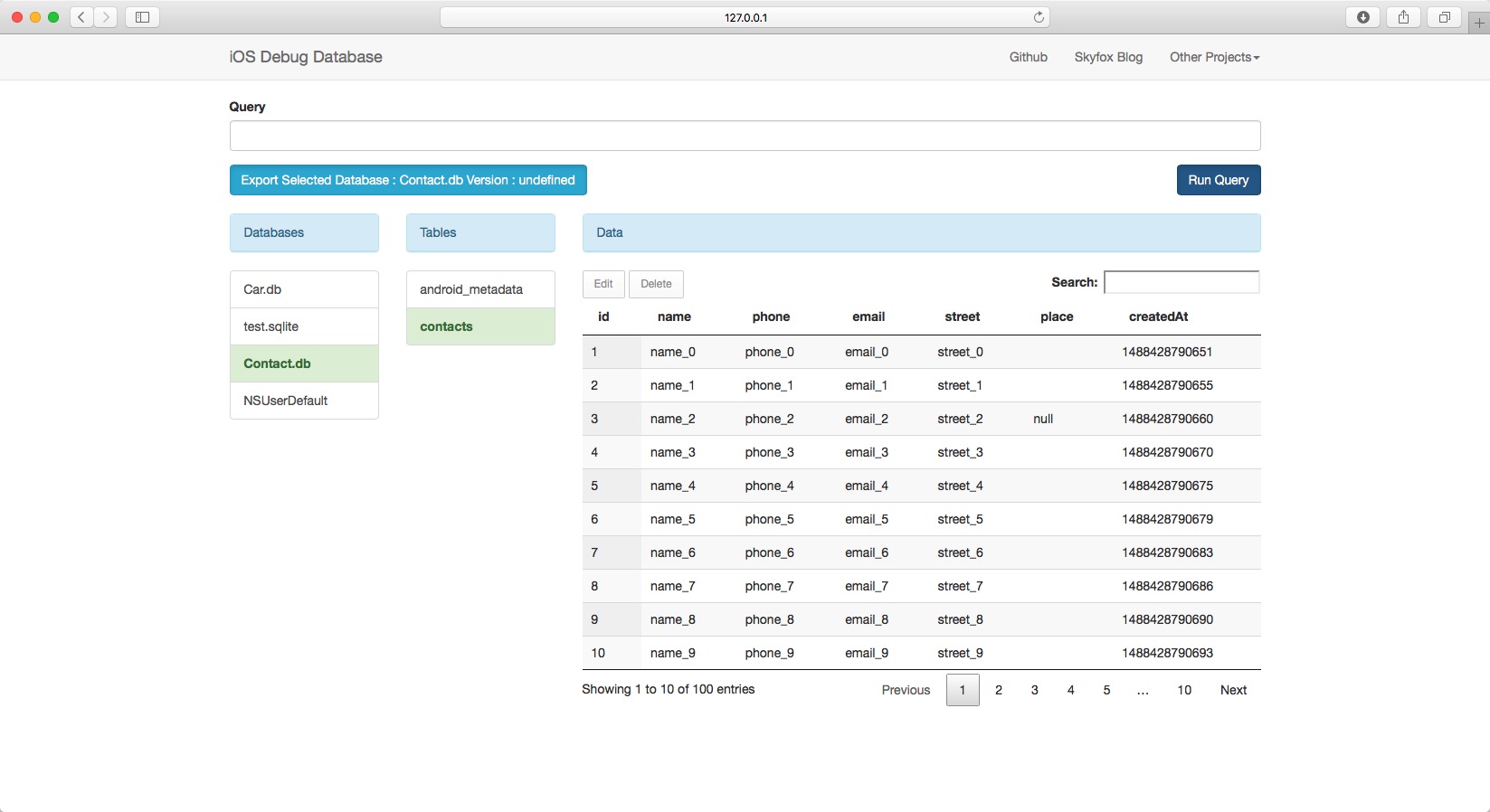
### iOS Debug Database allows you to view databases and userdefault directly in your browser in a very simple way.
### What can iOS Debug Database do?
* See all the databases.
* See all the data in the userdefault used in your application.
* Run any sql query on the given database to update and delete your data.
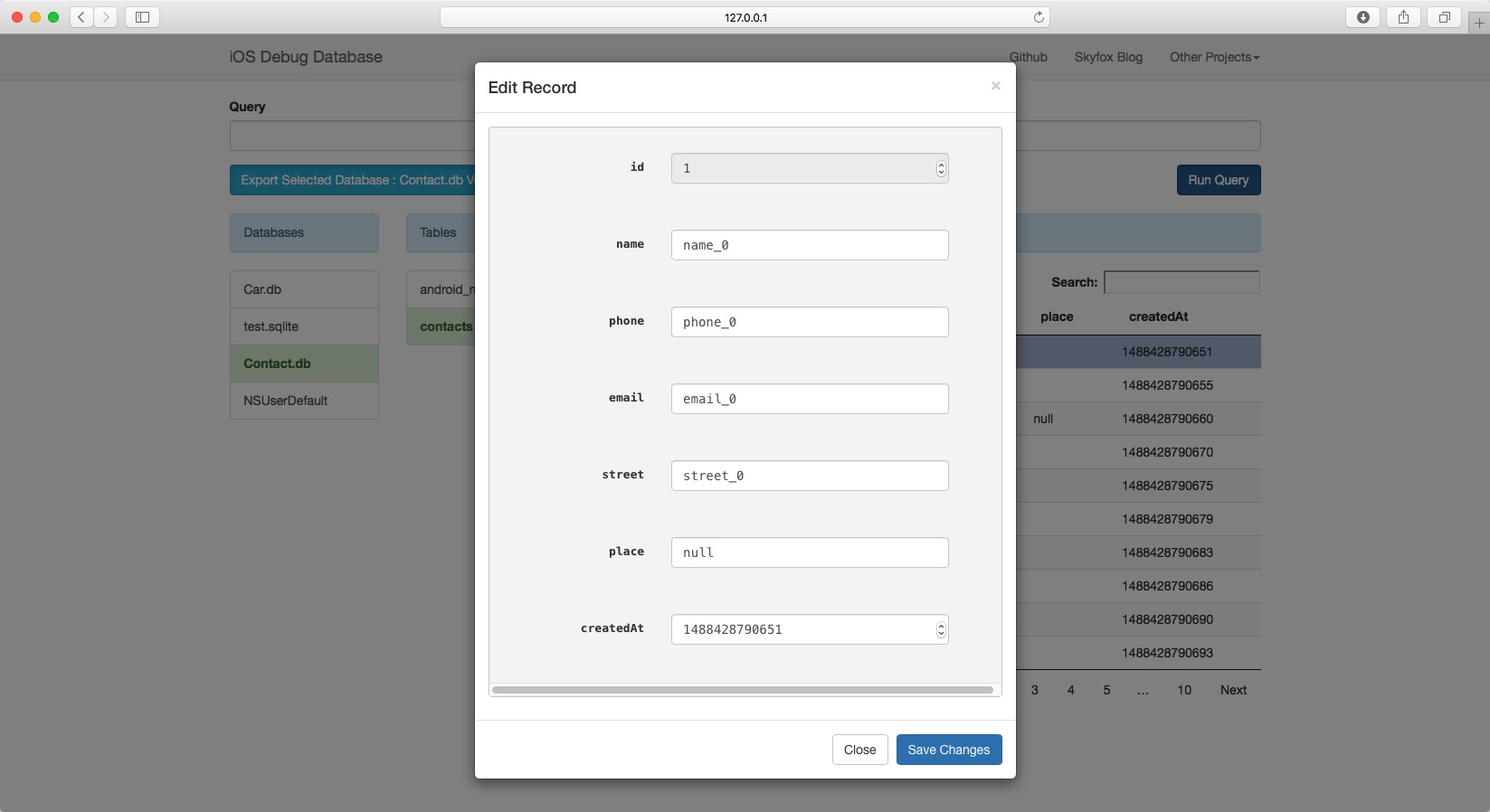
* Directly edit the database values.
* Directly edit userdefault.
* Delete database rows and userdefault.
* Search in your data.
* Sort data.
* Download database.
### Using iOS Debug Database Library in your application
```
NSString *documents = [NSSearchPathForDirectoriesInDomains(NSDocumentDirectory, NSUserDomainMask, YES) firstObject];
__unused SFDebugDB *debugDB = [SFDebugDB startWithPort:9001 directorys:@[@"NSUserDefault",documents,[[NSBundle mainBundle] resourcePath]]];
```
* Port: startWithPort can specified any port
* Directorys: exist .sqlite or .db folder base path,or database path,string "NSUserDefault" constant stand for read NSUserDefault
* DebugDB: Open http://XXX.XXX.X.XXX:9001 in your browser
* You can also always get the debug address url from your code by calling the method `[SFDebugDB shared].address;`
Now open the provided link in your browser.
Important:
- Your iOS device should be connected to the same Network (Wifi or LAN).
- Default support iOS Simulator and device connected Xcode, not suport device without xcode connection,use `[SFDebugDB shared].enableInAnyEnvironment = YES;` can enable it!
### Seeing values
 ### Editing values
 ### License
iOS Debug Database is available under the MIT license.
### Contributing to iOS Debug Database
Just make pull request. You're in!
### License
iOS Debug Database is available under the MIT license.
### Contributing to iOS Debug Database
Just make pull request. You're in!