# obelisk.js
**Repository Path**: mirrors_svenanders/obelisk.js
## Basic Information
- **Project Name**: obelisk.js
- **Description**: JavaScript Engine for Building Pixel Isometric Element with HTML5 Canvas
- **Primary Language**: Unknown
- **License**: MIT
- **Default Branch**: master
- **Homepage**: None
- **GVP Project**: No
## Statistics
- **Stars**: 0
- **Forks**: 0
- **Created**: 2020-08-18
- **Last Updated**: 2026-05-23
## Categories & Tags
**Categories**: Uncategorized
**Tags**: None
## README
# Obelisk.js
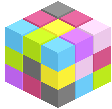
Obelisk.js is a JavaScript Engine for building isometric pixel objects.
With the simple and flexible API provided by this engine, you can easily add isometric pixel element like brick, cube, pyramid onto HTML5 canvas. Obelisk.js strictly follows the pixel neat pattern: lines with 1:2 pixel dot arrangement, leading to an angle of 22.6 degrees. Also you should know this is not only for game, just try it out and pixelate something. Have fun.
 ## Showcase
- GIF Animation Rendering: http://codepen.io/nosir/details/mdiHe (WebKit browser only - Chrome, Safari)
- Input Text Rendering: http://codepen.io/nosir/details/IxBJn
- Pixel Isometirc Flappy Bird: http://codepen.io/nosir/details/rzaLA
- Cube Generator: http://codepen.io/nosir/details/ganrh
## Getting started
Simply include obelisk.js in your project
```html
```
Create pixel world
```javascript
// create a canvas 2D point for pixel view world
var point = new obelisk.Point(200, 200);
// create view instance to nest everything
// canvas could be either DOM or jQuery element
var pixelView = new obelisk.PixelView(canvas, point);
// create cube dimension and color instance
var dimension = new obelisk.CubeDimension(80, 100, 120);
var gray = obelisk.ColorPattern.GRAY;
var color = new obelisk.CubeColor().getByHorizontalColor(gray);
// build cube with dimension and color instance
var cube = new obelisk.Cube(dimension, color, true);
// render cube primitive into view
pixelView.renderObject(cube);
```
You can find out more details in tutorial part 1: [To build the first cube](https://github.com/nosir/obelisk.js/wiki/Tutorial-Part-1%3A-To-build-the-first-cube) or [try the code yourself](http://jsfiddle.net/nosir/ygWEW/)
## Tutorials
Step by step:
- Part 1: [To build the first cube](https://github.com/nosir/obelisk.js/wiki/Tutorial-Part-1%3A-To-build-the-first-cube)
- Part 2: [Coordinate system](https://github.com/nosir/obelisk.js/wiki/Tutorial-Part-2%3A-Coordinate-system)
- Part 3: [Primitives](https://github.com/nosir/obelisk.js/wiki/Tutorial-Part-3%3A-Primitives)
- Part 4: [Color](https://github.com/nosir/obelisk.js/wiki/Tutorial-Part-4%3A-Color)
- Part 5: [Dimension](https://github.com/nosir/obelisk.js/wiki/Tutorial-Part-5%3A-Dimension)
Sample code for building all primitives:
- Cube: http://jsfiddle.net/nosir/ygWEW/
- Pyramid : http://jsfiddle.net/nosir/ZVURu/
- Brick: http://jsfiddle.net/nosir/6MuVr/
- SideX & SideY: http://jsfiddle.net/nosir/bLsew/
## Roadmap
To add more pixel primitives - 4 directions slopes will be the first
## Get in Touch
- Bugs & Suggestions: [open an issue](https://github.com/nosir/obelisk.js/issues)
- Twitter: [@obeliskjs](https://twitter.com/obeliskjs)
## References
Pixel art is a form of digital art, where images are edited and displayed on the pixel level. The isometric projection is commonly seen in games to provide a 3D view without using any real 3D processing.
- Isometric projection http://en.wikipedia.org/wiki/Isometric_projection
- Flood fill implementation http://en.wikipedia.org/wiki/Flood_fill
- Pixel grapic - Eboy http://eboy.com
## License
[MIT](http://opensource.org/licenses/MIT)
## Showcase
- GIF Animation Rendering: http://codepen.io/nosir/details/mdiHe (WebKit browser only - Chrome, Safari)
- Input Text Rendering: http://codepen.io/nosir/details/IxBJn
- Pixel Isometirc Flappy Bird: http://codepen.io/nosir/details/rzaLA
- Cube Generator: http://codepen.io/nosir/details/ganrh
## Getting started
Simply include obelisk.js in your project
```html
```
Create pixel world
```javascript
// create a canvas 2D point for pixel view world
var point = new obelisk.Point(200, 200);
// create view instance to nest everything
// canvas could be either DOM or jQuery element
var pixelView = new obelisk.PixelView(canvas, point);
// create cube dimension and color instance
var dimension = new obelisk.CubeDimension(80, 100, 120);
var gray = obelisk.ColorPattern.GRAY;
var color = new obelisk.CubeColor().getByHorizontalColor(gray);
// build cube with dimension and color instance
var cube = new obelisk.Cube(dimension, color, true);
// render cube primitive into view
pixelView.renderObject(cube);
```
You can find out more details in tutorial part 1: [To build the first cube](https://github.com/nosir/obelisk.js/wiki/Tutorial-Part-1%3A-To-build-the-first-cube) or [try the code yourself](http://jsfiddle.net/nosir/ygWEW/)
## Tutorials
Step by step:
- Part 1: [To build the first cube](https://github.com/nosir/obelisk.js/wiki/Tutorial-Part-1%3A-To-build-the-first-cube)
- Part 2: [Coordinate system](https://github.com/nosir/obelisk.js/wiki/Tutorial-Part-2%3A-Coordinate-system)
- Part 3: [Primitives](https://github.com/nosir/obelisk.js/wiki/Tutorial-Part-3%3A-Primitives)
- Part 4: [Color](https://github.com/nosir/obelisk.js/wiki/Tutorial-Part-4%3A-Color)
- Part 5: [Dimension](https://github.com/nosir/obelisk.js/wiki/Tutorial-Part-5%3A-Dimension)
Sample code for building all primitives:
- Cube: http://jsfiddle.net/nosir/ygWEW/
- Pyramid : http://jsfiddle.net/nosir/ZVURu/
- Brick: http://jsfiddle.net/nosir/6MuVr/
- SideX & SideY: http://jsfiddle.net/nosir/bLsew/
## Roadmap
To add more pixel primitives - 4 directions slopes will be the first
## Get in Touch
- Bugs & Suggestions: [open an issue](https://github.com/nosir/obelisk.js/issues)
- Twitter: [@obeliskjs](https://twitter.com/obeliskjs)
## References
Pixel art is a form of digital art, where images are edited and displayed on the pixel level. The isometric projection is commonly seen in games to provide a 3D view without using any real 3D processing.
- Isometric projection http://en.wikipedia.org/wiki/Isometric_projection
- Flood fill implementation http://en.wikipedia.org/wiki/Flood_fill
- Pixel grapic - Eboy http://eboy.com
## License
[MIT](http://opensource.org/licenses/MIT)