# ElasticUI
**Repository Path**: mirrors_tomykaira/ElasticUI
## Basic Information
- **Project Name**: ElasticUI
- **Description**: AngularJS directives for Elasticsearch
- **Primary Language**: Unknown
- **License**: Apache-2.0
- **Default Branch**: master
- **Homepage**: None
- **GVP Project**: No
## Statistics
- **Stars**: 0
- **Forks**: 0
- **Created**: 2020-08-18
- **Last Updated**: 2026-02-07
## Categories & Tags
**Categories**: Uncategorized
**Tags**: None
## README
ElasticUI
=========
ElasticUI is a set of AngularJS directives enabling developers to rapidly build a frontend on top of Elasticsearch. It builds upon the elastic.js implementation of the Elasticsearch DSL.
**The concept of ElasticUI is to have one "view" of your index to which you can add aggregations, sorting, paging, filters by adding directives in your html.**
Getting started
---
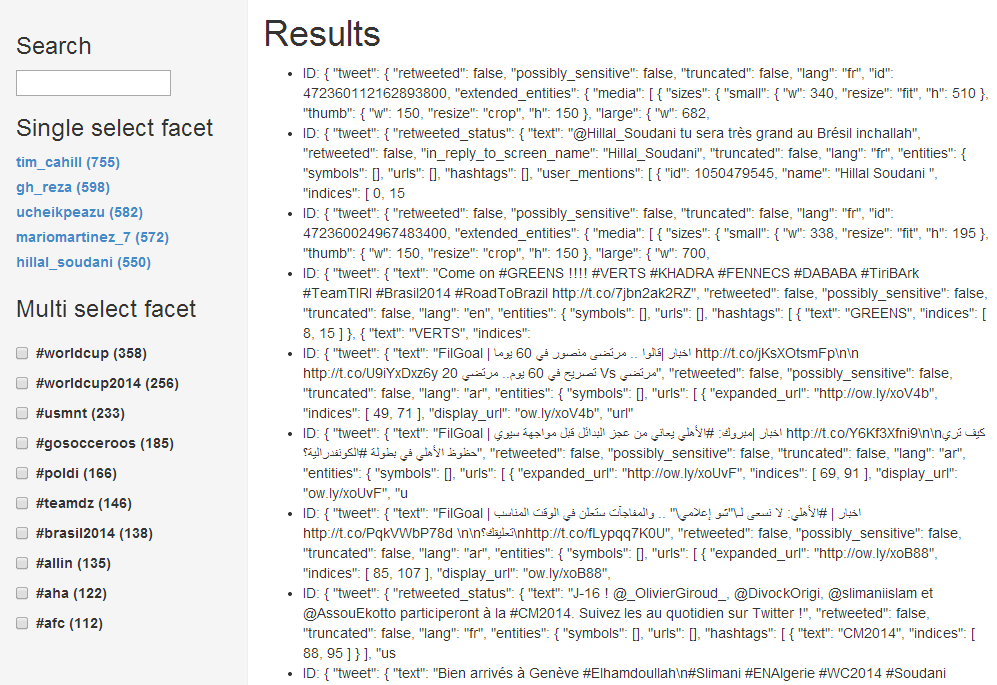
The easiest way to get started is to checkout the [demo file][3] (or [jsfiddle][6]).
This file demonstrates a simple use of facets, search and pagination.
Just change 4 fields in the source to match your Elasticsearch setup and mapping.
**Changing the UI of the widgets in the Demo**
The widgets in the demo file are simple templates built upon the ElasticUI components (see below).
[Learn how they work and how to modify them][4].
_Demo screenshot_:
Creating a project from scratch
---
Add the following files to your Angular project:
- elasticui.js from dist/
- elastic.js from [fullscale/elastic.js][1]
- elasticsearch.angular.js from [elasticsearch.org][2] or alternatively [elasticsearch.angular.simple.js][7]
Set up ElasticUI in your project by defining your ElasticSearch host as *euiHost*:
angular.module('yourApp', ['elasticui']).constant('euiHost', 'http://localhost:9200');
Set the `eui-index="'INDEX_NAME'"` on the `` tag, now you can get started adding ElasticUI components to your view (see below).
Components
===
The directives you can use for aggregations (facets), sorting, paging and filtering your view are documented in [docs/components.md][5].
These components are the core of ElasticUI and is what you'd want to build your own front-end on.
For example, creating an aggregation and listing the buckets it returns is as simple as:
[Read more][5]
Screenshot
===
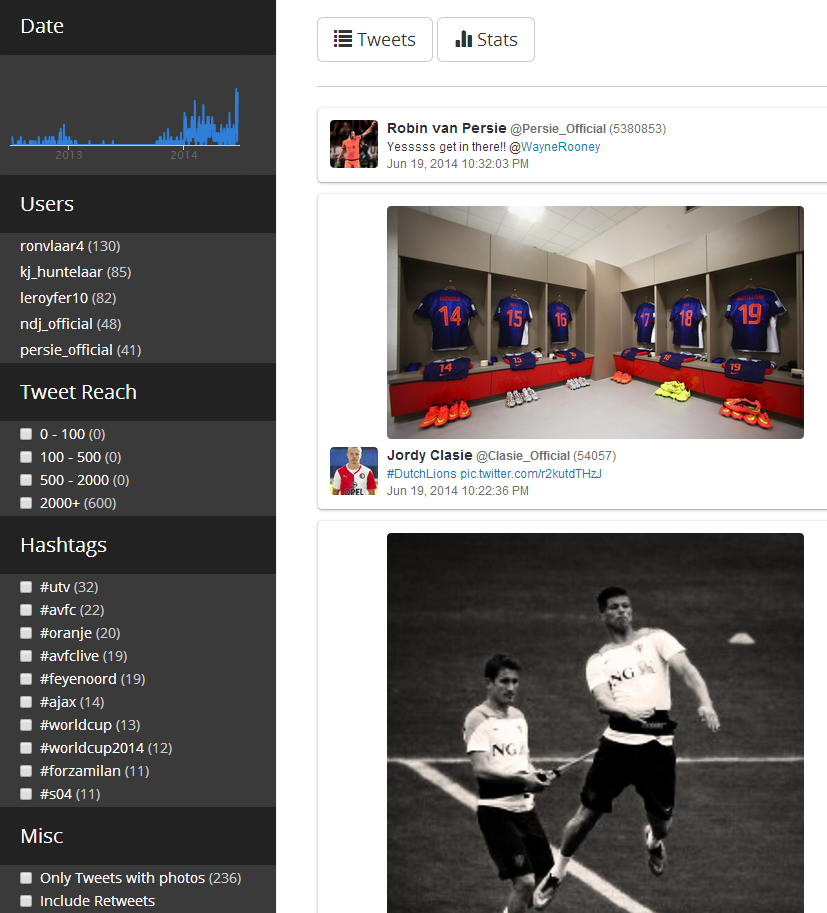
Example dashboard built on top of this project:
[1]: http://github.com/fullscale/elastic.js
[2]: http://www.elasticsearch.org/guide/en/elasticsearch/client/javascript-api/current/browser-builds.html
[3]: https://github.com/YousefED/ElasticUI/blob/master/examples/demo/demo.html
[4]: https://github.com/YousefED/ElasticUI/blob/master/docs/widgets.md
[5]: https://github.com/YousefED/ElasticUI/blob/master/docs/components.md
[6]: http://jsfiddle.net/gh/get/library/pure/yousefed/elasticui/tree/master/examples/demo
[7]: https://github.com/YousefED/elasticsearch.angular.simple