# tailwindcss-toggle
**Repository Path**: mirrors_towelsoftware/tailwindcss-toggle
## Basic Information
- **Project Name**: tailwindcss-toggle
- **Description**: An switch toggle for https://tailwindcss.com/
- **Primary Language**: Unknown
- **License**: MIT
- **Default Branch**: master
- **Homepage**: None
- **GVP Project**: No
## Statistics
- **Stars**: 0
- **Forks**: 0
- **Created**: 2023-02-24
- **Last Updated**: 2025-12-04
## Categories & Tags
**Categories**: Uncategorized
**Tags**: None
## README
# tailwindcss-toggle
An switch toggle for https://tailwindcss.com/
Basic Html for an toggle switch
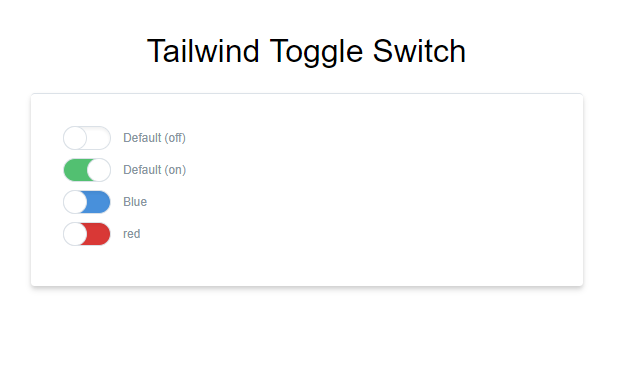
```html
```
## Installation
You can install the package with yarn or npm:
```bash
yarn add TowelSoftware/tailwindcss-toggle
```
```bash
npm install TowelSoftware/tailwindcss-toggle
```
## More Info
Moved most Tailwind classes in to an component since an toggle switch is going to be used more then one time.
Also sadly Tailwind don't have support for all css classes yet
```css
@tailwind preflight;
/* CHECKBOX TOGGLE SWITCH */
.form-switch {
@apply relative select-none w-12 mr-2 leading-normal;
}
.form-switch-checkbox {
@apply hidden;
}
.form-switch-label {
@apply block overflow-hidden cursor-pointer bg-white border rounded-full h-6 shadow-inner;
transition: background-color 0.2s ease-in;
}
.form-switch-label:before {
@apply absolute block bg-white pin-y w-6 border rounded-full -ml-1;
right: 50%;
content: "";
transition: all 0.2s ease-in;
}
.form-switch-checkbox:checked + .form-switch-label,
.form-switch-checkbox:checked + .form-switch-label:before {
}
.form-switch-checkbox:checked + .form-switch-label {
@apply bg-green shadow-none;
}
.form-switch-checkbox:checked + .form-switch-label:before {
@apply pin-r;
}
@tailwind utilities;
```
## Using Tailwindcss-toggle as a single file component
If you are going to use it in single file *.vue components checkout how it is implemented in the [TailwindToggle.vue](/TailwindToggle.vue) file.
You would then go on to use it in your app like this.
```html
```