# react-native-map-clustering
**Repository Path**: mirrors_venits/react-native-map-clustering
## Basic Information
- **Project Name**: react-native-map-clustering
- **Description**: React Native map clustering both for Android and iOS.
- **Primary Language**: Unknown
- **License**: MIT
- **Default Branch**: master
- **Homepage**: None
- **GVP Project**: No
## Statistics
- **Stars**: 0
- **Forks**: 0
- **Created**: 2022-01-06
- **Last Updated**: 2025-12-07
## Categories & Tags
**Categories**: Uncategorized
**Tags**: None
## README
# React Native Map Clustering
React Native module that handles map clustering for you.
Works with **Expo** and **react-native-cli** 🚀
This repo is proudly sponsored by:
React Native Templates & Starter Kits and Apps for easier start.
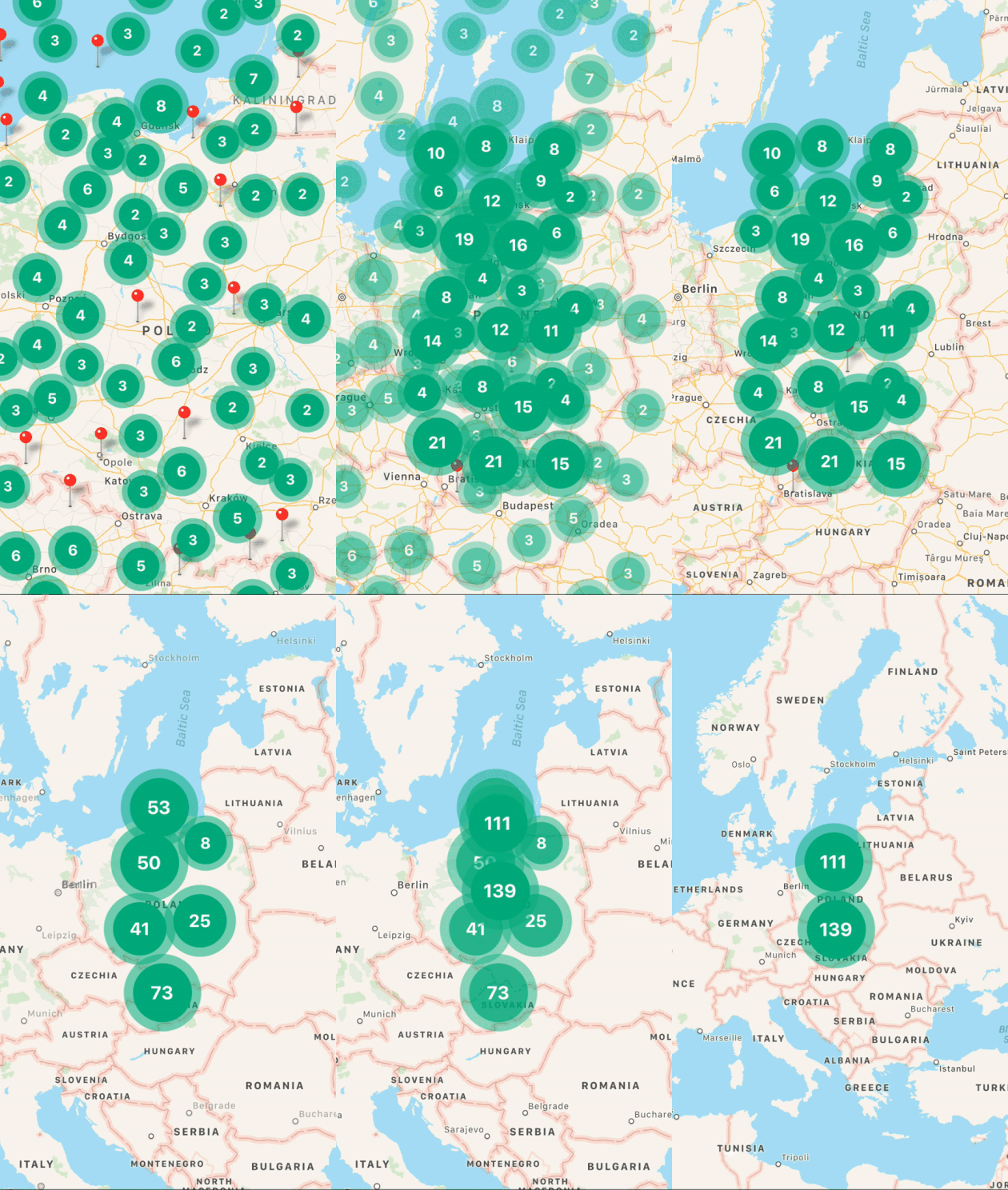
## Demo
## Installation
```js
npm install react-native-map-clustering react-native-maps --save
// yarn add react-native-map-clustering react-native-maps
```
### Full example
```js
import React from "react";
import MapView from "react-native-map-clustering";
import { Marker } from "react-native-maps";
const INITIAL_REGION = {
latitude: 52.5,
longitude: 19.2,
latitudeDelta: 8.5,
longitudeDelta: 8.5,
};
const App = () => (
);
export default App;
```
## Props
| Name | Type | Default | Note |
| ------------------------------------------- | --------------------- | -------------------------------------------- | ------------------------------------------------------------------------------------------------------------------------------------------------------------------------------------------------------------------------------- |
| **clusterColor** | String | #00B386 | Background color of cluster. |
| **clusterTextColor** | String | #FFFFFF | Color of text in cluster. |
| **clusterFontFamily** | String | undefined | Font family of text in cluster. |
| **onClusterPress(cluster, markers)** | Function | () => {} | Allows you to control cluster on click event. Function returns information about cluster and its markers. |
| **tracksViewChanges** | Bool | false | Sets whether the cluster markers should track view changes. It's turned off by default to improve cluster markers performance. |
| **width** | Number | window width | map's width. |
| **height** | Number | window height | map's height. |
| **radius** | Number | window.width \* 6% | [SuperCluster radius](https://github.com/mapbox/supercluster#options). |
| **extent** | Number | 512 | [SuperCluster extent](https://github.com/mapbox/supercluster#options). |
| **minZoom** | Number | 1 | [SuperCluster minZoom](https://github.com/mapbox/supercluster#options). |
| **maxZoom** | Number | 20 | [SuperCluster maxZoom](https://github.com/mapbox/supercluster#options). |
| **minPoints** | Number | 2 | [SuperCluster minPoints](https://github.com/mapbox/supercluster#options). |
| **preserveClusterPressBehavior** | Bool | false | If set to true, after clicking on cluster it will not be zoomed. |
| **edgePadding** | Object | { top: 50, left: 50, bottom: 50, right: 50 } | Edge padding for [react-native-maps's](https://github.com/react-community/react-native-maps/blob/master/docs/mapview.md#methods) `fitToCoordinates` method, called in `onClusterPress` for fitting to pressed cluster children. |
| **animationEnabled** | Bool | true | Animate imploding/exploding of clusters' markers and clusters size change. **Works only on iOS**. |
| **layoutAnimationConf** | LayoutAnimationConfig | LayoutAnimation.Presets.spring | `LayoutAnimation.Presets.spring` | Custom Layout animation configuration object for clusters animation during implode / explode **Works only on iOS**. |
| **onRegionChangeComplete(region, details, markers)** | Function | () => {} | Called when map's region changes. In return you get current region & details & markers data. |
| **onMarkersChange(markers)** | Function | () => {} | Called when markers change. In return you get markers data. |
| **superClusterRef** | MutableRefObject | {} | Return reference to `supercluster` library. You can read more about options it has [here.](https://github.com/mapbox/supercluster) |
| **clusteringEnabled** | Bool | true | Set true to enable and false to disable clustering. |
| **spiralEnabled** | Bool | true | Set true to enable and false to disable spiral view. |
| **renderCluster** | Function | undefined | Enables you to render custom cluster with custom styles and logic. |
| **spiderLineColor** | String | #FF0000 | Enables you to set color of spider line which joins spiral location with center location. |
## How to animate to region?
Full example of how to use `animateToRegion()`.
```js
import React, { useRef } from "react";
import { Button } from "react-native";
import MapView from "react-native-map-clustering";
import { Marker } from "react-native-maps";
const INITIAL_REGION = {
latitude: 52.5,
longitude: 19.2,
latitudeDelta: 8.5,
longitudeDelta: 8.5,
};
const App = () => {
const mapRef = useRef();
const animateToRegion = () => {
let region = {
latitude: 42.5,
longitude: 15.2,
latitudeDelta: 7.5,
longitudeDelta: 7.5,
};
mapRef.current.animateToRegion(region, 2000);
};
return (
<>
);
};
export default App;
```
### Support
Feel free to create issues and pull requests. I will try to provide as much support as possible over GitHub. In case of questions or problems, contact me at:
[tony@venits.com](tony@venits.com)
### Happy Coding 💖🚀