# vue2-typeahead
**Repository Path**: mizuka/vue2-typeahead
## Basic Information
- **Project Name**: vue2-typeahead
- **Description**: A vue component of typeahead
- **Primary Language**: Unknown
- **License**: MIT
- **Default Branch**: master
- **Homepage**: None
- **GVP Project**: No
## Statistics
- **Stars**: 0
- **Forks**: 0
- **Created**: 2020-02-27
- **Last Updated**: 2020-12-19
## Categories & Tags
**Categories**: Uncategorized
**Tags**: None
## README
# vue2-typeahead
> typeahead for vue2
> Based on[https://github.com/pespantelis/vue-typeahead](https://github.com/pespantelis/vue-typeahead)


## Quick preview
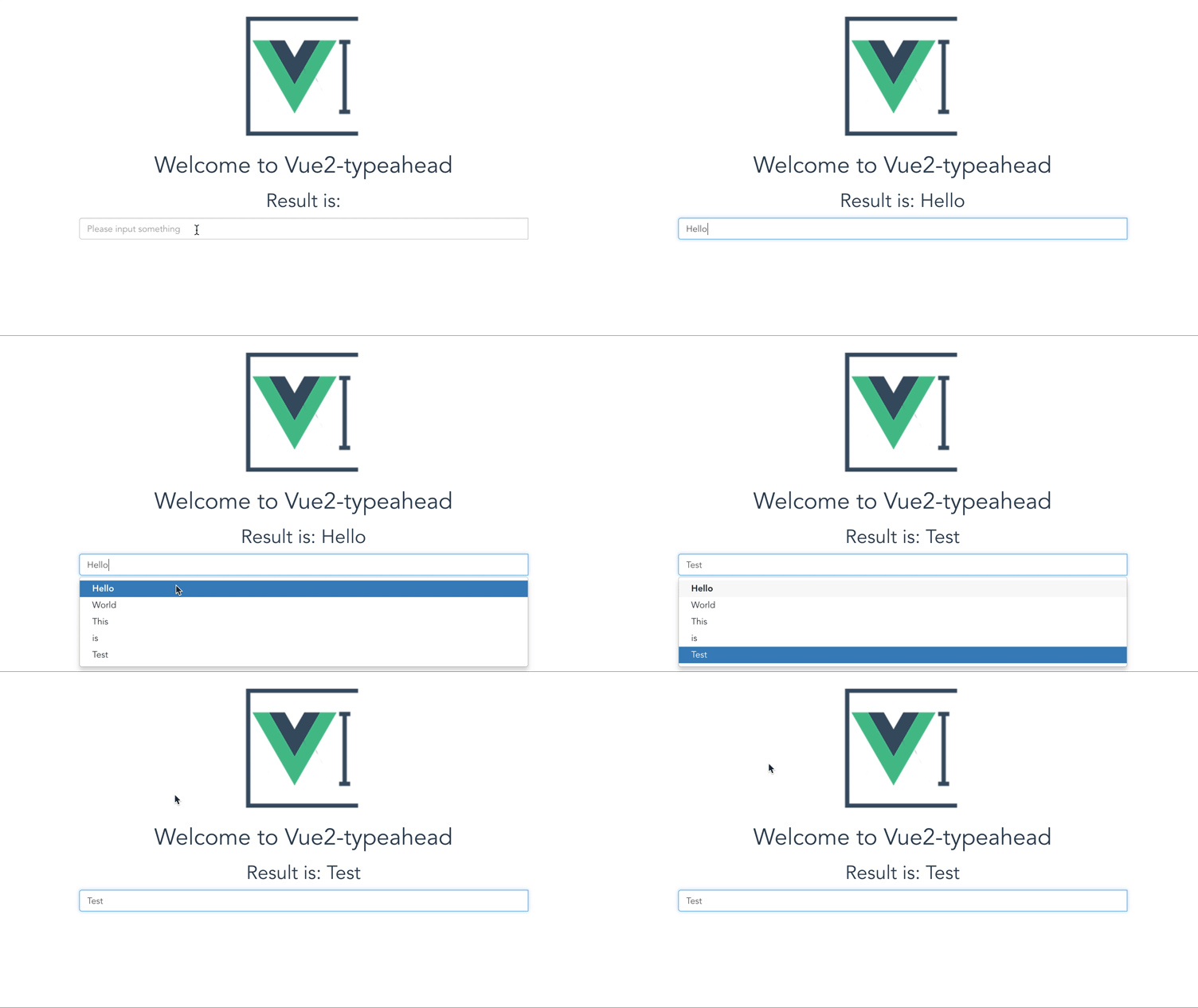
[Demo](https://www.mizuka.top/vue2-typeahead/)
## Run demo
```bash
# install dependencies
npm install
# serve with hot reload at localhost:8080
npm run dev
```
## Warning
Prepared rewrite by vue2.5 and bootstrap 4
## How to use
1. ~~Please install axios~~
2. It base on bootstrap css
3. `npm install vue2-typeahead --save`
4. import and use it `import TypeAhead from 'vue2-typeahead'` or `import TypeAhead from 'vue2-typeahead/src/components/TypeAhead.vue'`
5. config (you can get a config sample from Demo.vue)
### Sample
```
```
```
methods: {
getResponse: function (response) {
return response.data.items
}
}
```
## Config props
### v-model
You can get the result by set `v-model=""` attribute
### Necessary
1. **src**: The api url for get the data
2. **getResponse**: The function to get a array form response
### Optional
1. **selectFirst** default:_false_ auto select first item
2. **queryParamName** default:_:keyword_ this will be replace to what you input in ajax request
3. **limit** default:_9999_ how many items will show in the list
4. **minChars** default:_2_ only words length large than this number can emit the request
5. **delayTime** default:_500_ delay time for emit the request for avoiding request when inputing
6. **placeholder** default:_null_ placeholder
7. **classes** default:_null_ the class you want add to input component
8. **onHit** default:_Function_ how to use the things you hit
9. **highlighting** default:_Function_ highlighting every item
10. **render** default:_Function_ to render the lists which will be show
11. **fetch** default:_Function_ how to send the url
### other
other attribute will bind on `` like disabled on v1.3.0
### What you can get in instance
Some function will return vue object, it is the instance of component and i use it to change the query, you can also get some useful data by it
1. items: option list after render function
2. current: current id is select or cursor is hover
3. data: the response data of fetch
## A Complete Config Sample
```
```
```
data () {
return {
data: '',
selectFirst: false,
limit: 9999,
queryParamName: ':keyword',
minChars: 2,
delayTime: 500,
placeholder: 'Please input something',
classes: 'typeahead'
}
},
methods: {
getResponse: function (response) {
return response.data.data.items
},
onHit: function (item, vue, index) {
vue.query = item
},
highlighting: function (item, vue) {
return item.toString().replace(vue.query, `${vue.query}`)
},
render: function (items, vue) {
// 将搜索内容作为list的第一个
let newItem = [vue.query, ...items]
return newItem
},
fetch: function (url) {
return axios.get(url)
}
},
components: {
TypeAhead
}
```
# License
vue2-typeahead is released under the MIT License. See the bundled LICENSE file for details.
# donate
