# StepperView
**Repository Path**: mk0909/StepperView
## Basic Information
- **Project Name**: StepperView
- **Description**: No description available
- **Primary Language**: Unknown
- **License**: MIT
- **Default Branch**: master
- **Homepage**: None
- **GVP Project**: No
## Statistics
- **Stars**: 0
- **Forks**: 0
- **Created**: 2024-02-19
- **Last Updated**: 2024-02-19
## Categories & Tags
**Categories**: Uncategorized
**Tags**: None
## README
# StepperView
#### SwiftUI iOS component for Step Indications
[](https://travis-ci.org/badrinathvm/StepperView)
[](https://cocoapods.org/pods/StepperView)
[](https://cocoapods.org/pods/StepperView)
[](https://cocoapods.org/pods/StepperView)
[](https://swift.org/package-manager/)
[](https://github.com/Carthage/Carthage)
[](https://badrinathvm.github.io/StepperView/)
[](https://twitter.com/intent/tweet?text=SwiftUI%20iOS%20library%20for%20StepIndications%20is%20awesome:&url=https%3A%2F%2Fgithub.com%2Fbadrinathvm%2FStepperView)
# Table of Contents
* [Features](#features)
* [Documentation](#documentation)
* [Installation](#installation)
* [CocoaPods](#cocoapods)
* [Carthage](#carthage)
* [Swift Package Manager](#swift-package-manager)
* [Requirements](#requirements)
* [Usecase](#usecase)
* [iPhone](#iphone)
* [Apple Watch](#apple-watch-support)
* [More Examples](#more-examples)
* [Usage](#usage)
* [View Modifiers](#view-modifiers)
* [Custom Step Indicators](#custom-step-indicators)
* [NumberedCircleView](#numberedcircleview)
* [CircledIconView](#circlediconview)
* [Mentions](#mentions)
* [Contribution](#contribution)
* [License](#license)
## Features
- Support for Vertical and Horizontal Alignments.
- iOS and WatchOS capabilities
- Support for Circle, Image, Custom View, Animated Step Indicators
- Customizable line,spacing & animation options.
- Pitstop feature to add intermediate stages between Step Indicators
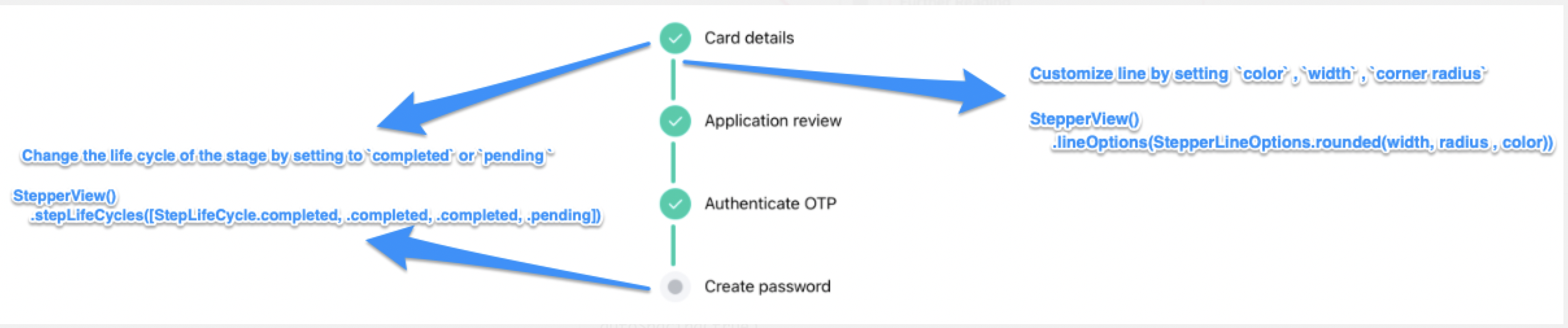
- Support for updating the life cycle status for each of the steps
## Documentation
**[StepperView Reference](https://badrinathvm.github.io/StepperView/)**
## Installation
To run the example project, clone the repo, and run `pod install` from the Example directory first.
## CocoaPods
StepperView is available through [CocoaPods](https://cocoapods.org). To install
it, simply add the following line to your Podfile.
```ruby
pod 'StepperView','~> 1.6.7'
```
## Carthage
[Carthage](https://github.com/Carthage/Carthage) is a decentralized dependency manager that builds your dependencies and provides you with binary frameworks. To integrate StepperView into your Xcode project using Carthage, specify it in your Cartfile:
```ruby
github "badrinathvm/stepperView" == 1.6.7
```
## Swift Package Manager
StepperView is available through [Swift Package Manager](https://swift.org/package-manager/). To install it, simply add it to the `dependencies` of your `Package.swift`
```ruby
dependencies: [
.package(url: "https://github.com/badrinathvm/StepperView.git", from: "1.6.7")
]
```
## Requirements
- iOS 13.0+
- Xcode 11.2+
- Swift 5.0+
- CocoaPods 1.6.1+
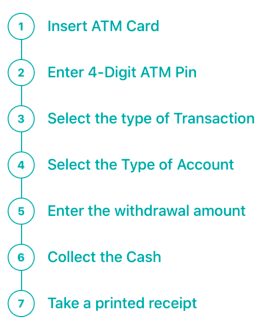
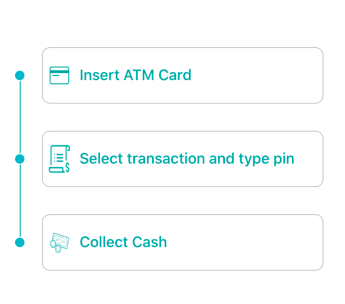
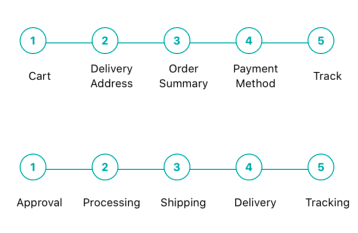
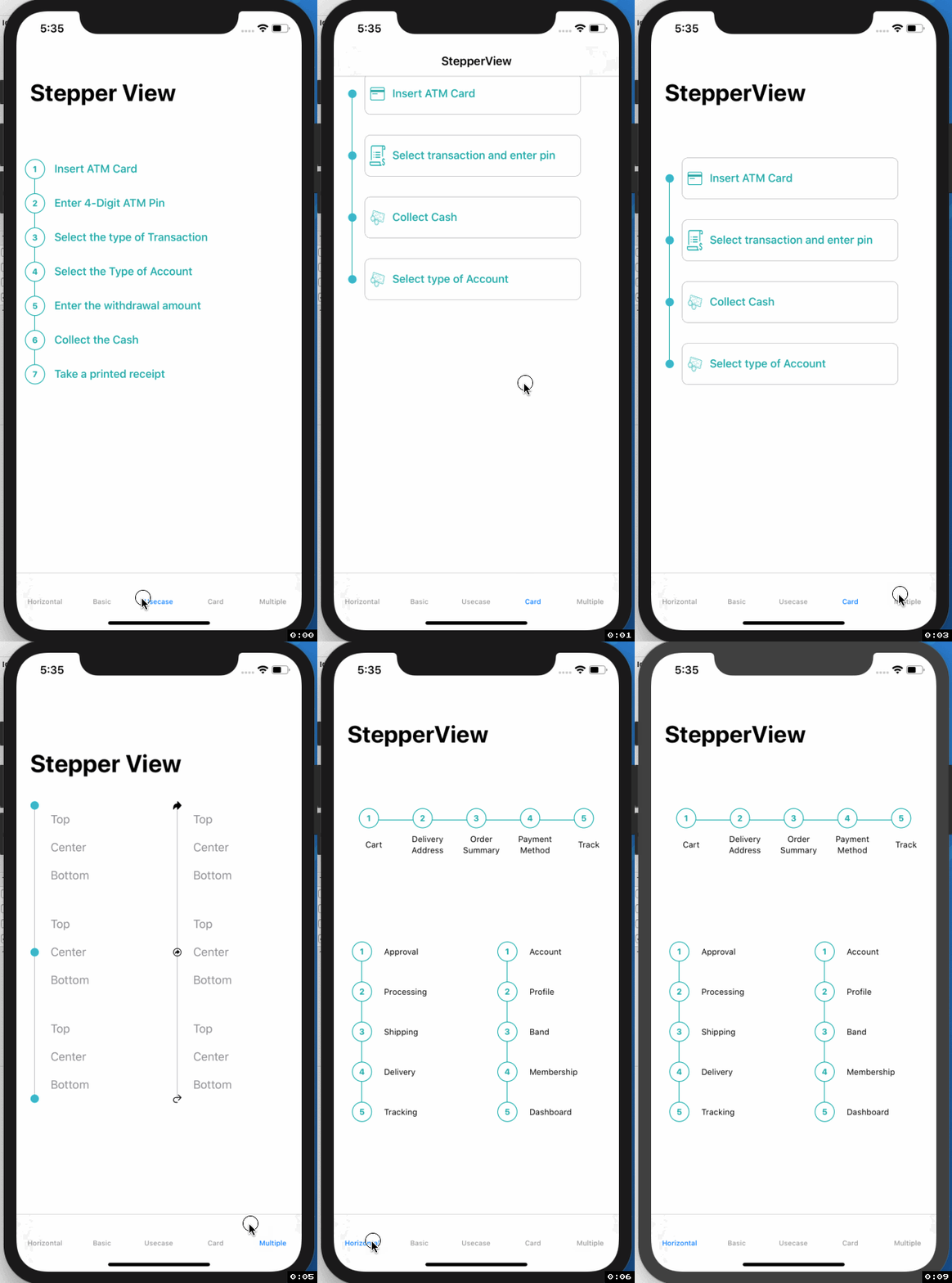
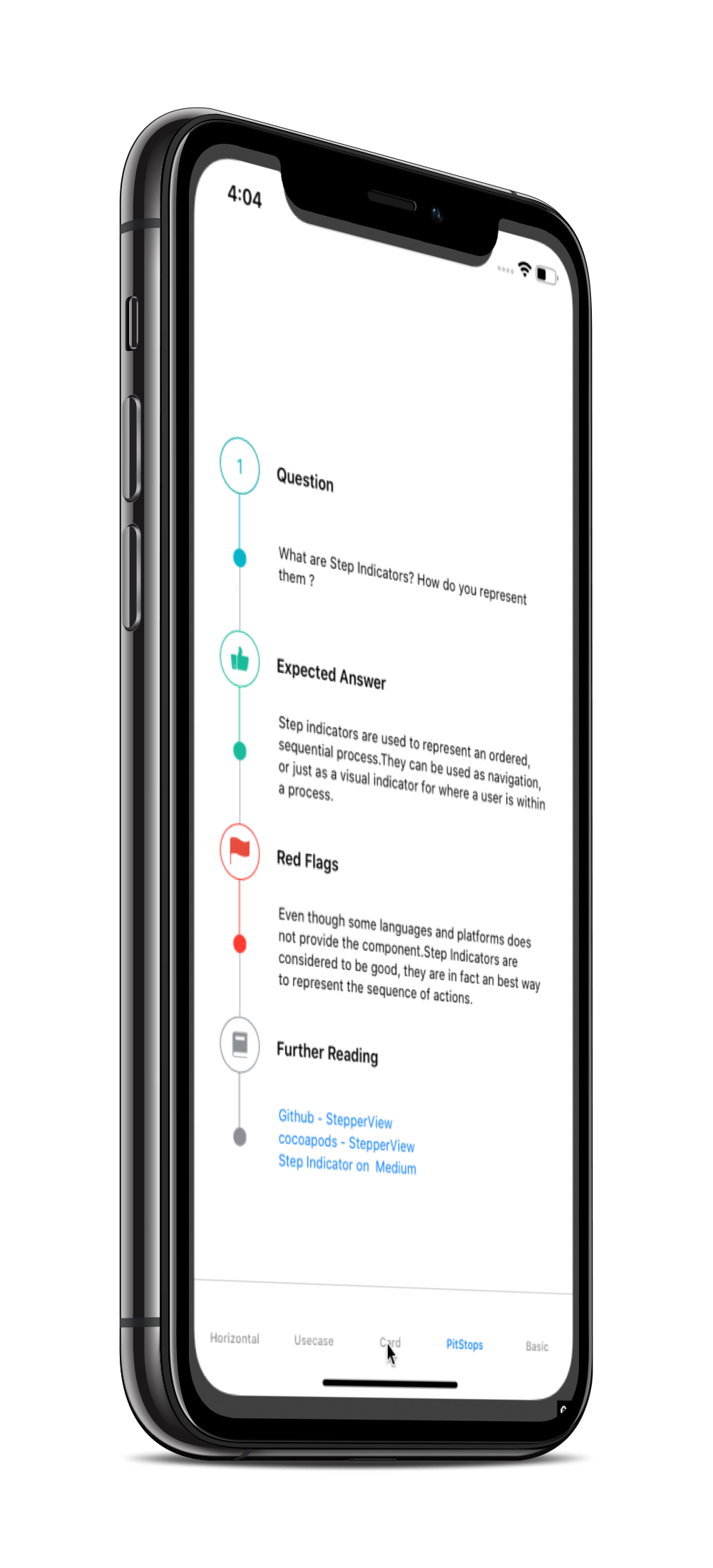
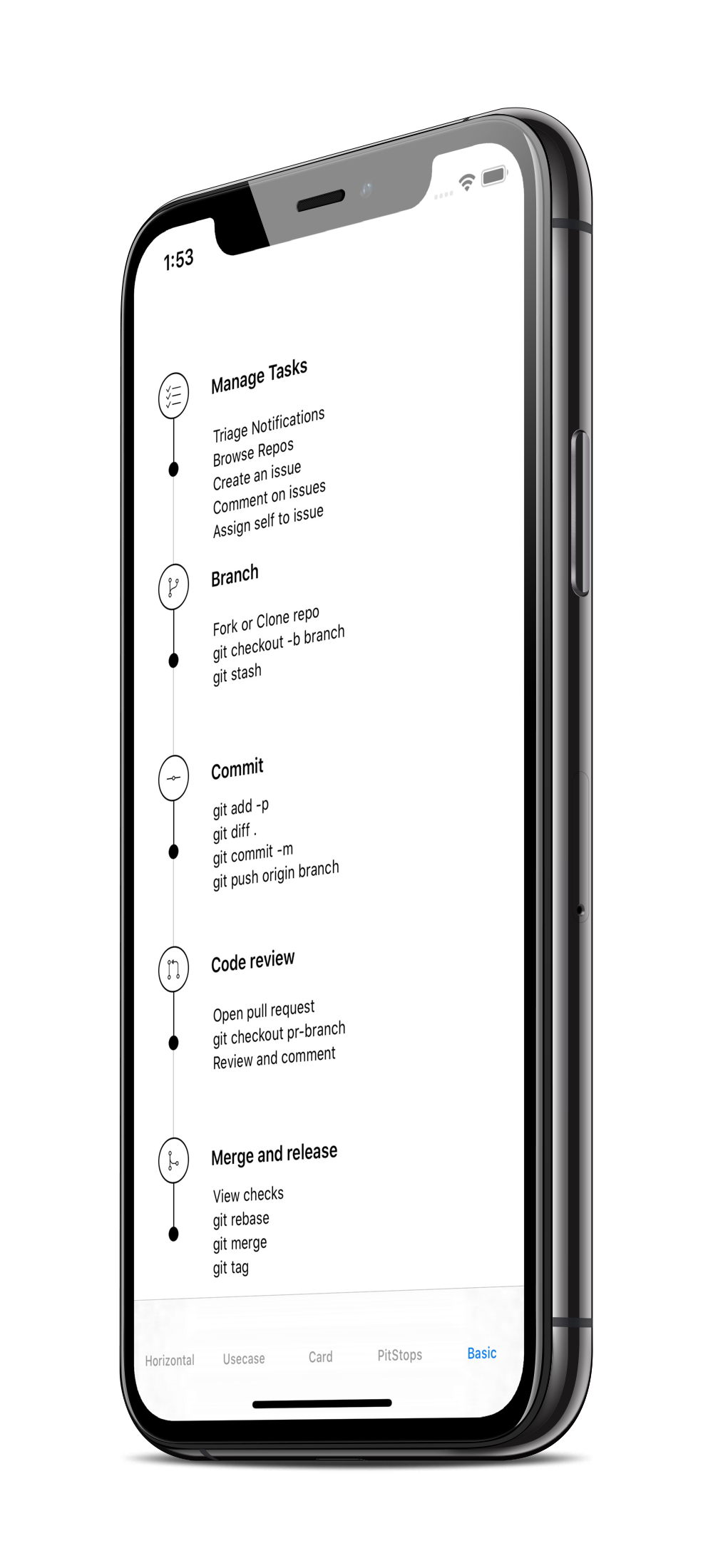
## Usecase
## iPhone
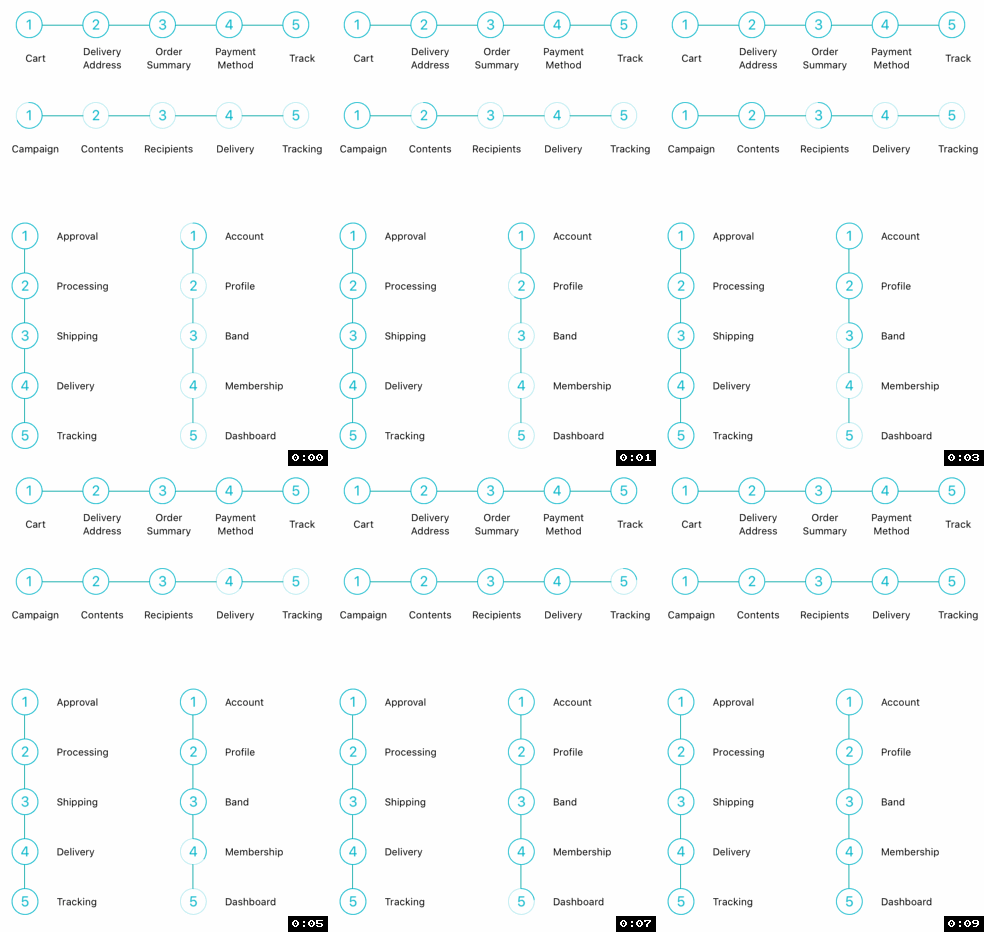
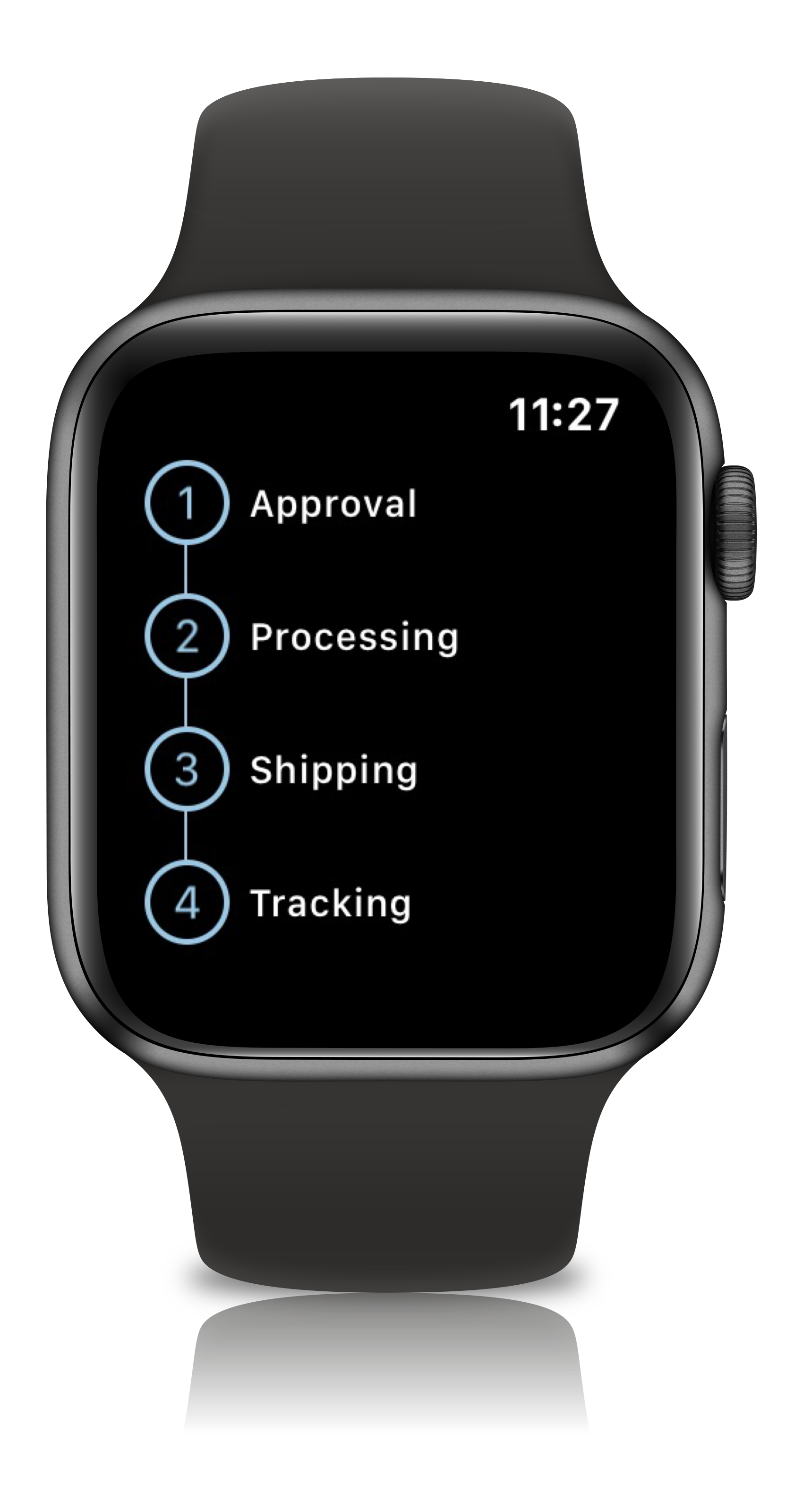
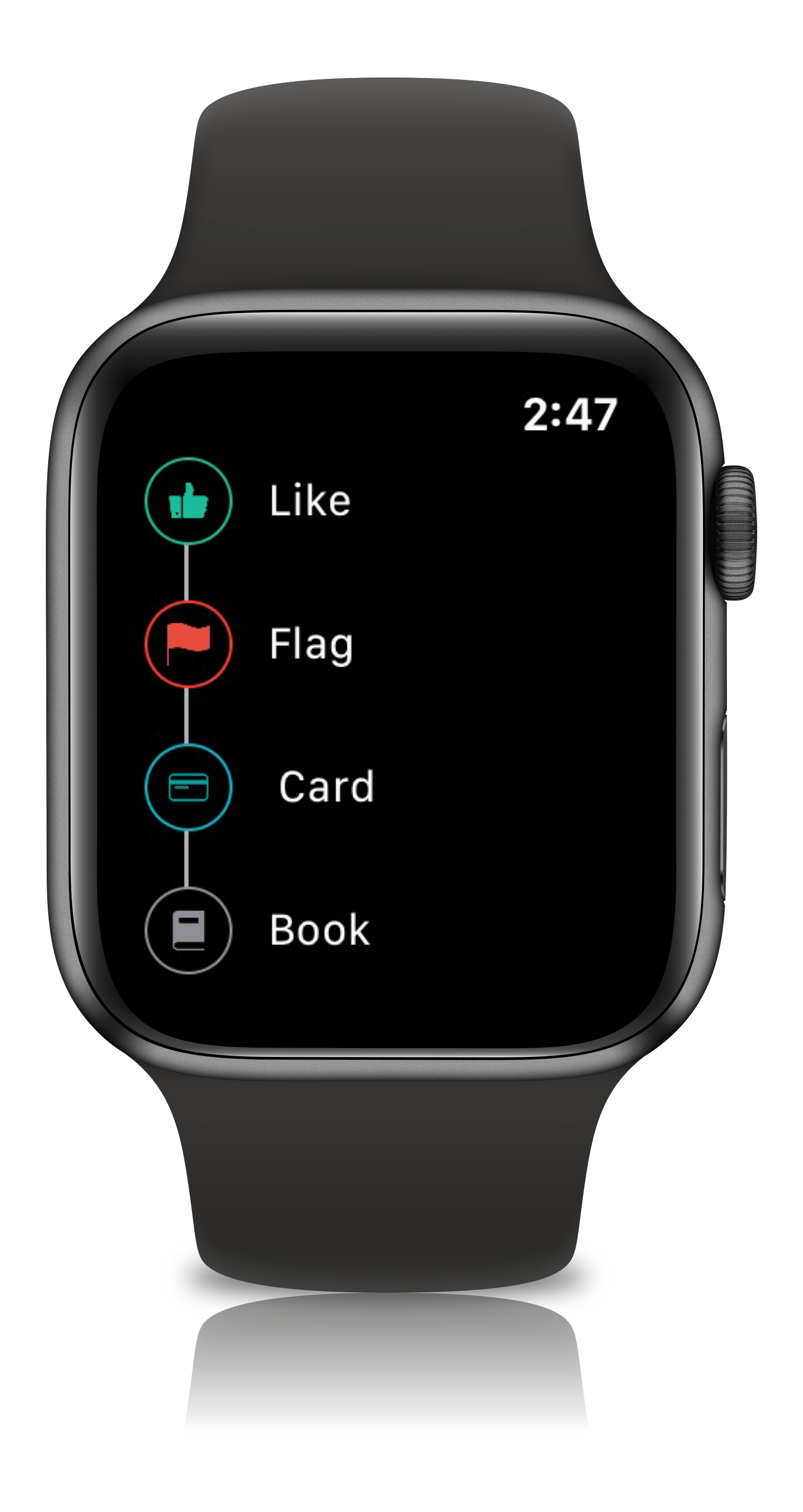
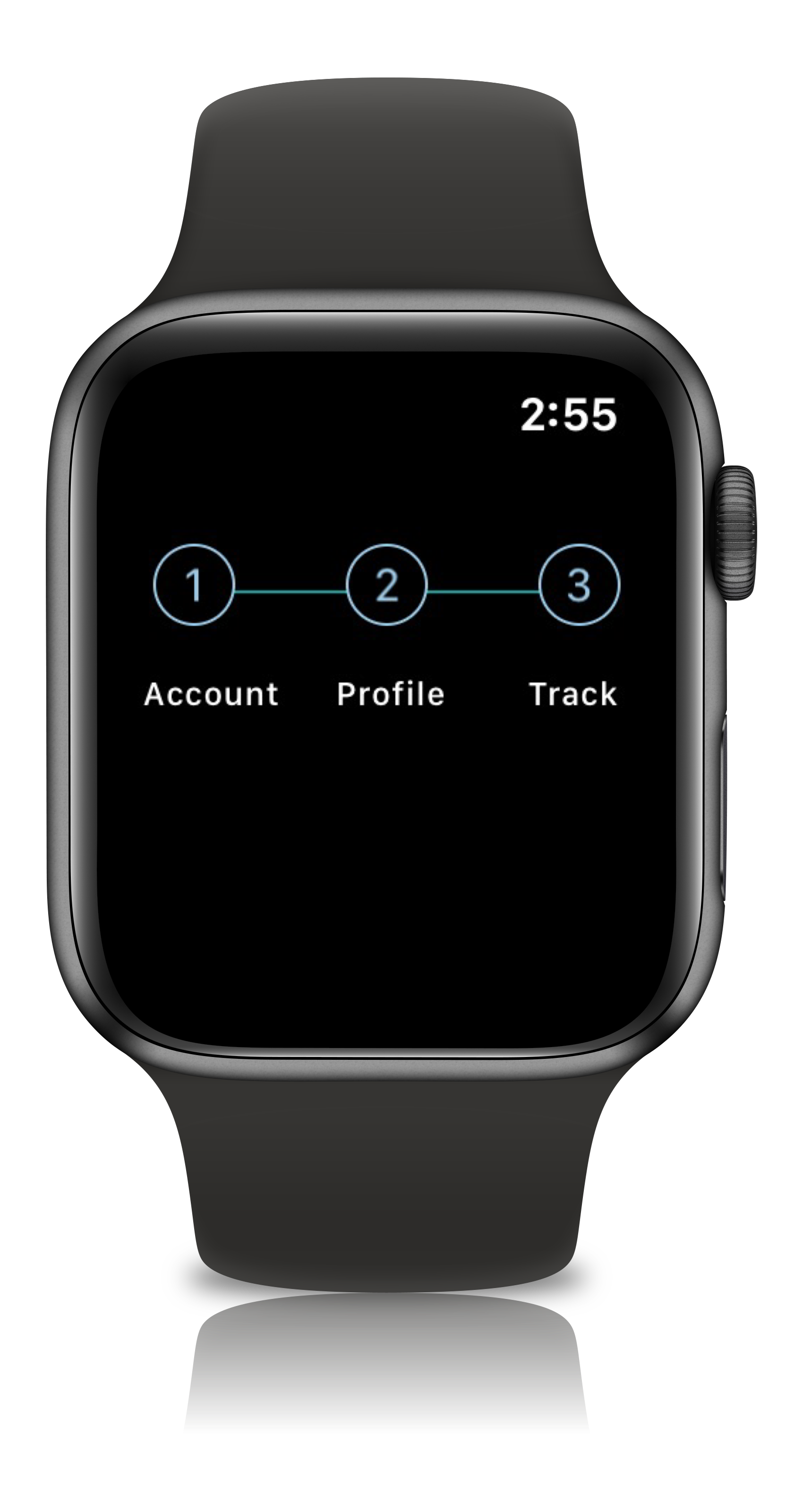
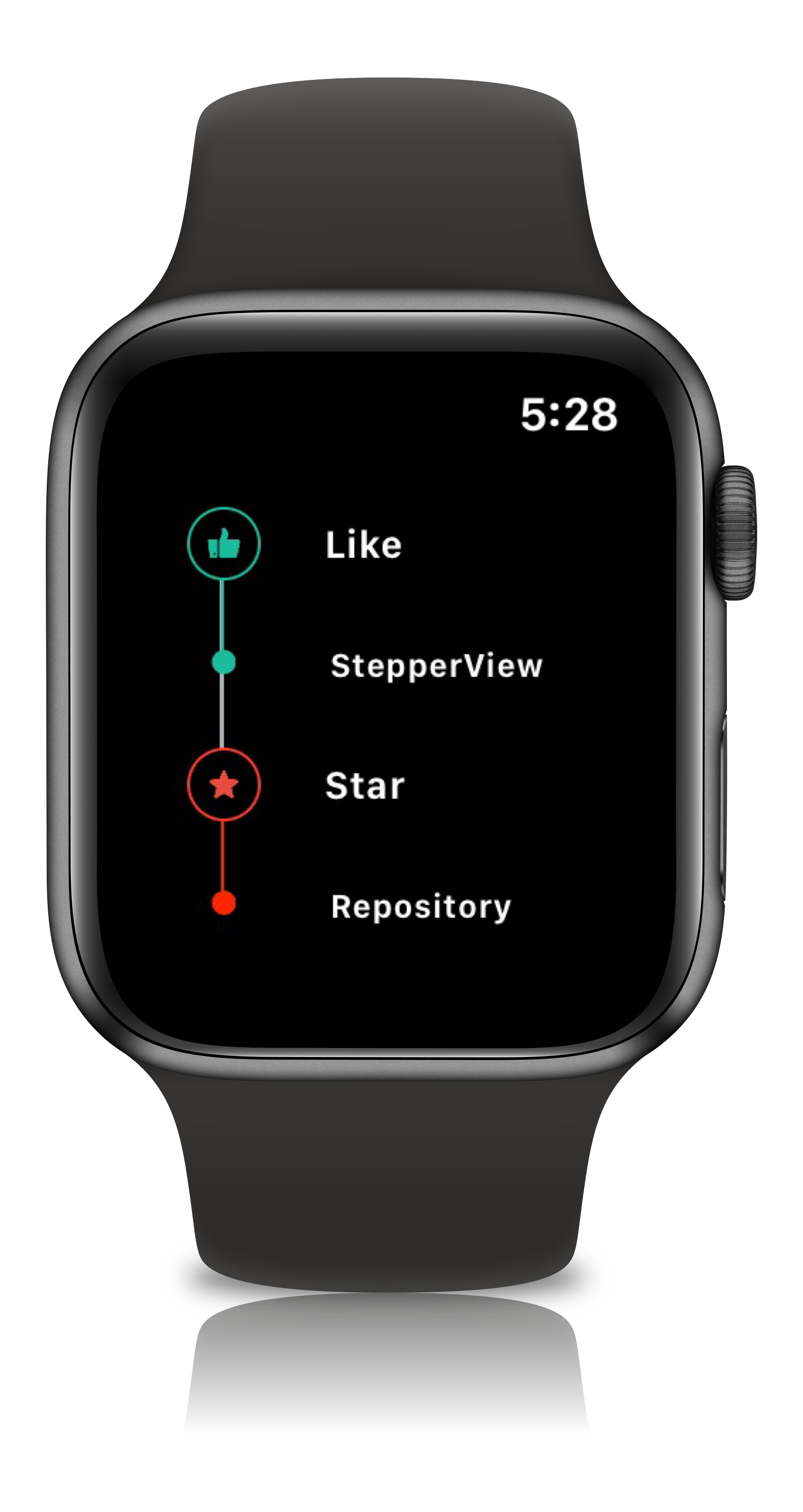
## Apple Watch Support
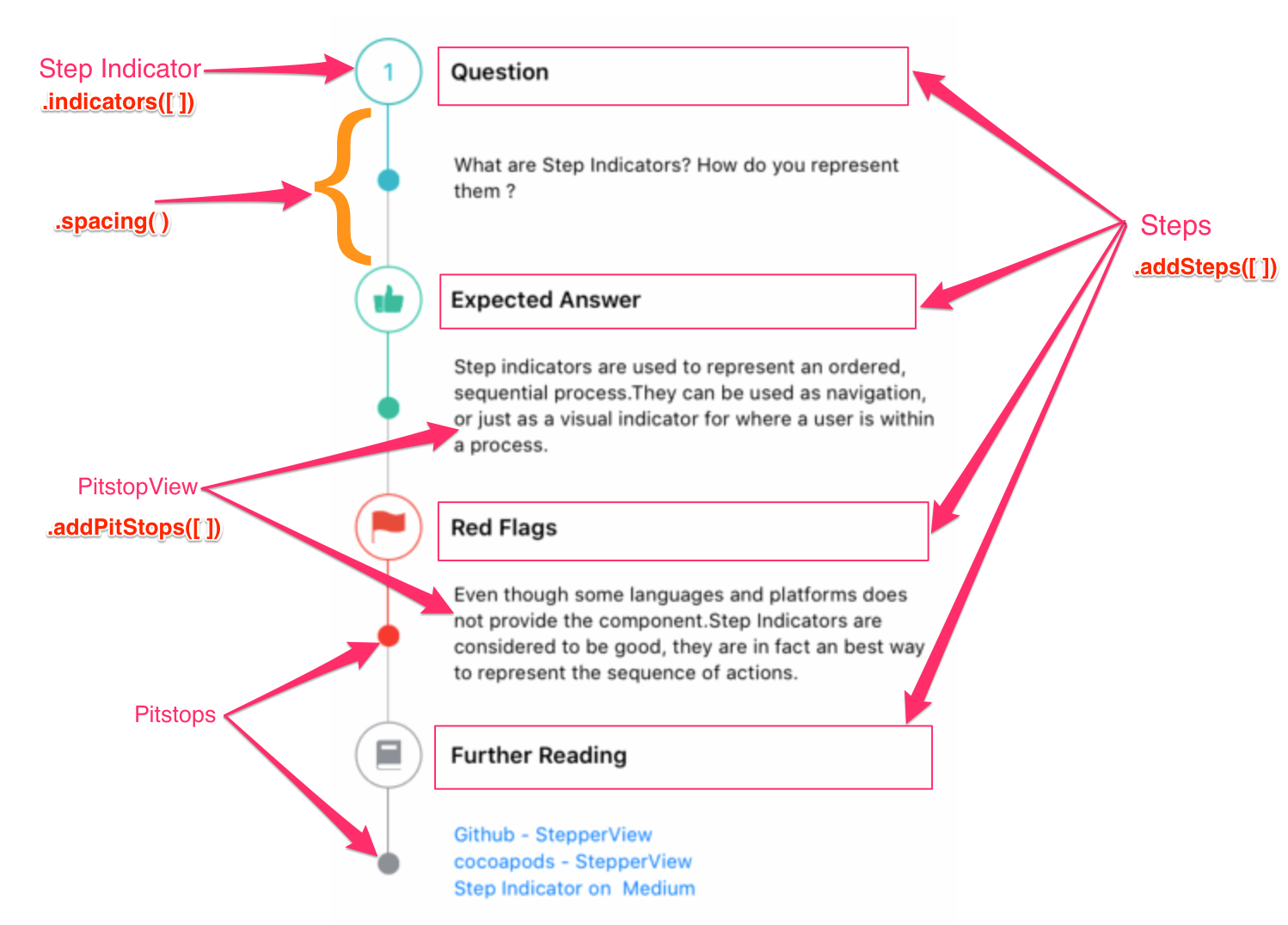
## View Modifiers
```ruby
.addSteps(_ steps: [View]) :
1. list of views to be closer to the indicator
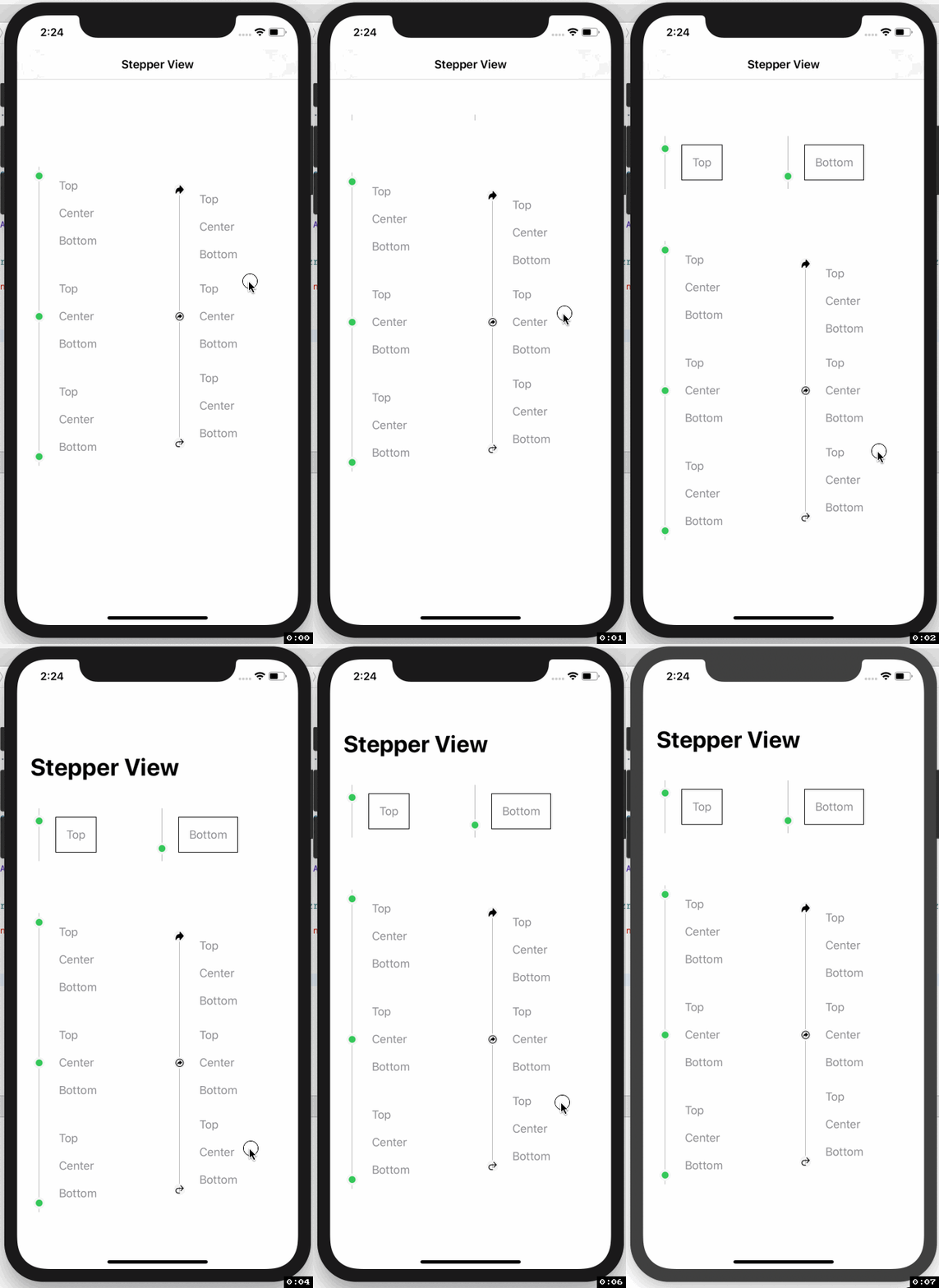
.alignments(_ alignments: [StepperAlignment])
1. optional modifier
2. defaults to .center, available with custom options either .top, .center, .bottom
.indicatorTypes(_ indicators:[StepperIndicationType]):
1. modifier to customize the step indications
2. provides enum with cases .circle(color, width), .image(Image, width), .custom(AnyView), .animation(AnyView)
.lineOptions(_ options: StepperLineOptions):
1. line customization `color` , `width` , `corner radius`
2. Has the option of `defaults`, `custom` , `rounded`
.spacing(_ value: CGFloat):
1. spacing between each of the step views either vertically or horizontally
.autoSpacing(_ value: Bool):
1. if set to `true` - Dynamically calculates the spacing between each of the steps.
.stepIndicatorMode(_ mode: StepperMode):
1. Step Indicator display modes either vertical or horizontal
.loadingAnimationTime(_ time: Double):
1. controls the speed of the animation for step Indicator
.stepLifeCycles(_ lifecycle: [StepLifeCycle]):
1. Can set the life cycle status for each of the steps as `completed`, `pending`
.addPitStops(_ steps: [View]):
1. optional modifier
2. list of views which will be displayed below the step text
.pitStopLineOptions(_ options: [StepperLineOptions])
1. line customization `color` , `width` , `corner radius`
.stepperEdgeInsets(_ value: EdgeInsets)
1. Provides custom `leading`, `trailing`, `top` & `bottom` spacing.
```
## Usage
``` swift
import StepperView
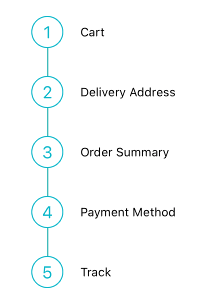
let steps = [ Text("Cart").font(.caption),
Text("Delivery Address").font(.caption),
Text("Order Summary").font(.caption),
Text("Payment Method").font(.caption),
Text("Track").font(.caption)]
let indicationTypes = [StepperIndicationType.custom(NumberedCircleView(text: "1")),
.custom(NumberedCircleView(text: "2")),
.custom(NumberedCircleView(text: "3")),
.custom(NumberedCircleView(text: "4")),
.custom(NumberedCircleView(text: "5"))]
var body: some View {
StepperView()
.addSteps(steps)
.indicators(indicationTypes)
.stepIndicatorMode(StepperMode.vertical)
.spacing(30)
.lineOptions(StepperLineOptions.custom(1, Colors.blue(.teal).rawValue))
}
```
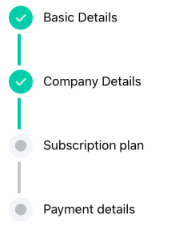
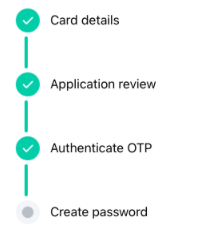
```swift
import StepperView
let steps = [
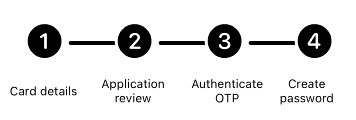
TextView(text: "Card details", font: Font.system(size: 12, weight: Font.Weight.regular)),
TextView(text: "Application review", font: Font.system(size: 12, weight: Font.Weight.regular)),
TextView(text: "Authenticate OTP", font: Font.system(size: 12, weight: Font.Weight.regular)),
TextView(text: "Create password", font: Font.system(size: 12, weight: Font.Weight.regular))
]
let indicators = [
StepperIndicationType.custom(Image(systemName:"1.circle.fill").font(.largeTitle).eraseToAnyView()),
StepperIndicationType.custom(Image(systemName:"2.circle.fill").font(.largeTitle).eraseToAnyView()),
StepperIndicationType.custom(Image(systemName:"3.circle.fill").font(.largeTitle).eraseToAnyView()),
StepperIndicationType.custom(Image(systemName:"4.circle.fill").font(.largeTitle).eraseToAnyView())
]
var body: some View {
StepperView()
.addSteps(steps)
.indicators(indicators)
.stepIndicatorMode(StepperMode.horizontal)
.lineOptions(StepperLineOptions.rounded(4, 8, Color.black))
.stepLifeCycles([StepLifeCycle.completed, .completed, .completed, .pending])
.spacing(50)
}
```
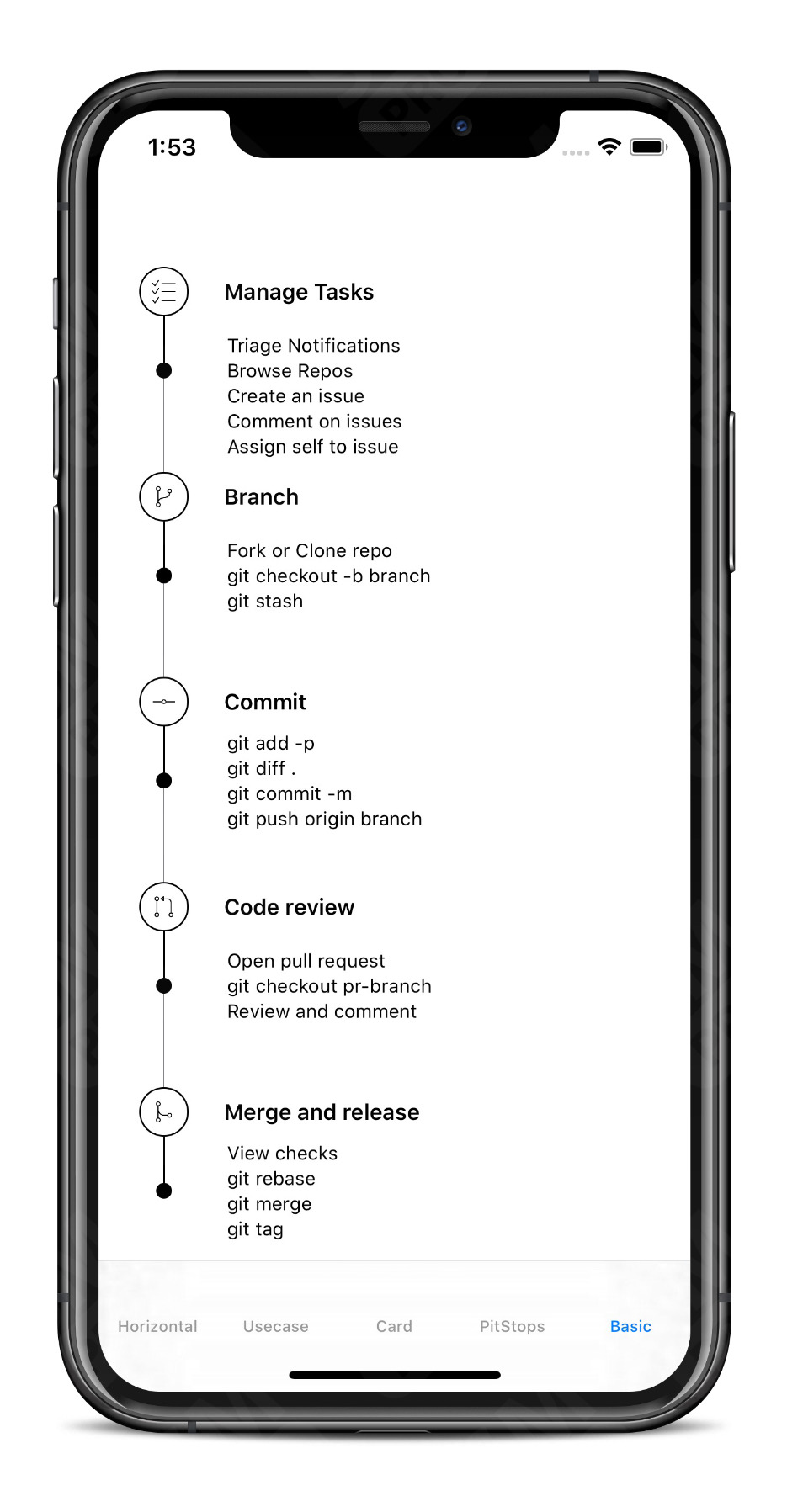
```swift
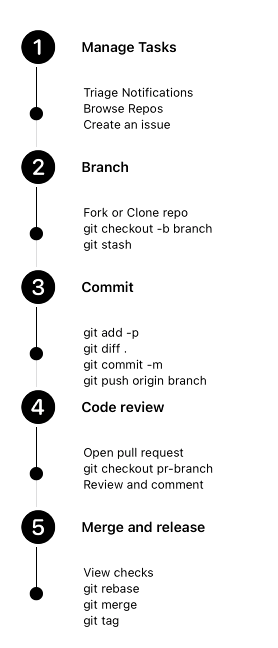
let steps = [TextView(text:"Manage Tasks", font: .system(size: 14, weight: .semibold)),
TextView(text:"Branch", font: .system(size: 14, weight: .semibold)),
TextView(text:"Commit", font: .system(size: 14, weight: .semibold)),
TextView(text:"Code review", font: .system(size: 14, weight: .semibold)),
TextView(text:"Merge and release", font: .system(size: 14, weight: .semibold))]
let indicators = [
StepperIndicationType.custom(Image(systemName:"1.circle.fill").font(.largeTitle).eraseToAnyView()),
StepperIndicationType.custom(Image(systemName:"2.circle.fill").font(.largeTitle).eraseToAnyView()),
StepperIndicationType.custom(Image(systemName:"3.circle.fill").font(.largeTitle).eraseToAnyView()),
StepperIndicationType.custom(Image(systemName:"4.circle.fill").font(.largeTitle).eraseToAnyView()),
StepperIndicationType.custom(Image(systemName:"5.circle.fill").font(.largeTitle).eraseToAnyView())
]
let pitStopLineOptions = [
StepperLineOptions.custom(1, Color.black),
StepperLineOptions.custom(1, Color.black),
StepperLineOptions.custom(1, Color.black),
StepperLineOptions.custom(1, Color.black),
StepperLineOptions.custom(1, Color.black)
]
let pitStops = [
TextView(text:GithubPitstops.p1).eraseToAnyView(),
TextView(text:GithubPitstops.p2).eraseToAnyView(),
TextView(text:GithubPitstops.p3).eraseToAnyView(),
TextView(text:GithubPitstops.p4).eraseToAnyView(),
TextView(text:GithubPitstops.p5).eraseToAnyView()
]
var body: some View {
StepperView()
.addSteps(steps)
.indicators(indicators)
.addPitStops(pitStops)
.pitStopLineOptions(pitStopLineOptions)
.spacing(80) // auto calculates spacing between steps based on the content.
.padding()
}
struct GithubPitstops {
static var p1 = "Triage Notifications\nBrowse Repos\nCreate an issue"
static var p2 = "Fork or Clone repo\ngit checkout -b branch\ngit stash"
static var p3 = "git add -p\ngit diff .\ngit commit -m\ngit push origin branch"
static var p4 = "Open pull request\ngit checkout pr-branch\nReview and comment"
static var p5 = "View checks\ngit rebase\ngit merge\ngit tag"
}
```
## Custom Step Indicators
## NumberedCircleView
This view places the number or any text inside the circle.
```swift
NumberedCircleView(text: "1", width: 40)
```
## CircledIconView
This view embeds an icon or image inside the circle.
```swift
CircledIconView(image: Image("flag"), width: 40, strokeColor: Color.red)
```
## More Examples
iOS Usecases
watchOS Usecases
## Mentions
SwiftUI Weekly #5
iOS Goodies #333
MBLT DEV DIGEST #302
Awesome iOS Newsletter #201
About-SwiftUI Articles
Better Programming - 6 Amazing SwiftUI Libraries
10 SwiftUI Libraries in 2021
## Apps Using StepperView
WatchTo5K
## Author
Badarinath Venkatnarayansetty.Follow and contact me on Twitter or LinkedIn
 ## Contribution
Feature requests, bug reports, and pull requests are all welcome. Refer Contributing Guidelines for more details.
## License
StepperView is available under the MIT license. See the [LICENSE](https://github.com/badrinathvm/StepperView/blob/master/LICENSE) file for more info.
## Contribution
Feature requests, bug reports, and pull requests are all welcome. Refer Contributing Guidelines for more details.
## License
StepperView is available under the MIT license. See the [LICENSE](https://github.com/badrinathvm/StepperView/blob/master/LICENSE) file for more info.