# Hack-Tools
**Repository Path**: mo_sen/Hack-Tools
## Basic Information
- **Project Name**: Hack-Tools
- **Description**: No description available
- **Primary Language**: Unknown
- **License**: Not specified
- **Default Branch**: master
- **Homepage**: None
- **GVP Project**: No
## Statistics
- **Stars**: 0
- **Forks**: 0
- **Created**: 2021-08-21
- **Last Updated**: 2021-08-21
## Categories & Tags
**Categories**: Uncategorized
**Tags**: None
## README
### The all-in-one Red Team browser extension for **Web Pentesters**
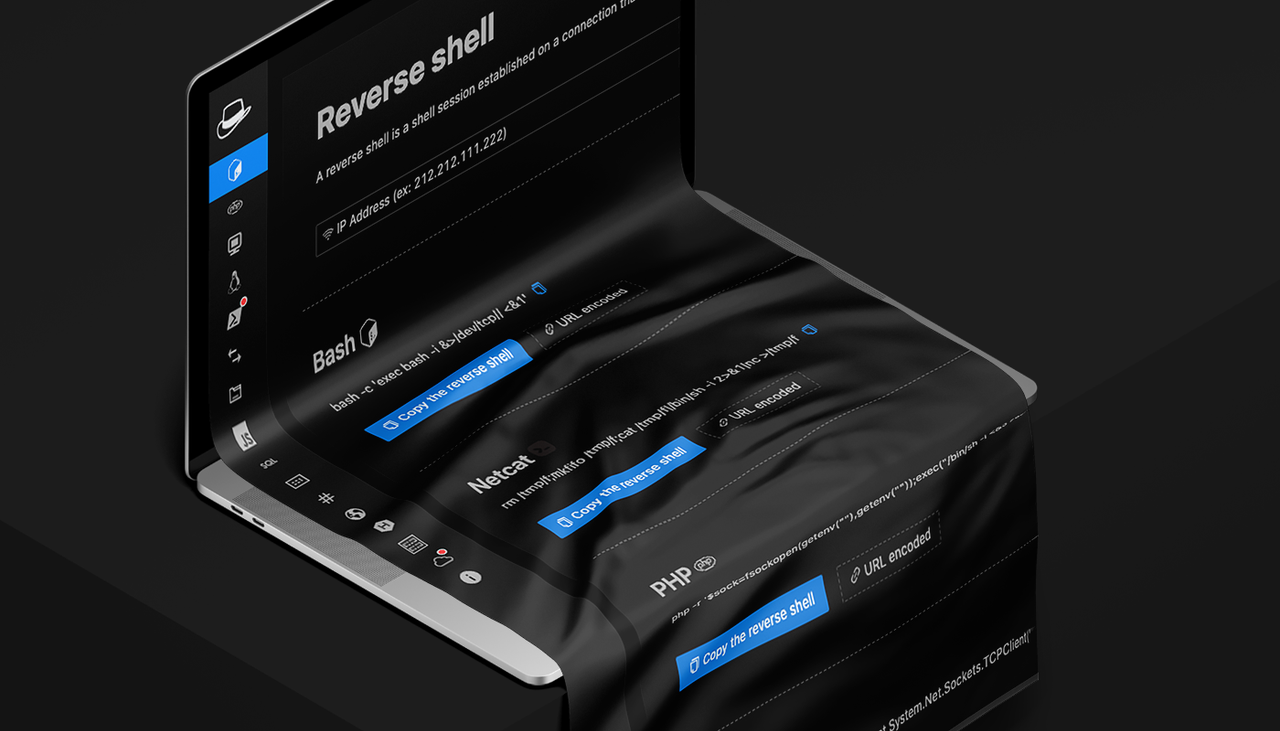
HackTools, is a web extension facilitating your **web application penetration tests**, it includes **cheat sheets** as well as all the **tools** used during a test such as XSS payloads, Reverse shells and much more.
With the extension you **no longer need to search for payloads in different websites** or in your local storage space, most of the tools are accessible in one click. HackTools is accessible either in **pop up mode** or in a whole tab in the **Devtools** part of the browser with F12.
### Current functions
- Dynamic Reverse Shell generator (PHP, Bash, Ruby, Python, Perl, Netcat)
- Shell Spawning (TTY Shell Spawning)
- MSF Venom Builder
- XSS Payloads
- Basic SQLi payloads
- Local file inclusion payloads (LFI)
- Base64 Encoder / Decoder
- Hash Generator (MD5, SHA1, SHA256, SHA512, SM3)
- Useful Linux commands (Port Forwarding, SUID)
- RSS Feed (Exploit DB, Cisco Security Advisories, CXSECURITY)
- CVE Search Engine
- Various method of data exfiltration and download from a remote machine
## Preview
# Install the extension
 Chromium based browser
You can download the **latest build** [here.](https://github.com/LasCC/Hack-Tools/releases)
Or, you can download the extension on the **chrome web store** [here.](https://chrome.google.com/webstore/detail/hack-tools/cmbndhnoonmghfofefkcccljbkdpamhi)
Otherwise, you can build the project yourself from the source code
 Mozilla Firefox
You can download **HackTools** on the Firefox browser add-ons [here.](https://addons.mozilla.org/en-US/firefox/addon/hacktools/)
 Instructions to build for Safari
Create a safari web extension project using the command below. *This is to be run once.*
```bash
xcrun safari-web-extension-coverter [path_to_dist_folder]
```
Follow the instructions to create the project the default language should be Swift.
- Build project.
- Open Safari and enable unsigned extensions; Develop -> Allow Unsigned Extensions.
- Open Safari -> Preferences -> Extensions and enable Hack-Tools
- Click on the extension icon and switch to full screen mode.
*Instructions provided by [jayluxferro](https://github.com/LasCC/Hack-Tools/issues/88)*
### Build from source code
```bash
git clone https://github.com/LasCC/Hack-Tools.git
cd Hack-Tools
npm install && npm run build # If you have installed yarn you can replace npm with yarn
```
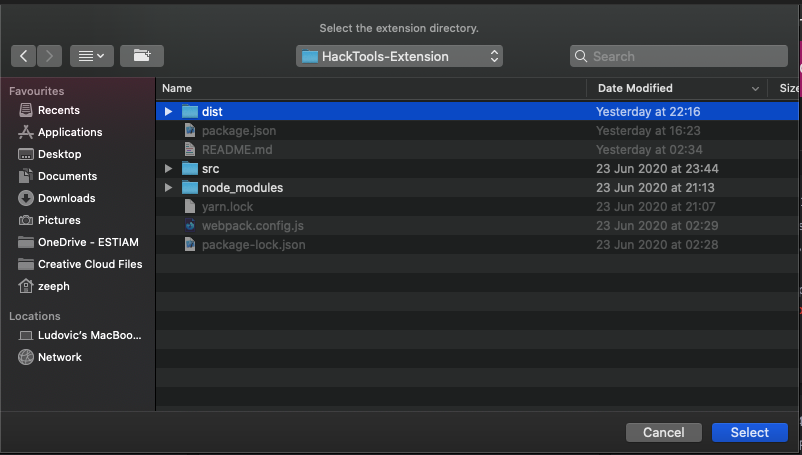
Once the build is done correctly, webpack will create a new folder called **dist**
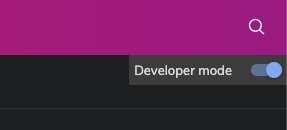
After that you need to go to the **extension** tab on your chrome based navigator and turn on the **developer mode**
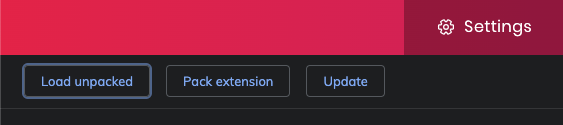
 Then click on the **load unpacked** button in the top left corner
 Once you clicked on the button you just need to select the **dist folder** and that's it ! 🎉
 ## Authors
👤 **Ludovic COULON** & **Riadh BOUCHAHOUA**
## Show your support
You can give a ⭐️ if this project helped you !
Note that this project is maintained, developed and made available for **free**, you can offer us a coffee, it will be very **encouraging and greatly appreciated** 😊