# HybirdWKWebVIew
**Repository Path**: nehza/HybirdWKWebVIew
## Basic Information
- **Project Name**: HybirdWKWebVIew
- **Description**: 一个基于WKWebView的hybird的容器。还是通过NSURLProtocol拦截所有WKWKWebView的的css,js,png等网络请求
- **Primary Language**: Objective-C
- **License**: Not specified
- **Default Branch**: master
- **Homepage**: None
- **GVP Project**: No
## Statistics
- **Stars**: 0
- **Forks**: 0
- **Created**: 2020-04-03
- **Last Updated**: 2020-12-19
## Categories & Tags
**Categories**: Uncategorized
**Tags**: None
## README
# HybridNSURLProtocol
一个基于WKWebView的hybirde的容器。能拦截所有WKWKWebView的的css,js,png等网络请求的demo
NSURLProtocol 子类,就可以对 app 内所有的网络请求进行:
```
[NSURLProtocol registerClass:[HybridNSURLProtocol class]];
```
可是在 WKWebView 中的请求却完全不遵从这一规则,只是象征性+ (BOOL) canInitWithRequest:(NSURLRequest *)request 方法,之后的整个请求流程似乎就与 NSURLProtocol 完全无关了。
使我WKWebView 的一度认为请求不遵守NSURLProtocol协议,所以不走 NSURLProtocol。这个也是很苦扰我的问题。导致我们hybird的容器1.0也是是用UIWebVIew实现的。
但在苹果放在gittub的CustomHTTPProtocol,明显感觉到WKWebview的也是遵守NSURLProtocol,要不也不会走+ (BOOL)canInitWithRequest:(NSURLRequest *)request;后来一个每天看博客和gittub的习惯帮助了我,找到一个大神的不久前开源库。
使用了WKBrowsingContextController和registerSchemeForCustomProtocol。 通过反射的方式拿到了私有的 class/selector。通过kvc取到browsingContextController。通过把注册把 http 和 https 请求交给 NSURLProtocol 处理
```
[NSURLProtocol wk_registerScheme:@"http"];
[NSURLProtocol wk_registerScheme:@"https"];
```
下面直接上源代码吧
```
//FOUNDATION_STATIC_INLINE 属于属于runtime范畴,你的.m文件需要频繁调用一个函数,可以用static inline来声明。在SDWebImage读取内存的缓存也用到这个声明。
FOUNDATION_STATIC_INLINE Class ContextControllerClass() {
static Class cls;
if (!cls) {
cls = [[[WKWebView new] valueForKey:@"browsingContextController"] class];
}
return cls;
}
FOUNDATION_STATIC_INLINE SEL RegisterSchemeSelector() {
return NSSelectorFromString(@"registerSchemeForCustomProtocol:");
}
FOUNDATION_STATIC_INLINE SEL UnregisterSchemeSelector() {
return NSSelectorFromString(@"unregisterSchemeForCustomProtocol:");
}
@implementation NSURLProtocol (WebKitSupport)
+ (void)wk_registerScheme:(NSString *)scheme {
Class cls = ContextControllerClass();
SEL sel = RegisterSchemeSelector();
if ([(id)cls respondsToSelector:sel]) {
// 放弃编辑器警告
#pragma clang diagnostic push
#pragma clang diagnostic ignored "-Warc-performSelector-leaks"
[(id)cls performSelector:sel withObject:scheme];
#pragma clang diagnostic pop
}
}
+ (void)wk_unregisterScheme:(NSString *)scheme {
Class cls = ContextControllerClass();
SEL sel = UnregisterSchemeSelector();
if ([(id)cls respondsToSelector:sel]) {
// 放弃编辑器警告
#pragma clang diagnostic push
#pragma clang diagnostic ignored "-Warc-performSelector-leaks"
[(id)cls performSelector:sel withObject:scheme];
#pragma clang diagnostic pop
}
}
```
注册后,客户端所有请求走+ (BOOL)canInitWithRequest:(NSURLRequest *)request。下面是打印的请求的log
```
+ (BOOL)canInitWithRequest:(NSURLRequest *)request
{
NSLog(@"request.URL.absoluteString = %@",request.URL.absoluteString);
NSString *scheme = [[request URL] scheme];
if ( ([scheme caseInsensitiveCompare:@"http"] == NSOrderedSame ||
[scheme caseInsensitiveCompare:@"https"] == NSOrderedSame ))
{
//看看是否已经处理过了,防止无限循环
if ([NSURLProtocol propertyForKey:KHybridNSURLProtocolHKey inRequest:request])
return NO;
return YES;
}
return NO;
}
```
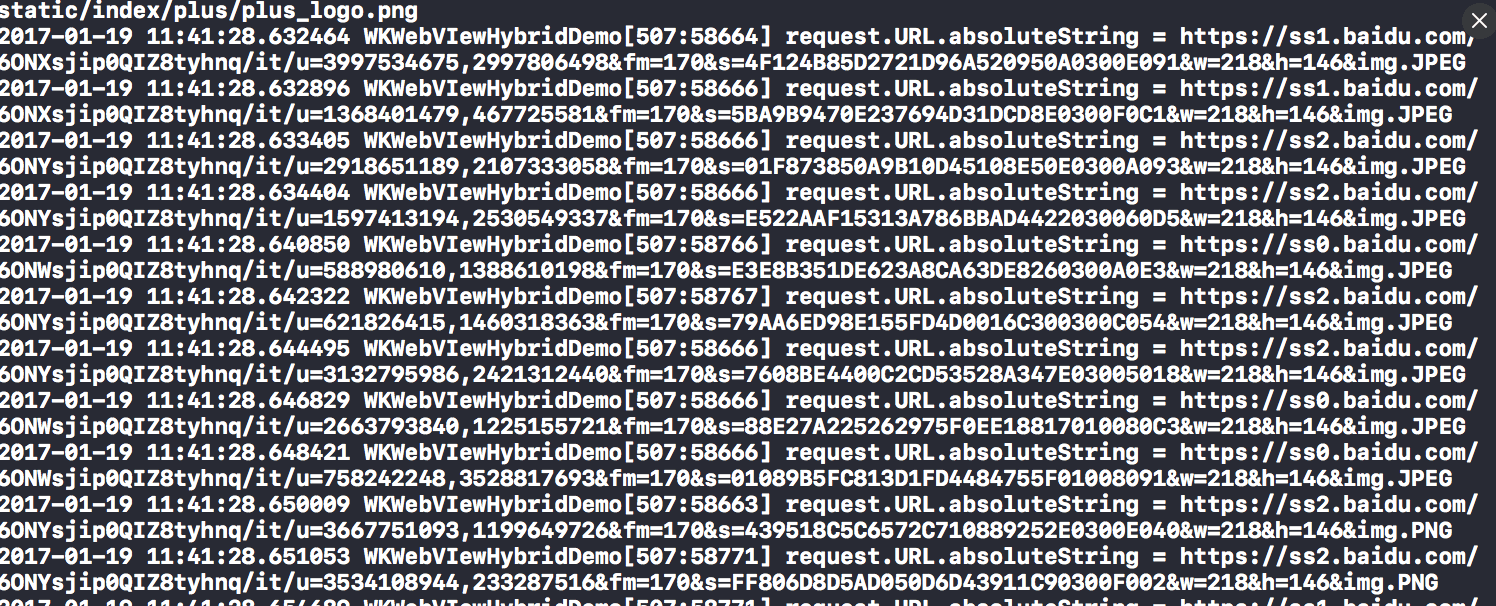
request的重写定向,request的重写定向,替换百度知道的log
```
+ (BOOL)canInitWithRequest:(NSURLRequest *)request
{
NSLog(@"request.URL.absoluteString = %@",request.URL.absoluteString);
NSString *scheme = [[request URL] scheme];
if ( ([scheme caseInsensitiveCompare:@"http"] == NSOrderedSame ||
[scheme caseInsensitiveCompare:@"https"] == NSOrderedSame ))
{
//看看是否已经处理过了,防止无限循环
if ([NSURLProtocol propertyForKey:KHybridNSURLProtocolHKey inRequest:request])
return NO;
return YES;
}
return NO;
}
```
这里最好加上缓存判断,加载本地离线文件, 这个直接简单的例子。
```
- (void)startLoading
{
NSMutableURLRequest *mutableReqeust = [[self request] mutableCopy];
//给我们处理过的请求设置一个标识符, 防止无限循环,
[NSURLProtocol setProperty:@YES forKey:KHybridNSURLProtocolHKey inRequest:mutableReqeust];
//这里最好加上缓存判断,加载本地离线文件, 这个直接简单的例子。
if ([mutableReqeust.URL.absoluteString isEqualToString:sourIconUrl])
{
NSData* data = UIImagePNGRepresentation([UIImage imageNamed:@"medlinker"]);
NSURLResponse* response = [[NSURLResponse alloc] initWithURL:self.request.URL MIMEType:@"image/png" expectedContentLength:data.length textEncodingName:nil];
[self.client URLProtocol:self didReceiveResponse:response cacheStoragePolicy:NSURLCacheStorageAllowed];
[self.client URLProtocol:self didLoadData:data];
[self.client URLProtocolDidFinishLoading:self];
}
else
{
NSURLSession *session = [NSURLSession sessionWithConfiguration:[NSURLSessionConfiguration defaultSessionConfiguration] delegate:self delegateQueue:nil];
self.task = [session dataTaskWithRequest:self.request];
[self.task resume];
}
}
```
下面是代码效果图


##有问题反馈
在使用中有任何问题,欢迎反馈给我,可以用以下联系方式跟我交流
* QQ 微信 476804765
* Email:13281250969@163.com
###接受启发的作者的github
github:Yeatse CC
苹果开发者文档:apple