# model-analysis
**Repository Path**: opennlp/model-analysis
## Basic Information
- **Project Name**: model-analysis
- **Description**: Model analysis tools for TensorFlow
- **Primary Language**: Unknown
- **License**: Apache-2.0
- **Default Branch**: master
- **Homepage**: None
- **GVP Project**: No
## Statistics
- **Stars**: 0
- **Forks**: 0
- **Created**: 2020-03-26
- **Last Updated**: 2020-12-19
## Categories & Tags
**Categories**: Uncategorized
**Tags**: None
## README
# TensorFlow Model Analysis
[](https://github.com/tensorflow/model-analysis)
[](https://badge.fury.io/py/tensorflow-model-analysis)
[](https://www.tensorflow.org/tfx/model_analysis/api_docs/python/tfma)
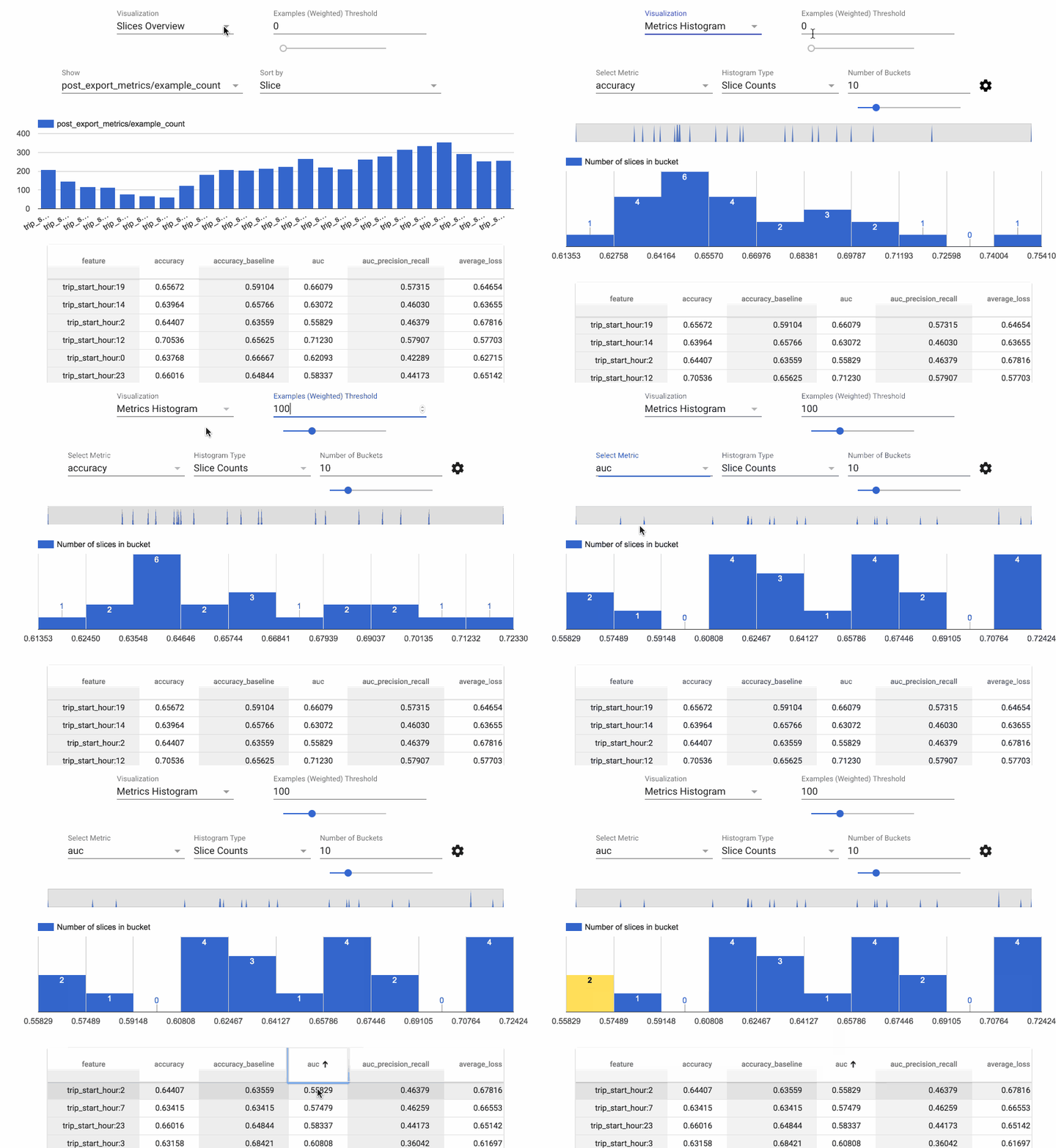
*TensorFlow Model Analysis* (TFMA) is a library for evaluating TensorFlow models.
It allows users to evaluate their models on large amounts of data in a
distributed manner, using the same metrics defined in their trainer. These
metrics can be computed over different slices of data and visualized in Jupyter
notebooks.
Caution: TFMA may introduce backwards incompatible changes before version 1.0.
## Installation
The recommended way to install TFMA is using the
[PyPI package](https://pypi.org/project/tensorflow-model-analysis/):
pip install tensorflow-model-analysis
pip install from the HEAD of the git:
pip install git+https://github.com/tensorflow/model-analysis.git#egg=tensorflow_model_analysis
pip install from a released version directly from git:
pip install git+https://github.com/tensorflow/model-analysis.git@v0.21.3#egg=tensorflow_model_analysis
If you have cloned the repository locally, and want to test your local change,
pip install from a local folder:
pip install -e $FOLDER_OF_THE_LOCAL_LOCATION
Currently, TFMA requires that TensorFlow is installed but does not have an
explicit dependency on the TensorFlow PyPI package. See the
[TensorFlow install guides](https://www.tensorflow.org/install/) for instructions.
To enable TFMA visualization in Jupyter Notebook:
  jupyter nbextension enable --py widgetsnbextension
  jupyter nbextension enable --py tensorflow_model_analysis
Note: If Jupyter notebook is already installed in your home directory, add
`--user` to these commands. If Jupyter is installed as root, or using a virtual
environment, the parameter `--sys-prefix` might be required.
### Notable Dependencies
TensorFlow is required.
[Apache Beam](https://beam.apache.org/) is required; it's the way that efficient
distributed computation is supported. By default, Apache Beam runs in local
mode but can also run in distributed mode using
[Google Cloud Dataflow](https://cloud.google.com/dataflow/) and other Apache
Beam
[runners](https://beam.apache.org/documentation/runners/capability-matrix/).
[Apache Arrow](https://arrow.apache.org/) is also required. TFMA uses Arrow to
represent data internally in order to make use of vectorized numpy functions.
## Getting Started
For instructions on using TFMA, see the [get started
guide](https://github.com/tensorflow/model-analysis/blob/master/g3doc/get_started.md).
## Compatible Versions
The following table is the TFMA package versions that are compatible with each
other. This is determined by our testing framework, but other *untested*
combinations may also work.
|tensorflow-model-analysis |tensorflow |apache-beam[gcp]|
|------------------------------------------------------------------------------------|--------------|----------------|
|[GitHub master](https://github.com/tensorflow/model-analysis/blob/master/RELEASE.md)|nightly (1.x/2.x) |2.19.0 |
|[0.21.6](https://github.com/tensorflow/model-analysis/blob/v0.21.6/RELEASE.md) |1.15 / 2.1 |2.19.0 |
|[0.21.5](https://github.com/tensorflow/model-analysis/blob/v0.21.5/RELEASE.md) |1.15 / 2.1 |2.19.0 |
|[0.21.4](https://github.com/tensorflow/model-analysis/blob/v0.21.4/RELEASE.md) |1.15 / 2.1 |2.19.0 |
|[0.21.3](https://github.com/tensorflow/model-analysis/blob/v0.21.3/RELEASE.md) |1.15 / 2.1 |2.17.0 |
|[0.21.2](https://github.com/tensorflow/model-analysis/blob/v0.21.2/RELEASE.md) |1.15 / 2.1 |2.17.0 |
|[0.21.1](https://github.com/tensorflow/model-analysis/blob/v0.21.1/RELEASE.md) |1.15 / 2.1 |2.17.0 |
|[0.21.0](https://github.com/tensorflow/model-analysis/blob/v0.21.0/RELEASE.md) |1.15 / 2.1 |2.17.0 |
|[0.15.4](https://github.com/tensorflow/model-analysis/blob/v0.15.4/RELEASE.md) |1.15 / 2.0 |2.16.0 |
|[0.15.3](https://github.com/tensorflow/model-analysis/blob/v0.15.3/RELEASE.md) |1.15 / 2.0 |2.16.0 |
|[0.15.2](https://github.com/tensorflow/model-analysis/blob/v0.15.2/RELEASE.md) |1.15 / 2.0 |2.16.0 |
|[0.15.1](https://github.com/tensorflow/model-analysis/blob/v0.15.1/RELEASE.md) |1.15 / 2.0 |2.16.0 |
|[0.15.0](https://github.com/tensorflow/model-analysis/blob/v0.15.0/RELEASE.md) |1.15 |2.16.0 |
|[0.14.0](https://github.com/tensorflow/model-analysis/blob/v0.14.0/RELEASE.md) |1.14 |2.14.0 |
|[0.13.1](https://github.com/tensorflow/model-analysis/blob/v0.13.1/RELEASE.md) |1.13 |2.11.0 |
|[0.13.0](https://github.com/tensorflow/model-analysis/blob/v0.13.0/RELEASE.md) |1.13 |2.11.0 |
|[0.12.1](https://github.com/tensorflow/model-analysis/blob/v0.12.1/RELEASE.md) |1.12 |2.10.0 |
|[0.12.0](https://github.com/tensorflow/model-analysis/blob/v0.12.0/RELEASE.md) |1.12 |2.10.0 |
|[0.11.0](https://github.com/tensorflow/model-analysis/blob/v0.11.0/RELEASE.md) |1.11 |2.8.0 |
|[0.9.2](https://github.com/tensorflow/model-analysis/blob/v0.9.2/RELEASE.md) |1.9 |2.6.0 |
|[0.9.1](https://github.com/tensorflow/model-analysis/blob/v0.9.1/RELEASE.md) |1.10 |2.6.0 |
|[0.9.0](https://github.com/tensorflow/model-analysis/blob/v0.9.0/RELEASE.md) |1.9 |2.5.0 |
|[0.6.0](https://github.com/tensorflow/model-analysis/blob/v0.6.0/RELEASE.md) |1.6 |2.4.0 |
## Questions
Please direct any questions about working with TFMA to
[Stack Overflow](https://stackoverflow.com) using the
[tensorflow-model-analysis](https://stackoverflow.com/questions/tagged/tensorflow-model-analysis)
tag.