# falcon-vscode-themes
**Repository Path**: panxiaoan/falcon-vscode-themes
## Basic Information
- **Project Name**: falcon-vscode-themes
- **Description**: A gentle, eye-friendly theme to protect your eyesight for VS Code
/ 一个温和的,对眼睛友好,保护视力的 VS Code 护眼主题
- **Primary Language**: Unknown
- **License**: MIT
- **Default Branch**: main
- **Homepage**: https://marketplace.visualstudio.com/items?itemName=panxiaoan.themes-falcon-vscode
- **GVP Project**: No
## Statistics
- **Stars**: 0
- **Forks**: 0
- **Created**: 2025-05-28
- **Last Updated**: 2026-01-08
## Categories & Tags
**Categories**: Uncategorized
**Tags**: Theme, VSCode, vscode-theme, plugin, extension
## README
# Falcon Relaxing-Eyes Themes (护眼主题)
> A gentle, eye-friendly theme to protect your eyesight for [Visual Studio Code](https://code.visualstudio.com/)
> 一个温和的,对眼睛友好,保护视力的 VS Code 护眼主题
从 VS Code 插件市场下载该主题:
[VS Code Marketplace](https://marketplace.visualstudio.com/items?itemName=panxiaoan.themes-falcon-vscode)
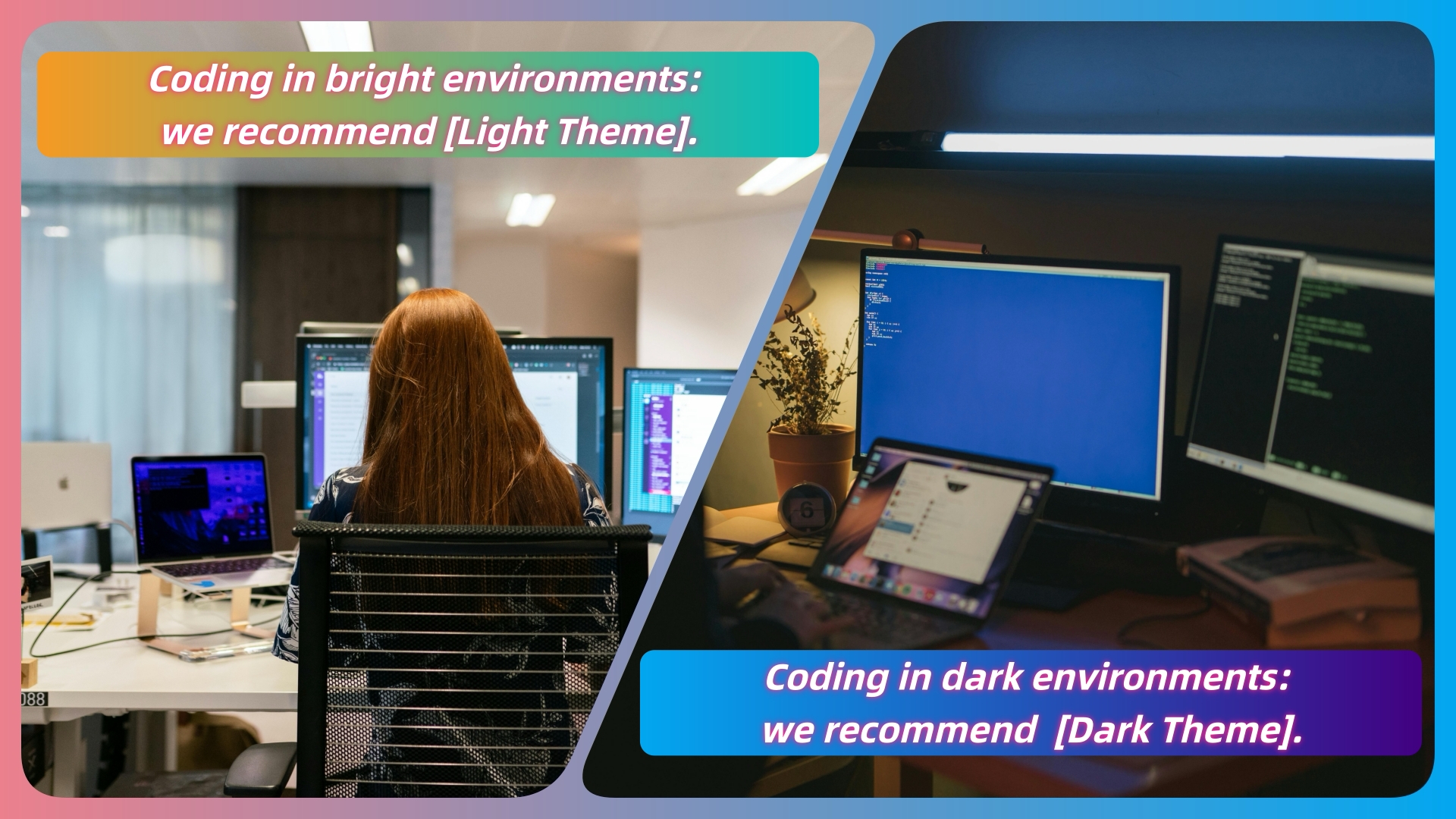
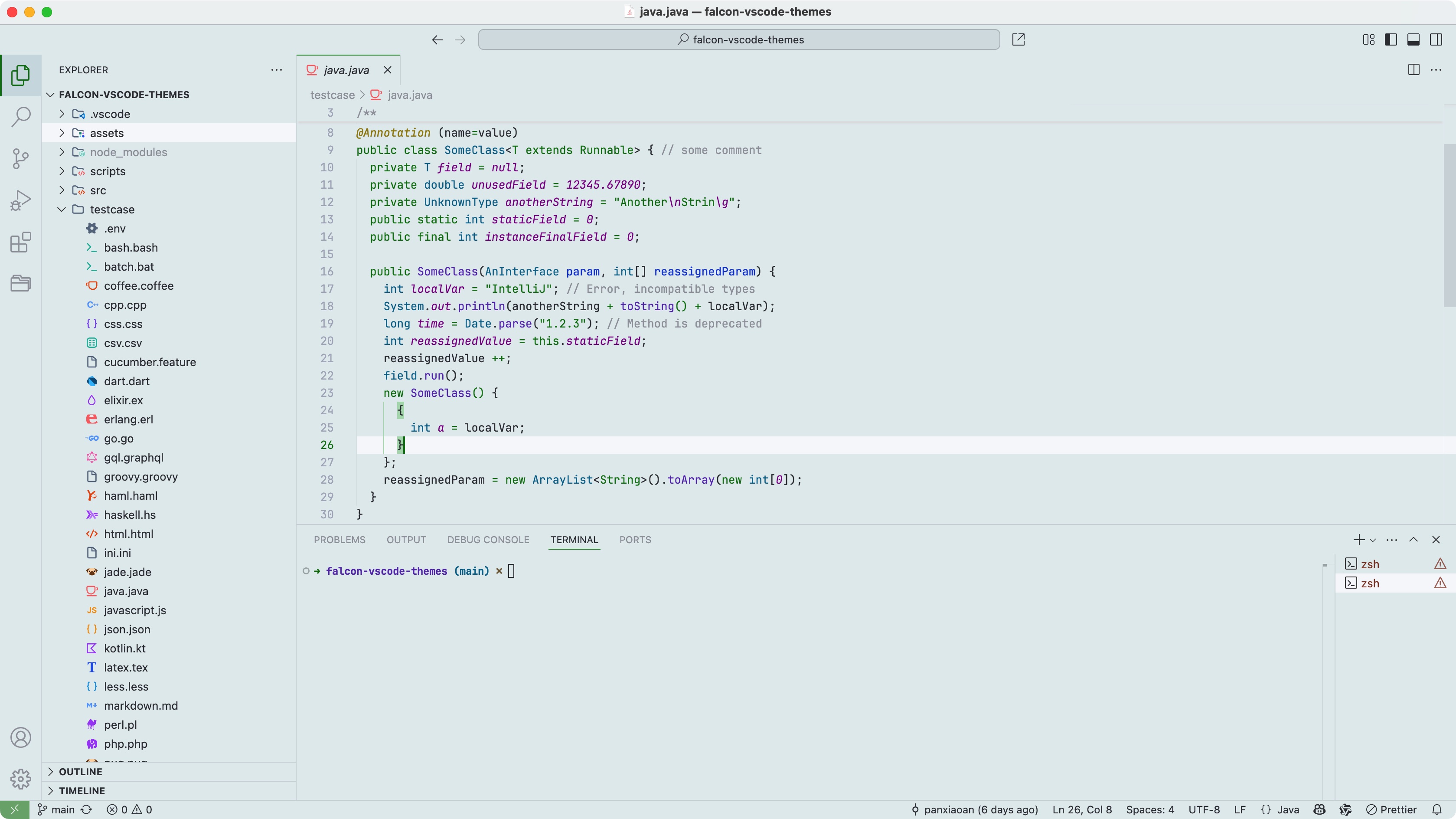 If you're working in a bright environment for extended periods, a light-colored theme is usually better.
You might want to try The Falcon Relaxing-Eyes Themes.
在明亮的工作环境中,长时间使用 VS Code,建议使用浅色主题,减少视觉疲劳。
> Dark or white color theme is better for the eyes?
 **Features:**
- Gentle, eye-friendly colors to reduce strain
- Improved syntax highlighting for clarity
- Consistent and clean theme style
- Lightweight design with minimal impact on VSCode - performance
**Falcon Relaxing-Eyes Light themes (for bright environments):**
- [Falcon Light Green](https://vscodethemes.com/e/panxiaoan.themes-falcon-vscode/falcon-light-green)
- [Falcon Light Celadon](https://vscodethemes.com/e/panxiaoan.themes-falcon-vscode/falcon-light-celadon)
- [Falcon Light Pink](https://vscodethemes.com/e/panxiaoan.themes-falcon-vscode/falcon-light-pink)
- [Falcon Light Yellow](https://vscodethemes.com/e/panxiaoan.themes-falcon-vscode/falcon-light-yellow)
- [Falcon Light Grey](https://vscodethemes.com/e/panxiaoan.themes-falcon-vscode/falcon-light-grey)
- [Falcon Light Bean Green](https://vscodethemes.com/e/panxiaoan.themes-falcon-vscode/falcon-light-bean-green)
- [Falcon Light Buff](https://vscodethemes.com/e/panxiaoan.themes-falcon-vscode/falcon-light-buff)
- There is more coming soooooon!!!
**Falcon Relaxing-Eyes Dark themes (for low-light environments):**
- [Falcon Dark](https://vscodethemes.com/e/panxiaoan.themes-falcon-vscode/falcon-dark)
- [Falcon Dark Green](https://vscodethemes.com/e/panxiaoan.themes-falcon-vscode/falcon-dark-green)
- [Falcon Dark Blue](https://vscodethemes.com/e/panxiaoan.themes-falcon-vscode/falcon-dark-blue)
- There is more coming soooooon!!!
## Many thanks the following projects:
- [Dracula Theme](https://draculatheme.com/visual-studio-code)
- [Uloco](https://github.com/uloco/syntax-highlighting-samples)
## Source Code
- [Gitee](https://gitee.com/panxiaoan/falcon-vscode-themes)
- [Github](https://github.com/panxiaoan/falcon-vscode-themes)
## Suggestion
- 因为主题颜色较浅,如果想要更清晰的显示效果,建议在 VS Code 设置更清晰的字体(如 `JetBrains Mono`, `Consolas`, `Fira Code`),并适当调大字号。
- 我的 VSCode 关于字体的设置:
```json
{
"editor.fontFamily": "JetBrains Mono",
"editor.fontWeight": "normal",
"editor.fontSize": 13,
"editor.lineHeight": 1.7,
"editor.fontLigatures": true
}
```
- 如果 Windows 用户,请开启 Windows ClearType,并优化显示器设置:在 Windows 设置里搜索 `ClearType`,开启并调优;同时调整显示器对比度和亮度。
## Screenshot (Falcon Light Themes)
- [Falcon Light Celadon](https://vscodethemes.com/e/panxiaoan.themes-falcon-vscode/falcon-light-celadon)
- [Falcon Light Green](https://vscodethemes.com/e/panxiaoan.themes-falcon-vscode/falcon-light-green)
**Features:**
- Gentle, eye-friendly colors to reduce strain
- Improved syntax highlighting for clarity
- Consistent and clean theme style
- Lightweight design with minimal impact on VSCode - performance
**Falcon Relaxing-Eyes Light themes (for bright environments):**
- [Falcon Light Green](https://vscodethemes.com/e/panxiaoan.themes-falcon-vscode/falcon-light-green)
- [Falcon Light Celadon](https://vscodethemes.com/e/panxiaoan.themes-falcon-vscode/falcon-light-celadon)
- [Falcon Light Pink](https://vscodethemes.com/e/panxiaoan.themes-falcon-vscode/falcon-light-pink)
- [Falcon Light Yellow](https://vscodethemes.com/e/panxiaoan.themes-falcon-vscode/falcon-light-yellow)
- [Falcon Light Grey](https://vscodethemes.com/e/panxiaoan.themes-falcon-vscode/falcon-light-grey)
- [Falcon Light Bean Green](https://vscodethemes.com/e/panxiaoan.themes-falcon-vscode/falcon-light-bean-green)
- [Falcon Light Buff](https://vscodethemes.com/e/panxiaoan.themes-falcon-vscode/falcon-light-buff)
- There is more coming soooooon!!!
**Falcon Relaxing-Eyes Dark themes (for low-light environments):**
- [Falcon Dark](https://vscodethemes.com/e/panxiaoan.themes-falcon-vscode/falcon-dark)
- [Falcon Dark Green](https://vscodethemes.com/e/panxiaoan.themes-falcon-vscode/falcon-dark-green)
- [Falcon Dark Blue](https://vscodethemes.com/e/panxiaoan.themes-falcon-vscode/falcon-dark-blue)
- There is more coming soooooon!!!
## Many thanks the following projects:
- [Dracula Theme](https://draculatheme.com/visual-studio-code)
- [Uloco](https://github.com/uloco/syntax-highlighting-samples)
## Source Code
- [Gitee](https://gitee.com/panxiaoan/falcon-vscode-themes)
- [Github](https://github.com/panxiaoan/falcon-vscode-themes)
## Suggestion
- 因为主题颜色较浅,如果想要更清晰的显示效果,建议在 VS Code 设置更清晰的字体(如 `JetBrains Mono`, `Consolas`, `Fira Code`),并适当调大字号。
- 我的 VSCode 关于字体的设置:
```json
{
"editor.fontFamily": "JetBrains Mono",
"editor.fontWeight": "normal",
"editor.fontSize": 13,
"editor.lineHeight": 1.7,
"editor.fontLigatures": true
}
```
- 如果 Windows 用户,请开启 Windows ClearType,并优化显示器设置:在 Windows 设置里搜索 `ClearType`,开启并调优;同时调整显示器对比度和亮度。
## Screenshot (Falcon Light Themes)
- [Falcon Light Celadon](https://vscodethemes.com/e/panxiaoan.themes-falcon-vscode/falcon-light-celadon)
- [Falcon Light Green](https://vscodethemes.com/e/panxiaoan.themes-falcon-vscode/falcon-light-green)
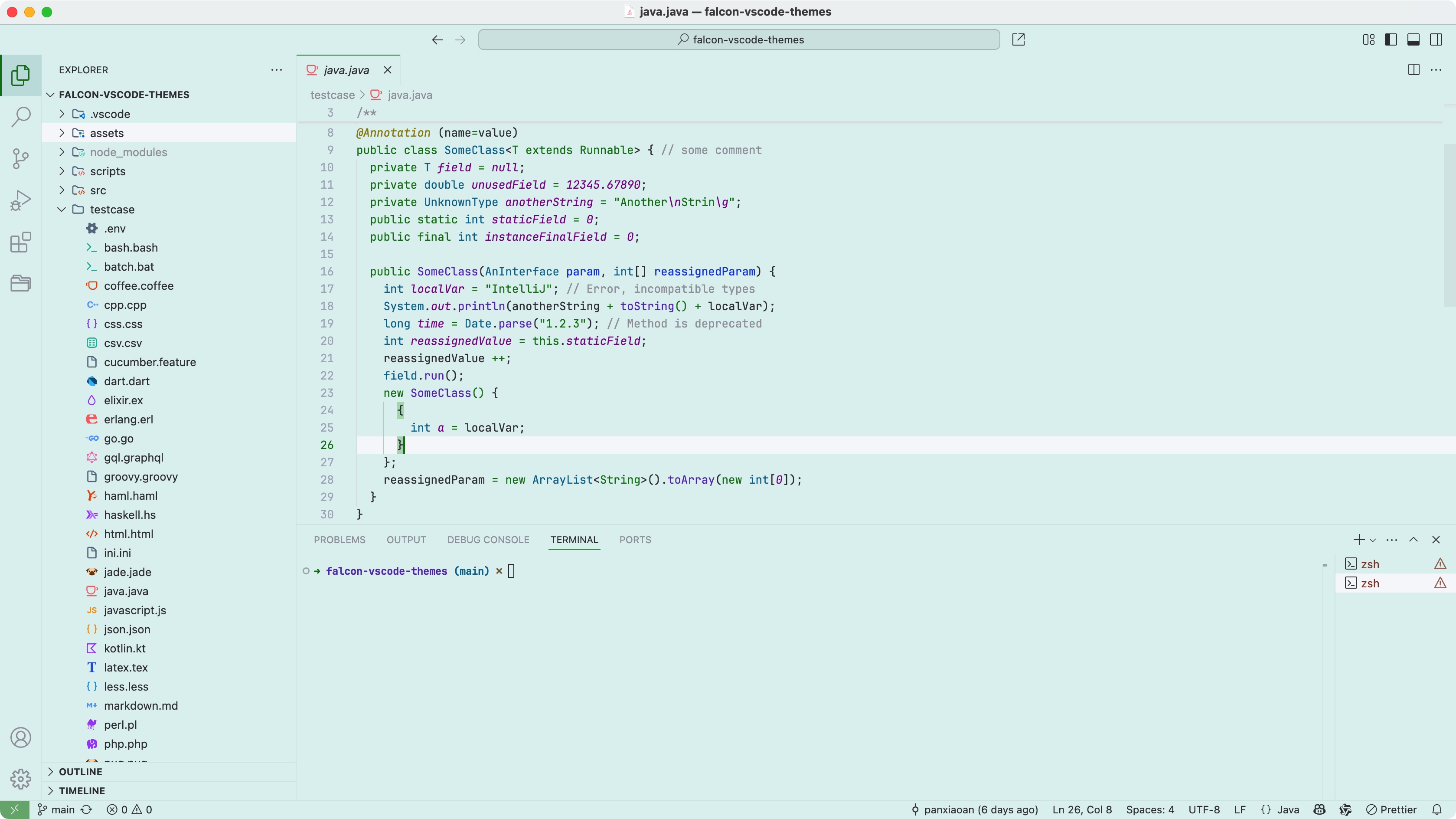 - [Falcon Light Pink](https://vscodethemes.com/e/panxiaoan.themes-falcon-vscode/falcon-light-pink)
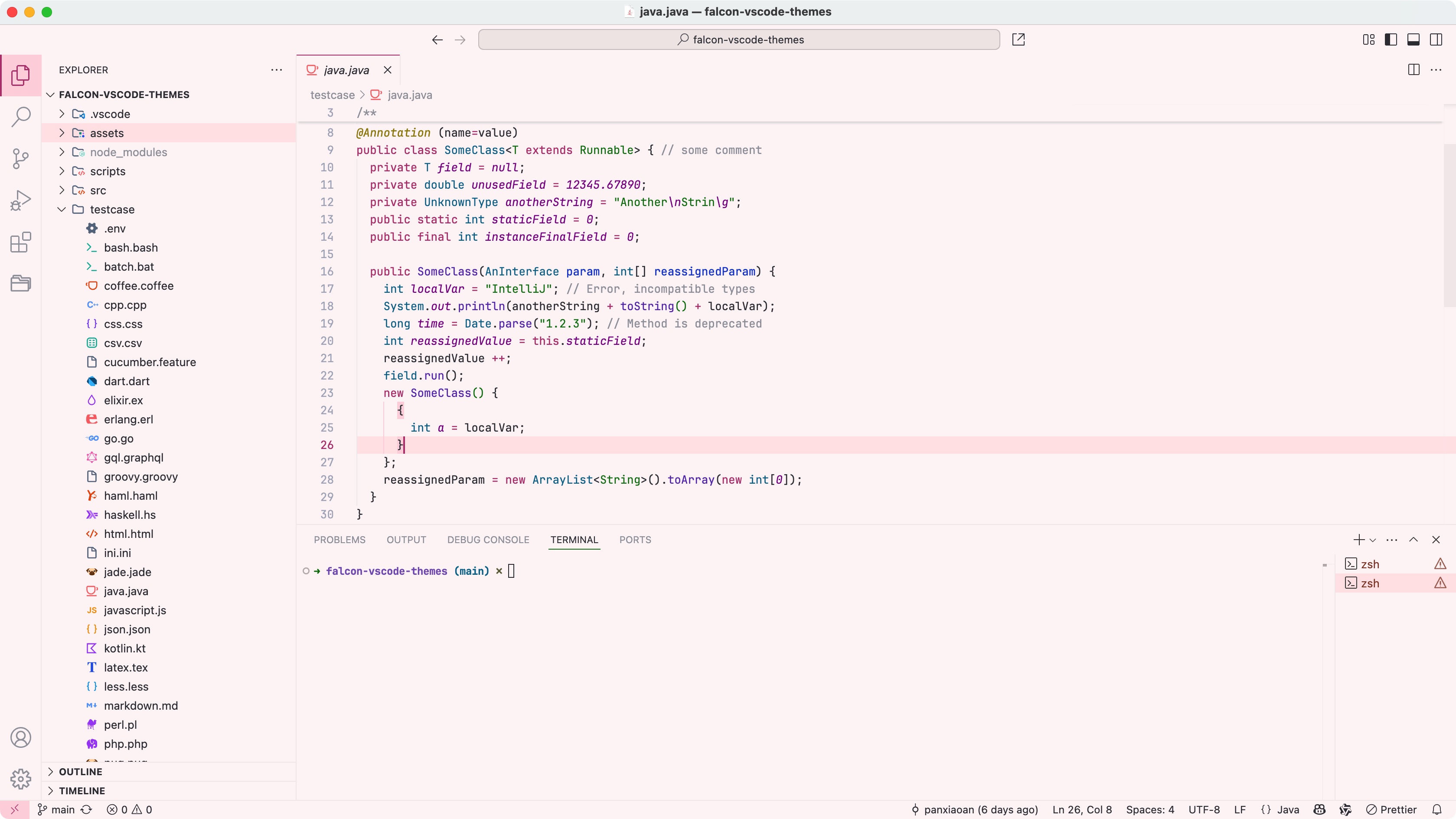 - [Falcon Light Yellow](https://vscodethemes.com/e/panxiaoan.themes-falcon-vscode/falcon-light-yellow)
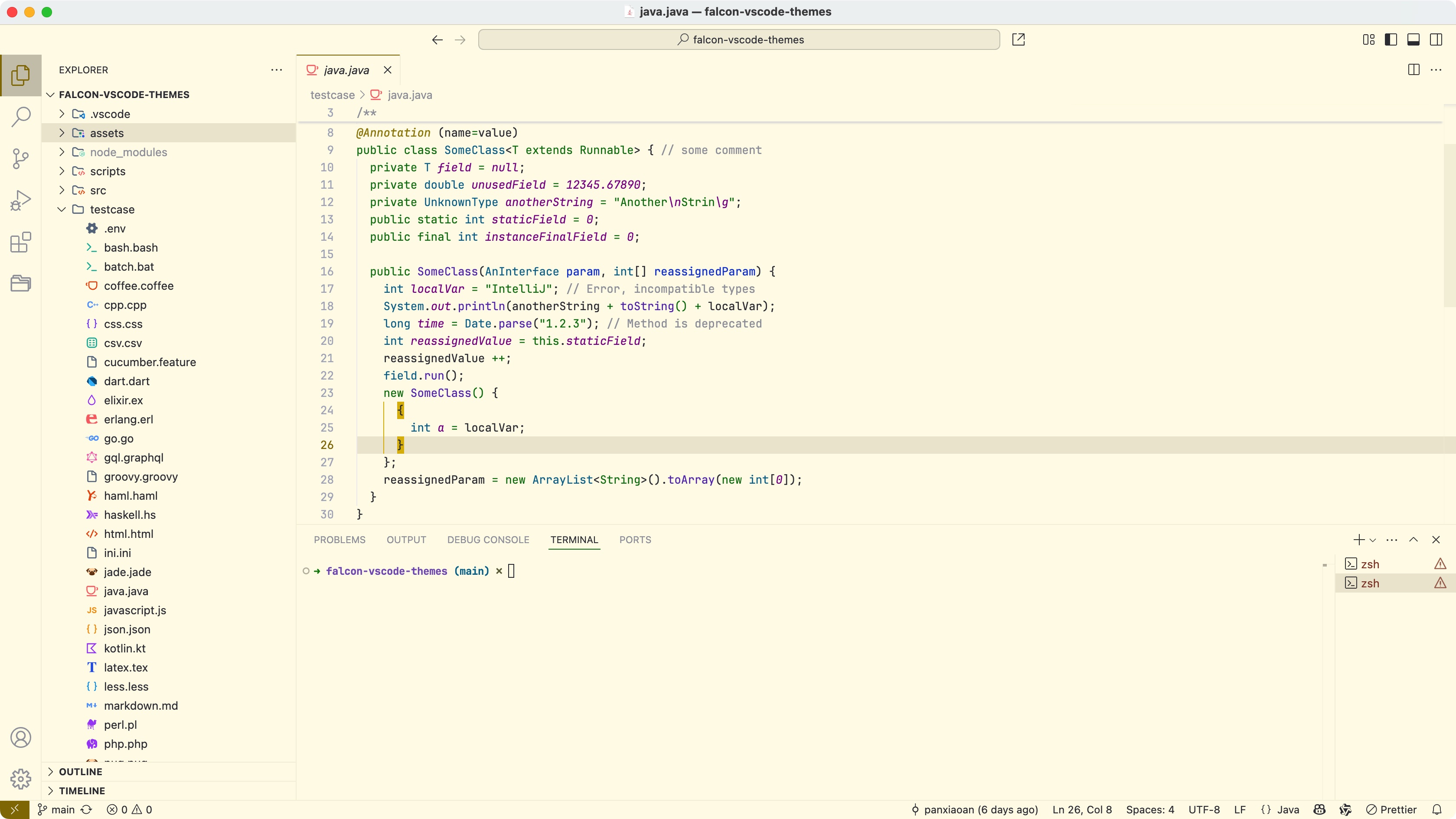 - [Falcon Light Grey](https://vscodethemes.com/e/panxiaoan.themes-falcon-vscode/falcon-light-grey)
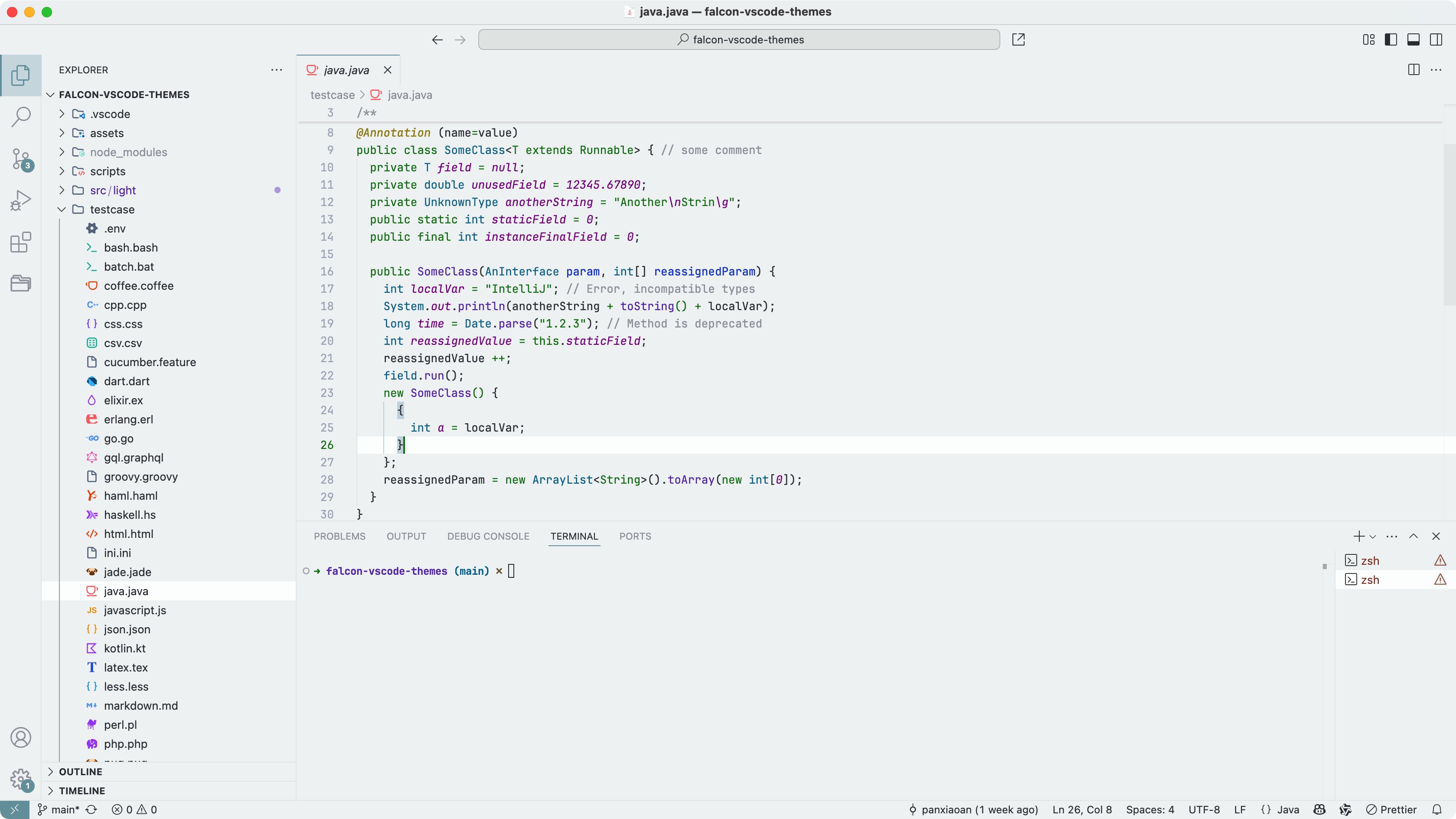 - [Falcon Light Bean Green](https://vscodethemes.com/e/panxiaoan.themes-falcon-vscode/falcon-light-bean-green)
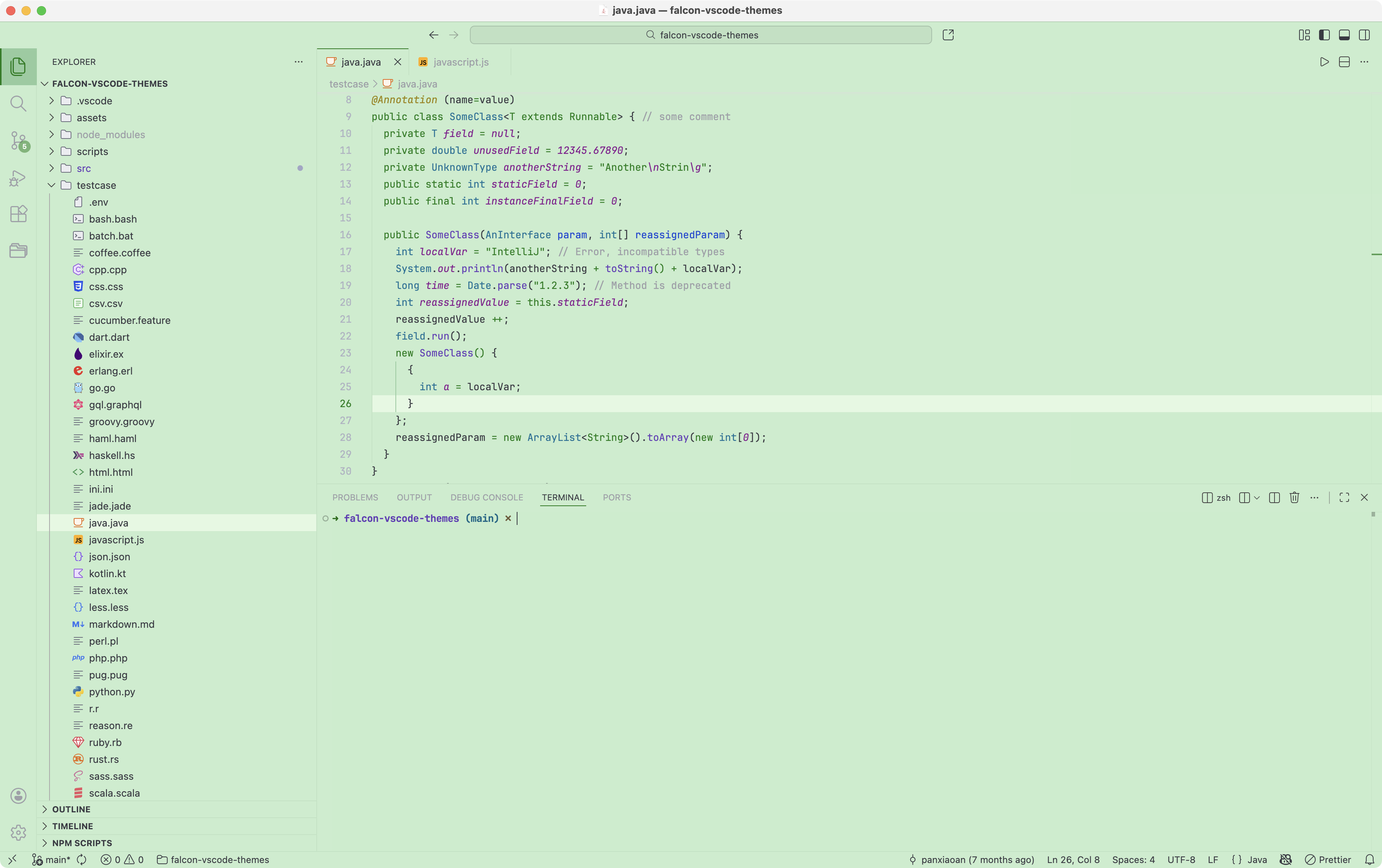 - [Falcon Light Buff](https://vscodethemes.com/e/panxiaoan.themes-falcon-vscode/falcon-light-buff)
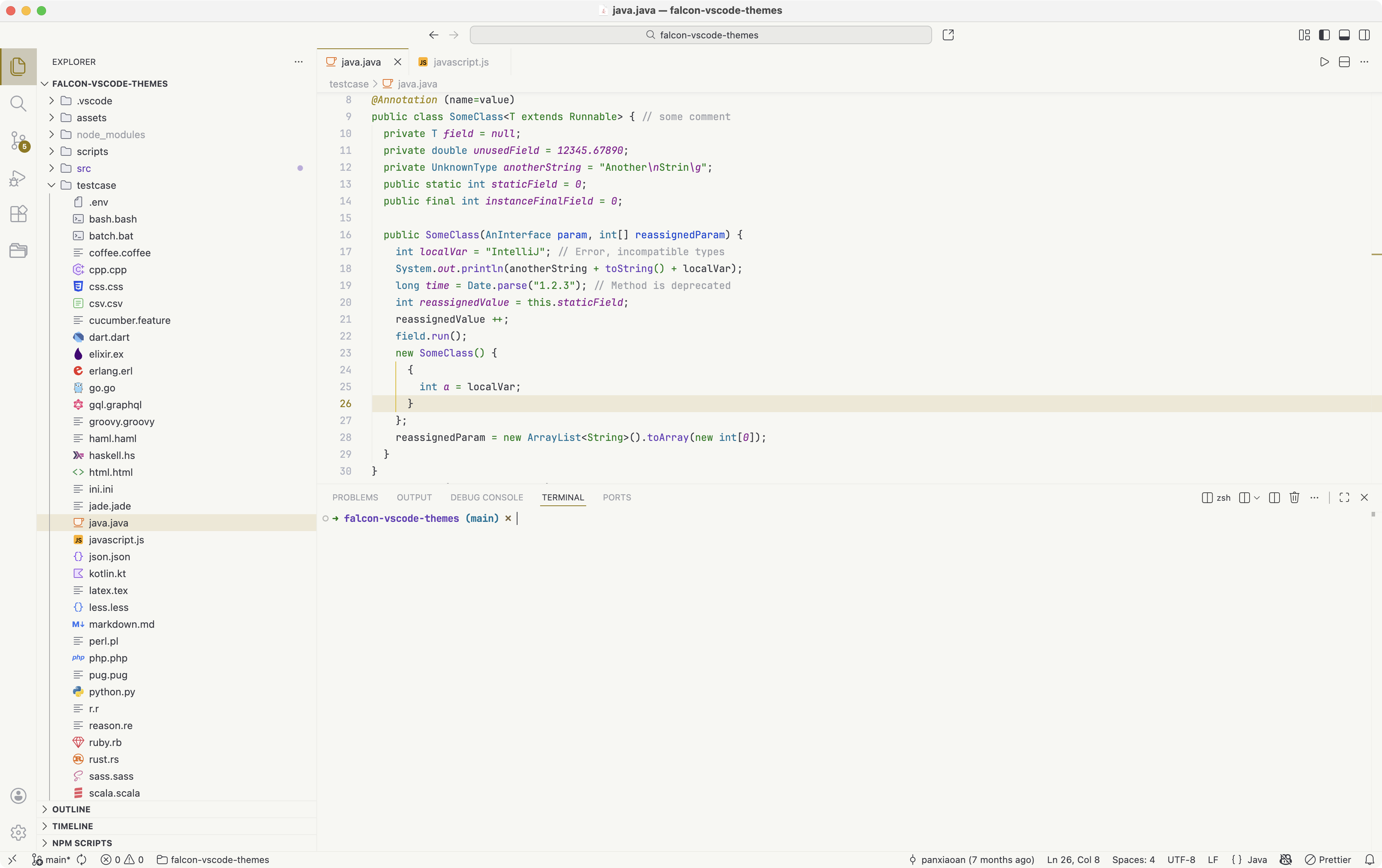 ## Screenshot (Falcon Dark Themes)
- [Falcon Dark](https://vscodethemes.com/e/panxiaoan.themes-falcon-vscode/falcon-dark)
## Screenshot (Falcon Dark Themes)
- [Falcon Dark](https://vscodethemes.com/e/panxiaoan.themes-falcon-vscode/falcon-dark)
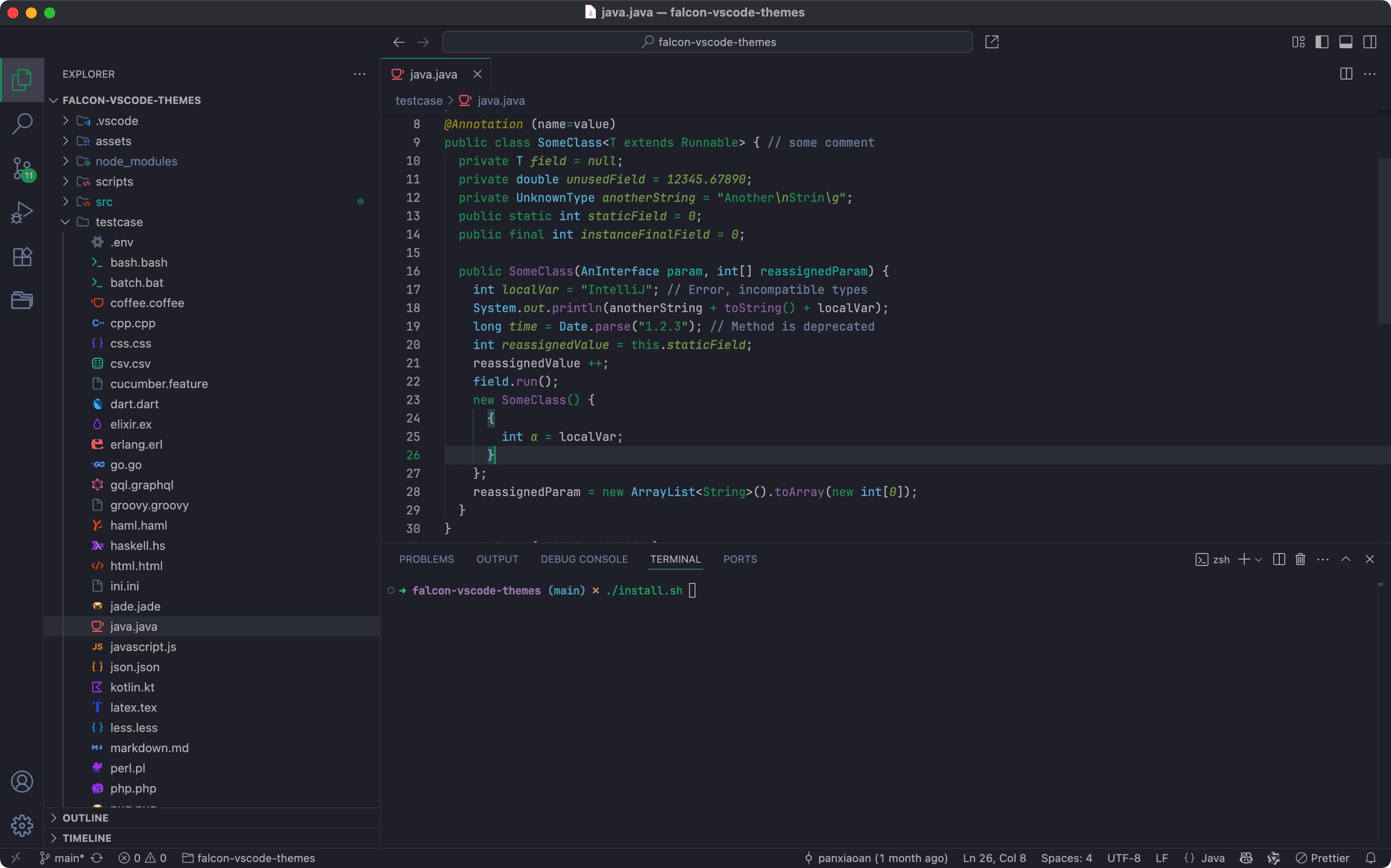 - [Falcon Dark Green](https://vscodethemes.com/e/panxiaoan.themes-falcon-vscode/falcon-dark-green)
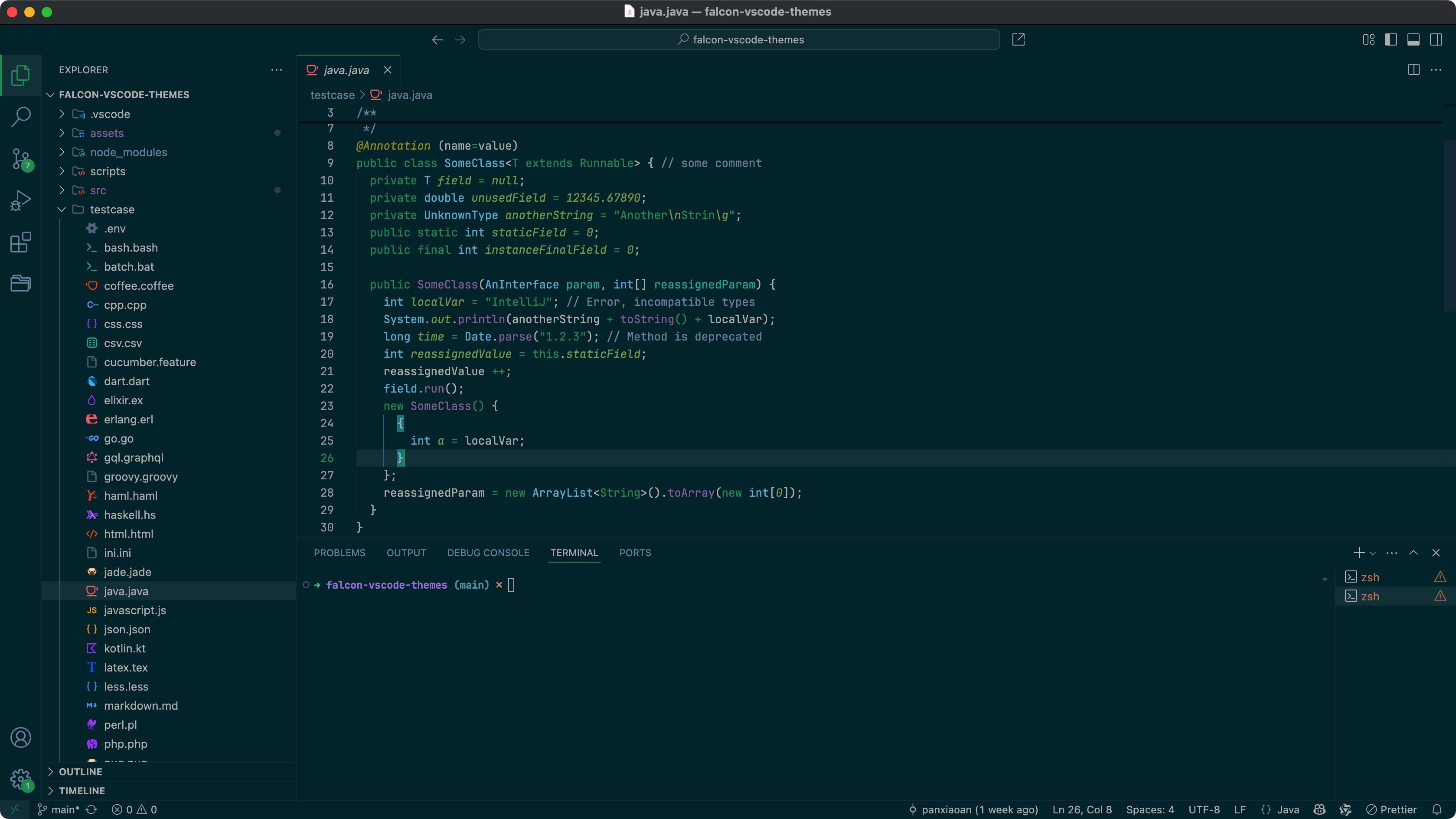 - [Falcon Dark Blue](https://vscodethemes.com/e/panxiaoan.themes-falcon-vscode/falcon-dark-blue)
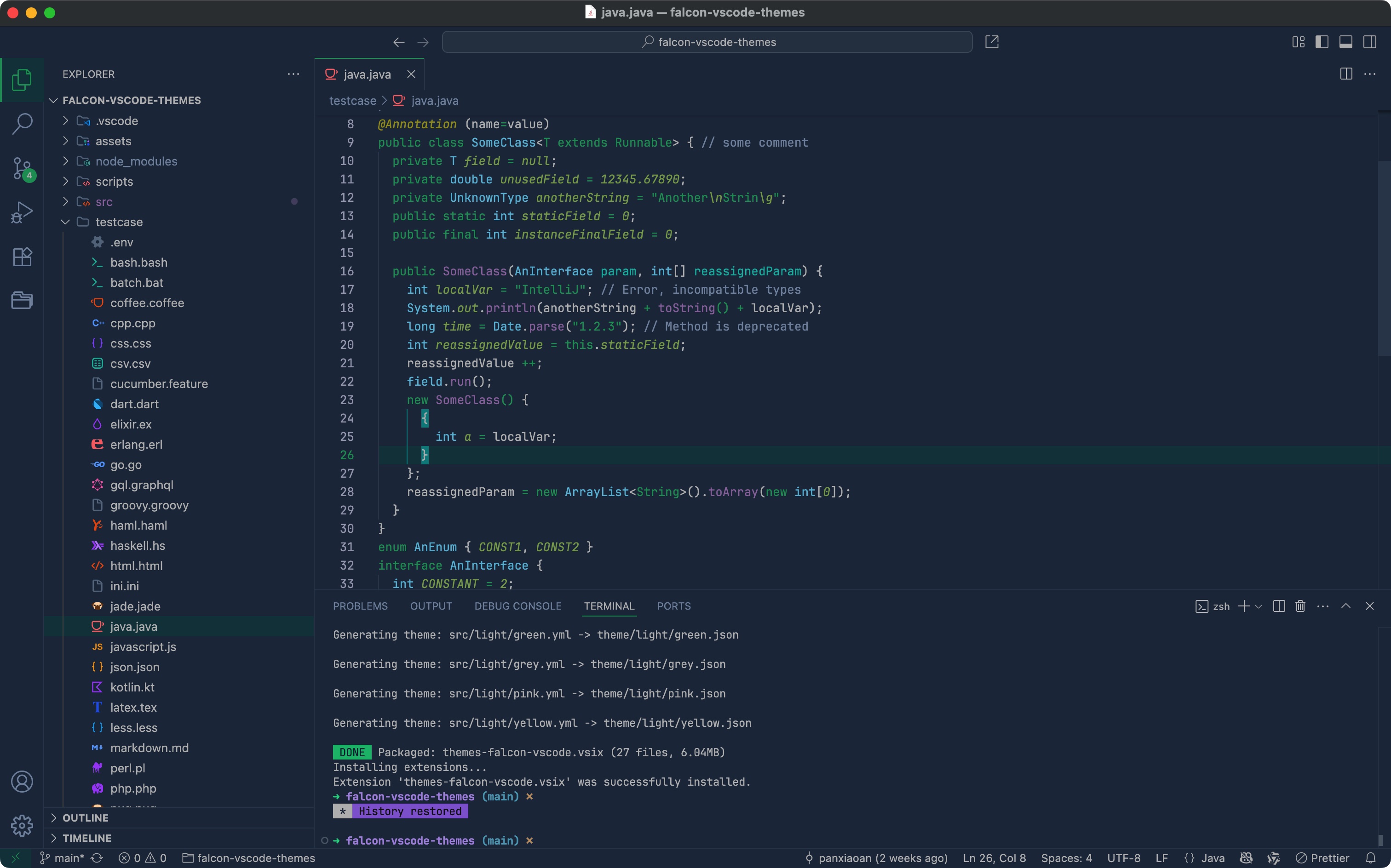 ## License
[MIT License](./LICENSE.txt)
## Jetbrains IDE Theme
另外,使用 Jetbrains IDE 的用户,也可以体验同款主题
请前往 Jetbrains Marketplace [下载](https://plugins.jetbrains.com/plugin/26026-falcon-relax-eyes-light-theme)
## License
[MIT License](./LICENSE.txt)
## Jetbrains IDE Theme
另外,使用 Jetbrains IDE 的用户,也可以体验同款主题
请前往 Jetbrains Marketplace [下载](https://plugins.jetbrains.com/plugin/26026-falcon-relax-eyes-light-theme)