# Fig-CLI
**Repository Path**: pomelo72/Fig-CLI
## Basic Information
- **Project Name**: Fig-CLI
- **Description**: Fig 是一个命令行智能提示工具,支持 Git、文件系统、NPM、K8S、Docker、SSH 等众多 CLI 工具
- **Primary Language**: TypeScript
- **License**: MIT
- **Default Branch**: master
- **Homepage**: https://www.oschina.net/p/fig-cli
- **GVP Project**: No
## Statistics
- **Stars**: 0
- **Forks**: 1
- **Created**: 2024-05-07
- **Last Updated**: 2024-05-07
## Categories & Tags
**Categories**: Uncategorized
**Tags**: None
## README


---
[](#)
[](https://fig.io?ref=github_autocomplete)
[](https://fig.io/docs/)
[](#Contributors)
[](https://fig.io/community)
[](https://twitter.com/intent/follow?screen_name=fig)
**[Fig](https://fig.io?ref=github_autocomplete) makes the command line easier
for individuals and more collaborative for teams.**
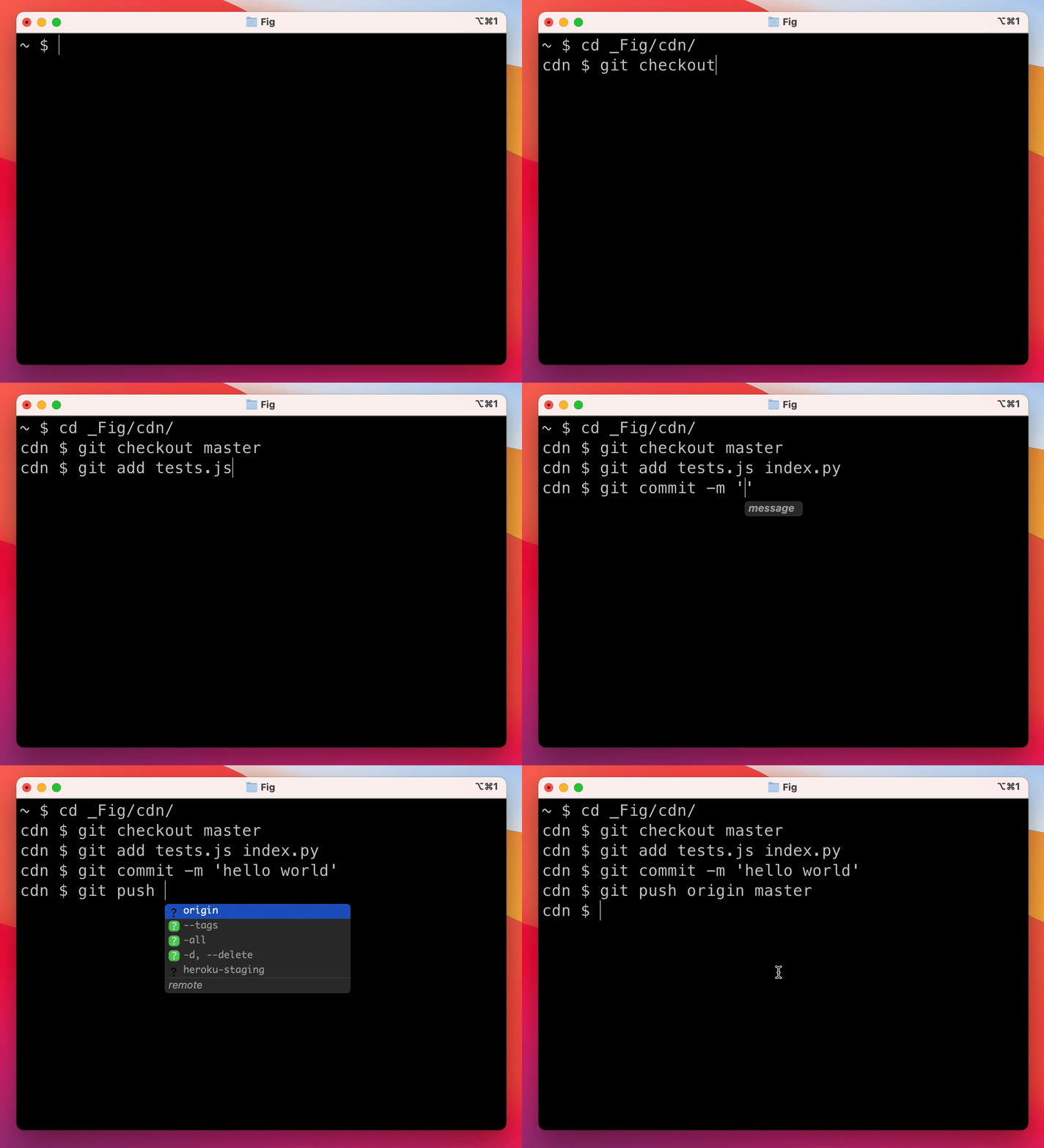
Our most popular product is Autocomplete. As you type, Fig pops up subcommands,
options, and contextually relevant arguments in your existing terminal.
## ⚡️ Installation
- **macOS**:
- **DMG**: Download from our website: [fig.io](https://fig.io/welcome)
- **Homebrew**: `brew install fig`
- **Windows/Linux**:
- Join the [waitlist](https://withfig.typeform.com/linux)
- **Remote machines**
- [Autocomplete in SSH](https://fig.io/user-manual/autocomplete/ssh)
- [Autocomplete in Docker Containers](https://fig.io/user-manual/autocomplete/docker)
> NOTE: Once it's downloaded, launch the app to set up Fig!
## 👋 What are "completion specs"?
A completion spec is a _declarative_ schema that specifies the `subcommands`,
`options` and `args` for a CLI tool. Fig uses these schemas to generate
suggestions.
## 😎 Contribute your first spec in < 3 minutes
Use the steps below or follow our getting started guide:
[fig.io/docs](https://fig.io/docs)
**Prerequisites:**
- Download Fig for macOS
- Node and Pnpm
**Steps**
1. Make sure you have `pnpm` [installed](https://pnpm.io/installation), as
that's the package manager used in this repo.
2. Click [here](https://GitHub.com/withfig/autocomplete/fork/) to fork this
repo.
3. Clone your forked repo and create an example spec
```bash
# Replace `YOUR_GITHUB_USERNAME` with your own GitHub username
git clone https://github.com/YOUR_GITHUB_USERNAME/autocomplete.git fig-autocomplete
cd fig-autocomplete
# Add withfig/autocomplete as a remote
git remote add upstream https://github.com/withfig/autocomplete.git
# Install packages
pnpm install
# Create an example spec (call it "abc")
pnpm create-spec abc
# Turn on "dev mode"
pnpm dev
```
4. Now go to your terminal and type `abc[space]`. Your example spec will appear.
😊
#### Other things to know
- Edit your spec in TypeScript in the `src/` folder
- On save, specs are compiled to the `build/` folder
- In **dev mode**, specs are read from the `build` folder, and generators run
every keystroke.
## 🪄 Add AI to completions
You can use Fig's autocomplete for your own tools too. Here's how to create
private completions:
```ts
import { ai } from "@fig/autocomplete-generators"
...
generators: [
ai({
// the prompt
prompt: "Generate a git commit message",
// Send any relevant local context.
message: async ({ executeShellCommand }) => {
return executeShellCommand("git diff")
},
// turn each newline into a suggestion (can specify instead a `postProcess1 function if more flexibility is required)
splitOn: "\n",
})
]
```
## 📦 Other available package.json commands
```bash
# Typecheck all specs in the src/ folder
pnpm test
# Compile typescripts specs from src/ folder to build/ folder
pnpm build
# Lint and fix issues
pnpm lint:fix
```
## 🔥 Contributions
We would love contributions for:
- new completion specs
- errors with existing completion specs (e.g. missing subcommands, options, or
arguments)
- [generators](https://fig.io/docs/getting-started/generating-argument-suggestions)
for argument suggestions
- better descriptions, icons etc
- [themes](https://github.com/withfig/themes)!
If you aren't able to contribute, please feel free to open an
[issue](https://github.com/withfig/autocomplete/issues/new/choose).
## 😊 Need Help?
Join our community

## 🧑💻 Teams / Enterprise
Want to use Fig to add autocomplete internal CLI tools? Or want to use Fig at
work but have security / compliance concerns?
We would love to help get you set up. Please email
[enterprise@fig.io](mailto:enterprise@fig.io)
## 🙋♀️ FAQ
#### What terminals does Fig work with?
Fig works with the native macOS Terminal app, [iTerm], [Tabby], [Hyper],
[Kitty], [WezTerm], and [Alacritty]. It also works in the integrated terminals
of [VSCode], [JetBrains IDEs], [Android Studio], and [Nova].
[iterm]: https://iterm2.com
[tabby]: https://tabby.sh
[hyper]: https://hyper.is
[kitty]: https://sw.kovidgoyal.net/kitty
[wezterm]: https://wezfurlong.org/wezterm/
[alacritty]: https://alacritty.org/
[vscode]: https://code.visualstudio.com/
[jetbrains ides]: https://www.jetbrains.com/
[android studio]: https://developer.android.com/studio
[nova]: https://nova.app/
Want to see another terminal included? Check our
[issue tracker](https://github.com/withfig/fig) and add your support for it!
#### How does Fig work?
Fig uses the Accessibility API on Mac to position the window, and integrates
with your shell to read what you've typed.
#### Does Fig work on Windows or Linux?
Not yet, Fig is only available on macOS for now.
[Windows](https://github.com/withfig/fig/issues/35) and
[Linux](https://github.com/withfig/fig/issues/34) support is in progress!
#### How can I download Fig?
Run `brew install fig` or, downloading the app at
[fig.io/download](https://fig.io/download). Then, launch the Fig app!
#### Can I use Fig to build autocomplete for my team's internal scripts and CLI tools?
Yes! Check out our guide on how to
[get started building autocomplete specs](https://fig.io/docs/getting-started).
#### How do I submit a PR?
Check out our
[How to Contribute](https://fig.io/docs/getting-started/contributing) guide.
Many of Fig's 200+ contributors made their first open source contribution to
Fig!
#### Fig doesn't work for me!
[Join the Discord server](https://fig.io/community) and we'll debug it. Fixing
Fig in your setup will fix it for other people too! 🙂
#### Did we miss something?
Get in touch at hello@fig.io or chat with us on
[Discord](https://fig.io/community).
## ✨ Contributors