# layout
**Repository Path**: q1914380806/layout
## Basic Information
- **Project Name**: layout
- **Description**: No description available
- **Primary Language**: Unknown
- **License**: Not specified
- **Default Branch**: master
- **Homepage**: None
- **GVP Project**: No
## Statistics
- **Stars**: 0
- **Forks**: 0
- **Created**: 2021-07-14
- **Last Updated**: 2024-10-14
## Categories & Tags
**Categories**: Uncategorized
**Tags**: None
## README
Layout
======
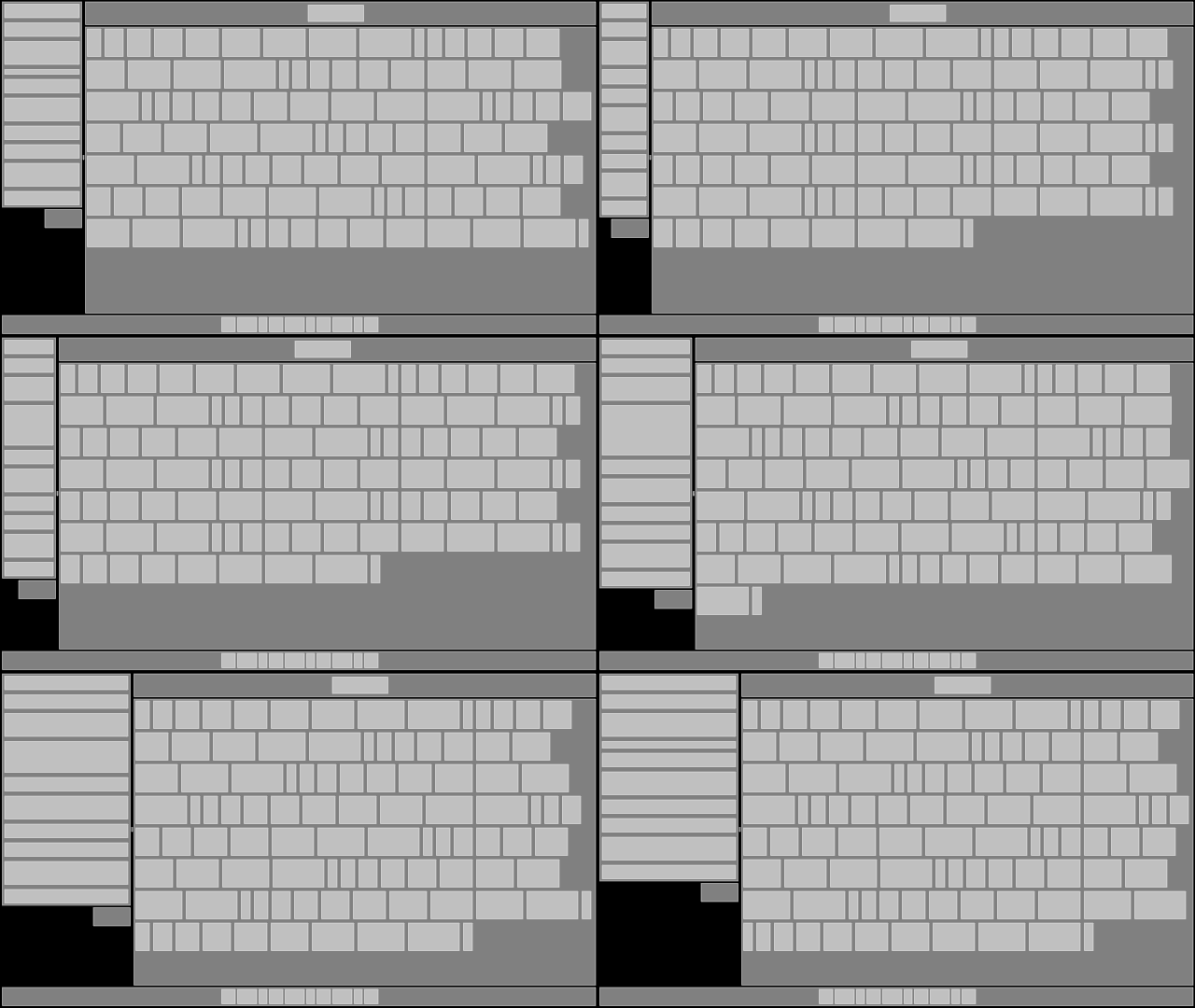
A simple/fast stacking box layout library. It's useful for calculating layouts
for things like 2D user interfaces. It compiles as C99 or C++. It's tested with
gcc (mingw64), VS2015, and clang/LLVM. You only need one file to use it in your
own project: [layout.h](layout.h).
Use Layout in Your Project
--------------------------
To use *Layout* in your own project, copy [layout.h](layout.h) into your
project's source tree and define `LAY_IMPLEMENTATION` in exactly one `.c` or
`.cpp` file that includes [layout.h](layout.h).
The includes in your one special file should look like this:
```C
#include ...
#include ...
#define LAY_IMPLEMENTATION
#include "layout.h"
```
All other files in your project should not define `LAY_IMPLEMENTATION`, and can
include [layout.h](layout.h) like normal.
Requirements and Extras
-----------------------
*Layout* has no external dependencies, but by default it does use `assert.h`,
`stdlib.h` and `string.h` for `assert`, `realloc` and `memset`. If your own
project does not or cannot use these, you can easily exchange them for
something else by using preprocessor definitions. See the section below about
the available [customizations](#customizations).
*Layout* can be built as C99 or C++ if you are using GCC or Clang, but must be
built as C++ if you are using MSVC. This requirement exists because the
*Layout* implementation code uses the `vector_size` extension in GCC and Clang,
which does not exist in MSVC. C++ operator overloading is used to simulate this
feature in MSVC. The code generated by all three compilers is not too different
-- the `vector_size` extension is used mostly to keep the syntax of the
implementation easier to read.
*Layout* is based on the nice library
[oui](https://bitbucket.org/duangle/oui-blendish) by
[duangle](https://twitter.com/duangle). Unlike *oui*, *Layout* does not handle
anything related to user input, focus, or UI state.
Building the tests and benchmarks is handled by the [tool.bash](tool.bash)
script, or by [GENie](https://github.com/bkaradzic/GENie). See the section
below about [building the tests and
benchmarks](#building-the-tests-and-benchmarks). There's also an example of
using *Layout* as a Lua `.dll` module. However, you don't need any of that to
use *Layout* in your own project.
Options
-------
You can choose to build *Layout* to use either integer (int16) or floating
point (float) coordinates. Integer is the default, because UI and other 2D
layouts do not often use units smaller than a single point when aligning and
positioning elements. You can choose to use floating point instead of integer
by defining `LAY_FLOAT`.
* `LAY_FLOAT`, when defined, will use `float` instead of `int16` for
coordinates.
In addition to the `LAY_FLOAT` preprocessor option, other behavior in *Layout*
can be customized by setting preprocessor definitions. Default behavior will be
used for undefined customizations.
* `LAY_ASSERT` will replace the use of `assert.h`'s `assert`
* `LAY_REALLOC` will replace the use of `stdlib.h`'s `realloc`
* `LAY_MEMSET` will replace the use of `string.h`'s `memset`
If you define `LAY_REALLOC`, you will also need to define `LAY_FREE`.
Example
=======
```C
// LAY_IMPLEMENTATION needs to be defined in exactly one .c or .cpp file that
// includes layout.h. All other files should not define it.
#define LAY_IMPLEMENTATION
#include "layout.h"
// Let's pretend we're creating some kind of GUI with a master list on the
// left, and the content view on the right.
// We first need one of these
lay_context ctx;
// And we need to initialize it
lay_init_context(&ctx);
// The context will automatically resize its heap buffer to grow as needed
// during use. But we can avoid multiple reallocations by reserving as much
// space as we'll need up-front. Don't worry, lay_init_context doesn't do any
// allocations, so this is our first and only alloc.
lay_reserve_items_capacity(&ctx, 1024);
// Create our root item. Items are just 2D boxes.
lay_id root = lay_item(&ctx);
// Let's pretend we have a window in our game or OS of some known dimension.
// We'll want to explicitly set our root item to be that size.
lay_set_size_xy(&ctx, root, 1280, 720);
// Set our root item to arrange its children in a row, left-to-right, in the
// order they are inserted.
lay_set_contain(&ctx, root, LAY_ROW);
// Create the item for our master list.
lay_id master_list = lay_item(&ctx);
lay_insert(&ctx, root, master_list);
// Our master list has a specific fixed width, but we want it to fill all
// available vertical space.
lay_set_size_xy(&ctx, master_list, 400, 0);
// We set our item's behavior within its parent to desire filling up available
// vertical space.
lay_set_behave(&ctx, master_list, LAY_VFILL);
// And we set it so that it will lay out its children in a column,
// top-to-bottom, in the order they are inserted.
lay_set_contain(&ctx, master_list, LAY_COLUMN);
lay_id content_view = lay_item(&ctx);
lay_insert(&ctx, root, content_view);
// The content view just wants to fill up all of the remaining space, so we
// don't need to set any size on it.
//
// We could just set LAY_FILL here instead of bitwise-or'ing LAY_HFILL and
// LAY_VFILL, but I want to demonstrate that this is how you combine flags.
lay_set_behave(&ctx, content_view, LAY_HFILL | LAY_VFILL);
// Normally at this point, we would probably want to create items for our
// master list and our content view and insert them. This is just a dumb fake
// example, so let's move on to finishing up.
// Run the context -- this does all of the actual calculations.
lay_run_context(&ctx);
// Now we can get the calculated size of our items as 2D rectangles. The four
// components of the vector represent x and y of the top left corner, and then
// the width and height.
lay_vec4 master_list_rect = lay_get_rect(&ctx, master_list);
lay_vec4 content_view_rect = lay_get_rect(&ctx, content_view);
// master_list_rect == { 0, 0, 400, 720}
// content_view_rect == {400, 0, 880, 720}
// If we're using an immediate-mode graphics library, we could draw our boxes
// with it now.
my_ui_library_draw_box_x_y_width_height(
master_list_rect[0],
master_list_rect[1],
master_list_rect[2],
master_list_rect[3]);
// You could also recursively go through the entire item hierarchy using
// lay_first_child and lay_next_sibling, or something like that.
// After you've used lay_run_context, the results should remain valid unless a
// reallocation occurs.
//
// However, while it's true that you could manually update the existing items
// in the context by using lay_set_size{_xy}, and then calling lay_run_context
// again, you might want to consider just rebuilding everything from scratch
// every frame. This is a lot easier to program than tedious fine-grained
// invalidation, and a context with thousands of items will probably still only
// take a handful of microseconds.
//
// There's no way to remove items -- once you create them and insert them,
// that's it. If we want to reset our context so that we can rebuild our layout
// tree from scratch, we use lay_reset_context:
lay_reset_context(&ctx);
// And now we could start over with creating the root item, inserting more
// items, etc. The reason we don't create a new context from scratch is that we
// want to reuse the buffer that was already allocated.
// But let's pretend we're shutting down our program -- we need to destroy our
// context.
lay_destroy_context(&ctx);
// The heap-allocated buffer is now freed. The context is now invalid for use
// until lay_init_context is called on it again.
```
Building the Tests and Benchmarks
=================================
ⓘ | None of this is necessary to use in your own project. These directions are only for building the tests and benchmarks programs, which you probably don't care about.
:---: | :---
If you have bash and are on a POSIX system, you can use the `tool.bash`
script to build *Layout*'s standalone tests and benchmarks programs. Run
`tool.bash` to see the options.
Using GENie
Instead of using the `tool.bash` script, you can use GENie to generate a Visual
Studio project file, or any of the other project and build system output types
it supports. The GENie generator also lets you build the example Lua module.
Directions for acquiring and using GENie
The [genie.lua](genie.lua) script is mostly tested on Windows, so if you use it
on another platform, you might need to tweak it.
You will first need to get (or make) a GENie binary and place it in your path
or at the root of this repository.
Download GENie
--------------
Linux:
https://github.com/bkaradzic/bx/raw/master/tools/bin/linux/genie
OSX:
https://github.com/bkaradzic/bx/raw/master/tools/bin/darwin/genie
Windows:
https://github.com/bkaradzic/bx/raw/master/tools/bin/windows/genie.exe
Visual Studio 2015/2017
-----------------------
```
genie.exe vs2015
start build/vs2015/layout.sln
```
Replace vs2015 with vs2017 if you want to use Visual Studio 2017.
GCC/MinGW/Clang
---------------
```
./genie gmake
```
and then run your `make` in the directory `build/gmake`. You will need to
specify a target and config. Here is an example for building the `tests` target
in Windows with the 64-bit release configuration using mingw64 in a bash-like
shell (for example, git bash):
```
./genie.exe gmake && mingw32-make.exe -C build/gmake tests config=release64
```
If you want to use float coordinates instead of integer, you can use an option in the build script which will define `LAY_FLOAT` for you:
```
./genie gmake --coords=float
```
or if you want to specify integer (the default):
```
./genie gmake --coords=integer
```