LTUI









A cross-platform terminal ui library based on Lua
A cross-platform terminal ui library based on Lua
 ## Installation
```console
$ luarocks install ltui
```
## Build
We need install the cross-platform build utility [xmake](https://github.com/xmake-io/xmake) first.
```console
$ xmake
```
## Run tests
We need install [lua](https://www.lua.org/) or [luajit](http://luajit.org/) to run tests first.
```console
$ xmake run test dialog
$ xmake run test window
$ xmake run test desktop
$ xmake run test inputdialog
$ xmake run test mconfdialog
```
Or
```console
$ lua tests/dialog.lua
$ lua tests/window.lua
$ lua tests/desktop.lua
$ lua tests/inputdialog.lua
$ lua tests/mconfdialog.lua
```
Or
```console
$ luajit tests/dialog.lua
$ luajit tests/window.lua
$ luajit tests/desktop.lua
$ luajit tests/inputdialog.lua
$ luajit tests/mconfdialog.lua
```
## Examples
#### Application
```lua
local ltui = require("ltui")
local application = ltui.application
local event = ltui.event
local rect = ltui.rect
local window = ltui.window
local demo = application()
function demo:init()
application.init(self, "demo")
self:background_set("blue")
self:insert(window:new("window.main", rect {1, 1, self:width() - 1, self:height() - 1}, "main window", true))
end
demo:run()
```
#### Label
```lua
local lab = label:new("title", rect {0, 0, 12, 1}, "hello ltui!"):textattr_set("white")
```
#### Button
```lua
local btn = button:new("yes", rect {0, 1, 7, 2}, "< Yes >"):textattr_set("white")
```
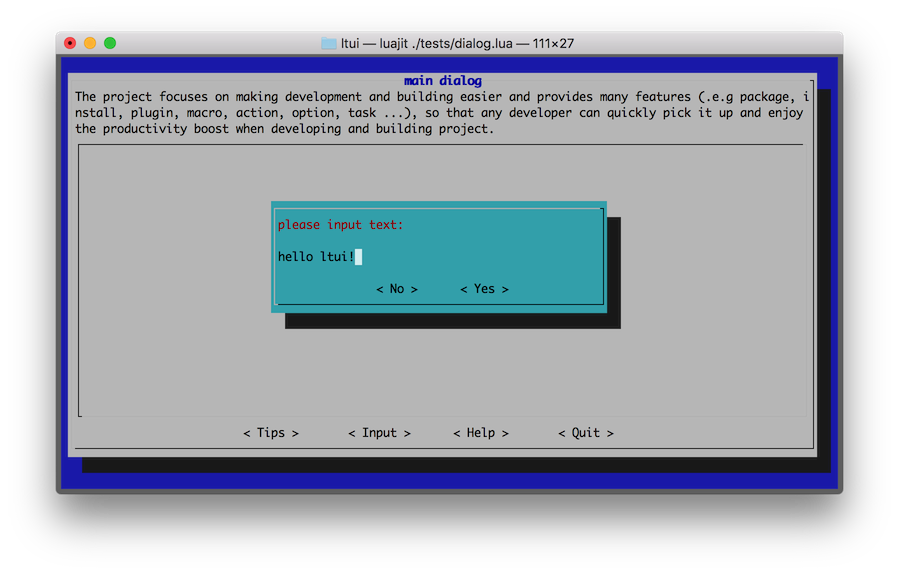
#### Input dialog
```lua
function demo:init()
-- ...
local dialog_input = inputdialog:new("dialog.input", rect {0, 0, 50, 8})
dialog_input:text():text_set("please input text:")
dialog_input:button_add("no", "< No >", function (v) dialog_input:quit() end)
dialog_input:button_add("yes", "< Yes >", function (v) dialog_input:quit() end)
self:insert(dialog_input, {centerx = true, centery = true})
end
```
## Components
| views | dialogs | others |
| ------- | ------ | ------ |
| view | dialog | event |
| panel | boxdialog | action |
| label | textdialog | canvas |
| button | inputdialog | curses |
| border | mconfdialog | program |
| window | choicedialog | application |
| menubar | | point |
| menuconf | | rect |
| textedit | | object |
| textarea | | |
| statusbar | | |
| choicebox | | |
| desktop | | |
## Snapshot
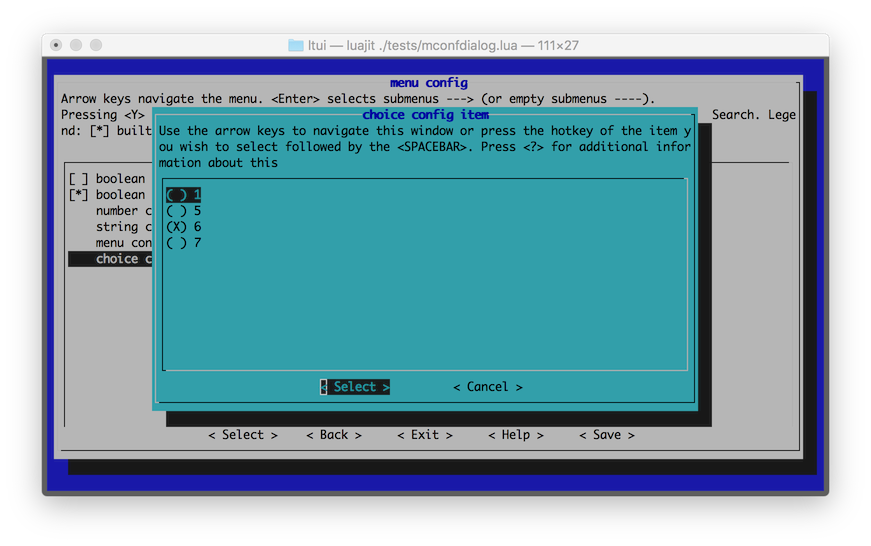
#### Menu configuration
## Installation
```console
$ luarocks install ltui
```
## Build
We need install the cross-platform build utility [xmake](https://github.com/xmake-io/xmake) first.
```console
$ xmake
```
## Run tests
We need install [lua](https://www.lua.org/) or [luajit](http://luajit.org/) to run tests first.
```console
$ xmake run test dialog
$ xmake run test window
$ xmake run test desktop
$ xmake run test inputdialog
$ xmake run test mconfdialog
```
Or
```console
$ lua tests/dialog.lua
$ lua tests/window.lua
$ lua tests/desktop.lua
$ lua tests/inputdialog.lua
$ lua tests/mconfdialog.lua
```
Or
```console
$ luajit tests/dialog.lua
$ luajit tests/window.lua
$ luajit tests/desktop.lua
$ luajit tests/inputdialog.lua
$ luajit tests/mconfdialog.lua
```
## Examples
#### Application
```lua
local ltui = require("ltui")
local application = ltui.application
local event = ltui.event
local rect = ltui.rect
local window = ltui.window
local demo = application()
function demo:init()
application.init(self, "demo")
self:background_set("blue")
self:insert(window:new("window.main", rect {1, 1, self:width() - 1, self:height() - 1}, "main window", true))
end
demo:run()
```
#### Label
```lua
local lab = label:new("title", rect {0, 0, 12, 1}, "hello ltui!"):textattr_set("white")
```
#### Button
```lua
local btn = button:new("yes", rect {0, 1, 7, 2}, "< Yes >"):textattr_set("white")
```
#### Input dialog
```lua
function demo:init()
-- ...
local dialog_input = inputdialog:new("dialog.input", rect {0, 0, 50, 8})
dialog_input:text():text_set("please input text:")
dialog_input:button_add("no", "< No >", function (v) dialog_input:quit() end)
dialog_input:button_add("yes", "< Yes >", function (v) dialog_input:quit() end)
self:insert(dialog_input, {centerx = true, centery = true})
end
```
## Components
| views | dialogs | others |
| ------- | ------ | ------ |
| view | dialog | event |
| panel | boxdialog | action |
| label | textdialog | canvas |
| button | inputdialog | curses |
| border | mconfdialog | program |
| window | choicedialog | application |
| menubar | | point |
| menuconf | | rect |
| textedit | | object |
| textarea | | |
| statusbar | | |
| choicebox | | |
| desktop | | |
## Snapshot
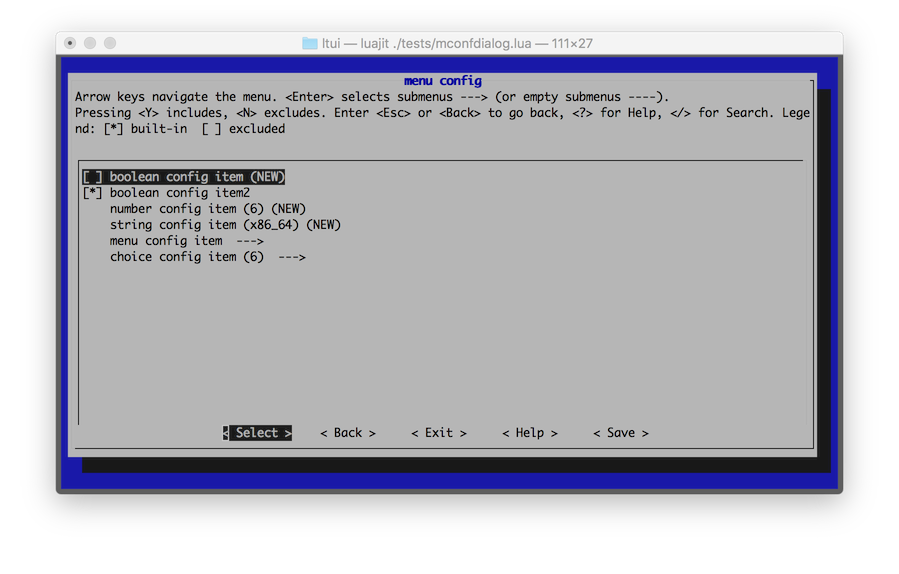
#### Menu configuration
 #### Input dialog
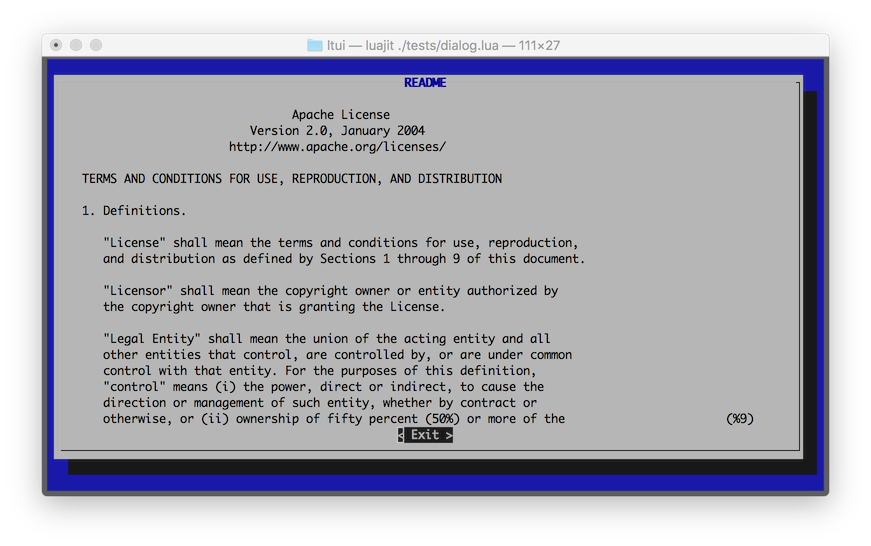
 #### Text area
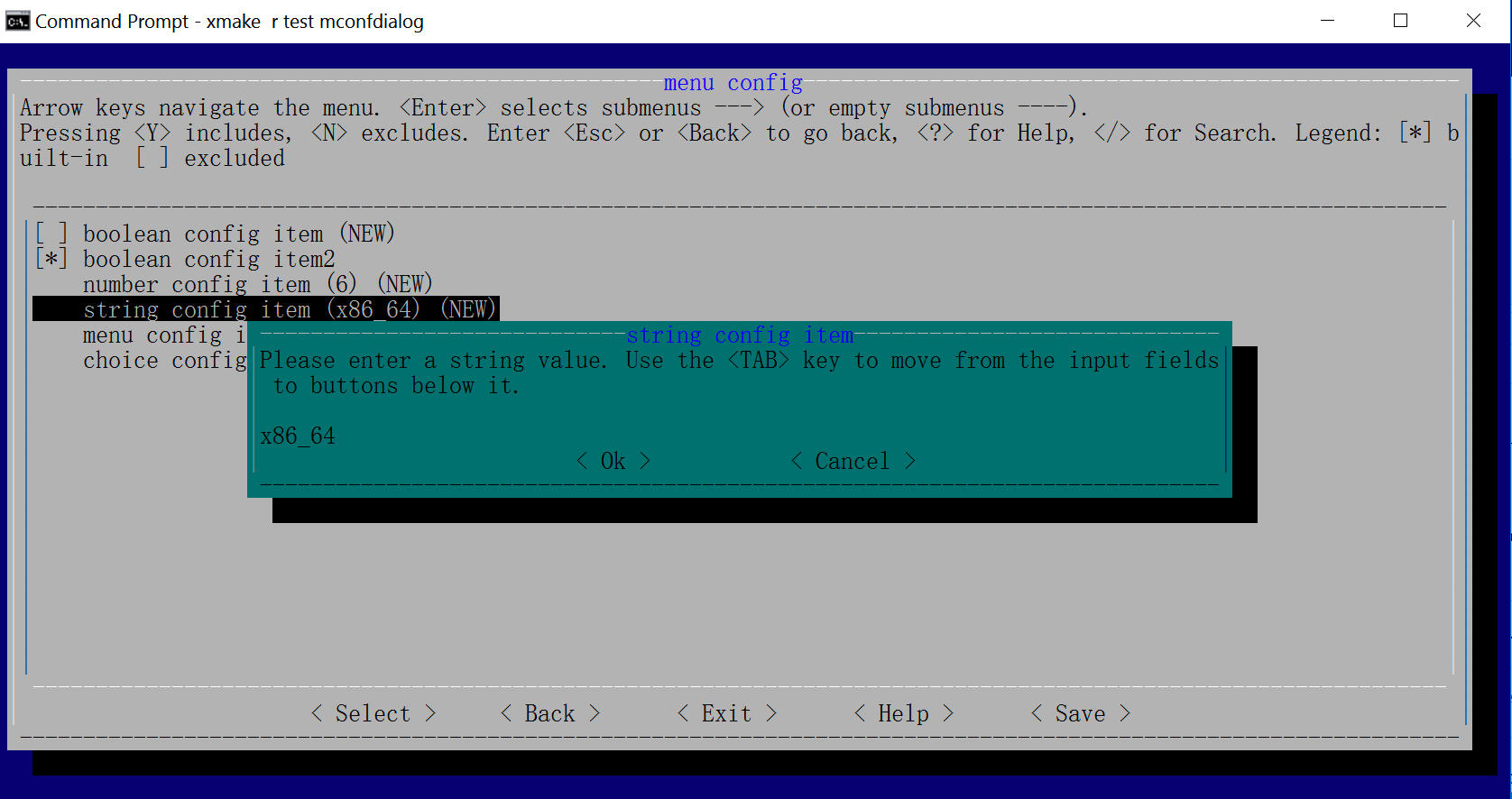
 #### Windows
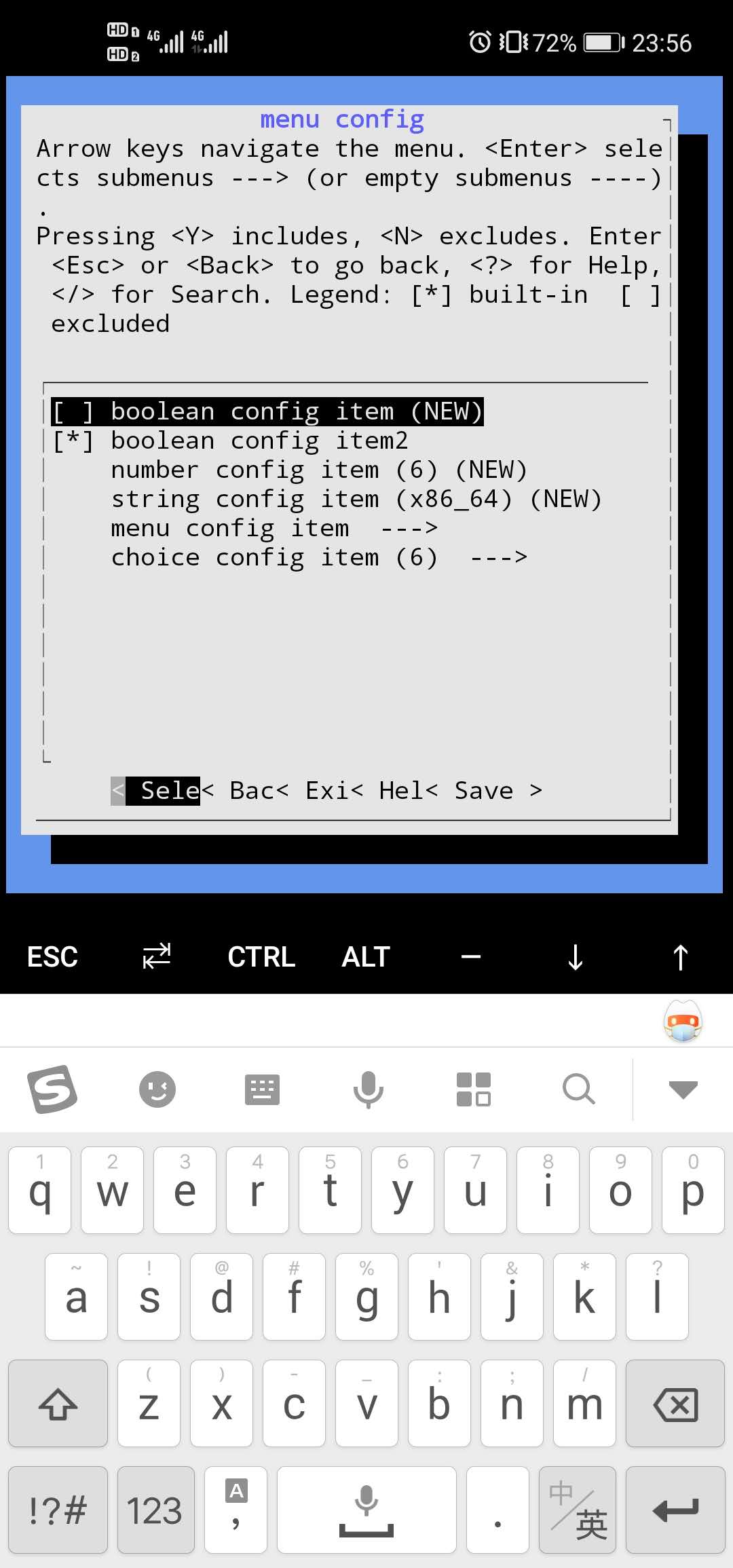
 #### Termux
 If you want to known more, please refer to:
* [HomePage](https://tboox.org)
* [Github](https://github.com/tboox/ltui)
* [Gitee](https://gitee.com/tboox/ltui)
## Contacts
* Email:[waruqi@gmail.com](mailto:waruqi@gmail.com)
* Homepage:[tboox.org](https://tboox.org)
* Community:[/r/tboox on reddit](https://www.reddit.com/r/tboox/)
* ChatRoom:[Char on telegram](https://t.me/tbooxorg), [Chat on gitter](https://gitter.im/tboox/tboox?utm_source=badge&utm_medium=badge&utm_campaign=pr-badge&utm_content=badge)
* Source Code:[Github](https://github.com/tboox/ltui), [Gitee](https://gitee.com/tboox/ltui)
If you want to known more, please refer to:
* [HomePage](https://tboox.org)
* [Github](https://github.com/tboox/ltui)
* [Gitee](https://gitee.com/tboox/ltui)
## Contacts
* Email:[waruqi@gmail.com](mailto:waruqi@gmail.com)
* Homepage:[tboox.org](https://tboox.org)
* Community:[/r/tboox on reddit](https://www.reddit.com/r/tboox/)
* ChatRoom:[Char on telegram](https://t.me/tbooxorg), [Chat on gitter](https://gitter.im/tboox/tboox?utm_source=badge&utm_medium=badge&utm_campaign=pr-badge&utm_content=badge)
* Source Code:[Github](https://github.com/tboox/ltui), [Gitee](https://gitee.com/tboox/ltui)