# setl
**Repository Path**: qxzzxq/setl
## Basic Information
- **Project Name**: setl
- **Description**: A simple Spark-powered ETL framework that just works 🍺
- **Primary Language**: Scala
- **License**: Apache-2.0
- **Default Branch**: master
- **Homepage**: https://setl-framework.github.io/setl/
- **GVP Project**: No
## Statistics
- **Stars**: 9
- **Forks**: 0
- **Created**: 2020-09-23
- **Last Updated**: 2024-10-29
## Categories & Tags
**Categories**: big-data
**Tags**: None
## README

----------
[](https://github.com/SETL-Framework/setl/actions)
[](https://codecov.io/gh/SETL-Framework/setl)
[](https://mvnrepository.com/artifact/com.jcdecaux.setl/setl)
[](https://javadoc.io/doc/com.jcdecaux.setl/setl_2.11)
[](https://setl-framework.github.io/setl/)
If you’re a **data scientist** or **data engineer**, this might sound familiar while working on an **ETL** project:
- Switching between multiple projects is a hassle
- Debugging others’ code is a nightmare
- Spending a lot of time solving non-business-related issues
**SETL** (pronounced "settle") is a Scala framework powered by [Apache Spark](https://spark.apache.org/) that helps you structure your Spark ETL projects, modularize your data transformation logic and speed up your development.
## Use SETL
### In a new project
You can start working by cloning [this template project](https://github.com/SETL-Framework/setl-template).
### In an existing project
```xml
com.jcdecaux.setl
setl_2.12
1.0.0-RC1
```
To use the SNAPSHOT version, add Sonatype snapshot repository to your `pom.xml`
```xml
ossrh-snapshots
https://oss.sonatype.org/content/repositories/snapshots/
com.jcdecaux.setl
setl_2.12
1.0.0-SNAPSHOT
```
## Quick Start
### Basic concept
With SETL, an ETL application could be represented by a `Pipeline`. A `Pipeline` contains multiple `Stages`. In each stage, we could find one or several `Factories`.
The class `Factory[T]` is an abstraction of a data transformation that will produce an object of type `T`. It has 4 methods (*read*, *process*, *write* and *get*) that should be implemented by the developer.
The class `SparkRepository[T]` is a data access layer abstraction. It could be used to read/write a `Dataset[T]` from/to a datastore. It should be defined in a configuration file. You can have as many SparkRepositories as you want.
The entry point of a SETL project is the object `com.jcdecaux.setl.Setl`, which will handle the pipeline and spark repository instantiation.
### Show me some code
You can find the following tutorial code in [the starter template of SETL](https://github.com/SETL-Framework/setl-template). Go and clone it :)
Here we show a simple example of creating and saving a **Dataset[TestObject]**. The case class **TestObject** is defined as follows:
```scala
case class TestObject(partition1: Int, partition2: String, clustering1: String, value: Long)
```
#### Context initialization
Suppose that we want to save our output into `src/main/resources/test_csv`. We can create a configuration file **local.conf** in `src/main/resources` with the following content that defines the target datastore to save our dataset:
```txt
testObjectRepository {
storage = "CSV"
path = "src/main/resources/test_csv"
inferSchema = "true"
delimiter = ";"
header = "true"
saveMode = "Append"
}
```
In our `App.scala` file, we build `Setl` and register this data store:
```scala
val setl: Setl = Setl.builder()
.withDefaultConfigLoader()
.getOrCreate()
// Register a SparkRepository to context
setl.setSparkRepository[TestObject]("testObjectRepository")
```
#### Implementation of Factory
We will create our `Dataset[TestObject]` inside a `Factory[Dataset[TestObject]]`. A `Factory[A]` will always produce an object of type `A`, and it contains 4 abstract methods that you need to implement:
- read
- process
- write
- get
```scala
class MyFactory() extends Factory[Dataset[TestObject]] with HasSparkSession {
import spark.implicits._
// A repository is needed for writing data. It will be delivered by the pipeline
@Delivery
private[this] val repo = SparkRepository[TestObject]
private[this] var output = spark.emptyDataset[TestObject]
override def read(): MyFactory.this.type = {
// in our demo we don't need to read any data
this
}
override def process(): MyFactory.this.type = {
output = Seq(
TestObject(1, "a", "A", 1L),
TestObject(2, "b", "B", 2L)
).toDS()
this
}
override def write(): MyFactory.this.type = {
repo.save(output) // use the repository to save the output
this
}
override def get(): Dataset[TestObject] = output
}
```
#### Define the pipeline
To execute the factory, we should add it into a pipeline.
When we call `setl.newPipeline()`, **Setl** will instantiate a new **Pipeline** and configure all the registered repositories as inputs of the pipeline. Then we can call `addStage` to add our factory into the pipeline.
```scala
val pipeline = setl
.newPipeline()
.addStage[MyFactory]()
```
#### Run our pipeline
```scala
pipeline.describe().run()
```
The dataset will be saved into `src/main/resources/test_csv`
#### What's more?
As our `MyFactory` produces a `Dataset[TestObject]`, it can be used by other factories of the same pipeline.
```scala
class AnotherFactory extends Factory[String] with HasSparkSession {
import spark.implicits._
@Delivery
private[this] val outputOfMyFactory = spark.emptyDataset[TestObject]
override def read(): AnotherFactory.this.type = this
override def process(): AnotherFactory.this.type = this
override def write(): AnotherFactory.this.type = {
outputOfMyFactory.show()
this
}
override def get(): String = "output"
}
```
Add this factory into the pipeline:
```scala
pipeline.addStage[AnotherFactory]()
```
### Custom Connector
You can implement you own data source connector by implementing the `ConnectorInterface`
```scala
class CustomConnector extends ConnectorInterface with CanDrop {
override def setConf(conf: Conf): Unit = null
override def read(): DataFrame = {
import spark.implicits._
Seq(1, 2, 3).toDF("id")
}
override def write(t: DataFrame, suffix: Option[String]): Unit = logDebug("Write with suffix")
override def write(t: DataFrame): Unit = logDebug("Write")
/**
* Drop the entire table.
*/
override def drop(): Unit = logDebug("drop")
}
```
To use it, just set the storage to **OTHER** and provide the class reference of your connector:
```txt
myConnector {
storage = "OTHER"
class = "com.example.CustomConnector" // class reference of your connector
}
```
### Generate pipeline diagram
You can generate a [Mermaid diagram](https://mermaid-js.github.io/mermaid/#/) by doing:
```scala
pipeline.showDiagram()
```
You will have some log like this:
```
--------- MERMAID DIAGRAM ---------
classDiagram
class MyFactory {
<>
+SparkRepository[TestObject]
}
class DatasetTestObject {
<>
>partition1: Int
>partition2: String
>clustering1: String
>value: Long
}
DatasetTestObject <|.. MyFactory : Output
class AnotherFactory {
<>
+Dataset[TestObject]
}
class StringFinal {
<>
}
StringFinal <|.. AnotherFactory : Output
class SparkRepositoryTestObjectExternal {
<>
}
AnotherFactory <|-- DatasetTestObject : Input
MyFactory <|-- SparkRepositoryTestObjectExternal : Input
------- END OF MERMAID CODE -------
You can copy the previous code to a markdown viewer that supports Mermaid.
Or you can try the live editor: https://mermaid-js.github.io/mermaid-live-editor/#/edit/eyJjb2RlIjoiY2xhc3NEaWFncmFtXG5jbGFzcyBNeUZhY3Rvcnkge1xuICA8PEZhY3RvcnlbRGF0YXNldFtUZXN0T2JqZWN0XV0-PlxuICArU3BhcmtSZXBvc2l0b3J5W1Rlc3RPYmplY3RdXG59XG5cbmNsYXNzIERhdGFzZXRUZXN0T2JqZWN0IHtcbiAgPDxEYXRhc2V0W1Rlc3RPYmplY3RdPj5cbiAgPnBhcnRpdGlvbjE6IEludFxuICA-cGFydGl0aW9uMjogU3RyaW5nXG4gID5jbHVzdGVyaW5nMTogU3RyaW5nXG4gID52YWx1ZTogTG9uZ1xufVxuXG5EYXRhc2V0VGVzdE9iamVjdCA8fC4uIE15RmFjdG9yeSA6IE91dHB1dFxuY2xhc3MgQW5vdGhlckZhY3Rvcnkge1xuICA8PEZhY3RvcnlbU3RyaW5nXT4-XG4gICtEYXRhc2V0W1Rlc3RPYmplY3RdXG59XG5cbmNsYXNzIFN0cmluZ0ZpbmFsIHtcbiAgPDxTdHJpbmc-PlxuICBcbn1cblxuU3RyaW5nRmluYWwgPHwuLiBBbm90aGVyRmFjdG9yeSA6IE91dHB1dFxuY2xhc3MgU3BhcmtSZXBvc2l0b3J5VGVzdE9iamVjdEV4dGVybmFsIHtcbiAgPDxTcGFya1JlcG9zaXRvcnlbVGVzdE9iamVjdF0-PlxuICBcbn1cblxuQW5vdGhlckZhY3RvcnkgPHwtLSBEYXRhc2V0VGVzdE9iamVjdCA6IElucHV0XG5NeUZhY3RvcnkgPHwtLSBTcGFya1JlcG9zaXRvcnlUZXN0T2JqZWN0RXh0ZXJuYWwgOiBJbnB1dFxuIiwibWVybWFpZCI6eyJ0aGVtZSI6ImRlZmF1bHQifX0=
```
You can either copy the code into a Markdown viewer or just copy the link into your browser ([link](https://mermaid-js.github.io/mermaid-live-editor/#/edit/eyJjb2RlIjoiY2xhc3NEaWFncmFtXG5jbGFzcyBNeUZhY3Rvcnkge1xuICA8PEZhY3RvcnlbRGF0YXNldFtUZXN0T2JqZWN0XV0-PlxuICArU3BhcmtSZXBvc2l0b3J5W1Rlc3RPYmplY3RdXG59XG5cbmNsYXNzIERhdGFzZXRUZXN0T2JqZWN0IHtcbiAgPDxEYXRhc2V0W1Rlc3RPYmplY3RdPj5cbiAgPnBhcnRpdGlvbjE6IEludFxuICA-cGFydGl0aW9uMjogU3RyaW5nXG4gID5jbHVzdGVyaW5nMTogU3RyaW5nXG4gID52YWx1ZTogTG9uZ1xufVxuXG5EYXRhc2V0VGVzdE9iamVjdCA8fC4uIE15RmFjdG9yeSA6IE91dHB1dFxuY2xhc3MgQW5vdGhlckZhY3Rvcnkge1xuICA8PEZhY3RvcnlbU3RyaW5nXT4-XG4gICtEYXRhc2V0W1Rlc3RPYmplY3RdXG59XG5cbmNsYXNzIFN0cmluZ0ZpbmFsIHtcbiAgPDxTdHJpbmc-PlxuICBcbn1cblxuU3RyaW5nRmluYWwgPHwuLiBBbm90aGVyRmFjdG9yeSA6IE91dHB1dFxuY2xhc3MgU3BhcmtSZXBvc2l0b3J5VGVzdE9iamVjdEV4dGVybmFsIHtcbiAgPDxTcGFya1JlcG9zaXRvcnlbVGVzdE9iamVjdF0-PlxuICBcbn1cblxuQW5vdGhlckZhY3RvcnkgPHwtLSBEYXRhc2V0VGVzdE9iamVjdCA6IElucHV0XG5NeUZhY3RvcnkgPHwtLSBTcGFya1JlcG9zaXRvcnlUZXN0T2JqZWN0RXh0ZXJuYWwgOiBJbnB1dFxuIiwibWVybWFpZCI6eyJ0aGVtZSI6ImRlZmF1bHQifX0=)) 🍻
### App Configuration
The configuration system of SETL allows users to execute their Spark application in different execution environments, by
using environment-specific configurations.
In `src/main/resources` directory, you should have at least two configuration files named `application.conf`
and `local.conf`
(take a look at this [example](https://github.com/SETL-Framework/setl-template/tree/master/src/main/resources)). These
are what you need if you only want to run your application in one single environment.
You can also create other configurations (for example `dev.conf` and `prod.conf`), in which environment-specific
parameters can be defined.
##### application.conf
This configuration file should contain universal configurations that could be used regardless the execution environment.
##### env.conf (e.g. local.conf, dev.conf)
These files should contain environment-specific parameters. By default, `local.conf` will be used.
##### How to use the configuration
Imagine the case we have two environments, a local development environment and a remote production environment. Our application
needs a repository for saving and loading data. In this use case, let's prepare `application.conf`, `local.conf`, `prod.conf`
and `storage.conf`
```hocon
# application.conf
setl.environment = ${app.environment}
setl.config {
spark.app.name = "my_application"
# and other general spark configurations
}
```
```hocon
# local.conf
include "application.conf"
setl.config {
spark.default.parallelism = "200"
spark.sql.shuffle.partitions = "200"
# and other local spark configurations
}
app.root.dir = "/some/local/path"
include "storage.conf"
```
```hocon
# prod.conf
setl.config {
spark.default.parallelism = "1000"
spark.sql.shuffle.partitions = "1000"
# and other production spark configurations
}
app.root.dir = "/some/remote/path"
include "storage.conf"
```
```hocon
# storage.conf
myRepository {
storage = "CSV"
path = ${app.root.dir} // this path will depend on the execution environment
inferSchema = "true"
delimiter = ";"
header = "true"
saveMode = "Append"
}
```
To compile with local configuration, with maven, just run:
```shell
mvn compile
```
To compile with production configuration, pass the jvm property `app.environment`.
```shell
mvn compile -Dapp.environment=prod
```
Make sure that your resources directory has filtering enabled:
```xml
src/main/resources
true
```
## Dependencies
**SETL** currently supports the following data source. You won't need to provide these libraries in your project (except the JDBC driver):
- All file formats supported by Apache Spark (csv, json, parquet etc)
- Delta
- Excel ([crealytics/spark-excel](https://github.com/crealytics/spark-excel))
- Cassandra ([datastax/spark-cassandra-connector](https://github.com/datastax/spark-cassandra-connector))
- DynamoDB ([audienceproject/spark-dynamodb](https://github.com/audienceproject/spark-dynamodb))
- JDBC (you have to provide the jdbc driver)
To read/write data from/to AWS S3 (or other storage services), you should include the
corresponding hadoop library in your project.
For example
```
org.apache.hadoop
hadoop-aws
2.9.2
```
You should also provide Scala and Spark in your pom file. SETL is tested against the following version of Spark:
| Spark Version | Scala Version | Note |
| ------------- | ------------- | -----------------------------|
| 3.0 | 2.12 | :heavy_check_mark: Ok |
| 2.4 | 2.12 | :heavy_check_mark: Ok |
| 2.4 | 2.11 | :warning: see *known issues* |
| 2.3 | 2.11 | :warning: see *known issues* |
## Known issues
### Spark 2.4 with Scala 2.11
When using `setl_2.11-1.x.x` with Spark 2.4 and Scala 2.11, you may need to include manually these following dependencies to override the default version:
```xml
com.audienceproject
spark-dynamodb_2.11
1.0.4
io.delta
delta-core_2.11
0.6.1
com.datastax.spark
spark-cassandra-connector_2.11
2.5.1
```
### Spark 2.3 with Scala 2.11
- `DynamoDBConnector` doesn't work with Spark version 2.3
- `Compress` annotation can only be used on Struct field or Array of Struct field with Spark 2.3
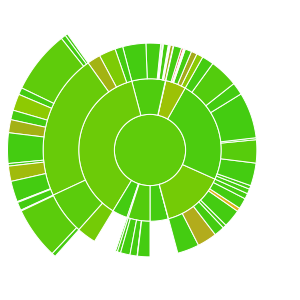
## Test Coverage
[](https://codecov.io/gh/SETL-Framework/setl)
## Documentation
[https://setl-framework.github.io/setl/](https://setl-framework.github.io/setl/)
## Contributing to SETL
[Check our contributing guide](https://github.com/SETL-Framework/setl/blob/master/CONTRIBUTING.md)