# onedark.nvim
**Repository Path**: rayycl/onedark.nvim
## Basic Information
- **Project Name**: onedark.nvim
- **Description**: No description available
- **Primary Language**: Unknown
- **License**: MIT
- **Default Branch**: master
- **Homepage**: None
- **GVP Project**: No
## Statistics
- **Stars**: 0
- **Forks**: 0
- **Created**: 2022-04-16
- **Last Updated**: 2022-04-16
## Categories & Tags
**Categories**: Uncategorized
**Tags**: None
## README

**Dark** and **Light** Themes for neovim >= 0.5 based on [Atom One Dark](https://github.com/atom/atom/tree/master/packages/one-dark-ui) & [Atom One Light](https://github.com/atom/atom/tree/master/packages/one-light-ui) theme written in lua with [TreeSitter](https://github.com/nvim-treesitter/nvim-treesitter) syntax highlight.
*For Vim / Neovim < 0.5, prefer [joshdick/onedark.vim](https://github.com/joshdick/onedark.vim)*
### Features
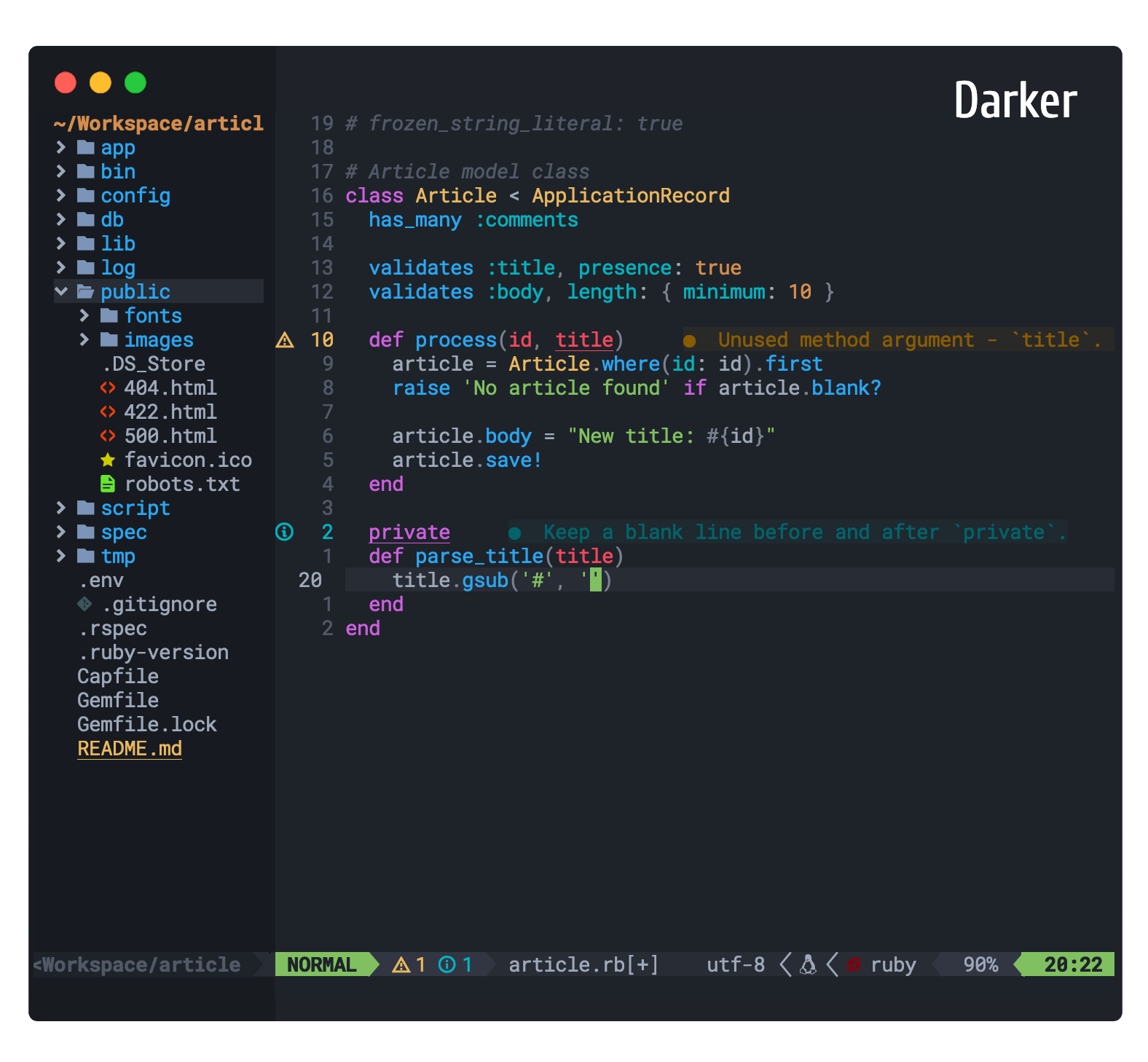
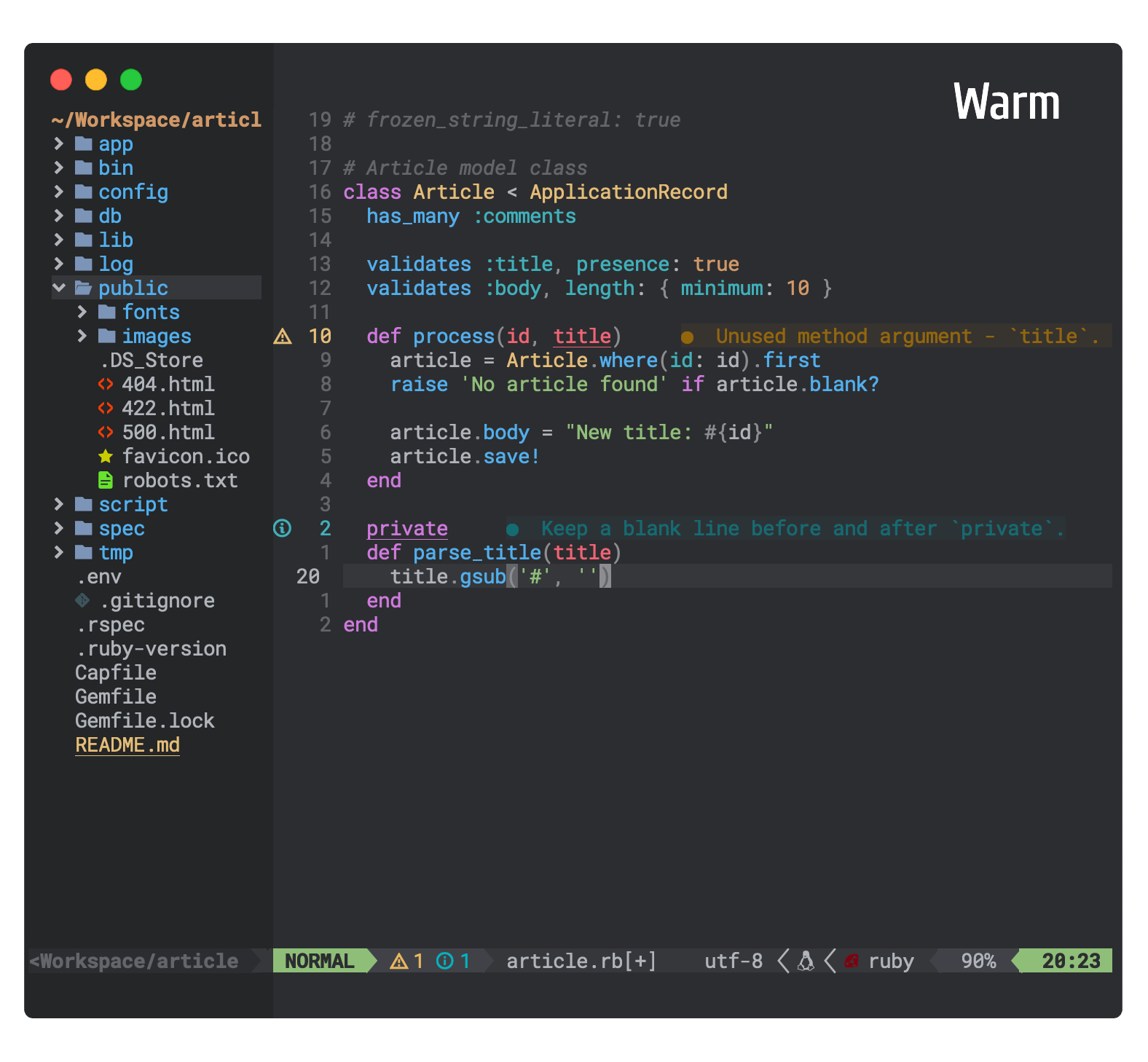
* 8 theme styles (One Dark + 5 variants) and (One Light + 1 variant)
* Supporting multiple plugins with hand picked proper colors
* Customize `Colors`, `Highlights` and `Code style` of the theme as you like (Refer [Customization](#customization))
* Toggle the theme style without exiting Neovim using shortcut `ts` (Refer [Default Config](#default-configuration))
## Themes




## Installation
Install via your favourite package manager
```vim
" Using Vim-Plug
Plug 'navarasu/onedark.nvim'
```
```lua
-- Using Packer
use 'navarasu/onedark.nvim'
```
## Configuration
### Enable theme
```lua
-- Lua
require('onedark').load()
```
```vim
" Vim
colorscheme onedark
```
### Change default style
```lua
-- Lua
require('onedark').setup {
style = 'darker'
}
require('onedark').load()
```
```vim
" Vim
let g:onedark_config = {
\ 'style': 'darker',
\}
colorscheme onedark
```
> **Options:** dark, darker, cool, deep, warm, warmer, light
## Default Configuration
```lua
-- Lua
require('onedark').setup {
-- Main options --
style = 'dark', -- Default theme style. Choose between 'dark', 'darker', 'cool', 'deep', 'warm', 'warmer' and 'light'
transparent = false, -- Show/hide background
term_colors = true, -- Change terminal color as per the selected theme style
ending_tildes = false, -- Show the end-of-buffer tildes. By default they are hidden
-- toggle theme style ---
toggle_style_key = 'ts', -- Default keybinding to toggle
toggle_style_list = {'dark', 'darker', 'cool', 'deep', 'warm', 'warmer', 'light'}, -- List of styles to toggle between
-- Change code style ---
-- Options are italic, bold, underline, none
-- You can configure multiple style with comma seperated, For e.g., keywords = 'italic,bold'
code_style = {
comments = 'italic',
keywords = 'none',
functions = 'none',
strings = 'none',
variables = 'none'
},
-- Custom Highlights --
colors = {}, -- Override default colors
highlights = {}, -- Override highlight groups
-- Plugins Config --
diagnostics = {
darker = true, -- darker colors for diagnostic
undercurl = true, -- use undercurl instead of underline for diagnostics
background = true, -- use background color for virtual text
},
}
```
### Vimscript configuration
Onedark can be configured also with Vimscript, using the global dictionary `g:onedark_config`.
**NOTE**: when setting boolean values use `v:true` and `v:false` instead of 0 and 1
Example:
``` vim
let g:onedark_config = {
\ 'style': 'deep',
\ 'toggle_style_key': 'ts',
\ 'ending_tildes': v:true,
\ 'diagnostics': {
\ 'darker': v:false,
\ 'background': v:false,
\ },
\ }
colorscheme onedark
```
## Customization
Example custom colors and Highlights config
```lua
require('onedark').setup {
colors = {
bright_orange = "#ff8800", -- define a new color
green = '#00ffaa', -- redefine an existing color
},
highlights = {
TSKeyword = {fg = '$green'},
TSString = {fg = '$bright_orange', bg = '#00ff00', fmt = 'bold'},
TSFunction = {fg = '#0000ff', sp = '$cyan', fmt = 'underline,italic'},
}
}
```
## Plugins Configuration
### Enable lualine
To Enable the `onedark` theme for `Lualine`, specify theme as `onedark`:
```lua
require('lualine').setup {
options = {
theme = 'onedark'
-- ... your lualine config
}
}
```
## Plugins Supported
+ [TreeSitter](https://github.com/nvim-treesitter/nvim-treesitter)
+ [LSPDiagnostics](https://neovim.io/doc/user/lsp.html)
+ [NvimTree](https://github.com/kyazdani42/nvim-tree.lua)
+ [Telescope](https://github.com/nvim-telescope/telescope.nvim)
+ [WhichKey](https://github.com/folke/which-key.nvim)
+ [Dashboard](https://github.com/glepnir/dashboard-nvim)
+ [Lualine](https://github.com/hoob3rt/lualine.nvim)
+ [GitGutter](https://github.com/airblade/vim-gitgutter)
+ [GitSigns](https://github.com/lewis6991/gitsigns.nvim)
+ [VimFugitive](https://github.com/tpope/vim-fugitive)
+ [DiffView](https://github.com/sindrets/diffview.nvim)
+ [Hop](https://github.com/phaazon/hop.nvim)
## Reference
* [tokyodark.nvim](https://github.com/tiagovla/tokyodark.nvim)
* [one-dark-theme](https://github.com/andresmichel/one-dark-theme)
## Contributing
Pull requests are welcome 🎉👍.
## License
[MIT](https://choosealicense.com/licenses/mit/)