# vue-router-multi-view **Repository Path**: reginx/vue-router-multi-view ## Basic Information - **Project Name**: vue-router-multi-view - **Description**: router-view meet v-show meet keep-alive - **Primary Language**: JavaScript - **License**: Not specified - **Default Branch**: master - **Homepage**: None - **GVP Project**: No ## Statistics - **Stars**: 0 - **Forks**: 0 - **Created**: 2021-07-06 - **Last Updated**: 2021-07-06 ## Categories & Tags **Categories**: Uncategorized **Tags**: None ## README

vue-router-multi-view

Become a Patreon

## Sponsors ### Gold

sum.cumo logo

### Silver

VueSchool logo Vue Mastery logo

### Bronze


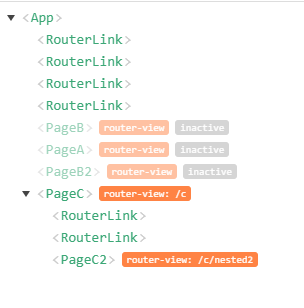
## About Replace `` with `` to keep the DOM of the deactivated route alive.


**Useful Links** - [Live Demo](https://akryum.github.io/vue-router-multi-view/)
# Installation ## Npm ``` npm install --save vue-router-multi-view ``` Install the plugin into Vue: ```javascript import Vue from 'vue' import VueRouterMultiView from 'vue-router-multi-view' Vue.use(VueRouterMultiView) ``` Or use the directives and components directly: ```javascript import Vue from 'vue' import { VueRouterMultiView } from 'vue-router-multi-view' Vue.directive('router-multi-view', VueRouterMultiView) ``` ## Browser Include [vue-router-multi-view](/dist/vue-router-multi-view.min.js) in the page. ```html ``` **If Vue is detected in the Page, the plugin is installed automatically.** Manually install the plugin into Vue: ```javascript Vue.use(VueRouterMultiView) ``` # Usage Replace `` with `` and replace the `name` prop by the `viewName` prop (this is to prevent potential conflicts with ``). **:warning: Contrary to ``, `` will need to wrap the content with an element or component (default: `
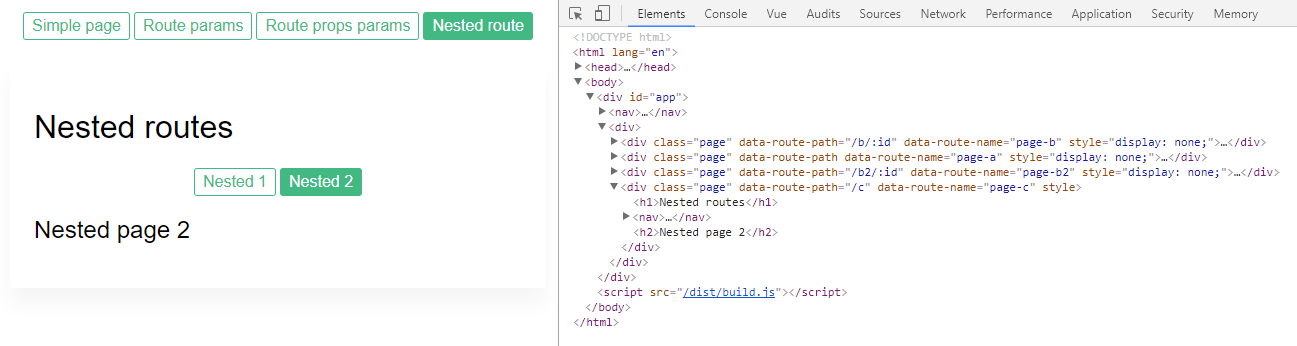
`).** If you were using the [keep-alive](https://vuejs.org/v2/api/#keep-alive) component, you need to remove it. So if you had: ```html ``` It should be replaced by: ```html ``` `` already includes keep-alive and will trigger the `activated` and `deactivated` hooks on the children components. **:warning: It is recommended to use [props](https://router.vuejs.org/en/essentials/passing-props.html) for the routes.** Example: ```html ``` Example of rendered HTML: ```html

Simple page

``` You can change the element or component used to wrap the routes with the `morph` prop: ```html ``` To use transition, you need to use the `viewName` prop to set the name of the view, to prevent a conflict with the `name` prop for the transition: ```html ``` Here `view-name` and `morph` are `` props, while `tag` and `name` are `` props.