# WindowsTimeline
**Repository Path**: rohto1945/WindowsTimeline
## Basic Information
- **Project Name**: WindowsTimeline
- **Description**: SQLite query & Powershell scripts to parse the Windows 10 (v1803) ActivitiesCache.db
- **Primary Language**: Unknown
- **License**: MIT
- **Default Branch**: master
- **Homepage**: None
- **GVP Project**: No
## Statistics
- **Stars**: 0
- **Forks**: 0
- **Created**: 2019-04-28
- **Last Updated**: 2020-12-19
## Categories & Tags
**Categories**: Uncategorized
**Tags**: None
## README
## Windows 10 Timeline ##
**SQLite queries to parse Windows 10 (*[1803+](https://support.microsoft.com/en-us/help/4099479/windows-10-update-history?ocid=update_setting_client)*) Timeline's ActivitiesCache.db Database**
Either import the queries (*.sql file*) to your SQLite program, or *Copy/Paste* the code to a query tab.
Your software needs to support the SQLIte [JSON1 extension](https://www.sqlite.org/json1.html).
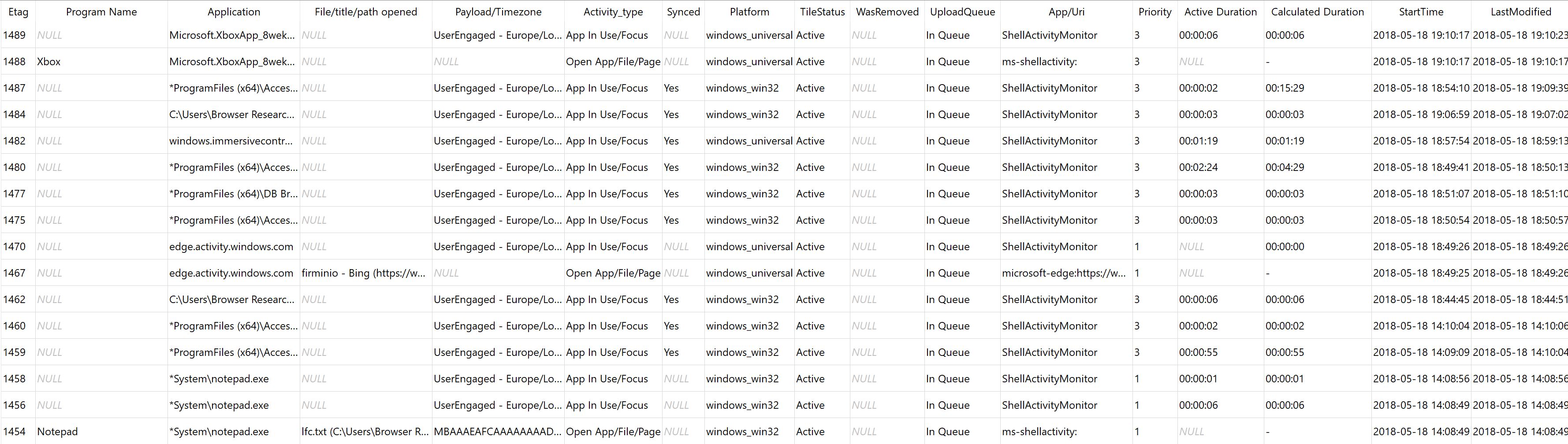
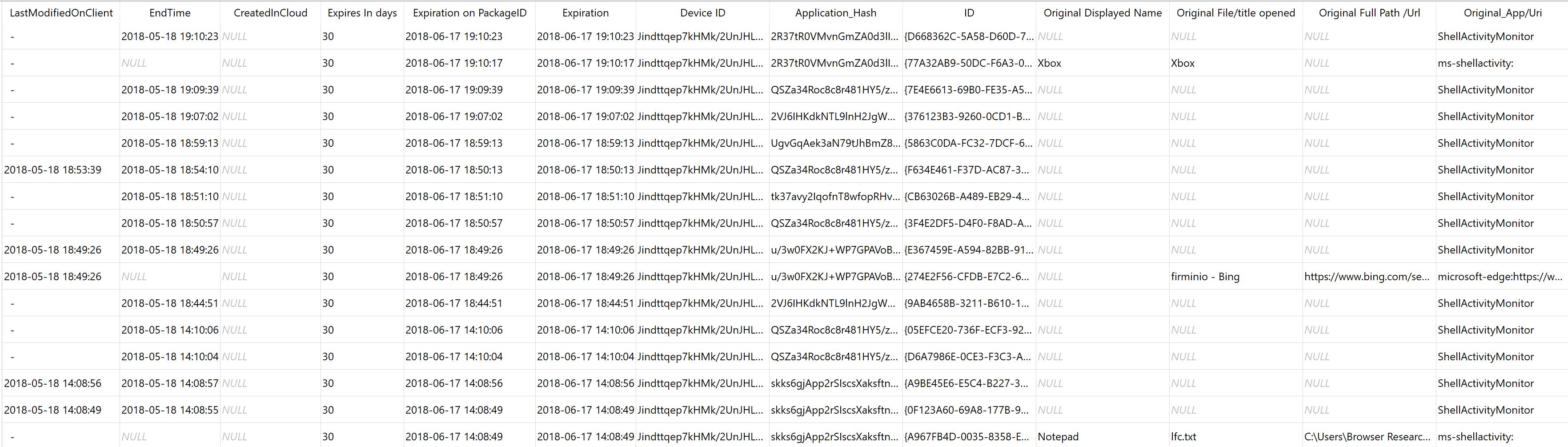
* ### [Windows timeline database query (WindowsTimeline.sql)](WindowsTimeline.sql) ###
Updated to work with Win10 1809 *(Build 17754.1 ~~17744.1003~~ RC5), 1903*
*Screenshots of WindowsTimeline.sql*
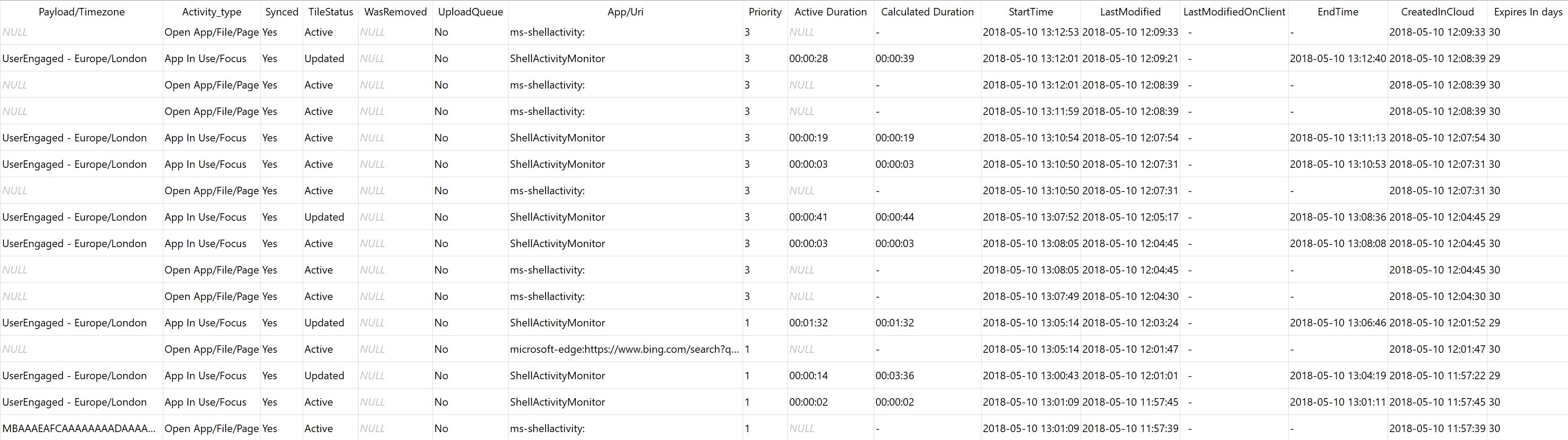
* ### [Extended windows timeline database query (WindowsTimeline2.sql)](WindowsTimeline2.sql) ###
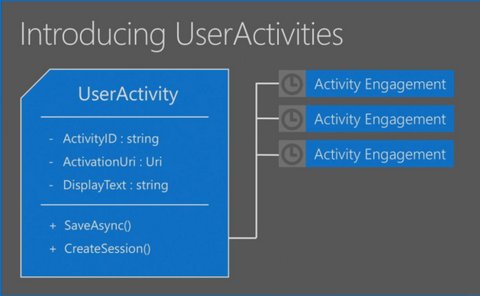
*Screenshots of WindowsTimeline2.sql*
___________________________________________________________________________________________
**SQLite Tables processed:**
- Activities,
- Activity_PackageID,
- ActivityOperation
**Other queries (Win10 - 1803):** *(Build 17754.1 ~~17744.rc5_release.180818-1845~~ )*
1. [A re-formated Smartlookup view query](SmartLookup.sql) - Smartlookup is a view included in ActivitiesCache.db. This query makes it a bit more readable but does not extract the data in the BLOBs *(does not need the JSON1 extension)*.
2. [Activity_PackageID timeline query](Activity_PackageID_Timeline.sql) - Creates a timeline according to the Expiry Dates in the Activity_PackageID table.
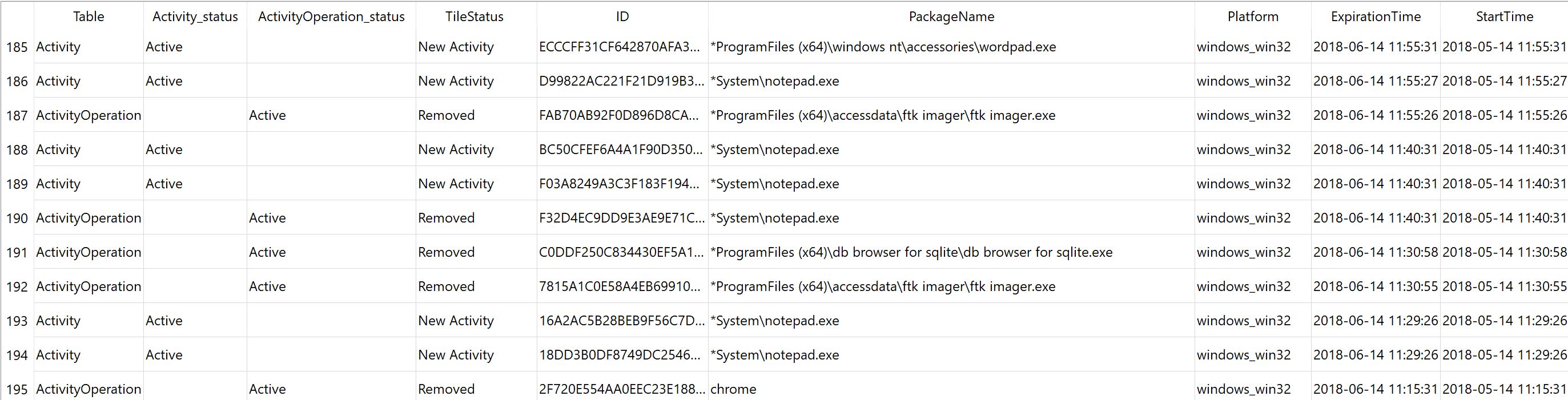
3. [PackageID check](PackageID.sql) - Check that the 'PackageID' in the 'Activity.AppId' json field has the same value as the 'Activity_PackageId' table's 'PackageName' field *(for x_exe and Windows_win32 entries)*.
4. [App_Platform](app_platform.sql) - A simple query to help understand the different PlatformID combinations (extracted from the AppID json field)
**Other queries (Win10 - 1809/1903):**
1. [A re-formated Smartlookup view query (1809/1903)](SmartLookup_1809.sql) - Smartlookup for Win10 v1809 ActivitiesCache.db. *(does not need the JSON1 extension)*.
2. [WindowsTimeline (1809/1903)](WindowsTimeline1809.sql) - Full SQLite query that works with Win10 v1809/1903 ActivitiesCache.db. Will not work with earlier Windows versions (1803) as the latest Windows version has more dB fields.
3. [WindowsTimeline (1903)](WindowsTimeline1903.sql) - Full SQLite query that works with Win10 v1903 ActivitiesCache.db. Will not work with earlier Windows versions (1803/1809) as the latest Windows version 1903 (19H1) has more dB fields. Now copy/paste operations can be seen as well as clipboard text (Base64 encoded):
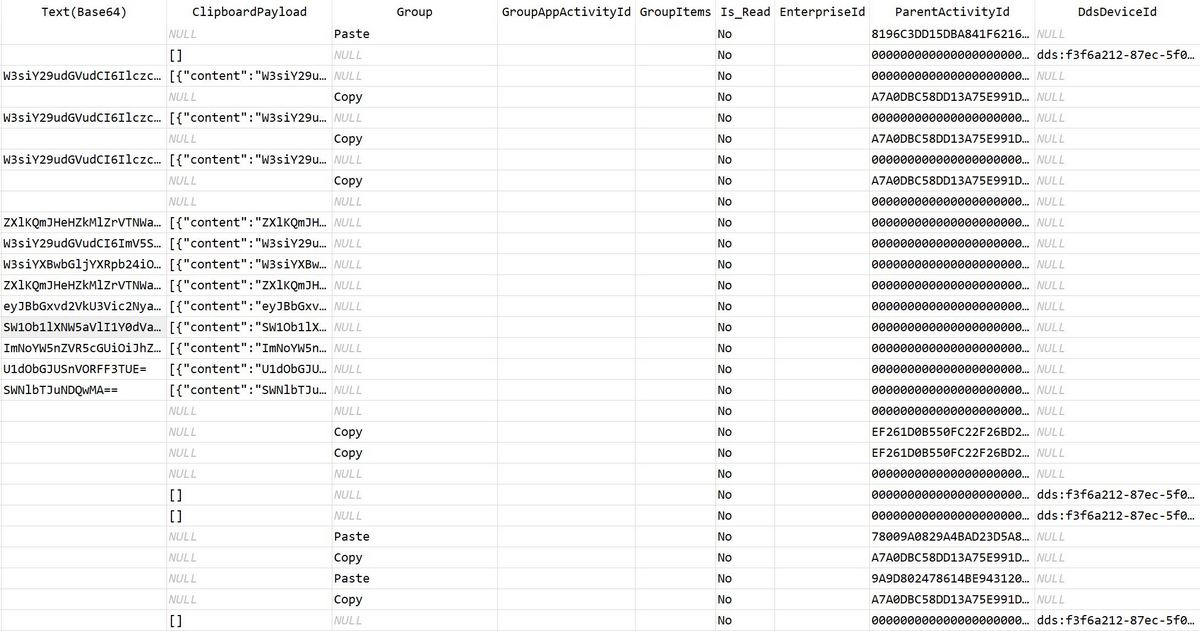
*-->* [Clipboard copy/paste operations (1903)](clipboard1903.sql) - SQLite query to get just clipboard related data.
__________________________________________________________________________________________
- About the clipboard sync:
* [Clipboard in Windows 10](https://support.microsoft.com/en-us/help/4028529/windows-10-clipboard)
* [Get help with clipboard (Applies to: Windows 10)](https://support.microsoft.com/en-us/help/4464215/windows-10-get-help-with-clipboard)
* [Using Windows 10’s New Clipboard: History and Cloud Sync](https://www.howtogeek.com/351978/using-windows-10s-new-clipboard-history-and-cloud-sync/)
**Tested on:**
- [DB Browser for SQLite](http://sqlitebrowser.org/) 3.10.1,
- [SQLiteStudio](https://sqlitestudio.pl/index.rvt) as well as
- [SQLite Expert Pro with the JSON1 extension](http://www.sqliteexpert.com/extensions/)
- and Microsoft Windows 10 version [1803, 1903](https://support.microsoft.com/en-us/help/4099479/windows-10-update-history?ocid=update_setting_client) (OS builds from 17134.48 to 17134.254) and version 1809 (Insider's Build 17754.1 ~~17744.rc5_release.180818-1845~~) and 1903 (18353.1)
___________________________________________________________________________________________
**Note:** The output of the queries can be exported as a TX or CSV so that it can be used with [log2timeline](https://github.com/log2timeline/plaso/wiki/Windows-Packaged-Release), [TimelineExplorer](https://ericzimmerman.github.io/Software/TimelineExplorer.zip) or [MS Excel](https://products.office.com/en-ca/excel). For example, in [DB Browser for SQLite](http://sqlitebrowser.org/) at the bottom right corner, click on
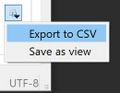
and select CSV. This will open this delimiter options window. After you make any needed changes (e.g. *select comma as the delimiter*), click ok,
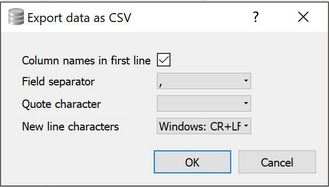
and you will be presented with another window to select Folder and Filename to save the CSV file.
__________________________________________________________________________________________
* ### Documentation ###
- [WindowsTimeline.pdf](WindowsTimeline.pdf) - Documentation for the database and its entries. *Updated with information for the ~upcoming~ Win10 v1809 & v1903 upgrades.*
- [A Forensic Exploration of the Microsoft Windows 10 Timeline](https://onlinelibrary.wiley.com/doi/abs/10.1111/1556-4029.13875) - (Journal of Forensic Sciences DOI:10.1111/1556-4029.13875) - *(Win10 1803)*
__________________________________________________________________________________________
* ### PowerShell scripts *(Win10 - 1803,1809,1903)* ###
:shipit: Require SQLite3.exe
Note: *The PowerShell scripts are not the fastest way to parse Windows Timeline (~16min for a 10500 entry db)*
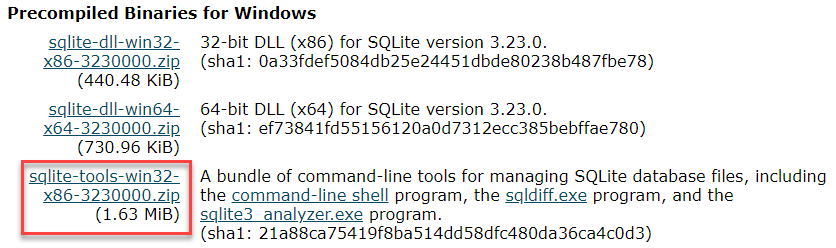
* **[Instructions](http://www.sqlitetutorial.net/download-install-sqlite/)** *(How To Download & Install SQLite)*
* 
**Note1** - [Add C:\sqlite to the system PATH](https://www.architectryan.com/2018/03/17/add-to-the-path-on-windows-10/)
**Note2** - After you install the latest SQLite3.exe, check the version from inside powershell
by running `SQLite3.exe -version` (you may already have an older version in your Path - you can check that by running [FindSQLite3.ps1](https://github.com/kacos2000/WindowsTimeline/blob/master/FindSQLite3.ps1))
* ### **[WindowsTimeline.ps1](https://github.com/kacos2000/WindowsTimeline/blob/master/WindowsTimeline.ps1)** ###
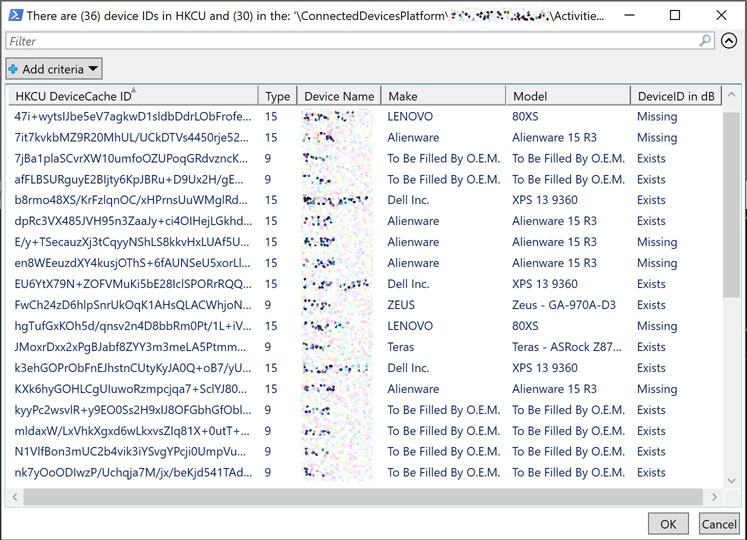
Powershell script to check the Platform DeviceID values in the database against the HKCU DeviceCache entries in the registry. ~~It appears that Type 8 entries are Smartphones, type 9 Full Sized PCs and type 15 Laptops)~~.
*Note that Platform Device IDs representing a specific device change over time*.
* Note: According to the Connected [Devices Platform specification](https://winprotocoldoc.blob.core.windows.net/productionwindowsarchives/MS-CDP/[MS-CDP].pdf) these are the device types. Curiously, type 15 is not in that list:
- 1.Xbox One
- 6.Apple iPhone
- 7.Apple iPad
- 8.Android device
- 9.Windows 10 Desktop
- 11.Windows 10 Phone
- 12.Linux device
- 13.Windows IoT
- 14.Surface Hub
* ### **[WinTimelineLocal.ps1](https://github.com/kacos2000/WindowsTimeline/blob/master/WinTimelineLocal.ps1)** ###
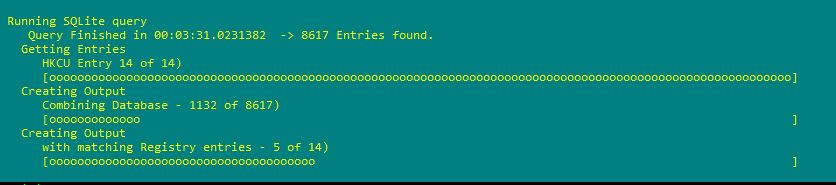
Powershell script that runs a simple SQLite query against one of the local ActivitiesCache.db's available to the user, and adds info for the PlatformID from the registry. Json fields are parsed with Powershell's convertfrom-json.
* ### **[WinTimelineOffline.ps1](https://github.com/kacos2000/WindowsTimeline/blob/master/WinTimelineOffline.ps1)** ###
Powershell script that runs a simple SQLite query against any user selected ActivitiesCache.db, and adds info for the PlatformID from a related, user selected NTUser.dat file. Json fields are parsed with Powershell's convertfrom-json.
__________________________________________________________________________________________
* [Devices](https://docs.microsoft.com/en-us/windows/uwp/design/devices/index) that support Universal Windows Platform (UWP)
* PCs and laptops *(Screen sizes 13” and greater)*
* Tablets and 2-in-1s *(Screen sizes: 7” to 13.3” for tablet, 13.3" and greater for 2-in-1)*
* Xbox and TV *(Screen sizes: 24" and up)*
* Phones and phablets *(Screen sizes: 4'' to 5'' for phone, 5.5'' to 7'' for phablet)*
* Surface Hub devices *(Screen sizes: 55” and 84'')*
* Windows IoT devices *(Screen sizes: 3.5'' or smaller, Some devices have no screen)*
__________________________________________________________________________________________
* **ActivityTypes observed:**
- 2 (Notifications)
- 5 (Open Application/File/Webpage)
- 6 (Application in Use/Focus)
- 10 (Clipboard Text - for a duration of 43200 seconds or 12 hours exactly)
- 11 (Windows operations/do not sync)
- 12 (Windows operations/do not sync)
- 15 (Windows operations/do not sync)
- 16 (Copy/Paste Operation - Copy or Paste is shown in the Group field of the db)
* **Windows versions (OSBuild*) supporting Timeline:**
- March 2019 Update (18875)
- October 2018 Update (17763)
- April 2018 Update (17134)
__________________________________________________________________________________________
**Related Windows Apps**
- [YourPhone artifacts](https://github.com/kacos2000/Win10/blob/master/YourPhone/readme.md)
- [Connected Devices](https://www.microsoft.com/en-us/p/connected-devices/9nblggh4tssg?activetab=pivot%3aoverviewtab)
**Status**
- **[x]** Queries completed.
- **[x]** Powershell scripts to check DeviceIDs in both registry & database completed.
- **[x]** Win10 [Notifications Database](https://github.com/kacos2000/Win10/blob/master/Notifications/readme.md).
- **[ ]** ~~Decoding of [QuickXOR](https://github.com/microsoftgraph/microsoft-graph-docs/blob/master/api-reference/v1.0/resources/hashes.md) field values (e.g. *FileShellLink, PlatformDeviceID, ‘AppActivityId and PackageIDHash*)~~