# vscode-note-collection
**Repository Path**: sarakale/vscode-note-collection
## Basic Information
- **Project Name**: vscode-note-collection
- **Description**: A VSCode extension for managing and collecting tagged note files. 一个用于管理和收集带标签笔记文件的 VSCode 扩展。
- **Primary Language**: TypeScript
- **License**: GPL-3.0
- **Default Branch**: main
- **Homepage**: None
- **GVP Project**: No
## Statistics
- **Stars**: 0
- **Forks**: 0
- **Created**: 2026-02-28
- **Last Updated**: 2026-03-02
## Categories & Tags
**Categories**: Uncategorized
**Tags**: None
## README
Note Collection
Note Collection

language: [English](README.md) | [简体中文](lang/README_zh-cn.md) | [繁體中文](lang/README_zh-tw.md) | [Français](lang/README_fr.md) | [Deutsch](lang/README_de.md) | [Español](lang/README_es.md) | [日本語](lang/README_ja.md) | [한국어](lang/README_ko.md) | [Русский](lang/README_ru.md) | [Italiano](lang/README_it.md) | [Português (Brasil)](lang/README_pt-br.md) | [Türkçe](lang/README_tr.md) | [Polski](lang/README_pl.md) | [Čeština](lang/README_cs.md)
A VS Code extension for managing and collecting tagged note files. Organize your notes efficiently through a clean and intuitive interface.
## Features
- **Organize notes by tags**: Categorize notes into custom tags, supporting multi-level directory tags
- **Full-text search**: Search content instantly across all note files
- **Tag management**: Easily create, rename, and delete tags
- **Import/Export**: Import JSON backup files to restore data, export collection to TXT or JSON backup files
- **Drag and drop**: Drag note files/folders to different tags for quick categorization
- **File integration**: Open notes in new windows or show in file explorer
- **Enable/Disable notes**: Toggle note visibility without deleting them
- **Multi-language support**: Supports 12 languages
- English, 简体中文, 繁體中文, Français, Deutsch, Español
- 日本語, 한국어, Русский, Italiano, Português (Brasil), Türkçe, Polski, Čeština
## Installation
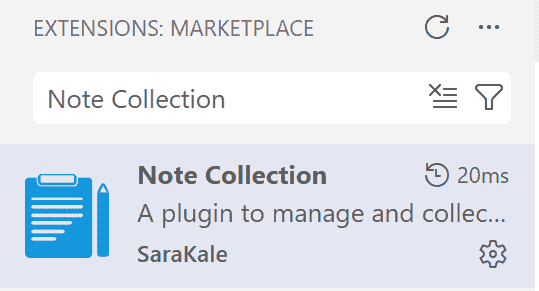
### Install from VS Code Marketplace
1. Open VSCode
2. Go to Extensions panel (Ctrl+Shift+X)
3. Search "Note Collection" or [marketplace install](https://marketplace.visualstudio.com/items?itemName=SaraKale.note-collection)
4. Click Install
### Install from VSIX file
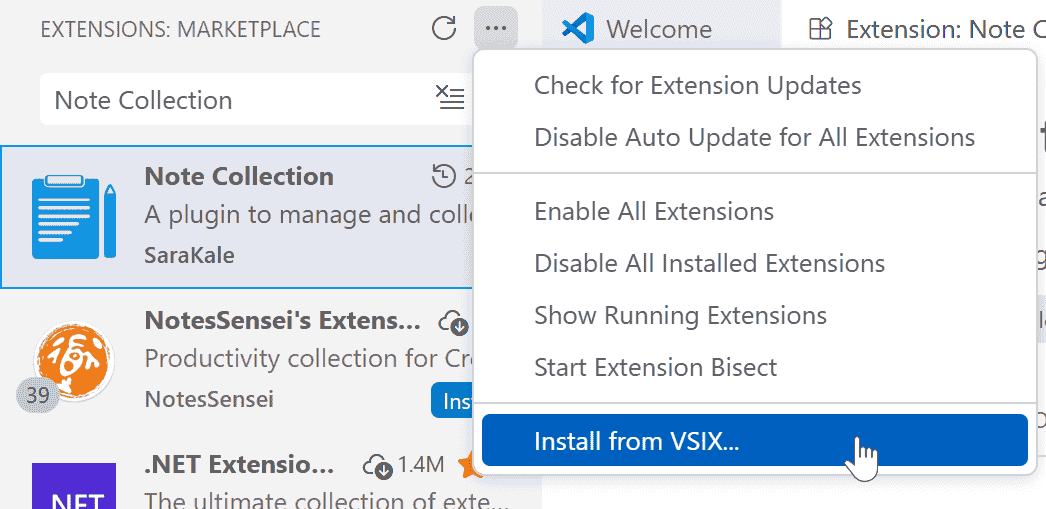
1. Download the latest `.vsix` file from [Releases](https://github.com/sarakale/vscode-note-collection/releases) page
2. Open VS Code
3. Press Ctrl+Shift+P to open Command Palette
4. Select "Extensions: Install from VSIX..."
5. Select the downloaded `.vsix` file
## Usage
### Getting Started
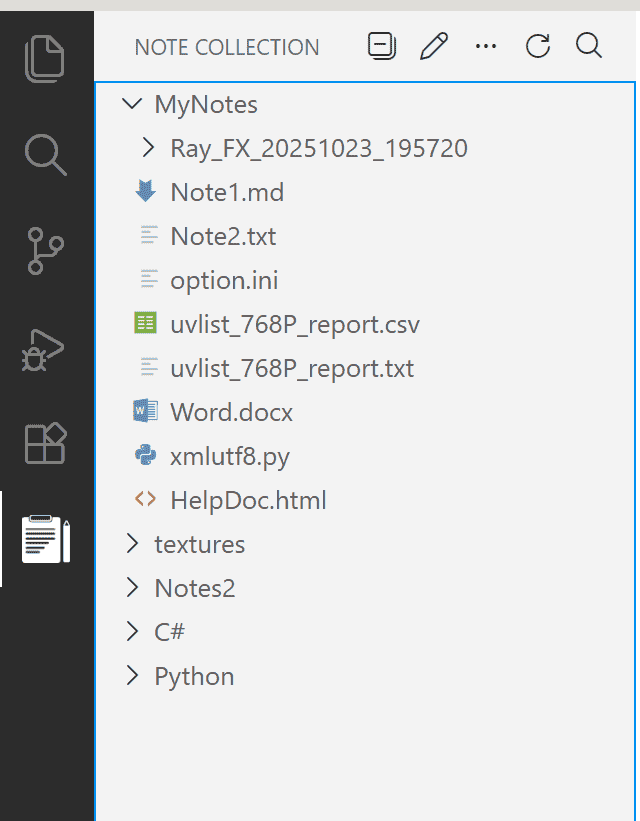
1. After installation, the "Note Collection" view will appear in the left activity bar
2. Click the icon to open the side panel
3. Start adding your notes!
4. Need to restart VS Code to switch languages.
### Basic Operations
#### Adding Notes to Tags
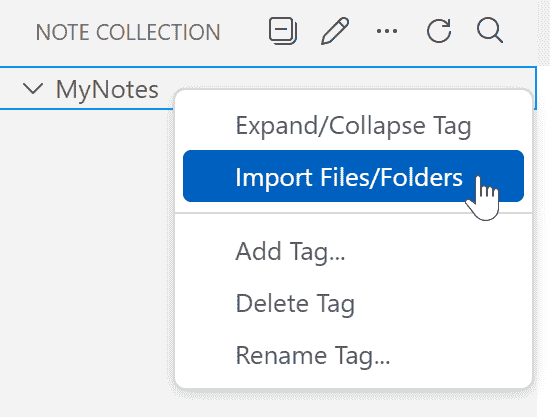
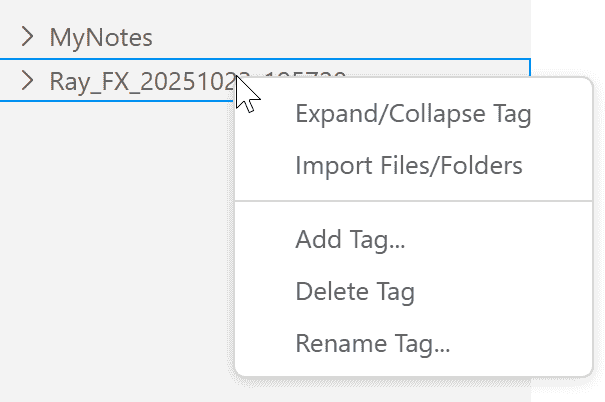
- Right-click on a tag, select "Import Files/Folders..." to add note files/folders
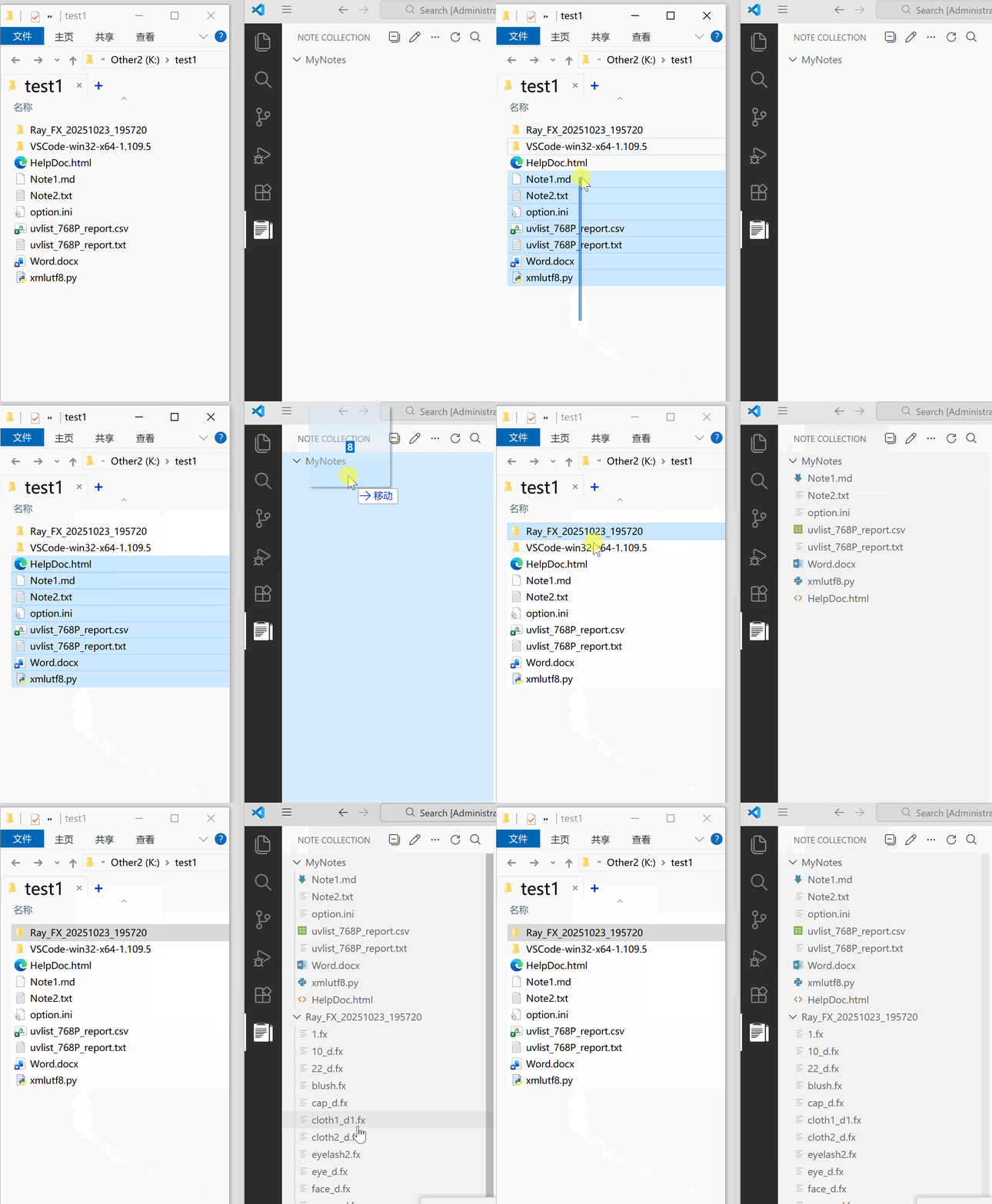
- Drag files/folders from file explorer into tags
- If a file is moved or deleted, a warning icon and prompt will appear.

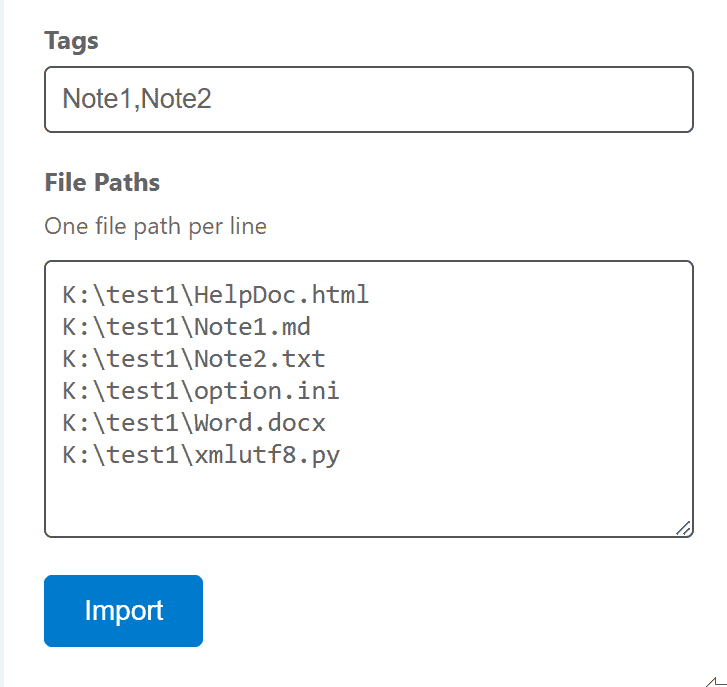
- You can also manually enter paths in more operations, which will open a dedicated Webview panel to enter more paths.
- Tag entry, you can enter multiple tags separated by English commas:
```
Note1,Note2
```
- File full path input, one file path per line:
```
D:\path\file1.txt
D:\path\file2.txt
```
#### Managing Tags
- Click "Add Tags..." in the "More" menu to create new tags/multi-level tags
- Right-click on tags to add tags, rename tags, delete tags
- Deleting tags will not delete the note files within them, only remove them from the collection
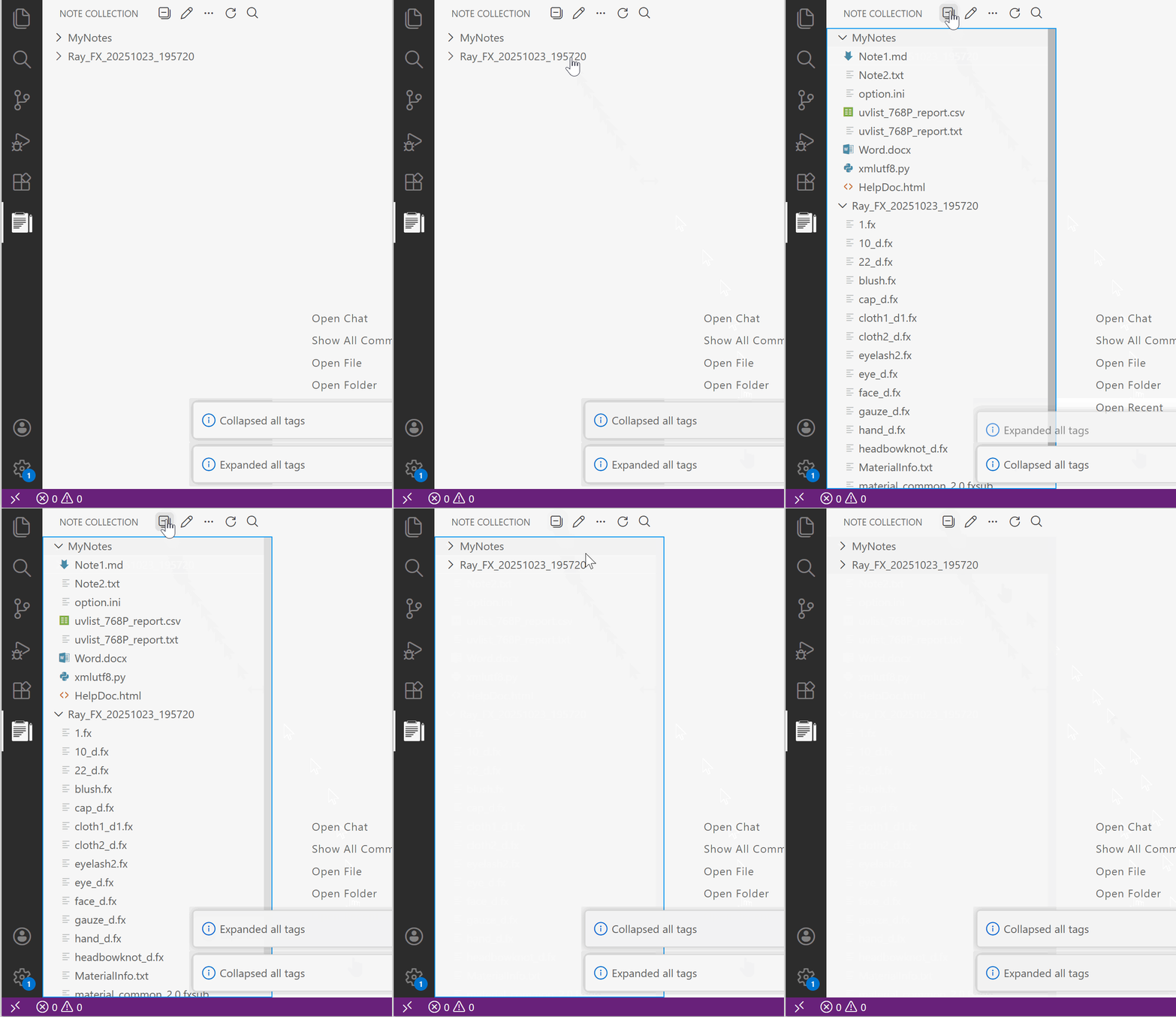
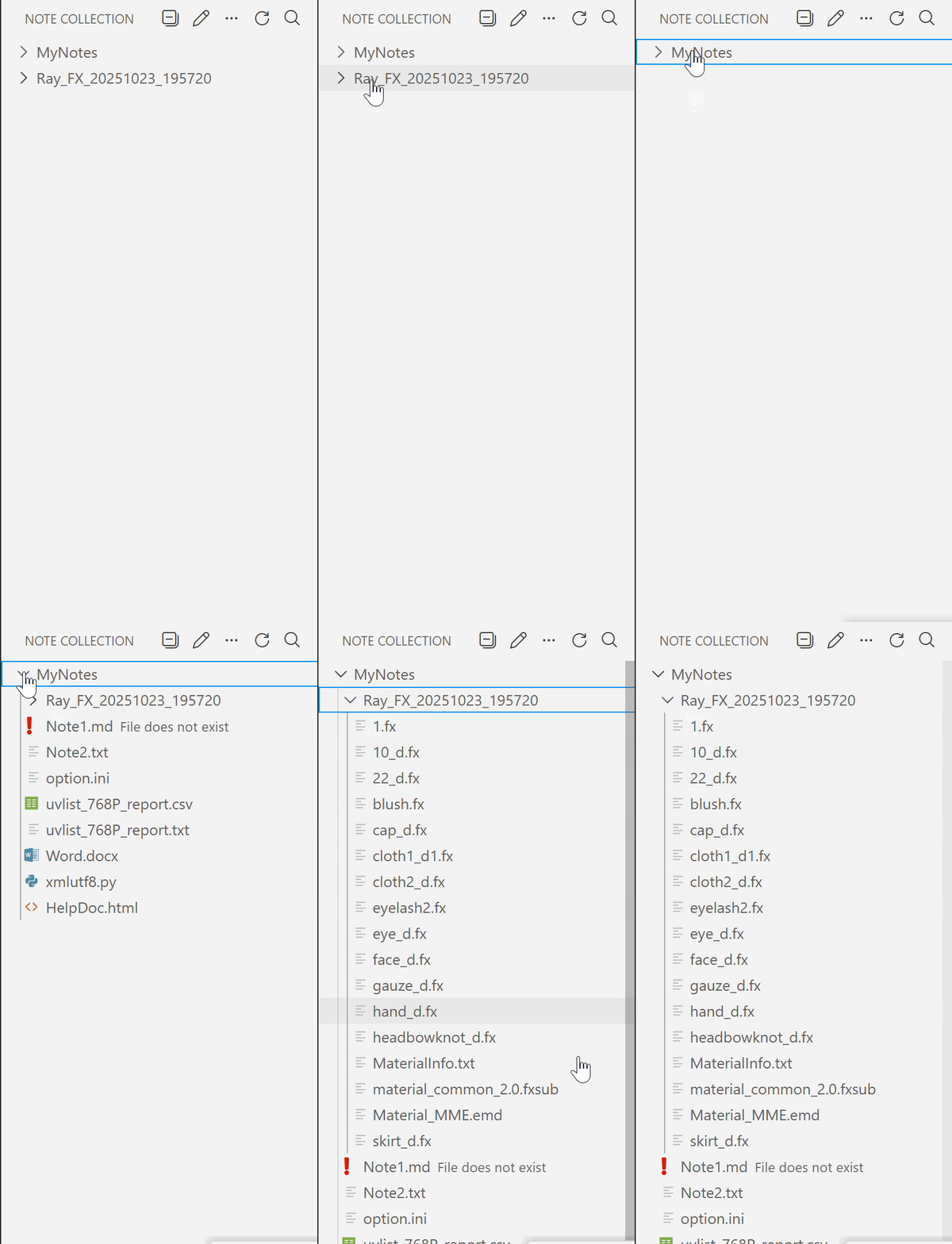
- Click the collapse icon to expand/collapse all tag content
- You can also move tags into other tags
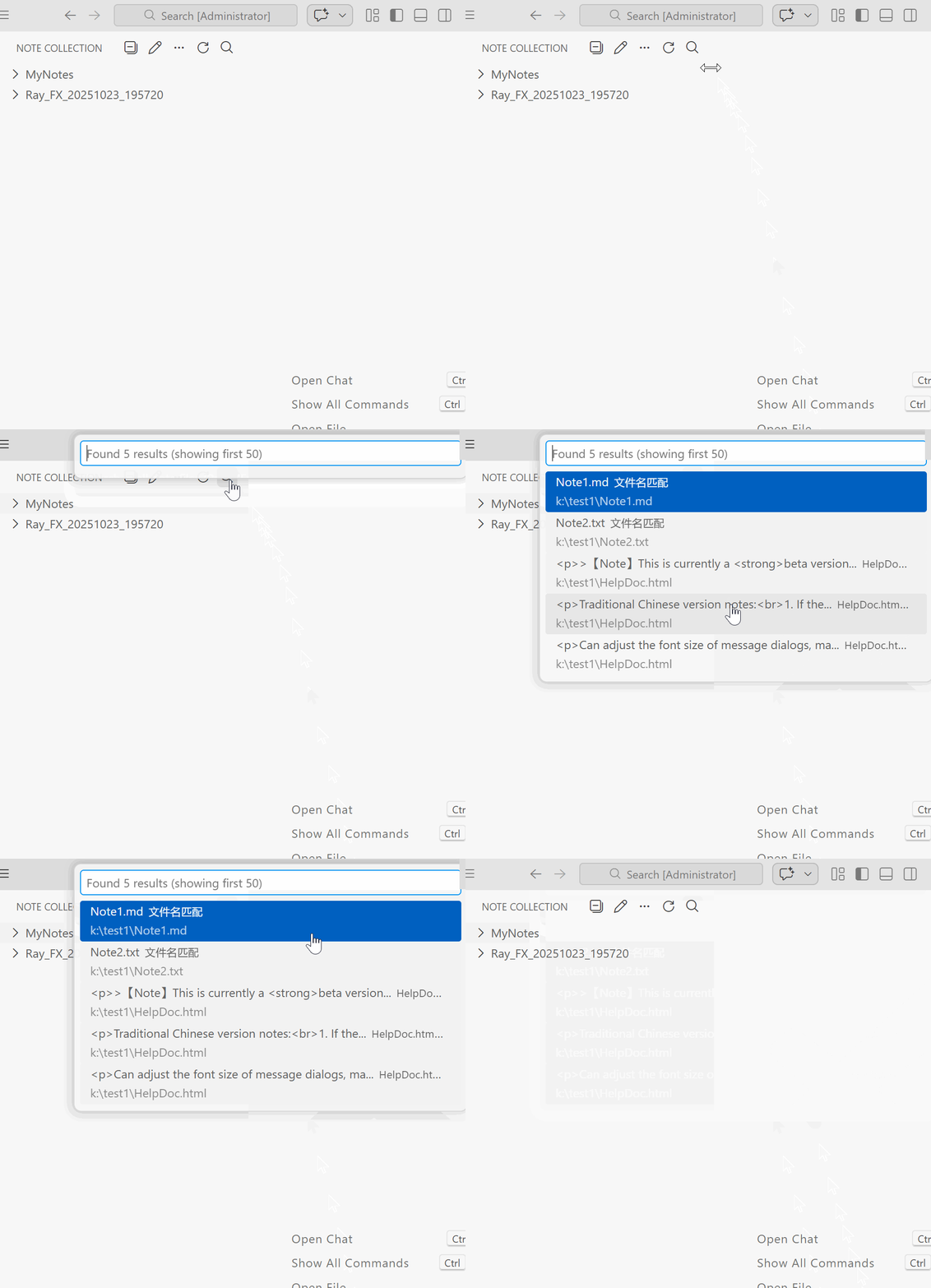
#### Searching Notes
- Click the search icon in the toolbar
- Enter search keywords to find notes in all tags
- Displays up to 50 matching results
- Only supports common text formats; images/documents/videos will only search for filenames. Binary files require third-party full-text search software, such as: Recoll, DocFetcher, etc.
#### Note Operations
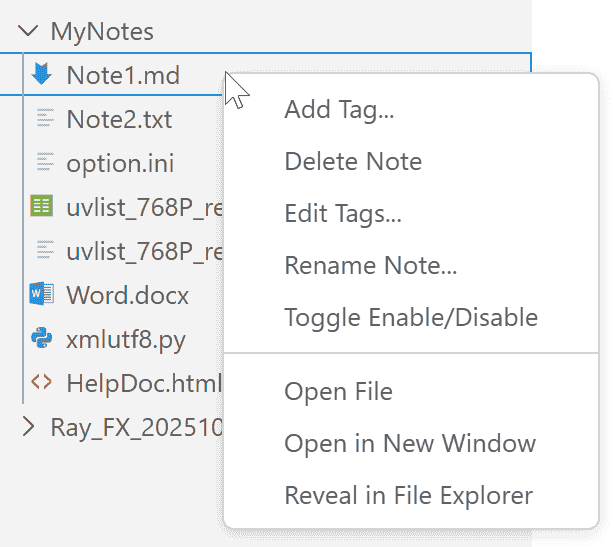
- **Open**: Double-click or select "Open File" from right-click menu
- **Show in Explorer**: Open the location of the file in the explorer
- **Rename Note**: Can change to a new name
- **Edit Tags**: Add multiple tags to notes
- **Delete Note**: Remove notes from the collection
- **Enable/Disable**: Hide/show note file items without actually deleting the file.
### Export TXT / Import Export JSON Backup Files
- In more operations:
- **Export as TXT**: Export the entire note collection list as a TXT file
- **Export JSON Backup File**: Create a JSON backup file to save your note collection state for easy recovery or migration to other devices.
- **Import JSON Backup File**: Restore note collection state from a previously exported JSON backup file.
- Note: Importing a JSON backup file will overwrite the current note collection state, please proceed with caution.
## Screenshots
## Requirements
- Visual Studio Code version 1.80.0 or higher
## Known Issues
1. After first installation, you may need to restart VS Code to switch languages.
2. When collapsing/expanding tags, there might be UI refresh issues. Try manually expanding tags to resolve.
## Contributing
Contributions are welcome! Feel free to submit Pull Requests.
1. Fork this repository
2. Create a branch and commit
5. Open a Pull Request
## Build Instructions
### Local Development
1. Clone the repository
```bash
git clone https://github.com/sarakale/vscode-note-collection.git
cd vscode-note-collection
```
2. Install dependencies
```bash
npm install
```
3. Compile TypeScript
```bash
npm run compile
```
4. Press F5 in VS Code to start debugging
### Package Extension
1. Install vsce (VS Code Extension Packager)
```bash
npm install -g vsce
```
2. Package as `.vsix` file
```bash
npm run package
```
Or use vsce command directly
```bash
vsce package
```
3. The generated `.vsix` file can be manually installed.
## Changelog
Check [CHANGELOG.md](CHANGELOG.md) for update details of each version.
## License
This project is licensed under GPL-3.0 License - see the [LICENSE](LICENSE) file for details.
## Support
If you encounter any issues or have feature suggestions, please visit:
- [GitHub Issues](https://github.com/sarakale/vscode-note-collection/issues)
## Acknowledgments
- Thanks to all users who use and support this extension
- Inspired by [vscode-project-manager](https://github.com/alefragnani/vscode-project-manager), adding more features based on it.
---