# scastie
**Repository Path**: semifinished/scastie
## Basic Information
- **Project Name**: scastie
- **Description**: No description available
- **Primary Language**: Unknown
- **License**: Apache-2.0
- **Default Branch**: master
- **Homepage**: None
- **GVP Project**: No
## Statistics
- **Stars**: 0
- **Forks**: 0
- **Created**: 2017-12-04
- **Last Updated**: 2020-12-20
## Categories & Tags
**Categories**: Uncategorized
**Tags**: None
## README
[](
https://travis-ci.org/scalacenter/scastie
) [](
https://gitter.im/scalacenter/scastie
)
# [Scastie](https://scastie.scala-lang.org)
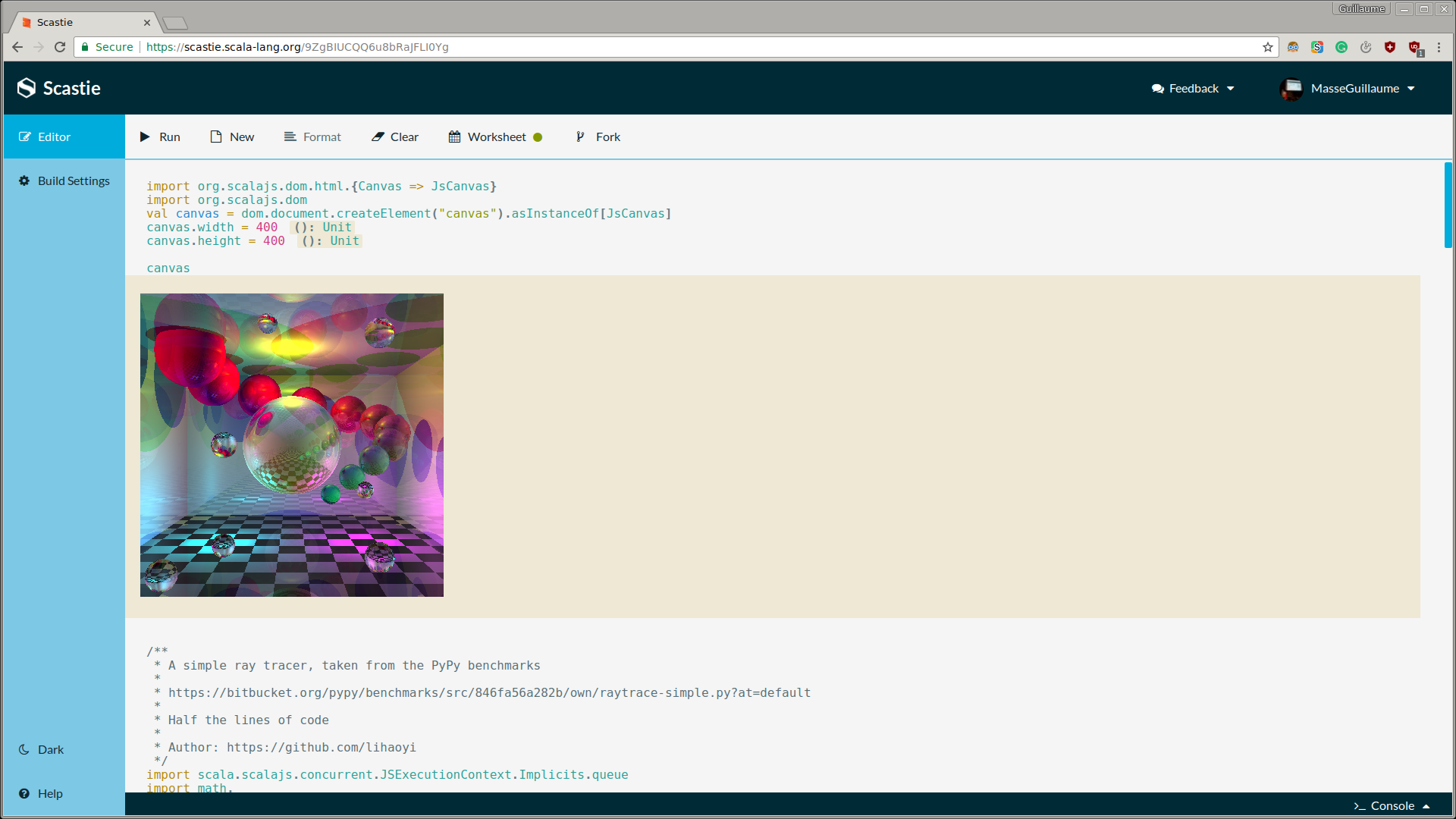 ## What is Scastie?
Scastie is sbt in your browser. You can:
* Use any version of Scala
* Use alternate backends such as Dotty, Scala.js, Scala Native, and Typelevel Scala.
* Use any publicly available library
* Share Scala programs with anybody
* Embed Scastie into your own website or library user guide.
## How does it work?
When a user evaluates their code, the browser sends all its input to our server.
We run your code in an isolated Java Virtual Machine on our servers.
We integrated a Scaladex interface to allow you to search the Scala ecosystem
and include any published Scala library in your project. You don’t need to
remember what the latest version number of a particular library is anymore!
The output is streamed back to the user. A protocol will allow
the client to interpret different events such as compiler errors,
runtime exceptions, instrumentation, console output, etc.
We also support a worksheet mode, which feels much like a worksheet in an IDE.
It lets a user write code as top-level expressions, without having to put
your code inside of a class or object with a main method. Worksheet mode gives you two ways to interleave your results; on the one hand, when an expression
is evaluated, you can see the value and type of the evaluated expression
to the right of the code that you wrote. On the other hand, worksheet mode
also makes it possible to do a kind of literate programming; that is, you
may interleave code and HTML blocks much like in notebook environments
such as iPython notebooks.
## How do I embed Scastie?
You can embed a snippet with two different ways. You can embed a resource that
was previously saved or you can convert code to a snippet.
### Embedded Resources
#### Via HTML
Any saved resource can be embedded via a script tag by appending ".js" to its URL.
```html
```
The embedding will be patched at the location of the script tag.
It's also possible to adjust the theme via the GET parameter theme. For example:
```html
```
The theme can be `dark` or `light`. The default value is `light`. It's also possible to customize the css.
Take a look at: https://codepen.io/MasseGuillaume/pen/oeKoee
#### Via Javascript
```html
```
Take a look at: https://codepen.io/MasseGuillaume/pen/aLpzvW
### Converting Code Into Snippets
It's also possible to convert code into a snippet. The preferred way is to embed
a snippet since it's output is cached. This mode will compile and run the snippet
every time it's accessed.
```html
## What is Scastie?
Scastie is sbt in your browser. You can:
* Use any version of Scala
* Use alternate backends such as Dotty, Scala.js, Scala Native, and Typelevel Scala.
* Use any publicly available library
* Share Scala programs with anybody
* Embed Scastie into your own website or library user guide.
## How does it work?
When a user evaluates their code, the browser sends all its input to our server.
We run your code in an isolated Java Virtual Machine on our servers.
We integrated a Scaladex interface to allow you to search the Scala ecosystem
and include any published Scala library in your project. You don’t need to
remember what the latest version number of a particular library is anymore!
The output is streamed back to the user. A protocol will allow
the client to interpret different events such as compiler errors,
runtime exceptions, instrumentation, console output, etc.
We also support a worksheet mode, which feels much like a worksheet in an IDE.
It lets a user write code as top-level expressions, without having to put
your code inside of a class or object with a main method. Worksheet mode gives you two ways to interleave your results; on the one hand, when an expression
is evaluated, you can see the value and type of the evaluated expression
to the right of the code that you wrote. On the other hand, worksheet mode
also makes it possible to do a kind of literate programming; that is, you
may interleave code and HTML blocks much like in notebook environments
such as iPython notebooks.
## How do I embed Scastie?
You can embed a snippet with two different ways. You can embed a resource that
was previously saved or you can convert code to a snippet.
### Embedded Resources
#### Via HTML
Any saved resource can be embedded via a script tag by appending ".js" to its URL.
```html
```
The embedding will be patched at the location of the script tag.
It's also possible to adjust the theme via the GET parameter theme. For example:
```html
```
The theme can be `dark` or `light`. The default value is `light`. It's also possible to customize the css.
Take a look at: https://codepen.io/MasseGuillaume/pen/oeKoee
#### Via Javascript
```html
```
Take a look at: https://codepen.io/MasseGuillaume/pen/aLpzvW
### Converting Code Into Snippets
It's also possible to convert code into a snippet. The preferred way is to embed
a snippet since it's output is cached. This mode will compile and run the snippet
every time it's accessed.
```html
1 + 1
import org.scalajs.dom
import org.scalajs.dom.raw.HTMLImageElement

val img = dom.document.createElement("img").asInstanceOf[HTMLImageElement]
img.alt = "such dog"
img.src = "https://goo.gl/a3Xr41"
img
```
Take a look at: https://codepen.io/MasseGuillaume/pen/OxbVzm
# Supports
Scastie is supported by the Scala Center
[](https://scala.epfl.ch/)
with the help of Browser Stack for end-to-end testing
[](https://browserstack.com)