# xiaozhi-client
**Repository Path**: shenjingnan/xiaozhi-client
## Basic Information
- **Project Name**: xiaozhi-client
- **Description**: 小智AI客户端,目前主要用于MCP的对接
- **Primary Language**: TypeScript
- **License**: MIT
- **Default Branch**: main
- **Homepage**: None
- **GVP Project**: No
## Statistics
- **Stars**: 6
- **Forks**: 2
- **Created**: 2025-06-14
- **Last Updated**: 2026-01-05
## Categories & Tags
**Categories**: Uncategorized
**Tags**: None
## README
# Xiaozhi Client
[](https://www.npmjs.com/package/xiaozhi-client)
[](https://codecov.io/gh/shenjingnan/xiaozhi-client)
[](https://github.com/shenjingnan/xiaozhi-client/actions)
[](https://hub.docker.com/r/shenjingnan/xiaozhi-client)
[](https://opensource.org/licenses/MIT)
[](https://img.shields.io/badge/AI%20Code-90%25%2B-84cc16)
[](http://xiaozhi.me)
[](https://www.modelscope.cn/mcp)
[](https://www.coze.cn/)

## 功能特色
- 支持 小智(xiaozhi.me) 官方服务器接入点
- 支持 作为普通 MCP Server 集成到 Cursor/Cherry Studio 等客户端
- 支持 配置多个小智接入点,实现多个小智设备共享一个 MCP 配置
- 支持 通过标准方式聚合多个 MCP Server
- 支持 动态控制 MCP Server 工具的可见性,避免由于无用工具过多导致的小智服务端异常
- 支持 本地化部署的开源服务端集成,你可以使用和小智官方服务端一样的 RPC 通信或直接使用标准 MCP 集成方式
- 支持 Web 网页可视化配置(允许自定义 IP 和端口,你能将 xiaozhi-client 部署在设备 A,然后在设备 B 通过网页控制 xiaozhi-client)
- 支持 集成 ModelScope 的远程 MCP 服务
- 支持 通过模板创建 xiaozhi-client 项目 (xiaozhi create \ --template hello-world)
- 支持 后台运行(xiaozhi start -d)
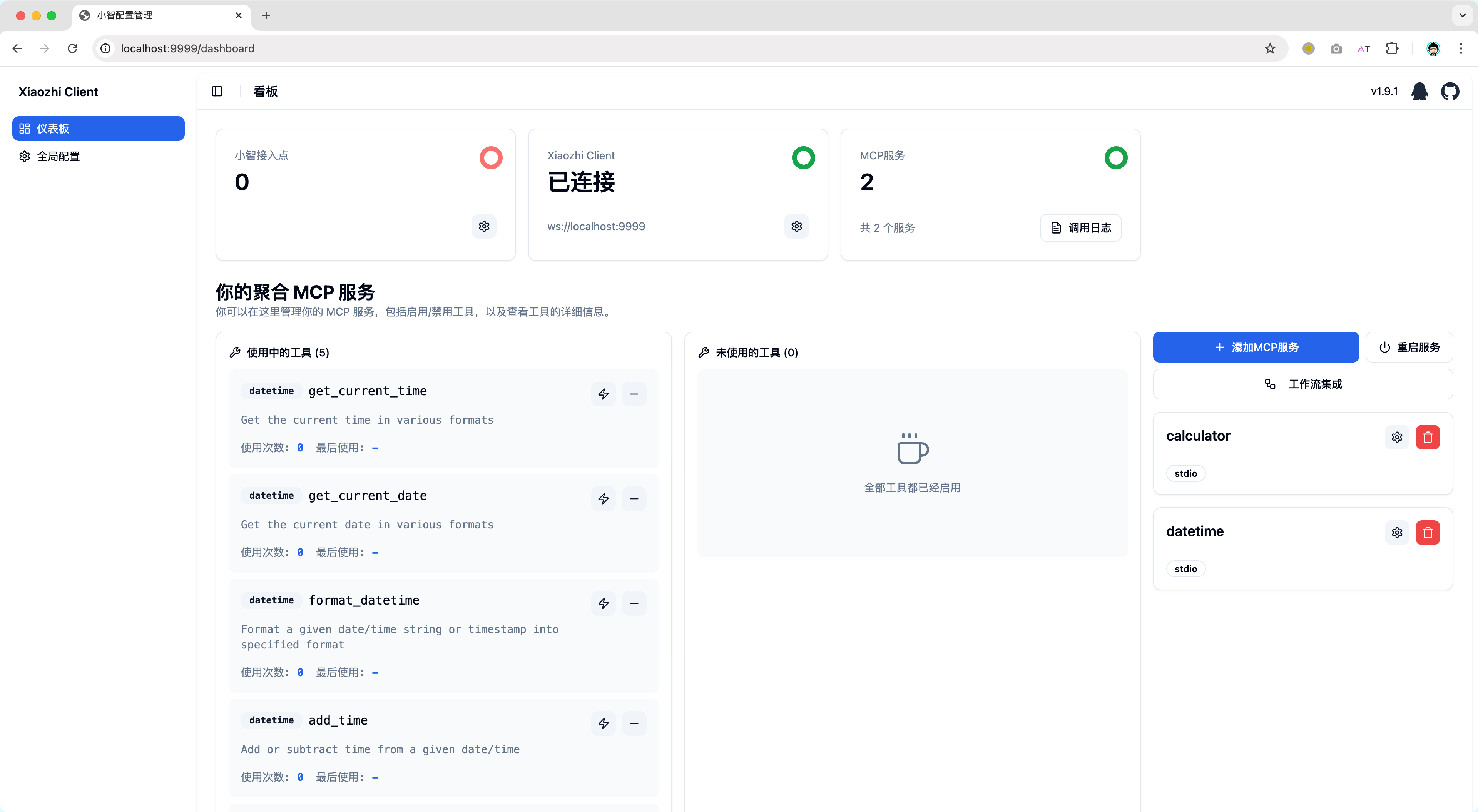
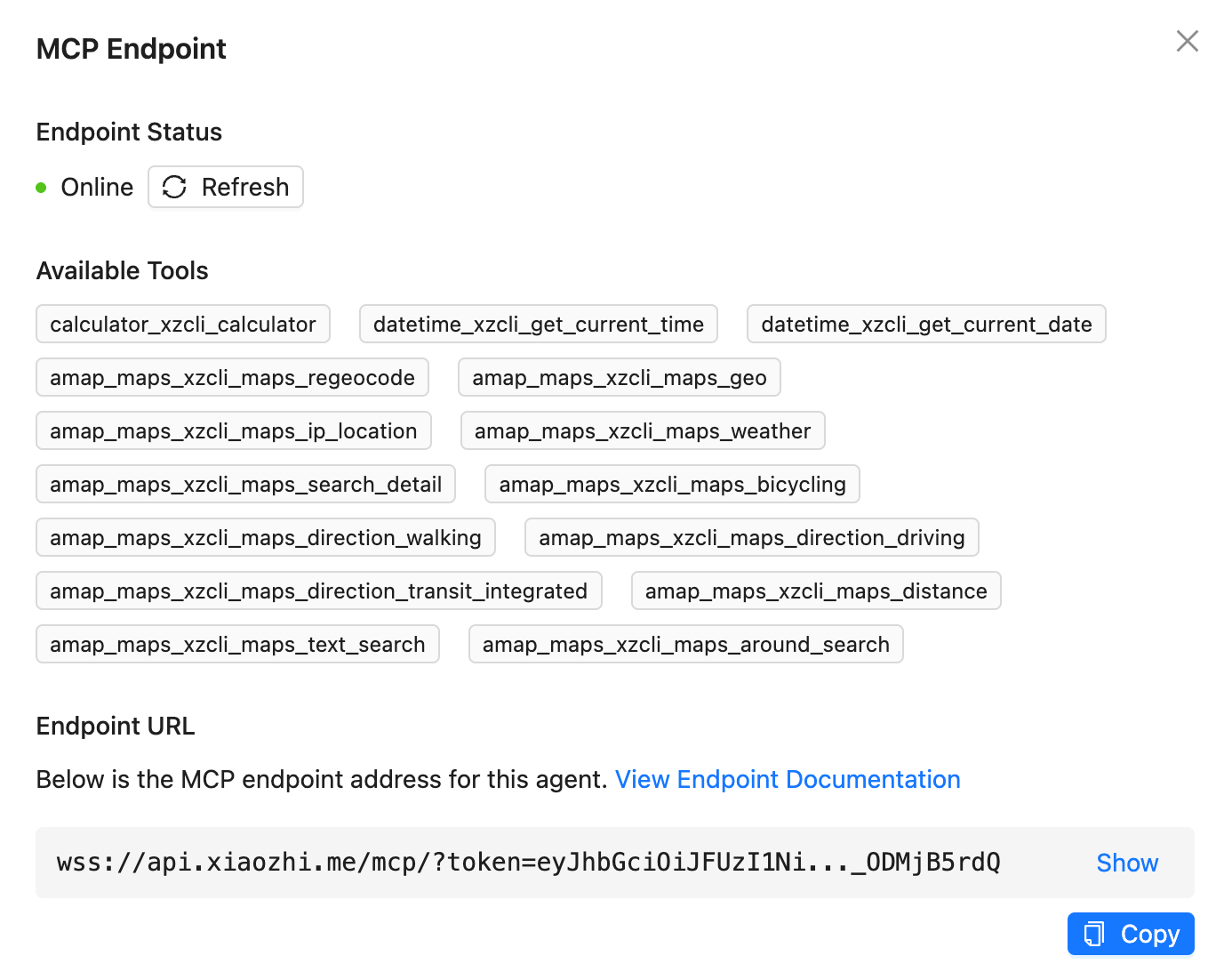
## 快速上手
你可以阅读文档 [xiaozhi-client.shenjingnan.com](https://xiaozhi-client.shenjingnan.com) 快速上手!
### 本地安装
> 前置条件:请先完成 node:22(LTS) 与 pnpm 的安装
```bash
# 安装
pnpm install -g xiaozhi-client
# 创建应用
xiaozhi create my-app
# 进入应用目录
cd my-app
# 安装依赖
pnpm install
# 小智AI配置MCP接入点的 [使用说明](https://ccnphfhqs21z.feishu.cn/wiki/HiPEwZ37XiitnwktX13cEM5KnSb)
xiaozhi config set mcpEndpoint "<从小智服务端获取到的接入点地址>"
# 启动服务
xiaozhi start
# 浏览器打开 http://localhost:9999 如果你使用的是NAS部署请使用 http://<部署设备的IP地址>:9999
```
### 使用 Docker 运行
我们提供了预配置的 Docker 镜像,可以快速启动 xiaozhi-client 环境。
#### 前置要求
- 已安装 Docker
- 已获取小智接入点地址(参见[小智 AI 配置 MCP 接入点的使用说明](https://ccnphfhqs21z.feishu.cn/wiki/HiPEwZ37XiitnwktX13cEM5KnSb))
#### 快速启动
##### 方式一:使用启动脚本(推荐)
```bash
curl -fsSL https://raw.githubusercontent.com/shenjingnan/xiaozhi-client/main/docker/scripts/start.sh | bash
```
> 无法访问 `Github` 可以使用 `Gitee` 替代
```bash
curl -fsSL https://gitee.com/shenjingnan/xiaozhi-client/raw/main/docker/scripts/start.sh | bash
```
##### 方式二:使用 Docker Compose
获取 docker-compose.yml 文件:
```bash
curl -O https://raw.githubusercontent.com/shenjingnan/xiaozhi-client/main/docker/docker-compose.yml
```
> 无法访问 `Github` 可以使用 `Gitee` 替代
```bash
curl -O https://gitee.com/shenjingnan/xiaozhi-client/raw/main/docker/docker-compose.yml
```
```bash
# 使用 Docker Compose 启动
docker-compose up -d
# 查看日志
docker-compose logs -f
# 停止服务
docker-compose down
```
## 贡献者