# ospray **Repository Path**: shzhou_admin/ospray ## Basic Information - **Project Name**: ospray - **Description**: An Open, Scalable, Portable, Ray Tracing Based Rendering Engine for High-Fidelity Visualization - **Primary Language**: Unknown - **License**: Apache-2.0 - **Default Branch**: master - **Homepage**: None - **GVP Project**: No ## Statistics - **Stars**: 0 - **Forks**: 0 - **Created**: 2020-01-03 - **Last Updated**: 2020-12-28 ## Categories & Tags **Categories**: Uncategorized **Tags**: None ## README OSPRay ====== This is release v1.8.5 of OSPRay. For changes and new features see the [changelog](CHANGELOG.md). Visit http://www.ospray.org for more information. OSPRay Overview =============== Intel OSPRay is an **o**pen source, **s**calable, and **p**ortable **ray** tracing engine for high-performance, high-fidelity visualization on Intel Architecture CPUs. OSPRay is part of the [Intel Rendering Framework](https://software.intel.com/en-us/rendering-framework) and is released under the permissive [Apache 2.0 license](http://www.apache.org/licenses/LICENSE-2.0). The purpose of OSPRay is to provide an open, powerful, and easy-to-use rendering library that allows one to easily build applications that use ray tracing based rendering for interactive applications (including both surface- and volume-based visualizations). OSPRay is completely CPU-based, and runs on anything from laptops, to workstations, to compute nodes in HPC systems. OSPRay internally builds on top of [Intel Embree](https://embree.github.io/) and [ISPC (Intel SPMD Program Compiler)](https://ispc.github.io/), and fully exploits modern instruction sets like Intel SSE4, AVX, AVX2, and AVX-512 to achieve high rendering performance, thus a CPU with support for at least SSE4.1 is required to run OSPRay. OSPRay Support and Contact -------------------------- OSPRay is under active development, and though we do our best to guarantee stable release versions a certain number of bugs, as-yet-missing features, inconsistencies, or any other issues are still possible. Should you find any such issues please report them immediately via [OSPRay’s GitHub Issue Tracker](https://github.com/ospray/OSPRay/issues) (or, if you should happen to have a fix for it,you can also send us a pull request); for missing features please contact us via email at ospray@googlegroups.com. For recent news, updates, and announcements, please see our complete [news/updates](https://www.ospray.org/news.html) page. Join our [mailing list](https://groups.google.com/forum/#!forum/ospray-announce/join) to receive release announcements and major news regarding OSPRay. [![Join the chat at https://gitter.im/ospray/ospray](https://ospray.github.io/images/gitter_badge.svg)](https://gitter.im/ospray/ospray?utm_source=badge&utm_medium=badge&utm_content=badge) Building OSPRay from Source =========================== The latest OSPRay sources are always available at the [OSPRay GitHub repository](http://github.com/ospray/ospray). The default `master` branch should always point to the latest tested bugfix release. Prerequisites ------------- OSPRay currently supports Linux, Mac OS X, and Windows. In addition, before you can build OSPRay you need the following prerequisites: - You can clone the latest OSPRay sources via: git clone https://github.com/ospray/ospray.git - To build OSPRay you need [CMake](http://www.cmake.org), any form of C++11 compiler (we recommend using GCC, but also support Clang and the [Intel® C++ Compiler (icc)](https://software.intel.com/en-us/c-compilers)), and standard Linux development tools. To build the example viewers, you should also have some version of OpenGL. - Additionally you require a copy of the [Intel® SPMD Program Compiler (ISPC)](http://ispc.github.io), version 1.9.1 or later. Please obtain a release of ISPC from the [ISPC downloads page](https://ispc.github.io/downloads.html). The build system looks for ISPC in the `PATH` and in the directory right “next to” the checked-out OSPRay sources.[^1] Alternatively set the CMake variable `ISPC_EXECUTABLE` to the location of the ISPC compiler. - Per default OSPRay uses the Intel® [Threading Building Blocks](https://www.threadingbuildingblocks.org/) (TBB) as tasking system, which we recommend for performance and flexibility reasons. Alternatively you can set CMake variable `OSPRAY_TASKING_SYSTEM` to `OpenMP`, `Internal`, or `Cilk` (icc only). - OSPRay also heavily uses Intel [Embree](https://embree.github.io/), installing version 3.2 or newer is required. If Embree is not found by CMake its location can be hinted with the variable `embree_DIR`. NOTE: Windows users should use Embree v3.2.2 or later. - If available OSPRay’s [Example Viewer](#example-viewer) can be compiled with support for Intel [Open Image Denoise](http://www.openimagedenoise.org/) by enabling `OSPRAY_APPS_ENABLE_DENOISER`. You may need to hint the location of the library with the CMake variable `OpenImageDenoise_DIR`. Depending on your Linux distribution you can install these dependencies using `yum` or `apt-get`. Some of these packages might already be installed or might have slightly different names. Type the following to install the dependencies using `yum`: sudo yum install cmake.x86_64 sudo yum install tbb.x86_64 tbb-devel.x86_64 Type the following to install the dependencies using `apt-get`: sudo apt-get install cmake-curses-gui sudo apt-get install libtbb-dev Under Mac OS X these dependencies can be installed using [MacPorts](http://www.macports.org/): sudo port install cmake tbb Under Windows please directly use the appropriate installers for [CMake](https://cmake.org/download/), [TBB](https://github.com/01org/tbb/releases), [ISPC](https://ispc.github.io/downloads.html) (for your Visual Studio version) and [Embree](https://github.com/embree/embree/releases/). Compiling OSPRay on Linux and Mac OS X -------------------------------------- Assume the above requisites are all fulfilled, building OSPRay through CMake is easy: - Create a build directory, and go into it mkdir ospray/build cd ospray/build (We do recommend having separate build directories for different configurations such as release, debug, etc.). - The compiler CMake will use will default to whatever the `CC` and `CXX` environment variables point to. Should you want to specify a different compiler, run cmake manually while specifying the desired compiler. The default compiler on most linux machines is `gcc`, but it can be pointed to `clang` instead by executing the following: cmake -DCMAKE_CXX_COMPILER=clang++ -DCMAKE_C_COMPILER=clang .. CMake will now use Clang instead of GCC. If you are ok with using the default compiler on your system, then simply skip this step. Note that the compiler variables cannot be changed after the first `cmake` or `ccmake` run. - Open the CMake configuration dialog ccmake .. - Make sure to properly set build mode and enable the components you need, etc.; then type ’c’onfigure and ’g’enerate. When back on the command prompt, build it using make - You should now have `libospray.so` as well as a set of example application. You can test your version of OSPRay using any of the examples on the [OSPRay Demos and Examples](https://www.ospray.org/demos.html) page. Compiling OSPRay on Windows --------------------------- On Windows using the CMake GUI (`cmake-gui.exe`) is the most convenient way to configure OSPRay and to create the Visual Studio solution files: - Browse to the OSPRay sources and specify a build directory (if it does not exist yet CMake will create it). - Click “Configure” and select as generator the Visual Studio version you have (OSPRay needs Visual Studio 14 2015 or newer), for Win64 (32 bit builds are not supported by OSPRay), e.g., “Visual Studio 15 2017 Win64”. - If the configuration fails because some dependencies could not be found then follow the instructions given in the error message, e.g., set the variable `embree_DIR` to the folder where Embree was installed. - Optionally change the default build options, and then click “Generate” to create the solution and project files in the build directory. - Open the generated `OSPRay.sln` in Visual Studio, select the build configuration and compile the project. Alternatively, OSPRay can also be built without any GUI, entirely on the console. In the Visual Studio command prompt type: cd path\to\ospray mkdir build cd build cmake -G "Visual Studio 15 2017 Win64" [-D VARIABLE=value] .. cmake --build . --config Release Use `-D` to set variables for CMake, e.g., the path to Embree with “`-D embree_DIR=\path\to\embree`”. You can also build only some projects with the `--target` switch. Additional parameters after “`--`” will be passed to `msbuild`. For example, to build in parallel only the OSPRay library without the example applications use cmake --build . --config Release --target ospray -- /m Finding an OSPRay install with CMake ==================================== Client applications using OSPRay can find it with CMake’s `find_package()` command. For example, find_package(ospray 1.8.0 REQUIRED) finds OSPRay via OSPRay’s configuration file `osprayConfig.cmake`[^2]. Once found, the following is all that is required to use OSPRay: target_link_libraries(${client_target} ospray::ospray) This will automatically propagate all required include paths, linked libraries, and compiler definitions to the client CMake target (either an executable or library). Advanced users may want to link to additional targets which are exported in OSPRay’s CMake config, which includes all installed modules. All targets built with OSPRay are exported in the `ospray::` namespace, therefore all targets locally used in the OSPRay source tree can be accessed from an install. For example, `ospray_common` can be consumed directly via the `ospray::ospray_common` target. All targets have their libraries, includes, and definitions attached to them for public consumption (please [report bugs](#ospray-support-and-contact) if this is broken!). Documentation ============= The following [API documentation](http://www.sdvis.org/ospray/download/OSPRay_readme.pdf "OSPRay Documentation") of OSPRay can also be found as a [pdf document](http://www.sdvis.org/ospray/download/OSPRay_readme.pdf "OSPRay Documentation"). For a deeper explanation of the concepts, design, features and performance of OSPRay also have a look at the IEEE Vis 2016 paper “[OSPRay – A CPU Ray Tracing Framework for Scientific Visualization](http://www.sdvis.org/ospray/download/talks/IEEEVis2016_OSPRay_paper.pdf)” (49MB, or get the [smaller version](http://www.sdvis.org/ospray/download/talks/IEEEVis2016_OSPRay_paper_small.pdf) 1.8MB). The [slides of the talk](http://www.sdvis.org/ospray/download/talks/IEEEVis2016_OSPRay_talk.pdf) (5.2MB) are also available. OSPRay API ========== To access the OSPRay API you first need to include the OSPRay header ``` {.cpp} #include "ospray/ospray.h" ``` where the API is compatible with C99 and C++. Initialization and Shutdown --------------------------- To use the API, OSPRay must be initialized with a “device”. A device is the object which implements the API. Creating and initializing a device can be done in either of two ways: command line arguments or manually instantiating a device. ### Command Line Arguments The first is to do so by giving OSPRay the command line from `main()` by calling ``` {.cpp} OSPError ospInit(int *argc, const char **argv); ``` OSPRay parses (and removes) its known command line parameters from your application’s `main` function. For an example see the [tutorial](#tutorial). For possible error codes see section [Error Handling and Status Messages](#error-handling-and-status-messages). It is important to note that the arguments passed to `ospInit()` are processed in order they are listed. The following parameters (which are prefixed by convention with “`--osp:`”) are understood:
Command line parameters accepted by OSPRay’s ospInit.
Parameter Description
--osp:debug enables various extra checks and debug output, and disables multi-threading
--osp:numthreads <n> use n threads instead of per default using all detected hardware threads
--osp:loglevel <n> set logging level, default 0; increasing n means increasingly verbose log messages
--osp:verbose shortcut for --osp:loglevel 1 and enable debug output on console
--osp:vv shortcut for --osp:loglevel 2 and enable debug output on console
--osp:module:<name> load a module during initialization; equivalent to calling ospLoadModule(name)
--osp:mpi enables MPI mode for parallel rendering with the mpi_offload device, to be used in conjunction with mpirun; this will automatically load the “mpi” module if it is not yet loaded or linked
--osp:mpi-offload same as --osp:mpi
--osp:mpi-distributed same as --osp:mpi, but will create an mpi_distributed device instead; Note that this will likely require application changes to work properly
--osp:logoutput <dst> convenience for setting where status messages go; valid values for dst are cerr and cout
--osp:erroroutput <dst> convenience for setting where error messages go; valid values for dst are cerr and cout
--osp:device:<name> use name as the type of device for OSPRay to create; e.g., --osp:device:default gives you the default local device; Note if the device to be used is defined in a module, remember to pass --osp:module:<name> first
--osp:setaffinity <n> if 1, bind software threads to hardware threads; 0 disables binding; default is 1 on KNL and 0 otherwise
: Command line parameters accepted by OSPRay’s `ospInit`. ### Manual Device Instantiation The second method of initialization is to explicitly create the device yourself, and possibly set parameters. This method looks almost identical to how other [objects](#objects) are created and used by OSPRay (described in later sections). The first step is to create the device with ``` {.cpp} OSPDevice ospNewDevice(const char *type); ``` where the `type` string maps to a specific device implementation. OSPRay always provides the “`default`” device, which maps to a local CPU rendering device. If it is enabled in the build, you can also use “`mpi`” to access the MPI multi-node rendering device (see [Parallel Rendering with MPI](#parallel-rendering-with-mpi) section for more information). Once a device is created, you can call ``` {.cpp} void ospDeviceSet1i(OSPDevice, const char *id, int val); void ospDeviceSetString(OSPDevice, const char *id, const char *val); void ospDeviceSetVoidPtr(OSPDevice, const char *id, void *val); ``` to set parameters on the device. The following parameters can be set on all devices:
Parameters shared by all devices.
Type Name Description
int numThreads number of threads which OSPRay should use
int logLevel logging level
string logOutput convenience for setting where status messages go; valid values are cerr and cout
string errorOutput convenience for setting where error messages go; valid values are cerr and cout
int debug set debug mode; equivalent to logLevel=2 and numThreads=1
int setAffinity bind software threads to hardware threads if set to 1; 0 disables binding omitting the parameter will let OSPRay choose
: Parameters shared by all devices. Once parameters are set on the created device, the device must be committed with ``` {.cpp} void ospDeviceCommit(OSPDevice); ``` To use the newly committed device, you must call ``` {.cpp} void ospSetCurrentDevice(OSPDevice); ``` This then sets the given device as the object which will respond to all other OSPRay API calls. Users can change parameters on the device after initialization (from either method above), by calling ``` {.cpp} OSPDevice ospGetCurrentDevice(); ``` This function returns the handle to the device currently used to respond to OSPRay API calls, where users can set/change parameters and recommit the device. If changes are made to the device that is already set as the current device, it does not need to be set as current again. ### Environment Variables Finally, OSPRay’s generic device parameters can be overridden via environment variables for easy changes to OSPRay’s behavior without needing to change the application (variables are prefixed by convention with “`OSPRAY_`”): | Variable | Description | |:------------------------|:----------------------------------| | OSPRAY\_THREADS | equivalent to `--osp:numthreads` | | OSPRAY\_LOG\_LEVEL | equivalent to `--osp:loglevel` | | OSPRAY\_LOG\_OUTPUT | equivalent to `--osp:logoutput` | | OSPRAY\_ERROR\_OUTPUT | equivalent to `--osp:erroroutput` | | OSPRAY\_DEBUG | equivalent to `--osp:debug` | | OSPRAY\_SET\_AFFINITY | equivalent to `--osp:setaffinity` | | OSPRAY\_LOAD\_MODULES | equivalent to `--osp:module:`, | | | can be a comma separated list | | | of modules which will be loaded | | | in order | | OSPRAY\_DEFAULT\_DEVICE | equivalent to `--osp:device:` | : Environment variables interpreted by OSPRay. ### Error Handling and Status Messages The following errors are currently used by OSPRay: | Name | Description | |:------------------------|:------------------------------------------------------| | OSP\_NO\_ERROR | no error occurred | | OSP\_UNKNOWN\_ERROR | an unknown error occurred | | OSP\_INVALID\_ARGUMENT | an invalid argument was specified | | OSP\_INVALID\_OPERATION | the operation is not allowed for the specified object | | OSP\_OUT\_OF\_MEMORY | there is not enough memory to execute the command | | OSP\_UNSUPPORTED\_CPU | the CPU is not supported (minimum ISA is SSE4.1) | : Possible error codes, i.e., valid named constants of type `OSPError`. These error codes are either directly return by some API functions, or are recorded to be later queried by the application via ``` {.cpp} OSPError ospDeviceGetLastErrorCode(OSPDevice); ``` A more descriptive error message can be queried by calling ``` {.cpp} const char* ospDeviceGetLastErrorMsg(OSPDevice); ``` Alternatively, the application can also register a callback function of type ``` {.cpp} typedef void (*OSPErrorFunc)(OSPError, const char* errorDetails); ``` via ``` {.cpp} void ospDeviceSetErrorFunc(OSPDevice, OSPErrorFunc); ``` to get notified when errors occur. Applications may be interested in messages which OSPRay emits, whether for debugging or logging events. Applications can call ``` {.cpp} void ospDeviceSetStatusFunc(OSPDevice, OSPStatusFunc); ``` in order to register a callback function of type ``` {.cpp} typedef void (*OSPStatusFunc)(const char* messageText); ``` which OSPRay will use to emit status messages. By default, OSPRay uses a callback which does nothing, so any output desired by an application will require that a callback is provided. Note that callbacks for C++ `std::cout` and `std::cerr` can be alternatively set through `ospInit()` or the `OSPRAY_LOG_OUTPUT` environment variable. ### Loading OSPRay Extensions at Runtime OSPRay’s functionality can be extended via plugins, which are implemented in shared libraries. To load plugin `name` from `libospray_module_.so` (on Linux and Mac OS X) or `ospray_module_.dll` (on Windows) use ``` {.cpp} OSPError ospLoadModule(const char *name); ``` Modules are searched in OS-dependent paths. `ospLoadModule` returns `OSP_NO_ERROR` if the plugin could be successfully loaded. ### Shutting Down OSPRay When the application is finished using OSPRay (typically on application exit), the OSPRay API should be finalized with ``` {.cpp} void ospShutdown(); ``` This API call ensures that the current device is cleaned up appropriately. Due to static object allocation having non-deterministic ordering, it is recommended that applications call `ospShutdown()` before the calling application process terminates. Objects ------- All entities of OSPRay (the renderer, volumes, geometries, lights, cameras, …) are a specialization of `OSPObject` and share common mechanism to deal with parameters and lifetime. An important aspect of object parameters is that parameters do not get passed to objects immediately. Instead, parameters are not visible at all to objects until they get explicitly committed to a given object via a call to ``` {.cpp} void ospCommit(OSPObject); ``` at which time all previously additions or changes to parameters are visible at the same time. If a user wants to change the state of an existing object (e.g., to change the origin of an already existing camera) it is perfectly valid to do so, as long as the changed parameters are recommitted. The commit semantic allow for batching up multiple small changes, and specifies exactly when changes to objects will occur. This is important to ensure performance and consistency for devices crossing a PCI bus, or across a network. In our MPI implementation, for example, we can easily guarantee consistency among different nodes by MPI barrier’ing on every commit. Note that OSPRay uses reference counting to manage the lifetime of all objects, so one cannot explicitly “delete” any object. Instead, to indicate that the application does not need and does not access the given object anymore, call ``` {.cpp} void ospRelease(OSPObject); ``` This decreases its reference count and if the count reaches `0` the object will automatically get deleted. Passing `NULL` is not an error. ### Parameters Parameters allow to configure the behavior of and to pass data to objects. However, objects do *not* have an explicit interface for reasons of high flexibility and a more stable compile-time API. Instead, parameters are passed separately to objects in an arbitrary order, and unknown parameters will simply be ignored. The following functions allow adding various types of parameters with name `id` to a given object: ``` {.cpp} // add a C-string (zero-terminated char *) parameter void ospSetString(OSPObject, const char *id, const char *s); // add an object handle parameter to another object void ospSetObject(OSPObject, const char *id, OSPObject object); // add an untyped pointer -- this will *ONLY* work in local rendering! void ospSetVoidPtr(OSPObject, const char *id, void *v); // add scalar and vector integer and float parameters void ospSetf (OSPObject, const char *id, float x); void ospSet1f (OSPObject, const char *id, float x); void ospSet1i (OSPObject, const char *id, int32_t x); void ospSet2f (OSPObject, const char *id, float x, float y); void ospSet2fv(OSPObject, const char *id, const float *xy); void ospSet2i (OSPObject, const char *id, int x, int y); void ospSet2iv(OSPObject, const char *id, const int *xy); void ospSet3f (OSPObject, const char *id, float x, float y, float z); void ospSet3fv(OSPObject, const char *id, const float *xyz); void ospSet3i (OSPObject, const char *id, int x, int y, int z); void ospSet3iv(OSPObject, const char *id, const int *xyz); void ospSet4f (OSPObject, const char *id, float x, float y, float z, float w); void ospSet4fv(OSPObject, const char *id, const float *xyzw); // additional functions to pass vector integer and float parameters in C++ void ospSetVec2f(OSPObject, const char *id, const vec2f &v); void ospSetVec2i(OSPObject, const char *id, const vec2i &v); void ospSetVec3f(OSPObject, const char *id, const vec3f &v); void ospSetVec3i(OSPObject, const char *id, const vec3i &v); void ospSetVec4f(OSPObject, const char *id, const vec4f &v); ``` Users can also remove parameters that have been explicitly set via an ospSet call. Any parameters which have been removed will go back to their default value during the next commit unless a new parameter was set after the parameter was removed. The following API function removes the named parameter from the given object: ``` {.cpp} void ospRemoveParam(OSPObject, const char *id); ``` ### Data There is also the possibility to aggregate many values of the same type into an array, which then itself can be used as a parameter to objects. To create such a new data buffer, holding `numItems` elements of the given type, from the initialization data pointed to by `source` and optional creation flags, use ``` {.cpp} OSPData ospNewData(size_t numItems, OSPDataType, const void *source, const uint32_t dataCreationFlags = 0); ``` The call returns an `OSPData` handle to the created array. The flag `OSP_DATA_SHARED_BUFFER` indicates that the buffer can be shared with the application. In this case the calling program guarantees that the `source` pointer will remain valid for the duration that this data array is being used. The enum type `OSPDataType` describes the different data types that can be represented in OSPRay; valid constants are listed in the table below. | Type/Name | Description | |:------------------------|:------------------------------------------------------------------| | OSP\_DEVICE | API device object reference | | OSP\_VOID\_PTR | void pointer | | OSP\_DATA | data reference | | OSP\_OBJECT | generic object reference | | OSP\_CAMERA | camera object reference | | OSP\_FRAMEBUFFER | framebuffer object reference | | OSP\_LIGHT | light object reference | | OSP\_MATERIAL | material object reference | | OSP\_TEXTURE | texture object reference | | OSP\_RENDERER | renderer object reference | | OSP\_MODEL | model object reference | | OSP\_GEOMETRY | geometry object reference | | OSP\_VOLUME | volume object reference | | OSP\_TRANSFER\_FUNCTION | transfer function object reference | | OSP\_PIXEL\_OP | pixel operation object reference | | OSP\_STRING | C-style zero-terminated character string | | OSP\_CHAR | 8 bit signed character scalar | | OSP\_UCHAR | 8 bit unsigned character scalar | | OSP\_UCHAR\[234\] | … and \[234\]-element vector | | OSP\_USHORT | 16 bit unsigned integer scalar | | OSP\_INT | 32 bit signed integer scalar | | OSP\_INT\[234\] | … and \[234\]-element vector | | OSP\_UINT | 32 bit unsigned integer scalar | | OSP\_UINT\[234\] | … and \[234\]-element vector | | OSP\_LONG | 64 bit signed integer scalar | | OSP\_LONG\[234\] | … and \[234\]-element vector | | OSP\_ULONG | 64 bit unsigned integer scalar | | OSP\_ULONG\[234\] | … and \[234\]-element vector | | OSP\_FLOAT | 32 bit single precision floating-point scalar | | OSP\_FLOAT\[234\] | … and \[234\]-element vector | | OSP\_FLOAT3A | … and 3-element vector with padding (same size as an OSP\_FLOAT4) | | OSP\_DOUBLE | 64 bit double precision floating-point scalar | : Valid named constants for `OSPDataType`. To add a data array as parameter named `id` to another object call ``` {.cpp} void ospSetData(OSPObject, const char *id, OSPData); ``` Volumes ------- Volumes are volumetric data sets with discretely sampled values in 3D space, typically a 3D scalar field. To create a new volume object of given type `type` use ``` {.cpp} OSPVolume ospNewVolume(const char *type); ``` The call returns `NULL` if that type of volume is not known by OSPRay, or else an `OSPVolume` handle. The common parameters understood by all volume variants are summarized in the table below.
Configuration parameters shared by all volume types.
Type Name Default Description
OSPTransferFunction transferFunction transfer function to use
vec2f voxelRange minimum and maximum of the scalar values
bool gradientShadingEnabled false volume is rendered with surface shading wrt. to normalized gradient
bool preIntegration false use pre-integration for transfer function lookups
bool singleShade true shade only at the point of maximum intensity
bool adaptiveSampling true adapt ray step size based on opacity
float adaptiveScalar 15 modifier for adaptive step size
float adaptiveMaxSamplingRate 2 maximum sampling rate for adaptive sampling
float samplingRate 0.125 sampling rate of the volume (this is the minimum step size for adaptive sampling)
vec3f specular gray 0.3 specular color for shading
vec3f volumeClippingBoxLower disabled lower coordinate (in object-space) to clip the volume values
vec3f volumeClippingBoxUpper disabled upper coordinate (in object-space) to clip the volume values
: Configuration parameters shared by all volume types. Note that if `voxelRange` is not provided for a volume then OSPRay will compute it based on the voxel data, which may result in slower data updates. ### Structured Volume Structured volumes only need to store the values of the samples, because their addresses in memory can be easily computed from a 3D position. A common type of structured volumes are regular grids. OSPRay supports two variants that differ in how the volumetric data for the regular grids is specified. The first variant shares the voxel data with the application. Such a volume type is created by passing the type string “`shared_structured_volume`” to `ospNewVolume`. The voxel data is laid out in memory in xyz-order[^3] and provided to the volume via a [data](#data) buffer parameter named “`voxelData`”. The second regular grid variant is optimized for rendering performance: data locality in memory is increased by arranging the voxel data in smaller blocks. This volume type is created by passing the type string “`block_bricked_volume`” to `ospNewVolume`. Because of this rearrangement of voxel data it cannot be shared the with the application anymore, but has to be transferred to OSPRay via ``` {.cpp} OSPError ospSetRegion(OSPVolume, void *source, const vec3i ®ionCoords, const vec3i ®ionSize); ``` The voxel data pointed to by `source` is copied into the given volume starting at position `regionCoords`, must be of size `regionSize` and be placed in memory in xyz-order. Note that OSPRay distinguishes between volume data and volume parameters. This function must be called only after all volume parameters (in particular `dimensions` and `voxelType`, see below) have been set and *before* `ospCommit(volume)` is called. If necessary then memory for the volume is allocated on the first call to this function. The common parameters understood by both structured volume variants are summarized in the table below.
Additional configuration parameters for structured volumes.
Type Name Default Description
vec3i dimensions number of voxels in each dimension (x, y, z)
string voxelType data type of each voxel, currently supported are:
“uchar” (8 bit unsigned integer)
“short” (16 bit signed integer)
“ushort” (16 bit unsigned integer)
“float” (32 bit single precision floating point)
“double” (64 bit double precision floating point)
vec3f gridOrigin (0, 0, 0) origin of the grid in world-space
vec3f gridSpacing (1, 1, 1) size of the grid cells in world-space
: Additional configuration parameters for structured volumes. ### Adaptive Mesh Refinement (AMR) Volume AMR volumes are specified as a list of bricks, which are levels of refinement in potentially overlapping regions. There can be any number of refinement levels and any number of bricks at any level of refinement. An AMR volume type is created by passing the type string “`amr_volume`” to `ospNewVolume`. Applications should first create an `OSPData` array which holds information about each brick. The following structure is used to populate this array (found in `ospray.h`): ``` {.cpp} struct amr_brick_info { box3i bounds; int refinementLevel; float cellWidth; }; ``` Then for each brick, the application should create an `OSPData` array of `OSPData` handles, where each handle is the data per-brick. Currently we only support `float` voxels.
Additional configuration parameters for AMR volumes.
Type Name Default Description
vec3f gridOrigin (0, 0, 0) origin of the grid in world-space
vec3f gridSpacing (1, 1, 1) size of the grid cells in world-space
string amrMethod current sampling method; valid values are “finest”, “current”, or “octant”
string voxelType undefined data type of each voxel, currently supported are:
“uchar” (8 bit unsigned integer)
“short” (16 bit signed integer)
“ushort” (16 bit unsigned integer)
“float” (32 bit single precision floating point)
“double” (64 bit double precision floating point)
OSPData brickInfo array of info defining each brick
OSPData brickData array of handles to per-brick voxel data
: Additional configuration parameters for AMR volumes. Lastly, note that the `gridOrigin` and `gridSpacing` parameters act just like the structured volume equivalent, but they only modify the root (coarsest level) of refinement. ### Unstructured Volumes Unstructured volumes can contain tetrahedral, wedge, or hexahedral cell types, and are defined by three arrays: vertices, corresponding field values, and eight indices per cell (first four are -1 for tetrahedral cells, first two are -2 for wedge cells). An unstructured volume type is created by passing the type string “`unstructured_volume`” to `ospNewVolume`. Field values can be specified per-vertex (`field`) or per-cell (`cellField`). If both values are set, `cellField` takes precedence. Similar to [triangle mesh](#triangle-mesh), each tetrahedron is formed by a group of indices into the vertices. For each vertex, the corresponding (by array index) data value will be used for sampling when rendering. Note that the index order for each tetrahedron does not matter, as OSPRay internally calculates vertex normals to ensure proper sampling and interpolation. For wedge cells, each wedge is formed by a group of six indices into the vertices and data value. Vertex ordering is the same as `VTK_WEDGE`: three bottom vertices counterclockwise, then top three counterclockwise. For hexahedral cells, each hexahedron is formed by a group of eight indices into the vertices and data value. Vertex ordering is the same as `VTK_HEXAHEDRON`: four bottom vertices counterclockwise, then top four counterclockwise.
Additional configuration parameters for unstructured volumes.
Type Name Default Description
vec3f[] vertices data array of vertex positions
float[] field data array of vertex data values to be sampled
float[] cellField data array of cell data values to be sampled
vec4i[] indices data array of tetrahedra indices (into vertices and field)
string hexMethod planar “planar” (faster, assumes planar sides) or “nonplanar”
bool precomputedNormals true whether to accelerate by precomputing, at a cost of 72 bytes/cell
: Additional configuration parameters for unstructured volumes. ### Transfer Function Transfer functions map the scalar values of volumes to color and opacity and thus they can be used to visually emphasize certain features of the volume. To create a new transfer function of given type `type` use ``` {.cpp} OSPTransferFunction ospNewTransferFunction(const char *type); ``` The call returns `NULL` if that type of transfer functions is not known by OSPRay, or else an `OSPTransferFunction` handle to the created transfer function. That handle can be assigned to a volume as parameter “`transferFunction`” using `ospSetObject`. One type of transfer function that is supported by OSPRay is the linear transfer function, which interpolates between given equidistant colors and opacities. It is create by passing the string “`piecewise_linear`” to `ospNewTransferFunction` and it is controlled by these parameters: | Type | Name | Description | |:----------|:-----------|:----------------------------------------------| | vec3f\[\] | colors | [data](#data) array of RGB colors | | float\[\] | opacities | [data](#data) array of opacities | | vec2f | valueRange | domain (scalar range) this function maps from | : Parameters accepted by the linear transfer function. Geometries ---------- Geometries in OSPRay are objects that describe surfaces. To create a new geometry object of given type `type` use ``` {.cpp} OSPGeometry ospNewGeometry(const char *type); ``` The call returns `NULL` if that type of geometry is not known by OSPRay, or else an `OSPGeometry` handle. ### Triangle Mesh A traditional triangle mesh (indexed face set) geometry is created by calling `ospNewGeometry` with type string “`triangles`”. Once created, a triangle mesh recognizes the following parameters: | Type | Name | Description | |:-----------------------|:----------------|:-------------------------------------------------------------------| | vec3f(a)\[\] | vertex | [data](#data) array of vertex positions | | vec3f(a)\[\] | vertex.normal | [data](#data) array of vertex normals | | vec4f\[\] / vec3fa\[\] | vertex.color | [data](#data) array of vertex colors (RGBA/RGB) | | vec2f\[\] | vertex.texcoord | [data](#data) array of vertex texture coordinates | | vec3i(a)\[\] | index | [data](#data) array of triangle indices (into the vertex array(s)) | : Parameters defining a triangle mesh geometry. The `vertex` and `index` arrays are mandatory to create a valid triangle mesh. ### Quad Mesh A mesh consisting of quads is created by calling `ospNewGeometry` with type string “`quads`”. Once created, a quad mesh recognizes the following parameters: | Type | Name | Description | |:-----------------------|:----------------|:---------------------------------------------------------------| | vec3f(a)\[\] | vertex | [data](#data) array of vertex positions | | vec3f(a)\[\] | vertex.normal | [data](#data) array of vertex normals | | vec4f\[\] / vec3fa\[\] | vertex.color | [data](#data) array of vertex colors (RGBA/RGB) | | vec2f\[\] | vertex.texcoord | [data](#data) array of vertex texture coordinates | | vec4i\[\] | index | [data](#data) array of quad indices (into the vertex array(s)) | : Parameters defining a quad mesh geometry. The `vertex` and `index` arrays are mandatory to create a valid quad mesh. A quad is internally handled as a pair of two triangles, thus mixing triangles and quad is supported by encoding a triangle as a quad with the last two vertex indices being identical (`w=z`). ### Subdivision A mesh consisting of subdivision surfaces, created by specifying a geometry of type “`subdivision`”. Once created, a subdivision recognizes the following parameters: | Type | Name | Description | |:-------------------|:------------------|:-------------------------------------------------------------------------------| | vec3f\[\] | vertex | [data](#data) array of vertex positions | | vec4f\[\] | vertex.color | [data](#data) array of vertex colors (RGBA) | | vec2f\[\] | vertex.texcoord | [data](#data) array of vertex texture coordinates | | float | level | global level of tessellation, default is 5 | | uint\[\]/vec4i\[\] | index | [data](#data) array of indices (into the vertex array(s)) | | float\[\] | index.level | [data](#data) array of per-edge levels of tessellation, overrides global level | | uint\[\] | face | [data](#data) array holding the number of indices/edges (3 to 15) per face | | vec2i\[\] | edgeCrease.index | [data](#data) array of edge crease indices | | float\[\] | edgeCrease.weight | [data](#data) array of edge crease weights | | uint\[\] | vertexCrease.inde | x [data](#data) array of vertex crease indices | | float\[\] | vertexCrease.weig | ht [data](#data) array of vertex crease weights | : Parameters defining a Subdivision geometry. The `vertex` and `index` arrays are mandatory to create a valid subdivision surface. If no `face` array is present then a pure quad mesh is assumed (and indices must be of type `vec4i`). Optionally supported are edge and vertex creases. ### Spheres A geometry consisting of individual spheres, each of which can have an own radius, is created by calling `ospNewGeometry` with type string “`spheres`”. The spheres will not be tessellated but rendered procedurally and are thus perfectly round. To allow a variety of sphere representations in the application this geometry allows a flexible way of specifying the data of center position and radius within a [data](#data) array:
Parameters defining a spheres geometry.
Type Name Default Description
float radius 0.01 radius of all spheres (if offset_radius is not used)
OSPData spheres NULL memory holding the spatial data of all spheres
int bytes_per_sphere 16 size (in bytes) of each sphere within the spheres array
int offset_center 0 offset (in bytes) of each sphere’s “vec3f center” position (in object-space) within the spheres array
int offset_radius -1 offset (in bytes) of each sphere’s “float radius” within the spheres array (-1 means disabled and use radius)
int offset_colorID -1 offset (in bytes) of each sphere’s “int colorID” within the spheres array (-1 means disabled and use the shared material color)
vec4f[] / vec3f(a)[] / vec4uc color NULL data array of colors (RGBA/RGB), color is constant for each sphere
int color_offset 0 offset (in bytes) to the start of the color data in color
int color_format color.data_type the format of the color data. Can be one of: OSP_FLOAT4, OSP_FLOAT3, OSP_FLOAT3A or OSP_UCHAR4. Defaults to the type of data in color
int color_stride sizeof(color_format) stride (in bytes) between each color element in the color array. Defaults to the size of a single element of type color_format
vec2f[] texcoord NULL data array of texture coordinates, coordinate is constant for each sphere
: Parameters defining a spheres geometry. ### Cylinders A geometry consisting of individual cylinders, each of which can have an own radius, is created by calling `ospNewGeometry` with type string “`cylinders`”. The cylinders will not be tessellated but rendered procedurally and are thus perfectly round. To allow a variety of cylinder representations in the application this geometry allows a flexible way of specifying the data of offsets for start position, end position and radius within a [data](#data) array. All parameters are listed in the table below.
Parameters defining a cylinders geometry.
Type Name Default Description
float radius 0.01 radius of all cylinders (if offset_radius is not used)
OSPData cylinders NULL memory holding the spatial data of all cylinders
int bytes_per_cylinder 24 size (in bytes) of each cylinder within the cylinders array
int offset_v0 0 offset (in bytes) of each cylinder’s “vec3f v0” position (the start vertex, in object-space) within the cylinders array
int offset_v1 12 offset (in bytes) of each cylinder’s “vec3f v1” position (the end vertex, in object-space) within the cylinders array
int offset_radius -1 offset (in bytes) of each cylinder’s “float radius” within the cylinders array (-1 means disabled and use radius instead)
vec4f[] / vec3f(a)[] color NULL data array of colors (RGBA/RGB), color is constant for each cylinder
OSPData texcoord NULL data array of texture coordinates, in pairs (each a vec2f at vertex v0 and v1)
: Parameters defining a cylinders geometry. For texturing each cylinder is seen as a 1D primitive, i.e., a line segment: the 2D texture coordinates at its vertices v0 and v1 are linearly interpolated. ### Streamlines A geometry consisting of multiple streamlines is created by calling `ospNewGeometry` with type string “`streamlines`”. The streamlines are internally assembled either from connected (and rounded) cylinder segments, or represented as Bézier curves; they are thus always perfectly round. The parameters defining this geometry are listed in the table below.
Parameters defining a streamlines geometry.
Type Name Description
float radius global radius of all streamlines (if per-vertex radius is not used), default 0.01
bool smooth enable curve interpolation, default off (always on if per-vertex radius is used)
vec3fa[] / vec4f[] vertex data array of all vertex position (and optional radius) for all streamlines
vec4f[] vertex.color data array of corresponding vertex colors (RGBA)
float[] vertex.radius data array of corresponding vertex radius
int32[] index data array of indices to the first vertex of a link
: Parameters defining a streamlines geometry. Each streamline is specified by a set of (aligned) control points in `vertex`. If `smooth` is disabled and a constant `radius` is used for all streamlines then all vertices belonging to the same logical streamline are connected via [cylinders](#cylinders), with additional [spheres](#spheres) at each vertex to create a continuous, closed surface. Otherwise, streamlines are represented as Bézier curves, smoothly interpolating the vertices. This mode supports per-vertex varying radii (either given in `vertex.radius`, or in the 4th component of a *vec4f* `vertex`), but is slower and consumes more memory. Additionally, the radius needs to be smaller than the curvature radius of the Bézier curve at each location on the curve. A streamlines geometry can contain multiple disjoint streamlines, each streamline is specified as a list of segments (or links) referenced via `index`: each entry `e` of the `index` array points the first vertex of a link (`vertex[index[e]]`) and the second vertex of the link is implicitly the directly following one (`vertex[index[e]+1]`). For example, two streamlines of vertices `(A-B-C-D)` and `(E-F-G)`, respectively, would internally correspond to five links (`A-B`, `B-C`, `C-D`, `E-F`, and `F-G`), and would be specified via an array of vertices `[A,B,C,D,E,F,G]`, plus an array of link indices `[0,1,2,4,5]`. ### Curves A geometry consisting of multiple curves is created by calling `ospNewGeometry` with type string “`curves`”. The parameters defining this geometry are listed in the table below.
Parameters defining a curves geometry.
Type Name Description
string curveType “flat” (ray oriented), “round” (circular cross section), “ribbon” (normal oriented flat curve)
string curveBasis “linear”, “bezier”, “bspline”, “hermite”
vec4f[] vertex data array of vertex position and radius
int32[] index data array of indices to the first vertex or tangent of a curve segment
vec3f[] vertex.normal data array of curve normals (only for “ribbon” curves)
vec3f[] vertex.tangent data array of curve tangents (only for “hermite” curves)
: Parameters defining a curves geometry. See Embree documentation for discussion of curve types and data formatting. ### Isosurfaces OSPRay can directly render multiple isosurfaces of a volume without first tessellating them. To do so create an isosurfaces geometry by calling `ospNewGeometry` with type string “`isosurfaces`”. Each isosurface will be colored according to the provided volume’s [transfer function](#transfer-function). | Type | Name | Description | |:----------|:----------|:---------------------------------------------------| | float\[\] | isovalues | [data](#data) array of isovalues | | OSPVolume | volume | handle of the [volume](#volumes) to be isosurfaced | : Parameters defining an isosurfaces geometry. ### Slices One tool to highlight notable features of volumetric data is to visualize 2D cuts (or slices) by placing planes into the volume. Such a slices geometry is created by calling `ospNewGeometry` with type string “`slices`”. The planes are defined by the coefficients $(a,b,c,d)$ of the plane equation $ax + by + cz + d = 0$. Each slice is colored according to the provided volume’s [transfer function](#transfer-function). | Type | Name | Description | |:----------|:-------|:-----------------------------------------------------------| | vec4f\[\] | planes | [data](#data) array with plane coefficients for all slices | | OSPVolume | volume | handle of the [volume](#volumes) that will be sliced | : Parameters defining a slices geometry. ### Instances OSPRay supports instancing via a special type of geometry. Instances are created by transforming another given [model](#model) `modelToInstantiate` with the given affine transformation `transform` by calling ``` {.cpp} OSPGeometry ospNewInstance(OSPModel modelToInstantiate, const affine3f &transform); ``` Renderer -------- A renderer is the central object for rendering in OSPRay. Different renderers implement different features and support different materials. To create a new renderer of given type `type` use ``` {.cpp} OSPRenderer ospNewRenderer(const char *type); ``` The call returns `NULL` if that type of renderer is not known, or else an `OSPRenderer` handle to the created renderer. General parameters of all renderers are
Parameters understood by all renderers.
Type Name Default Description
OSPModel model the model to render
OSPCamera camera the camera to be used for rendering
OSPLight[] lights data array with handles of the lights
int spp 1 samples per pixel
int maxDepth 20 maximum ray recursion depth
float minContribution 0.001 sample contributions below this value will be neglected to speedup rendering
float varianceThreshold 0 threshold for adaptive accumulation
: Parameters understood by all renderers. OSPRay’s renderers support a feature called adaptive accumulation, which accelerates progressive [rendering](#rendering) by stopping the rendering and refinement of image regions that have an estimated variance below the `varianceThreshold`. This feature requires a [framebuffer](#framebuffer) with an `OSP_FB_VARIANCE` channel. ### SciVis Renderer The SciVis renderer is a fast ray tracer for scientific visualization which supports volume rendering and ambient occlusion (AO). It is created by passing the type string “`scivis`” or “`raytracer`” to `ospNewRenderer`. In addition to the [general parameters](#renderer) understood by all renderers the SciVis renderer supports the following special parameters:
Special parameters understood by the SciVis renderer.
Type Name Default Description
bool shadowsEnabled false whether to compute (hard) shadows
int aoSamples 0 number of rays per sample to compute ambient occlusion
float aoDistance 1020 maximum distance to consider for ambient occlusion
bool aoTransparencyEnabled false whether object transparency is respected when computing ambient occlusion (slower)
bool oneSidedLighting true if true, backfacing surfaces (wrt. light source) receive no illumination
float / vec3f / vec4f bgColor black, transparent background color and alpha (RGBA)
OSPTexture maxDepthTexture NULL screen-sized float texture with maximum far distance per pixel (use texture type ‘texture2d’)
: Special parameters understood by the SciVis renderer. Note that the intensity (and color) of AO is deduced from an [ambient light](#ambient-light) in the `lights` array.[^4] If `aoSamples` is zero (the default) then ambient lights cause ambient illumination (without occlusion). Per default the background of the rendered image will be transparent black, i.e., the alpha channel holds the opacity of the rendered objects. This eases transparency-aware blending of the image with an arbitrary background image by the application. The parameter `bgColor` can be used to already blend with a constant background color (and alpha) during rendering. The SciVis renderer supports depth composition with images of other renderers, for example to incorporate help geometries of a 3D UI that were rendered with OpenGL. The screen-sized [texture](#texture) `maxDepthTexture` must have format `OSP_TEXTURE_R32F` and flag `OSP_TEXTURE_FILTER_NEAREST`. The fetched values are used to limit the distance of primary rays, thus objects of other renderers can hide objects rendered by OSPRay. ### Path Tracer The path tracer supports soft shadows, indirect illumination and realistic materials. This renderer is created by passing the type string “`pathtracer`” to `ospNewRenderer`. In addition to the [general parameters](#renderer) understood by all renderers the path tracer supports the following special parameters:
Special parameters understood by the path tracer.
Type Name Default Description
int rouletteDepth 5 ray recursion depth at which to start Russian roulette termination
float maxContribution samples are clamped to this value before they are accumulated into the framebuffer
OSPTexture backplate NULL texture image used as background, replacing visible lights in infinity (e.g., the HDRI light)
: Special parameters understood by the path tracer. The path tracer requires that [materials](#materials) are assigned to [geometries](#geometries), otherwise surfaces are treated as completely black. ### Model Models are a container of scene data. They can hold the different [geometries](#geometries) and [volumes](#volumes) as well as references to (and [instances](#instances) of) other models. A model is associated with a single logical acceleration structure. To create an (empty) model call ``` {.cpp} OSPModel ospNewModel(); ``` The call returns an `OSPModel` handle to the created model. To add an already created geometry or volume to a model use ``` {.cpp} void ospAddGeometry(OSPModel, OSPGeometry); void ospAddVolume(OSPModel, OSPVolume); ``` An existing geometry or volume can be removed from a model with ``` {.cpp} void ospRemoveGeometry(OSPModel, OSPGeometry); void ospRemoveVolume(OSPModel, OSPVolume); ``` Finally, Models can be configured with parameters for making various feature/performance trade-offs:
Parameters understood by Models
Type Name Default Description
bool dynamicScene false use RTC_SCENE_DYNAMIC flag (faster BVH build, slower ray traversal), otherwise uses RTC_SCENE_STATIC flag (faster ray traversal, slightly slower BVH build)
bool compactMode false tell Embree to use a more compact BVH in memory by trading ray traversal performance
bool robustMode false tell Embree to enable more robust ray intersection code paths (slightly slower)
: Parameters understood by Models ### Lights To create a new light source of given type `type` use ``` {.cpp} OSPLight ospNewLight3(const char *type); ``` The call returns `NULL` if that type of light is not known by the renderer, or else an `OSPLight` handle to the created light source. All light sources[^5] accept the following parameters: | Type | Name | Default| Description | |:---------|:----------|--------:|:---------------------------------------| | vec3f(a) | color | white| color of the light | | float | intensity | 1| intensity of the light (a factor) | | bool | isVisible | true| whether the light can be directly seen | : Parameters accepted by all lights. The following light types are supported by most OSPRay renderers. #### Directional Light / Distant Light The distant light (or traditionally the directional light) is thought to be far away (outside of the scene), thus its light arrives (almost) as parallel rays. It is created by passing the type string “`distant`” to `ospNewLight3`. In addition to the [general parameters](#lights) understood by all lights the distant light supports the following special parameters: | Type | Name | Description | |:---------|:----------------|:---------------------------------------------| | vec3f(a) | direction | main emission direction of the distant light | | float | angularDiameter | apparent size (angle in degree) of the light | : Special parameters accepted by the distant light. Setting the angular diameter to a value greater than zero will result in soft shadows when the renderer uses stochastic sampling (like the [path tracer](#path-tracer)). For instance, the apparent size of the sun is about 0.53°. #### Point Light / Sphere Light The sphere light (or the special case point light) is a light emitting uniformly in all directions. It is created by passing the type string “`sphere`” to `ospNewLight3`. In addition to the [general parameters](#lights) understood by all lights the sphere light supports the following special parameters: | Type | Name | Description | |:---------|:---------|:-----------------------------------------------| | vec3f(a) | position | the center of the sphere light, in world-space | | float | radius | the size of the sphere light | : Special parameters accepted by the sphere light. Setting the radius to a value greater than zero will result in soft shadows when the renderer uses stochastic sampling (like the [path tracer](#path-tracer)). #### Spotlight The spotlight is a light emitting into a cone of directions. It is created by passing the type string “`spot`” to `ospNewLight3`. In addition to the [general parameters](#lights) understood by all lights the spotlight supports the special parameters listed in the table.
Special parameters accepted by the spotlight.
Type Name Description
vec3f(a) position the center of the spotlight, in world-space
vec3f(a) direction main emission direction of the spot
float openingAngle full opening angle (in degree) of the spot; outside of this cone is no illumination
float penumbraAngle size (angle in degree) of the “penumbra”, the region between the rim (of the illumination cone) and full intensity of the spot; should be smaller than half of openingAngle
float radius the size of the spotlight, the radius of a disk with normal direction
: Special parameters accepted by the spotlight. ![Angles used by the spotlight.](https://ospray.github.io/images/spot_light.png) Setting the radius to a value greater than zero will result in soft shadows when the renderer uses stochastic sampling (like the [path tracer](#path-tracer)). #### Quad Light The quad[^6] light is a planar, procedural area light source emitting uniformly on one side into the half-space. It is created by passing the type string “`quad`” to `ospNewLight3`. In addition to the [general parameters](#lights) understood by all lights the quad light supports the following special parameters: | Type | Name | Description | |:---------|:---------|:-----------------------------------------------------| | vec3f(a) | position | world-space position of one vertex of the quad light | | vec3f(a) | edge1 | vector to one adjacent vertex | | vec3f(a) | edge2 | vector to the other adjacent vertex | : Special parameters accepted by the quad light. ![Defining a quad light which emits toward the reader.](https://ospray.github.io/images/quad_light.png) The emission side is determined by the cross product of `edge1`×`edge2`. Note that only renderers that use stochastic sampling (like the path tracer) will compute soft shadows from the quad light. Other renderers will just sample the center of the quad light, which results in hard shadows. #### HDRI Light The HDRI light is a textured light source surrounding the scene and illuminating it from infinity. It is created by passing the type string “`hdri`” to `ospNewLight3`. In addition to the [parameter `intensity`](#lights) the HDRI light supports the following special parameters:
Special parameters accepted by the HDRI light.
Type Name Description
vec3f(a) up up direction of the light in world-space
vec3f(a) dir direction to which the center of the texture will be mapped to (analog to panoramic camera)
OSPTexture map environment map in latitude / longitude format
: Special parameters accepted by the HDRI light. ![Orientation and Mapping of an HDRI Light.](https://ospray.github.io/images/hdri_light.png) Note that the currently only the [path tracer](#path-tracer) supports the HDRI light. #### Ambient Light The ambient light surrounds the scene and illuminates it from infinity with constant radiance (determined by combining the [parameters `color` and `intensity`](#lights)). It is created by passing the type string “`ambient`” to `ospNewLight3`. Note that the [SciVis renderer](#scivis-renderer) uses ambient lights to control the color and intensity of the computed ambient occlusion (AO). #### Emissive Objects The [path tracer](#path-tracer) will consider illumination by [geometries](#geometries) which have a light emitting material assigned (for example the [Luminous](#luminous) material). ### Materials Materials describe how light interacts with surfaces, they give objects their distinctive look. To let the given renderer create a new material of given type `type` call ``` {.cpp} OSPMaterial ospNewMaterial2(const char *renderer_type, const char *material_type); ``` The call returns `NULL` if the material type is not known by the renderer type, or else an `OSPMaterial` handle to the created material. The handle can then be used to assign the material to a given geometry with ``` {.cpp} void ospSetMaterial(OSPGeometry, OSPMaterial); ``` #### OBJ Material The OBJ material is the workhorse material supported by both the [SciVis renderer](#scivis-renderer) and the [path tracer](#path-tracer). It offers widely used common properties like diffuse and specular reflection and is based on the [MTL material format](http://paulbourke.net/dataformats/mtl/) of Lightwave’s OBJ scene files. To create an OBJ material pass the type string “`OBJMaterial`” to `ospNewMaterial2`. Its main parameters are | Type | Name | Default| Description | |:-----------|:----------|----------:|:---------------------------------------------------| | vec3f | Kd | white 0.8| diffuse color | | vec3f | Ks | black| specular color | | float | Ns | 10| shininess (Phong exponent), usually in \[2–10^4^\] | | float | d | opaque| opacity | | vec3f | Tf | black| transparency filter color | | OSPTexture | map\_Bump | NULL| normal map | : Main parameters of the OBJ material. In particular when using the path tracer it is important to adhere to the principle of energy conservation, i.e., that the amount of light reflected by a surface is not larger than the light arriving. Therefore the path tracer issues a warning and renormalizes the color parameters if the sum of `Kd`, `Ks`, and `Tf` is larger than one in any color channel. Similarly important to mention is that almost all materials of the real world reflect at most only about 80% of the incoming light. So even for a white sheet of paper or white wall paint do better not set `Kd` larger than 0.8; otherwise rendering times are unnecessary long and the contrast in the final images is low (for example, the corners of a white room would hardly be discernible, as can be seen in the figure below).
Comparison of diffuse rooms with 100% reflecting white paint (left) and realistic 80% reflecting white paint (right), which leads to higher overall contrast. Note that exposure has been adjusted to achieve similar brightness levels.
If present, the color component of [geometries](#geometries) is also used for the diffuse color `Kd` and the alpha component is also used for the opacity `d`. Note that currently only the path tracer implements colored transparency with `Tf`. Normal mapping can simulate small geometric features via the texture `map_Bump`. The normals $n$ in the normal map are wrt. the local tangential shading coordinate system and are encoded as $½(n+1)$, thus a texel $(0.5, 0.5, 1)$[^7] represents the unperturbed shading normal $(0, 0, 1)$. Because of this encoding an sRGB gamma [texture](#texture) format is ignored and normals are always fetched as linear from a normal map. Note that the orientation of normal maps is important for a visually consistent look: by convention OSPRay uses a coordinate system with the origin in the lower left corner; thus a convexity will look green toward the top of the texture image (see also the example image of a normal map). If this is not the case flip the normal map vertically or invert its green channel.
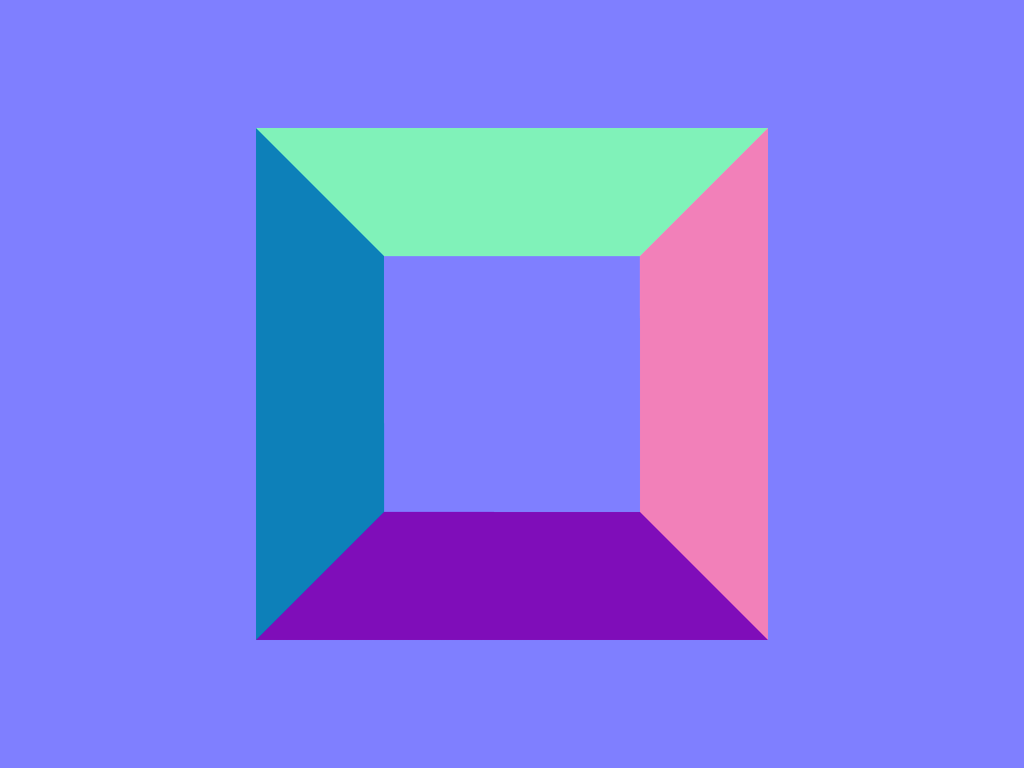
Normal map representing an exalted square pyramidal frustum.
All parameters (except `Tf`) can be textured by passing a [texture](#texture) handle, prefixed with “`map_`”. The fetched texels are multiplied by the respective parameter value. Texturing requires [geometries](#geometries) with texture coordinates, e.g., a [triangle mesh](#triangle-mesh) with `vertex.texcoord` provided. The color textures `map_Kd` and `map_Ks` are typically in one of the sRGB gamma encoded formats, whereas textures `map_Ns` and `map_d` are usually in a linear format (and only the first component is used). Additionally, all textures support [texture transformations](#texture2d-transformations).
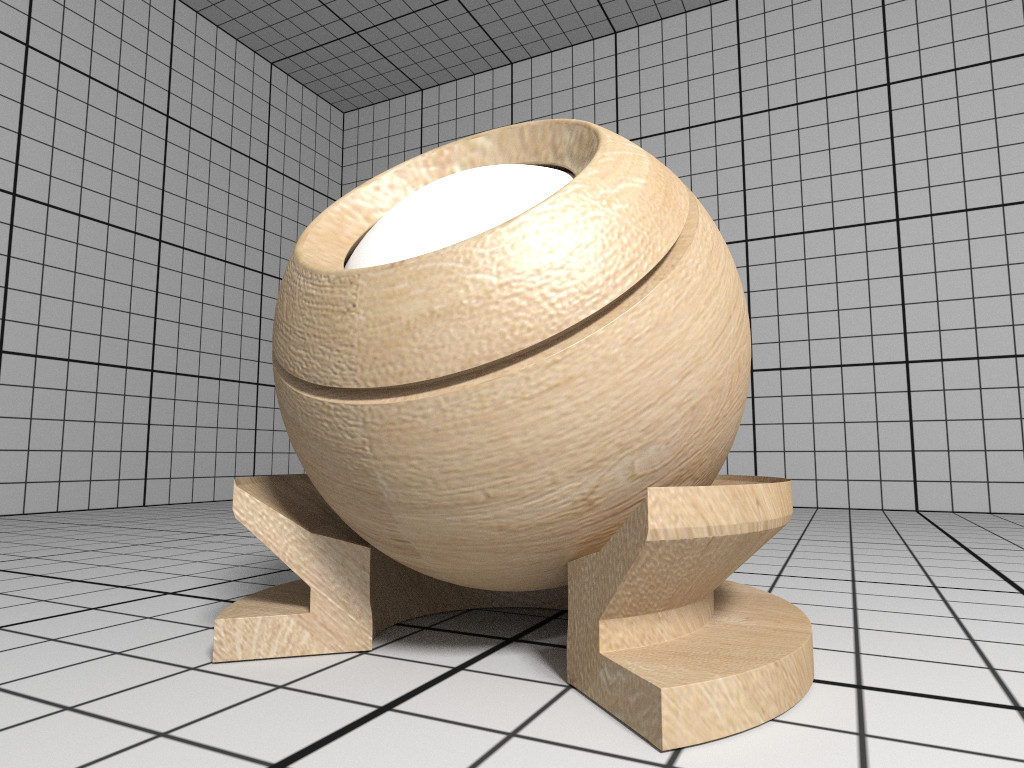
Rendering of a OBJ material with wood textures.
#### Principled The Principled material is the most complex material offered by the [path tracer](#path-tracer), which is capable of producing a wide variety of materials (e.g., plastic, metal, wood, glass) by combining multiple different layers and lobes. It uses the GGX microfacet distribution with approximate multiple scattering for dielectrics and metals, uses the Oren-Nayar model for diffuse reflection, and is energy conserving. To create a Principled material, pass the type string “`Principled`” to `ospNewMaterial2`. Its parameters are listed in the table below.
Parameters of the Principled material.
Type Name Default Description
vec3f baseColor white 0.8 base reflectivity (diffuse and/or metallic)
vec3f edgeColor white edge tint (metallic only)
float metallic 0 mix between dielectric (diffuse and/or specular) and metallic (specular only with complex IOR) in [0–1]
float diffuse 1 diffuse reflection weight in [0–1]
float specular 1 specular reflection/transmission weight in [0–1]
float ior 1 dielectric index of refraction
float transmission 0 specular transmission weight in [0–1]
vec3f transmissionColor white attenuated color due to transmission (Beer’s law)
float transmissionDepth 1 distance at which color attenuation is equal to transmissionColor
float roughness 0 diffuse and specular roughness in [0–1], 0 is perfectly smooth
float anisotropy 0 amount of specular anisotropy in [0–1]
float rotation 0 rotation of the direction of anisotropy in [0–1], 1 is going full circle
float normal 1 default normal map/scale for all layers
float baseNormal 1 base normal map/scale (overrides default normal)
bool thin false flag specifying whether the material is thin or solid
float thickness 1 thickness of the material (thin only), affects the amount of color attenuation due to specular transmission
float backlight 0 amount of diffuse transmission (thin only) in [0–2], 1 is 50% reflection and 50% transmission, 2 is transmission only
float coat 0 clear coat layer weight in [0–1]
float coatIor 1.5 clear coat index of refraction
vec3f coatColor white clear coat color tint
float coatThickness 1 clear coat thickness, affects the amount of color attenuation
float coatRoughness 0 clear coat roughness in [0–1], 0 is perfectly smooth
float coatNormal 1 clear coat normal map/scale (overrides default normal)
float sheen 0 sheen layer weight in [0–1]
vec3f sheenColor white sheen color tint
float sheenTint 0 how much sheen is tinted from sheenColor toward baseColor
float sheenRoughness 0.2 sheen roughness in [0–1], 0 is perfectly smooth
float opacity 1 cut-out opacity/transparency, 1 is fully opaque
: Parameters of the Principled material. All parameters can be textured by passing a [texture](#texture) handle, suffixed with “`Map`” (e.g., “`baseColorMap`”); [texture transformations](#texture2d-transformations) are supported as well.
Rendering of a Principled coated brushed metal material with textured anisotropic rotation and a dust layer (sheen) on top.
#### CarPaint The CarPaint material is a specialized version of the Principled material for rendering different types of car paints. To create a CarPaint material, pass the type string “`CarPaint`” to `ospNewMaterial2`. Its parameters are listed in the table below.
Parameters of the CarPaint material.
Type Name Default Description
vec3f baseColor white 0.8 diffuse base reflectivity
float roughness 0 diffuse roughness in [0–1], 0 is perfectly smooth
float normal 1 normal map/scale
float flakeDensity 0 density of metallic flakes in [0–1], 0 disables flakes, 1 fully covers the surface with flakes
float flakeScale 100 scale of the flake structure, higher values increase the amount of flakes
float flakeSpread 0.3 flake spread in [0–1]
float flakeJitter 0.75 flake randomness in [0–1]
float flakeRoughness 0.3 flake roughness in [0–1], 0 is perfectly smooth
float coat 1 clear coat layer weight in [0–1]
float coatIor 1.5 clear coat index of refraction
vec3f coatColor white clear coat color tint
float coatThickness 1 clear coat thickness, affects the amount of color attenuation
float coatRoughness 0 clear coat roughness in [0–1], 0 is perfectly smooth
float coatNormal 1 clear coat normal map/scale
vec3f flipflopColor white reflectivity of coated flakes at grazing angle, used together with coatColor produces a pearlescent paint
float flipflopFalloff 1 flip flop color falloff, 1 disables the flip flop effect
: Parameters of the CarPaint material. All parameters can be textured by passing a [texture](#texture) handle, suffixed with “`Map`” (e.g., “`baseColorMap`”); [texture transformations](#texture2d-transformations) are supported as well.
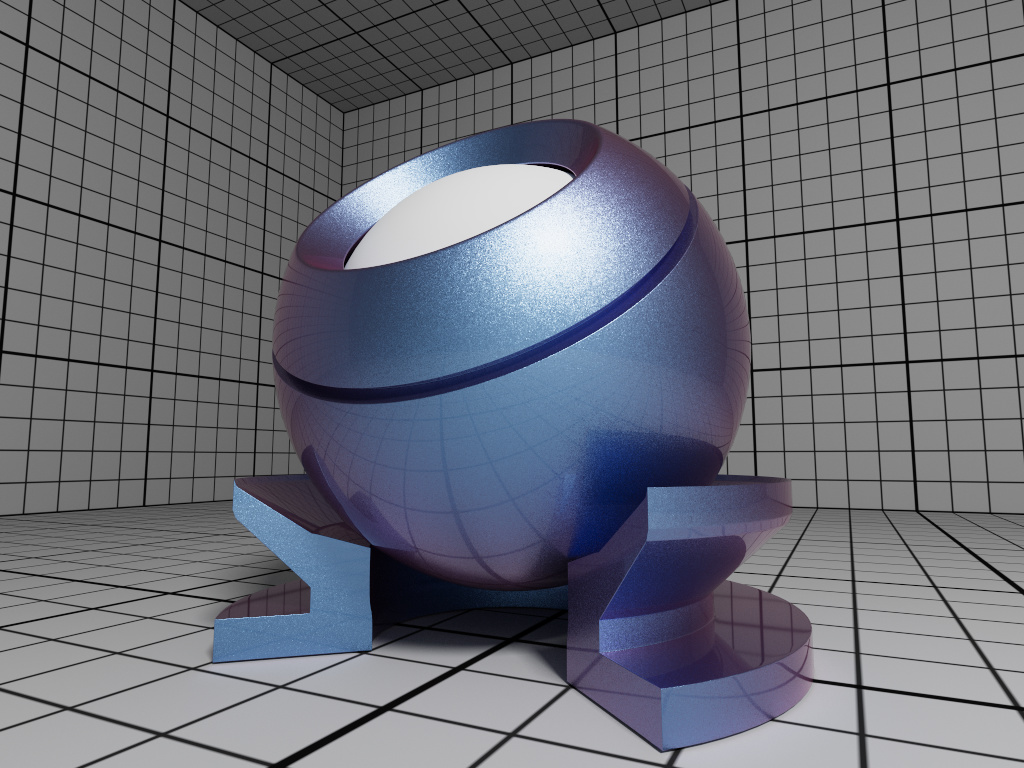
Rendering of a pearlescent CarPaint material.
#### Metal The [path tracer](#path-tracer) offers a physical metal, supporting changing roughness and realistic color shifts at edges. To create a Metal material pass the type string “`Metal`” to `ospNewMaterial2`. Its parameters are
Parameters of the Metal material.
Type Name Default Description
vec3f[] ior Aluminium data array of spectral samples of complex refractive index, each entry in the form (wavelength, eta, k), ordered by wavelength (which is in nm)
vec3f eta RGB complex refractive index, real part
vec3f k RGB complex refractive index, imaginary part
float roughness 0.1 roughness in [0–1], 0 is perfect mirror
: Parameters of the Metal material. The main appearance (mostly the color) of the Metal material is controlled by the physical parameters `eta` and `k`, the wavelength-dependent, complex index of refraction. These coefficients are quite counterintuitive but can be found in [published measurements](https://refractiveindex.info/). For accuracy the index of refraction can be given as an array of spectral samples in `ior`, each sample a triplet of wavelength (in nm), eta, and k, ordered monotonically increasing by wavelength; OSPRay will then calculate the Fresnel in the spectral domain. Alternatively, `eta` and `k` can also be specified as approximated RGB coefficients; some examples are given in below table. | Metal | eta | k | |:--------------|:---------------------:|:---------------:| | Ag, Silver | (0.051, 0.043, 0.041) | (5.3, 3.6, 2.3) | | Al, Aluminium | (1.5, 0.98, 0.6) | (7.6, 6.6, 5.4) | | Au, Gold | (0.07, 0.37, 1.5) | (3.7, 2.3, 1.7) | | Cr, Chromium | (3.2, 3.1, 2.3) | (3.3, 3.3, 3.1) | | Cu, Copper | (0.1, 0.8, 1.1) | (3.5, 2.5, 2.4) | : Index of refraction of selected metals as approximated RGB coefficients, based on data from https://refractiveindex.info/. The `roughness` parameter controls the variation of microfacets and thus how polished the metal will look. The roughness can be modified by a [texture](#texture) `map_roughness` ([texture transformations](#texture2d-transformations) are supported as well) to create notable edging effects.
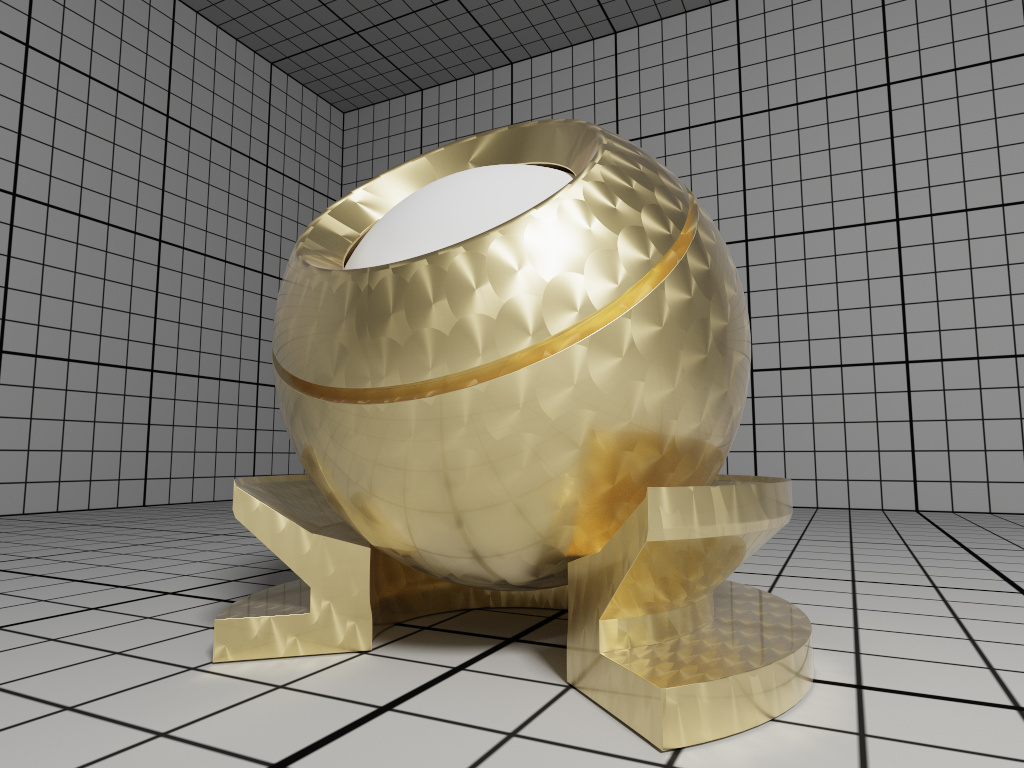
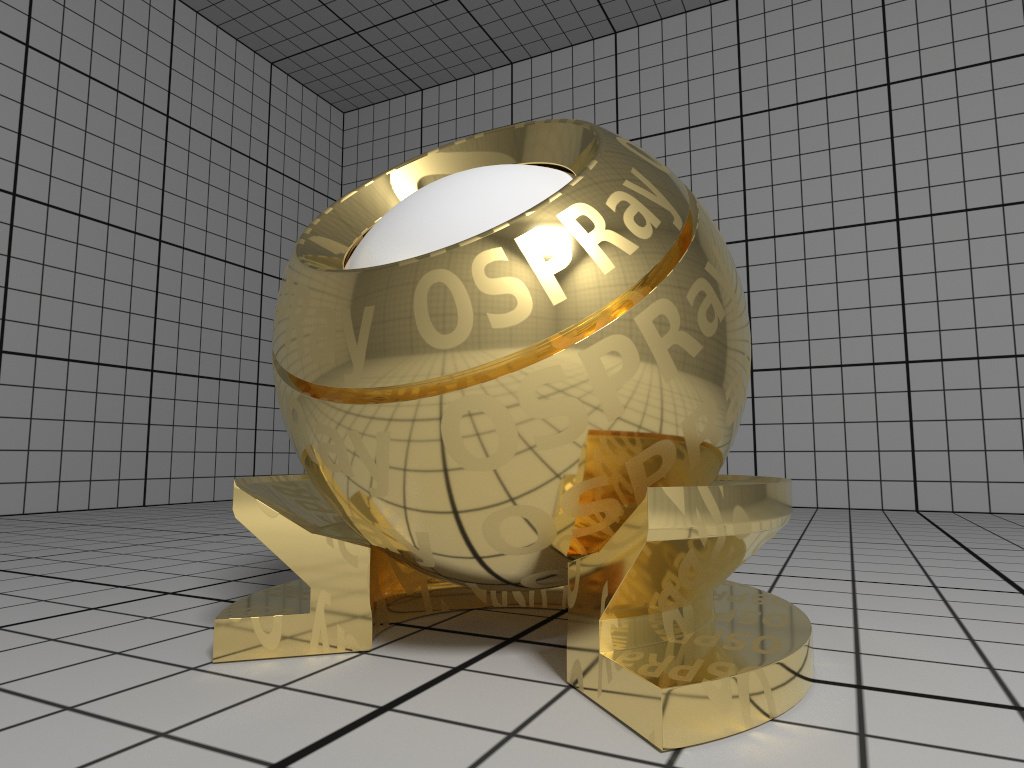
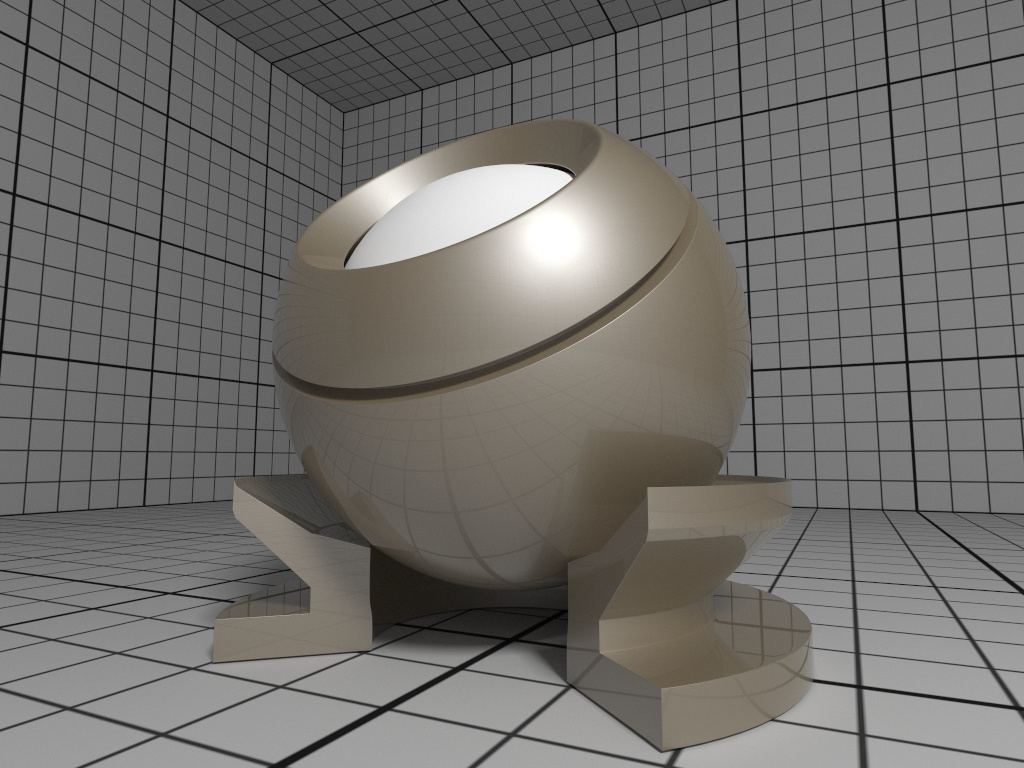
Rendering of golden Metal material with textured roughness.
#### Alloy The [path tracer](#path-tracer) offers an alloy material, which behaves similar to [Metal](#metal), but allows for more intuitive and flexible control of the color. To create an Alloy material pass the type string “`Alloy`” to `ospNewMaterial2`. Its parameters are | Type | Name | Default| Description | |:------|:----------|----------:|:--------------------------------------------| | vec3f | color | white 0.9| reflectivity at normal incidence (0 degree) | | vec3f | edgeColor | white| reflectivity at grazing angle (90 degree) | | float | roughness | 0.1| roughness, in \[0–1\], 0 is perfect mirror | : Parameters of the Alloy material. The main appearance of the Alloy material is controlled by the parameter `color`, while `edgeColor` influences the tint of reflections when seen at grazing angles (for real metals this is always 100% white). If present, the color component of [geometries](#geometries) is also used for reflectivity at normal incidence `color`. As in [Metal](#metal) the `roughness` parameter controls the variation of microfacets and thus how polished the alloy will look. All parameters can be textured by passing a [texture](#texture) handle, prefixed with “`map_`”; [texture transformations](#texture2d-transformations) are supported as well.
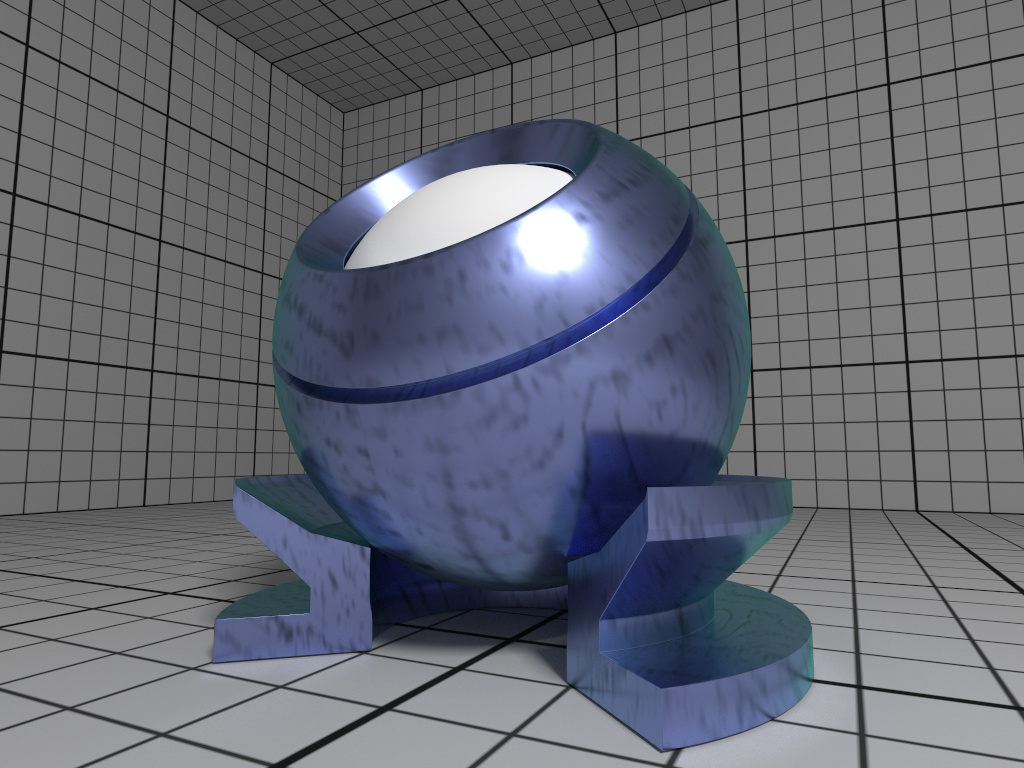
Rendering of a fictional Alloy material with textured color.
#### Glass The [path tracer](#path-tracer) offers a realistic a glass material, supporting refraction and volumetric attenuation (i.e., the transparency color varies with the geometric thickness). To create a Glass material pass the type string “`Glass`” to `ospNewMaterial2`. Its parameters are | Type | Name | Default| Description | |:------|:--------------------|--------:|:-----------------------------------| | float | eta | 1.5| index of refraction | | vec3f | attenuationColor | white| resulting color due to attenuation | | float | attenuationDistance | 1| distance affecting attenuation | : Parameters of the Glass material. For convenience, the rather counterintuitive physical attenuation coefficients will be calculated from the user inputs in such a way, that the `attenuationColor` will be the result when white light traveled trough a glass of thickness `attenuationDistance`.
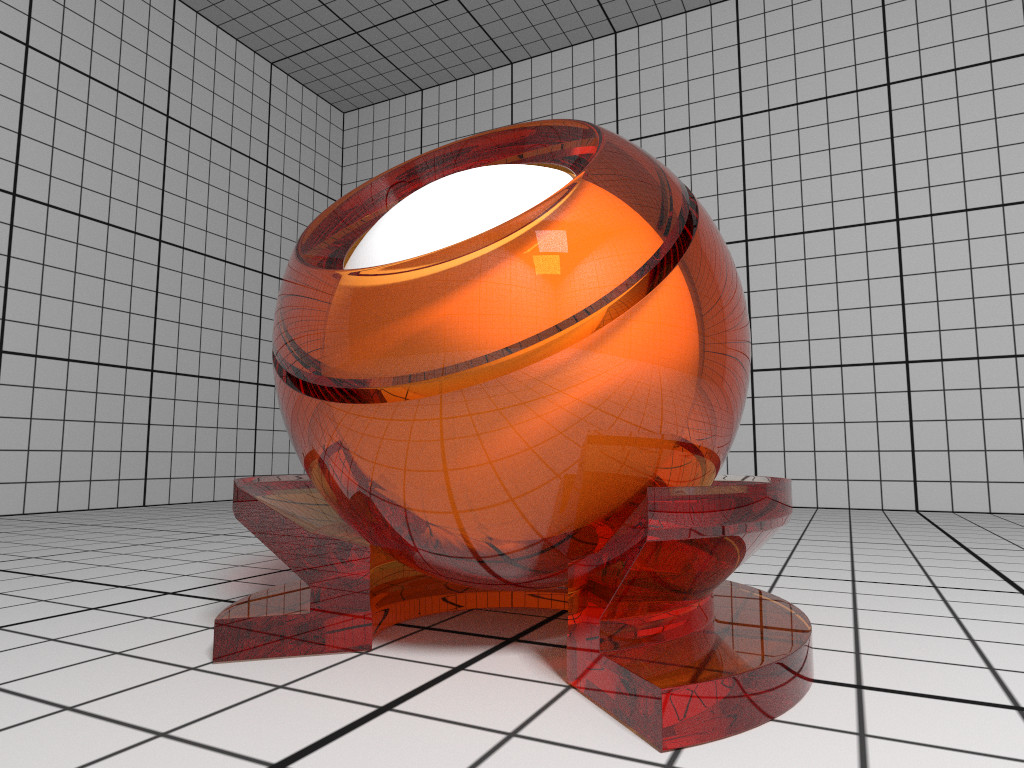
Rendering of a Glass material with orange attenuation.
#### ThinGlass The [path tracer](#path-tracer) offers a thin glass material useful for objects with just a single surface, most prominently windows. It models a thin, transparent slab, i.e., it behaves as if a second, virtual surface is parallel to the real geometric surface. The implementation accounts for multiple internal reflections between the interfaces (including attenuation), but neglects parallax effects due to its (virtual) thickness. To create a such a thin glass material pass the type string “`ThinGlass`” to `ospNewMaterial2`. Its parameters are | Type | Name | Default| Description | |:------|:--------------------|--------:|:-----------------------------------| | float | eta | 1.5| index of refraction | | vec3f | attenuationColor | white| resulting color due to attenuation | | float | attenuationDistance | 1| distance affecting attenuation | | float | thickness | 1| virtual thickness | : Parameters of the ThinGlass material. For convenience the attenuation is controlled the same way as with the [Glass](#glass) material. Additionally, the color due to attenuation can be modulated with a [texture](#texture) `map_attenuationColor` ([texture transformations](#texture2d-transformations) are supported as well). If present, the color component of [geometries](#geometries) is also used for the attenuation color. The `thickness` parameter sets the (virtual) thickness and allows for easy exchange of parameters with the (real) [Glass](#glass) material; internally just the ratio between `attenuationDistance` and `thickness` is used to calculate the resulting attenuation and thus the material appearance.
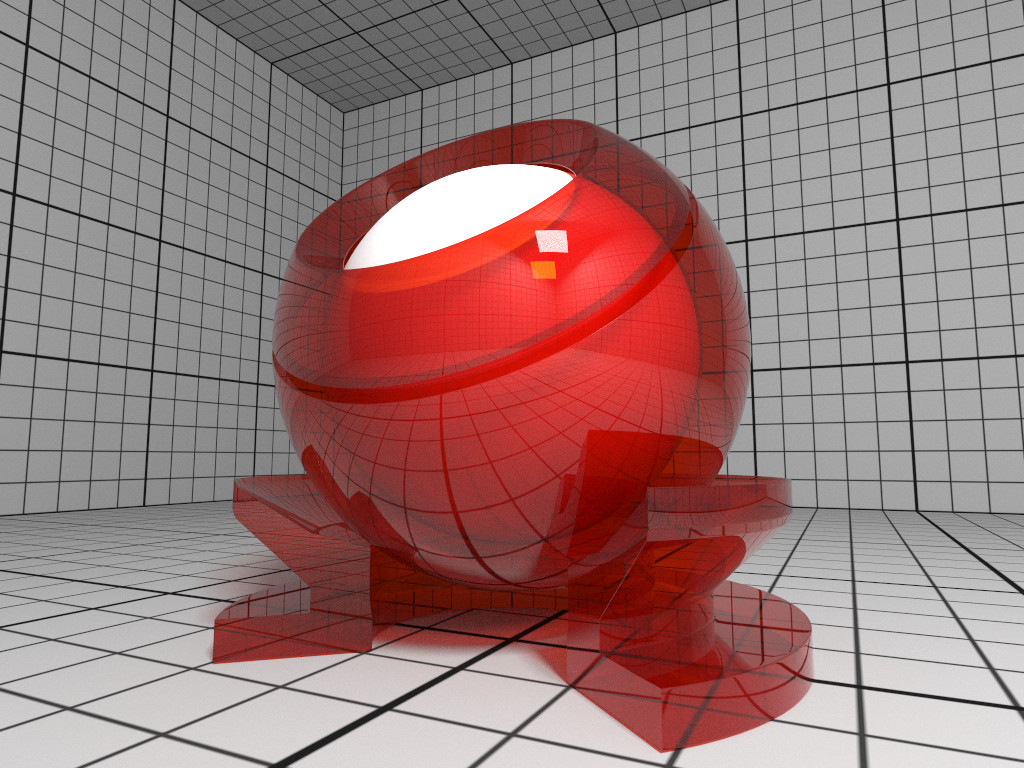
Rendering of a ThinGlass material with red attenuation.
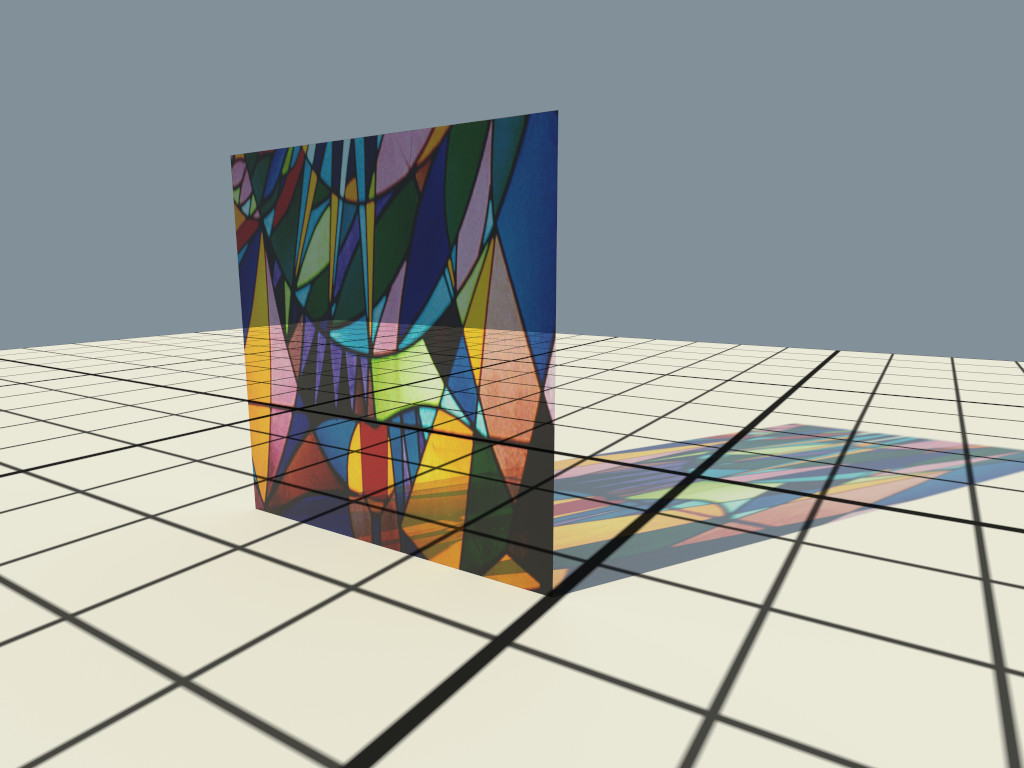
Example image of a colored window made with textured attenuation of the ThinGlass material.
#### MetallicPaint The [path tracer](#path-tracer) offers a metallic paint material, consisting of a base coat with optional flakes and a clear coat. To create a MetallicPaint material pass the type string “`MetallicPaint`” to `ospNewMaterial2`. Its parameters are listed in the table below. | Type | Name | Default| Description | |:------|:------------|----------:|:----------------------------------| | vec3f | baseColor | white 0.8| color of base coat | | float | flakeAmount | 0.3| amount of flakes, in \[0–1\] | | vec3f | flakeColor | Aluminium| color of metallic flakes | | float | flakeSpread | 0.5| spread of flakes, in \[0–1\] | | float | eta | 1.5| index of refraction of clear coat | : Parameters of the MetallicPaint material. The color of the base coat `baseColor` can be textured by a [texture](#texture) `map_baseColor`, which also supports [texture transformations](#texture2d-transformations). If present, the color component of [geometries](#geometries) is also used for the color of the base coat. Parameter `flakeAmount` controls the proportion of flakes in the base coat, so when setting it to 1 the `baseColor` will not be visible. The shininess of the metallic component is governed by `flakeSpread`, which controls the variation of the orientation of the flakes, similar to the `roughness` parameter of [Metal](#metal). Note that the effect of the metallic flakes is currently only computed on average, thus individual flakes are not visible.
Rendering of a MetallicPaint material.
#### Luminous The [path tracer](#path-tracer) supports the Luminous material which emits light uniformly in all directions and which can thus be used to turn any geometric object into a light source. It is created by passing the type string “`Luminous`” to `ospNewMaterial2`. The amount of constant radiance that is emitted is determined by combining the general parameters of lights: [`color` and `intensity`](#lights).
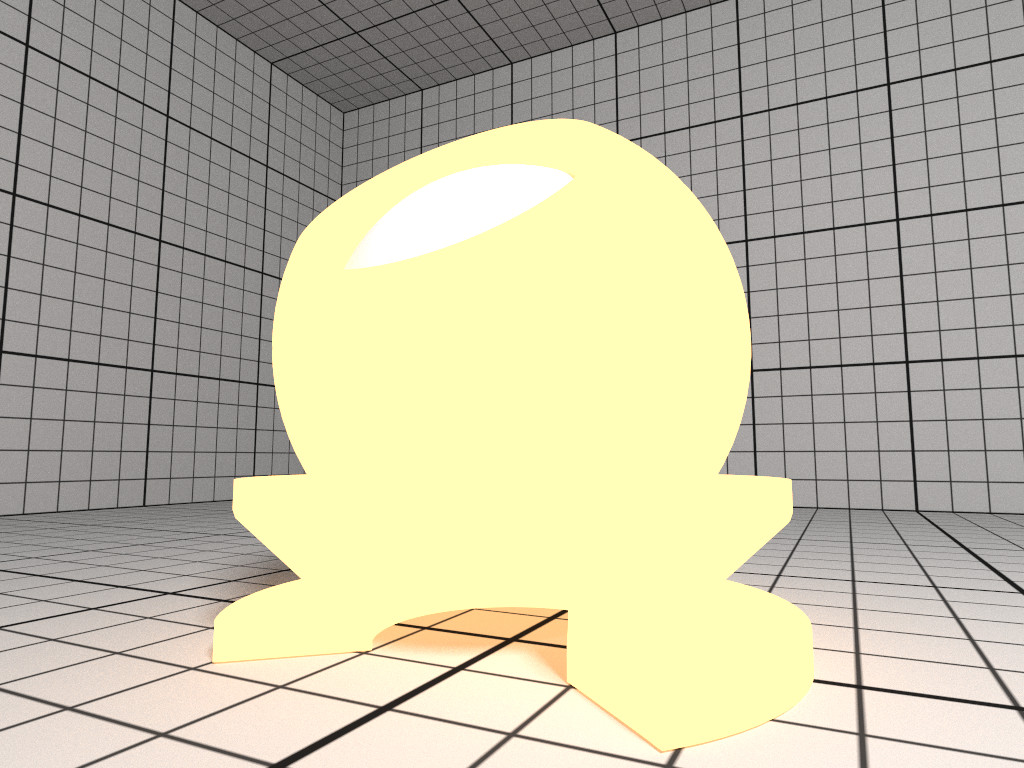
Rendering of a yellow Luminous material.
### Texture OSPRay currently implements two texture types (`texture2d` and `volume`) and is open for extension to other types by applications. More types may be added in future releases. To create a new texture use ``` {.cpp} OSPTexture ospNewTexture(const char *type); ``` The call returns `NULL` if the texture could not be created with the given parameters, or else an `OSPTexture` handle to the created texture. #### Texture2D The `texture2D` texture type implements an image-based texture, where its parameters are as follows | Type | Name | Description | |:--------|:------|:-----------------------------------| | vec2i | size | size of the textures | | int | type | `OSPTextureFormat` for the texture | | int | flags | special attribute flags for this | | | | texture, currently only responds | | | | to `OSP_TEXTURE_FILTER_NEAREST` or | | | | no flags | | OSPData | data | the actual texel data | : Parameters of `texture2D` texture type The supported texture formats for `texture2d` are: | Name | Description | |:----------------------|:------------------------------------------------------------| | OSP\_TEXTURE\_RGBA8 | 8 bit \[0–255\] linear components red, green, blue, alpha | | OSP\_TEXTURE\_SRGBA | 8 bit sRGB gamma encoded color components, and linear alpha | | OSP\_TEXTURE\_RGBA32F | 32 bit float components red, green, blue, alpha | | OSP\_TEXTURE\_RGB8 | 8 bit \[0–255\] linear components red, green, blue | | OSP\_TEXTURE\_SRGB | 8 bit sRGB gamma encoded components red, green, blue | | OSP\_TEXTURE\_RGB32F | 32 bit float components red, green, blue | | OSP\_TEXTURE\_R8 | 8 bit \[0–255\] linear single component | | OSP\_TEXTURE\_RA8 | 8 bit \[0–255\] linear two component | | OSP\_TEXTURE\_L8 | 8 bit \[0–255\] gamma encoded luminance | | OSP\_TEXTURE\_LA8 | 8 bit \[0–255\] gamma encoded luminance, and linear alpha | | OSP\_TEXTURE\_R32F | 32 bit float single component | : Supported texture formats by `texture2D`, i.e., valid constants of type `OSPTextureFormat`. The texel data addressed by `source` starts with the texels in the lower left corner of the texture image, like in OpenGL. Per default a texture fetch is filtered by performing bi-linear interpolation of the nearest 2×2 texels; if instead fetching only the nearest texel is desired (i.e., no filtering) then pass the `OSP_TEXTURE_FILTER_NEAREST` flag. #### TextureVolume The `volume` texture type implements texture lookups based on 3D world coordinates of the surface hit point on the associated geometry. If the given hit point is within the attached volume, the volume is sampled and classified with the transfer function attached to the volume. This implements the ability to visualize volume values (as colored by its transfer function) on arbitrary surfaces inside the volume (as opposed to an isosurface showing a particular value in the volume). Its parameters are as follows | Type | Name | Description | |:----------|:-------|:--------------------------------------| | OSPVolume | volume | volume used to generate color lookups | : Parameters of `volume` texture type ### Texture2D Transformations All materials with textures also offer to manipulate the placement of these textures with the help of texture transformations. If so, this convention shall be used. The following parameters (prefixed with “`texture_name.`”) are combined into one transformation matrix: | Type | Name | Description | |:------|:------------|:------------------------------------------------------| | vec4f | transform | interpreted as 2×2 matrix (linear part), column-major | | float | rotation | angle in degree, counterclockwise, around center | | vec2f | scale | enlarge texture, relative to center (0.5, 0.5) | | vec2f | translation | move texture in positive direction (right/up) | : Parameters to define texture coordinate transformations. The transformations are applied in the given order. Rotation, scale and translation are interpreted “texture centric”, i.e., their effect seen by an user are relative to the texture (although the transformations are applied to the texture coordinates). ### Cameras To create a new camera of given type `type` use ``` {.cpp} OSPCamera ospNewCamera(const char *type); ``` The call returns `NULL` if that type of camera is not known, or else an `OSPCamera` handle to the created camera. All cameras accept these parameters: | Type | Name | Description | |:---------|:-----------|:------------------------------------------| | vec3f(a) | pos | position of the camera in world-space | | vec3f(a) | dir | main viewing direction of the camera | | vec3f(a) | up | up direction of the camera | | float | nearClip | near clipping distance | | vec2f | imageStart | start of image region (lower left corner) | | vec2f | imageEnd | end of image region (upper right corner) | : Parameters accepted by all cameras. The camera is placed and oriented in the world with `pos`, `dir` and `up`. OSPRay uses a right-handed coordinate system. The region of the camera sensor that is rendered to the image can be specified in normalized screen-space coordinates with `imageStart` (lower left corner) and `imageEnd` (upper right corner). This can be used, for example, to crop the image, to achieve asymmetrical view frusta, or to horizontally flip the image to view scenes which are specified in a left-handed coordinate system. Note that values outside the default range of \[0–1\] are valid, which is useful to easily realize overscan or film gate, or to emulate a shifted sensor. #### Perspective Camera The perspective camera implements a simple thinlens camera for perspective rendering, supporting optionally depth of field and stereo rendering, but no motion blur. It is created by passing the type string “`perspective`” to `ospNewCamera`. In addition to the [general parameters](#cameras) understood by all cameras the perspective camera supports the special parameters listed in the table below.
Parameters accepted by the perspective camera.
Type Name Description
float fovy the field of view (angle in degree) of the frame’s height
float aspect ratio of width by height of the frame (and image region)
float apertureRadius size of the aperture, controls the depth of field
float focusDistance distance at where the image is sharpest when depth of field is enabled
bool architectural vertical edges are projected to be parallel
int stereoMode 0: no stereo (default), 1: left eye, 2: right eye, 3: side-by-side
float interpupillaryDistance distance between left and right eye when stereo is enabled
: Parameters accepted by the perspective camera. Note that when computing the `aspect` ratio a potentially set image region (using `imageStart` & `imageEnd`) needs to be regarded as well. In architectural photography it is often desired for aesthetic reasons to display the vertical edges of buildings or walls vertically in the image as well, regardless of how the camera is tilted. Enabling the `architectural` mode achieves this by internally leveling the camera parallel to the ground (based on the `up` direction) and then shifting the lens such that the objects in direction `dir` are centered in the image. If finer control of the lens shift is needed use `imageStart` & `imageEnd`. Because the camera is now effectively leveled its image plane and thus the plane of focus is oriented parallel to the front of buildings, the whole façade appears sharp, as can be seen in the example images below.
Example image created with the perspective camera, featuring depth of field.
Enabling the architectural flag corrects the perspective projection distortion, resulting in parallel vertical edges.
Example 3D stereo image using stereoMode side-by-side.
#### Orthographic Camera The orthographic camera implements a simple camera with orthographic projection, without support for depth of field or motion blur. It is created by passing the type string “`orthographic`” to `ospNewCamera`. In addition to the [general parameters](#cameras) understood by all cameras the orthographic camera supports the following special parameters: | Type | Name | Description | |:------|:-------|:------------------------------------------------------------| | float | height | size of the camera’s image plane in y, in world coordinates | | float | aspect | ratio of width by height of the frame | : Parameters accepted by the orthographic camera. For convenience the size of the camera sensor, and thus the extent of the scene that is captured in the image, can be controlled with the `height` parameter. The same effect can be achieved with `imageStart` and `imageEnd`, and both methods can be combined. In any case, the `aspect` ratio needs to be set accordingly to get an undistorted image.
Example image created with the orthographic camera.
#### Panoramic Camera The panoramic camera implements a simple camera without support for motion blur. It captures the complete surrounding with a latitude / longitude mapping and thus the rendered images should best have a ratio of 2:1. A panoramic camera is created by passing the type string “`panoramic`” to `ospNewCamera`. It is placed and oriented in the scene by using the [general parameters](#cameras) understood by all cameras.
Latitude / longitude map created with the panoramic camera.
### Picking To get the world-space position of the geometry (if any) seen at \[0–1\] normalized screen-space pixel coordinates `screenPos` use ``` {.cpp} void ospPick(OSPPickResult*, OSPRenderer, const vec2f &screenPos); ``` The result is returned in the provided `OSPPickResult` struct: ``` {.cpp} typedef struct { vec3f position; // the position of the hit point (in world-space) bool hit; // whether or not a hit actually occurred } OSPPickResult; ``` Note that `ospPick` considers exactly the same camera of the given renderer that is used to render an image, thus matching results can be expected. If the camera supports depth of field then the center of the lens and thus the center of the circle of confusion is used for picking. Framebuffer ----------- The framebuffer holds the rendered 2D image (and optionally auxiliary information associated with pixels). To create a new framebuffer object of given size `size` (in pixels), color format, and channels use ``` {.cpp} OSPFrameBuffer ospNewFrameBuffer(const vec2i &size, const OSPFrameBufferFormat format = OSP_FB_SRGBA, const uint32_t frameBufferChannels = OSP_FB_COLOR); ``` The parameter `format` describes the format the color buffer has *on the host*, and the format that `ospMapFrameBuffer` will eventually return. Valid values are: | Name | Description | |:-----------------|:------------------------------------------------------------| | OSP\_FB\_NONE | framebuffer will not be mapped by the application | | OSP\_FB\_RGBA8 | 8 bit \[0–255\] linear component red, green, blue, alpha | | OSP\_FB\_SRGBA | 8 bit sRGB gamma encoded color components, and linear alpha | | OSP\_FB\_RGBA32F | 32 bit float components red, green, blue, alpha | : Supported color formats of the framebuffer that can be passed to `ospNewFrameBuffer`, i.e., valid constants of type `OSPFrameBufferFormat`. The parameter `frameBufferChannels` specifies which channels the framebuffer holds, and can be combined together by bitwise OR from the values of `OSPFrameBufferChannel` listed in the table below. | Name | Description | |:------------------|:---------------------------------------------------------------------------------------------------------| | OSP\_FB\_COLOR | RGB color including alpha | | OSP\_FB\_DEPTH | euclidean distance to the camera (*not* to the image plane), as linear 32 bit float | | OSP\_FB\_ACCUM | accumulation buffer for progressive refinement | | OSP\_FB\_VARIANCE | for estimation of the current noise level if OSP\_FB\_ACCUM is also present, see [rendering](#rendering) | | OSP\_FB\_NORMAL | accumulated world-space normal of the first hit, as vec3f | | OSP\_FB\_ALBEDO | accumulated material albedo (color without illumination) at the first hit, as vec3f | : Framebuffer channels constants (of type `OSPFrameBufferChannel`), naming optional information the framebuffer can store. These values can be combined by bitwise OR when passed to `ospNewFrameBuffer` or `ospFrameBufferClear`. If a certain channel value is *not* specified, the given buffer channel will not be present. Note that OSPRay makes a clear distinction between the *external* format of the framebuffer and the internal one: The external format is the format the user specifies in the `format` parameter; it specifies what color format OSPRay will eventually *return* the framebuffer to the application (when calling `ospMapFrameBuffer`): no matter what OSPRay uses internally, it will simply return a 2D array of pixels of that format, with possibly all kinds of reformatting, compression/decompression, etc., going on in-between the generation of the *internal* framebuffer and the mapping of the externally visible one. In particular, `OSP_FB_NONE` is a perfectly valid pixel format for a framebuffer that an application will never map. For example, an application driving a display wall may well generate an intermediate framebuffer and eventually transfer its pixel to the individual displays using an `OSPPixelOp` [pixel operation](#pixel-operation). The application can map the given channel of a framebuffer – and thus access the stored pixel information – via ``` {.cpp} const void *ospMapFrameBuffer(OSPFrameBuffer, const OSPFrameBufferChannel = OSP_FB_COLOR); ``` Note that `OSP_FB_ACCUM` or `OSP_FB_VARIANCE` cannot be mapped. The origin of the screen coordinate system in OSPRay is the lower left corner (as in OpenGL), thus the first pixel addressed by the returned pointer is the lower left pixel of the image. A previously mapped channel of a framebuffer can be unmapped by passing the received pointer `mapped` to ``` {.cpp} void ospUnmapFrameBuffer(const void *mapped, OSPFrameBuffer); ``` The individual channels of a framebuffer can be cleared with ``` {.cpp} void ospFrameBufferClear(OSPFrameBuffer, const uint32_t frameBufferChannels); ``` When selected, `OSP_FB_COLOR` will clear the color buffer to black `(0, 0, 0, 0)`, `OSP_FB_DEPTH` will clear the depth buffer to `inf`. `OSP_FB_ACCUM` will clear *all* accumulating buffers (`OSP_FB_VARIANCE`, `OSP_FB_NORMAL`, and `OSP_FB_ALBEDO`, if present) and resets the accumulation counter `accumID`. ### Pixel Operation {#pixel-operation .unnumbered} Pixel operations are functions that are applied to every pixel that gets written into a framebuffer. Examples include post-processing, filtering, blending, tone mapping, or sending tiles to a display wall. To create a new pixel operation of given type `type` use ``` {.cpp} OSPPixelOp ospNewPixelOp(const char *type); ``` The call returns `NULL` if that type is not known, or else an `OSPPixelOp` handle to the created pixel operation. To set a pixel operation to the given framebuffer use ``` {.cpp} void ospSetPixelOp(OSPFrameBuffer, OSPPixelOp); ``` #### Tone Mapper {#tone-mapper .unnumbered} The tone mapper is a pixel operation which implements a generic filmic tone mapping operator. Using the default parameters it approximates the Academy Color Encoding System (ACES). The tone mapper is created by passing the type string “`tonemapper`” to `ospNewPixelOp`. The tone mapping curve can be customized using the parameters listed in the table below.
Parameters accepted by the tone mapper.
Type Name Default Description
float contrast 1.6773 contrast (toe of the curve); typically is in [1–2]
float shoulder 0.9714 highlight compression (shoulder of the curve); typically is in [0.9–1]
float midIn 0.18 mid-level anchor input; default is 18% gray
float midOut 0.18 mid-level anchor output; default is 18% gray
float hdrMax 11.0785 maximum HDR input that is not clipped
bool acesColor true apply the ACES color transforms
: Parameters accepted by the tone mapper. To use the popular “Uncharted 2” filmic tone mapping curve instead, set the parameters to the values listed in the table below. | Name | Value | |:----------|:-------| | contrast | 1.1759 | | shoulder | 0.9746 | | midIn | 0.18 | | midOut | 0.18 | | hdrMax | 6.3704 | | acesColor | false | : Filmic tone mapping curve parameters. Note that the curve includes an exposure bias to match 18% middle gray. Rendering --------- To render a frame into the given framebuffer with the given renderer use ``` {.cpp} float ospRenderFrame(OSPFrameBuffer, OSPRenderer, const uint32_t frameBufferChannels = OSP_FB_COLOR); ``` The third parameter specifies what channel(s) of the framebuffer is written to[^8]. What to render and how to render it depends on the renderer’s parameters. If the framebuffer supports accumulation (i.e., it was created with `OSP_FB_ACCUM`) then successive calls to `ospRenderFrame` will progressively refine the rendered image. If additionally the framebuffer has an `OSP_FB_VARIANCE` channel then `ospRenderFrame` returns an estimate of the current variance of the rendered image, otherwise `inf` is returned. The estimated variance can be used by the application as a quality indicator and thus to decide whether to stop or to continue progressive rendering. ### Progress and Cancel {#progress-and-cancel .unnumbered} To be informed about the progress of rendering the current frame the application can register a callback function of type ``` {.cpp} typedef int (*OSPProgressFunc)(void* userPtr, const float progress); ``` via ``` {.cpp} void ospSetProgressFunc(OSPProgressFunc, void* userPtr); ``` The provided user pointer `userPtr` is passed as first argument to the callback function[^9] and the reported progress is in (0–1\]. If the callback function returns zero than the application requests to cancel rendering, i.e., the current `ospRenderFrame` will return at the first opportunity and the content of the framebuffer will be undefined. Therefore, better clear the framebuffer with `ospFrameBufferClear` then before a subsequent call of `ospRenderFrame`. Passing `NULL` as `OSPProgressFunc` function pointer disables the progress callback. Parallel Rendering with MPI =========================== OSPRay has the ability to scale to multiple nodes in a cluster via MPI. This enables applications to take advantage of larger compute and memory resources when available. Prerequisites for MPI Mode -------------------------- In addition to the standard build requirements of OSPRay, you must have the following items available in your environment in order to build & run OSPRay in MPI mode: - An MPI enabled multi-node environment, such as an HPC cluster - An MPI implementation you can build against (i.e., Intel MPI, MVAPICH2, etc…) Enabling the MPI Module in your Build ------------------------------------- To build the MPI module the CMake option `OSPRAY_MODULE_MPI` must be enabled, which can be done directly on the command line (with `-DOSPRAY_MODULE_MPI=ON`) or through a configuration dialog (`ccmake`, `cmake-gui`), see also [Compiling OSPRay](#compiling-ospray). This will trigger CMake to go look for an MPI implementation in your environment. You can then inspect the CMake value of `MPI_LIBRARY` to make sure that CMake found your MPI build environment correctly. This will result in an OSPRay module being built. To enable using it, applications will need to either link `libospray_module_mpi`, or call ospLoadModule("mpi"); before initializing OSPRay. Modes of Using OSPRay’s MPI Features ------------------------------------ OSPRay provides two ways of using MPI to scale up rendering: offload and distributed. ### Offload Rendering The “offload” rendering mode is where a single (not-distributed) calling application treats the OSPRay API the same as with local rendering. However, OSPRay uses multiple MPI connected nodes to evenly distribute frame rendering work, where each node contains a full copy of all scene data. This method is most effective for scenes which can fit into memory, but are expensive to render: for example, path tracing with many samples-per-pixel is compute heavy, making it a good situation to use the offload feature. This can be done with any application which already uses OSPRay for local rendering without the need for any code changes. When doing MPI offload rendering, applications can optionally enable dynamic load balancing, which can be beneficial in certain contexts. This load balancing refers to the distribution of tile rendering work across nodes: thread-level load balancing on each node is still dynamic with the thread tasking system. The options for enabling/controlling the dynamic load balancing features on the `mpi_offload` device are found in the table below, which can be changed while the application is running. Please note that these options will likely only pay off for scenes which have heavy rendering load (e.g., path tracing a non-trivial scene) and have much variance in how expensive each tile is to render. | Type | Name | Default| Description | |:-----|:--------------------|--------:|:--------------------------------------| | bool | dynamicLoadBalancer | false| whether to use dynamic load balancing | : Parameters specific to the `mpi_offload` device. ### Distributed Rendering The “distributed” rendering mode is where a MPI distributed application (such as a scientific simulation) uses OSPRay collectively to render frames. In this case, the API expects all calls (both created objects and parameters) to be the same on every application rank, except each rank can specify arbitrary geometries and volumes. Each renderer will have its own limitations on the topology of the data (i.e., overlapping data regions, concave data, etc.), but the API calls will only differ for scene objects. Thus all other calls (i.e., setting camera, creating framebuffer, rendering frame, etc.) will all be assumed to be identical, but only rendering a frame and committing the model must be in lock-step. This mode targets using all available aggregate memory for huge scenes and for “in-situ” visualization where the data is already distributed by a simulation app. Running an Application with the “offload” Device ------------------------------------------------ As an example, our sample viewer can be run as a single application which offloads rendering work to multiple MPI processes running on multiple machines. The example apps are setup to be launched in two different setups. In either setup, the application must initialize OSPRay with the offload device. This can be done by creating an “`mpi_offload`” device and setting it as the current device (via the `ospSetCurrentDevice()` function), or passing either “`--osp:mpi`” or “`--osp:mpi-offload`” as a command line parameter to `ospInit()`. Note that passing a command line parameter will automatically call `ospLoadModule("mpi")` to load the MPI module, while the application will have to load the module explicitly if using `ospNewDevice()`. ### Single MPI Launch OSPRay is initialized with the `ospInit()` function call which takes command line arguments in and configures OSPRay based on what it finds. In this setup, the app is launched across all ranks, but workers will never return from `ospInit()`, essentially turning the application into a worker process for OSPRay. Here’s an example of running the ospVolumeViewer data-replicated, using `c1`-`c4` as compute nodes and `localhost` the process running the viewer itself: mpirun -perhost 1 -hosts localhost,c1,c2,c3,c4 ./ospExampleViewer --osp:mpi ### Separate Application & Worker Launches The second option is to explicitly launch the app on rank 0 and worker ranks on the other nodes. This is done by running `ospray_mpi_worker` on worker nodes and the application on the display node. Here’s the same example above using this syntax: mpirun -perhost 1 -hosts localhost ./ospExampleViewer --osp:mpi \ : -hosts c1,c2,c3,c4 ./ospray_mpi_worker This method of launching the application and OSPRay worker separately works best for applications which do not immediately call `ospInit()` in their `main()` function, or for environments where application dependencies (such as GUI libraries) may not be available on compute nodes. Running an Application with the “distributed” Device ---------------------------------------------------- Applications using the new distributed device should initialize OSPRay by creating (and setting current) an “`mpi_distributed`” device or pass `"--osp:mpi-distributed"` as a command line argument to `ospInit()`. Note that due to the semantic differences the distributed device gives the OSPRay API, it is not expected for applications which can already use the offload device to correctly use the distributed device without changes to the application. The following additional parameter can be set on the `mpi_distributed` device.
Parameters for the mpi_distributed device.
Type Name Description
void* worldCommunicator A pointer to the MPI_Comm which should be used as OSPRay’s world communicator. This will set how many ranks OSPRay should expect to participate in rendering. The default is MPI_COMM_WORLD where all ranks are expected to participate in rendering.
: Parameters for the `mpi_distributed` device. By setting the `worldCommunicator` parameter to a different communicator than `MPI_COMM_WORLD` the client application can tune how OSPRay is run within its processes. The default uses `MPI_COMM_WORLD` and thus expects all processes to also participate in rendering, thus if a subset of processes do not call collectives like `ospRenderFrame` the application would hang. For example, an MPI parallel application may be run with one process per-core, however OSPRay is multithreaded and will perform best when run with one process per-node. By splitting `MPI_COMM_WORLD` the application can create a communicator with one rank per-node to then run OSPRay on one process per-node. The remaining ranks on each node can then aggregate their data to the OSPRay process for rendering. The model used by the distributed device takes three additional parameters, to allow users to express their data distribution to OSPRay. All models should be disjoint to ensure correct sort-last compositing. Geometries used in the distributed MPI renderer can make use of the [SciVis renderer](#scivis-renderer)’s [OBJ material](#obj-material).
Parameters for the distributed OSPModel.
Type Name Description
int id An integer that uniquely identifies this piece of distributed data. For example, in a common case of one sub-brick per-rank, this would just be the region’s MPI rank. Multiple ranks can specify models with the same ID, in which case the rendering work for the model will be shared among them.
vec3f region.lower Override the original model geometry + volume bounds with a custom lower bound position. This can be used to clip geometry in the case the objects cross over to another region owned by a different node. For example, rendering a set of spheres with radius.
vec3f region.upper Override the original model geometry + volume bounds with a custom upper bound position.
: Parameters for the distributed `OSPModel`. The renderer supported when using the distributed device is the `mpi_raycast` renderer. This renderer is an experimental renderer and currently only supports ambient occlusion (on the local data only, with optional ghost data). To compute correct ambient occlusion across the distributed data the application is responsible for replicating ghost data and specifying the ghost models and models as described above. Note that shadows and ambient occlusion are computed on the local geometries, in the `model` and the corresponding `ghostModel` in the ghost model array, if any where set.
Parameters for the mpi_raycast renderer.
Type Name Default Description
OSPModel/OSPModel[] model NULL the model to render, can optionally be a data array of multiple models
OSPModel/OSPModel[] ghostModel NULL the optional model containing the ghost geometry for ambient occlusion; when setting a data array for both model and ghostModel, each individual ghost model shadows only its corresponding model
OSPLight[] lights data array with handles of the lights
int aoSamples 0 number of rays per sample to compute ambient occlusion
bool aoTransparencyEnabled false whether object transparency is respected when computing ambient occlusion (slower)
bool oneSidedLighting true if true, backfacing surfaces (wrt. light source) receive no illumination
: Parameters for the `mpi_raycast` renderer. See the distributed device examples in the MPI module for examples. Scene graph =========== **WARNING: USE AT YOUR OWN RISK. The Scene graph is currently in Alpha mode and will change frequently. It is not yet recommended for critical production work.** The scene graph is the basis of our Example Viewer which consists of a superset of OSPRay objects represented in a graph hierarchy (currently a tree). This graph functions as a hierarchical specification for scene properties and a self-managed update graph. The scene graph infrastructure includes many convenience functions for templated traversals, queries of state and child state, automated updates, and timestamped modifications to underlying state. The scene graph nodes closely follow the dependencies of existing OSPRay API internals, i.e., a `sg::Renderer` has a “`model`” child, which in turn has a “`TriangleMesh`”, which in turn has a child named “`vertex`” similar to how you may set the “`vertex`” parameter on the `osp::TriangleMesh` which in turn is added to an `OSPModel` object which is set as the model on the `OSPRenderer`. The scene graph is a superset of OSPRay functionality so there is no direct 1:1 mapping between the scene graph hierarchy in all cases, however it is kept as close as possible. This makes the scene graph viewer in the [Example Viewer](#example-viewer) a great way to understand OSPRay state. Hierarchy Structure ------------------- The root of the scene graph is based on `sg::Renderer`. The scene graph can be created by auto renderer = sg::createNode("renderer", "Renderer"); which automatically creates child nodes for necessary OSPRay state. To update and commit all state and render a single function is provided which can be called with: renderer.renderFrame(renderer["frameBuffer"].nodeAs); Values can be set using: renderer["spp"] = 16; The explore the full set of nodes, simply launch the Example Viewer and traverse through the GUI representation of all scene graph nodes. Traversals ---------- The scene graph contains a set of builtin traversals as well as modular visitor functors for implementing custom passes over the scene graph. The required traversals are handled for you by default within the renderFrame function on the renderer. For any given node there are two phases to a traversal operation, pre and post traversal of the nodes children. `preTraversal` initializes node state and objects and sets the current traversal context with appropriate state. For instance, `sg::Model` will create a new `OSPModel` object, set its value to that object, and set `sg::RenderContext.currentOSPModel` to its own value. After `preTraversal` is finished, the children of `sg::Model` are processed in a similar fashion and now use the modified context. In `postTraversal`, `sg::Model` will commit the changes that its children have potentially set and it will pop its modifications from the current context. This behavior is replicated for every scene graph node and enables children to act on parent state without specific implementations from the parent node. An example of this are the `sg::NodeParam` nodes which are containers for values to be set on `OSPObject`s, such as a float value. This is put on the scene graph with a call to: renderer["lights"]["sun"].createChild("intensity", "float", 0.3f); This call accesses the child named “`lights`” on the renderer, and in turn the child named “`sun`”. This child then gets its own child of a newly created node with the name “`intensity"` of type `float` with a value of `0.3f`. When committed, this node will call `ospSet1f`with the node value on the current `OSPObject` on the context which is set by the parent. If you were to create a custom light called”`MyLight`" and had a float parameter called “`flickerFreq`”, a similar line would be used without requiring any additional changes in the scene graph internals beyond registering the new light class. Known parameters such as floats will also show up in the Example Viewer GUI without requiring any additional code beyond adding them to the scene graph and the internal implementation in OSPRay. The base passes required to use the scene graph include `verification`, `commit`, and `render` traversals. Every node in the scene graph has a valid state which needs to be set before operating on the node. Nodes may have custom qualifications for validity, but by default they are set through `valid_` flags on the scene graph `Node` for things like whitelists and range checks. Once verified, `commit` traverses the scene graph and commits scene graph state to OSPRay. Commits are timestamped, so re-committing will only have any affect if a dependent child has been modified requiring a new commit. Because of this, each node does not have to track if it is valid or if anything in the scene has been modified, as commit will only be called on that node if those are already true. By default invalid nodes with throw exceptions, however this can be turned off which enables the program to keep running. In the Example Viewer GUI, invalid nodes will be marked in red but the previously committed state will keep rendering until the invalid state is corrected. For examples of implementing custom traversals, see the `sg/visitors` folder. Here is an example of a visitor that collects all nodes with a given name: struct GatherNodesByName : public Visitor { GatherNodesByName(const std::string &_name); bool operator()(Node &node, TraversalContext &ctx) override; std::vector> results(); private: std::string name; std::vector> nodes; }; // Inlined definitions //////////////////////////////////////////////////// inline GatherNodesByName::GatherNodesByName(const std::string &_name) : name(_name) { } inline bool GatherNodesByName::operator()(Node &node, TraversalContext &) { if (utility::longestBeginningMatch(node.name(), this->name) == this->name) { auto itr = std::find_if( nodes.begin(), nodes.end(), [&](const std::shared_ptr &nodeInList) { return nodeInList.get() == &node; } ); if (itr == nodes.end()) nodes.push_back(node.shared_from_this()); } return true; } inline std::vector> GatherNodesByName::results() { return nodes;// TODO: should this be a move (i.e., reader 'consumes')? } Thread Safety ------------- The scene graph is only thread safe for accessing and setting values on nodes. More advanced operations like adding or removing nodes are not thread safe. At some point we hope to add transactions to handle these, but for now the scene graph nodes must be added/removed on the same thread that is committing and rendering. Examples ======== Simple Tutorial --------------- A minimal working example demonstrating how to use OSPRay can be found at `apps/ospTutorial.c`[^10]. On Linux build it in the build directory with gcc -std=c99 ../apps/ospTutorial.c -I ../ospray/include -I .. \ ./libospray.so -Wl,-rpath,. -o ospTutorial On Windows build it in the “build\_directory\\\$Configuration” with cl ..\..\apps\ospTutorial.c -I ..\..\ospray\include -I ..\.. ospray.lib Running `ospTutorial` will create two images of two triangles, rendered with the Scientific Visualization renderer with full Ambient Occlusion. The first image `firstFrame.ppm` shows the result after one call to `ospRenderFrame` – jagged edges and noise in the shadow can be seen. Calling `ospRenderFrame` multiple times enables progressive refinement, resulting in antialiased edges and converged shadows, shown after ten frames in the second image `accumulatedFrames.ppm`. ![First frame.](https://ospray.github.io/images/tutorial_firstframe.png) ![After accumulating ten frames.](https://ospray.github.io/images/tutorial_accumulatedframe.png) Mini-App Tutorials ------------------ OSPRay also ships various mini-apps to showcase OSPRay features. These apps are all prefixed with `ospTutorial` and can be found in the `tutorials/` directory of the OSPRay source tree. Current tutorials include: - structured volumes - unstructured volumes - spheres - animated spheres - subdivision surfaces More apps will be created in future releases to further demonstrate other interesting OSPRay features. Example Viewer -------------- ![Screenshot of using ospExampleViewer with a scene graph.](https://ospray.github.io/images/exampleViewer.jpg) OSPRay includes an exemplary viewer application `ospExampleViewer`, showcasing most features of OSPRay which can be run as `./ospExampleViewer [options] `. The Example Viewer uses the ImGui library for user interface controls and is based on a prototype OSPRay [scene graph](#scene-graph) interface where nodes can be viewed and edited interactively. Updates to scene graph nodes update OSPRay state automatically through the scene graph viewer which is enabled by pressing ‘g’. ### Exploring the Scene The GUI shows the entire state of the program under the root scene graph node. Expanding nodes down to explore and edit the scene is possible, for example a material parameter may be found under renderer→world→mesh→material→Kd. Updates to values will be automatically propagated to the next render. Individual nodes can be easily found using the “Find Node” section, which will find nodes with a given name based on the input string. Scene objects can also be selected with the mouse by shift-left clicking in the viewer. Click on nodes to expand their children, whose values can be set by dragging or double clicking and typing in values. You can also add new nodes where appropriate: for example, when “lights” is expanded right clicking on “lights” and selecting create new node and typing in a light type, such as “PointLight”, will add it to the scene. Similarly, right clicking on “world” and creating an “Importer” node will add a new scene importer from a file. Changing the filename to an appropriate file will load the scene and propagate the resulting state. Exporting and importing the scene graph is only partially supported at the moment through “ospsg” files. Currently, any nodes with Data members will break this functionality, however right clicking and selecting export on the camera or lights nodes for instance will save out their respective state which can be imported on the command line. The Example Viewer also functions as an OSPRay state debugger – invalid values will be shown in red up the hierarchy and will not change the viewer until corrected. ### Volume Rendering Volumes are loaded into the viewer just as a mesh is. Volume appearance is modified according to the transfer function, which will show up in a popup window on the GUI after pressing ‘g’. Click and drag across the transfer function to set opacity values, and selecting near the bottom of the editable transfer function widget sets the opacity to zero. The colors themselves can only be modified by selecting from the dropdown menu ‘ColorMap’ or importing and exporting json colors. The range that the transfer function operates on can be modified on the scene graph viewer. ### Controls - ‘g’ - toggle scene graph display - ‘q’ - quit - Left click and drag to rotate - Right click and drag or mouse wheel to zoom in and out. - Mouse-Wheel click will pan the camera. - Control-Left clicking on an object will select a model and all of its children which will be displayed in the - Shift-Left click on an object will zoom into that part of the scene and set the focal distance. ### Command Line Options - Running `./ospExampleViewer -help` will bring up a list of command line options. These options allow you to load files, run animations, modify any scene graph state, and many other functions. See the [demos](#demos) page for examples. - Supported file importers currently include: `obj`, `ply`, `x3d`, `vtu`, `osp`, `ospsg`, `xml` (rivl), `points`, `xyz`. ### Denoiser When the example viewer is built with OpenImageDenoise, the denoiser is automatically enabled when running the application. It can be toggled on/off at runtime via the `useDenoiser` GUI parameter found under the framebuffer in the scene graph. Distributed Viewer ------------------ The application `ospDistribViewerDemo` demonstrates how to write a distributed SciVis style interactive renderer using the distributed MPI device. Note that because OSPRay uses sort-last compositing it is up to the user to ensure that the data distribution across the nodes is suitable. Specifically, each nodes’ data must be convex and disjoint. This renderer supports multiple volumes and geometries per node. To ensure they are composited correctly you specify a list of bounding regions to the model, within these regions can be arbitrary volumes/geometries and each rank can have as many regions as needed. As long as the regions are disjoint/convex the data will be rendered correctly. In this demo we either generate a volume, or load a RAW volume file if one is passed on the command line. ### Loading a RAW Volume To load a RAW volume you must specify the filename (`-f `), the data type (`-dtype `), the dimensions (`-dims `) and the value range for the transfer function (`-range `). For example, to run on the [CSAFE data set from the demos page](http://www.ospray.org/demos.html#csafe-heptane-gas-dataset) you would pass the following arguments: mpirun -np ./ospDistribViewerDemo \ -f /csafe-heptane-302-volume.raw \ -dtype uchar -dims 302 302 302 -range 0 255 The volume file will then be chunked up into an `x×y×z` grid such that $n = xyz$. See `loadVolume` in [gensv/generateSciVis.cpp](https://github.com/ospray/ospray/blob/devel/modules/mpi/apps/gensv/generateSciVis.cpp#L213) for an example of how to properly load a volume distributed across ranks with correct specification of brick positions and ghost voxels for interpolation at boundaries. If no volume file data is passed a volume will be generated instead, in that case see `makeVolume`. ### Geometry The viewer can also display some randomly generated sphere geometry if you pass `-spheres ` where `n` is the number of spheres to generate per-node. These spheres will be generated inside the bounding box of the region’s volume data. In the case that you have geometry crossing the boundary of nodes and are replicating it on both nodes to render (ghost zones, etc.) the region will be used by the renderer to clip rays against allowing to split the object between the two nodes, with each rendering half. This will keep the regions rendered by each rank disjoint and thus avoid any artifacts. For example, if a sphere center is on the border between two nodes, each would render half the sphere and the halves would be composited to produce the final complete sphere in the image. ### App-initialized MPI Passing the `-appMPI` flag will have the application initialize MPI instead of letting OSPRay do it internally when creating the MPI distributed device. In this case OSPRay will not finalize MPI when cleaning up the device, allowing the application to use OSPRay for some work, shut it down and recreate everything later if needed for additional computation, without accidentally shutting down its MPI communication. ### Interactive Viewer Rank 0 will open an interactive window with GLFW and display the rendered image. When the application state needs to update (e.g., camera or transfer function changes), this information is broadcasted out to the other nodes to update their scene data. Demos ----- Several ready-to-run demos, models and data sets for OSPRay can be found at the [OSPRay Demos and Examples](https://www.ospray.org/demos.html) page. [^1]: For example, if OSPRay is in `~/Projects/ospray`, ISPC will also be searched in `~/Projects/ispc-v1.9.2-linux` [^2]: This file is usually in `${install_location}/[lib|lib64]/cmake/ospray-${version}/`. If CMake does not find it automatically, then specify its location in variable `ospray_DIR` (either an environment variable or CMake variable). [^3]: For consecutive memory addresses the x-index of the corresponding voxel changes the quickest. [^4]: If there are multiple ambient lights then their contribution is added [^5]: The [HDRI light](#hdri-light) is an exception, it knows about `intensity`, but not about `color`. [^6]: actually a parallelogram [^7]: respectively $(127, 127, 255)$ for 8 bit textures [^8]: This is currently not implemented, i.e., all channels of the framebuffer are always updated. [^9]: That way applications can also register a member function of a C++ class together with the `this` pointer as `userPtr`. [^10]: A C++ version that uses the C++ convenience wrappers of OSPRay’s C99 API via `include/ospray/ospray_cpp.h` is available at `apps/ospTutorial.cpp`.