# syntax-parser
**Repository Path**: source-code-online/syntax-parser
## Basic Information
- **Project Name**: syntax-parser
- **Description**: 源码阅读
https://github.com/ascoders/syntax-parser
文档:https://github.com/dt-fe/weekly/blob/v2/064.%E7%B2%BE%E8%AF%BB%E3%80%8A%E6%89%8B%E5%86%99%20SQL%20%E7%BC%96%E8%AF%91%E5%99%A8%20-%20%E8%AF%8D%E6%B3%95%E5%88%86%E6%9E%90%E3%80%8B.md
- **Primary Language**: TypeScript
- **License**: MIT
- **Default Branch**: master
- **Homepage**: None
- **GVP Project**: No
## Statistics
- **Stars**: 1
- **Forks**: 0
- **Created**: 2020-12-18
- **Last Updated**: 2021-06-05
## Categories & Tags
**Categories**: Uncategorized
**Tags**: None
## README
syntax-parser
syntax-parser is a parser using pure javascript, so it can both run in browser and nodejs.



[syntax-parser](https://www.npmjs.com/package/syntax-parser) supports:
- lexer.
- parser.
## Lexer
`createLexer` can help you create a lexer.
### Example
```typescript
import { createLexer } from 'syntax-parser';
const myLexer = createLexer([
{
type: 'whitespace',
regexes: [/^(\s+)/],
ignore: true
},
{
type: 'word',
regexes: [/^([a-zA-Z0-9]+)/]
},
{
type: 'operator',
regexes: [/^(\+)/]
}
]);
myLexer('a + b');
// [
// { "type": "word", "value": "a", "position": [0, 1] },
// { "type": "operator", "value": "+", "position": [2, 3] },
// { "type": "word", "value": "b", "position": [4, 5] }
// ]
```
**type**
`Token` type name, you can use any value here, and you will use it in the parser stage.
**regexes**
Regexes that use to be matched for each `Token` type.
**ignore**
The matching `Token` will not be added to the `Token` result queue.
In general, whitespace can be ignored in syntax parsing.
## Parser
`createParser` can help you create a parser. Parser requires a lexer.
```typescript
import { createParser, chain, matchTokenType, many } from 'syntax-parser';
const root = () => chain(addExpr)(ast => ast[0]);
const addExpr = () =>
chain(matchTokenType('word'), many(addPlus))(ast => ({
left: ast[0].value,
operator: ast[1] && ast[1][0].operator,
right: ast[1] && ast[1][0].term
}));
const addPlus = () =>
chain('+', root)(ast => ({
operator: ast[0].value,
term: ast[1]
}));
const myParser = createParser(
root, // Root grammar.
myLexer // Created in lexer example.
);
myParser('a + b');
// ast:
// [{
// "left": "a",
// "operator": "+",
// "right": {
// "left": "b",
// "operator": null,
// "right": null
// }
// }]
```
### chain
Basic grammatical element, support four parameters:
#### string
String means match token:
```typescript
chain('select', 'table'); // Match 'select table'
```
#### array
Array means 'or':
```typescript
chain('select', ['table', 'chart']); // Match both 'select table' and 'select chart'
```
#### matchTokenType
`matchTokenType` allow you match `Token` type defined in lexer.
```typescript
chain('select', matchTokenType('word')); // Match 'select [any word!]'
```
#### function
It's easy to call another chain function:
```typescript
const a = () => chain('select', b);
const b = () => chain('table');
```
### many/optional
Just as literal meaning:
```typescript
const a = () => chain('select', optional('table')); // Match both 'select' and 'select table'
const b = () => chain('select', many(',', matchTokenType('word'))); // Match both 'select' and 'select a' and 'select a, b' .. and so on.
```
> `optional` `many` can also use `chain` as parameter. `many(chain(..))`
The last callback allow partial redefin of local ast:
```typescript
chain('select', 'table')(
ast => ast[0] // return 'select'
);
```
## Tests
```bash
npm test
```
## Monaco Editor Sql Editor
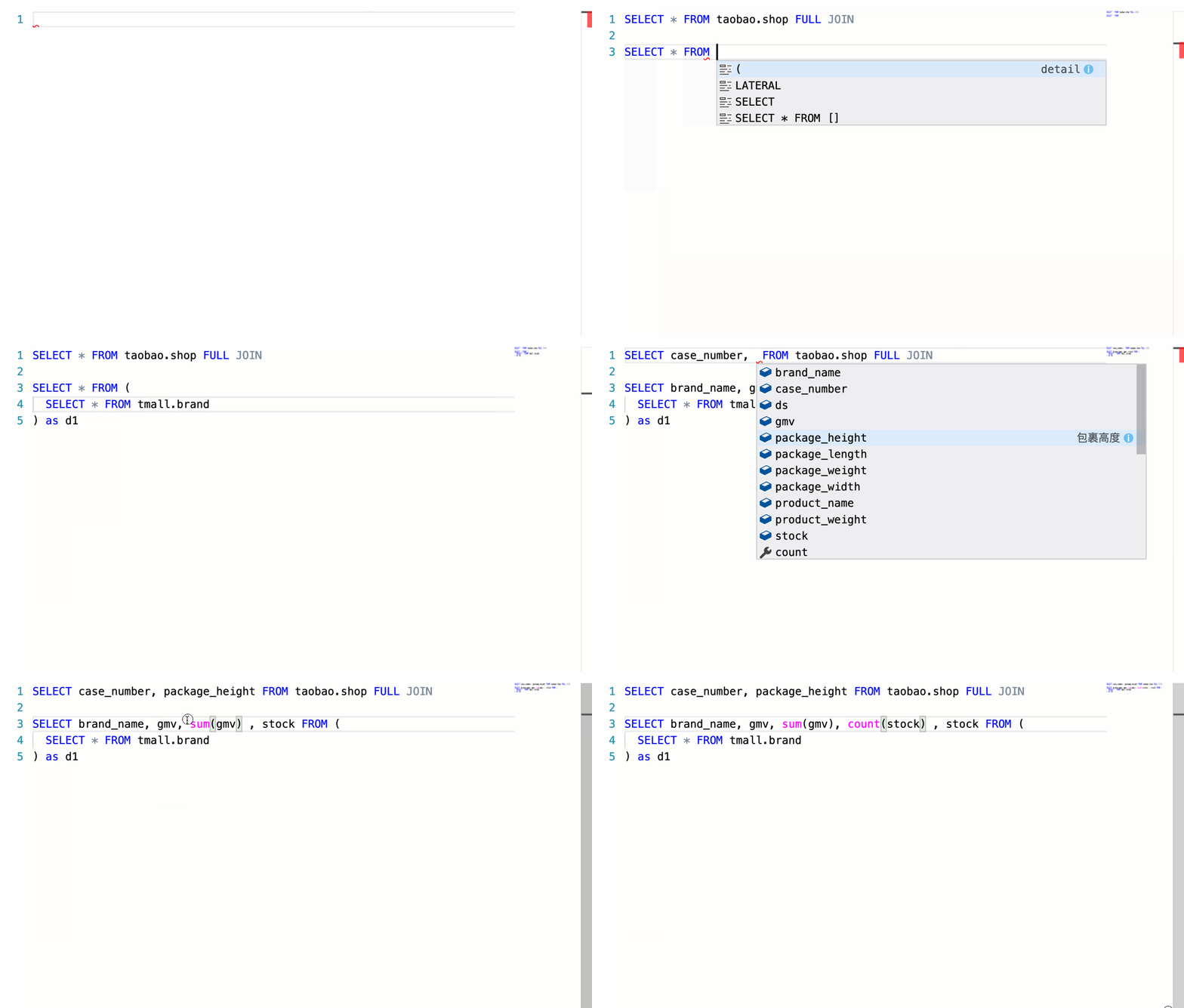 If you want to see this demo, run this command:
```bash
npm run docs
```
Then select demo `Monaco Editor`.
If you want to see this demo, run this command:
```bash
npm run docs
```
Then select demo `Monaco Editor`.