# TryonandAnimeAvatar
**Repository Path**: swimmingliu/TryonandAnimeAvatar
## Basic Information
- **Project Name**: TryonandAnimeAvatar
- **Description**: 基于HR-VITON的虚拟换衣 (Tryon) 和AnimeGANv3的动漫人物 (Anime Avatar) 小程序
- **Primary Language**: Python
- **License**: Apache-2.0
- **Default Branch**: master
- **Homepage**: None
- **GVP Project**: No
## Statistics
- **Stars**: 2
- **Forks**: 0
- **Created**: 2024-01-08
- **Last Updated**: 2025-01-18
## Categories & Tags
**Categories**: Uncategorized
**Tags**: None
## README
# Tryon and Anime Avatar
## Introduction
基于HR-VITON的虚拟换衣 (Tryon) 和AnimeGANv3的动漫人物 (Anime Avatar) 小程序
 ## Workflow
### DataBase
MysqlDataBase: Tryon 和 Anime Avatar 任务分别创建表,记录用户id、处理结果、任务状态等信息
### Frontend
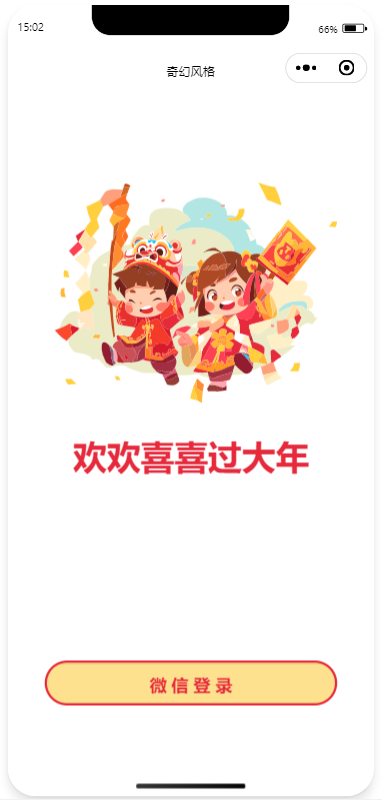
1. 用户进入小程序会判断是否登录过,未登录,则弹出登录页面
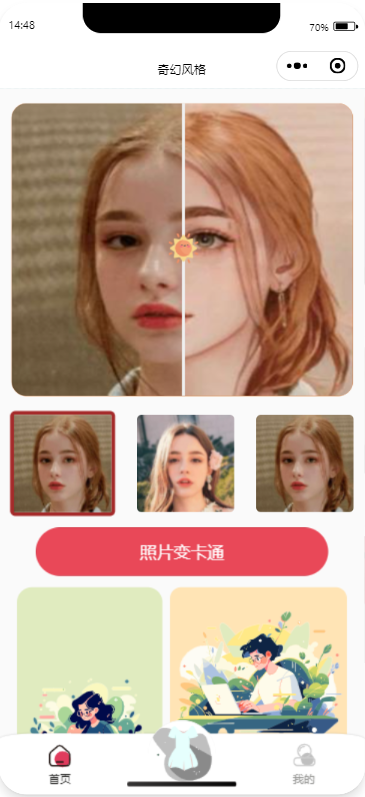
2. 主页包括动漫化效果展示模块,和实现上传图片动漫化功能按钮,最后显示处理结果;
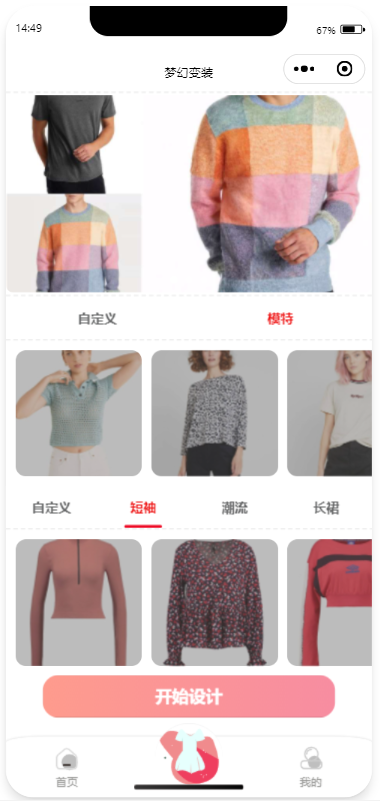
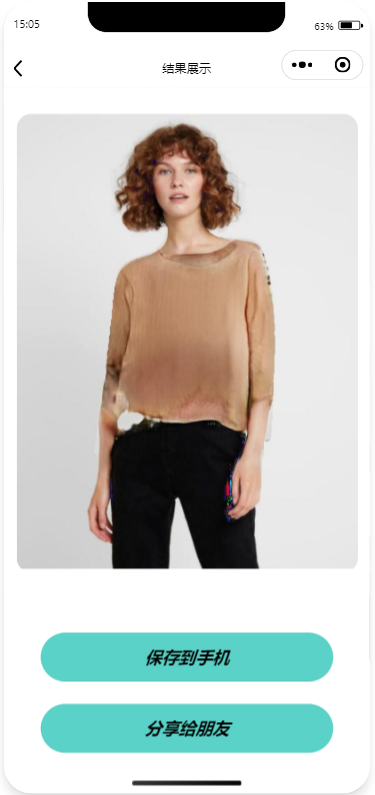
3. 换衣页面包括轮播图展示效果图,用户可以选择系统自带的模特和服饰图片或者自己上传图片进行在线试衣功能,最后显示结果;
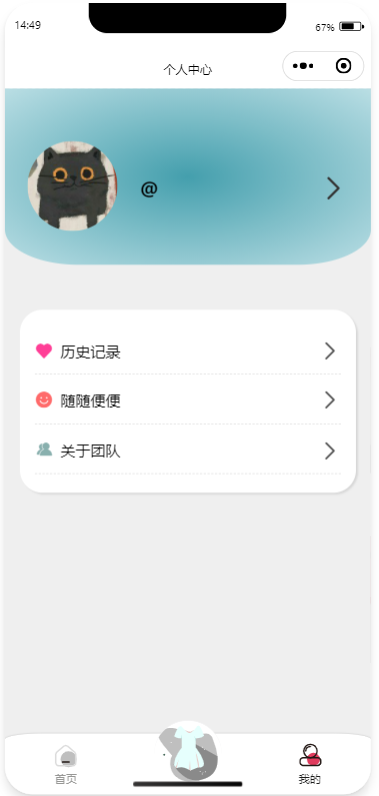
4. 个人信息页面显示用户头像和昵称,下面包括用户的历史操作记录,用户可以点击跳转查看;
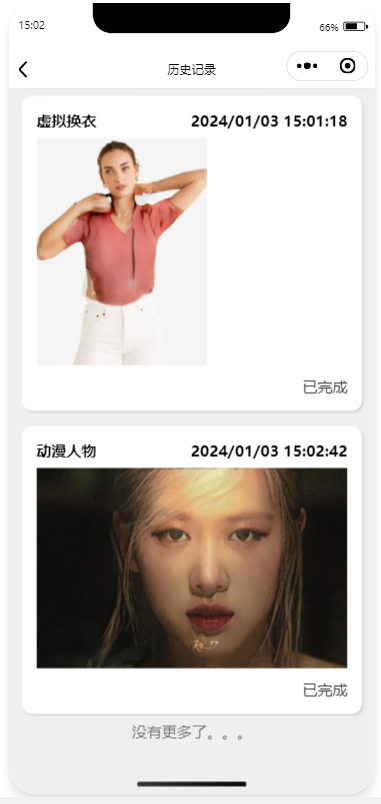
5. 历史记录页面将显示用户所有的操作记录
### Backend
1. 接收来自前端的请求,获取用户的userid以及待处理的图片数据。
2. 建立数据库,用来存储用户信息以及用户操作。
3. 将用户的数据、具体操作、时间以及处理结果状态传入MySQL数据库。对于默认未处理的数据,处理结果状态设为0,表示尚未完成处理。
4. 根据前段请求的功能,将数据传入对应的模型端服务器。
5. 将待处理的图片数据传送至模型端进行处理,并等待接收模型端的处理结果。
6. 在数据库中修改此次操作对应的数据处理状态为1,表示图片已经完成处理。
7. 将查询结果返回给前端。
8. 若前端请求超时,前端可以轮训访问重传函数,查询数据处理状态。数据处理完成后,将处理好的数据进行重传。
9. 将查询结果返回给前端。
### Modelend
**动态调度**:
1. TaskQueue记录Tryon 和 Anime Avatar任务
2. 每次调用模型前,获取GPU显存剩余容量
3. 如果显存足够则调用模型,否则返回显存不足响应
#### Tryon Model
1. **flask框架**:通过接口获取衣服图片和人物图片
2. 调用`getClothMask`函数生成服装掩码。
3. 利用PoseNet模型来获取图像中人物的姿势坐标。
4. 在`Graphonomy-master`目录下运行命令行脚本,生成人物照片的语义分割。
5. 使用语义分割掩码去除人物图像背景。
6. 调用`getSegGrayscal`函数生成灰度语义分割图像。
7. 通过DensePose库生成人物姿态图像。
8. 调用HR-VITON网络生成最终的合成图像。
9. 保存处理后的图像,然后响应请求。
#### Anime Avatar
1. 通过接口获取人像图片
2. 预处理图像,调整尺寸大小和色域,适应模型输入
3. 使用 AnimeGANv3 模型进行推理,并将输出图像调整回原始尺寸和原域。
4. 保存处理后的图像,然后响应请求
### WorkFlow Graph

## Frame
### DataBase
[](https://www.mysql.com/)
### Frontend
[](https://developers.weixin.qq.com/)
### Backend
[](https://www.python.org/)[](https://flask.palletsprojects.com/)[](https://pytorch.org/)[](https://flask.palletsprojects.com/)
## Reference
### ModelEnd
[**HR-VITON**](https://github.com/sangyun884/HR-VITON)
[**Posenet**](https://github.com/rwightman/posenet-python)
[**Graphonomy**](https://github.com/Gaoyiminggithub/Graphonomy)
**[detectron2](https://github.com/facebookresearch/detectron2)**
[**cloth image segmentation**](https://github.com/ternaus/cloths_segmentation)
[**TryYours-Virtual-Try-On**](https://github.com/lastdefiance20/TryYours-Virtual-Try-On)
[**AnimeGANv3**](https://github.com/TachibanaYoshino/AnimeGANv3)
## Workflow
### DataBase
MysqlDataBase: Tryon 和 Anime Avatar 任务分别创建表,记录用户id、处理结果、任务状态等信息
### Frontend
1. 用户进入小程序会判断是否登录过,未登录,则弹出登录页面
2. 主页包括动漫化效果展示模块,和实现上传图片动漫化功能按钮,最后显示处理结果;
3. 换衣页面包括轮播图展示效果图,用户可以选择系统自带的模特和服饰图片或者自己上传图片进行在线试衣功能,最后显示结果;
4. 个人信息页面显示用户头像和昵称,下面包括用户的历史操作记录,用户可以点击跳转查看;
5. 历史记录页面将显示用户所有的操作记录
### Backend
1. 接收来自前端的请求,获取用户的userid以及待处理的图片数据。
2. 建立数据库,用来存储用户信息以及用户操作。
3. 将用户的数据、具体操作、时间以及处理结果状态传入MySQL数据库。对于默认未处理的数据,处理结果状态设为0,表示尚未完成处理。
4. 根据前段请求的功能,将数据传入对应的模型端服务器。
5. 将待处理的图片数据传送至模型端进行处理,并等待接收模型端的处理结果。
6. 在数据库中修改此次操作对应的数据处理状态为1,表示图片已经完成处理。
7. 将查询结果返回给前端。
8. 若前端请求超时,前端可以轮训访问重传函数,查询数据处理状态。数据处理完成后,将处理好的数据进行重传。
9. 将查询结果返回给前端。
### Modelend
**动态调度**:
1. TaskQueue记录Tryon 和 Anime Avatar任务
2. 每次调用模型前,获取GPU显存剩余容量
3. 如果显存足够则调用模型,否则返回显存不足响应
#### Tryon Model
1. **flask框架**:通过接口获取衣服图片和人物图片
2. 调用`getClothMask`函数生成服装掩码。
3. 利用PoseNet模型来获取图像中人物的姿势坐标。
4. 在`Graphonomy-master`目录下运行命令行脚本,生成人物照片的语义分割。
5. 使用语义分割掩码去除人物图像背景。
6. 调用`getSegGrayscal`函数生成灰度语义分割图像。
7. 通过DensePose库生成人物姿态图像。
8. 调用HR-VITON网络生成最终的合成图像。
9. 保存处理后的图像,然后响应请求。
#### Anime Avatar
1. 通过接口获取人像图片
2. 预处理图像,调整尺寸大小和色域,适应模型输入
3. 使用 AnimeGANv3 模型进行推理,并将输出图像调整回原始尺寸和原域。
4. 保存处理后的图像,然后响应请求
### WorkFlow Graph

## Frame
### DataBase
[](https://www.mysql.com/)
### Frontend
[](https://developers.weixin.qq.com/)
### Backend
[](https://www.python.org/)[](https://flask.palletsprojects.com/)[](https://pytorch.org/)[](https://flask.palletsprojects.com/)
## Reference
### ModelEnd
[**HR-VITON**](https://github.com/sangyun884/HR-VITON)
[**Posenet**](https://github.com/rwightman/posenet-python)
[**Graphonomy**](https://github.com/Gaoyiminggithub/Graphonomy)
**[detectron2](https://github.com/facebookresearch/detectron2)**
[**cloth image segmentation**](https://github.com/ternaus/cloths_segmentation)
[**TryYours-Virtual-Try-On**](https://github.com/lastdefiance20/TryYours-Virtual-Try-On)
[**AnimeGANv3**](https://github.com/TachibanaYoshino/AnimeGANv3)