# QssStylesheetEditor
**Repository Path**: third_party_project_code/QssStylesheetEditor
## Basic Information
- **Project Name**: QssStylesheetEditor
- **Description**: qt样式qss编辑器. 实时预览,支持在qss中自定义变量,鼠标选取颜色等。
- **Primary Language**: Python
- **License**: GPL-3.0
- **Default Branch**: master
- **Homepage**: None
- **GVP Project**: No
## Statistics
- **Stars**: 0
- **Forks**: 15
- **Created**: 2021-03-06
- **Last Updated**: 2021-03-06
## Categories & Tags
**Categories**: Uncategorized
**Tags**: None
## README
简体中文 | [English](readme.md)
# QssStylesheetEditor
[](https://travis-ci.com/hustlei/QssStylesheetEditor)
[](https://www.codacy.com/manual/hustlei/QssStylesheetEditor?utm_source=github.com&utm_medium=referral&utm_content=hustlei/QssStylesheetEditor&utm_campaign=Badge_Grade)
[](https://coveralls.io/github/hustlei/QssStylesheetEditor?branch=master)
[](https://travis-ci.com/hustlei/QssStylesheetEditor)
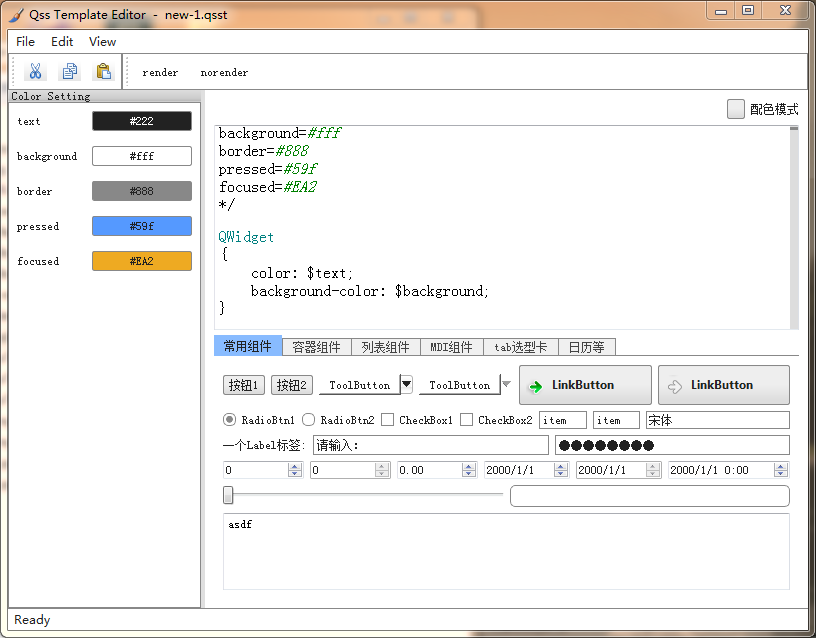
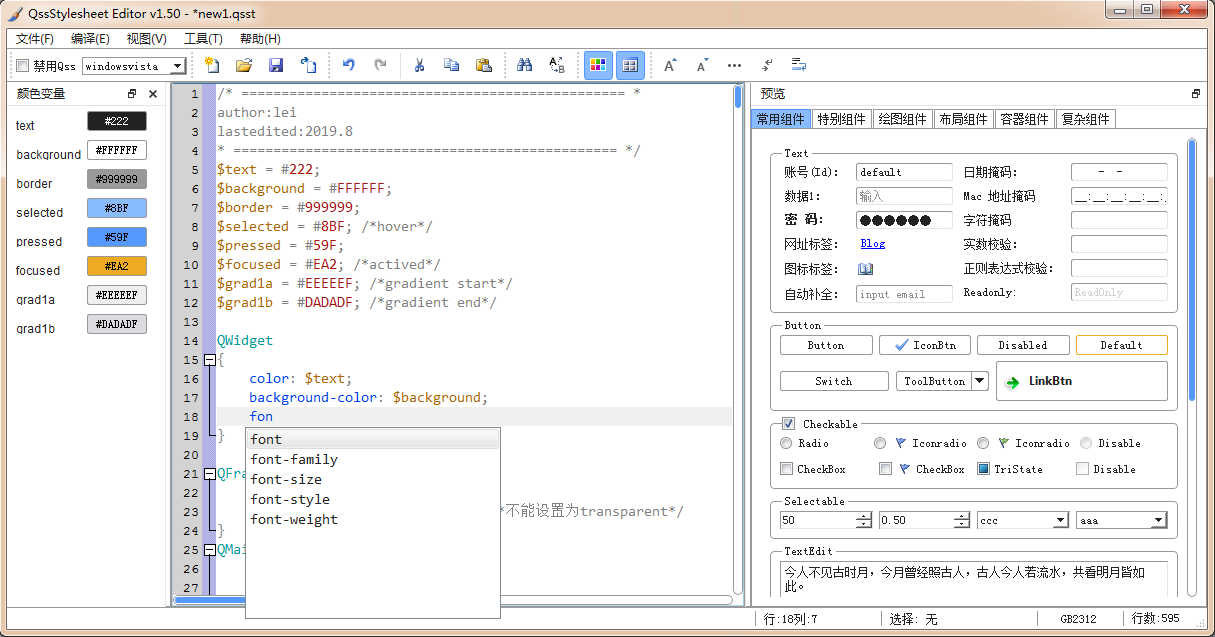
QssStylesheetEditor 是一个功能强大的 Qt 样式表(QSS)编辑器,支持实时预览,自动提示,自定义变量。
# 功能简介
+ Qss代码高亮,代码折叠
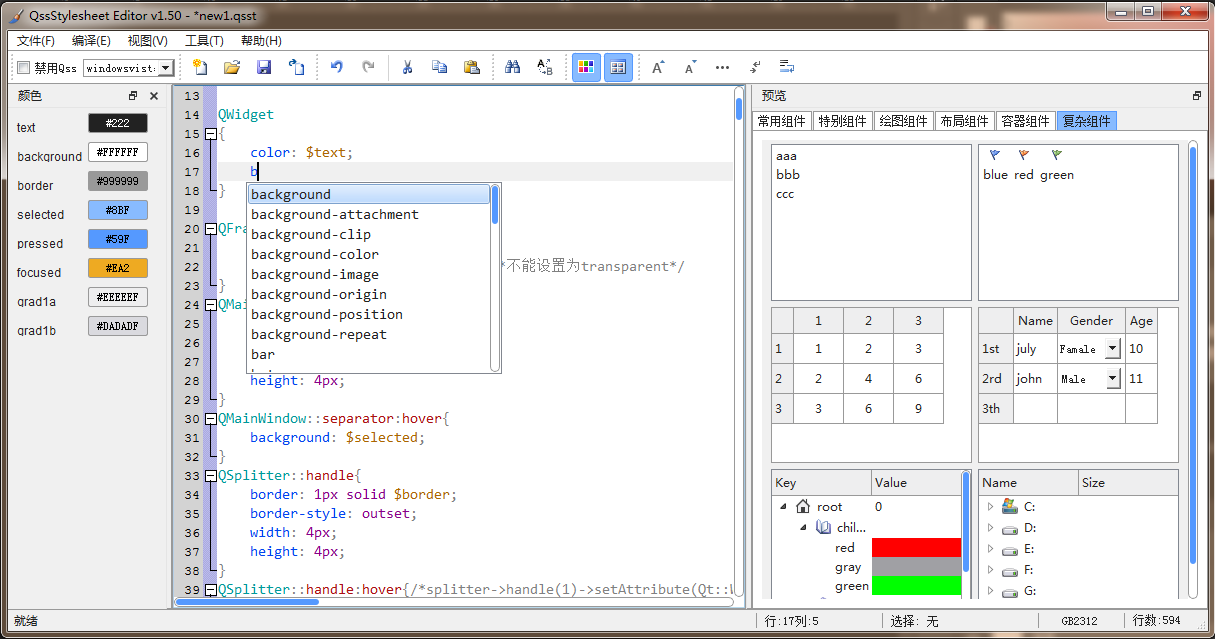
+ Qss代码自动提示,自动补全
+ 实时预览 Qss 样式效果
+ 可以预览几乎所有的 qtwidget 控件效果
+ 支持在 Qss 中自定义变量
+ 自定义变量可以在颜色对话框中拾取变量的颜色
+ 支持相对路径引用图片,以及引用资源文件中的图片
+ 支持切换不同的系统 theme,如 xp 主题,vista 主题等(不同 theme 下 qss 效果会略有差异)
+ 能够在 windows,linux,unix 上运行
+ 支持多国语言(中文,英文)
# screenshot
# 安装使用
按照如下步骤运行 QssStylesheetEditor:
1. 下载 [QssStylesheetEditor-1.6-py3-none-any.whl](https://github.com/hustlei/QssStylesheetEditor/releases)
2. 运行 `pip install QssStylesheetEditor-1.6-py3-none-any.whl` 安装 QssStylesheetEditor
3. 命令行执行 `qsseditor` 或者 `QssStylesheetEditor` 命令运行程序
**windows 64bit 操作系统**可以下载安装包或者绿色版exe运行。下载地址:
+ [QssStylesheetEditor1.6 64位安装包](https://github.com/hustlei/QssStylesheetEditor/releases)
+ QssStylesheetEditor1.6 64位绿色版 [[下载]](https://pan.baidu.com/s/1d8QJH6EbGcZXi7GjbkPlsQ) (提取码: j7fc)
> 或者可以根据如下步骤手动安装:
>
>> 1. 安装 python3: 参考 python 官网
>> 2. 安装依赖包:
>> + 安装 preimport: `pip install preimport`
>> + 安装 tomlconfig: `pip install tomlconfig`
>> + 安装 CodeEditor `pip install CodeEditor`
>> 3. 下载解压软件:
>> + 下载 [QssStylesheetEditor_v1.6.zip](https://github.com/hustlei/QssStylesheetEditor/releases)
>> + 解压并进入 QssStylesheetEditor_v1.6 文件夹: `cd QssStylesheetEditor_v1.6`
>> 4. 运行 QssStylesheetEditor:
>> + 鼠标双击 qsseditor.pyw
>> + 或者命令行运行 `python qsseditor.pyw`
# 变量定义
本软件支持在 qss 中自定义变量,变量定义方式如下:
~~~
$background = #fff;
$border = red;
~~~
变量引用方法:通过“$变量名”方式引用。参考如下:
~~~
QWidget
{
color: $text;
background-color: $background;
}
~~~
> qss 中颜色等有很多相同的,使用变量后会大大减少工作量,方便修改。
> + 定义了变量的 qss 文件在 QssStylesheetEditor 中扩展名定义为 qsst
> + 可以通过软件的导出功能,将 qsst 导出为 qss 文件
> > 当然也可以直接在 QssStylesheetEditor 软件中编辑 qss 样式
**QssStylesheetEditor 自动识别添加变量,颜色拾取功能**
在 QssStylesheetEditor 中自定义一个变量后,在软件的颜色栏会自动显示变量名字和颜色,点击颜色可以用通过颜色拾取框选取变量颜色。
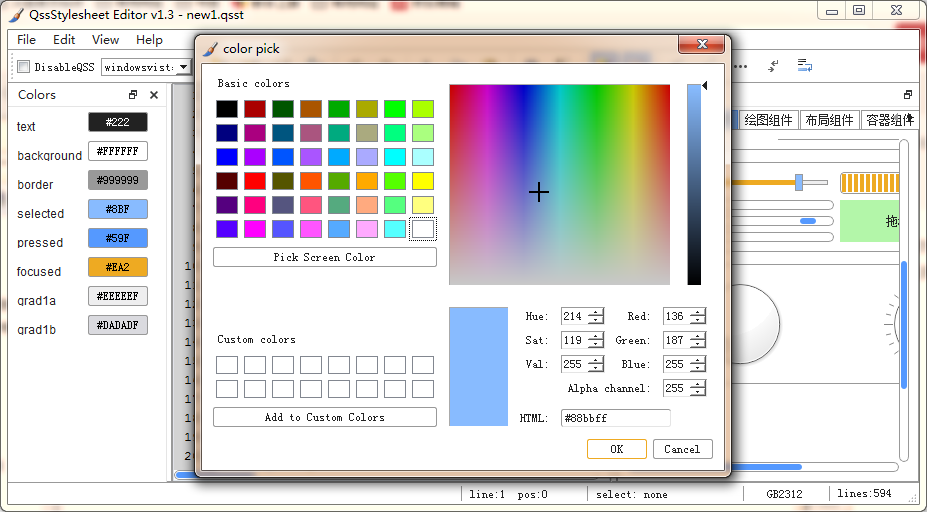 在 QssStylesheetEditor 中引用一个未定义的变量后,软件会自动识别,并在颜色栏显示该变量名字。如果通过颜色拾取框为该变量选择了颜色,这软件会自动在文档中添加该变量定义。
# 图片引用
## 相对路径引用
~~~css
background-image: url("img/close.png");
/* background-image: url(img/close.png); */
~~~
软件会在打开的 xxx.qss 文件所在的文件夹下查找 img/close.png 文件。
## 资源文件引用
~~~css
background-image: url(":/img/close.png");
/* background-image: url(:/img/close.png); */
~~~
软件会在当前打开的 xxx.qss 样式文件所在目录中搜索资源文件 xxx.py 并自动加载。
# screenshot
## 自动补全
## other os
在 QssStylesheetEditor 中引用一个未定义的变量后,软件会自动识别,并在颜色栏显示该变量名字。如果通过颜色拾取框为该变量选择了颜色,这软件会自动在文档中添加该变量定义。
# 图片引用
## 相对路径引用
~~~css
background-image: url("img/close.png");
/* background-image: url(img/close.png); */
~~~
软件会在打开的 xxx.qss 文件所在的文件夹下查找 img/close.png 文件。
## 资源文件引用
~~~css
background-image: url(":/img/close.png");
/* background-image: url(:/img/close.png); */
~~~
软件会在当前打开的 xxx.qss 样式文件所在目录中搜索资源文件 xxx.py 并自动加载。
# screenshot
## 自动补全

## other os
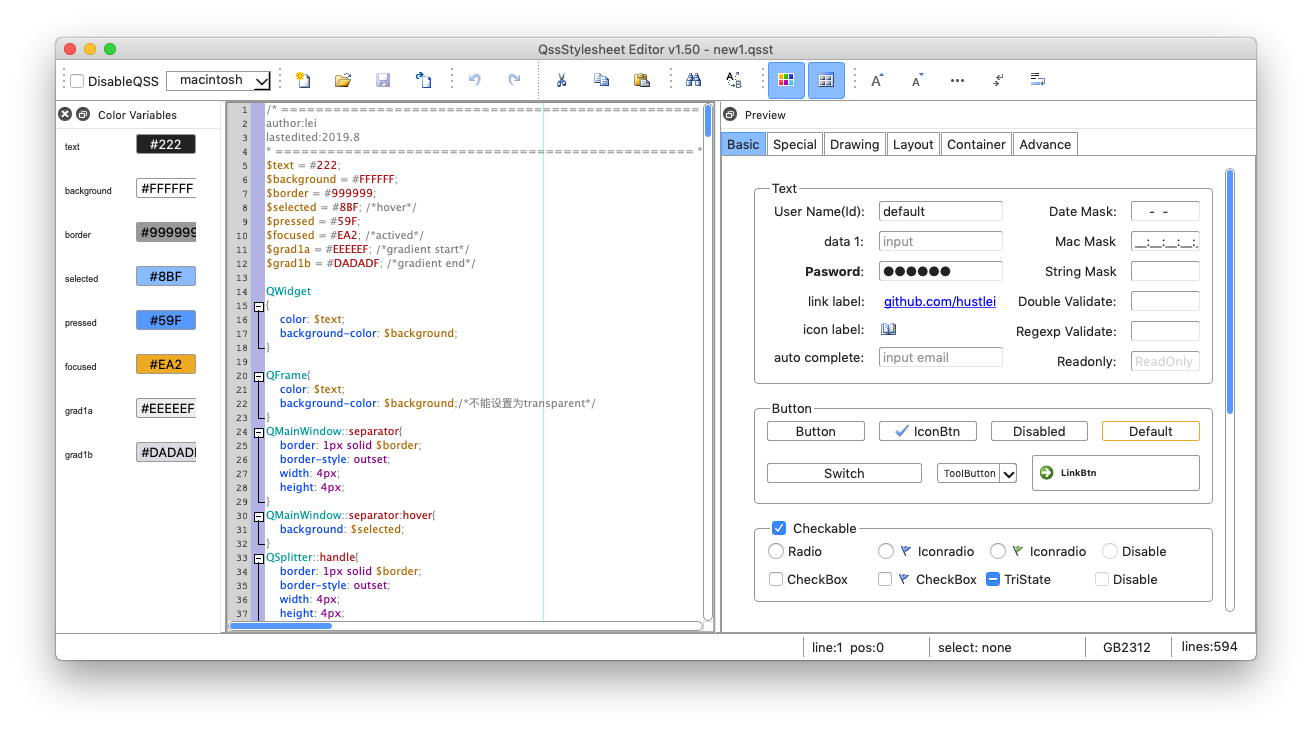
QssStylesheetEditor on macOS
 ## old version
QssStylesheetEditor GUI V1.2
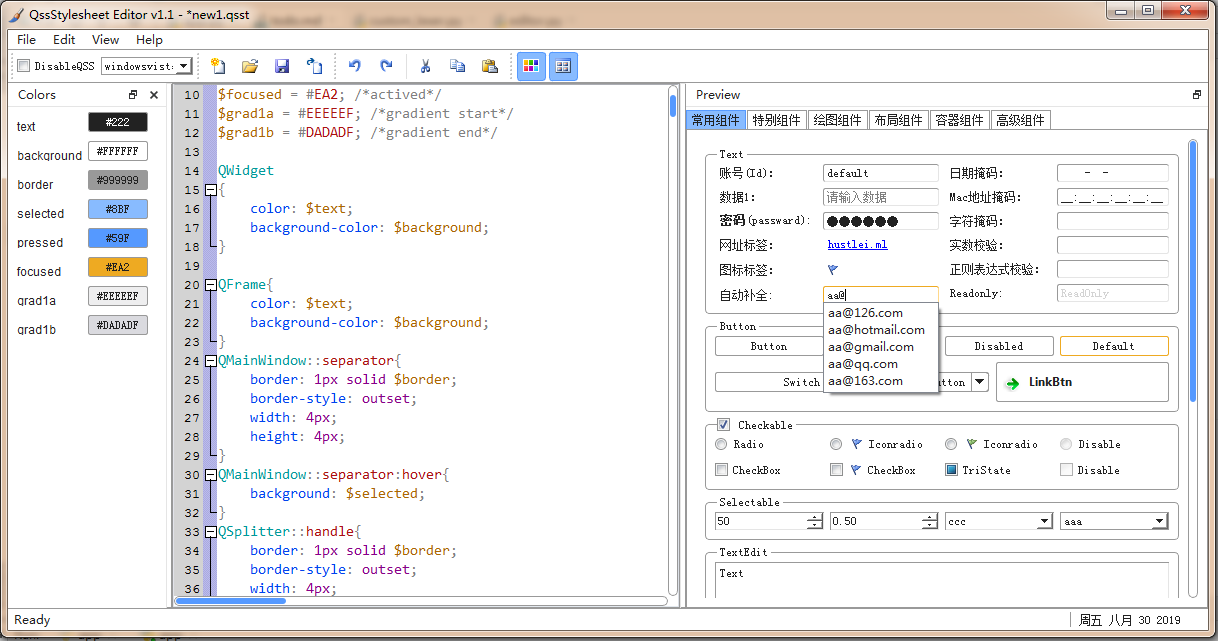
QssStylesheetEditor GUI V1.1
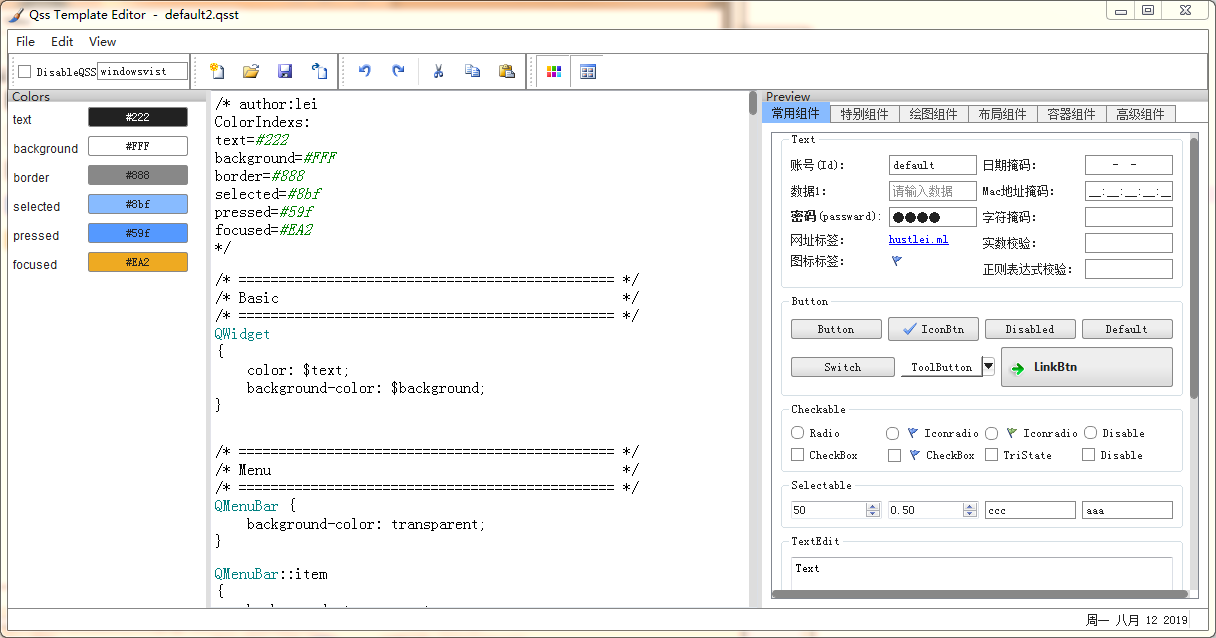
QssStylesheetEditor GUI V1.0