# asn1Play
**Repository Path**: tigertwins/asn1Play
## Basic Information
- **Project Name**: asn1Play
- **Description**: fork from https://github.com/impratikjaiswal/asn1Play
- **Primary Language**: Unknown
- **License**: GPL-3.0
- **Default Branch**: main
- **Homepage**: None
- **GVP Project**: No
## Statistics
- **Stars**: 0
- **Forks**: 0
- **Created**: 2024-03-13
- **Last Updated**: 2024-03-13
## Categories & Tags
**Categories**: Uncategorized
**Tags**: None
## README
# asn1Play
ASN1 Encoder & Decoder based on [pycrate](https://github.com/P1sec/pycrate).
Currently supporting ASN1(s) of various versions of below specifications:
1. [GSMA SGP.22](https://www.gsma.com/esim/esim-specification/ "GSMA SGP.22" )
1. [TCA eUICC_Profile_Package (SAIP)](https://trustedconnectivityalliance.org/technology-library-sim-specifications/ "SAIP")
1. [GSMA SGP.32](https://www.gsma.com/esim/esim-specification/ "GSMA SGP.32" )
However, Tool can be extended to support any ASN1 based conversion.
[](LICENSE)
[](CODE_OF_CONDUCT.md)
[](https://github.com/impratikjaiswal/asn1Play/releases/latest)
[](https://github.com/impratikjaiswal/asn1Play/commits/main/)
[](https://amenitypj.in/asn1Play)
[](https://amenitypj.in/asn1Play)
[](https://impratikjaiswal.github.io/asn1Play)
[](https://impratikjaiswal.github.io/asn1Play)
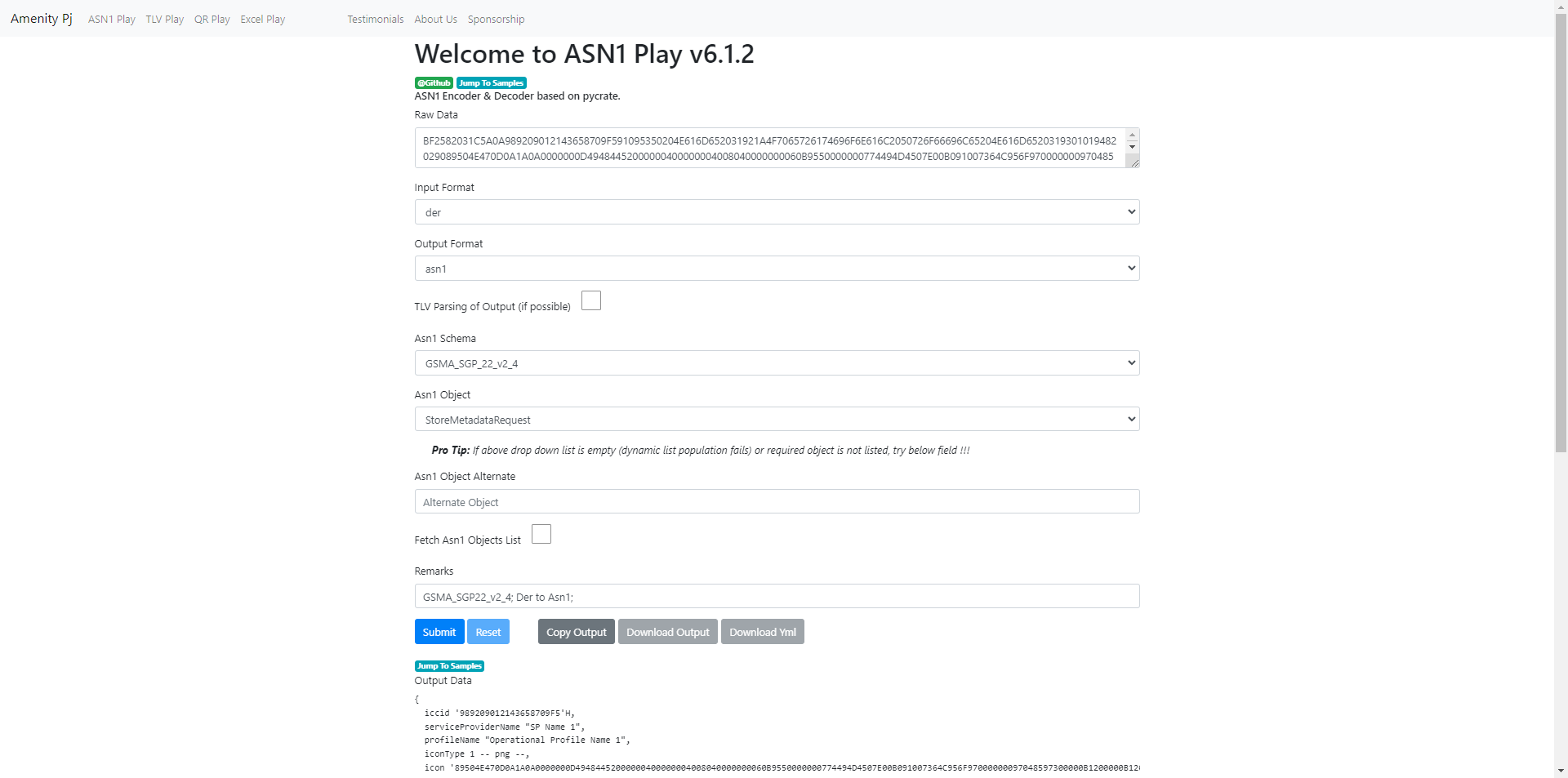
# Screen Shot(s) of Web App [](https://amenitypj.in/)
# Installation/Setup
Steps can be found [here](https://github.com/impratikjaiswal/pythonHelpers/blob/main/HOW_TO_INSTALL_PYTHON_APPS.md).
# How To Use
There are various ways to Get Started:
- Online Mode
- Website [](https://amenitypj.in/) can be used
- Offline Mode (Requires Download / Cloning of the Repo)
- Code can be directly run from ```asn1Play/asn1_play/main/asn1play.py``` using any IDE
- Local Web Server App [amenitypj](https://github.com/impratikjaiswal/amenitypj) can be used
# Help
Issue tracker can be found [here](CONTRIBUTING.md#issue-tracker).
# Contributing
- Code of Conduct can be found [here](CODE_OF_CONDUCT.md).
- Contributing Guidelines can be found [here](CONTRIBUTING.md).
# Few Major Features
- Auto Trimming of HEX Data (White Spaces Deletion).
- Auto Detection of Base64 & Hex data.
- Auto Detection of ByteArraySigned & ByteArrayUnSigned.
- Conversion Mode for HEX, ASCII, TEXT & Base64.
- Support of "Individual Mode"; Raw/Target Data can be configured Directly or file path (Binary as well as Text File; any extension) can be passed.
- Support of "Bulk Mode"; Raw/Target Data can be configured Directly in List/Array format or Directory Path can be passed (Files with Known extensions will be picked based on Input Format).
- Support of "Yml Mode (Config Mode)"; Raw/Target Data (along with all needed config) can be configured Directly in Yaml Files (".yaml" or ".yml" extensions), and same cane be passed in "Individual Mode" or "Bulk Mode".
- For Known File Extensions (".asn1", ".asn", ".base64", ".hex"), Input/Output Format may be modified automatically as per sensible out-of-the-box defaults.
# Data Folders
- \asn1Play\Data\SampleData: Sample Data folder containing various version specific data files.
- \asn1Play\Data\UserData: User Data folder containing various version specific data files (Default Output Directory).
# Sample Usage References
To Refer Sample usages, search for below keywords in source code (\asn1Play\asn1_play\main\data_type) and/or in data folders.
- .Asn1Files;
- .Base64Files;
- .HexFiles;
- .YmlFiles;
- AsciiInput;
- AsciiOutput;
- TxtInput;
- TxtOutput;
- Asn1Element;
- Asn1Schema;
- Asn1ElementString;
- Asn1ElementVariable;
- Asn1Input;
- Asn1Output;
- Base64Input;
- Base64Output;
- BulkMode;
- ByteArrayInput;
- ByteArrayOutput;
- ByteArraySignedInput;
- ByteArraySignedOutput;
- Certificate;
- Der64Input;
- Der64Output;
- DerInput;
- DerOutput;
- DirectInput;
- DirectoryInput;
- DirectoryOutput;
- ExportKeyword;
- ExportedInput;
- ExtendRemarksList;
- FileInput;
- HexInput;
- HexOutput;
- ItemIndexVariable;
- ListInput;
- OutputFile;
- OutputKeyword;
- PE_End;
- ProfileElement;
- ReParseOutput;
- RemarksVariable;
- StoreMetadataRequest;
- TlvParsing;
- UpdateMetadataRequest;
- VersionVariable;
- YmlInput;
- YmlOutput;
- YmlOutputSameFile;
# Reserve Variables
- $VERSION
- Used for input_path, when version of asn specification needs to be considered in file path on run time.
- $REMARKS
- Used for output_file_path, when Remarks needs to be considered in output path.
- $ASN1_ELEMENT
- Used for remarks_list, when Asn Element Name needs to be considered in remarks_list.
- $ITEM_INDEX
- Used for output_file_path, when Item Index (For Bulk Mode) needs to be considered in output path.
# Reserve Keywords
- output
- Used for output in file.
- export
- Used for export mode. Export of configuration in .yml file.
# Important Points
- For output_file, Both "directory path" and "file path" (identified based on any extension) are supported, Hence a path without extension will be considered as directory.
- For input/output via files/directory, always enclosed path with r''. Here "r" denotes raw string and avoid escape sequences, otherwise it might be considered as normal input.
- output keyword always utilize comments
- output file utilize comments in case of directory or if file name is having $REMARKS